Disclosure: Some links in this post are affiliate links. As an Amazon Associate I earn from qualifying purchases, at no extra cost to you. Learn more
Specs are compiled from manufacturer listings and verified buyer reviews and can change over time — please confirm the key details on the product page before buying.
Metal buildings do something cruel to WiFi: steel siding, steel roof panels, and steel framing bounce the signal around instead of letting it through. If you are trying to get a signal from the house out to a shop, garage, barn, or RV pad, the answer is not a bigger indoor box on a shelf. The picks below are the six that actually reach metal-clad buildings, and most of the serious ones mount outside, where the signal can hit your router through air instead of fighting through a wall.
This guide is built by comparing the manufacturers’ published specifications and the patterns across verified customer reviews, so you get each pick’s real strengths and trade-offs instead of marketing spin.
Your metal building blocks WiFi because steel walls reflect the signal, so the extender you need depends on how far the building sits from your router. Weatherproofing, PoE power, and antenna gain decide whether an extender survives outdoors and reaches your shop. Getting a wifi extender for metal building right depends on matching one of these six to your actual distance.
Top Picks


How To Choose The Best WiFi Extender for Metal Building
Steel doesn’t just weaken WiFi — it reflects it. A signal that crosses a metal wall loses most of its strength, which is why a cheaper indoor extender placed inside the shop often fails while the same unit mounted outside on the wall does the job. Before you pick, figure out two things: how far the building sits from your router, and whether you can run a cable out there.
Indoor vs outdoor mounting — which one you actually need
If your metal building is on the same lot as your house and the distance is short, an indoor extender with a strong signal indicator can work when you place it at the wall closest to the router. If the building sits 60 feet or farther across open ground — a detached shop, garage, or barn — you want an outdoor unit that mounts on the exterior, where the signal crosses air instead of a steel panel.
An outdoor extender also needs power, and running an outlet to a post in the yard isn’t practical. That’s where PoE (power over Ethernet, meaning the network cable carries both the data and the electricity) helps: one cable does the whole job, so you can hang the unit high on a corner and still power it from inside.
Reading the weatherproof and range specs
IP67 and IP65 are dust-and-water ratings — the higher the second number, the more water the housing resists. IP67 means it survives being dunked briefly; IP65 means it handles rain and spray but not a plunge. Both work outside, but IP67 is the safer bet on a unit that faces storms year-round.
Range claims are usually measured in open air with nothing in the way, so treat them as a best case. Antenna gain (measured in dBi, which tells you how strongly the antenna focuses the signal) and the number of antennas matter more than the headline distance — a unit with four 8dBi antennas will hold a cleaner signal through trees and across a yard than a small two-antenna box. The tricky part is that a single metal building changes the math entirely, so buying a unit with an adjustable antenna and a signal-strength readout lets you find the spot that works.
Side-by-Side Comparison
| Model | Best For | Speed (Total) | Weatherproof Rating | Antennas | Amazon |
|---|---|---|---|---|---|
| TP-Link AC1900 RE550★ Best Overall | Whole-home dead zones near the metal building | 1900 Mbps | — | 3 external | Amazon |
| WAVLINK AC600 OutdoorBudget Outdoor Pick | Short-hop outdoor links on a tight budget | 450 Mbps | IP67 | 2 x 7dBi | Amazon |
| Cyseed WiFi Extender Booster | Cheap indoor dead-zone filling on 2.4 GHz only | — | — | — | Amazon |
| TP-Link BE3200 RE223BE | Modern Wi-Fi 7 homes with metal outbuildings | 3200 Mbps | — | 4 internal | Amazon |
| INEAUTO AX1800 Outdoor | Large lots with cameras and Starlink | 1800 Mbps | IP65 | 6 x 8dBi | Amazon |
| WAVLINK AX1800 Outdoor | Farm, estate, and mesh-covered metal buildings | 1800 Mbps | IP67 | 4 x 8dBi | Amazon |
Detailed Reviews
1. TP-Link AC1900 WiFi Range Extender RE550
Our pick — 4.0+★ from 18,500+ verified ratings; the strongest balance of quality and price.
The indoor workhorse that cleared the crowd — 4.0+ stars across 18,000+ owners and the most-reviewed pick here.
Buy the RE550 first if your metal building isn’t far away — an attached garage, a shed, a metal-sided workshop on the same lot. It pushes up to 1900 Mbps total (1300 Mbps on 5 GHz, 600 Mbps on 2.4 GHz), so a device right next to it pulls serious speed. Coverage stretches up to 2100 sq ft across three adjustable external antennas — aim two along the wall facing the router and most of your fight is won.
What wins people over is simply that it works — functionality is the most-praised trait by a wide margin, with setup a strong second. Owners describe walking a signal from a family room relay out to a distant bedroom and back to full bars, dead zones gone, cameras and smart devices stable. There is a wall of chatter about the same two things: it takes a minute to place it, and the app’s signal indicator earns its keep because it points you to the spot. The gigabit Ethernet port on the unit itself is the sneaky bonus for a metal building — wire a hard-to-reach camera or a second access point directly into it and you sidestep the wall problem entirely.
Here’s the honest catch. An extender does not create speed, it relays what you already pay for — expect half your current speed or less on the far side. Buyers report a 100 Mbps family-room signal holding at 100 Mbps after the relay while the router is dialed down, but that only works when the extender sits in good relay range of the router. Mount it too deep inside the steel and you’ll relay a weak signal. Also worth knowing: it doesn’t join TP-Link’s Deco mesh family, only EasyMesh.
What stands out
- 1900 Mbps total dual-band bandwidth (1300 Mbps on 5 GHz, 600 Mbps on 2.4 GHz)
- Up to 2100 sq ft coverage across 3 adjustable external antennas
- Gigabit Ethernet port for wiring out to a metal-building device
- EasyMesh-compatible with any EasyMesh router (not Deco)
- Signal-strength LEDs point you to the spot with the cleanest relay
Where it asks for effort
- Indoor unit, so a detached metal building needs it mounted near the facing wall
- Extender speed is half your router speed or less by design
- Some setups need the app reset if it freezes mid-pair
Reach for this if: your metal building is attached or close and you want the broadest safety net of owner-proven reliability at entry cost.
Think twice if: the shop sits a full yard away — an outdoor-mounted unit will beat this indoors every time.
2. WAVLINK AC600 Outdoor WiFi Extender
An outdoor unit you can hang on a post and power with one cable — but slow, and the range is the real conversation.
Two 7dBi detachable antennas, a 1000mW amplifier, and speeds up to 600 Mbps (450 Mbps on 5 GHz plus 150 Mbps on 2.4 GHz) — this is the entry point to genuinely outdoor hardware. It compares like this: the TP-Link RE550 above runs 1900 megabits_per_second versus this unit’s 450 megabits_per_second, a real gap you’ll feel if you’re pulling big files, not so much for a gate camera or a shop laptop browsing email.
The IP67 weatherproofing is where it earns its keep. That rating means dust-tight and able to survive short immersion, and it’s rated for temperatures from -10°C to 50°C with resistance to moisture, dust, 15KV static shock and 6KV lightning strikes. One Ethernet cable carries power and data through the included passive PoE adapter, so you can mount it high on a wall with no outlet in sight. Owners mention it reaching 400 ft in an open field, and buyers hardwiring it to a detached garage 60 feet away call it a great value.
The honest trade-off is range, not build. Signal strength is the most-discussed topic on this unit, and it reads mixed — several customers note it falling short of expectations in tricky placements, and a couple of reliability complaints show up. That lines up with the price point; this is a short-to-mid-hop outdoor extender, not a farm-wide solution. For a metal building right on the other side of a yard it does the job. For a long haul through trees, step up to the AX1800 picks below.
The bang-for-buck read: IP67 housing, PoE power, and dual 7dBi antennas for an entry-level outdoor price — this is the cheapest route to a real outdoor mount, and the build earns the most praise in the reviews.
Where it stops: 450 Mbps 5GHz tops out and signal reach is the recurring caveat, so it fits a short outdoor hop, not a sprawling property.
Pick it when: your metal building is within a short outdoor hop and you want to mount something outside without a huge spend.
Move on when: you need the signal to carry a longer distance through obstacles — the AX1800 units do that better.
3. WiFi Extender Signal Booster
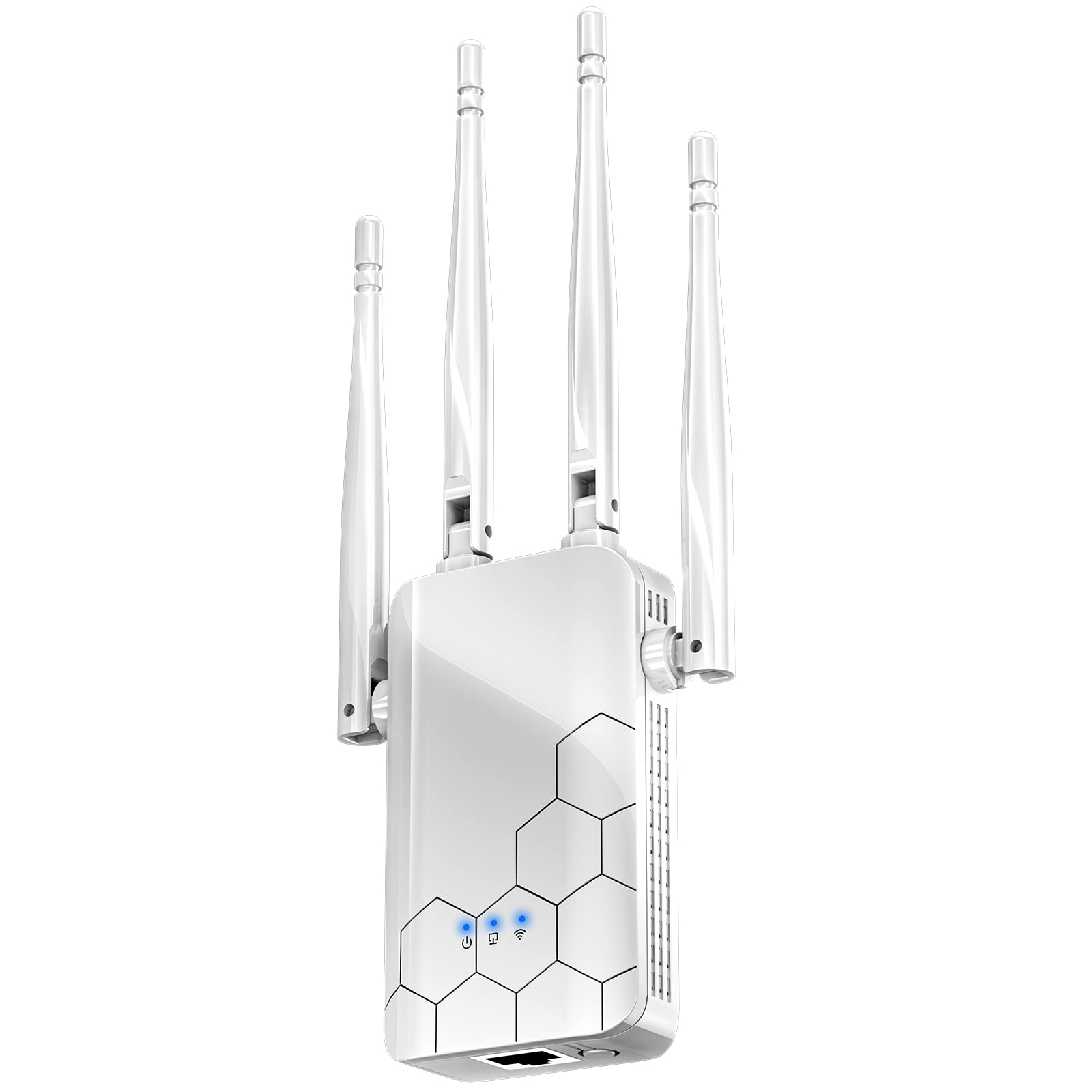
The no-frills indoor booster for a small metal shed close to the router — cheap, quick, and 2.4 GHz only.
If your “metal building” is really a small shed or a metal-clad room twenty feet from the router, this Cyseed unit is the lowest-cost way to fill that dead zone. It runs on the 2.4 GHz band only (the longer-reaching, slower band) and its headline range spec reads 10000 square feet. Setup is genuinely a one-button job, and buyers call the first-tap setup the easiest part — one owner used it to push WiFi down to a basement solar panel from a second-floor modem and reports no issues six months in.
Understand what you’re buying, though. 2.4 GHz means the speed ceiling is low and it won’t touch modern 5 GHz devices at full rate, and there’s no Ethernet port here to brag about. It’s a signal-stretcher for basic devices — phones, smart plugs, a camera — not a backbone for a shop.
And yes, the honesty matters: the negative feedback on this unit is louder than its praise. Functionality receives mixed reviews and the quality and value read negative, with complaints about cutouts and slowed speeds. That’s the trade-off of the lowest price on this list. It’s a real fix for a genuinely short indoor run, and a poor fit for anything ambitious.
Honest positioning: the entry-level pick, and the reviews say so — setup is its strongest point, but performance complaints are common enough that it belongs in a beginner’s first dead-zone fix, not a business network.
Best suited to: a tiny outbuilding or a single stubborn room where the router is close and you just need the signal to reach.
Skip if: you need 5 GHz speeds, an Ethernet port, or the range to cross even a modest yard.
4. TP-Link BE3200 Wi-Fi 7 Range Extender RE223BE

The indoor pick to pair with a newer mesh-style home — Wi-Fi 7 throughput that turns a weak metal-building link into a strong one.
If your home network already runs on a Wi-Fi 7 router, the RE223BE is the modern indoor companion. It pushes up to 3200 Mbps total — 2594 Mbps on 5 GHz plus 688 Mbps on 2.4 GHz — and covers up to 2400 sq ft for up to 64 devices. When it pairs with a Wi-Fi 7 router, MLO (Multi-Link Operation, where the router and extender use two bands at once for a smoother, lower-latency link) kicks in, which is exactly what a marginal signal across a metal building needs most.
The four internal antennas use beamforming (they steer the signal toward your devices rather than spraying it in every direction), and for a building with steel between you and the router, that directional push is more useful than raw output. Reliability is what buyers praise most here by a wide margin — this thing is stable. One user wired it into the Ethernet port to steady a gaming console; another cleared a metal-obstructed workshop camera on the far side of the house with no drops.
Two things to know. It does not support the 6 GHz band — it runs 2.4 GHz and 5 GHz only. And a couple of reviewers point out setup fighting them, with one resetting the extender after a router password mismatch. Neither kills the device; both are worth five minutes of patience at install.
Where the juice is: 3200 Mbps total, MLO support, beamforming, and a gigabit Ethernet port — the strongest indoor spec sheet on this list for metal-building bridging through a Wi-Fi 7 router.
The one quirk: no 6 GHz band and a setup that occasionally needs a reset; buyers flag both plainly.
Reach for it if: you already own a Wi-Fi 7 router and want maximum indoor reach at 5 GHz toward a metal-clad structure.
Look elsewhere if: your job is a truly long outdoor haul or you need 6 GHz — an outdoor AX1800 unit is the better tool.
5. AX1800 Outdoor WiFi 6 Extender

Six high-gain antennas and dual amplifiers bolted to a post — built for a sprawling yard full of cameras and sheds.
Where a modest outdoor unit tops out, this INEAUTO stretches further. It throws combined dual-band speeds up to 1800 Mbps, uses WiFi 6, and pairs six 8dBi high-gain antennas with dual amplifiers for long-range reach across an open property. It handles up to 128 devices, runs AP, Router, or Repeater modes, and takes PoE plus WPA/WPA3 security. It also works with Starlink, which matters if your metal building sits on a rural property running a satellite connection.
Installation is straight and complete — the package includes a mounting kit, and buyers describe getting whole-yard, front-and-back coverage with lightning protection, calling the setup easy and the unit weather-resistant in rain, snow, wind and storms. For a shop seventy or a hundred feet away with a couple of cameras hung off it, that’s a real solution.
The honest caveat is longevity. Reliability here reads mixed — most do their job, but a few shoppers say the unit dying within about a year, and one notes coverage falling short of the claimed range in a cluttered setting. It’s also big and it shows, so plan a hiding spot on the post or the corner of the roofline. Treat it as a good performer that asks you to register and keep the receipt, not an immortal one.
Why metal-property owners like it
- 1800 Mbps dual-band WiFi 6 with 6 x 8dBi antennas and dual amplifiers
- Supports up to 128 devices, so a camera wall doesn’t choke it
- PoE power plus included mounting kit for a clean post install
- Starlink-compatible — a fit for off-grid metal shops
Where the risk sits
- A handful of buyers report the unit dying within about a year
- Real-world coverage can fall short of the claimed range through obstacles
- The housing is large and not easy to hide
Worth it when: you have a big yard, multiple outbuildings, and a Starlink or large-router setup it can hook into.
Weigh the trade-off if: you need the longest possible lifespan — the AX1800 WAVLINK below carries a two-year warranty that this one doesn’t.
6. WAVLINK AX1800 Outdoor WiFi 6 Extender

Four fiberglass antennas, mesh mode, and a two-year replacement promise — the serious outdoor pick for a property that actually wants to cover ground.
If your “metal building” is a barn, a garage, or a shop out past the trees, this WAVLINK is the one built to bridge the gap. It pushes WiFi 6 speeds up to 1800 Mbps (1201 Mbps on 5 GHz and 574 Mbps on 2.4 GHz), and its four detachable 8dBi fiberglass antennas deliver up to 200-300m line-of-sight. It supports up to 256 devices and connects with Starlink Gen 2 and Gen 3 through the Starlink Ethernet Adapter — the setup many off-grid or rural metal buildings run.
The build is the story. Its fully sealed IP67 casing handles -20°C to 50°C and shrugs off moisture, dust, 6KV lightning and 15KV static shock. PoE power — both 802.3 AF/AT active and passive — means one cable runs the thing from inside the house. Unlike the INEAUTO, this one carries a two-year warranty with free replacement for any issue, plus lifetime free technical support. That’s meaningful for a farm, an estate, or an RV parking pad where a dead unit means dead cameras. Owners mention reaching 200 yards through a cabin wall and trees, and running one off a portable battery all night.
Two honest notes to size it correctly. The coverage radius is line-of-sight — trees, a metal shop wall, and a roofline eat into it, so measure your real distance and pick a mounting height that clears obstruction. And the PoE adapter is not weatherproof, so it has to live indoors or under cover; buyers also find the Ethernet cable a snug fit through the waterproof gland. Neither is a dealbreaker, both need forethought.
The performance case: 1800 Mbps WiFi 6, 4 x 8dBi fiberglass antennas, up to 200-300m line-of-sight range, 256-device support, and both active and passive PoE — the most complete outdoor spec set here.
The install truth: line-of-sight range shrinks across obstacles, and the PoE injector needs to stay indoors.
This is the one if: you’re covering a farm, estate, or metal shop at real distance and want a weather-sealed unit backed by a two-year replacement warranty.
Not for: a tight indoor dead zone — a home extender handles that for less.
Know the Specs
IP Ratings (Weatherproofing)
The “IP” in IP67 or IP65 stands for Ingress Protection, and the two digits tell you two things: the first is resistance to dust and solids, the second is resistance to water. A “6” or “7” in the first spot means the housing is dust-tight. A “5” in the second spot means it survives rain and spray; a “7” means it can handle brief immersion. For a unit living on a metal building’s exterior facing storms, IP67 is the tougher choice. The INEAUTO and WAVLINK AX1800 both rate IP65/IP67 at the housing, but the PoE power adapter is typically not waterproof and must stay indoors.
dBi Antenna Gain & Line-of-Sight Range
dBi measures antenna gain — the higher the number, the more the antenna focuses a signal in one direction rather than spreading it thin. A 7dBi or 8dBi antenna reaches further than a small internal one, which is why outdoor units use them. Range specs are usually quoted as line-of-sight, meaning nothing between the two points. The moment a steel wall, a tree, or a roofline enters the path, usable range drops. Mount the unit high, clear of obstructions, and point its antennas at your router to get closest to the claimed reach.
PoE (Power over Ethernet)
PoE means one Ethernet cable carries both the electrical power and the data. That lets you mount an extender on a post 100m/328ft from the nearest outlet without running a separate power line. Outdoor units often include a passive PoE adapter in the box; some also accept standard 802.3af/at active PoE from a compatible switch. The injection adapter — the box that feeds power into the cable — is usually indoor-rated, so plan a spot inside the building or house for it.
Band Choice: 2.4 GHz vs 5 GHz
2.4 GHz travels farther and through walls better but carries slower speeds; 5 GHz is faster but drops off sooner. For a metal building, the 2.4 GHz band often gets you the connection while 5 GHz delivers the speed when the relay is close enough. Dual-band units, like the TP-Link RE550, let one device serve both — the slower band reaching the far cameras and the faster band powering close laptops and streaming. Units limited to 2.4 GHz only will cap out at lower transfer rates no matter how strong the connection.
Common Questions
Will an outdoor WiFi extender actually get signal into a metal building?
Do I need PoE to power an outdoor extender?
Is IP65 enough for year-round outdoor use or do I need IP67?
How far will an outdoor extender reach through trees and a roofline?
Will an extender work with Starlink?
Does an extender slow down my internet speed?
Can I use an indoor extender in a metal building?
What antennas or mounting height give the best outdoor reach?
Should I buy an indoor mesh-style extender or a dedicated outdoor unit?
The Bottom Line
For most metal-building setups, the safe first move is the TP-Link RE550 — an indoor extender with the strongest owner track record here and a gigabit Ethernet port that lets you wire straight out to a shop device. If your building is a detached structure across open ground, grab the WAVLINK AX1800 Outdoor — four 8dBi antennas, IP67 sealing, Starlink support, and a two-year replacement warranty cover the long haul. And for a tight budget on a short outdoor hop, the WAVLINK AC600 Outdoor is the one to reach for. Whichever you pick, mount it outside facing the router and let one PoE cable do the work.
How we choose
We do not accept paid placement. Every pick is matched to a real buyer and a real use-case; we do not hands-on test units.
Sources
Specifications: manufacturer listings and product documentation. Review insights: verified customer reviews, as of October 2026. Pricing: not shown on this page (it changes often); check the current price via the retailer link.
As an Amazon Associate, Aappliancez earns from qualifying purchases. This does not affect which products we feature.