Disclosure: Some links in this post are affiliate links. As an Amazon Associate I earn from qualifying purchases, at no extra cost to you. Learn more
Specs are compiled from manufacturer listings and verified buyer reviews and can change over time — please confirm the key details on the product page before buying.
Reading a full newspaper page on a phone means pinching and squinting until your thumb aches. A tablet fixes that — but only if the screen is big enough to show a broadsheet page without shrinking the type, and if the glass doesn’t throw a lamp reflection straight into your eyes. That is the whole game here: page size you can actually read at arm’s length, plus a finish that stays readable under a kitchen light or a bedside lamp.
This guide is built by comparing the manufacturers’ published specifications and the patterns across verified customer reviews, so you get each pick’s real strengths and trade-offs instead of marketing spin.
Below you’ll find page-friendly screens ranked by how they actually handle long reading sessions, from matte paper-style panels to big high-resolution LCDs, so the right tablet for reading newspapers is easier to spot before you order.
Top Picks



How To Choose The Best Tablet for Reading Newspapers
Newspaper reading puts different demands on a tablet than streaming or gaming does. You hold the screen closer than a TV, you keep it on for twenty minutes at a stretch, and you read small dense type in narrow columns. Three specs decide whether that feels easy or annoying: screen size, panel finish, and how long the battery runs.
Screen size decides how much page fits
A 10.9-inch screen handles a news app or a single story comfortably. A 13.4-inch or 14.3-inch screen fits far more of a full page at once, so you scroll less and read more. If your newspaper is a replica PDF edition, the bigger panel is the difference between reading and zooming.
Matte versus glossy glass
Glossy glass mirrors whatever light sits behind you. A matte, paper-style finish scatters that reflection so text stays dark and legible under a lamp. If you read at night in a lit room or on a sunlit porch, a matte panel such as the NXTPAPER coating on the TCL models is worth hunting for.
Battery hours and the charging habit
Reading drains a screen slowly compared with video. An 11-hour or 16-hour rated battery covers several days of newspaper sessions before you hunt for a cable. Check whether a charger ships in the box — several large tablets here list the charger as not included.
Eye comfort settings that actually help
Warm-and-cool front lighting, low blue light certification, and automatic brightness all reduce the fatigue of a long read. These matter more for newspapers than for a five-minute video clip, because you stare at text for far longer.
Side-by-Side Comparison
| Model | Best For | Screen Size | Battery Life | Panel Type | Amazon |
|---|---|---|---|---|---|
| Samsung Galaxy Tab S10 Lite★ Best Overall | Everyday reading and notes | 10.9″ | 16 hours | LCD | Amazon |
| Lenovo Idea Tab ProBiggest Page | Big crisp page at a fair tier | 12.7″ | 11 hours | LCD | Amazon |
| Lenovo Idea TabBest All-Rounder | College and commuter reading | 11″ | 12 hours | LCD | Amazon |
| TCL NXTPAPER 14 | Glare-free paper feel | 14.3″ | — | Paper-like LCD | Amazon |
| BOOX Go Color 7 Gen II | Long-form e-ink reading | 7″ | — | E Ink | Amazon |
| TCL Note A1 NXTPAPER | Matte 120Hz page turning | 11.5″ | — | Paper-like LCD | Amazon |
| TECLAST T65 | Huge screen on a budget | 13.4″ | 11 hours | LCD | Amazon |
| 14 inch Large Screen Tablet | Biggest panel for the least | 14″ | 12 hours | LCD | Amazon |
| Amazon Fire HD 10 | Cheap Kindle-and-news combo | 10.1″ | 13 hours | LCD | Amazon |
Detailed Reviews
1. Samsung Galaxy Tab S10 Lite
Our pick — 4.5+★ from 1,000+ verified ratings; the strongest balance of quality and price.
A 10.9-inch LCD with a rated 16-hour battery — light enough to grip one-handed for a morning read.
The spec that earns this the top slot is endurance: Samsung rates the battery at up to 16 hours, and a full recharge takes about two hours with Super Fast Charging. For newspaper reading that means you can leave it on the nightstand for days of morning sessions without hunting for the cable. The 10.9-inch screen is small enough to grip in one hand while you scroll column text, and Vision Booster shifts brightness as the room light changes.
What wins people over is how it behaves as a daily notebook rather than a showpiece. The Exynos 1380 processor with 6GB of RAM keeps article pages and news apps moving without stutter, and the included S Pen handles margin notes and crossword puzzles with minimal lag. Buyers report the screen is bright and sharp enough for long reads, and the whole thing reads as a well-rounded everyday device rather than a compromise.
Storage starts at 128GB, and you can add up to 2TB with a microSD card if you hoard downloaded editions. The catch is the LCD panel itself — it is bright and clear, but it is still glossy glass, not a matte paper finish. Under a bright window it will reflect. The crowd favorite here is clear: 4.5+ stars across 1,300+ owners, and the volume of praise for its size and ease of use backs up the rating.
What reads well
- Up to 16 hours of battery covers days of morning reads
- 10.9-inch screen is easy to hold one-handed in bed
- S Pen included for margin notes and puzzles
- microSD expansion up to 2TB for downloaded editions
What to weigh
- Glossy LCD reflects lamp and window light
- Drains noticeably if left unused on standby
- Charger situation depends on the bundle you buy
Go for it if: you want a do-everything tablet that reads newspapers comfortably and still handles notes, mail, and streaming.
Think twice if: you read beside a bright window — that glossy panel will mirror the light.
2. Lenovo Idea Tab Pro
A 12.7-inch 3K panel that shows most of a broadsheet page before you need to zoom.
Resolution here is the headline: 2944 x 1840 pixels spread across a 12.7-inch panel means small newspaper type stays crisp even when you shrink a replica page to fit. That is the whole reason this pick exists — more page per glance, less pinching. The 90Hz refresh keeps column scrolling smooth, and Lenovo’s mono and chromatic reading modes let you switch the screen tone to suit the light you’re reading in.
Owners describe a premium-feeling big-screen tablet with a crisp display and strong multitasking from the MediaTek Dimensity 8300 chip and 8GB of memory. The Tab Pen Plus and folio case come in the box, so marking up an article or circling a word for search costs nothing extra. Quality is what people talk about most, and the volume of that praise lines up with the price-to-value story Lenovo is telling.
Two honest limits. First, the battery is rated at 11 hours of video streaming — solid, but the shortest of the big-screened picks here compared with the Samsung’s 16 hours. Second, this is a heavy tablet, and a few buyers found the 45W charger has to be bought separately or charging crawls. At 4.5+ stars across 500+ owners, it is the second-highest-rated pick in this guide.
Page real estate: the 3K panel is the sharpest large display on this list for dense news type, and the included pen makes clipping and note-taking painless. The Lenovo Idea Tab Pro gets you the closest thing to a printed broadsheet — nearly 3K pixels wide across 12.7 inches — so you can read a full column without zooming.
The weight question: it is not a one-hand-in-bed tablet. Plan on propping it or resting it on a lap desk for a long session.
Right call for: readers who want maximum page at minimum zoom and don’t mind propping the tablet up.
Look elsewhere if: you want featherweight one-handed comfort or a charger in the box.
3. Lenovo Idea Tab
An 11-inch 2560 x 1600 panel that keeps dense newspaper columns crisp at arm’s length.
An 11-inch screen at 2560 x 1600 resolution works out to a dense, sharp image — sharp enough that a thumbnail photo in a news story still reads as a photo rather than mush. The 90Hz refresh makes page turns and column scrolling feel fluid, and the 16:10 ratio gives you a little more vertical room for a long article before you have to scroll. Four Dolby Atmos-tuned speakers round it out if you like audio briefings.
What owners talk about most is build quality, followed by performance. The MediaTek Dimensity 6300 with 8GB of memory keeps news apps and browser tabs moving, and buyers describe it as a midrange tablet that runs smoothly on the highest settings. The included Tab Pen and folio case mean you can highlight a passage or jot a note without buying extras. Battery is rated at up to 12 hours of YouTube, which covers a lot of newspaper sessions.
The trade-off is connectivity — a few owners hit Wi-Fi hiccups, and the charger does not ship in the box. At 4.5+ stars across 900+ owners, it sits right alongside the big Lenovo in buyer satisfaction while being the more portable option. If your reading happens on a train or a couch, the lighter 11-inch frame is easier to hold for twenty minutes than the 12.7-inch model.
Reasons it earns its slot
- 2560 x 1600 resolves fine newspaper type cleanly
- 8GB memory keeps news apps and tabs fluid
- Tab Pen and folio case included
- Lighter than the 12.7-inch Lenovo for handheld reading
Limits worth knowing
- Wi-Fi connectivity is the mixed spot in owner feedback
- AC adapter not included in the box
Pick this one when: you read on the move and want sharp type in a frame you can hold comfortably.
Skip it for: maximum page size — the 12.7-inch model shows more of a broadsheet at once.
4. TCL NXTPAPER 14

A 14.3-inch matte NXTPAPER panel that scatters lamp glare instead of mirroring it.
For newspaper reading this is the most directly on-target design on the list. The NXTPAPER 3.0 finish reduces glare and filters blue light, and the NXTPAPER Key flips between Standard, Color Paper, and Ink Paper modes — that last one gives you a natural reading feel with less eye strain. On a 14.3-inch 2.4K screen, a full replica page fits with room to spare, and you can read outdoors at any angle without the screen turning into a mirror.
What people rave about is exactly what you’d hope for from a matte panel: the non-glare screen and color modes. The paper modes look great in both monochrome and color, and the big display suits reading documents for hours. The MediaTek Helio G99 with 8GB of RAM and 256GB of storage keeps news apps and split-screen work moving. A 10,000mAh battery recharges in about two to three hours with 33W fast charging.
The honest catch is the screen finish itself. Some readers find the paper modes softer in focus than a standard glossy panel, so if razor-sharp contrast matters more to you than glare, this is not the pick. Storage is also built-in only — no microSD slot. At 4.0+ stars across 400+ owners, most are happy; the complaint is a fit mismatch, not a defect. And with a 14.3-inch screen, this is your best shot at reading a full broadsheet at once.
The matte advantage: brightness and glare are the two things LCD readers fight, and this panel wins the glare battle outright — set it on a sunlit porch table and the text still reads.
Who skips it: anyone who needs a card slot for downloaded editions, since there is no microSD support here.
This is your reader if: you read beside windows, outdoors, or under a lamp and hate seeing your own reflection in the page.
Consider the Lenovo Idea Tab Pro instead if: you want the sharpest possible type and never read in harsh light.
5. BOOX Go Color 7 Gen II

A 7-inch E Ink screen that runs any news app you install and reflects no lamp light.
E Ink is a different animal from the LCDs above. The 7-inch Kaleido 3 panel shows 4096 colors with 1680 x 1264 resolution, and the black-and-white text renders at 300 ppi — newspaper-body sharp on a screen that reflects no lamp light at all. A warm-and-cold front light lets you read in the dark, and the 4GB RAM with an octa-core chip runs any reading app you load, not just one store’s library. Analog page-turn buttons handle column scrolling without smudging the screen.
Owners who want one device for every newspaper and magazine app tend to love it. It runs Kindle, Play Books, Libby, and news apps, it’s lighter than a paperback, and the grippy back sits well in one hand. The paper-like screen with warm, white, or no light suits a long read, and the battery stretches through days of reading if you set it to auto-off.
The catch is real and worth saying plainly: this is not a tablet for video, web browsing, or games. The refresh rate and the low-power chip make that a poor experience, and the color layer makes the whole page a little darker and grayer than an LCD — that’s the nature of E Ink, not a flaw. A 2,300mAh battery is modest too, and the stylus is sold separately. At 4.0+ stars across 300+ owners, it is the specialist pick: brilliant at reading, not built for anything else.
Where it shines: reading a newspaper on this feels closer to paper than any backlit screen here, and 300 ppi black-and-white text means no pixel edges on small type.
Where it stops: treat it as a reader only — no videos, no gaming, and no stylus in the box.
Best fit for: the reader who wants paper-like calm and one device for every news and book app.
Not the one if: you also want to watch video or browse the web on the same screen.
6. TCL Note A1 NXTPAPER
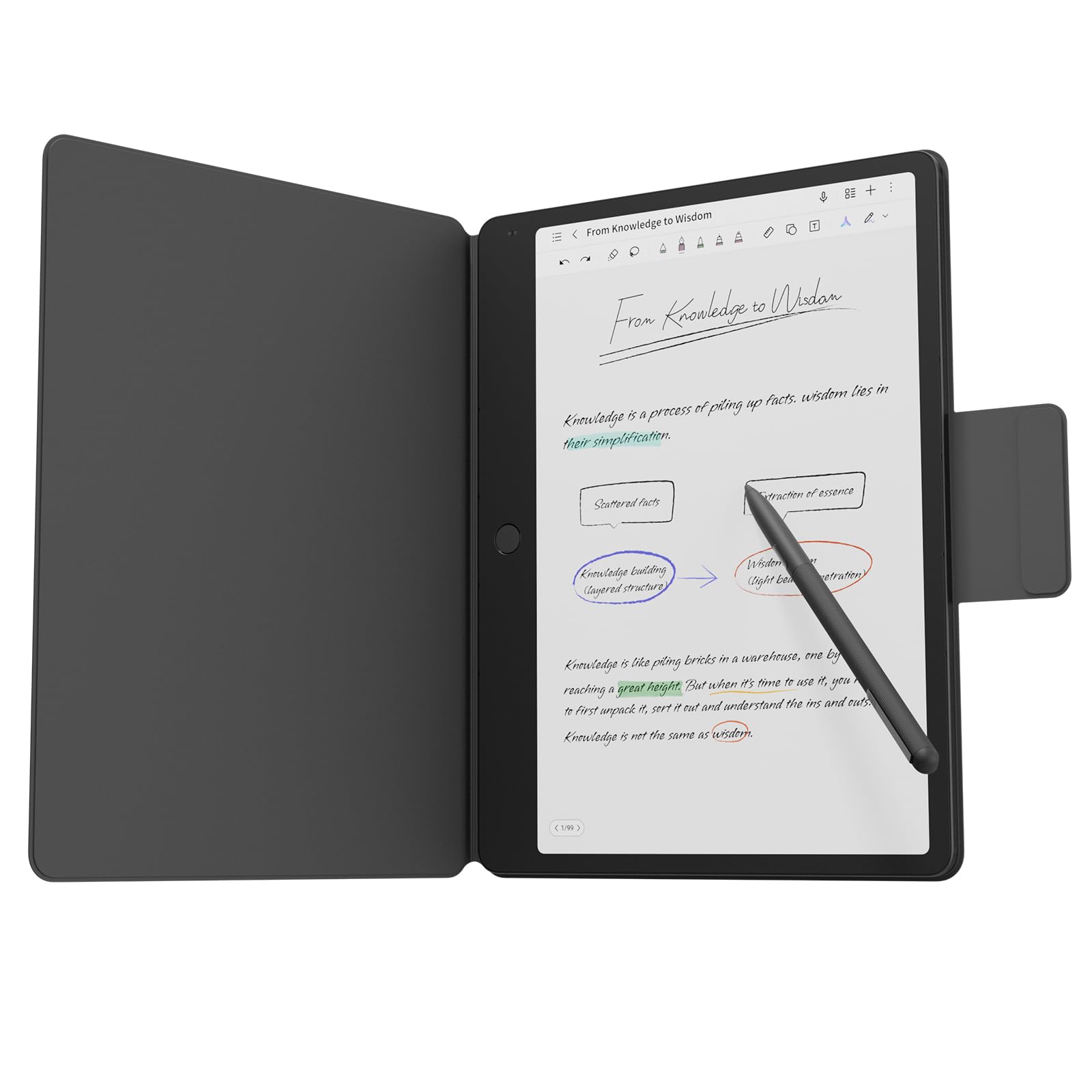
An 11.5-inch matte 120Hz panel that scrolls column text without the usual choppiness.
Most matte panels trade smoothness for glare reduction. This one doesn’t: the 11.5-inch 2.2K display runs a 120Hz refresh rate, so column scrolling and page turns feel fluid instead of choppy. The 3:2 ratio is document-friendly, fitting more vertical text per view, and the NXTPAPER PURE finish cuts glare while 16.7 million colors and 83% sRGB coverage keep charts and photos looking right.
The matte finish is the draw, and owners confirm the anti-glare screen suits reading with minimal reflection. Text stays crisp, the screen is bright and readable even from a distance, and the 8GB RAM and 256GB storage keep news apps responsive with no noticeable lag. An 8,000mAh battery with 33W fast charging runs through a day of reading and meetings, and it wakes up in a thin 0.22-inch metal body.
One thing to know before you buy: the pen experience is the mixed spot. Some find writing smooth, while others report the handwriting-to-text feature needs a firm press to register. If you want this mainly for reading newspapers, that matters far less. At 4.0+ stars across 120+ owners, this is a well-made, glare-free reader with a note-taking extra — just don’t count on the pen as the star.
The reading wins
- 120Hz refresh keeps page scrolling fluid on a matte panel
- 3:2 ratio fits more vertical text at once
- 8,000mAh battery with 33W fast charging
- Matte finish cuts glare without washing out color
Consider before buying
- Pen pressure and handwriting-to-text get mixed feedback
- Heavier than the smaller Lenovo for one-handed use
Worth grabbing for: glare-free reading that still feels smooth and modern when you scroll.
Look past it if: a flawless stylus writing experience is your top priority.
7. TECLAST T65
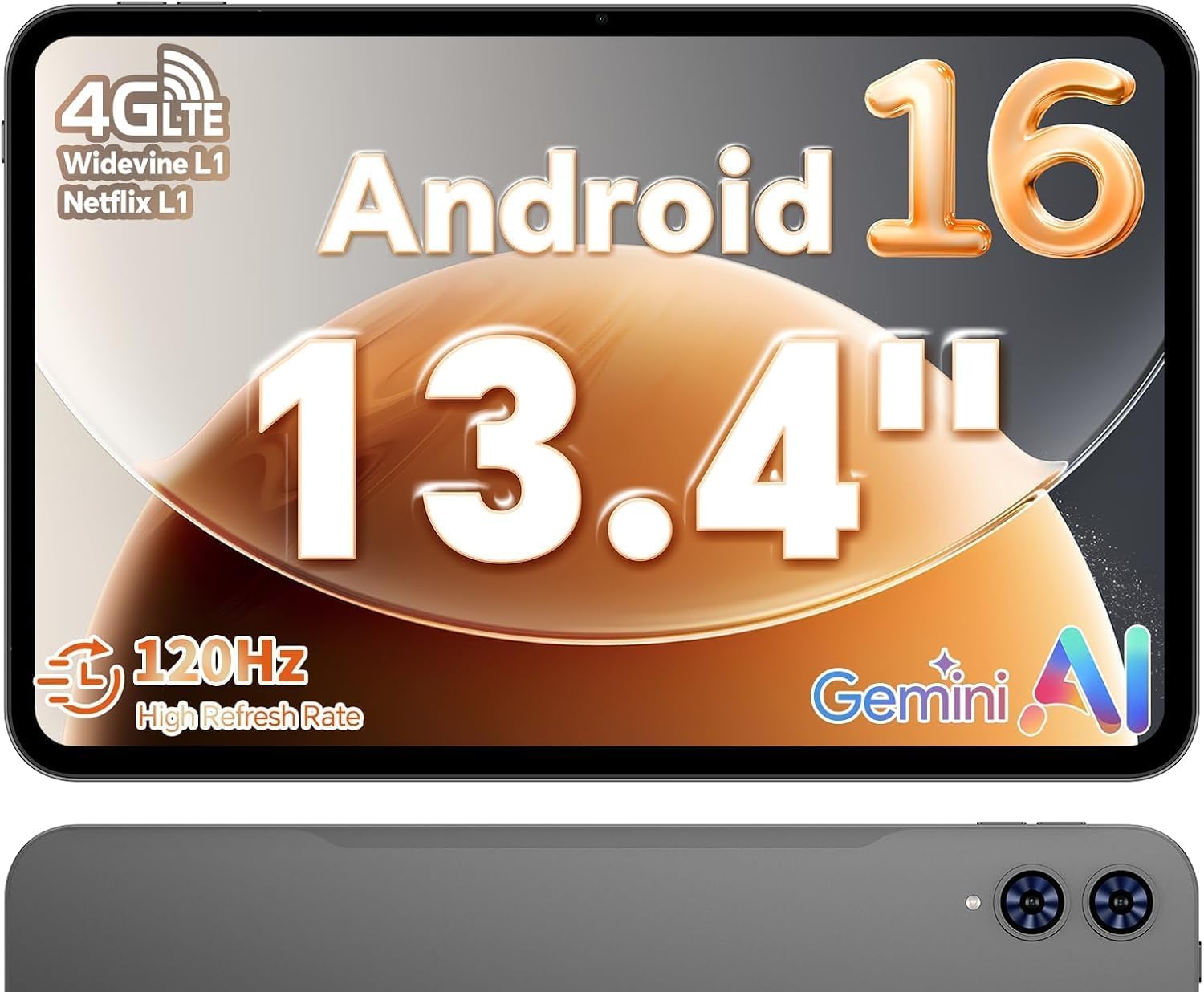
A 13.4-inch 120Hz LCD that fits a full replica page at a mid-tier price.
The price-to-panel math here is what pulls people in. You get a 13.4-inch 1920 x 1200 IPS display with a 120Hz refresh rate — a big, smooth surface for reading replica newspaper pages — and the 120Hz keeps scrolling and page turns visibly fluid next to the 90Hz tablets around it. An octa-core A75 chip at 2.2GHz with 20GB of RAM handles news apps and browser tabs without lag, and 128GB of storage holds plenty of downloaded editions.
What buyers praise first is performance, then value and screen size. The big display draws the most comments — owners describe it as a huge, responsive 13.4-inch surface, good for reading and streaming alike. The 8,000mAh battery and 4G LTE option mean you can read on a commute with no Wi-Fi. A 3.5mm-style OTG port and Wi-Fi/Bluetooth keep peripherals covered, and a tempered glass protector comes pre-installed.
The trade-offs are charging speed and battery consistency. Multiple owners note it takes a while to charge, and battery life feedback is mixed across long sessions. It’s also a 720g tablet — not one to hold overhead for a long read. At 4.0+ stars across 800+ owners, it’s a solid big-screen reader for the money; just have a stand nearby.
What you gain: 13.4 inches of screen for a mid-tier spend, plus the 120Hz smoothness that makes long column scrolling feel less tiring than a 60Hz display.
What you give up: slow charging and a heavier body — plan to read with it propped rather than held.
Choose it if: you want maximum screen per tier and don’t mind plugging it in for a while.
Go bigger-tier if: you want a crisp matte finish and faster charging from the start.
8. 14 inch Large Screen Tablet

A 14-inch FHD+ LCD — the largest panel in this guide for full-page reading.
If sheer page size is your priority, this edges even the 13.4-inch TECLAST: a 14-inch edge-to-edge FHD+ display on a 16:10 frame, paired with a 2.0GHz octa-core T616 processor, 16GB of RAM and 256GB of storage. For reading documents that means a nearly full broadsheet at once. The included case folds three ways for hands-free reading, and at 2.2 lbs it is manageable on a lap or table.
Performance is the aspect buyers notice most — owners describe it as snappy with great clarity, and the big screen wins over readers who want documents on-screen at full size. A few report they came for the large display and got a responsive device that handles notes and browsing too. The 10,000mAh battery is rated at 12 hours, and the 18W USB-C charging keeps downtime short.
The honest reservation is reliability. Owner feedback on long-term reliability and durability is mixed, with a few reporting charging trouble after several months, and battery life draws the most critical comments. Think of this as a large-panel reader for casual browsing and document viewing, not a workhorse for years of hard use. At 3.5+ stars across 400+ owners, it is the lowest-rated pick here — worth it for the screen size, less so for the long haul.
The draw: 14 inches and 16GB of RAM for a mid-tier spend, and the three-way folding case makes hands-free reading easy.
The reservation: long-term reliability and battery consistency are the weak spots in owner experience.
Pick it if: the biggest possible screen is worth a few trade-offs and you read at a desk or table.
Think twice if: you want something to last several hard years of daily use.
9. Amazon Fire HD 10

A 10.1-inch 1080p screen and 13-hour battery for casual, cheap reading.
This is the easiest entry into tablet newspaper reading. The 10.1-inch 1080p Full HD display is bright and crisp enough for text, the octa-core chip keeps apps and pages moving, and the 13-hour battery means you can read for days before charging. It is thin and light, and the built-in Kindle app makes it a natural fit if your newspapers and books already live in Amazon’s ecosystem. Storage comes in 32GB or 64GB, expandable up to 1TB with a micro-SD card.
Owners appreciate the size for reading and writing, and many say it’s easy to set up — almost plug-and-play. The clear display and simple app switching make small type readable, and the long battery handles a full day of reading and streaming. As one reader put it: “I love the size of the Fire HD Tablet. Being older I do like larger print and this will accommodate my needs.”
The catch is the ecosystem. There’s no Google Play from the start, so some news apps and services aren’t available, and the Amazon App Store can be sluggish. If your newspaper app lives on Google Play, check availability before you commit. At 4.5+ stars across 44,000+ owners, this is the crowd-proven budget pick — a great color reading device as long as you’re happy inside Amazon’s world.
Why it earns a spot
- 13-hour battery lasts days of casual reading
- 10.1-inch 1080p screen handles small type clearly
- Built-in Kindle app for books and news in one place
- Up to 1TB micro-SD expansion for downloads
Where it pinches
- No Google Play — some news apps unavailable
- Amazon App Store can feel slow
Great for: casual readers already inside Amazon’s ecosystem who want a cheap, clear, long-lasting screen.
Look elsewhere if: your newspaper app needs Google Play to install.
Know the Specs
Screen size in inches
The diagonal measurement of the display, usually quoted in inches. A bigger screen fits more of a newspaper page at once, so you scroll and zoom less. Around 10 to 11 inches covers a single story or a news app well. Step up to 13.4 or 14.3 inches and a full replica broadsheet page fits without shrinking the type.
Panel finish: matte versus glossy
Glossy glass mirrors the light behind you, which turns a lamp or window into a bright reflection on the page. A matte or paper-style finish scatters that light instead, so text stays dark and legible. If you read in a lit room, a matte panel such as the NXTPAPER finish is easier on the eyes than a bare glossy screen.
Refresh rate in Hz
How many times per second the screen redraws, in hertz. A 60Hz panel is fine for static text, but 90Hz or 120Hz makes scrolling column text and turning pages feel smoother. That matters over a long read — fluid scrolling is less tiring than choppy, jumping motion.
Battery hours and capacity
Battery life is quoted in hours of use, and capacity in milliamp-hours (mAh). Reading drains the screen more slowly than video, so an 11-hour to 16-hour rated battery covers several days of newspaper sessions. A larger mAh number usually means more runtime, but the screen and chip also decide how long it really lasts.
PPI (pixels per inch)
How densely the pixels are packed. Higher ppi means crisper small text, which is exactly what small newspaper type demands. A 300 ppi e-ink screen renders text as sharp as print, while a large LCD spreads its pixels over more inches — so a 12.7-inch 3K panel stays sharp despite the bigger surface.
E Ink versus LCD
E Ink reflects light like paper and draws very little power, so it renders text gently on the eyes. LCDs are brighter and can show video, but they backlight the screen. For pure long-form reading, E Ink is easier; for reading plus video and web, an LCD is the practical choice.
Common Questions
Will a 10-inch tablet show a full newspaper page without zooming?
Is a matte screen better than a glossy one for reading newspapers?
Can I read my newspaper’s replica PDF edition on these tablets?
Do these tablets include a charger in the box?
How long does the battery last for newspaper reading?
Is E Ink easier on the eyes than an LCD for long reading?
Can I expand storage for downloaded newspaper editions?
Will a 120Hz screen make newspaper scrolling feel different?
Can I take notes or mark up articles on these tablets?
Is a bigger tablet harder to hold while reading?
The Bottom Line
For most people the winner is the Samsung Galaxy Tab S10 Lite — a 10.9-inch screen you can hold one-handed and a rated 16-hour battery that carries you through days of morning reading without a charger hunt. If glare is your daily enemy, reach for the TCL NXTPAPER 14, whose 14.3-inch matte panel reads a full page and bounces lamp light away. And if you want the calm of paper with every news app on one device, the BOOX Go Color 7 Gen II is the specialist that delivers it.
The Samsung’s grip on the top slot is honest — it holds the highest rating in this guide alongside the Lenovo Idea Tab Pro, and the daily-use praise backs it up. If you want a full-sized page at a reasonable tier instead, the Lenovo gives you 12.7 inches of 3K clarity with a pen and folio in the box. Either way, pick by how you read: big and propped, or small and in hand.
How we choose
We do not accept paid placement. Every pick is matched to a real buyer and a real use-case; we do not hands-on test units.
Sources
Specifications: manufacturer listings and product documentation. Review insights: verified customer reviews, as of October 2026. Pricing: not shown on this page (it changes often); check the current price via the retailer link.
As an Amazon Associate, Aappliancez earns from qualifying purchases. This does not affect which products we feature.