Disclosure: Some links in this post are affiliate links. As an Amazon Associate I earn from qualifying purchases, at no extra cost to you. Learn more
Specs are compiled from manufacturer listings and verified buyer reviews and can change over time — please confirm the key details on the product page before buying.
You want one screen in the house for streaming, video calls, homework and recipes — and you want it to still feel quick two years from now. That is the whole job. The list below sorts nine real options by what each one actually does well for a household, so you can match a tablet to your living room instead of guessing from a spec sheet. One thing decides most of it: whether your day leans on watching, on typing, or on sharing the tablet with kids.
This guide is built by comparing the manufacturers’ published specifications and the patterns across verified customer reviews, so you get each pick’s real strengths and trade-offs instead of marketing spin.
You will see why screen size, battery hours and storage flexibility matter more at home than raw chip name, then nine picks with the honest trade-off spelled out. The goal is simple: land on the right tablet for home use without paying for a feature your household never touches.
Top Picks



How To Choose The Best Tablet for Home Use
A home tablet is not a work laptop and not a phone. It sits somewhere between — a screen you grab for a film, a video call, a recipe, or a child’s game. Pick the wrong size and it ends up in a drawer instead of on the sofa. Pick too little storage and you are deleting photos by month three.
Start with the screen, because that decides where it lives
A 10-inch screen stays easy to hold one-handed on the sofa. A 13-inch screen gives you room for two apps side by side, but it wants a desk or a kickstand. If your household mostly watches in bed, go smaller. If it is a shared family screen on the kitchen counter, the bigger panel earns its space.
Refresh rate is the spec you feel, not read
Refresh rate counts how many times the screen redraws each second, shown in hertz (Hz). A 90Hz panel scrolls a web page more smoothly than a 60Hz one, and 120Hz or 144Hz goes further still. You will notice it most when flicking through a long recipe or a photo album.
Battery is two numbers, and buyers mix them up
Battery capacity in mAh tells you the size of the tank. Battery hours tell you how far that tank goes in the real world. A bigger mAh figure usually means longer sessions between charges, but screen brightness and Wi-Fi drain it faster. Fast charging wattage is the third number — it decides how long you wait before the tablet is useful again.
Then check who else will use it
If kids share the tablet, parental controls and a case matter more than the processor. If it is your own reading and streaming device, weight in pounds and screen sharpness move up the list. Write down the two things your household does most on a screen — streaming, video calls, homework, recipes — and buy for those two only.
Side-by-Side Comparison
| Model | Best For | Display | Memory / Storage | Battery | Amazon |
|---|---|---|---|---|---|
| Apple iPad Pro 13-inch (M5)★ Best Overall | Whole-house anchor screen | 13-inch Ultra Retina XDR | 16GB / up to 2TB | All-day battery life | Amazon |
| Lenovo Tab PlusBest Sound | Film nights and loud rooms | 11.5-inch 2K, 90Hz | 8GB / 128GB | 8600 mAh, 12 hours | Amazon |
| OnePlus Pad 3Big-Screen Power | Big-screen multitasking | 13.2-inch 3.4K, 144Hz | 12GB / 256GB | 12,140 mAh, 17 hours | Amazon |
| Amazon Fire HD 10 | Kids and reading | 10.1-inch 1080p | 3GB / 32 or 64GB | 13 hours | Amazon |
| TCL TAB 10 Gen 4 | Everyday basics on a budget | 10.1-inch FHD, 60Hz | 4GB+8GB / 128GB | 6000 mAh, 18W charging | Amazon |
| VekfulPC 13.4-inch Android 16 Tablet | Cheapest laptop-style bundle | 13.4-inch 2K, 120Hz | 24GB / 256GB | 10000 mAh, 18W charging | Amazon |
| TABWEE 13.4 Inch Android 16 Tablet | Full bundle for study and work | 13.4-inch 2K, 120Hz | 24GB / 256GB | 10000 mAh, 18W charging | Amazon |
| Samsung Galaxy Tab A11+ | Family tablet that just works | 11-inch LCD, 90Hz | 6GB / 128GB | — | Amazon |
| Lenovo Idea Tab Pro | Students and pen work | 12.7-inch 3K LCD, 90Hz | 8GB / 128GB | 10200 mAh, 11 hours | Amazon |
Detailed Reviews
1. Apple iPad Pro 13-inch (M5)
Our pick — 4.5+★ from 800+ verified ratings; the strongest balance of quality and price.
The one that makes every other screen in the house look slow and dim.
The iPad Pro is the strongest home tablet here, with 4.5+ stars across 800+ ratings, and the reason is speed you can feel on ordinary tasks. An M5 chip sits at the centre — the processor that runs everything from a Netflix stream to a full spreadsheet — and buyers report it opens pages and apps near-instantly. The 13-inch Ultra Retina XDR display is the other half of the story: it stays readable in a bright living room and gives you enough canvas to run two windows side by side.
Owners describe a tablet light enough to hold for an evening. At 1.28 pounds it is heavier than a phone but still something you carry one-handed between rooms, and the 13-inch size means a film actually looks like a film rather than an enlarged phone. A landscape 12MP front camera (the crisp centre-stage one for video calls) keeps you framed while you move around the kitchen, and the 12MP rear camera plus LiDAR scanner handles photos and room-scanning tasks.
What wins people over most is performance — it is far and away the most-praised part of this tablet, and it shows in workflows like moving big video files or keeping a dozen browser tabs alive. Storage climbs to 2TB and memory to 16GB, which is the kind of headroom that makes it a genuine household hub for photos and documents. Wi-Fi 7 (the newest wireless standard, which keeps transfers quick on a modern router) means planting it in the lounge does not slow anything down.
The honest catch is cost, and it shows up in the feedback: a slice of buyers call it expensive for what the house uses it for. Battery life also draws mixed notes, with some reporting charging quirks. Neither is a defect — it is a question of whether your home really needs this much tablet. Compared with the Lenovo Tab Plus, the screen and chip gap is wide, but so is the ambition of each device.
What earns it the top spot
- An M5 chip that keeps the whole house running smoothly — the single most-praised trait in owner feedback.
- A 13-inch Ultra Retina XDR panel bright enough for a sunny lounge and roomy enough for two windows.
- Storage up to 2TB and memory up to 16GB, so family photos and documents stop fighting for space.
- Wi-Fi 7 with the Apple N1 chip keeps large file transfers quick on a modern home network.
The trade-off to weigh
- It costs real money, and a share of owners say the price is hard to justify for casual home use.
- Battery feedback splits — some love the endurance, a few hit charging snags.
- At 1.28 pounds a long one-handed hold is tiring.
Worth it for: a household that wants one fast, bright screen to last years and double as a photo and video workspace.
Think twice if: the tablet will mostly sit on a sofa for casual streaming — a mid-range panel covers that for far less.
2. Lenovo Tab Plus
Eight speakers turn the kitchen counter into a small cinema.
If the living room is where the house watches films and the tablet has to be heard over the kettle, start here. Lenovo fitted eight JBL Hi-Fi speakers — four tweeters for voices and four force-balanced bass units for the low end — with Dolby Atmos added on top. The result is sound that fills a room without a separate speaker, and it is the sort of thing that makes a shared movie night work.
The 11.5-inch 2K IPS screen runs at 90Hz, which is a touch smoother than a standard 60Hz panel when you flick through a long feed. Brightness sits at 400 nits, which is fine indoors and struggles in direct sun. Build quality is the most-discussed part of this tablet in owner feedback, and the general read is that it feels sturdier than its £££ tier would suggest. A kickstand folds out for hands-free viewing and a folio case comes in the box.
The MediaTek Helio G99 chip (an everyday processor, not a gaming chip) paired with 8GB of memory handles streaming and browsing cleanly. Gamers will hit a wall — the demanding titles drop resolution and frame rate. Storage is 128GB with UFS 2.2 (a faster flavour of flash storage), and a microSD slot takes it up to 1TB, so downloading a whole series for a holiday is not a problem. The 8600mAh battery is rated at 12 hours.
Against the OnePlus Pad 3 above/below, this one gives up raw power: the OnePlus runs 12GB of memory to this tablet’s 8GB and 256GB of storage to 128GB, and its 144Hz panel outpaces the 90Hz here. Buy the Lenovo for sound and price balance, not for gaming headroom.
Where it shines: the audio system is the whole point — loud, clear stereo that beats what most tablets can do, and owners keep coming back to it. The kickstand and bundled case make it a genuinely useful kitchen and bedroom screen.
Where it stops short: 400 nits will not win a sunny-window fight, and heavy games are out of scope.
Reach for this if: sound quality is what your household judges a tablet by and you want a case and kickstand included.
Look elsewhere if: you plan to game hard or watch outdoors — brightness and chip headroom run out.
3. OnePlus Pad 3
A 13.2-inch screen and a 12,140mAh tank that keeps going all day.
The numbers set the tone here. The OnePlus Pad 3 carries a 13.2-inch 3.4K LCD running at 144Hz — four screen updates for every one a 60Hz panel manages, which shows up as fluid scrolling and smoother motion in games and sport. Behind it sits the Snapdragon 8 Elite chip with 12GB of memory, and it holds 256GB of storage. Put against the Lenovo Tab Plus, that is twice the storage, half again as much memory, and a 144Hz panel versus 90Hz.
Performance is the trait owners praise most, and the split-screen tool (Open Canvas on OxygenOS 15) lets you run up to three apps side by side — a film, a recipe and a message thread all at once. That is the home-use case this tablet was built for. The 12,140mAh battery is rated at 17 hours, and 80W SUPERVOOC charging (a fast-charge standard that tops the battery quickly) means a short plug-in goes a long way.
The body is 5.97mm thin in aluminium, so a 13-inch tablet does not feel like a brick on the sofa. Eight speakers with Dolby Atmos carry the audio, and the LCD holds up well for streaming. A minority of buyers find the panel lacks the inky blacks of OLED and wish brightness went higher outdoors, and the first-party pen and case draw complaints about cost. This is the pick when screen real estate and stamina beat pocketability.
What the spec sheet buys you: a 144Hz 3.4K panel, 12GB of memory and 17-hour rated battery in a 5.97mm aluminium frame — the most screen and stamina per inch on this list.
The honest limitation: it is LCD, not OLED, so dark scenes in a bright room lose some depth, and the official accessories are pricey.
The right call when: you want the biggest, smoothest screen for films and multitasking and a battery that outlasts a long day.
Hold off if: you need OLED contrast or regularly watch in bright daylight.
4. Amazon Fire HD 10

The family tablet that survives being handed to a ten-year-old.
Not every home screen needs to be a workstation. The Fire HD 10 is the one you buy for reading, kids’ games, Zoom calls to grandparents and the odd film, and it does those jobs without asking much. The 10.1-inch 1080p Full HD display brings the colour through, and a 13-hour battery rating means it outlasts a school day and a long car journey on one charge.
It is a tough little thing — the strengthened aluminosilicate glass (a hardened glass type) is rated in Amazon’s tumble test at 2.7 times as durable as the Samsung Galaxy Tab A8 (2022). Storage runs 32GB or 64GB, expandable up to 1TB with a microSD card, so downloaded books and films do not crowd out. Amazon Kids gives you parental controls from the start, and the 5MP front camera handles video calls.
The catch is the app store. It runs Amazon’s own app store instead of Google Play, so some familiar apps are missing and the store itself loads slowly for some owners. Lock-screen ads are on by default unless you pay to remove them. Treat it as a reading-and-media tablet and the limits mostly disappear. Parents who tried to turn it into a work device report frustration.
Straight talk: the 10.1-inch screen, 13-hour battery and Kids controls make this the easiest family buy on the list. The durability claim against the Galaxy Tab A8 (2022) backs up why it gets handed around.
Be ready for: a limited app catalogue and ads on the lock screen. Neither breaks the tablet, but they shape who it suits.
Buy it for: a child’s first tablet, a household reader, or a spare screen that can take a knock.
skip it if: someone in the house needs Google Play apps or heavy duty from day one.
5. TCL TAB 10 Gen 4
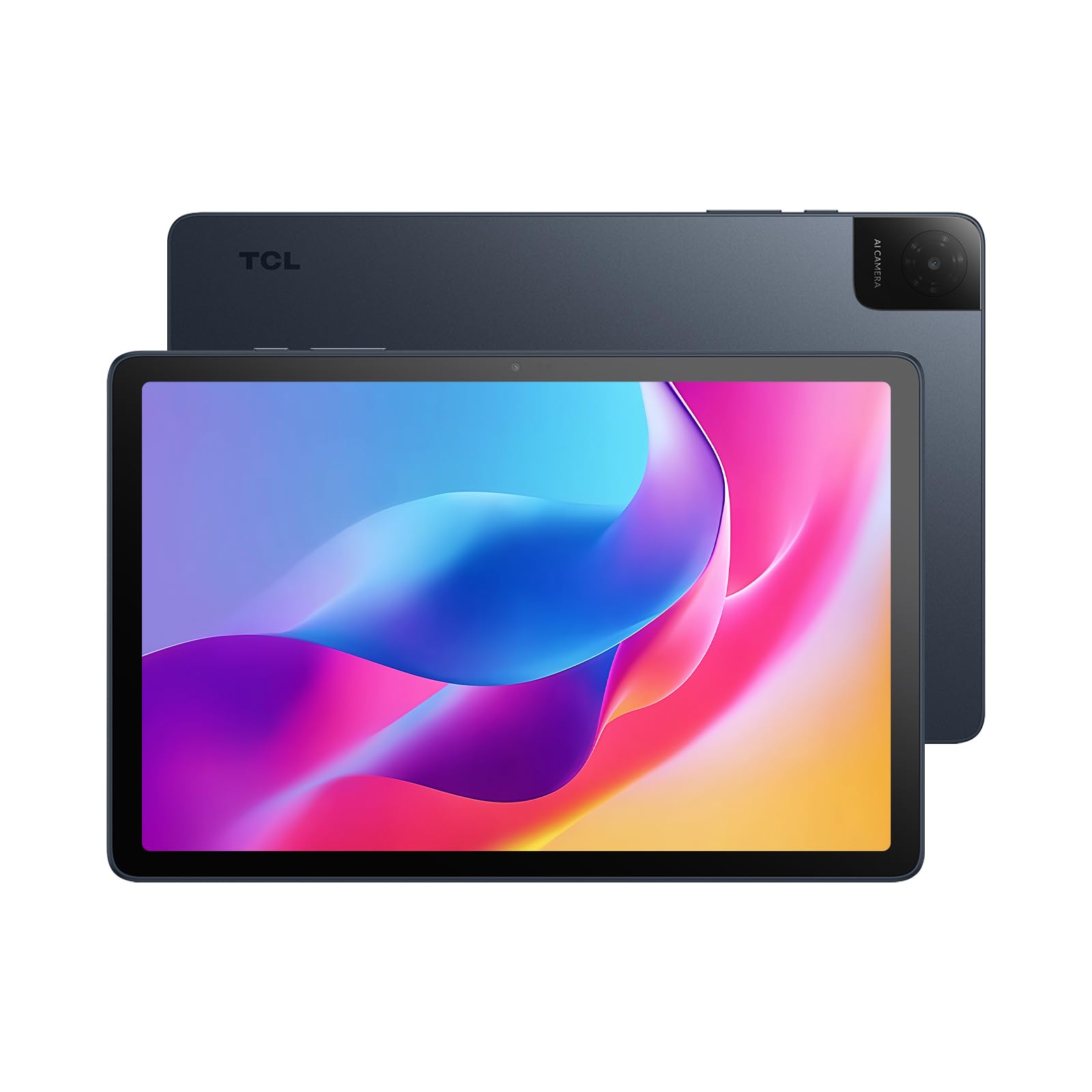
Enough screen, storage and battery for everyday household jobs.
A 10.1-inch IPS FHD display at 1920×1200 is the start, and it is a comfortable size for one-handed holding — the whole tablet weighs 0.87 lb and measures 0.30 inches thick. TCL’s NXTVISION enhancement and dual speakers with a Sound Booster that pushes volume up to 200% give it a bit of presence for a budget panel. It runs Android 15 and includes Kids Space and Family Link, so it can double as a child’s screen.
Storage is 128GB, expandable to 1TB with microSD, and memory is 4GB plus 8GB of expandable RAM — the extra RAM is virtual, borrowed from storage to keep apps from stalling. The 6000mAh battery covers a day of light use, and 18W fast charging gets you topped up (you need a compatible charger, which is not included). The octa-core processor with TCL’s NXTURBO tuning handles streaming, browsing and video editing basics.
Where it gives ground: speed and sound draw split feedback, and a few owners hit slow boot times around three minutes. The touchscreen can also feel over-sensitive in some apps. For a screen that lives on the kitchen counter for recipes and video, none of that matters much. For gaming, it will feel the strain.
The case for it: 128GB, a 6000mAh battery and a metal unibody for the entry tier — this is the sensible second-screen buy.
The thing to know: that 200% Sound Booster is the headline feature, but it does not work in headphone mode.
6. VekfulPC 13.4-inch Android 16 Tablet
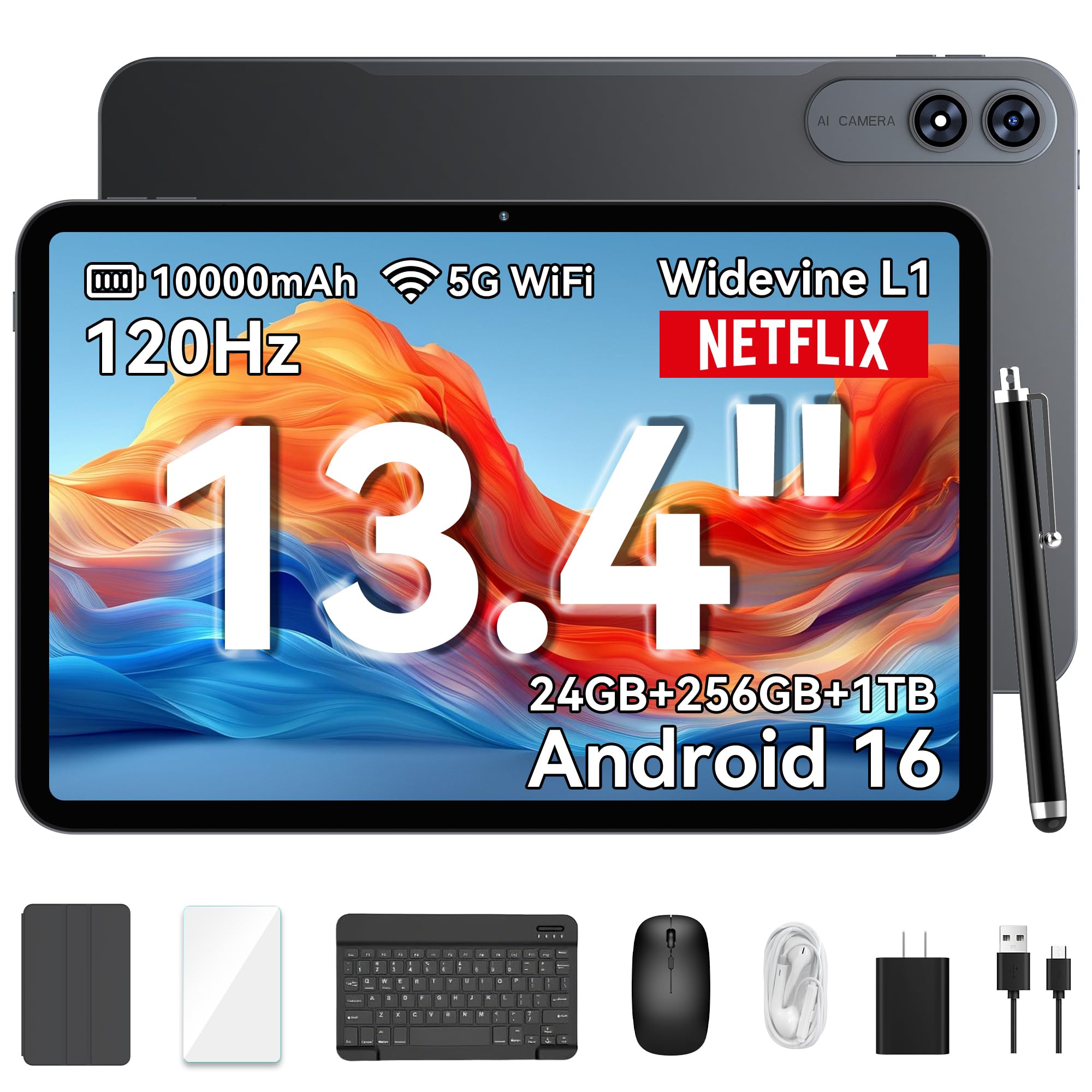
A 13.4-inch screen with keyboard, mouse and stylus in the box.
This one is built for the household that wants one device to do a bit of everything. The 13.4-inch IPS screen runs at 1200×1920 with a 120Hz refresh rate and 180Hz touch sampling (how quickly the screen registers a tap), and it comes bundled with a Bluetooth keyboard, stylus, mouse, earphones, case and screen protector. That bundle is the real pitch: you are not buying extras after the fact.
An octa-core T7280 processor at 2.2GHz sits under 8GB of RAM that expands to 24GB, with 256GB of storage that accepts a microSD card up to 1TB. The 10000mAh battery is rated at 24 hours, with 18W charging and OTG reverse charging (which lets the tablet charge another small device from its own battery). Android 16 with Gemini AI adds note summaries and voice assistance.
Quality and reliability are the parts owners rate most, and the screen size strikes a middle ground many households like — big enough for split-screen, not so big it becomes a desk ornament. The mixed note is Bluetooth: a couple of buyers needed a reset before pairing settled. Treat the bundle as the feature and it makes sense — a keyboard, mouse and stylus included goes a long way in a home office corner.
Why it makes the list: the accessories alone change how a tablet gets used — type a report, sketch a note, prop it for a call, all without buying more.
What to be ready for: Bluetooth pairing needs a moment now and then, and the 24GB memory figure leans on virtual expansion rather than all physical RAM.
For the household that wants one box: the VekfulPC turns a tablet into a light laptop replacement with the keyboard and mouse already inside.
Choose differently if: you want simplicity with no accessories — a bare tablet suits you better.
7. TABWEE 13.4 Inch Android 16 Tablet

A 13.4-inch study screen that arrives with everything already in the box.
The TABWEE is a near-twin of the VekfulPC in concept — a big bundled Android 16 tablet with a keyboard, mouse, stylus, case, charger and tempered glass protector included. The difference is the display detail. The 13.4-inch IPS panel is TUV eye-care certified at 1920×1200 with a 120Hz refresh rate and 180Hz touch sampling, which matters if the tablet is going to sit in front of a student for hours.
A 2.2GHz 8-core processor pairs with 24GB of memory (8GB physical plus 16GB virtual expansion) and 256GB of storage that takes a microSD card up to 2TB. The 10000mAh battery covers all-day use with 18W fast charging. Gemini AI on Android 16 adds file summaries and email drafting, and the four-year total warranty — two standard plus two extended — is the kind of coverage you rarely see in this bundle class.
Owners describe the screen as bigger than expected and the tablet as fast for daily use, with the bundle extras getting plenty of love. The split feedback lands on battery, with some saying it lasts a long time and a few saying it will not hold a charge. The other caution is weight — a 13.4-inch tablet tires an arm in handheld use, so plan on the stand and keyboard for long sessions.
what separates it: long reading sessions feel easier on your eyes, thanks to a TUV eye-care certification (an independent test that checks blue-light and flicker levels) and a 120Hz panel (a screen that refreshes 120 times a second, so scrolling stays smooth). The warranty runs to four years — a rare commitment in this bundle tier.
The honest concern: battery reports divide, and 13.4 inches gets heavy in the hand.
Ideal for: a student or home worker who wants a big certified screen and a complete accessory kit with long coverage.
Not the right fit for: handheld reading on the sofa — the size wants a stand.
8. Samsung Galaxy Tab A11+

The family screen that everyone can pick up without a tutorial.
Samsung’s A11+ is the pick for a home where the tablet passes between adults, kids and grandparents in the same evening. Device quality is the top thing owners praise, and it is easy to see why: an 11-inch LCD at 1920×1200 with a 90Hz refresh rate, a slim light build, and an interface that needs no explaining. The MT8775 chipset (an everyday processor) keeps apps opening without stutter, and firmware updates have settled earlier Wi-Fi grumbles.
Memory runs 6GB with 128GB of storage, and the microSD slot takes expansion, so photos and downloads have room. Quad speakers with Dolby Atmos handle film audio well enough to skip a soundbar in a small room. The 5MP front camera keeps video calls clean, and Google Gemini plus Circle to Search give quick answers without switching apps. The screen is bright and clear for kids’ games and reading alike.
Speed is the second most-praised trait, and it shows in everyday responsiveness — a full charge takes roughly two hours and lasts a working day. Parents who replaced dedicated kids’ tablets with this one report custom parental controls and stable Wi-Fi. There is no wall adapter in the box, a small practicality worth knowing before the first evening.
Where it fits: a shared household tablet that has to be simple, responsive and sturdy — with expandable storage for everyone’s downloads.
The one gap: no wall adapter in the box, so plan on your own USB charger for the first charge.
9. Lenovo Idea Tab Pro

A 12.7-inch study panel that comes with the pen already.
For a household with a student in it, this is the pick that thinks about reading and note-taking. The 12.7-inch 3K LCD runs at 2944×1840 with a 90Hz refresh rate, and it is Low Blue Light certified with mono and chromatic reading modes — a genuine difference when a textbook sits open for three hours. Quad JBL Dolby Atmos speakers and the included Tab Pen Plus and folio case make it a complete study kit.
The MediaTek Dimensity 8300 processor with 8GB of memory handles multitasking, and the 10200mAh battery is rated at 11 hours of video streaming. Wi-Fi 6E gives fast downloads, and 45W quick charge refills the tank. Google Gemini and Circle to Search are built in, and PC mode turns it into something a student can type essays on.
Quality and value are the traits owners praise most, and the pen gets steady praise for low-lag writing. The mixed notes are weight — 12.7 inches of tablet wants a desk — and battery, where some owners find the endurance excellent and a few find it weaker out of the gate. One practical detail: the 45W charger is not included, so a full-speed top-up needs the right adapter.
Why students gravitate to it
- A 12.7-inch 3K LCD with Low Blue Light certification and reading modes built for long sessions.
- Pen and folio case included, so handwriting notes works on day one.
- Dimensity 8300 with 8GB of memory and PC mode for typing essays.
- 10200mAh with 11-hour video streaming and 45W quick charge.
What to plan around
- It is heavy, so desk use fits better than handheld reading.
- Battery feedback splits between excellent and underwhelming.
- The fast charger is a separate purchase.
Right for: a student household that wants a large reading screen, a real pen for notes and a tablet that can double as a light laptop.
Wrong for: a household tablet that lives in hands around the sofa — weight works against you.
Know the Specs
Display size and resolution
Screen size in inches decides where a tablet feels at home: 10 to 11 inches for the lap and kitchen counter, 12.7 to 13.4 inches for a desk or shared family stand. Resolution (the pixel count, like 1920×1200 or 3.4K) sets how sharp text looks at reading distance. Higher resolution on a bigger panel keeps a recipe legible from across the counter.
Refresh rate in hertz
Refresh rate counts how often the screen redraws each second. A 60Hz panel is fine for video, while 90Hz, 120Hz and 144Hz make scrolling and motion feel smoother. It matters most when you flick through long pages or play fast games, and it draws more power the higher it goes.
Memory and storage in GB
Memory (RAM) holds the apps you have open; storage holds your files. Expansion figures like 4GB+8GB or 24GB usually combine physical RAM with virtual RAM borrowed from storage, so read the physical figure as the real one. Storage from 128GB up covers a household’s photos and downloads, and a microSD slot stretches it further.
Battery capacity and charging
Capacity in mAh tells you the size of the battery; rated hours tell you how far it goes. A 10000mAh cell usually means a full day of mixed use. Charging wattage decides the wait — higher watts refill faster, and the charger itself is often sold separately, so check what comes in the box.
Common Questions
How big a screen should a home tablet be if the whole family uses it?
Do I need 120Hz or is 60Hz enough for streaming and reading?
What does the expanded RAM figure (like 4GB+8GB or 24GB) actually mean?
Will a Fire HD 10 run the same apps as an Android tablet?
Should I buy a tablet with a microSD slot for a family device?
Is a bundled keyboard and stylus worth having on a home tablet?
How long does a tablet battery really last between charges?
Do I need a separate charger for these tablets?
Which is better for a student, the Lenovo Idea Tab Pro or the TABWEE 13.4-inch?
Can a big-screen tablet replace a laptop for home use?
The Bottom Line
Want one fast, bright screen the whole house can share for years? Buy the Apple iPad Pro 13-inch (M5). Its M5 chip (Apple’s processor) and 13-inch Ultra Retina XDR panel (a very bright, high-contrast screen) are the strongest combination on this list, so pages load fast and stay sharp. Owners rate it 4.5+ stars across hundreds of purchases. If your household judges a tablet by its sound, the Lenovo Tab Plus and its eight JBL speakers fill a room in a way the others do not. And if a student needs a big reading screen with a pen in the box, the Lenovo Idea Tab Pro covers notes and essays in one kit. Whichever you choose, match the screen size to where it sits and the storage to who shares it, and the tablet will earn its place on the counter.
How we choose
We do not accept paid placement. Every pick is matched to a real buyer and a real use-case; we do not hands-on test units.
Sources
Specifications: manufacturer listings and product documentation. Review insights: verified customer reviews, as of October 2026. Pricing: not shown on this page (it changes often); check the current price via the retailer link.
As an Amazon Associate, Aappliancez earns from qualifying purchases. This does not affect which products we feature.