Disclosure: Some links in this post are affiliate links. As an Amazon Associate I earn from qualifying purchases, at no extra cost to you. Learn more
Specs are compiled from manufacturer listings and verified buyer reviews and can change over time — please confirm the key details on the product page before buying.
If you squint at your phone at arm’s length, or you keep losing your reading glasses on the kitchen counter, the fix might already be sitting on your nose in the form of a pair of smart glasses. The right pair puts crisp text right in front of your eyes, so menus, phone screens, and paperback pages stop being a squint-and-guess exercise. The wrong pair adds nose weight, thin audio, and an app that fights you every time you want a text message read aloud.
This guide is built by comparing the manufacturers’ published specifications and the patterns across verified customer reviews, so you get each pick’s real strengths and trade-offs instead of marketing spin.
If reading is your priority, look at what actually lands text close to your eye: display resolution, diopter adjustment, and whether the frame demands a separate prescription insert. Here is what I found — the best smart glasses for reading in this roundup.
Top Picks

How To Choose The Best Smart Glasses for Reading
Two completely different products both get called “smart glasses for reading,” and mixing them up is the fastest way to buy the wrong thing. One group is a heads-up display: a tiny screen inside the lens shows you text and video. The other group is a frame that plays sound near your ear and answers questions out loud so you don’t need to look down at a screen at all.
Decide if you want a screen or a speaker
If your problem is small print, you want a display pair — something like the VITURE Luma or XREAL 1S, where the image is projected in front of you and you can make text physically bigger. If your problem is holding your phone still while your hands are busy, a Meta or Oakley pair reads messages and answers calls in your ear while you keep both hands free.
Check diopter adjustment before anything else
A diopter is the unit that measures lens correction, and it’s the single number that decides whether a display pair works for you without extra inserts. A -6.0D adjustment means the glasses themselves correct shortsightedness up to that amount. No adjustment at all means you will need a separate prescription insert, which is an added cost and another part to keep track of.
Weight and nose fit decide if you actually wear them
A pair that presses on the bridge of your nose after twenty minutes ends up in a drawer. Watch for listed weight, magnetic nose pads, flexible arms, and whether the frames come in more than one size. Frame width matters too — smart glasses too narrow for your head slide down when you tilt to read.
Battery life tied to your reading habit
If you’re reading for an hour on a commute, a modest battery is fine. If you want to work through a whole paperback in one sitting with the screen on, you need the longer-playback numbers. Check the manufacturer’s stated audio and video figures separately, because video recording drains far faster than listening.
Side-by-Side Comparison
| Model | Best For | Battery Capacity | Display / Camera | Key Reading Feature | Amazon |
|---|---|---|---|---|---|
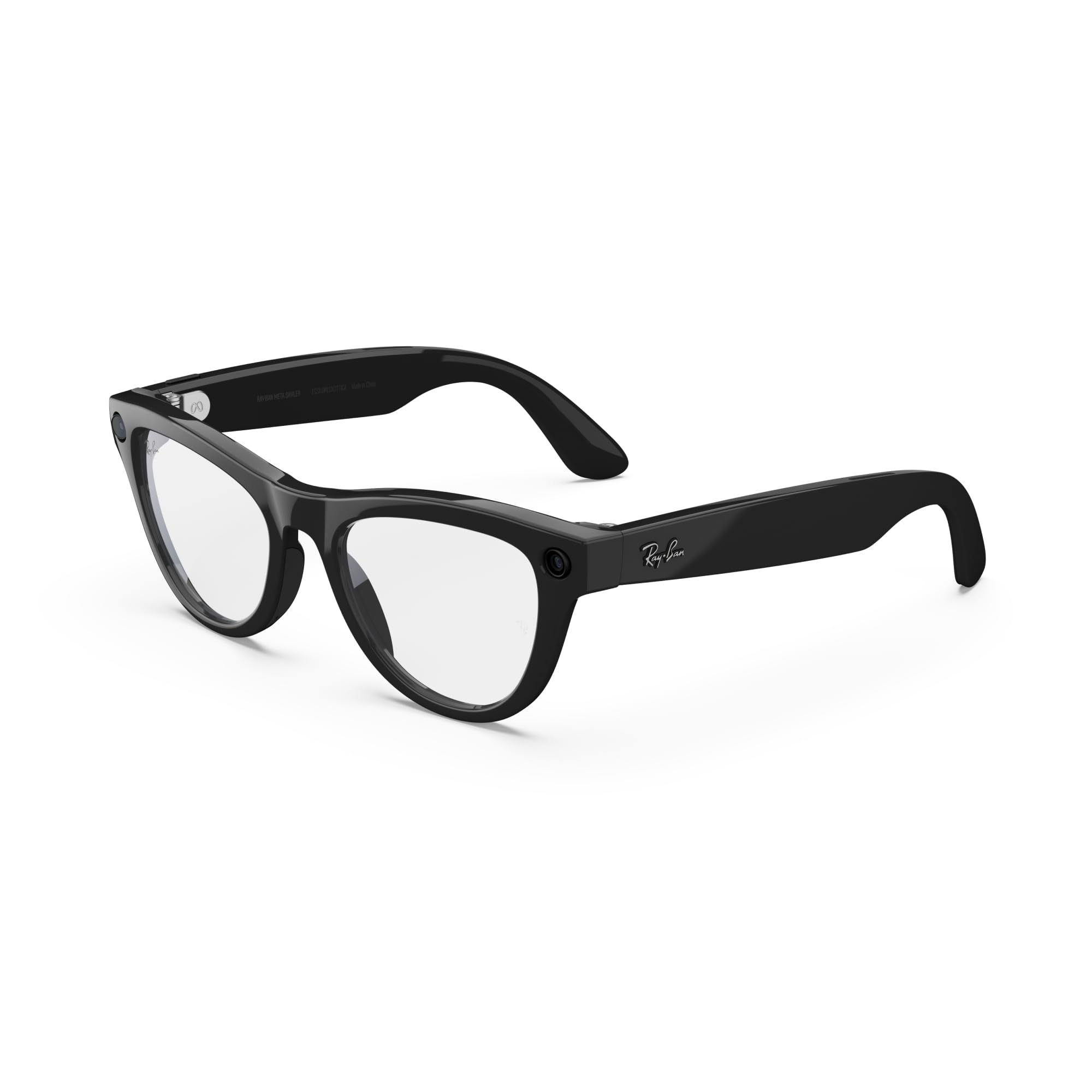
| Meta Ray-Ban Glasses, Skyler★ Best Overall | Everyday style-first wear | — | — | Transition lenses, open-ear speakers | Amazon |
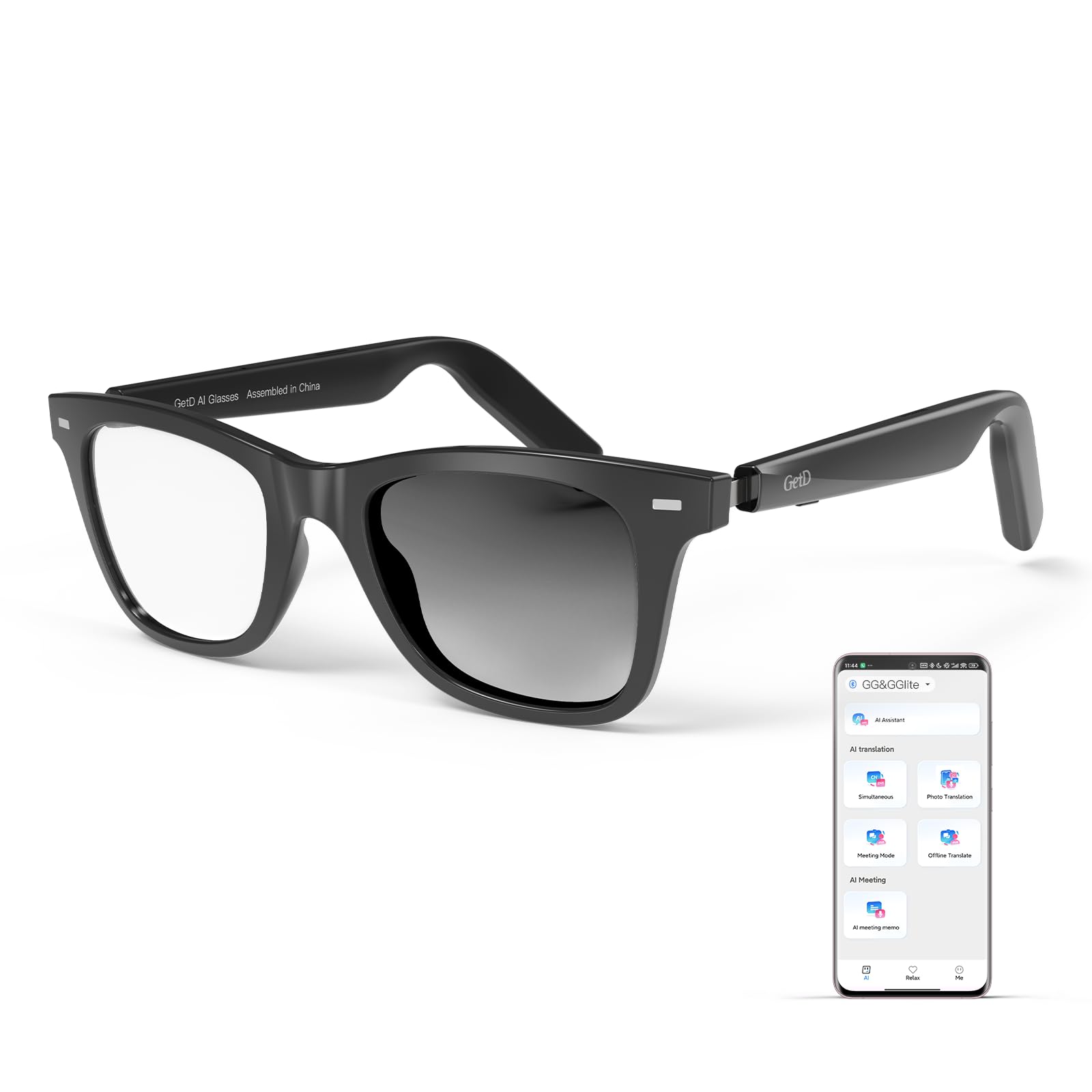
| GetD AI GlassesBest for Travel | Live translator conversations | 115 mAh (per side) | No Display, 8 MB storage | 145-language simultaneous translation | Amazon |
| Ai Smart Glasses (MSCGLYXGS)Top Capture Pick | Photo and video capture | 290 mAh | 8MP camera, 4K video | AI image recognition with voice feedback | Amazon |
| EarlySincere AI Smart Glasses | Travel & language students | 170 mAh | No Display | 164-language translation, IP65 | Amazon |
| Meta Ray-Ban Skyler (Gen 2) | Content creators on the move | — | Camera (meta) | Transition lenses paired with Meta AI | Amazon |
| VITURE Luma XR/AR Glasses | Nearsighted screen readers | — | 146″ 1200p OLED, 120Hz | Up to -6.0D myopia adjustment built in | Amazon |
| XREAL 1S AR Glasses | Productivity and long sessions | — | 500″ virtual, 1920×1200 OLED, 120Hz | TÜV Rheinland eye-comfort certification | Amazon |
| Meta Oakley HSTN | Active outdoor wear | — | Camera (meta) | Clear lens frame, Oakley build | Amazon |
| Meta Oakley Vanguard | Athletes and workouts | Up to 9 hrs + 36 hrs case | 12MP, 3K video, 122° FOV | IP67 sweat/dust/water resistance | Amazon |
Detailed Reviews
1. Meta Ray-Ban Glasses, Skyler
Our pick — 4.0+★ from 1,000+ verified ratings; the strongest balance of quality and price.
Ordinary-looking Ray-Ban frame that reads your incoming texts aloud through open-ear speakers
Buy this one if your reading problem is not small print but the phone screen you keep raising toward your face. The Skyler frame hides its tech well enough that nobody at the table clocks it as a gadget — and that everyday disguise is exactly why it earns the top slot here. The look is the runaway hit with owners: what wins people over is how closely the frame matches a normal pair of Ray-Bans, with style a distant second in the feedback and lens quality close behind.
Meta’s own AI reads incoming texts and speaks them out through the open-ear speakers, which sit just above your ear instead of plugging into it. That means you can keep your eyes on the page in front of you while your messages get read to you — a genuinely different way to stop toggling between a book and a phone. The customer feedback calls the open-ear sound surprisingly good, and the transition lenses work well for most wearers.
The catch worth knowing: the fit runs narrow for some buyers and the transition lenses do not darken at all for a handful of wearers, which is a size-and-chemistry mismatch rather than a defect. Battery life also swings — excellent for most, roughly three hours for a few heavy users. If you want the look of a normal pair with reading-aloud smarts, this remains the model to start with.
Why It Earns The Top Slot
- Hidden gadget look — the frame reads as a normal pair of Ray-Bans to anyone watching
- Open-ear speakers read incoming texts aloud so your eyes stay on the page
- Transition lenses shift with the light for indoor and outdoor wear
What The Feedback Flags
- Fit runs small for some wearers — try before committing if you have a wider head
- Transition lenses fail to darken for a minority of buyers
- Battery life swings widely, with heavy users reporting around three hours
Buy it for: everyday wear where you want a normal-looking frame that quietly reads your texts and takes clear photos and video.
Look elsewhere if: you need a large virtual screen for reading full documents — that is a display pair’s job, not this one’s.
2. GetD AI Glasses
145-language two-way translation in a frame you can wear as everyday eyewear
Menus in a language you cannot read and conversations you need to follow in real time are what this pair is built for. The GetD runs on 145 languages of two-way simultaneous translation in over 170 countries, all off the GetD app with the ChatGPT and DeepSeek engines behind it. If your reading difficulty is really a comprehension problem abroad, this is the model to think about — it speaks the answers instead of making you read them.
You get 15 days of standby, 11 hours of music listening, and 9 hours of calls at half volume from a 115 mAh battery per side (a small power cell in each arm). That is small next to the 290 mAh cell in the Ai Smart Glasses with Camera, which holds 2.5 times the capacity. But a 10-minute top-up buys an hour of use, which helps when you are moving between gates.
The honest trade-off: one arm’s battery can fail to hold charge. Buyers describe one side dropping to around 70% while the other held 90%. There is also a real split on what the frame does. One camp loves the photochromic lenses (they darken in sunlight) and easy app pairing. Another insists the lenses never darkened and that the “AI” is just Bluetooth audio behind a proprietary app. This suits you if translation on the move matters more than consistency.
Where it shines: men and women who travel and need hands-free translation across 145 languages, with open-ear audio that keeps you aware of your surroundings.
Where it wobbles: the 115 mAh battery is a fraction of the 290 mAh in the camera-forward Ai Smart Glasses, and at least one buyer saw one arm drain faster than the other.
Reach for it if: you cross borders often and want a translator you wear rather than hold.
Pass it over if: you want the frame to look like a normal pair with no visible tech — this one’s design is unmistakably a gadget.
3. Ai Smart Glasses 8MP
The trail companion with the roundup’s largest battery cell — 290 mAh and 8 hours of playback
This pair stays powered through walking, biking, or travel. The 290 mAh cell in this frame is the largest in the roundup by a wide margin, holding 2.5 times the capacity of the GetD’s 115 mAh. The frame leans on that with 8 hours of claimed playback plus 1 hour of video recording. For a long day out where you want the AI to read you directions, translate signage, and answer questions, that runtime headroom matters more than any single feature.
The spec sheet is genuinely loaded: an 8MP camera that captures 32MP stills and 4K video with anti-shake, HDR, and multi-frame noise reduction. Open-ear audio is ENC-assisted, and the glass pairs via Bluetooth 5.3 with WiFi sync so your captures land on your phone without you digging for a cable. AI visual recognition will identify a plant or a menu and speak the answer back, which is exactly the kind of reading assistance that helps when your hands are busy.
The recurring gripe is everyday reliability against that feature list. The highest-volume feedback dwells on quality variances. One buyer described WiFi transfer that would not cooperate, videos cutting out, and a battery that dropped to roughly 20 minutes in their unit. Others call the picture clear and the fit comfortable all day. Treat this as a fast-moving pair for short sessions rather than a marathon reading device.
top-tier runtime: the 290 mAh battery and 8 hours of playback give you the longest leash in this group for a day of mixed use.
Real fragility to know: a minority report quality issues — WiFi transfer flakiness, video files cutting, and a battery that faded early in one unit.
Pick this one when: you want a camera, translation, and AI recognition packed onto a single lightweight frame and you value long playback over polish.
Think twice if: you need consistent transfer reliability for daily content work — the WiFi handoff has let some owners down.
4. EarlySincere 2026 Ai Smart Glasses
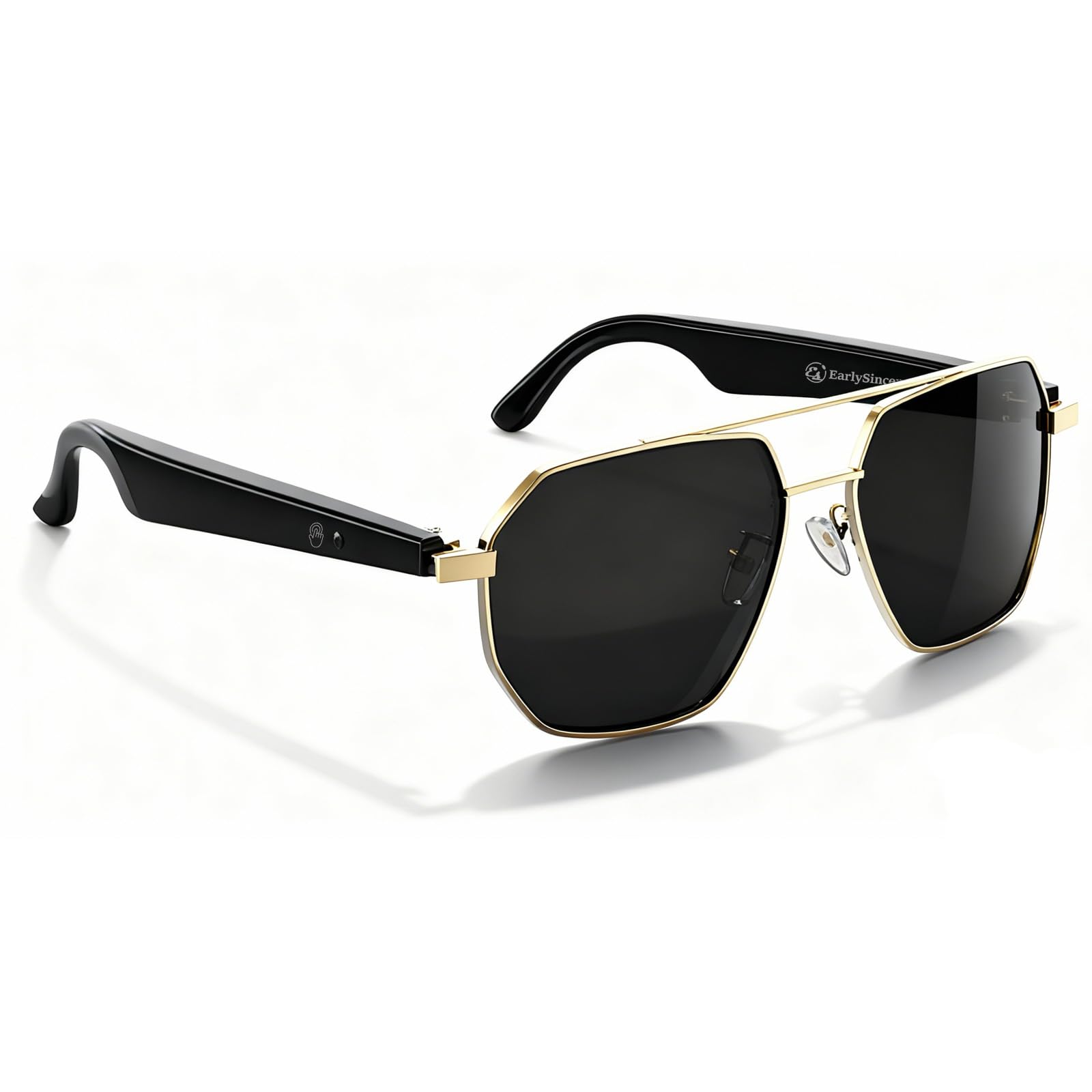
164-language translation, voice-to-text notes, and UV400 polarized lenses in one pilot frame
Language learners and frequent travelers are the buyers this frame is aimed at. The EarlySincere claims translation in 164 languages at up to 98% accuracy and a 0.5-second response time, with no subscription attached. There is a genuine assistive angle here: real-time voice to text turns a lecture or a meeting into readable notes through the app, so you do not have to keep your head down writing.
The hardware is not thin, either. A 170 mAh lithium polymer cell backs up the 30-50 hours of daily use, 10 hours of music, and 4-7 days of standby claims. The frame carries UV400 full protection (blocks 100% of UVA and UVB rays) with TAC polarized lenses (cuts glare) plus an IP65 waterproof rating (resists dust and water spray). The Hall effect sensor (a magnetic switch) auto-powers the glasses on when you open them and shuts them off when you fold them. That is neat housekeeping on a device you will not want to charge daily.
The honest catch is that the software reputation is thin. This is a brand new listing with very few reviews and a split verdict. One early buyer praised the technology and the price. Another returned the gold model after poor phone connection and translation that did not work at all. There is also a Bluetooth 6.0 claim in the marketing that no shipping phone fully exploits. This suits you if you want a lot of features in a classic pilot frame and accept some risk on polish.
The strong case: 164-language translation with no subscription, IP65 water resistance, and 30-50 hours of claimed daily runtime is a huge amount of capability in a classic frame.
The honest caveat: as a very new listing with few reviews, the real-world reliability record is still being written — early returns point to connection and translation consistency as the main risk.
Good fit for: travelers and language students who want a translation-first frame with the look of a classic pilot sunglass.
Not the right pick if: you want a display-based reading experience — this pair has no screen and translates through your phone.
5. Meta Ray-Ban Skyler (Gen 2)
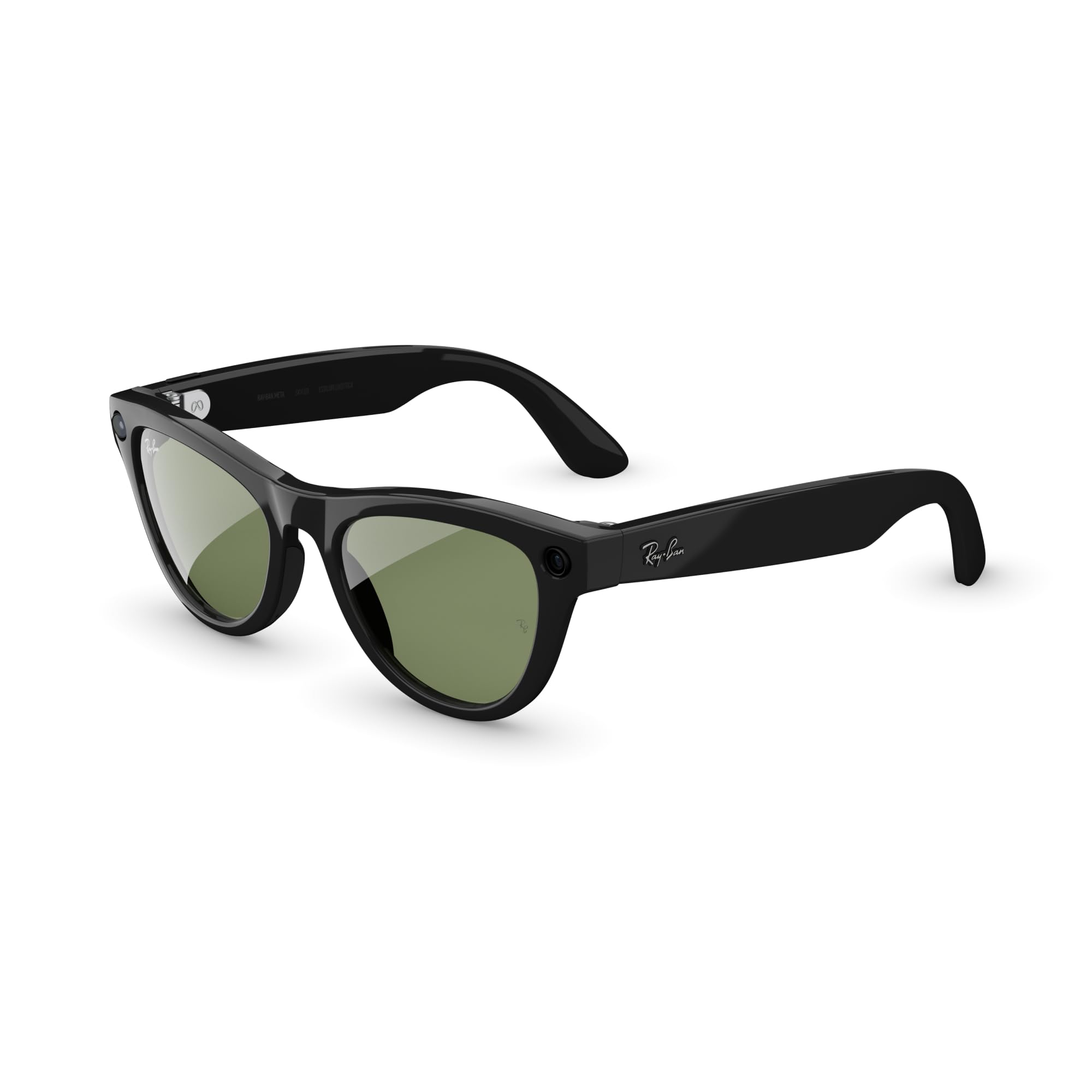
Second-gen Skyler with auto-capture clips, hands-free calls, and Meta AI read-aloud for creators
Content creators, vloggers, and anyone who reads to research while moving will find this generation of Skyler genuinely better than the first. The owner consensus is clear: the quality stack — build, case, hands-free calls and texts, and photo and video output — is what makes people keep reaching for it. If your reading uses are practical (live translation of a foreign sign, reading texts aloud, capturing a menu you want to remember), the second-gen Skyler does all of that with better polish than a first-round gadget.
The headline experience is hands-free capture. Auto-capture pulls 10-second clips automatically, and the auto Wi-Fi import moves files to your phone without cables. “Hey Meta” voice commands handle photo, video, and volume. For reading-plus-notes use, live translation runs to roughly 7 languages with a 1-2 second lag, which is genuinely usable for quick comprehension when you are staring at a page in a language you do not speak.
The trade-offs are well-documented on this listing: the AI brain behind the glasses has been described as inconsistent — contradicting itself, forgetting context, randomly playing music. The transition lenses satisfy most wearers but do not fully darken for a dissatisfied minority, and at least one buyer had a unit stop charging entirely. The hardware is excellent; treat the software as a system that is still maturing.
The Strongest Case For It
- Hands-free photo, video, and text read-aloud with auto Wi-Fi import to your phone
- Looks like a normal Ray-Ban frame, so nobody reads it as a gadget on your face
- Meta AI handles questions, translation of around 7 languages, and voice commands
The Realistic Hiccups
- Meta AI software behaves inconsistently for some owners
- Transition lenses do not fully darken for a minority of buyers
- At least one owner reported a unit that stopped charging entirely
Buy if you: create content on the move and want polished capture plus AI text read-aloud in a frame that looks like a normal pair of Ray-Bans.
Skip if you: need a big virtual screen for reading documents — this is a capture-and-listen pair, not a display.
6. VITURE Luma XR/AR Glasses
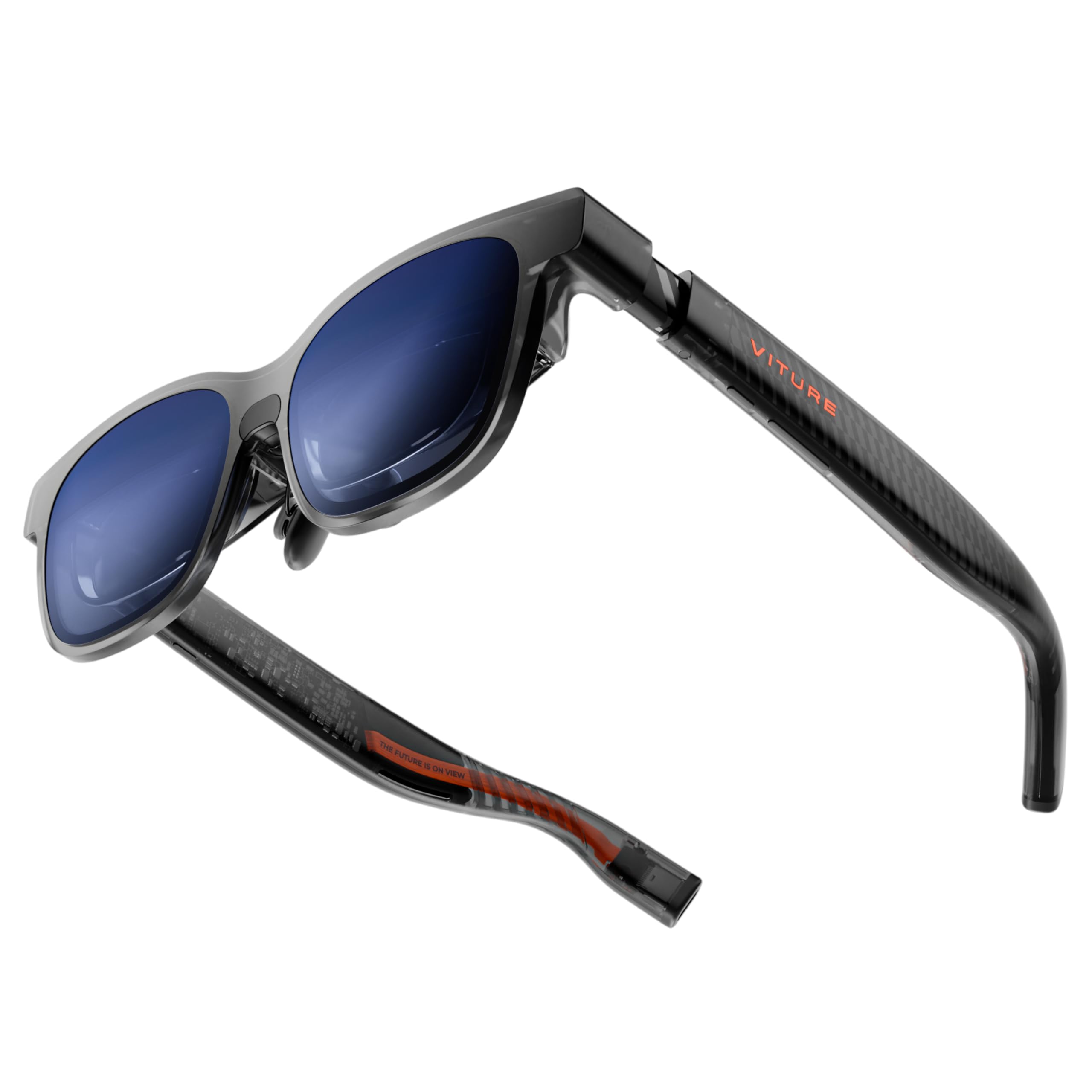
A virtual 146-inch screen that corrects your eyesight right on the frame
If you wear reading glasses or have mild nearsightedness, the Luma XR is the pair in this group that quietly fixes the problem before you even open an app. The -6.0D myopia adjustment is done directly on the glasses — which means no separate prescription insert for most shortsighted wearers, unlike the XREAL 1S that requires custom lenses. That single feature alone makes the Luma the friendliest display-first reading pair in the roundup.
The display is the other real headline: a 146″ virtual screen at 1200p resolution, backed by a 50° field of view, 1000 nits of peak brightness, and a 120Hz refresh rate. That combination keeps text smooth as you scroll and readable in daylight, and the electrochromic film dims the lenses with one tap when you want full focus. Connection is direct USB-C on compatible phones, tablets, laptops, and handhelds — no dongle required.
Owners are split on the payoff versus the setup: gamers and cinephiles call the OLED image exceptional and the diopter adjustment a genuine fix for myopia, while PC users have run into USB-C ports that lack video output. Nose-pad comfort and edge blur are the other recurring notes. It is a superb entertainment and reading-display experience once your device has confirmed video-out over USB-C.
What actually defines it: you can adjust the focus up to -6.0D on the glasses themselves, and the 146″ 1200p OLED at 120Hz is a proper virtual reading surface.
What catches buyers out: USB-C without DisplayPort output will not drive the glasses, and a subset of owners see edge blur rather than corner-to-corner sharpness.
Suits you if: you are nearsighted, want a large virtual screen for reading and video, and your laptop or phone has USB-C video output.
Not your match if: you rely on a USB-C port without video-out — the Luma needs a video-capable connection to work.
7. XREAL 1S AR Glasses

The biggest virtual screen in the roundup, with a TÜV Rheinland eye-comfort stamp
You get the biggest page in this group with the XREAL 1S: a 500″ virtual screen (a screen that appears 500 inches wide) driven by the X1 chip, with full 1920×1200 OLED resolution and 120Hz in 3DoF mode (a mode that tracks your head movement). That is a big jump over the VITURE Luma’s 146″ panel — the XREAL more than triples the Luma’s diagonal. Owners rave about the sharpness of the text once you dial in the display, and the fact that no app or account stands between you and the screen.
The XREAL promises 3ms motion-to-photon latency from the X1 chip, individual color tuning per unit, and an IPD range of 59.5 to 70.5 mm to suit most faces. The TÜV Rheinland certification covers low blue light, flicker-free viewing, and 100% UV protection — note for readers who spend hours on the display and want less eye fatigue. Audio comes from a Bose co-engineered system, and the pair weighs just 0.08 kg, which keeps it comfortable on the bridge of your nose.
The honest limitation: there is no built-in diopter adjustment, so you will need custom prescription inserts if your eyesight is not standard. Owners also flag a handful of software rough edges — tutorial glitches, “video not supported” errors, and HDCP limits that cap some streaming at 1080p. None of that stops the XREAL from being one of the best reading-oriented AR displays on the list, provided your eyes are happy with inserts.
Where It Beats The Field
- 500″ virtual screen with full 1920×1200 OLED at 120Hz — the widest reading surface here
- Native 3DoF spatial anchoring via the X1 chip, with no app or account required
- TÜV Rheinland certified for low blue light and flicker-free viewing
- Bose co-developed open-ear audio in a 0.08 kg frame
Where To Watch Out
- No built-in diopter adjustment — custom prescription inserts required for most users
- HDCP limits some streaming content to 1080p
- A few buyers report tutorial glitches and occasional mode-switching errors
The right buy for: readers who want the largest possible virtual screen and do not mind paying for prescription inserts to make it perfect.
Reconsider if: you wear reading glasses and want the correction built in — the VITURE Luma covers that job.
8. Meta Oakley HSTN – Clear

A clear-lens Oakley frame that hides its smart tech under a sports-cool shell
Anyone who wears glasses daily and wants the design to carry the day — without a tinted lens — should consider the HSTN. The frame is the real attraction: men’s profile, Oakley’s signature shape, and clear lenses that read as ordinary eyewear. The clearest praise from owners is on how the glasses look and on the video and photo quality when you fire up the camera, which suits someone reading a page who also wants to capture what they see.
This is a companion piece to the Skyler rather than a replacement. Where the Skyler adds transition lenses, the HSTN keeps it simple with a clear lens and lets the Oakley build do the work. If you want the smart-glasses experience in a frame that already looks like something you would wear, the HSTN delivers that in a way the more utilitarian frames do not.
The mixed part of the owner feedback is functionality over time — some users call it fantastic, others report the glasses failing entirely after several months. The clear lenses also do not give you sun protection, so you will not want them as an outdoor-only pair. Solid build, great looks, and a well-earned reputation for style, but treat it as a companion device rather than a do-everything reading tool.
What sells it: clear lenses plus the Oakley HSTN shape mean you can wear them as everyday readers while the embedded tech does its job.
The long-term caution: a subset of owners mention the unit failing after several months of use — a real risk on any new-tech wearable.
Right for you if: you want a clear-lens Oakley frame with smart features built in and looks matter as much as specs.
Look elsewhere if: you need sunglasses — the clear lens offers no UV tint, so the tinted Skyler or Oakley Vanguard is the better pick.
9. Meta Oakley Vanguard Smart AI Glasses White, Prizm Black
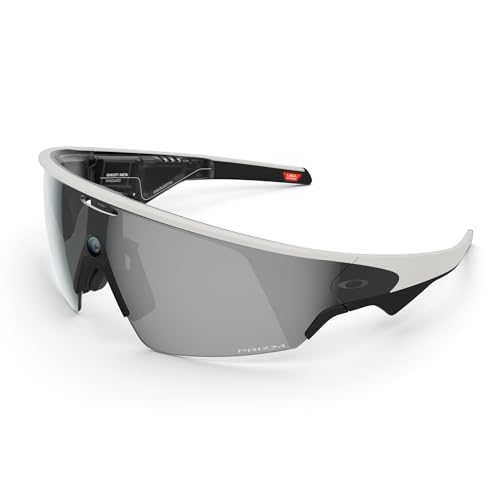
Sweat, dust, and weather rated — the pair that keeps working through a real workout
Athletes and outdoor users get the only IP67-rated pair in this group, with the Vanguard designed from the ground up for hard use. That rating covers sweat, dust, water, and weather, which is exactly what you want when you are reading workout feedback mid-ride or checking a metric on a hike. Audio is open-ear over Bluetooth, tuned for windy conditions, and pairing with a compatible Garmin device pulls in live and historic performance metrics during your session.
The camera side is the standout stat: a centered, ultra-wide 12MP sensor with a 122° field of view shoots 3K Ultra HD video with slow-motion and hyperlapse options. The battery is up to 9 hours of typical use, plus the charging case adds another 36 hours on the go. The polarized Prizm Black lenses earn the biggest share of owner attention — what wins them over is the lens quality specifically, with the video output a clear second.
The trade-offs are honest ones: the frame weighs 65.2 grams, so it is the heaviest pick on this list, and heavy use of video recording drains the battery noticeably faster than the 9-hour headline suggests. Some owners also note the fit can slide when tipping the head, though silicone earpieces are a common fix. This is the athletic pair in the roundup — a strong, purpose-built device for someone whose “reading” happens on the move.
What earns it a place: IP67 protection, a 122° 12MP camera with 3K video, and the polarized Prizm Black lens that owners specifically love make it the toughest, most capture-ready pair in the list.
Where it shows its weight: at 65.2 grams it is the heaviest pick here, and heavy video recording drains the 9-hour battery well before the day is done.
Best for: athletes, riders, and outdoor workers who want a weather-resistant frame with strong lens quality and a wide-field action camera.
Not the pick if: you want something light enough to forget on your nose all day — a heavier action build is the price of that IP67 rating.
Know the Specs
Diopter Adjustment and IPD Range
Diopter is the unit used to describe your eyesight correction — a -6.0D range means the glasses correct nearsightedness up to that strength on the frame itself, without a separate prescription insert. IPD, or interpupillary distance, is the spacing between the centers of your pupils; a range like 59.5-70.5 mm means the glasses can be adjusted to sit correctly over most faces. Both numbers decide whether text looks crisp or slightly doubled when you are reading through a virtual screen.
Virtual Screen Size
The quoted size — 146 inches or 500 inches — is the effective size of the screen the glasses project in front of your eyes, not a physical panel. A bigger number means you can read full documents without squinting, but a bigger screen also means the device has to render more pixels. Refresh rate matters here too: 90Hz or 120Hz keeps scrolling and text smooth, while a lower rate can make reading feel jittery.
Battery Capacity and Runtime
Battery capacity is measured in milliamp-hours, abbreviated mAh — a bigger number means more stored energy, all else equal. Runtime, however, depends on how the glasses are being used: listening to audio draws far less power than recording video. That is why manufacturers list separate audio, video, and standby figures. For readers who use the glasses throughout a commute, the audio playback figure is usually the one that matters most.
Lens Quality and Protection Ratings
Polarized lenses cut glare reflecting off roads, water, and screens, which is why polarized options score highest with outdoor readers. UV400 protection blocks the full range of UVA and UVB light at that wavelength and above. IP ratings measure dust and water resistance — IP65 covers dust and light water spray, while IP67 covers brief immersion. These ratings matter for wearers who are outdoors or moving between climates.
Common Questions
Can smart glasses actually replace my reading glasses?
What does “diopter” mean and why does the number matter for reading?
Will these smart glasses fit my head, or do I need to size up?
How long does the battery actually last with reading and audio use?
Do I need to pay a subscription for AI translation features?
Can I use these smart glasses with my prescription lenses?
Are smart glasses with an IP65 or IP67 rating safe for outdoor reading?
Which model has the largest virtual screen for reading?
Do I need a specific phone to use AR and display glasses?
Are smart glasses for reading worth buying yet, or should I wait?
The Bottom Line
For most readers, the smart glasses for reading winner is the Meta Ray-Ban Glasses, Skyler because it hides its tech inside a normal-looking frame, reads your incoming messages out loud, and takes clear photos and video without you touching a phone. If you need a large virtual screen and want to fix mild nearsightedness without prescription inserts, grab the VITURE Luma XR — the -6.0D adjustment on the frame is the single feature that makes reading-through-glasses realistic for shortsighted eyes. And for outdoor readers who want the toughest, widest capture camera with an IP67 rating (dust-tight and water-resistant) and a 122° field of view, the Oakley Meta Vanguard is the one to reach for.
One honest nudge before you decide: the Skyler is the crowd-favorite pick for a reason — 4.0+ stars from 1,100+ owners is a real signal that the frame holds up for a broad slice of buyers. If your priority is the largest virtual display and you accept the extra cost of prescription inserts, the XREAL 1S is the only pick here that hits 500 inches. If you want the diopter built in and no insert, the VITURE Luma is the value play. Whatever you choose, prioritize the three things that actually decide your reading comfort — diopter range, virtual screen size, and lens quality — over any single camera megapixel count.
How we choose
We do not accept paid placement. Every pick is matched to a real buyer and a real use-case; we do not hands-on test units.
Sources
Specifications: manufacturer listings and product documentation. Review insights: verified customer reviews, as of October 2026. Pricing: not shown on this page (it changes often); check the current price via the retailer link.
As an Amazon Associate, Aappliancez earns from qualifying purchases. This does not affect which products we feature.