Disclosure: Some links in this post are affiliate links. As an Amazon Associate I earn from qualifying purchases, at no extra cost to you. Learn more
Specs are compiled from manufacturer listings and verified buyer reviews and can change over time — please confirm the key details on the product page before buying.
If you are still running a 4th-generation Intel chip and your old board just died, you do not need to rebuild your whole computer — you need a replacement that accepts your existing LGA 1150 processor and DDR3 memory. That is the whole point of this list. Every board here fits that older socket, and the picks are ordered so the strongest all-round package comes first and the riskier budget rebuilds come last.
This guide is built by comparing the manufacturers’ published specifications and the patterns across verified customer reviews, so you get each pick’s real strengths and trade-offs instead of marketing spin.
Reviving an older desktop usually means hunting down a board that still matches your chip and your memory, and the options below show exactly which ones make that swap painless. Here is what actually matters when you are shopping for a lga 1150 motherboard.
Top Picks

How To Choose The Best LGA 1150 Motherboard
An LGA 1150 board is a replacement part, not a fresh start. You are matching it to a processor and memory kit you already own, so the checklist is different from picking a new-gen build. Get these four things right and the swap is quick.
Match the chipset to what you need the board to do
The chipset is the logic hub that decides what features the board can carry. H81 is the leanest of the group — it is built for basic office and browsing machines. B85 sits a step up. H97 is the richest of the three, and the boards carrying it here add a second network port and more display outputs. More chipset features usually mean more money, so buy the one your processor and workload actually justify.
Count your DDR3 slots before you buy
DDR3 is the older memory standard your 4th-gen chip uses. A board with two slots caps how much RAM you can ever install, while a four-slot board leaves room to grow. Buy two sticks instead of one where you can, because a matched pair runs in dual-channel mode — that is the memory working as a team, which keeps the system responsive. The number of slots is the single spec that limits your upgrade path most.
Check the video outputs against your monitor
Some of these boards give you VGA, DVI and HDMI-compatible outputs, and one offers none of the common ones — a detail that trips people up. VGA is the old blue analog connector, DVI is the blocky digital one, and HDMI carries both video and audio. Match what your monitor accepts so you are not hunting for an adapter on build day.
Budget for the extras that are not in the box
Several boards in this lineup ship without a user manual and without the CR2032 coin battery — that is the small round cell that keeps your clock and BIOS settings alive. Pick up a battery and know where to find the manual online before your parts arrive.
Side-by-Side Comparison
| Model | Best For | Chipset | Memory Slots | Max Memory | Amazon |
|---|---|---|---|---|---|
| MSI B760 Gaming Plus WiFi★ Best Overall | Modern builds that want Wi-Fi and fast RAM | Intel B760 | 4 | — | Amazon |
| MACHINIST H81M-PRO S1Budget Rebuild | Cheapest way to revive a dead 1150 tower | Intel H81 | 2 DDR3 | 16GB | Amazon |
| Asus H81M-K | Set-and-forget office PCs | Intel H81 | 2 | — | Amazon |
| GIGABYTE B550M K | AMD Ryzen builders on a budget | AMD B550 | 4 | 128 GB | Amazon |
| SHANGZHAOYUAN B85M PRO | Four DDR3 slots without spending much | Intel B85 | 4 | 32 GB | Amazon |
| H97 Strong | Tiny dual-LAN builds | Intel H97 | 2 | 16GB | Amazon |
| SHANGZHAOYUAN H97M PRO | Trying to stretch old hardware further | Intel H97 | 4 | 32 GB | Amazon |
Detailed Reviews
1. MSI B760 Gaming Plus WiFi Motherboard
Our pick — 4.5+★ from 850+ verified ratings; the strongest balance of quality and price.
The only LGA 1700 board here, with DDR5 6800+MHz support
Read the socket first, because it changes everything: this is an LGA 1700 board, so it takes 12th, 13th or 14th-generation Intel Core chips, not your older 1150 processor. If you are moving to a newer chip anyway and want one board that covers several generations, start here. It carries 4 memory slots with published support for DDR5 6800+MHz, the newest and fastest RAM standard, which means your system keeps its zip once you load it up.
That memory figure is a genuine separation point. Its DDR5 6800+MHz is 4.2x the Asus H81M-K’s 1600 MHz, which keeps the processor fed during video work and memory-hungry games. Networking is equally current: Wi-Fi 6E is the newest consumer Wi-Fi band and 2.5Gbps LAN is a wired connection roughly two-and-a-half times the speed of the standard gigabit port, so large game downloads land quicker. You also get a PCIe 4.0 slot, a Lightning Gen 4 x4 M.2 slot for a fast NVMe drive, USB 3.2 Gen2 ports, HDMI and DisplayPort outputs, and Bluetooth 5.3 for your headset or controller.
Cooling gets real attention: an extended heatsink plus MOSFET thermal pads rated for 7W/mK, which is a measure of how well the pad pulls heat off the power chips, and extra choke thermal pads to hold things steady under long sessions. What wins people over most is how it runs — steady performance is the thing owners describe over and over, and setup earns strong praise too. Buyers report running a 14th-gen i9 on the latest BIOS “rock solid,” with two 4TB NVMe drives moving fast. The honest catch is Wi-Fi: feedback splits between owners who love having it built in and owners who hit a weak chip, so plan to skip the Wi-Fi screen during Windows setup to load drivers, or keep an Ethernet cable handy. The wiring also asks for patience — the bottom connectors sit awkwardly if your case has small cable-routing holes, and there is no overclocking support on this B-series chipset. Across 800+ ratings it holds 4.5+ stars, the highest of any board here.
Where It Runs Away
- DDR5 6800+MHz across 4 slots — the highest published memory speed in this group
- Wi-Fi 6E, 2.5Gbps LAN and Bluetooth 5.3 built in, so no add-in cards needed
- MOSFET and choke thermal pads rated for 7W/mK keep the power section cool under load
Where It Asks For Patience
- LGA 1700 only — it will not accept your old 1150 processor
- Wi-Fi performance splits opinion; bypass the setup screen and load drivers manually
- No overclocking on the B760 chipset, and bottom ports are fiddly in tight cases
Reach for this if: you are pairing a 12th, 13th or 14th-gen Intel chip with fast DDR5 memory and want Wi-Fi without a separate card.
Look elsewhere if: you are keeping a 4th-gen 1150 processor — that chip simply will not fit this socket.
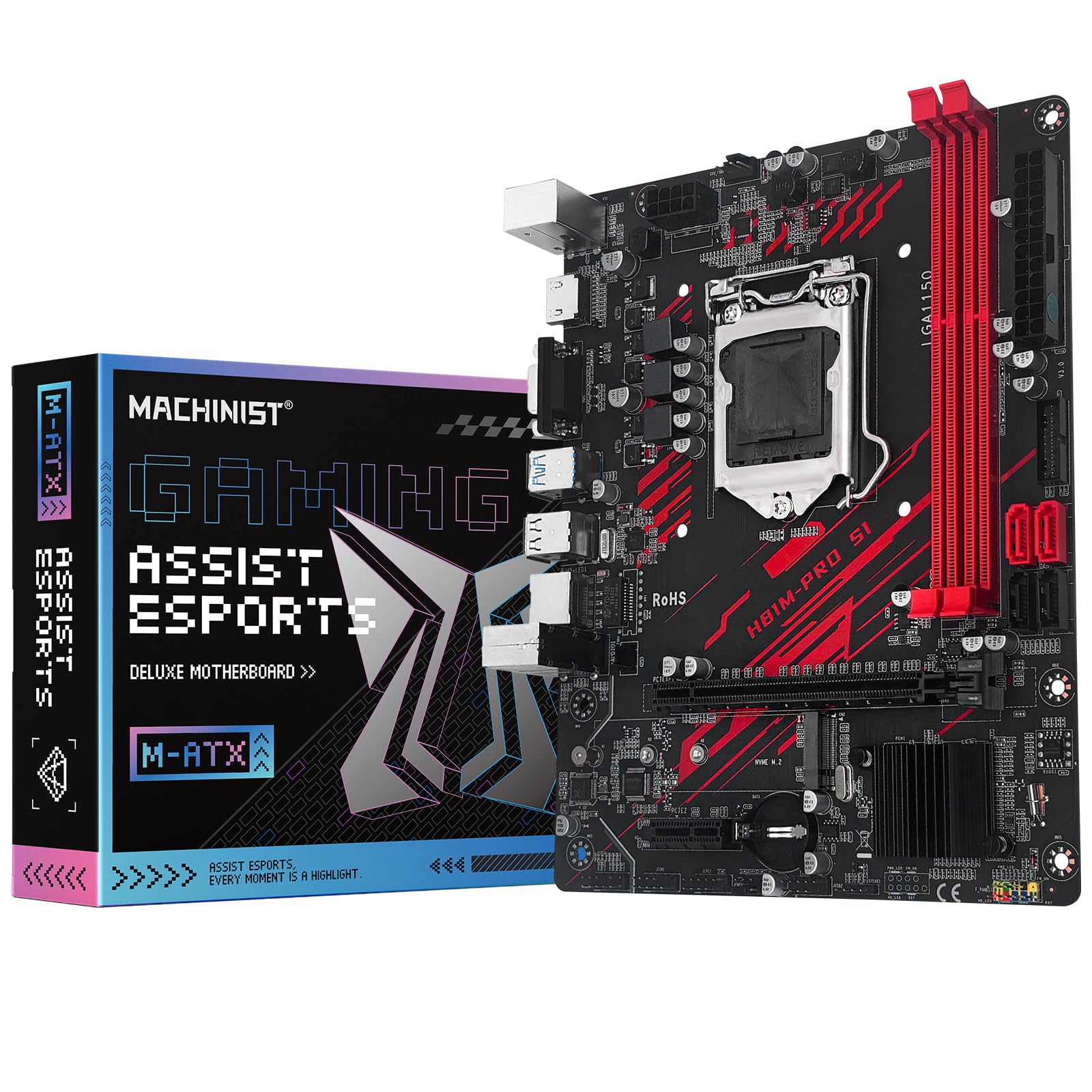
2. MACHINIST H81M-PRO S1 Motherboard
The cheapest path back to life for a dead 4th-gen tower
If your goal is a working desktop again for as little outlay as possible, this is the board that fits the plan. It runs the Intel H81 chipset on the LGA 1150 socket, so it accepts Intel 4th-generation Core i3, i5 and i7 chips plus Xeon E3, Celeron G and Pentium G series processors — the exact families sitting in older office towers. Two DDR3 slots take non-ECC desktop memory up to 16GB in an 8GB-and-8GB pairing, and the 1833 MHz memory clock is the modest ceiling you would expect from a board of this class.
It is also physically the smallest thing here: 6.69″ long, 1.57″ wide and 8.66″ high, which makes it the natural fit for a compact Micro ATX case where a full-size board crowds the drive bays. It also uses a 20+8 pin main power connector, so check your power supply’s cabling before you commit. Around the edges you get Gigabit Ethernet, VGA and HDMI-compatible outputs, a PCIe 2.0 x16 slot running at 8GB/s, three-or-four SATA 3.0 ports for your drives, and an NVMe M.2 slot for a fast solid-state drive. The Realtek ALC662 audio chip handles sound.
Here is the honest part. Reliability is exactly what the review pages argue about most — plenty of buyers have one running happily for six months and beyond, while others hit a dead board within hours of setup. That split in reliability is why this board costs less than the others. Two practical quirks show up repeatedly: the M.2 slot disables one SATA port, a detail missing from the included manual, and memory sometimes needs a different brand of stick before it reads the full kit. Owners mention replacing a faulty Z87-G45 and fixing WHEA errors while reviving an i7-4770. The box is bare too — no manual, no CR2032 battery — so order the battery alongside it and download the manual from the listing.
What It Nails: A complete LGA 1150 revival for entry-level money, with a compact 6.69″ x 1.57″ x 8.66″ footprint that slots into small Micro ATX cases and an M.2 slot for a modern SSD.
The Real Risk: Reliability is the single most-argued point in its feedback, so buy from a seller with a clear return path and test it fully within the first day.
Best for: a spare office machine or light gaming box where you already own a 4th-gen chip and DDR3 sticks.
Think twice if: you need a manual in the box or a board that arrives with its BIOS battery fitted.
3. Asus Micro ATX DDR3 1066 LGA 1150 Motherboards H81M-K

The reliability pick — built for office PCs that run all day
For an office desktop or a family PC that runs all day and never gets touched, stability beats features. This Asus board chases exactly that. It uses the Intel H81 Express chipset on the LGA 1150 socket and accepts Pentium, Celeron, Core i5, Core i3 and Core i7 processors from that generation, with two memory slots running at 1600 MHz and a standard 24-pin main power connector that any regular power supply will feed.
At 0.59 kg it is far lighter than the MSI board’s 1.49 kg, which tells you how much heatsink and shielding it does without — a bare-bones layout that gives you fewer things to go wrong but also fewer extras. What people value most here is simply that it keeps running; the board’s reliability is the clear standout in owner feedback, with easy installation and a fair price-to-performance read close behind. Two DDR3 slots cover the common 8GB-and-8GB setup, which is more than enough for documents, browsing and email.
The trade-off is connectivity, and it is worth knowing before you order. Owners repeatedly flag the lack of HDMI, so if your monitor only takes HDMI you will need an adapter or a different board. That is a real limitation rather than a fault — this is a no-frills part for a no-frills machine. If your display uses VGA or DVI, you will never notice the gap.
Why It Earns Its Slot: Reliability is the headline in its owner feedback, which is exactly what you want in a PC that runs unattended from morning to night.
Check Before Ordering: No onboard HDMI. Confirm your monitor’s input first, because an adapter is an extra purchase.
Pick this one when: you are rebuilding an office or study machine and rock-steady uptime matters more than port count.
Move on if: your only monitor input is HDMI or you want a second network port.
4. GIGABYTE B550M K Motherboard

AMD Socket AM4 only — it will not take your LGA 1150 chip
Stop here if you are holding a 1150 chip, because this board uses AMD’s Socket AM4 and only takes Ryzen 5000, 4000 and 3000 series processors. It is on this list for the buyer whose dead motherboard was the last straw and who is ready to move to a modern platform rather than hunt down old parts. If that is you, the payoff is large: four DDR4 memory slots good for up to 128GB, a far higher ceiling than the two-slot DDR3 boards here, and a memory clock of 3200 MHz.
Storage and expansion are the strong suit. There is a PCIe 4.0 x16 slot for your graphics card, plus one PCIe 4.0 M.2 slot and one PCIe 3.0 M.2 slot — two places to mount fast NVMe drives, where the MACHINIST and Asus boards each give you a single M.2. Four USB 3.2 Gen 1 ports sit on the rear for your peripherals. Power delivery comes from a digital 3+3 VRM design with premium chokes and capacitors, and chipset heatsinks handle heat dissipation. Q-Flash lets you update the BIOS from a USB stick without a working processor installed, which is a genuine rescue feature if you buy a chip the board does not recognise from the start.
Owners are happiest with build quality, which is the quality they praise most, followed closely by value for money and compatibility with the Ryzen range. Installation gets steady good marks too, with a BIOS that is described as straightforward rather than fiddly. On the realistic side, some units arrive with a dead USB port or fail early, so test everything in the first week, and note there is no Wi-Fi and no RGB lighting on board. Customers note dropping this into a machine whose BIOS update had bricked the original board and having Windows boot up without needing reactivation, since the drives carried over. One heads-up worth knowing: it has a single SYS_FAN header, so if your case holds several fans, plan a splitter or a hub.
What Buyers Talk Up
- Four DDR4 slots with a 128GB ceiling and a 3200 MHz memory clock
- Two M.2 slots — one PCIe 4.0, one PCIe 3.0 — for fast NVMe storage
- Q-Flash updates the BIOS without a CPU installed, handy on a brand-new build
What To Plan Around
- Socket AM4 only — no LGA 1150 or Intel processor will fit
- No Wi-Fi and no onboard RGB lighting
- Just one SYS_FAN header, so extra case fans need a splitter
Worth it for: anyone abandoning an ageing Intel build for a Ryzen platform who wants two M.2 slots and room to grow to 128GB of DDR4.
Not your board if: your plan is to reuse an existing LGA 1150 processor and DDR3 kit.
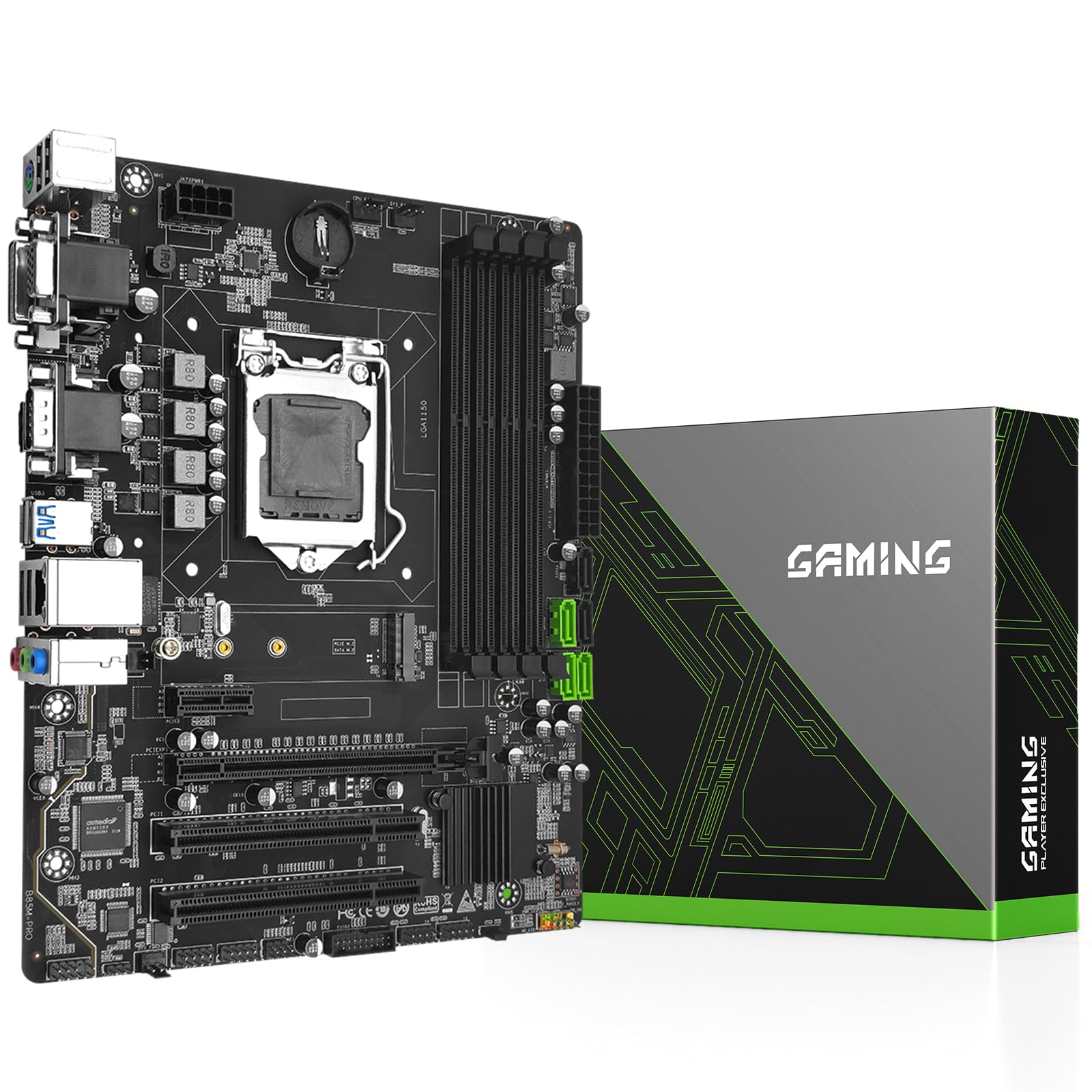
5. B85M PRO Motherboard
Four DDR3 slots and a B85 chipset for serious old-hardware multitasking
Plenty of 1150 boards throttle you at two memory slots. This one gives you four, and that changes what you can do with an old machine. It supports dual-channel DDR3 at 1333, 1600 or 1866 MHz with a maximum capacity of 32GB across four 8GB sticks — double what a two-slot board can hold, which matters if you run virtual machines, heavy browser tabs, or video work. It carries the Intel B85 chipset on the LGA 1150 socket and takes 4th-generation Core i7, i5 and i3 plus Pentium, Celeron and E3 series chips.
The board itself is built for longevity: an 8-layer PCB, which simply means more internal layers than a basic board and a sturdier basis for the traces, plus all-solid-state capacitors on a 4-phase power design and a heat-dissipation armor plate over the power section. A 24+8 pin power connector needs a branded supply of at least 500W, so check your PSU before ordering. Connectivity covers the practical bases — Gigabit Ethernet, one PCIe x16 3.0 slot, one PCIe x1 2.0 slot, two legacy PCI slots, three SATA 3.0 ports, and VGA, DVI and HDMI-compatible outputs. There is also an M.2 slot that switches automatically between NVMe and SATA mode.
Owner feedback lands on quality first — that is the thing most praised — and the board’s reliability is the split point, with many builds running everything fine and a few hitting trouble. Treat the strong quality read as the norm and keep a return window handy for the exception. The box is frugal: one SATA cable, one I/O shield, no manual and no CR2032 battery, so budget for both. Reviewers point out the M.2 and SATA arrangement needing a little care, which is common to this generation.
The Case For It: Four DDR3 slots at up to 32GB gives you twice the memory ceiling of the two-slot options here — the upgrade room most 1150 rebuilds lack.
Worth Knowing: No manual, no coin battery in the box, and it wants at least a 500W branded power supply to run right.
Right pick for: a resurrected workstation where you want 32GB of DDR3 and room for a fast M.2 drive on an H81 rival’s budget.
Consider elsewhere if: you would rather have a bundled manual and battery than the extra memory slots.
6. H97 Strong LGA 1150 Motherboard for Intel 4th Core i7/i5/i3

The small-frame specialist: H97 features squeezed into a Mini ITX footprint
When your case is a small-form-factor box, board size decides what fits at all. This one is a Mini ITX board — the smallest common motherboard size — which is why it earns its place here. It runs the Intel H97 chipset, the richest of the older Intel chipsets on this list, on an LGA 1150 socket that supports 4th-generation Core i7, i5 and i3 plus E3 series processors. Typical chips it is built around include the i5 4570, i5 4690k, i7 4790, i7 4790k, i3 4130 and i5 4460.
Memory is where you should think ahead. It has two DDR3 slots supporting 1066, 1333, 1600 and 1866 MHz for a maximum of 16GB across two 8GB sticks. That is the practical ceiling for everyday work, but it is half what the four-slot B85M PRO holds, so if you already own 32GB of DDR3 sticks, this board cannot take them all. What it does give you is unusual for the price bracket: two RJ45 gigabit network ports, which is genuinely useful if you want one cable for your network and another for a dedicated link, plus HDMI-compatible, VGA and DP display outputs and an M.2 slot for an NVMe drive. Power comes through a 24+8 pin connector, and like its siblings it wants a branded supply of at least 500W.
This is also the pick with the least buyer feedback to draw on, which is worth saying plainly — the picture here comes from the published spec rather than a deep review history, so read the listing carefully. As with the other SHANGZHAOYUAN boards, no manual and no CR2032 battery are in the box, so order the battery with the board and download the manual from the product page. If you need a second network port in a tiny case and already have a 16GB DDR3 kit, this is a tidy answer.
What Makes It Different: Mini ITX size plus dual gigabit LAN, a combination the larger boards here do not offer — ideal for a compact home server or firewall box.
The Honest Limit: Only two DDR3 slots and a 16GB maximum, so it cannot take a full 32GB kit.
Suits you if: you are building inside a small-form-factor case and want two network ports with your 1150 processor.
skip it if: you already own four DDR3 sticks or plan to push past 16GB of memory.
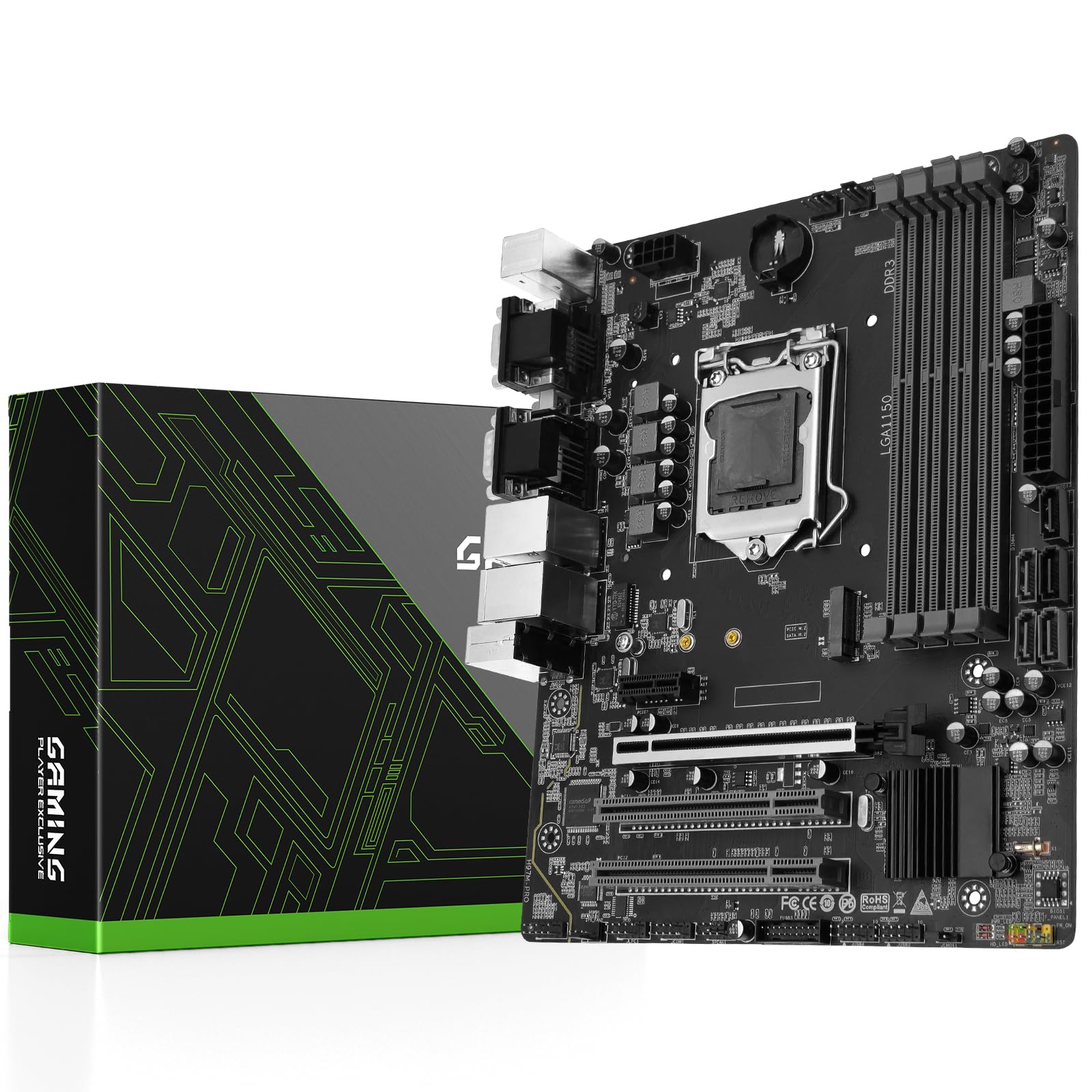
7. H97M PRO Motherboard
Twice the memory slots of the H97 Strong — but read the buyer pages first
If you want the fullest spread of features and four memory slots in one LGA 1150 board, this is the combination that delivers both. It carries the H97 chipset on an LGA 1150 socket and accepts 4th and 5th-generation Intel Core i3, i5 and i7 plus Pentium, Celeron and E3 series processors. Four DDR3 DIMM slots support 1333, 1600, 1866 and 2133 MHz with a maximum of 32GB, which is double the H97 Strong’s two-slot, 16GB ceiling. Add dual gigabit network ports, HDMI-compatible, DVI and VGA outputs, an M.2 slot for NVMe storage, a PCIe 3.0 x16 slot, USB 3.0 and SATA 3.0, and it ticks almost every box a 1150 rebuild asks for.
Power is handled by a 4-phase supply with all-solid-state capacitors, a heat-dissipation armor plate, and a 24+8 pin connector that wants a branded supply of at least 500W. It is a Micro ATX board, which is the standard square mid-size shape — the same category as the B85M PRO, and more spacious inside than a Mini ITX build if you plan to add a graphics card.
Now the candid note, because it matters. This board’s ratings are the lowest on this list, and owner experiences divide cleanly: one build runs flawlessly with an existing 3060 graphics card, 32GB of DDR3 and an i7 chip; another arrives with bent CPU socket pins, and a replacement loses its Ethernet detection and freezes during boot. The complaints are not universal — a working unit does its job well and saves you buying a new processor and memory — but with fewer reviews behind it and a wider spread of outcomes, buy from a seller with a straightforward return policy and inspect the socket the moment it arrives. The box includes a SATA cable and I/O shield but no manual and no CR2032 battery.
The Draw: Four DDR3 slots up to 32GB, the H97 chipset, dual gigabit LAN and an M.2 slot — the most complete feature set among the 1150 boards here.
The Caution: The lowest-rated board on this list, with some units arriving faulty, so test it fully and check the socket pins on day one.
Consider it when: you want maximum features from an old-socket board and are comfortable using a return window as your safety net.
Better served elsewhere if: you want the calmest, best-reviewed 1150 experience — the four-slot B85M PRO is the safer bet.
Know the Specs
CPU socket and chipset explained
The socket is the physical grid of pins where your processor sits — LGA 1150 is the one your 4th-generation Intel chip needs, and LGA 1700 or AMD AM4 will not accept it. The chipset is the supporting logic chip that decides which features the board can offer: H81 is the lean option for basic machines, B85 and H97 add features like more memory slots and extra network ports. Always match the socket to your existing chip first, then pick the chipset that has the features you actually need.
DDR3 memory slots and dual-channel
DDR3 is the older memory generation your 4th-gen Intel chip uses. The number of slots sets your ceiling: two slots usually caps around 16GB, while four slots can reach 32GB. Running a matched pair in dual-channel mode lets the two sticks work as a team for a more responsive system. If you already own a 32GB DDR3 kit, buy a four-slot board so you do not leave half of it in a drawer.
Power connectors and wattage
These boards use either a 24-pin or a 20+8 pin main power connector, plus a separate CPU power feed — several specify a branded supply of at least 500W. Before you order, check that your power supply has the right connector types and enough headroom for your graphics card and drives. A mismatched connector is the most common reason a rebuild will not start.
M.2, NVMe and SATA ports
The M.2 slot lets you mount a modern solid-state drive, and NVMe drives on it run considerably faster than a SATA drive. Note a common quirk on these older chipsets: using the M.2 slot can disable one of the SATA ports, and the included manuals often leave that out. Plan your drives around it, and expect a limited number of SATA ports overall — usually three or four — for any additional hard drives.
Common Questions
Will an LGA 1150 motherboard fit my 4th generation Intel Core i7?
Can I use DDR4 memory in an LGA 1150 motherboard?
Why does my board shut down a SATA port when I install an M.2 drive?
Do these motherboards include a CR2032 battery and a user manual?
What is the difference between the H81 B85 and H97 chipsets?
How much power does an LGA 1150 build need from a power supply?
Do I need the integrated graphics on my CPU if the board has no HDMI port?
Is it worth rebuilding an old LGA 1150 PC instead of buying new parts?
Can I overclock my CPU on one of these LGA 1150 boards?
Will my old DDR3 sticks and power supply carry over to a new LGA 1150 board?
The Bottom Line
For most people, the lga 1150 motherboard winner is the MACHINIST H81M-PRO S1 if you want the cheapest route back to a working tower, and the B85M PRO if you want four DDR3 slots and a 32GB memory ceiling for a little more. If you want the most complete feature set on this old socket and can work with a return window, the H97M PRO brings dual gigabit LAN and four memory slots together. And if you are ready to leave the old socket behind, the MSI B760 Gaming Plus WiFi is the strongest overall board on this page — the highest-rated pick with the fastest memory support and Wi-Fi 6E built in, so it is worth stretching your plan for if a new processor is on the table.
How we choose
We do not accept paid placement. Every pick is matched to a real buyer and a real use-case; we do not hands-on test units.
Sources
Specifications: manufacturer listings and product documentation. Review insights: verified customer reviews, as of October 2026. Pricing: not shown on this page (it changes often); check the current price via the retailer link.
As an Amazon Associate, Aappliancez earns from qualifying purchases. This does not affect which products we feature.