Disclosure: Some links in this post are affiliate links. As an Amazon Associate I earn from qualifying purchases, at no extra cost to you. Learn more
Specs are compiled from manufacturer listings and verified buyer reviews and can change over time — please confirm the key details on the product page before buying.
Revit does not need the fastest gaming chip on the shelf — it needs a processor with enough threads to chew through a model rebuild and enough memory to hold a whole project open. That is the short answer. Buy too little RAM and your 3D view stutters every time you pan. Buy a blazing GPU and a weak CPU, and your render queue crawls anyway. This guide sorts the machines that actually hold up on real project files from the ones that just look good on a spec sheet.
This guide is built by comparing the manufacturers’ published specifications and the patterns across verified customer reviews, so you get each pick’s real strengths and trade-offs instead of marketing spin.
Below you will find seven machines ranked by what a BIM workflow actually demands, from budget-friendly workhorses to premium rendering rigs. Every pick here was chosen for how it handles your model, not for a benchmark score. If you want a machine that opens a heavy central file without a coffee break, these are the best laptops for Revit.
Top Picks


How To Choose The Best Laptops for Revit
You are not shopping for a gaming rig or a thin-and-light for email. You are shopping for a machine that keeps a building model fluid to rotate, quick to rebuild, and stable enough to trust on a deadline. Four things decide that, and everything else is decoration.
Processor cores and threads come first
Revit splits a lot of its work across processor threads — the parallel lanes inside a CPU that let it do several tasks at once. A chip with 8 cores and 16 threads rebuilds a large model faster than one with 6 cores and 12 threads, and that gap shows up every single time you reload a link or sync with central. Look at thread count before you look at boost speed.
RAM is the real ceiling on project size
16GB of RAM is a workable floor for a single mid-size model. The moment you run several linked files, a browser full of reference images, and a render in the background, memory pressure shows up as a sluggish 3D view. Check whether the memory is upgradeable — a machine with open SO-DIMM slots (the small plug-in memory modules most laptops use) lets you grow later instead of replacing the whole laptop.
Graphics: helpful, not the hero
A discrete graphics card with its own video memory helps with shading, walkthroughs, and any rendering engine that leans on the GPU. Revit itself leans more on the processor. Buy enough GPU to keep the viewport smooth, then spend your budget on CPU and RAM instead of chasing the biggest card number.
Screen size is a workflow decision
A 17.3-inch display lets you dock a properties panel and a plan view without constant window swapping. A 14-inch machine buys you portability in exchange for fewer panes on screen. Neither is wrong — pick the size that matches the desk you actually work at, then match the rest of the specs to it.
Side-by-Side Comparison
| Model | Best For | Processor Cores/Threads | Memory | Screen | Amazon |
|---|---|---|---|---|---|
| NIMO 17.3″ FHD AI Laptop★ Best Overall | Big-screen modeling on a budget | 8 cores / 16 threads | 16GB DDR5 (up to 64GB) | 17.3″ FHD IPS | Amazon |
| GIGABYTE AERO X16Top Performer | Render-heavy premium work | AMD Ryzen AI 9 HX 370 | 16GB-class, expandable | 16″ 1600p | Amazon |
| Acer Swift X 14″ | Carrying to site visits | 6 cores via Ryzen 5 5600U | 8GB LPDDR4X (soldered) | 14″ FHD IPS, 300 nits | Amazon |
| Lenovo 15.6 FHD | Office desk drafting | 10 cores / 16 threads | 16GB DDR4 dual-channel | 15.6″ FHD anti-glare | Amazon |
| HP 15.6″ Touchscreen | Light review and markup | Intel i3-1215U (6 cores) | 16GB | 15.6″ HD touchscreen | Amazon |
| ASUS V16 Gaming | Model plus render in one box | 10 cores / 16 threads | 16GB | 16″ WUXGA 144Hz | Amazon |
| Alienware 16 Aurora | Heavy models and visualization | Intel Core 7 240H, 5.2 GHz max | 24MB cache installed | 16″ WQXGA 2560×1600 | Amazon |
Detailed Reviews
1. NIMO 17.3″ FHD AI Laptop, AMD Ryzen 7 8745HS
Our pick — 4.0+★ from 300+ verified ratings; the strongest balance of quality and price.
A 17.3-inch work canvas with 16 threads behind it, for people who live in a model all day.
The AMD Ryzen 7 8745HS in this NIMO runs 8 cores and 16 threads with a boost up to 4.9GHz. That extra parallelism over a 6-core, 12-thread chip like the Ryzen 5 7535HS is exactly what helps when Revit reloads a link or rebuilds a view. You get two more cores and four more threads doing the work, which is the difference between a pause and a wait.
Then there is the screen. A 17.3-inch FHD panel gives you room to park the properties palette beside a plan view, or hold a section and a 3D view open at once without fighting for space. In a 17.3-inch body that is still specified under 2.1kg with an 18.8mm profile, you get a large workspace you can move between home desk, classroom, and office. Owners who have run it daily for nearly a year call it “a surprisingly dependable workhorse.”
What wins people over is build quality — it is the quality of the machine itself that gets brought up again and again. The RAM and storage path matters just as much for a Revit user: two DDR5 SO-DIMM slots support up to 64GB and two M.2 2280 PCIe 4.0 x4 SSD slots are open, so a model library that outgrows 512GB does not mean a new laptop. Ports are genuinely useful too — USB4, USB-C 3.2 Gen 2 with PD and DP, HDMI 2.1, three USB-A ports, and an SD card reader for site photos. Wi-Fi 6E and Bluetooth 5.2 round out the wireless side.
The catch is heat and noise. This is a machine that needs clear vent space; a few owners note it runs warm and the charger is a bulky brick that eats two outlets. The keyboard backlight also fades quickly, so late-night drafting happens in dimmer light than you would expect. None of that stops the work — it just means this one wants a proper desk and a decent cooling surface rather than a lap.
Where it pulls ahead
- 8 cores and 16 threads with a 4.9GHz boost — real parallelism for model rebuilds
- 17.3-inch FHD IPS panel big enough for two working panes side by side
- Two RAM slots to 64GB and two M.2 PCIe 4.0 slots, so it grows with your project files
- USB4 plus HDMI 2.1 and an SD reader is a genuinely complete desk dock setup
- 58Wh battery with a 100W PD adapter in the box, and a USB-C port that charges, moves data, and drives a display
Where it asks for care
- Runs warm and wants clear vent space and a hard surface
- The included 100W charger is a bulky brick that blocks two outlets
- Keyboard backlight fades within seconds rather than staying lit
- At 2.1kg it is a desk-first machine, not a lap-and-go build
Reach for this if: you want a large, upgradeable work surface that keeps up with a mid-to-large model and does not lock you into 512GB forever.
Think again if: you need a machine that stays cool on your lap — this one wants a desk, clear vents, and a cooling surface.
2. GIGABYTE AERO X16 — AMD Ryzen AI 9 HX 370, RTX 5070
A dedicated RTX 5070 squeezed into a 16.75mm chassis, for when rendering matters as much as modeling.
Here is the honest head-to-head with the NIMO above. The AERO X16 measures 16.75mm against the NIMO’s 18.8mm, and it weighs 1.9kg against 2.1kg — a slimmer, lighter machine for carrying between studio and site. It also trades away some runtime: 14 hours of rated battery life against the NIMO’s 15.5 hours. Which one wins depends entirely on whether you are hauling the laptop or parking it.
The hardware is where this earns its premium label. The Ryzen AI 9 HX 370 pairs with an NVIDIA GeForce RTX 5070 laptop GPU, which is the part that matters if you push through heavy visualization work or run GPU-accelerated rendering on top of your Revit model. The display is a 1600p panel — one step above the 1440p you typically see quoted at this screen size — and it earns praise for sharpness and color. Owners praise the performance, and with a cooling pad underneath it holds mid-60s °C on both processor and graphics.
The trade-off is audible. Fans stay polite for ordinary drafting and only get loud under heavy gaming or sustained rendering, so a pair of headphones covers the busy stretches. There is also only a single USB-C port on the machine, which is tight if you dock a monitor and a drive at the same time. One buyer did report crashes requiring a stable Windows image to resolve, and a couple of others found the same on first setup — worth knowing if you prefer a machine that arrives ready to go.
Premium build, premium grunt: an aluminum chassis, a color-accurate bright display, a responsive keyboard and trackpad, fast RAM and SSD, and a near-instant boot all show up in what owners describe.
The one big ask: budget a cooling pad and headphones — thermals stay controlled, but noise under load is the complaint that recurs.
Best for: a Revit user who also renders, visualizes, or runs heavy GPU-assisted work on the same machine and wants it thin enough to travel.
Less ideal if: you dock a monitor, a drive, and a headset at once — one USB-C port will run out fast.
3. Acer Swift X 14″ — Ryzen 5 5600U, RTX 3050

A 14-inch site-visit machine that fits in a bag and still carries a dedicated graphics chip.
If your Revit work happens in an office and your laptop lives in a backpack, this is the shape to think about. The 14-inch Full HD display runs 1920 x 1080 at 300 nits across an IPS panel rated at 100% sRGB, so plan drawings read cleanly and colors stay close to true. It is listed as compact and light, which is what makes it viable for walk-throughs and client meetings rather than desk duty all day.
Inside sits an AMD Ryzen 5 5600U with Zen 3 architecture, plus an NVIDIA GeForce RTX 3050 laptop GPU with 4GB of GDDR6 video memory. That dedicated graphics chip is the reason this one earns a place on a Revit list at this size — it handles shading and viewport work that an integrated chip would leave to the processor. Storage is a 1TB NVMe SSD, which is enough to keep several project archives on the machine itself, and there is a second M.2 slot open for later. A fingerprint reader and Windows Hello handle sign-in.
Memory is the place to be clear-eyed. It ships with 8GB of LPDDR4X and the maker positions that for basic tasks; unlike the NIMO’s open SO-DIMM slots, this memory is soldered and not upgradeable. For a single modest model that is workable. For a large linked project with a render running in the background, 8GB will feel tight and there is no path to fix it later. That is the honest limit on this pick, and it is the reason it sits below the larger machines on this list.
The size argument
- 14-inch FHD IPS panel at 100% sRGB and 300 nits, compact enough for a site bag
- Dedicated RTX 3050 with 4GB GDDR6 for viewport and shading work
- 1TB NVMe SSD with a second M.2 slot open for expansion
- Good non-gaming battery endurance with fast charging, so a full day away from an outlet is realistic
- Fingerprint reader with Windows Hello for quick secure sign-in
Where it runs out of room
- 8GB of soldered LPDDR4X is the ceiling — no upgrade path for bigger models
- Runs hot under simultaneous charging and gaming-class load
- The chassis feels plasticky rather than rugged
- Speaker volume is modest for anything beyond solo work
Pick this one if: your models are moderate and you value being able to carry the machine to a site, a client, or a classroom without a separate bag for the charger.
Pass if: you regularly open large linked projects that want more than 8GB of memory — you cannot add more here later.
4. Lenovo 15.6 FHD — Intel Core i7-13620H, 16GB, 1TB
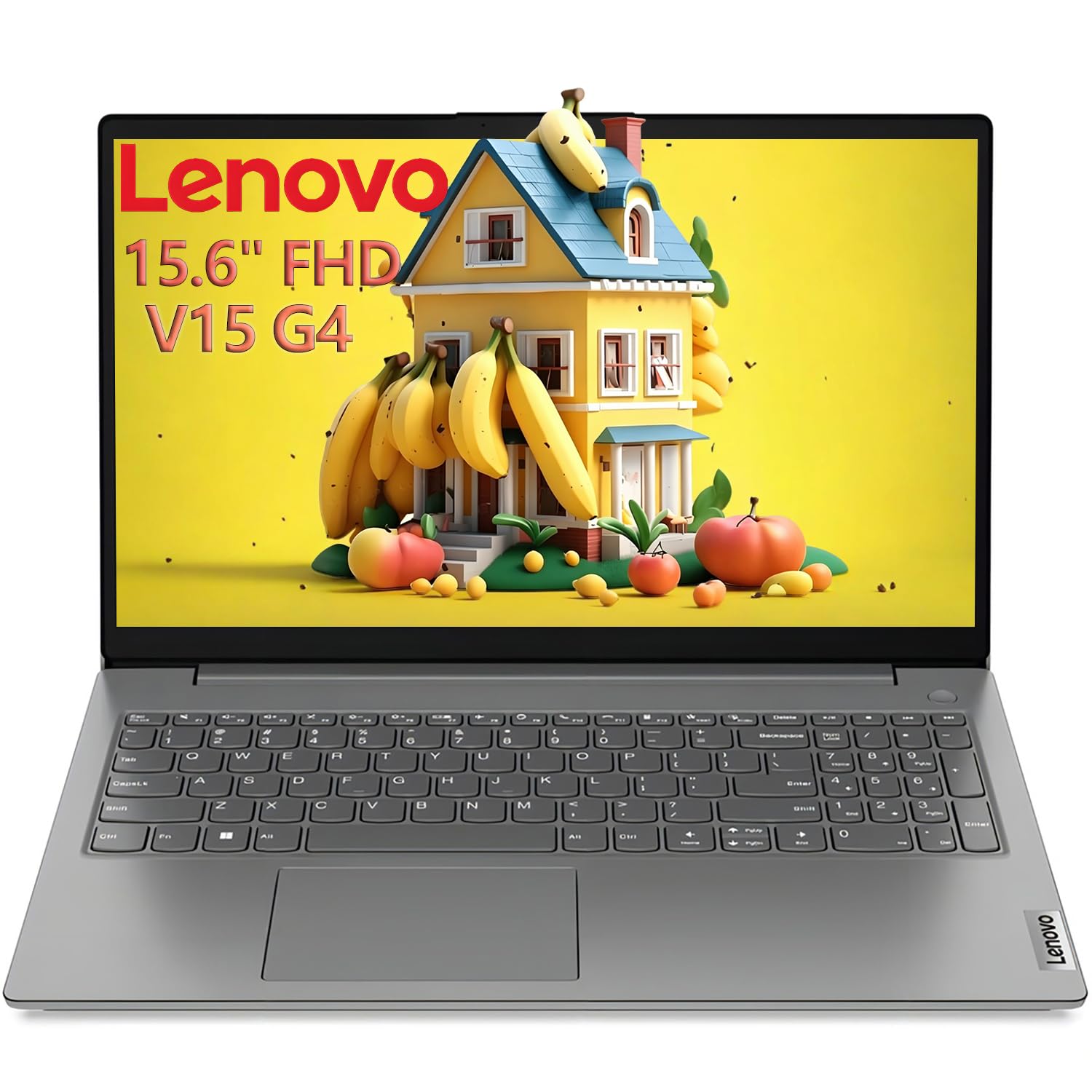
A 10-core office workhorse that ships with an expansion hub instead of a graphics chip.
Start with the processor, because that is the decision-maker here. The 13th Gen Intel Core i7-13620H runs 10 cores split as 6 performance cores and 4 efficiency cores, with 16 threads and a 4.9GHz ceiling. Sixteen threads is the same count the NIMO’s Ryzen 7 offers, which puts this Lenovo in the same rebuild-speed conversation despite having no dedicated graphics card at all. For a Revit workflow dominated by plan editing, sheet production, and model maintenance, that is a fair trade.
Memory and storage are already set up for real work: 16GB of DDR4 across dual channels, plus a 1TB PCIe 4.0 SSD that the maker says boots in seconds. The 15.6-inch panel is 1920 x 1080 with an 87% screen-to-body ratio and an anti-glare finish, so overhead lighting does not wash out your view of a section.
Durability is the pitch that separates it from the rest of the mid-range. It is tested to MIL-STD-810H — a military-standard durability test covering drops, vibration, and temperature swings — and it carries TPM 2.0 for hardware-level security plus a Kensington lock slot. At 1.65kg it is lighter than the 17.3-inch NIMO despite the similar core count. The bundle includes an 8-in-1 hub with USB-C, HDMI 4K, and SD and microSD slots, so you can drive an external display without buying a dock separately. Reviews praise its speed on heavy file transfers, and one owner calls it “muy rapida.”
The compromise is battery endurance. A machine with this much processor inside will not run all day on a charge, and the practical answer is to work near an outlet. If your Revit sessions happen at a fixed desk with a power cable, that is a non-issue. If you expect a full day of unplugged site work, plan around it.
Strongest match: a desk-based office seat where the laptop plugs in all day and the priority is thread count, storage, and durability rather than portability.
Weaker match: all-day travel on a single charge — a processor this capable drains a battery in step.
5. HP 15.6″ Touchscreen — Core i3-1215U, 16GB, 2TB
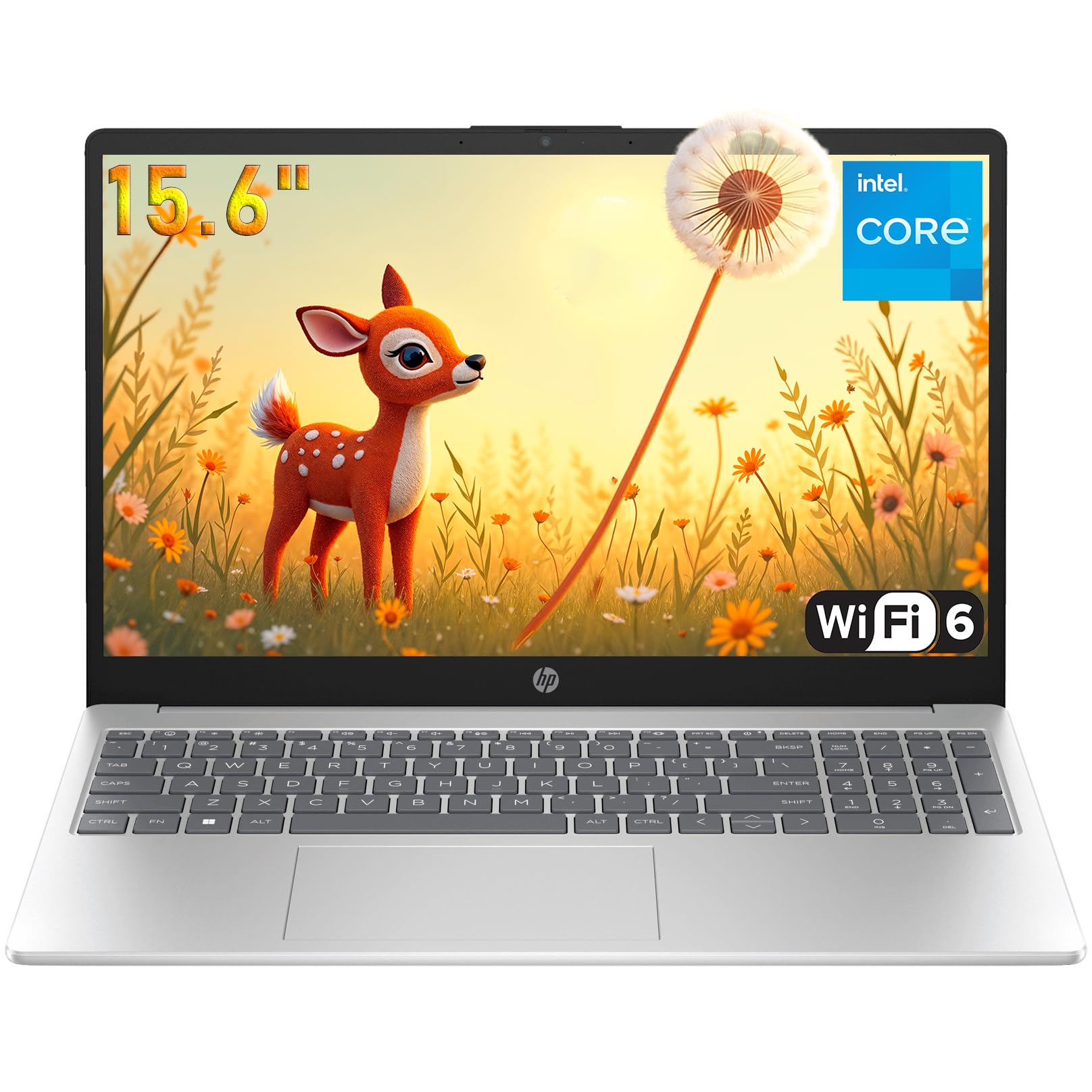
A touchscreen markup station for reviewing drawings rather than authoring them from scratch.
Be straight with yourself about the job this laptop does. It fits a role — reviewing, marking up, and presenting a model — but it is not a rendering machine, and that is the right frame for it. The 15.6-inch touchscreen with a micro-edge design makes pinch-zoom and pan gestures natural in a 3D view, and tapping through sheets is faster than steering a cursor. Windows 11 Pro adds the management and security tools a firm tends to want on a managed device.
The core hardware is modest by design. A 12th Gen Intel Core i3-1215U with a 4.4GHz ceiling is not going to chew through a model rebuild the way the 16-thread machines on this list do. What it does have is 16GB of RAM and a 2TB SSD, which solves the two problems most people actually hit first: memory pressure when several files are open, and running out of room for versioned models. Reviews praise the performance, and the solid keyboard that presses uniformly each time suits long typing sessions. Bluetooth earbuds come in the box for calls.
Reliability is the caveat to weigh honestly. It is the one mixed point in an otherwise positive picture, and it matters most if you plan to lean on this as your primary drafting machine day after day. Treat it as a second screen and a markup companion to a stronger workstation and the value math works: 16GB of memory and 2TB of storage at the entry tier is a lot of room for the price tier.
Where it shines: a bright 15.6-inch touchscreen, a 2TB SSD, and 16GB of RAM make it a comfortable place to review files, mark up drawings, and sit in on a client walkthrough.
The limit to accept: an i3-1215U is not a model-rebuild chip, and reliability track record is the one mixed note — not the machine to bet a deadline on alone.
Right person for this: a project reviewer, site manager, or PM who needs to open, mark up, and present models rather than build them.
Not the right tool: a full-time BIM authoring machine — the processor and reliability picture will not carry the heavy rebuilds.
6. ASUS V16 Gaming — Core 7 240H, RTX 5060, 144Hz

A 16-inch, 144Hz panel paired with 16 threads and an RTX 5060 — a render box that doubles as a gaming rig.
Two numbers tell the story before anything else. The processor is an Intel Core 7 240H with 10 cores and 16 threads, matching the Lenovo’s thread count but pairing it with a real graphics card. That card is an NVIDIA GeForce RTX 5060 with 8GB of GDDR7 — the video memory number matters because a rendering engine that uses the GPU needs room to store its working data, and 8GB is a healthy amount of it.
The display runs 1920 x 1200 in a 16:10 shape at 300 nits, with a 144Hz refresh rate. For Revit work the refresh rate is less important than the extra vertical space of that 16:10 shape, which shows more of an elevation before you scroll. It still means scrolling and orbiting a model feel noticeably smoother. Memory is 16GB across a 512GB PCIe 4.0 SSD, and the machine connects over Wi-Fi 6 and Bluetooth 5.3. Reviewers repeatedly call it fast, with no wait for a page or a file to open.
Portability is where this wants honesty. The chassis is not as thin as the product images suggest, and one look at it in person settles the question of whether it works as a portable workstation in a tight space — it does not. A rear numeric keypad is a nice touch for anyone who types dimensions all day. An occasional unit has arrived with a boot fault, and one buyer could not find a display setting inside the NVIDIA control panel even on the discrete GPU. Neither is a pattern, but both are worth a quick check on arrival.
Buy it if: you want one machine that authors the model, renders the walkthrough, and handles a game after hours without a second box.
skip it if: thin-and-light matters more than refresh rate — this is a wide, solid desk machine rather than a slim traveler.
7. Alienware 16 Aurora — RTX 5060, Core 7 240H

A 2560 x 1600 screen that resolves every line and hatch pattern in a dense drawing set.
Resolution is the argument for this one, and it is a good argument for a Revit user. The 16-inch display runs 2560 x 1600 in a 16:10 shape at 300 nits, which is denser than the ASUS V16’s 1920 x 1200 and the NIMO’s FHD panel. More pixels per inch means fine line weights, dimension text, and hatch patterns stay legible without zooming in and losing context. It is the sharpest working surface on this list, and that shows up in how owners describe it.
The rest of the hardware holds its end. An NVIDIA GeForce RTX 5060 pairs with an Intel Core 7 240H reaching 5.2GHz, and a Cryo-Chamber cooling structure directs airflow to the core components without a rear thermal shelf hanging off the back. Hardware quality is what owners bring up most about this machine. It runs games on high settings and handles digital art and video alongside your open model files.
Newer buyers should weigh the reality of a machine this dense. It is heavy, battery endurance is short, and it runs loud and warm under heavy load — the classic trade for this much screen and this much card. Reports of early failures exist alongside that praise, so the first few weeks of use are worth a careful watch during the return window. On the plus side, Dell includes a year of onsite service; if an issue covered by the warranty cannot be solved remotely, a technician comes to your home or office.
The pixel density payoff: 2560 x 1600 at 300 nits makes a dense plan sheet readable at a glance, which is worth real time across a long project.
The weight of that choice: heavy chassis, short battery life, and loud fans under load — this is a workstation you plug in at a desk.
For you if: you spend hours reading complex plan sets and want the clearest rendering of fine linework available, with onsite service behind it.
Look elsewhere if: you need all-day unplugged work or a quiet laptop in a shared studio — it wants an outlet and a little distance.
Know the Specs
Cores and threads
A core is a processing unit and a thread is a lane of work it can run. A chip with 8 cores and 16 threads can handle more simultaneous work than a 6-core, 12-thread chip — which often translates to a faster model rebuild and a more responsive 3D view while other files stay open.
RAM (system memory)
This is the short-term workspace your model lives in while it is open. 16GB is a practical floor for a single mid-size Revit model; more is better for linked files and multitasking. Check whether the memory is upgradeable — an open SO-DIMM slot lets you add later, soldered memory does not.
Dedicated versus integrated graphics
A dedicated GPU has its own video memory and takes on shading, viewport work, and GPU rendering. Integrated graphics share system memory and rely on the processor. For Revit authoring, a mid-tier dedicated card is plenty; for rendering and walkthroughs, more video memory helps.
Refresh rate and resolution
Refresh rate is how many times per second the screen updates — 144Hz versus the more common 60Hz. Higher is smoother when orbiting a model. Resolution determines how much fine detail fits on screen; a 1920 x 1200 or 2560 x 1600 panel shows more of a drawing than 1920 x 1080 at the same physical size.
Common Questions
How much RAM do I need for Revit on a laptop?
Does Revit use the graphics card or the processor more?
Is a gaming laptop good for Revit?
Can a 14-inch laptop handle Revit models?
Do I need a dedicated graphics card for rendering walkthroughs?
Does a 144Hz screen matter for Revit?
Will a laptop run Revit smoothly on battery power?
How do I know if my laptop’s storage can grow with my project files?
Is a touchscreen useful in Revit?
What screen size is best for working in plan and elevation views side by side?
The Bottom Line
For most people buying laptops for revit, the machine to start with is the NIMO 17.3″ FHD AI Laptop, because 8 cores and 16 threads do the rebuild work, the 17.3-inch screen holds two panes, and two RAM slots plus two M.2 slots mean it grows with your project library instead of against it. If rendering and visualization sit on the same desk as your model, the GIGABYTE AERO X16 pairs the same kind of processor with an RTX 5070 in a 16.75mm body. And if the priority is a desk-tied office machine with durability testing behind it, the Lenovo 15.6 FHD covers 16 threads, 16GB, and a 1TB SSD without a graphics card you may never use.
The one nudge worth making: pick your memory ceiling before your screen size. The NIMO’s open slots and the Acer’s soldered 8GB are the widest gap on this list, and that single difference decides whether a laptop can follow you into a bigger project or not.
How we choose
We do not accept paid placement. Every pick is matched to a real buyer and a real use-case; we do not hands-on test units.
Sources
Specifications: manufacturer listings and product documentation. Review insights: verified customer reviews, as of October 2026. Pricing: not shown on this page (it changes often); check the current price via the retailer link.
As an Amazon Associate, Aappliancez earns from qualifying purchases. This does not affect which products we feature.