Disclosure: Some links in this post are affiliate links. As an Amazon Associate I earn from qualifying purchases, at no extra cost to you. Learn more
Specs are compiled from manufacturer listings and verified buyer reviews and can change over time — please confirm the key details on the product page before buying.
If you are buying a laptop for mechanical engineering, the answer is simple: buy for memory and cooling before you buy for raw clock speed. CAD assemblies, FEA runs and simulation stacks stall on a machine that runs out of RAM long before they stall on a machine that is a few gigahertz behind. The six picks below are chosen around that single truth, and each one is explained in plain English so you can see exactly which trade-off you are accepting.
This guide is built by comparing the manufacturers’ published specifications and the patterns across verified customer reviews, so you get each pick’s real strengths and trade-offs instead of marketing spin.
Below you will find the honest differences between them, spelled out in everyday terms. My goal is simple: help you pick the right laptops for mechanical engineering without overpaying for a spec your coursework or job will never touch.
Top Picks


How To Choose The Best Laptops for Mechanical Engineering
The mistake most engineering students make is buying the fastest processor they can afford and pairing it with 16GB of memory. A single SolidWorks assembly with a few hundred parts can sit on the edge of your memory limit and stutter constantly. More cores help a simulation finish sooner. More memory keeps the model from grinding to a halt in the first place.
Start with memory, then work outward
32GB of DDR5 memory is the comfortable starting line for serious CAD and simulation work, and 64GB is the tier where 3D rendering and large datasets stop being a headache. DDR5 is simply the current generation of laptop memory — it moves data faster than the older DDR4 standard. If two laptops cost about the same, the one with double the memory will usually serve you better over four years of study than the one with a slightly quicker chip.
Decide if you need a dedicated GPU
A dedicated graphics card (a separate chip with its own video memory, rather than graphics built into the processor) is what turns a laptop into a rendering machine. If your work is solid modelling, drawings and light simulation, integrated graphics can carry you. If you plan to run ray-traced renders, GPU-accelerated simulation, or machine-learning coursework, the dedicated card earns its place. Watch the cooling that surrounds it — a hot card throttles, which means it deliberately slows itself to avoid damage.
Screen brightness and ports are not luxuries
You will read toolpaths, stress plots and drawing sheets for hours. A display rated at 500 nits (a nits is a unit of screen brightness) stays readable near a window, while a 250-nit panel washes out. On ports, two Thunderbolt 4 connections let you drive external monitors and a fast drive at once, and a built-in Ethernet jack (RJ-45) means you are not hunting for an adapter in the lab.
Side-by-Side Comparison
| Model | Best For | Memory | Storage | Display | Amazon |
|---|---|---|---|---|---|
| Acer Nitro V 16S AI★ Best Overall | First CAD and AI rig | 32GB DDR5 | 1TB Gen 4 SSD | 16″ 1920 x 1200, 180Hz | Amazon |
| MSI Stealth 18 HX AIRendering Powerhouse | Heavy rendering | 32GB DDR5 | 2TB SSD | 18″ QHD+ 2560×1600, 240Hz | Amazon |
| ASUS Vivobook 14 | Budget student work | 12GB DDR4 | 1TB SSD | 14″ FHD 1920 x 1080, 60Hz | Amazon |
| Lenovo ThinkPad P14s Gen 6 | Certified workstation on the go | 32GB DDR5 | 1TB SSD | 14″ WUXGA 1920 x 1200, 500 nits | Amazon |
| Dell Precision 3490 | Maximum memory per dollar | 64GB DDR5 | 2TB SSD | 14″ FHD 1920×1080 | Amazon |
| LG gram Pro 17 | Carrying all day | 32GB DDR5 | 2TB SSD | 17″ VRR 31Hz–144Hz | Amazon |
Detailed Reviews
1. Acer Nitro V 16S AI Gaming Laptop
Our pick — 4.0+★ from 350+ verified ratings; the strongest balance of quality and price.
The machine that gives an engineering student real workstation memory without the workstation tax.
You get a setup that handles simulation work without overspending: 32GB of DDR5 memory running at 5600MHz, a 1TB PCIe Gen 4 SSD (a fast solid-state drive), and an NVIDIA GeForce RTX 5060 laptop graphics card rated at 572 AI TOPS. Those TOPS (a measure of how many AI calculations the chip can complete in a second) matter less for CAD than the card itself does. The RTX 5060 is what lets you spin a shaded assembly smoothly and push a render without falling back to the processor.
The 16-inch WUXGA screen runs 1920 x 1200 pixels at a 180Hz refresh rate, which is the speed at which the panel redraws itself. That refresh rate makes cursor movement and model rotation feel fluid, and 100% sRGB coverage (the range of colours the panel can show) means the colour on screen matches the colour on the printout. Both RAM slots are filled to reach 32GB and the maximum this chassis takes is 32GB, so buy once and buy right. One PCIe M.2 slot sits free for a second drive later. AMD’s Ryzen 7 260 processor tops out at 5.1GHz with a 24MB L3 cache — the fast on-chip memory that keeps repeated calculations from making round trips to slower storage.
What wins people over is raw throughput under load. Long AI and development sessions — PyTorch, TensorFlow, ONNX, fine-tuning models in the 7B to 13B range — run without the GPU throttling (slowing itself down to avoid heat damage), which is the single biggest fear with a laptop this thin. Buyers report “Three months daily AI/dev use (10-12 hrs): 572 AI TOPS, efficient Ryzen 7 260, RTX 5060 handle PyTorch/TensorFlow/ONNX, 7B-13B fine-tuning, LoRA, quantized inference; no GPU throttle under sustained load.” The honest counterweight is heat and runtime: heavy sessions warm the chassis and drain the battery quickly, so treat this as a desk machine that occasionally travels.
Why it earns the top slot
- 32GB DDR5 at 5600MHz with both slots populated — no upgrade needed for large CAD assemblies.
- RTX 5060 with 572 AI TOPS handles rendering and GPU-accelerated coursework.
- 24MB L3 cache and a 5.1GHz ceiling keep repeated solver runs responsive.
- Free M.2 slot leaves room for a second drive as your project files grow.
Where it asks you to compromise
- Battery runtime falls away under load — plan on a wall outlet for long sessions.
- The chassis warms noticeably during heavy GPU work, so keep the vents clear.
- Memory is capped at 32GB, so a 64GB future is off the table.
Go for it if: you want one machine that covers CAD, simulation and AI coursework without stepping into premium-workstation money.
Think twice if: your workflow routinely needs more than 32GB of memory, because this chassis will not take it.
2. MSI Stealth 18 HX AI Gaming Laptop
An 18-inch desktop replacement that renders a full assembly before you finish your coffee.
Start with the number that separates this from everything else here: a 240Hz refresh against the 180Hz of the Acer above. Both are fast, but 240Hz is the smoothest panel in this group, and on an 18-inch QHD+ screen running 2560 x 1600 pixels that translates into an assembly you can spin without motion blur. The processor is Intel’s Ultra 9-275HX, reaching 5.4GHz, which is the highest clock speed on this list — against the ASUS Vivobook’s 3.8GHz, that is a meaningful gap when a solver run drags on.
You get 2TB of SSD storage, which is the practical difference between juggling project files and simply keeping every version of a model on the machine. The RTX 5080 graphics card is the top-tier GPU here, and it is backed by a vapor chamber (a flat sealed plate that spreads heat) with two fans and four exhausts. That cooling design spreads heat across the plate instead of a single heat pipe, so sustained renders hold their speed for longer.
The catch is physical. This is a big, warm, noisy machine when the GPU is working, and the fans become audible under load. The panel is 2560×1600 rather than 4K, which surprises people expecting the highest resolution tier. Battery life in the all-day sense means light use; gaming or rendering unplugged is not realistic. The chassis dodges the usual gaming-laptop look, and it adds a per-key RGB SteelSeries keyboard, Wi-Fi 7 and face recognition logins. Owners mention the “Ultra 9 275HX + RTX 5080 runs heavy games without stutter” and the “18” QHD+ 240Hz screen sharp/fluid” — the same smoothness that makes a shaded CAD model feel immediate.
What it solves: if your degree or job leans on rendering, ray tracing and GPU-accelerated simulation, this is the only pick here with an RTX 5080 and a dedicated vapor chamber to keep it fed.
The trade-off to accept: it is a heavy, warm, fan-noisy machine built to live on a desk, and the 1600p panel is a step below true 4K.
Reach for this if: rendering speed and screen real estate matter more to you than carrying weight.
Look elsewhere if: you need to move between lectures and labs all day with the laptop on your back.
3. Lenovo ThinkPad P14s Gen 6 Mobile Workstation

The one that behaves like lab equipment: bright screen, serious ports, and a keyboard built for long sessions.
If you are a mechanical engineering student splitting time between a lab bench, a lecture hall and a workshop floor, the 14-inch ThinkPad P14s Gen 6 is the most purpose-built machine here. It carries 32GB of DDR5 memory and a 1TB SSD, and the processor is AMD’s Ryzen AI 7 PRO 350 — a professional-grade chip designed for round-the-clock workstation duty, unlike the consumer parts in most of these laptops.
The display is the standout detail. At 500 nits (a measure of screen brightness) with 100% sRGB coverage on a 1920 x 1200 panel, it stays readable in daylight where a 250-nit screen would wash out — the difference between reading a stress plot outdoors and squinting at it. Ports are the other half of the pitch: two USB-C connections that carry Thunderbolt 4 and USB4 at 40Gbps (fast enough to drive external monitors and a speedy drive together), HDMI 2.1 up to 4K/60Hz, a built-in Ethernet jack, two USB-A ports and a headphone jack. The air vents and keyboard deck are built for someone who types for a living.
What the owner community keeps returning to is raw CAD grunt. This runs multiple compilers alongside CAD without complaint, and it handles engineering data work with sensible temperature behaviour across its power profiles. The honest limitation is the power button, which sits deep in the frame and can take more than one press to register — a small thing that matters every single morning. Battery life is rated at 8 hours, enough for a lecture day of notes and light modelling between outlets.
Engineered for the job
- 500-nit, 100% sRGB panel stays legible in bright rooms.
- Thunderbolt 4/USB4 at 40Gbps plus HDMI 2.1 and built-in Ethernet — a full dock’s worth of ports.
- Ryzen AI 7 PRO 350 with a dedicated neural processing unit for AI-assisted workloads.
- 8-hour rated battery covers a full day on campus.
Before you commit
- The power button sits deep and can need a firmer press to catch.
- 60Hz refresh is a step behind the 180Hz and 240Hz panels above.
- You are paying workstation prices for integrated Radeon graphics, not a dedicated GPU.
Best matched to: the engineering student or junior engineer who wants a certified workstation that survives a bag, a bench and a bad fluorescent-lit lecture hall.
The honest hesitation: no dedicated graphics card, so ray-traced renders belong on a different machine.
4. Dell Precision 3490 Mobile Workstation
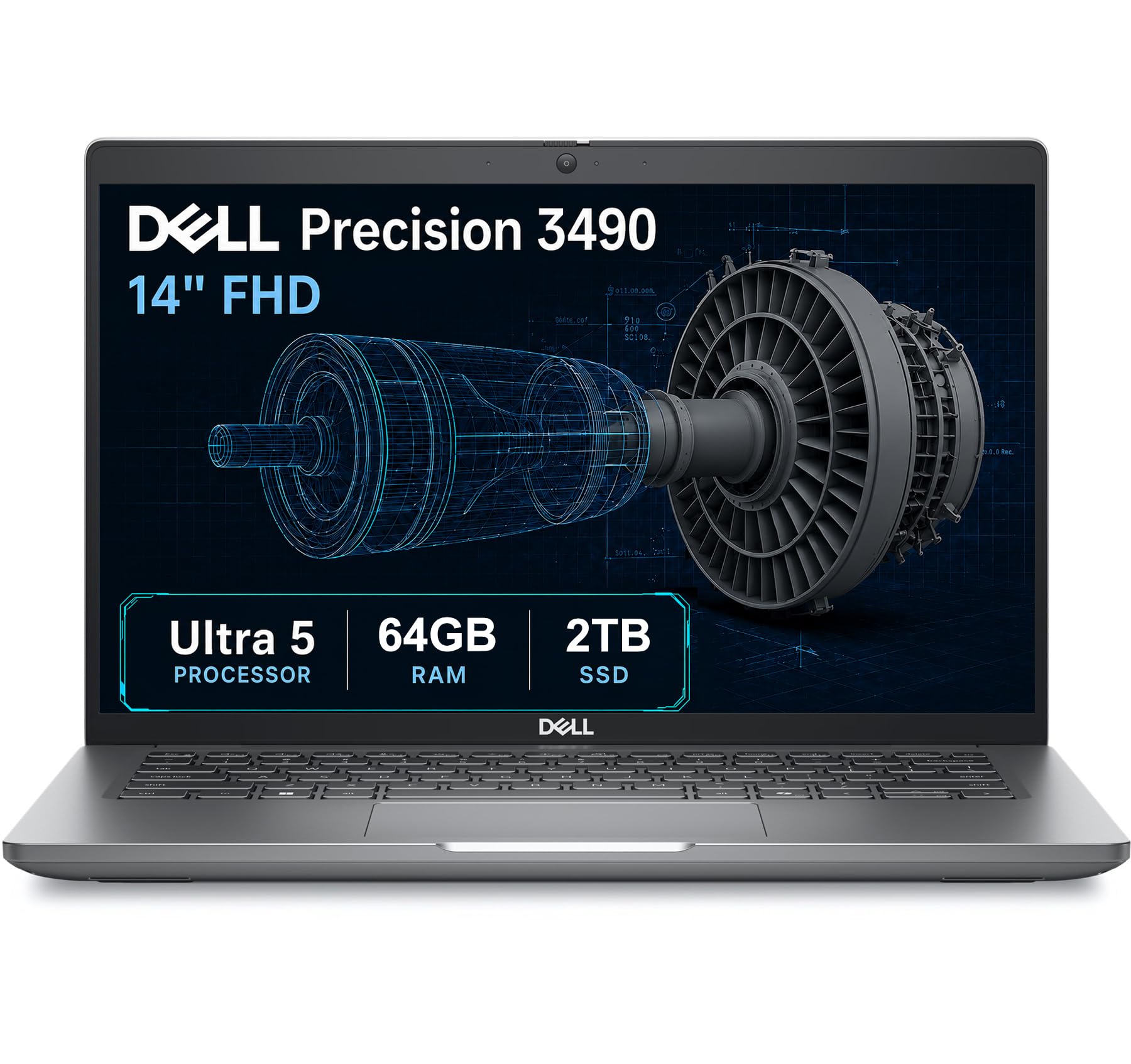
Twice the memory of every other pick, in a chassis tested to military durability standards.
Nothing else on this list touches the Precision 3490’s memory. It ships with 64GB of DDR5 — double the 32GB in the Acer, MSI, Lenovo and LG options — paired with a 2TB SSD. If you run a large assembly with simulation results loaded on top, or a full FEA (finite element analysis) solve alongside a CAD package, that headroom is the difference between a machine that keeps up and one that never notices the load. The processor is Intel’s Core Ultra 5 135H with 14 cores reaching 4.6GHz, and the 18MB L3 cache (fast on-chip memory) keeps repeated solver iterations from stalling.
It is also the most portable of the workstation-style picks at a stated 3.09 pounds, and Dell tests it to MIL-STD 810H — a set of military durability standards covering drops, vibration and temperature. The 14-inch FHD panel runs 1920 x 1080, which is fine for drawings and spreadsheets but not a colour-critical panel. Ports are generous: two Thunderbolt 4 connections, two USB-A, HDMI, Ethernet and an audio jack, and it can drive up to three external monitors at 4K/60Hz without a dock. A 1080p webcam with a privacy shutter handles video calls and lab meetings. The maker states ISV certifications, meaning the professional software vendors have validated the machine for those applications.
Where you feel the compromise is graphics. This laptop uses Intel integrated graphics, so it is not the machine for GPU rendering — the RTX 5080 in the MSI above is a different league for that. The seller discloses that the unit is resealed to install the upgraded memory and drive, with a three-year warranty on those parts and Dell covering the rest through March 2027. That is worth knowing before you buy rather than after.
Why it stands apart: 64GB of DDR5 and 2TB of storage in a 3.09-pound body is the largest memory-and-storage combination here, and it still drives three 4K monitors without a dock.
The one honest catch: integrated Intel graphics means rendering stays out of scope, and the 1920 x 1080 panel is the plainest screen in this group.
Choose it for: heavy multi-application CAD and simulation where memory is the bottleneck and you still commute with the laptop.
Pass if: your work depends on GPU-accelerated rendering or a high-resolution colour panel.
5. LG gram Pro 17-inch Lightweight Laptop

A 17-inch screen that weighs less than most 14-inch laptops, with a battery rated for a full day.
The eye-catching number is 3.3 pounds in a 0.6-inch-thick frame, which is genuinely remarkable for a machine with a 17-inch display — the sort of laptop you can carry every day and forget it is in the bag. Inside sits Intel’s Core Ultra 9 285H processor reaching 5.4GHz, 32GB of DDR5 memory and a 2TB SSD, plus an RTX 5050 graphics card for lighter rendering and gaming. That is a serious specification list for something this light.
The battery is rated at 25 hours of video playback, the longest figure here by a wide margin. LG’s AI assistant monitors your usage patterns to manage power, and the display uses a Variable Refresh Rate that adapts between 31Hz and 144Hz (Hz measures how often the screen redraws). It slows down when the screen is static to save power and speeds up when the image moves, so model rotation stays smooth without draining the battery.
The limitation is the one that comes with thin machines: this is a light-duty rendering card, not a workstation GPU, and there is no Ethernet port, so wired lab networks need an adapter. Setup has also drawn criticism for preinstalled software that takes time to clear out. The keyboard includes a full numeric keypad, which speeds up entering coordinate and dimension data, and the display is bright and vivid. Customers note “I just love people’s surprised reactions when I hand it to them and they feel how light it is!” The build passes seven military-grade standards, so the 3.3-pound frame is not a fragile one.
Where it shines
- 3.3 lbs with a 17-inch display — the most portable large-screen option here.
- 25-hour rated battery and Variable Refresh Rate (31Hz–144Hz) for genuine all-day use.
- Full numeric keypad with 32GB DDR5 and a 2TB SSD.
- Seven military-grade durability standards passed.
The fine print
- RTX 5050 is built for lighter loads, not heavy ray-traced rendering.
- No Ethernet port, so wired campus networks need an adapter.
- Preinstalled software takes some time to clear on first setup.
Suits you if: you cycle between studios, workshops and home and want a big screen that never weighs you down.
The compromise: the graphics card is a stepping stone, not a rendering workhorse.
6. ASUS Vivobook 14″ Business & Student Laptop
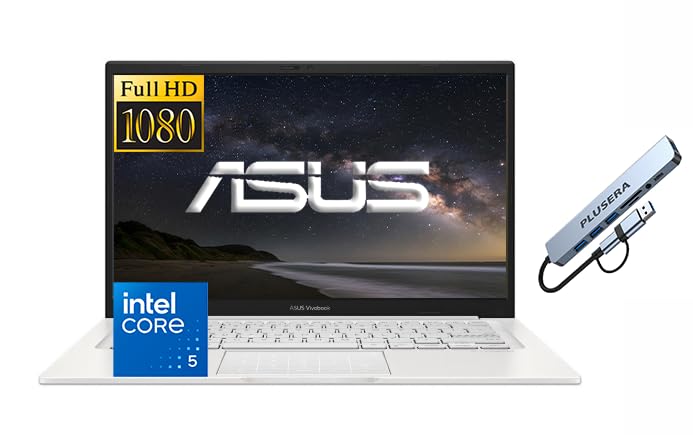
The starter laptop for first-year coursework, when the budget has to cover textbooks too.
If you are in your first semester and your heaviest task is 2D drafting, spreadsheets and lecture notes, the Vivobook 14 is the sensible entry point. It packs Intel’s Core 5 120U processor with 10 cores and 12 threads reaching 3.8GHz, 12GB of DDR4 memory and a 1TB SSD. That combination handles documents and browser tabs comfortably, and the included docking hub means you can connect a monitor and peripherals without buying anything else.
The 14-inch FHD panel runs 1920 x 1080 at 250 nits, which is fine indoors but dimmer than the 500-nit panel on the ThinkPad above. The processor’s 3.8GHz ceiling is the lowest on this list, so heavy 3D modelling and simulation will feel slower than on the other picks. Ports are practical: USB-C 3.2, two USB-A 3.2, one USB-A 2.0, HDMI and a headphone jack, plus Wi-Fi 6 and a webcam privacy shutter. Windows 11 Pro comes installed, which matters if you need remote desktop access for university servers.
Memory is the honest limit here. At 12GB of DDR4, this laptop will struggle with large assemblies and is not the one for a render-heavy semester. It earns its place as the affordable first machine that gets you through foundational coursework — and the extra machines are still an option later. Owners describe it as intuitive to set up and quick to transfer settings across, with a solid build and a backlit keyboard. Screen quality and battery life are the points where expectations need to be set low.
The value read: 1TB of storage and a 10-core processor at the entry level is generous, and the included docking hub saves you a purchase.
What to know before buying: 12GB of DDR4 memory and a 3.8GHz ceiling will feel constrained once your CAD assemblies grow past the basics.
Right answer for: first-year students who need a dependable note-taking and 2D drafting laptop that will not strain the budget.
skip it if: your coursework already involves 3D assemblies or simulation — the memory ceiling will frustrate you quickly.
Know the Specs
Memory (RAM) and why 32GB is the line
RAM is the short-term workspace your laptop uses while an application is running. A large CAD assembly holds every part, its mates and its drawing views in memory at once. When memory fills, the machine starts swapping data to the SSD, which is slower — and that is the stutter you feel when you rotate a big model. 32GB of DDR5 (the current, faster memory generation) is the comfortable starting point for engineering work, and 64GB is the tier for rendering and large simulation datasets. DDR4 is the older generation and moves data more slowly, which is worth knowing when a laptop offers 12GB of DDR4.
Dedicated graphics and cooling
A dedicated GPU is a separate chip with its own video memory, and it handles the heavy maths of rendering, ray tracing and GPU-accelerated simulation. Integrated graphics, built into the processor, is enough for solid modelling and drawings but falls short on rendering. Cooling design decides whether a GPU can sustain that work: a vapor chamber spreads heat across a flat sealed plate, and paired with dual fans and four exhausts it lets a machine hold its speed through a long render. Without it, a GPU throttles (slows itself down to avoid heat damage) and a 20-minute render takes 40. Nits measure screen brightness, Hz measures how often the display redraws, and TOPS measures AI calculation throughput — each matters differently depending on whether you are modelling, rendering or reading a drawing.
Common Questions
How much RAM do I need for SolidWorks or Fusion 360?
Do I need a dedicated graphics card for mechanical engineering?
Is a 64Hz or 180Hz refresh rate important for CAD?
Can an engineering laptop handle MATLAB and FEA simulations?
Is a gaming laptop a bad idea for engineering work?
How long should an engineering laptop last through a degree?
Why does screen brightness matter for engineering software?
Do I need an Ethernet port on a CAD laptop?
Will a thin and light laptop overheat during long simulation runs?
Is a 14-inch screen too small for CAD work?
The Bottom Line
For most buyers, the laptops for mechanical engineering winner is the Acer Nitro V 16S AI. It pairs 32GB of DDR5 memory and an RTX 5060 graphics card with cooling that holds steady through sustained workloads — the right balance of CAD capability and cost. If your work is rendering-heavy and a warm, heavy chassis is an acceptable trade, the MSI Stealth 18 HX AI is the fastest and most spacious machine here. And if you need maximum memory in a light body, the Dell Precision 3490 gives you 64GB of DDR5 in a 3.09-pound frame. The Acer holds 4.0+ stars across 300+ owners, a steady record for a machine doing daily CAD and simulation work.
How we choose
We do not accept paid placement. Every pick is matched to a real buyer and a real use-case; we do not hands-on test units.
Sources
Specifications: manufacturer listings and product documentation. Review insights: verified customer reviews, as of October 2026. Pricing: not shown on this page (it changes often); check the current price via the retailer link.
As an Amazon Associate, Aappliancez earns from qualifying purchases. This does not affect which products we feature.