Disclosure: Some links in this post are affiliate links. As an Amazon Associate I earn from qualifying purchases, at no extra cost to you. Learn more
Specs are compiled from manufacturer listings and verified buyer reviews and can change over time — please confirm the key details on the product page before buying.
If you have ever settled into a show and watched a spinning circle instead of the plot, you already know the real question with any IPTV Box. It is not how many channels the listing promises — it is whether the box has the memory, the Wi-Fi reception, and the chipset to keep the picture moving. This guide walks you through ten streaming devices that people actually buy for internet TV, sorts out which are built for Android apps and which are locked down, and tells you plainly which one fits your setup.
This guide is built by comparing the manufacturers’ published specifications and the patterns across verified customer reviews, so you get each pick’s real strengths and trade-offs instead of marketing spin.
Every box on this list falls into one of two families, and knowing which you are buying prevents most returns. If you want a simple, honest answer before you read further, the compact Roku Streaming Stick 4K remains the safest everyday pick on the shelf. Below you will find a breakdown of the best IPTV Box options, each matched to a real viewing habit and a real home setup.
Top Picks


How To Choose The Best IPTV Box
The first decision is not a spec at all — it is which operating system sits on the box. Make that call first and the rest of the shopping list gets much shorter.
Android TV versus closed Linux set-top boxes
An Android TV box runs the Google app store, so you install Netflix, YouTube, and your own apps yourself. A Linux set-top box like the MAG544w3 models does not run Android apps at all — the manufacturer states it plainly as hardware only. Those boxes are built to work with a service provider’s own portal, and you need that provider before the box does anything.
Memory and storage: the two numbers that decide longevity
RAM (short-term working memory) keeps the interface moving; storage (the GB figure) is where your apps live. A box with 2GB of RAM handles normal menu hopping fine, while 8GB of storage fills up fast once you install a few big apps. Look for 32GB if you like to keep plenty installed.
Network connection: Wi-Fi band or Ethernet
Most buffering complaints trace back to a weak wireless link, not a slow box. A dual-band Wi-Fi module or a wired 100 Mbps Ethernet port gives you a fallback when the wireless signal in your room is thin. If the box lives far from your router, plan on the cable.
Side-by-Side Comparison
| Model | Best For | Memory / Storage | Max Resolution | Connection | Amazon |
|---|---|---|---|---|---|
| Roku Streaming Stick 4K★ Best Overall | Everyday streaming on any TV | — | 4K with Dolby Vision & HDR10+ | Wi-Fi, HDMI | Amazon |
| TiVo Stream 4KBest Value | One-screen app aggregation | 8 GB storage | 4K UHD, Dolby Vision HDR | Wi-Fi, HDMI | Amazon |
| ONN Android TV 4KCompact Pick | Budget Google TV upgrade | 2 GB RAM / 8 GB storage | 4K UHD | Wi-Fi, HDMI | Amazon |
| KICKPI KP1 | Side-loading and tinkering | 2 GB RAM / 16 GB storage | 4K HDR | Wi-Fi, Bluetooth, Ethernet, HDMI | Amazon |
| Infomir MAG544w3 | Provider-based IPTV portals | 1 GB RAM / 4 GB eMMC | 2160p at 60 FPS | Dual-band Wi-Fi, 100 Mbps Ethernet | Amazon |
| BuzzTV E5 | IPTV on Android 11 | 2 GB RAM / 32 GB storage | 4K UHD | Wi-Fi, HDMI, USB-C, Ethernet | Amazon |
| Xiaomi TV Box S (3rd Gen) | Fast Wi-Fi 6 streaming | 2 GB RAM / 32 GB storage | 4K UHD, HDR10+, Dolby Vision | Wi-Fi 6, Bluetooth, HDMI, USB | Amazon |
| Raxxio MAG544w3 | 4K MAG-format viewing | 1 GB DDR4 / 4 GB flash | 4K HDR (AV1 & HEVC) | 100 Mbps Ethernet, Dual-band Wi-Fi | Amazon |
| Formuler Z10 | Power users wanting hotkeys | 2 GB RAM / 8 GB ROM | 4K 60fps HDR 10 | Wi-Fi, Ethernet | Amazon |
| Google TV Streamer 4K | Smart home + big storage | 32 GB storage | 4K HDR with Dolby Vision | Wi-Fi, Ethernet, HDMI | Amazon |
Detailed Reviews
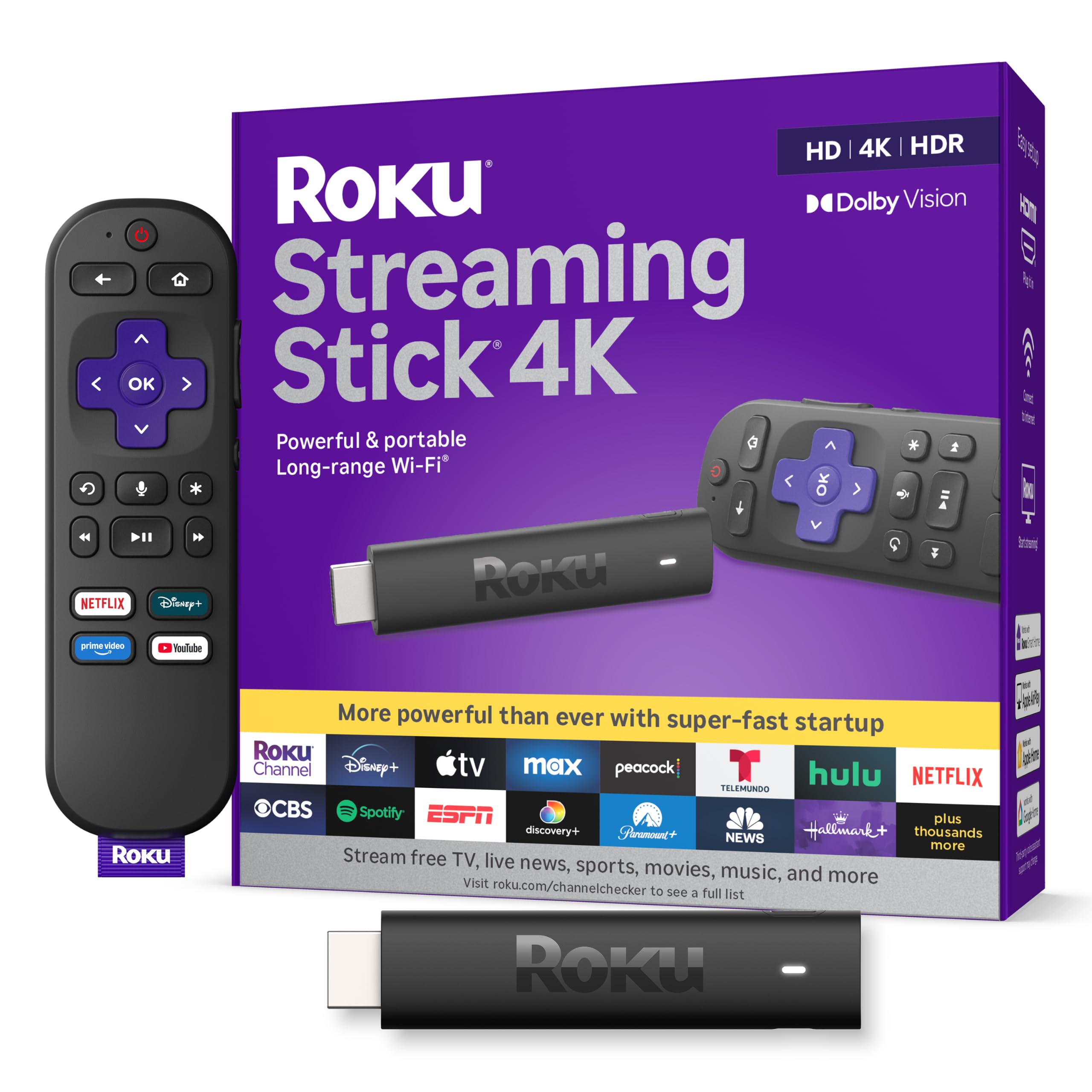
1. Roku Streaming Stick 4K with Voice Remote
Our pick — 4.5+★ from 99,000+ verified ratings; the strongest balance of quality and price.
The plug-in stick that hides behind your TV and just works.
For most people setting up internet TV for the first time, this is the one to buy. It is a 4K stick that hangs off your HDMI port, weighs 25.54 g, and disappears behind the television so your shelf stays clean. Picture quality is where it earns its keep: you get 4K resolution with Dolby Vision and HDR10+ (two formats that let compatible TVs show deeper contrast and richer color on supported shows).
It is the crowd favorite on this list — 4.5+ stars across 99,000+ ratings — and raw performance is what wins people over. Boot-up is quick, menus move without lag, and apps load fast enough that you stop thinking about the device. A long-range Wi-Fi receiver helps in rooms that sit farther from your router, which is exactly where cheaper sticks fall down. As buyers report, it is a “compact size fits behind TV” upgrade that simplifies the whole setup.
The honest catch is the remote. There is no physical locate button on the remote itself — you find a lost remote through the phone app instead. The non-programmable shortcut buttons also draw grumbles, and you do need a Roku account to get going. None of that stops the box from streaming; it is just how the house rules work.
What earns the top spot
- 4K with Dolby Vision and HDR10+ on supported TVs
- 25.54 g stick that stays hidden behind the screen
- Long-range Wi-Fi receiver for rooms far from the router
- Single remote handles TV power, volume, and mute
Where it asks a little of you
- Needs a Roku account to set up
- Shortcut buttons are fixed, not programmable
- Remote finder lives in the phone app only
Reach for this if: you want the least-fussy 4K upgrade on any TV in the house, including a garage set.
Look elsewhere if: you want to side-load apps or dabble in provider portals — this one is a closed, friendly ecosystem.
2. TiVo Stream 4K
A lightweight Android TV dongle that puts every app on one screen.
The draw here is the aggregation: TiVo Stream puts search, browsing, and your watch lists in one place so you stop bouncing between app home screens. It runs Android TV, so you get Netflix, Prime Video, Disney+, Peacock, and the wider library through Google Play. At 3.03″ by 2.09″ by 0.63″, it is a compact block small enough to tuck beside the TV — a shallower footprint than the Roku stick’s 3.7″ by 0.8″ by 0.45″ profile, which sits in a thinner vertical strip.
Google Assistant is on the remote, so you can launch apps and find a show by voice. Audio is a real strength: Dolby Atmos and Dolby Digital Plus work on the right sources, and the Info button pulls up stream specs so you can see what you are actually getting. The 8GB of storage is the pinch point — you have around 5GB free for your own apps, which fills quickly if you install a lot.
Two practical rules keep this box happy. Plug it into a wall outlet, not your TV’s USB port, because the firmware update can restart it mid-install and confuse you. And keep it near the router — as owners mention, the “buggy” complaints often track poor Wi-Fi, and one owner’s setup ran stably for four months with just a single reboot when positioned close to the signal. Treat it as a tidy Android TV starter for a light app load and it delivers.
Where it shines: the one-screen recommendation feed and Atmos audio make it feel bigger than the price suggests.
The fit note: reliability leans on your Wi-Fi, so weak signal is the wrong pairing.
Suits you when: you want Android apps and a voice remote without spending much, and your router lives in the same room.
Another box may fit better if: you install a lot of apps — the free storage runs out fast.
3. ONN Android TV 4K UHD Streaming Device
A no-frills box that handles 4K and voice search without complaint.
If your goal is getting a clean Google TV interface onto a second television for the smallest fuss, this is the sensible pick. It ships with 2GB of RAM and 8GB of storage, throws a sharp 4K picture, and includes an HDMI cable so you can wire it straight in. The Google Assistant voice remote finds and starts content with a button press, and Chromecast is built in for sending photos and video from your phone.
What wins people over is straightforward quality for the everyday job — the 4K image holds up and the interface responds without stutter. Owners who have bounced between devices tend to land here and stay: as one summarised the comparison, of the boxes they had tried, this one edged out both a Roku and a Fire Stick. The value angle is real, especially as a second-room add-on.
Two things to know before buying. The remote works best with televisions it recognises, and there is no manual code entry for older sets. And long-term stability leans on the apps you use — Google Live TV has given some owners buffering and a recurring “still watching” prompt, while other services run clean. Expect a budget 4K Google TV box rather than a premium one, and it earns its place.
Why it’s here: a 4K Google TV box with voice control and a bundled HDMI cable, priced for a spare room.
The trade-off to weigh: connectivity and remote behaviour are the weaker links, so pair it with a strong signal.
Pick this for: a bedroom or second TV where you want Google TV without overthinking the purchase.
Think twice if: your television is an older model that needs a manual remote code — this remote may not control it.
4. KICKPI KP1 Android TV Box
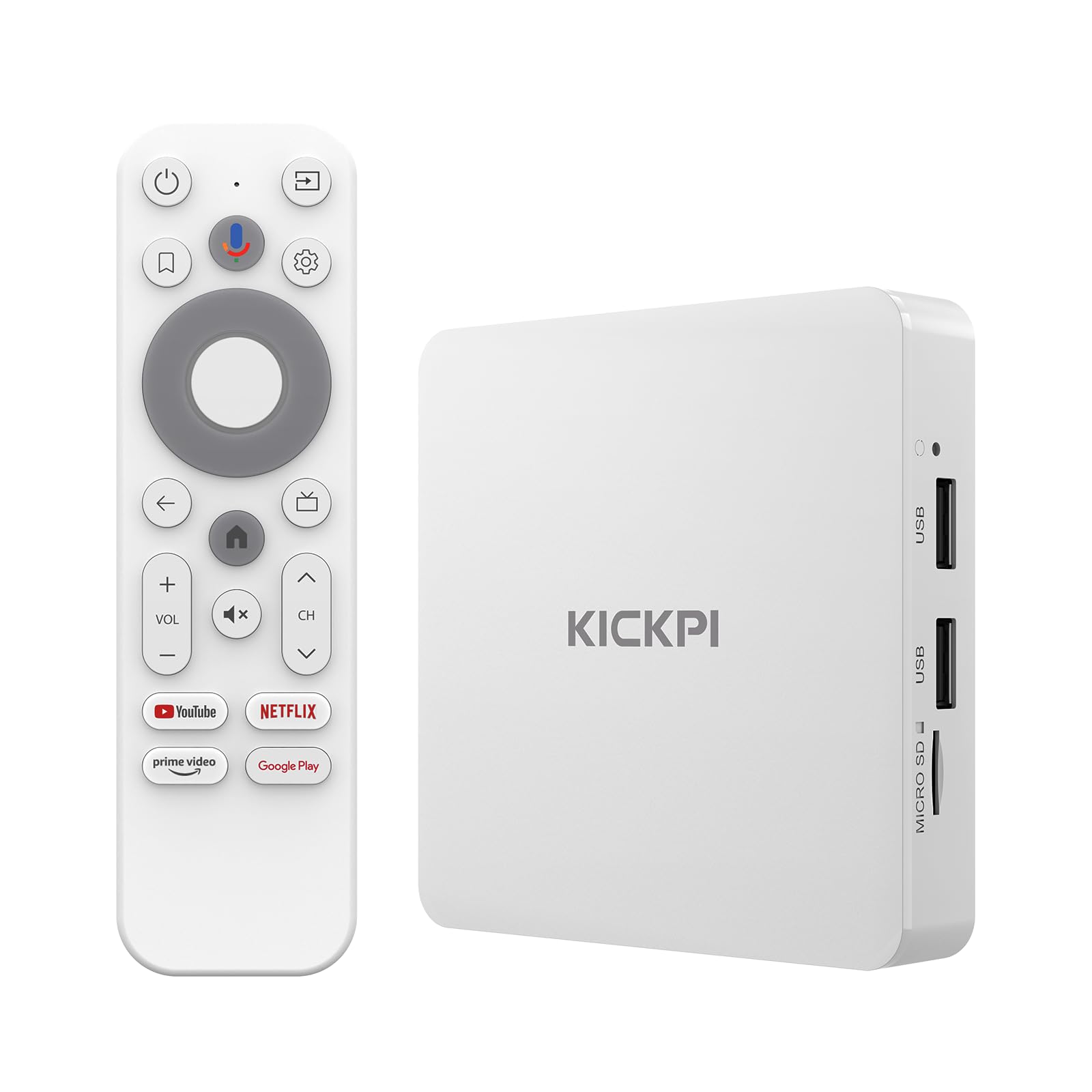
A certified Google box for tinkerers who want to install their own apps.
This is the pick for someone who wants to side-load — install apps from outside the official store — without fighting the operating system. It runs Android TV 14 on an Amlogic S905Y4 quad-core Cortex-A35 processor, with 2GB of RAM and 16GB of storage you can expand through USB. Google certification means you get the real Play Store, so Netflix, Disney+, and the rest install normally.
The appeal is flexibility. Customers note it works well enough to replace a Firestick and that “I can side load anything my need without any issues.” The voice remote calls up Google Assistant for hands-free searching, Chromecast is built in for casting from your phone, and it connects over Wi-Fi, Bluetooth, ethernet, or HDMI — more ways in than most boxes here. Setup is straightforward for a mid-level Android box.
Performance is the honest caveat. This is a mid-level machine, and its speed will not match the pricier boxes on this list for heavy 4K work. There is also an occasional failure — one unit popped loudly and showed a screen pattern after about two months, and a factory reset did not fix it. As with any small electronics brand, buy from a seller with easy returns and you are covered.
The angle that matters: Google certification plus USB-expandable 16GB storage makes it the friendliest box here for custom app setups.
What to accept: it is a mid-tier performer, so treat heavy 4K multitasking gently.
Best matched to: the buyer who wants to install their own apps and needs real Google services behind them.
Not the one for: anyone chasing the fastest interface on the list — that costs more.
5. Infomir MAG544w3 4K Linux Set-Top Box

The specialist box for portal-based services, not app-store browsing.
Read the spec sheet carefully before you buy here, because this box does one job and does it well. It is a Linux set-top box built for authorized portal services and Ministra PRO — it is not an Android box, so there is no Google Play, no Netflix app, and no YouTube app from the store. What you get is a serious media engine: an Amlogic S905Y4-B chipset rated at 16,500 DMIPS (a raw processing-power figure), 1GB of LPDDR4 RAM, 4GB of eMMC flash, and 4K at 2160p resolution running at 60 frames per second.
For the right owner — one with a provider portal to connect to — the picture is the star. HDR support, AV1 and HEVC codecs for efficient high-bitrate playback, and eight-channel Dolby Digital Plus audio make it a capable home-cinema piece. It offers HDMI 2.1, dual USB 2.0 ports, and a 100 Mbps Ethernet socket for a steady wired link. Buyers describe it fairly simply: “It is a latest Infomir IPTV model,” and that is exactly what it is.
Now the honest part, and it is real. Setup guidance confuses some owners, and Wi-Fi on the 5GHz band can drop — a wired connection is the safer route. Power management draws the sharpest criticism, with some units powering on and immediately shutting off, requiring several tries before they stay running. If you do not already have a provider portal ready to go, this is the wrong box for you.
Built for the portal crowd
- 2160p at 60 FPS with HDR support
- AV1 and HEVC codecs for smooth high-bitrate 4K
- Eight-channel Dolby Digital Plus audio
- 100 Mbps Ethernet plus HDMI 2.1
Know before you commit
- No Android apps, no Google Play, no Netflix store app
- Wi-Fi can drop; wired is the reliable path
- Some units fight to power on and stay on
- Needs a provider service you already have
Fits like a glove for: the viewer with an existing provider portal who wants wired, high-bitrate 4K on a home-cinema setup.
Wrong turn for: anyone expecting a plug-in app box — this one is hardware only, no service included.
6. BuzzTV E5 Android 11 TV Box

A roomy Android 11 box that shrugs off a busy app shelf.
Storage is the headline. The BuzzTV E5 carries 32GB of internal storage paired with 2GB of RAM, which means you can keep a full library of apps installed without the interface grinding to a halt. It outputs 4K ultra-high-definition video, runs Android 11 for a familiar interface and broad app access, and connects over HDMI with Wi-Fi support for streaming. The chassis measures 3.94″ by 3.94″ by 0.79″ — compact enough to tuck near the TV.
Reliability is what people tend to report. Owners describe it as a quality, dependable product for IPTV services, and some come back for multiple units across the house. As one put it, the box arrived sealed and “was sealed in box and functioning perfectly.” That consistency is worth a lot when you are setting up a service and just want it to work.
The caveat is the app store question. Not everyone finds access to Google apps straightforward, and one owner reported freezing and glitches that needed a power cycle to clear. Newer models in the maker’s line have drawn software gripes too — some suggest the E5 itself stays steadier than the newest releases. If you are comfortable with an Android box and keep it well-ventilated, it is a solid workhorse.
The strongest case: 32GB of storage and a 2GB memory loadout keep a large app collection running.
The honest limit: Google app access can be inconsistent, so check you can reach the store you need.
A good fit for: someone who wants to install plenty of apps and values a box with a dependable reputation.
Consider a different path if: guaranteed Google Play access is a must-have from day one.
7. Xiaomi Android Google TV Box S (3rd Gen)
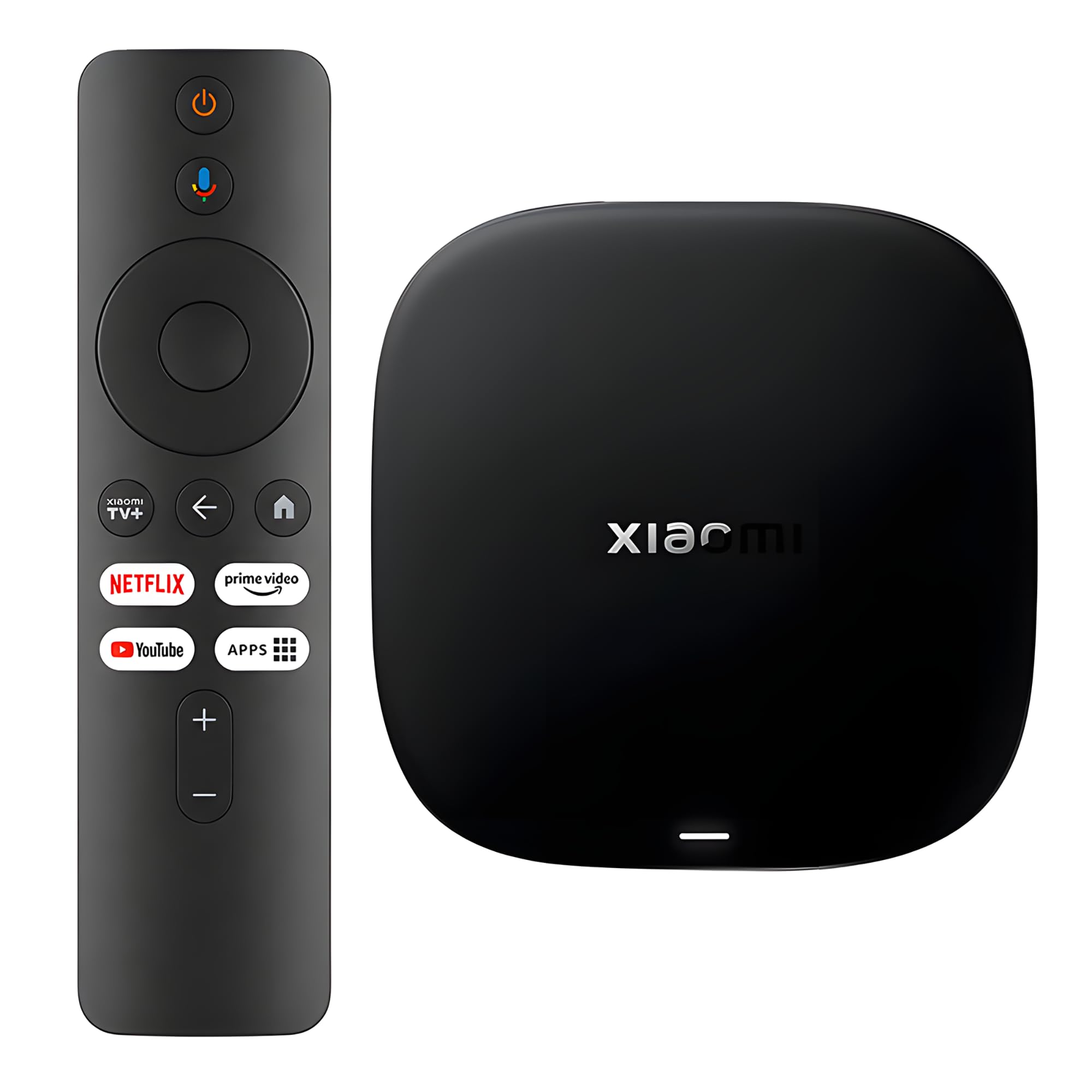
The Wi-Fi 6 box built to keep a busy home network streaming smoothly.
Here is the box for a house where everyone is online at once. It supports Wi-Fi 6 (the newer wireless standard that handles many devices at once more gracefully), using OFDMA and MU-MIMO to spread bandwidth across multiple connections. That pairing of 2GB RAM and 32GB storage gives you room for apps, and the 64-bit 6nm platform runs a quad-core A55 CPU clocked up to 2.5 GHz. The package supports 4K UHD with HDR10+ and Dolby Vision on compatible content, plus Dolby Atmos and DTS:X audio.
Setup runs on Google TV, which pulls recommendations and cross-app search into one screen. The 360° Bluetooth remote calls up Google Assistant for voice search and smart home control. Buyers who upgrade from an older stick notice the jump: one found the “4K upscaling vs old stick” noticeable, with fast app loading and an interface not cluttered with ads. The storage also earns consistent praise — the room to install plenty of apps is a running theme.
The remote polarises people more than anything else on this box, and speed impressions vary with how you use it. Value opinions split too, so it pays to know what you want: Wi-Fi 6 and generous storage at a mid-tier position. Note the warning on the tin — it is meant for officially authorized apps and legitimate services, so plan around that.
Standout spec: Wi-Fi 6 with OFDMA and MU-MIMO keeps playback steady when the whole house is streaming.
What to weigh: remote feel divides opinion and speed impressions vary by usage.
Best for: a busy household on a newer router that needs reliable wireless streaming across several screens.
Worth a second look if: you have an older router without Wi-Fi 6 — the advantage is smaller.
8. Raxxio MAG544w3 TV Set-Top Box

A MAG-format box for anyone chasing international channels.
The seller is refreshingly blunt: this is a Linux-based set-top box, hardware only, no Android apps, and no subscription included. If you know that going in, it is a capable 4K player. It supports AV1 and HEVC codecs — HEVC can stream 4K at 16 Mbps versus H.264’s 32 Mbps, so it does more with less bandwidth. Under the hood sits the Amlogic S905Y4-B chipset with a quad-core ARM Cortex-A35 CPU, 1GB of DDR4 RAM, and 4GB of flash memory.
Connection is the practical draw. You get a 100 Mbps Ethernet port for a rock-steady wired link, or a dual-band Wi-Fi module that reaches up to 550 Mbps on the 5GHz band and up to 100 Mbps on 2.4GHz. Sound runs through Dolby Digital Plus surround, with support for up to seven audio speakers and a subwoofer. For international content — buyers mention US, UK, Arabic, India, and Australia channels — the picture quality comes up as excellent.
The trade-off is the familiar MAG one: your channel availability and service depend entirely on your provider, so confirm compatibility before you order. The interface feels dated next to an Android TV box, the 1GB of RAM makes for a slower remote response, and the setup is not for the impatient. This is a box for a specific service, not a general media hub.
Where the value sits: efficient AV1/HEVC 4K plus a 100 Mbps Ethernet port and dual-band Wi-Fi, at an entry-tier position.
The proviso: hardware only — no apps, no service, and check your provider first.
Meant for: the viewer with a provider that supports the MAG format, especially for international channels.
Not the pick for: anyone wanting an app store or a modern interface — this is a portal appliance.
9. Formuler Z10 Android 10 TV Box

A configurable Android box with a weighted remote and hotkeys.
Power users tend to like this one for the controls. The Formuler Z10 runs Android 10 with 2GB of RAM, 8GB of ROM, and 4K at 60fps with HDR 10, over a 2×2 dual-band 5G Wi-Fi connection. The remote is weighted and carries configurable hotkeys, which sounds minor until you are flipping channels all evening. Owners describe it as fast, powerful, and functional — one rated it above both a smart TV and a Roku or Fire Stick for sheer multi-function.
The software has a learning curve, and the manufacturer updates it regularly, so reading the online manual pays off early. Those who stick with it call the Z10 far superior to the older Z8 and very stable, with more functions on tap. Setup is simple enough that buyers set up a second unit for the bedroom without trouble.
Netflix is the sticking point. Reviewers point out that sideloading it or pulling it from Google Play does not fully work, so if Netflix is your main service, look elsewhere. Reliability divides opinion overall — most are happy, but a minority report the box dying after about two weeks, so buy from a seller with easy returns.
What stands out: configurable hotkeys and a weighted remote give channel-flipping real ergonomics.
The snag: Netflix does not run properly, so it is not a one-box solution for everyone.
Good match for: a channel-flipper who wants adjustable hotkeys and Android flexibility.
Steer clear if: Netflix is your go-to service — this box will not run it properly.
10. Google TV Streamer 4K

The premium all-rounder that also runs your smart home.
This is the top-tier box, and the 32GB of storage is the number that matters. Its 32GB is the most storage on this list, so you can install everything you watch without managing free space. It delivers 4K HDR with Dolby Vision, supports Dolby Atmos when you connect compatible speakers, and pulls in over 800 free channels from the likes of Pluto TV and Tubi. The voice remote calls up Google Assistant, and you can add shows to a watchlist straight from a Google search or your phone.
Speed is the other headline. Owners who moved from older sticks describe a much faster, more responsive experience with no lag switching apps. On a wired connection, even modest internet handles it cleanly — one buyer on a 15Mbps DSL line reported zero lag. The built-in smart home control turns the remote into a hub for lights and devices, which is a feature the cheaper boxes simply do not offer.
The catch is price-to-value, and it centres on ports. There is no USB port and no MicroSD slot, and the box requires its own HDMI cable (sold separately), which hurts portability versus a plug-in stick. Whether the extras are worth it depends on you — smart home control and 32GB of storage are the reasons to step up, and a plain Fire Stick comparison is not the point here.
Why it commands top tier
- 32GB of storage — the roomiest here
- 4K HDR with Dolby Vision and Dolby Atmos audio
- Smart home control and Gemini integration
- Over 800 free channels built in
What you give up
- No USB or MicroSD expansion
- HDMI cable sold separately
- Premium positioning raises the value question
Worth stepping up for: a smart-home user who wants 32GB of storage, fast app switching, and a serious remote.
Stay with a stick if: you only need basic 4K streaming and do not want the smart-home extras.
Know the Specs
RAM vs. Storage (GB)
RAM is short-term working memory that keeps the menu moving; storage is where your apps sit. The Xiaomi and BuzzTV boxes pair 2GB of RAM with 32GB of storage, which gives you room to install plenty. The MAG544w3 boxes run 1GB of RAM with 4GB of flash — enough for a portal service, not for a big app shelf.
HEVC vs. H.264 codecs
A codec compresses video so it travels smaller. HEVC can stream 4K at 16 Mbps versus H.264’s 32 Mbps, which means smoother playback on a modest connection. Boxes that support AV1 and HEVC, like the Raxxio MAG544w3, handle high-bitrate 4K with less strain on your network.
HDR10+, Dolby Vision, and Dolby Atmos
HDR formats widen the contrast and color range on a compatible TV, so bright highlights and dark scenes look more natural. Dolby Atmos handles the audio side by placing sound around the room when you have compatible speakers. The Roku stick carries Dolby Vision and HDR10+; the Google TV Streamer adds Dolby Vision and Atmos.
Wi-Fi 6 and dual-band explained
Wi-Fi 6 is the newer wireless standard built to juggle many devices without choking. OFDMA and MU-MIMO split the signal so several gadgets stream at once. A dual-band module lets the box use the 5GHz band for speed or 2.4GHz for range — the Formuler Z10 and both MAG544w3 boxes offer dual-band, while the Xiaomi adds Wi-Fi 6.
Common Questions
Do I need a subscription to use an IPTV box?
Will a Linux MAG544w3 box run Netflix or YouTube apps?
What is the difference between an Android TV box and a closed Linux box?
How much storage do I need for a setup with many apps?
Should I connect the box with Ethernet or Wi-Fi?
Do these boxes support 4K and HDR on my TV?
Which box is easiest to set up for a non-technical person?
Can I expand the storage on these boxes?
Do I need an HDMI cable, and is one included?
Is it better to spend more on a premium box or start with a budget one?
The Bottom Line
For most people setting up the best iptv box, the winner is the Roku Streaming Stick 4K because it hides behind the TV, boots fast, and brings 4K with Dolby Vision and HDR10+ without asking you to learn anything new. If you want to side-load your own apps with real Google services behind them, grab the KICKPI KP1. And if you already have a provider portal for international channels, the Raxxio MAG544w3 is the one to reach for — just confirm compatibility with your provider before you order.
How we choose
We do not accept paid placement. Every pick is matched to a real buyer and a real use-case; we do not hands-on test units.
Sources
Specifications: manufacturer listings and product documentation. Review insights: verified customer reviews, as of October 2026. Pricing: not shown on this page (it changes often); check the current price via the retailer link.
As an Amazon Associate, Aappliancez earns from qualifying purchases. This does not affect which products we feature.