Disclosure: Some links in this post are affiliate links. As an Amazon Associate I earn from qualifying purchases, at no extra cost to you. Learn more
Specs are compiled from manufacturer listings and verified buyer reviews and can change over time — please confirm the key details on the product page before buying.
You want a screen where black actually looks black, motion stops smearing, and text stays crisp all day — and a Gen 4 OLED monitor does exactly that. The trick is picking the right panel size, resolution and refresh rate for how you actually sit at your desk, because a 480Hz esports panel and a 5K2K ultrawide solve completely different problems. This guide sorts the strongest OLED options by what they genuinely do well, and names the trade-offs you should know before you commit.
This guide is built by comparing the manufacturers’ published specifications and the patterns across verified customer reviews, so you get each pick’s real strengths and trade-offs instead of marketing spin.
Below you’ll find the picks ranked by real-world fit. Each one lists the specs that actually change your day and the honest catch nobody puts on the box. That way you can choose a gen 4 oled monitors without second-guessing the purchase.
Top Picks


How To Choose The Best Gen 4 OLED Monitor
An OLED monitor lights each pixel on its own instead of backlighting a whole panel. So a dark scene shows true black and bright objects pop against it. That per-pixel lighting is why these screens look like a window rather than a display. Your decision depends on four things: how far you sit from the screen, how much desk space you have, how strong your graphics card is, and whether you mostly play or mostly work.
Match the resolution to your viewing distance
Sharpness comes from pixel density — how many pixels get packed into each inch — not from the resolution number alone. A 27-inch 4K panel squeezes those pixels tighter than a 32-inch 4K panel, so small text looks cleaner up close. A 32-inch 4K screen at 140 PPI (pixels per inch) is still crisp for most desk setups, and a 45-inch 5K2K ultrawide lands at 125 PPI, which keeps text readable across a very wide surface.
Refresh rate is only as good as your frame rate
A 240Hz refresh rate means the panel redraws the image 240 times a second, and 480Hz doubles that. Your graphics card has to actually produce those frames or the extra speed does nothing. 4K at high refresh is genuinely demanding, and one owner running an older card sensibly settled for 4K at 120Hz until a newer GPU arrived. If you play competitive shooters at 1440p, a 480Hz or 540Hz panel earns its keep far more easily than a 4K one.
Plan for burn-in from day one
Static elements like a taskbar or a game’s health bar can leave a faint ghost if they sit in the same spot for hundreds of hours. Every panel here ships some form of defense — pixel shift nudges the image slightly, static-image detection dims fixed logos, and proximity sensors blank the screen when you walk away. Some picks also carry a multi-year warranty that includes burn-in coverage, which is worth checking before you buy.
Size up your desk before you size up the screen
A 32-inch panel is a big rectangle, and the stand matters as much as the glass. Some bases are deep enough to eat into keyboard and mouse room, while a low-profile stand or a VESA mount frees that space back. Ultrawides go further: a 45-inch 21:9 curve wraps around you, and a 57-inch 32:9 demands real desk depth and a strong arm if you wall-mount it.
Side-by-Side Comparison
| Model | Best For | Resolution | Refresh Rate | Screen Size | Amazon |
|---|---|---|---|---|---|
| MSI MPG 321URX QD-OLED★ Best Overall | All-round 4K gaming and work | 3840 x 2160 | 240Hz | 31.5″ | Amazon |
| Samsung Odyssey OLED G8 (G80SD)Smart Streaming Pick | Streaming and console play | 3840 x 2160 | 240Hz | 32″ | Amazon |
| Alienware AW3225QFG-Sync Ready | G-Sync loyalists | 3840 x 2160 | — | 32″ | Amazon |
| INNOCN GA27W1Q | Budget 4K OLED entry | 3840 x 2160 | 240Hz | 27″ | Amazon |
| Sony INZONE M10S | Competitive FPS speed | 2560 x 1440 | 480Hz | 27″ | Amazon |
| Samsung Odyssey OLED G8 (G85SD) | Ultrawide work and play | 3440 x 1440 | 175Hz | 34″ | Amazon |
| Samsung Odyssey OLED G8 (G80SH) | Highest-rated 4K OLED | 3840 x 2160 | 240Hz | 32″ | Amazon |
| ASUS ROG Strix OLED XG32UCWMG | Glossy dual-mode flexibility | 3840 x 2160 | 240Hz / 480Hz | 31.5″ | Amazon |
| ASUS ROG PG27AQWP-W | Esports smoothness | 2560 x 1440 | 540Hz | 26.5″ | Amazon |
| ASUS ROG PG27UCDM | Sharp 4K in small space | 3840 x 2160 | 240Hz | 26.5″ | Amazon |
| Samsung Odyssey Neo G9 (G95NC) | Massive dual-4K canvas | 7680 x 2160 | 240Hz | 57″ | Amazon |
| LG 45GX950A-B UltraGear | Wide 5K2K immersion | 5120 x 2160 | 165Hz / 330Hz | 45″ | Amazon |
| ASUS ProArt PA32UCDM | Color-critical creative work | 3840 x 2160 | 240Hz | 31.5″ | Amazon |
Detailed Reviews
1. MSI MPG 321URX QD-OLED
Our pick — 4.0+★ from 450+ verified ratings; the strongest balance of quality and price.
The 4K OLED that does competitive speed and desktop work without asking you to choose.
This is the pick for someone who wants one screen to game on and work on. The 31.5-inch panel runs 3840 x 2160 (4K UHD) at 240Hz, so you get double the pixel count of 1440p and a refresh rate fast enough for shooters. The 0.03ms GtG response time (GtG means grey-to-grey, the time a pixel takes to change shade) keeps fast motion free of the smearing you’d see on an older IPS display. MSI pairs it with 1.07 billion colours at 10-bit depth and a DCI-P3 gamut — DCI-P3 being the colour range films and games are mastered in — so the picture stays saturated rather than washed out.
Colour is where the MPG 321URX makes its case loudest. Its 97 colour gamut figure sits against the Samsung Odyssey OLED G8 (G80SD) at 0.99, and in practice that means richer, more saturated coverage across the screen. The DisplayHDR True Black 400 certification (a VESA rating for OLED screens that hit deep black while keeping highlight detail) is what owners point to when they describe raytraced night scenes in games as genuinely striking. Office and productivity work hold up too — one buyer describes perfect blacks and vibrant colour with no eye strain during long sessions.
The practical extras make it easier to live with. A built-in KVM switch (a hub that lets one keyboard and mouse control two computers) plus PiP/PbP support lets you run a work PC and a gaming rig on one desk. The 90W USB Type-C means a laptop connects with a single cable and charges at the same time. HDMI 2.1, DP 1.4a and FreeSync round out the connectivity. There’s no built-in speaker, so budget for a small desktop set.
A word on the setup: several owners hit a macOS quirk where dual monitors refused to run together until DisplayPort input was locked and auto-scan was turned off. It’s a settings fix rather than a hardware fault, and it settles once locked down. The same goes for the joystick-driven on-screen menu — it takes a few minutes to learn.
What earns the top spot
- 4K at 240Hz on a 31.5-inch QD-OLED panel
- 0.03ms GtG response keeps fast pans smear-free
- 97 colour gamut and 1.07 billion colours at 10-bit
- KVM switch, PiP/PbP and 90W USB-C for one-cable laptop use
- 4-way adjustable stand plus VESA mounting
Where it asks something of you
- No built-in speakers
- Dual-monitor macOS use needs a settings workaround
- Joystick menu is fiddly until you learn it
Best fit: a gamer who also works at the same desk and wants 4K sharpness with 240Hz speed in one panel.
Think twice if: you need stereo sound without adding speakers, or you rely on a Mac running two of these side by side.
2. Samsung 32″ Odyssey OLED G8 (G80SD)
A gaming monitor that moonlights as a smart TV — remote, apps and all.
If you want one screen that handles a PS5, a streaming app and a desktop PC, this is the model built for that. Samsung puts its Tizen smart-TV software into the 32-inch 4K QD-OLED panel, so Netflix and YouTube run on the monitor itself without waking a computer. The 240Hz refresh rate and 0.03ms response time handle games, and G-Sync compatibility syncs the graphics card and panel to prevent tearing.
The panel engineering leans hard on heat management. A Pulsating Heat Pipe moves coolant through the chassis, and Samsung claims it diffuses heat compared with the older graphite-sheet method. Alongside it sit logo and taskbar detection, which dims static elements automatically, and a screen saver that fades the image after 10 minutes of inactivity. The Glare Free coating cuts reflections from a window or lamp behind you. Picture quality lands sharp and colourful — “Love the color accuracy,” one buyer reports, adding a year of ownership on a PS5 setup.
The catch worth knowing is the software layer. The smart interface can take a moment to wake and sits between you and your desktop, and a few owners found it intrusive enough to return the unit. Audio output also behaves like a TV rather than a monitor, switching sources in ways that take adjusting. If you want a plain plug-and-play computer display, that extra layer will feel like friction. If you want a screen that plays apps on its own, it’s the point.
What owners keep coming back to: the sheer quality of the glass — deep blacks, sharp detail and colour that flatters both games and films.
The honest trade-off: the smart-TV layer is a genuine feature and a genuine annoyance at the same time, and how you feel about it decides this purchase.
Reach for this if: you want built-in apps, a remote and console-ready gaming in a single 32-inch slab.
Look elsewhere if: you want a monitor that behaves purely like a display and never boots its own menu first.
3. Alienware AW3225QF
A 32-inch 4K QD-OLED for Nvidia owners who value stability over feature lists.
Nvidia graphics card owners get a straightforward path here: a 32-inch 3840 x 2160 QD-OLED panel, G-Sync Compatible certification, and a 99 colour gamut. The point of this monitor is that it just holds sync. Picture quality is the consistent refrain — “Beautiful picture,” as the review pages put it, with “no sync problems” attached. For anyone who has fought a display that drops sync after sleep, that reliability reads as the headline feature.
You can plug in a laptop and a desktop at the same time, because connectivity covers DP (DisplayPort), HDMI and USB-C. The listed 3-year spare part availability gives you a long runway on replacement parts. The 4K panel gives you the same 3840 x 2160 pixel grid as the MSI above. It doesn’t match that panel’s 240Hz specification in the data here, though. So if raw refresh speed is your priority, the MSI wins that comparison outright.
One reservation appears in the feedback: the mounting position sits lower and the curve is subtle. That bothered a buyer coming from a curved 32-inch Sceptre, who found it too short and the visuals hard to describe as clear. That’s a fit complaint from a specific upgrade path rather than a panel failure. Still, it’s worth measuring your eye line if you’re coming from a curved desk screen.
The reliability argument: G-Sync Compatible certification plus a 99 colour gamut covers the two things Nvidia users ask for first — clean frame sync and rich colour.
One thing to measure: the stand sits low and the curve is gentle, so check your desk and chair height before you switch from a curved panel.
Fits best: Nvidia rigs that need a 4K QD-OLED which holds sync through sleep and wake cycles.
Second-guess it if: you’re upgrading from a pronounced curve and expect the same wraparound feel.
4. INNOCN GA27W1Q

27 inches of 4K QD-OLED at the most approachable tier in this lineup.
If the premium picks feel like too much outlay for a first OLED, this is where to start. You get a 27-inch 3840 x 2160 QD-OLED panel at 240Hz with the same 0.03ms response figure the expensive models quote. Colour coverage sits at 99% DCI-P3 with 1.07 billion colours at 10-bit, and the contrast ratio is listed at 1,500,000:1. Packing 4K into 27 inches means tight pixels — small text stays clean at close range in a way a larger 4K panel can’t match.
Ports are generous for the tier: two DisplayPort, two HDMI, a 3.5mm audio jack, plus USB-C for laptops and consoles. The stand adjusts for height, tilt and swivel and accepts a 100mm x 100mm VESA mount. There’s even a Mac-View mode to tune colour matching for Apple devices. HDR400 support adds contrast in scenes with strong light and dark areas.
The catch is documentation and HDMI behaviour. The 240Hz refresh runs only over DisplayPort, so a PS5 or Xbox connected by HDMI tops out lower — worth knowing if consoles are your main source. Settings also read counterintuitively, with the “normal” brightness preset behaving more like a high-brightness mode and “highlights” closer to a True Black setting. Expect to calibrate by eye rather than by label.
Why it earns a slot: 4K at 240Hz on a 27-inch QD-OLED, with VESA mounting and USB-C, at the entry tier.
The fine print: DisplayPort is your only route to 240Hz, and the brightness presets don’t match their names.
Pick it when: you want maximum pixel density on a smaller desk and you’re wiring in a PC over DisplayPort.
Pass if: you plan to game mainly on a console over HDMI at high refresh.
5. Sony INZONE M10S

Built with an esports team, tuned for the player who lives in a shooter.
Sony’s answer to competitive gaming is a 27-inch 2560 x 1440 panel running at 480Hz with a 0.03ms GtG response time. That refresh figure is the whole pitch: at 1440p your graphics card can realistically produce the frames to use it, which is not true at 4K. The 4mm thin base frees desk space for a wide mousepad, and the stand adjusts for height, tilt and 180 degrees of swivel. A 24.5-inch mode shrinks the playable window for shooters, and dedicated FPS Pro and FPS Pro+ modes lift contrast in fast scenes.
Cooling is handled without a fan, using a custom heatsink, and the OLED care suite covers pixel and panel refresh, static image detection, pixel shift and a screen saver. The included 3-year limited warranty covers burn-in, which is a meaningful commitment on an OLED. Connectivity runs to DisplayPort 2.1 (UHBR10), two HDMI 2.1 ports and USB. Brightness is listed at 275 cd.
Two things deserve your attention. The 108 PPI density at 1440p on 27 inches is sharp but not 4K crisp for close-up text work. And a small number of units have shown reliability trouble — a horizontal band of pixel noise on power-up that didn’t trace back to the cable. The design is sound; treat the panel like any precision display and keep the warranty registration handy.
The case for it: 480Hz at 1440p where your GPU can actually reach those frames, with a desk-clearing 4mm base and burn-in warranty cover.
The honest limit: 108 PPI won’t match a 4K panel for fine text, and a rare unit can show pixel noise from the start.
Choose it for: shooter-first play at 1440p where frame rate beats pixel count every round.
Rethink it for: spreadsheet and document work where 4K sharpness earns more than 480Hz.
6. Samsung 34″ Odyssey OLED G8 (G85SD)

A 34-inch 21:9 curve that splits the difference between gaming and a full workday.
The appeal here is width without absurdity. At 3440 x 1440 on a 21:9 curve, you gain a broad workspace but you’re not turning your head like a spectator. Samsung lists 110 pixels per inch, which keeps detail readable across the extra real estate. Refresh runs to 175Hz with a 0.03ms GtG response time, and the Glare Free coating handles a bright room. The Dynamic Black Equalizer analyses dark scenes and adjusts sharpness and black detail automatically, which helps when you’re peering into shadows at night.
Display quality is what owners talk about most, and it shows. Designers report the 34-inch width cutting down the constant window-switching of a two-monitor setup. Horror games look especially strong thanks to the contrast. Smart features let you stream cloud gaming services without a PC attached, and setup is consistently described as quick. For a video editor, one buyer found it ideal after a calibration pass, matching a reference display by reducing the red channel.
The honest notes are colour and brightness. from the start, default calibration runs a little off for some tastes, so a custom profile is worth the effort. Peak brightness is listed at 250 cd/m², which means a room with strong afternoon sun will wash the image out — that’s a known OLED limitation rather than a fault. Smart-TV power settings also mean audio can behave like a television rather than a straight monitor feed.
The strongest argument: a 3440 x 1440 21:9 panel at 175Hz that replaces two monitors for work and still plays games with deep blacks and no blur.
Set expectations: plan on calibrating colour yourself, and keep the curtains in check during daylight.
Made for: desk workers who want one wide screen to hold three windows and a game at the end of the day.
Skip the curve if: your desk faces a sun-drenched window, since 250 cd/m² will struggle.
7. Samsung 32″ Odyssey OLED G8 (G80SH)
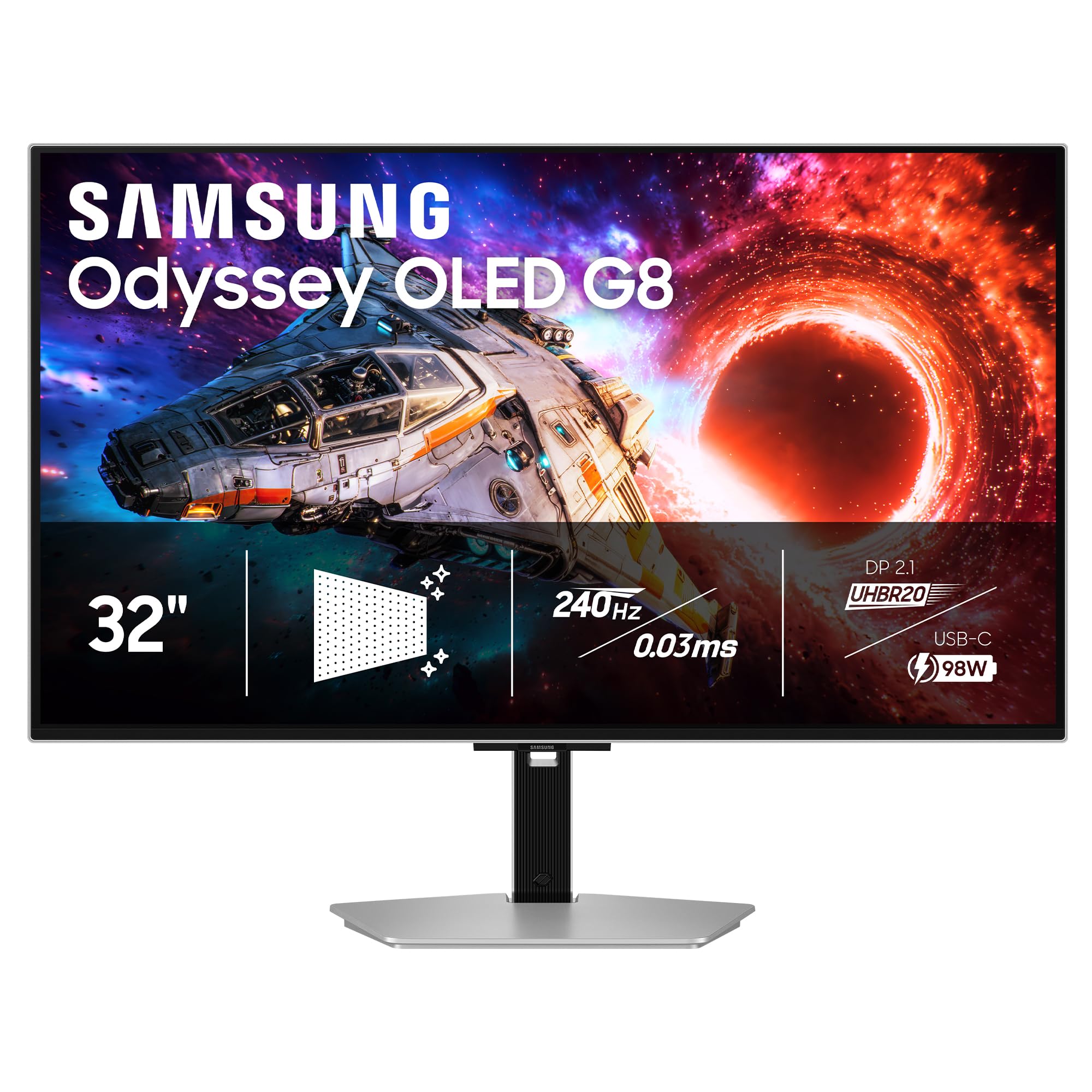
The highest-rated panel in this lineup, and the one with the cleanest picture.
Samsung’s G80SH runs 3840 x 2160 at 240Hz with a 0.03ms GtG response, on a QD-OLED panel dense enough at 140 PPI to keep text crisp. VESA DisplayHDR True Black 500 certification means deep blacks paired with strong highlights, and the screen carries Pantone Validated colour reproduction — Pantone being the industry’s reference palette for print and design. FreeSync Premium handles frame sync, and the height-adjustable stand pivots, tilts and swivels.
Bandwidth is where it pulls ahead of older models. DisplayPort 2.1 delivers up to 80 Gbps, enough to carry uncompressed 4K at 240Hz without leaning on compression, and the USB-C port pushes up to 98W to a connected laptop. A DP 2.1 cable comes in the box, which saves you buying one. OLED Safeguard+ and Glare Free technology wrap the panel in burn-in defense and reflection control.
The trade-off is thermal and menu-related. Heat radiating from the chassis after an hour of use is noticeable, and a plain rear joystick drives an on-screen menu that takes getting used to. There’s no smart-TV layer here, so app streaming needs a separate device. Colour is vibrant and accurate to the eye, and the matte finish keeps reflections down in bright rooms.
Where it wins: 140 PPI, True Black 500, DP 2.1 at 80 Gbps and 98W USB-C charging from a single cable.
Before you buy: expect real warmth from the chassis and a joystick menu that rewards a little patience.
Right for: buyers who want the best-rated 4K OLED panel here and don’t need apps baked into the monitor.
Not ideal for: anyone who wants a single-cable streaming hub or who dislikes a joystick control.
8. ASUS ROG Strix OLED XG32UCWMG
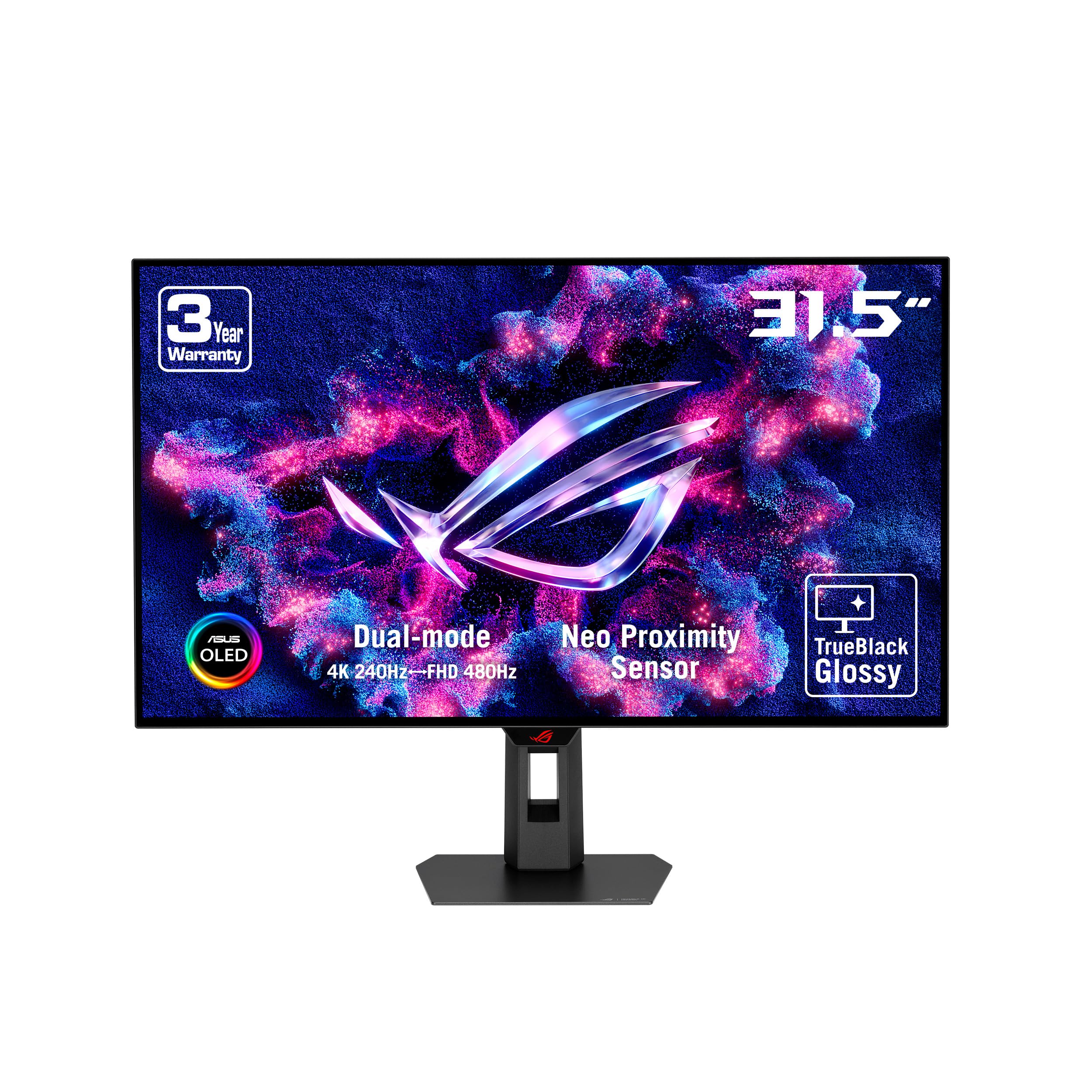
One panel that shifts from 4K at 240Hz to FHD at 480Hz on a hotkey.
This is the pick for a single-desk setup that needs to switch personalities. Run 3840 x 2160 at 240Hz for story games and desktop work, then flip the dual mode to FHD at 480Hz when a competitive match starts. The TrueBlack Glossy coating is the other defining feature — a veil-free surface that makes deep blacks and colour look denser than a matte finish can. ASUS rates brightness at 400 candela per square metre, and the listed contrast ratio is 1,000,000:1.
OLED Care Pro includes a Neo proximity sensor that detects when you leave the desk and blanks the screen, cutting burn-in risk while you’re away. DisplayWidget Center lets you drive those settings with a mouse instead of a joystick, which is a real quality-of-life win on a monitor you’ll tweak. Connectivity runs to DisplayPort 1.4 with DSC, HDMI 2.1 and USB-C at 15W.
Two practical frictions show up in the feedback. The firmware ships outdated and updating it can take a few attempts with the included USB-B cable — worth doing on day one. The proximity sensor is also slow to trigger standby, so it’s less useful than it sounds. Otherwise, the picture is described as sharp and vivid, with colours oversaturated from the start and excellent after a calibration pass.
Why it’s on the list
- Dual mode: 4K at 240Hz or FHD at 480Hz from the same panel
- TrueBlack Glossy surface for dense blacks and colour
- Neo proximity sensor blanks the screen when you step away
- Mouse-driven DisplayWidget Center for OLED Care settings
Budget some setup time
- Firmware needs updating from the start
- Proximity sensor is slow to reach standby
- Colours run oversaturated until calibrated
- USB-C charges at 15W only
Go for it if: you want glossy-black OLED depth plus a genuine 480Hz competitive mode in one 32-inch panel.
Hold off if: you need USB-C to charge a laptop at high wattage — 15W won’t keep up.
9. ASUS ROG PG27AQWP-W
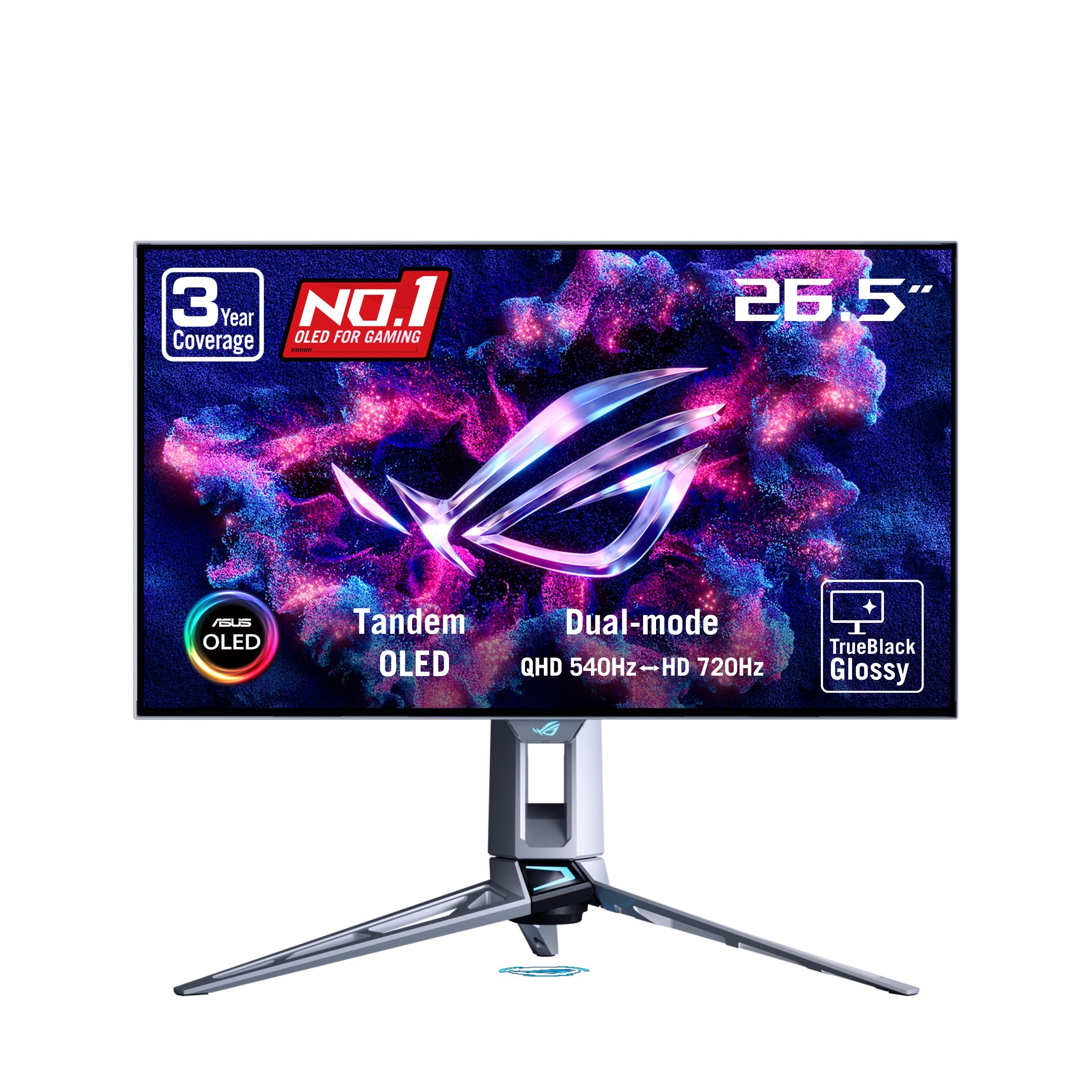
A 540Hz tandem OLED built for players who count frames like currency.
This 26.5-inch 2560 x 1440 panel runs at 540Hz with a 0.02ms response time, and the dual mode drops to HD at 720Hz if you want even more speed. Tandem OLED — a two-layer light-emitting structure — is the tech behind the numbers ASUS quotes: 15% higher peak brightness and 60% longer lifespan versus previous-generation WOLED panels. The TrueBlack Glossy surface stays haze-free, and VESA DisplayHDR 500 True Black certification pairs with a 99.5% DCI-P3 gamut and Delta E<2 colour accuracy.
Connectivity is future-proof with DisplayPort 2.1 at UHBR20 for the full 80Gbps and HDMI 2.1 alongside it. OLED Care Pro uses a Neo Proximity Sensor to blank the screen when you step away, and the 3-year warranty includes burn-in coverage. The package is genuinely complete, down to a DP 2.1 cable, VESA mount kit and pre-calibration report.
The thing to understand before ordering is panel uniformity. Owners describe grey banding — faint stripes visible on smooth grey backgrounds — that varies between individual units and largely fades after a break-in period of roughly 100 to 200 hours. It’s a characteristic of this panel generation rather than a defect, but it means the display you receive may need a settling-in window. The forward-protruding stand also eats mousepad room, so a VESA arm is a common upgrade.
The number that matters: 540Hz at 1440p with 0.02ms response — the fastest refresh in this lineup.
Give it time: grey banding between units is real, and most of it fades once the panel has run for a couple hundred hours.
The right buyer: a competitive player at 1440p who wants the highest frame rate on this list and a warranty that covers burn-in.
Wrong buyer: anyone who needs perfect uniformity on day one straight from the start.
10. ASUS ROG PG27UCDM
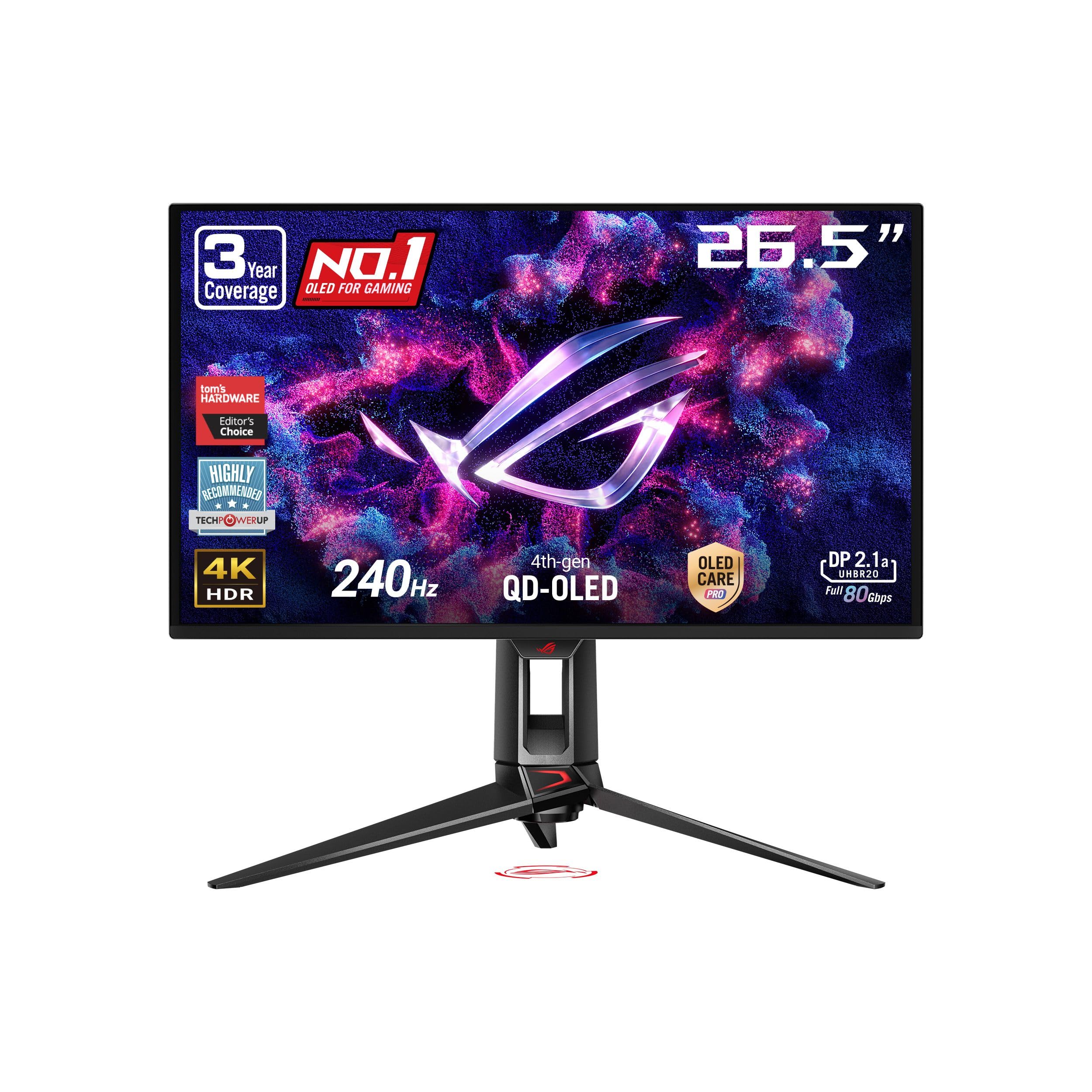
4K packed into 26.5 inches — the sharpest text of any gaming screen here.
If you sit close to your screen and read a lot of small text, this is the panel that rewards you. Squeezing 3840 x 2160 into 26.5 inches gives very tight pixels, so Windows fonts and game UI stay clean. The 4th-gen QD-OLED panel also lasts longer than earlier generations, and OLED Anti-Flicker 2.0 uses a luminance compensation algorithm the maker says cuts flicker versus previous-gen panels.
Connectivity is unusually full: DisplayPort 2.1a at UHBR20 for the full 80Gbps, USB-C with 90W power delivery, HDMI 2.1 and a 1/4-inch tripod socket that’s handy for mounting a camera. A built-in KVM switch lets one keyboard and mouse drive two PCs and an Xbox, and the 3.5mm output carries audio to external speakers. The 3-year warranty includes burn-in coverage, and OLED Care Pro’s Neo Proximity Sensor blanks the screen when you’re away.
Three things will shape your first week. The QD-OLED subpixel layout (the way the tiny colour dots are arranged) can make Windows fonts look slightly less crisp than the game image. The on-screen menu is widely called unintuitive. Pixel-refresh prompts can also interrupt work if you don’t dismiss them properly. None of that touches the picture, which owners describe as class-leading for colour depth and motion.
What stands out
- 4K at 240Hz on a 26.5-inch QD-OLED for very sharp text
- DP 2.1a at 80Gbps plus USB-C at 90W
- KVM switch, tripod socket and 3.5mm audio out
- 3-year warranty with burn-in cover
What to expect
- QD-OLED subpixel layout softens Windows fonts slightly
- On-screen menu takes real patience to learn
- Pixel-refresh prompts can interrupt a work session
The fit: a small-desk setup that needs 4K density, a KVM and 90W laptop charging from one monitor.
The mismatch: you want a simple menu and fuss-free refresh reminders, since neither is this panel’s strength.
11. Samsung 57″ Odyssey Neo G9 (G95NC)

A 57-inch mini-LED monster that gives you two 4K screens in one curve.
This isn’t OLED — it’s a 57-inch VA mini-LED panel at 7680 x 2160 with 2,392 local dimming zones. That zone count is what lets it approach OLED-level black for a backlit display. It runs 240Hz with a 1ms GtG response, and DisplayPort 2.1 supports that resolution at variable refresh rates. Peak brightness reaches 1,000 nits under VESA DisplayHDR 1000, so it holds up in a bright room where OLED can struggle.
The practical upside is enormous workspace. You can run it whole or split it — one owner runs a 5120 x 2160 main window beside a 2560 x 3260 secondary to protect frame rate. Picture-by-picture lets two sources share the panel natively, and CoreSync projects on-screen colour into rear lighting. Most owners say pixel density at full resolution beats 27-inch and 32-inch monitors, and consoles get an automatic input-switch prompt.
The honest cost is physical. The chassis is heavy, the stand has long legs, and it takes real desk depth to sit at a comfortable distance. One owner also found the included DP cable short enough to force a replacement. This is a screen you plan your room around, not something you slot into a corner.
The case: 7680 x 2160 at 240Hz with 2,392 dimming zones gives two 4K desktops without a second monitor.
The reality check: it’s heavy, the stand is deep, and the bundled cable may be shorter than your layout needs.
Built for: traders, editors and sim players who genuinely use two full 4K windows at once.
Not for: a compact desk or a shared room where a 57-inch curve would take over.
12. LG 45GX950A-B UltraGear

The first 5K2K OLED on a 45-inch curve — cinematic width with real desktop sharpness.
Rarely does a monitor solve two problems at once. This 45-inch 5120 x 2160 panel does: an ultrawide 21:9 curve for immersion, and 125 pixels per inch so text stays clean where wider screens usually go soft. The redesigned subpixel layout cuts colour fringing — the red and blue halos around letters that plague some OLED panels. OLED brightness here reaches up to 1300 nits peak with 98.5% DCI-P3 coverage and a 1.5M:1 contrast ratio.
Dual mode is the second trick. Stay at 5K2K and 165Hz for story games, or hit the hotkey to drop to Wide Full HD at 330Hz for competitive play. A 0.03ms GtG response keeps motion clean in either mode, and DisplayPort 2.1 plus two HDMI 2.1 ports and USB-C at 90W cover the connections. The 800R curve wraps your periphery, and the panel is UL-certified for anti-glare, flicker-free and low blue light.
What buyers report most is presence. The width makes RPGs and MMOs feel cinematic, and the pixel count keeps three browser tabs comfortably side by side. One caveat: 5K2K is roughly 11 million pixels, so maxing graphics needs real GPU muscle — an RX 9070XT or better is the honest floor. Dual-mode scaling can also distort, and some owners prefer black bars to stretched images. A faint always-on fan is audible in a silent room.
The headline spec: 5120 x 2160 at 125 PPI across a 45-inch 800R curve, with 98.5% DCI-P3 and up to 1300 nits peak.
The honest cost: you need a high-end graphics card, and dual-mode scaling (switching between resolutions) isn’t smooth.
Suits you if: you want the widest OLED picture with laptop-grade USB-C charging and clean text at a desk.
Better to look on if: your GPU is mid-tier or you need a perfectly scaled image at every mode.
13. ASUS ProArt PA32UCDM
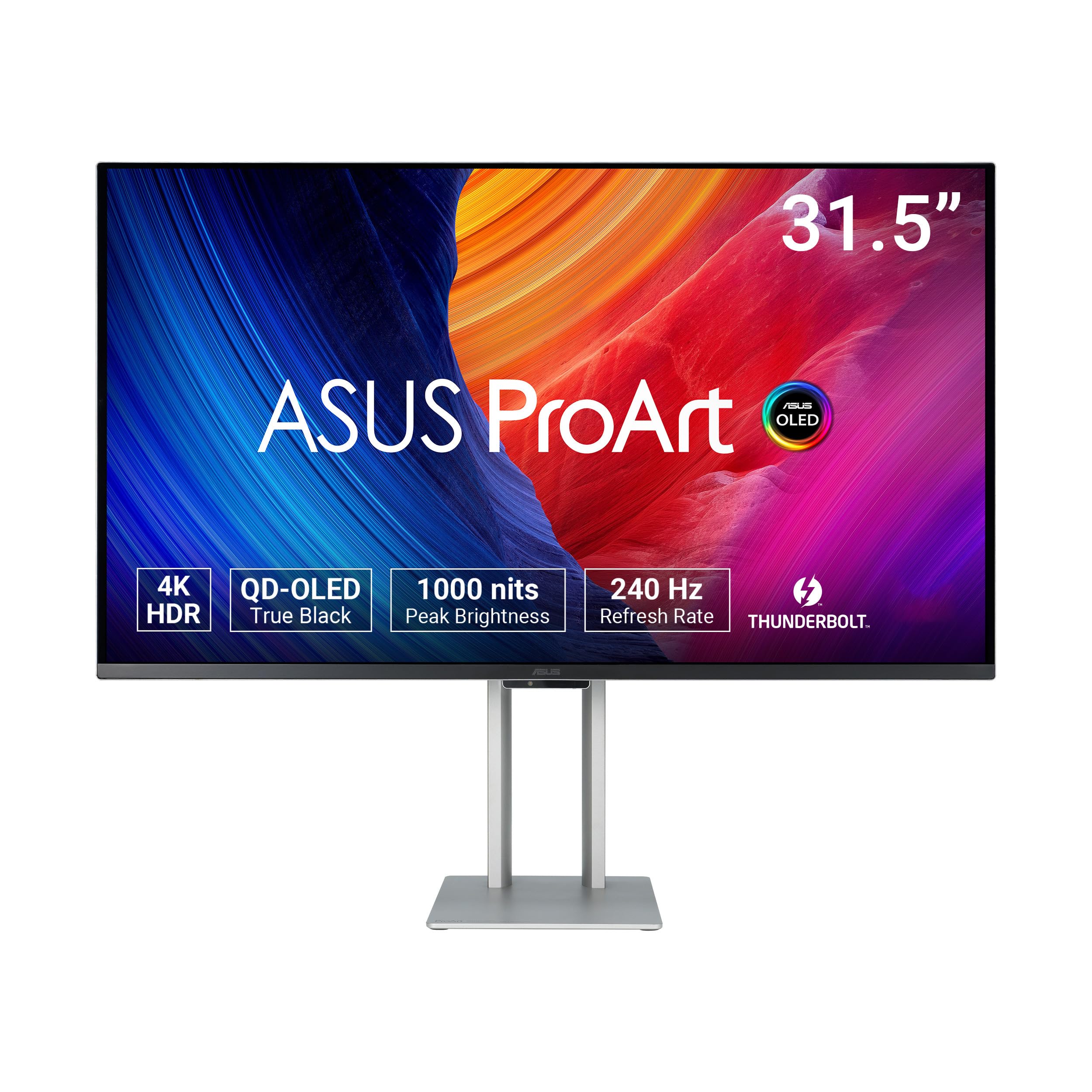
A colour-critical 4K OLED aimed at editors, colourists and Mac workflows.
This is the pick for someone whose screen has to match their output. The 31.5-inch QD-OLED panel runs 3840 x 2160 at 240Hz with a 0.1ms GtG response (how fast a pixel changes colour). But the real draw is colour: true 10-bit depth, 100% sRGB, 99% DCI-P3 and BT.2020 coverage, and a claimed Delta E<1 accuracy — Delta E being the measured gap between what the screen shows and the true reference colour. Hardware calibration writes profiles back to the display itself, and Calman Ready certification slots into a professional workflow.
Brightness reaches 1000 nits peak with VESA DisplayHDR True Black 400, and Dolby Vision, HLG and HDR10 are all supported. Thunderbolt 4 carries the connection, which suits a Mac Studio or MacBook well. Creative and design workflows get real benefit: a photographer found the out-of-box image matched Mac screens, fixing an exposure and colour mismatch with an iPhone and iPad. The included 5-year warranty — 3 years plus 2 with online registration — is the longest here.
The practical friction here is connectivity and controls. There’s no DisplayPort, so your route in is HDMI or USB-C, which can complicate a multi-device desk. The on-screen menu sits on the rear of the panel, meaning you reach behind to adjust it. A few units have shown coil whine or pre-calibration that drifted in the shadows, so it’s worth checking your sample early and registering the warranty.
Why creators pick it: Delta E<1 accuracy, hardware calibration, 100% sRGB and Thunderbolt 4 with a 5-year warranty.
Know before ordering: no DisplayPort means an HDMI or USB-C workflow, and the menu lives on the rear panel.
Right call when: your work depends on colour matching and you’ll register the extended warranty.
Wrong call when: your rig is built around DisplayPort or your desk layout makes rear controls awkward.
Know the Specs
Refresh Rate (Hz) and Frame Rate
Refresh rate is how many times per second the panel redraws the image — 240Hz means 240 redraws. It only pays off if your graphics card can produce that many frames at your chosen resolution. At 1440p, a 480Hz or 540Hz panel can realistically be fed; at 4K, 240Hz is a heavy load and 120Hz is a common fallback for older cards. Match the panel to the GPU you own, not the one you might buy later.
Response Time (GtG) and Ghosting
GtG — grey-to-grey — measures how long a pixel takes to shift from one shade to another. Every OLED here lists a figure between 0.02ms and 0.03ms, and the practical effect is that fast-moving objects leave no trailing smear. LCD panels often measure this in single-digit milliseconds, so OLED motion clarity is a different class of experience.
QD-OLED versus WOLED
QD-OLED adds a quantum dot layer to boost colour volume, while WOLED uses a white OLED layer with colour filters. In practice, QD-OLED tends to show more saturated colour, while WOLED panels often deliver cleaner small text because of their subpixel arrangement. Some QD-OLED owners note a slight softness in Windows fonts for that reason.
Colour Gamut and Delta E
Colour gamut describes how much of a colour range a screen can reproduce — DCI-P3 for film and games, sRGB for web work, BT.2020 for broadcast. Delta E measures the gap between the colour shown and the reference colour; a lower number means more accuracy. Creative work wants a low Delta E and hardware calibration; gaming cares more about gamut coverage.
Pixel Density (PPI)
PPI — pixels per inch — decides how sharp text and fine detail look at a given distance. A 32-inch 4K panel lands around 140 PPI, a 45-inch 5K2K sits near 125 PPI, and a 27-inch 1440p screen sits near 108 PPI. Sitting closer to the glass makes low PPI more noticeable, so small desks and close seating favour higher density.
Burn-In Protection and Warranty
Static elements like a taskbar can imprint over hundreds of hours. Protections include pixel shift (nudging the image), static-image detection (dimming fixed logos) and proximity sensors (blanking the screen when you step away). Some panels here carry a multi-year warranty that explicitly includes burn-in coverage — worth confirming before you buy.
Common Questions
Will a 4K OLED monitor run at 240Hz over HDMI or do I need DisplayPort?
Is 4K worth it on a 27-inch OLED or should I go 32-inch?
How long does an OLED monitor last before burn-in shows up?
Do I need a powerful graphics card for a 4K 240Hz OLED?
Is QD-OLED better than WOLED for text clarity?
Can I use a gaming OLED monitor for work and spreadsheets?
What is dual mode on an OLED gaming monitor?
Do these OLED monitors include speakers?
Will a 32:9 or 21:9 ultrawide fit my desk?
Does a curved OLED monitor distort images for design work?
The Bottom Line
For most people, the gen 4 oled monitors winner is the MSI MPG 321URX QD-OLED because it balances 4K sharpness, 240Hz speed and one-cable laptop charging on a single 31.5-inch panel. If you want the highest-rated 4K screen here with DP 2.1 bandwidth and 98W USB-C, reach for the Samsung Odyssey OLED G8 (G80SH). And if competitive frame rate is the whole point, the ASUS ROG PG27AQWP-W at 540Hz is the one to grab — just let the panel settle before you judge its uniformity.
How we choose
We do not accept paid placement. Every pick is matched to a real buyer and a real use-case; we do not hands-on test units.
Sources
Specifications: manufacturer listings and product documentation. Review insights: verified customer reviews, as of October 2026. Pricing: not shown on this page (it changes often); check the current price via the retailer link.
As an Amazon Associate, Aappliancez earns from qualifying purchases. This does not affect which products we feature.