Disclosure: Some links in this post are affiliate links. As an Amazon Associate I earn from qualifying purchases, at no extra cost to you. Learn more
Specs are compiled from manufacturer listings and verified buyer reviews and can change over time — please confirm the key details on the product page before buying.
A computer stick is a full Windows PC squeezed into a case the size of a candy bar — you plug it straight into a monitor or TV and skip the tower entirely. The one you should buy depends on what you actually do with it. If it replaces a bulky family desktop for browsing, streaming and office documents, the KAMRUI Pinova P1 is the safest all-round pick, with 8GB of RAM and a 256GB solid-state drive. If silence matters more than anything, a fanless stick like the MeLE PCG02 Pro or the Quieter 4C runs with no moving parts at all.
This guide is built by comparing the manufacturers’ published specifications and the patterns across verified customer reviews, so you get each pick’s real strengths and trade-offs instead of marketing spin.
Sticks live or die on their processor, memory and storage, so the picks below are grouped by what each one is genuinely good at — office work, signage, media, or 24/7 duty. Read on for the breakdown that turns a confusing spec sheet into the right computer stick for your desk, TV, or shop counter.
Top Picks
How To Choose The Best Computer Stick
A computer stick looks like a chunky USB drive, but inside it holds a complete Windows machine — processor, memory, storage, and wireless radios. What matters most is not the size, it is whether the processor inside can keep up with the tabs, documents, and video you throw at it. The picks below cover everything from a 4.3GHz Ryzen 3 to a modest 2.5GHz Celeron, and that chip choice changes everything about how the machine feels day to day.
The processor decides how the stick feels
A stick with a Ryzen 3 Pro 7330U runs its four cores and eight threads up to 4.3GHz, which is fast enough for spreadsheets, email, and light gaming without stutter. A Celeron J4105 tops out at 2.5GHz with just four cores, so it is built for lighter jobs like a single browser window or a photo slideshow. Higher clock speed alone does not tell the whole story — newer chips also handle video and multitasking more gracefully, which is why an N100 stick often feels more responsive than an older chip with the same core count.
Memory and storage: where the daily lag hides
Every pick here ships with 8GB of RAM, which is plenty for browsers, documents and streaming. The difference shows in storage. A stick with a 256GB M.2 solid-state drive opens apps and files much faster than one relying on 128GB eMMC flash — the cheaper embedded chip. If you keep a big photo or video library, look at the storage ceiling, because several picks let you expand with a Micro SD card slot (up to 1TB or 2TB on some models).
Fanless or fan-cooled
A fanless stick has no moving parts, so it runs silent and never sucks dust into the case. The trade-off is heat: fanless designs are meant to feel warm to the touch, and the makers themselves note surface temperatures in the 55°C to 70°C range under load. A model with a small fan runs cooler but adds a faint whir and a part that can wear out. Either way, a VESA bracket (a metal plate that bolts the stick to the back of a monitor) keeps the machine hidden and away from your desk.
Side-by-Side Comparison
| Model | Best For | Processor | RAM / Storage | Displays | Amazon |
|---|---|---|---|---|---|
| KAMRUI Pinova P1★ Best Overall | All-round office and media | AMD Ryzen 3 Pro 7330U, up to 4.3GHz | 8GB RAM / 256GB SSD | 4K@60Hz, HDMI + DP + Type-C | Amazon |
| Bmax B3 ProSpace Saver | Budget daily desktop | Intel N4500, up to 2.8GHz | 8GB RAM / 256GB SSD | Dual 4K@60Hz, dual HDMI | Amazon |
| MeLE PCG02 Pro | Premium compact stick | Intel N100, up to 3.4GHz | 8GB LPDDR4 / 256GB | Dual 4K@60Hz, dual HDMI | Amazon |
| MeLE Quieter 4C | Field and 24/7 use | Intel N100, up to 3.4GHz | 16GB LPDDR5 / 512GB | Triple 4K@60Hz, dual HDMI + USB-C | Amazon |
| MeLE PCG02 | Business and signage | Intel N100, up to 3.4GHz | 8GB LPDDR5 / 128GB eMMC | Dual 4K@60Hz, HDMI + USB-C | Amazon |
| OuuOee Mini PC Stick | Quiet single-screen desk | Celeron J4105, up to 2.5GHz | 8GB DDR4 / 128GB ROM | 4K@60Hz, HDMI 2.0 | Amazon |
| HEIGAOLAPC Mini PC J4105 | Digital signage and signs | Celeron J4105, up to 2.5GHz | 8GB RAM / 128GB eMMC | 4K via HDMI | Amazon |
Detailed Reviews
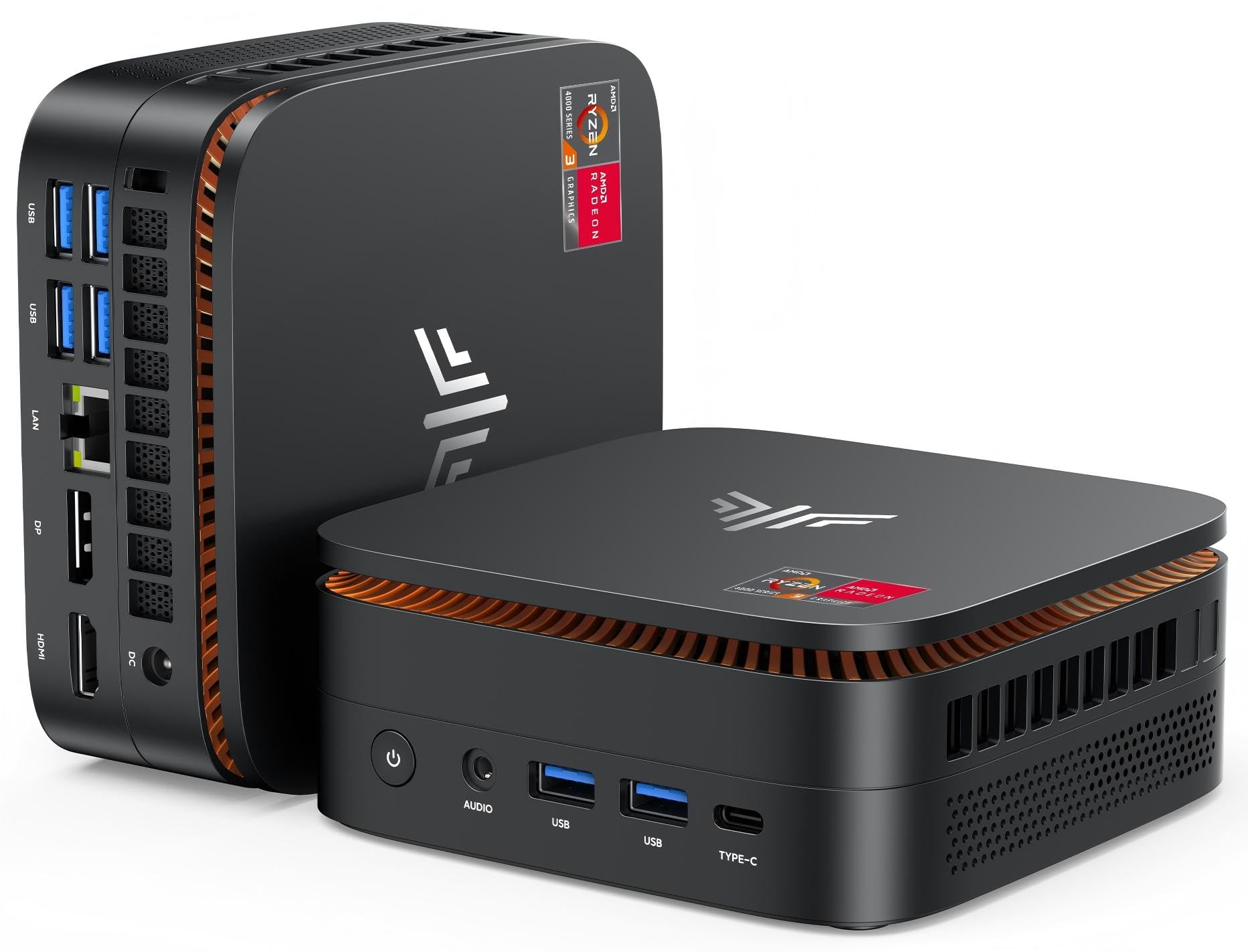
1. KAMRUI Pinova P1 Mini PC, W-11 Pro AMD Ryzen 3 Pro 7330U
Our pick — 4.0+★ from 400+ verified ratings; the strongest balance of quality and price.
The strong all-rounder that keeps up on real work, not just web browsing.
The Pinova P1 is the pick to beat because of what is inside. Its AMD Ryzen 3 Pro 7330U runs four cores and eight threads up to 4.3GHz, which is fast enough for spreadsheets, email, streaming and even light games. For everyday desk tasks, that speed you can feel in snappier app launches.
Memory and storage are the other half of the story, and the P1 comes with 8GB of RAM paired to a 256GB M.2 solid-state drive (SSD — a fast, flash-based drive with no moving parts). The 256GB drive holds twice the video footage and photos of a 128GB machine, so you delete files less often. Buyers report the plug-and-play setup boots in about a minute, running six browser tabs, Notepad++, screen capture and a VPN without complaint — and several note it beats an older Dell small-form-factor desktop they owned.
What you get on the outside is just as important. The case measures 5.06 x 5.06 x 2.01 inches, so it takes up a fraction of a tower’s footprint, and a VESA bracket lets you bolt it to the back of a monitor. There are four USB 3.2 ports, HDMI, DisplayPort, a Gigabit Ethernet port and a headphone jack. It drives three screens at once in 4K@60Hz (a sharp 3840×2160 picture refreshed 60 times a second) so number-crunching across two or three monitors is easy. The system arrives with Windows 11 Pro preloaded and supports Auto Power On, Wake On LAN and TPM 2.0.
Why it earns the top slot
- 4.3GHz Ryzen 3 Pro 7330U handles office, media and light gaming
- 256GB SSD stores twice as much as a 128GB machine
- Three 4K@60Hz outputs plus four USB 3.2 ports
- VESA mount and a 5.06-inch footprint tuck it behind a monitor
Where it isn’t a fit
- No CD/DVD drive — you would add an external one
- The blue-lit case is a desk ornament, not a hidden-box design
Reach for this if: you want one stick that handles a full workday of documents, tabs and 4K video without stutter.
Look elsewhere if: your only job is a single always-on signage screen — a cheaper fanless pick covers that.
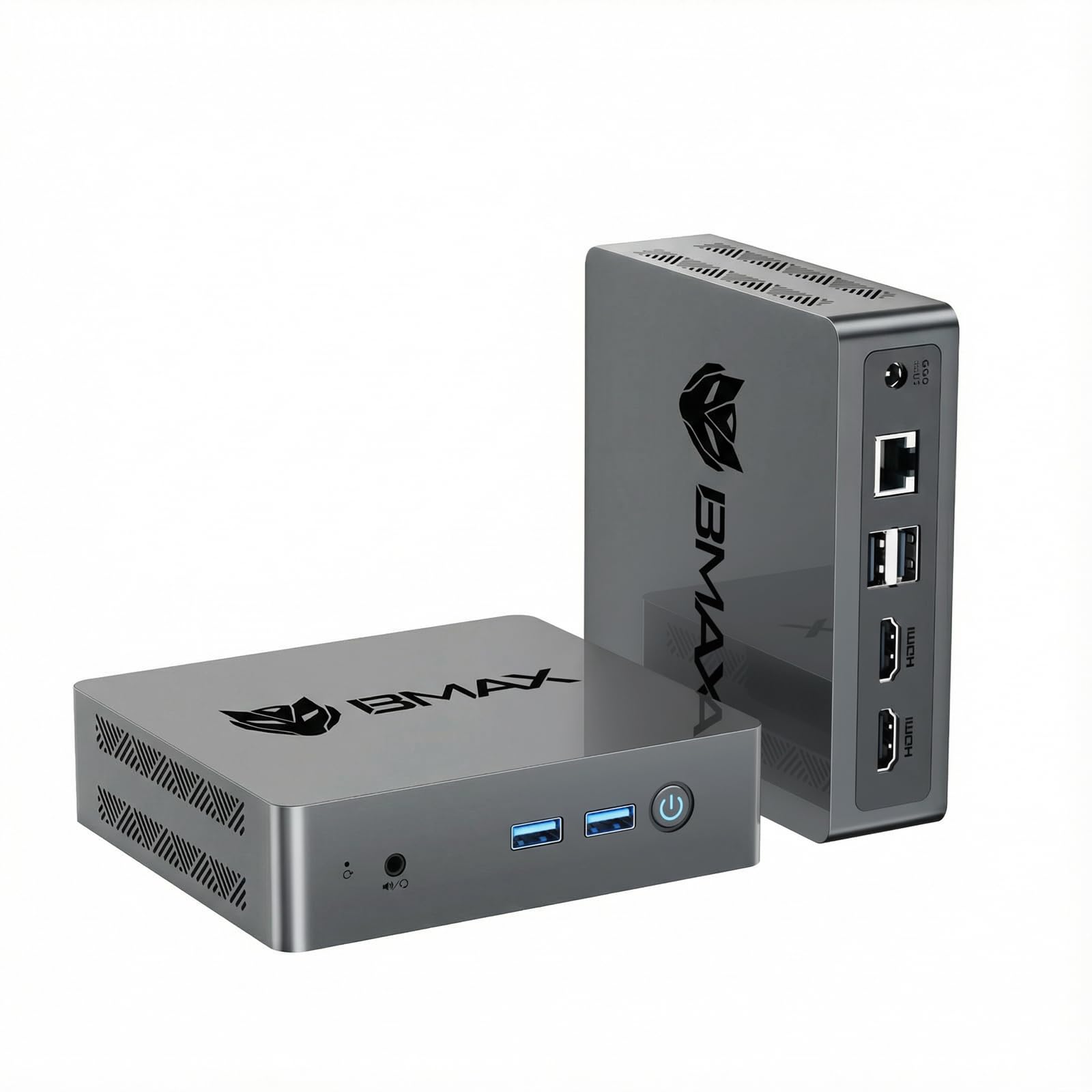
2. Bmax B3 Pro Mini PC, Intel N4500, 8GB RAM 256GB SSD
The tidy little desktop that boots fast, runs quiet, and hides behind a screen.
For a daily-use office or home-theater PC, the Bmax B3 Pro nails the basics. Its Intel N4500 processor runs two cores and two threads up to a burst frequency of 2.8GHz — the peak speed the chip hits when a task needs it. The maker rates this Jasper Lake chip about 36% faster overall than the older N5105/N5100/N5095 family, enough for smooth office work and video streaming.
The part most owners praise is the size. In one buyer’s words about this class of machine: “This mini pc is very light. Size is very suitable for my office!” The case is small enough to sit on a corner of a desk or slip onto a VESA bracket behind a monitor, and the fan stays quiet through a normal workday. Setup is a quick process, and Windows 11 Pro is preinstalled. Dual HDMI 2.0 outputs push two 4K@60Hz screens at once, so you can keep a spreadsheet on one monitor and email on the other.
Storage is where this beats a lot of small PCs: the 8GB of DDR4 memory and 256GB M.2 SSD match the top pick, but there is a second M.2 slot (one SATA, one NVMe) for expanding up to 4TB. That is far more headroom than the 128GB eMMC sticks offer. The catch is the processor — the N4500 is a two-core chip, so heavy multitasking will feel slower than the Ryzen 3 in the top pick. A small number of routine boot hiccups have been reported, but broadly this is a dependable everyday machine.
Quiet workhorse: dual 4K@60Hz HDMI, USB 3.0 at up to 5Gbps, and WiFi 5 with Bluetooth 5.0 cover a real office desk without adapters.
Room to grow: the dual M.2 slot setup lets you push storage toward 4TB, a rare bit of upgrade room in a body this small.
Best for: anyone replacing a bulky desktop who wants quiet 4K office and streaming duty with expansion room.
Think twice if: you regularly juggle many heavy apps at once — the two-core N4500 will feel the load.
3. MeLE PCG02 Pro Mini PC Stick, N100 8GB 256GB
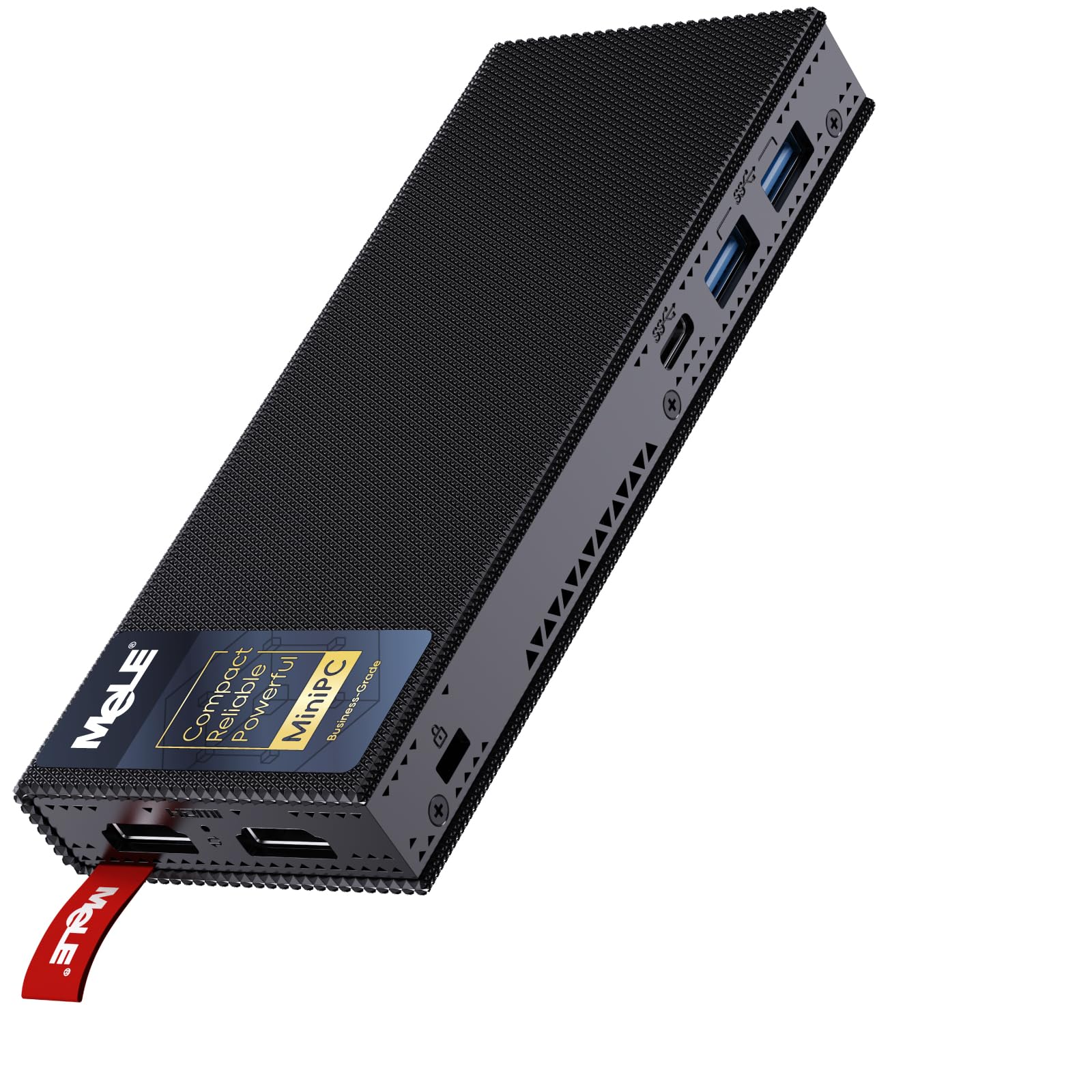
A stick so small it fits in a pocket, yet it boots like a full desktop.
The PCG02 Pro is the pick for anyone who wants a true stick — no tower, no fan, no fuss. It runs Intel’s 12th Gen Alder Lake N100 quad-core processor, which works up to 3.4GHz and is built on a 10nm process (a manufacturing measurement — smaller generally means less heat for the same work). The 8GB of LPDDR4 memory runs at 4266MHz and 256GB of storage holds your programs and files. Owners describe it as roughly the size of two cigarette packs, and many report it outperforms an older i5 desktop they owned.
Because there is no fan, the machine stays silent and dust never gets sucked inside — a real plus for a PC that lives behind a TV. The payoff is warmth: MeLE notes the surface can reach 55°C to 70°C under load, which is normal for a fanless design and meets the IEC62368-1:2018 safety standard. Two USB 5Gbps ports, two USB-C ports (one feeds power via PD 3.0), a Micro-SD slot, dual HDMI and Gigabit Ethernet round out the connections, so you rarely need an adapter.
Here is the honest part. This stick runs Wi-Fi 5, not Wi-Fi 6, and the wireless chip is soldered on, so it cannot be upgraded later — worth knowing if your network is already Wi-Fi 6. Within its limits it is dependable, and plenty of buyers run it as an always-on file server with two USB hard drives attached. The maker puts it through 32 quality tests against standards including ISO, FCC and CE.
What owners rave about
- 3.4GHz quad-core N100 handles office, video and Ubuntu Linux
- Genuinely pocket-sized and completely silent
- USB-C PD 3.0 means it can run from a power bank
- 256GB storage plus Micro-SD expansion up to 2TB
Worth knowing before you buy
- Wi-Fi 5 only, and the wireless chip is soldered so it stays that way
- The metal body gets warm under sustained load
Pick this one: for a silent, pocketable PC behind a TV or monitor where Wi-Fi 5 is enough.
skip it if: your whole setup is built on Wi-Fi 6 and you cannot change networks.
4. MeLE Quieter 4C, N100 Fanless 16GB RAM 512GB Storage
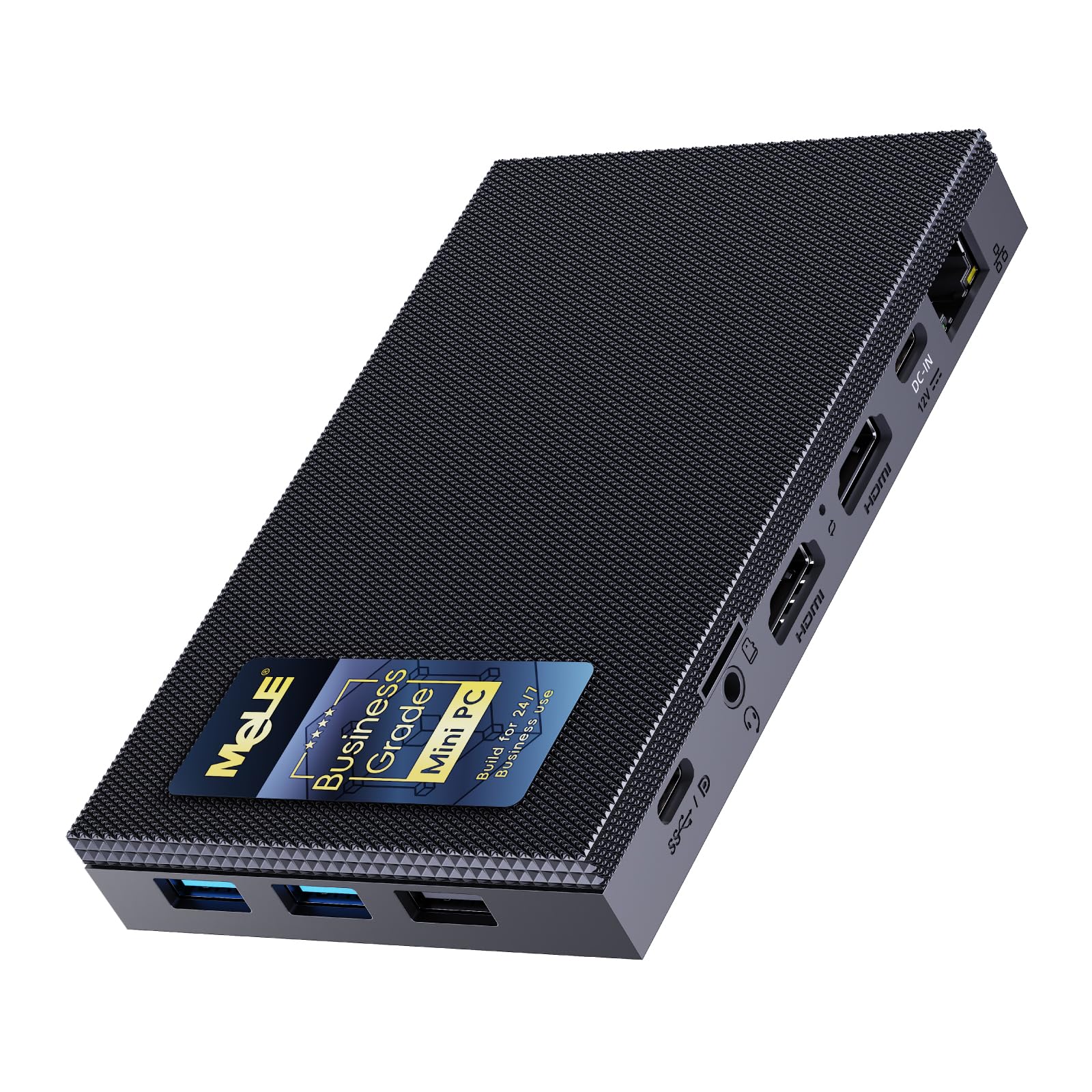
Running a backyard telescope setup all night takes a machine that never sleeps or stutters.
If you need a stick that survives outdoor duty, this is the one. Its Intel 12th Gen Alder Lake N100 chip runs four cores up to 3.4GHz at just an 8W TDP (thermal design power — roughly how much heat the processor gives off), and the 16GB of fast LPDDR5 memory at 4800MHz is double what most sticks offer. That extra memory is why this pick juggles more open apps at once than the 8GB PCG02 Pro above. Storage lands at 512GB, expandable through a Micro-SD slot up to 2TB or an internal M.2 2280 SSD slot up to 4TB.
The performance is what buyers notice first — it handles Office, CorelDRAW, light games and even a Ubuntu virtual machine without crashes, all while staying completely silent thanks to passive cooling. It supports triple 4K@60Hz displays through two HDMI ports plus a full-function USB-C that also carries power through PD 3.0. Kept in a rolling observatory bag, that is a serious amount of screen real estate from a box that runs on a single 12V supply. Astronomers have run earlier MeLE models outdoors through 20-110°F weather, so the line has a reputation for surviving the elements.
Set your expectations honestly, though. The case gets warm, which is normal for fanless PCs, and the maker lists 55°C to 70°C under load. During heavier 4K video work on Linux, some have seen stutter at full resolution and solved it by dropping to 2K. Wi-Fi is 5, not 6. For field kits, file servers and always-on tasks, though, the trade-offs are easy to live with.
What wins people over
- 16GB LPDDR5 at 4800MHz is double most rivals’ memory
- 512GB storage expandable to 4TB via M.2 slot
- Triple 4K@60Hz displays from one tiny box
- Fanless, silent, and proven in outdoor field use
The fair trade-offs
- Warm to the touch under load — normal for fanless
- Wi-Fi 5 only, and full 4K Linux video can stutter
Made for: field gear, always-on servers, and anyone who wants more memory and storage than a typical stick.
Not the pick if: you need Wi-Fi 6 or a cool-running, fan-assisted chassis.
5. MeLE PCG02 Business Grade PC Stick, N100 8GB 128GB
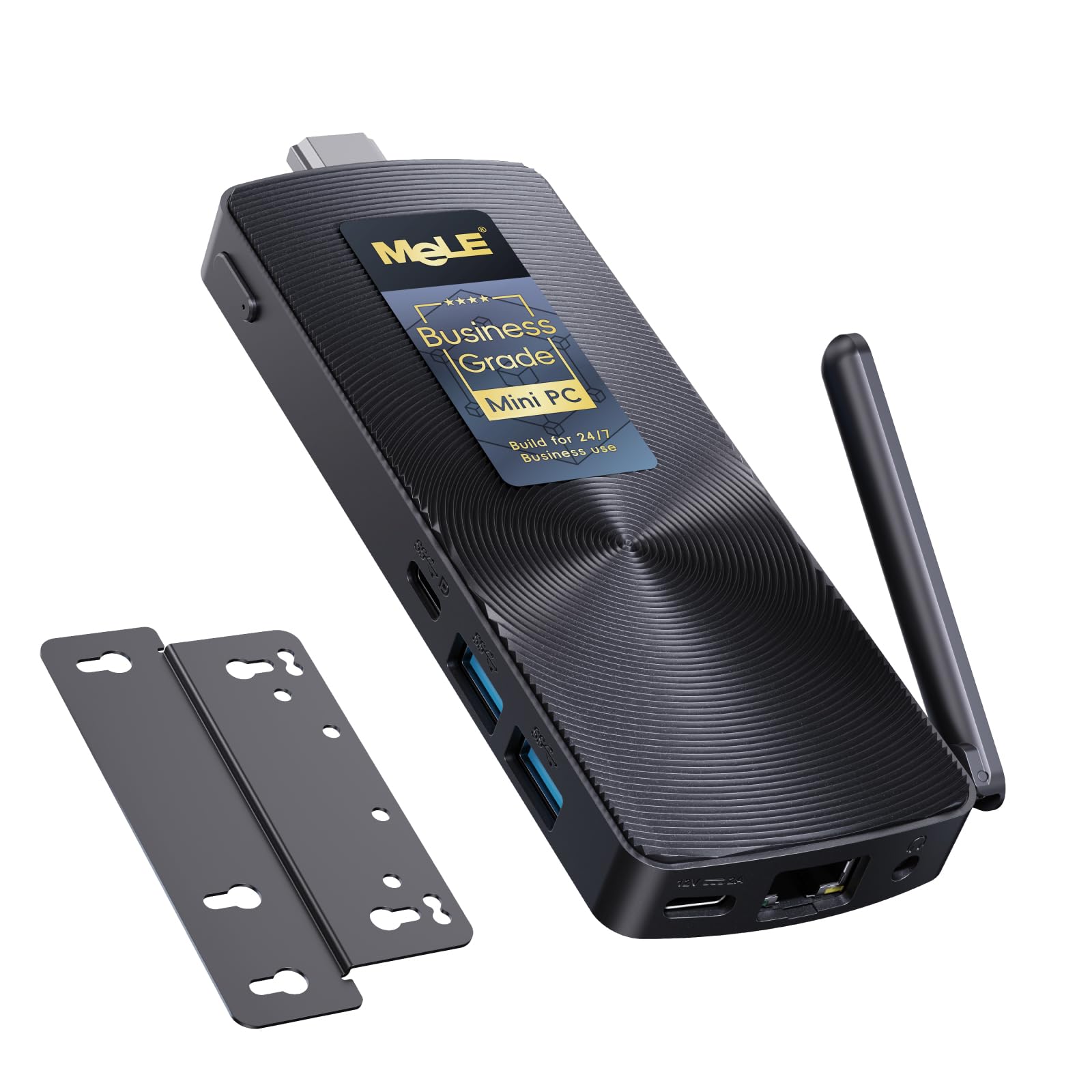
A no-cable stick built for shops, kiosks and signs that must never go dark.
This PCG02 is the commercial twin of the PCG02 Pro, and it is aimed squarely at unattended installs. The N100 quad-core processor runs up to 3.4GHz with 8GB of LPDDR5 memory and 128GB of storage. The storage here is high-endurance TLC eMMC 5.1 rated for 2,500 P/E cycles — roughly 2.5× the write endurance of cheaper QLC-based alternatives. MeLE rates that endurance at 18-20 years of 20GB daily writes. That is the kind of figure that matters when a screen runs every single day.
The connector design is the standout. A male HDMI 2.0 plug juts straight out of the stick and slots into a monitor or TV with no cable at all, while a full-function USB-C port (DP1.4) drives a second 4K@60Hz screen. A 10Gbps USB 3.2 Gen2 port, PD 3.0 power delivery, Gigabit Ethernet, dual-band Wi-Fi 5 and Bluetooth 5.1 round it out. Buyers running TV display computers call it a step up from the old Intel Compute Sticks, and the case measures just 137.5x53x16.3mm at 130g.
For commercial duty, the software side is the real selling point. There is a Kensington Lock slot, plus Wake-on-LAN, PXE Boot, RTC Wake and Auto Power On, so a kiosk or billboard reboots itself after a power cut with no one on site. The trade-off is heat — passive fanless designs run warm, and some heavier users have found the surface uncomfortable — so mount it with airflow in mind. A Micro-SD slot lets you push storage up to 1TB if the 128GB fills up.
Built to run for years: the 2,500 P/E cycle TLC eMMC is engineered for round-the-clock writes, not occasional use.
Suits you if: you run signage, kiosks or IoT installs where the machine boots itself and runs unattended.
Look past it if: this is a general home PC — you would rather have the extra storage of the picks above.
6. OuuOee Fanless Mini PC Stick, Celeron J4105, 8GB RAM 128GB
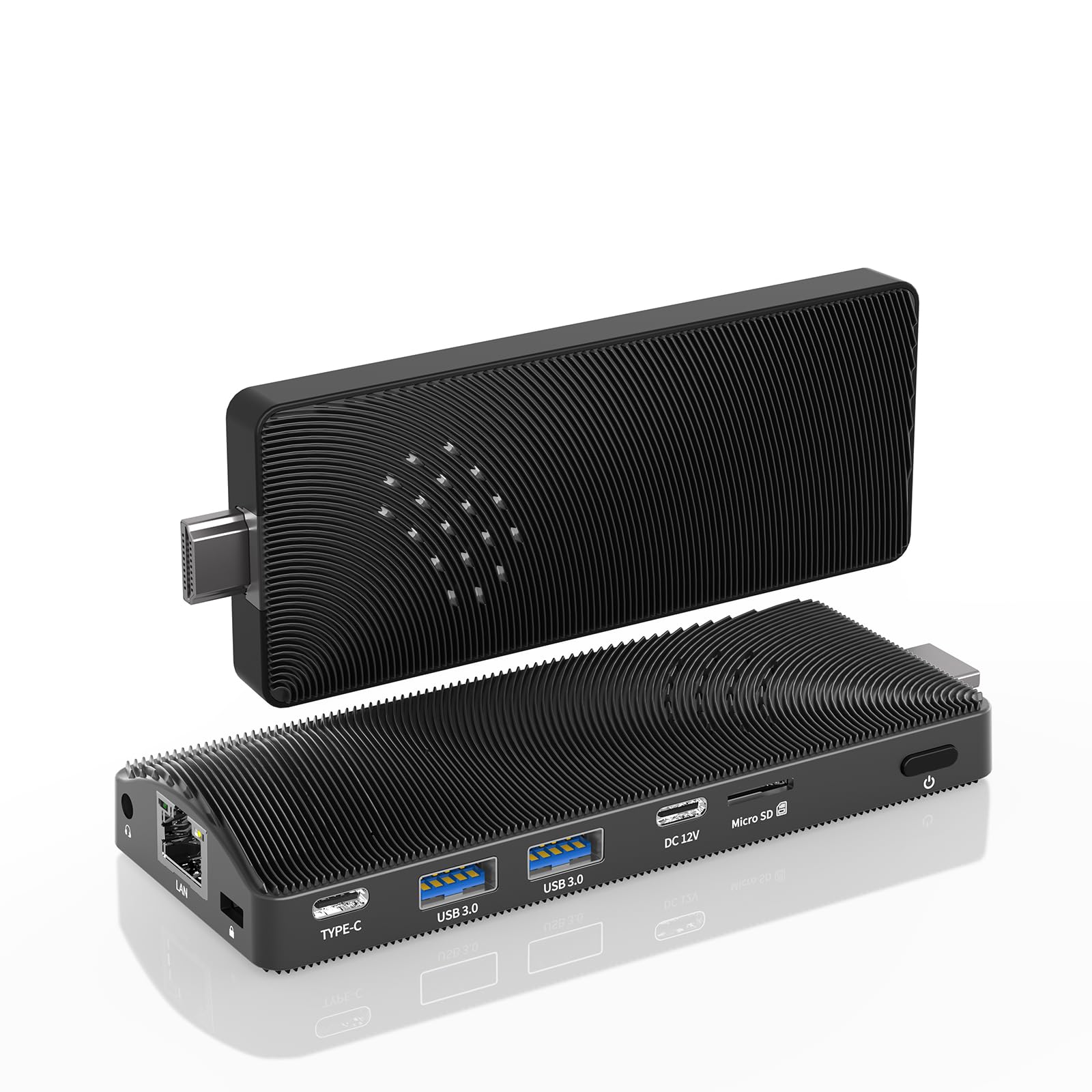
A zero-noise desk companion for one screen and the everyday basics.
This OuuOee stick is the pick for a quietly capable single-screen desk. It runs a Celeron J4105 processor up to 2.5GHz with 8GB of DDR4 memory and 128GB of storage. The pitch is silent operation: the fanless design has no moving parts, so it stays quiet through the whole workday, and it is rated to run around the clock without a fan to fail. It is compatible with Ubuntu and other Linux builds alongside Windows 11 Pro, so it works for tinkerers as well as office users.
The ports are genuinely useful for such a small machine. There is USB PD 3.0 charging over 24W, a Gigabit LAN port for wired networking, an HDMI 2.0 port with the integrated UHD 600 graphics driving 4K at 60Hz, two USB 3.0 ports, a TF (Micro SD) card reader and a 3.5mm audio jack. A Micro SD card can expand storage up to 1TB separately. That wired Ethernet port is a real plus on this list — a handful of sticks make you rely on Wi-Fi alone.
Snap fitness honestly: the J4105 is the slower end of the processors here, at 2.5GHz, so it suits browsing, documents and video rather than heavy multitasking. It is not the machine for big spreadsheets or video editing. But as a quiet, low-cost desk stick for one monitor, it covers the everyday jobs while running warm rather than hot under its passive cooling.
The everyday wins
- Fanless, quiet and safe for 7/24 operation
- Gigabit Ethernet plus Wi-Fi for flexible networking
- USB PD 3.0 charging above 24W
- Micro SD expands storage up to 1TB
Set your expectations
- The 2.5GHz J4105 is best for light tasks, not heavy multitasking
- 128GB of storage fills fast for a big media library
The right call for: a quiet one-monitor desk doing browsing, email, documents and video.
Pass it by if: you run demanding apps or keep a large local media collection.
7. HEIGAOLAPC Mini PC J4105, 8GB 128GB, Fanless 4K HDMI
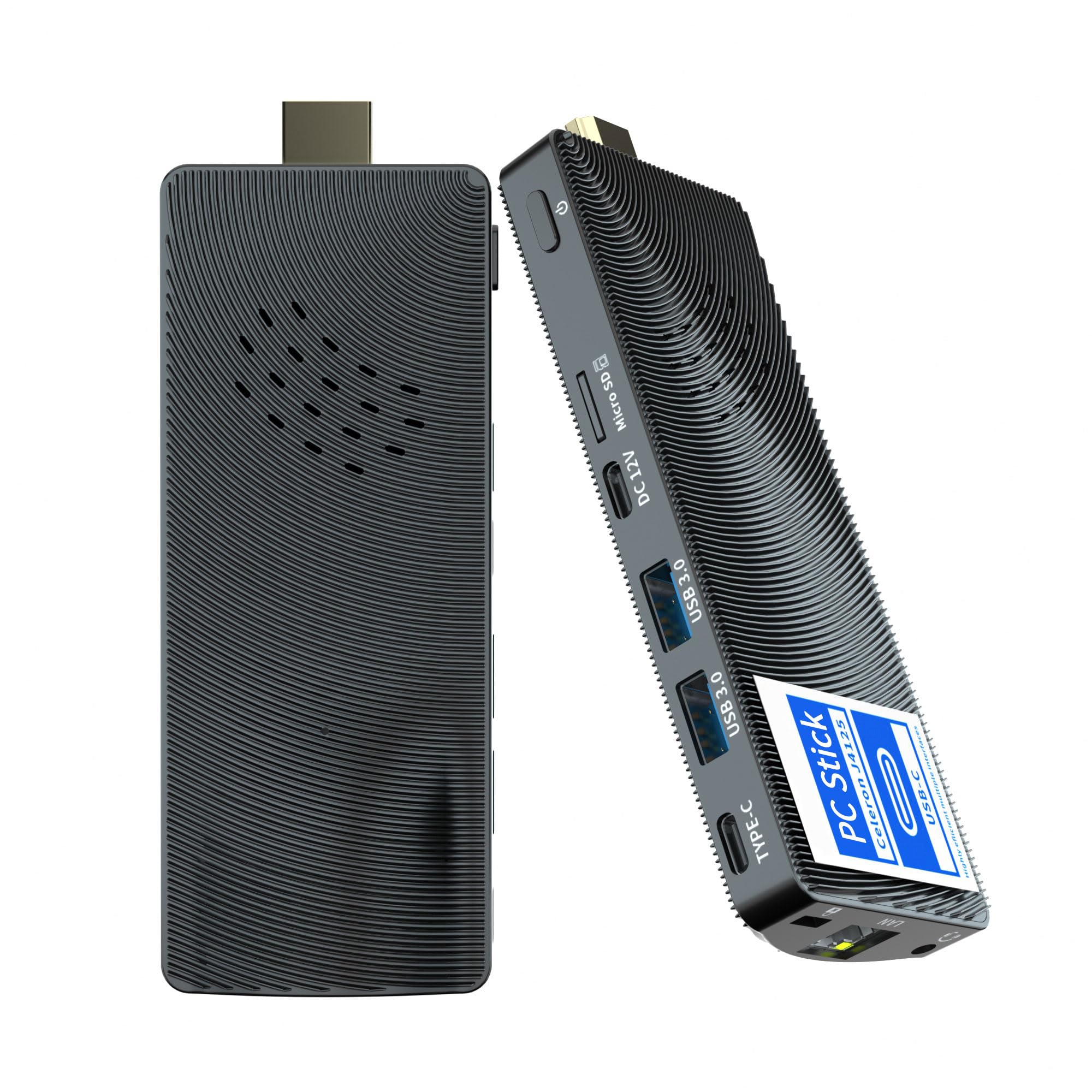
The lowest-cost way to put a silent, cable-free stick behind a screen.
This HEIGAOLAPC J4105 is the entry point of the group, and it is built for one job done cheaply: turning any HDMI display into a basic computer. It runs the Celeron J4105 quad-core processor up to 2.5GHz with 8GB of RAM and 128GB eMMC storage, and it ships with Windows 11 Pro preinstalled. It is remarkably light at only 0.1 kg, and it mounts behind a VESA-compatible monitor (75x75mm or 100x100mm) for a clean, cable-managed setup.
For digital signage it earns real fans. Buyers running Anthias and Screenly signs bought two at once, calling it a step up over a Raspberry Pi with plenty of power for the job, and they run either Debian or any Linux distro on it. There is a full-function USB-C port for data, video and power, plus Gigabit Ethernet and Bluetooth for keyboards and mice. A Micro SD slot accepts cards up to 512GB for extra storage, and the maker backs it with a 1-year warranty and lifetime technical support.
Be realistic about performance at this tier. The J4105 chip is slower than the N100 picks above, and one reviewer noted it running very slowly once Windows Updates were applied. Another found the listed Windows 11 Pro was not activated on their unit. It also runs warm and benefits from the included HDMI extension cable to space it away from the display, since some Linux setups throttle to power-save to stay cool. Used within its limits, it is a compact, cost-conscious choice for signage and light duty.
Signage on a shoestring: VESA-mountable at 0.1 kg, with Gigabit Ethernet and USB-C to power it, it is purpose-built for thin-client and sign duty.
Ideal when: you need the cheapest silent stick for digital signage or a single screen.
Choose higher up the list if: you need real speed or guaranteed Windows 11 activation from the start.
Know the Specs
Processor speed and generation
The number of cores and the top clock speed decide whether a stick feels quick or slow. A processor running up to 4.3GHz like the Ryzen 3 Pro 7330U finishes tasks faster than a 2.5GHz Celeron J4105. But generation matters too — a newer N100 chip at 3.4GHz often feels more responsive than an older chip with a similar clock, because it handles video and multitasking more efficiently. If your day is browsers, documents and streaming, look at the generation first, then the speed.
eMMC versus M.2 SSD
Storage type changes how snappy the machine feels. eMMC is embedded flash that is cheaper and slower; an M.2 SSD is a faster flash drive that opens apps and files noticeably quicker. Both cost you the same headline storage size on paper, but an SSD makes the whole system feel lighter on its feet. High-endurance eMMC, like the TLC storage rated at 2,500 P/E cycles in the business-grade MeLE PCG02, is built to survive years of daily writes.
Common Questions
Do computer sticks run Windows 11 Pro?
Can a computer stick drive two or three monitors at once?
Is a fanless computer stick safe to leave on all day?
How much RAM do I need in a computer stick?
Can I expand the storage on a computer stick?
Will a computer stick handle 4K video?
How do I hide a computer stick so my desk stays clean?
Can a computer stick run from a power bank?
Which processor is better, an N100 or a Celeron J4105?
Do these sticks come with all the cables I need?
The Bottom Line
For most people, the best computer stick is the KAMRUI Pinova P1 because its 4.3GHz Ryzen 3 Pro 7330U and 256GB SSD handle real office, media and light gaming work without stutter. If you want a silent, pocketable machine for a TV or hidden install, grab the MeLE PCG02 Pro. And for outdoor field kits or always-on servers, the MeLE Quieter 4C is the one to reach for, thanks to its 16GB of memory and 512GB of storage.
How we choose
We do not accept paid placement. Every pick is matched to a real buyer and a real use-case; we do not hands-on test units.
Sources
Specifications: manufacturer listings and product documentation. Review insights: verified customer reviews, as of October 2026. Pricing: not shown on this page (it changes often); check the current price via the retailer link.
As an Amazon Associate, Aappliancez earns from qualifying purchases. This does not affect which products we feature.