Disclosure: Some links in this post are affiliate links. As an Amazon Associate I earn from qualifying purchases, at no extra cost to you. Learn more
Specs are compiled from manufacturer listings and verified buyer reviews and can change over time — please confirm the key details on the product page before buying.
You do not need to spend big to get a Windows 11 computer that boots in seconds and runs Office and browser tabs without stutter. If you want the short answer: the MeLE Quieter 4C is the safest starting point for a quiet desk setup, the ACEMAGIC Ryzen 3 is the fastest all-rounder for the money, and the HP ProDesk 600G4 is what you buy when you need 32GB of RAM and a 1TB drive on a tight budget. Everything below is a Windows 11 machine you can actually live with.
This guide is built by comparing the manufacturers’ published specifications and the patterns across verified customer reviews, so you get each pick’s real strengths and trade-offs instead of marketing spin.
You will see fanless mini PCs, small form factor desktops, all-in-ones, and one gaming tower — so read on to find the cheap windows 11 computer that fits your desk, your apps, and your patience for setup quirks.
Top Picks


How To Choose The Best Cheap Windows 11 Computer
Buying a low-cost Windows 11 machine is not about chasing the biggest number on the spec sheet. It is about matching the right processor class, the right amount of memory, and the right kind of storage to the work you actually do. Get those three right and even an entry-level machine feels quick for years.
Processor class: N-series versus Ryzen versus Core i
An Intel N100 or N150 chip (a low-power chip designed to run cool and sip electricity) handles browsing, email, documents, and video calls comfortably. A Ryzen 3 PRO or an Intel Core i5 chip (a higher-wattage processor class that pushes more calculations per second) is the better pick once you open many browser tabs at once or run heavier apps. Choose based on your workload, not on brand name.
Memory: why 16GB is now the safe floor
RAM is your desk space for open programs — 8GB fills up fast with a browser, a spreadsheet, and a video call. Machines on this list that ship with 16GB or more stay responsive longer and give you a clear upgrade path. Several models also list a maximum supported capacity in their own specs, so check that number before you buy.
Storage type: never confuse eMMC with an NVMe SSD
Storage comes in different speeds, and it changes the feel of the whole machine. An eMMC chip (a slower, soldered storage type) and a hard drive both lag behind an NVMe SSD (a fast, stick-shaped drive that plugs directly into the motherboard). If a listing mentions storage split across two drives, that is worth reading carefully — the Windows drive might be the slower one.
Cooling, noise, and wattage
A fanless machine has no moving parts at all, so it stays silent and resists dust, but its surface can run warmer than a fan-cooled model. A fanned machine pulls air through and stays cooler under load, at the cost of a small amount of noise. The wattage figure (TDP) tells you roughly how much heat and electricity the chip produces, and a lower number usually means a quieter, cheaper-to-run computer.
Side-by-Side Comparison
| Model | Best For | Processor | RAM / Storage | Key Extra | Amazon |
|---|---|---|---|---|---|
| MeLE Quieter 4C★ Best Overall | Silent, tiny home office | Intel N100 | 16GB / 512GB | Fanless, triple 4K | Amazon |
| ACEMAGIC Mini PC Ryzen 3Top Performer | Fast everyday multitasking | AMD Ryzen 3 PRO 7330U | 8GB / 256GB | Dual drive bays | Amazon |
| HP Windows 11 Desktop BundleBest Value | Family starter setup | Intel Core i5 8th Gen | 16GB / 500GB | 24″ monitor included | Amazon |
| Dell OptiPlex 7060 SFF | Value office workstation | Intel Core i7-8700 | 32GB / 512GB | NVMe boot drive | Amazon |
| HP ProDesk 600G4 Tower | Content creators on a budget | Intel Core i7-8700 | 32GB / 1TB | 10 USB ports | Amazon |
| GEEKOM Air12 | Students and first-timers | Intel Pentium 7505 | 8GB / 256GB | Wi-Fi 6, triple 4K | Amazon |
| Lenovo IdeaCentre AIO | One-piece desk setup | Intel N100 | 8GB / 512GB | 23.8″ IPS display built in | Amazon |
| STGAubron Gaming PC | Budget starter gaming | Intel Core i7 | 16GB / 512GB | RX 580 16G graphics | Amazon |
| KAMRUI Hyper H2 | Heavy multitasking in a small box | Intel Core 5-220H | 24GB / 512GB | DDR5, triple 4K | Amazon |
| Dell Tower Core Ultra 7 | Business and AI-capable work | Intel Core Ultra 7-265 | 16GB / — | Tool-less upgrades | Amazon |
| CyberPowerPC Ryzen 7 | Serious 1440p gaming | AMD Ryzen 7 8700F | 16GB / 1TB | RTX 5060 Ti 8GB | Amazon |
Detailed Reviews
1. MeLE Quieter 4C Fanless Mini PC N100
No fan, no noise, no dust — a whisper-silent PC that hides behind your monitor.
If your workspace doubles as a bedroom or a quiet study, this is the machine to start with. The MeLE Quieter 4C has no moving parts at all, because it is cooled entirely by its own metal body — a design MeLE calls patented fanless cooling. That means zero fan noise and no dust building up inside the case over the years. It measures 5.16 x 3.19 x 0.72 inches and is VESA-mount ready, so it tucks onto the back of a monitor and leaves your desk surface almost completely clear.
You get smooth everyday performance from an Intel N100 quad-core processor (a low-power four-core chip built for light, everyday work) running up to 3.4GHz, paired with 16GB of DDR4 RAM — upgradeable to 32GB — and a 512GB NVMe SSD. That is genuine dual-channel-class memory, not the 8GB you see on most machines in this corner of the market. On the power side, the 8W TDP (a measure of heat output and power draw) is a fraction of what a traditional tower pulls from the wall, so your electricity bill stays low. One buyer running an astrophotography rig off-grid reported the 8W draw “halved my remote site power consumption from my previous laptop.” That line comes from an astrophotography setup where the PC runs unattended far from a wall socket.
The honest catch is the storage layout. Those 512GB are split across two drives, and Windows 11 ships installed on the slower one — the SSD labeled around ten times slower than the NVMe drive. The fix is simple: move Windows over to the NVMe drive, which several experienced owners have already planned to do. A quieter second gripe is a faint high-pitched buzz in standby mode, audible if the machine sits near your bed, so you may want to disable standby. On displays, dual HDMI 2.0 plus one USB-C with DisplayPort 1.4 can drive three 4K screens at once, and Wi-Fi 5, Bluetooth 5.1, and Gigabit Ethernet cover connectivity. Note that the GPU here is not built for HDR video work — for office apps, browsing, and video meetings, it flies.
What keeps the desk quiet
- Fanless, so there is no noise and no dust buildup inside the case
- 16GB of RAM, expandable to 32GB, plus a 512GB NVMe SSD
- 8W TDP means it sips electricity versus a full tower
- VESA-mount ready at 0.72 inches thin, so it lives behind the monitor
Where it asks for patience
- Storage is split, and Windows ships on the slower drive
- Standby can emit a faint audible buzz
- Not built for 4K HDR video playback
Your pick if: you want a tiny, silent machine for Office, browsers, and video calls, and you do not mind spending one evening moving Windows onto the faster drive.
Think twice if: you expect plug-and-play 4K HDR video from the start — this chip is built for everyday work, not heavy media.
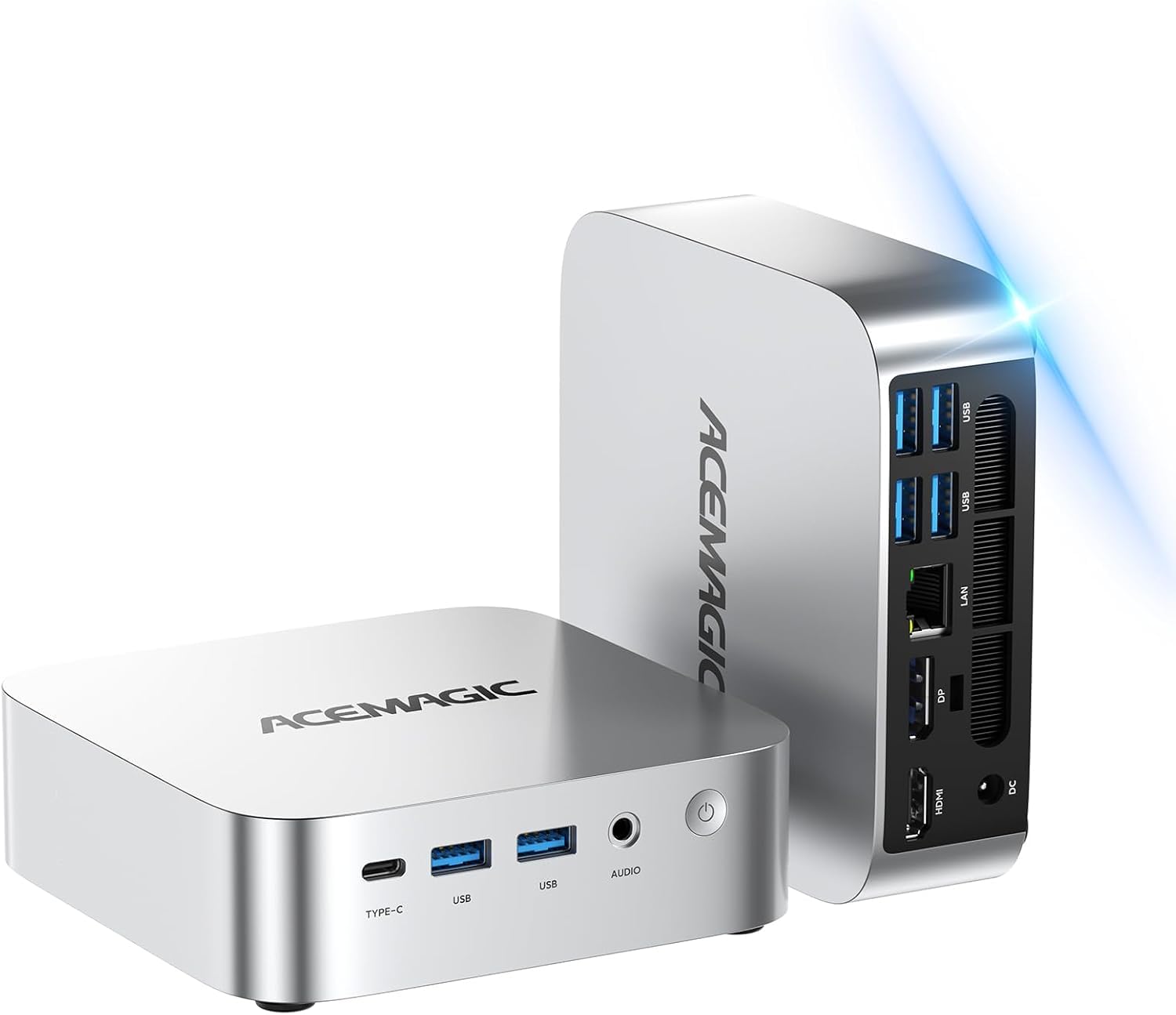
2. ACEMAGIC Mini PC Ryzen 3 PRO 7330U
The fastest day-to-day all-rounder here, and it stays quiet while it works.
Here is the number that matters: an AMD Ryzen 3 PRO 7330U with four cores, eight threads, and a 4.3GHz maximum boost. Compare that to the fanless MeLE on the previous entry, which tops out at 3.4GHz — the ACEMAGIC can shift roughly a quarter more clock speed at full tilt. It also runs a 28W TDP against the MeLE’s 8W, which is the trade: more power draw and a small fan in the box, in exchange for noticeably more push on heavier tabs and apps.
The quiet is where this machine earns its place on the list. A single owner with two units in the house said it plainly: “It’s very compact and small so it hardly takes up any space. Super fast and very very quiet.” Two 4K monitors or even three screens run off this box, mixing HDMI 2.0, DisplayPort 1.4, and a USB-C port that carries both video and 5Gbps data. Storage is adjustable: dual M.2 bays hold up to 4TB total, and the RAM slots take upgrades. The 80mm fan and aluminum chassis keep heat moving during long sessions.
Two caveats before you commit. The 256GB SSD fills up fast if you keep big media files or a photo library on board — the HP ProDesk 600G4 further down ships with 1TB, roughly four times the storage — and this is the machine to skip if silence is your absolute priority, because it does have a fan. One oddity worth knowing: at least one buyer was put off because some units in this family carry an older-gen chip despite the newer model naming. For a machine meant to run office apps and stream video all afternoon, that gap is minor. Pre-installed Windows 11 Pro, a wall mount, HDMI cable, and the 12-month warranty round out a genuinely strong package.
The speed your tabs feel: a 4.3GHz boost clock and 8 threads give it real headroom for multitasking, more than most CPUs in this budget bracket.
The storage math: 256GB is thin for a main machine, but dual bays and drive upgrades make that a fixable problem rather than a permanent limit.
Jump on it if: you want the strongest everyday performance on this list and can live with a small fan noise in exchange.
Pass if: 256GB of storage is your ceiling — heavy media households will want more room from day one.
3. HP Windows 11 Desktop Computer Bundle 24″
A whole desk in one box — tower, 24-inch monitor, RGB keyboard, speakers, webcam.
For a family buying a first computer for a student, this is the pick that saves you an entire shopping trip. The box arrives with the HP ProDesk Small Form Factor tower (an 8th-generation Intel Core i5 hexa-core chip, 16GB of DDR4 RAM, and a 500GB SSD), a refurbished Grade A 24-inch LCD monitor, new RGB speakers, a new 2K webcam, and a color-changing RGB keyboard and mouse set. That is every cable and peripheral for a schoolwork-and-video-call setup in a single purchase.
What wins most people over here is how polished the whole package feels for the money. The color-changing RGB keyboard and mouse genuinely add a bit of fun to a normal family desk, and the six-core i5 handles web browsing, streaming, and school apps without drama. The setup story is the one place buyers split: some found it simple with no tools needed, others found the monitor stand different from the photos and difficult to get stable. It is worth checking the stand on arrival and leaning on the return window if something looks off.
One other pre-purchase item: this machine is Wi-Fi ready on paper, but a buyer noted the unit arrived without the wireless driver installed and without an antenna, requiring an Ethernet cable or a Wi-Fi adapter to get online. Budget for a quick workaround and the experience gets smoother. Windows 11 Pro comes pre-installed.
What arrives in the box: tower, 24-inch LCD, RGB keyboard and mouse, speakers, webcam — a full desk out of one order.
The catch to plan for: Wi-Fi may need an adapter or Ethernet on day one if the wireless driver is missing, and the monitor stand has divided buyers.
Built for: a family, student, or home office that wants every peripheral delivered at once and does not want to piece together a kit.
Not for: someone who already owns a good monitor and keyboard — you would be paying for parts you will not use.
4. DELL Optiplex 7060 SFF Desktop i7-8700

32GB of RAM and a rapid NVMe boot drive — a refurb that runs like a fresh office PC.
Content creators and office workers who open thirty browser tabs at once should look here first. This Dell OptiPlex 7060 runs an Intel Core i7-8700 with six cores and boosts up to 4.60GHz. On the storage front, the 512GB NVMe M.2 SSD boots and loads programs fast — the kind of speed buyers describe as a jump from a spinning hard drive. And the drive size is worth comparing directly: the ACEMAGIC mini PC above ships with 256GB, so the OptiPlex carries twice the storage from the start for heavy libraries of documents and media.
Reliability and easy setup come up repeatedly with this model. Ports include 5 USB 3.0, 2 USB 2.0, and 2 DisplayPort outputs for a dual-monitor setup. Wireless keyboard and mouse are bundled so you can plug in and go.
Know before you buy: this machine has no HDMI port — your monitor must use DisplayPort, or you will need a DisplayPort-to-HDMI adapter. Several owners also note the Wi-Fi card is limited to 2.4GHz, which is slower than modern 5GHz networks. Those are real limits; for a desk that already has an Ethernet drop, they do not matter at all. Also worth knowing: at least one unit arrived with the Windows setup incomplete, and the buyer could not activate it. That kind of thing happens in the refurbished channel — check that your license activates during the first week, while your return window is still open.
Why the office crowd keeps it
- 32GB of RAM handles heavy browser and app loads
- 512GB NVMe M.2 SSD for fast boots and quick app launches
- i7-8700 with six cores, up to 4.60GHz boost clock
- Dual DisplayPort outputs and 5 USB 3.0 ports for peripherals
The fine print to read first
- No HDMI port — DisplayPort or an adapter only
- Wi-Fi limited to the 2.4GHz band
- Refurbished units occasionally ship with setup gaps, so verify Windows activation early
Best suited to: a home office or business desk that wants 32GB of RAM, an NVMe boot drive, and a sturdy SFF tower without paying new-computer prices.
Skip if: your monitor only has HDMI inputs or you rely on a crowded 5GHz Wi-Fi network — both pose extra steps here.
5. HP ProDesk 600G4 Tower Desktop i7-8700

A 1TB SSD, 32GB of RAM, and ten USB ports for the person with a lot of files.
For photo and video editing on a tight budget, the HP ProDesk 600G4 brings the table’s biggest storage and memory combination. It runs an 8th-generation hexa-core Intel i7-8700 pushing up to 4.6GHz, with 32GB of DDR4 RAM and a 1TB solid state drive as the boot device. Compare that 1TB SSD against the 512GB in the Dell OptiPlex above and you get double the working room for large video projects, photo libraries, and archives. Setup stories read calm and straightforward: one buyer described opening the box and having their files transferred inside a few minutes, praising the clean condition — “Looks new, clean” — as well as the unexpectedly large storage.
Content creators will appreciate the port selection: 6 USB 3.0 ports, 4 USB 2.0 ports, one USB Type-C, and 2 DisplayPort outputs plus 4 internal SATA connections for adding drives later. It also has an optical DVD drive, which is an increasingly uncommon feature, and the integrated Intel HD 630 graphics handles everyday visuals without breaking a sweat. HP builds this as part of its refurbished program, with a quality guarantee and free tech support in the box.
The one major thing to know before ordering: this tower has no HDMI out — you will need DisplayPort connections or adapters for your monitor. Some buyers also reported their Wi-Fi dongle only connected to 2.4GHz networks and that Bluetooth was not built in, so a separate Bluetooth dongle may be needed for wireless accessories. A tiny number of units arrived dead or dying, but the overwhelming picture here is a fast, quiet, high-capacity machine that simply works — and for a refurb, the support line matters when something goes wrong.
The storage payoff: a 1TB SSD means you can keep a real video project library in place without juggling external drives every week.
Check your cable drawer: two DisplayPort outputs and no HDMI means your monitor cable matters — plan for the adapter if you own an HDMI-only screen.
Right for: editors and creators who need storage depth and RAM headroom and can work with a DisplayPort-based monitor.
Wrong for: someone who wants a wireless-only desk — Bluetooth may need a dongle and Wi-Fi is 2.4GHz only.
6. GEEKOM Air12 Mini PC Intel 7505

A stout, metal-framed mini PC with Wi-Fi 6 and a three-year warranty behind it.
Students and first-time buyers get the cleanest upgrade story here: 8GB of DDR4 RAM and a 256GB NVMe SSD from the start, with dual memory and dual storage slots inside that take the machine up to 64GB RAM and 2TB SSD. Nothing is soldered shut. The processor is an Intel Pentium 7505 (a two-core, four-thread chip running up to 3.5GHz) — modest on paper, but reviewers describe day-to-day performance as smooth and, in one case, several times quicker than a much older desktop it replaced.
What people praise most is how well the machine keeps up with ordinary work. A buyer running Blue Iris camera software reported it noticeably faster than their older Dell box while drawing only around 15W in normal use. Another noted the machine was up and connected to a network in about fifteen minutes, with no dropouts or freezing after that. The Wi-Fi 6 radio and Bluetooth 5.2 mean newer routers and headphones connect without adapters, and the SD 4.0 card reader is a small but genuinely useful touch for camera cards.
Two honest limits. The display quality is the caveat several buyers raise, with reports of blurry output — worth checking your monitor cable and resolution settings if you see it, since that fault often lives in the cable, not the PC. The metal frame is rated for up to 440lbs of pressure, but that is durability, not performance — this is a budget office machine, not a creative workstation. A 3-year limited warranty, 90-day return policy, and IceBlast 3.0 cooling with dual copper heat pipes back up the value.
Why it earns its spot: user-accessible RAM and storage slots mean this machine grows with you, and a three-year warranty is rare at this end of the market.
The trade to accept: some units ship with display output that buyers describe as blurry — best verified against your own monitor before you rely on it for visual work.
Choose this if: you are a student or first-time buyer who wants an upgrade-friendly mini PC with a long warranty backing it.
Look elsewhere if: you need sharp visuals straight from the start or you push heavy creative work — display quality and raw power are both ordinary here.
7. Lenovo IdeaCentre All-in-One Desktop Computer

One cable, one footprint — a 23.8-inch screen with the computer already inside it.
If a tangle of tower cables is what you are trying to escape, the Lenovo IdeaCentre AIO gives you the screen, the computer, and the speakers in one body. The 23.8-inch Full HD IPS panel is anti-glare with wide viewing angles, 250 nits of brightness, and 99% sRGB coverage, so documents and photos look right from any seat. HD audio, dual 2W speakers, and an HD camera with mic mean you do not need to add anything for video calls.
Inside, an Intel N100 processor with four cores and up to 3.4GHz turbo runs quietly behind the usual office apps and browser tabs, backed by 8GB of DDR4-3200 memory and a 512GB PCIe SSD. Buyers describe the machine as very fast to boot and pleasant to look at, with one noting the screen was clear to read and the colors were accurate from the moment they switched it on. The physical package is friendly too — everything plugs into the back, and there is no separate tower to fit under the desk.
Two caveats. The monitor’s USB ports sit where they are awkward to reach for many owners, and a few buyers point out the absence of an SD card slot — the sort of thing that matters if you transfer photos from a camera card regularly. On the upside, the machine includes one USB-C at 10Gbps (a fast data-transfer speed), two USB-A at 10Gbps, two USB-A at 2.0, and HDMI-out 1.4b, so adding a second screen alongside the built-in one is easy. Note that the 8GB of RAM can be expanded up to 32GB, which softens the one main long-term limit.
Reasons to keep it on your list
- 23.8-inch Full HD IPS screen with 99% sRGB coverage built in
- 512GB PCIe SSD and Wi-Fi 6 for fast boots and modern speeds
- All-in-one body removes cable clutter and desk footprint
- RAM expandable up to 32GB for future-proofing
Where it falls short
- USB ports are placed where they are awkward to reach
- No SD card slot, which is a nuisance for photographers
- 8GB of RAM is the out-of-the-box ceiling until you open it up
Strong fit for: someone who wants a clean, one-unit desk setup for reception counters, study areas, or a home office.
Not ideal for: photographers or port-heavy users — no SD slot and awkwardly placed USB ports will test your patience.
8. STGAubron Gaming PC Desktop Core I7
A glowing starter tower for teens — with dedicated graphics and a real caveat.
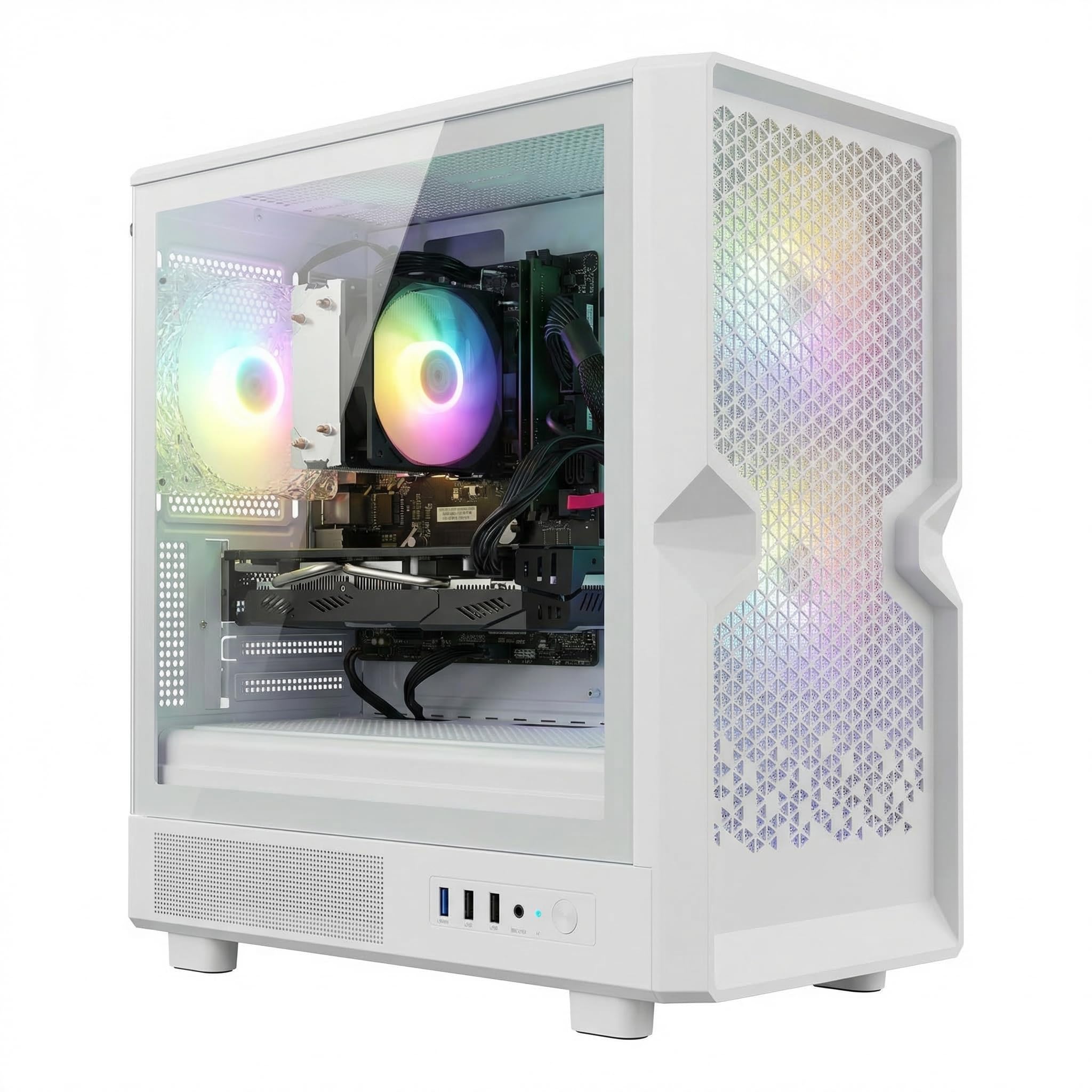
If you are buying a first gaming PC for a teenager and want it to light up the room, this is the machine. The STGAubron ships with an Intel Core i7 processor up to 3.9GHz, 16GB of memory, a 512GB SSD, and a dedicated Radeon RX 580 16G graphics card — a real graphics chip, not the integrated kind. Three RGB fans, ARGB lighting, and a matching RGB mouse and keyboard come in the box. The RX 580 16G runs Fortnite, GTA V, and Minecraft at 60+ FPS, and Windows 11 Home 64-bit comes pre-installed.
Setup is genuinely simple according to buyers, and the price-to-power ratio is what sells it. What people praise most is raw performance — the machine drives Steam VR and popular shooters without strain, and the plug-and-play design means a new owner is running games within minutes, not hours. That combination of dedicated graphics, RGB lighting, and a bundled RGB keyboard and mouse is not common in this price band.
Now the part you need to hear. Reliability is the recurring complaint in negative reports, with some units failing within the first two years — enough that this is a machine to buy with eyes open, not one to hand to a very young child as a first computer. Wi-Fi connectivity and display quirks also come up among the disappointed minority. For a teen who mostly plays in a single spot with a wired or close-range connection, those risks are manageable; for a high-stakes primary work machine, they are not. It also has no built-in speakers, so plan for headphones or a small speaker.
The gaming upside: a dedicated RX 580 paired with an i7 and 16GB of RAM is a real 1080p gaming package, not a light-office PC dressed in RGB.
The reliability side: a meaningful number of buyers report failures within two years, so factor in the warranty and a willingness to deal with support if something goes wrong.
Made for: a teenager or casual gamer who wants dedicated graphics and a flashy RGB tower without spending much.
Steer clear if: you need a long-term dependable daily driver — the failure reports here make it a risky primary machine.
9. KAMRUI Hyper H2 Mini PC Core 5 220H
The most powerful mini PC here — a 12-core chip in a box the size of a thick book.
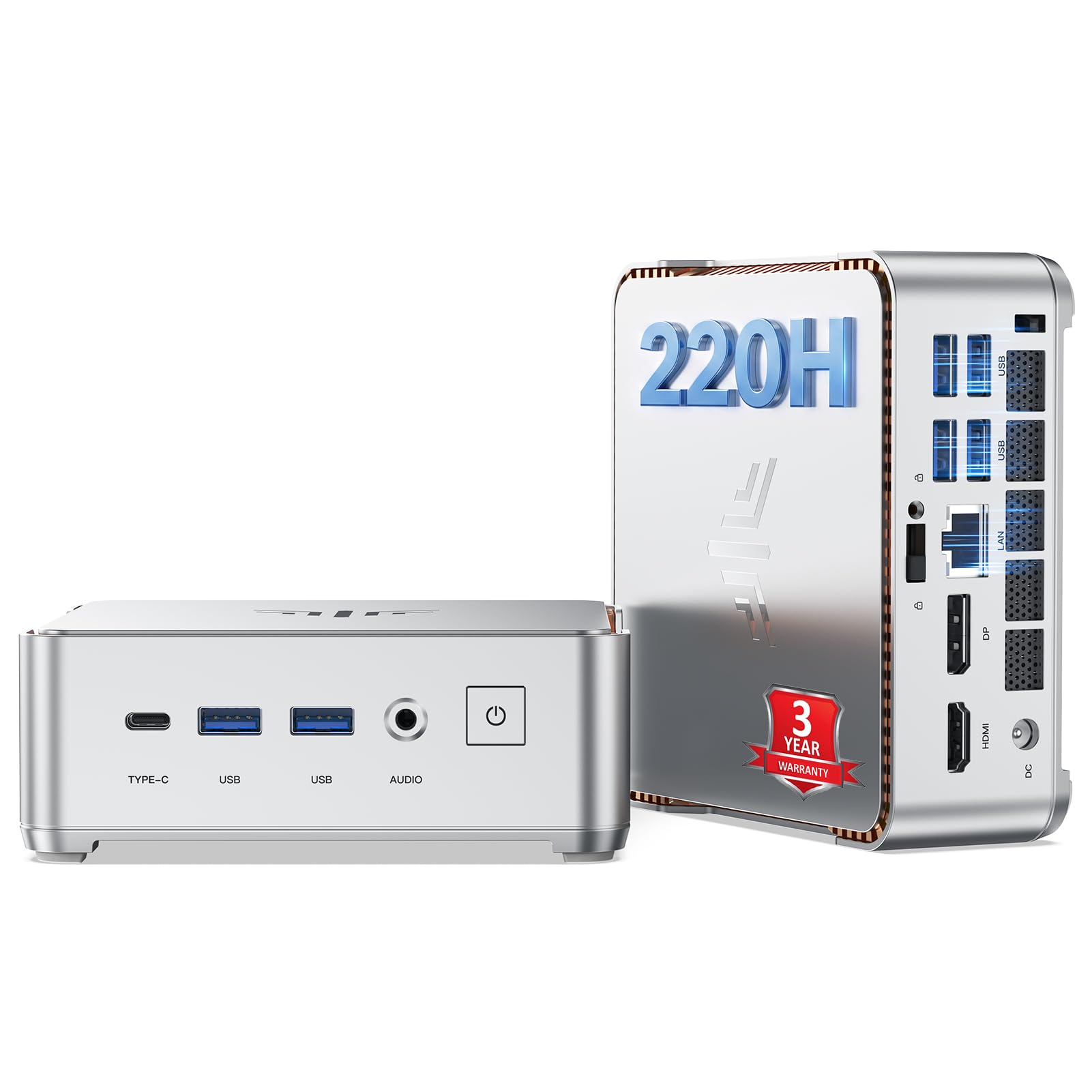
If your work involves code, containers, or real multitasking, this is the mini PC to pick. The KAMRUI Hyper H2 runs an Intel Core 5-220H with 12 cores, 16 threads, a 4.9GHz maximum boost, and a 45W TDP — a huge step up from the N100 and Pentium chips elsewhere on this list. KAMRUI claims up to 150% higher multi-core performance than an i7-1185G7 and over 60% more than the low-power Ultra 5-125U on multitasking. For coding, Docker, spreadsheets alongside a Zoom call, and light video editing, that headroom translates into a machine that does not stutter.
The memory figure is the standout: 24GB of LPDDR5 RAM at 5200MT/s plus a 512GB M.2 NVMe SSD, with dual M.2 slots supporting up to 4TB of total expansion. Buyers using it as a daily machine — one replaced a laptop just for a virtual call center — describe a small, sleek, mountable box that handles Windows 11, browsers, and calls without fuss. The IceBlast-style dual copper heat pipe cooling keeps the chip running near full speed during long sessions, and WiFi 6 plus Bluetooth 5.2 covers connectivity. Ports are plentiful: USB-C at 10Gbps, 2 USB 3.2 Gen2, 4 USB 3.2 Gen1, HDMI 2.0, and DP 1.4 for triple 4K displays.
The catch: the chassis is tight, and reaching the RAM slots means working around internal WiFi wiring, so plan your upgrade carefully if at all. One buyer also reported their SSD short-circuited and KAMRUI refused to cover the technician cost — a situation note when you decide how much trust to put in the warranty. For the vast majority of users running it as shipped, this KAMRUI Hyper H2 is a compact, powerful, quiet unit with genuine desktop-class punch.
The performance jump: a 4.9GHz boost on a 12-core chip is far beyond any other mini PC in this guide, and it feels that way in real multitasking.
Two owner concerns: the internal layout is fiddly for RAM upgrades, and at least one buyer ran into warranty friction when their SSD failed.
Best for: developers, power users, and anyone who wants near-desktop power in a box that disappears behind a monitor.
Reconsider if: you plan on frequent hardware upgrades or want an easy-to-service chassis — access is fiddly inside.
10. Dell Tower Desktop Intel Core Ultra 7-265

A current-generation business tower with AI-accelerated processing and tool-less entry.
This is the newest machine in the guide — a genuine current-generation Intel Core Ultra 7-265 chip running up to 5.3GHz, backed by 16GB of DDR5 memory and Windows 11 Pro. The 265 family carries built-in AI acceleration (extra hardware for AI tasks), which the manufacturer markets for productivity and creativity workloads. That puts it above every other machine here on raw processor class, but it comes with the highest feature set on the list and much less storage headroom than the HP ProDesk 600G4 or the KAMRUI, both of which ship with more disk space than the Dell’s headline spec sheet.
On expansion the Dell makes an argument all its own: tool-less entry and a removable side panel mean you can open the machine and swap parts without reaching for a screwdriver. It can drive up to four FHD monitors using DisplayPort and daisy chaining, or two 4K displays via HDMI 2.1 and DisplayPort. Buyers consistently describe it as reliable and easy to set up with fast performance, and one buyer runs the machine flawlessly under Linux, with their scanner, printer, NAS box, and phone all working without fuss. The hardware TPM security chip and built-in lock slot are both there for anyone handling sensitive work data.
The main real-world limit is connectivity. Several people found the available ports a tighter assortment than they expected, and a few mention missing features like a rear headphone jack or Bluetooth on certain configurations. The Dell has no optical drive, no display included, and you will supply your own monitor. For a business desk with a defined spec, that is fine. For a buyer who wants to plug in and immediately be online with every peripheral, the setup will take one extra shopping step.
What makes this the serious option
- Intel Core Ultra 7-265 up to 5.3GHz — the newestchip class on the entire list
- Tool-less entry with a removable side panel for easy RAM and storage upgrades
- Hardware TPM chip, lock slot, and Windows 11 Pro for business security
- Up to four FHD monitors via DisplayPort daisy chaining or two 4K displays
The trade-offs worth weighing
- Storage space trails the cheaper HP ProDesk and KAMRUI picks here
- Port selection is tighter than expected in some configurations
- No display, no optical drive, no built-in speakers included
Reach for this if: you want the newest silicon class in the guide and care about a secure, easily-upgraded business tower.
Look elsewhere if: you want a wide port array with everything included from the start, or you need a bigger drive without adding one.
11. CyberPowerPC Gaming PC Ryzen 7 8700F

The only machine here built for modern 1440p gaming right from the start.
If your goal is playing current games at high settings, this is where the list ends up. The CyberPowerPC carries an AMD Ryzen 7 8700F with 8 cores running at 4.1GHz base, 16GB of DDR5 memory, a 1TB PCIe 4.0 NVMe SSD (a very fast storage type), and — the headline part — an NVIDIA GeForce RTX 5060 Ti with 8GB of GDDR7 graphics memory (a newer, faster video memory). That chip, the GDDR7 memory type, and the PCIe 4.0 storage are the freshest tech on this list by a wide margin. Compare it to the STGAubron’s older RX 580 and you can see the generation gap clearly — a current-generation RTX card paired with a modern AM5 socket CPU, versus a design from several hardware generations back.
What wins buyers over is real-world gaming smoothness. Owners mention the machine running all games smoothly, handling high-end titles without stuttering, and passing almost every popular title through compatibility checks without trouble. The performance, reliability, and value aspects are the ones that come up in positive reviews, and the tempered glass side panel with custom RGB lighting gives it a display-worthy look that buyers specifically highlight. Connectivity is generous: 2 USB-C 3.2, 4 USB-A 3.2, 2 USB-A 2.0, LAN, WiFi 6, Bluetooth 5.3, and 7.1 channel audio.
The honest drawback is failure rate in the first units shipped. Some buyers received machines that arrived dead on arrival with a DRAM error light and no POST (the computer fails to start up), and a few reported the same issue appearing across other buyers online. Support was also unreachable on weekends for at least one of those cases. That is a real risk worth knowing about, especially for a machine this expensive. On the other hand, the parts are non-proprietary and the system is upgradeable — so if you enjoy tinkering with hardware, a bad first unit is a manageable inconvenience rather than a dead end, and the 1-year parts and labor warranty plus free lifetime tech support gives you a path to resolution.
The spec drop: RTX 5060 Ti with GDDR7 memory paired to a Ryzen 7 8700F on an AM5 platform is top-tier value for the price — no other pick here comes close on graphics.
The manufacturing risk: some units arrived DOA, so test everything within the return window and be prepared for a support escalation if needed.
Built for: serious gamers who want RTX 5060 Ti-class performance and a machine they can upgrade part by part for years.
Skip if: you want a zero-hassle first unit with no risk of DOA from the start, or your budget is better spent on a lighter-duty machine.
Understanding The Specs
Processor class — the single biggest factor
The processor determines how many programs you can run at once before things start to feel slow. An Intel N100 or Pentium 7505 is built for light everyday work — browsing, documents, video calls, and streaming — and it stays cool and quiet. A Ryzen 3 PRO, Core i5, or Core 5 chip is a step up in per-second calculations and it handles many open tabs, spreadsheets, and video conferencing without complaint. At the top of this niche are the current-generation chips like the Intel Core Ultra 7-265 and AMD Ryzen 7 8700F, which add AI acceleration or gaming-class multi-core performance. Pick the processor class that matches your real workload, not the biggest number on the box.
RAM — your open-program headroom
RAM is the short-term workspace your computer keeps for everything currently open. 8GB fills up quickly with a browser, a spreadsheet, and a video call running at once. 16GB or more gives you real breathing room. Look for machines that list their maximum supported memory in the specs — several on this list let you add more later. If you plan to upgrade, check whether the memory slots are easily accessible — a few models make getting to them awkward. And keep an eye on the memory type: DDR4 and the newer DDR5 differ, and DDR5 usually brings higher memory bandwidth. If a listing says 24GB LPDDR5 at 5200MT/s, that tells you it is a modern, fast memory configuration.
Storage — speed and capacity both matter
Two separate questions here: how fast, and how much. Fast storage means quicker boots, snappier program loads, and no waiting for Windows updates. An NVMe SSD (a fast, stick-shaped drive plugged directly into the motherboard) is the fastest mainstream option. eMMC chips and traditional hard drives are slower. Some machines split their storage across two drives and install Windows on the slower one — a design worth noticing, because moving the operating system to the faster drive makes an obvious difference. On capacity, 256GB runs out fast with media files, 512GB is workable for most, and 1TB is comfortable for photo and video libraries.
Cooling and TDP — what quiet really costs
Every computer produces heat, and the way it deals with that heat determines how loud it is and how much power it uses. A fanless design has no moving parts at all — completely silent, no dust buildup inside, but the surface can run warmer than a fanned model. That higher surface temperature is normal and often certified to safety standards. Fanned designs push air through the chassis and run cooler under heavy load, at the cost of a small amount of fan noise. The TDP figure (thermal design power, measured in watts) tells you roughly how much heat and power the chip consumes. Lower is quieter and cheaper to run; higher is faster but warmer. Choose what matters more: absolute silence or maximum performance.
Common Questions
Can a cheap Windows 11 computer run Microsoft Office and video calls well?
Do cheap Windows 11 mini PCs have enough RAM for daily use?
Is it worth buying a refurbished desktop instead of a new one?
Is a mini PC better than a traditional desktop tower?
Will these computers work with my existing monitor and keyboard?
How long does a fanless mini PC last?
Do cheap Windows 11 computers support multiple monitors?
Can I play games on a cheap Windows 11 computer?
What should I check in the first week after my Windows 11 computer arrives?
Does Windows 11 Pro matter on a budget computer?
The Bottom Line
For plain, quiet everyday work, the cheap windows 11 computer that earns the top spot is the MeLE Quieter 4C — it is silent, tiny, and its 16GB of memory and 512GB SSD are more than enough for office apps and video calls. If raw performance per pound matters most and you can live with 256GB of storage, the ACEMAGIC Ryzen 3 PRO 7330U is the faster machine on paper. And for anyone who wants a complete first computer with monitor and peripherals in one box, the HP Windows 11 Desktop Bundle is the pick to reach for. One honest nudge: the MeLE’s standout quality — completely fanless operation — is not a common feature in this price band, and it shows in how long owners keep it running.
How we choose
We do not accept paid placement. Every pick is matched to a real buyer and a real use-case; we do not hands-on test units.
Sources
Specifications: manufacturer listings and product documentation. Review insights: verified customer reviews, as of October 2026. Pricing: not shown on this page (it changes often); check the current price via the retailer link.
As an Amazon Associate, Aappliancez earns from qualifying purchases. This does not affect which products we feature.