Disclosure: Some links in this post are affiliate links. As an Amazon Associate I earn from qualifying purchases, at no extra cost to you. Learn more
Specs are compiled from manufacturer listings and verified buyer reviews and can change over time — please confirm the key details on the product page before buying.
If you want to mark metal in real color — not just burn a grey line into it — you need a fiber laser or a dual-laser machine, and most of the cheap desktop units simply cannot do it. That is the honest answer up front. Wood, leather and acrylic are easy; colored marks on stainless steel, titanium and aluminum are a different technology entirely. This guide separates the machines that genuinely mark metal from the ones that only scratch coated surfaces, and it tells you which ones suit a kitchen table and which ones need a workshop corner.
This guide is built by comparing the manufacturers’ published specifications and the patterns across verified customer reviews, so you get each pick’s real strengths and trade-offs instead of marketing spin.
You will see enclosed cabinets that keep smoke away from your family, open-frame cutters that need a vent hose, and portable units small enough to carry to a craft fair. By the end you will know which watts, which laser type and which bed size actually matter for your projects. My full breakdown of the best color laser engraver sorts them by what they can really do, not by the number on the box.
Top Picks


How To Choose The Best Color Laser Engraver
The first decision is not brand or wattage — it is laser type. A diode laser (a blue-light module, usually 455nm) burns and cuts wood, leather, acrylic and paper beautifully. It will mark anodized aluminum and coated metal because it strips the coating. It will not produce a deep, colored mark inside bare stainless steel. For that you need an infrared laser (1064nm) or a true fiber laser, which is what actually creates the oxide colors people photograph on tumblers and dog tags.
Match the laser type to the material you actually work with
Dual-laser machines pair a low-power infrared module with a higher-power diode module in one head. That gives you metal marking and wood cutting from one box. A pure fiber laser goes deeper and faster on metal but asks for a bigger budget and a proper workspace. Be honest with yourself about the split: if nine of ten projects are wood signs with an occasional metal tag, a strong diode machine wins on value. If metal is the business, buy fiber.
Decide where the machine will live before you buy
An enclosed cabinet with a filtered lid keeps smoke, odor and stray light contained, which matters if the machine sits near a kitchen, a bedroom wall or pets. Open-frame cutters are cheaper and give you a bigger bed for the money, but they need a vent hose out a window and a dedicated table. Several of the enclosed machines weigh close to 100 lbs, so measure the bench and the doorway before you commit.
Work out your real bed size from your biggest project
Bed size is the spec people underestimate most. A small galvo-style machine with a compact marking field is superb for jewelry and tags but cannot fit a door sign. A wide bed lets you batch many small items in one run or handle a single large panel. If tumblers are your product, check the rotary attachment is included rather than sold later — cylindrical work is where most hobby income actually starts.
Side-by-Side Comparison
| Model | Best For | Laser Type & Power | Rated Speed | Work Area | Amazon |
|---|---|---|---|---|---|
| xTool S1 40W Rotary Bundle★ Best Overall | Large signs and tumbler batches | 40W diode | 600 mm/s | 23.93″ x 15.16″ | Amazon |
| xTool F1 2-in-1 Dual LaserFastest Marks | Engraving on the move | 2W infrared + 10W diode | 4000 mm/s | Not listed | Amazon |
| AlgoLaser Pixi 10WScreen-Only Simple | Screen-only beginners | 10W diode | Not listed | Not listed | Amazon |
| Creality Falcon 10W | Cylindrical objects on a budget | 10W diode | 10,000 mm/min | Not listed | Amazon |
| Longer RAY5 20W | Multi-machine shops | 20W diode | 24,000 mm/min | 400 x 365 mm | Amazon |
| ATOMSTACK A20 Pro V2 | Fast wood production | 20W diode | 400 mm/s | Not listed | Amazon |
| LaserPecker LP2 Roller Set | Handheld custom gifts | Diode | 1417 in/min | 4″ wide, up to 196″ long | Amazon |
| Mecpow X1 2-in-1 | Metal marks, tight bench | 2W infrared + 10W diode | 5000 mm/s | 105 x 105 mm | Amazon |
| AlgoLaser Alpha MK2 40W | Big panels with air assist | 40W diode | 25,000 mm/min | 400 x 850 mm | Amazon |
| WECREAT Vision 20W 4-in-1 | Camera-guided layout | 20W diode | 600 mm/s | Not listed | Amazon |
| GWEIKE G2 Max 50W Fiber | Deep metal and 3D work | 50W fiber, 1064nm | 15,000 mm/s | 150 x 150 mm | Amazon |
Detailed Reviews
1. xTool S1 40W Laser Cutter and Engraver, Rotary Bundle
Our pick — 4.5+★ from 250+ verified ratings; the strongest balance of quality and price.
Slices through 18mm cherry wood in a single pass, then shuts itself down if it sees a flame.
The reason this one takes the top spot is simple: it is the machine that turns a hobby into an order book. A 40W laser module (the light-emitting head that does the cutting) powers through 18mm cherry wood in one pass, and the 600mm/s travel speed means a batch of small items takes minutes rather than an afternoon. The bed measures a roomy 23.93″ x 15.16″, which is enough for a full-size door sign or a tray of up to 119 dog tags laid out in one run. For anyone selling what they make, that bed-to-power ratio is the whole argument.
What wins people over is build quality, and by a clear margin — the enclosure is a 3mm aerospace-grade aluminum frame, and the maker puts the unit through pre-shipment inspections on every single one. First-timers get there fast. As buyers report, “40W S1 setup a breeze vs prior brand; first test burn within an hour, ~97% perfect (remaining 3% user error).” The bundled software pre-tested over 400 materials with saved settings, so you preview, click and engrave instead of hunting for numbers.
Safety is where it separates from an open-frame cutter. A 99%-light-filtering cover lets you work without goggles, and the enclosed body contains smoke and noise. Five flame sensors halt the job on detecting fire, and a lid-open stop cuts power when you lift the handle. The catch is the footprint and the heft — advice in the reviews puts it near 100 lbs, and it wants a dedicated bench with a vent hose because the odor is noticeable. The value question splits opinion, so look at it as production equipment rather than a toy. It holds 4.5+ stars across 250+ ratings, the highest score among the high-volume picks here.
Where the S1 earns its keep
- 40W module cuts 18mm cherry wood in one pass
- 23.93″ x 15.16″ bed handles door signs or 119 dog tags in a single layout
- 600mm/s travel keeps batch work quick
- Five flame sensors plus lid-open stop and a 99% light-filtering cover
What you sign up for
- Around 100 lbs of machine that needs its own bench
- Venting is not optional — the smell is noticeable in a room
- The head has no motor braking, so it can be bumped out of alignment
- Not the fastest head on this list; the galvo machines outrun it on metal
Buy it when: you are producing signs, tumblers or tags at volume and want enclosure safety for a busy house.
Think again if: your only aim is marking bare stainless steel — this is a 40W diode class machine, so a fiber unit is the better tool.
2. xTool F1 2-in-1 Dual Laser Engraver
Two lasers in one head and a head speed that leaves gantry machines in the dust.
Take this to a craft fair and you can engrave a dog tag while the customer waits. A 2W infrared laser (1064nm, the wavelength that marks metal) handles jewelry, steel and aluminum, while a 10W diode module covers wood, acrylic and leather. Cutting capacity is stated at 10mm wood and 6mm acrylic. Speed is the headline: the galvo head reaches 4000mm/s, against 600mm/s on the S1 above, so complex vector work finishes in seconds rather than minutes.
Accuracy is the part that surprises people. Ultra galvo (a mirror-based steering system with no moving gantry) delivers 0.00199mm motion accuracy and 0.000248 repetition accuracy, so photo reprints hold their detail. Auto or manual focus plus a high-speed preview means positioning takes about 5 seconds. Weighing in at 4.6kg with a fully enclosed cover, it is a genuinely carryable box rather than a workshop fixture.
Here is the honest catch, and it comes from the metal side. The infrared module does very shallow engraving on stainless, aluminum and brass compared with a true fiber laser, so deep marks are not its job. Durability is the split in owner opinion — a bad unit shows up fast, and those failures appear in the reviews as dead lasers rather than slow wear. Metal business cards, hip flasks and pet tags are squarely in range; production runs of deep metal work are not.
Best suited to: mobile engravers, gift sellers and anyone whose work is 300+ materials in small batches.
Set expectations here: burns 1/8″ plywood at 4mm/sec at 100% power, so thick stock is slow and the infrared side is shade-engraving, not deep cutting.
Worth it for: sellers who need metal and wood from one portable box.
Pass if: you want deep color into bare stainless — that is fiber territory.
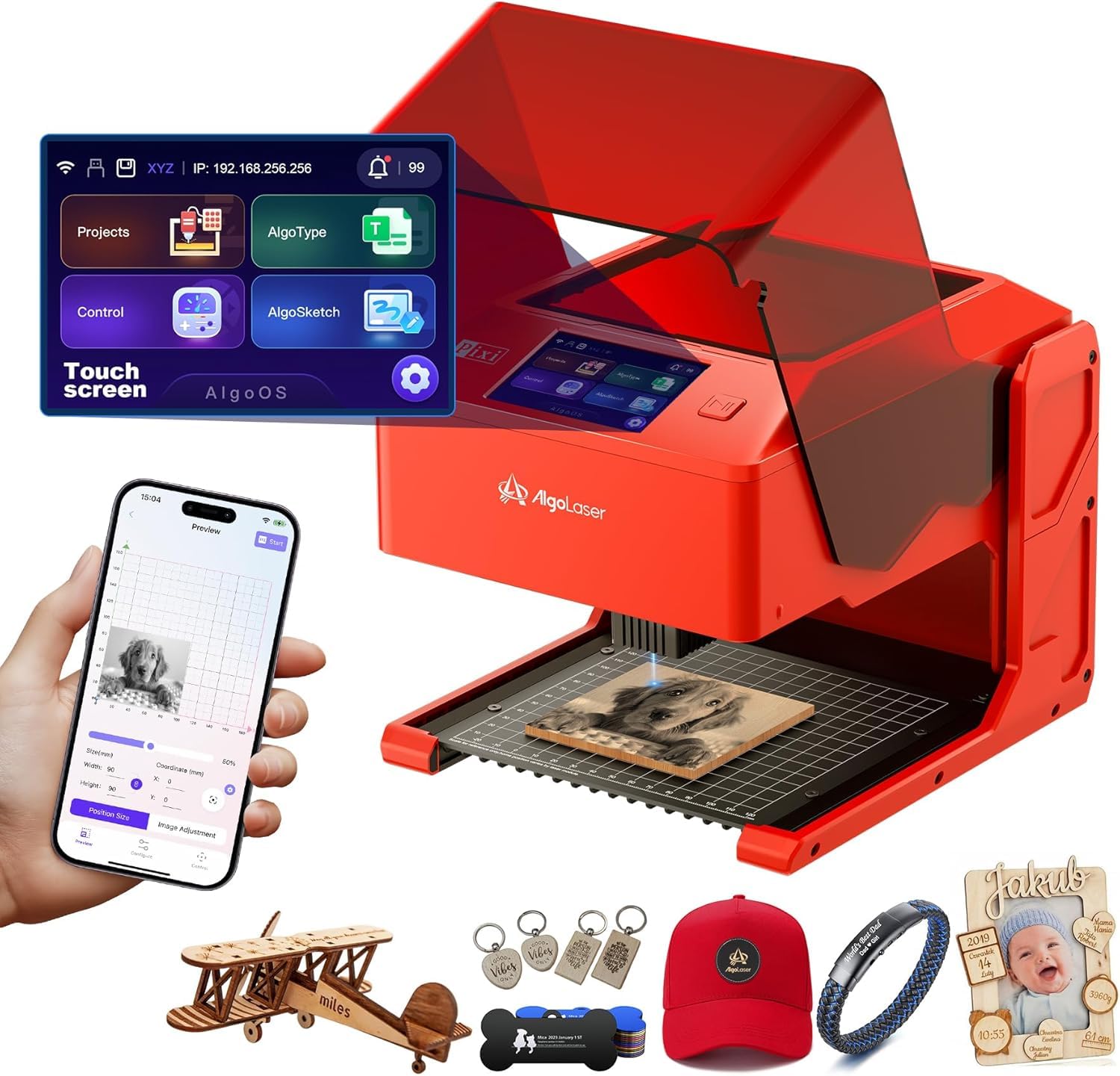
3. AlgoLaser Pixi 10W Laser Engraver
Draw straight on the screen and engrave — no laptop, no cables, no setup.
For the buyer who has never touched design software, this is the shortest path from idea to finished piece. A 3.5″ touchscreen running the AlgoOS system lets you draw, type or upload directly on the machine, and the Algosketch feature captures hand-drawn artwork. No assembly is needed, and it connects over USB-C, WiFi or accessory ports when you do want a computer. The whole unit weighs 4.4 pounds.
Safety design is thoughtful for a machine this small. A cover that filters laser light and a lid that stops the laser instantly are paired with a password-protected lock screen and real-time fault alerts, all inside a certified Class 1 system. The 10W module uses a 0.08mm spot, and the build feels solid rather than plasticky. Preloaded templates and tutorials mean you can run a first project the day it lands.
The trade-off is depth and reliability. Ten watts cuts thin stock and engraves wood, leather and coated metal well, but it is not a production cutter. The lid interlock is the most-discussed weakness — a few units misbehaved and one reviewer noted the laser resuming with the shield open, which is a genuine reason to test the switch on arrival. Ventilation is required because smoke and odor build quickly. It sits at 4.0+ stars across 100+ ratings, an honest beginner machine with a learning curve attached.
The plain version: a compact, enclosed, PC-free engraver that suits educators, hobbyists and small leather-goods sellers.
What a buyer should plan for: a real learning curve on settings, smoke that needs venting, and a base swap that takes 5-10 minutes when you reconfigure.
The pick for: anyone who wants engraving without a computer in the room.
Not the pick for: thick wood cutting or anyone wanting deep metal marks.
4. CREALITY FALCON 10W with Air Assist and Rotary Roller

The rotary kit and air pump come in the box, so cylinders are day-one work.
Most machines charge extra for the rotary attachment that makes tumblers possible. Here it is bundled, and the Creality Rotary Kit Pro is unusually flexible — it clamps cylinders from 1-110mm outside diameter, props objects from the inside at 25-75mm, handles spheres at 10-130mm and rings at 15-100mm. That range covers stanley cups, mugs, bracelets and baubles without buying another jig.
The 10W module delivers 10000mW output and cuts 12mm wood or 3mm black acrylic in one pass. Assembly takes 10-20 minutes, and the anti-UV filter acrylic over the module protects your eyes without extra gear. A 0.06mm spot controls accuracy within 0.004 inches. Air assist is the quiet win: adjustable airflow clears smoke as you cut, which keeps edges cleaner and stops scorching, and it lengthens the life of the laser head.
Where this machine asks for patience is support. Setup is quick, but first-time users who hit a snag report slow responses, and reputation for support is genuinely mixed. Build quality draws split opinions too, so buying from a seller with a straightforward return path is sensible. Get past the first working settings and it delivers. It carries 4.0+ stars across 100+ ratings — solid mid-tier value for a rotary-and-air-assist bundle.
Why hobbyists pick it
- Rotary kit and air pump included, not sold separately
- Cylinder range from 1mm to 110mm outside diameter covers mugs to flasks
- 0.06mm spot with 0.004-inch accuracy control
- 10-20 minute assembly and offline TF card work
Who should hold off
- Support response is the weak point for beginners
- 10W is entry power — thick stock needs multiple passes
- Open frame means you supply ventilation yourself
- Build consistency varies between units
Consider this: the cheapest route to proper cylindrical engraving with air assist already in the box.
Look elsewhere if: you need hand-holding from a support team during your first week.
5. Longer RAY5 20W Laser Engraver

One tablet can drive several RAY5 units at once — built for the small shop running three.
Twenty watts of optical output (the usable beam power, not the wall draw) cuts 0.59″ pine and 0.31″ acrylic in a single pass. Push to multiple passes and the stated limits climb to 25mm wood and 35mm acrylic. It will even cut 0.002″ stainless steel, according to the maker. A 400 x 365mm working area fits a decent sign, and the dual-beam design reaches 24,000 mm/min, so flat engraving moves quickly.
The feature that changes a workflow is the multi-machine control. One device can drive several engravers at the same time, and the unit is rated for 7×24 continuous operation. A 32-bit motherboard with a 256-bit color scale drives a 0.08 x 0.1mm focus area for high-contrast results. Connections cover USB, TF card, WiFi and app, so offline work is possible. Safety includes protective glasses, move protection, thermal shutdown and an emergency stop.
Two things to weigh before you order. The touchscreen is small, which makes entering a WiFi password genuinely fiddly, and firmware updates need a direct request to the manufacturer because this model is not listed on their site. The power cord connection has been a reported weak point. This is a low-volume product with a thin review base, so treat it as a specialist tool rather than a crowd-tested safe bet. It scores 3.5+ stars across 20+ ratings.
Fits the producer: someone running several machines at once who needs airflow options and offline control.
The honest limit: a small touchscreen, a firmware process that needs a support ticket, and a short track record behind it.
Reach for it if: multi-unit throughput and 20W cutting matter more than polish.
Skip past it if: you want a long review history before you commit.
6. ATOMSTACK 20W A20 PRO V2 Laser Engraver
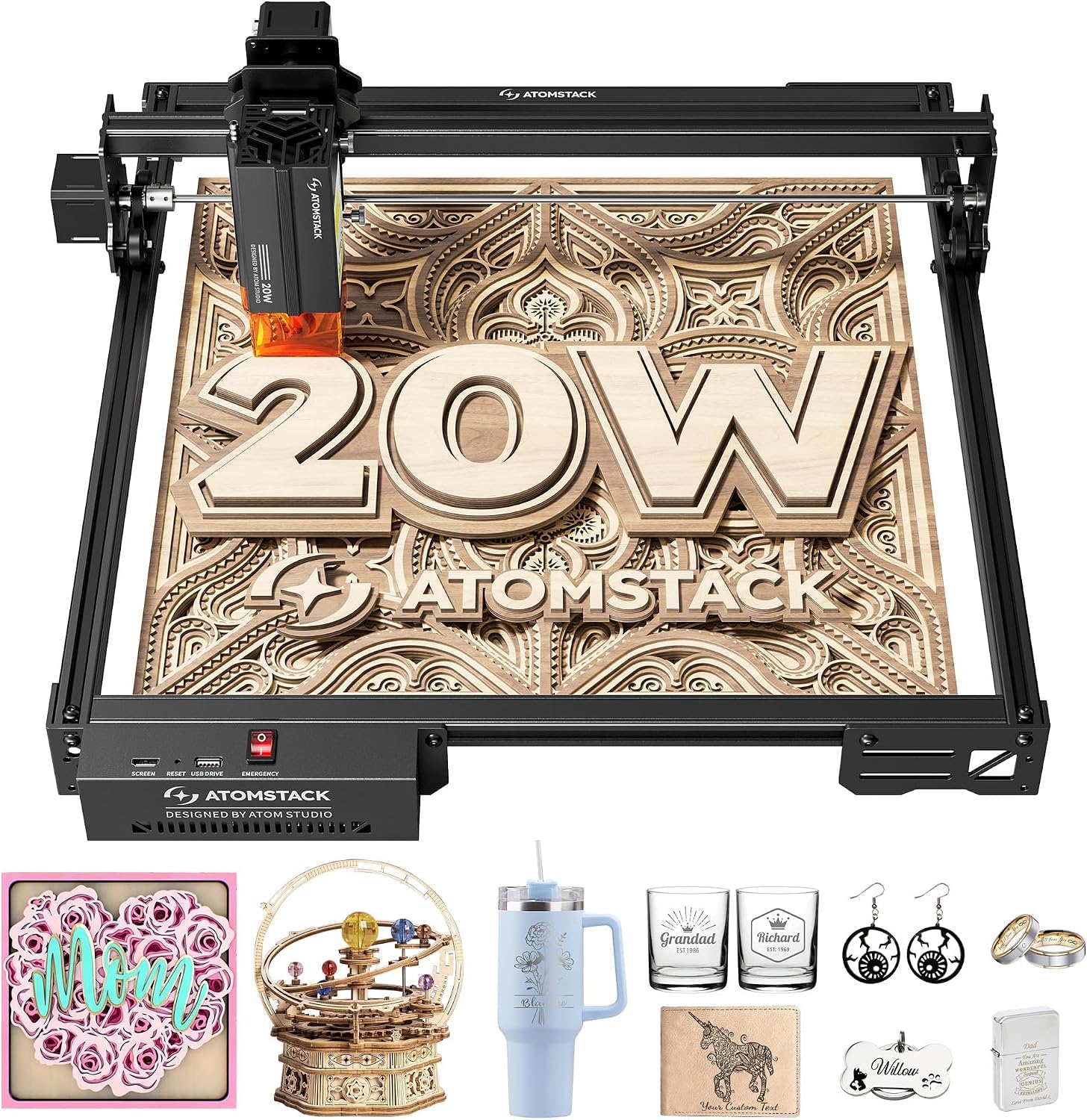
An aluminum frame, a magnetic safety cover and 400mm/s of high-energy cutting.
Atomstack has built a big following on open-frame cutters that assemble fast, and the A20 Pro V2 leans into that. An integrated linear guide motion structure (the rail the head rides on) speeds assembly and holds precision over time, while the aluminum alloy frame and modular design keep it stable. Engraving accuracy is stated at 0.01mm, helped by built-in limit switches and a cross-line light for positioning. A removable magnetic protective cover, safety glasses and a tilt alarm that beeps past 15° round out the safety kit.
The 20000mW output cuts wood and acrylic with real authority, and the work area is generous for signs and card batches. Control is flexible: Type-C or USB stick, the Atomstack app, PC software, LightBurn and LaserGRBL all work. The maker rates the laser at up to 10,000 hours and backs it with lifetime technical support and free replacement of faulty parts — worth having, since a few units have arrived defective.
Alignment is the thing to check within your return window. On longer engraves the X-axis has shown drift in some reports, which belt tightening did not always cure. On the positive side, the wood engraving and cutting quality is what carries this machine — sharp detail, consistent output once you tune speed and power. It holds 4.0+ stars across 300+ ratings, a widely bought wood-focused cutter with a real workflow behind it.
Why it sells: 20000mW of output, a quick-assembly aluminum frame, and software freedom across LightBurn, LaserGRBL and the Atomstack app.
Test first: run a long engrave past 200mm in your first week to confirm axis alignment before the return window closes.
Good match: wood-focused makers who want power and open software at a mid-tier level.
Not for you if: deep colored metal marks are the goal — that needs infrared or fiber.
7. LaserPecker LP2 Laser Engraver with Roller

Hold it in your hand or clamp it to the roller — a galvo laser the size of a coffee tin.
The LP2 is the machine that made portable engraving popular, and the spec sheet explains why. A galvo head (mirror-steered, no gantry) reaches a max engraving speed of 1417 in/min and a graphic preview speed of 8858 in/min. A 0.05mm compressed spot keeps detail tight, and you pick from three resolution settings at 1K, 1.3K or 2K depending on how fine the job needs to be. The bundle adds a versatile electric roller for cylinder mode.
Versatility is what earns the loyalty. It marks paper, cardboard, wood, leather, coated metal and brushed stainless steel. It cuts wood and paper within 0.2″. Trolley mode extends engraving length up to 196″ while the width stays at 4″, which means long signs and banners are possible from a handheld unit. Setup takes about 15 minutes and the app handles auto-trace and a preview box.
Read the material limits before you buy, because they are strict. Pure metal and shiny metal will not engrave — the laser is simply too weak for bare stock. Light or transparent material reflects the beam, so you paint it black first and wipe after. Bluetooth pairing is the most-discussed friction point, and the app is described as basic. It stands at 4.0+ stars across 300+ ratings: a proven gift-making machine, not a production cutter.
The case for the LP2
- 1417 in/min engraving and 8858 in/min preview from a handheld unit
- Three resolution settings at 1K, 1.3K and 2K
- Roller gives cylinder mode for tumblers and pencils
- Trolley mode extends length up to 196″
The limits to accept
- Won’t engrave pure or shiny metal at all
- Cuts only within 0.2″ thickness
- Bluetooth pairing causes friction with some phones
- Stock photos in the app are limited; expect to practise settings
The one for: makers selling custom gifts on coated mugs, wood and leather at markets.
Step away if: bare stainless or thick stock is on your project list.
8. Mecpow X1 2-in-1 Dual Laser Engraver
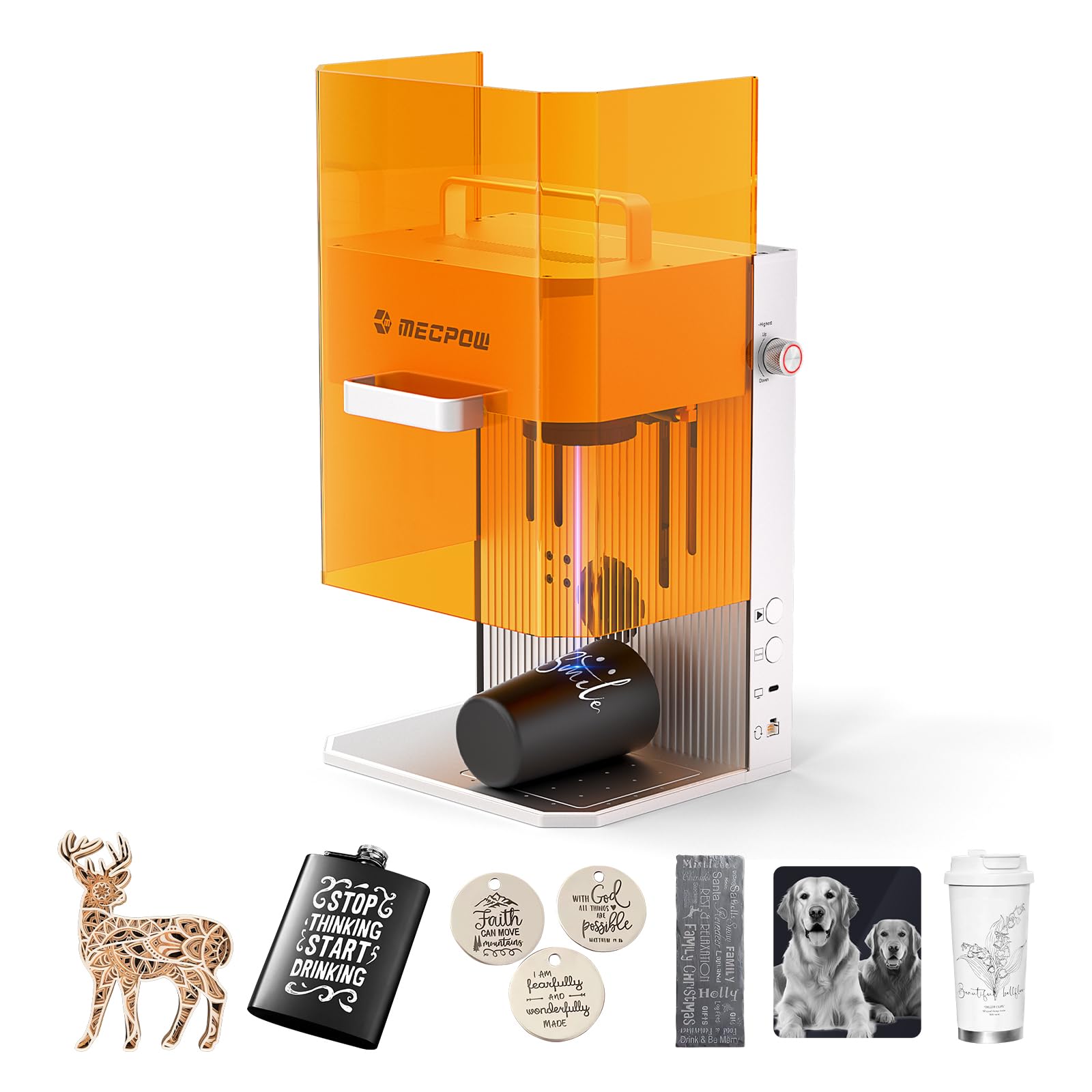
Metal and wood from one 6.5kg box that fits on a kitchen counter.
A 2W 1064nm infrared laser marks metal, plastic and removes rust, while a 10W 455nm diode module handles wood, acrylic and the rest of the non-metal shelf. All told it covers 300+ materials. Cutting is rated at 8mm wood and 5mm black acrylic. The multi-layer-coated galvo module reflects 99% of beam energy for stability over long sessions, and the head reaches 5000mm/s with a 0.01mm spot.
That puts it at 5000mm/s versus the S1 above at 600mm/s — in a body that weighs 6.5kg and has a built-in handle. Repeat positioning is stated at 0.0001mm, so one-click repeat engraving works for batches. It runs on Mecpow software or LightBurn across Windows, macOS, Android and iOS, with auto and manual focus. The enclosed cover and glasses handle eye safety, and an exhaust fan with pipe moves smoke out, though the air purifier is a separate buy.
The catch is the work area. The marking field is 105 x 105mm — a compact footprint, so mugs need an add-on rotation accessory and large panels are out. Setup is genuinely quick, with first runs reported at around five minutes using the bundled software. Infrared image quality on denim and metal is sharp and lifelike. This is a very new listing with a single rating, so treat the track record as unproven rather than a settled verdict.
Standout spec: 5000mm/s galvo speed in a 6.5kg carry box — the fastest head here for the weight.
Plan around this: the 105 x 105mm area is small, and the review pool is one rating deep.
Suits you if: you need sharp metal marks from a tiny bench and move between venues.
Not suited to: signs, panels or anyone who needs a proven reliability record.
9. Algolaser Alpha MK2 40W Laser Engraver
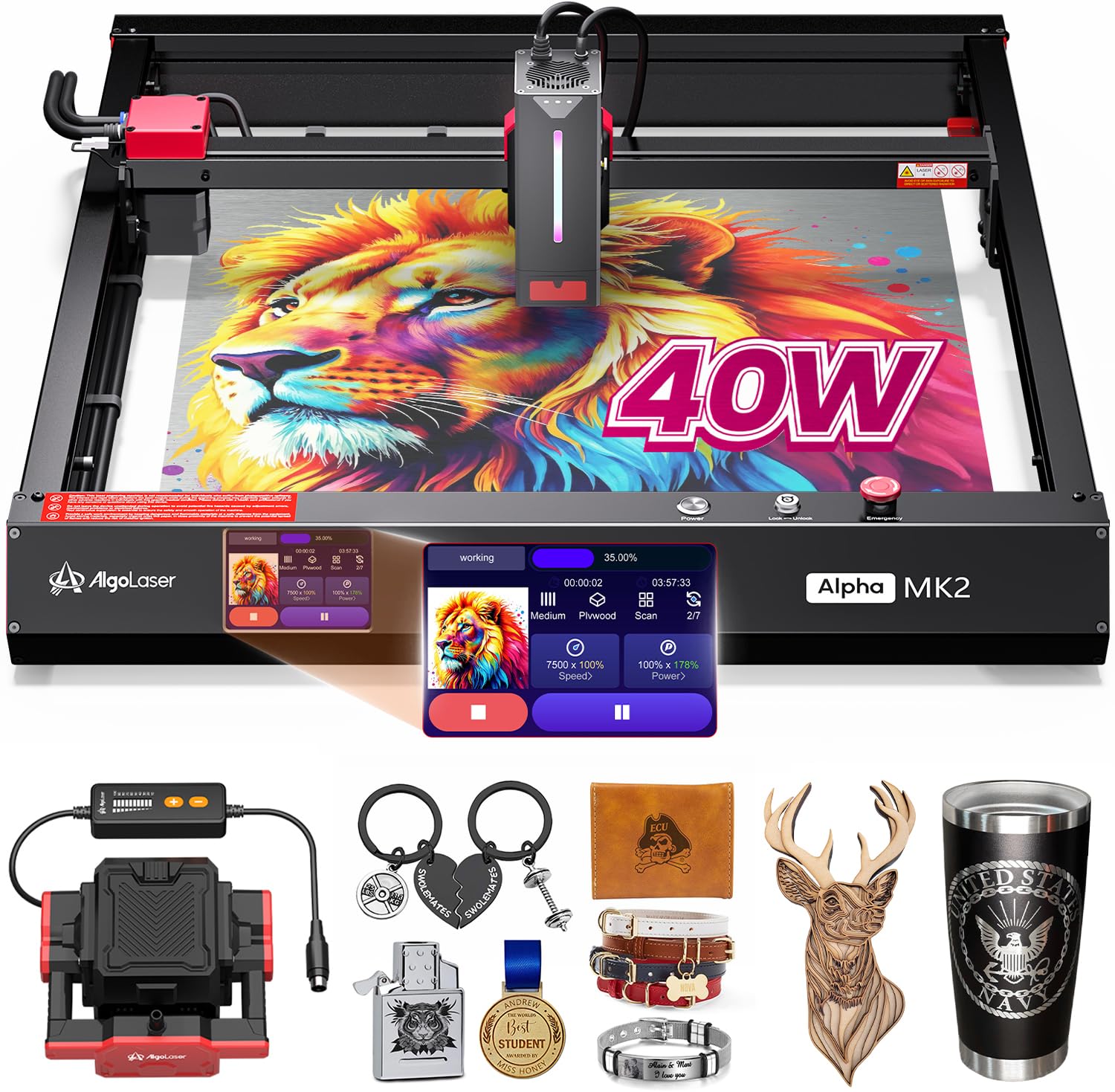
A 400 x 850mm work area that swallows full wood panels without a rebuild.
The number that changes the workflow here is the bed: 400 x 850mm, which is why owners describe it as extra space without buying another machine. A 40,000mW laser module cuts up to 25mm solid wood in a single pass and reaches 25,000 mm/min. A 3.5″ smart touchscreen running AlgoOS means you power on and start without a laptop, and 32GB of built-in memory stores jobs for offline batch cutting.
Air handling is the other strong card. A smart air pump paired with an enhanced internal smoke exhaust forms dual circulation, which pulls smoke away, reduces odor and keeps the lens clean. Cleaner air means less scorching and a longer-lived laser module. It supports LightBurn, LaserGRBL and the AlgoLaser app, plus G-code and Graphtec-01 EMI files, so the software side is open. Seven safety protections include flame detection and an emergency stop.
Worth knowing before you commit: this model’s review base is a handful of ratings, so the long-term picture is genuinely unproven, and the semi-enclosed design still asks for a ventilated space. It is also a large machine that wants a permanent bench rather than a folding table. Think of it as a workshop tool with a commercial appetite, not a starter box for a cramped room.
Where it leads: 400 x 850mm of bed and a 40W module that cuts 25mm solid wood in one pass.
Where it asks: a permanent bench, decent ventilation and trust in a very short review history.
The right tool when: large panels, deep single-pass cuts and offline batch work drive your day.
Hold back if: you need a small footprint or a long-proven service record.
10. WECREAT Vision 20W 4-in-1 Desktop Laser Engraver
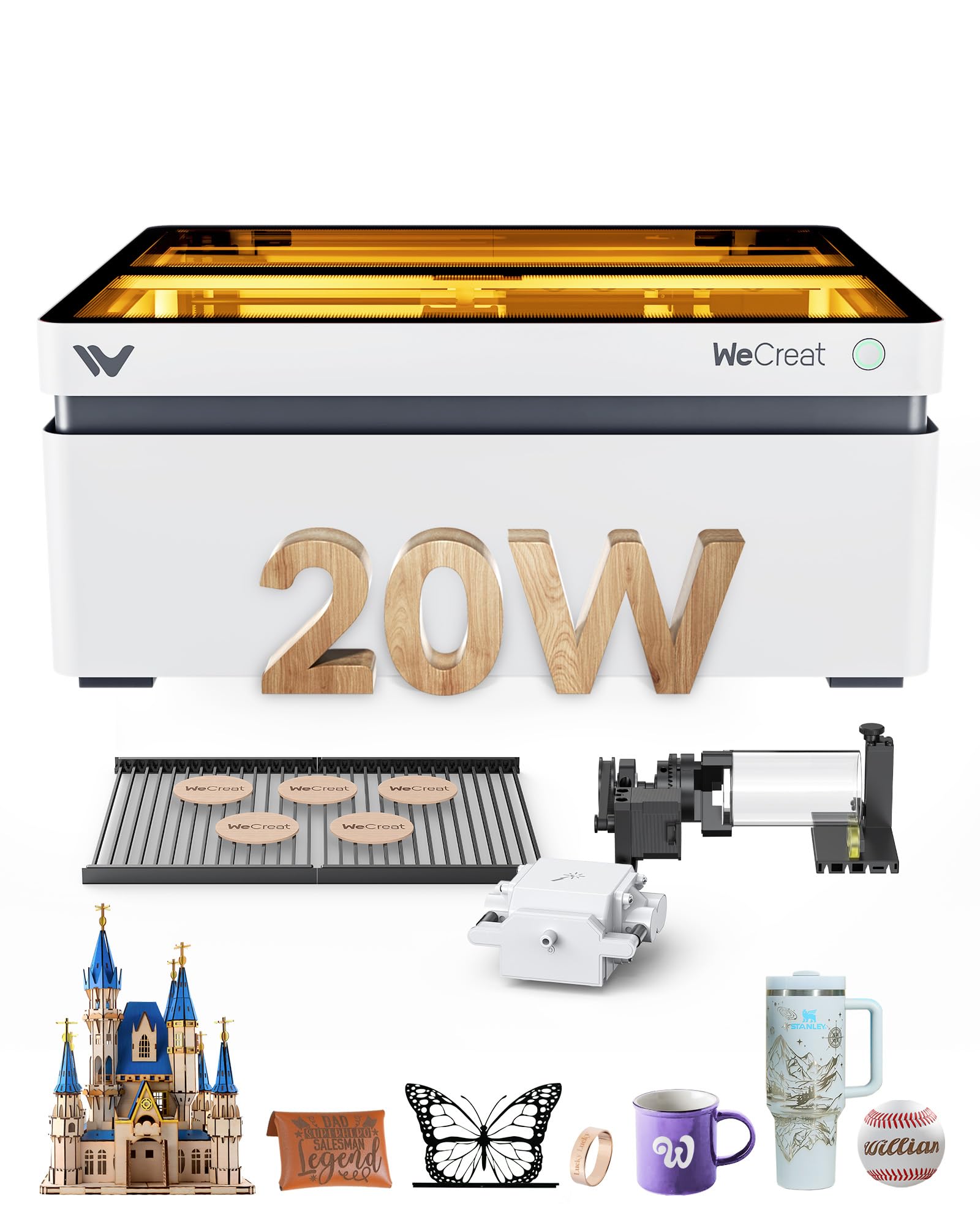
A camera shows you exactly where the design lands before you burn anything.
Placing a design on an existing blank is the fiddliest skill in engraving, and this machine attacks it head-on. A built-in HD camera feeds a live view so what you see on screen is what gets burned, and a Quick View matrix sets parameters for over 100 materials with one click. The 20W module engraves to 0.01mm accuracy at 600mm/s and cuts 10mm wood or 8mm opaque black acrylic in a single pass. Two laser beds are designed to leave fewer burn marks than a honeycomb bed.
Height handling is genuinely convenient. The auto-lifting enclosure adapts to material from 1mm to 140mm without a riser base, so you swap a flat blank for a tall box without fiddling with shims. Air assist runs up to 30L/min to keep cuts clean, and the rotary system covers cups, mugs, spheres and rings. It is an SGS Class 1 enclosed machine whose lid stops the laser when opened, and the enclosure filters 99% of laser light. Over 1,000 ready-to-print images and 1,000 editable projects come with it.
The caveat sits with calibration. Camera alignment can drift and needs recalibrating, the auto-focus has jammed into tooling during work, and the software has frozen on some units — one owner was told by support that auto-focus was a known trouble area, so manual measurement becomes the fallback. The closed frame also makes it heavy at 66.9 lbs. It holds 4.0+ stars across 100+ ratings, with ease of use as its strongest showing.
Arguments for the Vision
- Camera preview kills placement guesswork on blanks and tumblers
- Auto-lift covers 1mm to 140mm materials with no extra riser
- 30L/min air assist and twin low-mark laser beds
- Enclosed SGS Class 1 body with lid kill switch
Arguments against rushing in
- Camera alignment needs recalibrating when it drifts
- Auto-focus has jammed and misfired on some units
- Software freezes are reported
- 66.9 lbs is a lot of machine to move
Buy it for: repeatable placement on blanks, mugs and ornaments where the camera saves real material.
Think twice if: you refuse to measure by hand when auto-focus misbehaves.
11. GWEIKE G2 Max 50W Fiber Laser Engraver
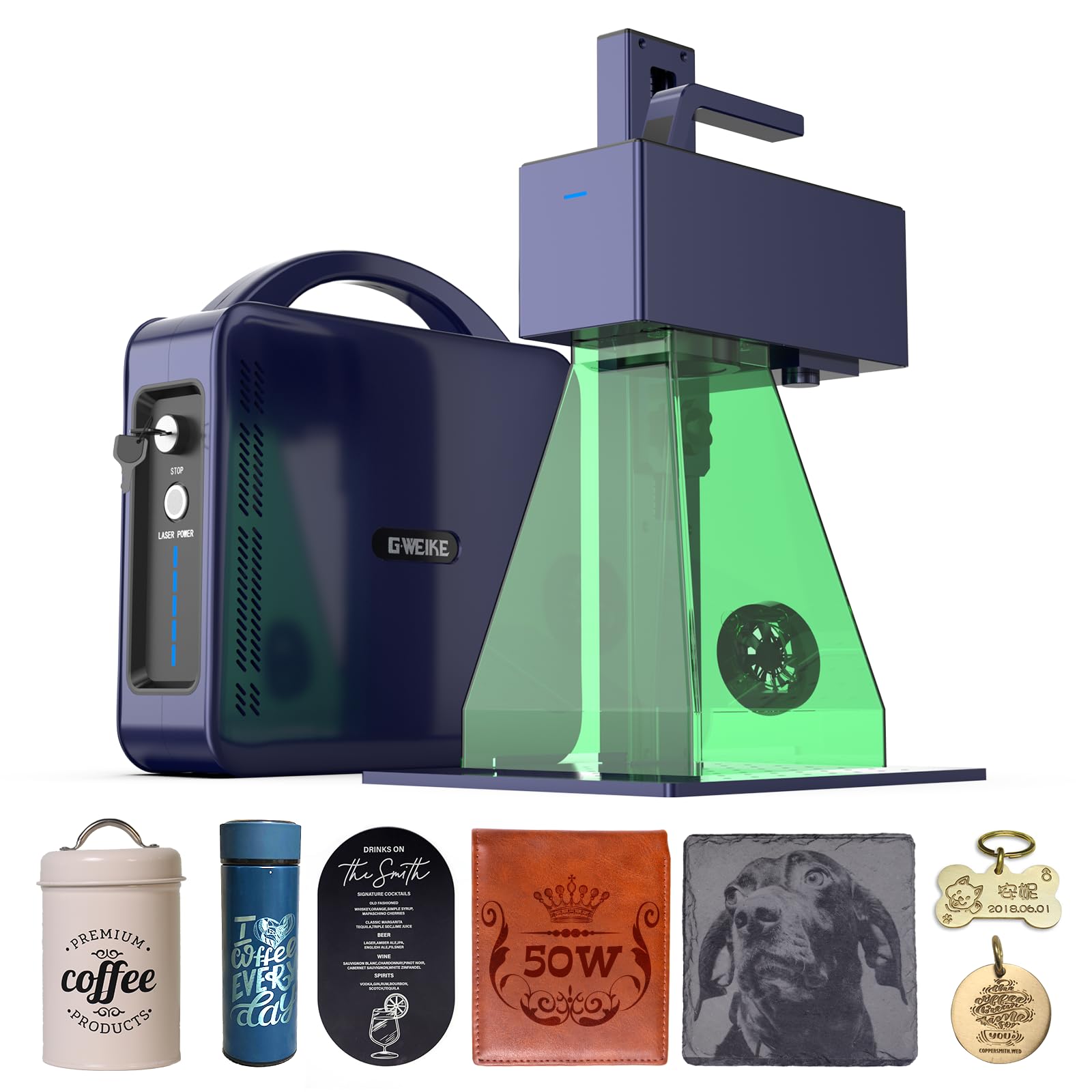
Ninety-plus colors burned directly into stainless and titanium — that is what fiber buys you.
Everything else on this list marks metal. This one colors it. A 50W 1064nm fiber laser marks and engraves over 90 vibrant colors into stainless steel and titanium, plus plastic, leather, dark glass, colored ceramics, acrylic and stone. Deep engraving and metal cutting are part of the spec, and the 15000 mm/s galvo speed with 0.001mm accuracy means fine detail arrives fast. HD 8K resolution helps it hold the hair-thin lines that color work depends on.
Handling is more practical than you might expect for fiber. The working area is 150 x 150mm, an electric lift column adjusts focus with one button, and dual red-light positioning previews placement before you fire. The unit is detachable and portable enough to move off the bench for on-site work. It runs GLaser and LightBurn over WiFi or USB. Class 4 safety is stated, with an emergency stop, protective glasses and a cover, plus an FDA accession number on record.
Two honest notes. First, bare aluminum is the known weak spot — it marks anodizing and coatings rather than raw stock, so aluminum-specific jobs need planning. Second, long-term reliability is the split in owner experience; some machines have stopped within weeks and been replaced under warranty, while others have run for ten months before a source failure, also handled by the maker. That is a warranty question, not a performance one. Deep-engraving small-business work is exactly the job this machine is built for.
The defining spec: a 50W 1064nm fiber source with 90+ color capability and 15000 mm/s speed — the only true fiber machine here.
The real question: buy a strong warranty path, because a fiber source is the component that occasionally fails.
The machine for: metal-first businesses doing deep engraving, challenge coins and color marking on steel.
Wrong tool for: wood sign work and anyone who wants a large flat bed.
Know the Specs
Wattage (mW and W) and What It Really Buys
A 10W module and a 40W module are both diode lasers, but the wattage sets how deep and how fast you cut. Ten watts handles thin plywood, leather and coated metal marking. Twenty to forty watts cuts real stock — 18mm cherry wood in one pass on the S1, 25mm solid wood in one pass on the Alpha MK2. On a fiber machine, 50W is a different animal entirely and is measured for metal depth and color response, not board thickness. Do not compare a 50W fiber rating to a 40W diode rating as if they were the same scale.
Laser Wavelength: Diode, Infrared and Fiber
The wavelength is the number that decides what a machine can mark. A diode laser runs at 455nm, in the blue range, and burns organics — wood, leather, paper, acrylic. A 1064nm infrared or fiber laser marks and colors metal, because metal absorbs that wavelength instead of reflecting it. A dual-laser machine carries both in one head, which is why the F1 pairs a 2W infrared module with a 10W diode. When a listing says “color engraving on stainless steel,” the machine behind it is infrared or fiber — no diode can do it.
Engraving Speed in mm/s Versus mm/min
Speed figures are quoted in two units and they are not interchangeable at a glance. The S1 lists 600mm/s, the Mecpow X1 lists 5000mm/s and the GWEIKE fiber head lists 15000mm/s. Others quote mm/min — the RAY5 at 24,000 mm/min and the Falcon at 10,000 mm/min. Galvo machines with mirror-steered heads are faster than gantry machines that slide a rail, which is why the portable units post the big numbers. Faster travel shortens batch runs of small items; it does not increase cutting depth.
Work Area and Rotary Attachments
The bed measurement tells you the largest single piece you can make. A 105 x 105mm field suits tags and jewelry. A 400 x 850mm bed takes full panels. Anything in between trades bench space for project size. A rotary attachment is what open up cylindrical work, and the spec that matters is the diameter range — the Creality kit covers 1-110mm on the outside, which spans mugs to flasks. If tumblers are your product, check the rotary is in the box rather than an add-on purchase.
Laser Class and Enclosure
Class numbers describe how exposed the beam is during normal use. A Class 1 machine has the laser fully contained so there is no open beam, which is what lets you work without goggles — the S1, the Pixi and the WeCreat Vision all state Class 1 with light-filtering covers. A Class 4 rating means the beam is accessible during operation and safety glasses plus careful placement are on you. Enclosed cabinets also contain smoke and noise. Open-frame cutters deliver more bed for the money but demand a vent hose and an isolated table.
Common Questions
Can a diode laser engrave in color on stainless steel?
How thick a piece of wood can these engravers cut in one pass?
Do I need to vent these machines out of a window?
What is the difference between a Class 1 and Class 4 laser engraver?
Can I engrave tumblers and mugs with these machines?
How much bench space and weight should I plan for?
Will these machines work with LightBurn instead of the maker’s software?
Is a galvo laser better than a gantry laser?
What material will a laser engraver not mark?
The Bottom Line
For most buyers looking for the best color laser engraver, the winner is the xTool S1 40W Rotary Bundle because it balances real cutting power with an enclosed Class 1 body and the strongest score among the high-volume machines. If metal color is the goal rather than wood, the GWEIKE G2 Max 50W Fiber is the only true fiber unit here, and its 90+ color capability on stainless and titanium is a different league. For a machine you can carry to a market and run from your phone, the xTool F1 2-in-1 pairs infrared and diode lasers in a 4.6kg box.
One last thing worth weighing: the S1 has fewer ratings than a couple of the budget-tier picks here, but it holds the higher score — a sign that the people who buy into a proper enclosed cabinet tend to stay happy with it. Whichever unit you choose, budget for ventilation and a solid bench before you unbox, because both matter more than the box art suggests.
How we choose
We do not accept paid placement. Every pick is matched to a real buyer and a real use-case; we do not hands-on test units.
Sources
Specifications: manufacturer listings and product documentation. Review insights: verified customer reviews, as of October 2026. Pricing: not shown on this page (it changes often); check the current price via the retailer link.
As an Amazon Associate, Aappliancez earns from qualifying purchases. This does not affect which products we feature.