Disclosure: Some links in this post are affiliate links. As an Amazon Associate I earn from qualifying purchases, at no extra cost to you. Learn more
Specs are compiled from manufacturer listings and verified buyer reviews and can change over time — please confirm the key details on the product page before buying.
If you want one tablet that turns handwriting into tidy, searchable notes without draining your wallet, start with the Lenovo Idea Tab. It pairs a 2.5K screen that stays sharp under a stylus with a MediaTek Dimensity 6300 chip (a processor that keeps note apps and split-screen running without stutter) and a pen that needs no charging. The QDDQ 13 Inch is the big-screen option for people who want a huge canvas, and the XPPen pair are built specifically for artists who care about how the pen feels on the glass.
This guide is built by comparing the manufacturers’ published specifications and the patterns across verified customer reviews, so you get each pick’s real strengths and trade-offs instead of marketing spin.
Not every budget tablet is worth your money, so this breakdown separates the ones with genuine stylus support from those that just include a cheap pen in the box. Read on for the honest take on the Best Cheap Tablet for Note Taking.
Top Picks


How To Choose The Best Cheap Tablet for Note Taking
Writing by hand on a tablet is a different job than watching video on one, and the two needs pull in opposite directions. Notes want a screen that stays readable under a lamp, a pen that feels like a pencil, and enough memory to hold your handwriting app open without reloading. Video wants size and color. Here is what actually decides whether a cheap tablet is usable for notes.
Pen pressure levels and the stylus itself
Pressure levels are the number of sensitivity steps the screen can tell apart, so a pen with more levels lets a light stroke stay thin and a heavy stroke go dark. The XPPen models list 16384 levels, which gives you fine control over shading and letter thickness. A stylus that needs no battery (sometimes called battery-free) is a real convenience, because there is nothing to charge and nothing to lose. If the tablet only ships a basic capacitive stylus with no pressure listed, treat it as a pointer for tapping, not a writing tool.
Screen surface, glare, and color modes
An etched or paper-like screen has a light texture that adds friction under the pen tip, which most note-takers find closer to real paper than slick glass. Anti-glare coatings cut reflections from overhead lights, which matters if you write in a classroom or at a cafe. Some tablets add color modes you can switch between, letting you read in a muted paper tone and sketch in full color. All of these are display behaviors, not health claims — judge them by how comfortable the screen is to look at while you work.
Memory, storage, and what the numbers really mean
On budget tablets, a headline memory figure often mixes real and virtual memory. The QDDQ lists 32GB RAM as 8GB physical plus 24GB expandable virtual memory, and the YOBANSE lists 26GB as 4GB plus 22GB virtual. Virtual memory borrows from storage, so it helps with app switching but is not the same as physical RAM. Storage works the same way: a 64GB model holds far fewer notes and PDFs than a 256GB one, and most of these tablets accept a microSD card for expansion.
Side-by-Side Comparison
| Model | Best For | Display | Memory | Battery | Amazon |
|---|---|---|---|---|---|
| QDDQ 13 Inch Tablet★ Best Overall | Big-screen reading and streaming | 13.4″ 2K, 120Hz | 32GB+256GB | 12 hours | Amazon |
| Lenovo Idea TabAlso Great | Students who type and write daily | 11″ 2.5K IPS, 90Hz | 8 GB + 256 GB | 12 hours | Amazon |
| TCL NXTPAPER 11 Gen 2Best Display | Long reading and note sessions | 11″ 2K, 60Hz | 8+8GB + 128 GB | 8 hours | Amazon |
| XPPen Magic Note Pad | Sketchers who also take notes | 10.95″ 1920×1200, 90Hz | 6+128GB (P8 model) | 8000mAh | Amazon |
| XPPen 3 in 1 Notebook | Handwriting and PDF marking | 10.95″ 1920×1200, 90Hz | 6+128GB | 8000mAh | Amazon |
| YOBANSE Android Tablet | Light typing and video calls | 10.1″ HD IPS, 1280×800 | 26GB+256GB | 16 hours | Amazon |
| Suicoey 10 inch Tablet | Budget first tablet with a kit | 10″ HD IPS, 1280×800 | 32GB ROM + 256GB | 8000mAh, 16 hours | Amazon |
| Jeazans Android 16 Tablet | Cheapest full bundle | 10.1″ LCD, 1280*800 | 24GB + 64 GB | — | Amazon |
Detailed Reviews
1. QDDQ 13 Inch Tablet
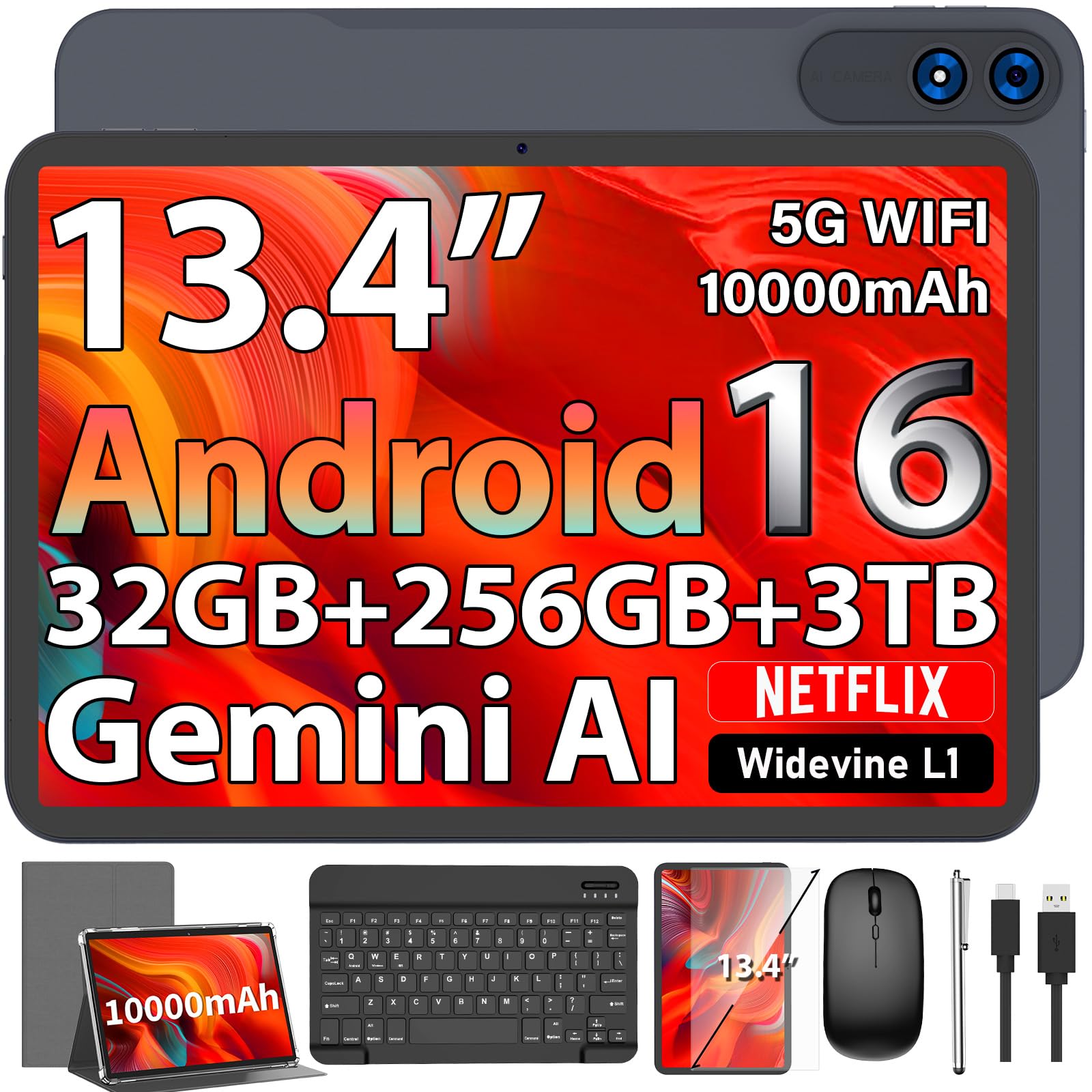
The biggest canvas on the list — a 13.4-inch panel that turns a full lecture into one page.
Screen size is the deciding factor here. A 13.4-inch display with 2K (1920×1200) resolution gives you roughly a third more diagonal viewing area than a 10-inch tablet, so a full textbook page or a wide slide deck fits without constant zooming. The 120Hz refresh rate is the fastest on this list, which makes scrolling and pen movement feel smoother than the 60Hz panels elsewhere. Widevine L1 certification (a streaming license tier) means Netflix and YouTube play in high definition rather than being capped low.
The 10000mAh battery is the largest capacity here, rated for up to 12 hours of video streaming. The Unisoc T615 octa-core processor with 32GB of RAM (8GB physical plus 24GB virtual) and 256GB of expansion-ready storage handles heavy multitasking. The bundle throws in a keyboard, mouse, stylus, case, and screen protector, so you get a full workstation in one box.
It is not the best handwriting device on this list, though. Stylus sensitivity is not the focus here, so if pen accuracy is your top priority the Lenovo or either XPPen will serve you better. The mixed reliability feedback in buyer reviews is worth considering, and the 2.5+ star rating across roughly a thousand owners tells you the finish and long-term dependability are the areas people hesitate on.
Buy it for: the huge 13.4-inch 2K screen and 10000mAh battery if reading and streaming are your main jobs.
skip it if: you need pro-grade stylus precision or you weight long-term reliability heavily.
2. Lenovo Idea Tab
The note-taker’s tablet that gets the pen feel and the screen sharpness right on the first try.
A 2560 x 1600 screen on an 11-inch panel is the standout here. That resolution keeps small handwriting legible even when you zoom out to review a full page, and the 90Hz refresh rate (how many times per second the screen redraws) makes the pen line follow your hand with far less trailing than a standard 60Hz panel. The tab pen and folio case are already in the box, so you are not hunting for a compatible stylus afterward.
The MediaTek Dimensity 6300 processor with 8GB of memory is the reason note apps stay snappy while you keep a lecture slide open in split screen. Lenovo bundles four learning apps — Lenovo AI Note, Squid, Nebo, and MyScript Calculator — and that set is genuinely aimed at writing, organizing, sketching, and calculating rather than general entertainment. Quad Dolby Atmos-tuned speakers and 72% NTSC color coverage round out the package for streaming between classes.
What keeps this at the top is that it holds up on the unglamorous details. The 7216mAh battery is rated for up to 12 hours of YouTube, and the 20W charger refills it quickly. A microSD slot is there if your notes and PDFs outgrow the built-in storage. The included folio and pen mean the whole note-taking setup arrives at once. This is the tablet to buy if you want the least compromise per dollar.
What earns the top spot
- The 11″ 2.5K (2560 x 1600) display with a 90Hz refresh keeps dense handwriting sharp and pen strokes smooth.
- Dedicated pen and folio case included — no separate stylus purchase needed before you can write.
- Four purpose-built learning apps (Lenovo AI Note, Squid, Nebo, MyScript Calculator) cover writing, sketching, and math.
- 12-hour YouTube battery rating and 20W charging keep it usable through a full campus day.
The honest catch
- It runs Android 15 with Lenovo’s custom UI, not the newer Android 16 the budget models here advertise.
- Connectivity feedback in buyer reviews is mixed, so heavy reliance on wireless casting is worth thinking through.
Reach for this if: you want one unboxing to cover pen, case, screen, and horsepower for daily note-taking.
Hold off if: having the latest Android version number matters more to you than display quality.
3. TCL NXTPAPER 11 Gen 2
A screen engineered to be stared at for hours, with a pen that reads every gradation of your hand pressure.
Where the Lenovo leads on pixels and speed, this one leads on how the screen treats your eyes during long sessions. NXTPAPER 4.0 combines a TÜV-certified low blue light rating, an anti-glare coating, and DC dimming (which removes the invisible flicker some people notice on LCD panels). The 4096-pressure-level T-PEN stylus responds to how hard you press, so a faint stroke stays light and a firm one darkens — the same basic idea the Lenovo pen uses, just tuned differently.
The three VersaView modes are the feature that separates this from everything else on the list. Regular Mode handles streaming and video calls, Ink Paper Mode turns the panel into an e-reader-like surface for reading and extended writing, and Color Paper Mode softens saturation for digital art and comics. Pulling a PDF into Ink Paper Mode for an hour is noticeably easier on the eyes than staring at a bright, glossy panel the same length of time.
The MediaTek Helio G80 processor with 8GB + 8GB RAM and 128GB of storage (expandable up to 1TB) handles daily notes without complaint, and the 8000mAh battery with 18W PD charging gets through a full study day. Reverse charging is a nice extra — you can top up a phone or earbuds from the tablet itself. The 0.29-inch profile and 1.1-pound weight make it comfortable to hold one-handed while you write.
The performance picture is genuinely split in buyer feedback, with some praising how it handles everyday tasks and others running into trouble after a few months of use. Screen comfort and resolution are what buyers respond to most strongly, so if your priority is an easy-on-the-eyes writing surface, this is the pick — just budget for the reality that a small number of units have not aged well.
The VersaView advantage: being able to flip between a vivid panel and a muted, paper-like surface in Settings is something no other tablet on this list offers, and it is the reason this earns a place above cheaper rivals for anyone who reads as much as they write.
Worth knowing: this runs Android 15 rather than the newer 16 that several budget options advertise, so weigh screen comfort against software recency before you commit.
Best for: readers and writers who want a softer, less glaring screen for hour-long note and reading sessions.
Think twice if: you need the newest Android build or uninterrupted reliability above all else.
4. XPPen Magic Note Pad
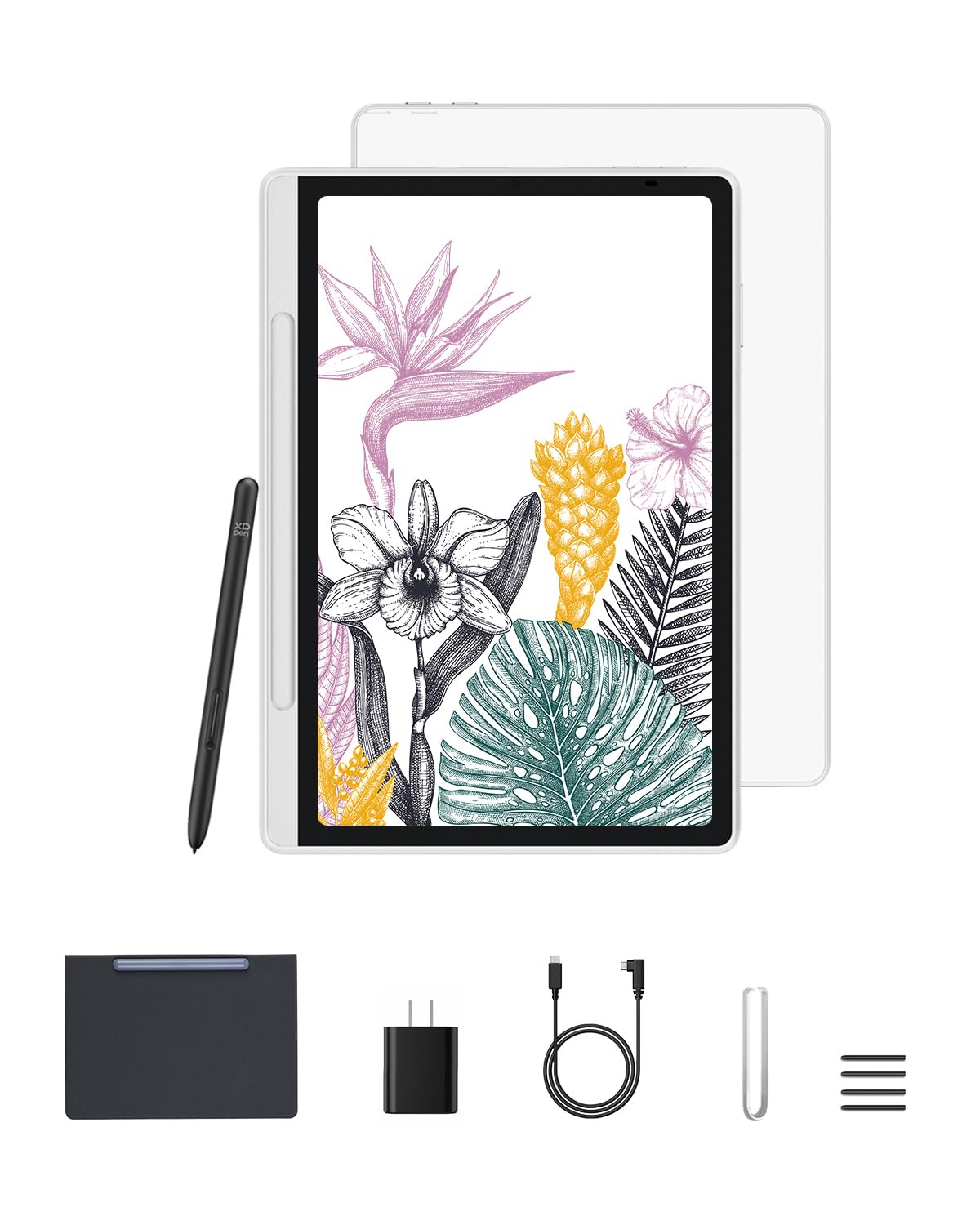
Sketch-grade control in a slate thin enough to forget it is in your bag.
If you sketch as often as you take notes, the 16384 pressure levels on the X3 Pro Pencil 2 are the headline. That is the finest pen sensitivity on this list, and it is what lets you shade a drawing with the same subtlety as a pencil on paper. The 10.95-inch X-Paper display uses AG nano-etching (a microscopic surface texture) to add friction under the tip, so strokes have a slight drag instead of sliding across slick glass. The pencil needs no battery at all — there is nothing to charge, ever.
The screen shows 16.7 million colors in Natural Mode and carries TÜV-certified low blue light and anti-glare treatment. The 90Hz refresh rate keeps line transitions smooth as you draw, which is the difference between a line that tracks your hand and one that lags behind it. At 7mm thick and 495 grams, it slips into a bag without a bulge, and the pre-installed XPPen Notes app is free for life.
Functionality is what buyers respond to most, followed by the value they feel they got for the price. The practical limit is that this is a focused creative device: you get Android 14 and Google Play for extra apps, but the design centers on XPPen’s note and sketch workflow rather than general productivity. Run one demanding app at a time and it holds up well.
Pick this one if: drawing and handwriting are your main jobs and you want the most sensitive pen here.
Look elsewhere if: you want a general-purpose laptop replacement rather than a dedicated creative tool.
5. XPPen 3 in 1 Color Digital Notebook

One button, three screens — the note pad that switches personalities to match the page in front of you.
The X-key is the defining feature here. One press cycles between Monochrome LCD, Light Color, and Nature Color modes, so you can drop into a paper-white surface for reading, a muted tone for annotating, and full color for sketching without digging through menus. The 10.95-inch AG nano-etched LCD uses TCL NXpaper 3.0 technology and cuts up to 95% of ambient light interference, so the screen stays readable with a light source behind you.
The same 16384 pressure levels and battery-free X3 Pro Pencil 2 as the Magic Note Pad appear here, so handwriting gains stroke thickness and color depth based on how hard you press. The XPPen Notes app is included with a permanent membership and handles handwriting-to-text conversion, audio recording, PDF import and editing, and auto-save to OneDrive or Google Drive. An AI assistant and one-click app wake round out the software side.
Buyers consistently point to performance and the display as the reasons they are happy, with versatility and writing experience close behind. Two practical limits are note before you buy. The 8000mAh battery is rated at 4 hours, the shortest runtime here, and the etched glass dims when viewed from the side. Use it head-on and you get the intended experience.
Why the button matters: cycling display modes with one press is a genuine workflow shortcut if you move between reading, annotating, and drawing in the same session.
Set your expectations: the 4-hour battery rating and narrow viewing angle mean this is a desk-and-lap device, not an all-day wanderer.
Suits you if: you annotate PDFs and switch between paper-white reading and color sketching daily.
Your alternative: a longer-lasting tablet if you are away from a charger for most of the day.
6. YOBANSE Android Tablet

The long-haul option — a day and a half of class notes on a single charge.
A 16-hour battery rating is the standout number on this tablet, and it is the reason it earns a spot for anyone who spends long stretches away from an outlet. The 8000mAh cell powers that rating, and the USB-C port supports bidirectional fast charging. The 10.1-inch HD IPS screen handles writing and video, though its 1280×800 resolution trails the 2K panels higher up this list.
Inside, the YOBANSE runs Android 16 with the Gemini AI engine, plus a 3562 octa-core processor and 26GB of memory (4GB physical plus 22GB virtual). That combination handles note apps, split-screen study, and video calls without stutter. Storage lands at 256GB with microSD expansion up to 2TB, enough for a semester of PDFs and recordings. The dual-band 5G WiFi and Bluetooth 5.0 keep peripherals connected reliably.
Where this sits practically: it is a strong pick for light typing and video calls, but it is not built for demanding pen work. The stylus in the bundle is a basic tool, not a pressure-sensitive writing instrument, so treat this as a keyboard-first note-taker. The 13MP rear camera and 5MP front camera handle document scanning and video meetings without fuss.
Where it wins: the 16-hour battery rating is the longest quoted runtime among the 10-inch tablets here, which makes it the pick for back-to-back days away from power.
Best fit: students and remote workers who need the machine to survive an entire day unplugged.
Not for you if: you want a pressure-sensitive pen for sketching and handwritten annotation.
7. Suicoey 10 inch Tablet

Everything you need to start typing notes, minus the flimsy extras some kits leave out.
The T606 octa-core processor with 10-inch HD IPS screen is the working core here, and for the money it covers video and note apps comfortably. The 8000mAh battery carries a quoted 16-hour average life, the longest runtime on the list. Widevine L1 support means Netflix and Prime Video stream in high definition, and the dual stereo speakers make video playback usable without headphones.
Storage works out to 32GB of ROM with 256GB built in, plus microSD support up to 2TB for expansion. The bundle includes a keyboard, mouse, stylus, protective case, and everything you need to switch between tablet and PC mode. Buyers describe it as a solid low-end machine that punches above the other budget tablets they have owned, with screen quality holding up for daily writing and video.
Realistically, the stylus here is a basic implement rather than a precision writing tool, so plan to use this with the included keyboard for typed notes. There is also a small reliability tail: at least one reviewer noted the screen separating from the base near the volume and power buttons within two months. That is an outlier rather than the pattern, but it is worth knowing the hardware is not built like a premium model.
The reasons to buy
- 16-hour battery rating on an 8000mAh cell covers a full day of classes.
- Widevine L1 means streaming services deliver HD instead of a downgraded stream.
- Full kit in the box — keyboard, mouse, stylus, case, and cabling included.
The trade-offs
- The bundled stylus is basic, not pressure-sensitive, so it is best for tapping and quick marks.
- A minor share of buyers report durability issues, so handle the screen with a little care.
Great for: first-time note-takers who want a complete, ready-to-go kit without shopping for accessories.
Better to pass if: you need a pressure-sensitive pen for handwriting and sketching.
8. Jeazans Android 16 Tablet — 10.1″, 24GB+64GB, 2-in-1 Bundle

The bundle where everything is included and the warranty actually means something.
For a tablet this affordable, the standout inclusions are WiFi 6 (the newer, faster wireless standard) and PD fast charging. The 10.1-inch 1280×800 screen is standard for the price tier, and 24GB of memory (3GB physical plus 21GB virtual) with 64GB of storage keeps everyday apps responsive. You also get a one-year brand warranty and a stated 30-day return window, which is more coverage than most of the other budget options here offer.
The complete kit includes a Bluetooth keyboard, a wireless mouse, a stylus pen, and a folding leather case with 360-degree protection and multiple viewing angles. That last detail matters: unlike some cases that only fold one way, this one adjusts to your writing angle, which makes lap-based note-taking less awkward. Dual cameras handle video calls for online classes and remote meetings, and the Android 16 system brings improved privacy controls.
It is a small screen to write on at 10.1 inches, and the 64GB of storage is the smallest here, so you will likely want a microSD card before loading a semester of PDFs. Those are the trade-offs for the entry-level price. If you want the most complete cheap package with real warranty backing, this fits.
The case details that count: a folio that adjusts to multiple angles is a surprisingly functional feature for handwriting sessions — it does more for comfort than an extra gigabyte of virtual RAM would.
The smart entry point: for a first tablet where you want everything in one purchase and clear warranty coverage.
Where it falls short: users who need a large screen or heavy storage capacity should look higher up the list.
Know the Specs
Pen pressure and stylus type
Pressure levels count how many sensitivity steps the screen recognizes, so a higher number lets you vary line weight naturally with your hand. The XPPen models list the highest figure on this list at 16384 levels, while the TCL lists 4096. A battery-free stylus, like the X3 Pro Pencil 2, draws power from the screen itself — nothing to charge, nothing to lose. Cheaper bundles ship a basic capacitive stylus that works for tapping and simple marks but does not sense pressure. If handwriting is your main use, prioritize pressure support over screen size.
Virtual RAM versus physical memory
Budget tablets often advertise a big memory number that folds in virtual memory borrowed from storage. The QDDQ lists 32GB as 8GB physical plus 24GB virtual, and the YOBANSE lists 26GB as 4GB plus 22GB virtual. Virtual memory helps apps stay open when you switch tasks, but the real, physical memory is what determines how many apps run smoothly at once. When comparing two tablets, look at the smaller, physical figure and treat the virtual number as a bonus rather than the headline.
Common Questions
Will a cheap tablet work for handwriting notes as well as typing them?
How many pressure levels do I actually need for good handwriting?
Does Android 16 make a real difference versus Android 15 for note-taking?
Is a paper-like etched screen better than smooth glass for writing?
How long does the battery last on these tablets for a full class day?
Can I expand the storage on these tablets with a microSD card?
Do the included styluses need charging or batteries?
Why do some tablets advertise 32GB RAM when they have only 8GB?
What is Widevine L1 and does it matter for a note tablet?
Are these tablets good enough for video calls and online classes?
The Bottom Line
For most note-takers, the cheap tablet for note taking winner is the Lenovo Idea Tab because it pairs a 2.5K display with a pen and folio in the box, backed by a strong record across hundreds of owners. If reading comfort matters more than raw sharpness, grab the TCL NXTPAPER 11 Gen 2 for its paper-like Ink Paper Mode. And for sketching alongside note-taking, the XPPen Magic Note Pad gives you the finest pen sensitivity on the list. Whichever you choose, match the pen and battery to how you actually work, and skip anything whose stylus cannot sense pressure — that is the spec that makes or breaks a writing tablet.
How we choose
We do not accept paid placement. Every pick is matched to a real buyer and a real use-case; we do not hands-on test units.
Sources
Specifications: manufacturer listings and product documentation. Review insights: verified customer reviews, as of October 2026. Pricing: not shown on this page (it changes often); check the current price via the retailer link.
As an Amazon Associate, Aappliancez earns from qualifying purchases. This does not affect which products we feature.