Disclosure: Some links in this post are affiliate links. As an Amazon Associate I earn from qualifying purchases, at no extra cost to you. Learn more
Specs are compiled from manufacturer listings and verified buyer reviews and can change over time — please confirm the key details on the product page before buying.
You do not need to spend a fortune to get a mouse that tracks smoothly and survives years of daily clicking. The trick is knowing which specs actually matter at the budget end — and which are just padding on the box. This guide breaks down seven genuinely cheap mice that each nail a different job, from a wireless workhorse with a massive owner base to a wired gaming pick with an 8,000 DPI sensor.
This guide is built by comparing the manufacturers’ published specifications and the patterns across verified customer reviews, so you get each pick’s real strengths and trade-offs instead of marketing spin.
If you want the short version: a plain 2.4 GHz wireless mouse with a nano receiver is still the safest buy for most desks, and the current crowd favorite holds 4.5+ stars across 70,000+ owners for a reason. That is exactly why this best cheap mouse roundup leads with it and sorts the rest by what they do best.
Top Picks

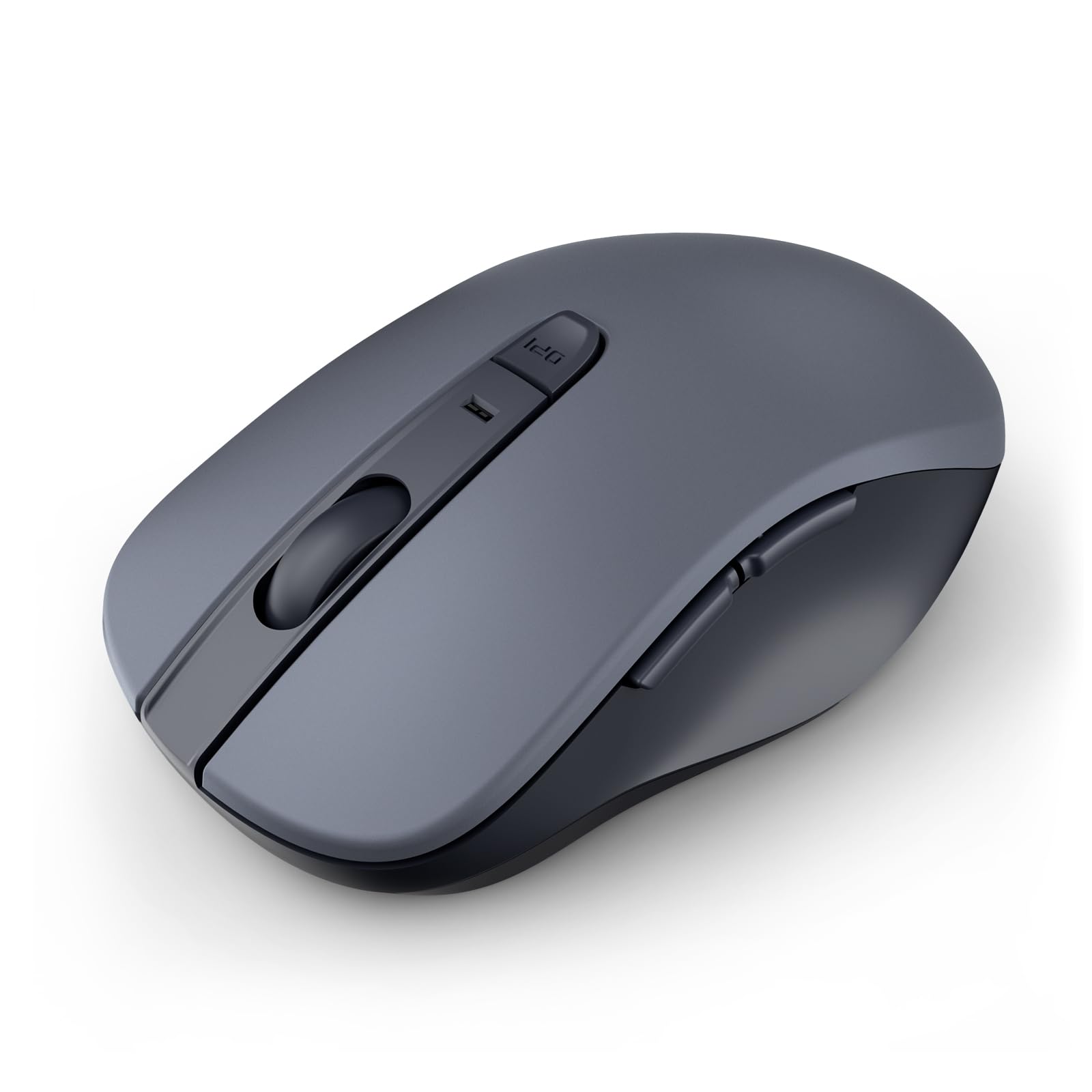
How To Choose The Best Cheap Mouse
Most cheap mice look like the same black plastic shell, so ignore the marketing and check four things: how it connects, how it is powered, how many buttons it gives you, and whether it fits your hand. Get those four right and almost any pick below will serve you well.
Connection type matters more than the sensor
For a fixed desk setup, a 2.4 GHz mouse (it talks to a tiny USB receiver plugged into your computer instead of over Bluetooth) is the most reliable option, because the receiver gets a dedicated signal rather than sharing the airwaves with your phone and headphones. Bluetooth mice skip the dongle entirely, which is handy for a tablet or a laptop with only one or two spare ports. If you want zero battery worries, a wired mouse sidesteps the whole question — no charging, no swapping AAs, no sleep-mode wake-up clicks.
Battery: AA cell, rechargeable, or none
Most cheap wireless mice run on a single AA battery, and some take two. That matters for two reasons — a two-battery design feels heavier in the hand, and you need to know whether the battery comes in the box. Several picks here ship without one, so factor that into your first day of setup. A wired mouse simply never enters this conversation.
Buttons, grip, and hand size
The jump from three buttons to five or six is the single biggest usability upgrade at this price. Two extra side buttons let you flick forward and back through web pages or documents with your thumb, which saves real time across a workday. Beyond that, check whether the mouse is shaped for a right hand or works either way, and whether the body is sized for small hands or built for medium to large ones. A mouse that fights your grip will annoy you long after the spec sheet stops mattering.
Side-by-Side Comparison
| Model | Best For | Buttons | Connection | DPI Levels | Amazon |
|---|---|---|---|---|---|
| Amazon Basics 2.4 GHz Wireless Optical Mouse★ Best Overall | Everyday desk work | 3 | 2.4 GHz USB | — | Amazon |
| wegear Bluetooth Mouse Silent WirelessQuietest Pick | Quiet shared offices | 6 | Bluetooth 5.0 | 800 / 1200 / 1600 | Amazon |
| Acer Wireless Mouse for Laptop 2.4GHz | Big hands, big screens | 6 | 2.4 GHz USB | 800 / 1200 / 2400 / 3200 / 4000 | Amazon |
| Razer DeathAdder Essential | Casual PC gaming | 5 | Wired USB | Up to 6400 | Amazon |
| INFINMIND Wireless Side Scroll Mouse | Spreadsheets and side scrolling | 7 | 2.4 GHz + Bluetooth | 1000 / 1600 / 2400 / 3000 | Amazon |
| UGREEN Ergonomic Wireless Mouse | Wrist-friendly long sessions | 5 | 2.4 GHz + Bluetooth | 1000 / 1600 / 2000 / 4000 | Amazon |
| Logitech G203 Wired Gaming Mouse | Gaming and precision work | 6 | Wired USB | Up to 8000 | Amazon |
Detailed Reviews
1. Amazon Basics 2.4 GHz Wireless Optical Computer Mouse
The plain black wireless mouse that quietly out-sells almost everything else on this list.
If you just want a mouse that works the moment you plug it in and never asks anything of you, this is the one. It connects over 2.4 GHz through a nano receiver — a tiny USB dongle small enough to leave parked in your laptop without snagging on a bag — and that receiver also stows inside the mouse body when you travel. Setup is genuinely plug-and-play, and it runs on a single AA cell rather than needing a charging cable tucked behind your desk.
The shape is the real reason it has stayed popular. It is ambidextrous, so it works in either hand, and the 3.97″L x 2.28″W body is compact enough for smaller desks and crowded laptop bags. At 0.1 kg it sits light in the palm, which suits long typing-and-clicking days. It is a three-button layout, meaning left, right, and a scroll wheel — no thumb buttons here. If you have never used side buttons you will not miss them; if you have, the Acer further down gives you six buttons and a wider 4.9″L x 2.7″W body instead.
What wins people over is simple reliability — it works right away, tracks smoothly, and feels natural in the hand whether you grip it claw-style or rest your palm on it. The honest catch is durability. Plastic this inexpensive does wear, and the long-term gripes tend to center on the shell and switches aging rather than anything breaking on day one. Battery life also draws a split verdict, so keep a spare AA in a drawer and you will never think about it. The crowd verdict here is strong — 4.5+ stars across 70,000+ owners — and for a desk mouse that is about as safe as a purchase gets.
What earns it the top spot
- Nano receiver stows inside the body, so nothing gets lost in a bag
- Ambidextrous 3.97″L x 2.28″W shell suits either hand and small desks
- Runs on one AA battery with no charging cable required
- Tracks smoothly and pairs instantly with no software to install
Worth knowing before you buy
- Three buttons only — no thumb buttons for page navigation
- The all-plastic shell is the part that ages fastest over years of use
- Ships with the receiver stored inside; you have to remove it before first setup
Reach for this if: you want a fuss-free wireless desk mouse and never want to think about drivers, dongles, or charging again.
Look elsewhere if: you rely on forward and back thumb buttons daily — the six-button Acer below is the better fit for that.
2. wegear Bluetooth Mouse Silent Wireless Mice
The one you can click through a whole meeting without anyone hearing it.
If you share a desk, a library table, or an open-plan office, this is the pick that keeps the peace. The left, right, and scroll wheel buttons are all built silent, so clicking does not carry. It pairs over Bluetooth 5.0 through Microsoft Swift Pair, which means Windows can spot it and offer to connect without you digging through menus — and Bluetooth means no USB dongle eating a port on a thin laptop.
The numbers behind the quiet build are honest ones. The left and right buttons are rated for up to 3 million clicks, and the scroll wheel for up to 300,000 cycles — real working-life figures rather than vague claims. It runs on a single AA battery said to last up to 24 months, then drops into sleep mode after 30 seconds of inactivity to stretch that further. You get three DPI levels to switch between — 800, 1200, and 1600 — via a dedicated DPI button, which covers browsing and document work comfortably.
There are two things to know going in. It is a right-handed design, so lefties should look at the ambidextrous Amazon Basics instead. And the two extra side buttons will not work on a Mac — that limitation is baked in, not a defect. The battery is one AA that is not included, and it is not rechargeable, which splits opinion but keeps the price down. For quiet office work with a Windows machine, this is the tidy choice.
Where it shines: silence is the whole point here, and it does not come at the cost of feel — the sculpted right-hand grip is shaped to sit naturally under your palm for long stretches.
The fine print: forward and back buttons are not recognized on Mac, so Apple users lose the productivity half of a six-button mouse.
Suits you best if: you work on Windows next to other people and want clicks that vanish into the background.
Give it a pass if: you are on a Mac and want those thumb buttons to actually do something.
3. Acer Wireless Mouse for Laptop
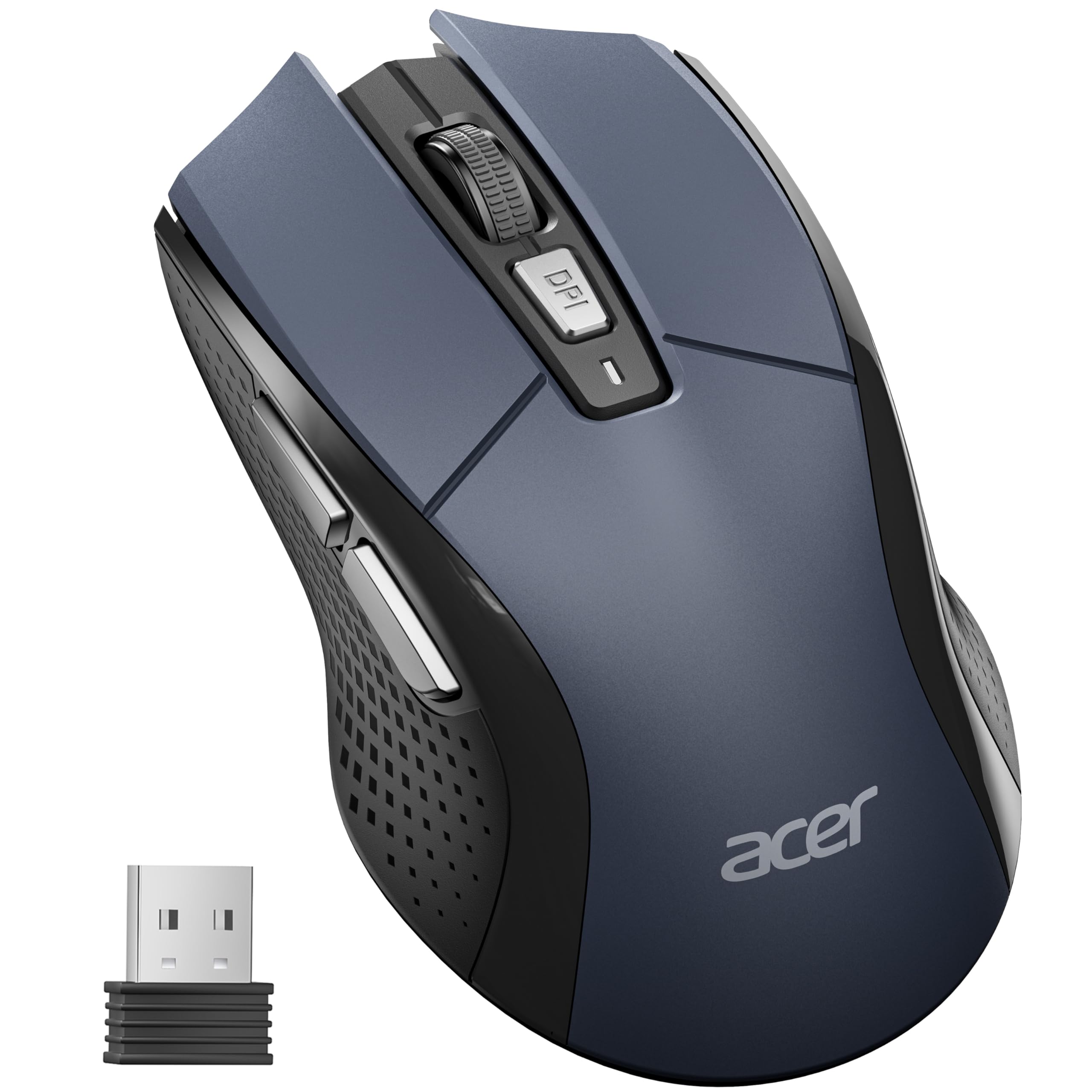
A wide-bodied wireless mouse that finally fits a large palm properly.
Most cheap mice are built small, which leaves big-handed users curling their fingers into a claw all day. This Acer solves that with a genuinely roomy body — 4.9″L x 2.7″W that is noticeably larger than the Amazon Basics at 3.97″L x 2.28″W — and it is shaped specifically for medium to large hands. It also carries six buttons to the Amazon Basics’ three, so you get forward and back thumb navigation for flicking through web pages and folders one click at a time.
Sensitivity is where this one leads the pack. You get five adjustable DPI levels — 800, 1200, 2400, 3200, and 4000 — and a visible indicator light flashes once for 800 DPI, twice for 1200, and so on up to five flashes at 4000, so you always know where you are. It connects over 2.4 GHz with a stable link said to reach up to 33ft, pairs instantly through the USB-A receiver, and uses a single AA battery. The click rating runs to 10 million clicks, and it drops into standby after 10 minutes of idle time to save power.
Two quirks are worth flagging honestly. The power-saving sensor sleeps after a very short idle window, and waking it takes a click rather than a nudge of the mouse — one owner described that wake-click landing on whatever was under the cursor, so give it a click in open space. Sensitivity settings also split opinion: lightning-fast at the top end, but some find the middle range lacks a comfortable normal speed. Neither is a dealbreaker, and for large hands the fit advantage easily outweighs them.
What buyers report: fast action, strong power-saving, and a simple to use plug-and-play setup that went straight into Windows 11 without a hiccup. As one put it, “Comfortable, one battery lasts weeks, no software needed.”
The one niggle: the wake-from-sleep click registers as a real click, so build a habit of waking it over empty desktop space rather than over an open document.
Made for you if: your hands are medium to large and you want five sensitivity steps plus thumb buttons in one cheap wireless mouse.
Think twice if: you have small hands or want a no-dongle Bluetooth connection — this needs an open USB-A port and a bigger grip.
4. Razer DeathAdder Essential Gaming Mouse

Real gaming-grade hardware at a price that will not make you wince.
This is the pick for someone who wants a proper gaming mouse without paying gaming-mouse money. The 6,400 DPI optical sensor gives you more sensitivity ceiling than the Acer’s 4,000 DPI top setting, and you can adjust it on the fly through dedicated DPI buttons that are themselves reprogrammable. Around it sits a ridged, rubberized scroll wheel with small tactile bumps, built for controlled scrolling when precision matters, plus rubber side grips that keep your thumb and fingers planted during fast play.
It is a five-button layout, and all five are programmable through Razer Synapse — the companion software that lets you remap buttons and assign complex macro functions. The mechanical switches are rated for up to 10 million clicks and come with a 2-year warranty, matching the Acer’s click endurance. Unlike every wireless mouse on this list, it is wired with a standard cable, so it never needs an AA battery and never sleeps mid-game. It is 5.01″L x 2.86″W, sized for a right hand.
The recurring gripe is the scroll wheel. Over long-term use the wheel is the part owners mention failing or scrolling erratically and jumping around, so treat it as the wear point rather than a reason to skip an otherwise solid mouse. There is also no RGB lighting despite this being a Razer, and the 6,400 DPI sits below high-end gaming mice. For casual and mid-level play, though, this is a comfortable, responsive, genuinely durable-feeling mouse that many buyers come back to for a second one.
Why gamers keep buying it: the ergonomic shape cuts hand fatigue over long sessions, the rubber grips hold firm, and the sensor tracks smoothly and accurately.
The honest trade-off: the scroll wheel has a reputation as the first thing to wear out, and there is no RGB glow to dress it up.
A smart match if: you want entry-level gaming precision, macro-capable buttons, and a warranty, all without a battery to manage.
Skip the rush if: you want customizable RGB lighting or a scroll wheel you can abuse for years — a higher-tier gaming mouse is the safer long game.
5. INFINMIND Wireless Side Scroll Mouse with Multi-Device
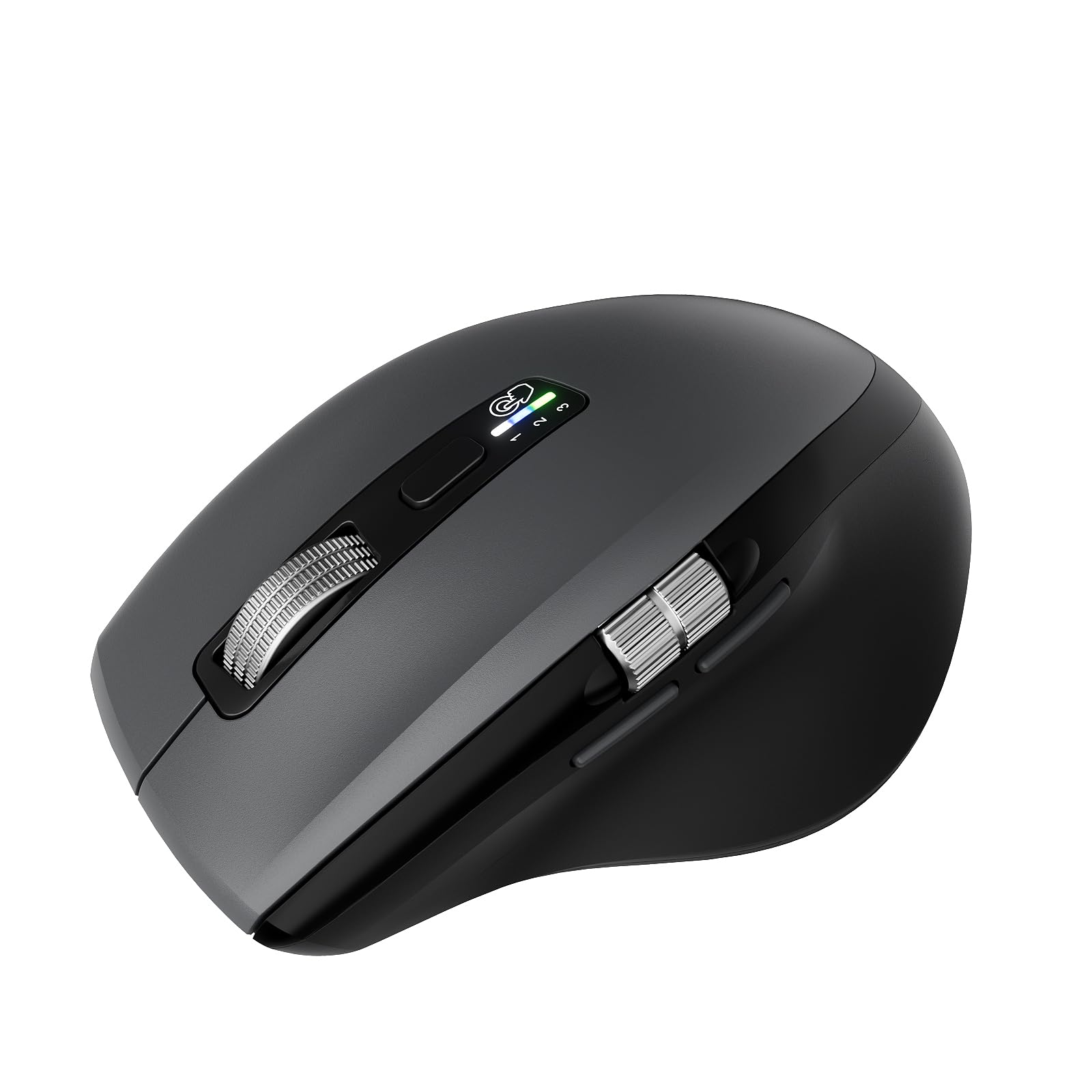
The seven-button spread that scrolls sideways through wide spreadsheets.
If your day runs through giant spreadsheets or wide browser tabs, the feature to care about here is the side scroll wheel. It lets you scroll left and right, not just up and down, which is a genuinely different way to move around a big document — and almost no cheap mouse offers it. On top of that sits a metal “smart flying scroll” roller built to spin fast and near silently, with an adaptive system that needs no manual switching between Windows and Mac.
The multi-device side is the quiet standout. It connects to three devices at once — one 2.4G USB dongle plus two over Bluetooth — and you hop between them with a single button press. That is the difference between this and every single-connection mouse on the list: one mouse for your laptop, desktop, and tablet. Battery life is listed at up to 20 months on one AA cell or up to 40 months with two, and both AA batteries come in the box, so you can pick one for a lighter feel or two for more weight and longer runtime.
It is a right-handed mouse at 150 g, which is on the heavier side but part of why it feels stable, and you get four DPI levels — 1000, 1600, 2400, and 3000. Reliability and connectivity are the areas where feedback splits, so test all three device pairings early while the return window is open. The contoured body with soft rubber grips is shaped to reduce hand fatigue across a long day, and the silent clicks keep it office-friendly.
The standout spec: three simultaneous connections (1x 2.4G USB plus 2x Bluetooth) with one-button switching turns this into a single mouse for a multi-device desk.
Be ready to test early: feedback on long-term reliability and connection stability is mixed, so pairing all three devices on day one is worth the five minutes.
Your mouse if: you juggle multiple devices or live in wide spreadsheets and want side scrolling plus silent clicks in one package.
Give it a miss if: you want the lightest possible mouse or prefer simple single-device pairing.
6. UGREEN Ergonomic Wireless Mouse, Bluetooth & 2.4G Wireless
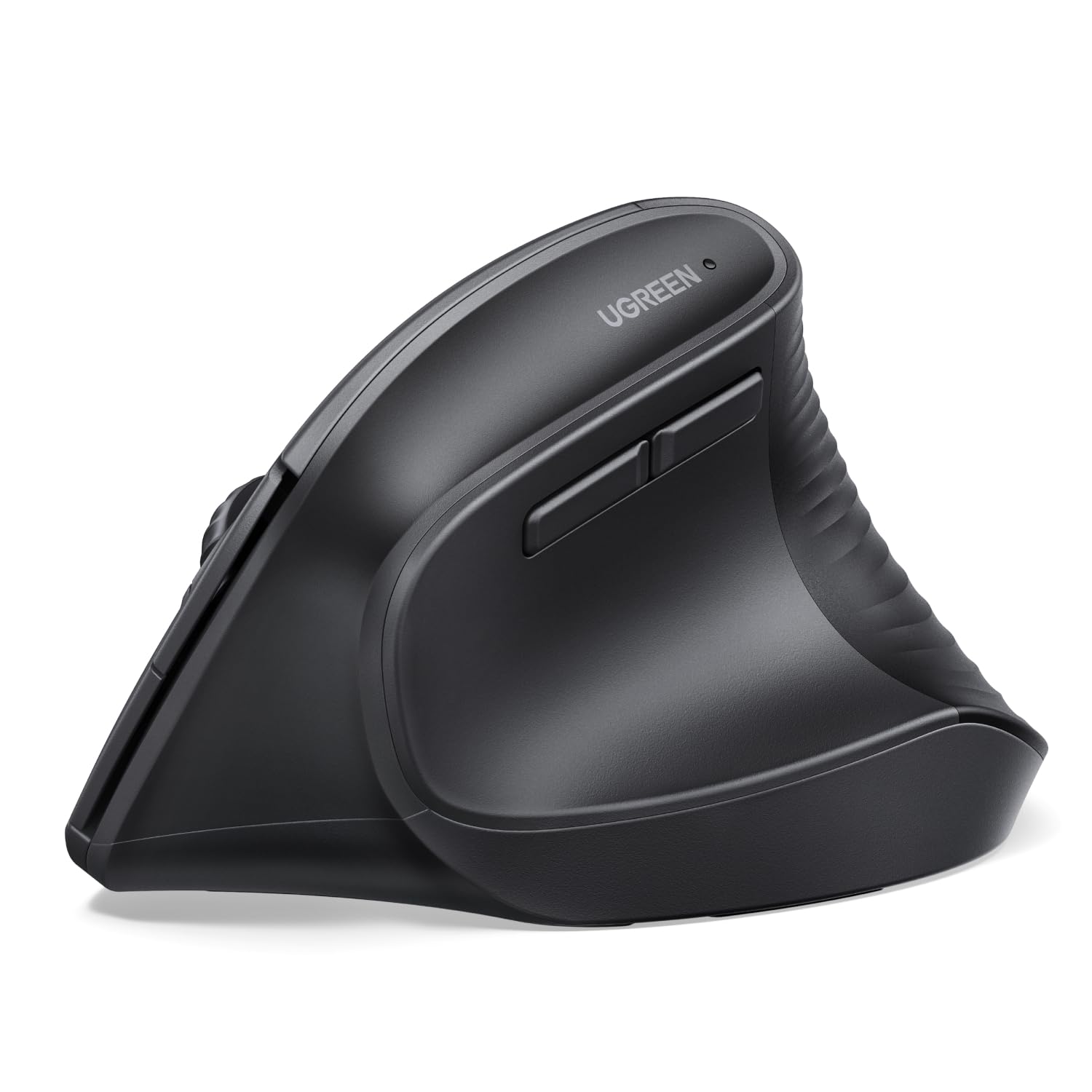
A vertical mouse that turns your handshake into your grip.
This is the one for desk workers who feel it in their wrist by the end of the day. Instead of forcing your palm flat, it puts your hand in a natural vertical handshake position, which cuts the wrist rotation and muscle strain a flat mouse creates. It is built for larger hands and long sessions, and the shape is the entire reason to choose it over a standard mouse. It is right-handed, and at 170 g it has real presence on the desk.
Day to day it is flexible. You connect over either 2.4G wireless or Bluetooth with a range of up to 10m, and you can switch between up to three devices with a button press. It runs on one AA battery with a smart sleep mode, and you get four adjustable DPI levels — 1000, 1600, 2000, and 4000 — for everything from precise document editing to faster movement. The PTFE glide feet (Teflon pads on the underside) reduce friction, so the mouse slides smoothly and more quietly across your desk. Quiet-click buttons and a five-button layout round it out.
Two caveats keep this honest. It is a big mouse, so it does not suit small hands — that is a fit issue, not a flaw. And some users find the thumb easily bumps the forward and back buttons, which press easily, so you may want to remap them. Older models have an AA battery door tab that a few long-term users report eventually breaking, and the battery is not included. For wrist-friendly, large-handed comfort at this price, it is hard to match.
Where the comfort comes from: the vertical design earns the most praise by far, and relief from wrist strain is the theme running through buyer feedback.
The catch: it is sized for big hands, so smaller-handed users should pass, and the sensitive thumb buttons may need remapping through a third-party tool.
Right for you if: you have larger hands and want a vertical grip plus the freedom to switch between three devices over Bluetooth or 2.4G.
Not the one if: you have small hands or need a mouse that plugs in and recharges without swapping batteries.
7. Logitech G203 Wired Gaming Mouse – Black

An 8,000 DPI sensor with zero smoothing, at a wired mouse price.
This is the highest-sensitivity mouse on the list — its 8,000 DPI optical sensor runs with zero filtering and smoothing for more control and precision than the standard mice here, notably above the Razer’s 6,400 DPI and the Acer’s 4,000 top setting. It is wired over USB Type-A with a 6.89 ft (2.1 m) cable, so no batteries and no sleep mode ever interrupt a session. You cycle through up to 5 DPI settings using the middle DPI button, and the six-button layout gives you room to assign commands through Logitech G HUB software.
The build is where the value shows. Mechanical primary buttons are tensioned with durable metal springs for crisp, precise clicks, and the enclosure is metal rather than the all-plastic shells most cheap mice use. It is 4.59″L x 2.45″W, sized nicely for small to medium hands and a fingertip or claw grip. The LIGHTSYNC RGB lighting is customizable through G HUB — colors, presets, or your own designs — and can sync with other LIGHTSYNC gear, flash to the beat, or react to screen color shifts.
Two things to plan for. The G HUB software sometimes reverts your RGB and DPI settings to default rainbow and 800 DPI on startup instead of remembering them, so some users switch to Logitech Onboard Memory Manager for a low-maintenance setup. Clicks are also loud and clicky — great if you like that feedback, less so in a shared quiet room. Feedback on durability and clicking is genuinely mixed, but the reliability record across a huge owner base is strong. For gaming precision on a budget, it is a standout.
What makes it fast: 8,000 DPI with zero filtering and 1,000 Hz polling give snappy, accurate tracking for gaming and 3D work.
The honest catch: G HUB can forget your saved lighting and DPI on startup, so Onboard Memory Manager is the cleaner path.
The winning pick if: you want a wired gaming mouse with a high-precision sensor, metal build, and customizable RGB without a battery to think about.
Look past it if: you need wireless freedom or want quiet clicks in a shared space.
Know the Specs
DPI (sensitivity)
DPI, or dots per inch, describes how far the cursor travels for every inch you move the mouse. Higher numbers mean faster cursor movement with less hand travel. At the budget end you will see everything from a fixed sensor up to 8,000 DPI. The key is adjustability: a mouse with several DPI levels, like 800/1200/1600 or 800 all the way to 4000, lets you set a comfortable speed for browsing and a faster one for large screens. Very high DPI values matter mostly for gaming and precise design work, not for everyday clicking.
Connection and battery
A 2.4 GHz mouse uses a small USB receiver for a dedicated, reliable link, while a Bluetooth mouse skips the dongle and pairs directly with your device. Some mice offer both and can switch between several devices. Power comes in three flavors — a single AA battery, two AA batteries for longer runtime but more weight, or a wired cable that needs no battery at all. Sleep modes after periods of inactivity save power, but be aware that a very short sleep timer can mean a wake-click when you resume.
Common Questions
What is the difference between a 2.4 GHz mouse and a Bluetooth mouse?
Will a cheap mouse work with my Mac?
How long does the battery last in a wireless mouse?
Is a higher DPI mouse better?
Do I need to install software to use a cheap mouse?
Will a vertical mouse like the UGREEN help my wrist?
Are wired or wireless mice better for gaming?
What button layout should I look for?
Can I use one mouse across multiple devices?
Why does my mouse sleep and need a click to wake?
The Bottom Line
For most desks, the cheap mouse to buy is the Amazon Basics 2.4 GHz Wireless Optical Mouse — it pairs instantly, stows its own receiver, and has the deepest reliability record of anything here. If you want gaming-level precision, grab the Logitech G203 for its 8,000 DPI sensor and metal build. And for wrist-friendly comfort in larger hands, the UGREEN Ergonomic Wireless Mouse is the one to reach for.
How we choose
We do not accept paid placement. Every pick is matched to a real buyer and a real use-case; we do not hands-on test units.
Sources
Specifications: manufacturer listings and product documentation. Review insights: verified customer reviews, as of October 2026. Pricing: not shown on this page (it changes often); check the current price via the retailer link.
As an Amazon Associate, Aappliancez earns from qualifying purchases. This does not affect which products we feature.