Disclosure: Some links in this post are affiliate links. As an Amazon Associate I earn from qualifying purchases, at no extra cost to you. Learn more
Specs are compiled from manufacturer listings and verified buyer reviews and can change over time — please confirm the key details on the product page before buying.
Here is the short answer. Want one box that plays 4K HDR (ultra-sharp picture with richer color and contrast) without fuss? Buy the NVIDIA Shield TV Pro. Want the cheapest way to make an old TV smart? Buy the Roku Streaming Stick 4K. Everything else here sits between those two. Your pick depends on three things: does your Wi-Fi reach the room, can your TV actually show 4K HDR, and do you want a stick that hides behind the TV or a box that sits on the shelf with ports.
This guide is built by comparing the manufacturers’ published specifications and the patterns across verified customer reviews, so you get each pick’s real strengths and trade-offs instead of marketing spin.
Here is what actually separates a good streamer from a frustrating one, and how to pick the right 4k hdr streaming media player for your living room.
Top Picks

How To Choose The Best 4K HDR Streaming Media Player
Almost every streamer on the shelf claims 4K. What separates smooth playback from a nightly buffering fight depends on three things: your Wi-Fi, your TV’s HDR format (the type of high-dynamic-range signal it can display), and how much storage the device carries. Get those three right and the rest is preference.
Your Wi-Fi decides more than the processor does
A 4K stream pushes roughly four times the picture data of HD, so the wireless link is the bottleneck, not the chip. A device that supports Wi-Fi 6 (a newer wireless standard built to handle many connected devices at once) keeps 4K smooth even when phones and laptops share the network. Wi-Fi 6E adds a second, less crowded frequency band for the same job. If your router sits several rooms away, look for a model with a long-range receiver or an Ethernet port — an Ethernet port is a physical cable connection that removes wireless interference entirely.
Match the HDR format to your TV, not the box
Dolby Vision and HDR10+ are two competing HDR formats that adjust brightness and color scene by scene. Both look excellent, but your TV panel has to support the same format to benefit. Buying a streamer with Dolby Vision that plugs into an HDR10-only TV means you paid for a feature you cannot see. Check your TV’s spec sheet before you commit to a premium pick.
Storage and form factor
A stick hides behind the TV and leaves your shelf clean, but it usually has less storage and no USB or Ethernet. A box sits out in the open and gives you expansion ports. Fire TV’s 4K Max carries 16GB of storage — double what some sticks offer — which matters if you install games or accumulate apps.
Side-by-Side Comparison
| Model | Best For | Form Factor | HDR Support | Wireless | Amazon |
|---|---|---|---|---|---|
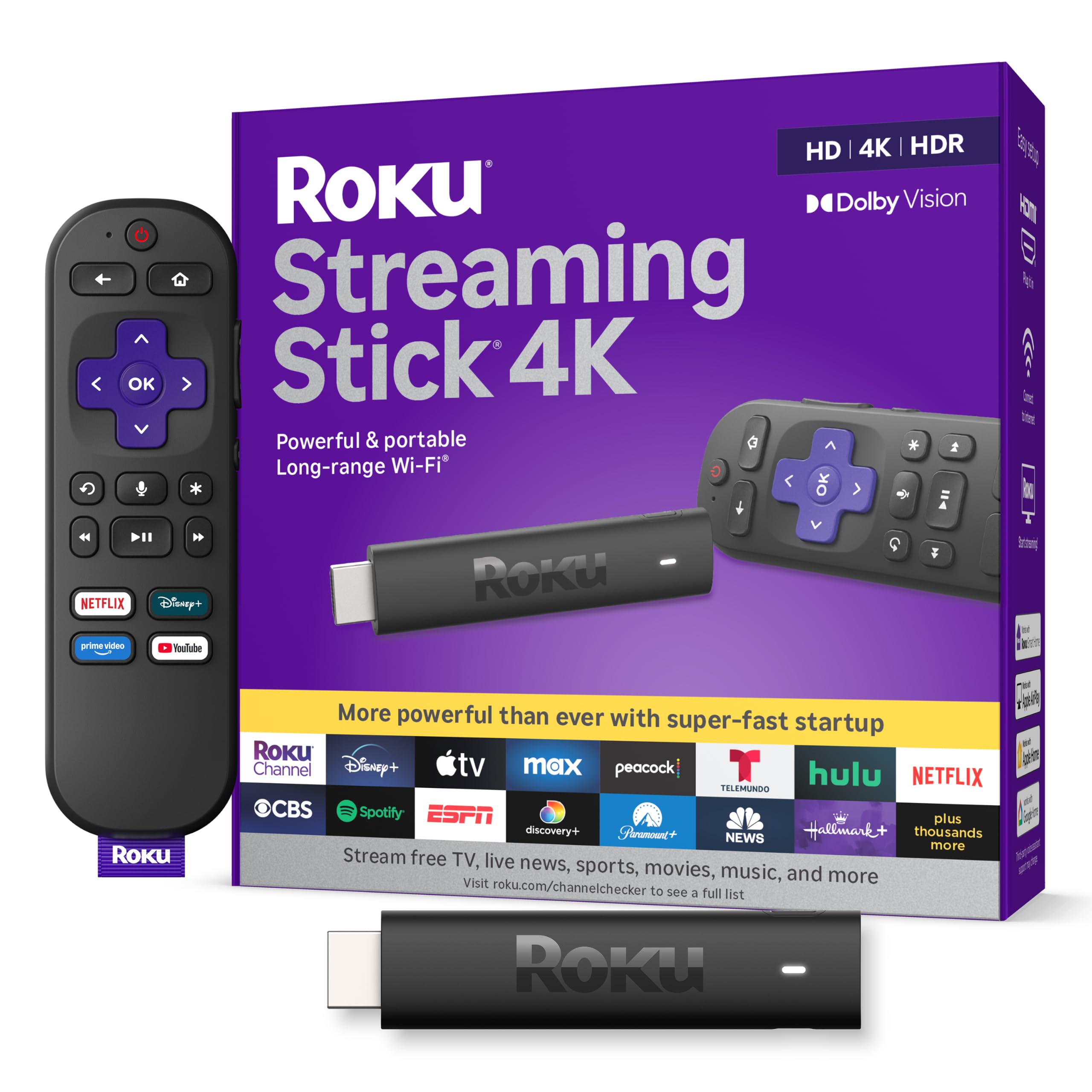
| Roku Streaming Stick 4K★ Best Overall | Budget room-by-room upgrades | TV Stick | Dolby Vision & HDR10+ | Long-range Wi-Fi | Amazon |
| NVIDIA Shield Android TV ProTop Performer | Home theater and local media libraries | TV Box | Dolby Vision | Gigabit Ethernet & dual-band AC Wi-Fi | Amazon |
| Like-New Fire TV Stick 4K | Refurbished value buyers | TV Stick | Dolby Vision & HDR10+ | Wi-Fi 6 | Amazon |
| Fire TV Stick 4K Max | Speed and storage on a mid-range budget | TV Stick | Dolby Vision & HDR10+ | Wi-Fi 6E | Amazon |
| Roku Ultra Streaming Media Player | Wired connections and packed-in extras | Box (with 6-ft HDMI cable & JBL headphones) | HD, 4K & HDR | Roku’s best wireless, plus Ethernet, USB & microSD | Amazon |
| Chromecast with Google TV | Google Assistant households | TV Stick | 4K HDR | Bluetooth & Wi-Fi | Amazon |
Detailed Reviews
1. Roku Streaming Stick 4K
Our pick — 4.5+★ from 99,000+ verified ratings; the strongest balance of quality and price.
The tiny stick that hides behind your TV and still pulls in a far-away router
The Roku Streaming Stick 4K is the easiest recommendation in this whole lineup because it removes the two things that make a streamer annoying: weak Wi-Fi and a cluttered interface. Its long-range Wi-Fi receiver pulls in signals from rooms farther from your router, which is the exact problem people hit when they try to add streaming to a bedroom or basement TV. It supports Dolby Vision and HDR10+ — the two big HDR formats — so it matches whichever one your TV happens to carry. And at 3.7 by 0.8 by 0.45 inches, it slides behind the panel without crowding the neighboring HDMI ports.
Setup is where this pick quietly wins. Buyers report that the box works right from the start post-update, guided by your phone, with automatic app login that does most of the account entry for you. The interface itself is uncluttered and quick, and buyers who came from older Roku models call the menus snappier than an Ultra LT. It runs on a free Roku account, so you skip Google and Amazon logins on a second or third TV.
The honest catch is the remote. Roku’s customers flag it as the single most-disputed part of the package — it pairs through Wi-Fi Direct rather than infrared, so it only works with the included remote. Buyers also want to know the shortcut buttons on the remote are non-programmable, and the volume rocker sits in an odd spot that has led some to hit mute by mistake. None of that stops the streamer from functioning well, but it does mean you should not lose the remote. It holds a 4.5+ star rating across a very large body of owners, and the picture quality backs up the score.
What earns it the top spot
- Long-range Wi-Fi reaches rooms far from your router, so 4K keeps up without buffering
- Dolby Vision and HDR10+ support means it matches the HDR format your TV already has
- Compact frame slides behind the panel and stays out of the way of other HDMI jacks
- Voice remote handles TV power, volume, and mute on its own
Where it gives ground
- Remote only works with the included Wi-Fi Direct remote — no infrared, Bluetooth, or universal replacement
- Shortcut buttons on the remote cannot be reprogrammed
Reach for this if: you want to smarten a bedroom, garage, or travel TV without spending big, and you want the HDR format to match whatever panel is sitting there.
Look elsewhere if: you plan to bend the remote to your preferences or run a custom universal remote, because Roku’s Wi-Fi Direct pairing locks you into the included one.
2. NVIDIA Shield Android TV Pro
A box that plays almost anything you feed it, from Plex libraries to Dolby Atmos soundtracks
Own a NAS (a home network drive full of your own movies), rip your own media, or want the most powerful streamer on the shelf? This is the one. The Shield TV Pro runs on NVIDIA’s Tegra X1+ chip with 3GB of RAM and 16GB of internal storage, so apps and games load fast and you have room for more. Two USB 3.0 ports let you add storage, cameras, keyboards, or game controllers. Plex Media Server is built in, so your own library streams straight from the box. Connectivity spans Gigabit Ethernet (wired internet for the steadiest 4K), dual-band AC Wi-Fi, and Bluetooth 5.0 (wireless pairing for headphones and controllers). It is meaningfully larger than any stick here — 6.26 by 1.02 by 3.58 inches vs 3.7 by 0.8 by 0.45 inches for the Roku — but that size buys you the port selection and RAM headroom a stick cannot match.
Audiophiles get the most out of it. Owners mention Dolby Atmos music passes through HDMI to an AVR cleanly at a 48kHz sample rate. Real-time AI upscaling lifts HD video to 4K, and the picture holds up against other top-tier boxes. The remote also stands out for its motion-activated backlit buttons and built-in locator, which lights up when you lose it in the couch cushions.
The trade-off to know: this is a mature product, and NVIDIA’s own pitch acknowledges it was built around hardware that has not been refreshed. The most common gripe is that Android TV ships with prominent home-screen ads, so plan on a custom launcher if you want an ad-free home screen. Remote unresponsiveness also shows up as a recurring complaint, though there is a reset trick that involves pulling the battery. One buyer summarized the whole thing well: “It just works” — and on wired Ethernet attached to a receiver and a QLED panel, it does exactly that.
Where it lands: the fastest, most expandable streamer here, and the only pick with built-in Plex Media Server and two USB 3.0 ports. If you have a home theater receiver or a media library on a hard drive, nothing on this list substitutes for it.
The trade-off: it costs premium money for hardware that has not been refreshed, and the stock Android TV interface fills your home screen with ads until you install your own launcher.
Built for: home theater owners with an AVR, a Plex library, or sound-system ambitions — the Dolby Atmos passthrough is the reason many pick it over a cheaper stick.
Pass on it if: you just want Netflix and YouTube on a bedroom TV, because the ad-heavy stock interface and premium cost are extra weight you will not use.
3. Amazon Fire TV Stick 4K

A refurbished stick that streams 4K HDR beautifully — if the remote plays nice
This is Amazon’s own refurbished 4K stick, so you save money and still get a device the maker says is tested and certified to look and work like new, with the same limited warranty as a brand-new unit. Packaging runs generic, though — expect a plain Amazon box, not retail packaging. The streaming side is genuinely good: Wi-Fi 6 support (the newer, faster Wi-Fi standard) keeps the picture steady, Dolby Vision and HDR10+ handle the HDR picture (two formats that boost color and contrast), and Dolby Atmos audio (surround-style sound) rounds it out. Cloud gaming through Xbox Game Pass is built in, so you can play Call of Duty and Hogwarts Legacy without a console.
Setting it up is the easiest part of owning it. Buyers consistently call out the setup as the highlight — quick, smooth, and mostly automatic. The interface feels snappy, the 4K picture comes through crisp, and switching between Netflix, Prime, Disney+, and YouTube is smooth. Buyers also like the 1.8 million-plus movies and shows in one spot, plus free channels like Tubi and Pluto TV. One happy owner put it plainly: “It was still like a new one but at an amazing price.”
Here is where you need to go in with open eyes. Two things show up often enough that they are worth planning around: the remote, and the reliability over time. A meaningful number of customers note the remote either not working or failing, and some have needed to restart the stick more than they would like. Because this is a refurbished unit, condition varies slightly from box to box. If you are comfortable with a remote replacement and minor restarts, the value side of this deal is hard to argue with.
Best for refurb-savvy buyers: you get 4K HDR with Wi-Fi 6 for entry-level money, and you accept that it is a tested-but-used device. The setup experience is as easy as any new stick here.
Think twice if: you want rock-solid accessory support from the start — the remote and occasional restarts are the two things buyers mention most, and a refurbished unit may not match a new-in-box experience on every shipment.
Who it suits: a second TV, a spare room, or a first streamer where the goal is 4K HDR without spending much, and you are already comfortable replacing a remote if you have to.
Look past it if: you want the newest hardware and shiny retail packaging — this is a certified refurb, and the plain-box, plain-remote trade-off is baked into the lower tier.
4. Amazon Fire TV Stick 4K Max

The Fire TV stick that finally ends the low-storage popups, with Wi-Fi 6E on top
The Fire TV Stick 4K Max is the version of the Fire TV stick to get if your current smart TV interface makes you want to throw the remote. Two numbers tell the story. First, Wi-Fi 6E — a newer wireless standard that adds a less crowded frequency band, which keeps 4K smooth when the rest of your house is on the network. Second, 16GB of storage, which Amazon calls out as double what its other streaming sticks carry. That doubled storage is what ends the low-space popups once you load up apps and games.
Speed is what owners notice first. Menus snap open instantly, 4K HDR streams start quickly, apps launch fast, and Alexa+ voice search lands accurately on what you asked for. The upgraded remote adds a recents button and dedicated channel buttons for surfing live TV — a meaningful upgrade over the basic stick — plus voice control, TV power, and volume. The Fire TV Ambient Experience fills the idle screen with over 2,000 pieces of museum-quality art and photography.
The catches are real but manageable. The Fire TV home screen serves up more ads than a Roku does, and the 4K Max is pricier than the basic stick. It also requires a 2A power adapter, and it ships with a short HDMI extender cable. Plex users have reported specific quirks — stuck movies and black-screen-with-audio on autoplay — so if your whole library lives in Plex, check your setup. A firmware quirk, a corrupted update, or a factory reset that hangs has affected some units too.
The value case: you are paying mid-range money for Wi-Fi 6E and doubled storage, and the Amazon ecosystem with Alexa+ voice search is the strongest hands-free search on the market. The medley of streaming apps — Netflix, Prime Video, Disney+, HBO Max — is all here.
Bear in mind: expect ads on the home screen, a short HDMI extender, and a 2A power requirement. Plex-heavy households should look closely at the user reports before committing.
Choose it when: you want the fastest Fire TV stick with room to store games and apps, and Alexa+ voice search is a feature you will actually use daily.
Keep looking if: ads on the home screen or the short included HDMI extender will bother you, and you would rather not deal with lingering Plex playback quirks.
5. Roku Ultra Streaming Media Player 4K/HD/HDR
Roku’s top box, and the only pick here that packs in headphones and an HDMI cable
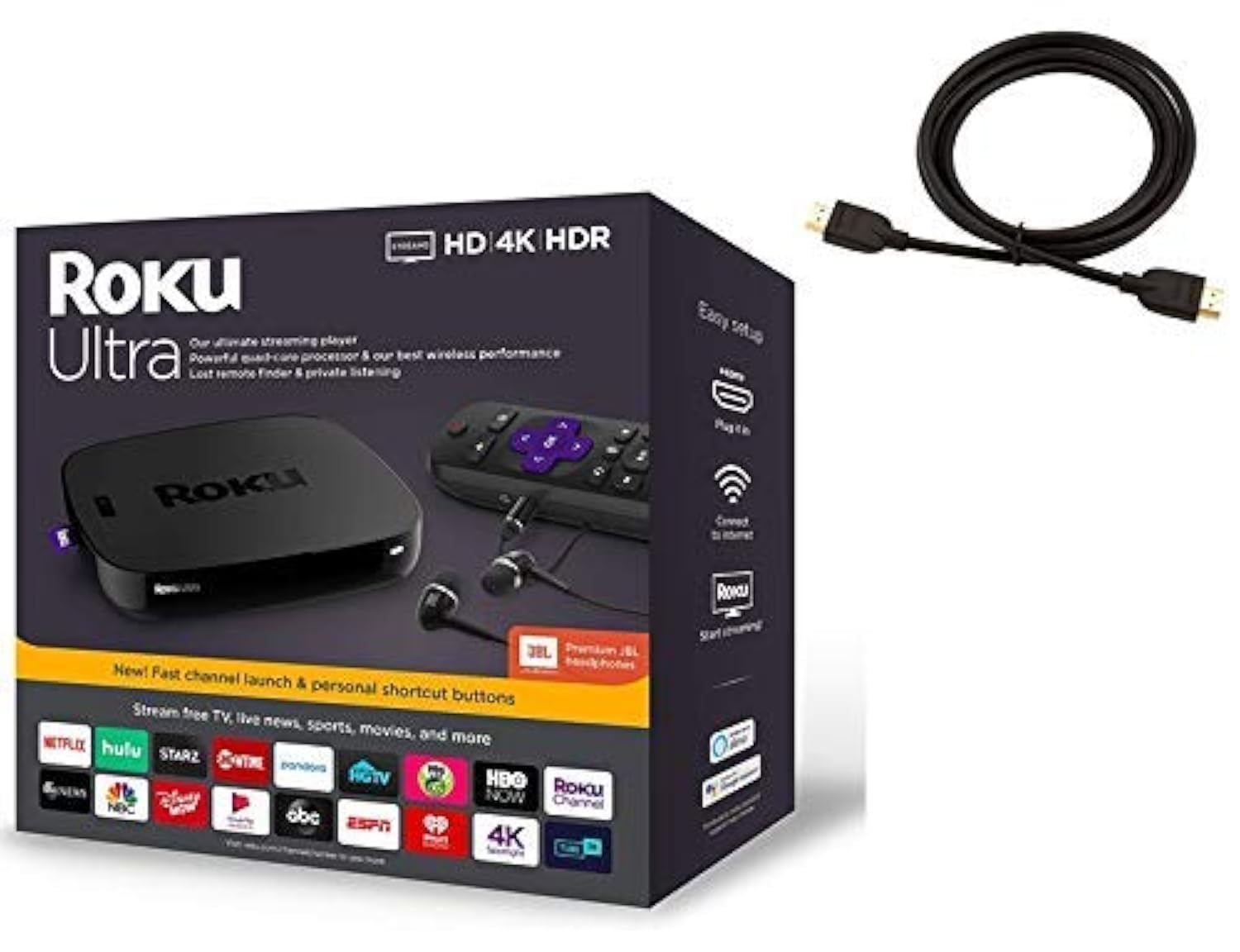
Roku’s flagship box targets heavy streamers who want wires as an option. Inside the bundle you get a 6-foot high-speed 4K HDMI cable, a quad-core processor, and Roku’s best wireless, plus Ethernet, USB, and microSD ports for wired reliability and expandable storage. It also arrives with a set of Premium JBL headphones for private listening, and the box itself is built to double as small-item storage afterward. That is the most fully loaded package on this list.
Anyone with a slow or aging smart TV gets the most out of it. The box revives sluggish panels, handles HD, 4K, and HDR, and lets one remote control both your TV and your soundbar. Owners love the setup — easy, intuitive, with clear on-screen guidance — and appreciate the wide spread of free channels through The Roku Channel and Featured Free. A 500,000-plus library of movies and TV episodes, plus Disney+ and Apple TV support, means plenty to watch without adding subscriptions.
Two small things to know. Roku’s bundled remote here does more than the standard one — it includes private listening through the included JBL headphones and TV controls — but you lose the lost-remote finder and access to the microSD/USB ports unless you supply your own storage. Also, the box itself ships in a color that does not always match the Amazon photo. If you are particular about matching your entertainment center, check what arrives. Otherwise, the unit performs as advertised, and most owners prefer it to a Fire Stick for the tidier interface.
The right pick for: anyone replacing a slow TV OS who wants a wired option, expandable storage, and a headphone jack for late-night viewing, all in one shipment.
Look at the Shield instead if: you need Plex Media Server or more raw performance — Roku’s box is easier but not as powerful.
6. Google Chromecast with Google TV

A Google TV stick that pulls every service onto one home screen, with a pouch thrown in
This Chromecast with Google TV is the streaming pick for households already living inside Google’s ecosystem. It streams up to 4K HDR with brighter colors, and its home screen consolidates movies and TV shows from all your services into one place, with personal recommendations built from your subscriptions and viewing habits. Search over 700,000 movies and TV episodes, plus millions of songs, by voice through the Google Assistant button, which also handles volume, inputs, and playback.
Setup is dead simple. It plugs into any HDMI port, connects to Wi-Fi, and starts streaming. Since it runs on Google TV, casting from your phone or tablet to the TV works smoothly, and if you have Google Home devices, voice commands run through the same assistant. For a device sold at the top of this list, the bundle is generous: two AAA batteries, the voice remote, a power adapter, a Type-C power cable, plus a pouch and cleaning cloth.
Where it lags is benchmarkable performance. It runs on Wi-Fi and Bluetooth only — no Ethernet port, no Wi-Fi 6 or 6E, no USB or microSD expansion. So if your router is far away or your network is already crowded, you are relying on the same wireless conditions that cause buffering on cheaper sticks. That single limitation is why this one sits at the top of the price range rather than at the top of the list.
Worth it if: Google Assistant is already your smart home and your TV setup is simple — the consolidated Google TV home screen and hands-free voice search are the real draw here, and the included pouch and cleaning cloth round out a tidy package.
skip it if: you want an Ethernet port or Wi-Fi 6E — this Chromecast has neither, which matters more the farther your router sits from the TV.
Perfect for: Android and Google Home users who want voice-driven navigation and a single home screen across Netflix, YouTube, and live TV, and who value the all-in bundle.
Not your pick if: you need the wired reliability, the extra ports, or the newest wireless standard — the Shield and Roku Ultra both offer more connectivity than this one does.
Know the Specs
Wi-Fi Standard (Wi-Fi 6 vs Wi-Fi 6E vs Dual-Band AC)
Wi-Fi 6 and 6E are newer wireless standards built to keep many devices running smoothly at once, while dual-band AC is the previous generation. For 4K streaming, the newer standards reduce buffering when phones and laptops share your network. Wi-Fi 6E adds a less crowded frequency band on top of that. A long-range Wi-Fi receiver does a similar job by pulling in a weaker signal from farther away, which matters most when your router sits in another room.
HDR Format (Dolby Vision vs HDR10+)
HDR stands for high dynamic range — it adjusts brightness and contrast scene by scene for a punchier picture. Dolby Vision and HDR10+ are two competing versions of that format. Both look excellent, but your TV has to support the same one to benefit. A streamer that lists both formats gives you flexibility across whatever panel you eventually plug it into, which is why the Roku Streaming Stick 4K and the Fire TV sticks carry both.
Storage & RAM
Storage is how many apps, games, and downloads you can keep installed before the low-space popups begin. RAM is the short-term memory the device uses while running apps. The Fire TV Stick 4K Max carries 16GB of storage, double what Amazon’s other streaming sticks offer. The NVIDIA Shield TV Pro runs 3GB of RAM alongside 16GB of storage with two USB 3.0 ports for expansion — a combination that matters if you install games or attach external drives.
Connectivity Ports
An HDMI port carries the picture and audio to your TV and is present on every pick here. Ethernet is a physical cable that removes wireless interference for the steadiest 4K playback, and only some boxes offer it. USB and microSD add storage or accessories. Sticks typically hide behind the TV with no extra ports, while boxes trade a spot on the shelf for the expandability.
Common Questions
Will a 4K HDR streamer work on an older 1080p TV?
Do I need Wi-Fi 6 or 6E to stream 4K smoothly?
Is Dolby Vision better than HDR10+?
Why does my streamer buffer in 4K but not in HD?
How much storage do I need on a streaming stick?
Do I need a Google account or Roku account to use these devices?
Is a streaming stick or a streaming box better for a home theater?
Can I play cloud games with a 4K HDR streamer?
Is a refurbished streaming stick worth it?
How do I add an Ethernet cable to a streaming device that only has Wi-Fi?
The Bottom Line
For most households the 4k hdr streaming media player to beat is the Roku Streaming Stick 4K, because it delivers Dolby Vision and HDR10+ from a stick that hides behind your TV and still pulls in a far-away router, at the friendliest tier on this list. If you own an AVR (an audio/video receiver) or a Plex library and want the most powerful box here, step up to the NVIDIA Shield Android TV Pro — its two USB 3.0 ports, 3GB of RAM, and Dolby Atmos passthrough are what home theater owners pay the premium for. And if you want a wired, expandable box with headphones and an HDMI cable already in the box, the Roku Ultra is the one to reach for. Whichever you choose, match the HDR format to your TV and get the Wi-Fi right — those two decisions do more for your picture than any spec sheet total ever will.
How we choose
We do not accept paid placement. Every pick is matched to a real buyer and a real use-case; we do not hands-on test units.
Sources
Specifications: manufacturer listings and product documentation. Review insights: verified customer reviews, as of October 2026. Pricing: not shown on this page (it changes often); check the current price via the retailer link.
As an Amazon Associate, Aappliancez earns from qualifying purchases. This does not affect which products we feature.