Disclosure: Some links in this post are affiliate links. As an Amazon Associate I earn from qualifying purchases, at no extra cost to you. Learn more
Specs are compiled from manufacturer listings and verified buyer reviews and can change over time — please confirm the key details on the product page before buying.
If your phone shows one bar at the cabin, the trailhead, or the marina, a satellite hotspot turns that dead zone into a working connection for calls, messages, and email. The catch most buyers miss is that “satellite hotspot” covers two different machines: cellular routers that amplify a weak tower signal, and true satellite units that link to orbiting networks. This guide separates them, names the trade-off on each, and points you to the one that fits how you actually travel.
This guide is built by comparing the manufacturers’ published specifications and the patterns across verified customer reviews, so you get each pick’s real strengths and trade-offs instead of marketing spin.
Coverage matters more than raw speed here, so each pick is judged on where it works and how slow the data feels. Read on for the picks that hold a signal when the grid does not, plus the limits to know before you buy.
Top Picks

How To Choose The Best Satellite Hotspot
Start with the geography of your dead zone. A cellular router with a high-gain antenna can pull in a weak tower signal from miles away, and it works well wherever any carrier has coverage. A true satellite unit reaches a network no tower provides, which is what you want offshore or deep in the backcountry. Buying the wrong type is the most expensive mistake in this category.
Speed is measured in what you can do with it
Land-network hotspots advertise gigabit-class speeds, while true satellite links move data at a crawl. That gap is not a fault — it is the physics of reaching orbit. Email, weather files, and short voice calls work fine on a slow satellite link, but streaming video does not. Check whether the unit’s stated data rate in megabits per second matches what you actually plan to do.
Antennas decide your real range
A detachable external antenna port lets you add a directional yagi antenna, which is the single biggest signal upgrade you can make on a cellular router. Units with internal antennas are more portable but less able to capture a distant tower. If you plan to mount a unit on a roof or RV, buy one with detachable antennas and room to grow.
Data plans and activation are where budgets break
The hardware is only half the cost — the data plan is the other half. Check whether the plan is pay-as-you-go, contract-based, or prepaid airtime that expires. Confirm the SIM registers on your carrier before you leave, since activation windows and incompatible SIMs are the most frequent failure here.
Side-by-Side Comparison
| Model | Best For | Max Speed | Network Type | Devices | Amazon |
|---|---|---|---|---|---|
| MOFINETWORK MOFI6500-5GXeLTE★ Best Overall | Rural homes and RV rigs | 3.4 Gbps | 4G LTE / 5G cellular | — | Amazon |
| Solis Go Mobile WiFi HotspotBest for Travel | Travelers and campers | — | Cellular, 300+ carriers | 10 | Amazon |
| EVDO-LINK Inseego MiFi M2100 | Budget travel backup | 2.7 Gbps | 5G / LTE cellular | 30 | Amazon |
| GlocalMe Numen Air 5G | Global travel, no SIM | 2.5 Gbps | 5G, CloudSIM | 16 | Amazon |
| GlocalMe Numen Air 5G with 50GB | US/CA/MX trips, ready out of box | 2.5 Gbps | 5G, CloudSIM | 16 | Amazon |
| Iridium Go! Satellite Wi-Fi Hotspot | Offshore sailors and remote crews | 0.02 MB/s | Iridium satellite | — | Amazon |
| BlueCosmo Iridium GO! with Prepaid SIM | Off-grid voice and SOS | 0.02 MB/s | Iridium satellite | — | Amazon |
Detailed Reviews
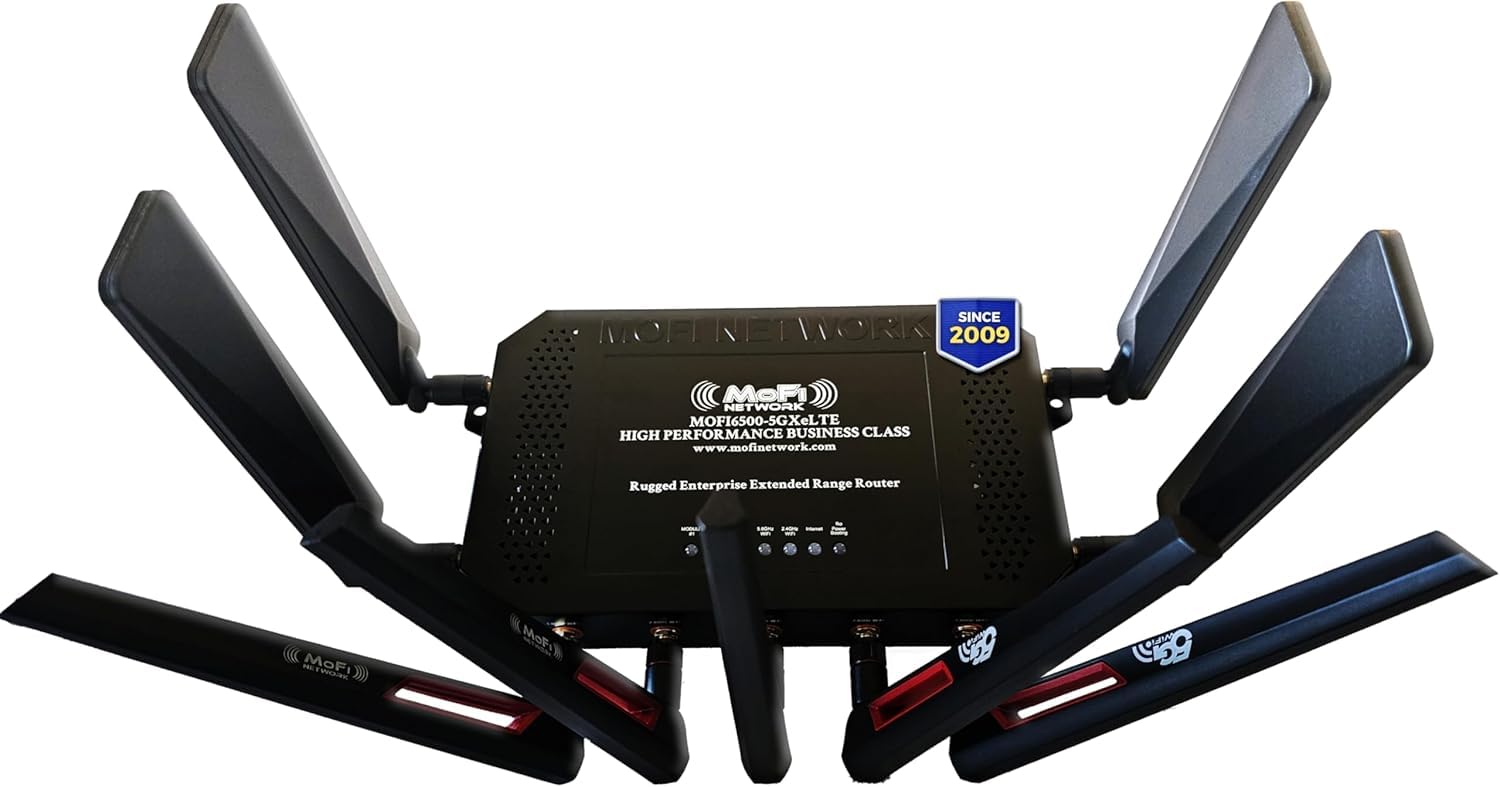
1. MOFINETWORK MOFI6500-5GXeLTE-RM520-HP Cellular Router
Our pick — 4.0+★ from 850+ verified ratings; the strongest balance of quality and price.
The metal-bodied router that turns one faint tower into home-grade Wi-Fi.
For anyone stuck with no cable line, this is the machine that replaces the ISP. It pulls a 4G LTE or 5G cell signal and rebroadcasts it as Wi-Fi 6 — the newer wireless standard that handles many devices at once without choking. The headline number is a 3.4 gigabits-per-second data transfer rate, which is fast enough to run several streams at once when your tower can feed it. Internal signal amplification and detachable antennas do the heavy lifting on range, and the full metal case helps it shed heat during long runs.
The feature set reads like business gear for a reason: IP pass-through, band locking, VPN compatibility, and Dual SIM auto failover that switches to the second SIM when the first drops. Build matters here too — detachable antennas mean you can add a rooftop yagi, and one rural owner reported exactly that payoff, with a roof antenna lifting reception from one bar to four and strong Wi-Fi covering both buildings. The same setup pulled 30+ Mbps across all three floors of a 5000 sq ft home with a mesh router in the chain.
Understand the dual-SIM label before you buy. It means failover — one SIM active at a time — not two running together; simultaneous dual-SIM requires the separate DUAL model. Setup is genuinely quick for many buyers, minutes rather than hours on the right carrier, but the reception picture is uneven. Where a tower is close you get a strong signal, and where there is none, no antenna helps. A few AT&T hotspot-SIM setups also fought the router’s IMEI registration, so confirm your carrier’s bring-your-own-device policy first.
Where it pulls ahead
- Detachable antennas and built-in amplification reward a rooftop yagi upgrade.
- 3.4 Gbps data rate and Wi-Fi 6 handle a full household of devices.
- Dual SIM failover keeps the connection alive when one line drops.
- Full metal case aids heat dissipation for always-on use.
Where it can sting
- The dual-SIM slot is failover, not simultaneous — check the DUAL model if you need both live.
- Bring-your-own-SIM registration can snag on some carriers.
- Needs a cell signal to work at all.
Built for: rural homeowners, RVers, and anyone swapping a wired line for a tower-fed router with room to grow antennas.
Look elsewhere when: you are truly past the last tower — this one needs a cell signal to feed it.
2. Solis Go Mobile WiFi Hotspot & Powerbank
A pocket hotspot that hops carriers in 140 countries and tops up your phone too.
If your travel splits between airports and campsites, this two-in-one box is the easiest entry point. SignalScan AI scans across multiple mobile carriers and picks the strongest signal without a SIM card or a locked-in contract — you skip the whole SIM-swapping ritual at the border. It reaches 140 countries with 300+ carriers and shares Wi-Fi with up to 10 devices at once. The bundled data is the draw: 1GB free every month for good, plus a one-time 30GB global pack that expires in 30 days.
What wins people over is portability. It slips into a jacket pocket, and the built-in power bank means one cable charges both your phone and the hotspot. Campers report it solving spotty coverage at tent sites, and one business owner took Square card payments from it at outdoor events and kept it working on a Bermuda cruise where the ship’s own Wi-Fi failed.
The honest catch is reliability in weak signal. In genuinely rural areas it can lose its tower and need a reset through the pinhole to rescan. Speed is also steady rather than fast — noticeably slower than home Wi-Fi, and a real handful of heavy users find the battery drains quickly with a laptop and two phones attached. Treat it as a travel backup, not as your household’s only internet.
The monthly-data math: the 1GB-a-month allowance and 30GB starter pack cover email, maps, and messaging for a normal trip, but heavy streaming burns through it and pushes you onto paid plans.
Plan flexibility: pay-as-you-go buying by the gig keeps costs tied to use rather than a recurring contract.
Reach for this if: you want one pocket device that covers overseas travel and a backup power bank in the same shell.
Pass when: you need full-day laptop tethering — battery life falls short of a workday with multiple devices attached.
3. EVDO-LINK Inseego MiFi M2100 open up Hotspot
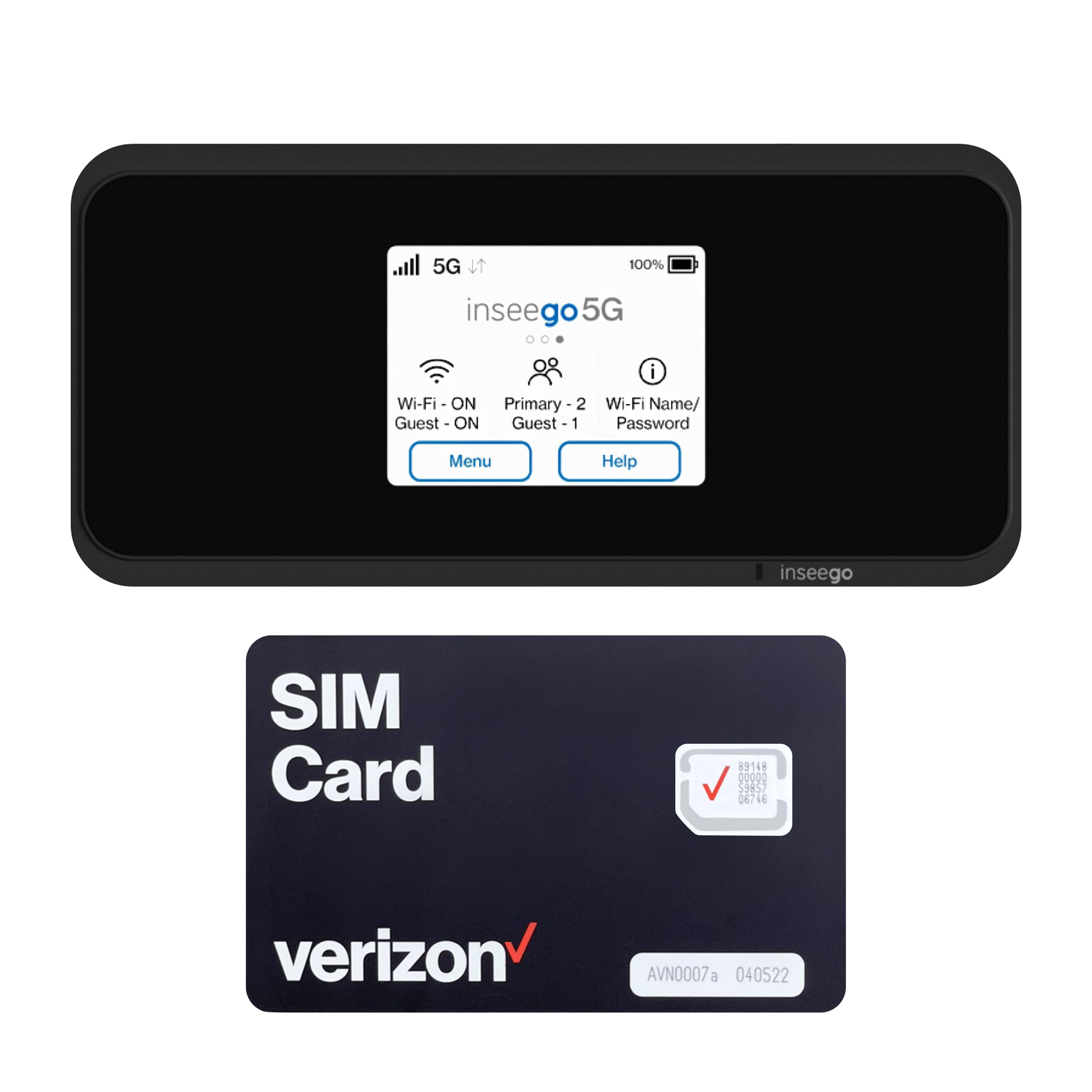
A clip-in 5050 mAh battery and 5G speed make this the value ticket to a hotspot.
Entry-level price does not mean entry-level hardware here. The bundle ships with a 5050 mAh battery — the higher-capacity pack alongside the standard 3500 mAh one — giving up to 8 hours of active use and 24 hours on standby. Quick Charge refills it to 100% in about 2.5 hours, and it doubles as a power bank for your phone. Wi-Fi tops out at 2.7 Gbps and links up to 30 devices, which is a wide net for a budget unit. A 2.4-inch touchscreen shows network status and data usage at a glance.
There is a built-in free VPN for setting a virtual location, and the open up design works with Verizon, AT&T, T-Mobile, and most US carriers — AT&T needs APN setup, though phone assistance is offered during business hours. This one earns its place by not overpromising on the hard parts; when the connection holds, people are happy with it, and its reliable performance beats the older Verizon Orbic hotspot it replaces.
The risk is consistency. Some units drop daily and need a reboot, and the included Verizon SIM does not always register as a Verizon SIM, which can mean extra carrier costs. Day-one failures do happen. Firmware also leaves some settings locked to the Verizon side even with a non-Verizon SIM inserted, so this is a pick for someone comfortable troubleshooting rather than wanting a sealed appliance.
What you gain: 5G speed up to 2.7 Gbps, 30-device sharing, QC fast charging, and a swappable battery at the budget tier.
The variable: SIM registration and daily stability are the two things to watch in the first week, so keep the return window open.
Good fit for: budget-conscious buyers who want 5G and a big battery without paying premium money.
Think twice if: you want a plug-in-and-forget device — some units need a reboot to stay online.
4. GlocalMe Numen Air 5G Mobile Hotspot
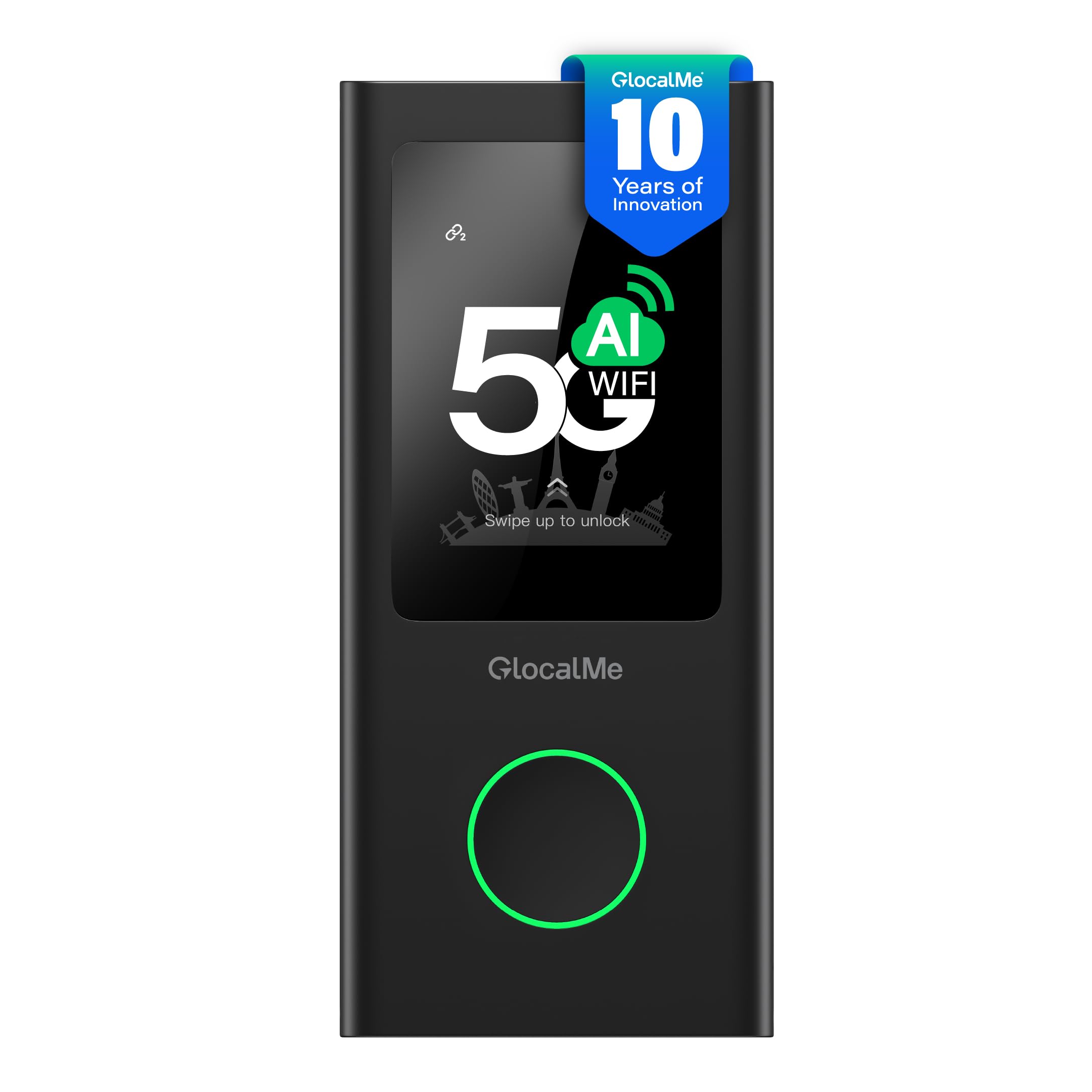
CloudSIM flips a switch in 200+ countries without a physical card.
For frequent fliers who hate hunting for a local SIM, patented CloudSIM is the feature that changes the trip. The device intelligently selects the best-signal network on its own, with pay-as-you-go data packages in daily, monthly, or per-GB form across 200+ countries — no contract and no roaming fee. Speed runs up to 2.5 Gbps, and it covers more than 90 commercialized 5G countries and over 390 operator networks. A 2.4-inch LCD touchscreen shows usage, signal, and connected devices, and it shared to 16 devices at once while doubling as a power bank.
The reliability story is what carries this pick — it is the thing owners point to first, ahead of raw speed. Setup is easy enough for non-tech users, and one emergency-backup buyer had their home internet fail and leaned on it for work-from-home days, video calls, and streaming across laptops, phones, and a smart TV. Boot takes just seconds, and USB-C fast charging keeps downtime short. Unlike the Inseego’s 2.7 Gbps ceiling, this sits slightly lower at 2.5 Gbps, but the global reach is the bigger difference.
Weigh the data cost before committing. GlocalMe’s own packages run higher than some competitors, and there is no free monthly allowance on this version. The device still takes a physical SIM, so a cheaper carrier plan is an option — but a phone SIM rather than a data-only SIM can hit snags with streaming sticks. Support is also thin; a support email has bounced for at least one owner chasing a battery fault.
Why it earns a spot
- CloudSIM picks the best network in 200+ countries with no physical card.
- Reliable and easy to set up, even for non-tech users.
- 2.4″ touchscreen plus 16-device sharing and power-bank output.
- open up SIM slot lets you use your own cheaper data plan.
What to budget for
- GlocalMe data packages cost more than competitor plans.
- No free monthly data on this version.
- Support responsiveness is the weak link if something fails.
Best for: globetrotters who value one device that works across borders over the lowest possible data bill.
Not ideal if: you plan to stream heavily on GlocalMe packages — the per-GB cost adds up fast.
5. GlocalMe Numen Air 5G with 50GB US/CA/MX Data

The same Numen Air, preloaded with 50GB so it works the moment you land.
This is the Numen Air 5G with the data problem already solved for your first trip. It arrives preloaded with 50GB for America, Canada, and Mexico, valid for 90 days — you register in the GlocalMe app, confirm the plan under your profile, and start using it without buying anything extra. Underneath, it is the same CloudSIM hardware: up to 2.5 Gbps, 90+ 5G countries, 390+ operator networks, dual 2.4GHz and 5GHz bands, a 2.4-inch touchscreen, and sharing to 16 devices with power-bank output.
Owners who used it in Europe backed the travel claim with real numbers. In Berlin, a nano-SIM pulled 25GB of data for the trip, and the device delivered fast, stable streaming — one buyer ran Netflix with no lag on the go while barely touching the 10GB allotment. It also worked in a dead zone with several users on it at once.
Compare it to the standard Numen Air above and the decision is simple: this version front-loads 50GB of US/CA/MX data, which suits a North American road trip or a first overseas push. What it does not fix is cost over time — GlocalMe packages still run higher than some third-party plans, rollover on unused data can be steep, and a minority of owners have hit firmware or battery quirks after roughly a year of use. If you plan to stream on a TV, a data-only SIM is the safer path than a phone SIM.
The preload advantage: 50GB valid for 90 days across the US, Canada, and Mexico means no airport SIM scramble on day one.
Long-haul watch-out: plan costs and rollover fees are the recurring expense to weigh against the convenience.
Choose it when: your travel is North-America-first and you want usable data the second it arrives.
skip it if: most of your trips run outside the US, Canada, and Mexico — the preload runs dry the moment you wander further.
6. Iridium Go! Satellite Wi-Fi Hotspot
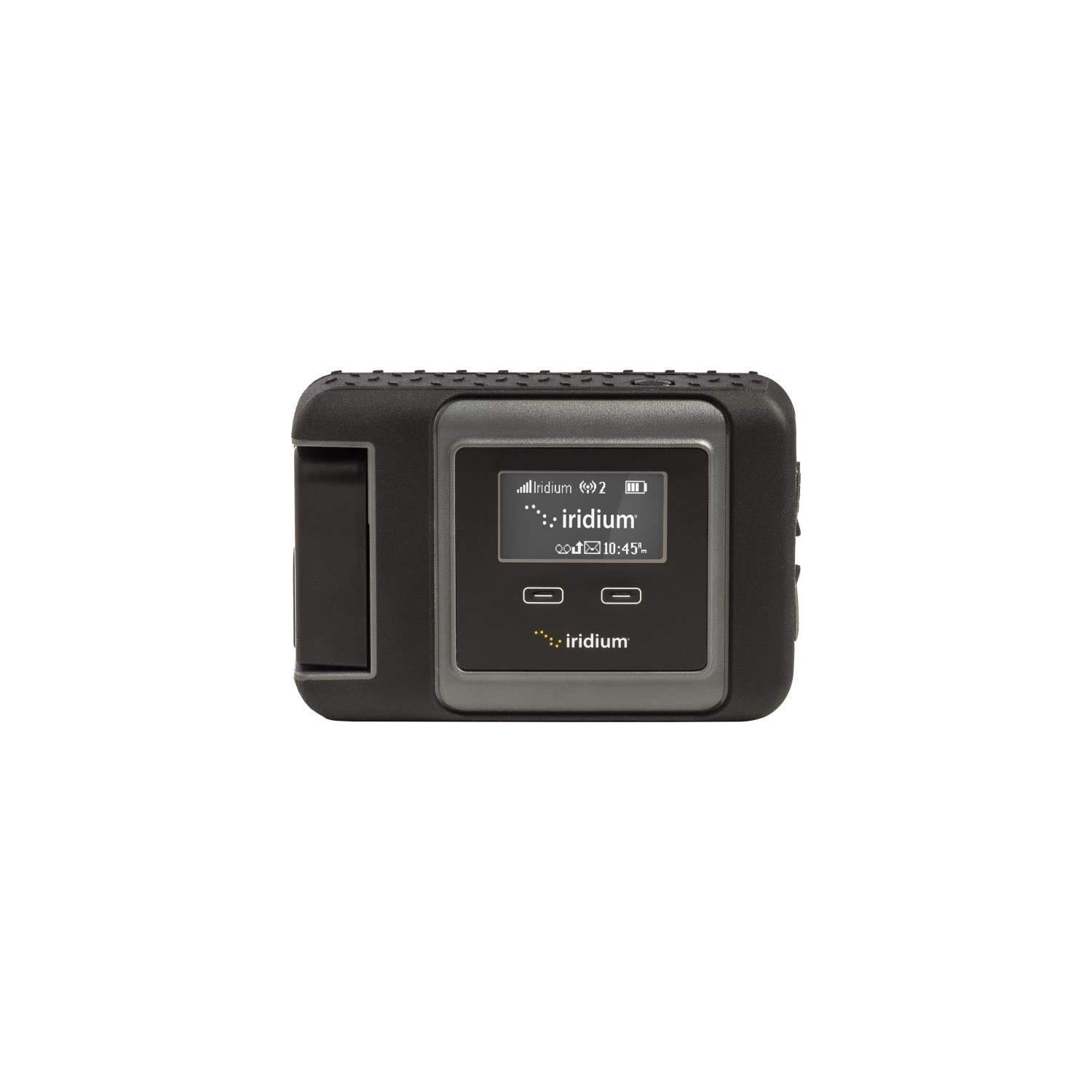
When there is no tower for a hundred miles, this reaches orbit instead.
This is a genuine satellite hotspot — it connects to the Iridium constellation, not a cell network, which is why it works where the other picks on this list simply cannot. It links your smartphone or tablet through an app to send calls, texts, and email, with a data transfer rate of 0.02 megabytes per second. Read that as text and weather only: this unit moves files, it does not stream. Its retractable antenna and single-band global coverage are built for far-flung trips.
Sailors are the clearest use case. On an 18-day passage from the Galapagos to Chile, the device handled calls, texts, emails, and multi-device connectivity, and the crew found it clearer to manage than a fresh satcom radio setup for weather and emergency data. Others use it for emergency communication and weather on remote travel and cruises.
Go in with the right expectations and the drawbacks are manageable. The setup is cumbersome and works best with the app; one long-time owner reported dropping the link after two to three minutes without an external roof antenna, and spotty service while moving. It is not true Wi-Fi as most people picture it — it is a narrow satellite link, and it demands you read the limitations before buying. SIM activation can also take time, so sort that out before you leave.
Real coverage win: it reaches a global satellite network, which is the whole point when no cell signal exists.
Honest pace: 0.02 MB/s means email, weather, and short voice calls — not browsing or video.
Suits: offshore sailors and remote crews who need a real satellite link and understand its slow limits.
Wrong choice for: anyone who wants normal Wi-Fi browsing — the data rate and link behavior will frustrate you.
7. BlueCosmo Iridium GO! Satellite Hotspot with Prepaid SIM

A rugged, everything-in-the-box satellite kit with a prepaid SIM ready to activate.
This is the same Iridium GO! platform sold as a complete kit. It ships with the hotspot, battery, USB cable, auto and wall chargers with international plugs, a protective cover, a quick-start guide, and a BlueCosmo prepaid SIM — so the whole stack arrives in one box. The rugged credentials are real and listed: military-grade MIL-STD 810F construction and IP65 ingress protection against dust and water jets. It runs voice, messaging, email, and GPS/SOS through the Iridium Approved GO! apps on iOS and Android, with GPS tracking you trigger at the push of a button.
The put-together kit has obvious appeal for people who do not want to source parts separately. One owner flew with it at FL250 with an external roof antenna and got standard satphone call quality; others reported clear voice and reliable pairing once the phone was set to airplane mode before opening the app. It supports multiple simultaneous users, so a small crew can share the link.
The friction is real but well documented. Setup frustrates some buyers, support has been called nonexistent, and the highest-caution aspects — functionality, quality, setup — are genuinely mixed. Web browsing is limited by the network itself, and data is slow, so email through Iridium accounts is the realistic use. Airtime requires a separate purchase, and connecting while moving can drop the link. This is a kit for someone with a plan and patience, not a plug-and-play gadget.
Why off-grid crews keep it
- Everything included: battery, chargers, cover, and prepaid SIM in one box.
- MIL-STD 810F and IP65 ratings back the rugged claim.
- Voice, messaging, email, GPS tracking, and SOS in one unit.
- Shares the link across multiple simultaneous users.
The realistic friction
- Setup is challenging and support can be hard to reach.
- Data is slow and web browsing limited — email is the realistic use.
- Airtime must be purchased on top of the hardware.
- Losing a clear view of the sky can drop the connection.
Right for: hunters, hikers, and remote travelers who want a single kit with GPS and SOS built in.
Not a fit if: you expect easy setup or responsive support — plan for a deliberate activation before you go.
Know the Specs
Data Rate: Gbps and MB/s
Data rate is how much information the unit can move in a given time. Land-network hotspots advertise in gigabits per second — the fast one here is 3.4 Gbps, enough for a household of streams. True satellite hotspots measure in megabytes per second, and the Iridium units move data at 0.02 MB/s, which is right for email and weather but not video. The gap is not a defect; it reflects the distance the signal must travel to orbit.
Cellular vs. Satellite Coverage
A cellular hotspot borrows a carrier’s tower network, so it works anywhere you have bars — and fails where you have none. A satellite hotspot connects directly to a spacecraft, so it works offshore and in the backcountry, but at a slow data rate. Know which kind of dead zone you face before you buy: a router helps a weak signal, a satellite unit replaces a missing one.
Antenna Type and Gain
Detachable external antennas let you add a directional yagi antenna to pull in a distant tower, which is the biggest single range upgrade for a cellular router. Internal antennas keep the device pocketable but limit how deep into a weak signal they can reach. For an RV or rooftop install, a unit with detachable antennas leaves room to grow.
Battery and Power Bank Support
Battery capacity is quoted in milliamp-hours (mAh). A larger pack like 5050 mAh supports longer active use, and Quick Charge speeds the refill. Many hotspots also act as a power bank to top up your phone. For satellite units, keep both the device and your phone charged before heading into the field — a dead link mid-trip is the failure to avoid.
Common Questions
Will a satellite hotspot work where my phone has no bars at all?
How fast is a satellite hotspot compared to a normal mobile hotspot?
Do I need a SIM card for a satellite hotspot?
Can I use my own carrier SIM in a mobile hotspot?
How long does the battery last on a portable hotspot?
Will a satellite hotspot work while I am moving?
How many devices can connect to one of these hotspots?
Is a satellite hotspot the same as a cellular router?
What happens to my data allowance when the hotspot sits idle?
Do I need to activate a data plan before I leave for a trip?
The Bottom Line
The best satellite hotspot for most people is the MOFINETWORK MOFI6500-5GXeLTE, because detachable antennas, built-in amplification, and dual-SIM failover let it turn a faint tower into full home Wi-Fi with room to grow. If you want a pocket device that crosses borders without a SIM hunt, reach for the GlocalMe Numen Air 5G and its CloudSIM flexibility. And when you are truly past the last tower, the Iridium Go! is the one that reaches orbit when nothing else will.
How we choose
We do not accept paid placement. Every pick is matched to a real buyer and a real use-case; we do not hands-on test units.
Sources
Specifications: manufacturer listings and product documentation. Review insights: verified customer reviews, as of October 2026. Pricing: not shown on this page (it changes often); check the current price via the retailer link.
As an Amazon Associate, Aappliancez earns from qualifying purchases. This does not affect which products we feature.