Disclosure: Some links in this post are affiliate links. As an Amazon Associate I earn from qualifying purchases, at no extra cost to you. Learn more
Specs are compiled from manufacturer listings and verified buyer reviews and can change over time — please confirm the key details on the product page before buying.
Your Chromebook has just one audio jack, so the headphones you plug into it matter a lot. You want a pair that connects with a 3.5mm plug (the standard round headphone connector), stays comfortable through a double class period or a full workday, and works without charging, pairing, or a firmware update. The short answer: the Sennheiser HD 569 is the safest all-rounder, the AILIHEN C90 is the best cheap pick that actually lists Chromebooks as compatible, and the Sennheiser HD 560S is for people who care about sound above everything else.
This guide is built by comparing the manufacturers’ published specifications and the patterns across verified customer reviews, so you get each pick’s real strengths and trade-offs instead of marketing spin.
Most Chromebooks use a single combo headphone-and-microphone jack, so a plain 3.5mm plug is all you need. Below you will find seven wired pairs that skip batteries entirely and work the moment you push the plug in. My picks for the best wired headphones for Chromebook use are ranked by fit, comfort, and cable practicality rather than by marketing.
Top Picks
How To Choose The Best Wired Headphones for Chromebook
A Chromebook has a single audio jack, usually a combo port that handles both sound out and microphone in. That one detail decides most of your shopping. The pair has to end in a 3.5mm plug, and if you want to take video calls, that plug needs to carry the mic signal too.
Check the plug before anything else
Most wired headphones here use a 3.5mm plug, which drops straight into a Chromebook. A few ship with a 6.3mm adapter or a quarter-inch connector for studio gear, so look at what is in the box. The Sennheiser HD 560S ships with a 1/4-inch connector, so you will want its included adapter for laptop use.
Driver size and how it sounds
The driver is the speaker inside each earcup, and its size is measured in millimeters (mm). A larger driver, like the 50mm one in the OneOdio, tends to push more bass, so you feel more thump in music. A 38mm driver, like the ones in both Sennheiser pairs, leans toward a more balanced, detailed sound, so voices stay clear on calls and study. Neither is “better” — it depends on if you want bass for music or clarity for calls and study.
Comfort for long sessions
You will wear these through classes, meetings, or a movie, so pad softness and headband clamp matter as much as sound. Closed-back cups seal around your ears and block some room noise. Open-back cups, like the HD 560S, let air move and feel cooler but leak sound outward, which is fine at a desk and awkward in a quiet library.
Cable length and inline controls
A short cable is fine for a phone but frustrating on a laptop. Several picks here include a long cable that reaches across a desk. Inline volume and mute buttons are handy, but note that some volume controls only work with phones, not computers — the AILIHEN C90 lists exactly that caveat.
Side-by-Side Comparison
| Model | Best For | Driver Size | Connection | Design | Amazon |
|---|---|---|---|---|---|
| Sennheiser HD 569★ Best Overall | Everyday all-rounder | 38mm | Wired 3.5mm + 6.3mm | Closed-back | Amazon |
| AILIHEN C90Chromebook Match | Chromebook-first pick | 40mm | Wired 3.5mm | Closed-back, foldable | Amazon |
| Headset with Microphone, Over-Ear (AOC PO20) | Calls on a budget | 40mm | Wired USB-A / USB-C | Closed-back | Amazon |
| OneOdio Wired DJ | Bass and sharing | 50mm | Wired 3.5mm + 6.35mm | Closed-back, swivel | Amazon |
| ARTIX Wired Headphones | Kids and school | 40mm | Wired 3.5mm | Closed-back, foldable | Amazon |
| JBL Quantum 100M2 | Gaming and voice chat | 40mm | Wired 3.5mm | Closed-back, detachable mic | Amazon |
| Sennheiser HD 560S | Sound purists | 38mm | Wired 1/4-inch | Open-back | Amazon |
Detailed Reviews
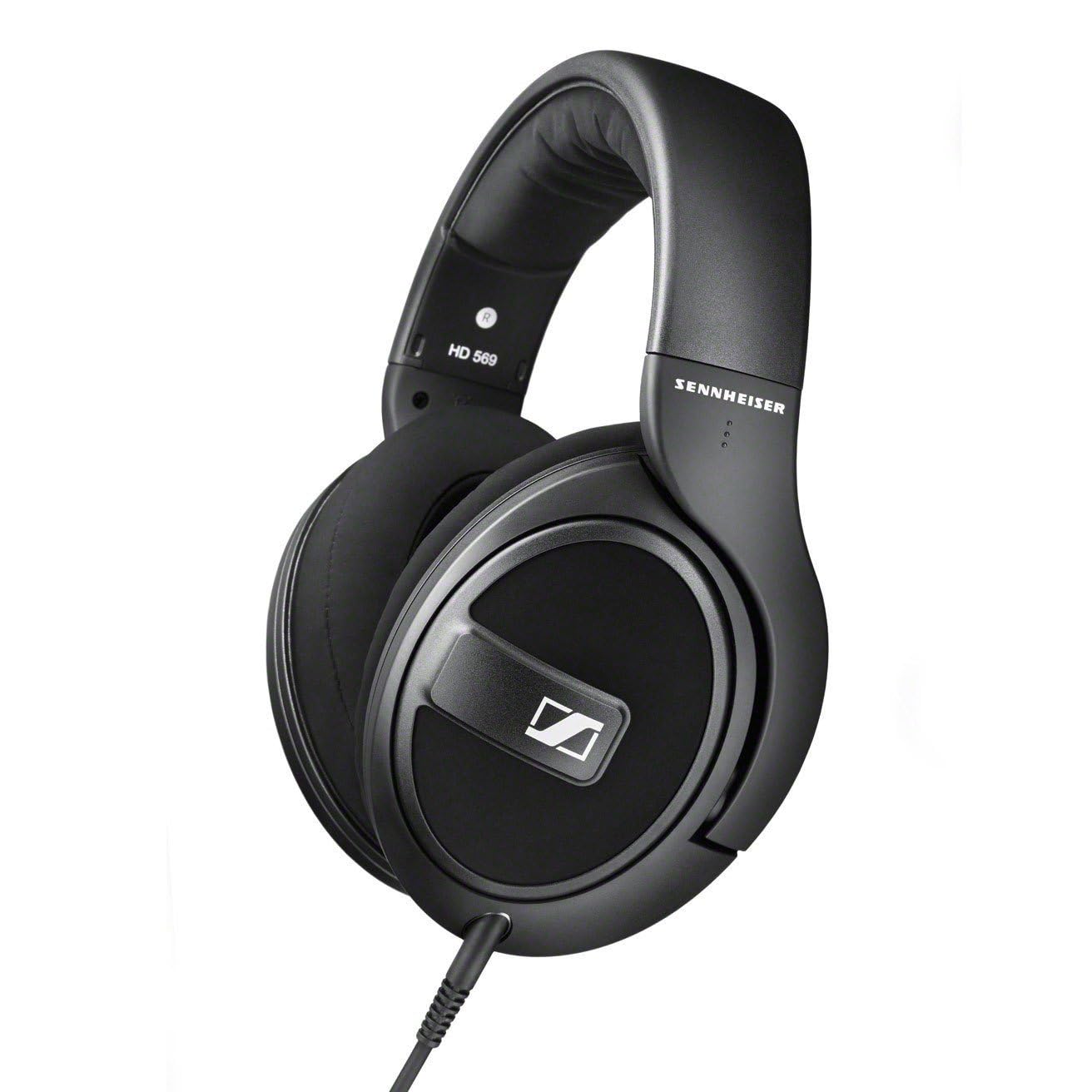
1. Sennheiser HD 569 Closed-Black Wired Audiophile Headphones
Our pick — 4.5+★ from 2,500+ verified ratings; the strongest balance of quality and price.
Two detachable cables, one plug, and sound that makes cheap headphones sound cheap.
The HD 569 solves the Chromebook cable problem before you even plug in. Sennheiser includes two detachable cords: a 1.2 meter one with a 3.5mm jack and an inline microphone, and a 3 meter one with a 6.3mm jack. The short cable is the Chromebook one — plug it in, clip on the mic, and you can take a video call without hunting for a separate headset. The long cable is for a desktop setup where you want slack across the desk.
Inside sit proprietary Sennheiser 38 millimeter, 23 ohm transducers — that low 23 ohm figure means they are easy to drive, so a Chromebook’s headphone output can push them to a comfortable volume without a separate amplifier. The closed-back, around-ear design seals over your ears and keeps sound in, so the person next to you in a study room is not hearing your lecture playback. Soft, replaceable ear pads matter more than they sound: when the padding flattens after a couple of years, you swap the pads, not the whole headset.
The Sennheiser sound is the reason this sits at the top. Owners consistently describe the 38mm drivers as detailed and revealing, pulling apart instruments they had heard as one blur. As one long-term buyer sums it up: “Owned 9 years; durable, light, very comfortable.”
What earns its keep
- Two detachable cables — a 1.2m 3.5mm cord with inline mic, plus a 3m cord with 6.3mm jack
- 23 ohm impedance makes it easy for a Chromebook to drive at good volume
- Closed-back cups seal sound in for quiet study sessions
- Replaceable ear pads extend the life of the headset
Where it asks you to compromise
- Sound isolation is decent but not total — louder rooms will still bleed through
- Some owners find the fit snug and the earcups attract dust
- The premium build means a beginner may notice the difference from a throwaway pair immediately
Reach for this if: you want one wired pair that handles music, calls, and study on a Chromebook with sound quality that holds up for years.
Look elsewhere if: you need maximum noise blocking in a loud room — the closed-back seal is good, not airtight.
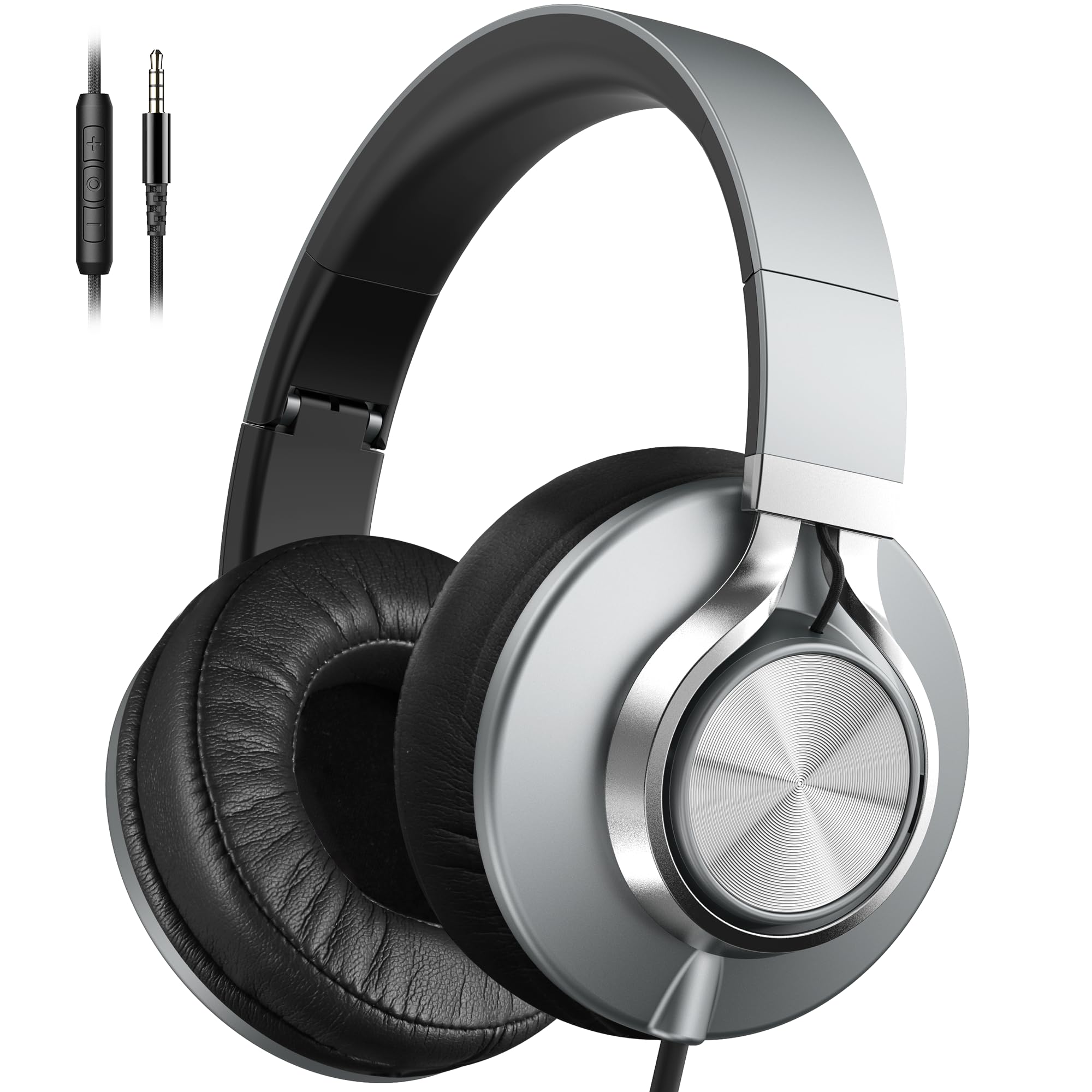
2. AILIHEN C90 Wired Headphones
The cheap pair that names Chromebooks in black and white — and delivers more than the price suggests.
This is the only headset here whose compatibility list explicitly calls out Chromebooks. It sends one 3.5mm gold-plated plug into your laptop’s jack, and the 40mm DLC dynamic driver (the speaker that handles bass and treble together) gives you a balanced sound rather than a muddy thump. The 7 ounce weight is light enough to forget you have it on, and the foldable design plus nylon-braided cable suits a backpack that gets thrown around.
Where this model earns its keep is the everyday value. The sound is clear and the bass is boosted just enough for music and movies, and the inline mic and volume control make calls less fiddly. One buyer summed up the nylon-braided cord: “This is exactly what I needed. The cord is flexible and feels right.”
The honest catch: the volume control button on the cord may not talk to a computer, so on Chromebook you will likely use the on-screen slider instead. The ear cups also run a touch small according to some owners, and the headband padding firms up after a long stretch. Neither breaks the deal at this tier — they just tell you this is a daily-use pair, not a studio reference pair.
Chromebook fit: the explicit Chromebook compatibility and 3.5mm plug make this the most straightforward match on the list for a laptop-only setup.
Best match for: a student who wants a light, foldable, plug-and-play pair for class and study without spending much.
Keep in mind: the cord volume button is a phone feature first, so plan on using on-screen volume on your Chromebook.
3. ARTIX Wired Headphones
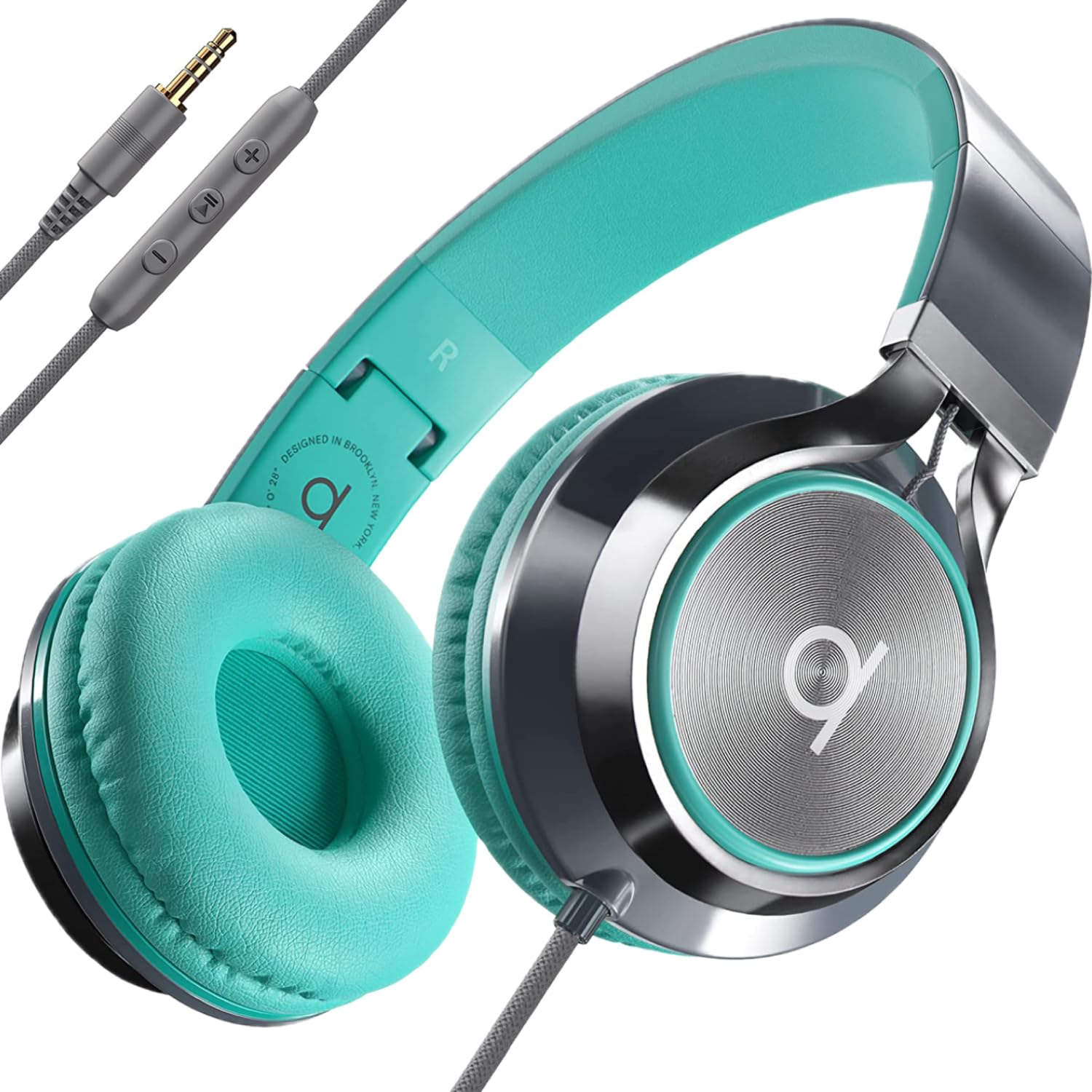
Built for a kid’s backpack and a school Chromebook cart — wired, foldable, and priced to survive.
The ARTIX is aimed squarely at students and parents, and the 3.5mm jack plugs into any Chromebook, MacBook, or tablet with a headphone port. There is no power button and no pairing step, so a kid can grab it and start listening without help. The foldable over-ear design with a 40mm dynamic driver and an inline mic and volume control covers class calls, reading time, and the trip home.
“Premium noise isolation” in the listing means the ear cups seal around the head to cut down background chatter, which helps in a shared study space. Comfort is the other selling point: the cushioned cups and adjustable headband are built for a full school day, and the lightweight build is easy for younger listeners to carry. Past buyers report the foldable build holds up to regular school use, and the teal-and-grey color with included stickers has definite kid appeal.
Be realistic about the volume wheel: several owners find the steps coarse, so one click may be too quiet and the next too loud. If precise volume matters, you will adjust partly on the Chromebook’s own slider. The earpads also run small for adults, so this pick is best thought of as a school-age, everyday headset rather than an adult all-day listening pair.
Why parents pick it
- 3.5mm plug works with Chromebooks, MacBooks, and tablets with no pairing
- Foldable build and cushioned pads suit a school day
- Inline mic and volume control for class calls
- Kid-friendly color with included stickers
What to know before buying
- Volume steps are coarse — fine tuning happens on the device
- Earpads run small for adult heads
- It is a school-tier headset, not an audiophile pair
Made for: kids and teens using a school-issued Chromebook who need a cheap, durable, plug-and-play pair.
Think twice if: you are an adult wanting the most precise volume and a roomy ear fit.
4. OneOdio Wired DJ Hi-Res Over-Ear Headphones

A 50mm driver and a second headphone jack — the loudest, most shareable pair here.
The OneOdio’s headline number is its 50mm speaker driver, paired with neodymium magnets (strong magnets that make the driver move efficiently). That is a big jump over the 38mm drivers on the Sennheiser HD 569 and the 38mm on the HD 560S, which is why the OneOdio leans bass-forward. If you want thump for hip-hop, movies, or gaming on your Chromebook, this is where you find it. The earcups swivel 90 degrees so you can flip one aside for single-ear listening.
The share audio port is the feature you will not find elsewhere on this list. Plug a friend’s headphones into the spare jack and you both hear the same stream — no splitter required. It ships with a carrying case and a detachable cable, and the 3.5mm/6.35mm options cover laptop and audio-interface use.
Honest trade-off: the bass-heavy tuning is not neutral. Owners who mix music find it less clear than studio reference headphones, so if you need accuracy, look to the HD 560S instead. Some long-term users also note the ear cushion material wearing over years of use. At this tier, it is still a lot of headphone for the money, and the swivel makes it pleasant for casual gaming or video calls on a Chromebook.
What it does well: the huge 50mm driver gives the biggest low end here, and the share port is a genuinely useful extra.
Who it fits: listeners who want punchy bass and a second headphone jack for watching or gaming together.
The catch: the bass tuning trades accuracy for impact, so it is not the pick for critical mixing.
5. JBL Quantum 100M2 Wired Gaming Headset

When you talk more than you listen, this detachable-mic headset is the practical pick.
The JBL Quantum 100M2 is built around conversation. A voice-focus directional microphone (a mic tuned to pick up your voice, not the room) snaps on for calls or co-op, then detaches cleanly for solo listening. A mute option means you stop broadcasting while you grab a snack, and a windshield foam is in the box to soften breath pops. It connects through one 3.5mm jack that works across PC, Mac, PlayStation, Xbox, and Switch — and that same jack drops into a Chromebook’s port.
Comfort is a real strength here. The oval fabric ear cushions and memory foam padding are shaped to sit around the ear rather than press on it, and the adjustable headband keeps the fit secure. Owners who wear glasses report the oval fabric cushions stay comfortable around the arms for long sessions. This is also the pair with the widest range of uses on the list, which makes it a solid choice if you game and take calls on the same Chromebook.
The honest gap: sound quality draws mixed opinions, and a few owners describe the volume as quieter than expected. If you mainly want music and movies, the Sennheiser pairs above will satisfy more. For voice chat, the mic is the point, and that is where this headset holds its ground.
Strongest at: clear voice capture and comfortable all-day wear.
Weaker at: music playback, where the tuning is less impressive than dedicated listening picks.
Pick it when: you spend most of your Chromebook time on calls, voice chat, or gaming and need a mic that works.
Pass if: music quality is your first priority and you rarely need a microphone.
6. AOC Headset with Microphone

A USB headset for the Chromebook that skips the audio jack and mutes with a flick.
The AOC PO20 is the only pick here that connects by USB, which matters if your Chromebook’s headphone jack is already occupied or flaky. It includes USB-A and USB-C support, so it plugs into either style of port, and the wired connection means no battery and no dropouts. The 40mm dynamic driver handles sound, and the closed-cup design keeps audio from leaking out to the room.
The flip-up mic is the standout feature. Flip it up and it auto-mutes with an audible notification, so you know when you are silent without clicking anything on screen. Owners who tested the flip-up mic for bleed-through confirm the auto-mute works. It is lightweight with soft ear cushions, comfortable through long calls, and the roughly 6-foot cable gives you room to move at the desk.
Two caveats come through clearly. The ear cups do not rotate, so you cannot fold them flat or swing one aside, and the cushions are not replaceable — when they wear, the headset retires. There is also no active noise cancellation, so you still hear the room around you. For a budget USB headset, those are reasonable limits, and the flip-mute feature alone makes meetings smoother.
Built for: call-heavy Chromebook users who want USB flexibility, a flip-up mic, and simple plug-and-play behavior.
Note: cups do not rotate and cushions are sealed in, so there is no fixing worn padding later.
7. Sennheiser HD 560S Open-Back Over-Ear Wired Headphones
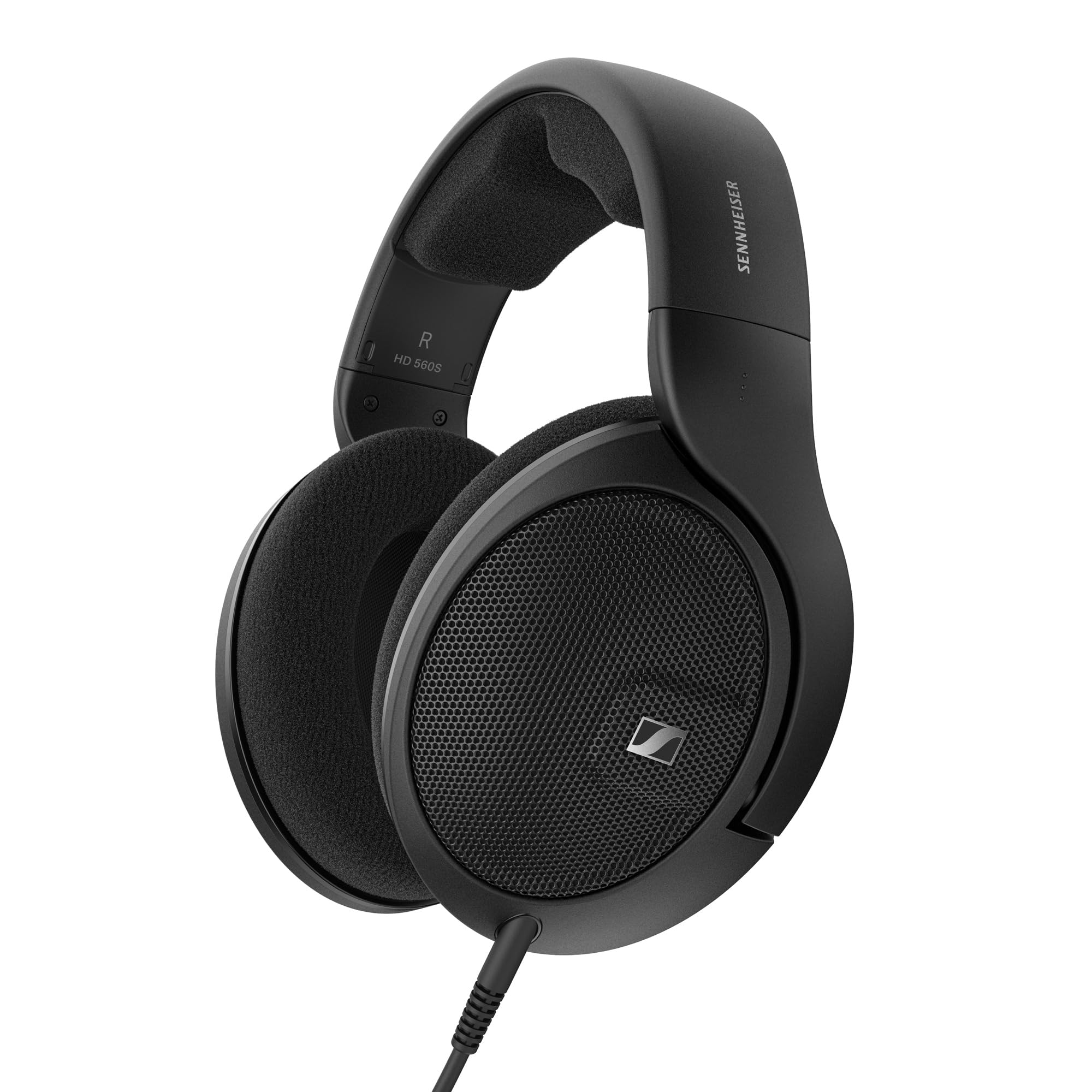
The open-back pair for anyone who cares more about detail than bass or blocking the world out.
The HD 560S uses an open-back design, which means the ear cups let air and sound move freely instead of sealing you in. The result is a wide soundstage — instruments spread out across a space rather than crammed together — and a more natural, lifelike sense of where sounds sit. Its ergonomic acoustic refinement (e.a.r.) tilts the drivers to match the natural angle of your ears, and a polymer-blend transducer membrane keeps the movement linear for clean bass extension.
The 38mm driver matches the HD 569’s size but is tuned differently. Where the closed-back HD 569 is a versatile everyday pick, the HD 560S leans neutral and detailed, the kind of sound that shows you flaws in a recording as easily as the beauty. Owners describe the open-back soundstage separating instruments clearly, with low end present but not boomy.
Two things to know before you buy. First, open-back means sound leaks out and room noise leaks in, so it is a quiet-room headphone rather than a library or bus pick. Second, it ships with a 1/4-inch connector, and while a 6.3mm adapter is included, you will want the adapter to use it with a Chromebook’s 3.5mm jack. The cable is now a 6-foot detachable design, and the neutral tuning is not for bassheads.
Celebrate the detail
- Open-back cups give a wide, natural soundstage
- Neutral, accurate tuning reveals detail in recordings
- Lightweight build and plush ear cushions for long wear
- Detachable cable with included screw-on adapter
Know the trade-offs
- Open-back design leaks sound and lets room noise in — quiet rooms only
- No microphone and no inline control
- 1/4-inch connector needs the included adapter for a Chromebook jack
Worth it if: you listen in a quiet room and want accurate, detailed sound above all.
Not the one if: you need noise isolation, a mic, or punchy bass for workouts and commuting.
Know the Specs
Driver size
The driver is the speaker inside each earcup, measured across in millimeters. A bigger driver, like the 50mm one in the OneOdio, tends to move more air and push more bass. A smaller one, like the 38mm drivers on both Sennheiser pairs, often leans toward tighter, more balanced detail. Size is not a quality score — it is a flavor hint.
Impedance
Impedance, measured in ohms, describes how much resistance the headphone presents to your device. Lower numbers are easier to drive. The Sennheiser HD 569 lists 23 ohm, which a Chromebook’s headphone output can handle without an amplifier. Higher-impedance headphones may need a separate amp to reach their best volume and detail.
Open-back vs. closed-back
Closed-back cups seal around the ear, keeping your sound in and room noise out. Open-back cups, like those on the HD 560S, let air and sound pass through, which gives a wider, more natural sound but leaks audio to the room. Choose closed-back for shared spaces and open-back for a private desk setup focused on fidelity.
Plug and adapter types
Most picks here use a 3.5mm plug, which matches a Chromebook’s combo audio jack. Some also include or use a 6.3mm (quarter-inch) connector meant for larger audio gear, which needs an adapter for laptop use. A detachable cable, seen on the Sennheiser and OneOdio models, is a bonus because you can replace the cord instead of the whole headset if it wears out.
Common Questions
Will any 3.5mm wired headphone work with a Chromebook?
Do I need a microphone on wired headphones for a Chromebook?
What does impedance mean for plugging into a laptop?
Is open-back or closed-back better for a Chromebook setup?
Can I use a gaming headset on a Chromebook?
How long will wired headphones for a Chromebook last?
Do inline volume controls work on a Chromebook?
Is a USB headset better than a 3.5mm headset for a Chromebook?
Can I share music from one Chromebook with two headphone pairs?
The Bottom Line
For most Chromebook users, the wired headphones for chromebook winner is the Sennheiser HD 569. It comes with two detachable cables, a 3.5mm plug with an inline mic (a microphone built into the cable), and a 23 ohm design (low resistance that’s easy for a laptop to drive), so it’s the simplest pair to live with daily. If you want the clearest sound and do not need noise isolation, get the Sennheiser HD 560S — its open-back design (earcups that let air through) reveals detail the closed-back picks cannot match. And for a kid’s school Chromebook, the ARTIX is the one to reach for, with a foldable build and a plug that works the moment it goes in.
How we choose
We do not accept paid placement. Every pick is matched to a real buyer and a real use-case; we do not hands-on test units.
Sources
Specifications: manufacturer listings and product documentation. Review insights: verified customer reviews, as of October 2026. Pricing: not shown on this page (it changes often); check the current price via the retailer link.
As an Amazon Associate, Aappliancez earns from qualifying purchases. This does not affect which products we feature.