Disclosure: Some links in this post are affiliate links. As an Amazon Associate I earn from qualifying purchases, at no extra cost to you. Learn more
Specs are compiled from manufacturer listings and verified buyer reviews and can change over time — please confirm the key details on the product page before buying.
Your WiFi drops to one bar in the bedroom, and the video call freezes every time you walk to the kitchen. You probably do not need a new router. You need an extender placed in the right spot, and that one placement choice matters more than any spec on the box. An extender grabs the signal your router already sends and rebroadcasts it deeper into your home, so a room showing one bar starts acting like a room near the router. One catch to know up front: an extender grows your coverage, and it never beats the speed of the internet plan you already pay for. This guide lines up real models on the numbers that change your day — coverage in square feet (the floor area the extender is built to reach), how many devices it can hold, and whether it keeps one network name so your phone stops clinging to a weak signal.
This guide is built by comparing the manufacturers’ published specifications and the patterns across verified customer reviews, so you get each pick’s real strengths and trade-offs instead of marketing spin.
Below you will see which rooms each model actually reaches, how many devices it can carry, and where each one falls short — so the wifi extender you pick kills your dead zone on the first try.
Top Picks

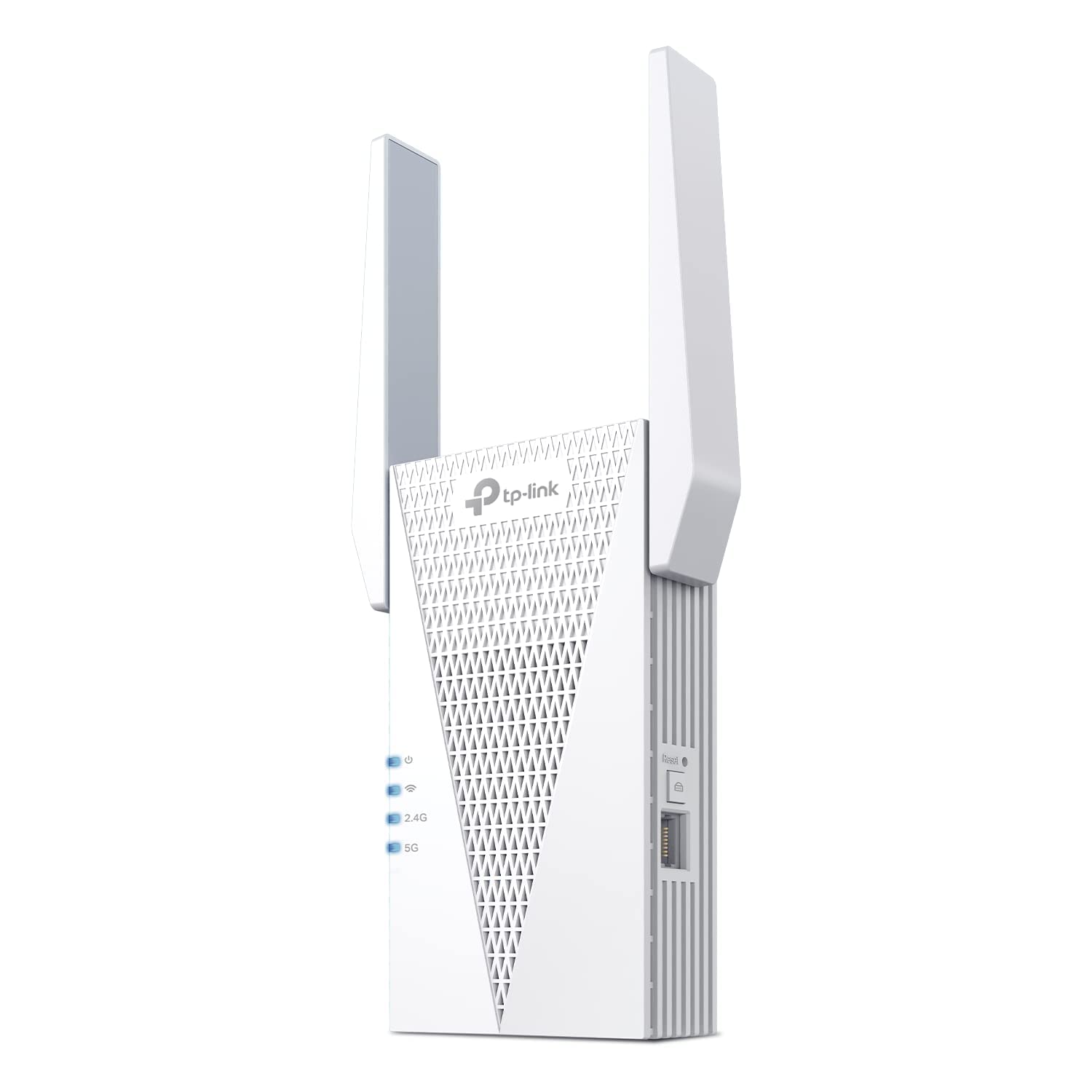
How To Choose The Best WiFi Extender
Picking an extender depends on matching one number — coverage in square feet, the floor area the unit is built to reach — to the space you need fixed. Then you check whether it can keep up with the devices already in your home. Everything else (the app, the antennas, the Ethernet port) just makes the daily routine smoother or more annoying.
Coverage in square feet, not speed
Coverage in square feet (the floor area the extender is designed to fill) is the honest measure of what you get. A rating of 1200 square feet suits a single weak room or a garage. A rating of 2400 to 2800 square feet is built for a whole wing or a two-story house with several dead spots. A big bandwidth number like 1.9 Gbps or 10 Gbps describes total capacity across both radio bands, not the speed reaching your laptop. Expect real speeds after extending to land below what your router delivers directly. The extender has to receive the signal, then rebroadcast it on the same radios.
Device capacity and one network name
Every extender holds a set number of connected devices — some list 25, some 32, some 64, and the flagship models reach 128. Count your phones, laptops, streaming sticks, cameras, and smart plugs first. A crowded extender starts dropping connections. The other feature worth having is Smart Roaming (a feature that hands your device to the strongest signal automatically) or a single shared network name. That means your phone switches over as you walk through the house, so you never log into a separate “_EXT” network by hand and never drop a call mid-room.
Side-by-Side Comparison
| Model | Best For | Coverage | Device Capacity | Bands | Amazon |
|---|---|---|---|---|---|
| TP-Link AC1900 WiFi Range Extender RE550★ Best Overall | Whole-home AC coverage with 32 devices | Up to 2100 sq. ft. | 32 devices | Dual-Band (2.4 & 5 GHz) | Amazon |
| TP-Link AX3000 WiFi 6 Range ExtenderTop Performer | Top performer with 2400 sq. ft. reach | Up to 2400 sq. ft. | 64 devices | Dual-Band (2.4 & 5 GHz) | Amazon |
| TP-Link RE615X AX1800 WiFi 6 Range Extender | WiFi 6 devices and Beamforming | Up to 2100 sq. ft. | 64 devices | Dual-Band (2.4 & 5 GHz) | Amazon |
| NETGEAR Nighthawk WiFi 7 Extender EXS25 | Future-proof WiFi 7 whole-home coverage | Up to 1,500 sq. ft. | 45 devices | Tri-band (2.4, 5 & 6 GHz) | Amazon |
| TP-Link BE10000 Wi-Fi 7 Tri-Band Range Extender RE653BE | Flagship 128-device WiFi 7 sprawl | Up to 2800 sq. ft. | 128 devices | Tri-band (2.4, 5 & 6 GHz) | Amazon |
| NETGEAR WiFi Extender EX6120 | Budget reach for basic rooms | Up to 1,500 sq. ft. | 25 devices | Dual-Band (2.4 & 5 GHz) | Amazon |
| TP-Link WiFi Extender (RE220) | Entry-level fix for a single weak room | Up to 1200 sq. ft. | 30 devices | Dual-Band (2.4 & 5 GHz) | Amazon |
Detailed Reviews
1. TP-Link AC1900 WiFi Range Extender RE550
Our pick — 4.0+★ from 18,500+ verified ratings; the strongest balance of quality and price.
A three-antenna workhorse that drags real speed into the room where your signal gave up.
The RE550 wins this list on one number: 2100 square feet of added coverage, which is bigger than every budget pick below it. That reach covers a whole wing, not just one room. It also holds 32 devices at once, so the bedroom, the hallway, and the garage all stay online. Compare it to the RE220 two spots down: that model tops out around 1200 square feet. The RE550 also edges past the EX6120’s 25-device limit.
Setup is the part buyers walk away happy about. Owners describe five-minute installs through the Tether app. “Easy setup” is the most common praise phrase in the review history. It works with non-TP-Link routers too, so you are not locked into one brand. The placement results tell the story: Buyers report a bedroom down the hall jumping from under 1 Mbps to a full 100 Mbps once the RE550 took up hall duty, even with the router at its lowest power setting. The gigabit Ethernet port (a wired socket that passes data at up to 1 gigabit per second) is a bonus: plug a game console or desktop straight into the extender for a wired connection, with no cable running back to the router.
The honest catch: this is a bulky unit that hogs a wall outlet. A small number of owners hit an app freeze during setup that needed a reset. And it does not raise your raw speed — true of every extender on this list, since coverage is the job, not more Mbps.
The case for grabbing it
- Up to 2100 sq. ft. of coverage and 32 devices — enough for a whole wing, not one room
- Tether app setup is fast and simple; works with non-TP-Link routers
- Gigabit Ethernet port turns it into a wired access point for consoles and desktops
- EasyMesh compatible for expanding an existing mesh setup
Where it asks for patience
- Big footprint — it will hog the wall outlet it sits in
- A handful of owners saw the Tether app freeze and needed a reset
- Extends coverage only; it will not raise your top speed
Go with it if: you need strong whole-home coverage and a wired port without paying flagship money.
Hold off if: you need a small plug-in unit that disappears behind furniture.
2. TP-Link AX3000 WiFi 6 Dual-Band Range Extender
The reach champion — more square feet of coverage than any other pick here.
Nothing on this list covers more ground than the AX3000: up to 2400 square feet, carried by two high-gain antennas with Beamforming (a feature that aims the signal at your devices instead of spraying it in all directions). It supports 64 devices, so a full house of phones, streaming sticks, cameras, and smart plugs can run at once. It reaches further than the RE615X, which stops at 2100 square feet. As a WiFi 6 extender (the newer wireless standard), it pairs best with a newer AX router and still connects to older devices.
Owners mention the jump the moment it is plugged in — Customers note downloads rising from around 12 Mbps on an older extender to roughly 40 Mbps on this one, even on a spotty connection. That is three times the throughput with no router change. Functionality is the most-praised trait by far: Over 798 owners single out how reliably it works once placed. Two antennas with Beamforming push signal across walls, and the intelligent signal indicator light takes the guesswork out of where to plug it in. A gigabit Ethernet port is included if you would rather wire in a device directly.
Here is the honest read: part of what you pay for is the extra range, so if your dead zone is a single room rather than a whole floor, the budget picks below handle it fine. A handful of owners ran into setup quirks on non-standard routers and needed a hard reset before the app found the network — worth knowing if you run an unusual ISP gateway.
Why it wins the range race: Up to 2400 sq. ft. and 64 devices in one wall-plug unit — the biggest coverage numbers in this lineup.
Worth knowing before you buy: This is the premium choice, so budget-minded buyers with one weak room can save cash with a smaller model.
Made for: a large home or a two-story layout where a single weak room fix will not cut it.
Think twice if: your budget is tight and your dead zone is one small corner.
3. TP-Link RE615X AX1800 WiFi 6 Range Extender w/Ethernet Port

WiFi 6 on a budget with 64-device room and directional antennas.
Double the device slots of the RE550 for the same 2100 square feet — that is why the RE615X earned its place. It carries up to 2100 sq. ft. of coverage with two high-gain directional antennas and Beamforming, and it holds 64 devices. Total bandwidth runs up to 1800 Mbps split across the 2.4 GHz and 5 GHz bands. Because it speaks WiFi 6, it plays nicely with the latest AX devices without a router upgrade.
Setup is where this one shines. Over 240 owners single out how easy it is to get running through the Tether app, with build quality the second-most-praised trait. Reviewers point out the signal pushing into rooms where reception was previously poor — One buyer describes a two-bar signal lift in a spot that used to be unusable, with downloads landing between 90 and 120 Mbps. Range gets noticed too, with One owner reports a reliable extension out to about 40 feet from the unit’s location. EasyMesh compatibility means you can fold it into a mesh network later if you grow the system.
The catch to plan around: this is a dual-band extender, so it never touches the 6 GHz band that WiFi 7 gear uses. If you already run a WiFi 7 router and want that extra band, look at the WiFi 7 pick below. A small number of owners also saw connection inconsistency when the extender sat too far from the router, so placement still matters here.
What sealed it: 64-device capacity and directional Beamforming antennas at mid-range pricing — double the device slots of the RE550 for similar coverage.
Pick this one when: you own WiFi 6 phones or laptops and want them running at full capability.
Look elsewhere when: you already own a WiFi 7 router and need the 6 GHz band.
4. NETGEAR Nighthawk WiFi 7 Extender EXS25

The extender that keeps your network name so devices roam without you noticing.
The EXS25 lets you run WiFi 7 today without buying a WiFi 7 router. It adds the 6 GHz band (a newer, less crowded radio channel) to your home and holds up to 45 devices, adding as much as 1,500 square feet of coverage. It carries WiFi 7 speeds up to 4.5 Gbps (BE4500, the maker’s total-speed rating) and includes a 2.5 Gigabit Ethernet port for a wired connection. Since it works with any router, you can add it now and upgrade the router whenever the time comes.
Smart Roaming is the standout — the extender keeps your existing network name and moves each device to the strongest signal on its own, so you never switch networks by hand or drop a call walking room to room. Owners confirm the smooth handoff, and the review pages sum it up: “This one is a winner. Tried other extensors in past never work. This one easy set up & worked right away.” WPA3 security (the current WiFi password standard) comes standard, and the extender is FCC Certified for use in the United States.
The honest catch: buyer reliability feedback on this model is mixed, which is common on very new WiFi 7 hardware. Setup experience is split too — some owners describe a smooth WPS connection (the push-button pairing method) while others had to dig through the app. If you want the safest, most proven routing, the AX3000 and RE550 have longer track records at their price tiers.
Reasons it earns its spot
- WiFi 7 with 6 GHz band and 4.5 Gbps (BE4500) speed ceiling
- Smart Roaming keeps one network name for smooth device switching
- 2.5 Gigabit Ethernet port supports high-speed wired connections
- Works with any router — extend now, upgrade your router later
Points to keep an eye on
- WiFi 7 is new, and buyer reliability feedback is split for now
- Setup reports vary, so you may want to use the app rather than WPS
- Covers up to 1,500 sq. ft. — less ground than the AX3000 or RE653BE
balance for: early adopters who want a WiFi 7 future-proof setup before the rest of the house catches up.
Wait on it if: you would rather stick with hardware that buyers have stress-tested for a long stretch.
5. TP-Link BE10000 Wi-Fi 7 Tri-Band Range Extender RE653BE

Four antennas, three bands, and enough headroom to carry a busy smart home.
When the extender has to be the busiest device in the house, the RE653BE is the tool. It carries up to 2800 square feet — more ground than any other pick here, and 700 more square feet than the RE615X. It is rated for up to 128 connected devices, a huge jump over the 32-device RE550. Four high-gain directional antennas with Beamforming push the signal through walls. The 6 GHz band joins the 2.4 GHz and 5 GHz bands, so newer WiFi 7 gear gets a clean lane. Total bandwidth climbs to 10 Gbps, with the 6 GHz band accounting for up to 5188 Mbps.
Multi-Link Operation (MLO — a feature that combines the frequency bands into one connection) is the piece to understand if you own a WiFi 7 router. MLO lowers latency and improves reliability, which shows up as smoother 4K streaming and steadier gaming. A 2.5 Gbps LAN port lets you wire a fast device directly into the extender for gig-plus internet plans. Shoppers say the extender takes about two minutes to reset and install through the Tether app, doubles WiFi 7 range, and runs rock-solid on the 6 GHz band.
Two honest things to weigh. This is the most expensive pick in the lineup, and buyers report the price is steep — though the review pages note the quality backs it up. A handful of owners in mixed-brand mesh networks saw reboots of their main router when the extender was added, so check compatibility with your existing hardware if you plan to fold it into a mesh. Also worth knowing: the extender runs warm to the touch and wants good air circulation around it.
Where it dominates
- 2800 sq. ft. and 128 devices — the maximum coverage and capacity on this list
- WiFi 7 tri-band with 6 GHz, MLO, and up to 10 Gbps total bandwidth
- 2.5 Gbps LAN port for gig-plus wired connections
- Four high-gain antennas with Beamforming keep signal strong through walls
What to plan around
- Premium price — the most expensive extender on this list
- Mixed-brand mesh setups may see router reboots after adding it
- Runs warm; needs breathing room and good ventilation
The right call if: your home is dense with smart devices and you want the extender to be the last one you buy.
Overkill if: your dead zone is one or two rooms and you can solve it with a smaller model below.
6. NETGEAR WiFi Extender EX6120, up to 1,500 sq ft, 1.2 Gbps

Compact, wallet-friendly, and honest about what it can and cannot do.
For a straightforward weak spot — a basement office, a back bedroom, a garage camera — the EX6120 gets it done at the friendliest price on this page. It adds up to 1,500 square feet of coverage for up to 25 devices, running WiFi 5 (an older but widely supported standard) across the 2.4 GHz and 5 GHz bands. Setup runs two ways: guided help through the NETGEAR Nighthawk app, or just press WPS on your router and the extender. WPA3 security protects everything connected, and it works with any router, so you are not locked to one brand.
The dual-band design genuinely helps with interference. The EX6120 can connect to your router on one band and rebroadcast on the other, which avoids the signal collision that single-band extenders run into. Owners describe WPS setup as taking just a couple of minutes, and the small wall-plug footprint means it tucks into an outlet without dominating the space. It also has an Ethernet port for a wired connection to a smart TV or game console.
Two things to know before deciding. That Ethernet port is a 10/100 Mbps Fast Ethernet port (a wired socket capped at 100 megabits per second), not a Gigabit one, so if you need the wired port to handle serious traffic, the RE550 is the better match. And this extender is rated for 25 devices — the tightest capacity in the lineup — so plan for a few connected devices, not a fully loaded home. Buyers know this and rate it accordingly. Treat it as a fix for one or two weak rooms rather than a whole-home solution.
Where it lands: budget-friendly dual-band coverage for a single room, at less than half the price tier of the AX3000 above.
Be aware: 25-device capacity and a 10/100 Fast Ethernet port — not built for a whole-home upgrade.
Ideal for: a renter or single-room fix where spending more would be wasted.
Not for: a house with more than a couple dozen connected devices running at once.
7. TP-Link WiFi Extender RE220

The entry-level classic — tiny, easy, and focused on one weak room at a time.
At 3.2 ounces and 2.6″D x 3″W x 4.3″H, the RE220 is the smallest pick here — small enough to slip behind a shelf or sit in an outlet without bothering anyone. It covers up to 1200 square feet and connects up to 30 devices, running dual-band on the 2.4 GHz and 5 GHz bands with a 300 Mbps and 433 Mbps split. Put it next to the RE550: the RE220 is 2.5 times lighter and covers about 75% less ground. That tells you exactly who it is for — a single weak room, not a whole floor.
Setup is what buyers love about this unit. Ease of setup dominates what owners talk about, and the extender uses TP-Link’s OneMesh standard — a system that lets it pair with other OneMesh-compatible TP-Link routers to broadcast one name across the house. Owners mention it fixing weak 2.4 GHz signal for a garage camera and connecting legacy devices like an Xbox 360 and Wii without fuss. The Ethernet port adds a wired lane for a stationary device, and dual-band bandwidth runs up to 733 Mbps total — the number the RE550’s 1900 Mbps dwarfs for peak capacity.
The honest trade-offs: 25-to-30 devices is tight for a busy household. Reliability feedback is genuinely split on this model — a small number of customers note drops after power outages or trouble with work VPNs. For a single room on a budget, it is a smart buy. For a full household with cameras and streaming everywhere, step up to the RE550 or AX3000.
Where the money goes: a genuinely tiny plug-in extender with easy setup and dual-band coverage for one weak spot.
Where it stops: the tightest capacity and coverage here, plus a mixed reliability picture when running heavy workloads.
Reach for it when: a single room or one outdoor camera needs a signal boost and nothing more.
Skip if: your house is full of devices and you need the extender to hold all of them reliably.
Know the Specs
Coverage in Square Feet
This number tells you how much extra area the extender is designed to reach beyond your router’s existing range. A model rated at 1200 square feet is built for a single large room or a garage; one rated at 2400 to 2800 square feet is a whole-floor or two-story solution. Match the number to the size of the dead zone, not the total size of your home, because your router already covers part of the house.
Device Capacity
Every extender lists how many devices it can hold at once — 25, 30, 32, 45, 64, or 128 depending on the model. Add up your phones, laptops, streaming sticks, security cameras, smart plugs, and game consoles. If you exceed the listed capacity, the extender starts dropping or throttling connections, so leave yourself headroom for guests and new gadgets.
Frequency Bands
Dual-band means 2.4 GHz and 5 GHz. The 2.4 GHz band travels farther through walls but is slower and crowded; the 5 GHz band is faster but shorter-range. Tri-band models add the newer 6 GHz band, which is faster still and far less congested. If you have WiFi 7 devices and a WiFi 7 router, the tri-band models open up features like Multi-Link Operation (MLO), which combine bands into a single faster connection.
Ethernet Port Speed
Many extenders include a wired port for connecting a stationary device directly. The port speed matters: a 10/100 Fast Ethernet port tops out around 100 Mbps, a Gigabit port runs faster, and a 2.5 Gigabit port is built for gig-plus internet plans. If your wired device does serious work (a desktop, a game console, a media server), match the port speed to what the device can actually use.
Common Questions
Will a WiFi extender work with the router I already have?
Does an extender make my internet faster?
Where should I plug in the extender for the best signal?
Can I use the same WiFi name with an extender?
How many devices can a WiFi extender handle?
Do I need a WiFi 6 or WiFi 7 extender?
What is the difference between a WiFi extender and a mesh system?
Can I connect a smart TV or game console to an extender with Ethernet?
Is it safe to leave an extender plugged in all the time?
Will an extender slow down my internet in rooms near the router?
The Bottom Line
For most