Disclosure: Some links in this post are affiliate links. As an Amazon Associate I earn from qualifying purchases, at no extra cost to you. Learn more
Specs are compiled from manufacturer listings and verified buyer reviews and can change over time — please confirm the key details on the product page before buying.
You want to stop digging for keys with an armful of groceries, and you want to know your front door is actually locked when you are already two blocks away. The tricky part is that “Wi-Fi deadbolt” on a listing can mean three very different things: a lock with Wi-Fi built inside, a lock that needs a separate bridge (a small box that connects the lock to your Wi-Fi) plugged into a wall outlet, or a lock that quietly gives up that remote access when your router sits too far away. This guide sorts that out for you.
This guide is built by comparing the manufacturers’ published specifications and the patterns across verified customer reviews, so you get each pick’s real strengths and trade-offs instead of marketing spin.
You will see exactly which locks hold their connection, which ones eat batteries, and which keyless entry method actually survives a cold morning. The picks below cover the whole range, so you can match a lock to your door, your phone, and the people who come and go through it. The winner here is the wi-fi deadbolt lock that gets the balance of price, fit, and daily reliability right.
Top Picks

How To Choose The Best Wi-Fi Deadbolt Lock
Start with the one question most buyers get wrong: where does the internet connection actually live? If Wi-Fi is built into the lock itself, the lock talks to your router on its own. If it is not, you need a bridge — a small box you plug into an outlet near the door — or the “remote access” feature does nothing.
Built-in Wi-Fi versus a bridge
A lock with built-in Wi-Fi, like the Tapo DL110 running on 2.4GHz, connects straight to your router with no extra hardware. A bridge setup, like the one on the Philips smart lock or the Level Lock+, adds a piece of gear in the middle. Bridged setups can work fine, but they add a device to lose power and a spot to place near the door.
How you actually get in
Fingerprint readers let you in with a thumb, passcodes let you hand out access to a house-sitter, and a physical key is your fallback when the battery dies. Every lock here offers at least a keypad or key backup, and most give you several entry methods at once, so the real question is which method you will use every single day.
Battery type decides your maintenance
Some locks run on disposable AA batteries you swap a few times a year, while others use a rechargeable pack you plug in over USB-C. Rechargeable packs cut waste but mean a charge cycle; disposables are simple but add up. Match this to how patient you are about pulling the interior cover off.
Side-by-Side Comparison
| Model | Best For | Entry Methods | Power Source | Weather Rating | Amazon |
|---|---|---|---|---|---|
| Tapo DL110★ Best Overall | Everyday front door | Fingerprint, keypad, app, Bluetooth, voice, key | Rechargeable battery (1-year) | BHMA Grade 2 | Amazon |
| Veise VE012WBest Value | Rentals and tight budgets | App, fingerprint, PINs, one-time codes, key, voice | 8 AA batteries | IP55, BHMA/ANSI Grade 3 | Amazon |
| TEEHO TE012WMost Secure | Whole-home multi-lock upgrades | App, fingerprint, passcode, key, voice | 8 AA batteries | IP55, BHMA Grade 3 | Amazon |
| ULTRALOQ Bolt SE | Matter and Apple Home setups | Fingerprint, passcode, app, web portal, eKey, key | Batteries (18 months) | ANSI BHMA, IP65 | Amazon |
| Philips Smart Lock | Low-light entry and seniors | Fingerprint, touchscreen code, app, voice | Batteries | Weather resistant | Amazon |
| eufy C220 | eufy doorbell owners | Fingerprint, app, keypad, key, Apple Watch, voice | 8 AA batteries | IP53, BHMA Grade 3 | Amazon |
| Kwikset Halo | Max guest access codes | Touchscreen code, app, voice | 4 AA batteries | Grade AAA, UL Listed | Amazon |
| Yale Assure | Hands-free auto-open up | Touchscreen code, app, key, voice | 4 AA batteries | Weather resistant | Amazon |
| Schlage Encode | Rental and Airbnb hosts | Touchscreen code, app, voice | 4 AA batteries | BHMA residential top rating | Amazon |
| Level Lock+ | Hidden, minimal hardware | Apple Home Key tap, app, key fob, key, voice | CR2 battery | Weather resistant | Amazon |
| Lockly Visage Zeno | Face open up and Apple Home Key | Facial recognition, fingerprint, app, keypad, key, voice | 2 rechargeable batteries | IP65 | Amazon |
Detailed Reviews
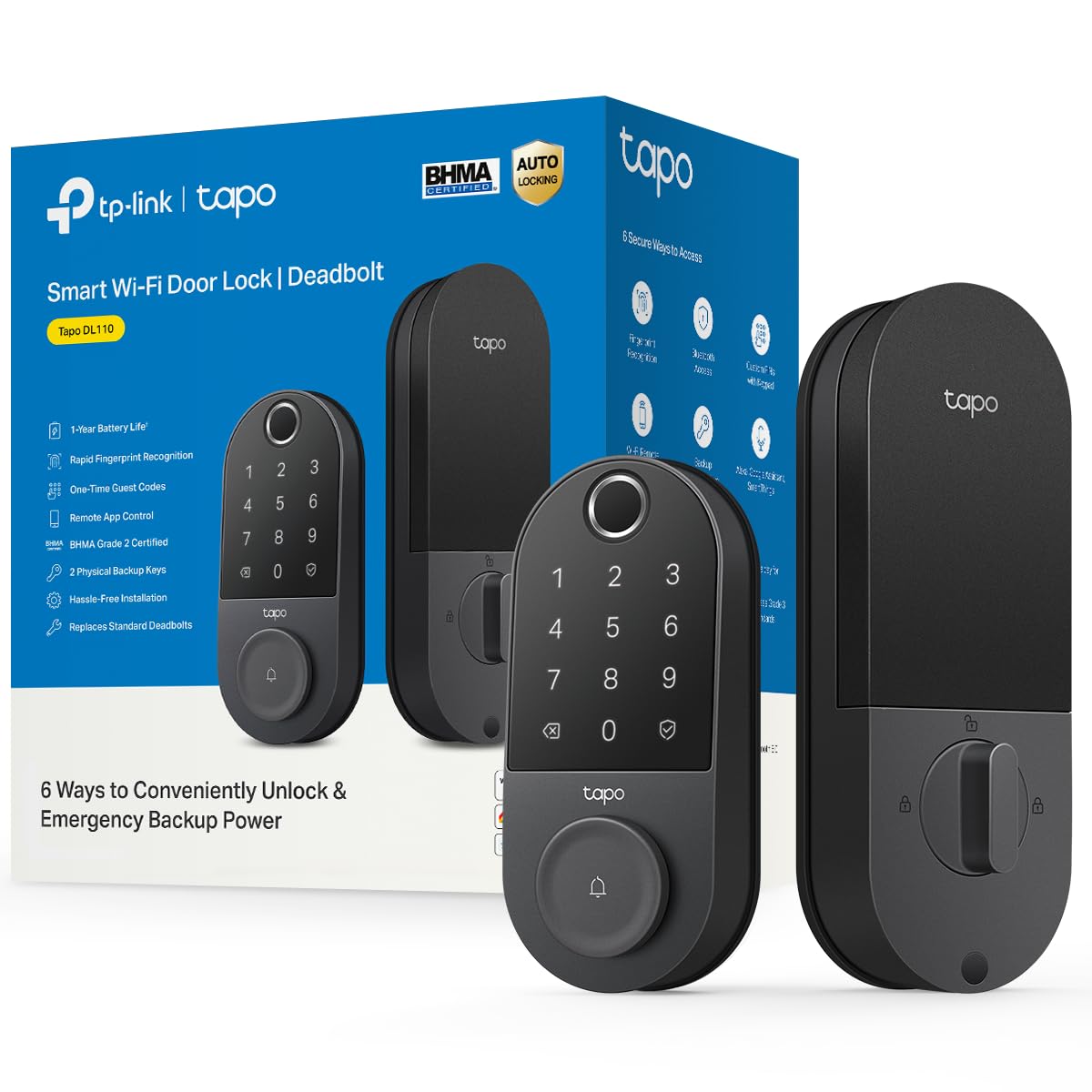
1. Tapo Smart Wi-Fi Door Lock DL110
Our pick — 4.5+★ from 800+ verified ratings; the strongest balance of quality and price.
One thumb tap opens this lock faster than you can pull a key out of your pocket
If the daily routine you want is walking up with full hands and just pressing a finger to the door, this is the lock that fits that life best. It recognizes a fingerprint in 0.42 seconds, and you can store up to 100 different prints, so the whole household plus regular visitors fits without anyone doubling up on the same finger. That fingerprint capacity is far beyond the 20 prints the Veise VE012W stores — the gap between them is five times over.
Six routes in give you a backup for almost any situation: fingerprint, a custom passcode on the keypad, Wi-Fi control from anywhere, close-range Bluetooth, your smart home assistant, or the included physical keys. The rechargeable battery is rated for a full year of continuous operation, and it charges over a built-in USB-C port instead of guzzling disposables. Buyers report the battery holding around 60% after roughly a year of use and the app showing the level, so you are not guessing when a charge is due.
What wins people over across the review pages is the overall build: it takes the top praise for quality by a wide margin, with ease of installation right behind it. The installation story matches that — swapping out an existing deadbolt takes roughly ten minutes for most owners, and the app does most of the thinking. Where it asks for patience is fingerprint enrollment, which some find fiddly the first time and needs a clean, dry sensor. The one recurring wrinkle is Wi-Fi connectivity, which the aspect feedback flags as mixed, so plan to position your router reasonably close to the door.
What earns its top spot
- 0.42-second fingerprint reads with room for 100 stored prints
- Six ways in, including Wi-Fi, Bluetooth, keypad, and backup keys
- Rechargeable battery rated for a full year, charged over USB-C
- BHMA Grade 2 rating and a polished black finish that looks at home on any door
Where it asks for a little patience
- Wi-Fi reliability is flagged as mixed, so keep the router within reasonable range
- Fingerprint setup is fussy for some first-timers and needs a clean sensor
Reach for this if: you want the fingerprints, the auto-lock, and the rechargeable battery all handled without buying a bridge or adding a second device by the door.
Think twice if: your router lives at the far end of the house and you cannot move it — the mixed Wi-Fi feedback here means a weak signal hurts the remote features most.
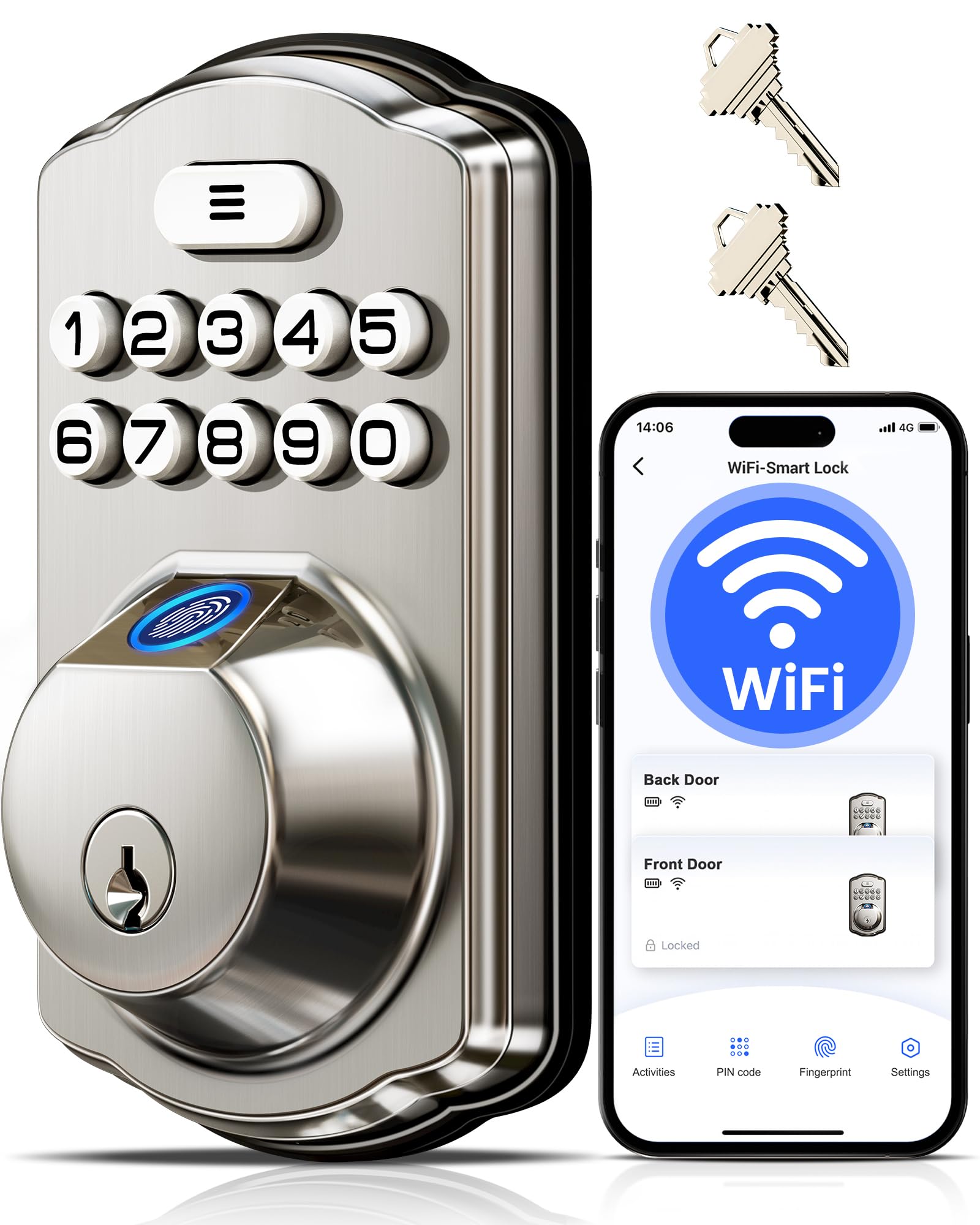
2. Veise VE012W WiFi Fingerprint Smart Lock
Six ways through the door for a fraction of what the big names ask
A lot of renters and first-time smart-lock buyers get talked into pricey hardware they never fully use. This one keeps the essentials and drops the markup: built-in 2.4GHz Wi-Fi so no hub is needed, a fingerprint reader, unlimited one-time codes, and space for 100 custom PINs. The fingerprint scanner uses a self-learning chip that reads a print in 0.2 seconds and, over time, tightens its accuracy with each use. Compare that to the Tapo DL110, which reads in 0.42 seconds — this is the faster reader, though it stores only 20 prints versus the Tapo’s 100.
It handles remote control, real-time lock and open up notifications, and a detailed activity log that shows who used which method, so you can see the pattern of who is coming and going. The build is solid: it passes the BHMA/ANSI Grade 3 test, uses a zinc alloy lock cylinder, and carries an IP55 weather rating for rain and snow. Power comes from 8 AA/LR6 alkaline batteries, which you supply.
The honest trade-off here is the fingerprint hardware itself. While many owners say it works flawlessly and the app makes adding prints straightforward, the customer feedback notes fingerprint failures on two locks fitted with handles — and the company replaced them. That is a real reliability asterisk worth knowing before you buy. Installation itself is a bright spot: the manual is repeatedly called the best people have seen, and owners note it runs quieter than more expensive locks with no hanging up.
Where it fits best: this is a strong pick for a rental, a second property, or anyone who wants hands-free entry without paying top-tier prices for features they do not need.
The honest asterisk: the fingerprint reader can be inconsistent on some units — the company’s replacement policy softens that, but if biometrics is your only entry method, weigh it against the Tapo DL110’s stronger reliability record.
Choose it if: built-in Wi-Fi, a working fingerprint and code setup, and a low upfront spend all matter more to you than brand prestige.
Look past it if: you need biometrics to work every single time with zero fuss — the Veise is not the lock where fingers never fail.
3. TEEHO TE012W WiFi Fingerprint Smart Door Lock
The lock that shuts down a code-guesser after ten bad tries — and tells you about it
If you want the lock that treats your front door like a small security system, this is the angle the TE012W takes. It automatically locks itself for 3 minutes after 10 consecutive wrong PIN attempts and pushes an instant break-in alert to your phone. The anti-peep password feature lets you type random digits before and after your real code, so anyone watching over your shoulder cannot trace it. Around the rest of the package you get the familiar set: fingerprint entry for up to 20 users, space for 100 codes, two backup keys, and voice control through Alexa and Google Assistant.
Battery life is where it widens out: it uses 8 AA batteries — double the count on 4-battery Wi-Fi locks — which means less swapping and more stable Wi-Fi signal in practice. It carries a BHMA Grade 3 certification and an IP55 weather rating, so it lives happily in rain and snow. The backlit keypad and Silent Mode help it fit a bedroom-adjacent door where a noisy keypad click would be a problem.
The pattern across reviews is that people replace more expensive failing locks with this one and are happy they did — first-touch fingerprint reads and stable Wi-Fi come up often. The 10-to-15-minute install is another selling point. A couple of honest notes: the interior plate is plastic rather than metal, and one reviewer reports the fingerprint reader failing in cold weather, which matters if you live somewhere that freezes.
What it does better than most
- Locks out for 3 minutes after 10 failed PIN attempts and alerts your phone
- Anti-peep code entry lets you pad your real PIN with random digits
- 8 AA batteries give it double the count of 4-battery Wi-Fi locks
- BHMA Grade 3 and IP55 ratings hold up in rain and snow
What you should know upfront
- Interior plate is plastic rather than metal — fine for a bedroom-adjacent door, less so at a heavily trafficked entry
- The fingerprint reader can struggle in freezing temperatures, per one owner’s report
Pick it if: you want real anti-tamper features — break-in detection and anti-peep codes — without jumping into the premium price bracket.
skip it if: you need a metal interior plate or live somewhere the temperature drops well below freezing.
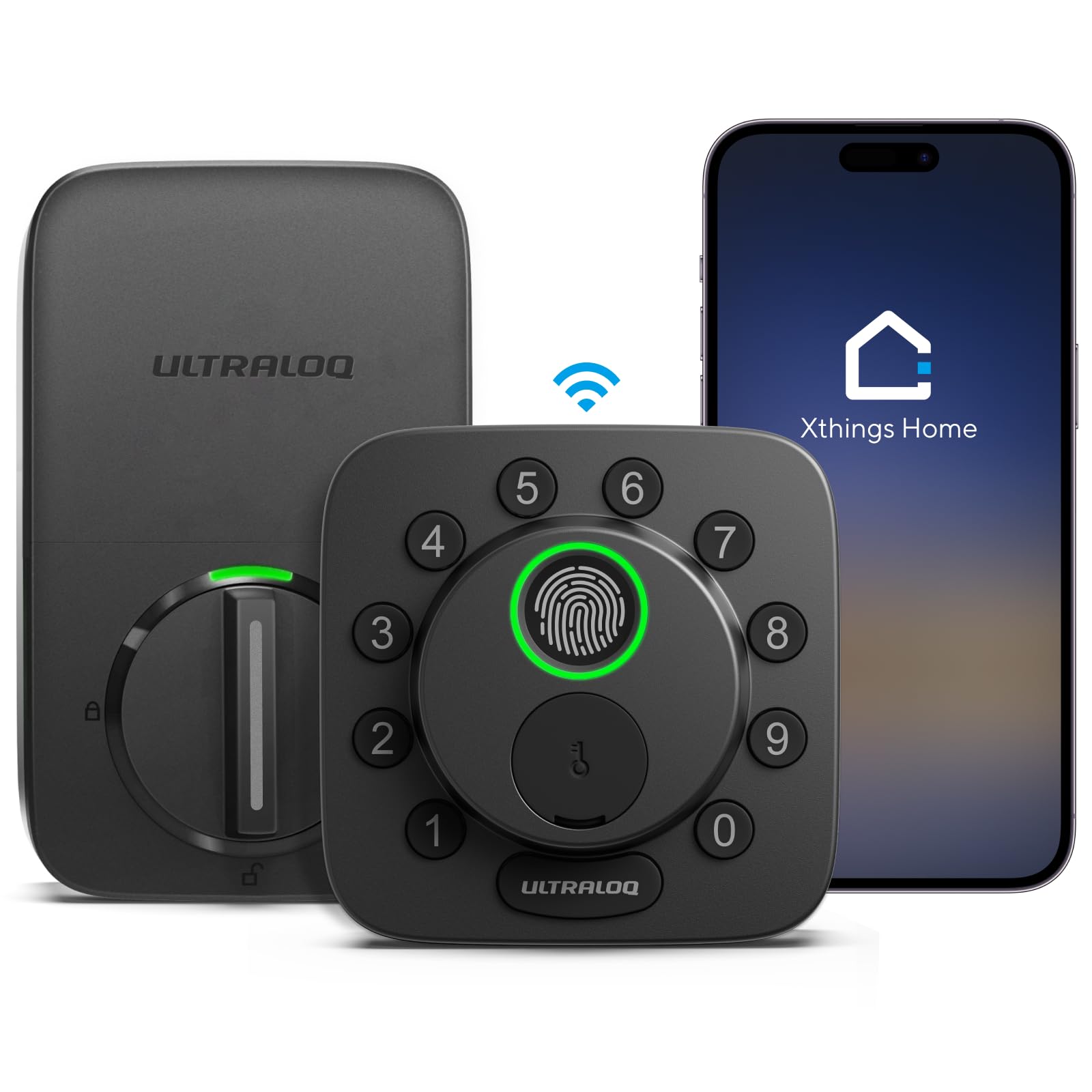
4. ULTRALOQ Bolt SE Wi-Fi Smart Lock
Thread networking and Matter support put this at the front of the ecosystem race
If your home already runs Apple Home, Google, Alexa, or SmartThings, this lock speaks their language natively. It supports Matter over Thread, which means it can join a self-healing mesh network alongside other Matter devices — if one node drops out, the network reroutes. The 18-month battery life is a headline number that comes straight from Thread’s low-energy design, so you are not changing batteries every few months. Where most locks ask you to choose one ecosystem, this one works with Apple HomeKit, Alexa, Google Assistant, and SmartThings, plus Siri for voice.
Seven routes in are available: fingerprint (50 stored), passcode (50 codes), app, web portal, eKey sharing, voice, and two mechanical keys. Wi-Fi control is built in on 2.4GHz with no hub needed — unlike the Philips lock, which relies on a separate bridge for remote access.
Real-world feedback is more mixed than the spec list suggests. The customer summary flags a split on the fingerprint reader and auto-open up (the feature that open up the door as you approach): some owners find both work great, while others report inconsistent reads and failures with unauthorized fingers. Reliability at scale is still solid — this is among the most-reviewed locks in this category — but if biometrics has to be flawless for you, plan on the code or app path as your primary. The lock is also quite compact at 2.95 x 1 x 2.95 inches, so it sits flush against the door and does not stick out.
The Matter advantage: if you have been waiting for a deadbolt that plays nicely with multiple smart-home apps at once, this is the one to pick. The self-healing Thread mesh buys you better stability than a single Wi-Fi hop.
The catch to weigh: Matter over Thread needs a compatible hub or Thread Border Router, so this is not a plug-in-and-go choice for someone without one. The fingerprint split is a secondary consideration if code or app entry is your default.
It suits: homes already running Matter, Apple Home, or a multi-ecosystem setup, where an 18-month battery and four-way voice support are worth the hub requirement.
Not for: buyers without a Thread Border Router who want the simplest possible install — you will hit a setup wall before the lock does any work.
5. Philips Smart Lock Fingerprint Door Lock
A big, lit keypad that stays readable when you come home in the dark
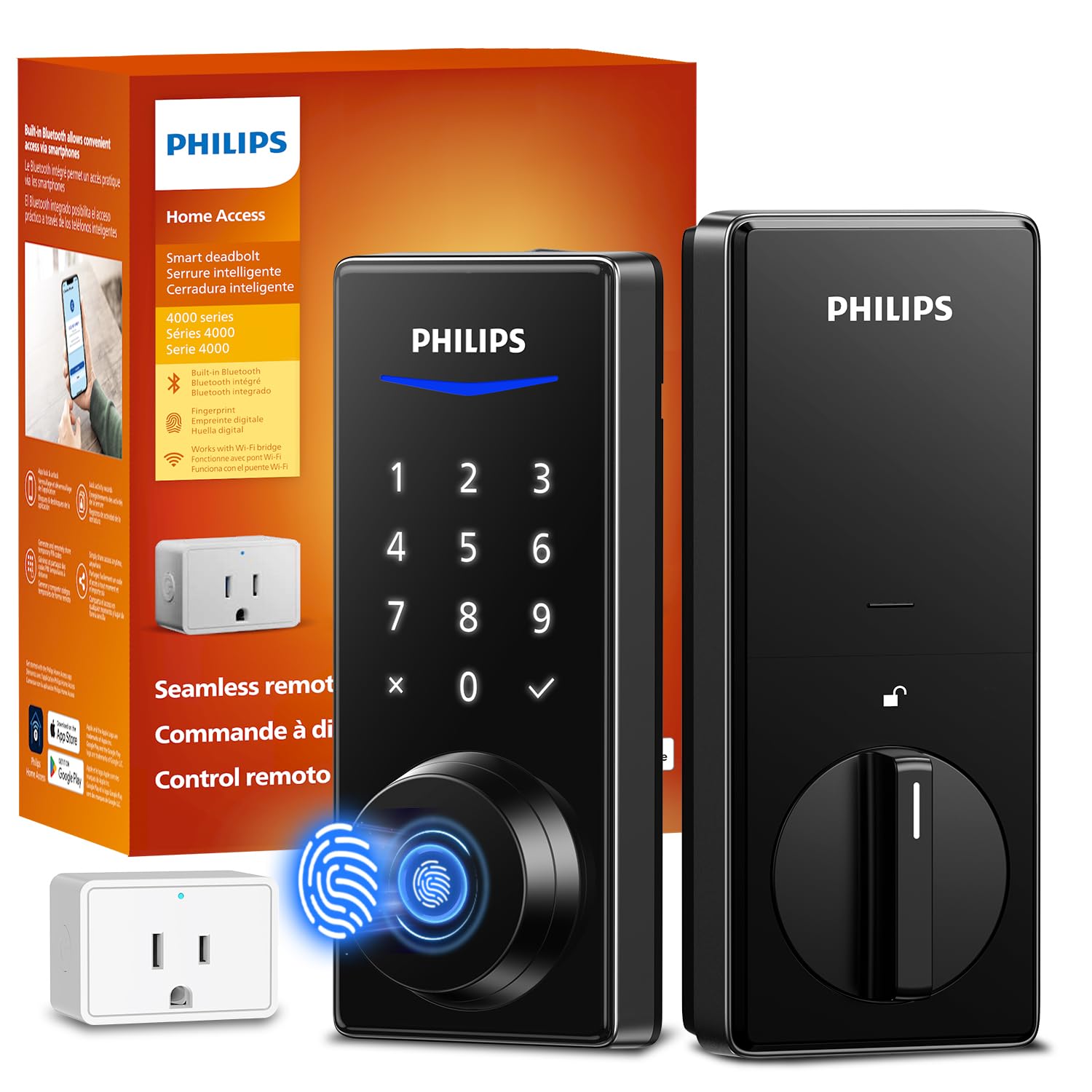
Buyers with older hands, or anyone who wants a keypad you can actually see at night, tend to land on this Philips model. The backlit touchscreen lights up when you approach — one owner specifically praises the large illuminated touchpad as ideal for an older parent who manages perfectly well with a short four-digit code. That is the sort of detail you do not get from a spec sheet, and it makes a real difference at a dark front door.
The big draw is functional spread: fingerprint, code, key, and app or voice all work without requiring a phone in your pocket. Rather than Wi-Fi inside the lock, this uses a small Wi-Fi bridge that comes with it for remote access, and Bluetooth handles local control. Weather-resistant construction and auto-lock round out the package, along with anti-peep code entry and support for multiple locks in the same app.
Owners rate the look and functionality highly, and the install is regularly described as under an hour with common household tools. Two honest caveats: the customer feedback shows remote access is mixed, meaning bridging depends on placement and signal, and there are a couple of reliability complaints — including one buyer who had connection problems from day one. That is worth weighing against the many happy multi-unit buyers who have installed these across several doors.
Why it lands for the right buyer: a large backlit touchscreen (a screen that lights up so you can see the numbers in the dark), fingerprint, and passcode entry serve mixed households — tech-savvy members use the app, less tech-savvy members use the code, and nobody has to carry a key.
The trade-off to know: remote access depends on the bridge’s signal, and the review pattern shows that path is not as rock-solid as the local entry methods. If remote open up from work is your top requirement, weigh that carefully.
Best fit: multi-generation households where easy code entry and a lit touchscreen matter more than deep smart-home automation.
Think again if: remote control from anywhere is critical, since the bridge needs a good signal spot and reliability is not its strongest suit.
6. eufy Security Smart Lock C220
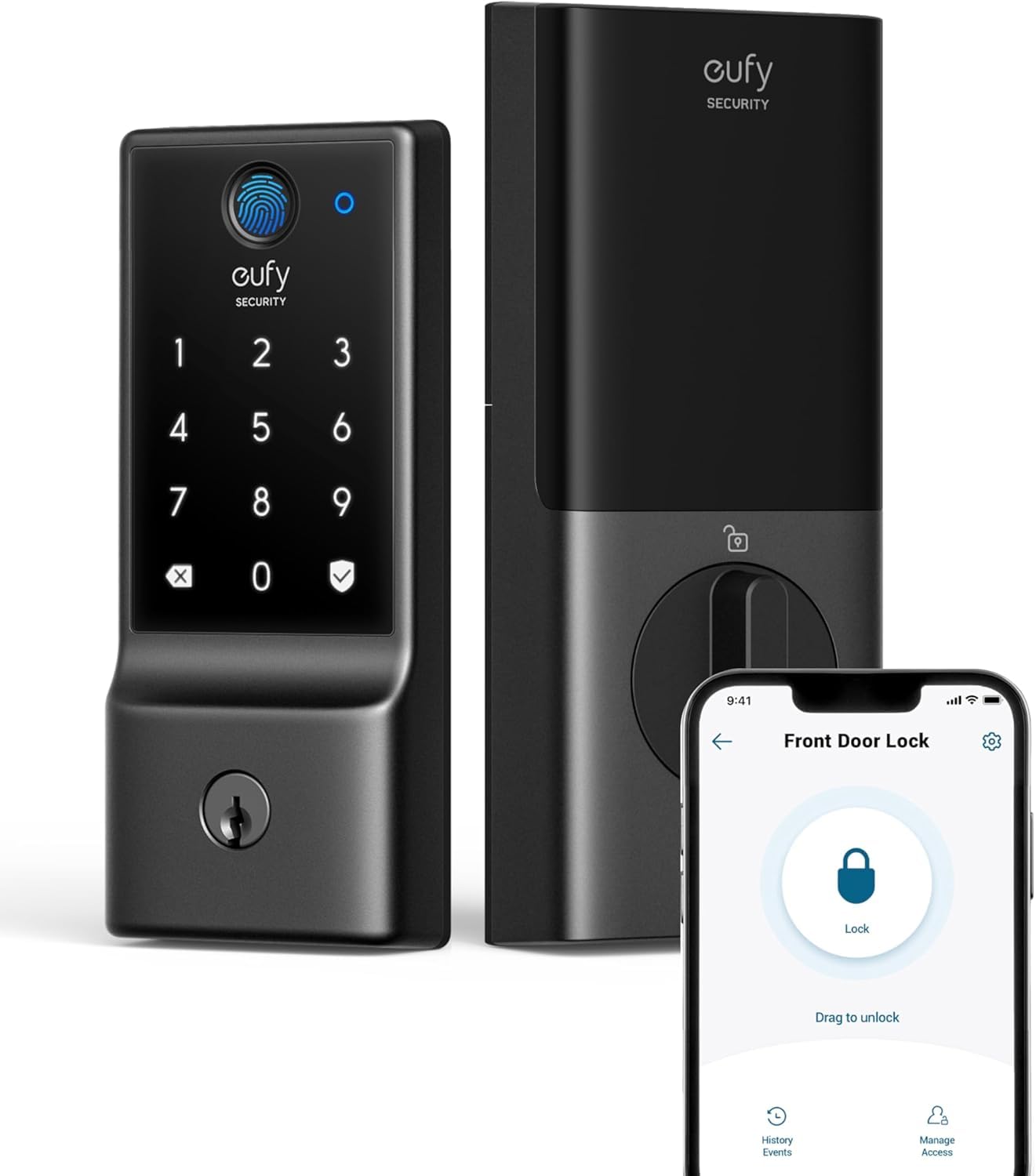
If you already own eufy cameras, this lock slots into the same app
If your home already has eufy doorbells or cameras, the C220 is the lock that joins the party. It runs on the same eufy Security app, so doorbell routines and lock events live in one place, and you can trigger keyless entry through your existing eufy gear. Six ways to open up are supported: a fingerprint sensor that responds in under a second, the app, the keypad, a physical key, Apple Watch, or voice through Alexa or Google. Built-in Wi-Fi means no bridge — unlike the Philips lock, which uses a separate bridge for remote access.
Battery life is listed at around 8 months on 8 AA batteries, so you change them roughly twice a year. But the customer summary flags battery drain as the biggest complaint — a subset of owners mention swaps every six weeks, and the aspect feedback backs that up as a negative. The other split is reliability at the four-month mark, so a portion of the field is running fine years in while another reports the lock dropping out.
Where the lock shines is install and fit. It replaces most standard deadbolts in about 15 minutes without drilling, and the fitment is forgiving enough that no-bore changes are needed for bores under 54mm once you pull out the spacer. The BHMA Grade 3 certification with 100,000+ lock/open up cycles gives you durability proof. Reviews also note that eufy’s fingerprint reader never fails and handles wet or rough fingers better than most.
Where the C220 wins
- 15-minute install that fits bores under 54mm without drilling
- Fingerprint reads in under 1 second, including wet or rough fingers
- BHMA Grade 3 certified for over 100,000 lock/open up cycles
- Integrates directly with the eufy doorbell and camera ecosystem
The real-world asterisks
- Battery life is the aspect buyers flag most, with some reporting six-week replacement cycles
- Reliability is split — some units are rock solid, others drop out around the four-month mark
An easy call for: anyone with eufy cameras or a doorbell already, since the C220 shares their app and routine logic.
Less clear-cut for: buyers who need rock-steady battery numbers, where a rechargeable pack lock like the Tapo DL110 makes a safer bet.
7. Kwikset Halo Wi-Fi Smart Lock
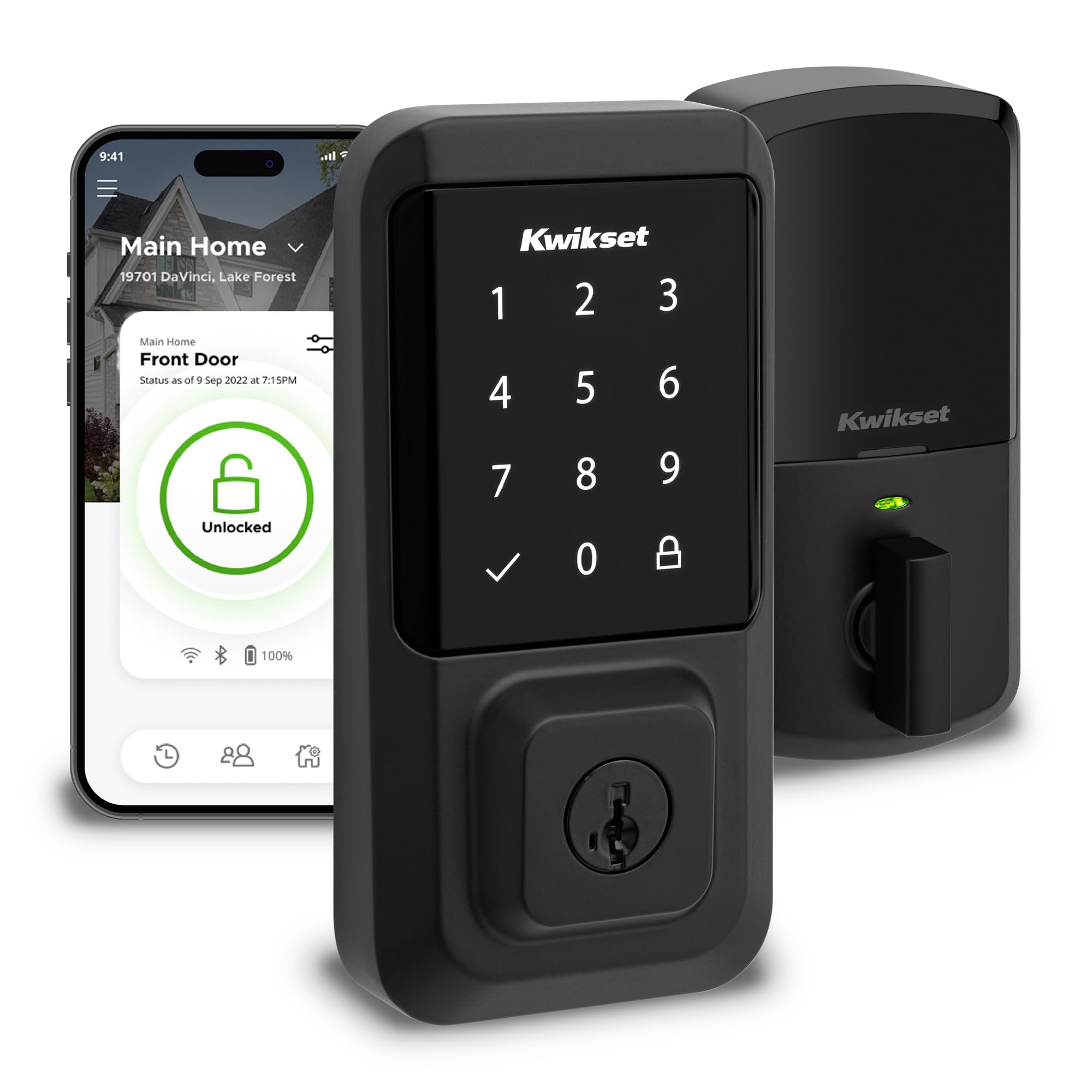
A whole rental operation’s worth of codes under one app
Some locks make you ration codes between guests, cleaners, and family. Not this one: the Halo supports up to 250 access codes, which is more than any other lock on this list. You share temporary, scheduled, or permanent codes from the app, and the backlit keypad makes them easy to type after dark. Wi-Fi is built in with no hub needed, and geofencing can open up the door automatically as you approach. Intrusion detection pings you with a notification if someone tries an invalid code or taps the lock.
The finish and hardware feel premium, and the install is friendly for a mid-tier DIY — a screwdriver job that fits doors between 1-3/8″ and 1-3/4″ thick with an adjustable deadbolt backset from 2-1/8″ to 2-3/4″. Grade AAA certification and UL listing back up the safety side of the pitch. The customer story is more mixed, though: reliability and ease of use draw split feedback, with a portion of owners reporting setup frustration.
Bluetooth setup (pairing the lock to your phone over a short-range wireless link) is the most-mentioned friction point in the negative reviews, with people needing multiple factory resets to get the app to pair. Once it is up and running, the lock does what it should, and the 250-code capacity remains class-leading if you run a rental or a busy household.
The defining strength: 250 codes with scheduled and temporary options makes this the pick for rentals, large families, or anyone managing multiple guests. The Grade AAA certification and UL listing add a security label the cheaper locks do not carry.
The reliability asterisk: setup and pairing draw split feedback, and battery life has had complaints on some units. Budget for patience on day one and check the battery indicator regularly.
Built for: rental operators and large households where 250 guest codes are an actual need, not just a spec number.
Less suited to: a single-family home looking for the simplest possible setup — the pairing process here asks more of you than most.
8. Yale Security Assure Lock Deadbolt
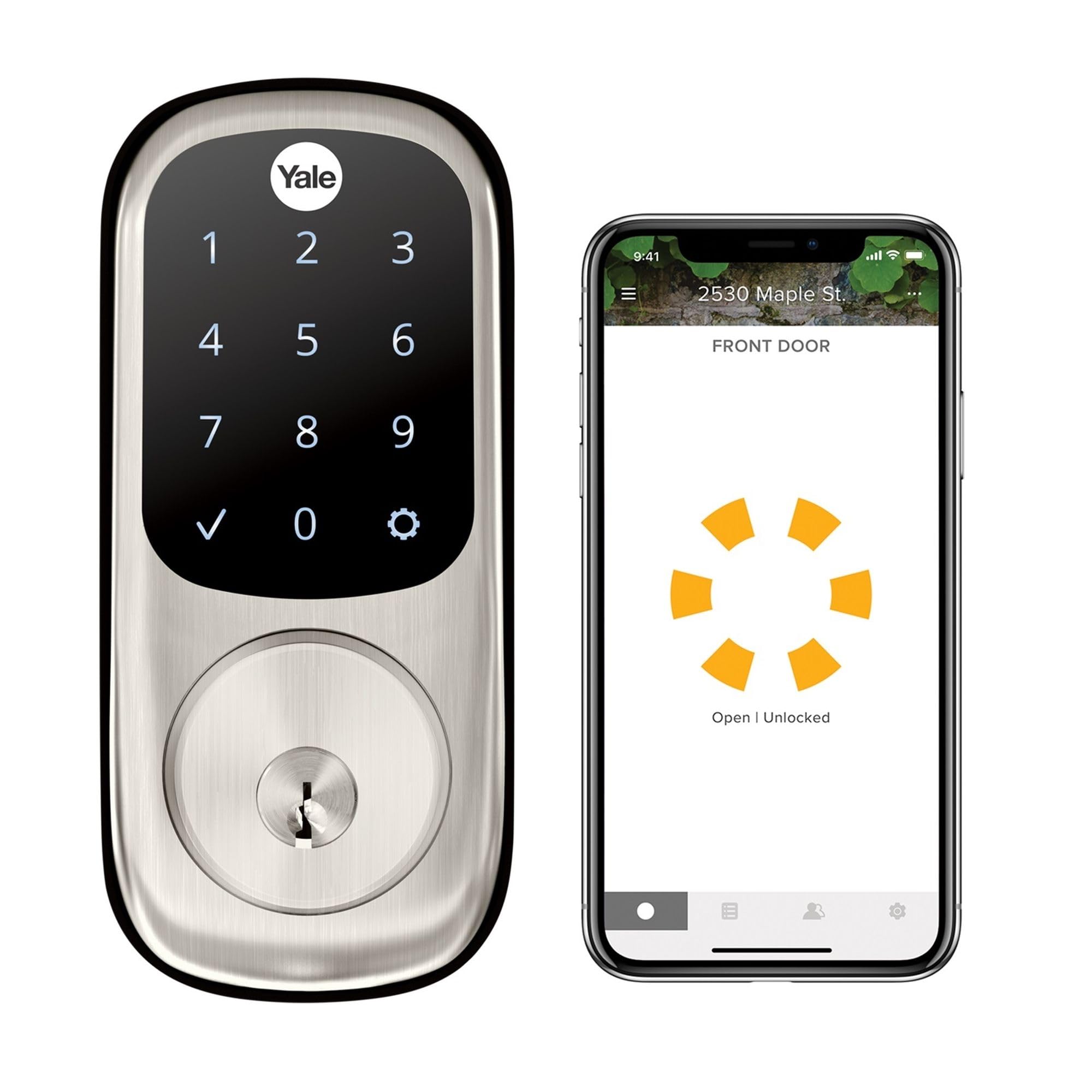
open up itself when you walk up — no phone, no touch, no key
The Yale Assure is built around one idea: as you approach the door, the lock recognizes your phone in your pocket and open up before you reach it. It uses an August Connect Wi-Fi bridge module that plugs into an outlet — unlike the Tapo DL110, which needs no bridge for remote access. Hands-full entry is its whole personality, and the touchscreen keypad is the fallback for the days you left the phone on the kitchen counter. Voice control through Alexa, Hey Google, and Siri is supported, and Alexa can even announce a low battery.
The lock’s quality and auto-open up performance are what owners consistently rate highest — the day-to-day feel of it is the reason people buy it a second time. The battery story is closer to a red flag than a footnote: the customer feedback flags connectivity and battery drain as negatives, with complaints about frequent disconnections and batteries draining fast on some units. The included door sensor, DoorSense, tracks whether the door is open or closed, which is a genuinely useful extra. The app walks you through your access history and non-owners’ activity.
Installation is straightforward once you drill a spot for the door sensor magnet (a small magnet that tells the lock whether the door is open or closed), and the body accepts a Kwikset KW1 key blank if you need to match an existing rekey. Two aspects worth watching: the August module (a separate bridge that connects the lock to your Wi-Fi) needs to be relatively close to the door — some owners found the bridge worked better when moved a few more feet from where they first plugged it in — and the door’s existing deadbolt hole depth can affect auto-lock reliability. If the hole is not deep enough, the lock can misjudge open/closed state.
What makes it stand out
- Auto-open up proximity detection — the door opens as you walk up
- DoorSense sensor reports whether the door is open, closed, or ajar
- Voice control with Alexa, Hey Google, and Siri
- Includes a physical key backup for the battery-dead scenario
What to plan around
- Requires a plug-in August Connect bridge near the door for remote access
- Battery drain and connectivity draw the strongest negative feedback
- Door deadbolt hole depth affects how reliably auto-lock reads door state
The right fit for: anyone whose dream is walking up with grocery bags and hearing the deadbolt retract. The hands-free experience is genuinely the pitch.
Not the pick if: you cannot place a bridge near the door or you need rock-solid battery life month to month.
9. Schlage Encode Smart WiFi Deadbolt Lock

The lock Airbnb hosts reach for when they want guests never to touch a key
If you host short-term rentals, the Schlage Encode is built for exactly that job. Through integrations the Encode works with the Airbnb platform — codes get set and sent to guests automatically, and you never have to hand over a key. Built-in Wi-Fi means no hub purchase and no bridge device to place near the door, and around the platform you get up to 100 access codes, activity history, customizable notifications, and the ability to manage several locks in the same app.
The build quality has huge legs in the review data — it ranks at the top for quality and install while carrying one of the largest rating pools in this category. It is also the only lock here with the highest residential BHMA rating for security, durability, and finish, which is a genuinely rare label. The interior of the door gets a fingerprint-resistant touchscreen and a built-in customizable alarm that fires on door movement or forced entry attempts. Four AA batteries are included, with around six months of typical battery life and a low-battery indicator on both touchscreen and app.
Reliability is the honest asterisk here: the customer feedback flags a subset of units stopping after 6 months, and some customers note connectivity drops requiring an app reset. Style-wise it holds up — the matte black finish is consistently praised — and the physical backup key is included for the case where every smart path fails.
Why hosts keep buying it: the Airbnb integration, built-in Wi-Fi, and top-tier BHMA security rating are a combination nothing else on this list matches exactly. Guests get a code, not a key, and you watch the door from wherever you are.
The honest asterisk: long-term reliability is not uniformly perfect — some units have failed at the six-month mark. That has not stopped it from being among the most widely used rental locks, but it is worth knowing before you deploy it on a property you do not visit often.
The match for: Airbnb hosts, second-home owners, and anyone managing multiple properties from an app.
Think twice if: your occupancy is low and you want the simplest possible home lock — most of the value here is in the guest-management features.
10. Level Lock+ WiFi Deadbolt Smart Lock

The lock with no visible technology — smart hardware that disappears into the door
Some people want a smart lock that looks like nothing at all. The Level Lock+ fits inside your existing door hardware with no visible tech on either side, which means your entryway keeps whatever style it already had. It comes in Matte Black with a stainless steel key mechanism and works with the existing cylinder and trim rather than replacing them. The trade-in is that most of the smarts live in your phone: the app runs on iOS and Android, and a CR2 battery powers the whole thing.
Two big features stand out. First, Apple Home Key support lets you tap your iPhone or Apple Watch to open up — the same Wallet technology you use to pay for coffee, so the key lives alongside your credit cards. Second, the included Level Connect Wi-Fi bridge adds remote lock and open up, live activity history, and Level Keypad code management from anywhere. On the voice side, HomeKit, Google Home, and Alexa are all supported, and the app covers auto-lock/open up, guest access sharing, and activity history.
Owners rate quality, install (under 30 minutes), and appearance highly — the discreet in-door profile is the reason people buy it. The honest asterisks come thick and fast though: the customer feedback flags connectivity and ease of use as mixed, with the Android app criticized for missing basic features that the iPhone version has. Value shows up as a negative in the feedback, and there is a documented story about the company pulling SmartThings firmware support from identical hardware, leaving owners without a route to that integration. Heavy-use battery life is reported at months rather than a year.
The case for it: if you live in an Apple household and want the cleanest possible look, the Home Key tap-to-open up and the invisible footprint are worth the premium. No other lock here disappears quite like this one.
The honest warning: Android users get a weaker version of the app experience, and the feedback notes a mixed record on connectivity and battery life. Compare the specs carefully against the Schlage or Yale if cross-platform is important to you.
Ideal for: design-first households with iPhones, where a clean door face matters more than a screen or keypad.
A mismatch for: Android-primary homes or anyone who wants an app that works identically across both platforms.
11. Lockly Visage Zeno Smart Lock
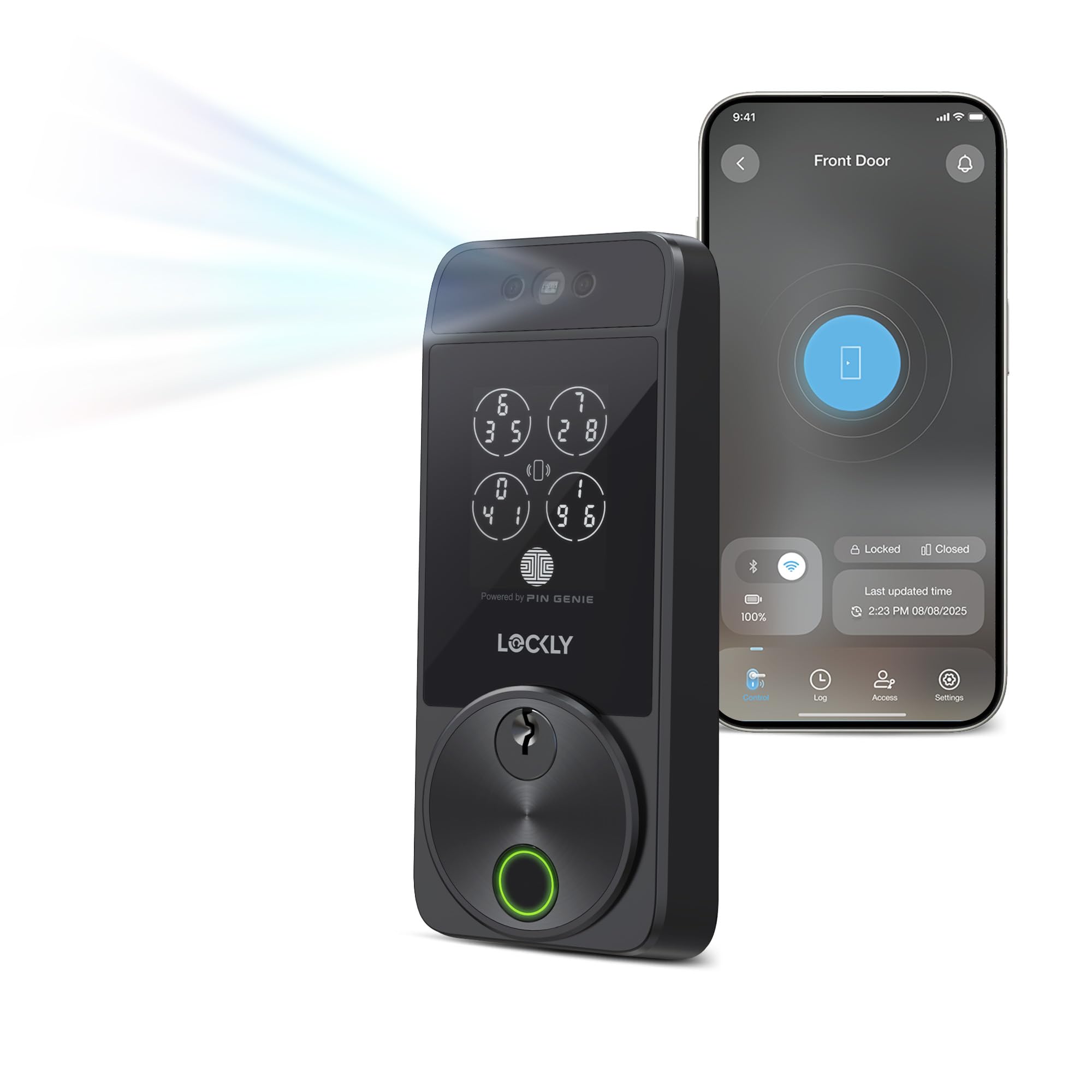
Walk up and the door recognises your face — hands never leave your pockets
This is the flagship for someone who wants the most advanced entry method on this list. Facial recognition reads your face as you walk up, using dual infrared sensors (sensors that see heat and work in the dark) that work in any lighting including total darkness. Face data is encrypted and stored on the device, so nothing about your face leaves the lock. Six more routes in cover the rest: a 3D biometric fingerprint sensor reading prints in 0.2 seconds with room for up to 99 prints, the Lockly Home app, keypad, physical key, Apple Watch, or voice through Alexa or Google Assistant.
Apple Home Key support is built in and works even when your iPhone is out of power, which is a step up from the iPhone-only Home Key setup on the Level Lock+. On power, two 10,000mAh rechargeable batteries are included, so you swap-and-charge instead of buying disposables — that is a different experience from the Philips lock’s bridge-based battery setup. Built-in Wi-Fi means no bridge required, and the IP65 weather rating is the highest of any lock here.
Install is genuinely easy by all accounts, though one owner calls the 15-minute install claim optimistic — two to three hours is more realistic for novices, especially if the door hole needs enlarging to 2.125 inches. The door sensor magnet placement is also fussy, needing to be within 3/4″ to work properly. Otherwise, reviews are consistently warm: solid build, flawless app, Bluetooth-priority battery saving, and outstanding Sunday-night customer service with a 30-minute response time. It is the most expensive lock here, but the two-battery design removes the downtime that disposable-battery locks are famous for.
What earns its flagship label: facial recognition in any lighting, 0.2-second fingerprint reads with 99 stored prints, Apple Home Key that works when your phone is dead, and two rechargeable batteries for zero downtime. The IP65 rating is the best weather protection here.
The premium cost: it is the most expensive pick on this list, and the install can take longer than advertised if your door hole needs enlarging. Budget for the price and the afternoon.
Buy it for: the face open up and the Apple Home Key tap, if having both on one lock is worth the top-tier spend.
Look elsewhere if: budget matters more than wow-factor — the TEEHO and Veise picks deliver solid keyless entry for much less.
Know the Specs
Battery Type and Count
This is the spec that decides how often you stand at the door with a screwdriver. Locks that run on 4 AA batteries, like the Kwikset Halo and Schlage Encode, tend to need fresh cells a few times a year. Locks that run 8 AA batteries, like the Veise VE012W and TEEHO TE012W, tend to stretch that further and give a more stable Wi-Fi signal. Rechargeable packs, like the Tapo DL110 or the dual batteries on the Lockly Visage, replace the shopping trips with a charge cycle — a smart choice if you do not want to ever think about alkaline batteries again.
Weather Ratings and Lock Grades
An IP rating is a weather-resistance score — the higher the second number, the more water the lock tolerates. The Lockly Visage carries IP65, the highest here, meaning it handles spray and rain; the Veise and TEEHO carry IP55. Separate from weather is the BHMA grade, a durability certification by the Builders Hardware Manufacturers Association based on cycles and force. The Schlage Encode carries the highest residential rating for security, durability and finish; the Tapo DL110 sits at Grade 2; the Veise, TEEHO and eufy carry Grade 3. Higher is better, but Grade 3 is still a real certification, not a marketing word.
Common Questions
Do I need a hub or bridge for any of these Wi-Fi deadbolts?
How long do the batteries actually last on a Wi-Fi deadbolt?
Will these locks fit my existing door?
Can I open up these locks remotely from work?
What happens if the battery dies while I am locked out?
How accurate is fingerprint recognition in cold or wet conditions?
Are the built-in Wi-Fi locks vulnerable if my internet goes down?
Can two locks work with the same app?
Is a fingerprint lock or a code-only lock safer for a rental?
Do these locks work with Alexa, Google, and Apple Home?
The Bottom Line
For most buyers shopping for the best wi-fi deadbolt lock, the Tapo DL110 is the pick that holds up on every practical measure — six ways in, a fingerprint sensor that reads in 0.42 seconds, room for 100 prints, and a rechargeable battery rated for a full year without touching a screwdriver. The Tapo also edges out the Veise VE012W on fingerprint capacity (100 versus 20) and reliability feedback, even though the Veise reads marginally faster at 0.2 seconds. If face recognition and Apple Home Key tap-to-open up are what you actually want, the Lockly Visage Zeno delivers both with two on-board rechargeable batteries and an IP65 rating (a rating that means it is dust-tight and protected against water spray), and it is worth the jump in spend for those two features alone. For rentals and multi-door homes, the Schlage Encode is the lock that fits the job — Airbnb codes, built-in Wi-Fi, and the highest residential BHMA rating (a third-party durability score) in this lineup. And if you simply want the fastest diy path to keyless entry on a tight budget, the Veise VE012W comes in under most of the field without giving up the fingerprint reader or the app control.
How we choose
We do not accept paid placement. Every pick is matched to a real buyer and a real use-case; we do not hands-on test units.
Sources
Specifications: manufacturer listings and product documentation. Review insights: verified customer reviews, as of October 2026. Pricing: not shown on this page (it changes often); check the current price via the retailer link.
As an Amazon Associate, Aappliancez earns from qualifying purchases. This does not affect which products we feature.