Disclosure: Some links in this post are affiliate links. As an Amazon Associate I earn from qualifying purchases, at no extra cost to you. Learn more
Specs are compiled from manufacturer listings and verified buyer reviews and can change over time — please confirm the key details on the product page before buying.
Your NAS holds every photo, file, and project you own, and a one-second power blip can leave half-written data on its disks. The fix is a UPS (uninterruptible power supply) — a box with a rechargeable battery that keeps your rack running long enough for the drives to finish writing and shut down cleanly. The short version: buy one with sine-wave output and a USB data port that your NAS can talk to, and size it in watts for your actual drive count. This guide breaks down nine real units by VA rating, wattage ceiling, outlet count, and runtime so you can pick the right battery for your shelf instead of a decorative blinking box.
This guide is built by comparing the manufacturers’ published specifications and the patterns across verified customer reviews, so you get each pick’s real strengths and trade-offs instead of marketing spin.
A UPS only earns its place when the shutdown software works and the battery holds. Below you will find a full-runway breakdown of the best ups for nas options, ranked by how each one handles a Synology, QNAP, or home-built box.
Top Picks


How To Choose The Best UPS for NAS
Your NAS is not a desktop PC. It idles low, spins up hard during a rebuild, and needs a graceful shutdown signal — not just a few more minutes of raw power. The right unit answers three questions: how much wattage it can pass, what shape that power takes, and whether your NAS can tell it to shut down before the battery dies.
Start with watts, not VA
VA (volt-amperes) is the headline number on the box, but watts is the real ceiling. A drive array plus a modest CPU often sits well under a few hundred watts at idle, then spikes when all disks spin up at once. Check the wattage rating — a 425VA unit rated at 240W is a different animal from an 850VA box rated at 510W. Add up your drives, your motherboard, and anything else on battery outlets, then leave headroom for spin-up spikes.
Sine wave is the safe call
Pure sine wave output mimics the smooth alternating current from your wall. Simulated sine wave steps that curve into a rougher shape. Modern power supplies with active PFC (power factor correction, a circuit that smooths incoming power) can misread a rough wave and shut down. For a NAS you plan to keep for years, pure sine wave is the lower-risk choice.
The USB port is the whole point
A UPS that beeps but cannot talk to your NAS just buys you a few minutes of warning. Look for a USB data port and software that supports auto-shutdown. Synology and QNAP both have built-in UPS support that reads a connected unit, triggers a safe shutdown, and restarts when power returns. Without that handshake, the battery is only a surge protector with extra steps.
Battery chemistry changes your long-term math
Sealed lead-acid batteries are the standard and usually need swapping every few years. Lithium iron phosphate (LiFePO4) cells claim longer life and more charge cycles. If you want a unit you can park and forget about, lithium is worth a look — just confirm the data port exists, because a long-lived battery is still not a shutdown plan on its own.
Side-by-Side Comparison
| Model | Best For | Capacity (VA/W) | Battery Outlets | Battery Type | Amazon |
|---|---|---|---|---|---|
| APC 850VA/510W Pro★ Best Overall | Small NAS + router shelf | 850VA / 510W | 4 battery + 4 surge | Lead Acid | Amazon |
| Eaton Tripp Lite BC600RCompact Pick | Media-box modem/router | 600VA / 300W | 4 outlets | Sealed Lead Acid | Amazon |
| SKE SK425Best Value | Budget NAS + router | 425VA / 240W | 4 battery + 2 surge | Sealed Lead Acid | Amazon |
| APC BE600M1 | Mesh + camera shelf | 600VA / 330W | 5 battery + 2 surge | Lead Acid | Amazon |
| CyberPower BRG1000AVRLCD | Watt-meter readouts | 1000VA / 600W | 5 battery + 5 surge | Lead Acid | Amazon |
| GOLDENMATE 1000VA | LiFePO4 longevity | 1000VA / 600W | 8 outlets (surge) | Lithium-Phosphate | Amazon |
| APC BE1050G3 | Synology 8-bay racks | 1050VA / 600W | 6 battery + 2 surge | Lead Acid | Amazon |
| CyberPower CP1500PFCLCD | PFC PSUs + big bays | 1500VA / 1000W | 6 battery + 6 surge | Sealed Lead Acid | Amazon |
| APC SMT1500C SmartConnect | Server-grade racks | 1500VA / 1000W | 8 outlets | Sealed Lead Acid | Amazon |
Detailed Reviews
1. APC 850VA/510W Pro UPS Backup Battery Power Supply
Our pick — 4.5+★ from 750+ verified ratings; the strongest balance of quality and price.
A 510W ceiling with Ethernet surge built in — enough headroom for a small NAS shelf.
The number to fix on first is 510W (the sustained wattage ceiling). That sits above what a four-bay NAS plus router, modem, and a switch will draw at idle, and it leaves room for spin-up spikes when all disks wake together. You also get 850VA of capacity and roughly 29 minutes of backup runtime at a 100W load — a shutdown window your drives can finish writing inside without being rushed.
What wins people over is the coax and Ethernet surge protection on board. A lightning strike that travels down your cable line can fry the modem, the router, and anything downstream — and the protected pass-through here blocks that path before it reaches your network gear. The AVR (automatic voltage regulation, which nudges low or high wall voltage back to a steady 120V without tapping the battery) means brownouts trim power into your NAS without burning runtime.
The battery is the catch. It’s a standard lead-acid cell (the common rechargeable battery type) that will age out, and you can replace it yourself with APC’s RBC17 replacement (sold separately). That swap costs less than buying a whole new unit, but plan on doing it every few years. Many buyers report years of quiet service before the first battery swap. The honest downside: the occasional unit arrives with a dead cell and needs a return. That’s not a design flaw across the line, but worth knowing before you install it under a desk where a swap is awkward.
850VA battery headroom
- 510W ceiling leaves room for a NAS plus router, modem, and switch
- 29-minute runtime at 100W gives a clean-shutdown window
- Coax and Ethernet surge protected pass-through blocks cable-line strikes
- AVR corrects brownouts to 120V without draining the battery
- User-replaceable RBC17 battery keeps long-term costs down
sealed battery only
- Lead-acid battery needs swapping after its service life
- The odd unit ships faulty and needs a return
- Under-voltage from a big printer can trigger a battery switch
buy for outages: you run a small NAS with a router and modem in one spot and want the Ethernet surge pass-through.
no lithium swap: you need a lithium cell that won’t need replacing.
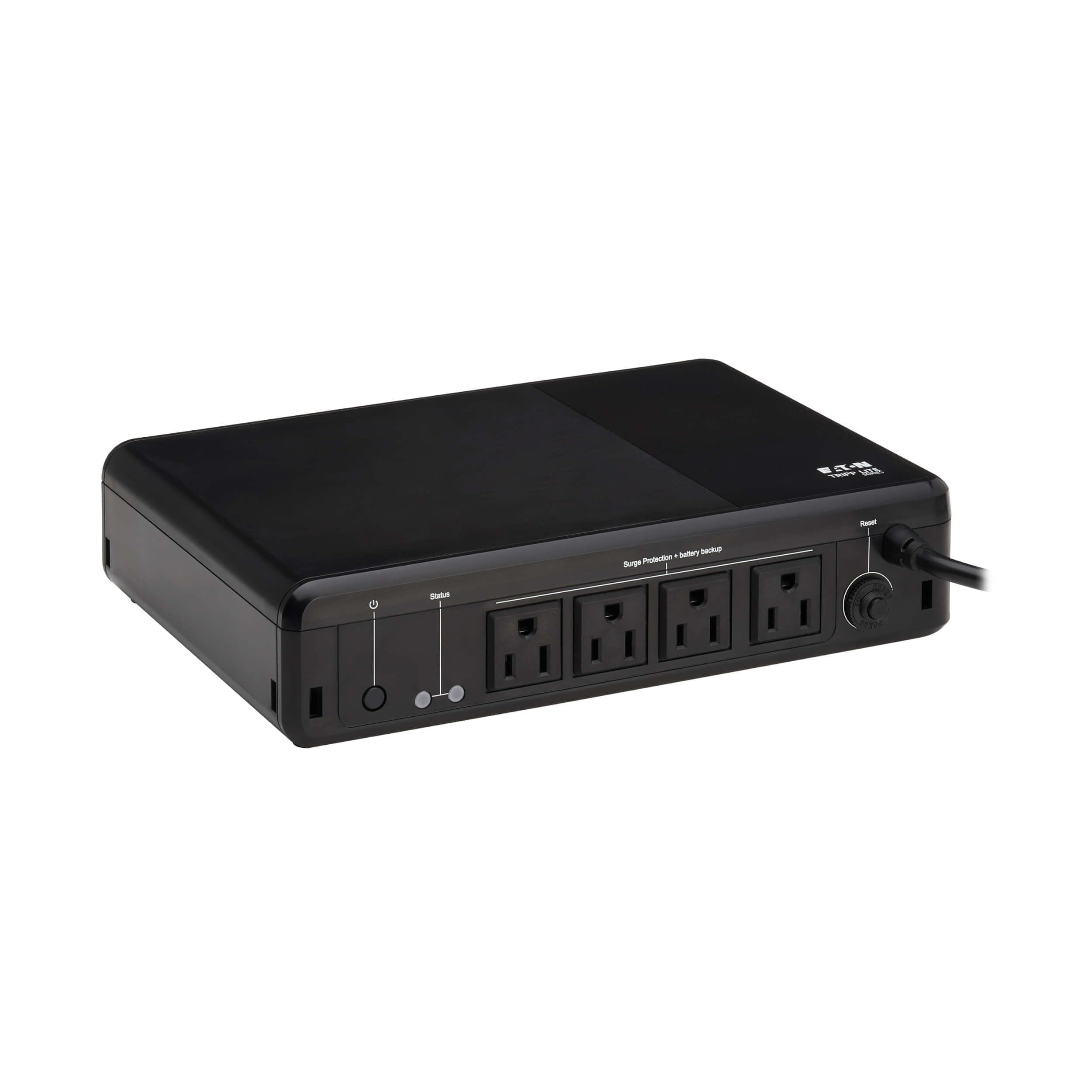
2. Eaton Tripp Lite BC600R 600VA Small UPS 300W
A 2.3-inch-deep box that mounts to a wall and keeps your modem alive — not a server UPS.
At 7.1 x 10 x 2.3 inches and 4.4 pounds, this is the unit you tuck into a media cabinet or screw to the wall above your router. The 300W ceiling and 600VA capacity cover a modem, router, and VOIP box with room to spare. The keyhole slots on the bottom are spaced in a 100 x 100 mm VESA pattern, so a wall plate or a couple of screws handles the mounting. That is a real advantage when your NAS lives in a rack but your networking gear is scattered around the house.
Where it leads with the crowd is reliability during short interruptions. It outputs a clean sine wave that keeps connected gear running without the stress of a stepped wave. It also has one quirk worth knowing: it will power on without AC present, so you can move it to another outlet during an outage without it refusing to boot.
A few buyers hit a genuine hiccup: the switchover can be slow enough that on one or two encounters the connected gear rebooted, and another noted no alert when power was lost or overloaded. This is a modem-and-router companion, not a full desktop sustainer — the 1.2-minute average battery life figure on the spec sheet is a short-burst number for lighter loads, not a server-grade runway.
reach for desk: your router and modem live in a tight cabinet and you need a tiny wall-mountable box.
small load only: your NAS needs a long, reliable switchover — its short burst life is the limit here.
3. SKE SK425 425VA/240W UPS Battery Backup
An LCD readout and 240W for a light NAS — the entry point that shows you its own battery level.
This is the dashboard build: a 240W ceiling on 425VA capacity, six outlets (four with battery backup plus two surge-only), and a built-in LCD that shows input voltage, output voltage, battery capacity, and load level in real time. You can watch the load number climb when your drives spin up and see the battery percentage tick down during an outage. For a first UPS on a budget rack, that display is the useful part — it tells you whether you have headroom before you find out the hard way.
Compared with the APC 850VA above, the SKE trades capacity. The APC carries 510W versus 240W here — a 2.1x gap in sustained wattage and a 2.0x gap in VA (850 versus 425). That is fine for a two-bay NAS plus router, and uncomfortable for a bigger array. Weigh your drive count before you buy, because the ceiling is the whole story on this box.
The honest trade-off is runtime under real load. Some buyers found the battery ran dead quickly under heavier draw, and a couple of units failed outright early — the recurring notes point to this being a lighter-duty unit that expects modest loads. It ships also with a management software package, though setup needs some tinkering to get working on current Windows. Kept inside its wattage window, it earns its slot for a small network shelf.
live LCD readout: input voltage, output voltage, battery capacity, and load level visible at a glance.
240W hard limit: 240W is comfortable for a light NAS and router, tight for a full array.
pick for basics: a two-bay NAS and router where the LCD load readout is worth the smaller wattage.
pass on power: your array is large or your software setup needs to be frictionless.
4. APC BE600M1 UPS Battery Backup & Surge Protector

The one labeled for routers and NAS — 330W, a phone-charging USB port, and a swappable battery.
APC put the words “Router, NAS” right on the box for this one, and the specs back it: 600VA on 330W, five battery-backed outlets plus two surge-only, and 23 minutes of runtime at a 100W load. For a router, modem, and a modest NAS that runs one or two bays, this hits the target. The built-in 1.5A USB port also keeps a phone or a small device topped up during an outage, which is the sort of small extra that matters when the lights are out.
What lives up to the sales pitch is the ease of setup. Plug it in, connect your NAS, and the box shows up to your management software without fuss — a good number of buyers run it this way with small servers and network switches. The battery is user-replaceable via APC’s APCRBC154, so a tired cell is a sat-down swap rather than a trip to the recycling bin. Software support covers both Windows and Mac with native settings on the latter.
The trick is to check the size of what you plug in. Runtime shrinks fast once a full PC load lands on it; keep the NAS, router, and modem on battery, and let a printer or lamp run off the surge-only pair. A handful of units arrive with an already-dead battery, so charge-test yours on day one and use the return window if it fails. Beyond that, it is a solid, boring, well-behaved box that does exactly what the label promises.
matched to routers: a modem-router-NAS stack that needs a clean handshake and a phone charge port.
think twice gaming: you want a longer runway under heavier equipment — 330W fills quickly.
5. CyberPower BRG1000AVRLCD Intelligent LCD UPS System
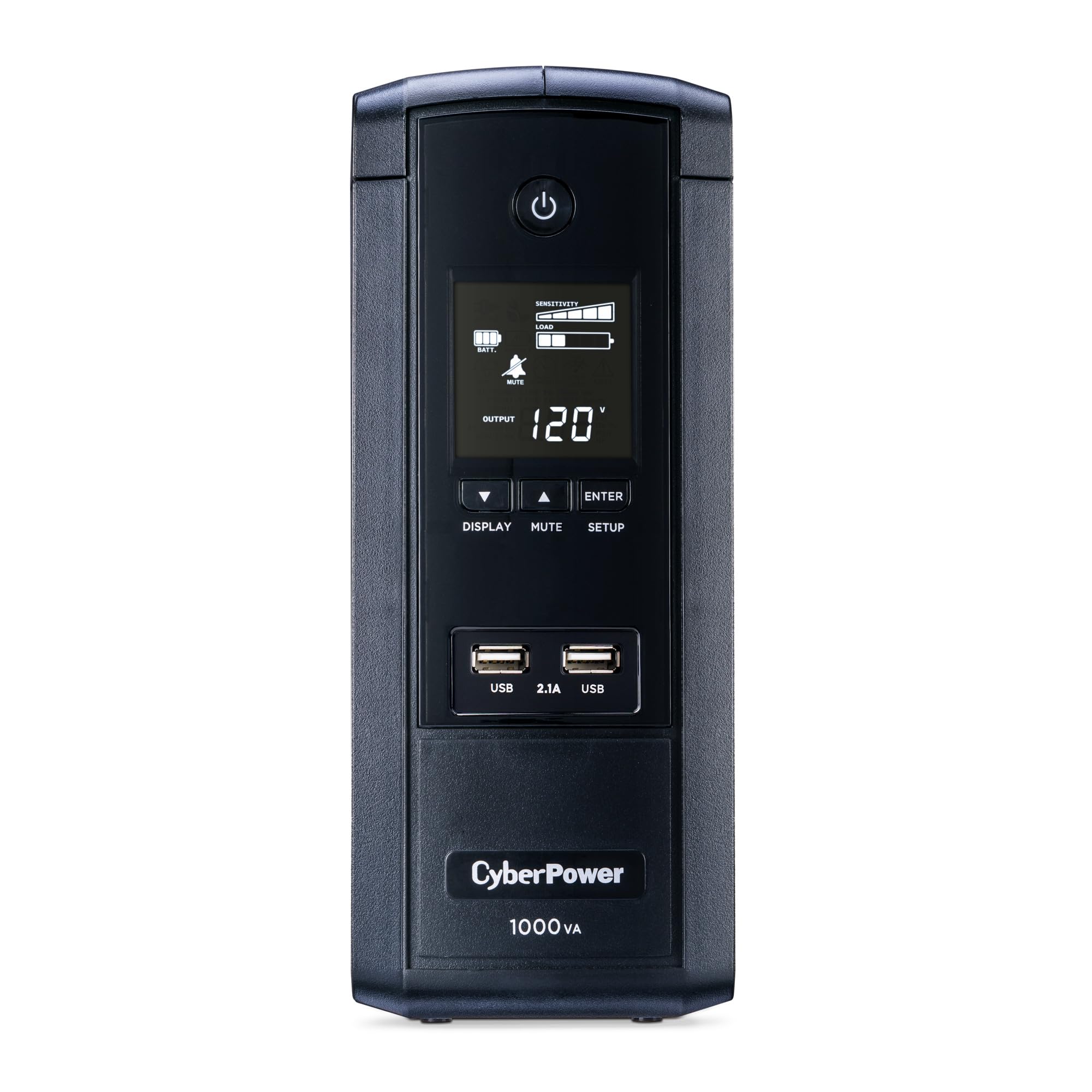
A 10-outlet mini-tower with an LCD that tells you exactly how many minutes you have left.
Ten NEMA 5-15R outlets — five battery-backed, five surge-only — on a 1000VA/600W platform, plus two USB charge ports at 2.1A shared. That outlet count is the draw for a small server shelf where the NAS, router, switch, and a couple of peripherals all want a plug. Five of those live on the battery, so you can segregate the critical gear from the things that can fizzle. The six-foot right-angle input cord adds reach to a wall socket behind a rack.
Owners single out the multifunction LCD, which shows estimated runtime, load, and charge percentage in real time. It shows estimated runtime, battery capacity, load capacity, line voltage, and charge percentage in real time — so you can verify the load before you commit a rack to it. The AVR corrects minor voltage swings without tapping the battery, which stretches the cell’s life. A 5-year warranty covers the unit and the battery, backed by a connected equipment guarantee — the kind of cover that gives a home server owner some breathing room.
The recurring gripe is that it is not the lightest or cheapest on the shelf — 15 pounds and a mid-range price tag make it a deliberate purchase. It uses a simulated sine wave, so check your NAS power supply if you have a high-efficiency PFC unit that might object. Kept within its own walls, this is a well-behaved jack-of-all-trades for a multi-device shelf.
ten outlet spread: five battery-backed plus five surge-only on 600W, with two USB charge ports for a phone.
check PSU draw: the simulated sine wave is fine for most gear but not for every active-PFC supply.
rack builder pick: plenty of outlets and a live minutes-remaining readout suit a multi-device shelf.
not for towers: a NAS with a PFC power supply that objects to a stepped wave.
6. GOLDENMATE 1000VA/600W Lithium UPS

The lithium cell that promises 5,000+ charge cycles — and the one most likely to skip a battery swap.
This is the pick for the buyer who does not want to think about battery replacement. It runs a lithium iron phosphate (LiFePO4) battery — the same chemistry family as many long-life solar and EV cells — rated for 5,000+ charge cycles and a lifespan of over 10 years. The 1000VA/600W pure sine wave output plays nicely with active-PFC power supplies. Eight outlets sit on the back, and the built-in battery management system keeps the cell inside safe voltage and temperature limits. There’s also a low-noise fan that kicks in during heavy battery use, rated under 50 dB.
Owners tend to call out the clean single-button setup: one press powers it on, a long press shuts it down, and a short tap mutes the buzzer. The LCD shows the key info without a maze of menus, and the lightweight build is easier to lift into a shelf than a heavy lead-acid brick. A couple of owners upgrading from older APC and CyberPower units noted how much lighter it is to lift onto a shelf.
The obvious gap: there is no USB or network data port for a NAS to trigger an automatic shutdown. That means you would need to hand-craft a shutdown link or add another UPS that has a data port. If your NAS expects to talk directly to the battery, this is the one to plan around — the long-life battery is real, but the handshake isn’t built in. Check the 600W ceiling against your drive count, too, because a full array can crowd it.
pick for longevity: a NAS shelf where the battery life — not the data port — is the thing that wears out first.
aware of price: the missing USB data port means no automatic shutdown handshake without extra hardware.
7. APC BE1050G3 UPS Battery Backup

The one an 8-bay Synology lives on — 1050VA with USB communication that actually works.
The spec that drives the choice here is 1050VA on 600W, with 36 minutes of runtime at a 100W load. That is enough bank for a home server plus modem, router, and switch, and it leaves margin for a disk rebuild spike. The eight outlets split into six battery-backed and two surge-only, and you get USB-C and USB-A charge ports at 5V/3A shared for phones or a small tablet.
What earns it the NAS label is the USB management path. It talks to a Synology box cleanly — the NAS spots the UPS, idles on power loss, and auto-restarts when the wall comes back. Owners mention it riding out multi-hour outages and restarting the NAS normally afterward. The battery is user-replaceable via APC’s APCRBC164, and the 3-year warranty plus equipment protection covers your gear in a surge event.
The capacity is the trade-off you learn to live with. It is not aimed at high-draw desktops — keep it on a NAS, a router, and a modem, and it performs. A couple of units have shipped with battery faults, so the day-one load test is worth doing. For a home server that needs a graceful shutdown and a reliable restart, this is the clean, purpose-built choice.
1050VA midrange
- 1050VA/600W with 36 minutes at 100W suits a multi-drive NAS shelf
- USB communication works with Synology auto-shutdown
- Six battery-backed outlets plus two surge-only, plus USB-C and USB-A
- User-replaceable APCRBC164 battery and equipment protection
limited expansion
- Not meant for a high-draw PC — it is sized for network gear
- A few units ship with battery faults that need a return
made for offices: a home NAS, router, and modem stack that needs a clean USB handshake and a reliable restart.
don’t pick servers: a full desktop or gaming rig — 600W is a network-gear ceiling.
8. CyberPower CP1500PFCLCD PFC Sinewave UPS

The headache cure for active-PFC supplies — 1000W of pure sine wave and a dozen outlets.
If your NAS or home server runs a modern power supply with active PFC, the pure sine wave output on this 1500VA/1000W unit is the reason to buy it. The wave shape matches what a PFC supply expects, which cuts down on the phantom shutdowns and wake-from-sleep failures that rougher UPS output can cause. Twelve NEMA 5-15R outlets — six battery-backed, six surge-only — plus a color LCD that tilts up to 22 degrees and shows load, battery, and runtime. Two USB charge ports, one Type-A and one Type-C, round out the front.
The LCD is the highlight. It logs surges and outages, shows real-time wattage, and lets you see what your rack is drawing without a clamp meter. You can configure shutdown and hibernate triggers from the PowerPanel software, and it works with network monitoring on Linux. AVR handles the small voltage dips without switching to battery, and the 3-year warranty includes the battery with a connected equipment guarantee.
Now the honest bit: it is 24.9 pounds, and the battery is not user-replaceable, so a swollen or dead cell means a service call or a replacement unit. At full load, runtime falls short of the advertised figure — customers note closer to 20-30 minutes, so plan a fast shutdown. It is also not cheap. For a NAS that has a PFC supply and a serious drive count, those trade-offs are worth it.
choose for PFC: a PFC power supply and a dozen outlets are the two things your rack build needs most.
keep looking budget: you want a user-replaceable battery or lighter weight for a shelf install.
9. APC 1500VA Smart UPS with SmartConnect, SMT1500C

The heavyweight for a real server rack — 1000W pure sine wave and remote monitoring built in.
This is the build for a proper server closet, not a shelf: 1500VA on 1000W of pure sine wave output, eight NEMA 5-15R outlets, and a 6-hour recharge time. That capacity keeps a running server above idle for hours — one owner rode out multiple blinks under its 1500W threshold without a dropout. The pure sine wave output protects a modern PSU the way the CyberPower above does, and the AVR keeps low and high voltages trimmed to safe levels so the battery has less work to do.
You can watch it from anywhere with SmartConnect remote monitoring: a secure portal that sends automatic notifications, pushes firmware updates (the unit’s built-in software), and adds advanced support. Setup goes quickly — the battery connects through a rear plug, and the network and USB links into the web app auto-detect your devices. You can turn off the audible alarm, which matters in a home office or bedroom closet. A 3-year repair-or-replace warranty and a connected equipment protection policy back it up.
The weight is the honest part: this is a big, heavy metal box, and it will not slide easily into a light shelf. The rear outlets are also close enough that a bulky adapter can block a neighboring plug. And the premium tier is real — this is the top of this list’s build class. For a real server rack that needs remote alerts and a multi-hour runway, it earns its spot at the top of the range.
SmartConnect monitoring: SmartConnect portal with automatic alerts and firmware updates suits an unattended server rack.
oversized for homes: it is a heavy tower with closely spaced rear outlets, so plan the shelf and plug layout before it arrives.
right fit network: a server rack that needs remote alerts, multi-hour runtime, and a 1000W pure sine wave ceiling.
too much desktop: a single-drive home NAS where a lighter tower would serve fine.
Know the Specs
VA vs Watts
VA (volt-amperes) is the apparent capacity the box can pass; watts is the real power it can sustain. A 1500VA unit on 1000W can run a heavier server than a 1000VA unit on 600W, even though the VA gap looks small. Always size your NAS to the wattage figure — the VA number is the headline, not the ceiling.
Sine Wave Output
Pure sine wave output matches the smooth alternating current from your wall, so your gear sees the same clean power it gets from the outlet. Simulated sine wave steps that curve into a rougher shape. Active-PFC power supplies (a common power-supply type in modern NAS and server builds) can misread a rough wave and shut down. That’s why pure sine wave is the lower-risk pick for a box you plan to run for years.
USB Data + Software
A UPS that can signal your NAS is worth more than one with a bigger battery and no handshake. The USB data port lets software on the NAS detect a power loss, trigger a clean shutdown, and restart when the wall returns. Without it, you only get a beep and a countdown you have to act on manually.
Runtime at 100W
Runtime is usually quoted at a 100W load because that mirrors an idle NAS plus networking gear. A unit rated 23 minutes at 100W gives a real shutdown window; a heavier load cuts that time fast. Read the runtime figure as a starting point, then subtract for every extra device on battery.
Common Questions
Will a UPS keep my Synology NAS running during a power cut?
Do I need pure sine wave for a NAS with a PFC power supply?
How do I size a UPS in watts for my drive count?
Can a UPS tell my NAS to shut down automatically?
Is lithium better than lead-acid for a NAS UPS?
How often should I replace the UPS battery?
Can I plug a NAS and a laser printer into the same UPS?
Does a UPS protect my NAS from a lightning strike on the cable line?
Why does my UPS beep during an outage and how do I silence it?
Will a UPS let me move my NAS and networking gear to another outlet during an outage?
The Bottom Line
For most NAS owners, the best ups for nas pick is the APC 850VA/510W Pro. It gives you a 510W ceiling and 29 minutes at 100W, so a low-draw NAS keeps running through short outages. It also adds coax and Ethernet surge protection — the one part no other pick on this list covers. If you want a purpose-built NAS box with USB shutdown that an 8-bay Synology actually talks to, grab the APC BE1050G3. And for a PFC power supply and a full server rack, reach for the CyberPower CP1500PFCLCD.
How we choose
We do not accept paid placement. Every pick is matched to a real buyer and a real use-case; we do not hands-on test units.
Sources
Specifications: manufacturer listings and product documentation. Review insights: verified customer reviews, as of October 2026. Pricing: not shown on this page (it changes often); check the current price via the retailer link.
As an Amazon Associate, Aappliancez earns from qualifying purchases. This does not affect which products we feature.