Disclosure: Some links in this post are affiliate links. As an Amazon Associate I earn from qualifying purchases, at no extra cost to you. Learn more
Specs are compiled from manufacturer listings and verified buyer reviews and can change over time — please confirm the key details on the product page before buying.
Mounting a TV is where a good screen becomes a great room. The wrong pick leaves a thick plastic slab jutting off the plaster, a nest of cables dangling under it, and a base or bolt pattern that fights the studs in your wall. Every screen below was chosen with wall life in mind: how close it sits to the plaster, how friendly its mounting hardware is, and how it handles glare once it is up there permanently.
This guide is built by comparing the manufacturers’ published specifications and the patterns across verified customer reviews, so you get each pick’s real strengths and trade-offs instead of marketing spin.
Wall-hanging changes what matters. Here is the honest shortlist of TVs to Mount on Wall, judged on how they actually behave once the stand is in the bin.
Top Picks


How To Choose The Best TVs to Mount on Wall
Wall mounting punishes shortcuts. A TV that looks fine on a cabinet can look clumsy bolted to plasterboard, and a screen that is stunning in a showroom can turn into a mirror under your living room window. The four things below separate a clean install from a wobbly one.
Measure your studs before you measure your wall
Most wall brackets need to hit two wooden studs (the upright timber beams behind the plasterboard that carry the weight). Studs are often spaced apart, and a bracket narrower than that spacing will only reach some of them. Check the bracket width and the VESA pattern — the square or rectangular set of bolt holes on the back of the TV — before you commit. A TV whose bolt holes sit high or off-centre can be surprisingly awkward to hang on an existing bracket.
Decide if you want flush or flexible
A flush mount (sometimes called a low-profile mount) pulls the screen tight to the plaster for a gallery look, but it usually needs a recessed outlet so the plug does not push the TV back out. A standard tilting bracket leaves more room for cables. Either way, look at how deep the TV’s own chassis runs and where the ports sit.
Match the panel to your light
A glossy OLED screen reflects a bright window like a mirror. A matte or anti-glare panel scatters that light instead, which keeps artwork and dark scenes readable during the day. If your wall faces a window, the finish of the screen matters as much as its resolution.
Think about what the TV looks like switched off
A big black rectangle on a bare wall is a design decision in itself. Art Mode and similar features let the screen show paintings or photos when idle, which is why frame-style TVs and matte panels have become so popular for living-room walls.
Side-by-Side Comparison
| Model | Best For | Screen Size | Panel Type | Notable Mount Feature | Amazon |
|---|---|---|---|---|---|
| Roku 55-Inch Select Series★ Best Overall | First wall TV on a budget | 55 inches | LED with HDR10 | Frameless design, 10.5-inch base width | Amazon |
| Sony 85-Inch BRAVIA 5 Mini LEDBig-Screen Cinema | Cinema and PS5 on a big wall | 85 inches | Mini LED with Dolby Vision | Click-in legs, 23.88-inch base width | Amazon |
| Samsung 85-Inch QLED Q8FSlimmest Big Screen | Slim wall flush and free channels | 85 inches | QLED Quantum Dot | AirSlim design, 0.8-inch base width | Amazon |
| Panasonic W70 43-Inch Fire TV | Small rooms and Alexa homes | 43 inches | LED with HDR10+ | Four HDMI ports, 32.64-inch base width | Amazon |
| VIZIO 43-Inch V-Series | Console gaming on a spare wall | 43 inches | Full Array LED with Dolby Vision | Wi-Fi 6E, Bluetooth headphone output | Amazon |
| TCL 75-Inch NXTVISION Frame | Gallery look on a budget | 75 inches | QLED with matte screen | Flush wall mount and frame included | Amazon |
| Samsung 65-Inch OLED S90F | Dark-room movie nights | 65 inches | OLED | 144Hz VRR, thin chassis | Amazon |
| Hisense 85-Inch CanvasTV S7N | Big art wall on a fixed budget | 85 inches | QLED with hi-matte display | UltraSlim wall mount and teak frame included | Amazon |
| LG 77-Inch OLED evo G5 | Flush premium showpiece | 77 inches | OLED evo | One Wall Design, no gap when hung | Amazon |
Detailed Reviews
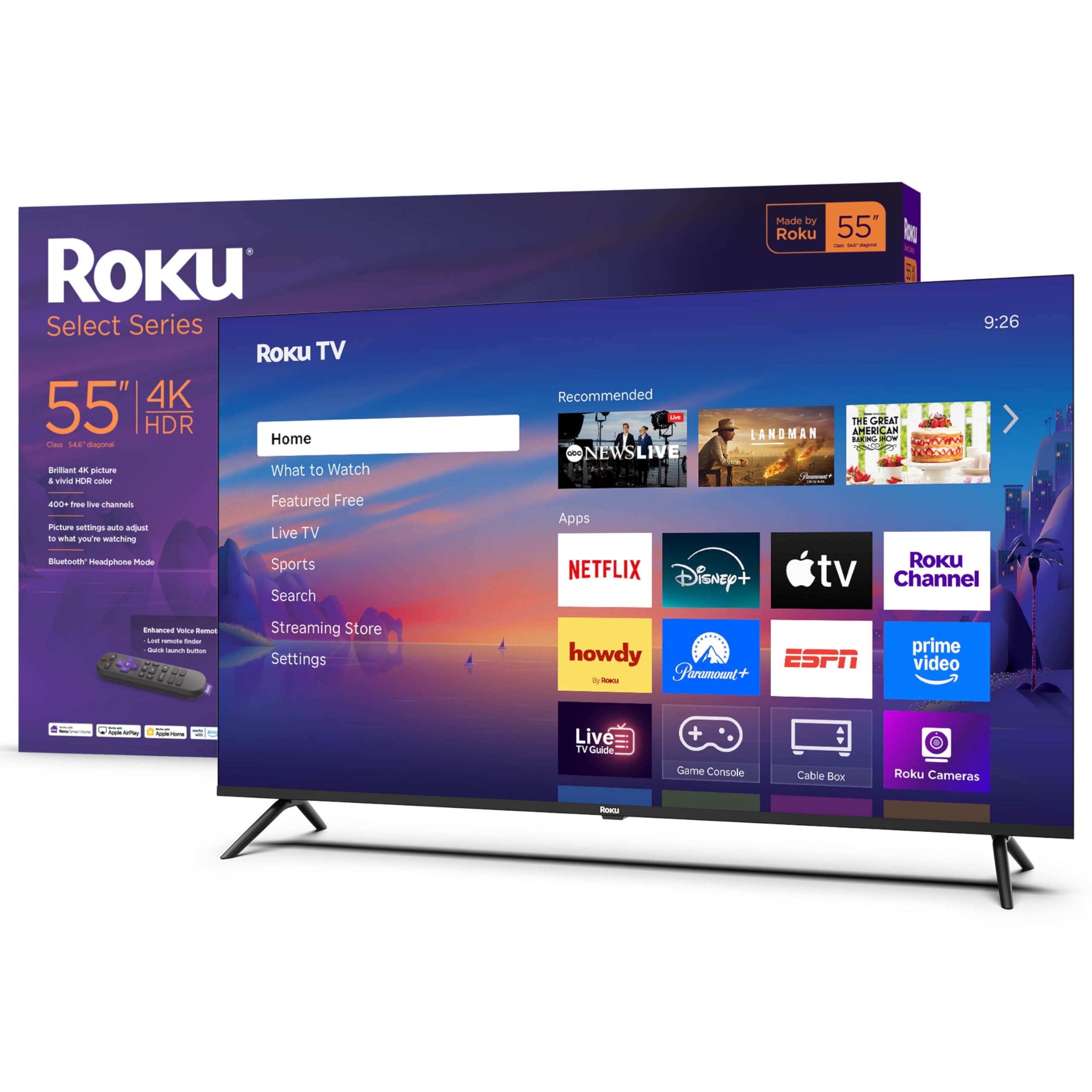
1. Roku Smart TV – 55-Inch Select Series, 4K HDR TV
Our pick — 4.5+★ from 1,000+ verified ratings; the strongest balance of quality and price.
A 55-inch screen that hangs flat, sets up fast, and asks very little of your budget.
If you are mounting your first TV on a living-room or bedroom wall, this is the pick that makes the fewest demands on you. The 55-inch panel delivers 4K resolution with HDR10 — high dynamic range, which means bright highlights and deeper shadow detail in the same frame. Roku Smart Picture then cleans up whatever signal comes in and picks a matching picture mode for you, so you are not fiddling with sliders from a step ladder.
You get a TV that disappears on your wall, thanks to its frameless design. There is no plastic edge catching light, and the whole thing measures 10.5 inches across its base — a small footprint that tells you the chassis is compact rather than a bulbous slab. Setup stories consistently come back short and painless, with buyers reporting “15-min setup, well-packed.” Everything runs through the built-in Roku interface (the smart TV system), and the Enhanced Voice Remote can control the TV and your streaming in one hand, with a lost-remote finder for the couch-cushion problem.
The recurring gripe is port count: three HDMI inputs where a console, a soundbar, and a streamer would each want one. Sports fans also notice some blocky edges in fast motion, which is the trade-off of a 60Hz refresh rate — the number of times per second the screen redraws. Keep a soundbar on HDMI ARC and you still have room for a console. For the money, this is the low-risk way onto the wall.
What earns its place on the wall
- Frameless front face and a compact 10.5-inch base width suit a snug mount
- Roku Smart Picture auto-tunes incoming signals so you skip the settings hunt
- Bluetooth Headphone Mode lets you watch loud movies without waking the house
- Voice remote with a lost-remote finder and personal app shortcuts
Where it asks you to compromise
- Three HDMI ports fill up fast if you add a console and a soundbar
- A 60Hz panel can show some blockiness in fast sports motion
- Stand screws need a small Phillips screwdriver, so have one ready
- No 3.5mm audio jack, so wired headphones rely on Bluetooth instead
Hang this if: you want a bright, tidy 55-inch wall screen for streaming, local news, and family viewing without overthinking the install.
Look elsewhere if: you plan to plug in a console, a soundbar, and a streaming stick at the same time — three HDMI inputs will run out.
2. Sony BRAVIA 5 K-85XR50
Eighty-five inches of Mini LED brightness, built to be bolted up and forgotten about.
Mini LED is the reason this screen works on a wall opposite a window. Instead of one big backlight, thousands of tiny LEDs sit behind the panel, each one dimmed or brightened independently. Sony’s XR Backlight Master Drive controls that grid to hold bright highlights and genuine blacks in the same scene. Add Dolby Vision and Dolby Atmos and you get a proper cinema feel without a projector and a dark room.
The number that decides your bracket is the base width — 23.88 inches across. That is a wide, stable footprint, and it tells you this is a serious piece of furniture-grade hardware, not a lightweight panel. It also explains why the energy draw is 546 kilowatt-hours per 1,000 hours, against 225 for the Roku 55-inch above; a much larger, far brighter screen simply uses more power. Setup is genuinely easy, with click-in legs and a fast boot that owners describe as instant.
What buyers keep coming back to is how the picture handles mixed sources — a PS5, a 4K streamer, and Google TV all looking sharp on one input lineup. The catch worth knowing before you mount it: only two of the four HDMI ports are HDMI 2.1, the newer standard that carries 4K at higher frame rates. Plan your console around one of those two. Google TV itself is smooth enough that adding a streaming stick feels redundant.
The honest read: Mini LED brightness is the headline, but the port layout is the fine print. Map out which device needs which HDMI before the bracket goes up.
Built for: a large living room or media wall where the TV stays put and brightness has to fight daylight.
Check first: tell your installer about the 23.88-inch base width and confirm your wall plate can take an 85-inch panel.
3. Samsung 85-Inch Class QLED Q8F 4K UHD Smart TV
An 85-inch QLED that wants to disappear into the plaster, not sit in front of it.
This is the biggest screen here that is actively designed around a wall. Samsung calls the chassis AirSlim, and the spec that proves it is the base width — 0.8 inches. That figure describes an extremely thin panel, the sort that sits near-flush when paired with a slim bracket. Quantum Dot colour is the other half of the pitch: nano-sized particles that hold billions of shades true even when the backlight is pushed bright, which matters on a sunlit wall.
Contrast this against the Roku 55-inch above, which measures 10.5 inches across its base. Same number, completely different job: one describes a compact small-room TV, the other a barely-there 85-inch slab. With 2,700+ free channels including 400+ Samsung TV Plus channels built in, the set also earns its wall space with content you do not pay a subscription for. VRR gaming runs up to 4K 144Hz, so a console does not feel wasted on it.
One wrinkle deserves attention before you buy a bracket. The rear mounting holes sit well above centre, and on smaller Q-series sets they are set narrow. Since the bolt positions are not centrally placed, an existing mount may need longer screws or standoffs to line up. Families in the reviews love the picture and the low-profile look; the mounting geometry is the part that surprises people. Plan the bracket around the bolt pattern, not the other way round.
Why it suits a wall
- An AirSlim panel with a 0.8-inch base width keeps the gap behind the TV minimal
- Quantum Dot colour holds up in bright rooms where the sun hits the screen
- 2,700+ free channels including 400+ Samsung TV Plus channels need no subscription
- VRR gaming up to 4K 144Hz keeps console play smooth and tear-free
The mounting details to plan around
- Rear bolt holes sit high above centre, so some brackets need longer screws
- Bolt-hole spacing is narrow relative to the panel width on some sizes
- The slim remote has very small print and no previous-channel button
- Some smart features want a Samsung account before they open up
Go for it when: a big, thin QLED that hugs the wall and loads free channels is exactly the look you want in a living room.
Measure twice when: you already own a bracket — the high, off-centre bolt pattern may need extra hardware.
4. Panasonic W70 43W70BP
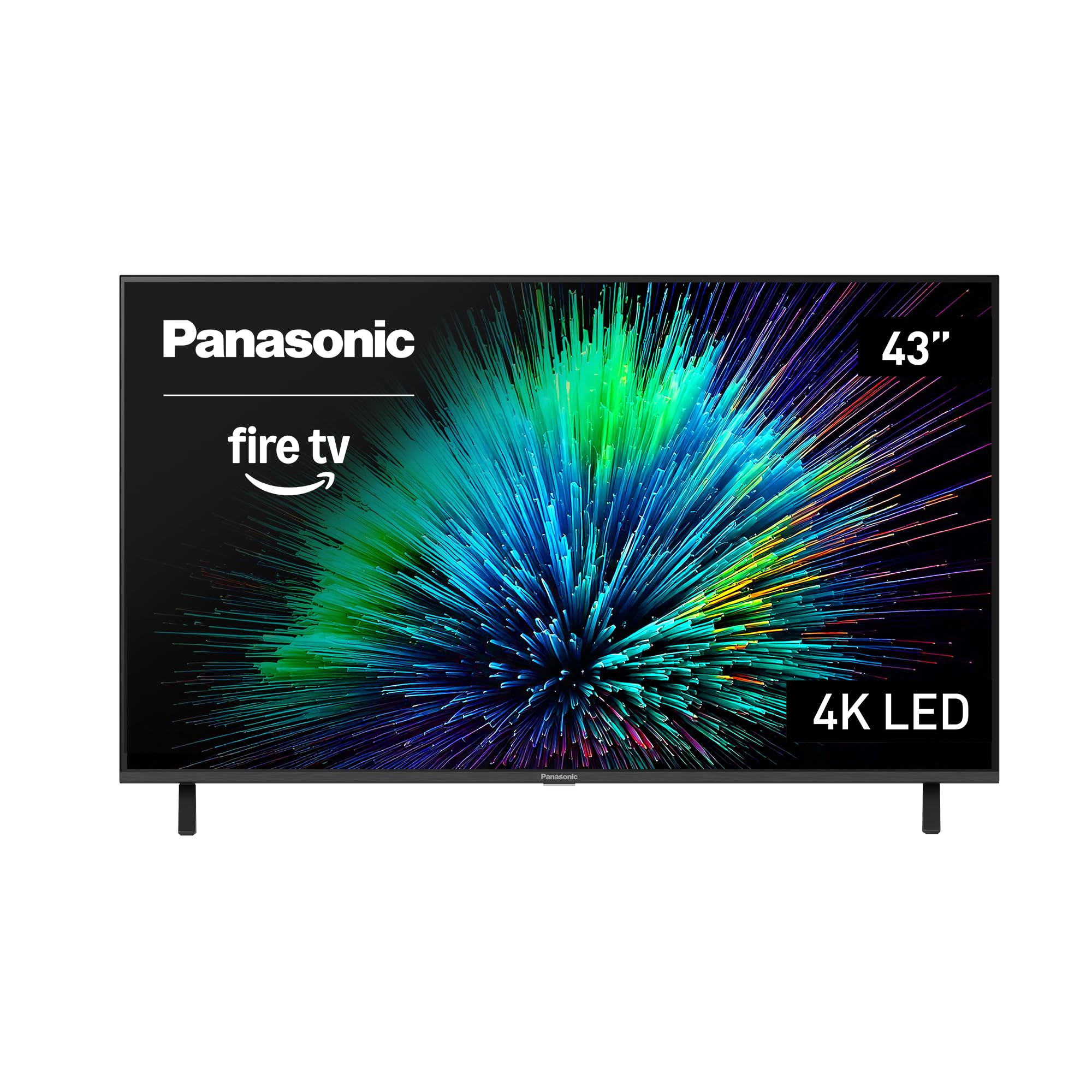
A 43-inch wall TV that doubles as the control screen for the rest of your smart home.
Most wall TVs in a small room just show shows. This one wants to run the house. Fire TV is built in, so you can pull up live camera feeds, dim the lights, or adjust the thermostat on the panel itself, all from the Alexa voice remote. That makes it a natural fit for a kitchen wall or a spare bedroom where the TV is also the household dashboard.
Panasonic pairs that with four HDMI ports, including one HDMI 2.1 input — the newer port standard that carries higher-bandwidth signals from modern consoles. The panel runs 4K with HDR10+, HDR10, and HLG support, and a processor-driven MEMC feature (motion estimation, which smooths fast movement) keeps sport from smearing. Bluetooth 5 lets you pair wireless speakers or headphones for private listening without running a cable up the wall.
The one caveat is consistency. Picture quality is the thing buyers rave about, and the easy QR-code setup takes under 10 minutes on a good day. But a small number of owners end up with a Fire TV interface that drags or a set that misbehaves, so buy from somewhere with a straightforward returns path. That precaution is the same one you should apply to any TV that ships with a streaming platform baked into it.
The quiet advantage: four HDMI ports on a 43-inch screen is more connectivity than most sets this size, which helps when the wall is shared with a console and a soundbar.
Reach for this if: you want a compact Alexa-driven screen that also shows the front-door camera while you cook.
Weigh it up if: you want the simplest possible TV — the built-in Fire TV platform is where its quirks show up.
5. VIZIO 43-inch V-Series 4K LED HDR Smart TV (V435M-K04)

A small-wall gaming screen with Wi-Fi 6E and a bright, full-array backlight.
Forty-three inches on a wall in a spare room is where this V-Series makes sense — especially if a console is the main source. The Full Array LED backlight (LEDs spread evenly across the whole panel, not just the edges) pairs with Active Pixel Tuning and the IQ Active Processor for contrast that holds up in a dim room. Dolby Vision HDR Bright Mode and HDR10+ both work on top of that, so streaming titles get the richer version of their picture.
Gaming is the loudest part of its resume. AMD FreeSync (a tech that syncs the TV and console to stop screen tearing) cuts tearing when the TV and console disagree on frame timing. The Wi-Fi 6E connection is the fastest wireless band available on consumer gear — useful when a wall outlet is the only cable you want running. Bluetooth 5.2 lets headphones pair for late-night sessions. Buyers report it playing 4K on an Xbox Series X without complaint, with great colour and customisable settings.
What you should know before committing: streaming and reception habits divide owners sharply. The home screen leans toward apps and free channels, and getting straight to an antenna feed takes a run of clicks. If you will mostly be streaming or gaming, that is a non-issue. If you watch over-the-air broadcast, budget a few minutes of remote work every time you turn it on.
Gaming value, honestly framed: FreeSync and Wi-Fi 6E are features you normally pay more for. Just accept that app-first navigation is part of the deal.
Made for: a bedroom or den wall where a console, headphones, and Wi-Fi streaming do the heavy lifting.
Not the fit if: you live on over-the-air channels and want the antenna to be one button away.
6. TCL 75″ NXTVISION Series Picture Frame TV, QLED 4K (75A300W)
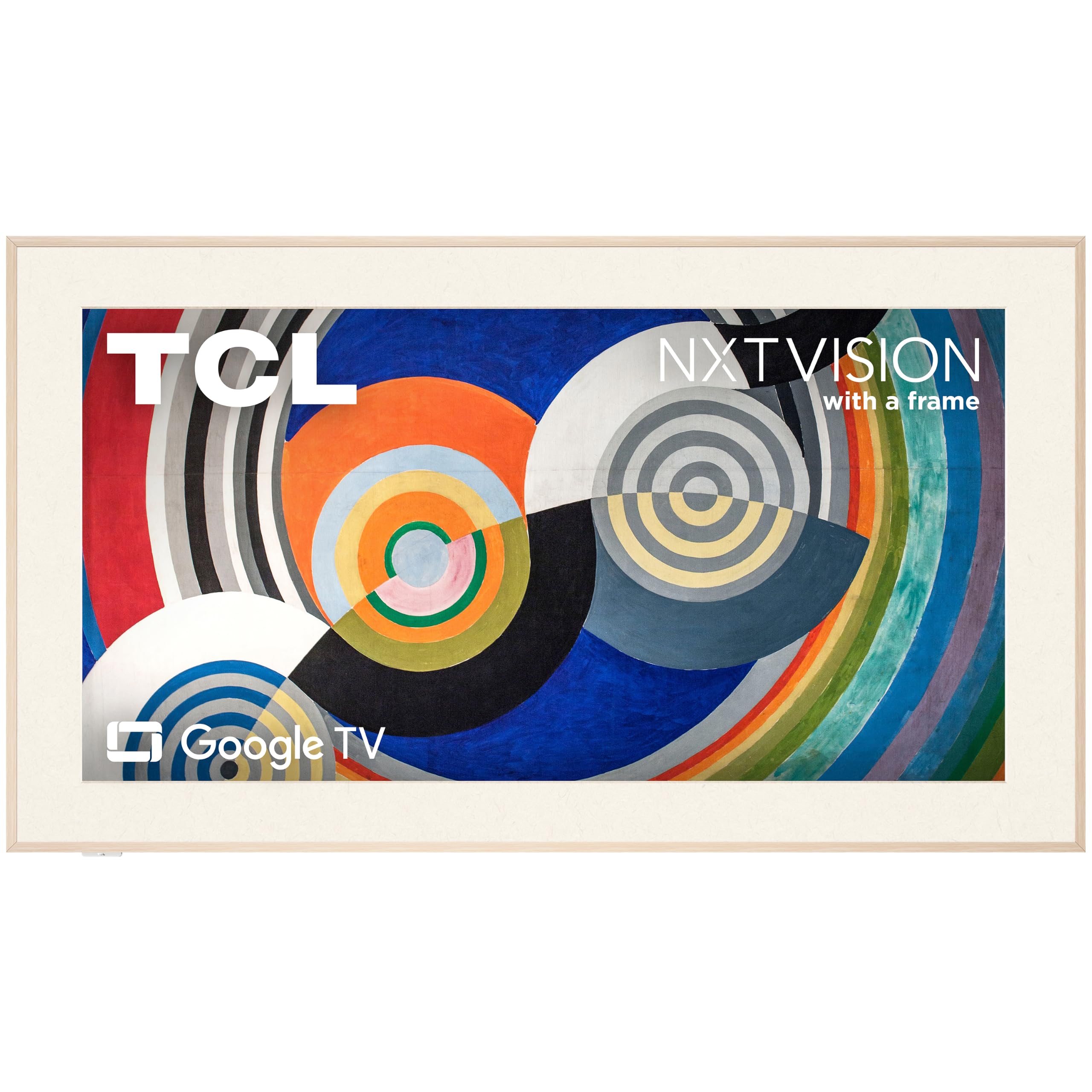
A 1.1-inch-thin frame TV that hangs flush and shows art when nothing is on.
This is a TV bought for its silhouette. The 1.1-inch thin chassis, the included Flush Wall Mount, and the off-white bezel with a light wood magnetic frame all point at one thing: making a 75-inch rectangle look like a framed picture on the plaster. The Ultra Matte screen (a low-reflection finish) is the other half of that trick — it scatters window light instead of mirroring it, so oil paintings stay readable at 2pm.
Art Mode gives it a reason to stay on. TCL bundles 350+ classic masterpieces and 100,000+ AI-generated artworks, or you can load your own photos, all with no subscription. The QLED panel adds Dolby Vision IQ and HDR10+, and a 120Hz panel with up to 144Hz VRR keeps sport and games smooth. Buyers describe it as a genuine alternative to a design-brand frame TV, and the fact that the frame and the flush mount come in the box saves a separate purchase.
The honest caveat is durability. Most owners are delighted for a year and more, but a share of sets have stopped working early, and that risk sits a little higher than on the mainstream brands. Buy from a seller with a clean returns process and register the set. If you want the gallery look without the gallery price, this is the pick that delivers it — just keep the receipt somewhere you can find it.
Why it belongs on a wall
- 1.1-inch-thin chassis with the Flush Wall Mount included in the box
- Ultra Matte screen keeps glare from windows and overhead lights at bay
- 350+ masterpieces and 100,000+ AI artworks with no subscription
- Magnetic wood frame snaps on to finish the picture-frame look
What to weigh up
- Durability is less certain than on the biggest-name sets
- The TCL art app is less advanced than rival frame-TV software
- The packed remote is small and does not light up in a dark room
- A flush wall insert is needed for the tightest possible fit
The right call for: a living room where the screen is on display all evening and should look like decor when idle.
Only if: you are comfortable buying from a seller with a simple return and warranty path.
7. Samsung 65-Inch Class OLED S90F 4K Smart TV

Sixty-five inches of OLED black that makes a dark room feel like a small cinema.
OLED does something LCD cannot: each of the screen’s pixels makes its own light, so it can switch fully off. The result is true black, and contrast that never gets washed out by a backlight bleeding through. Samsung’s NQ4 AI Gen3 processor runs 128 neural networks to upscale any source toward 4K, and Motion Xcelerator pushes gaming to 144Hz with VRR so fast pans stay clean.
The thin chassis is also a wall-mount advantage. The screen is noticeably slimmer than prior Samsung models, with a small bezel that disappears when the set is off, so it hangs close to the plaster and looks deliberate rather than bulky. Buyers mounting it themselves report it is stiff enough to lift into place with two people and no flex worries. Built-in speakers are clear enough for everyday viewing, which saves a cable run to a soundbar if you would rather not bother.
Here is the trade-off: a glossy OLED panel reflects a bright window with dark content on screen. In a room with a lamp directly opposite, you will see it. Close the blind, or mount it on a wall that is not facing glass, and it is a stunning picture. Also budget time to calibrate SDR and HDR separately — the panel rewards the effort.
The picture verdict: perfect blacks and vivid colour in a dark room. The reflection handling is the thing your wall position decides for you.
Pick it for: a dedicated movie or gaming wall where you can control the light.
Think again if: the TV must face a bright window with no blind — a glossy OLED will show you the room.
8. Hisense 85-Inch Class QLED 4K S7N CanvasTV Series (85S7N)

An 85-inch art panel with the mount and the frame already in the box.
Hisense builds this one for the wall from the start. The UltraSlim Wall Mount is a two-part system designed to hang the TV flush against the plaster, and a teak magnetic frame is included, so you are not hunting for a bezel after the fact. The Hi-Matte display applies a low-reflection coating that gives digital art the depth and texture of a real painting, which is the whole point of an art-mode TV.
What wins people over is how convincingly the screen becomes a second painting on the wall: the picture holds up in art mode as well as in shows. It sits close enough to the wall that it reads as decor, not equipment.
Two practical notes before you commit. First, this is a big, heavy piece — setup runs to a couple of hours and the flush mount wants two people. Second, the included wall brackets are narrow, so with typical stud spacing only some of the lag bolts will land in timber; plan the bracket position around your studs. The built-in speakers are modest, so budget a soundbar if the room is large. Meet those two conditions and the art wall delivers.
What you get for the size: an 85-inch QLED art panel, a flush wall mount, and a teak frame all in one box — a package that usually costs extra elsewhere.
Best suited to: a big feature wall where the TV doubles as artwork and you have a helper for install day.
Plan around: the narrow brackets versus your stud spacing, and add a soundbar for a large room.
9. LG 77-Inch OLED evo AI 4K G5 Series Smart TV (OLED77G5WUA)

LG’s gallery-grade OLED, engineered to hang with almost no gap at all.
One Wall Design is the phrase that sums this set up. LG builds the G5 to mount so close to the wall that it reads as part of the architecture, and when you are not watching it displays paintings, photos, or other content to finish the illusion. Underneath that flush face is OLED evo with Brightness Booster Max, which magnifies each self-lit pixel so the screen stays luminous across a bright room. Dolby Vision, Dolby Atmos, and FILMMAKER MODE handle the cinematic side.
Against the Samsung S90F above, the pitch here is brightness and a zero-gap fit rather than the lowest price. The panel runs over 8.3 million self-lit pixels, and its Alpha 11 AI Processor Gen2 upscales everything toward 4K, and LG rates the panel for reduced discomfort glare. Gamers get 0.1ms response time, 120Hz refresh, G-Sync, FreeSync Premium, and four HDMI 2.1 ports. The panel is also super light for its size, which makes the wall hang a two-person job rather than a three-person one.
One thing a buyer must not miss: no stand is included — this TV is built for the wall. If you already own a universal VESA bracket, owners mention plug-and-play compatibility and reuse without trouble. Its built-in webOS also gets up to 5 years of software updates. The remote’s pointer gets mixed reception, so try it in a store if you can. Otherwise, this is the cleanest-looking finish in the whole list.
The wall-mount verdict: designed flush from the factory, and light enough to hang with a helper. No stand in the box, so the bracket is not optional.
This is your set if: a zero-gap, gallery-finish OLED is the whole point and you already have a VESA bracket on the wall.
Keep in mind: no stand is included, so you cannot use it on a cabinet without buying one separately.
Know the Specs
VESA Pattern and Bolt Placement
VESA is the industry-standard grid of bolt holes on the back of a TV, usually described as two numbers (horizontal spacing by vertical spacing). Your wall bracket has a matching set of arms. If the TV’s bolts sit high above centre or narrow relative to the panel width, an existing bracket may need longer screws, standoffs, or repositioning. Check the pattern before you buy the bracket, not after.
Anti-Glare Finish vs Glossy Panel
A glossy panel reflects a bright window like glass. A matte or hi-matte finish scatters that light so artwork and dark scenes stay readable. Lower reflection means clearer contrast in a lit room. If your wall faces a window, put the screen’s finish near the top of your shortlist.
OLED vs Mini LED vs QLED
OLED pixels light themselves and can switch fully off for true black. Mini LED uses a dense grid of small backlight LEDs behind an LCD panel to hold bright highlights and deep blacks. QLED adds Quantum Dots to an LCD panel for a wider, brighter colour range. The three suit different rooms: OLED for a controlled light, Mini LED for brightness, QLED as the balanced middle.
Refresh Rate and VRR
Refresh rate is how many times per second the screen redraws — higher numbers mean smoother sport and gaming. VRR (variable refresh rate) lets the TV match the console’s frame timing to cut tearing. If you play on a console, look for a VRR figure and check how many HDMI ports support the newer 2.1 standard.
Common Questions
What VESA pattern do I need for a wall-mounted TV?
Can I wall mount a TV that came with a stand?
Do I need a recessed outlet for a flush wall mount?
Is a matte screen better than a glossy one for a bright room?
How many HDMI ports do I need for a wall-mounted TV?
Can I hang an 85-inch TV on a stud wall?
Does an art-mode TV need a subscription?
What does refresh rate mean for wall-mounted sports viewing?
Should I use Bluetooth or a soundbar with a wall TV?
Can an OLED TV handle a bright wall?
The Bottom Line
For most people wall-mounting a TV, the winner is the Roku 55-Inch Select Series — it hangs flat, sets up fast, and keeps a snug wall footprint without asking for a big spend. If you want size and brightness for a big wall, grab the Sony 85-Inch BRAVIA 5. And for a flush, gallery-grade finish with no stand in the way, the LG 77-Inch OLED evo G5 is the one that makes the wall look intentional.
Whichever you pick, match the bracket to your studs and your panel’s bolt pattern first. Get that right and every screen here hangs flush and sits close to the plaster.
How we choose
We do not accept paid placement. Every pick is matched to a real buyer and a real use-case; we do not hands-on test units.
Sources
Specifications: manufacturer listings and product documentation. Review insights: verified customer reviews, as of October 2026. Pricing: not shown on this page (it changes often); check the current price via the retailer link.
As an Amazon Associate, Aappliancez earns from qualifying purchases. This does not affect which products we feature.