Disclosure: Some links in this post are affiliate links. As an Amazon Associate I earn from qualifying purchases, at no extra cost to you. Learn more
Specs are compiled from manufacturer listings and verified buyer reviews and can change over time — please confirm the key details on the product page before buying.
You already own the little black box and the remote. What you need is a screen that does not waste it. Apple TV pushes a clean 4K signal with Dolby Vision and Dolby Atmos, and the wrong panel — a dim one, a glossy one, a slow one — makes that box look ordinary. So the real question is simple: which screens actually let Apple TV shine, and which ones fight it? This guide ranks eleven of them by how they handle motion, black levels, glare, and gaming refresh before you spend a large amount of money.
This guide is built by comparing the manufacturers’ published specifications and the patterns across verified customer reviews, so you get each pick’s real strengths and trade-offs instead of marketing spin.
What follows separates the panels that flatter Apple TV’s HDR from the ones that flatten it, and it flags the trade-offs you will actually notice once the box is plugged in. Here is the honest shortlist of the best TV for Apple TV.
Top Picks


How To Choose The Best TV for Apple TV
An Apple TV is a very well-behaved source. It hands the TV a clean signal and expects the panel to do the rest. That is why the shopping decision is mostly about the screen, not the box. The four things that decide whether your Apple TV looks excellent or merely fine are HDR handling, motion, glare, and how the set is physically controlled.
HDR format support decides how much you see
Dolby Vision is the premium HDR format (high dynamic range — brighter highlights and deeper shadow detail, scene by scene) that Apple TV sends for most modern movies and shows. A panel that lacks Dolby Vision falls back to HDR10 or HDR10+, which still looks good but rarely as punchy. Several sets here list Dolby Vision and Dolby Atmos together, which means both picture and sound get the full treatment from the box.
Refresh rate and motion smoothing
Refresh rate is how many times per second the screen redraws, measured in hertz. A 60Hz panel is perfectly fine for streaming shows. A 120Hz or 144Hz panel makes fast pans and sports look calmer, and it matters if you game through the Apple TV or a console. Variable Refresh Rate (VRR — the screen matching its redraw speed to the incoming signal to stop tearing) is the feature to look for if gaming is part of the plan.
Glare, black levels, and room light
OLED panels switch individual pixels off for true black, which is why dark-room movie nights look so dramatic. Mini LED panels use many small backlights behind the screen and typically push far more brightness, so they hold up better in a sunlit living room. Glossy screens reflect lamps and windows; matte or anti-glare finishes trade a little sparkle for far fewer reflections.
Connections and Apple-specific features
You want at least one HDMI input free for the Apple TV, plus AirPlay 2 if you cast from an iPhone or iPad. HDMI-CEC (the handshake that lets one remote power on several devices) is what lets the Apple TV remote wake the TV and change volume. Sets that list AirPlay 2 and CEC let you run the whole room from the Apple TV remote without hunting for a second clicker.
Side-by-Side Comparison
| Model | Best For | Screen Size | Refresh Rate | Panel Type | Amazon |
|---|---|---|---|---|---|
| Samsung 77-Inch Class S90F★ Best Overall | Dark-room movies with Apple TV | 77 inches | 144Hz | OLED | Amazon |
| Toshiba 43″ Class C350 SeriesBudget Champion | Small rooms and tight budgets | 43 inches | 60Hz | LED 4K UHD | Amazon |
| iFFALCON 65″ 4K MiniLEDTop Performer | Console gaming next to Apple TV | 65 inches | 144Hz | Mini-LED | Amazon |
| TCL 55 Inch QM6K | Bright rooms on a mid budget | 55 inches | 144Hz | QD-Mini LED | Amazon |
| Hisense 75″ S7 CanvasTV | Art mode and glare-free walls | 75 inches | 144Hz | Hi-QLED | Amazon |
| LG 55-Inch OLED evo G4 | Wall-flush OLED in a bright room | 55 inches | 120Hz | OLED | Amazon |
| Samsung 77-Inch S90C OLED | Gamers wanting 4K 144Hz OLED | 77 inches | 144Hz | QD-OLED | Amazon |
| Sony 85 Inch BRAVIA 7 | Big-room brightness and upscaling | 85 inches | 120Hz | Mini LED QLED | Amazon |
| Sony 77 Inch BRAVIA 8 OLED | Cinema-grade OLED color | 77 inches | 120Hz | OLED | Amazon |
| LG 77-Inch OLED evo G5 | Flush-wall premium OLED | 77 inches | 120Hz | OLED | Amazon |
| TCL 115QM7K | Wall-sized brightness in a huge room | 115 inches | 144Hz | QD-Mini LED | Amazon |
Detailed Reviews
1. Samsung 77-Inch Class S90F Smart TV (2025 Model, 77S90F)
Our pick — 4.0+★ from 600+ verified ratings; the strongest balance of quality and price.
The OLED that lets your Apple TV’s Dolby Vision show off every shadow.
Self-lit OLED pixels switch off completely for black, and that is exactly what makes an Apple TV movie night feel like a cinema. This 77-inch set pairs that pure black with Samsung’s NQ4 Gen3 processor (an AI chip the maker says draws on 128 neural networks to sharpen and upscale everything you feed it). Standard shows and older HD content get polished toward 4K before they ever reach your eyes.
Fast action stays sharp on this set, which is where it beats cheaper panels. The Motion Xcelerator 144Hz rating (a motion-smoothing feature that refreshes the screen 144 times a second) keeps sports pans and quick scenes from blurring. That same 144Hz ceiling supports VRR gaming (variable refresh rate, which syncs the screen to your console) at up to 4K 144Hz — so an Apple TV game or a console stays smooth with no tearing. Colors hold up too: reviewers describe perfect contrast, with bright whites and deep blacks that stay clean even with lamps on in the room.
The catch is the finish. The glossy screen is gorgeous in a dark room and reflects windows and lamps when you watch dark scenes in daylight. One more thing to know: the app setup tripped up at least one buyer badly, who reported a four-hour slog and a missing photo-display feature compared to an older, cheaper set. It is the strongest all-round screen here for Apple TV, backed by a 4.0+ rating.
What Apple TV owners get
- OLED black levels that make Dolby Vision dark scenes pop
- 144Hz Motion Xcelerator for sports and VRR gaming up to 4K 144Hz
- 77-inch canvas that turns the box into a home theater
- NQ4 Gen3 processor upscaling ordinary content to 4K
Where it asks patience
- The glossy screen shows reflections in a bright room
- App setup can be fiddly before it settles
- A premium panel that rewards careful handling
The match: Buy this if you watch movies at night through an Apple TV and want the deepest blacks on the list.
Think twice: A sunlit room with windows opposite the screen will fight that glossy finish.
2. TOSHIBA 43″ Class C350 Series LED 4K UHD Smart Fire TV
A small, cheap 4K set that still speaks Apple TV’s language.
Here is the value play: a 43-inch LED 4K UHD panel with Dolby Vision and Dolby Atmos both listed, and Apple AirPlay on board for casting your phone. If you plug in an Apple TV and mostly watch streaming shows in a bedroom or a modest living room, this is enough screen for far less commitment. The REGZA Engine ZR and AI 4K Upscaler are Toshiba’s own upscaling tricks to sharpen HD content toward 4K.
Movies and shows look fine on this 60Hz panel (it refreshes 60 times a second), but that is the honest dividing line. It is the reason this sits below the 144Hz sets for sports and gaming — the iFFALCON above doubles that rate, and you feel the difference in fast pans. Buyers consistently praise its clean picture quality, and setup is simple enough that people of all ages get it running without help.
What to weigh is the screen’s durability reputation. A recurring thread in the review pages is panels going black within months, and functionality feedback is mixed, with reports of the set turning itself off. That does not describe the typical owner — the quality and picture are the most-praised aspects by a wide margin — but it is a real consideration for a budget panel you plan to keep a long time. Narrow viewing angles also mean the picture distorts when you sit off to the side.
Who it serves: A guest room, a small apartment, or a first 4K set where Dolby Vision and AirPlay matter more than refresh rate.
The honest limit: 60Hz and a narrow viewing angle mean this is not the set for a wide seating arc or fast sports.
Reach for this if: You want Dolby Vision and AirPlay in a compact room without spending up.
Look elsewhere if: You game or watch a lot of fast action and want a higher refresh rate.
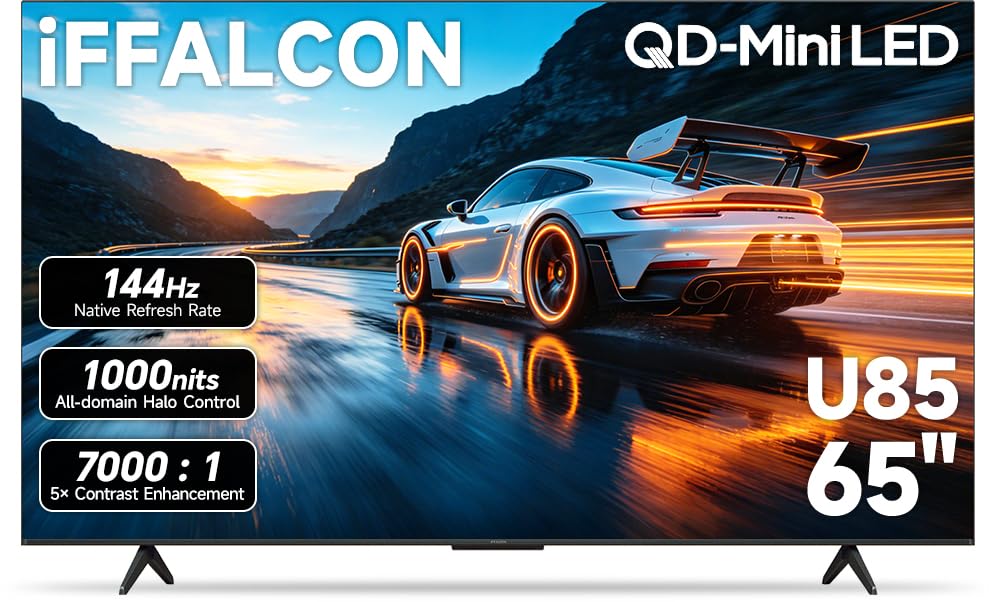
3. iFFALCON 65″ 4K MiniLED Smart TV (65U85)
The speed merchant — 144Hz native with four HDMI 2.1 ports to fill.
If the Apple TV shares shelf space with a console, this is the one to beat on paper. A native 144Hz panel with VRR that reaches up to 288Hz keeps fast motion crisp, and contrast sits at 7,000:1 with up to 1000 nits of HDR brightness, so sunlit rooms and bright highlights still have punch. Four HDMI 2.1 inputs let you run a PS5, an Xbox, a PC, and your Apple TV all at once without swapping cables.
The format list is generous: Dolby Vision IQ (which reads room light and adjusts the picture automatically), Dolby Vision Gaming, HDR10+, and IMAX Enhanced all appear. Sound is a 2.1-channel setup with 50W total, and eARC on HDMI 4 gives a clean path to a soundbar later. Google TV handles streaming apps and works with Alexa and Google Assistant, with AirPlay 2 and Chromecast for casting.
Where it falls short of the household names is polish and support. The set is a TCL sub-brand, and the frank note in the review pages is that firmware upgrades are unlikely and a unit that only lasts a few years may get replaced rather than repaired. Google’s software also runs deep, to the point some buyers keep the set offline entirely to avoid it.
The gaming math: 144Hz native, VRR to 288Hz, and four HDMI 2.1 ports — the richest connection set here for the money.
Brightness edge: Up to 1000 nits of HDR luminance makes it a strong daylight performer compared to dimmer sets.
Who it beats: Anyone who wants console-grade smoothness plus an Apple TV input to spare.
Who it does not: Buyers who expect long-term software updates and hand-holding support.
4. TCL 55 Inch QM6K Series QLED Mini LED 4K HDR Smart Google TV
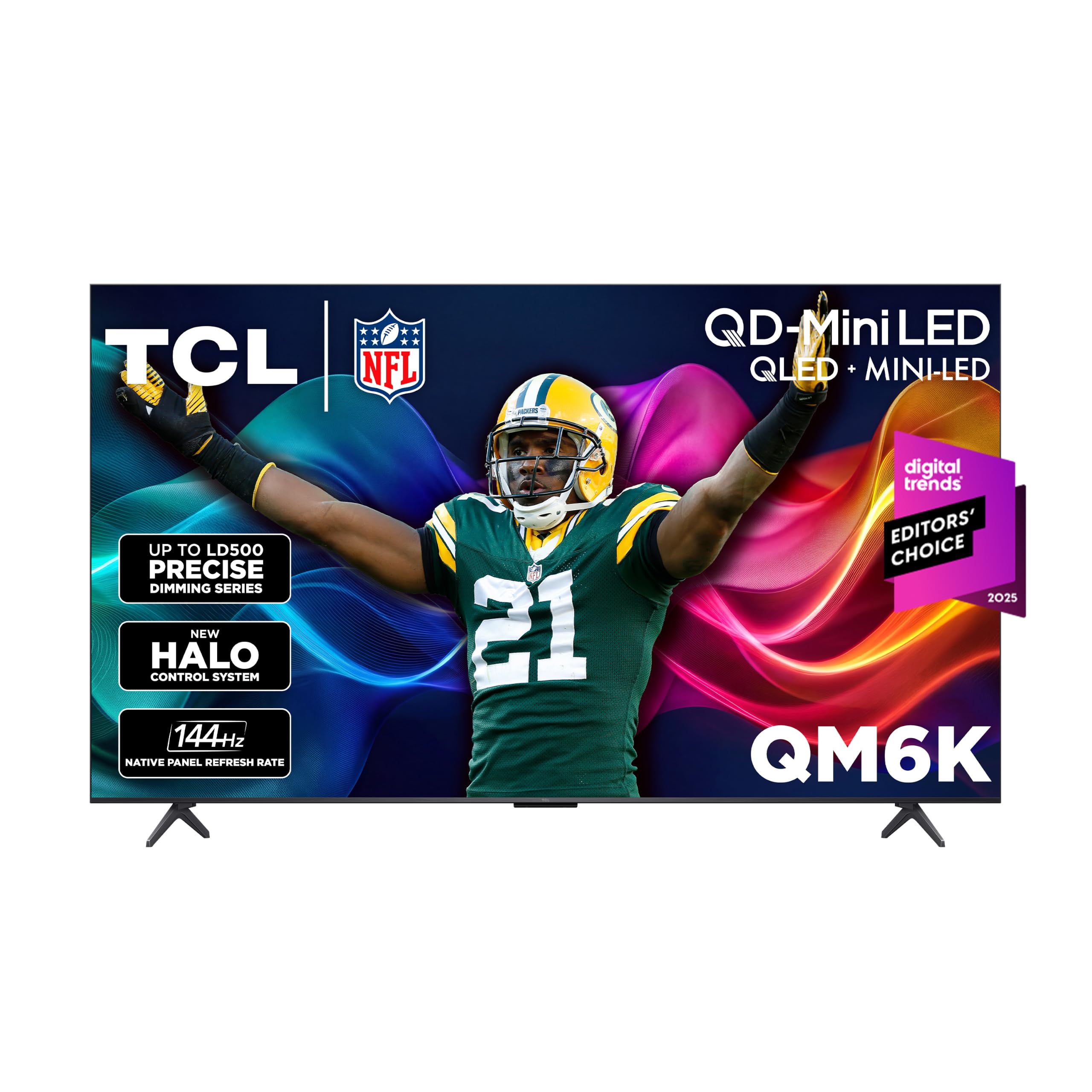
Mini LED brightness that wins over a sunlit living room.
QLED color meets Mini LED backlighting here, and the pairing is built for rooms where daylight is hard to control. Quantum dots add over a billion colors on top of the small LED backlights, and the Halo Control System’s local dimming cuts the glow around bright objects so dark scenes stay deep. Every major HDR format is on the menu — Dolby Vision, HDR10+, HDR10, and HLG — so your Apple TV’s signal lands in the right format without fiddling.
Motion is a 144Hz native refresh with Motion Rate 480, and a 240Hz variable gaming refresh rate. For a sports fan who also streams through an Apple TV, that means fast pans stay legible. Google TV is the platform, Onkyo handles the audio, and Bluetooth 5.4 covers headphones and speakers. Setup is straightforward, taking minutes in most accounts.
What separates it from the OLEDs above is depth. Blacks and viewing angles are not on Sony or Samsung OLED level, so off-axis seats lose some punch. A small share of owners hit choppy apps and audio lag from the start — a firmware update resolved it for those affected. Brightness is also not infinite; very bright rooms push the panel harder than a Mini LED with more sustained brightness would. Still, this is a strong middle-ground set for the money.
Why it earns its place
- QD-Mini LED with local dimming for deep blacks and bright highlights
- All major HDR formats including Dolby Vision
- 144Hz native refresh plus a 240Hz gaming variable rate
- Onkyo audio and Bluetooth 5.4 built in
Where it trades off
- Blacks and viewing angles fall short of OLED
- Built-in speakers are fair, a soundbar helps movies
- Some units need a firmware update to settle apps and sync
Made for: A bright living room where sport, streaming, and casual gaming all share the Apple TV.
Not for: Dark-room purists chasing OLED-level black.
5. Hisense 75″ Hi-QLED S7 CanvasTV
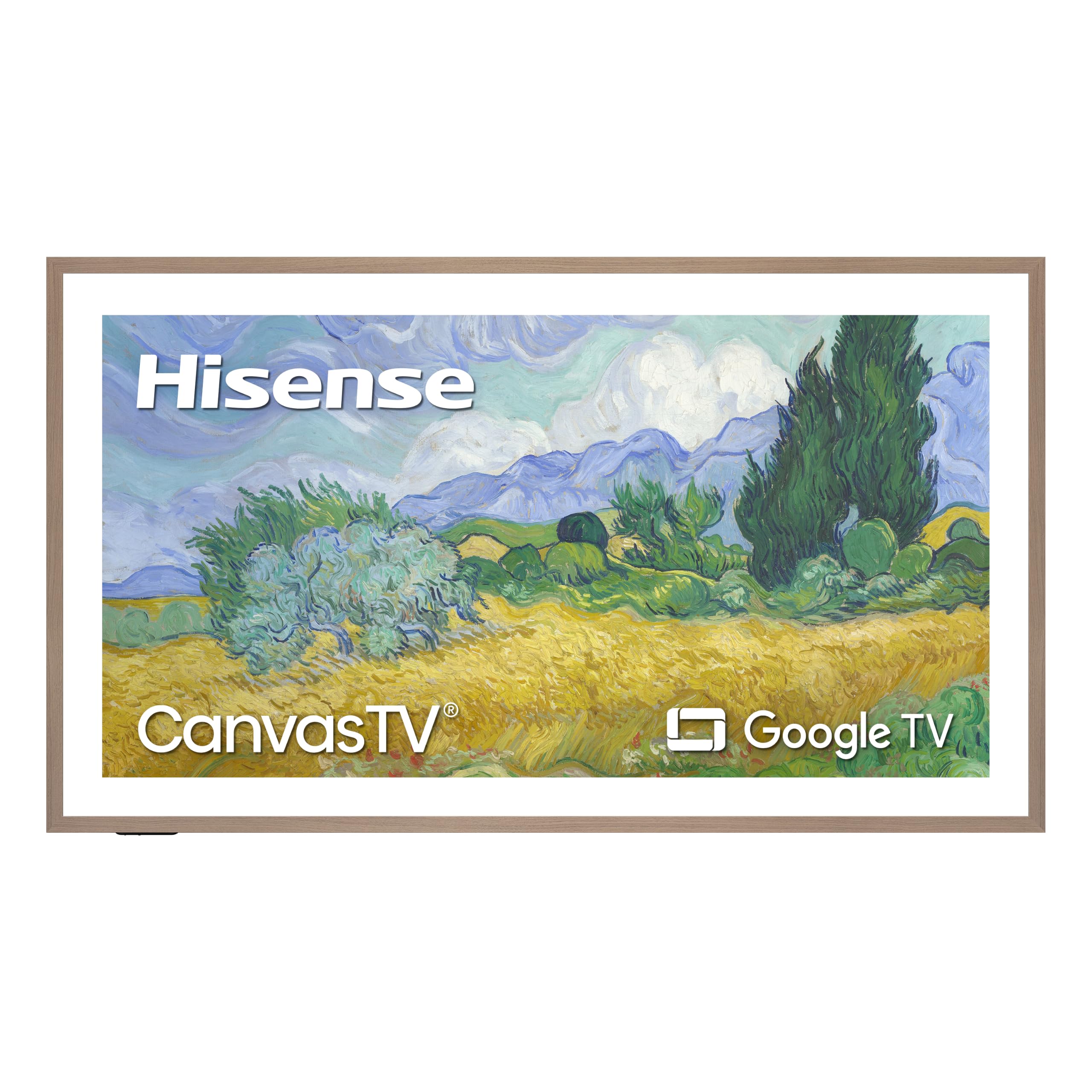
The anti-glare panel that looks like a framed painting until you switch it on.
For a wall where a lamp or a window constantly bounces light back at you, the Hi-Matte display here is the whole point. It cuts reflections and keeps the picture rich and clear, even with sun streaming in. When the Apple TV is off, Art Mode shows curated artwork from more than 1,000 free works, or your own photos. A teak frame and an UltraSlim wall mount are both included, so it sits flush and looks intentional.
The 4K Hi-QLED panel runs at 144Hz with Dolby Vision HDR and a 4000:1 contrast ratio. For streaming through the Apple TV, that means smooth motion and a picture built to stay clear in daylight. Google TV is the platform, Bluetooth 5.3 connects headphones, and the set handles AirPlay and screen sharing for your phone.
The trade-offs are physical. This 75-incher is heavy and reviewers describe hiring help to hang it, plus one gripe about a thick, awkward power cord that exits the bottom center and resists routing flat. Sound is a weak spot — some owners add a soundbar. And a single complaint flags the art slideshow: it cannot be fully disabled, so you cannot park one painting permanently. None of that touches the glare-free picture, which is its reason to exist.
The glare-free angle: Hi-Matte display plus included teak frame and UltraSlim mount — a living-room wall piece first, a TV second.
Set-up reality: Heavy enough that hanging it is a two-person job, and the power cord needs planning before mounting.
Suits you if: You want a glare-free, gallery-style wall that streams Apple TV by day and shows art when idle.
Move on if: You need to leave one painting displayed permanently or prefer a light panel.
6. LG 55-Inch Class OLED evo G4 Series Smart TV (OLED55G4SUB)

The wall-flush OLED that stays vivid even when the sun is up.
OLED’s strength is over 8 million self-lit pixels, and here each one can switch off for perfect black — the reason an Apple TV Dolby Vision movie looks so dimensional in a dark room. What lifts the G4 is Brightness Booster Max, which magnifies each pixel so the panel holds up in daylight rather than washing out. The One Wall Design leaves virtually no gap when mounted, so it reads as art when idle, just like the Apple TV’s screensaver.
Dolby Vision handles picture, Dolby Atmos handles sound, and FILMMAKER MODE gets you the director’s color and motion. LG’s A11 AI processor runs AI Picture Pro and AI Super Upscaling to sharpen everyday content. Gaming is covered with NVIDIA G-Sync and AMD FreeSync plus VRR, and webOS Re:New promises new features and software refreshes for five years, so the set keeps pace as Apple TV’s output evolves.
The catches are size and interface. At 55 inches this is the smallest premium OLED here, so a big room will want more. The webOS interface is capable but takes getting used to, especially if you are used to Apple’s own menus. And a small number of units reportedly need early power-related attention. For a wall-mounted OLED that stays bright against daylight through a window, it earns its place.
The brightness payoff: Brightness Booster Max plus Dolby Vision — an OLED that does not fold in a sunlit room.
Space note: 55 inches is compact for a premium set, great for a wall, tight for a wide room.
Ideal for: A wall-mounted OLED in a room with daytime light and an Apple TV for movie nights.
Consider larger if: Your seating is far from the screen or the room is wide.
7. SAMSUNG 77-Inch Class OLED 4K S90C Series (QN77S90C)

A 77-inch QD-OLED built for 4K 144Hz gaming beside your Apple TV.
Samsung’s Quantum HDR OLED analyzes each scene and tunes brightness and contrast on self-illuminating pixels, so rich color and deep blacks arrive together. The Neural Quantum Processor upscales ordinary HD toward 4K. It is a strong cinematic partner for an Apple TV, with Dolby Atmos and Object Tracking Sound Lite following the action across the screen.
Where it pulls ahead of the S90F for some buyers is gaming headroom. Motion Xcelerator Turbo Pro keeps 4K crisp up to 120Hz and Game Motion Plus reaches 144Hz with compatible PC content, paired with FreeSync Premium Pro and low lag. The panel is a Laserslim 4mm deep with a near bezel-free look, and the SolarCell Remote charges from light. Cable clutter is tamed by the One Connect Box.
Two honest notes. There is no Dolby Vision here — this set handles HDR10+, while the S90F and the LG models run Dolby Vision — so choose by which format your Apple TV content favors. Reliability chatter is the louder concern across the reviews, with panel failure mentioned by a small share of owners, and Tizen’s menus are sometimes described as slow. Picture quality is still the most-praised thing here by a clear margin.
What it gets right
- 77-inch Quantum HDR OLED with deep blacks and rich color
- 4K 120Hz and Game Motion Plus up to 144Hz with FreeSync Premium Pro
- Laserslim 4mm design with a One Connect Box
- Dolby Atmos with Object Tracking Sound Lite
What to plan around
- No Dolby Vision — HDR10+ only
- Tizen menus can feel slow
- A small share of buyers report panel trouble later on
Pick this for: A big OLED where PC and console gaming sit beside an Apple TV.
Pass if: Dolby Vision is non-negotiable for your streaming library.
8. Sony 85 Inch BRAVIA 7 K-85XR70

A wall of Mini LED brightness with Sony’s upscaling doing the heavy lifting.
Thousands of Mini LEDs are precisely controlled by XR Backlight Master Drive, and the result is the kind of brightness that holds up in a room with big windows. QLED combined with XR Triluminos Pro adds accurate color, and the XR Processor sharpens contrast and clarity scene by scene. Google TV brings in the Apple TV app plus Netflix, Prime Video, and Disney+, with AirPlay 2 and Chromecast built in for phone casting.
For Apple TV owners, the real draw is XR Clear Image, which rebuilds detail in HD content that streams a little soft. Studio-calibrated modes designed for Netflix and Prime Video keep colors true. PlayStation 5 extras — Auto HDR Tone Mapping and Auto Genre Picture Mode — mean the set also plays nice with a console next to the box. At 85 inches it is the biggest Sony on this list, and the immersion on movies and sports matches the size.
The catches are real but specific. Viewing angles are limited, so off-center seats lose punch. A share of owners mention power-related trouble and a few units quitting after a year, which is note for a premium panel. Weigh that against the brightness and upscaling, which are the qualities buyers keep returning to. If the room is huge and bright, those qualities matter more.
The brightness case: XR Backlight Master Drive on thousands of Mini LEDs makes this the daylight screen for a big room.
Angle warning: The picture fades when you sit off to the side, so the best seat is straight in front of the screen.
Best for: A large, bright family room where an 85-inch picture and upscaling win the day.
Skip if: Your seating spreads wide to the sides of the screen.
9. Sony 77 Inch BRAVIA 8 OLED 4K HDR Smart Google TV (K-77XR80)

Sony’s color science in an OLED, tuned for a dedicated movie room.
Over 8 million self-lit pixels produce pure black, and XR Contrast Booster 15 pushes brightness into highlights — the exact combination that makes an Apple TV Dolby Vision stream feel cinematic. Color accuracy is the Sony signature: XR Triluminos Pro on QLED-level precision, the XR Processor enhancing each scene in real time. Studio-calibrated modes for Netflix and Prime Video keep the picture as the creator intended, and XR OLED Motion cuts blur in sports and action.
Streaming is handled by Google TV with the Apple TV app in the lineup, and AirPlay 2 plus Chromecast cover phone casting. The Acoustic Surface Audio+ design uses the screen itself to produce sound, which owners describe as good enough to skip a soundbar. Setup runs under ten minutes in most accounts, and the sleek design sits well in a room where looks matter.
Reliability is the honest footnote. A share of customers note the set turning itself off and restarting after about eleven months of use, and one buyer describes persistent audio-out-of-sync issues that careful tweaking could not fix. None of that dims the picture — quality and picture are what owners praise most — but it is worth knowing before committing a lot of money. For a dark movie den where Sony’s image is the goal, it still makes a compelling case.
Where it shines: Sony’s OLED color and XR Contrast Booster 15 give deep blacks without losing highlight detail.
The caveat: A minority of reviewers point out power and audio-sync quirks, so buy with warranty support in mind.
Choose it if: You want Sony’s calibrated color in a 77-inch OLED for a dark, dedicated room.
Look elsewhere if: You want a fuss-free set that never needs a firmware or service conversation.
10. LG 77-Inch OLED evo AI 4K G5 Series Smart TV (OLED77G5WUA)

LG’s flagship OLED that sits nearly flush and stays bright in daylight.
Brightness Booster Max is the headline, magnifying each pixel so the panel shines in a room with windows open. It carries UL verification for Discomfort Glare Free (UGR less than 22 — a measure of how much glare a screen throws), which matters when the Apple TV sits opposite a lamp. Over 8.3 million self-lit pixels keep perfect black and perfect color, and the One Wall Design leaves virtually no gap when mounted, with a wall bracket included.
Gaming is a strength: a 0.1ms response time up to 120Hz, NVIDIA G-Sync, AMD FreeSync Premium, VRR, and four HDMI 2.1 inputs. Dolby Vision, Dolby Atmos, and FILMMAKER MODE cover the movie side. The Alpha 11 AI Processor Gen2 handles AI Picture Pro and AI Super Upscaling, and webOS Re:New promises up to five years of software updates. If your Apple TV streams the best content you own, this screen gives it the most room to breathe.
Two things to decide on before committing. No stand is included — this is a wall-mount set — so check your plan if the wall is not ready. And the remote’s pointer system is a repeat complaint; it selects awkwardly and cannot be permanently disabled. Both are manageable, but neither is invisible on a premium set. The flush design and brightness make it the strongest LG here for a wall.
What makes it flagship
- Brightness Booster Max with UL-verified glare control
- 0.1ms response up to 120Hz with G-Sync and FreeSync Premium
- Four HDMI 2.1 inputs and a 0.1-inch-class flush profile
- Up to five years of webOS software updates
The honest costs
- Wall bracket only, with no stand in the box
- The remote pointer is polarizing
- A premium panel that needs careful wall planning
The right buyer: A wall-ready room and a budget for LG’s best picture, with Apple TV as the main source.
Hold off if: You want a tabletop stand from the start.
11. TCL 115QM7K QM7K Series

A 115-inch wall of QD-Mini LED for the room that has everything else.
At 115 inches this is the largest set here by a wide margin, and the QD-Mini LED backlight with the Halo Control System keeps the huge picture clean. Up to 2500 precisely controlled dimming zones deliver pure black levels, and High HDR brightness keeps the 115-inch picture readable in most room lighting. The CrystGlow HVA panel blocks reflections so details stay crisp. For an Apple TV in a big room, this turns movies into an event.
Onkyo’s 4.2.2 speaker system puts you inside the soundstage, and the 144Hz native refresh with Game Accelerator 288 VRR keeps fast action and gaming smooth. Enhanced QLED reproduces nearly all the DCI-P3 color space, and the AIPQ Pro processor manages clarity, contrast, and motion dynamically. Google TV is the platform, with Bluetooth 5.4 and full smart-app coverage.
The practical side is the whole story with a panel this size. It dominates a room, and mounting needs planning and help. The remote feels cheap relative to the set, Google TV carries a lot of bloatware, and the B&O sound is described as more marketing than substance — a soundbar is the sensible pairing. A share of owners also hit damaged deliveries on used or repackaged units, so buy new and inspect the box.
The scale argument: Up to 2500 dimming zones and 144Hz native refresh on a 115-inch canvas — the biggest, brightest room-turner here.
The space cost: It needs a large dedicated wall and a soundbar to match its picture.
For the big room: A dedicated theater or open living space where size and brightness are the goal.
Not for: Small rooms, or anyone wanting a modest footprint and simple mounting.
Know the Specs
Dolby Vision vs HDR10+
Both are HDR formats — high dynamic range, meaning brighter highlights and deeper shadows, adjusted scene by scene. Dolby Vision is what most Apple TV movies and shows use, so a panel that lists Dolby Vision will pull the most from each stream. HDR10+ is a competing format some sets support instead. If your library leans on Apple TV’s Dolby Vision catalog, favor a set that names Dolby Vision in its specs.
Refresh Rate and VRR
Refresh rate (in hertz) is how often the screen redraws each second. A 60Hz panel is fine for ordinary streaming; 120Hz and 144Hz keep fast pans and sports calmer. VRR (Variable Refresh Rate) syncs the redraw to the incoming signal to stop tearing during games. If you game through the Apple TV or a console, a 120Hz or 144Hz panel with VRR is the one to pick.
OLED vs Mini LED
OLED pixels switch off individually for true black, which is why dark scenes look so deep. Mini LED uses many small backlights and usually pushes more brightness, so it holds up better in a sunlit room. Neither is universally better — choose OLED for a dark movie room and Mini LED for a bright, busy living room.
AirPlay 2 and HDMI-CEC
AirPlay 2 lets an iPhone or iPad cast straight to the TV without extra hardware. HDMI-CEC is the handshake that lets one remote — often the Apple TV’s — power on the TV and change volume. Together they cut the number of remotes on the couch. Check both are listed if you want the Apple TV remote to run the whole room.
Common Questions
Do I need a smart TV at all if I use an Apple TV?
Will my Apple TV remote control the TV’s power and volume?
Is a 60Hz TV good enough for Apple TV streaming?
Does the TV’s own operating system matter if I use an Apple TV?
What is the difference between Dolby Vision and plain 4K for Apple TV content?
Should I pick an OLED or a Mini LED TV for a bright living room?
Can I cast from my iPhone to these TVs without an Apple TV box?
Does a bigger screen always make Apple TV movies look better?
Do I need a soundbar to go with the Apple TV setup?
Is a matte screen better than a glossy one for watching Apple TV?
The Bottom Line
For most people, the tv for apple tv that gets the balance right is the Samsung 77-Inch S90F. It pairs OLED’s true blacks with a 144Hz panel, so dark movies and fast sport both look right through the box, and the NQ4 Gen3 processor keeps everyday content sharp. The catch is that glossy finish, which wants a room you can dim.
If you watch in daylight and want brightness over black-level drama, the TCL 55 Inch QM6K brings QD-Mini LED brightness and full Dolby Vision support without the OLED glare problem. And if your Apple TV shares the room with a console, the iFFALCON 65U85 gives you four HDMI 2.1 ports and VRR up to 288Hz to plug everything in at once.
Here is the one honest nudge: the S90F holds 4.0+ stars across 600+ ratings, a track record worth weighing when you are spending big on a screen. Buy the panel that matches your room’s light first, and let the format list decide the rest.
How we choose
We do not accept paid placement. Every pick is matched to a real buyer and a real use-case; we do not hands-on test units.
Sources
Specifications: manufacturer listings and product documentation. Review insights: verified customer reviews, as of October 2026. Pricing: not shown on this page (it changes often); check the current price via the retailer link.
As an Amazon Associate, Aappliancez earns from qualifying purchases. This does not affect which products we feature.