Disclosure: Some links in this post are affiliate links. As an Amazon Associate I earn from qualifying purchases, at no extra cost to you. Learn more
Specs are compiled from manufacturer listings and verified buyer reviews and can change over time — please confirm the key details on the product page before buying.
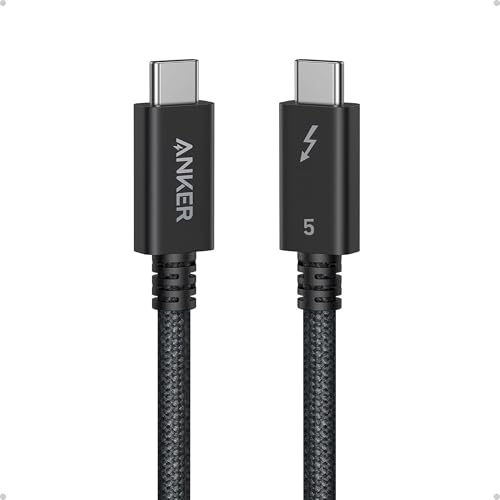
Here is the short answer: for most people the Anker Prime Thunderbolt 5 Cable is the one to buy, because it delivers 80Gbps transfers and 240W charging in a short 3.3-foot run that stays stable. If you need more reach to a monitor on the far side of your desk, the Silkland 5-foot cable gives you the extra length without giving up Thunderbolt 5 speed. Everything below is sorted so you can pick your length, your budget, and your display setup in a few minutes.
This guide is built by comparing the manufacturers’ published specifications and the patterns across verified customer reviews, so you get each pick’s real strengths and trade-offs instead of marketing spin.
A Thunderbolt 5 cable only reaches full speed when both the laptop and the device support Thunderbolt 5, so the picks below are grouped by the job you need done. Use this guide to match length, power, and display support to your own desk before you buy the thunderbolt 5 cables that will run your setup daily.
Top Picks

How To Choose The Best Thunderbolt 5 Cables
A Thunderbolt 5 cable is not a fancy charging cord. It is the pipe that carries your video, your data, and your laptop’s power all at once, so the weakest link in that pipe decides what your desk can do. Get the wrong one and a 4K monitor that should run at 144Hz will flicker or drop, and you will blame the display instead of the cable.
Match the cable to the ports you actually own
Maximum speed only happens when both your laptop and your device support Thunderbolt 5 natively, which iVANKY states plainly on its own listing. Plug a Thunderbolt 5 cable into a Thunderbolt 3 or 4 port and it falls back to that port’s slower speed. That is normal, and it is also why a buyer with an older laptop should not pay extra for bandwidth the machine cannot use.
Work out your length before your speed rating
Short runs are the most reliable, and buyers who moved from a longer Thunderbolt 4 cable to a shorter Thunderbolt 5 one report the disconnects simply stopped. Measure from your laptop to your dock or monitor and add a little slack. Every extra foot past your measured run adds signal loss, and on a Thunderbolt 5 link that shows up as flicker or dropped connections.
Decide what you need the cable to carry
If you run one external SSD and a charger, almost any certified Thunderbolt 5 cable here will do the job. If you drive two 8K displays at 60Hz, or three 4K screens at 144Hz, you need the full 120Gbps display bandwidth that only the certified cables advertise. Count your screens and their refresh rates first, then buy the cable whose 120Gbps display bandwidth covers that exact setup.
Side-by-Side Comparison
| Model | Best For | Length | Data Rate | Max Power | Amazon |
|---|---|---|---|---|---|
| Anker Prime Thunderbolt 5★ Best Overall | Desk docks and fast laptop charging | 3.3 ft | 80Gbps | 240W | Amazon |
| Silkland USB-IF Certified USB4Best Value | Longer reach to a monitor | 5 ft | 80Gbps | 240W | Amazon |
| IVANKY Intel Certified | Dock connections that stay put | 3.3 ft | 80Gbps (120Gbps video) | 240W | Amazon |
| ZIKNYDO 16K USB4 2.0 | Long cable runs for multi-monitor rigs | 6.6 ft | 80Gbps | 240W | Amazon |
| Cable Matters Intel Certified Braided | Flexible everyday workstation cable | 3.3 ft | 80Gbps | 240W | Amazon |
| Satechi Certified Thunderbolt 5 | High-refresh gaming laptop docks | — | 120Gbps | 240W | Amazon |
| Apple Thunderbolt 5 Pro Cable | All-Apple setups and tattoo-clean desks | 1 m | 120Gb/s | 240W | Amazon |
Detailed Reviews
1. Anker Prime Thunderbolt 5 Cable, 3.3 ft USB-C to USB-C
Our pick — 4.5+★ from 650+ verified ratings; the strongest balance of quality and price.
The short, stiff-spined cable that makes a docking station behave itself.
This is the crowd favorite for a reason. It carries the highest score in the group at 4.5+ stars across 600+ ratings, and the pattern behind that score is consistency: buyers describe the same experience over and over, which is a full-speed connection that does not blink. You get 80Gbps of bi-directional data, meaning files move both directions at that rate and a 5GB file clears in about a second, plus 240W of USB-C power.
That 240W rating is concrete: Anker states a 16-inch MacBook Pro (M3 Pro) reaches 50% in 26 minutes. You plug one cable into a dock and your laptop charges, drives a display, and reads an external drive at the same time. Dual 8K screens at 60Hz are supported, and the cable hits up to 120Gbps of display bandwidth when the video path needs to go wide.
What wins people over is the combination of build and behavior — the braided jacket with durable connectors, and the way it stops the random disconnects that plague longer, older cables. As owners put it: “Genuine certified Thunderbolt 5, 3.3 ft, 240W PD.” One buyer swapped out a longer Thunderbolt 4 cable and the dropouts vanished on a WAVLINK 40Gbps enclosure. The honest catch is length. At 3.3 feet it is the shortest arrangement here alongside the iVANKY, and an owner running a big monitor setup wished it went past one meter.
Where it earns its place
- 80Gbps bi-directional data with 120Gbps of display bandwidth for dual 8K at 60Hz.
- 240W USB-C charging that Anker states brings a 16-inch MacBook Pro (M3 Pro) to 50% in 26 minutes.
- Braided build with durable connectors that holds a stable connection through dock swaps.
- Owners run it happily from a 4TB external drive with no lag, no drops, no compatibility fights.
What to weigh first
- 3.3 feet is short — a monitor on the far side of a large desk needs a longer cable.
- It costs more than a basic USB-C cord, and the extra only pays off if your devices are Thunderbolt 5.
Reach for this if: your laptop sits within arm’s reach of a dock and you want the fastest, steadiest link in a short run.
Measure first: if your monitor lives across the room, this cable is the wrong shape for your desk.
2. Silkland USB-IF Certified USB4 for Thunderbolt 5 Cable, 5 ft
Five feet of reach for the desk where the monitor refuses to sit close.
Length is the headline here. This run measures 5 feet against the Anker’s 3.3 feet, and that extra reach is exactly what stops you from dragging a monitor closer just to make a cable fit. You still get 80Gbps bi-directional data with 120Gbps of display bandwidth in one direction, which covers dual 8K at 60Hz, triple 4K at 144Hz, or a single 4K at 540Hz.
It carries USB-IF certification — an independent lab stamp that the cable really meets the USB4 spec — and the charging side tops out at 240W over PD 3.1 (48V/5A). A built-in E-Marker chip handles the current negotiation, which is the part that keeps a high-draw laptop from tripping protection. It also weighs 0.08 kg, versus 0.1 kg for the Anker, so the extra length does not turn into a heavy, flopping cord.
The thing everyone raves about is plain reliability under load. In a mobile audio setup that charges, plays audio, and feeds video at once, this cable held where cheaper 20Gbps and 40Gbps leads failed. As a buyer of the 5-foot version summed it up: “The cord works! I’m getting 4k display on my monitor because of this cord.” Compatibility is the one area with a split reputation — most setups click immediately, and a handful do not. Thickness is the second note: the braided jacket bends wider than a thin cord and can feel heavy when left hanging from a port.
Read on the length: the 5-foot run is the practical pick for anyone whose dock or monitor is not glued to the laptop, and the USB-IF stamp is real third-party proof rather than a sticker.
Read on the bend radius: route it with a little slack and a gentle curve — a stiff cable left kinked at a hard angle is the usual cause of a flaky port.
Pick it when: you want certified speed and real reach without moving your furniture.
Think twice if: you need a silky, thin cable to snake behind a wall — this one is built thick.
3. IVANKY Intel Certified Thunderbolt 5 Cable, 3.3 ft

The dock cable that refuses to lose contact when you shift the laptop.
Intel certification is the reason this one is here — it went through the certification process for Thunderbolt 5 rather than just claiming the standard. That means 80Gbps bi-directional data with up to 120Gbps reserved for displays, enough for dual 8K at 60Hz, triple 4K at 144Hz, or 4K at 540Hz for a high-refresh gaming panel. It runs 240W over PD 3.1 and steps down cleanly to 140W, 100W, and lower hardware.
The physical part is where it pulls ahead of the pack. The braided exterior is built to bend without fighting back, and at 0.06 kg it is the lightest cord in this lineup, well under the ZIKNYDO’s heavier feel. Performance carries the most weight in how buyers judge it, with build quality right behind — owners describe plugging it into a dock and leaving it alone for months. It handled a laptop-to-dock swap where the previous cable lost contact the moment the machine slid on the desk.
Value shows up strongly too: owners call it the most reasonably priced certified Thunderbolt 5 cable they could find, without any drop in build. The honest caveat is length again — 3.3 feet, and more than one buyer would have preferred a longer run. Treat the certification note on the listing as gospel: full speed needs Thunderbolt 5 on both ends, so an older laptop will quietly cap this cable at its own limit.
Certified, not just labelled: the Intel stamp plus the 120Gbps video path is what makes this cable worth its place for a docking-station desk.
The one snag: short at 3.3 feet — measure before you commit if your dock sits low or your laptop lives on a riser.
Best for: a docking-station setup where the cable needs to stay seated through daily plugging.
Not for: a laptop that lives at one end of a long desk and a monitor at the other.
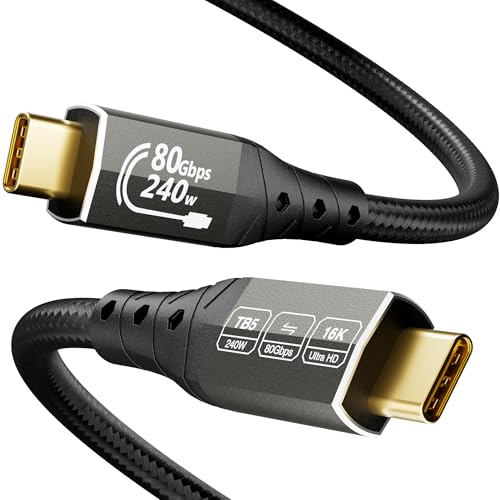
4. ZIKNYDO 16K USB4 2.0 Thunderbolt 5 Cable, 6.6 ft
Six and a half feet for the rig where the screens refuse to huddle.
This is the longest cable in the group at 6.6 feet, and that alone makes it the answer for a multi-monitor desk, a laptop on a stand, or a wall-mounted panel. It carries 80Gbps bi-directional data, 120Gbps of video bandwidth, and up to 240W over PD 3.1 with 15W of reverse power. Display support climbs to 16K on a single screen, three 4K monitors at 144Hz, or two 8K panels.
The build is deliberately heavy. Tensile wires fill the core, the aluminum housing sheds heat, a 24K gold-plated plug resists oxidation, and a 48-strand braid fights tangling to the tune of three times the protection. That construction is why owners reach for it when the alternative is a thin lead that dies every few weeks. What buyers praise most is simply that it functions — it replaced a shorter Thunderbolt 3 cable without a single complaint, and the speeds held up.
One detail you will appreciate every day: the data speed and charging capacity are printed on the cable ends, so you never have to guess which cord in a drawer is the fast one. One buyer also notes the price stings unless you catch it discounted.
Why it earns the reach
- 6.6 feet of 80Gbps over a single cable, the longest certified-feel run in this list.
- 240W PD 3.1 plus 15W reverse power for gaming laptops and docks.
- Speed and wattage printed right on the connectors so you never grab the wrong cord.
- Heavy-duty braid and gold plating that owners say shrugs off daily abuse.
What you give up
- Long and thick — coiling it for travel is a chore, and it feels stiff in hand.
- Priced above the shorter value picks, and the extra weight hangs off a port if left unsupported.
Made for you if: your screens sit far from the machine and you refuse to buy a second dock.
Keep looking if: you want a featherweight cord to toss in a bag.
5. Cable Matters Thunderbolt 5 Cable, 3.3 ft

The braided cord that bends where the stiff ones fight you.
Flexibility is the angle with this one. Buyers describe it as a flexible cable rather than a stiff one, which is rare for a lead built to carry 80Gbps and up to 120Gbps of video bandwidth. It is Intel certified, rated for 240W of power delivery, and drives dual 6K or dual 8K screens or three 4K monitors at 144Hz. At 0.06 kg it feels light in the hand, close to the iVANKY rather than the hefty ZIKNYDO.
The aluminum connectors help with heat, and the braided jacket resists tangling — the details that matter when a cable gets plugged and unplugged several times a day. What buyers mention most is reliability, followed by speed. The most concrete story involves a machine full of Thunderbolt 5 ports and an external SSD: backups that took minutes over a regular USB-C lead now finish in seconds over this one.
The honest limit is that it works fine on Thunderbolt 4 ports but only reaches its ceiling on a true Thunderbolt 5 connection, so a buyer who has not upgraded yet is paying for headroom. It is also a plain 3.3-foot run, so a large desk may still want a longer lead. This is the pick for the tinkerer who swaps docks, drives, and peripherals and needs a cable that cooperates with the plug.
Flex beats brawn: the soft jacket and light weight make it the easiest cable here to route around a cluttered desk.
Full speed needs a full partner: keep it for a Thunderbolt 5 machine — on older ports it will behave like the port, not the cable.
Choose it for: a desk where cables get moved, swapped, and rerouted regularly.
Avoid it for: a fixed install where the brawn of a thicker lead is worth more than the bend.
6. Satechi Certified Thunderbolt 5 Cable, 240W PD, 120Gb/s

Certified, braided, and backed by a two-year warranty for the daily driver.
The number to fix on is 120Gb/s: this is Satechi’s uni-directional figure, with 80 Gb/s running bi-directional, exactly the split that matters when one cable carries both a display and huge files. Up to 240W of power delivery keeps a high-performance laptop alive through a full workday, and the display output reaches dual 8K at 60Hz or three 4K screens at 144Hz, with up to 6K on macOS. Official Thunderbolt 5 certification is the backbone that keeps the speeds honest.
Build is the reassuring part: a premium braid, reinforced strain relief where the cord meets the plug, and an aluminum housing for flexibility that lasts. Satechi backs it with a two-year limited warranty against defects in materials and workmanship under normal use. It is rated for the newest machines too, from MacBook Pro and Air models with M-series chips through the listed PC lines from Acer, Alienware, ASUS, Gigabyte, HP, Lenovo, MSI, and Razer.
Owners put it through real work. One runs it from an Anker Docking station to power a gaming laptop, and another backed up a 150GB iPhone to a MacBook in 8 minutes. At 49 g it is the heaviest cord in this lineup, so a dongle dangling off a small port may want support. It is also the pricier side of this list — worth it if the guarantee and the certification matter more than saving a few bills.
Proof in the spec: certified 120Gb/s throughput plus a two-year warranty is a rare pairing and the reason to pay up here.
The weight note: 49 g of cable needs a port with support when it hangs — a light dongle or a short run avoids strain.
Worth the upgrade: if a docking station sits at the heart of your work and you want a warranty to lean on.
Skip if: you only ever charge a phone and move the odd file — cheaper picks handle that fine.
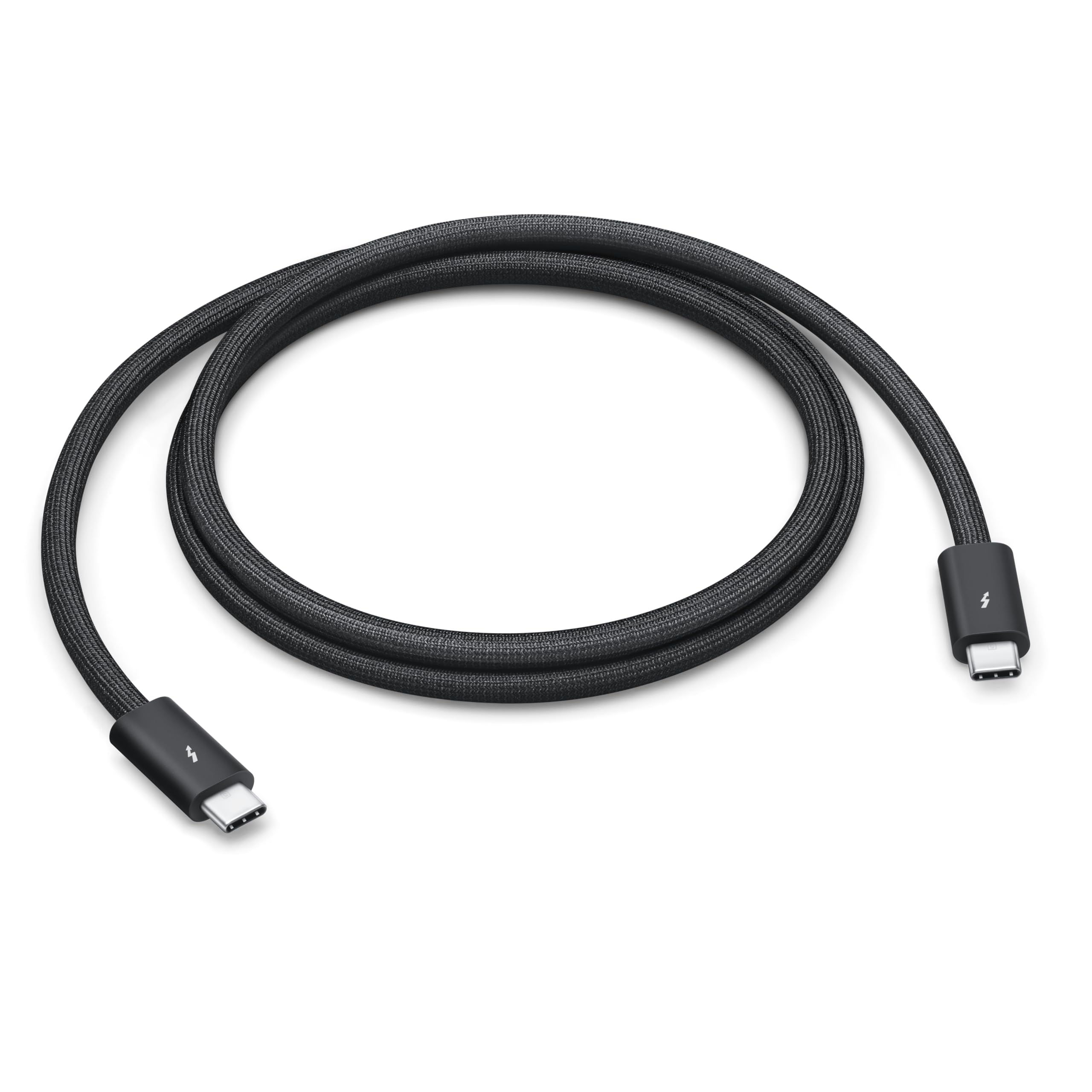
7. Apple Thunderbolt 5 (USB-C) Pro Cable, 1 m
The one that coils cleanly and matches the rest of a black desk.
Apple’s cable leads with the thing owners actually love: a black braided jacket that coils without tangling and looks the part next to a MacBook and Studio Display. Under that it carries up to 120Gb/s of Thunderbolt 5 data, holds Thunderbolt 3, 4, and USB 4 at 40Gb/s, runs USB 3 at 10Gb/s, outputs DisplayPort 2.1 video, and charges up to 240W. One metre is the length.
The fit of the connectors is the quiet advantage — several owners described no wobble where cheaper cords felt loose, and one swapped it in and got a clean 4K image at 120Hz to a portable monitor. Backups and laptop-to-laptop replication are the use cases that come up, and the signal is described as impeccable with no flicker. It is designed to connect a Mac with Thunderbolt 3, 4, or 5 ports to displays, docks, and drives, and it works with USB-C iPhones and iPads too.
The catch is the cost for one metre. Value is the honest split on this cable — some say it earns the price for the build and the ecosystem fit, others feel it runs high. It is also the lowest-rated pick here at 4.0+ stars, though the reviews still land strongly on quality. Choose it if the look and the fit are the point; skip it if you just want the most bandwidth per dollar.
The aesthetic advantage: a tangle-free braid and snug connectors are genuine daily wins, not marketing — it simply looks and feels like the rest of an Apple desk.
The price question: for one metre the value is contested, and the rating reflects that — a cable this short is a style-and-fit purchase as much as a speed one.
The fit: right at home beside a MacBook, Studio Display, and an all-black desk.
The hesitation: one metre limits reach, and value is the one place this cable gets pushback.
Know the Specs
80Gbps data vs 120Gbps video bandwidth
Data moving two ways at once runs at 80Gbps on every pick above; the 120Gbps figure is a display-only path in one direction used when a screen needs more headroom. In plain terms, 80Gbps moves files fast in both directions, while 120Gbps is the extra lane your monitor uses to keep a high-resolution picture smooth. If you drive dual 8K or a high-refresh gaming panel, check the 120Gbps figure; a single 4K screen at 60Hz will not miss it.
240W Power Delivery and the E-Marker chip
240W is the ceiling of PD 3.1, the power rule that lets a USB-C cable push enough for a full-size laptop. The E-Marker chip inside a certified cable is the negotiator that tells the charger how much current is safe to send, adding over-voltage, over-current, and short-circuit protection. A cable without it will cap lower, so a fast charger and a laptop do not automatically mean fast charging — the cable has to be rated for it.
Certification that actually means something
Intel certification for Thunderbolt and USB-IF certification for USB4 are independent tests that confirm a lead meets the spec it claims. That is why cables carrying them can promise 80Gbps and 240W without it being a guess. On a plain USB-C cord, a fast charger may not fire and a monitor may drop — the certification is the buyer’s shortcut around that risk.
Length and signal integrity
Shorter runs carry a cleaner signal, and many dropouts on longer cables trace back to the lead rather than the device. The choices here span 3.3 feet up to 6.6 feet, and a wall of EMI shielding plus oxygen-free copper helps keep that signal intact. Buy the shortest length that fits your desk and you cut the most common cause of flicker and disconnects.
Common Questions
Will a Thunderbolt 5 cable work on a Thunderbolt 4 laptop?
Do I need 240W charging or is 100W enough for my laptop?
Can one Thunderbolt 5 cable really drive two 8K monitors?
Why does my Thunderbolt 5 cable disconnect when I move my laptop?
Is a USB4 cable the same as a Thunderbolt 5 cable?
Will a longer Thunderbolt 5 cable slow my transfers?
Do these cables charge an iPhone or iPad too?
How much does a braided jacket or a thicker cable actually matter?
What is the difference between bi-directional and uni-directional bandwidth?
Can I use a Thunderbolt 5 cable for an external graphics card or eGPU?
The Bottom Line
For most setups, the winner of the thunderbolt 5 cables field is the Anker Prime Thunderbolt 5 Cable — the highest-rated pick here at 4.5+ stars across 600+ ratings, with the 80Gbps speed and the 240W charging that make a dock disappear into a single cable. If you need more reach, the Silkland USB-IF Certified USB4 stretches to 5 feet with the same 80Gbps ceiling. And if a two-year warranty and known-certified 120Gb/s throughput are what you want over a laptop that gets swapped around a lot, the Satechi Certified Thunderbolt 5 is the one to grab. Choose the length your desk needs first, then let Intel or USB-IF certification confirm the 80Gbps and 240W ratings.
How we choose
We do not accept paid placement. Every pick is matched to a real buyer and a real use-case; we do not hands-on test units.
Sources
Specifications: manufacturer listings and product documentation. Review insights: verified customer reviews, as of October 2026. Pricing: not shown on this page (it changes often); check the current price via the retailer link.
As an Amazon Associate, Aappliancez earns from qualifying purchases. This does not affect which products we feature.