Disclosure: Some links in this post are affiliate links. As an Amazon Associate I earn from qualifying purchases, at no extra cost to you. Learn more
Specs are compiled from manufacturer listings and verified buyer reviews and can change over time — please confirm the key details on the product page before buying.
If you want the short answer: buy an enclosure built around a real 40Gbps connection and a metal body that pulls heat off the drive, and ignore anything that only claims speed in the title. The whole point of a Thunderbolt 4 SSD enclosure is turning a bare M.2 NVMe stick into an external drive that moves a 10GB file in seconds — and then keeps that speed once the drive heats up. Most disappointments in this category come from one of three things: a cheap controller chip, a plastic shell that traps heat, or a laptop port that was never a true 40Gbps connection in the first place.
This guide is built by comparing the manufacturers’ published specifications and the patterns across verified customer reviews, so you get each pick’s real strengths and trade-offs instead of marketing spin.
Below you will find seven enclosures ranked by what actually matters once the honeymoon ends — sustained speed, heat, and how easily you can swap drives. Read on for the full breakdown of the best Thunderbolt 4 SSD enclosure for your desk, your bag, and your workflow.
Top Picks

How To Choose The Best Thunderbolt 4 SSD Enclosure
The buying decision here is simpler than the spec sheets make it look. An enclosure is a shell, a controller chip, and a cable — it has no storage of its own. Your drive supplies the capacity and the raw speed; the enclosure decides whether that speed ever reaches your laptop. Get the controller chip and the cooling right, and the rest — cable length, tool-free access, footprint — is just preference.
The controller chip matters more than the label
The controller is the chip that translates your drive’s PCIe signal into a Thunderbolt or USB4 signal your computer can read. The Intel JHL7440 and the ASM2464PD are the two names you will see across these enclosures, and they behave differently. The JHL7440 is a certified Thunderbolt part with a lower ceiling, while the ASM2464PD is the newer chip that aims higher. Knowing which one sits inside is the difference between a drive that hits its rated speed and one that falls short.
A metal body is cooling hardware, not decoration
An M.2 drive under a long transfer gets hot, and a hot drive slows itself down on purpose to protect its data — that is thermal throttling. Finned aluminum spreads that heat into the air without a fan. An active fan pushes more air but adds a moving part. Either works; a smooth plastic shell traps the heat and undoes the speed you paid for.
Check your drive before you check the enclosure
These cases accept drives in 2280, 2260, 2242, and 2230 lengths, so most common NVMe sticks fit. The catch is thickness. Some enclosures are built for single-sided drives only and will not close over a double-sided one, so confirm your drive’s layout before ordering. Confirm the layout before ordering and you avoid the most common return in this category.
Match the cable to the port
A 40Gbps enclosure needs a 40Gbps cable and a 40Gbps port on both ends. Plug it into a plain USB-C 10Gbps port and you get 10Gbps speeds — often under 1000MB/s. That is the enclosure behaving correctly, not failing. Confirm your machine actually has Thunderbolt 3, Thunderbolt 4, Thunderbolt 5, or USB4 before you judge the speed.
Side-by-Side Comparison
| Model | Best For | Rated Speed | Cooling | Drive Support | Amazon |
|---|---|---|---|---|---|
| OWC Express 1M2★ Best Overall | Desk-bound creative work | Up to 3836MB/s | Passive finned metal | 2280 / 2242 / 2230 | Amazon |
| ACASIS 40GbpsTool-Free Favorite | Tool-free drive swapping | Up to 2805/2734MB/s | Aluminum + thermal pad | 2280 / 2260 / 2242 / 2230 | Amazon |
| Cable Matters USB4 | Compact travel setup | Read 3800 / Write 3600MB/s | Temperature-controlled fan | 2280 / 2260 / 2242 / 2230 | Amazon |
| UGREEN 40Gbps | Heavy photo and video work | Up to 3600MB/s | Double-sided fins, fanless | 2230 / 2242 / 2260 / 2280 | Amazon |
| SABRENT EC-U4TN | Fast swaps on the move | 3900MB/s USB4 | Aluminum + active fan | 2230 / 2242 / 2260 / 2280 | Amazon |
| Satechi USB4 Pro | Mac mini boot drive duty | Up to 3840MB/s | Aluminum + thermal pad | 2280 / 2260 / 2242 / 2230 | Amazon |
| Zike USB4 | Clean desk, no tools | Read 3.8 / Write 3.1 GB/s | Aerospace aluminum body | 2280 M-Key | Amazon |
Detailed Reviews
1. OWC Express 1M2 40Gb/s Portable NVMe SSD
Our pick — 4.5+★ from 1,000+ verified ratings; the strongest balance of quality and price.
The finned aluminum block that stays fast because it never gets hot enough to slow down.
Here is the number that decides it: up to 3836MB/s of real-world throughput, which is roughly double what a Thunderbolt portable enclosure used to manage. That is a 10GB file landing in a few seconds instead of a coffee break. OWC gets there without a fan, using a patented heat-dissipating body that works like one big heatsink, so a long video export does not trigger the slowdown that hot drives force on themselves.
What wins people over is sustained speed, and it holds up in real work. As buyers report from a MacBook Pro setup: “true Thunderbolt 4 sustains 3GB/s read/write vs 1GB/s prior USB 3.2 drives.” The same reliability shows up in a side-by-side with four rival USB4 enclosures, where this one ran coolest and kept its speed without cooldown pauses. Owners also mention it works on both Windows and macOS without drivers. It is 4.5+ stars across 1,000+ owners, and the crowd is not wrong about the fundamentals.
Flexibility is the quieter selling point. You supply the drive — any NVMe M.2 in 2280, 2242, or 2230 length — and the enclosure ships with a 40Gb/s USB-C cable and a screwdriver. It is bus-powered, so no wall brick, and small enough to palm. The one honest adjustment: it prefers to sit upright and it is bulkier than a pocket drive, so it belongs on a desk more than in a jeans pocket. Fitting your own thermal pad needs a little care to get full contact.
Where it earns its keep
- Up to 3836MB/s — the top throughput in this group
- Fanless finned metal keeps drives cool and quiet under load
- Accepts 2280, 2242, and 2230 drives, so you pick the SSD
- Ships with the 40Gb/s USB-C cable and a screwdriver
What to plan around
- Larger footprint than a slim pocket enclosure; best kept upright on a desk
- Thermal pad contact takes a careful hand to get right
Reach for this if: you edit photo or video on a Mac or Windows desk machine and want the steadiest sustained speed here.
Think twice if: you need something that disappears into a jacket pocket for daily commuting.
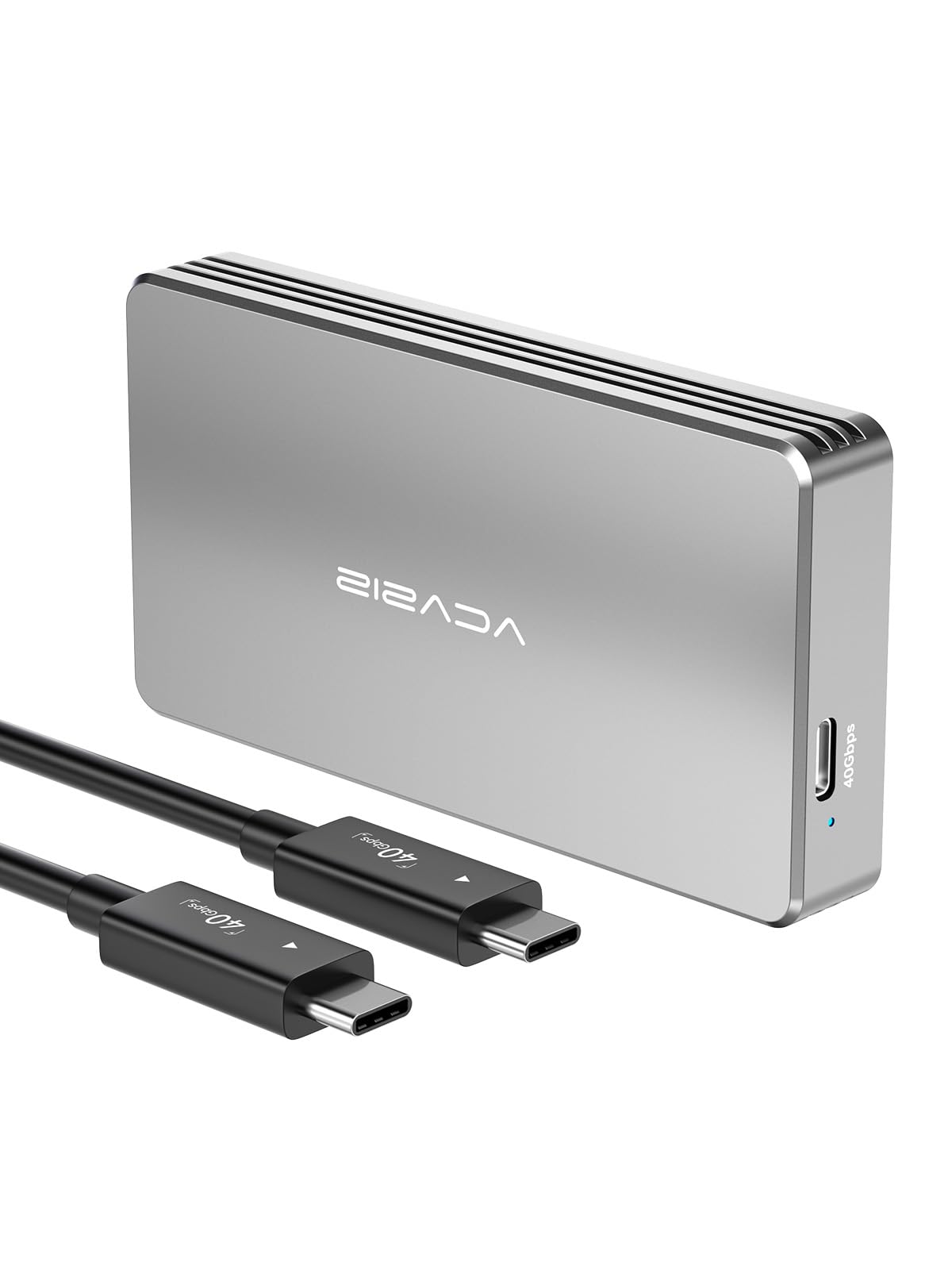
2. ACASIS 40Gbps M.2 NVMe SSD Enclosure
The no-tools enclosure for people who swap drives the way other people swap memory cards.
The ACASIS runs on an Intel-certified JHL7440 controller and its published test figures land at up to 2805/2734MB/s read and write with a Samsung 980 Pro on a MacBook. Install is genuinely tool-free: spacers for shorter drives, thermal pads included, and a short USB4 cable that is the ideal length for full speed. It ships in an aluminum body with a high-conductivity silicone pad, keeping the drive steady during heavy backup or editing sessions, and it stays silent because there is no fan.
Where the numbers get interesting is the honest caveat about that chip. Its certified ceiling is lower than the newer ASM2464PD designs, so real-world results top out around 3065MB/s on a Windows Thunderbolt 4 host and 2378MB/s on a MacBook Pro over Thunderbolt 4, per buyers who benchmarked it. That still crushes an old USB 3.0 drive that crawled along at 50-70MB/s for one owner, and it is plenty for 4K editing off the timeline. Just do not buy it expecting to see the full 40Gbps headline.
Heat is the thing to watch. The aluminum housing gets warm and some buyers find it runs on the hot side, so give it airflow and use the thermal pads. One smart tip from the review pages: if speeds turn erratic, check whether another SSD is drawing power from your machine’s native ports — moving it to a powered dock straightened one owner out. It fits 2280, 2260, 2242, and 2230 drives and has a compact 4.09 by 2.13 inch footprint.
The value read: a mid-range aluminum enclosure that prioritizes easy drive access and certified-chip reliability over raw top-end numbers — the right call if you rotate drives regularly.
Give it room to breathe: warm housing under load means a metal stand and steady airflow keep it honest.
Good match for: the tinkerer who keeps several M.2 drives in rotation and wants in and out without a screwdriver.
Look elsewhere if: hitting the absolute highest benchmark number is the whole reason you are buying.
3. Cable Matters 40Gbps USB4 / Thunderbolt 4 SSD Enclosure

A folding frame with its own fan, built for the laptop bag rather than the desk.
Cable Matters takes a different shape from everything above: a foldable aluminum body with a temperature-controlled fan, rated for reads up to 3800MB/s and writes up to 3600MB/s on a Razer Blade 18 with a Samsung 980 PRO. A dual-color light tells you at a glance whether you are in USB4 40Gbps mode (blue) or stuck in USB3.2 mode at 10Gbps (green) — a genuinely useful thing to see when a cable or port is holding you back. Setup is tool-free with a rubber stopper, and it handles 2280, 2260, 2242, and 2230 drives with both M Key and B+M Key.
The thing to read before you buy is the drive limit. This case is built for single-sided M.2 drives only, and Cable Matters names the double-sided models it will not take — the WD_BLACK SN850X in 4TB and 8TB, the Sabrent Rocket 4 Plus in 2TB and 4TB, and the Crucial T700 and T705. Confirm your drive is single-sided first. Speed is the honest mixed bag here: several owners see excellent numbers, others fall short of the headline, and one found their Samsung 9100 PRO moving a 50GB transfer at only around 3GB/s with occasional ejections. Better than an old SATA drive, but not guaranteed to hit the rated ceiling.
The design drew the strongest opinions, split down the middle. The built-in cable means you never lose it, but because that cable is soldered in place, it cannot be swapped if it wears out, and reaching inside for it means opening the lid each time. The fan runs quietly and shuts off at idle. Small footprint, sturdy metal, and a clever fold make it the easiest of the bunch to throw in a bag.
Fit note first: single-sided drives only — the double-sided high-capacity models named above simply do not fit, so this is a compatibility question, not a speed question.
The trade-off: the fixed internal cable removes the lost-cord problem but removes the option to replace the cord later.
Worth it for: commuters with a single-sided NVMe who want a compact, fan-cooled enclosure that folds flat in a bag.
Pass it by if: your drive is double-sided or you insist on a replaceable cable.
4. UGREEN 40Gbps M.2 NVMe Enclosure
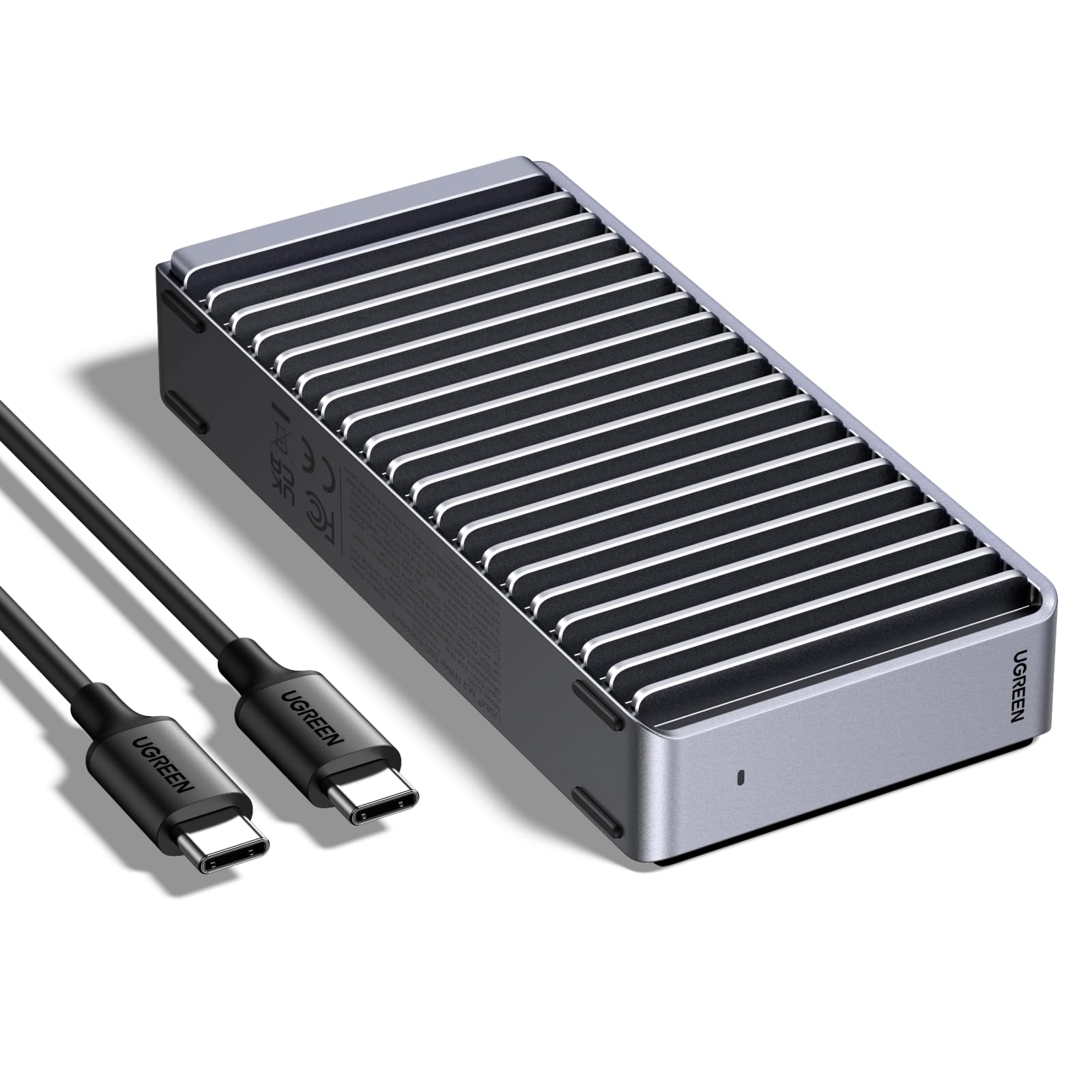
Silent finned cooling aimed squarely at people who edit footage for a living.
UGREEN puts the newer ASM2464PD controller inside a slim aluminum shell and rates it to 3600MB/s, with the fine print that you need Thunderbolt 4 cables and devices to actually see that number. The cooling is the story: a double-sided fin design and a three-dimensional cooling system built to shed heat without a fan, so no moving parts and no noise while you work. It accepts drives in 2230, 2242, 2260, and 2280 lengths and supports up to 8TB. It is 4.0+ stars across 1,000+ owners.
For a real workflow it behaves. One setup pairing it with a Crucial T710 on a MacBook Pro M4 pulled about 3200/3100 MB/s write and read — slightly faster than the internal drive — and cut a Time Machine backup from over two hours down to about 40 minutes. Owners running Lightroom Classic and DaVinci Resolve call out the 40Gbps bandwidth for lag-free 4K scrubbing and large RAW catalogs, with the fins keeping temps in check during renders. The phrase from the review pages that sums up the build: “A nice solid enclosure that works well as a heat sink.”
Do check your drive against the physical fit. UGREEN notes some thicker SSDs can press on the pads, and swapping in thinner thermal pads solves it. On the write side, one owner found the stock pad left them at around 1GB/s write from the start until they upgraded to a thicker pad, which brought sequential write up to about 3.8GB/s — so if numbers feel off, the pad is the first thing to look at. There are also reports of a rare unit failing after a couple of weeks, so buy from a seller with a clear return window and test it hard early.
Why editors like it
- Up to 3600MB/s via the ASM2464PD chip over Thunderbolt 4
- Fanless double-sided fins keep it silent under renders
- Supports drives up to 8TB across four M.2 lengths
- Thin, light aluminum that travels well
The honest gaps
- Thick drives can pinch the thermal pads; thinner pads fix it
- Stock pad may limit write speed until you replace it
Built for: photo and video editors who want quiet sustained speed and do not mind a two-minute pad swap to get it.
Not your pick if: you want to slide a drive in and never think about thermal contact again.
5. SABRENT USB4 NVMe SSD Enclosure (EC-U4TN)
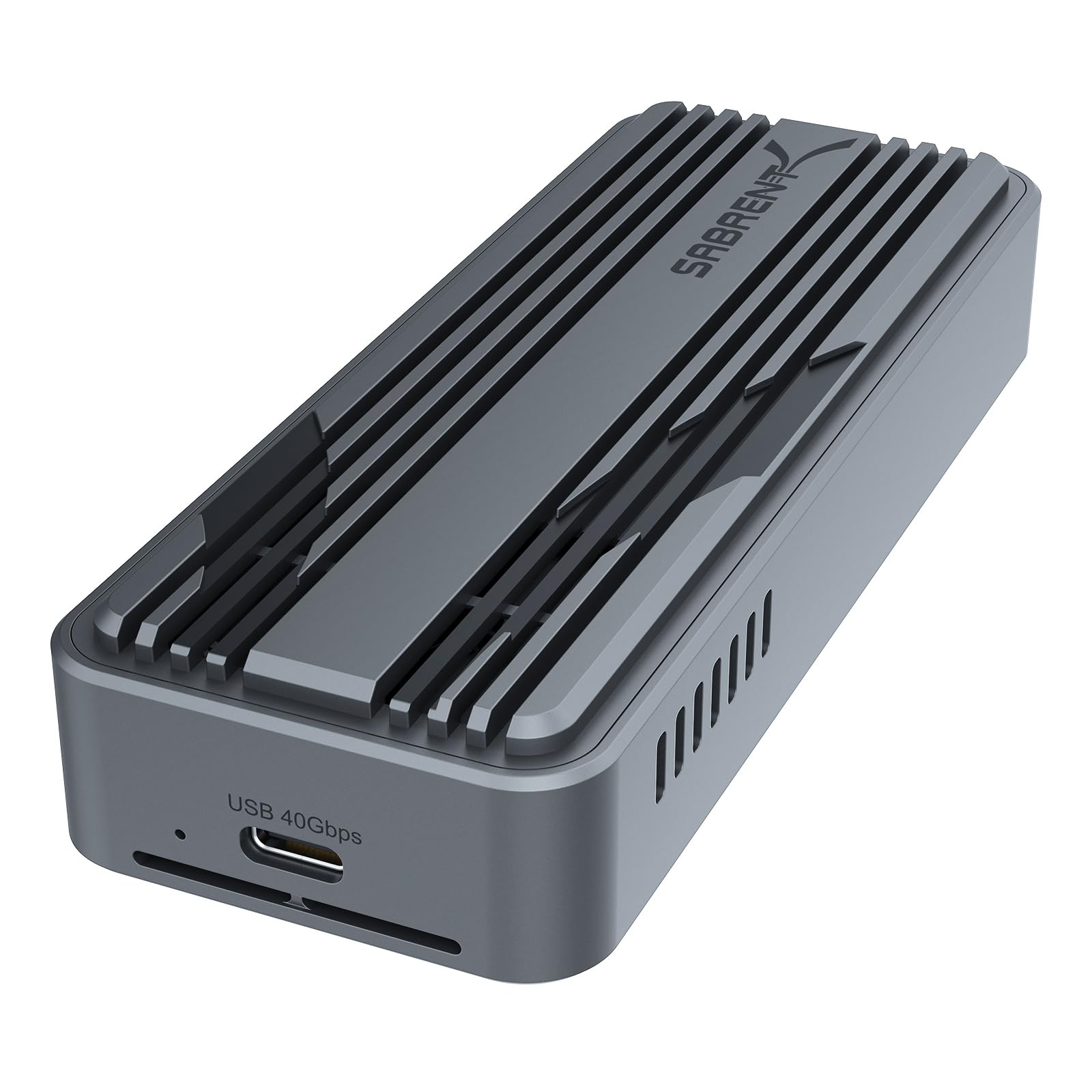
A clamshell that opens in seconds, so you can swap drives like changing a lens.
SABRENT claims up to 3,900MB/s over USB4 and 2,700MB/s over Thunderbolt 3 or 4, with backward compatibility down to USB-C 20Gbps, 10Gbps, and 5Gbps ports. The design is the draw: a tool-free clamshell that takes any PCIe NVMe drive in 2230, 2242, 2260, or 2280 length, with no SATA support and no drivers needed. Premium aluminum and ABS with an integrated active fan keep the drive stable through a large transfer. It handles 8TB drives and works across Windows and macOS.
The speed holds up in workload tests. An owner editing ProRes and Blackmagic RAW directly off it measured 977.7 MB/s write and 906 MB/s read — that is the USB 10Gbps port saturating, not the drive giving up, and it handled footage up to 8K before hitting a wall at 12K. Swapping drives is the recurring favorite: open the lid, drop in the stick, close it, and you are running. This is genuinely the fastest drive-change experience in this group, and the aluminum body doubles as a heatsink so it never gets uncomfortably hot.
The one thing to expect is warmth. It runs warm under load, which is the metal pulling heat off the drive as designed rather than a fault. The supplied 30cm cable is on the short side for desk setups where your laptop sits far from the drive — easy to solve with a longer rated USB4 cable if you are not chasing the top number.
Swap champion: the tool-free clamshell and active fan make this the easiest unit here to live with if you keep several drives going.
The small gripes: a warm body under load and a short 30cm cable, both easy to work around.
Pick this for: a video workflow where you jump between drives and want zero tools and zero drama.
Skip the idea if: you need a long factory cable or a cool-to-the-touch shell at all times.
6. Satechi USB4 NVMe SSD Pro Enclosure

The Mac mini specialist that lets your desktop boot from a drive you bought yourself.
Satechi supports PCIe Gen 4×4 with read and write speeds up to 3840MB and a 40Gbps transfer rate, and takes drives up to 16TB across 2280, 2260, 2242, and 2230 sizes — the largest capacity ceiling in this group. Aluminum housing with a polycarbonate casing handles heat, and a silicone pin gives tool-free installation with no drivers. The slim 4.4 by 2.7 by 0.9 inch body slides into a bag, and it works across Mac, Windows, and Linux. It is 4.0+ stars across 500+ owners.
The standout use is booting a Mac mini from an external drive. Owners running a Samsung 990 PRO inside it see around 3000+ MB/s read and write, faster than the internal Apple drive, which is exactly why people buy it. Against a bare WD_BLACK SN850X on a MacBook Pro M2 it pushed past 3000 MB/s, and with a 990 PRO on a Mac Studio it held 3150/3100 on BlackMagic after six straight 75GB transfers with temps under 44C. What wins people over is that transfer speed — it does what the spec sheet promises on Mac hardware.
Two things to plan for. The included USB-C cable is only about 6 inches, so a longer rated cable may be on your shopping list, and thin cables can drag the speed down. The case also gets warm under constant load — expected without active cooling, but notice it. Drive retention relies on a rubber bung rather than a screw, which is a design choice some owners do not love. For a desk-bound Mac mini it is a strong, quiet performer; for a rough-and-tumble travel kit, it is a little precious.
Spec that sells it: up to 16TB capacity and 3840MB/s over PCIe Gen 4×4, ideal for a fast external boot drive.
Buyer caution: short bundled cable and a warm shell, so budget for a longer-rated cord and a little airflow.
Made for: the Mac mini owner who wants a fast, roomy external boot or Time Machine drive.
Weigh the fit if: you need a long cable in the box or a screw-secured drive mount.
7. Zike USB4 40Gbps M.2 NVMe SSD Enclosure

Aerospace aluminum, a built-in cable, and nothing to lose — the tidy desk choice.
Zike rates reads up to 3.8 GB/s and writes up to 3.1 GB/s, and puts that number in plain terms: about 3 seconds to move a 10GB file and about 5 minutes for a full 1TB transfer. The build is aerospace-grade aluminum alloy with a wide cooling body that sheds drive heat and shields against shocks and scratches. It takes 2280 M-Key drives, installs without tools, and the USB4 cable is built in so you never forget it. It works with Macs, PCs, iPads, Android, PlayStation 5, and Xbox over Thunderbolt 4, USB 3.2 Gen 1, or Gen 2. It is 4.5+ stars across 300+ owners.
In real use it hits the promise. An owner running it on a Mac mini M4 Pro measured 3811MB/s peak and consistently above 3500MB/s while loading AI models, with virtual machines performing like the internal drive. The trick some owners share is to remove the thick clear plastic outer case so the aluminum can breathe — a small habit that keeps heat dissipation strong. The fanless cooling is silent, the fit and finish feel premium, and it ships with two shielded USB-C cables and an illustrated manual.
The catch is capacity scope. This one is specified for 2280 M-Key drives, so if you have a short 2230 or 2242 stick, look at the more flexible picks above. If your drive is a standard full-length 2280, the Zike is one of the cleanest builds in this group, and the integrated cable means one less thing to misplace on a travel day.
Design win: aerospace aluminum with an integrated cable and tool-free install — the most polished-feeling unit here.
Scope limit: 2280 M-Key only, so a shorter drive rules it out.
Suit yourself to: the user with a full-length 2280 NVMe who wants a clean, cable-tethered setup that hits 3811MB/s.
Best avoided if: your drive is a 2230 or 2242 size, which this case does not cover.
Know the Specs
Controller chip (JHL7440 vs ASM2464PD)
The controller is the small chip that translates your drive’s PCIe signal into a Thunderbolt or USB4 signal your computer understands. The Intel JHL7440 is a certified Thunderbolt part with a lower ceiling, while the ASM2464PD is newer and aims higher. In plain terms, the chip sets the top speed you can reach no matter how fast your SSD is rated — which is why the same drive can run faster in one enclosure than another.
40Gbps versus MB/s
Gigabits per second (Gbps) measures the connection’s raw capacity; megabytes per second (MB/s) measures how much file data actually moves. They are not the same unit and never convert cleanly in a real workflow. Treat 40Gbps as the pipe’s width and MB/s as the water flow — a strong enclosure still tops out a little below the theoretical pipe because of overhead, which is normal and expected.
Thermal throttling and cooling
An NVMe drive under a long transfer heats up, and a hot drive slows itself down on purpose to protect its data — that slowdown is thermal throttling. Finned aluminum spreads the heat into the air without moving parts; an active fan pushes more air but adds a component that can wear or make noise. Either design works; a smooth plastic shell traps heat and undoes the speed.
Single-sided versus double-sided drives
Memory chips sit on one side of a single-sided M.2 drive; double-sided drives have chips on both faces and are thicker. Some enclosures close only over single-sided drives, so high-capacity double-sided models can physically not fit. Check your drive’s layout before ordering — it is the most common compatibility surprise in this category.
Common Questions
Will this enclosure fit my existing M.2 drive?
Do I need Thunderbolt 4 on my laptop to get full speed?
Why is my drive running slower than the advertised number?
Is an enclosure with a fan better than a fanless one?
Can I boot my Mac from an external SSD in one of these?
Which M.2 drive should I put inside?
Does the enclosure come with the SSD included?
How hot should the aluminum body get during a big transfer?
Can I use one of these with a PlayStation 5 or a phone?
What happens if I move an SSD between enclosures?
The Bottom Line
The strongest all-around pick for most people is the OWC Express 1M2, and it is the one that combines the highest sustained throughput here (up to 3836MB/s) with silent finned cooling that keeps a drive from throttling under long work — the exact combination that makes an external SSD feel internal. If you rotate drives constantly, the tool-free ACASIS is easier to live with day to day. For a Mac mini boot drive with huge capacity headroom up to 16TB, the Satechi earns its spot. And if your desk is all about quiet photo and video editing, the fanless UGREEN delivers steady 3600MB/s without a peep — whichever you choose, pair it with a rated 40Gbps cable and a true 40Gbps port, or you will cap its speed at 10Gbps.
How we choose
We do not accept paid placement. Every pick is matched to a real buyer and a real use-case; we do not hands-on test units.
Sources
Specifications: manufacturer listings and product documentation. Review insights: verified customer reviews, as of October 2026. Pricing: not shown on this page (it changes often); check the current price via the retailer link.
As an Amazon Associate, Aappliancez earns from qualifying purchases. This does not affect which products we feature.