Disclosure: Some links in this post are affiliate links. As an Amazon Associate I earn from qualifying purchases, at no extra cost to you. Learn more
Specs are compiled from manufacturer listings and verified buyer reviews and can change over time — please confirm the key details on the product page before buying.
If you just want the answer: the HP EliteDesk 800 G2 Desktop Mini is the one to buy, because it gives you a real quad-core office processor, 16GB of memory and 240GB of solid-state storage for entry-level money. A thin client in the truest sense means a tiny box that drives your monitor, handles email, spreadsheets and video calls, then disappears behind your screen. The picks below split into renewed business machines that were built to run all day, and newer mini PCs with current-generation chips. Both paths work — the question is how much speed you want versus how much you want to spend.
This guide is built by comparing the manufacturers’ published specifications and the patterns across verified customer reviews, so you get each pick’s real strengths and trade-offs instead of marketing spin.
Every machine here is sized for a desk, not a server room, and each one runs Windows 11 Pro from the start. This breakdown of the best thin client options covers processing power, memory, storage and ports so you can match a box to your real workload.
Top Picks



How To Choose The Best Thin Client
The mistake almost every first-time buyer makes is treating a tiny desktop like a laptop and shopping on storage size alone. Storage is the cheapest thing to add later. What you cannot change easily is the processor family and the memory ceiling, so start there and work down.
Start with the processor family, not the clock speed
A processor rated “up to 3.1GHz” and one rated “up to 4.6GHz” can feel identical on email, because burst speed only matters for a fraction of a second. What separates them is core count and generation. A quad-core business chip from a few years back still outruns many current low-power chips on heavy multitasking, while a newer low-wattage chip such as an Intel N95 sips power and stays silent. Match the chip to your job: spreadsheets and browsers want cores, always-on media servers want low wattage.
Decide your memory ceiling before you buy
Memory is what keeps a dozen browser tabs and a video call from stalling your cursor. Look for machines that list two memory slots and a stated maximum, because that means you can add more later instead of replacing the whole box. A soldered-memory machine caps you forever at the day you bought it.
Count your monitor ports carefully
Two screens double your usable workspace, and a third changes how you work entirely. Check the exact port list rather than assuming — some units combine HDMI and DisplayPort, others give you DisplayPort only. If three monitors matter to you, confirm three separate video outputs exist before you commit.
Side-by-Side Comparison
| Model | Best For | Processor | Memory & Storage | Ports | Amazon |
|---|---|---|---|---|---|
| HP EliteDesk 800 G2 Desktop Mini★ Best Overall | Everyday office value | Intel Quad-Core i5-6500T up to 3.1GHz | 16GB DDR4 (2 slots, up to 32GB) / 240GB SSD | 6x USB 3.0, USB Type-C, VGA, DP, RJ-45 | Amazon |
| Dell OptiPlex 7040 Small Form FactorMulti-Monitor Pick | Multi-monitor desks | Intel Quad Core i7-6700 up to 4.0GHz | 16GB DDR4 / 512GB SSD | 4x USB 2.0, 6x USB 3.0, HDMI, DP, RJ-45 | Amazon |
| GMKtec G3S Mini PCQuietest Pick | Quiet always-on media box | Intel N95 (4 cores, 4 threads, up to 3.4GHz) | 8GB DDR4 / 256GB M.2 2242 SSD | 2x HDMI 2.0, USB 3.2, 3.5mm audio, RJ45 | Amazon |
| BOSGAME E4 Mini PC | Three-screen multitasking | AMD Ryzen 5 3550H (4C/8T, up to 3.7GHz) | 16GB DDR4 / 512GB PCIe SSD | HDMI, DisplayPort, USB-C, USB 3.2, 2x RJ45 | Amazon |
| KAMRUI Pinova P1 Mini PC | Desk-space savings | AMD Ryzen 3 Pro 7330U (4C/8T, up to 4.3GHz) | 8GB RAM / 256GB M.2 SSD | 4x USB 3.2, HDMI, DP, RJ45, audio | Amazon |
| GEEKOM A5 Pro Premium Mini PC | IT deployment and 24/7 duty | AMD Ryzen 5 7530U (6C/12T, up to 4.5GHz) | 16GB DDR4 (up to 96GB) / 1TB SSD (up to 6TB) | 2x HDMI 2.0, 2x USB 3.2, SD card slot | Amazon |
| Lenovo ThinkCentre neo 50q Gen 5 | Business fleet replacement | Intel Core i5-13420H (8-core, 12-thread, up to 4.6GHz) | 8GB DDR5 / 512GB PCIe NVMe SSD | 8x USB (incl. USB-C), HDMI 2.1, DisplayPort 1.4 | Amazon |
| HP Mini PC Desktop, Intel i5-12400T | Heavy multitasking professionals | Intel Core i5-12400T 6-Core | 32GB DDR4 / 1TB NVMe SSD | 2x DisplayPort, HDMI | Amazon |
Detailed Reviews
1. HP EliteDesk 800 G2 Desktop Mini Business PC
Our pick — 4.0+★ from 850+ verified ratings; the strongest balance of quality and price.
Six USB ports, a Type-C socket and a quad-core chip in a box the size of a thick paperback.
For anyone whose day is email, spreadsheets, a browser with too many tabs and a video call at four o’clock, this is the sharpest spend on the page. The Intel Quad-Core i5-6500T runs up to 3.1GHz, which sounds modest next to the turbo numbers on the newer boxes here, but it is a genuine four-core desktop chip rather than an efficiency part. Pair that with 16GB of DDR4 and a 240GB solid-state drive and Windows 11 Pro feels instant — no spinning-rust wait on boot.
The memory is the quiet win. This machine has two DIMM slots with a stated ceiling of 32GB, so when 16GB stops feeling generous in a few years you slide in more memory rather than buying a whole new desktop. The port spread is the other real advantage: two USB 3.0 up front, a USB Type-C port, a microphone and headphone jack, then four more USB 3.0 out back alongside VGA, DisplayPort and RJ-45 Ethernet. Buyers report it is “tune for productivity; not for intensive video/graphics,” which is exactly the honest framing — this is a work box, not a rendering rig.
The thing everyone raves about is how much machine you get for entry-level money, with a keyboard and mouse included in the box so there is no second purchase before you can log in. The trade-off worth knowing is wireless: the connectivity gets mixed feedback, and some units ship without a Wi-Fi card installed. If your desk sits near an Ethernet wall plate, that is a non-issue and arguably the better connection anyway. If it does not, budget for a USB Wi-Fi adapter or a cheap internal card.
HP business build quality
- Quad-core i5-6500T with 16GB DDR4 and a 240GB SSD — smooth for office work, web and streaming
- Six USB 3.0 ports plus USB Type-C, VGA, DisplayPort and RJ-45 out back
- Two memory slots with a 32GB ceiling, so it grows instead of being replaced
- Keyboard and mouse included; 90-day warranty on the renewed build
older sixth-gen chip
- Wi-Fi support varies by unit — some arrive with no card fitted, so plan for Ethernet
- Integrated graphics only, so gaming and heavy video editing are off the table
- 240GB fills fast once you add a photo library or large local files
office workhorse: you want a full desktop experience for documents, browsers and calls without paying new-machine money.
upgrade seekers: your desk has no network cable nearby and you would rather not add a Wi-Fi adapter yourself.
2. Dell OptiPlex 7040 Small Form Factor PC
A six-year-old office workhorse that still outruns plenty of brand-new budget desktops.
Here is the head-to-head that decides it for heavy multitaskers: this Dell runs an Intel Quad Core i7-6700 topping out at 4.0GHz, against the 3.1GHz ceiling on the HP above. That is a real gap in burst speed, and you feel it when a big spreadsheet recalculates or a browser tab with a dozen images loads. The jump from 240GB on the HP to a 512GB SSD here also means you stop managing free space and just use the machine.
For an office deployment this thing is genuinely hard to argue with. One long-term desk setup ran it continuously from July through December with zero issues, handling Office 365, web work and 4K YouTube without a stutter. Triple monitor support is real and unexpected at this tier — one HDMI plus two DisplayPort outputs, so you can park a document on one screen, a browser on the second and a dashboard on the third. Ports run to four USB 2.0 and six USB 3.0.
Two honest cautions. First, the small form factor limits graphics upgrades — the PCIe slot sits next to the power supply, so a single-slot card or a riser cable is your only path, and it runs hot. Second, the bundled peripherals are the weak link; the keyboard has stiff keys and the included mouse quality is inconsistent. Plan on your own keyboard and mouse and none of that matters.
Dell small form factor: the higher clock speed and doubled storage are worth the step up from the HP if your day involves big files or several applications open at once.
bundled extras clutter: budget for your own keyboard and mouse and treat the pack-ins as spares.
multitasking tower you want three screens, roomy storage and desktop-class burst speed from a box that hides under a monitor riser.
minimalists you plan to drop in a graphics card — the compact chassis leaves almost no room for one.
3. GMKtec G3S Mini PC, Intel N95
The box you plug in and then completely forget exists, because you never hear it.
Speeds first: this GMKtec runs an Intel N95 with four cores and four threads, a 6MB cache and a burst frequency up to 3.4GHz. GMKtec rates the N95 up to 36% faster overall than the N100 and N5105 chips it replaces. Against the Dell above, the 3.4GHz ceiling sits below the older i7’s 4.0GHz, but the N95 does it on a fraction of the power, which is why this machine works as an always-on box rather than a switch-it-off-at-night desktop.
The setup is what makes it useful for media duty. Dual HDMI 2.0 outputs drive two 4K@60Hz displays at once, and the Intel UHD graphics handle 4K playback with AV1 decoding — the video format most streaming services now use. Networking covers WiFi 5, Bluetooth 5.0 and Gigabit Ethernet over RJ45. Add USB 3.2 running up to 10Gbps and a 3.5mm audio jack and you have a machine that slots into a TV cabinet without an adapter collection.
The 8GB of DDR4 memory and 256GB M.2 2242 solid-state drive handle a light Windows 11 desktop, but not a large local file library. It arrives with an HDMI cable, power adapter, VESA mount and screws, and a three-year limited warranty covering a year of replacement plus two years of parts. An open-source media hobbyist who runs one of these as a NAS box lists a 15W power draw, roughly 39C at idle and around 50C under load — the numbers that matter if it lives in a closed cabinet.
light desktop: low power, near-silent cooling and dual 4K outputs make this a natural media or signage box.
power users: 8GB of memory and a 256GB drive leave little headroom, so treat it as a streaming and light-office machine.
4. GMKtec G3S Mini PC, Intel N95 (256GB)
Built for the cupboard shelf where a box runs twenty-four hours a day and nobody looks at it.
Same engine as the G3S above — Intel N95, four cores, four threads, 6MB cache, up to 3.4GHz — but the buyer profile here is different, and so is the story. This is the one people buy to leave switched on. A Plex owner testing it reports Intel Quick Sync handling 4K HDR transcoding, including tone-mapping down to 1080p, at low power, calling it “rock solid 24/7.” That is the single most useful sentence anyone considering this machine can read.
Gaming is where expectations need setting before you order. One buyer is blunt that it is not for native AAA titles but works well as a cloud-gaming front end, with Xbox Cloud and GeForce Now running solidly and PlayStation Plus hit-or-miss. They also ran it at 99Hz on a 34-inch 175Hz monitor, which tells you the display output is more capable than the chip. Retro gaming on the local machine is where the N95’s four threads actually show their ceiling.
Nothing is perfect at this tier. One owner opened the case to find a single front USB port dead — three working, not four — and noted the packaging arrived without bubble wrap protection. That is a one-off quality slip rather than a pattern, but it is worth testing every port during your first week while a return is still simple. Fan noise stays low even above 5000 rpm, and idle temperatures sit around 39C in the same account.
256GB ready storage: Quick Sync hardware transcoding, dual M.2 support and a 15W draw make it an efficient always-on unit.
check early thermals: run a quick test on all front USB ports in the first week, since an occasional unit ships with one dead.
server starter: the always-on media server, cloud-gaming front end or signage box that lives out of sight.
heavy multitaskers: you want to play modern triple-A games locally on the machine itself.
5. BOSGAME E4 Mini PC, AMD Ryzen 5 3550H

Three 4K screens, two network sockets and a Ryzen heart — a router-friendly workstation in a palm-sized shell.
The headline spec is the display arrangement. This BOSGAME drives three 4K monitors through HDMI, DisplayPort and USB-C at the same time, so you can run a document on one panel, a browser on the second and a dashboard on the third without splitting anything. Compare that to the GMKtec twins, which cap out at two screens via dual HDMI — if three monitors is the requirement, this is the machine those two cannot match.
Under the hood sits an AMD Ryzen 5 3550H with four cores and eight threads running up to 3.7GHz, paired with Radeon Vega 8 integrated graphics. The 16GB of DDR4 memory matches the Dell and beats the GMKtec’s 8GB outright, and the 512GB PCIe 3.0 solid-state drive gives you double the storage of the 256GB GMKtec units. For spreadsheets, browser work and HD video editing, that combination is comfortable.
What makes this unit unusual is the dual Gigabit Ethernet. Two RJ45 sockets mean you can keep a wired LAN connection and a separate link for a NAS or lab segment without a switch — a rare feature at any tier. WiFi 5 and Bluetooth 5.0 handle the wireless side, so keyboards, headsets and speakers connect without cables. The honest note is that this is the least-reviewed pick here, so the long-term reliability picture is thinner than the renewed business machines. It ships with FCC, ROHS and CE certification and a one-year factory support window with round-the-clock customer service.
budget gaming: three monitors and dual wired network links are non-negotiable for your setup.
silent seekers: you want a long public track record of reliability to lean on before you commit.
6. KAMRUI Pinova P1 Mini PC, Ryzen 3 Pro 7330U
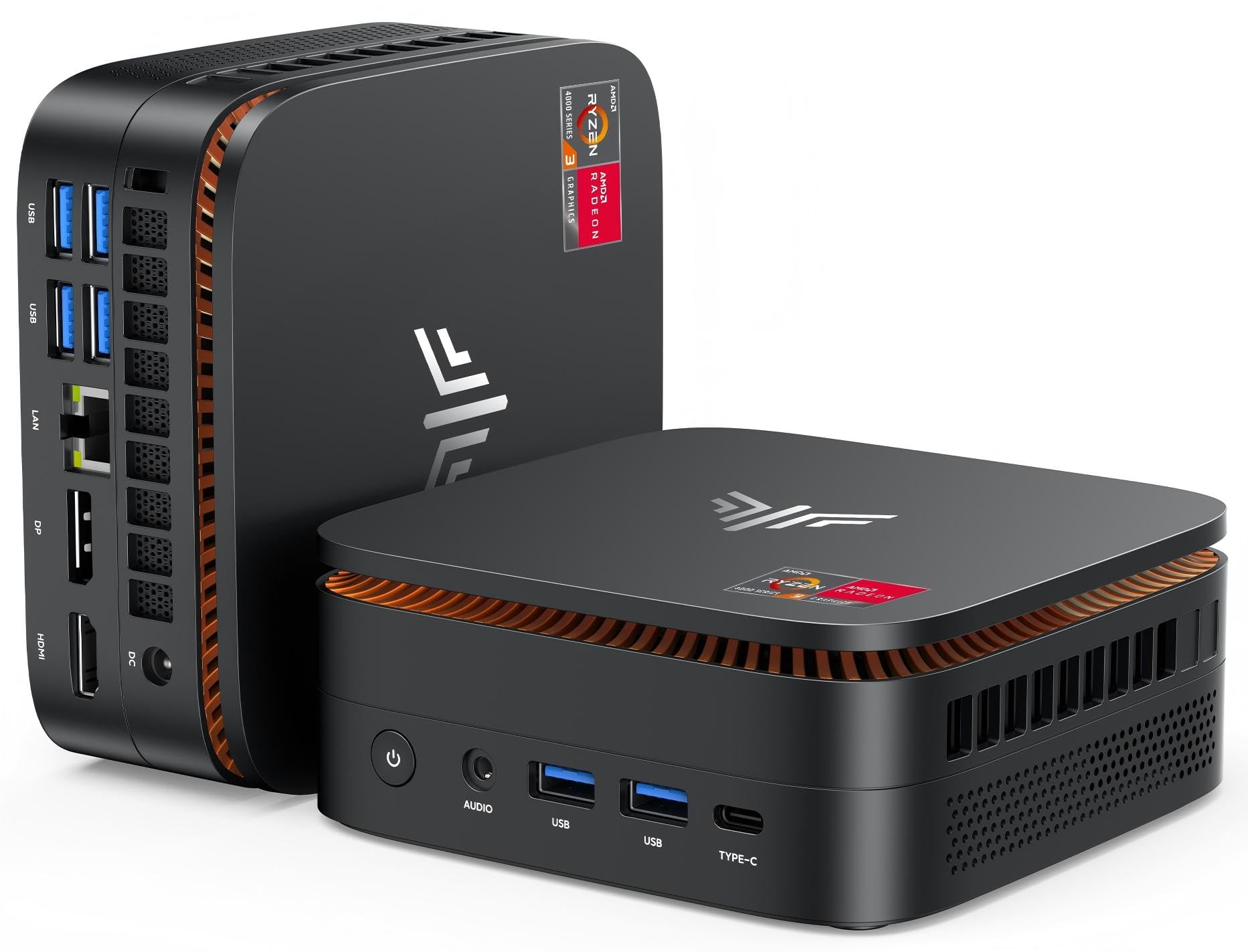
A box that vanishes onto the back of your monitor and gives the desk back to you.
The processor here is a genuine step up from the entry machines. The AMD Ryzen 3 Pro 7330U runs four cores and eight threads with a 4MB cache, boosting to 4.3GHz on a 28W thermal design. KAMRUI rates it 50% faster than the 10110U and the N150/N95, and its 4.3GHz boost clears the HP’s 3.1GHz ceiling. It boots W-11 Pro with support for Linux, PXE, Wake On LAN and Auto Power On.
Then there is the footprint, which is the actual reason to buy it. At 5.06 x 5.06 x 2.01 inches, it takes up a fraction of the desk a tower would, and a VESA bracket is included so it can hang off the back of a monitor and disappear entirely. The port count continues that theme — four USB 3.2 ports plus HDMI, DisplayPort, RJ45 Gigabit Ethernet and an audio input/output jack.
The specs that hold up day to day are 8GB of RAM and a 256GB M.2 solid-state drive, which covers browsers, documents and streaming rather than large local libraries. Graphics run at 1.40GHz with a 1400MHz dynamic frequency supporting 4K@60Hz at 4096 x 2160, so triple-screen combinations of landscape and portrait panels work. Wireless covers 2.4GHz and 5GHz dual-band WiFi 5, Gigabit Ethernet and Bluetooth 4.2. KAMRUI runs a round-the-clock support team with a stated 24-hour response window.
Ryzen 3 Pro efficiency: a monitor-mounted box that frees the whole desk surface, with the fastest boost clock in this half of the list.
modest graphics: Bluetooth 4.2 is an older wireless version than the 5.0 and 5.4 units here, so pair newer accessories with some care.
daily driver: small desks, reception counters and anywhere a tower would eat the workspace you actually need.
video editors: users who need a big local photo or media library — 256GB fills up quickly.
7. GEEKOM A5 Pro Premium Mini PC, Ryzen 5 7530U

A metal unibody box built to survive a server room, not just sit pretty on a desk.
Start with the raw power: an AMD Ryzen 5 7530U with six cores and twelve threads boosts to 4.5GHz while drawing only 15W typically. Compared with the four-core, eight-thread Ryzen 3 Pro in the KAMRUI above, that is a meaningful jump in simultaneous workload capacity — exactly the difference between running three virtual machines smoothly and watching them stutter. Owners universally agree on the speed, with the feedback pages singling out performance above everything else, followed closely by value and sheer compactness.
What makes it a serious deployment tool is the physical build. The unibody metal chassis is tested for vibration, drops, temperature, ports and noise, and the chassis is tested to withstand 200 kg of pressure. IceBlast 3.0 cooling pairs a larger fan with a copper heatsink and side metal mesh, GEEKOM rates IceBlast 3.0 at 52% better cooling efficiency, holding noise near 30 dB for a bedroom desk running around the clock. The memory is upgradeable from 16GB DDR4 all the way to 96GB, and storage expands to 6TB, so this machine grows rather than being replaced.
The display output is the standout for anyone building a workstation. With 2x HDMI 2.0, 2x USB 3.2 and an SD card slot, this A5 Pro supports up to four simultaneous monitors and 8K ultra-HD output — you can have a shared reference screen for your team plus three working panels, an unusual setup for a box this size. WiFi 6 and Bluetooth 5.4 cover fast wireless. GEEKOM backs it with a three-year limited warranty from the purchase date, longer than many rivals offer. The honest limit is the fan: run it flat on a desk and it can get loud under load; set on its side it stays quiet, which is where it belongs.
fast compact: IT teams standardizing on a machine that can run four displays, upgrades easily and stays cool around the clock.
budget buyers: you want a rock-bottom price — you are paying for the metal build, the upgrade path and the three-year cover.
8. Lenovo ThinkCentre neo 50q Gen 5 1L Mini Desktop

Eight USB ports, dual 4K screens and a chassis small enough to hide behind the monitor.
If you are replacing a company desktop, this is the one that looks like a direct upgrade. The 13th Gen Intel Core i5-13420H has eight cores and twelve threads with a turbo up to 4.6GHz, and Lenovo rates the 8GB of DDR5 memory 50% faster than DDR4. The 512GB PCIe NVMe solid-state drive boots Windows in under 10 seconds. For accountants, developers and anyone running side-by-side spreadsheets, that is more than enough muscle.
The physical package is where it wins on a crowded desk. At 7.05 x 7.20 x 1.42 inches it slides behind a monitor or tucks under a shelf, and a VESA mount option lets it attach directly to the back of a screen. Display connectivity runs to dual 4K via HDMI 2.1 and DisplayPort 1.4, so two monitors are straightforward. The port count is genuinely generous: eight USB ports including a USB-C, plus HDMI 2.1 and DisplayPort, meaning printers, scanners and external drives can all stay plugged in permanently. Connectivity covers WiFi 6E on the 6GHz band plus Bluetooth 5.3 and Gigabit Ethernet.
Windows 11 Pro brings BitLocker encryption, Remote Desktop, Hyper-V virtual machines and domain join — the full business toolset. Buyers in this niche are also right to check the serial number and warranty status on arrival, since after-sales coverage varies between marketplace sellers.
Lenovo one-liter frame: confirm the warranty term and serial number when the unit lands, since coverage is set by the seller rather than the listing.
order timing quirks: the newest architecture, DDR5 memory speed and eight USB ports in the most desk-friendly chassis here.
space saver: offices standardizing on a small, secure, dual-monitor desktop with plenty of wired connections.
expansion fans: 8GB of memory feels tight for your workload and you would rather not open the case to add more.
9. HP Mini PC Desktop, Intel i5-12400T, 32GB RAM 1TB SSD
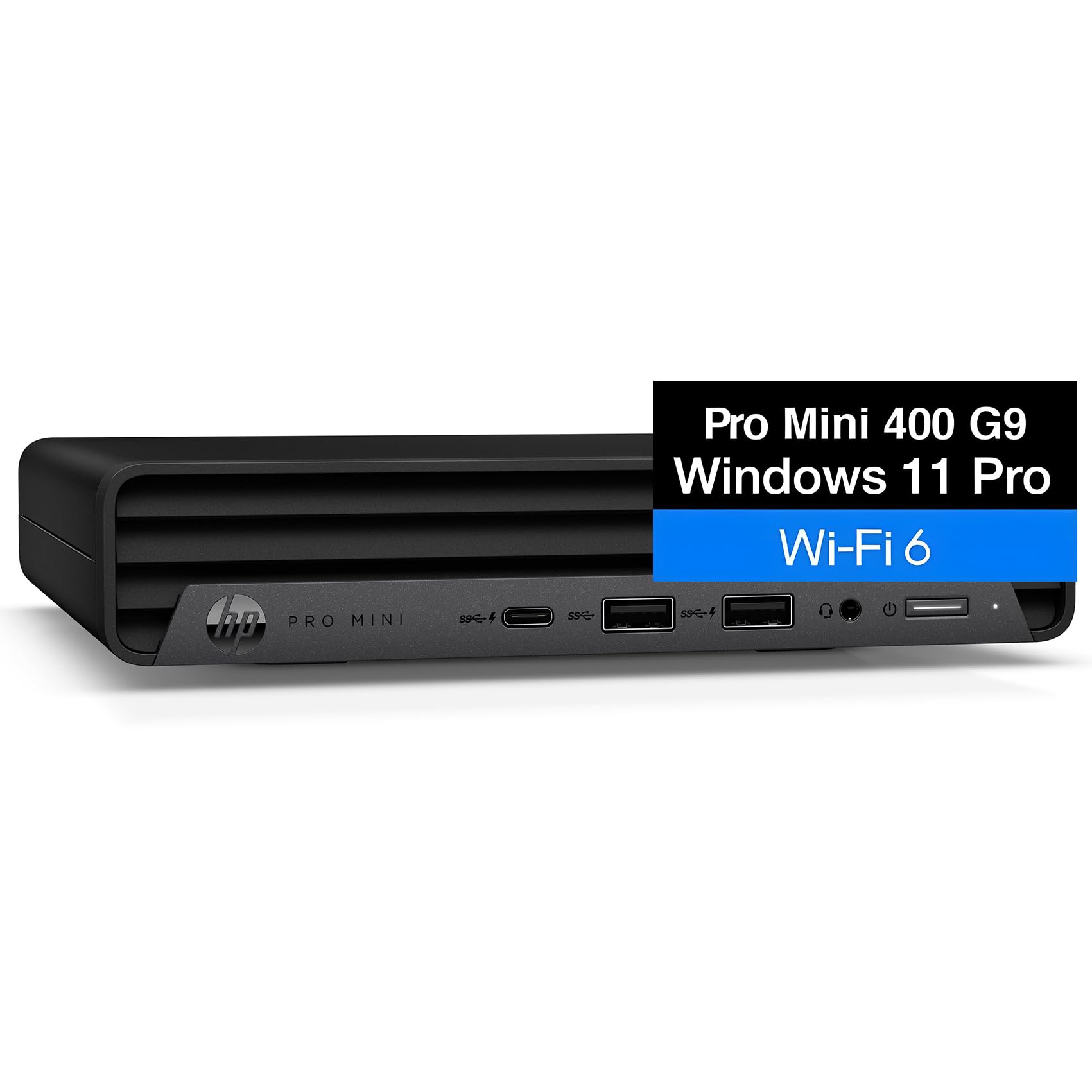
The heavy-lifting option — six cores, 32GB of memory and a terabyte, no upgrades required.
Nothing else on this list ships with this much of everything. The Intel Core i5-12400T delivers six cores and 32GB of DDR4 memory straight from the start, with a 1TB NVMe solid-state drive for instant boot and storage room for years of documents, presentations and photos. If your day involves CRM software, video conferences, financial modeling and analytics running at the same time, this is the machine that will not make you wait.
The multi-screen setup is built in. This PC drives three independent monitors through two DisplayPort outputs and one HDMI port, which turns a home desk into a proper workstation — designers keeping reference materials up on one screen, consultants comparing documents side by side on two, traders watching live data tick on the third. Add a separately purchased VESA mount and the whole unit attaches behind a monitor, under a desk or on a wall, which is how you make a full-power desktop disappear into a small office.
Windows 11 Pro brings the business toolset: BitLocker encryption for financial data, Remote Desktop for working from anywhere and domain join for growing teams. Connectivity covers WiFi 6, Bluetooth and Gigabit Ethernet for stable POS, inventory or cloud accounting systems. Graphics are integrated Intel UHD 770, which is fine for desktop work but not for gaming. Two honest points worth flagging: the connectivity list omits USB in the specs, so confirm the port count before ordering if you run many wired devices, and at 6.97 x 6.89 x 1.34 inches this is a compact unit that nonetheless needs a VESA mount to fully vanish.
memory heavy tasks: you want the best-specified machine here and would rather pay once than upgrade later.
gaming rigs: you only need email, browsers and documents — the lighter picks above cover that for far less.
Know the Specs
Processor family and core count
Two numbers matter on the chip: the family and the core count. Families like the Intel i5-6500T or AMD Ryzen 5 3550H are desktop-class parts built to run all day, while low-wattage chips such as the Intel N95 run cooler and quieter on less power. Core count decides how well the machine handles several things at once — a four-core chip manages email, browsers and a video call fine, while six-core options like the AMD Ryzen 5 7530U handle virtual machines and heavier workloads with headroom. Do not buy on clock speed alone; two chips rated at very different topping-out speeds can feel identical in everyday use, and the one drawing less power will run quieter and colder.
Memory, storage and your upgrade path
Memory is what keeps your cursor moving when several browser tabs and a call are open. Look for machines that list two memory slots and a stated ceiling — the ones here that allow expansion extend the machine’s useful life by years rather than forcing a replacement. Storage is the easiest thing to live with at first and the easiest thing to fix later. Solid-state drives of 240GB and 256GB suit documents and streaming, while 512GB and 1TB sizes support larger local file libraries. A machine with 8GB of memory and 256GB of storage is a streaming-and-office box; 16GB and 512GB handles heavier daily work; 32GB and 1TB is the machine you buy once and stop thinking about.
Common Questions
Is a thin client powerful enough for everyday office work?
How much memory do I need for a thin client?
Will a mini PC run two or three monitors?
What does renewed or refurbished mean for a mini PC?
Do these mini PCs come with Windows 11 Pro?
How loud is a mini PC compared with a desktop tower?
Can I upgrade the memory and storage on these machines?
Is a mini PC good for media streaming and video playback?
What connectivity should I look for on a thin client?
Can a thin client handle light gaming?
The Bottom Line
The thin client that makes the most sense for most desks is the HP EliteDesk 800 G2 Desktop Mini, because it pairs a quad-core i5-6500T, 16GB of memory and a 240GB solid-state drive with a 32GB memory ceiling and a keyboard and mouse in the box. If you want three monitors and a bigger 512GB drive for heavier multitasking, the Dell OptiPlex 7040 Small Form Factor is the upgrade. And for the machine you buy once and stop thinking about, the HP i5-12400T with 32GB of RAM and a 1TB SSD has the specification to run a busy professional desk for years.
How we choose
We do not accept paid placement. Every pick is matched to a real buyer and a real use-case; we do not hands-on test units.
Sources
Specifications: manufacturer listings and product documentation. Review insights: verified customer reviews, as of October 2026. Pricing: not shown on this page (it changes often); check the current price via the retailer link.
As an Amazon Associate, Aappliancez earns from qualifying purchases. This does not affect which products we feature.