Disclosure: Some links in this post are affiliate links. As an Amazon Associate I earn from qualifying purchases, at no extra cost to you. Learn more
Specs are compiled from manufacturer listings and verified buyer reviews and can change over time — please confirm the key details on the product page before buying.
If you are buying a tablet for yourself rather than for a child, the one thing that decides whether you love it in six months is whether the screen stays comfortable for long reading and streaming sessions. The second is whether the storage holds what you actually keep. Below you’ll find eight adult-appropriate tablets sorted by what each one genuinely does best, with the real trade-offs left in.
This guide is built by comparing the manufacturers’ published specifications and the patterns across verified customer reviews, so you get each pick’s real strengths and trade-offs instead of marketing spin.
Most adults end up using a tablet for reading, video, note-taking and light work, so the picks below are judged on display comfort, storage headroom and battery endurance rather than raw benchmark numbers. That is the lens behind this list of tablets for adults.
Top Picks


How To Choose The Best Tablets for Adults
An adult buyer usually has one of three jobs in mind: reading and streaming in bed, taking notes in meetings or lectures, or replacing a laptop for light work on the move. Name your job first, because it changes which spec you should check before anything else.
Screen comfort beats screen size
A larger panel gives you more room for a PDF or a spreadsheet, but the comfort comes from how the screen handles reflection and blue light. Look for a resolution figure and a mention of low blue light or matte finishes. A 2.5K panel on an 11-inch slate keeps text crisp, while an anti-glare layer is what stops a window reflection from washing out your page.
RAM is the number that decides whether tabs stay open
Memory (RAM) is short-term working space. A 4 GB tablet handles reading, video and a few apps, but it will reload pages when you switch between many of them. An 8 GB or higher configuration keeps more apps alive at once. If you plan to juggle a document, a browser and a video call, weight RAM heavier than the processor name.
Storage and whether you can add more
Built-in storage is fixed unless the tablet states support for a microSD card. Several picks here list exactly how far that card slot expands — for example up to 2TB — and one notable model states microSD is not supported. Check that line before you buy, because a 128 GB tablet that cannot expand fills up fast with downloads and offline video.
Battery figures are quoted in two different units
Some listings give a runtime in hours, and others give a capacity in milliamp-hours (mAh) or watt-hours (Wh). A 10,000mAh cell and an 8,000mAh cell are not directly interchangeable across brands because the screen and chip drain differ. Treat the quoted hours as the honest guide, and the mAh figure as a rough way to compare slates from the same maker.
Side-by-Side Comparison
| Model | Best For | Display | Memory & Storage | Battery | Amazon |
|---|---|---|---|---|---|
| Apple iPad 11-inch (A16)★ Best Overall | Everyday all-rounder | 11-inch Liquid Retina | 128GB storage | All-day battery life | Amazon |
| VekfulPC Android 16 Tablet with KeyboardBudget Champion | Budget desktop substitute | 1080 x 800 LCD | 24GB RAM + 256GB (to 2TB) | — | Amazon |
| Lenovo Idea TabCampus Ready | Students on a budget | 11-inch 2.5K, 90Hz | 4GB RAM + 128GB | 12 hours, 7216mAh | Amazon |
| Amazon Fire Max 11 | Media and e-reading | 11-inch, 2000 x 1200 | 4GB RAM, 64 or 128GB | 14 hours | Amazon |
| Samsung Galaxy Tab A11+ | Family and streaming | 11-inch LCD, 90Hz | 8GB RAM + 256GB | 26.34 Wh | Amazon |
| TCL NXTPAPER 14 | Reading and sheet music | 14.3-inch 2.4K paper-like | 8GB + 256GB | 10,000mAh, 33W charging | Amazon |
| Lenovo Idea Tab Pro | Laptop alternative | 12.7-inch 3K LCD, 90Hz | 8GB RAM + 128GB | 11 hours, 10200mAh | Amazon |
| Samsung Galaxy Tab S10 Lite | Note-taking on the go | 10.9-inch LCD | 6GB RAM + 128GB (to 2TB) | 16 hours, 8000mAh | Amazon |
Detailed Reviews
1. Apple iPad 11-inch 128GB
Our pick — 4.5+★ from 29,500+ verified ratings; the strongest balance of quality and price.
The screen that adjusts to your room, and an app library a million titles deep.
The iPad 11-inch earns the top spot because it simply has fewer ways to disappoint you day to day. The A16 chip (Apple’s own processor) keeps apps opening instantly and scrolling fluid, and the 11-inch Liquid Retina panel uses True Tone to shift colour temperature to match the light in your room — which is what makes late-night reading easier on your eyes. It weighs 1.05 pounds, so it slips into a bag without a second thought.
Storage starts at 128GB, which is the same floor as most picks here and half of what the VekfulPC tablet gives you. The difference is the ecosystem and polish, not the gigabyte count. Connectivity comes through Wi-Fi 6, and the 12MP Center Stage front camera keeps you framed on video calls, while Touch ID built into the top button open up the slate with your fingerprint. Owners describe it as fast and reliable in daily use, and Apple rates the battery for all-day use.
The catch is accessory cost. Nothing beyond the iPad, a cable and a charger is in the box — the Apple Pencil and Magic Keyboard Folio are separate purchases, and if you want a keyboard setup that folds flat you will pay well beyond the tablet itself. The other honest note is brightness: at least one buyer found the screen dimmer than their phone in bright conditions, though it stays clear indoors. With 4.5+ stars and tens of thousands of ratings behind it, this is the slate most adults should start with and only move away from if they need a specific app or a bigger canvas.
What works in your favour
- A16 chip keeps multitasking and games responsive with no lag in normal use.
- True Tone adjusts white balance to the room so evening reading stays comfortable.
- 1.05-pound body travels easily in any bag.
- Touch ID in the top button makes open up and Apple Pay a one-touch job.
Where you will feel the sting
- Pencil and keyboard are sold separately, and those add-ons add up.
- No microSD slot — you buy the storage you need up front.
- Screen brightness trails a modern phone in direct sunlight.
Reach for this if: you want a dependable all-rounder for reading, streaming, notes and video calls with nothing to set up or babysit.
Think twice if: you need expandable storage or a keyboard included — the VekfulPC bundle covers both for far less, at the cost of screen quality.
2. Tablet with Keyboard 24GB + 256GB
Keyboard, mouse and stylus in the box — the bundle that turns a slate into a desk.
For anyone whose tablet has to double as a work machine, this is the value play. The box includes a detachable Bluetooth keyboard, a foldable stand case, a wireless mouse and a stylus, so you can type on a table, prop the screen up and point without buying another thing. The 256GB of storage doubles the iPad’s 128GB, and the microSD slot takes it up to 2TB if you keep a large offline video library.
The performance focus here is multitasking headroom. It ships as 8GB of physical memory plus 16GB of virtual memory, which the maker lists together as 24GB — the physical 8GB is what keeps your browser tabs and documents actually running. The screen is a 1080 x 800 LCD, so text is readable but not as sharp as the 2.5K panels further down this list; the trade is clear and the price reflects it. Buyers report the setup taking under three minutes, and the included keyboard and mouse pair without fuss.
Two honest caveats. The battery is the most-discussed weakness, and at least one owner hit a charging-port failure at around six months — though the same owner reported the company replaced the unit free under its warranty, which is listed as a 4-year term split between a standard and an extended portion after registration. The second is gaming: the microSD card is restricted to media rather than full app storage, and demanding 3D titles struggle. At 4.0+ stars, this is a productivity-first tablet, not a gaming rig.
Where it pays off: a full keyboard-and-mouse setup and 256GB of storage out of one box, which is the cheapest route to a laptop-style desk on this list.
What to accept: the 1080 x 800 resolution is the lowest here, so expect softer text than the Lenovo or TCL models.
Best fit for: a student or remote worker who needs typing, a mouse and storage more than a premium panel.
Look elsewhere if: you plan to game or stream HD video as your main use — the panel and the graphics headroom both top out early.
3. Lenovo Idea Tab 128GB
An 11-inch 2.5K screen and a pen in the box — the note-taker that undercuts the iPad.
If your tablet’s real job is lecture notes and highlighted readings, this Lenovo makes a strong case. The 11-inch IPS panel runs at 2560 x 1600 — a 2.5K resolution that keeps dense PDF text sharp — and refreshes at 90Hz, meaning the image redraws 90 times a second so scrolling and pen strokes feel smooth rather than steppy. Both the Tab Pen and the folio case are included, so a stand and a writing tool arrive with the tablet.
Battery is quoted at 12 hours of runtime from a 7216mAh cell, and a 20W charger is listed to get you back up quickly. That is a longer stated runtime than the iPad’s all-day claim is precise about, and it comfortably covers a day of classes. The MediaTek Dimensity 6300 processor handles study apps and streaming, and Lenovo bundles four learning apps for writing, sketching and calculating. The screen also carries TÜV Rheinland Low Blue Light certification, which is the piece that matters if you read at night.
The honest limit is the 4GB of memory. That is half the 8GB the Samsung Galaxy Tab A11+ offers, and it shows when you stack many apps — at least one buyer described lag with heavy multitasking and gaming. The 128GB storage matches the iPad’s floor but has no stated expansion path in this configuration. Reviews praise build quality above all, and with 4.0+ stars and several hundred ratings, this lands as a very good value pick rather than a powerhouse.
The reasons it earns its spot
- 2560 x 1600 resolution delivers crisp text for long reading sessions.
- Pen and folio case both included, so no add-on purchases for note-taking.
- 12-hour quoted battery covers a full day of lectures.
- Low blue light certification for evening study comfort.
What you give up
- 4GB of memory limits how many apps stay open at once.
- Performance is described as mixed for heavier apps and gaming.
- No expansion path stated for the 128GB of built-in storage.
If notes and readings are the job: this is the strongest pen-included value before you climb into premium territory.
If you multitask hard: the memory ceiling will show, and the Galaxy Tab A11+ gives you twice the RAM.
4. Amazon Fire Max 11 64 or 128GB

An 11-inch window for movies and books, with a 14-hour battery to finish the series.
Where the iPad and the Lenovo aim at productivity, the Fire Max 11 aims squarely at your evening. The 11-inch screen carries 2.4 million pixels at 2000 x 1200 and is certified for low blue light — a 5:3 aspect ratio that suits both widescreen shows and book-shaped pages. The battery is rated at 14 hours, the longest quoted runtime on this list, which is what makes it a genuine travel companion for a long flight.
Storage comes in 64GB or 128GB, and the micro-SD slot expands to up to 1TB, so an offline movie library is genuinely practical. The body is aluminium with strengthened glass, and Amazon states it is 3 times as durable as the iPad 10.9-inch (10th generation) in tumble tests. The 8MP front camera handles Zoom calls, and the fingerprint sensor in the power button is a nice touch for a slate this size.
Here is the catch, and it is a big one for some buyers: this runs Amazon’s Fire OS, not full Android, so the app selection is curated through Amazon’s own store. Owners who expected a full Android tablet have noted missing apps and a limited browser choice. The reliability picture is also mixed, with a small number reporting a unit failing after several months. With 4.0+ stars and a large body of ratings, though, the median experience is clearly a happy one — especially for anyone whose tablet is a reader and a screen first.
The everyday reality: the 14-hour battery and 2000 x 1200 panel make it a comfortable all-evening device, and micro-SD to 1TB means downloads never force a delete.
The real limit: Fire OS means you buy into Amazon’s app store — check that the apps you rely on exist there before committing.
Pick this one for: a dedicated reading-and-streaming slate where long battery and a big screen matter more than app breadth.
Not for you if: you need Google Play apps, a full browser ecosystem, or serious note-taking tools.
5. Samsung Galaxy Tab A11+ 256GB
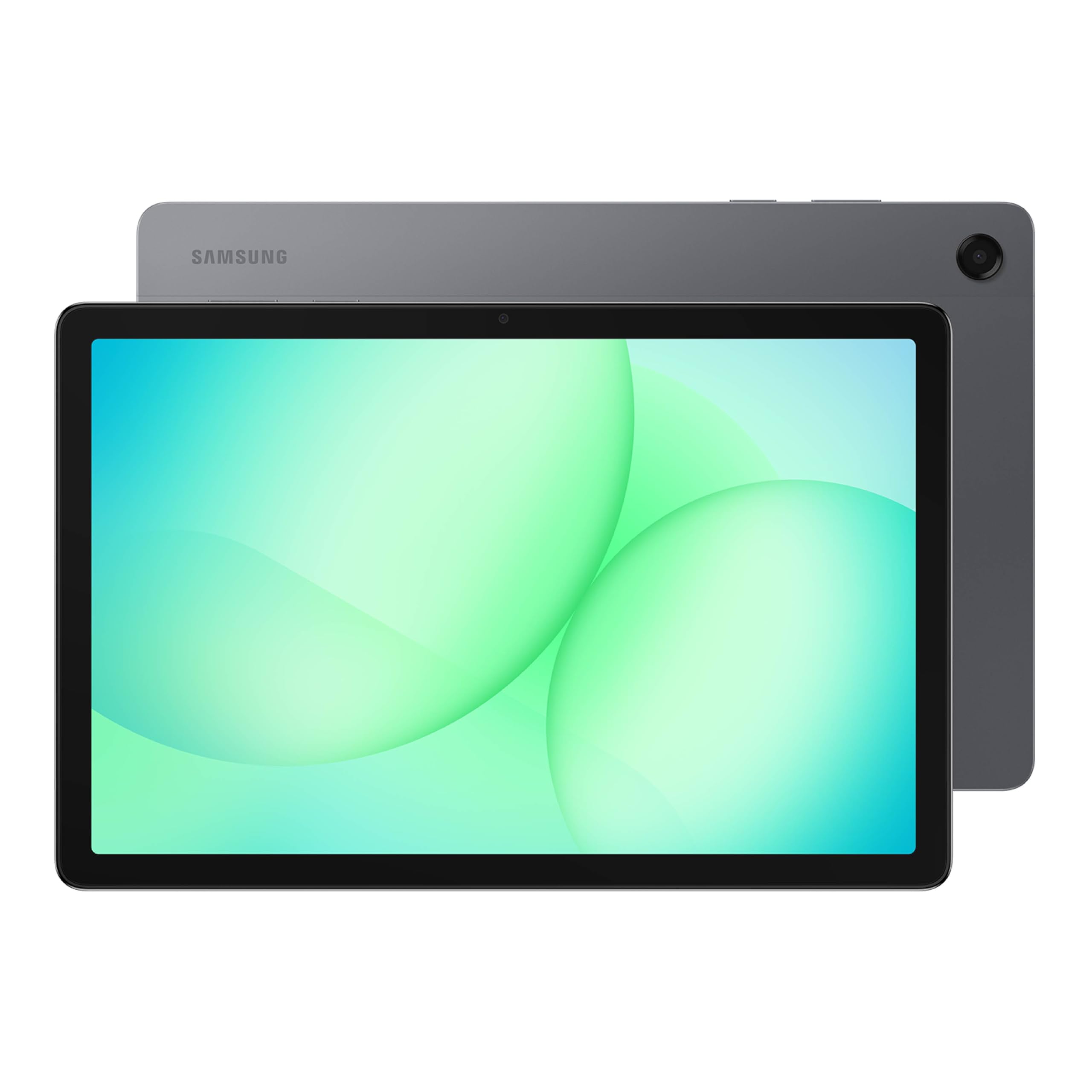
Double the memory of most rivals, wrapped in an 11-inch 90Hz screen.
Memory is the spec that quietly decides how pleasant a tablet feels after month one, and this Galaxy Tab A11+ arrives with 8GB of RAM and 256GB of storage — twice the storage of the iPad and Lenovo Idea Tab above it. The 11-inch LCD refreshes at up to 90Hz, so scrolling a long article or dragging a stylus across a note feels fluid rather than choppy. A 1920 x 1200 resolution keeps text and video sharp at this size.
Battery is listed at 26.34 watt-hours (a measure of stored energy, different from the mAh figures elsewhere on this list), and reviewers describe a full charge landing in about two hours. The quad speakers with Dolby Atmos support give you room-filling audio without headphones, which matters on a shared sofa. Owners’ strongest praise lands on the build quality — it feels far more expensive than its tier — with everyday speed a close second.
The honest note is that this is an LCD, not the glass-and-lamination feel of a premium slate, and the Galaxy Tab S10 Lite below offers a longer stated 16-hour runtime if endurance is your priority. Early units had a widely reported Wi-Fi issue, which owners mention was resolved through a software update. At 4.5+ stars, it is the sensible middle of the market: more headroom than the budget picks, less polish than the flagships.
Why adults keep it
- 8GB of RAM keeps more apps alive at once than the 4GB and 6GB options.
- 256GB built in, so you can go longer before managing storage.
- 90Hz refresh rate smooths scrolling and stylus writing.
- Quad Dolby Atmos speakers make it a shared-space media machine.
What to plan around
- An LCD panel, so no inky blacks for dark-room viewing.
- Battery quoted in watt-hours only — compare runtime claims, not capacities, across brands.
- Some early units had Wi-Fi issues, reportedly fixed by an update.
The balanced middle: double the RAM and storage of the budget bracket, with a smooth 90Hz panel and strong speakers.
Skip only if: you need OLED contrast or the longest stated endurance — the Galaxy Tab S10 Lite quotes 16 hours against this one’s watt-hour figure.
6. TCL NXTPAPER 14

A 14.3-inch matte screen that reads like paper and kills the window glare.
The biggest canvas here, and the only one built around eye comfort rather than raw glare. The 14.3-inch 2.4K panel uses NXTPAPER 3.0, which the maker lists as reducing glare, filtering blue light, and supporting DC dimming — the piece that matters if you read for hours or scan through a PDF. A physical NXTPAPER Key switches between Standard, Color Paper and Ink Paper modes, so you can move from crisp browsing to a natural writing surface in a tap.
The battery is a 10,000mAh cell with 33W fast charging, quoted to recharge fully in about two to three hours, and it also does reverse charging for a phone or earbuds. A 4096-level T-PEN stylus comes with it, and the matte finish is what makes it the most comfortable reading surface on this list. Owners value performance and the 14-inch size most, and musicians single out the A4-ratio screen and reliable Bluetooth for page-turn pedals.
What you need to weigh honestly: the matte paper modes cut glare but also dim the image, and a few owners find those modes soft and less punchy than the standard setting. Battery endurance in practice trails the quoted numbers — one reader saw roughly 30% drain across a two-hour movie — and it ships without a wall charger, only a USB-C to USB-C cable. The built-in storage is fixed, with microSD explicitly not supported. At 4.0+ stars, it is the best niche pick on the list rather than the best general one.
The standout spec: a 14.3-inch 2.4K anti-glare panel with three display modes is genuinely rare at this tier, and it reads outdoors where glossy screens wash out.
The trade-off to accept: the paper modes are dimmer than standard, and there is no charger in the box or microSD slot to lean on.
Choose it for: reading, sheet music, comic books and long writing sessions where a matte screen and a pen in the box are what you are after.
Keep looking if: you need expandable storage or a wall charger included, or you game heavily.
7. Lenovo Idea Tab Pro 128GB

A 12.7-inch 3K canvas and a dock-in pen — the student laptop swap.
At 2944 x 1840 across a 12.7-inch screen, this is the sharpest display on the list, and for anyone reading dense lecture notes or editing photos the extra pixels are worth it. The MediaTek Dimensity 8300 processor with 8GB of memory keeps multitasking smooth, and Wi-Fi 6E is there for fast downloads. The 90Hz refresh rate makes pen strokes feel natural, and both the Tab Pen Plus and the folio case are included — no add-on purchases to note.
Battery runs 11 hours of quoted video streaming from a 10200mAh cell, and 45W quick charging is listed to get you back in action fast. Google Gemini is woven in, and Circle to Search lets you draw a circle around anything on screen to look it up — practical for studying. For play, Lenovo lists a 360Hz touch sampling rate and 90fps for gaming, and the quad JBL speakers with Dolby Atmos support keep movie nights ticking. Buyers notice the build and the 3K display first.
The honest limit is portability. This is a big slate — owners describe it as heavy, and at least one found the panel dim outdoors. Charging also needs a quality PD charger, which is not bundled, so a weaker plug will top it up slowly. It also sits below the TCL on eye-comfort styling. With 4.5+ stars and several hundred ratings, it is the pick for anyone replacing a laptop for study and light work.
Standout strengths
- 2944 x 1840 resolution is the sharpest here for dense text and photos.
- Dimensity 8300 with 8GB keeps heavy multitasking fluid.
- Pen and folio case included, plus Circle to Search and Gemini.
- 90Hz refresh and 360Hz touch sampling make writing feel natural.
What you trade for it
- A large, heavy slate — less comfortable as a one-handed reader.
- A 45W PD charger is needed for fast charging and not bundled.
- Panel brightness loses ground in outdoor sun.
If the tablet replaces a laptop: the 12.7-inch 3K screen and bundled pen make it the strongest student workstation here.
If you read in bed or carry one device all day: its size and weight work against you, and the Galaxy Tab S10 Lite is the lighter route.
8. Samsung Galaxy Tab S10 Lite 128GB

Sixteen hours of battery in a 10.9-inch frame you can hold with one hand.
The longest stated battery here, and the most portable. The Galaxy Tab S10 Lite quotes up to 16 hours of runtime from an 8000mAh cell, and Super Fast Charging fills it in about two hours. The 10.9-inch LCD has slim bezels and a compact body that owners describe as comfortable one-handed, with Vision Booster adjusting brightness to the room. The S Pen is supported and responds with minimal lag, which is what makes it the note-taking pick for anyone who carries one device all day.
Storage starts at 128GB and expands up to 2TB via microSD — the same 2TB ceiling as the TCL, but here you actually get the slot to use it. The Exynos 1380 processor with 6GB of memory handles notes, browsing and streaming without stutter. Circle to Search, note cleanup and an AI Hot Key on the optional keyboard round out the everyday features, and Samsung’s Galaxy ecosystem lets you move a note started on your laptop onto the tablet. Owners rank overall quality first, with speed and battery life close behind.
The trade-off is a panel that is LCD rather than the higher-refresh display on the Galaxy Tab A11+, and 6GB of memory sits between the budget 4GB models and the 8GB tablets above. Owners also flag that the battery drains if left unused for long, so treat that 16-hour figure as active-use runtime. At 4.5+ stars, it is the buy for an adult who values endurance and handwriting over screen spectacle.
The number that sells it: up to 16 hours of quoted runtime is the most endurance on this list, and it fits a 2TB microSD card for a full media library.
What to know: the LCD panel is good rather than special, and 6GB of RAM leaves less headroom for heavy multitasking than the 8GB slates.
Made for: an adult who writes, highlights and reads on the move and wants to leave the charger at home.
Not the one if: you want the sharpest display in the group — the Lenovo Idea Tab Pro at 2944 x 1840 is the sharper panel.
Know the Specs
Display resolution and pixel density
Resolution is the count of pixels across the screen, written like 2560 x 1600 or 2000 x 1200. Higher numbers mean tighter text, which matters on a screen you hold close. A 2.5K or 3K panel keeps a PDF’s fine print crisp, while a 1080 x 800 panel is fine for video but softer for reading. Also check the refresh rate, written in hertz — 90Hz redraws the screen 90 times a second, which makes scrolling and stylus marks feel smoother than a 60Hz panel.
Memory versus storage
Memory (RAM) is where open apps live while you use them; storage is where apps, photos and downloads are kept when closed. A 4GB tablet can run a few apps at once, while 8GB keeps more alive so you don’t reload pages each time you switch. Storage is listed in gigabytes, and a microSD slot is the only way to add more later. Check whether the slot expands media only or works for apps too — the manufacturer decides that.
Common Questions
Will an Apple Pencil work with the iPad 11-inch A16?
Can I add a microSD card to every tablet in this comparison?
Is 4GB of RAM enough for a tablet used mainly for reading and video?
What does a 90Hz refresh rate actually do for note-taking?
Why do some tablets list battery in mAh and others in watt-hours?
Can the TCL NXTPAPER 14 replace a paper notebook for writing?
Do I need a separate charger for any of these tablets?
Is the Fire Max 11 a full Android tablet?
Which pick is best if I want to replace a laptop for light work?
How long will a full charge last on these tablets?
The Bottom Line
For most adults, the tablets for adults winner is the Apple iPad 11-inch because it balances a crisp Liquid Retina display, a fast A16 chip and a genuinely all-day battery with the widest app library of the group. If you want the sharpest canvas and a pen in the box for study, the Lenovo Idea Tab Pro leads on resolution at 2944 x 1840. For long reading sessions away from a charger, the Samsung Galaxy Tab S10 Lite is the endurance pick with its quoted 16 hours. And if you need a keyboard, mouse and storage in one bundle, the VekfulPC Android 16 tablet is the practical desk substitute. Whichever you choose, buy the tablet that matches your main job — and leave room in the budget for the accessory you’ll actually use.
How we choose
We do not accept paid placement. Every pick is matched to a real buyer and a real use-case; we do not hands-on test units.
Sources
Specifications: manufacturer listings and product documentation. Review insights: verified customer reviews, as of October 2026. Pricing: not shown on this page (it changes often); check the current price via the retailer link.
As an Amazon Associate, Aappliancez earns from qualifying purchases. This does not affect which products we feature.