Disclosure: Some links in this post are affiliate links. As an Amazon Associate I earn from qualifying purchases, at no extra cost to you. Learn more
Specs are compiled from manufacturer listings and verified buyer reviews and can change over time — please confirm the key details on the product page before buying.
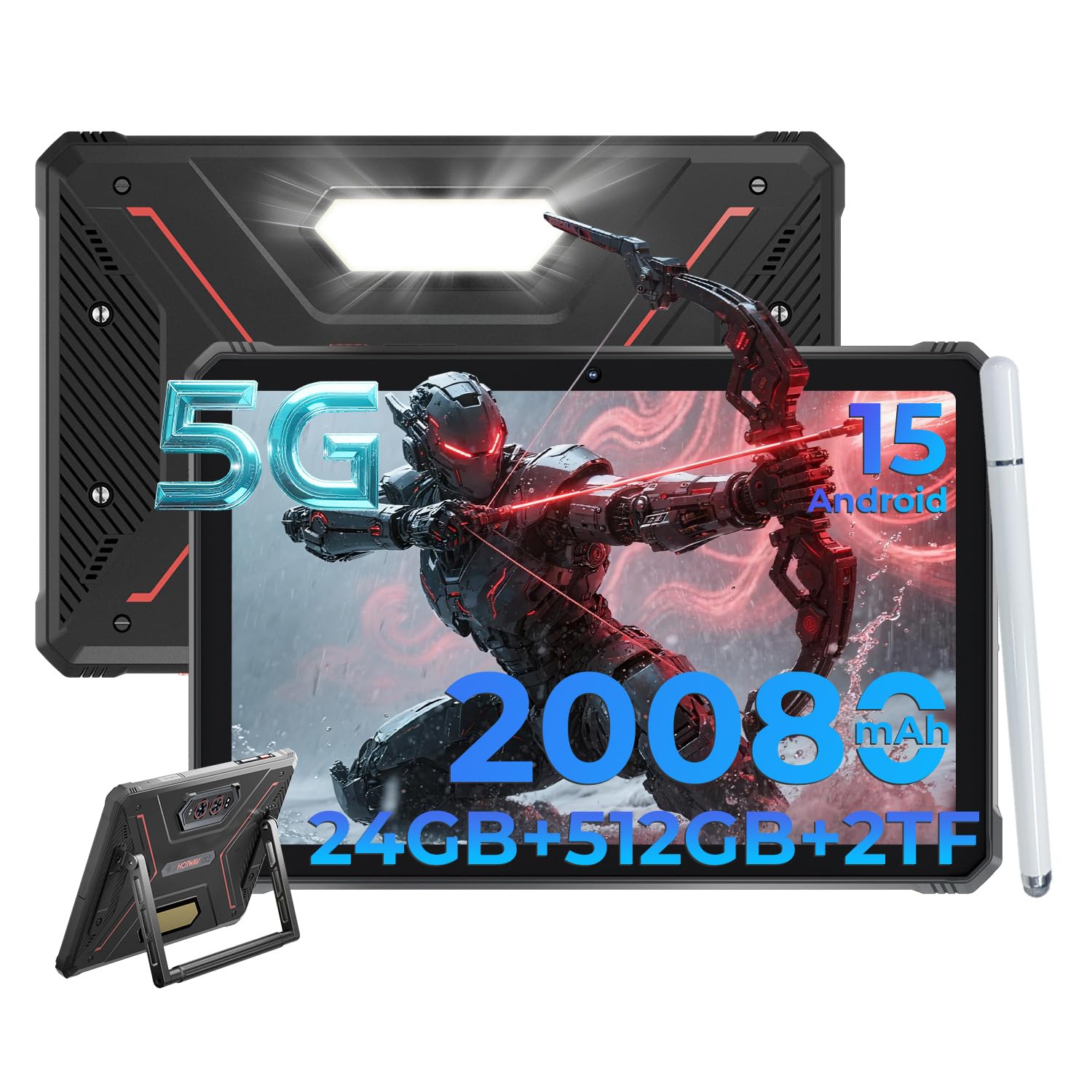
A jobsite tablet usually fails one of two ways: a slim consumer slab that cracks the first time it slides off a tailgate, or a heavy brick that runs your software and nothing else. For most contractors, the pick that fits best is the HOTWAV R9 Ultra 5G. It packs 24GB of RAM (memory for running apps), a 512GB configuration, a 20080mAh battery (a big fuel tank for long shifts) and a full IP68/IP69K/MIL-STD-810H rating (dust, water and drop protection) in one package. Everything below is about matching a screen and a chassis to how you actually work: gloves on, sun overhead, dust in the air, and no outlet in sight.
This guide is built by comparing the manufacturers’ published specifications and the patterns across verified customer reviews, so you get each pick’s real strengths and trade-offs instead of marketing spin.
Some jobsets need a Windows machine, others just need a 5G tablet that survives the truck bed, and the split runs straight down the middle of this list. Here is what separates a genuinely field-ready tablet for contractors from a rugged-looking one that quits in cold weather or traffic.
Top Picks
How To Choose The Best Tablet for Contractors
Start with the software, not the case. If your crew lives inside Google Workspace, a field-service app or a jobsite photo log, an Android 5G tablet will do the job and cost you less weight and less money. If you need AutoCAD, a full Excel workbook, a scanner driver or desktop estimating software, only a Windows 11 Pro machine will open the file at all. That single software question rules out half this list before you check a single drop rating.
Match the ingress rating to your dirt, not to the brochure
An IP68 rating means the sealed chassis survives being dunked — on the HOTWAV R9 Ultra that is quoted as 30 minutes in 2m of water. IP69K is the one that matters on a washdown deck or a concrete pour, because it covers high-temperature jet sprays rather than still water. If your tablet rides a skid steer or a service truck, you want both numbers on the spec sheet together.
Decide whether the battery is the tool or the charger is
A 20080mAh cell (the capacity shared by the HOTWAV R9 Ultra and the ORCATAB WT1 Pro) can carry a two-day site routine without an outlet. But when a machine does die at 2pm, the question becomes how fast it comes back: 33W on the WT1 Pro, 66W on the FOSSIBOT DT3. On Windows machines, look instead for a detachable battery, so a spare pack swaps in with no screwdriver and no downtime.
Weigh glove mode against screen brightness
Glove mode keeps a capacitive touchscreen responsive through a work glove — the FOSSIBOT DT3, the Samsung Galaxy Tab Active4 Pro and the MUNBYN IRT08 all carry a version of it. Brightness is the other half: 600 nits on the HEIGAOLA F7 and 450 nits on the ORCATAB WT1 Pro are quoted specifically for daylight readability. A dim panel in direct sun makes glove support pointless, because you cannot read the screen you are tapping.
Side-by-Side Comparison
| Model | Best For | Display | Battery | Rugged Rating | Amazon |
|---|---|---|---|---|---|
| HOTWAV R9 Ultra 5G★ Best Overall | Best Overall | 11″ 2K 120Hz | 20080mAh | IP68 / IP69K / MIL-STD-810H, 1.2m drops | Amazon |
| ORCATAB WT1 Pro 5GMost Versatile | Most Versatile | 11″ 2K 120Hz, 450 nits | 20080mAh, 33W | IP68 / IP69K / MIL-STD-810H, 1.5m drops | Amazon |
| FOSSIBOT DT3Best Battery | Best Battery | 10.4″ 2K (1200×2000) | 21560mAh, 66W | IP68 / IP69K / MIL-STD-810H, 1.5m drops | Amazon |
| Dell Latitude 12 7212 Rugged Extreme | Windows Value | 12″ FHD touch | 6Ah, 26Wh | Rugged Extreme chassis | Amazon |
| GrandPad | Family Check-Ins | LCD, 1920×1200 | 4550mAh, 8 hours | Locked carrier plan | Amazon |
| Samsung Galaxy Tab Active4 Pro | Best Ecosystem | 10.1″ | 7600mAh, 15 hours | IP68 / MIL-STD-810H | Amazon |
| HEIGAOLA F7 | Best Sunlight Screen | 10.1″ FHD, 600 nits | 8000mAh, 10 hours | IP67 / MIL-STD-810G, 1.2m drops | Amazon |
| Fusion5 FWIN232 PRO N5 | Best Storage | 10.1″ FHD IPS, 500 nits | 6000mAh, 5 hours | Shockproof and dustproof | Amazon |
| MUNBYN IRT08 | Best for Inspections | 10.1″ sunlight-readable | 5000mAh, 6.5 hours | MIL-STD-810G, 4ft drops | Amazon |
| ONERugged M80J | Compact Pick | 8″ FHD (1920×1200) | 5000mAh, 8.5 hours, hot-swap | IP65 / MIL-STD-810H, 4ft drops | Amazon |
| MobileDemand Flex 10D | Best for Vehicles | 10.1″ IPS, 340 nits | 4000mAh, 4-6 hours | MIL-STD-810H, 4ft drops | Amazon |
Detailed Reviews
1. HOTWAV R9 Ultra 5G Rugged Tablet
Our pick — 4.0+★ from 90+ verified ratings; the strongest balance of quality and price.
Two day battery, a 20080mAh cell, and a metal back that takes a knock.
The number that settles it for most site crews is storage: this configuration ships with 512GB and takes a microSD card up to 2TB, which is double what the ORCATAB WT1 Pro carries at 256GB. Add the 24GB RAM configuration and you can hold a drawing set, a photo log and a browser session without the tablet swapping out to disk mid-inspection. That is the difference between flipping between open apps and waiting on a loading spinner.
Durability is quoted in layers, and all three matter. IP68 covers 30 minutes submerged in 2m of water, IP69K covers high-temperature jet sprays, and the MIL-STD-810H rating covers drops from 1.2m. That last number trails the ORCATAB’s 1.5m figure, but 1.2m is roughly tailgate height on a pickup — the drop that actually happens. The provided pen, aluminum stand and leather hand strap arrive in the box, so you are not buying three accessories before your first shift.
What wins people over is the build, and it is the quality and metal-backed shell that carry the review pages. As buyers put it, they get a “heavy-duty waterproof metal back, steady anti-slip handle, fast OS/connection/downloads, large high-color screen,” and several stretch the battery to a third day of light use. The recurring honest note is weight — the same big cell that runs three days is the reason it feels dense in one hand.
pen and 5G combo
- 512GB configuration plus microSD expansion up to 2TB
- 20080mAh battery quoted at 2 days average life
- IP68, IP69K and MIL-STD-810H all on one chassis
- Pen, aluminum stand and leather hand strap included
carrier band limits
- Dense in the hand over a long walk-through
- No AT&T, Cricket or Verizon support; T-Mobile, Mint, Boost and Google Fi work
- Drop rating of 1.2m trails the 1.5m on the WT1 Pro
need stylus input: you want one Android tablet that carries the drawing set, the photo log and three days of battery without a bag of accessories.
verify 5G bands: it runs on T-Mobile, Mint, Boost and Google Fi, so confirm your SIM before you commit.
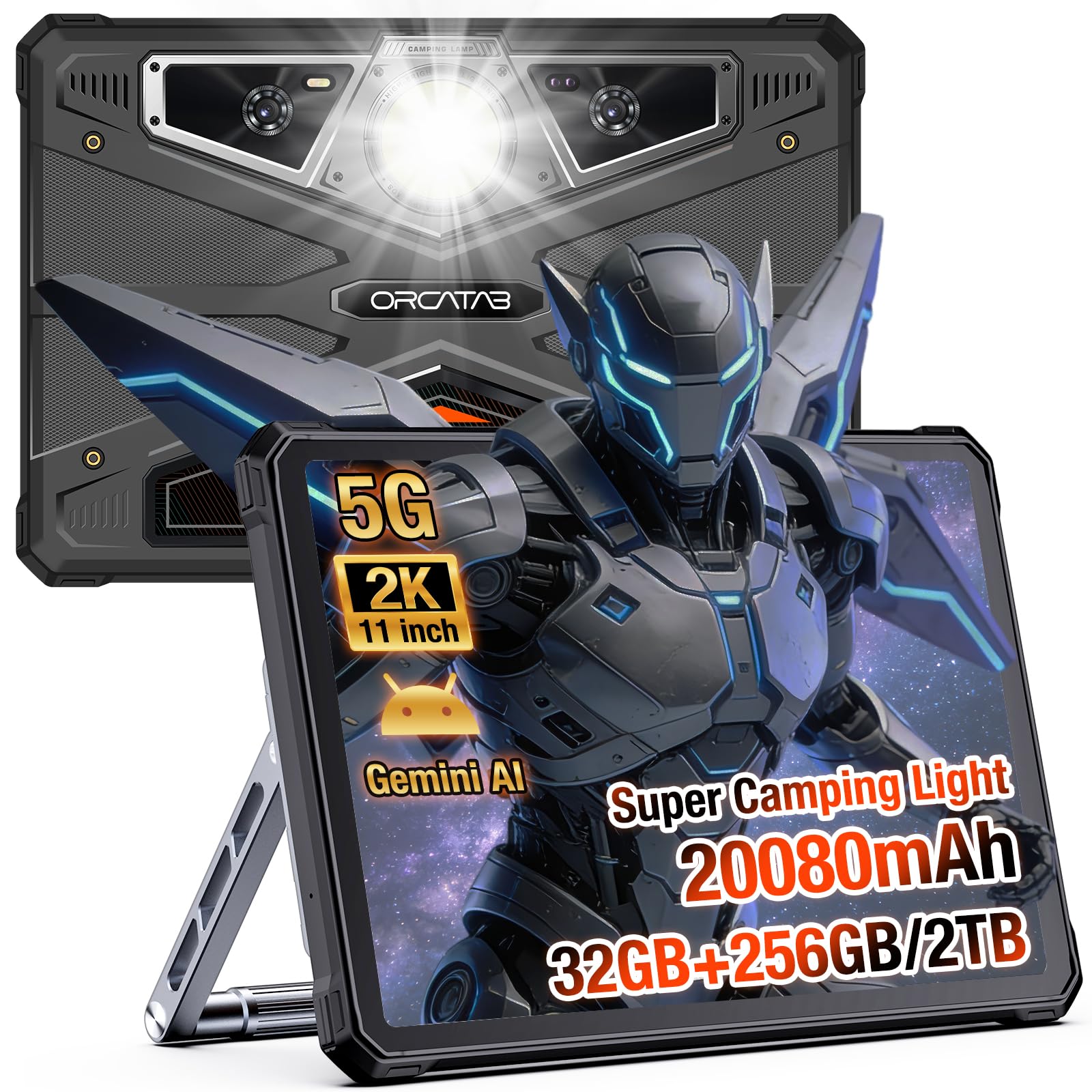
2. WT1 Pro 5G Rugged Tablet
An 11-inch 2K screen at 450 nits with a work lamp bolted to the back.
This is the one that carries more headroom than anything else on the list: 32GB of RAM in this configuration against 24GB on the HOTWAV R9 Ultra above. It is sold as 8GB physical plus 24GB virtual, and it takes a microSD card up to 2TB alongside its 256GB of internal storage. Running navigation, a data logger and an office suite side by side is exactly the workload that configuration is quoted for.
The panel is the part you notice on a sunny site. It is an 11-inch 2K screen at 1200×1920 with 450 nits of brightness quoted for daylight readability, and the 120Hz refresh keeps scrolling through long reports and GPS logs smooth. On the durability side it holds IP68, IP69K and MIL-STD-810H with a 1.5m drop rating — a quarter further than the HOTWAV’s 1.2m figure. The 380-lumen built-in light works as a work lamp for a night repair or an SOS beacon, and the flexible stand turns it into a hands-free desk.
Performance is what owners talk about most, and durability runs second in the same conversations. The honest limit shows up in the chassis itself: the thick case blocks some USB-C plugs, so a slim extender is worth packing, and the built-in compass can be fussy. Weight lands in mixed territory too — the rugged shell that survives a 1.5m drop is the same shell you are holding for an hour at a time.
big battery 120Hz: 32GB configured against 24GB on the HOTWAV R9 Ultra is real breathing room for anyone running three field apps at once.
heavy to carry: a short USB-C extension, because the deep case surround stops some plugs seating fully.
long shifts away: your day mixes mapping, inspection apps and a night-time repair, and you want a light on the tablet instead of in your teeth.
weighs you down: you charge or sync through a chunky right-angle USB-C cable.
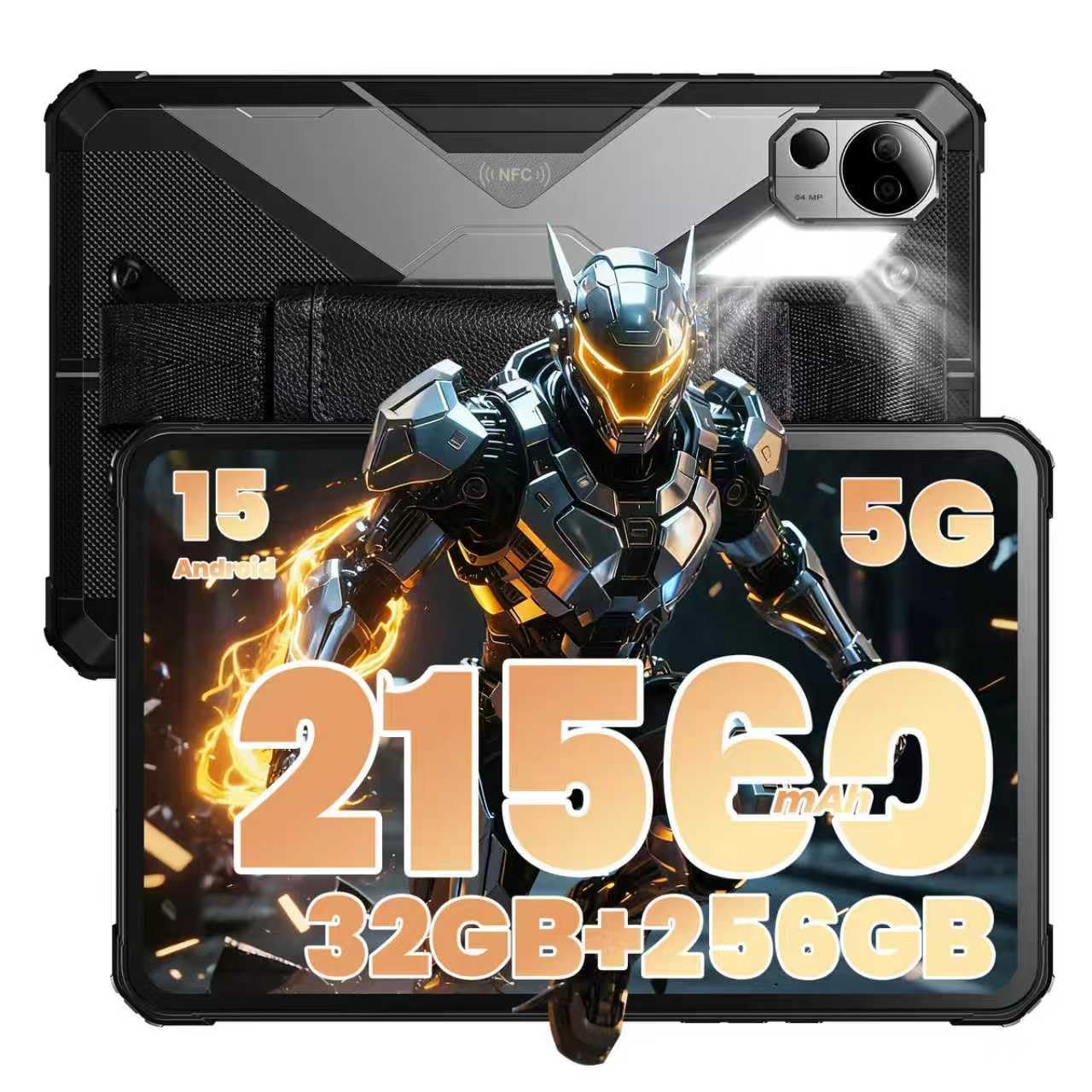
3. FOSSIBOT DT3 5G Rugged Tablet
The biggest cell on this list, refilled at 66W in a lunch break.
You get the biggest battery quoted anywhere in this guide: 21560mAh, which means fewer trips to an outlet during a long shift. It refills at 66W (a fast-charging rate), and the spec sheet says that reaches 80% in about 2 hours. Standby is quoted at up to 1800 hours with a SIM inserted. That reserve turns a week of site work into a charging-schedule problem instead of a panic.
Under the shell sits a MediaTek Dimensity 7300 5G processor, a 4nm octa-core quoted at up to 2.5GHz. It is paired with 32GB of RAM configured as 12GB plus 20GB expandable, 256GB of internal storage and a microSD slot up to 2TB. The screen is a 10.4-inch 2K panel at 1200×2000 with a 94% screen-to-body ratio, and the build holds IP68, IP69K and MIL-STD-810H with a 1.5m water and drop rating. Glove mode is the quiet hero here — you keep the panel usable with work gloves on, which is the whole point of a tablet in a workshop.
Speed and responsiveness show up repeatedly in the owner feedback, and the screen brightness gets its own following. The fair caveat is bulk: the rugged shell is described as thicker and heavier than a standard tablet, and heavy multitasking can slow it slightly. Between this and the ORCATAB, the FOSSIBOT wins on delivered wattage and total capacity, while the ORCATAB runs a plastic-shell-and-metal-arm approach to the same handling problem.
demanding field apps: the crew with no outlet — a 21560mAh cell, 66W refills, and a glove-mode screen that works through leather.
want easy add-ons: it is thick and heavy next to a slim consumer tablet, and the spec sheet never pretends otherwise.
4. Dell Latitude 12 7212 Rugged Extreme Tablet
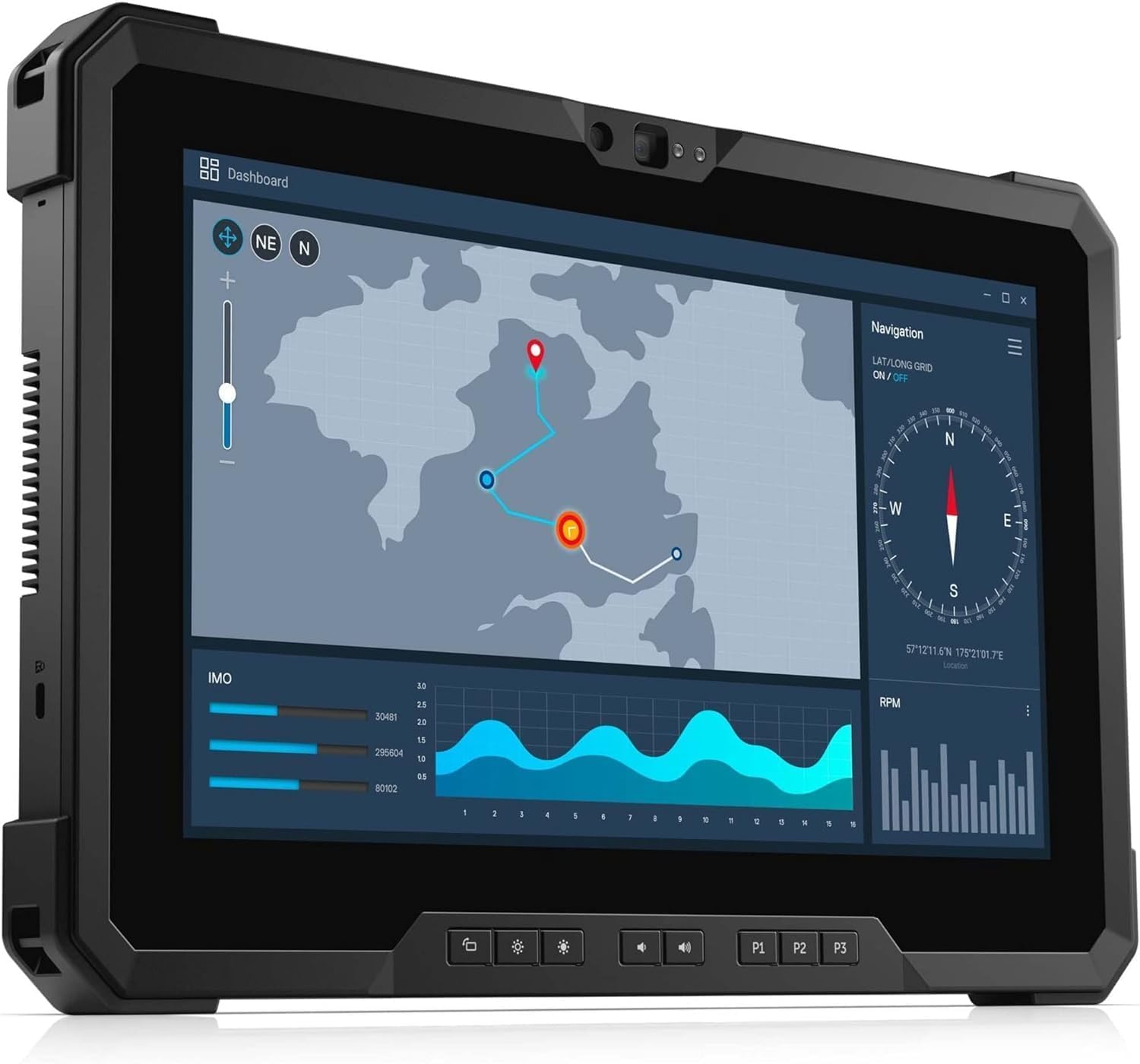
A refurbished Windows workhorse for crews who live in desktop software.
Here is the plainest case for a Windows machine on this list: your estimating or CAD package will not run on Android, and you need a real file system. This Latitude 12 7212 gives you an Intel Core i5-7300U dual-core with 3M of cache and a 3.5GHz maximum clock speed, plus 8GB of memory and a 256GB SSD. The screen is a 1920×1080 FHD touch panel with GPS, Bluetooth and Wi-Fi built in. For document markup and drawing review, that spec sheet is the honest answer.
It is a renewed unit, so the buying decision changes shape. The listing describes a unit arriving like new, and the recurring experience in the feedback is a clean, working machine with a fantastic price for what it is. The honest caveat is battery health: the pack is a 6 amp-hour, 26 watt-hour lithium-ion cell, and a refurbished machine’s cells have already lived a life. If a spare pair is included, charge-cycle them before you rely on them.
Weigh it against the Fusion5 on the same Windows track. The Dell gives you a rugged-extreme chassis and a swappable battery design; the Fusion5 gives you a newer Intel 13th Gen N100 with 12GB RAM and a larger 512GB SSD, plus a 24-month warranty. Pick the Dell if you want the tougher housing and can handle the older silicon, and pick the Fusion5 if you want the newer internals and coverage.
refurb Latitude value: Windows apps, a 256GB SSD and GPS in a rugged shell — the reason people go refurbished instead of paying new prices.
aging i5 chip: battery health. A 26 watt-hour pack in a used machine is the first component to ask about.
budget rugged pick: your software only exists on Windows and you would rather spend the money on a knock-proof shell than on new silicon.
need newer silicon: you need a fresh warranty and a modern processor — the Fusion5 is the cleaner Windows bet on both counts.
5. GrandPad Easy to Use Tablet & Phone for Seniors

Not a jobsite tool — a family lifeline for a parent who won’t touch a smartphone.
There is a specific case where a tablet becomes a safety item: an older parent who cannot navigate a modern phone and now needs a one-tap way to reach family. This device is built entirely around that. It uses large icons, a private network that blocks spam and scams, U.S.-based customer care and a simple layout. The screen is an LCD at 1920×1200 with a 60Hz refresh, and the battery is a 4550mAh cell quoted at 8 hours. It is locked to its own plan and does not work with Consumer Cellular or other wireless carriers.
For the working contractor, the realistic placement is in the truck as a second device — the one that lives in a pocket and stays out of the dust. Its large icons and video calling make it far more reachable than a phone for a parent who needs to see your face. The security layer does real work: the private network blocks spam and junk messages, which is the thing that scares families most.
The catch is hard and worth stating plainly: this is an exclusive platform with no resale value, and it only works as a subscription. The quality of the device and the family connection it enables are what owners praise most, and the service is consistently called exemplary. But if the plan lapses, the tablet does not become a regular Android tablet. It becomes a spare screen.
elderly first tablet: a parent or grandparent who needs a safe, one-tap line to family without a phone contract.
power user needs: it is locked to its own carrier and subscription — no consumer SIM will activate it.
6. Samsung Galaxy Tab Active4 Pro 10.1” Tablet

A pogo-pin battery, an IP68 stylus, and a keyboard-free workflow you can program.
If your crew already runs Samsung devices and you want the tablet to slot into that stack, this is the sensible answer. It holds an IP68 rating for dust and water, and the chassis is MIL-STD-810H tested against extreme hot and cold temperatures, drops and spills. The included S Pen is IP68 rated too, so it signs documents in the rain without a plastic bag over it. The touchscreen is built to work in wet conditions and with gloves on — a detail that a lot of “rugged” tablets skip.
Two features are genuinely built for shift work rather than for a spec sheet. The first is a pogo-pin charger that drops into a dock without plugging anything in, and the ability to swap a drained battery for a full one quickly. The second is a No Battery Mode, which runs the tablet off mains power with the battery out — useful for a truck-mounted display that sits there for months. A programmable active key turns the machine into a scanner or a mobile point-of-sale with the right app.
Durability is the dominant theme in the feedback, and the phrasing tends to be blunt: this thing is heavy, tank-like, and hard to break. That weight is the one trade a buyer should price in. It is a thick, substantial slab. Against the HOTWAV R9 Ultra, this one wins on the accessory ecosystem and the pogo dock, but the HOTWAV carries a much larger 20080mAh cell against the Samsung’s 7600mAh.
shift-work durability
- IP68 and MIL-STD-810H tested, with an IP68 S Pen included
- Pogo-pin fast charging plus quick battery swapping
- Wet-touch and glove-capable screen
- Programmable key for scanner and mPOS workflows
premium price tag
- Heavy, thick chassis — the price of the tank build
- 7600mAh is a fraction of the 20080mAh on the Android picks here
- No S Pen storage slot, so the stylus lives loose
warehouse crews: a Samsung-shop crew that wants a docked, pogo-charged tablet and a wet-touch screen they can sign on.
tight budgets: 7600mAh is a long shift, not a long weekend, so plan on a daily charge.
7. HEIGAOLA F7 Rugged Tablet
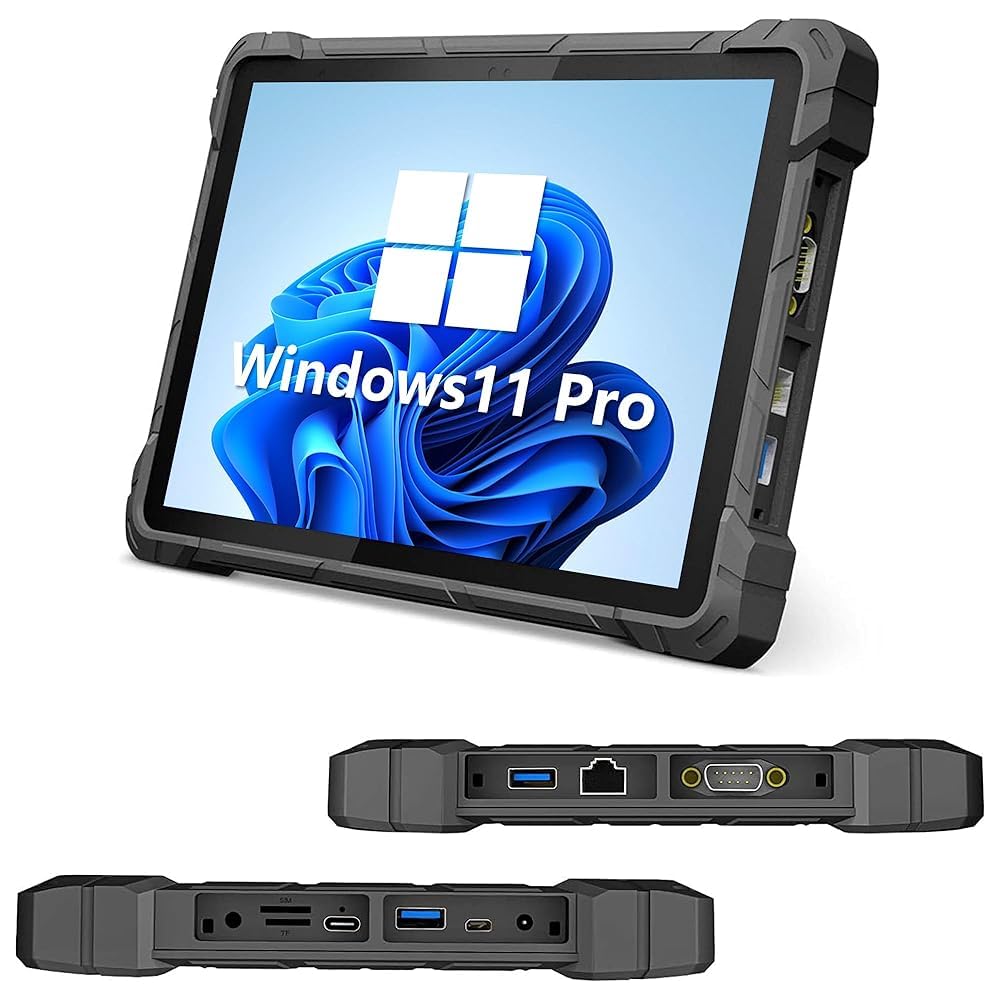
Six hundred nits, glove operation and a 10.1-inch screen for direct sun.
This screen earns its place on the list because you can read it in direct sun. The 10.1-inch panel is a Full HD 1920×1200 IPS (a sharp, wide-viewing screen) quoted at 600 nits (a brightness measure) — the brightest number in this guide — with 10-point capacitive touch and glove operation. On a scaffold in the open, it stays legible at midday. Under the hood it runs an Intel Celeron J4105 quad-core (a four-core processor) with a turbo clock up to 2.5GHz, 8GB of RAM and 128GB of storage expandable to 256GB via microSD (a small memory card).
The build is IP67 for water, rated for drops from 1.2m and compliant with the MIL-STD-810G standard. The battery is an 8000mAh pack quoted at up to 8 hours of continuous operation, which covers a standard field day if you are disciplined. It runs Windows 11 Pro, has a built-in GPS receiver and a 4G LTE module, and comes with dual-band Wi-Fi 5 and Bluetooth 4.2. For a machine running plant-floor control software or a printer and scanner, that Windows environment is the reason to buy it.
The thing to be realistic about is the software, not the hardware. The CPU is a Celeron, which is fine for basic tasks and wallboard software and slow for heavy multitasking. A cleaner Windows reinstall is also noted as difficult, because critical drivers are hard to source. If you can live with a closed system, the value is real.
sunlight-readable screen: 600 nits on a 10.1-inch FHD IPS panel is a genuine outdoor-readable display, not a dim indoor one.
Celeron speed cap: basic line-of-business apps run fine; anything heavier will feel slow.
outdoor daylight work: a fixed workflow — one plant app, one scanner, one printer — that lives in direct sun.
heavy multitasking: anyone who wants to reinstall Windows or push photos and CAD through it.
8. Fusion5 10.1” Windows 11 Rugged Tablet
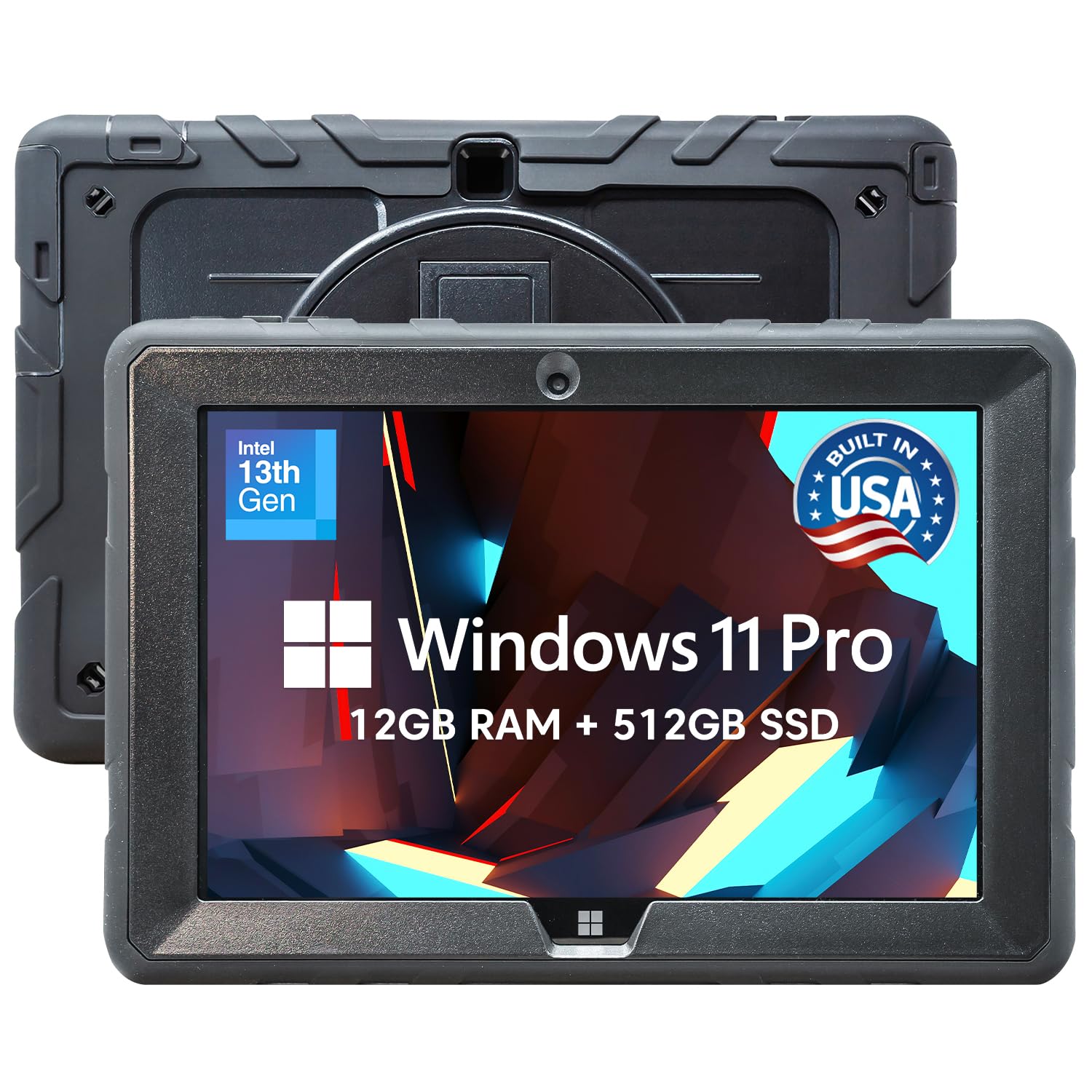
Twelve gigs of RAM, a 512GB SSD and damage cover thrown in.
Of every Windows machine here, this one gives the most storage per chassis. It ships with 12GB of RAM and a 512GB SSD, plus a microSD slot that adds 512GB more, and runs on an Intel 13th Gen Alder Lake N100. That combination is quoted for a 10.1-inch Full HD IPS touchscreen at 1920×1200 with up to 500 nits of brightness. If your work is a stack of spreadsheets, PDFs and browser tabs, the RAM is what keeps them from choking.
The warranty is the second half of the sales pitch. It is a 24-month full warranty that includes protection for up to 2 accidental damage incidents — a drop, a spill, a bump. On a site where a screen replacement can cost the price of the tablet, that is coverage you would otherwise buy separately. The ports are protected with covers for the Micro HDMI, USB Type-C and USB 3.0 connections, and a hand strap plus back mount keep it hands-free on a ladder or a cart.
Performance is what the review pages talk about most, and value runs second in the same conversations. The honest caveats pile up in smaller places: the battery is a 6000mAh pack quoted at 5 hours of average life, which is short for a full shift. The manual also gets called out for mislabeled port types, and the sound is described as muffled with a single USB port. Budget for a spare charger and a longer day.
US-built Windows rig: 512GB SSD plus a 512GB card slot is a full desktop-sized drive in a 10.1-inch shell.
small battery life: 5 hours of quoted average life means a charger in the truck, not a full shift on one charge.
domestic sourcing need: you want a desktop-sized SSD, 12GB of RAM and a warranty that covers two drops.
all-day unplugged: five hours of quoted battery means it lives near a charger, which suits a truck desk more than a hillside.
9. MUNBYN IRT08 Rugged Tablet

A survey-grade GPS tablet built for a weld bay or a dusty warehouse.
If your work involves positioning, the GPS module is the spec that separates this from every other Windows machine here. It uses U-Blox NEO-7 GPS technology, which the listing describes as integrating with GIS software such as Esri ArcGIS, Google Earth Pro and QGIS. That makes it a mapping tool rather than a document viewer. The chassis is MIL-STD-810G certified for drop tests from 4 feet and handles powerful water jets without leaking.
The battery is where a shift gets planned. It is a 5000mAh cell quoted at 6.5 hours, but the design is the point: it detaches without a screwdriver, so a spare pack swaps in the field. Movement and durability are both described as strengths across the feedback, and the tablet survives drop-after-drop in dusty environments. For an inspector walking a site with a barcode scanner in the other hand, the HOLD strap reduces fatigue over a long walk.
The honest limits are specific. The performance ceiling belongs to the Intel N5100 processor, and heavy or niche software will feel slow. Cellular is reported as unreliable, sometimes needing a SIM reinsertion, and the sunlight film does a decent job without matching a true high-nit panel. For a job where the tablet is docked to a scanner and a GIS app, none of that matters much. For a job where it has to be a phone and a browser, it does.
office field tasks: mapping, surveying and inspection work where a detachable 5000mAh cell means a swap rather than a charge.
large file loads: your work depends on cellular data — the connection is the weak link here.
10. M80J 8 inch Rugged Tablet
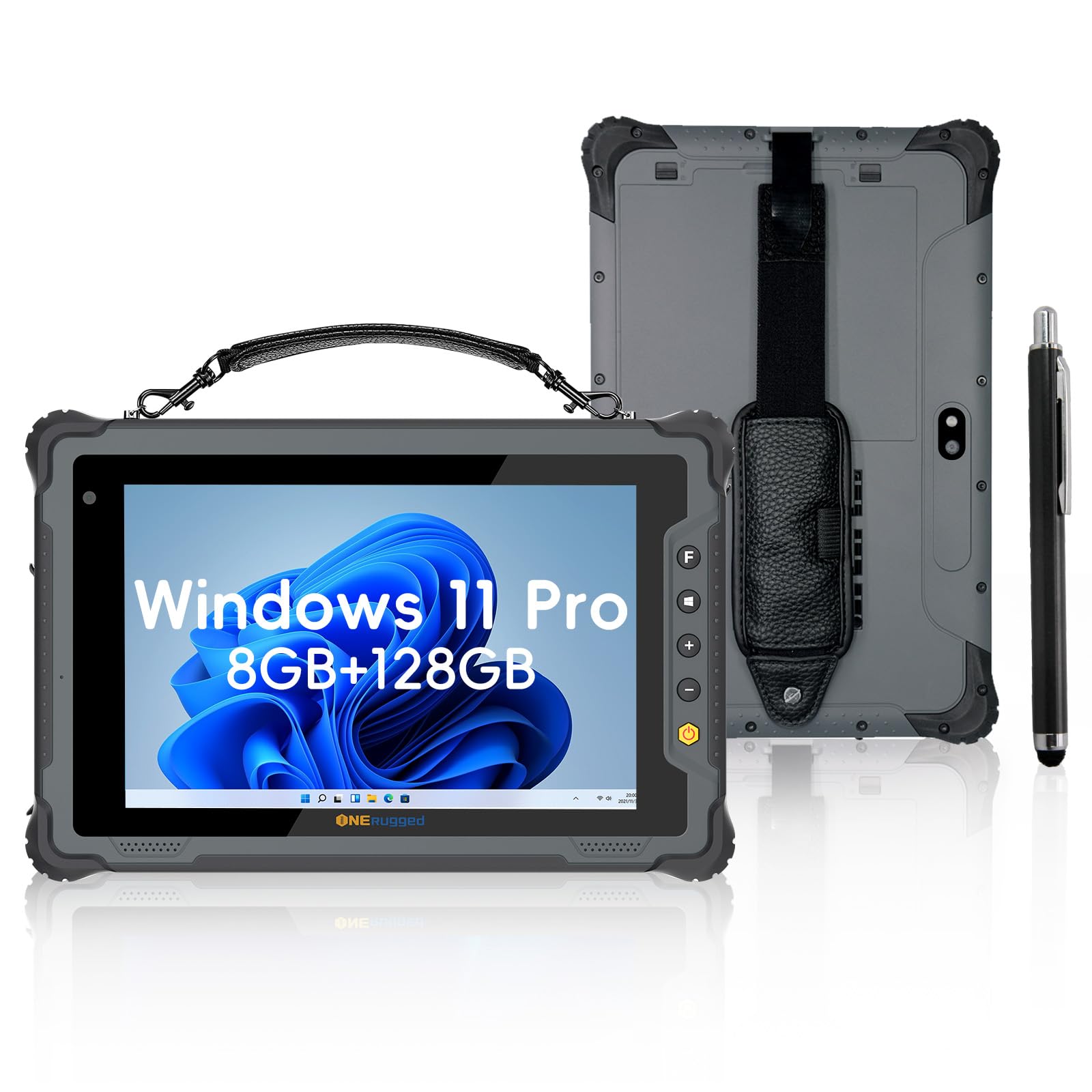
An eight-inch glove-touch Windows tablet you can hold and tap with one hand.
The size is the whole idea. An 8-inch form factor means you can hold the M80J in one hand and tap diagnostics in the other, which is exactly what a technician in a bus bay or a cold-storage aisle needs. The panel is a 1920×1200 FHD IPS with a 10-point capacitive layer and 7H scratch-resistant glass, and it supports glove touch. It is certified IP65 for water and dust and MIL-STD-810H for 4ft drops, with an operating range quoted from -4°F to 140°F.
On the inside it runs an Intel Jasper Lake N5100 processor with Windows 11 Pro, 8GB of RAM and 128GB of storage expandable via a TF card. The battery is a 5000mAh pack quoted at up to 8.5 hours, and the design is tool-free and detachable — a straight field swap, no screwdriver. Wi-Fi 6, 4G LTE, Bluetooth 5.0, plus GPS, Glonass and Beidou modules round out the connectivity, which is more radio coverage than most tablets this size offer.
Be clear about the trade-offs before you buy. The 8-inch screen with a large bezel leaves a small usable area, and the owner feedback describes it as sluggish under Windows 11 for a full warehouse management app. Cold weather is a documented weakness — a full charge dropped to roughly an hour at 17-25°F, despite a -20°C rating. If you work warm and indoors, the cold-weather drain never comes into play.
one-hand fieldwork: one-handed Windows work in a warm warehouse or a bus bay, with a hot-swap pack in your pocket.
detailed spreadsheets: cold weather drains the battery much faster than the rating suggests, so treat it as an indoor machine.
11. Flex 10D Rugged Tablet
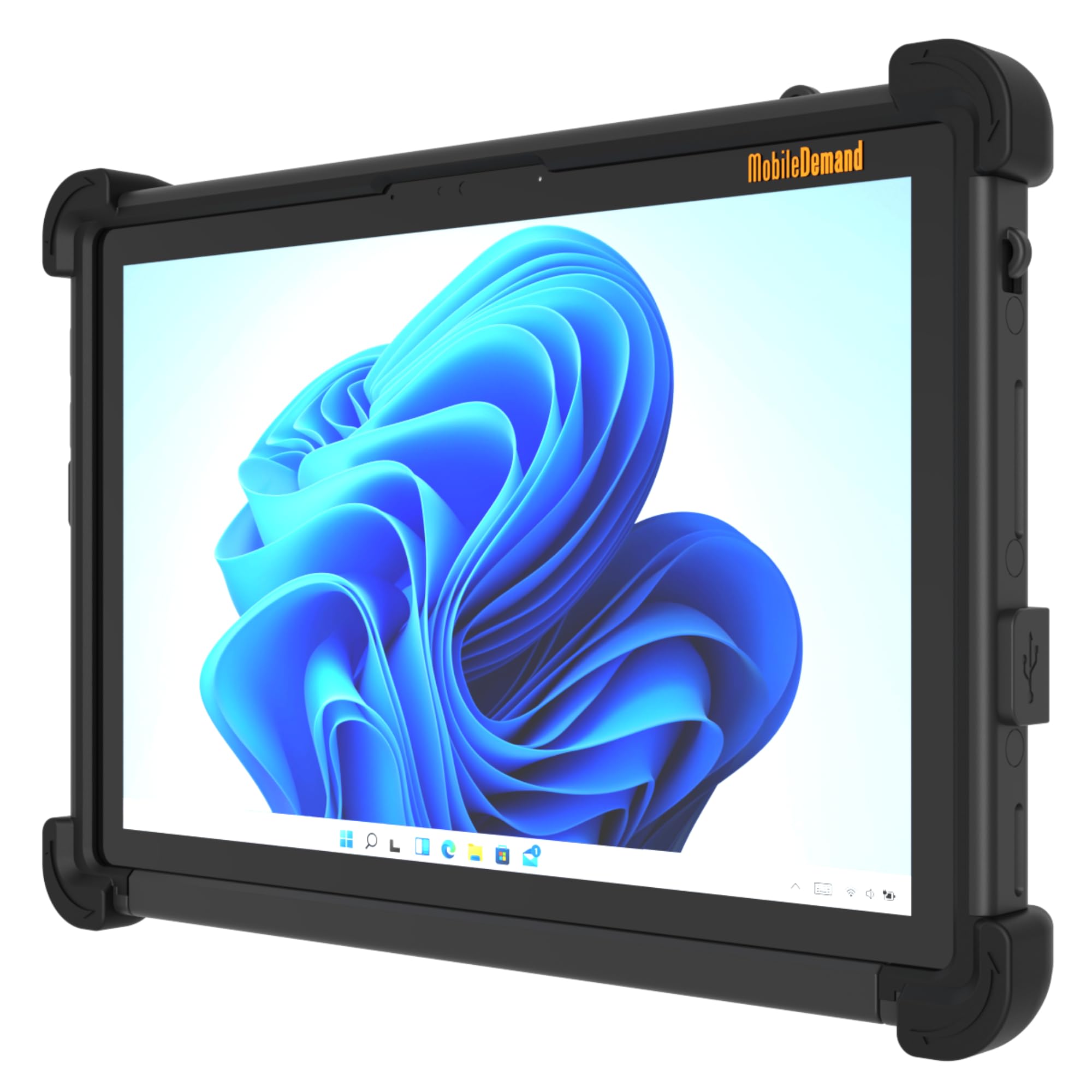
Forklift-ready: a snap mount, dual USB-C, and a 4-foot drop rating.
This is the one you bolt to something. The Snap Mount System is designed for secure vehicle mounting on forklifts, carts and workstations, with optional direct-wire power kits for continuous operation. That is a workflow rather than a spec: a tablet that lives on a truck, runs off vehicle power and never needs to come off the dock. Around that core it packs an Intel N150 quad-core up to 3.60GHz, 8GB of LPDDR5 RAM and a 128GB NVMe SSD on Windows 11 Pro, with a Windows 11 IoT Enterprise LTSC option for kiosk deployments.
The screen is a 10.1-inch IPS at 1920×1200 quoted at 340 nits — enough for a cab, not for open sun — with capacitive stylus support and 2MP front and 5MP rear cameras for documentation and signatures. Connectivity runs through Intel Wi-Fi 6 AX201 and Bluetooth 5.2, and the I/O is genuinely rich: USB 3.0, dual USB-C for power, data and display, HDMI, an audio jack and pogo pins. The chassis passes MIL-STD-810H 4-foot drop tests with rubber corner protection, and operates from -10°C to 55°C.
The compromise is the battery. A 4000mAh pack delivers 4-6 hours of real-world use, which is fine for a vehicle that supplies power but tight for a walk-around. The 340-nit panel is also the dimmest display on this list, so park the vehicle in the shade if you are reading outside. Buy it for the Snap Mount and vehicle power, not for the 4000mAh battery.
N150 efficient chip: the Snap Mount plus optional direct-wire power kits turn it into fixed equipment on a forklift or a service truck.
basic graphics only: 4000mAh for 4-6 hours, and 340 nits — a cab machine, not an open-field one.
light daily tasks: a fixed mount on a forklift, cart or truck where power comes from the vehicle and the tablet never leaves.
gaming or design: long unpowered walk-arounds — the 4000mAh cell won’t carry a full day off the dock.
Know the Specs
IP68 versus IP69K
These are two different tests, not two grades of the same thing. IP68 (a still-water rating) covers a dunk: on the HOTWAV R9 Ultra it is quoted as surviving 30 minutes submerged in 2m. IP69K (a jet-spray rating) covers high-temperature, high-pressure sprays, the kind you aim at equipment during a washdown. A tablet with only IP67 survives a splash or a brief dunk but is not rated for a pressure washer. That is why machines built for food processing and concrete work tend to list IP69K next to IP68.
Drop height and what it measures
A drop rating is a tested height onto a hard surface, and the numbers on this list run from 1.2m on the HEIGAOLA F7 up to 1.5m on the ORCATAB WT1 Pro and FOSSIBOT DT3. The MUNBYN IRT08 and Flex 10D are certified for 4-foot drops under MIL-STD-810G and MIL-STD-810H respectively. Think of it as the height it will survive, not a guarantee — a 1.2m rating covers a fall from a tailgate, and 1.5m buys you a little more margin from aworkbench.
Capacitive glove mode explained
A normal capacitive touchscreen needs bare skin to register a tap, because it senses the small electrical charge in your fingertip. Glove mode raises that sensitivity, so a work glove registers like a fingertip. The FOSSIBOT DT3, Samsung Galaxy Tab Active4 Pro and ONERugged M80J all carry a version of it. The catch is that a boosted panel can feel oversensitive in a bare hand, so try it with your actual gloves before you rely on the setting.
Milliamp-hours versus usable hours
A milliamp-hour (mAh) figure is the size of the fuel tank; the hours figure is the mileage. The 20080mAh cell on the HOTWAV R9 Ultra and ORCATAB WT1 Pro is quoted for days of light use, but the same cell powering a bright screen and 5G (a fast mobile network) can drain far faster. The 4000mAh pack on the Flex 10D is quoted at 4-6 hours of real-world use. That is the honest way to read a battery spec: look for the hours figure, then discount it for cold and screen brightness.
Common Questions
Will a rugged Android tablet run my estimating or CAD software?
Does my carrier work with these rugged 5G tablets?
What is the difference between IP68 and IP69K on a jobsite tablet?
Can I use these tablets with work gloves on?
How long does a rugged tablet battery really last on a shift?
Is a detachable battery worth it on a rugged tablet?
Should I buy a renewed Dell over a new Windows rugged tablet?
Do these tablets work with a Bluetooth barcode scanner?
Can I mount a rugged tablet in a truck or on a forklift?
Is a 600-nit screen bright enough to read in direct sunlight?
The Bottom Line
For most crews, the best tablet for contractors is the HOTWAV R9 Ultra 5G. It bundles 24GB of RAM, a 512GB configuration and a 20080mAh cell inside a chassis that holds IP68, IP69K and MIL-STD-810H together. It holds a 4.0+ star average across 90+ owner reviews. If a work lamp, a dedicated stand and 32GB of RAM sound more like your day, the ORCATAB WT1 Pro trades a little storage for more memory and a longer 1.5m drop rating. And when there is no outlet within a mile, the FOSSIBOT DT3 answers with the biggest cell here and 66W of charging.
On the Windows side, the choice depends on what you value. The Fusion5 FWIN232 PRO N5 pairs a 512GB SSD (fast solid-state storage) and 12GB of RAM with a warranty that covers two accidental drops. That makes it the safest bet for a crew that wants coverage as much as power. If your software is the deciding factor, the ONERugged M80J is the one-handed machine worth a look. The MUNBYN IRT08 is the mapping tool to reach for when positioning is the day’s job. Match the tablet to the software and the drop height, not the marketing label, and it will still be running when the season changes.
How we choose
We do not accept paid placement. Every pick is matched to a real buyer and a real use-case; we do not hands-on test units.
Sources
Specifications: manufacturer listings and product documentation. Review insights: verified customer reviews, as of October 2026. Pricing: not shown on this page (it changes often); check the current price via the retailer link.
As an Amazon Associate, Aappliancez earns from qualifying purchases. This does not affect which products we feature.