Disclosure: Some links in this post are affiliate links. As an Amazon Associate I earn from qualifying purchases, at no extra cost to you. Learn more
Specs are compiled from manufacturer listings and verified buyer reviews and can change over time — please confirm the key details on the product page before buying.
You are paying for hundreds of channels you never watch, and the good stuff still costs extra. A streaming device replaces the whole cable box with one small gadget that plugs into your TV’s HDMI port (the same socket a DVD player uses), then lets you stream shows over your home internet instead. For most people, the Amazon Fire TV Stick 4K Plus is the one to buy. It handles 4K (four times the detail of standard HD) with Dolby Vision and Dolby Atmos, and it does it for a mid-range outlay most households absorb in a month of cable.
This guide is built by comparing the manufacturers’ published specifications and the patterns across verified customer reviews, so you get each pick’s real strengths and trade-offs instead of marketing spin.
Some boxes lock you into one app store, others turn old 1080p sets into something watchable again, and a few are built for people with a hard drive full of movies. Below you get the honest trade-offs on each, so you can find the best streaming device to replace cable without guessing.
Top Picks



How To Choose The Best Streaming Device to Replace Cable
The first thing to get straight is what you are actually replacing. A cable box delivers channels on a schedule you do not control. A streaming device delivers apps you launch on demand, and every pick here connects through HDMI and your home internet. So the real question is not “which one has the most apps” but “which one matches my TV, my Wi-Fi, and the way I watch.”
Start with your TV’s resolution, not the device’s price tag
If your TV tops out at 1080p (the older full-HD standard), a 4K player still works but you will not see the extra detail. The Google Chromecast in this list is capped at 1080p 60fps, which is exactly right for an older set. If you own a 4K panel, buying a 1080p-only device wastes the screen you already paid for.
Check how your Wi-Fi behaves at 8pm
Streaming 4K HDR takes a steady, fast connection. Wi-Fi 6 (the newer, less-crowded wireless standard) and Wi-Fi 6E (the same idea on a wider band) both help when phones and laptops are competing for bandwidth. If your router is old or far away, an Ethernet port (a wired network jack) removes the guesswork entirely — the Roku Ultra LT and the Nvidia Shield Pro both give you one.
Decide if you want a remote or your phone
Some devices ship with a full voice remote and an on-screen menu. The original Google Chromecast has no menu at all — you open an app on your phone and tap the cast button. That is wonderfully simple for some households and maddening for anyone who wants to browse on the TV itself.
Match the box to your library, not just to Netflix
If you have a hard drive full of downloaded films, look at the local-file players like the Dune HD Pro Vision 4K or the Nvidia Shield Pro, both of which handle big files and Dolby Vision. If you only ever watch subscription apps, a Fire TV or Roku stick covers you and leaves money for the subscriptions themselves.
Side-by-Side Comparison
| Model | Best For | Max Resolution | Connectivity | Remote Type | Amazon |
|---|---|---|---|---|---|
| Amazon Fire TV Stick 4K Plus★ Best Overall | Most households cutting cable | 4K Ultra HD | Wi-Fi 6 | Alexa Voice Remote | Amazon |
| NVIDIA Shield Android TV ProTop Performer | Local files and gaming | 4K HDR | Gigabit Ethernet, dual-band AC Wi-Fi, Bluetooth 5.0 | Backlit voice remote | Amazon |
| Dune HD Pro Vision 4KBest for Movie Files | Movie collectors | 4Kp60 | 1Gbit Ethernet, dual-band 2T2R Wi-Fi, USB 3.0 | R3 remote | Amazon |
| Google Chromecast | Simple phone-to-TV casting | 1080p 60fps | HDMI, Wi-Fi 802.11ac | Phone or tablet | Amazon |
| Roku Ultra LT | Private listening and simple menus | 4K UHD, HDR + Dolby Vision | Bluetooth, Ethernet, HDMI, Wi-Fi | Voice remote with headphone jack | Amazon |
| Amazon Fire TV Stick 4K Max | Extra storage and Wi-Fi 6E | 4K Ultra HD | Wi-Fi 6E | Upgraded voice remote | Amazon |
| Infomir MAG544w3 | Operator IPTV services | 2160p at 60 FPS | Dual-band 2T2R ac Wi-Fi, 100 Mbps Ethernet | IR remote | Amazon |
| Roku Ultra Ultimate | Backlit, voice-friendly remote | 4K, HDR10+, Dolby Vision | Wi-Fi 6, Bluetooth | Rechargeable Voice Remote Pro | Amazon |
| Fire TV Cube (Like-New) | Hands-free voice control | 4K Ultra HD | Wi-Fi 6E | Built-in mic and speakers | Amazon |
| Google Chromecast with Google TV | Travel and mixed ecosystems | 4K HDR | Bluetooth, Wi-Fi | Voice remote | Amazon |
Detailed Reviews
1. Amazon Fire TV Stick 4K Plus with AI-powered Fire TV Search
Our pick — 4.5+★ from 115,500+ verified ratings; the strongest balance of quality and price.
The stick that makes your 4K set feel new again for a mid-range outlay.
If you want one gadget that replaces the cable box on a 4K television with the least fuss, this is the pick. It streams in 4K Ultra HD (the sharpest consumer resolution) with Dolby Vision and HDR10+ (two formats that expand the contrast and colour range scene by scene). Audio arrives in Dolby Atmos, the object-based surround format that places sounds around the room rather than in fixed channels. Together those specs mean a film looks and sounds noticeably better than the channel you cancelled.
The part that keeps the picture steady is Wi-Fi 6, the newer wireless standard that handles a busy house better than the older one. It lets 4K run smoothly even while other devices are on the router. The new Fire TV interface puts content categories up front and pins your favourite apps, so you are not scrolling a long list before bed. Alexa+ voice search lets you say what you want in normal words instead of typing a title. Owners consistently describe setup as the easy part — as one puts it, “Just got this 4K fire stick works great easy to install had no problems with it whatsoever.”
The honest trade-off is the remote. It is the single most split opinion in owner feedback: plenty love the preset buttons and voice control, while a slice report pairing dropouts. In practice, that means the remote is the piece to look after — keep it paired and reachable, and the rest of the device stays out of your way. The hunt for shows is also broader than ever, so expect a home screen that pushes Amazon’s own content alongside your apps.
Where this stick earns its spot
- 4K Ultra HD with Dolby Vision and HDR10+ pulls real detail out of a good panel.
- Wi-Fi 6 keeps 4K smooth when the whole house is online.
- Alexa+ voice search finds shows in plain language across your apps.
- Preset buttons and one-remote TV power and volume control cut clutter.
- Free, ad-supported channels and streaming apps arrive in one place.
What to keep in mind
- The remote is the most split-topic piece of the hardware in owner feedback.
- The home screen leans heavily on Amazon’s own recommendations.
- Subscription apps still bill you separately.
Reach for this if: you own a 4K TV, want the cable box gone, and want one remote for power, volume and searching.
Look elsewhere if: you refuse to live with an ad-supported home screen or you need a wired Ethernet jack built in.
2. NVIDIA Shield Android TV Pro
A heavy, serious box for people whose library lives on a hard drive.
The spec that separates this from every stick above is the NVIDIA Tegra X1+ chip paired with 3GB of RAM and 16GB of storage. In real terms, that is enough muscle to run Plex Media Server (software that serves films from your own drive to your TV) directly on the box. The two USB 3.0 ports let you plug in external drives, keyboards or controllers. AI upscaling lifts ordinary HD footage toward 4K in real time, which matters on older broadcasts and DVDs. If you want the shortest path from a folder of files to a cinema screen, this is it.
Connectivity is the other reason this box outlasts cheap sticks. You get Gigabit Ethernet (a full-speed wired network jack) plus dual-band AC Wi-Fi and Bluetooth 5.0 for headphones and speakers. Dolby Vision and Dolby Atmos both run here, and the backlit remote lights up in a dark room. It plays troublesome or oversized 4K files without stuttering, and its native Android build beats the modified software on cut-price boxes.
What nobody tells you before buying is that this is an older platform that has not been refreshed. It does not decode AV1, the newer video codec that YouTube and some services now use, so future-proofing is finite. The remote also has a known quirk: owners describe it locking up every handful of months and needing a battery-pull reset. If you only stream Netflix and Prime, this is more machine than you need.
One remote trick worth knowing: when the remote freezes, pull a battery, hold the Home and centre buttons together, then drop the battery back in until you hear a beep. That small reset routine is the difference between a five-minute annoyance and a support call.
The build to weigh: at 2.1 pounds it sits like a small brick behind the TV rather than dangling from the HDMI port, which suits a shelf or cabinet but not a slim wall mount.
Who it beats: anyone with a large local library or a PC game streaming habit gets more from this one box than from three streaming sticks combined.
Where it falls short: no AV1 decoding and a remote with a known lockup habit are the two things to accept going in.
3. Dune HD Pro Vision 4K Media Player
Built for the person whose films live on a shelf, not in an app.
Most streamers assume you rent everything. This one assumes you own it. The VS10 video processor engine handles every common Dolby Vision profile (P5, P7 MEL and FEL, P8), which means the Dolby Vision discs you already own play as intended. It decodes any HD audio format into multichannel PCM up to 7.1 channels, or passes that audio bitstream to a receiver. For someone with a proper surround setup, that audio passthrough flexibility is worth more than another app icon.
The storage ceiling is the quiet winner. It reads USB hard drives of 20 TB and beyond, and ships with 64GB built in, so a full film collection rides along on one shelf. The whole metal housing acts as a heat sink, so cooling is silent and there is no fan to whine over a quiet scene. Automatic frame rate and resolution switching keeps playback smooth and lets the player or the TV handle the upscaling. The AV1 codec support helps with newer YouTube content, and Dune’s mobile app mirrors the TV menu on your phone so you can browse from the sofa.
Here is the catch: it is a specialist player, and specialists have opinions. Plex users are the wrong audience — native Plex support has been dropped and the Android app is limited on this hardware. The interface also looks older than what the Fire TV or Roku lines offer, and the R3 remote has no backlight. One report of unstable offline playback is an outlier against otherwise delighted file collectors, but it is the kind of thing a careful buyer should test early.
Why collectors rate it: local-file playback and Dolby Vision are the two things that earn the most enthusiasm from owners here, with audio quality close behind. The scene that plays out repeatedly is a viewer finally getting their own disc library to look the way it did in the cinema.
What to accept: no backlight on the remote, an interface that feels behind the times, and a Kodi-first mindset. If your films come from subscription apps, this box is overkill.
Suits you to the ground if: you have a large drive of 4K Dolby Vision files and a receiver that wants bitstream audio.
Think twice if: you rely on Plex as your library front-end — that is the workflow this box handles least well.
4. Google Chromecast Streaming Device
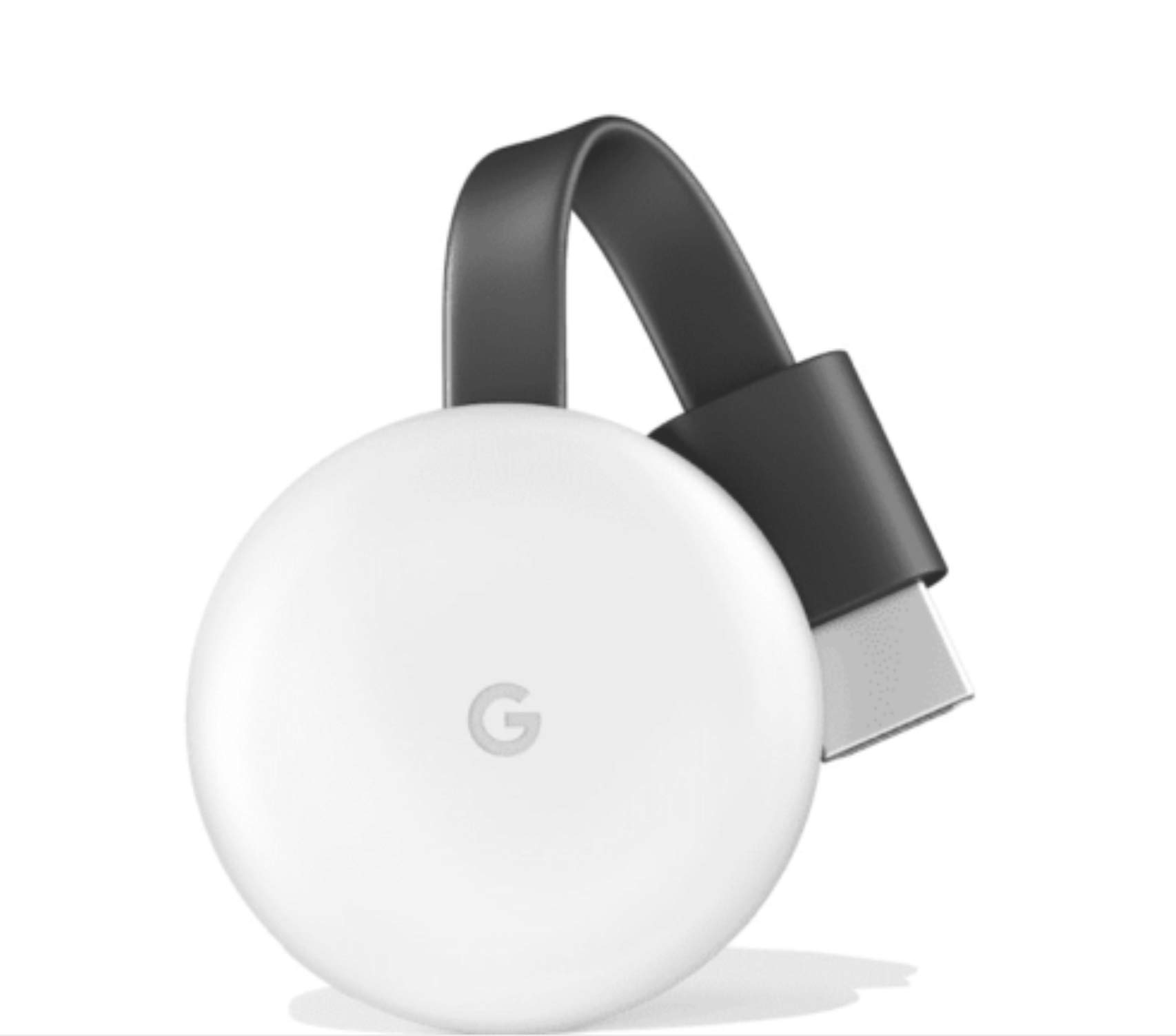
No menu, no remote, no learning curve — your phone is the whole interface.
If your TV is a few years old and maxes out at 1080p, spending on 4K hardware buys you nothing you can see. That is exactly where this unit fits: it outputs up to 1080p at 60fps, pairs over Wi-Fi 802.11ac (the established dual-band wireless standard), and works with over 2000 apps. You plug it into HDMI and power, tap the cast icon in an app, and the movie appears on the big screen. There is no on-screen menu to navigate, which makes it the simplest cord-cutting start in this list.
Voice control works when you pair it with a Google Home device, so hands-free play and pause is possible. Casting beats mirroring here: apps that support the cast button push full resolution, while mirroring your phone screen drops the quality. It works with Android, iOS, Mac and Windows devices on the supported versions. Photos and playlists cast across instantly, so a spare TV becomes a slideshow display in seconds.
The limitation is baked into the design: no remote, no home screen, and no 4K. If you have older relatives or anyone who expects a clicker and a channel guide, this is the wrong shape of gadget. Several owners also describe Wi-Fi drops that force a reconnection; a 5GHz network and a wall adapter rather than a weak TV USB port handle most of it.
The fit to picture: this device earns its keep on a spare 1080p set — a kitchen TV, a bedroom panel, a hotel room. It suits a household that already watches on phones and wants to throw that content onto the bigger screen.
The trade you make: convenience in exchange for a phone that must stay nearby. It is not a standalone set-top box.
Pick it if: your TV is 1080p and everyone in the house is comfortable using a phone as a remote.
Leave it if: you want a clicker, a channel grid, and a 4K picture.
5. Roku Ultra LT (2023) Streaming Player
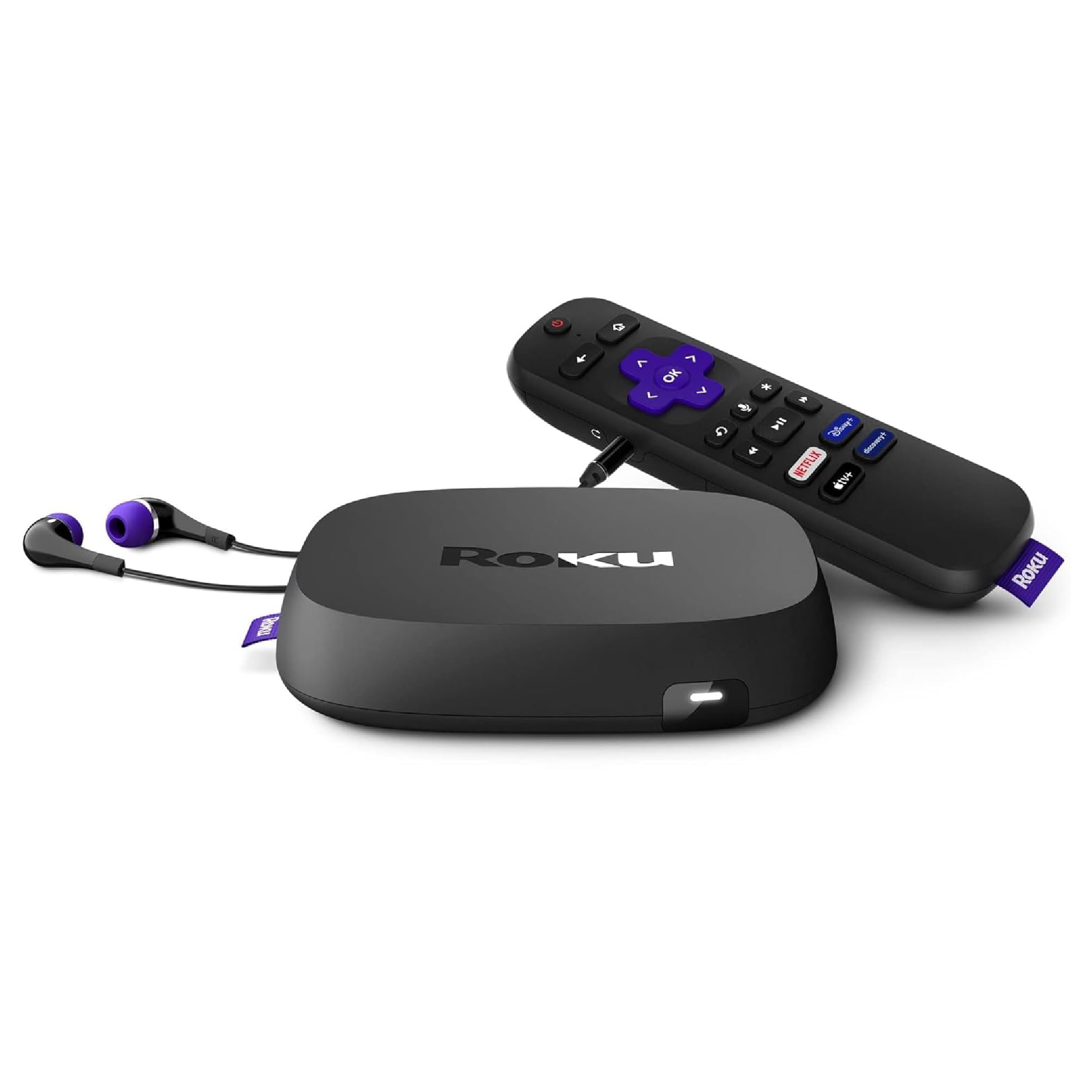
A jack in the remote lets you watch loud films while the house sleeps.
The feature that sells this box is not a codec or a chip — it is the 3.5mm headphone jack in the remote. Plug in a pair of headphones and the audio goes private while the TV stays silent, which is a gift for late-night viewers and for anyone hard of hearing who needs it louder than the room tolerates. Roku also gives you HD and 4K UHD up to 3840 x 2160, with HDR and Dolby Vision support, over a quad-core player that turns a sluggish smart TV into something that responds.
The remote also powers on the TV and adjusts volume, so the clicker count drops to one. Ethernet is built in, which is the fix for anyone whose Wi-Fi wilts at peak times. You get Bluetooth alongside the Wi-Fi. Owners praise the picture, especially 4K handling of high-definition films, and call the interface more intuitive than the smart TV it replaces.
Two small things to know. The remote’s headphone use draws on the batteries, so plan on a fresh set or a rechargeable pack. And Roku’s boxes have been known to feel slower after several years of updates, which is true of any streaming player and is the strongest argument for buying current hardware rather than used.
The reasons this one stays on the shortlist
- Headphone jack in the remote gives you private listening on demand.
- 4K UHD with HDR and Dolby Vision covers most premium sets.
- Built-in Ethernet fixes flaky Wi-Fi.
- One remote handles power and volume as well as streaming.
Small catches worth knowing
- Private listening drains the remote’s batteries faster.
- This is the 2023 generation, so it is not the newest Roku hardware.
Reach for it when: you want quiet viewing, a wired network option, and a menu your family can navigate without coaching.
Skip it when: you want the very latest remote or rechargeable battery setup — that is what the newer Roku Ultra Ultimate brings.
6. Amazon Fire TV Stick 4K Max

Double the storage and the wider Wi-Fi band the Fire TV Stick 4K Plus leaves out.
The clearest reason to step up from the 4K Plus is the spec sheet line that reads 16GB of storage, double that of the Fire TV Stick 4K Plus and the other Fire TV sticks. More room means more apps, more games and fewer pop-ups telling you to clear space. The other upgrade is Wi-Fi 6E, which adds a wider band to the Wi-Fi 6 standard — helpful in a crowded apartment where every neighbour’s router is shouting on the same channels.
The processor keeps app starts fast and navigation fluid, while the 4K Ultra HD output adds Dolby Vision, HDR10+ and Dolby Atmos. Fire TV Ambient Experience displays over 2,000 pieces of art and photography on your screen when you are not watching, so a large TV earns its wall space. Amazon Luna cloud games run here without a console, provided you have a Prime membership and a controller. The remote adds a recents button and dedicated channel buttons for live TV surfing.
Expect the same home-screen personality as its sibling: the recommendations are Amazon’s, and the interface leans into that. Some owners hit a corrupted update that forced a reset, and a handful find the Plex app flaky on Fire TV — the firmware gremlins are the price of a fast-moving platform. You are really buying the picture and the doubled 16GB of storage.
The upgrade that justifies the step: you get twice the storage of the 4K Plus. That matters on a device that has to hold streaming apps plus games — it is the difference between a clean home screen and constant housekeeping.
Where it lands short of the Shield: this is still a stick, so it streams brilliantly but cannot serve your own local library the way a box with USB ports can.
Choose it when: you want the fastest Fire TV stick and space for a pile of apps and games.
Pass if: your home router has no 6E band and the base 4K Plus already covers your habits.
7. Infomir MAG544w3 4K Linux Set-Top Box

A locked-down operator box for people who already know their provider’s app.
This is a different animal from a Fire TV or Roku. It is built for authorized IPTV services — the kind of television a provider delivers through a dedicated portal rather than a public app store. The Amlogic S905Y4-B chipset (the main processor) runs a quad-core ARM Cortex-A35 processor with 16,500 DMIPS of headroom (a measure of raw computing speed), so the portal loads and moves without stutter. It handles 2160p at 60 FPS (frames per second, the smoothness of motion) with HEVC and AV1 codecs (video compression formats), so a high-bitrate feed renders cleanly. The 1GB LPDDR4 RAM (working memory) and 4GB eMMC flash (built-in storage) are modest by Android standards but sufficient for the task this box is engineered for.
Audio goes further than you might expect. It supports eight-channel Dolby Digital Plus, which matters in a home cinema setup where the provider is sending surround audio rather than a stereo downmix. HDMI 2.1 carries the video, dual USB 2.0 ports take peripherals, and the pairing of dual-band 2T2R ac Wi-Fi with a 100 Mbps Ethernet port gives you a wired option for stability. The Linux 4.9 base is a lean environment, which is the point: fewer moving parts, less to break, and integration with official operator apps and Ministra PRO.
The essential question to answer before you buy is whether you have a provider feed to point it at. If you do not, this box does very little for you. It is not a general-purpose Android player, it does not carry Google Play, and it is not built to run Netflix, Prime or YouTube. One disappointed buyer found exactly that wall and called it what it is: outdated software for a general streaming audience. Judge this one by the service it is meant to serve.
The picture is the point: image quality draws the most credit in owner feedback, and the specifications back it — 2160p at 60 FPS over a steady wired connection is a clean feed.
Weigh the ecosystem fit honestly: this box is a tool for a specific job. Even the specs sit below what a dedicated Android box does for a general audience, and value is debated among its own buyers.
It earns its place when: you have an authorized operator service that expects a MAG-series box and you want Dolby Digital Plus surround in the chain.
It is the wrong tool when: you want a normal app store with Netflix and YouTube — that is a different product entirely.
8. Roku Ultra Ultimate Streaming Player
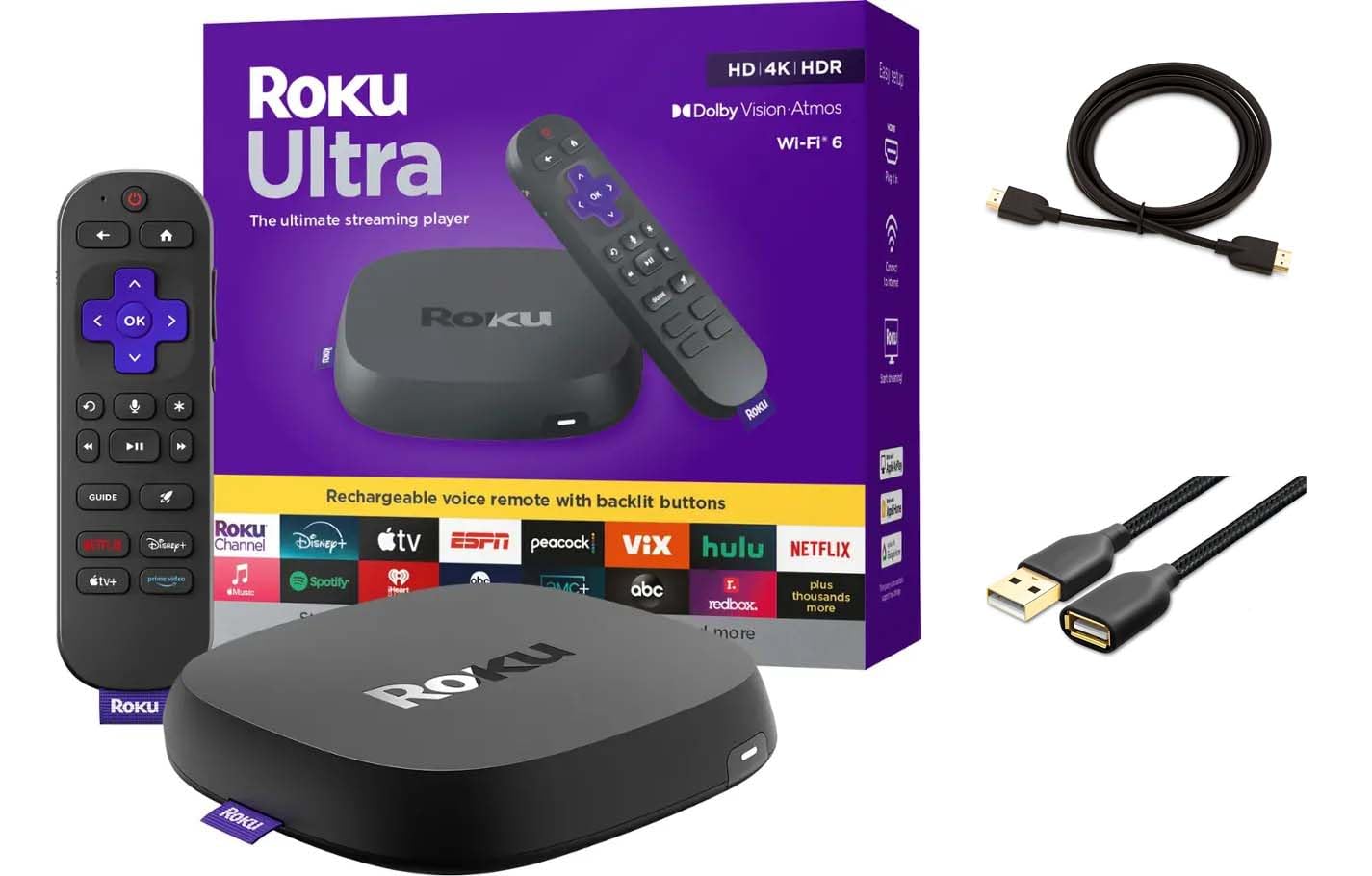
The remote that lights up, listens hands-free, and can be found when it hides.
Roku rates it 30% faster than any other Roku model, its quickest player. The number to care about, though, is on the sofa: the rechargeable Roku Voice Remote Pro has backlit buttons, hands-free voice control and a lost remote finder. Say “Hey Roku” from across the room with sticky hands and the box responds. That combination of backlit keys and hands-free commands is why this remote is the star of the package, not an accessory.
The picture side keeps pace: 4K with HDR10+ and Dolby Vision, plus Dolby Atmos audio for anyone with the speakers to use it. Wi-Fi 6 handles the network load, and the box ships with a premium high-speed HDMI cable and a USB-C charging cable in the box. The Roku interface stays predictable and built for fast access to whatever you want to watch. If your house has ever lost a remote down the side of a cushion, the finder alone justifies the rethink.
The trade-off is the price of admission and the small quirks of a rechargeable remote. A couple of owners note the switch from AAA batteries to charging is a change of habit, and one longs for the old charging cord opening. It is a light, unobtrusive box — 0.2 kg — so it sits quietly on a shelf and gets out of the way.
What has the household raving
- Backlit buttons make digging in a dark room painless.
- Hands-free “Hey Roku” voice control works from across the sofa.
- Lost remote finder turns the cushion dive into a ten-second task.
- 4K with HDR10+ and Dolby Vision plus Dolby Atmos audio.
- Wi-Fi 6 and a premium HDMI cable in the box.
The honest caveats
- The rechargeable remote is a habit change for anyone used to AAA batteries.
- The premium framing means this is the higher tier of Roku hardware.
It is the one for you if: the remote is the part of cord cutting you find most annoying and you want that solved completely.
The catch to accept: the newer generation is costly next to the older Roku Ultra LT, which still does 4K Dolby Vision and Ethernet.
9. Amazon Fire TV Cube (Like-New)
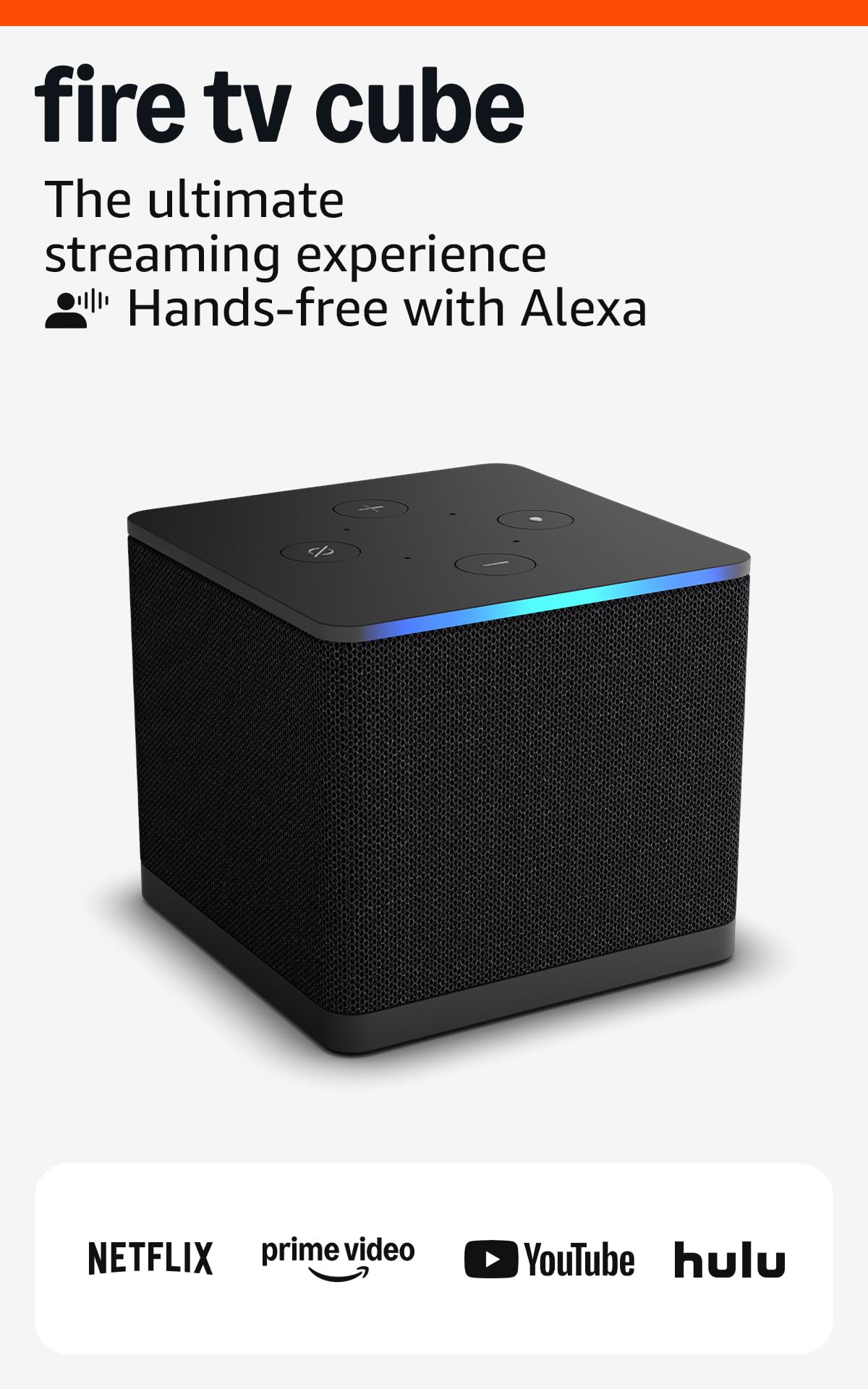
Alexa lives inside the box, so your voice controls the whole room.
The Cube is the Fire TV for people who would rather talk than press. It has a built-in microphone and speakers, so you can command a compatible TV, soundbar or receiver from across the room without picking anything up. Its octa-core processor is twice as powerful as the Fire TV Stick 4K Max’s, and it is the first streaming media player with Wi-Fi 6E. That matters in a dense wireless environment where the extra band keeps 4K flowing.
Picture quality is a genuine headline here: 4K with Dolby Vision, HDR and Dolby Atmos. Owners who connect by Ethernet describe buffer-free 4K playback, which is the fix for wireless congestion. The voice search goes beyond titles — it can find a film by actor, plot, or even a line of dialogue. It also manages a smart home on screen, so Ring camera views and video calls land on the TV. Storage is a step up from the stick, and owners who need room for games and third-party apps notice it.
This is the Like-New certified listing, refurbished and tested with the same limited warranty as a new device. That is the honest trade: a lower way into the Cube, in exchange for a generic box and the small chance of a unit that needs a replacement. One buyer’s first unit failed after two days, and Amazon handled the swap quickly. If you want the Cube experience at the refurbished tier, the warranty makes it a fair bet.
The voice-first win: hands-free Alexa with built-in mic and speakers is unique in this list.
The refurbished reality: Like-New means the box may arrive in generic packaging, and you are relying on the limited warranty if something is wrong. Both are reasonable for the savings, but buy with eyes open.
This is your box if: you want a voice-controlled entertainment hub and do not mind a certified refurbished unit.
Move on if: you insist on sealed retail packaging or you mainly want a small, hidden stick.
10. Google Chromecast with Google TV (4K HDR)

A pocket-sized 4K stick for hotel rooms with nothing worth watching.
This is the newer Chromecast, and it answers the biggest criticism of the original: now there is a remote and a proper on-screen home screen. The pouch and cleaning cloth in the box are a small but travel-friendly touch, and it is the device you throw in a bag for a hotel stay. It streams up to 4K HDR, with over 700,000 movies and TV episodes and millions of songs discoverable in one place. The home screen pulls from every service you subscribe to and recommends based on what you actually watch.
Voice search is the practical part: press the Google Assistant button and ask by mood, genre or actress, or just say what you want. You can control volume and switch inputs, and the phone or tablet casting you know from the old Chromecast still works here. Install is nearly simple to use on any TV with an HDMI port — plug in, connect to Wi-Fi, start watching. Colour options like Snow make it less of a black brick on a sideboard.
The honest limit is that this listing is a 4K stick, so a 1080p TV wastes part of what you pay for. A few buyers also hit region restrictions, which is worth checking before you fly. It is a mid-range premium for a travel-friendly gadget, and the packing convenience is much of the point.
What makes it travel-worthy: 4K HDR output, a voice remote, and a build that slips into a carry-on. The Google TV home screen handling every subscription in one place is genuinely useful away from home.
The friction to watch for: region-restricted content can block some services abroad, and a 1080p set does not show the 4K you are paying for.
Bag it if: you travel often and want your own 4K streaming home screen to follow you into any hotel room.
Second-guess it if: your home TV is 1080p or you need a dedicated Ethernet port.
Know the Specs
Resolution and HDR formats
Resolution is the number of pixels on screen — 1080p is full HD, and 4K is four times as many pixels. HDR (high dynamic range) is separate: it expands the brightness and colour range so bright skies and deep shadows both keep detail. Dolby Vision and HDR10+ are two HDR formats that adjust the picture scene by scene; a device and a TV both need to support the same format for it to work. If you have a 4K set, match it with a 4K player or you are leaving detail unused.
Wi-Fi generations and Ethernet
Wi-Fi 6 and Wi-Fi 6E are newer wireless standards that handle many connected devices without the slowdown older routers show. The “E” version adds a wider band, which helps in apartment blocks where every router competes. An Ethernet port is a wired network jack that takes your router’s connection straight into the box, and it is the most reliable fix when Wi-Fi drops. Several picks here give you both options, which is the combination to look for if your Wi-Fi is unreliable at peak hours.
Common Questions
Do I still need to pay for cable if I buy a streaming device?
Will a streaming device work with an older 1080p TV?
What is the difference between a streaming stick and a streaming box?
Can I watch my own downloaded movies on these devices?
Why does my stream buffer at night even with fast internet?
Is a voice remote worth having over a standard one?
Do these devices support Dolby Atmos surround sound?
Can I control my TV’s power and volume from the streaming remote?
Should I buy a refurbished streaming box like the Like-New Fire TV Cube?
Which streaming device is best if I mostly watch my own film collection?
The Bottom Line
For most households, the winner is the Amazon Fire TV Stick 4K Plus. It pairs 4K Ultra HD with Dolby Vision, HDR10+ and Dolby Atmos over Wi-Fi 6 (the newer, faster Wi-Fi standard), then hands you one Alexa remote for power, volume and searching. Of every pick here, it comes closest to a straight swap for the cable box. If your library lives on a hard drive and you want Dolby Vision files to look the way they should, reach for the Dune HD Pro Vision 4K. And for quiet late-night viewing with a wired network option, the Roku Ultra LT and its headphone-jack remote are the practical choice.
One last honest nudge: if the remote is the part of TV you find most irritating, the backlit, rechargeable Roku Ultra Ultimate remote solves it cleanly, and it does 4K Dolby Vision on the side.
How we choose
We do not accept paid placement. Every pick is matched to a real buyer and a real use-case; we do not hands-on test units.
Sources
Specifications: manufacturer listings and product documentation. Review insights: verified customer reviews, as of October 2026. Pricing: not shown on this page (it changes often); check the current price via the retailer link.
As an Amazon Associate, Aappliancez earns from qualifying purchases. This does not affect which products we feature.