Disclosure: Some links in this post are affiliate links. As an Amazon Associate I earn from qualifying purchases, at no extra cost to you. Learn more
Specs are compiled from manufacturer listings and verified buyer reviews and can change over time — please confirm the key details on the product page before buying.
You want real gaming frames without a tower that eats your whole desk. That is the whole promise of a small form gaming PC: full-size graphics power squeezed into a chassis you can slide under a monitor or mount to a wall. The catch is that “small” means something different to every brand, so a 12-inch graphics card and a shoebox mini PC get called the same thing. This guide sorts the genuinely compact machines from the ones that just run quiet and cool, so you buy the size that actually fits your room.
This guide is built by comparing the manufacturers’ published specifications and the patterns across verified customer reviews, so you get each pick’s real strengths and trade-offs instead of marketing spin.
Some picks here are full desktops that happen to be compact, and a few are true mini PCs you can pick up with one hand. The list below breaks down exactly which is which. These are the small form gaming PCs worth wiring up in a tight space.
Top Picks


How To Choose The Best Small Form Gaming PC
Your first decision is not the graphics card. It is if you want a true mini PC or a compact desktop, because those two paths upgrade very differently. A mini PC the size of a paperback book saves the most desk space, but you usually cannot swap in a bigger graphics card later. A compact desktop still takes standard parts, so you can grow the machine over time.
Check the graphics card footprint first
A card marketed as SFF-Ready is built to fit small cases, and the ASUS Prime RTX 5070 here is the example to study. It uses a 2.5-slot design, which means it covers roughly two and a half of the vertical slot positions inside a case. That is the number that decides whether your side panel closes. Always compare the card’s listed length and width against your case’s clearance before ordering, because a card that is a few millimetres too long will not go in.
VRAM decides how long the card stays useful
VRAM is the graphics card’s own memory, separate from your system RAM, and it holds the textures a game needs on screen. A card with 8GB is a solid 1080p and 1440p choice. A card with 12GB or 16GB gives you more headroom for higher texture settings. Nothing here will choke on today’s games, but the bigger-memory cards age better if you plan to keep the machine for years.
Plan for the power supply and the heat
A compact case has less room for airflow, so quiet fans and an efficient power supply matter more than raw wattage numbers you may not need. Look for a case with mesh or glass side panels you can choose between, and a power supply rated Gold for efficiency. If the listing names a specific wattage, write it down and match it against what your graphics card recommends, because a power supply on the edge of its rating is the number one cause of random shutdowns.
Side-by-Side Comparison
| Model | Best For | Graphics | Memory | Storage | Amazon |
|---|---|---|---|---|---|
| ASUS Prime GeForce RTX 5070 12GB★ Best Overall | SFF builders picking a card | RTX 5070, 12GB GDDR7 | 12 GB VRAM | — | Amazon |
| GEEKOM A7 Mini PCBest Mini PC | Quiet all-day multitasking | Radeon integrated | 32 GB DDR5 | 500 GB SSD | Amazon |
| Dell OptiPlex 5060 SFF (Renewed)Ready-to-Run Bundle | Full bundle on a budget | RX 550, 4GB GDDR5 | 32 GB | 512 GB NVMe + 1 TB HDD | Amazon |
| Envision S12 SFF | Office workstation with gaming chops | Radeon integrated | 32 GB DDR4 | 1 TB Gen4 SSD | Amazon |
| Skytech Chronos 3 | Beginner-friendly 1080p gaming | RTX 5060, 8GB GDDR7 | 16 GB DDR4 | 1 TB NVMe | Amazon |
| GMKtec K11 | Compact power and dual LAN | Radeon integrated | 32 GB DDR5 | 1 TB PCIe 4.0 | Amazon |
| Thermaltake LCGS Quartz i1460 | Plug-and-play value | RTX 5060, 8GB | 16 GB DDR4 | 1 TB NVMe | Amazon |
| YAWYORE Gaming PC | Cube-style compact gaming | RTX 5060, 8GB GDDR7 | 32 GB DDR4 | 1 TB NVMe | Amazon |
| TOPGRO T1-Pro Mini Gaming PC | Desktop power in a mini box | RTX 4060 mobile, 8GB | 64 GB DDR5 | 2 TB PCIe 4.0 | Amazon |
| Alienware Gaming Desktop | Big-brand support and quiet | RTX 5060 Ti | — | — | Amazon |
| Lenovo Legion Tower 5i | Upgrade path and Game Pass | RTX 5060 Ti, 8GB | 16 GB DDR5 | 1 TB | Amazon |
| MSI Codex Z2 | 1440p grunt with big storage | RTX 5070, 12GB | 32 GB DDR5 | 2 TB SSD | Amazon |
| Cooler Master NR2 Pro | True Mini-ITX flagship | RTX 5070 Ti, 16GB | 32 GB DDR5 | 2 TB Gen4 | Amazon |
Detailed Reviews
1. ASUS Prime GeForce RTX 5070 12GB GDDR7 OC Edition
Our pick — 4.5+★ from 300+ verified ratings; the strongest balance of quality and price.
The card that proves small-form builds no longer have to trade away frames.
This is the one pick on the list that is not a whole computer. It is the graphics card that makes a small form gaming PC possible, and ASUS labels it SFF-Ready, meaning it is built for compact cases from the start. The 12GB of GDDR7 memory is the headline number: that is the card’s own texture memory, and it means you can crank up the visual detail in modern games without the card running out of room. It is why this sits at the top of the list.
What makes it genuinely small-build friendly is the 2.5-slot design, which means it takes up about two and a half slot positions of vertical space inside your case instead of the usual three or more. The Axial-tech fans use a smaller fan hub so the blades are longer, and a barrier ring pushes air down toward the heatsink. Dual-ball fan bearings are rated for a long service life, so the fans hold up in a cramped case where they run hard.
This card earns its spot on performance. Buyers report solid 1440p play and capable 4K once DLSS 4 is switched on; DLSS is NVIDIA’s tech that renders frames at a lower resolution and fills in the detail. Owners mention hitting “70-110+ FPS in Star Citizen at 3440×1440.” It also handles 4K at max settings with DLSS. A dual BIOS switch lets you flip between a Quiet and Performance profile, so you pick silence or speed for the day. The 2587 MHz boost clock in OC mode backs that up.
Why small builds love it
- 12GB GDDR7 memory for high texture settings without choking
- 2.5-slot design fits far more compact cases than a full triple-slot card
- Dual BIOS lets you choose Quiet or Performance in one flip
- 0dB mode keeps light gaming genuinely silent
The honest catches
- It is a component, not a finished PC — you supply the rest of the build
- Long enough that you must measure your case before ordering
- A few cards develop faint coil whine at high load
Buy this if: you are assembling a compact rig and want a card that fits the case and runs cold and quiet.
Look first at: your case’s listed clearance, since this card runs 12″ long and a tight fan wall can send you shopping for slim fans instead.
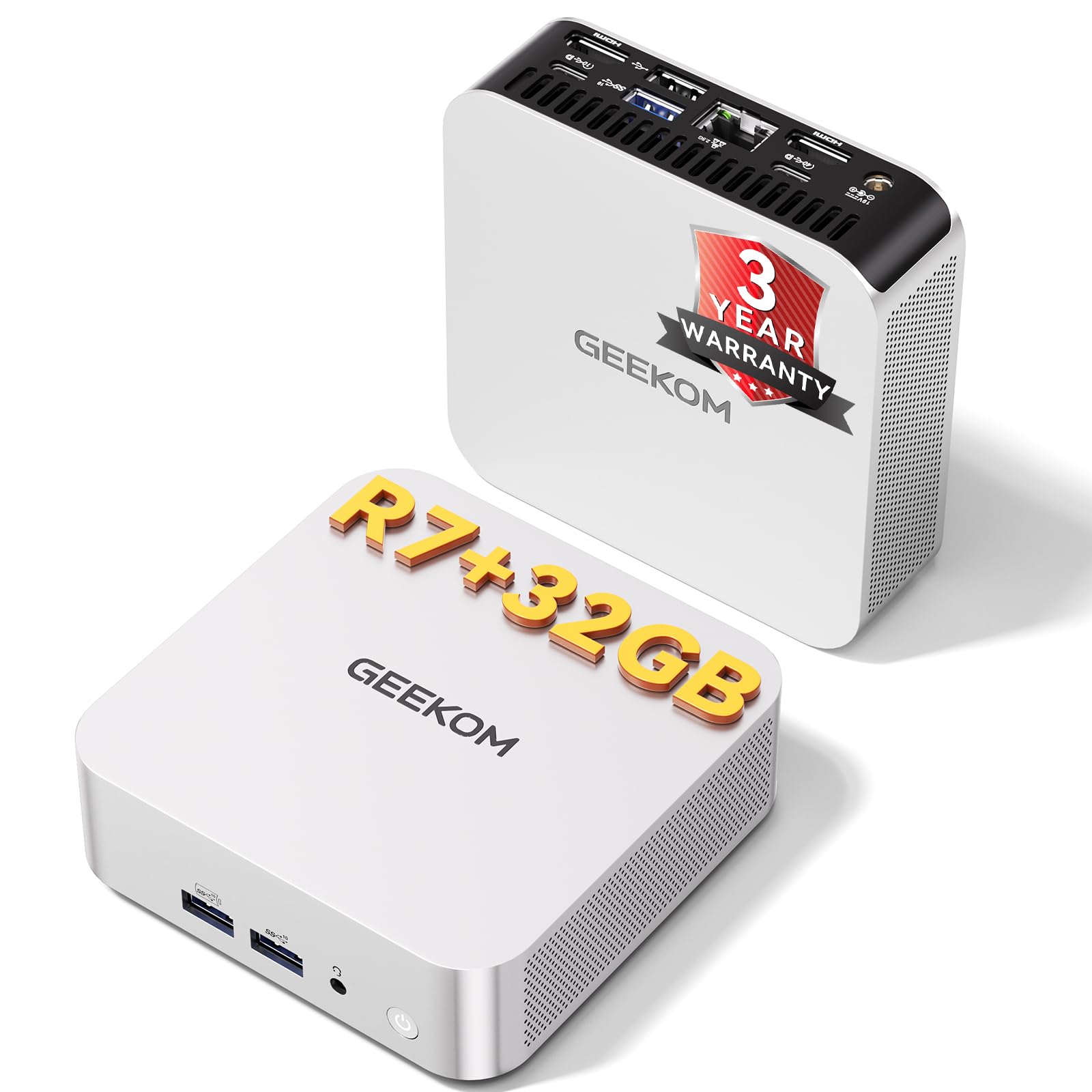
2. GEEKOM A7 Mini PC — Ryzen 7 7730U, 32GB RAM, 500GB SSD
The wall-mountable cube that hands you desktop multitasking without the tower.
You want a machine that fits behind a monitor and still runs a dozen browser tabs without wheezing. That is the GEEKOM A7’s whole job, and the Ryzen 7 7730U processor does it with 8 cores and 16 threads running up to 4.5GHz. The 32GB of RAM is the part buyers keep coming back to, because that much memory lets AI workflows, background tasks, and daily apps all breathe at once, so you stop closing tabs to free up space. The 500GB PCIe Gen4 x4 SSD handles the boot and the file transfers.
The part that surprises people is the cooling. IceBlast 3.0 uses dual copper heat pipes and an oversized silent fan that GEEKOM rates down to 36dB, which is roughly the sound of a quiet library. It is rated to run from -20°C to 55°C, and the self-cleaning fan design cuts down on dust buildup over time. Gamers report it drives a 65-inch and a 32-inch monitor plus a projector, eight windows and a smart light app open, and still runs cool with RAM to spare. You get dual HDMI 2.0, USB-C, five USB 3.2 ports, and a 2.5G LAN port for fast wired networking.
The honest note is that this is not a card-and-tower machine. It uses integrated Radeon graphics, which is fine for 4K playback and casual gaming, but it will not match the separate graphics cards further up this list. And when you open the case to add storage, loosen the antenna wires first because they detach easily from the cover. For a whisper-quiet desk setup that wall-mounts out of the way, this is a strong pick.
What it nails: the 32GB of RAM runs three virtual machines at once with memory to spare, and the 15W efficiency means it runs cool during long days.
The one thing to know: upgrade the RAM upfront if you can, because a buyer who wanted to run a very large AI model found the ceiling lower than they hoped.
Reach for this if: you want a quiet, wall-mountable workhorse for office tasks, light gaming, and multi-monitor setups.
Pass it by if: you need dedicated graphics grunt for demanding 3D titles.
3. Dell OptiPlex 5060 SFF
A whole desk setup in one box, RGB panel and monitor included.
This is the pick for the buyer who wants everything on the desk handled in a single order. The OptiPlex 5060 is a small form factor desktop with a customizable RGB LED panel on the front that you change with a remote, so the machine looks less like office surplus. Inside is an Intel Core i5-8500 processor, 32GB of RAM, a 512GB NVMe drive for fast booting, and a 1TB hard drive for bulk storage. The package adds a 22-inch 1080p HDMI monitor, a gaming keyboard with three LED backlight colours, a gaming mouse, and speakers.
The graphics side is the Radeon RX 550 with 4GB of GDDR5, which is an entry-level card. That means it runs Steam, Roblox, and Scrap Mechanic smoothly, which is exactly what the parent buyers here wanted. One buyer compared it to high-tier PCs and was impressed with the value, though they noted the RX 550 tops out on older and simple games, with Warzone II running around 30fps on low settings. If you want more, the same buyer swapped in a Sapphire RX 6400 and saw a noticeable jump.
Two things to plan around. The WiFi runs through a USB adapter rather than an internal card, which is fine for browsing but not ideal for competitive online play. And the monitor can arrive looking used, which comes with buying renewed hardware. On the plus side, the refurbishing process includes functionality testing and inspection, and it arrives ready to run Windows 11 Pro. For a first gaming PC for a kid, the nearly-everything-included package is hard to argue with.
Bundle math: monitor, keyboard, mouse, speakers, and PC in one box means no separate shopping trip for a kid’s first setup.
Real ceiling: the RX 550 4GB is an entry-level card, so treat it as a starter and plan an upgrade if you want demanding titles at higher settings.
Ideal for: a family buying a complete, ready-to-run PC for schoolwork and lighter games.
Think twice if: you expect to play the newest shooters at high settings without swapping the graphics card.
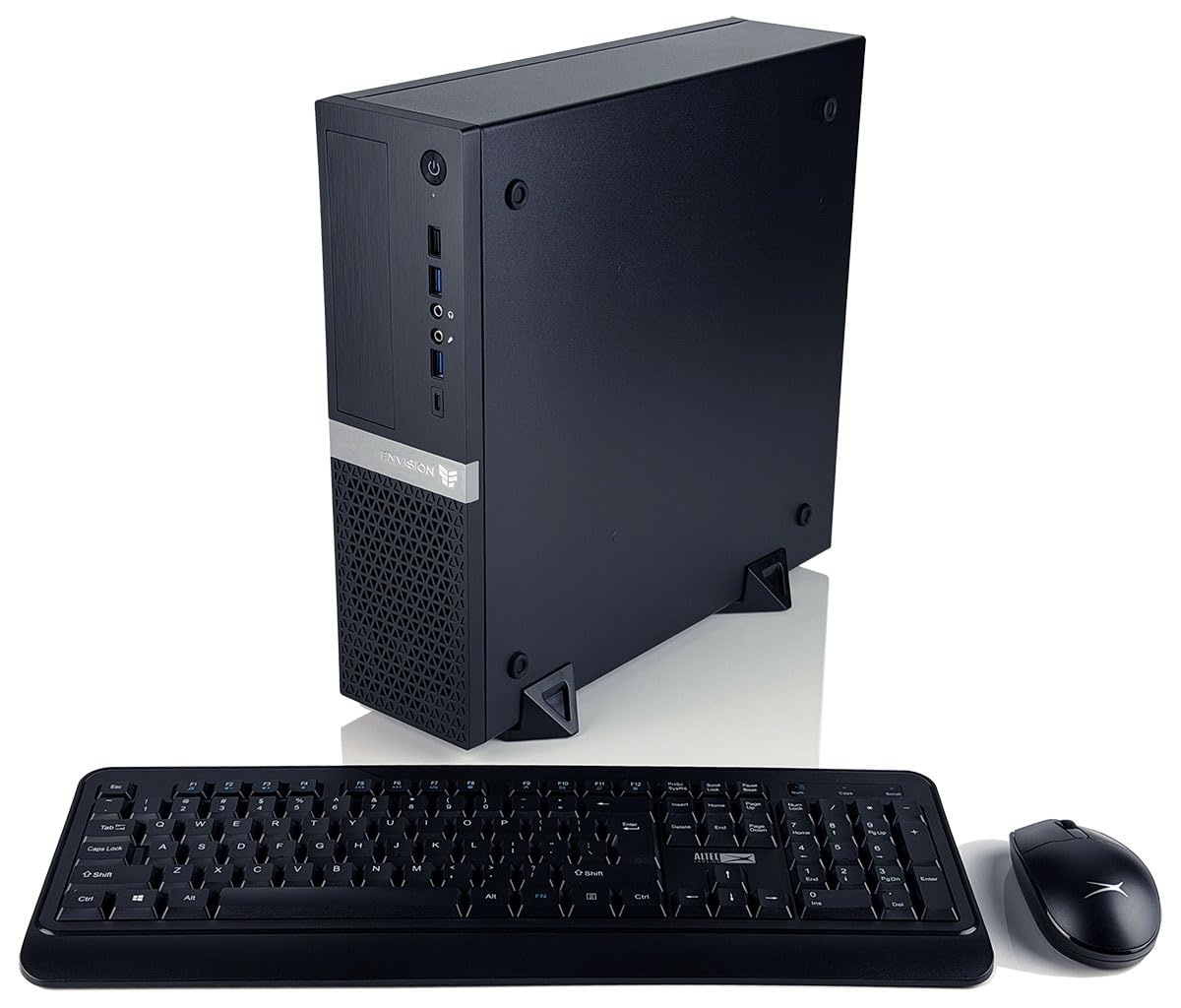
4. Envision S12 SFF — Ryzen 7 5700G, 32GB RAM, 1TB Gen4 SSD
A quiet office machine that folds in video editing without breaking a sweat.
The Envision S12 is built around the AMD Ryzen 7 5700G, an 8-core, 16-thread processor on Zen 3 architecture that tops out at 4.6GHz. That combination is what makes heavy multitasking feel easy, because the cores spread the load. Paired with 32GB of DDR4 RAM and a 1TB M.2 Gen4 NVMe SSD, you get near-instant boot times and fast file transfers. It comes pre-loaded with Windows 11 Pro, which open up the professional management tools like Remote Desktop and Azure Active Directory.
Where it earns a place on a small form gaming PC list is the space it saves. The chassis is compact and comes with a wired keyboard and mouse combo so your desk stays clear. For a buyer who edits audio and video one day and plays lighter games the next, the integrated Radeon graphics handle 4K playback and multi-display work without a separate card. The B550M motherboard keeps power delivery stable during long sessions, and TPM 2.0 support enables BitLocker drive encryption for your files.
The drawback you should weigh is documentation. One buyer found the manual thin, with no setup guide, a cheap-feeling keyboard, and dead batteries in the box, though they still called it a solid performer and free of bloatware. That is the trade-off of a small-brand workstation: the hardware does the job, but you may be figuring out the setup yourself. For office and creative work in a tight space, it is a sensible machine.
Where it shines: the 4.6GHz 8-core processor and 32GB of RAM chew through everyday tasks plus audio and video editing, with room left for expansion.
Set expectations: this is a workstation, not a gaming-first build, so the Radeon integrated graphics are meant for lighter play.
Worth your desk if: you run a home office, do video editing, and want a small machine that boots fast and stays stable.
Not your match if: you are shopping specifically for high-frame gaming and need a dedicated graphics card.
5. Skytech Gaming Chronos 3 — Ryzen 7 5700, RTX 5060, 1TB NVMe

A first gaming PC that arrives tested, listed part by part, and ready to run.
Skytech does one thing that reassures nervous first-time buyers: it ships a signed technician checklist confirming the parts inside are the parts you ordered. Given that one buyer here returned two other prebuilt PCs, one with a cheaper processor than the label claimed and one with faulty components, that little checklist is a genuine reason to pick this machine. Inside is an AMD Ryzen 7 5700 running up to 4.6GHz Turbo, an NVIDIA GeForce RTX 5060 with 8GB of GDDR7, 16GB of DDR4 RAM at 3200, and a 1TB NVMe M.2 SSD.
The gaming side is built for 1080p, and it tells you so plainly: the maker lists smooth 60+ FPS at high settings across titles like Call of Duty, Fortnite, Elden Ring, and Baldur’s Gate 3. It also covers 120fps on high settings in real play, and the 650W Gold power supply leaves headroom for the RTX 5060. The case is the Chronos Black with a front mesh panel, plus ARGB fans on a high-performance air cooler. A free gaming keyboard and mouse are in the box, so it works from the start.
The caveat is the wireless connection. Buyers found the WiFi needs a switch from the 2.4GHz band to 5GHz to stop lag, and a plugged-in Ethernet cable solved it outright. The fans are also moderately loud but adjustable in software, so you can dial them down. For a beginner at a desk with a cable run, both are easy fixes.
Standout spec: the RTX 5060 with 8GB of GDDR7 memory drives modern 1080p games comfortably, and the checked-before-shipping build gives you confidence the parts are correct.
One practical note: use the Ethernet port or 5GHz WiFi band rather than 2.4GHz to avoid lag spikes.
Best first step if: you want a verified, ready-to-play 1080p machine with a keyboard and mouse included.
Budget for a cable if: your desk is far from the router, because the wireless band choice matters here.
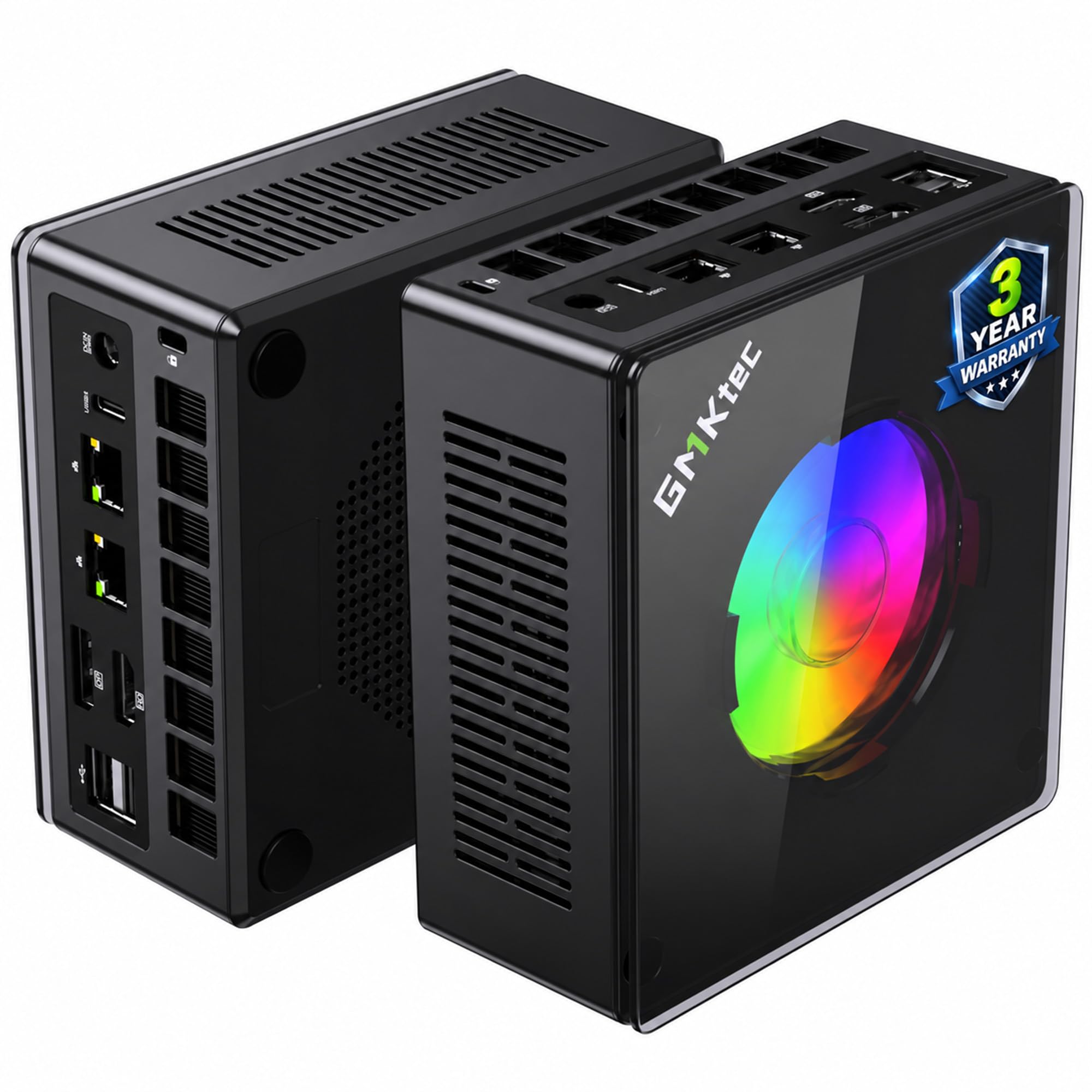
6. GMKtec K11 Mini PC — Ryzen 9 8945HS, 32GB DDR5, 1TB
A tiny box with an Oculink port that quietly invites a desktop graphics card.
The K11’s defining feature is the Oculink port on the back, which lets you plug into an external graphics dock if you later want dedicated GPU power. That makes more sense in a small chassis than most people realise: you get the compact footprint now and add a card when you need it. Inside it runs an AMD Ryzen 9 8945HS boosting to 5.2GHz with 8 cores and 16 threads, backed by 32GB of DDR5 at 5600 MT/s and a 1TB PCIe 4.0 SSD. The RAM can expand to 128GB and the dual SSD slots to 8TB if you want growth room.
The cooling is serious for the size. The Hyper Ice Chamber 2.0 design uses larger top and bottom fans for in-and-out airflow, a copper base, and a noise floor down to 35dB in Quiet mode. It also offers three performance modes: Quiet at 35W, Balance at 54W, and Performance at 65W. You pick how loud and how fast you want the machine to run. On the connectivity side you get dual 2.5G Intel i226V Ethernet ports and WiFi 6, which is useful if you run a home server, do network storage, or just want a fast wired line and a backup.
The honest caveat is reliability after the first year. Buyers describe a fan that starts howling after ten months and a machine that failed within weeks, and they report the warranty support being hard to reach. That is the trade-off of a very fast mini at a modest price: the hardware is genuinely quick, but the safety net is thinner than a big-brand desktop. If you want maximum compact power and accept that risk, the K11 delivers a lot in a small footprint.
Performance engine: the Ryzen 9 8945HS and 32GB of DDR5 keep up with AI workloads, four-screen 4K output, and heavy multitasking.
Measure the risk: a handful of customers note reliability trouble and slow warranty responses, so back up your work and keep the paperwork.
Pick this for: a compact home-lab or workstation build where the Oculink upgrade path and dual LAN matter.
Go big-brand instead if: you want the absolute lowest risk of a support headache.
7. Thermaltake LCGS Quartz i1460 — i5-14400F, RTX 5060, 1TB

A white tower that cleans up its own cable mess and boots in seconds.
The Quartz i1460 is aimed squarely at the buyer who wants plug-and-play without a DIY weekend. Inside sits an Intel Core i5-14400F processor on an Intel B760 chipset board, 16GB of DDR4 at 3600MHz with RGB lights, a 1TB NVMe M.2 drive, and an NVIDIA GeForce RTX 5060. The 3mm tempered glass side panel and the full-length power supply cover hide the cables, which is why it looks propped up on a desk rather than tucked under it. The ARGB tower air cooler and RGB memory handle the glow.
What wins people over is the simplicity of getting started. It boots fast, runs Battlefield smoothly, and is quiet in normal use, and the upgrade path is left open for a second NVMe drive. If you are coming off a console, it is a clean step up to PC gaming without a build. The 1TB storage divides opinion: one buyer found it more than enough for AAA titles, while another wished a 2TB option existed and dropped in their own.
The recurring gripe is the port alignment on the case. One buyer had to reposition the motherboard themselves to use half the ports, so check yours early. Also note the built-in WiFi: buyers found the ASRock adapter weak enough to need an external one, so budget for a USB adapter if you cannot run a cable. For a starter PC that looks and runs better than its position implies, it lands well.
Best of the basics: fast boot, quiet fans, and smart cable management make this a no-fuss first desktop.
Heads up: confirm the rear port alignment on arrival and plan on a wired or USB WiFi connection if your router is far.
This is your pick if: you want a clean, quiet starter tower and value looks as much as frames.
Skip if: you need lots of storage from the start or cannot add a second drive later.
8. YAWYORE Gaming PC — Ryzen 7 5700X, RTX 5060, 32GB DDR4
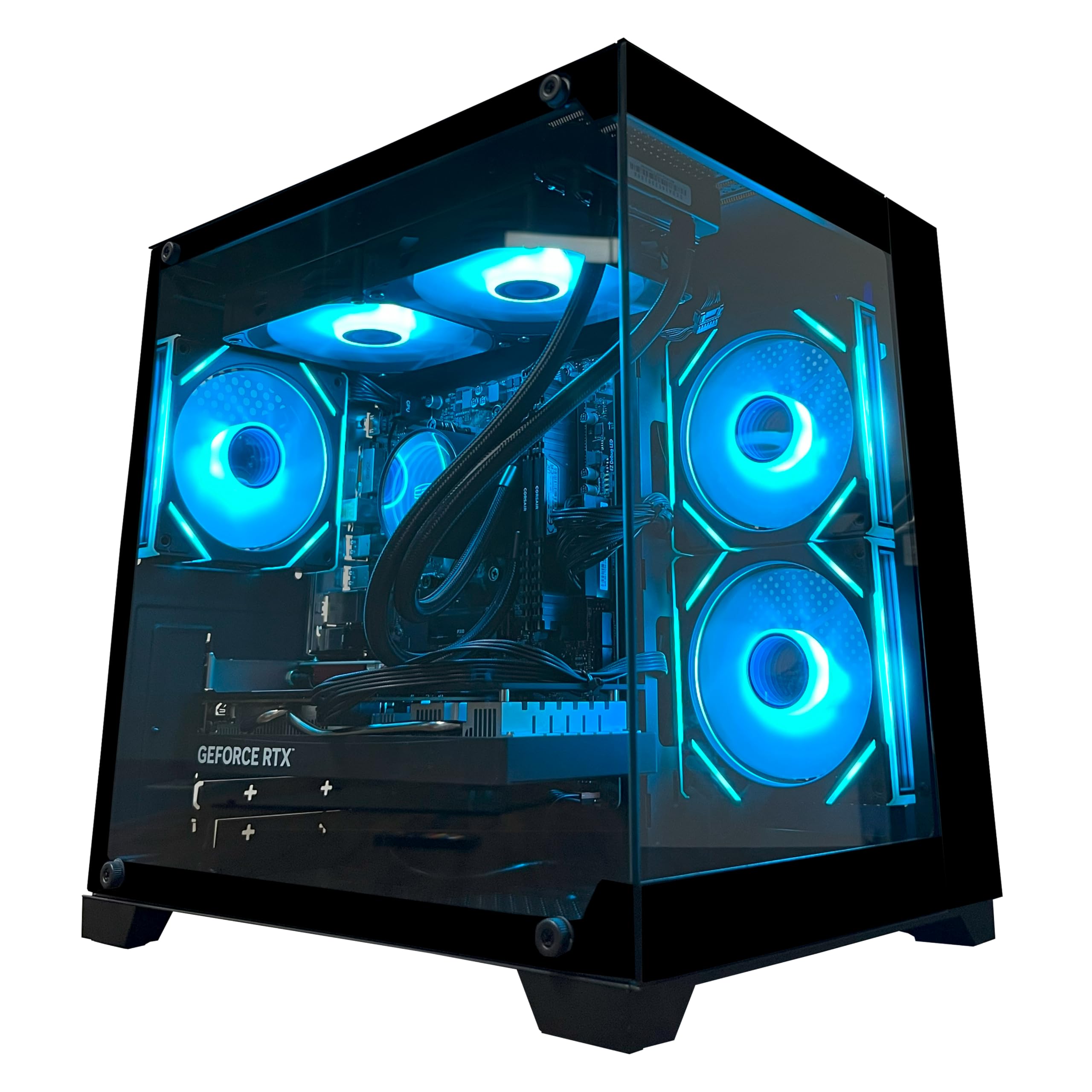
A compact cube with four-screen ambition and a liquid cooler on top.
The YAWYORE saves desk space first, and the performance underneath keeps pace. An AMD Ryzen 7 5700X with 8 cores and 16 threads runs up to 4.6GHz, so heavy multitasking stays smooth. An NVIDIA GeForce RTX 5060 with 8GB of GDDR7 handles graphics, including DLSS 4 multi-frame generation (NVIDIA’s tech that adds extra frames for smoother motion), ray tracing (realistic lighting and reflections), and Reflex 2 latency optimisation (cuts input lag so aiming feels snappier). The 32GB of DDR4 at 3200MHz and the 1TB M.2 NVMe drive round out a spec sheet built for work as much as play. A liquid cooler with ARGB fans and a remote control is the finishing touch.
What makes it a strong pick is the room it leaves for screens. One buyer runs four monitors on it and reports no struggle with multiple programs at once, and another hits 240-plus fps and calls it reliable for a first PC. Triple-A titles play at high or medium settings without issue, and the compact case still leaves room for part swapping if you want to expand. The RTX 5060’s DLSS 4 support is what lets a card this size hold up on newer titles.
The catch is the power supply. It is a 650W bronze-rated unit, which is fine for the card as shipped, but it caps how far you can push a future graphics card upgrade. You also need to remove the shock-absorbing foam from inside the chassis before the first boot, which is easy to forget. For a cube that saves desk space without giving up screens or frames, this is a smart buy.
Screen real estate: 32GB of RAM and the RTX 5060’s 8GB of GDDR7 support multi-monitor work and high-frame play without a fuss.
Upgrade ceiling: the 650W bronze power supply is comfortable now but limits how big a card you can add later.
Go here if: you want a compact cube for multi-screen gaming and creative work.
Remember: pull the shipping foam out of the case before you power it on the first time.
9. TOPGRO T1-Pro Mini Gaming PC

A mini box that carries a 14-core laptop chip and 64GB of fast memory.
Most mini PCs ask you to accept a mobile processor as the price of small size, and the TOPGRO T1-Pro turns that into a feature. The Intel Core i9-13900H runs 14 cores and 20 threads up to 5.4GHz, so while it is the laptop version of the chip, there is a lot of it. The dedicated NVIDIA GeForce RTX 4060 with 8GB of GDDR6 handles the graphics, with ray tracing and DLSS 3.0 support. Then comes the part that stands out: 64GB of DDR5-5200 memory and a 2TB PCIe 4.0 SSD, with a spare M.2 slot for storage that can grow to 8TB.
Around that engine you get a lot of connectivity. There are two HDMI 2.0 ports and one USB-C port, all at 4K 60Hz, so you can run three screens at once. WiFi 6E and Bluetooth 5.3 handle wireless, and a 2.5Gbps Ethernet port handles wired. A dedicated button cycles the RGB lighting and another adjusts fan speed between a calm setting and full cooling. For a streamer or creator who needs serious memory in a small box, that is a lot of machine.
Noise is the honest trade-off. The fans cycle off and back on every 60 to 90 seconds even at near-idle, which is noticeable in a quiet room, and performance under load can choppy at times. One reviewer noted needing a few Windows 11 updates before the machine settled. If you can tolerate some fan activity and want maximum memory in a small footprint, it delivers.
The big draw: 64GB of DDR5 memory and a 2TB PCIe 4.0 SSD in a box you can put on a bookshelf, with triple-screen 4K output.
The honest catch: fan cycling and occasional choppy performance mean this is best in a room where some noise is acceptable.
Made for: streamers and creators who need big memory and big storage in a genuinely small box.
Choose quieter instead if: you work in a silent room and fan cycling would bother you.
10. Alienware Gaming Desktop — RTX 5060 Ti, Intel Ultra 7 265F

The matte-black tower for buyers who want a name brand and onsite repair.
Alienware sells confidence here, and the hardware backs it up. An NVIDIA GeForce RTX 5060 Ti handles graphics alongside an Intel Core Ultra 7 265F processor boosting up to 5.5GHz, so modern titles run without fuss. The chassis wears a matte basalt black finish with customisable AlienFX lighting zones, including the stadium lighting theme. Behind the looks sits an tune, air-cooled layout that owners repeatedly call whisper quiet, which is rare in a gaming desktop.
The support angle is the real differentiator. A full year of onsite service is included, meaning Dell will come to your home or office if an issue covered by the limited warranty cannot be handled remotely. For a buyer nervous about a PC failing six months in, that matters. The Alienware Command Center software lets you set lighting, pick performance modes across power states, and build custom profiles for your whole game library, so tuning the machine is a few clicks rather than a settings maze.
Where it stumbles is the accessories. The bundled Dell mouse and keyboard get called cheap by one buyer, and the 1TB of storage is skimpy for a large game library. Only one HDMI port is present, which is tight if you run multiple monitors. None of that is fixed by the warranty, so plan on adding storage and your own peripherals down the road.
Why it earns its spot: the RTX 5060 Ti and 5.5GHz Ultra 7 265F run modern games beautifully and stay whisper quiet doing it.
Plan around: the bundled keyboard and mouse are basic, and the single HDMI port plus 1TB drive mean you may want extra storage and input upgrades.
Good match for: buyers who value onsite support and quiet operation over upgrading everything themselves.
Bring your own gear if: you already have a nice keyboard and mouse you love.
11. Lenovo Legion Tower 5i

A transparent-side tower built to be opened without a screwdriver.
If you plan to change parts yourself, the Legion Tower 5i makes the process simple. The transparent side panel opens without tools, so swapping a drive or checking a fan is a two-minute job. Inside you get an Intel Core Ultra 7 265F boosting to 5.5GHz, an NVIDIA GeForce RTX 5060 Ti with 8GB of memory, 16GB of memory running at 5600MHz that is expandable to 128GB, and a 1TB drive. The chassis is Eclipse Black with customisable RGB lighting.
What wins people over is how smoothly it runs from the start. It handles AAA games, streams, and creative work without lag or freezing, and owners note it stays quiet under load thanks to the 180W tune air-cooling solution. The 2.5G Ethernet and WiFi 6E make sure the network side is quick, and three months of PC Game Pass with EA Play are included, so there is something to play on day one. Emulator users report 4K-plus performance too.
The caveat is memory, since 16GB is a modest start and the upgrade to more is costly. The 8GB of graphics memory on the RTX 5060 Ti also means modern games with heavy textures need medium-to-high settings to stay smooth, which is exactly what a 5060 Ti owner here found. Plan the RAM upgrade into your budget and this is a serious, quiet machine with a clean upgrade path.
Quiet operator: plays Cyberpunk 2077 on high-to-highest settings silently, and the tool-less side panel keeps upgrades painless.
Know the ceiling: the 8GB of graphics memory means demanding modern titles ask for medium-to-high settings, and you will want more than 16GB of RAM eventually.
Buy it if: you want a big-brand tower with a genuine upgrade path and quiet running.
Budget for RAM if: you multitask heavily, because the included 16GB fills quickly.
12. MSI CodexZ2 — Ryzen 7 8700F, RTX 5070, 32GB DDR5, 2TB

A 12GB graphics card and 2TB of storage for people who refuse to close games.
Here is where the list turns serious on frames. The MSI Codex Z2 runs an NVIDIA GeForce RTX 5070 with 12GB of graphics memory, the same Blackwell architecture card that anchors a small-build parts list, except this one is already installed and tuned. Behind it sits an AMD Ryzen 7 8700F with 8 cores and 16 threads boosting to 5.0GHz. The 32GB of DDR5 RAM and 2TB of SSD storage mean you can keep a whole library installed and still multitask. That 2TB alone makes it the storage leader on this list.
The gaming numbers back it up. Reviewers point out running Fortnite, the Battlefield 6 Beta, Path of Exile 2, Marvel Rivals, and PUBG on Ultra at 200-300+ FPS while streaming, and alt-tabbing mid-session without a stutter. That is the kind of headroom a 12GB card plus a fast 8-core CPU buys you, and it is clearly a step past the 8GB RTX 5060 machines above. Cooling comes from four system fans, three in the front and one in the rear, working with an ARGB air cooler, and the case leaves room for easy RAM upgrades. The 650W power supply is the one limit on future GPU upgrades.
The risk to weigh is setup quality. Buyers describe blue screens and random restarts from the start, and one reported a convoluted warranty return. Others had no issues at all and call it a beast, so the experience is not uniform. Buy from a seller with a clean return path and this is one of the fastest compact desktops here for the outlay.
The frame engine: the RTX 5070 with 12GB of video memory and the 8-core Ryzen 7 8700F push Ultra settings at 200-300+ FPS while streaming.
Check on arrival: run a stress test during the return window, since a minority of units arrive with stability problems.
Grab this for: high-frame 1440p play and streaming with a big library installed on the 2TB drive.
Verify before the window closes: boot it, stress it, and confirm the fans and windows all behave.
13. Cooler Master NR2 Pro

A shoebox-sized flagship with a big radiator and a 9800X3D inside.
This is the only true Mini-ITX machine on the list, and it makes the case for the format. The whole system fits in an 18.25L chassis, roughly the size of a large shoebox, so it tucks under a monitor or beside a TV. Inside sits an AMD Ryzen 7 9800X3D running 4.7GHz with 5.2GHz Turbo, an NVIDIA GeForce RTX 5070 Ti with 16GB of video memory, and 32GB of DDR5 at 6000MHz with RGB lighting. A 2TB Gen4 M.2 SSD handles storage, and the NR200P Max case houses a 280mm all-in-one liquid cooler and an 850W Gold power supply. That is a full desktop spec sheet folded into a box you can carry with one arm.
The frame numbers prove the point. Shoppers say Cyberpunk 4K on ray-tracing Ultra with DLSS on automatic, no frame generation, at roughly 76 average FPS and 68 minimum, running smoothly. The maker rates it at 120+ FPS on High+ settings at 1440p. You can pick between a glass side panel for the show or a mesh panel for airflow, and it ships with five USB 3.2 ports and a Type-C port. It also arrives with no bloatware beyond Windows 11, and one buyer even received the 5080 version at no extra cost.
Two honest notes. The noise level is mixed depending on the panel: it is near-inaudible after you set a fan curve and undervolt, but the glass panel needs more tweaks than the mesh for cooling. And upgrading inside a Mini-ITX case is fiddly, with the M.2 slot especially tight to reach. If you want full desktop power in the smallest possible footprint, this is the one to beat.
Form meets force: an 18.25L chassis with a 280mm AIO, a 9800X3D, and a 16GB RTX 5070 Ti delivers 4K gaming in a box the size of a shoebox.
Room to breathe: the mesh panel cools better than the glass, and set fan curves make it near-silent, but the tight interior makes future upgrades a chore.
The pick if: you want genuine flagship performance in the smallest build here.
Expect a tight workspace if: you plan to open it up for upgrades down the road.
Know the Specs
Video memory (VRAM)
VRAM is the graphics card’s private memory, separate from your system RAM, and it holds the textures a game needs rendered. More of it means you can run higher texture settings without stutter. 8GB is fine for 1080p and most 1440p play, while 12GB and 16GB cards stay comfortable as newer games grow hungrier. If you plan to keep the machine for years, more VRAM is the safer bet.
Small form factor and slot count
Small form factor, or SFF, describes cases and parts built to save space. The slot count tells you how tall the graphics card is when installed; a 2.5-slot card leaves more room for airflow and other parts than a three-slot card would. Always match the card’s length and height against your case’s listed clearance, because a few millimetres too long can cost you the whole build.
Power supply wattage and efficiency
The power supply feeds every part, and its wattage caps what graphics cards you can run. A Gold rating is an efficiency grade, meaning less energy is wasted as heat. In a small case, efficiency matters because extra heat has to go somewhere. If you plan to upgrade the card later, a higher-wattage unit leaves room, while a unit near its limit can cause shutdowns.
Cooling and fan noise
A tight chassis has less room for airflow, so the fans work harder. Quiet operation usually comes from larger fans, better heatsinks, and adjustable profiles. Look for cases with a mesh panel option and cards or computers with a quiet mode, because these give you a way to trade a little performance for silence when the room is calm.
Common Questions
Is a mini PC or a compact desktop better for gaming?
Will a 12GB graphics card fit in a small case?
How much VRAM do I need for 1440p gaming?
Do I need a special power supply for a compact gaming PC?
How long does the warranty usually last on these PCs?
Can I upgrade the graphics card later in a mini PC?
Is a liquid cooler needed in a Mini-ITX build?
Will these PCs run quietly in a bedroom?
Which is better for content creation, a Ryzen or an Intel build?
Do I need to buy a monitor and keyboard separately?
The Bottom Line
For most buyers, the strongest start to a small form gaming pc is the ASUS Prime RTX 5070, because it is the SFF-Ready card that makes a compact build possible with 12GB of video memory and a 2.5-slot design. If you want the whole machine assembled and quiet, grab the Cooler Master NR2 Pro for its 18.25L chassis and true Mini-ITX footprint. And for a first gaming PC with a signed build checklist, the Skytech Chronos 3 is the one to reach for. Whichever you choose, confirm the graphics card clearance and the power supply wattage against your plans first, because those two numbers decide how far the machine can grow with you.
How we choose
We do not accept paid placement. Every pick is matched to a real buyer and a real use-case; we do not hands-on test units.
Sources
Specifications: manufacturer listings and product documentation. Review insights: verified customer reviews, as of October 2026. Pricing: not shown on this page (it changes often); check the current price via the retailer link.
As an Amazon Associate, Aappliancez earns from qualifying purchases. This does not affect which products we feature.