Disclosure: Some links in this post are affiliate links. As an Amazon Associate I earn from qualifying purchases, at no extra cost to you. Learn more
Specs are compiled from manufacturer listings and verified buyer reviews and can change over time — please confirm the key details on the product page before buying.
A small-form-factor PC packs full desktop components into a case that sits beside your monitor, so you get the same work speed without a tower under the desk. The trick is telling apart the tiny boxes that hold their clocks under sustained load from the ones that only look fast on the spec sheet. This guide walks through eleven real machines, what each one is genuinely good at, and where each one asks you to compromise.
This guide is built by comparing the manufacturers’ published specifications and the patterns across verified customer reviews, so you get each pick’s real strengths and trade-offs instead of marketing spin.
You will see how memory size, port layout, and cooling shape the day-to-day feel of a compact desktop. Below is everything that matters when you shop for the best sff pc.
Top Picks



How To Choose The Best SFF PC
A small-form-factor PC trades floor space for careful engineering. Every component has to fit a box the size of a hardback book, so the specs that matter most are the ones that keep that box fast and quiet at the same time. Here is what to weigh before you buy.
Memory: the number you will feel every day
Memory (RAM) is your computer’s short-term workspace — the more open tabs, spreadsheets, and browser windows you keep alive, the more it needs. 16GB is the sensible floor for office work and light photo editing. 32GB and up is what you want if you run virtual machines, edit 4K video, or keep dozens of tabs open all day. One caution from the listings: some compact machines use laptop-style soldered memory that you cannot upgrade later, so buy the capacity you will need at the start.
Cooling and noise: the hidden spec
A tiny case has less air inside, so the fan has to work harder. Look for copper heat pipes, dual fans, and a maker that lists a decibel figure. A machine sold with several performance modes lets you choose a quieter profile for everyday work and a faster one for heavy jobs.
Ports and display outputs: plan your desk before you buy
Count the monitors you actually use, then match the outputs. HDMI 2.1 and DisplayPort 1.4 both drive a 4K screen at a smooth 60Hz, while USB4 or Thunderbolt-style ports can carry video, data, and power over one cable. If you need wired networking for a NAS or a home server, dual Ethernet ports are worth hunting for.
Where the budget tier gives something up
Budget compact desktops often save money by using a weaker graphics chip or slower storage instead of a slower processor. That works for spreadsheets and streaming, but it falls short for gaming. Before you buy, decide if you need a dedicated graphics card (a separate GPU chip for games and 3D work) or whether built-in graphics will do.
Side-by-Side Comparison
| Model | Best For | Processor | Memory | Storage | Amazon |
|---|---|---|---|---|---|
| Apple 2024 Mac mini (M4)★ Best Overall | Quiet all-day desk work | M4, 10-core CPU | 16GB unified | 512GB SSD | Amazon |
| BOSGAME P6Best Value | Multitasking on a budget | Ryzen 9 6900HX | 24GB LPDDR5X | 1TB PCIe 4.0 SSD | Amazon |
| HP Pro 400 G9 MiniBest for Business | Office and business use | Intel Core i3-13100T | 16GB DDR5 | 256GB PCIe SSD | Amazon |
| KAMRUI Hyper H2 | Heavy multitasking and editing | Core i7 14650HX | 16GB dual-channel | 1TB PCIe 4.0 SSD | Amazon |
| MINISFORUM UM870 Slim | Fast everyday computing and light gaming | Ryzen 7 8745H | 32GB DDR5 | 1TB PCIe 4.0 SSD | Amazon |
| GEEKOM IT13 MAX | Creative and AI-assisted work | Core Ultra 9 185H | 24GB LPDDR5 | 500GB PCIe 4.0 SSD | Amazon |
| Dell Slim Desktop | Home and small-business basics | Core Ultra 5-225 | — | 512GB SSD | Amazon |
| GMKtec K11 | eGPU-ready gaming and media | Ryzen 9 8945HS | 32GB DDR5 5600MT/s | 1TB PCIe 4.0 SSD | Amazon |
| Thermaltake LCGS Quartz i1460 | First-time gamers | Core i5-14400F | 16GB DDR4 3600MHz | 1TB NVMe M.2 | Amazon |
| Reatan X8 OcuLink | Local AI and workstation work | Ryzen AI 9 HX 470 | 48GB DDR5 | 1TB PCIe 4.0 SSD | Amazon |
| MSI Codex Z2 | High-refresh PC gaming | Ryzen 7 8700F | 32GB DDR5 | 2TB SSD | Amazon |
Detailed Reviews
1. Apple 2024 Mac mini Desktop Computer with M4 chip
Our pick — 4.5+★ from 400+ verified ratings; the strongest balance of quality and price.
Turns eleven inches of desk into a real workspace and stays whisper quiet while doing it.
A 5 x 5 x 2 inch box is the whole pitch here — it tucks beside a monitor and basically vanishes from your desk. Inside sits Apple’s M4 chip with a 10-core CPU and 10-core GPU, plus 16GB of unified memory (one pool shared by the processor and graphics, rather than two separate sticks). A 512GB SSD holds your system and files, and the metal body weighs just 1.5 pounds, so you can move it between rooms one-handed.
What wins people over is raw speed in everyday apps — the M4 handles browser tabs, spreadsheets, and photo edits without spinning up a fan you can hear. One buyer describes switching from an old Mac as a breeze and calls it “lightning fast.” Ports sit on both the front and the back, including front-facing USB-C and a headphone jack. That front access is a small thing you will appreciate every day.
The honest catch is compatibility, where buyer opinion splits. Windows-only software and PC games do not run natively, and you will need a monitor because none ships in the box. If your work lives inside macOS and your iPhone, this is the cleanest small desktop on the list — the crowd favorite at 4.5+ stars across 400+ ratings.
Where it earns the crown
- 5 x 5 x 2 inch chassis hides behind or beside any monitor
- M4 chip with 10-core CPU and 10-core GPU handles daily apps without audible fan noise
- Front-facing USB-C ports and headphone jack save reaching round the back
- 1.5 pounds makes it easy to move between desk and TV
What to plan around
- No monitor or keyboard in the box — budget for both
- Windows-only software and PC games need workarounds
- 16GB memory is fixed and cannot be expanded later
Made for: Mac and iPhone households that want a silent, tiny desk machine for work and creative apps.
Think twice if: your daily software only runs on Windows.
2. BOSGAME P6 Ryzen 9 6900HX Mini PC
A Ryzen 9 desktop you can slip into a backpack — and it drives three 4K screens.
The spec that does the heavy lifting is the AMD Ryzen 9 6900HX — eight cores and sixteen threads, boosting to 4.9GHz. In plain terms, that is a lot of parallel muscle for a box small enough to travel with, and it keeps several apps and browser windows moving without stutter. Paired with the integrated Radeon 680M graphics, it can run three 4K displays at once through HDMI, DisplayPort, and USB-C.
Memory here runs at 24GB of LPDDR5X at 4800MT/s, which is a laptop-style low-power memory rather than socketed sticks. Against the Apple Mac mini’s 16GB, that is 24GB versus 16GB — more headroom for multitasking, though the two systems handle memory differently. Storage is a 1TB M.2 NVMe PCIe 4.0 drive, and there are dual 1Gbps Ethernet ports plus Wi-Fi 6E and Bluetooth 5.3 for hooking into a home network.
Set your expectations on the shipped drive. As buyers report, the stock SSD can crawl badly from the start — one owner measured it pegged at 100% usage and around 5MB/s in Windows before updates settled it down. The fix is a fresh install or an SSD swap, and once sorted the machine is quick. Noise is a split verdict too: mostly quiet in light work, louder under sustained load. For the money, the processor and screen count are the draw.
The processor story: a Ryzen 9 6900HX with 8 cores and 16 threads is the reason this box feels fast — it is genuine desktop-class silicon in a shoe-box shell.
The fine print: plan on a fresh Windows setup or an SSD upgrade, and keep the fan ventilated on long jobs.
Snag it for: three-monitor setups and travel-friendly work at a mid-range price.
Pass if: you want a machine that is flawless the second you power it on.
3. HP Pro 400 G9 Mini PC Desktop Computer
A business-grade box with a keyboard and mouse already in the cart.
HP built this one for the office first. The Intel Core i3-13100T is a four-core chip that runs cool in a small case, and 16GB of DDR5 memory handles the usual spreadsheet-and-browser grind without complaint. A 256GB PCIe SSD boots Windows 11 Pro quickly, and Pro is the version with business extras like remote desktop and BitLocker drive encryption built in.
It weighs less than 3 pounds and measures 17.7 x 17.5 x 3.4 cm, so it sits neatly under a monitor or beside one. Ports run from a 20Gbps USB-C up front to two DisplayPort 1.4 and an HDMI 2.5 round the back, enough to drive three 4K screens. Wireless is handled by Wi-Fi 6 and Bluetooth 5.2. Keyboard and mouse come bundled, which shaves a bit off your total build.
A couple of practical notes before you commit. One owner points out there is no rear monitor mount in the box, so if you planned to hang it behind your screen you will need to buy one. The 256GB SSD is also modest — fine for documents, tight if you hoard files. The overall consensus is a reliable, space-saving workhorse that feels more expensive than it is.
Reasons offices pick it
- Windows 11 Pro with the business features already open up
- Triple 4K support from DisplayPort 1.4 and HDMI 2.5
- Keyboard and mouse included, so it is a complete kit
- Weighs under 3 pounds and fits almost anywhere
Where it asks for patience
- 256GB SSD leaves little room for large files
- No rear monitor mount included in the bundle
- Core i3 chip is built for everyday tasks, not editing
Right fit: an office or home desk that needs a dependable, quiet Windows machine with all the ports present.
Wrong fit: video editors and anyone who needs lots of on-board storage.
4. KAMRUI Hyper H2 Mini PC Intel Core i7 14650HX

The HX-class chip inside is the fastest thing in this size class on the list.
Meet the Core i7 14650HX — sixteen cores, twenty-four threads, boosting to 5.2GHz with a 55W power draw. That is laptop-desktop hybrid silicon, the kind normally found in thick gaming laptops, and here it powers rendering, video edits, and lots of open applications at once. 16GB of dual-channel memory and a 1TB PCIe 4.0 SSD keep data moving, with a second M.2 slot for expansion.
Cooling is the unsung hero. KAMRUI fits dual copper heat pipes and dual fin-stack modules into a 5.04 x 5.04 x 1.63 inch shell, and the design is meant to hold at least 95% of its multicore performance through long jobs. With the included VESA mount you can hang it behind a monitor. Networking is Wi-Fi 6 and Bluetooth 5.2, and there are enough USB ports to skip a hub.
The trade-off is heat and noise at the top end. This chip can run warm and throttle under sustained load, and there is no fan-curve control in the BIOS to tune it. It is a desktop replacement for CPU-heavy work, not a silent office companion. If your day is rendering and multitasking, the raw cores justify it; if it is spreadsheets, look lower down the list.
The headline: 16 cores and 24 threads is a genuine workstation-class count, and it shows in renders and big multitasking.
Run it sensibly: keep the vents clear and expect some fan noise on long jobs — that is the cost of the power.
Built for: editors, developers, and anyone whose work leans on many cores at once.
Look elsewhere if: you need near-silence at full tilt.
5. MINISFORUM UM870 Slim Mini PC

Thirty-two gigabytes of upgradeable memory and an 8K output for the price of a mid-tier tower.
The AMD Ryzen 7 8745H here runs eight cores and sixteen threads up to 4.9GHz, and its Radeon 780M graphics handles light gaming and photo work. But the number that matters is 32GB of DDR5 memory, expandable to 96GB, plus a 1TB PCIe 4.0 SSD with a second M.2 slot for up to 4TB total. That is far more room than most compact boxes give you, and the memory comes on removable sticks rather than being soldered down.
Display output is the other headline: HDMI 2.1 at 8K, USB4 at 8K, and DisplayPort 1.4 at 4K@120Hz, so you can run three independent screens. The USB4 port alone is note — it moves data at up to 40Gbps, carries video, and accepts 65-100W power input. Networking is a 2.5Gbps LAN port plus Wi-Fi 6E and Bluetooth 5.3. It is a flexible little hub for a busy desk.
What you will live with is a compact case that heats up under long heavy use, and a build that rewards anyone willing to open it up and tinker. The performance-to-footprint ratio is what owners talk about most. For a machine this small to carry 32GB and 8K outputs is unusual, and the upgrade path future-proofs it nicely.
Why it stands out
- 32GB DDR5, expandable to 96GB, on removable sticks
- 8K display outputs across HDMI 2.1 and USB4
- USB4 port with 40Gbps data and power delivery
- 2.5Gbps LAN plus Wi-Fi 6E and Bluetooth 5.3
What to expect
- Runs warm under prolonged heavy loads
- Integrated graphics, so AAA games are out
- Best results come from opening it up and tuning it
Good match for: multi-monitor workers who want expandability and light gaming.
Not the one if: you need dedicated graphics for serious games.
6. GEEKOM Mini PC IT13 MAX, Ultra 9 185H
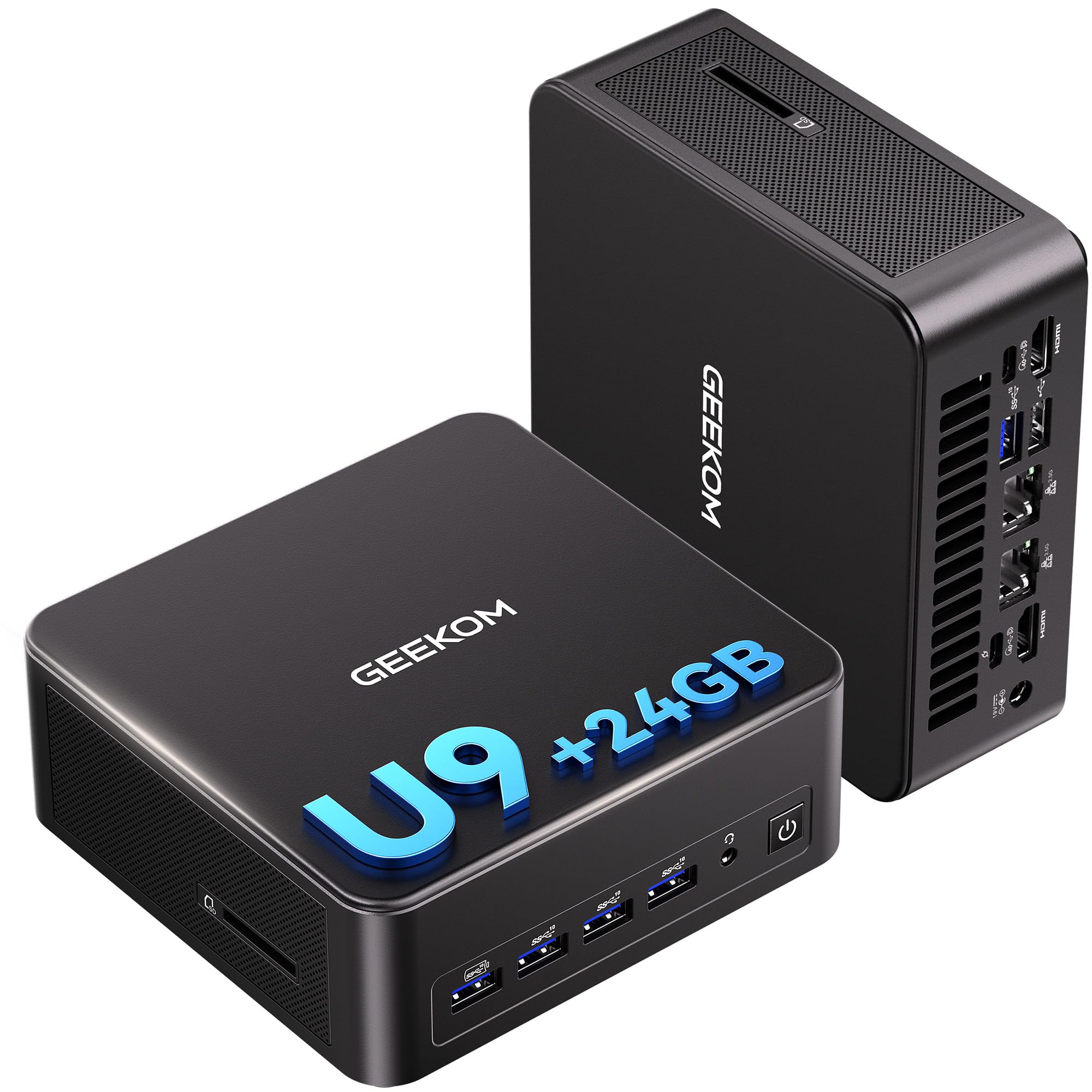
An NPU-backed creative box that runs AI features on-device instead of in the cloud.
The Core Ultra 9 185H is the engine — boosting to 5.1GHz with Intel Arc graphics and a built-in NPU (a Neural Processing Unit, a small dedicated chip that speeds up AI features). That means supported AI tools like background blur and local assistants run on the machine itself, with lower latency and less cloud dependency. 24GB of LPDDR5 memory at 5600MT/s keeps large apps moving, and the 500GB PCIe 4.0 SSD leaves room to expand.
Connectivity is genuinely business-grade. Dual 2.5GbE LAN ports handle fast wired networking or a NAS without adapters, and Wi-Fi 7 plus Bluetooth cover the wireless side. Quad-display support means you can spread work across four screens, and there is RS-232/RS-485 for industrial gear. GEEKOM’s IceBlast 3.0 cooling and copper heat pipes keep the chip in check, and the case opens with four Phillips screws if you want to swap parts.
Two things to know. Fan noise and display connectivity both read as mixed in buyer feedback — some machines run quiet, a few need the right cable to light up a monitor, and drivers sometimes need updating from the start. The 500GB SSD also fills faster than you might expect with large projects. Treat it as a creative workstation you set up yourself rather than a plug-and-play appliance, and the Ultra 9 185H delivers a lot of compute for its size.
What sells it: the NPU and Arc graphics pairing is the reason AI-assisted photo and video tools feel responsive here — the work happens locally.
Set aside an evening: expect to update drivers and pick your display cables carefully in the first few days.
Pick it for: AI-assisted editing, dual ethernet networking, and four-screen productivity.
Consider alternatives if: you want zero setup friction and more bundled storage.
7. Dell Slim Desktop, Intel Core Ultra 5-225

The one to replace a twelve-year-old tower without a learning curve.
This is a slim tower rather than a mini PC, so it stands or lies under a monitor instead of hanging off one. The Core Ultra 5-225 processor boosts to 4.9GHz with built-in AI acceleration, and a 512GB SSD keeps Windows 11 Home snappy. Dell also builds in a memory card reader and ships a wired keyboard and mouse, so it is a complete desktop for the home office on day one.
Where Dell wins is serviceability. The side panel opens without tools, so swapping memory or a drive is a five-minute job rather than a screwdriver project. There is a hardware TPM chip for security, a lock slot for the office, and support for up to four FHD monitors via DisplayPort 1.4a daisy-chaining, or two 4K screens via HDMI 2.1 and DisplayPort. It stays quiet and boots fast, which is exactly what buyers keep coming back to.
The practical limit is sound output. This unit has no rear speaker jack, so you will route audio through the front headphone port or a USB speaker. It is also happiest with everyday workloads — documents, web, streaming — rather than heavy editing. For a home-office tower you plan to keep for years, giving up a rear audio jack is a fair trade.
Why it makes sense
- Tool-less side panel makes memory and storage swaps easy
- Supports up to four FHD monitors or two 4K displays
- Keyboard and mouse included; fast, quiet everyday performance
- Hardware TPM chip and lock slot for office security
Worth knowing
- No rear speaker jack — front headphone port or USB only
- Bigger than a mini PC, so it takes more desk or floor space
- Built for office tasks, not gaming or heavy editing
Suits: home offices replacing an aging tower and small businesses that value easy self-service repairs.
Not ideal for: buyers who need a truly pocket-sized machine or a dedicated GPU.
8. GMKtec K11 AMD Ryzen 9 8945HS Mini PC
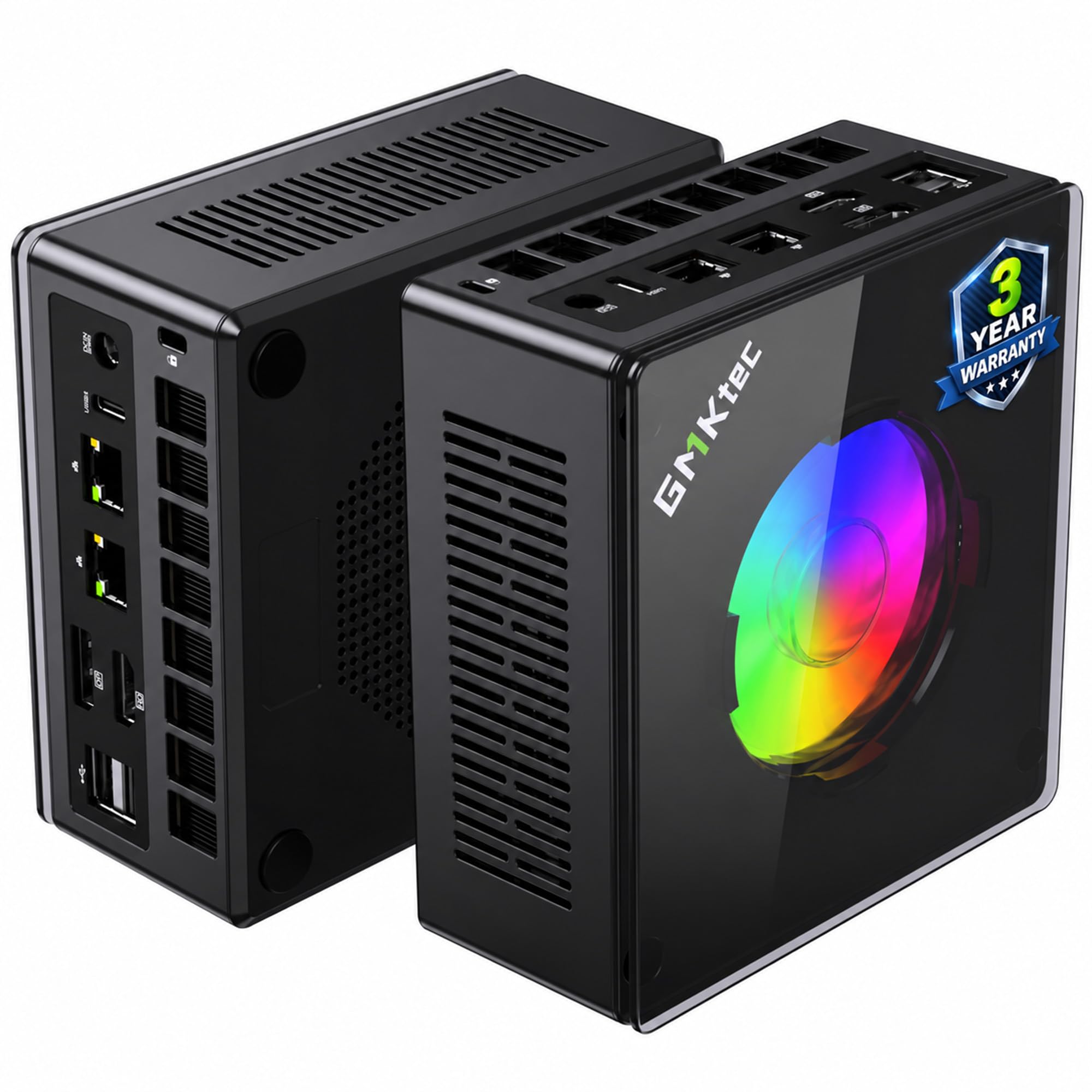
An OCuLink port that turns a tiny box into a full gaming rig when you plug in a graphics card.
Start with the Ryzen 9 8945HS — eight cores, sixteen threads, and a boost up to 5.4GHz people can reach in the right performance profile. 32GB of DDR5 memory at 5600MT/s, expandable to 128GB, gives editors and virtual-machine users plenty of room. The 1TB PCIe 4.0 SSD has a second M.2 slot for up to 8TB, and dual 2.5GbE LAN ports handle a home server or firewall setup.
The standout feature is the OCuLink port, which runs at PCIe x4 speeds to feed an external graphics card dock. That means you can add a desktop GPU for 4K gaming, or leave it detached and enjoy a quiet machine for office work. Four 4K outputs across HDMI 2.1, DisplayPort 2.1, and USB4 cover a multi-monitor desk, and the Hyper Ice Chamber 2.0 cooling keeps the fans at a rated 35dB in Quiet mode.
A few caveats are worth sizing honestly. The front USB ports can be electrically noisy for wireless dongles, so move those to the back. The internal audio jack is unreliable for headphones on some units, and a USB DAC fixes it. It is also not a AAA gaming machine on its own — the integrated graphics handle older and indie titles well, and the OCuLink upgrade is what open up the big stuff. Deep buyer feedback lands on strong value for a compact, capable box.
The upgrade hook: OCuLink at PCIe x4 is what makes this different — it is a real path to desktop-GPU performance later.
Lived-in details: move wireless dongles to the rear ports and keep a USB audio adapter handy.
Best for: gamers and creators who want an upgrade lane to an external GPU.
Skip if: you want plug-and-play AAA gaming without an add-on dock.
9. Thermaltake LCGS Quartz i1460 Gaming Desktop

A first gaming tower with a dedicated graphics card already bolted in.
The Core i5-14400F is a capable everyday CPU, and the NVIDIA GeForce RTX 5060 with 8GB of graphics memory is the part that matters for games. Together with 16GB of DDR4 3600MHz RGB memory and a 1TB NVMe M.2 drive, this is a complete gaming setup rather than a compact productivity box. It boots fast, runs quietly, and the white case with a 3mm tempered glass side panel looks the part on a desk.
For a first PC, the value is that everything is pre-installed — GPU seated, Windows 11 Home ready, and an ARGB air cooler on the CPU. You avoid the build-your-own headache and get a machine that runs AAA titles at sensible settings. Wi-Fi is built in, though the listed adapter is the weaker link in the chain, and some buyers added a separate adapter to fix it.
The one repeat issue across buyer feedback is the rear I/O shield, where the metal plate can sit misaligned and block USB ports. It is fixable by reseating the shield, but check it on arrival before the return window closes. The 1TB drive also fills quickly with large games. On the plus side, buyers consistently call out smooth performance in Battlefield and similar titles, and a roomy case that takes upgrades.
What buyers like
- Dedicated RTX 5060 with 8GB graphics memory pre-installed
- Quiet fans and fast boots from a 1TB NVMe M.2 drive
- White tempered-glass case with ARGB lighting
- Runs AAA games smoothly at standard settings
Check before you commit
- Rear I/O shield can arrive misaligned and block USB ports
- 1TB storage fills fast with big games
- Built-in Wi-Fi adapter is weak; an external one helps
Reach for this if: you want a ready-to-play gaming tower without assembling one yourself.
Look elsewhere if: you need a truly small PC or a lot of built-in storage.
10. Reatan X8 OcuLink AI Mini PC
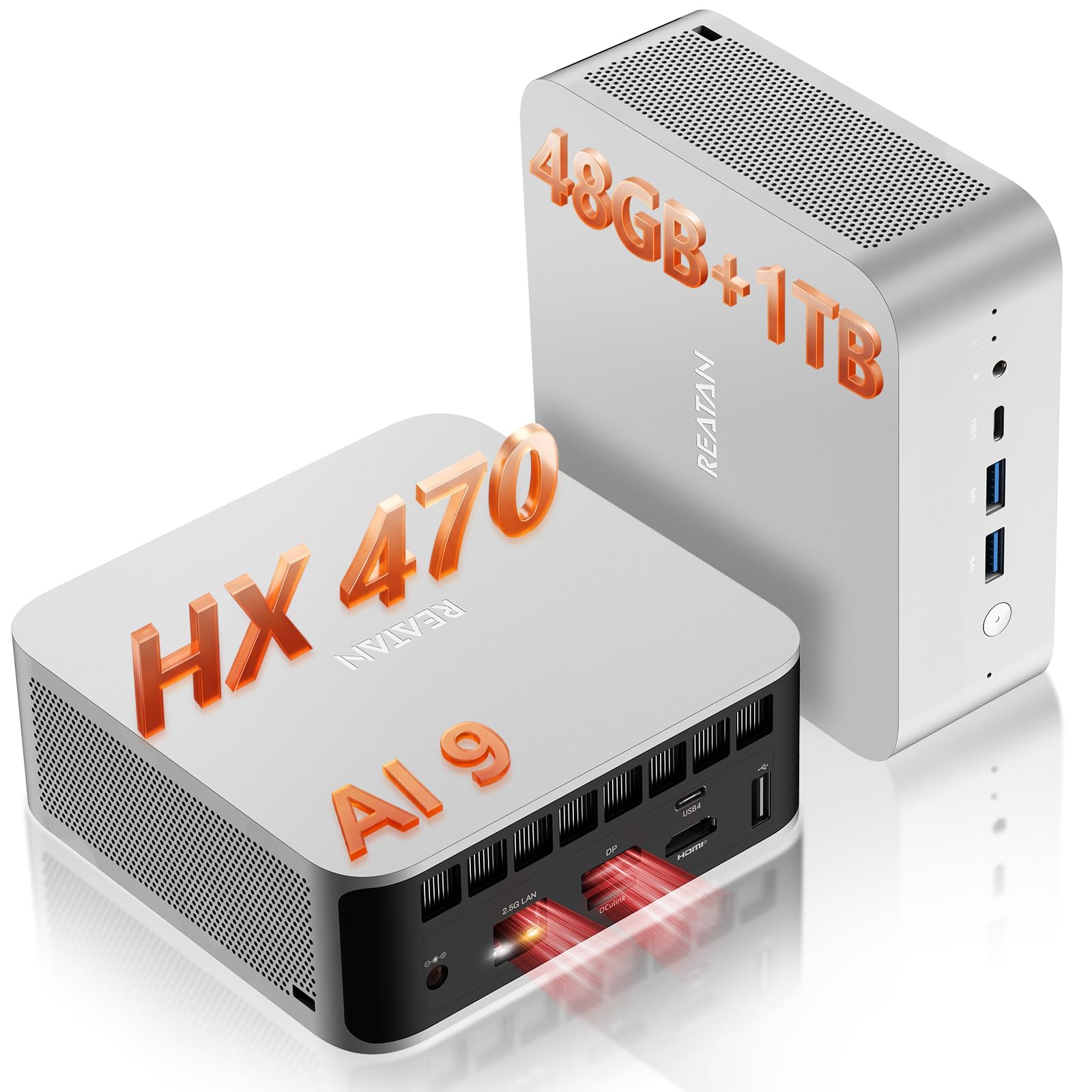
A local AI workstation that fits in a five-inch cube and runs models without the cloud.
This is the top of the compact pile. The AMD Ryzen AI 9 HX 470 brings twelve cores, twenty-four threads, and a boost to 5.2GHz, plus an NPU (a dedicated AI chip) rated at 86 AI TOPS — a measure of how many AI operations the chip can do per second. That headroom lets supported large language models and Copilot features run on the device itself, with lower latency than cloud tools and no data leaving the machine. Integrated Radeon 890M graphics back it up.
Memory is the headline number: 48GB of DDR5, paired with a 1TB PCIe 4.0 SSD that reads up to 7000MB/s, plus a second M.2 slot. Four-display support runs up to 8K@60Hz on one screen, and two full-function USB4 ports each carry 40Gbps, video, and power in one cable. The included OCuLink adapter converts a spare M.2 slot into a PCIe 4.0 x4 path for an external desktop GPU — the upgrade lane that turns this into a rendering rig.
The catch is that OCuLink is a self-install card using one of the two SSD slots, so it is not a free lunch. You also need an eGPU dock, a power supply, and a cable — budget for the whole setup, not just the box. If you are weighing this against something like the MINISFORUM, the Reatan trades some of that model’s socketed expandability for a much stronger NPU and faster memory. For running local AI models on-device, the 48GB of DDR5 and 86 TOPS NPU make it a serious tool.
The differentiator: 48GB of DDR5 and an 86 TOPS NPU are what make on-device AI realistic instead of waiting on the cloud.
Plan the whole build: factor in an eGPU dock and power supply if you intend to add a graphics card.
Choose this for: local model runs, multi-monitor trading desks, and 8K creative work.
Not for you if: you want a ready-made gaming machine with a GPU inside.
11. MSI Codex Z2 Gaming Desktop

The full tower built for 200-plus frame rates on a high-refresh monitor.
The parts list is the pitch here. An AMD Ryzen 7 8700F with eight cores and sixteen threads boosting to 5.0GHz pairs with an NVIDIA GeForce RTX 5070 carrying 12GB of graphics memory. 32GB of DDR5 and a 2TB SSD mean modern titles and large libraries load without fuss, and Windows 11 Home is ready on first boot. It includes a keyboard and mouse, so it is a complete package rather than a bare box.
Cooling is sorted with four system fans — three up front and one at the rear — plus an ARGB air cooler on the CPU. That airflow keeps the interior cool during long sessions, and the result is a machine that runs quietly even while gaming. In owner reports it handles titles at ultra settings at 200-300+ frames per second while streaming at the same time, and the case has room for RAM upgrades down the line.
The honest trade-offs are a few software quirks and a power ceiling. Some owners mention sleep and shutdown glitches that need a future update, and the 650W power supply may limit which graphics cards you can add later. For the price, the RTX 5070 and 32GB of DDR5 make it a strong first serious gaming PC.
Why gamers rate it
- RTX 5070 with 12GB graphics memory for high-refresh play
- 32GB DDR5 and a 2TB SSD for big game libraries
- Four case fans keep long sessions cool and quiet
- Keyboard and mouse included; easy RAM upgrades
Read before buying
- Some units have sleep and shutdown quirks awaiting a fix
- 650W PSU caps how far you can upgrade the GPU
- Full tower takes real desk or floor space
Fits: gamers who want high frame rates and a machine that is ready out of the case.
Does not fit: anyone short on space or expecting a compact footprint.
Know the Specs
Processor (CPU) and cores
The CPU does the thinking, and more cores let it handle more jobs at the same time. An eight-core chip like the Ryzen 7 8745H is plenty for office work, light editing, and multitasking. Sixteen cores like the Core i7 14650HX matter when you render video or run several heavy apps at once. The boost clock — 5.2GHz on the KAMRUI, for example — is the short burst of speed it can hit on a demanding task.
Memory (RAM) and speed
RAM is the desk your computer works on; more of it means more open apps and tabs without slowdown. 16GB is a sensible floor, while 32GB (MINISFORUM) or 48GB (Reatan X8) suits editors and virtual machines. The number after the memory type, like 5600MT/s, is how fast it moves — a higher figure keeps big apps feeling snappy. Watch for soldered memory, which you cannot expand later.
Graphics: integrated versus dedicated
Integrated graphics live on the same chip as the CPU and handle streaming and everyday work fine. Dedicated graphics, like the RTX 5060 or RTX 5070, are separate chips with their own memory and are what make modern games run smoothly at high settings. Compact mini PCs almost alwaysuse integrated graphics, so plan on one of the gaming towers here if frame rates matter or add an external GPU through a port like OCuLink.
Display outputs and ports
Every monitor needs its own output, and the standard behind it sets the ceiling. HDMI 2.1 and DisplayPort 1.4 both drive 4K at a smooth 60Hz, while DisplayPort 1.4 can reach 4K@120Hz on the MINISFORUM. USB4 or Thunderbolt-style ports carry video, data, and power over one cable at up to 40Gbps. Count your screens first, then match the ports.
Networking: LAN and Wi-Fi
Wired Ethernet is the most stable connection for a home server or NAS, and dual 2.5GbE ports (GMKtec, GEEKOM, BOSGAME) let you split traffic or run firewall software. Wi-Fi 7 (Reatan, GEEKOM) is the newest wireless standard, while Wi-Fi 6 and 6E cover most homes well. Bluetooth handles your keyboard, mouse, and headphones.
Cooling and noise
A small case has less air, so heat management decides whether a PC stays quiet. Look for copper heat pipes, dual fans, and a stated decibel figure — the GMKtec K11 lists 35dB in Quiet mode. Performance modes let you pick a quieter profile for daily work and a faster one for heavy jobs. A box that lists no cooling detail is the one to be careful with.
Storage: SSD speed and capacity
An SSD (solid-state drive) stores your files with no moving parts, which is why these machines boot in seconds. PCIe 4.0 drives move data faster than older PCIe 3.0, so a 1TB NVMe PCIe 4.0 SSD loads large apps quickly. Look at the number of M.2 slots if you plan to add a second drive — several picks here offer two, expanding to as much as 8TB.
Common Questions
Will a mini PC run the same software as a full desktop tower?
How many monitors can I connect to a small-form-factor PC?
Can I upgrade the memory and storage in a mini PC later?
Is a mini PC good enough for gaming?
What is OCuLink and why does it matter on a small PC?
Will these small PCs get loud under heavy load?
Do I need to buy a monitor, keyboard, and mouse separately?
Is 16GB of RAM enough for a home office PC?
What does Wi-Fi 6E or Wi-Fi 7 actually change for me?
Does a smaller case mean worse cooling and shorter life?
The Bottom Line
The smartest pick for most people is the Apple 2024 Mac mini — a 5 x 5 x 2 inch box with the M4 chip that stays silent while it powers through daily apps. If you work in Windows, the MINISFORUM UM870 Slim is the one to reach for, pairing 32GB of expandable DDR5 with 8K triple-display output. And when you want genuine gaming frame rates, the MSI Codex Z2 with its RTX 5070 and 32GB of DDR5 is built for a high-refresh monitor.
Whichever you choose, buy for the spec you will grow into: SO-DIMM memory slots you can fill later, one display output per monitor, and a cooler rated for your heaviest workload. Plan that way and a compact desktop fits your desk without slowing your work.
How we choose
We do not accept paid placement. Every pick is matched to a real buyer and a real use-case; we do not hands-on test units.
Sources
Specifications: manufacturer listings and product documentation. Review insights: verified customer reviews, as of October 2026. Pricing: not shown on this page (it changes often); check the current price via the retailer link.
As an Amazon Associate, Aappliancez earns from qualifying purchases. This does not affect which products we feature.