Disclosure: Some links in this post are affiliate links. As an Amazon Associate I earn from qualifying purchases, at no extra cost to you. Learn more
Specs are compiled from manufacturer listings and verified buyer reviews and can change over time — please confirm the key details on the product page before buying.
A used gaming laptop is the smartest way to get real gaming hardware without paying new-machine money — but only if you know which specs still hold up and which ones quietly ruin the experience. The short answer: chase a dedicated graphics chip and at least 16GB of memory, treat 8GB models as upgrade projects, and expect to game plugged in. This guide walks you through ten machines worth your attention, with the honest trade-offs spelled out in plain English.
This guide is built by comparing the manufacturers’ published specifications and the patterns across verified customer reviews, so you get each pick’s real strengths and trade-offs instead of marketing spin.
Some used gaming laptops come with enough memory and storage to play right away. Others need an extra RAM stick before they feel smooth. Each pick below tells you which group it belongs to, so you can match the laptop to how much tinkering you want to do. That match is what separates a happy purchase from a frustrating one when you shop for second hand gaming laptops.
Top Picks



How To Choose The Best Second Hand Gaming Laptops
Shopping used changes the math. A machine that was mid-range a couple of years back now sits at a friendly price, and the parts inside it still run most games comfortably. The trick is knowing which numbers still matter and which ones are noise on the listing page.
Start with the graphics card, not the processor
The graphics card (GPU) draws the game world, so it decides whether you get smooth frames or a slideshow. Look for a dedicated GPU name on the listing — an NVIDIA GeForce RTX or GTX badge, for example — rather than relying on the processor alone. Integrated graphics like AMD’s Radeon 680M can handle light and medium gaming, but a dedicated chip does the heavy lifting far more comfortably.
Check the refresh rate against what you actually play
A 144Hz or 165Hz screen refreshes that many times per second, which makes fast motion look smoother and cuts the smearing you see when you whip the camera around. If you mostly play slow strategy titles, a high refresh rate is a nice extra rather than a must. If you play shooters, it is one of the first things to look for.
Decide if you want to upgrade the memory yourself
Memory (RAM) is the desk space your laptop works on, and 8GB fills up fast once a game and a browser are open together. Several laptops here ship with 16GB or more, which is the comfortable starting point. Others ship with 8GB and two memory slots, so they are upgrade projects — fine if you are happy to open the back panel and add a stick.
Expect to game plugged in
Gaming laptops trade battery life for power. Expect a few hours of light work unplugged and much less under load, so the power adapter travels with you. A short battery figure on a used listing is normal rather than a red flag — just factor in that the charger needs to come with the machine.
Side-by-Side Comparison
| Model | Best For | Graphics | Memory | Display Refresh | Amazon |
|---|---|---|---|---|---|
| Acer Nitro V 15 (ANV15-52-586Z)★ Best Overall | Fast screen on a mid-range budget | NVIDIA GeForce RTX 4050 | 8GB DDR5 (2 slots, max 32GB) | 165Hz | Amazon |
| NIMO 15.6″ Light Gaming LaptopMost Memory | Big memory and storage from the start | AMD Radeon 680M (integrated) | 32GB LPDDR5 | — | Amazon |
| MSI GF63Budget Champion | Cheapest way into dedicated graphics | NVIDIA GeForce GTX 1650 | 8GB DDR4 | — | Amazon |
| NIMO 17.3 FHD | Big-screen desk replacement | AMD Radeon 680M (integrated) | 16GB DDR5 5600MHz | 144Hz | Amazon |
| HP Victus 15 | School-and-games all-rounder | NVIDIA GeForce RTX 2050 4GB | 16GB DDR5 | 144Hz | Amazon |
| MSI Thin 15 | Serious GPU without the bulk | NVIDIA GeForce RTX 4060 8GB | 16GB DDR4 | 144Hz | Amazon |
| ASUS TUF Gaming F16 | Rugged build for rough handling | NVIDIA GeForce RTX 5050 (115W TGP) | 16GB DDR5 | 165Hz | Amazon |
| Lenovo LOQ | Fast processor for gaming and work | NVIDIA GeForce RTX 5050 | 16GB | 144Hz | Amazon |
| GIGABYTE Gaming A16 | High frame rates on demanding titles | NVIDIA GeForce RTX 5070 | 16GB | 165Hz | Amazon |
| Lenovo Legion 5i | Best screen in the lineup | NVIDIA GeForce RTX 5070 | 16GB | 165Hz OLED | Amazon |
Detailed Reviews
1. Acer Nitro V Gaming Laptop (ANV15-52-586Z)
Our pick — 4.5+★ from 400+ verified ratings; the strongest balance of quality and price.
The mid-range machine that pairs a 165Hz screen with a real dedicated graphics card.
You get a smooth, fast-feeling gaming screen without paying premium money. The 15.6-inch panel runs at 1920 x 1080 (Full HD, the resolution most gaming laptops use) and refreshes 165 times per second — a 165Hz refresh rate that makes panning the camera feel fluid, not smeary. The picture comes from an NVIDIA GeForce RTX 4050, a dedicated graphics card with 194 AI TOPS (a measure of how much AI-accelerated work the chip handles per second). That card is the part that decides whether modern games run well at all.
The processor is an Intel Core i5-13420H from the 13th generation. At 4.6 GHz it peaks a hair under the 4.7 GHz of the NIMO Ryzen machine further down this list. In practice that gap is minor — both handle a game plus a browser plus Discord without complaint. What this Acer gets right is balance: 8GB of DDR5 memory across two slots (upgradable to 32GB), a 512GB PCIe Gen 4 SSD that boots fast, Wi-Fi 6 for stable online play, and a Thunderbolt 4 port that carries charging, data and video through one cable.
What wins people over is raw performance — the thing almost everyone brings up when they talk about this laptop. Cooling holds up over long sessions, so the frame rate does not tumble halfway through a night. The honest catch is the 8GB of memory: on its own it fills quickly, and heavy titles stutter for a split second on arrival. The fix is cheap and simple — add a second stick and watch the stutter go away. Fans also get loud in the performance profile, so headphones help.
Where it earns its spot
- 165Hz refresh rate plus RTX 4050 graphics for genuinely smooth play
- Two memory slots leave room to grow to 32GB later
- Thunderbolt 4 covers charging, data and display in one port
What to plan around
- 8GB of memory from the start holds modern games back until you upgrade
- Fans get loud in the performance profile
Reach for this if: you play shooters or fast action games and want the smoothest screen in this lineup at mid-range money.
Budget a RAM stick: the 8GB starter kit is the one thing standing between this and a polished experience.
2. NIMO 15.6″ Light-Gaming-Laptop
Thirty-two gigabytes and a terabyte of storage mean no upgrades, ever.
Most used gaming laptops make you buy a memory stick the week you unbox them. This one arrives with 32GB of LPDDR5 memory and a 1TB PCIe 4.0 SSD already inside. That makes it the machine for someone who wants to open the box and play, not research upgrade kits. The AMD Ryzen 7 PRO 6850U is an 8-core processor peaking at 4.7 GHz — slightly above the 4.6 GHz of the Acer above — which keeps spreadsheets, coding tools and a game running together without a bottleneck.
The graphics are AMD Radeon 680M, which is integrated graphics (built into the processor rather than a separate card). That means it handles light and medium gaming well, and it is not the machine for maxing out graphically demanding titles. The 15.6-inch 1920 x 1080 screen is sharp and comfortable for long sessions, the keyboard is backlit for late nights, and a fingerprint reader on the touchpad logs you in with one touch. You also get two USB-C ports, three USB-A, HDMI 2.0 and a Micro SD reader — enough to run dual monitors without a hub.
What excites buyers here is the spec sheet for the money, and lightness matters to many — the machine sits under 1.7kg with a 19.2mm profile, which is pleasant in a backpack. There is a 100W USB-C charger with a 2-meter cable, and a rating of 9 hours of battery life that stretches further on lighter tasks. The recurring gripe is the keyboard layout: the number pad uses arrow keys where 0 and the decimal normally sit, which trips up anyone doing data entry. Gaming is capable rather than spectacular, too — expect medium settings rather than ultra.
The configuration advantage: choosing this means skipping the memory-upgrade step entirely, and the 1TB SSD swallows large game installs that would choke a 256GB machine.
One thing to know: some games will not install until you raise the memory allocation in the BIOS on first setup — a five-minute job the manual walks you through.
Best fit: students and content creators who want a light, well-connected machine that games on the side and never needs opening up.
Look elsewhere if: you plan to run the newest AAA titles at high settings — the integrated graphics will ask you to dial things back.
3. MSI GF63 15.6″ Gaming Laptop
The entry ticket: a dedicated graphics card for the price of a basic office laptop.
Not everyone needs ray tracing and a 165Hz panel. If your list is Fortnite, Rust, Minecraft and older Steam titles, this MSI does the job with an NVIDIA GeForce GTX 1650 graphics card carrying 4.1GB of dedicated video memory — a separate chip that takes the drawing work off the processor. The 15.6-inch 1920 x 1080 IPS screen holds up for everyday play, and the Intel Core i5-10300H processor runs four cores up to 4.5 GHz.
Here is what makes it a genuinely good used buy: the upgrade path is easy and cheap. Buyers routinely swap in 16GB of memory (a 260-pin DDR4 module) and drop in an extra hard drive, and the machine keeps going strong for years afterward. Buyers report that after nearly three years of use, the GTX 1650 still runs the same esports and older Steam titles it did on day one. The chassis is a traditional laptop build rather than an ultra-thin notebook, which means it takes a memory swap without fuss.
The battery is the weak point — roughly 4 hours of light use before you hunt for a socket, and gaming means staying plugged in. It also runs warm under load, and the trackpad has a slight delay that can cause mis-clicks while typing. None of that changes the core value: a real graphics card in a laptop that costs less than most budget machines. Download MSI’s Dragon Center and switch to the faster fan profile to keep temperatures in check.
Why budget buyers pick it: the GTX 1650 handles esports and older titles well, and the memory-and-storage upgrades make it last far longer than its age suggests.
The trade-off: a 60Hz screen and short battery mean this is a plugged-in, desk-bound machine — fine if you accept that going in.
Go here for: the lowest-cost route to dedicated graphics, especially if you enjoy tinkering with upgrades.
Don’t expect: modern AAA performance or all-day battery — this is a starter machine, not a powerhouse.
4. NIMO 17.3″ FHD Light Gaming AI-Laptop
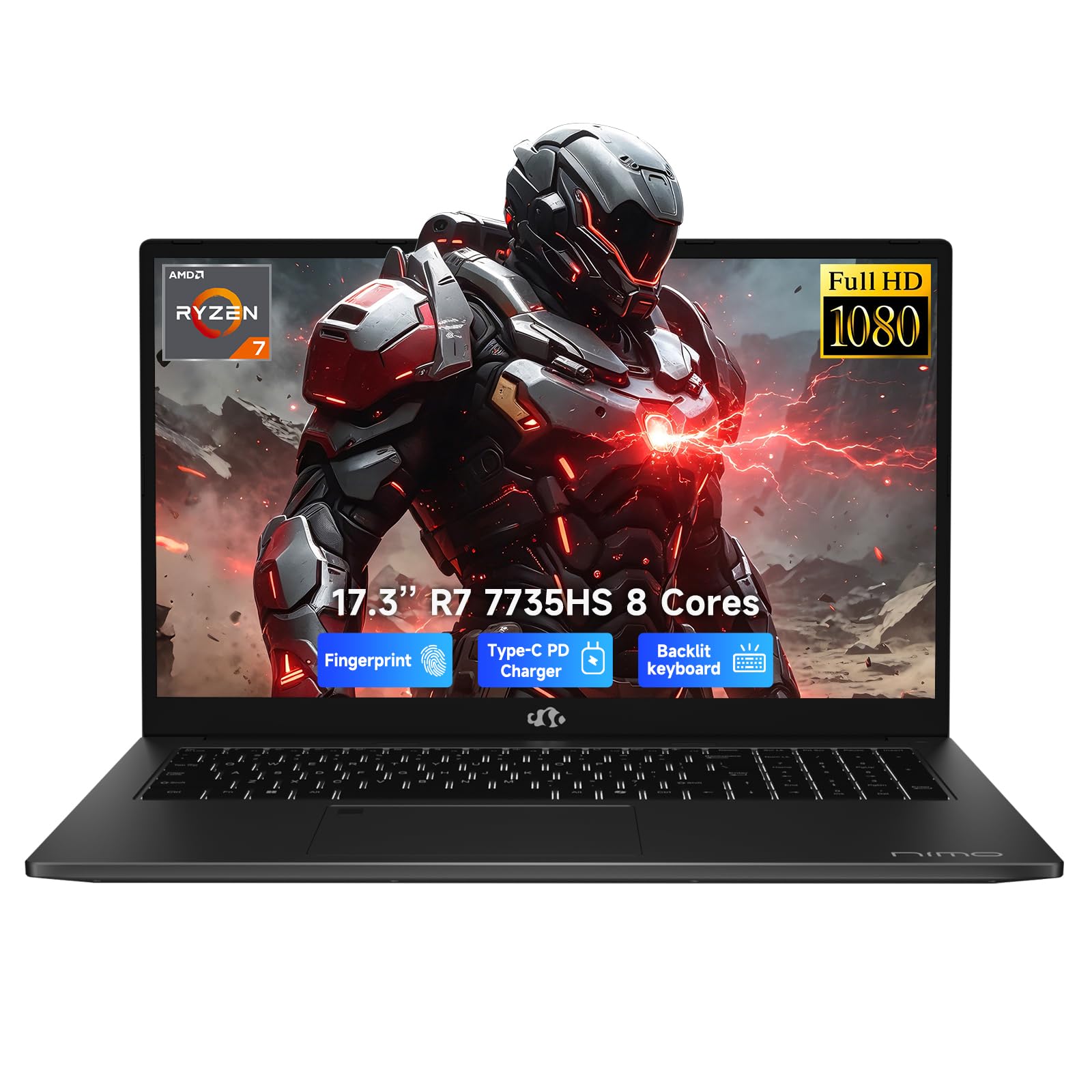
A 17.3-inch window on the world that doubles as a gaming and coursework desk.
Big screens change how you work. The 17.3-inch 1920 x 1080 panel here gives you room for a game in one window and a browser in the other, which is why large-screen buyers put up with the extra heft. It stays portable enough at under 2.1kg with an 18.8mm profile, so it travels between home, class and office without feeling like a suitcase. Powering it is an AMD Ryzen 7 7735HS with 16GB of DDR5 memory at 5600MHz and a 512GB PCIe 4.0 SSD.
The graphics are AMD Radeon 680M, integrated, so this is a light-to-medium gaming machine rather than a graphics monster. Where it shines is sustained work: the Ryzen chip is positioned above many Core i5-1235U or Ryzen 5 5625U class options for keeping spreadsheets, video calls and creative apps open together. Both USB-C ports carry power, display and data, and there is HDMI, an SD card reader, three USB-A ports and a headphone jack — a work-and-play desk setup without a dongle bag.
Buyers who received good units praise the performance, the big screen and the speed. They note the all-aluminum chassis has no flex and the fingerprint reader works. The reality check for a used shopper: this is a very new model with a very small review base. One unit crashed during Windows setup and had to be returned — a quality-control gamble rather than a design flaw. Check the return window carefully and test it thoroughly the day it arrives. Battery life runs around 9.9 hours on paper with a 58Wh battery and 100W PD charging.
The big-screen argument: a 17.3-inch panel plus a fingerprint reader, backlit keyboard and full port set makes this a genuine desktop substitute for students and home workers.
Check first: integrated graphics mean modern AAA titles play at reduced settings, so treat the screen and multitasking as the reason to buy, not raw frame rates.
Suits you if: screen real estate and workspace comfort beat portability and maximum frame rates.
Ask before buying: confirm the unit powers on and completes Windows setup cleanly, given the small number of units in circulation.
5. HP Victus 15 Gaming Laptop

The one that runs Counter-Strike at 130+ fps and still does your coursework.
School, work and games in one chassis is the promise here. 16GB of DDR5 memory plus a 512GB PCIe M.2 SSD means you do not start with a bottleneck. The AMD Ryzen 5 7535HS processor runs six cores and twelve threads up to 4.55 GHz — that is a lot of parallel work handled at once, which keeps a game, a browser and a video call all moving. A backlit keyboard with a numeric keypad sits on top for number-heavy work.
The 15.6-inch anti-glare screen refreshes at 144Hz, which cuts smearing in fast scenes and keeps the mouse cursor and crosshair sharp. An anti-glare coating is a real plus, since it stops overhead lights turning the screen into a mirror. Graphics come from an NVIDIA GeForce RTX 2050 with 4GB of GDDR6 video memory — the smallest dedicated card in this lineup, so expect smooth play at moderate settings rather than ultra on the newest titles. The port set includes two USB-A, one USB-C, HDMI 2.1, an RJ-45 Ethernet jack and a headphone combo port.
What stands out to buyers is durability. One owner has run dual 4K and 1440p 144Hz monitors off it alongside its own screen for about nine hours a day over roughly two years without slowdown, and the same unit handles laser and CNC software in a workshop. The recurring caveats are familiar for the category: the charger gets hot and the fans are loud, so the power brick stays close. Esports titles like Counter-Strike hold at 130+ fps, but the 4GB RTX 2050 needs settings pulled back on the newest releases.
Built for the long haul: a 16GB/512GB starting point plus Wi-Fi 6 and Ethernet means online play stays stable and you are not shopping for upgrades in month one.
Realistic ceiling: the 4GB RTX 2050 is the least powerful dedicated card here, so treat it as a 1080p moderate-settings machine.
Buy it when: you want one laptop for lectures, spreadsheets and games, and you value a sturdy build over peak graphics.
Pass if: you chase maximum settings on new releases — 4GB of video memory will hold you back.
6. MSI Thin 15.6″ Gaming Laptop (RTX 4060)

Eight gigabytes of dedicated video memory at a price most machines only offer four.
Video memory is what lets a graphics card load large, detailed game worlds, and 8GB on an NVIDIA GeForce RTX 4060 is a real step up from the 4GB cards dotted elsewhere on this list. That headroom is why demanding games run at higher settings without the texture pop-in you get when memory runs dry. The processor is an Intel Core i5-13420H running up to 4.55 GHz, matched with 16GB of DDR4 memory and a 512GB NVMe SSD.
The 15.6-inch IPS screen refreshes at 144Hz — enough to blur the line between a fast scene and a slideshow — and the thin-bezel frame keeps the machine reasonably compact for a gaming laptop. In daily use, owners describe it running every Steam game they own, then switching straight to coursework without fuss. Temperatures stay in check, and the fans do their job, though they get audible in heavier titles. That is a fair trade on a chassis this size.
Two things worth knowing before you buy used. First, there is no number pad, which surprises people who do spreadsheet or data work. Second, on any used listing, verify the machine is genuinely factory-standard. At least one buyer received a unit with a missing factory warranty sticker and non-original memory and storage — signs of a reworked machine. That suggests a reworked machine rather than a new one. Ask for the serial, check the storage and memory in the system settings, and buy from a seller with a clean return policy.
Spec-per-pound winner: an RTX 4060 with 8GB of video memory, 16GB of system memory and a 144Hz IPS screen is a hard combination to beat at this tier.
Verify before you commit: the missing number pad limits number-crunching, and used units vary — confirm the parts are original.
Worth it for: gamers who want 8GB of video memory and 144Hz smoothness without jumping to premium pricing.
Ask the seller: whether the memory and SSD are factory parts, and confirm the number-pad-free layout suits your work.
7. ASUS TUF Gaming F16

Tested to military durability standards, which matters when the laptop lives in a backpack.
A used gaming laptop gets knocked around, and this one is built for it. The F16 is tested to MIL-STD-810H, a military durability standard covering harsh conditions, so it should survive the commute, the dorm and the occasional bump. Inside sits an Intel Core i5-13450HX processor running up to 4.6 GHz and an NVIDIA GeForce RTX 5050 laptop GPU with a maximum total graphics power of 115W — the wattage figure tells you how hard the card can push before it throttles.
The 16-inch screen uses a 16:10 shape, which means taller rather than wider, so you see more of a document or a game map vertically. It refreshes at 165Hz with 100% sRGB colour coverage, so games look accurate rather than oversaturated, and Adaptive-Sync cuts tearing during fast motion. Wi-Fi 6E adds the newer, less crowded wireless band for steadier online play. Cooling comes from second-generation Arc Flow fans with a full-width heatsink and vent.
Performance is what people rave about — the machine handles demanding titles without overheating, and the screen stays bright even in direct sunlight. The two things to weigh: storage at 512GB fills up fast if you keep several large games installed, and the fans are audible under heavy load, so headphones are a good idea. Battery drains quickly during play, as it does on almost every gaming laptop. Some preinstalled software can be removed to free up speed and memory.
The durability angle: MIL-STD-810H testing, a 115W graphics ceiling and a bright 165Hz panel make this the pick for someone who games on the move.
Plan the storage: 512GB is tight for a library of big titles, so factor in an external drive.
Choose this if: you travel with your laptop and want a machine built to take knocks without giving up frame rates.
Consider the storage: 512GB runs out quickly with several large installs, so an external SSD is a sensible add-on.
8. Lenovo LOQ Gaming Laptop (i7-13650HX)
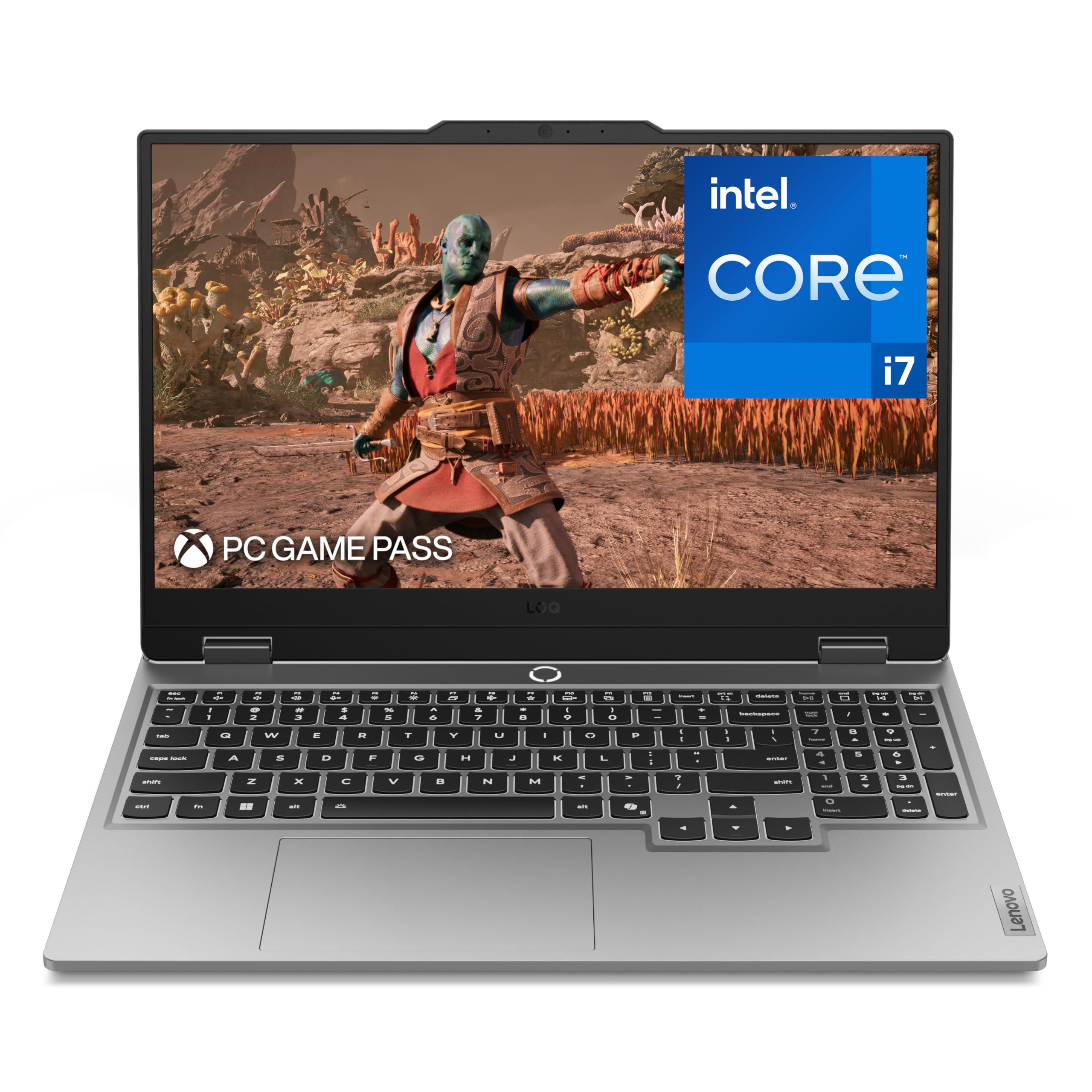
The processor that thinks faster than almost anything else here.
At 5.1 GHz, the Intel Core i7-13650HX inside this Lenovo is the fastest-clocking processor in this lineup — useful headroom if your laptop has to game and render and compile at the same time. An NVIDIA GeForce RTX 5050 handles graphics, and 16GB of memory with 1TB of storage means you get a full game library installed before you think about upgrades. The 15.6-inch IPS panel refreshes at 144Hz, and NVIDIA G-Sync synchronises the screen to the card to cut tearing and stutter.
Cooling is where Lenovo puts effort here: Hyperchamber Cooling with turbo fans and copper heat pipes, tuned by an AI system that adjusts settings automatically. In practice, that means it handles a gaming session and a work session without drama, and the aluminum cover keeps the frame stiff. The keyboard uses soft-landing switches with a clean white backlight and a full layout including the number pad. Rapid Charge Pro tops the battery to 70% in under 30 minutes via USB-C.
The caveats are consistent across buyers: the battery runs about 1.5 to 2 hours under load, the speakers are quiet, and the machine needs its vents clear. Sitting it directly on a bed or carpet leads to heat buildup. Some owners mention the cooling holds well on a hard surface and poorly on soft ones, which is normal for a gaming laptop. Memory is upgradable, and several buyers have taken it past the advertised ceiling.
The speed argument: a 5.1 GHz i7 processor, 1TB of storage and G-Sync at 144Hz makes this a strong pick for anyone mixing gaming with heavy work.
The heat caveat: it needs airflow underneath — a desk or a cooling pad, never a duvet.
Pick this when: your laptop has to handle demanding software and games in the same session, and you want storage sorted from day one.
Keep in mind: battery life is short and the vents need clearance, so plan on desk use.
9. GIGABYTE Gaming A16 (RTX 5070)

An RTX 5070 that pushes demanding titles past 100 frames per second.
If you want high frame rates on the newest games rather than moderate settings, this is the machine to look at. The NVIDIA GeForce RTX 5070 laptop GPU is a serious dedicated card, backed by an Intel Core i7-13620H processor up to 4.9 GHz and 16GB of memory. Customers note Battlefield 6 at 90 fps and Star Citizen at 70 fps on maxed settings, with only minor stutter. The 16-inch 165Hz IPS screen keeps motion sharp, and the 180-degree hinge with a 19.45mm slim chassis gives it a clean look.
The frame rate counts do the talking, and that performance is the reason buyers choose it. A 32GB configuration lets you open a game, an editor and a browser without hitting a wall, and the empty vertical M.2 slot beside the battery means adding a second SSD is straightforward. The chassis is plastic but does not flex, the keyboard is quiet, the trackpad is accurate, and the hinge feels sturdy. On lighter loads battery runs 5 to 7 hours.
Two things to watch. The GPU fan is loud and needs regular ventilation, so it can throttle if you block the airflow. And GIGABYTE’s GiMate companion software is idiosyncratic — it lacks fan or overclocking controls, and one owner disabled its GPU setting by mistake and had to uninstall it. If you know your way around Windows settings, it is a small annoyance; if not, expect a learning curve. Reliability reports split between trouble-free units and a few that stopped working, so test thoroughly during the return window.
Where it dominates: an RTX 5070 with an i7 and a 165Hz screen delivers real high-frame-rate gaming, and the easy SSD slot is a nice bonus.
Set expectations: loud fans, short gaming battery and quirky software mean this rewards a hands-on owner.
Made for: gamers who chase high frame rates on demanding titles and do not mind a loud fan soundtrack.
Test it early: run a demanding game in the first days after arrival to confirm the cooling and software behave.
10. Lenovo Legion 5i (2.5K OLED)
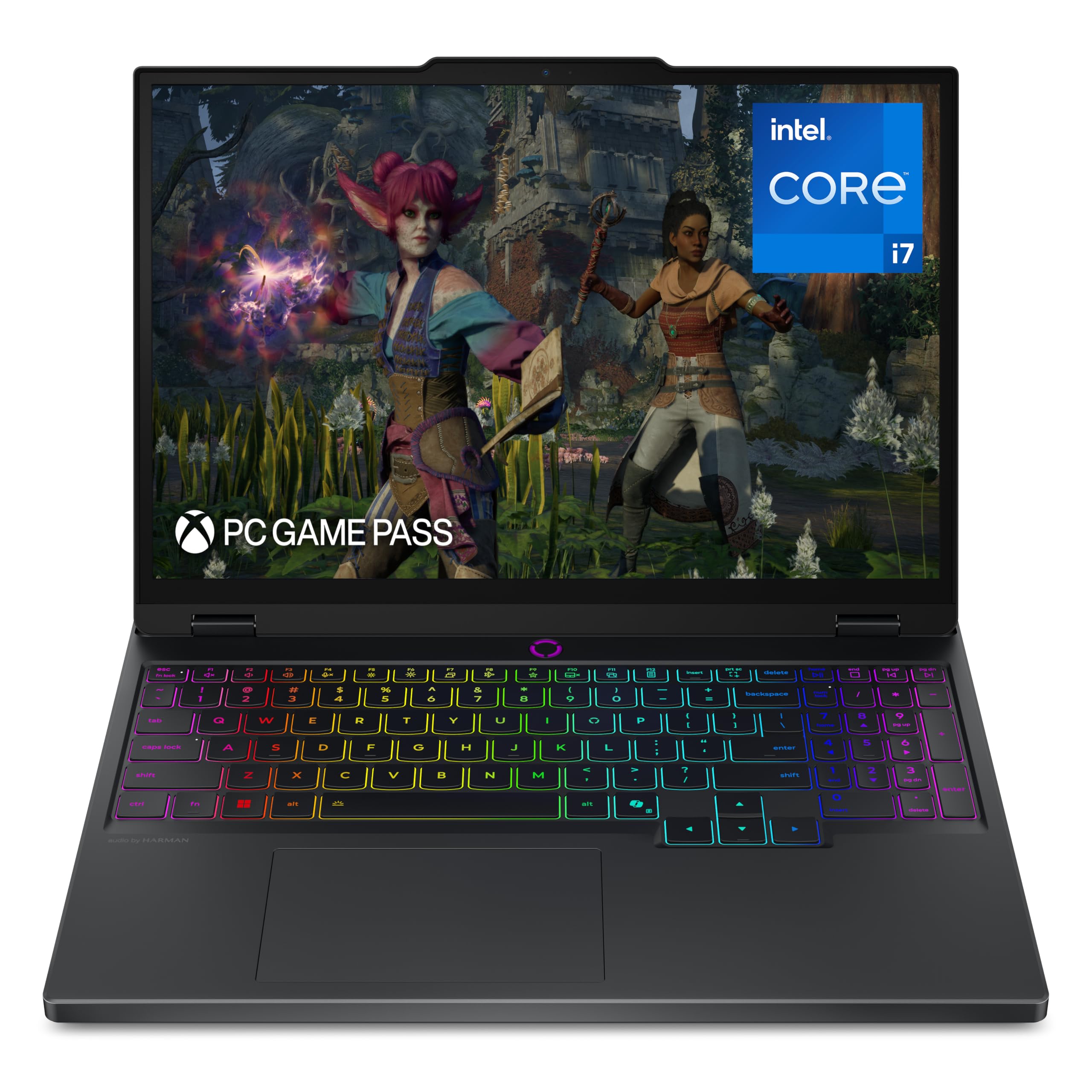
The screen that makes every other panel here look flat.
This is the top of the ladder, and the reason is the display. The 15-inch PureSight OLED panel runs at 2560 x 1600 (2.5K, a higher resolution than the Full HD screens elsewhere here) and refreshes at 165Hz. OLED pixels switch off individually, so blacks are truly black and colors carry real depth. Add an Intel Core i7-14700HX processor hitting 5.4 GHz, an NVIDIA GeForce RTX 5070 and 16GB of memory with 1TB of storage, and you have a laptop built for gaming and creation in one machine.
Gaming performance is what people mention first, and the screen is the close second. Lenovo’s Coldfront Hyper cooling keeps the machine quiet through most tasks and only spins up under heavy load. You get a one-hand-open lid, rear-facing ports, a webcam privacy switch and Fn+Q modes for switching performance profiles. Three months of PC Game Pass is included. Battery life runs a rated 9 hours, and fast charging takes it to 70% in under 30 minutes over USB-C.
Now the honest part, and it is worth hearing on a premium buy like this. Memory sits at 16GB with no fingerprint or Windows Hello login, so you type your password or add a reader. There is no SD card reader and the port selection is limited. Several buyers fixed stutter by adding a second memory stick — one owner saw memory use hit 97% in Diablo IV and 7 Days to Die before the upgrade. Fans are loud under load, and the glossy finish picks up fingerprints.
The OLED case: 2560 x 1600 OLED at 165Hz, a 5.4 GHz i7 and an RTX 5070 make this the most capable machine here — and the one you will notice most in the flesh.
The memory note: plan on taking 16GB to 32GB if you multitask heavily, since several owners saw a real frame-rate boost from the upgrade.
For the display-obsessed: buy this if screen quality is the thing you notice first and you want a machine that handles creation and gaming together.
Budget the memory: 16GB is the starting point, and a second stick is the upgrade most owners make first.
Know the Specs
Graphics card (GPU) and video memory
The graphics card draws every frame you see, and its video memory holds the textures and detail for the game world. A dedicated card — an NVIDIA GeForce RTX or GTX badge on the listing — is separate from the processor and does the heavy drawing work on its own. Integrated graphics like AMD’s Radeon 680M share memory with the rest of the system and handle light and medium gaming well but run out of steam on demanding titles. When you compare cards, the video memory figure is the one that decides how detailed a game can look: 4GB is the entry point, 8GB gives you real headroom.
Refresh rate and resolution
Refresh rate is how many times per second the screen redraws, measured in hertz (Hz). A 144Hz or 165Hz panel redraws far more often than a standard 60Hz one, which makes fast camera movement look smoother and keeps your aim readable. Resolution is how many pixels fill the screen — 1920 x 1080 (Full HD) is the common gaming standard, and 2560 x 1600 (2.5K) packs in more detail at the cost of asking more of the graphics card. Match the two: a high refresh rate only helps if the card can push enough frames to fill it.
Memory (RAM) and storage
Memory is the working space your laptop uses to hold open programs, and 8GB fills quickly once a game and a browser run together. Sixteen gigabytes is the comfortable starting point for gaming, and 32GB gives room for heavy multitasking. Check whether the memory sits in slots you can upgrade or is soldered in place — a machine with free slots can grow later, while one without cannot. Storage works the same way: a 256GB drive runs out after a few large installs, 512GB is workable, and 1TB gives you a library without uninstalling.
Battery life and thermals
Gaming laptops trade battery life for power, so expect a few hours of light work unplugged and much less under load. The power adapter travels with you, and a short battery figure on a used listing is normal rather than a fault. Thermals are about keeping the processor and card cool: strong cooling means the laptop holds its frame rate through a long session instead of slowing down as it heats. Give the machine airflow — a hard desk or a cooling pad — and the fans will have an easier time keeping temperatures in check.
Common Questions
Is a used gaming laptop with 8GB of RAM worth buying?
How can I tell if a second hand gaming laptop has a real graphics card?
What refresh rate should I look for in a used gaming laptop?
Is an OLED screen better than an IPS screen for gaming?
How much battery life should I expect from a gaming laptop?
Can I upgrade the storage on these gaming laptops?
Do used gaming laptops overheat and how do I check before buying?
Is a 512GB SSD enough for a gaming library?
What is the difference between integrated and dedicated graphics?
Will a used gaming laptop handle newer games like Battlefield and Cyberpunk?
The Bottom Line
The smart pick across this whole lineup is the Acer Nitro V — it pairs a 165Hz screen with RTX 4050 graphics and two memory slots, so it grows with you. Add a second memory stick and you have a machine that handles fast games smoothly without premium money.
If you want memory and storage settled from day one with zero tinkering, the NIMO 15.6″ arrives with 32GB of RAM and a 1TB SSD. For screen real estate, the NIMO 17.3″ gives you a big 17.3-inch panel on a portable chassis. And if visual fidelity is what matters most, the OLED on the Lenovo Legion 5i is genuinely a cut above.
Whichever you choose, verify the machine during its return window — run a demanding game, check the memory and storage figures, and confirm the charger is in the box. Running a demanding game, checking the memory and storage figures, and confirming the charger is in the box separates a happy used-laptop purchase from a frustrating one.
How we choose
We do not accept paid placement. Every pick is matched to a real buyer and a real use-case; we do not hands-on test units.
Sources
Specifications: manufacturer listings and product documentation. Review insights: verified customer reviews, as of October 2026. Pricing: not shown on this page (it changes often); check the current price via the retailer link.
As an Amazon Associate, Aappliancez earns from qualifying purchases. This does not affect which products we feature.