Disclosure: Some links in this post are affiliate links. As an Amazon Associate I earn from qualifying purchases, at no extra cost to you. Learn more
Specs are compiled from manufacturer listings and verified buyer reviews and can change over time — please confirm the key details on the product page before buying.
If you have a shoebox of rookie cards and a flatbed that takes three minutes per card, you already know the problem: the scanner is the bottleneck, not your collection. A good card scanner feeds card after card, solves the depth problem that ruins glossy surfaces, and gets a clean, high-resolution file onto your drive without you babysitting each pass. Below you will find eight machines that actually work for sports cards — some built for photos, some for documents — and exactly which kind of collector each one suits.
This guide is built by comparing the manufacturers’ published specifications and the patterns across verified customer reviews, so you get each pick’s real strengths and trade-offs instead of marketing spin.
Most card collectors do not need a document scanner at all — they need a feeder that will not jam on thick stock and a resolution high enough to read a slab label. That single distinction reshapes everything: the fastest, most reliable machines here are photo-first, while the office-grade duplex units win on volume and handling. For anyone digitizing a full set, these are the 8 scanners for sports cards worth shortlisting.
Top Picks


How To Choose The Best Scanners for Sports Cards
The first assumption to kill: a card is not a piece of paper. A base card sits thicker than standard 20lb paper, a foil card reflects light straight back into the sensor, and a graded slab is rigid plastic that no rubber roller was designed to pull. That is why the fastest document scanner in the world can still be the wrong tool for a 1957 Topps set.
Why card scanners usually mean photo scanners
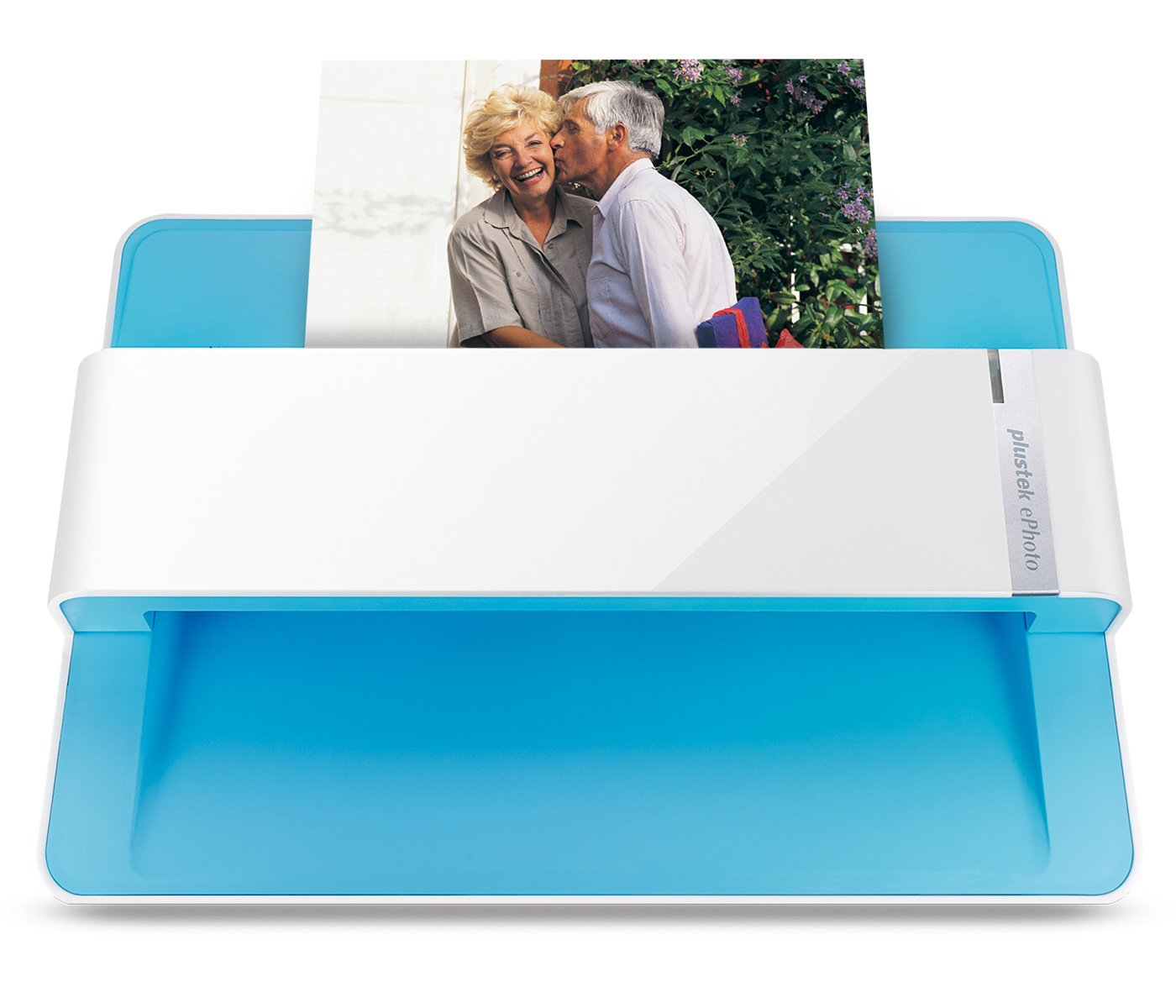
Machines built to run 4×6 prints handle stiff stock better than office units because their rollers are tuned for a short, flat path. The Plustek ePhoto Z300, for example, is built around a 4×6 photo path that scans one photo in 2 seconds. That same path accepts a card with no carrier sheet.
Resolution you actually need for card text
300 dpi (dots per inch — the number of sampled points per linear inch) is enough to read a player name and team logo. 600 dpi is what lets you zoom into a serial number or a surface scratch for condition grading. Some feeders cap at 600 dpi and 600 dpi only, which is worth knowing before you buy a machine for PSA-style inspection.
The sensor question: CCD vs CIS
A CIS (contact image sensor) sits tight to the glass and needs less power, but it struggles with glossy foil. A CCD (charge-coupled device) sensor uses a lens and captures depth better, which is why photo-first units tend to use CCD. If you are scanning a refractor or a chrome finish, sensor type is the deciding spec.
Feeder capacity and card thickness
Batch scanners list sheet capacity in pages — 36 photos at a time on the Epson FastFoto FF-680W, 100 sheets on the Brother ADS-4900W. Cards count against that number too, and the thicker the card, the slower you should load the feeder. A 50-image batch limit, as on the Plustek ePhoto Z300, is realistic for a two-hour session.
Side-by-Side Comparison
| Model | Best For | Optical Resolution | Sensor | Weight | Amazon |
|---|---|---|---|---|---|
| Plustek ePhoto Z300★ Best Overall | Card-by-card archivists | 600 dpi | CCD | 1.5 kg | Amazon |
| ScanSnap iX1300Best for Small Desks | Tight desks, mixed batches | 600 dpi | CIS | 4.4 pounds | Amazon |
| ScanSnap iX2400Top Performer | High-volume duplex work | 600 dpi | CIS | 7.1 pounds | Amazon |
| Canon imageFORMULA R50 | Touchscreen standalone scanning | 600 dpi | CIS | 7.4 pounds | Amazon |
| Epson RapidReceipt RR-600W | Receipt-to-QuickBooks workflows | 600 dpi | CIS | 8.2 pounds | Amazon |
| Epson FastFoto FF-680W | Thousands of prints and cards | 1200 dpi (enlarging mode) | CIS | 8.2 pounds | Amazon |
| Canon imageFORMULA R40 Receipt Edition | Receipt batches with QuickBooks | 600 dpi | CIS | 6.2 pounds | Amazon |
| Brother ADS-4900W | Office-grade 60ppm capture | 300 dpi | CCD, CIS | 7.8 pounds | Amazon |
Detailed Reviews
1. Plustek ePhoto Z300 Photo Scanner
Our pick — 4.5+★ from 9,500+ verified ratings; the strongest balance of quality and price.
The card scanner that treats a foil refractor like a photograph, not a tax form.
The Z300 runs on a CCD sensor, and that one spec is why it belongs at the top of this list for card work. A CCD uses a lens to sample the image, which handles the depth and shine of a glossy card better than the flat contact sensor you find in most office feeders. It also scans a 4×6 photo in 2 seconds and an 8×10 in 5 seconds at 300dpi, so a 500-card base set is an afternoon, not a month.
Resolution tops out at 600 dpi, with the software offering a 300dpi or 600dpi setting. That is a real ceiling for card grading — if you want to inspect a corner under magnification, 600 dpi is your hard stop. On the plus side, the same machine scans 3×5, 4×6, 5×7, and 8×10 sizes plus letter and A4 paper, so your slab labels and your old photos both fit.
Owners push this harder than the spec sheet suggests. One buyer reports “Scanned 200 photos in first 20 minutes” — about six seconds per card including reloading, consistent with the 2-second scan time. The batch limit is 50 images before you move files to a folder, and anything wider than 8.5 inches tips and jams, so keep the card stock flat and centered.
Setup is USB-only to a Windows 7 or later machine, and one buyer hit a snag where the bundled software disc would not load and had to pull the installer from the Plustek website. Worth planning around: download first, install second.
Where it earns the top slot
- CCD sensor reads gloss and foil far better than a CIS contact sensor
- 2-second 4×6 scans and 5-second 8×10 scans at 300dpi
- Handles 3×5, 4×6, 5×7, 8×10 plus letter and A4 in one machine
- Compact footprint at 19.3″D x 4″W x 11.4″H
What to plan around
- 600 dpi is the hard top — no higher sampling for condition grading
- 50-image batch limit means periodic folder transfers
- Oversized items over 8.5 inches tip and jam
- Software ships on a disc that can fail to load
Best for: the collector who wants one machine to handle modern base cards, vintage stock, and a shoebox of family photos without learning a document workflow.
Think twice if: you need above 600 dpi for graded slab inspection — this is not that machine.
2. ScanSnap iX1300 Scanner
A 4.4-pound footprint that folds away when the card sorting is done.
If your card table is also your kitchen table, the iX1300 is the pick. It measures 4.5″D x 11.7″W x 3.3″H and weighs 4.4 pounds — compared with the Plustek ePhoto Z300’s 19.3″D x 4″W x 11.4″H, that is a dramatically shorter depth you can slide into a drawer. It scans up to 30ppm duplex (30 pages per minute, both sides in one pass), which handles the back of a photo as easily as the front of a card.
You can load a stack or feed cards one at a time: the feeder runs a 10-sheet ADF (automatic document feeder, which pulls sheets through on its own) or a manual front feed. One buyer reports “Scanned ~1k photos in 4 hrs; quality good but capped at 600dpi.” — roughly 250 photos an hour through the 10-sheet feeder. That 600 dpi (dots per inch, the detail level of the scan) ceiling is the same one the Plustek carries, so if you were hoping to zoom into card texture, both machines stop at the same line. Where the iX1300 beats the Plustek is connectivity — USB or Wi-Fi, so you can scan to a Mac, PC, mobile device, or cloud service without a cable run across the table.
The honest catch is the wireless. The review pages split hard on it: some buyers call it rock-solid, others say connecting by Wi-Fi was impossible. Wired USB is the safe path. Also note the software requires the ScanSnap Home app and is not TWAIN-compliant on this unit (TWAIN is a standard that lets a scanner talk to other programs) — one buyer docked a star because photo scans came out marginal next to document scans, so treat this as a document-first tool that will also take a card.
The practical read: a card collector gets a compact, duplex-capable scanner that fits on a shelf, and the manual front feed is the mode you want for a single thick card.
The Wi-Fi warning: the connection is the one spec with real split opinion — trust the USB port over the wireless if you need guaranteed output.
Reach for this if: desk space is tight and you want USB or Wi-Fi flexibility in one compact machine.
Look elsewhere if: you need above 600 dpi or a rock-solid wireless link for a card-only workflow.
3. ScanSnap iX2400 Scanner
The one-touch button and 100-sheet feeder that turns a card sorting session into a data entry session.
If you scan card backs, receipts, and business cards in one sitting, the iX2400’s 45 pages per minute and 100-sheet feeder capacity are a big leap over the iX1300’s 30ppm (pages per minute) and 10-sheet ADF. It weighs 7.1 pounds versus the iX1300’s 4.4 pounds, so you are trading portability for throughput. The whole thing runs on a wired USB connection, which is the more reliable of the two options here.
The clean-up engine is the real feature. It auto-detects document size and color depth (how many colors the scan captures), removes streaks and blank pages, and de-skews (straightens a slightly crooked scan) without you touching a setting. Owners consistently point to scan quality as the thing that wins them over, and One buyer reports “High-quality, durable scanner; fast (40 photos <30 sec), no bad scans.” — about 80 photos a minute. Forty photos in under half a minute is about as fast as card scanning gets before the roller stops being the bottleneck.
Two things to size the value honestly. First, the feeder wants standard-thickness stock — a slab or a very thick card should go through the manual path, not a 100-page stack. Second, the recurring note about value for money is the software bundle; you are paying for hardware speed, and the ScanSnap Home app is functional but basic. Several owners also swapped in the bundled USB cable after longer third-party cords caused slowdowns.
Why owners keep it: the scan quality matches the speed, which is rare at 45ppm, and the auto-cleanup saves hours of manual correction on a card set.
The honest limit: this is a document scanner first — thick slab stock should go through the manual feed, not a 100-sheet batch.
Best in this list for: a collector moving 500+ cards and wanting the batch to run without babysitting.
Not the pick for: single-card touch-up work — this machine shines in volume, not in precision.
4. Canon imageFORMULA R50 Business Document Scanner
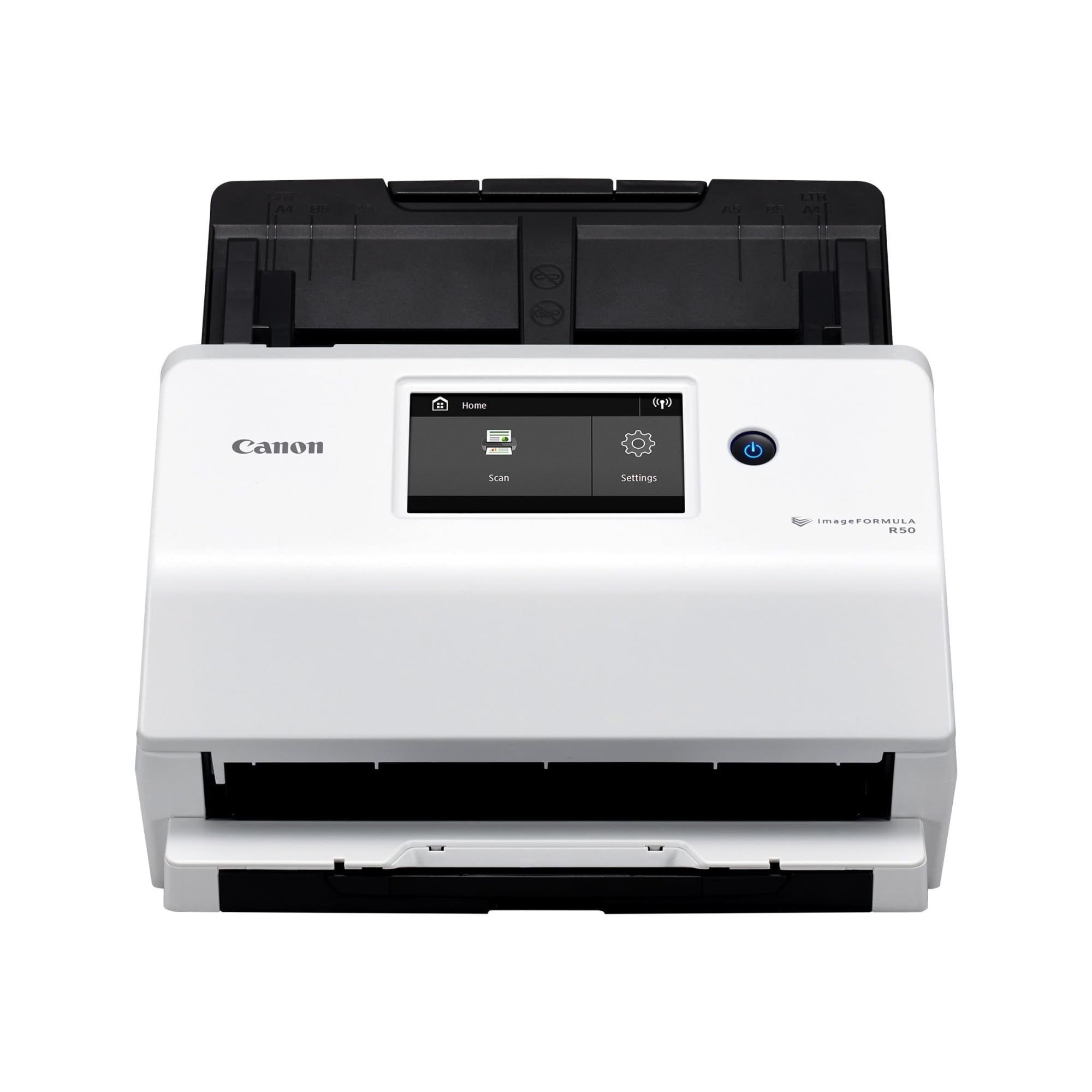
A standalone scanner with a 4.3-inch color screen, so the card batch can run without a computer attached.
You get both sides of a document in color at up to 40 pages per minute with a 60-sheet ADF (automatic document feeder), which puts it in the same ballpark as the iX2400’s 45ppm and 100-sheet feeder, though the Brother holds more sheets per load.
Owners point to scan quality as the standout, and One buyer reports that it cut photo digitization time from roughly eight hours to one. That is the whole pitch in a sentence: a box of cards and photos that used to eat a weekend now fits in an evening. The Canon also handles mixed batches — cards, photos, and documents together — if you center them on the feeder.
Two real trade-offs to know. First, reliability is mixed in the field: some owners call it flawless, others report the computer failing to recognize the scanner or the Wi-Fi refusing to connect. Second, the Wi-Fi tops out at 2.4GHz — no 5GHz band — so a crowded home network is a real risk. USB with the included TWAIN driver is the dependable path, and the R50 carries TWAIN support that the ScanSnap iX1300 does not.
The strongest argument: a big standalone touchscreen plus TWAIN support makes this a genuinely flexible card scanner for mixed media.
The catch: the wireless is the weak point — plan on the USB connection for a batch you can rely on.
Pick this if: you want a touchscreen you can operate without a laptop and TWAIN support for professional software.
Cross it off if: a dependable 5GHz Wi-Fi link is a requirement for your scanning setup.
5. Epson RapidReceipt RR-600W Scanner

A receipt scanner on paper, but the 100-page feeder and one-pass duplex make it a serious card batch tool.
You can load a stack of packaging cards, receipts, and invoices without a manual reload, because the RR-600W is built around a 100-page feeder with paper-skew and staple protection. It captures both sides in one pass at up to 35 pages per minute, and its TrueFeed design is meant to keep mixed sizes moving without jamming.
Standalone scanning is the standout. The 4.3-inch color touchscreen lets you push scans directly to email, cloud storage, or a USB drive with no computer in the loop, and one buyer set it up to send straight to a NAS over SMB. Another owner reports the whole Mac Wi-Fi setup took under 5 minutes. For a card collector who also files receipts, that PC-free workflow is genuinely useful.
The honest caveat is the AI. The ScanSmart AI PRO technology is marketed heavily, but a vocal minority of buyers found the AI claims overstated — one called the marketing deceptive and returned the unit. Mechanically the scanner got strong marks; the mismatch is between how the software is pitched and what it actually extracts. Also worth knowing: it scans fast enough that an unprotected old photo can slip through — use a carrier for anything fragile.
What actually works: the feeder, the touchscreen, and the standalone cloud/SMB destinations — this is a reliable batch machine.
What to discount: the AI-augmented receipt extraction is pitched far beyond what buyers describe finding on the device.
Worth it for: collectors who run a card-collection side business and want receipts, invoices, and cards through one feeder with no PC attached.
Wrong tool for: anyone buying primarily for the advertised AI financial extraction — the hardware is the strength here.
6. Epson FastFoto FF-680W Scanner

One photo per second at 300dpi, and a 36-photo batch — the machine built for the whole collection.
If you are moving thousands of cards and photos, this is the speed king. It scans as fast as 1 photo per second at 300 dpi (dots per inch, the detail level of the scan) and batch-scans up to 36 photos at a time, and it captures both the front image and any handwritten notes on the back in a single pass. That back-scan is exactly what you want for a signed card or a vintage card with a handwritten date on the reverse.
Resolution is flexible: 300 dpi for sharing, 600 dpi TIFF for archiving, and 1200 dpi for enlarging. It also handles Polaroids, panoramas, postcards, and photos up to 8 x 10 in, and includes a carrier sheet plus a microfiber cloth for dusting fragile prints. SafeTouch technology is the name Epson gives to the carrier-sheet path — for a card, that means you can scan a delicate surface without touching the emulsion.
The mixed signal is image quality. Some owners find the auto-enhanced and restored files superior to the originals; others report poor photo scans, especially on early color prints. The common ground is that 600 dpi is the balance — one buyer found 300 dpi degraded and 1200 dpi gave no gain. Long-haul reliability holds up in the field: A single owner has reportedly run 19,000+ scans with about 50 jams, mostly from staples and double feeds — roughly one jam per 380 scans.
The speed math that matters: 36 photos per batch at 1 photo per second is roughly half a minute per batch — a 1,000-card set is a couple of evenings, not a season.
The quality trade-off: enhanced restorations are not flatbed-grade, so treat this as a bulk archive tool rather than a condition-grading tool.
Reach for this when: your collection is measured in thousands and speed is the metric you care about most.
Not your machine if: you need archival exactness on every image — the enhancement is opinionated, not neutral.
7. Canon imageFORMULA R40 Scanner

A receipt-first scanner that still takes a card batch at 40 pages per minute.
The R40 Receipt Edition scans at up to 40 pages per minute and ships with a CaptureOnTouch plugin that pushes extracted data straight into QuickBooks Online. It weighs 6.2 pounds versus the R50’s 7.4 pounds, making it the lighter of the two Canon units in this list. For a card collector who also runs a side business selling singles, that receipt-to-QuickBooks path is the reason to pick this over the R50.
Owners point to setup as the thing that wins people over, and the feed path handles thin flimsy stock with surprising grace. One buyer reports the feeder handled 800 pages of medical records in an hour; another says it is “really good at feeding those thin flimsy receipts through.” — thin stock is where the feed path earns its keep. For a card batch, the thin-stock strength means base cards run clean — but you should still stagger thickness so a rigid slab does not follow a flimsy card into the feed.
The compatibility issue is the real catch. Some owners hit Mac software incompatibility, and the review pages describe the scanner as not working with an updated Mac OS. That is a serious limit if your card workflow runs on a Mac — plan on a Windows PC for this unit. Also note that small receipts sometimes feed at an angle, so a quick straightening pass before you commit is worth the habit.
What buyers keep coming back for
- 40ppm scanning and a single-button operation for fast batches
- Feeder handles thin, flimsy stock cleanly
- CaptureOnTouch plugin pushes data into QuickBooks Online
- 6.2 pounds — the lighter Canon in this list
The Mac question and the feed quirk
- Reported Mac OS compatibility problems on updated systems
- Small receipts can feed at an angle and need straightening
- Single-button operation locks you into the included software path
Best for: a Windows-based card seller who also needs receipt-to-QuickBooks automation from one machine.
skip it if: your workflow runs on a Mac — compatibility reports on updated Mac OS are the blocker.
8. Brother ADS-4900W Professional Desktop Scanner
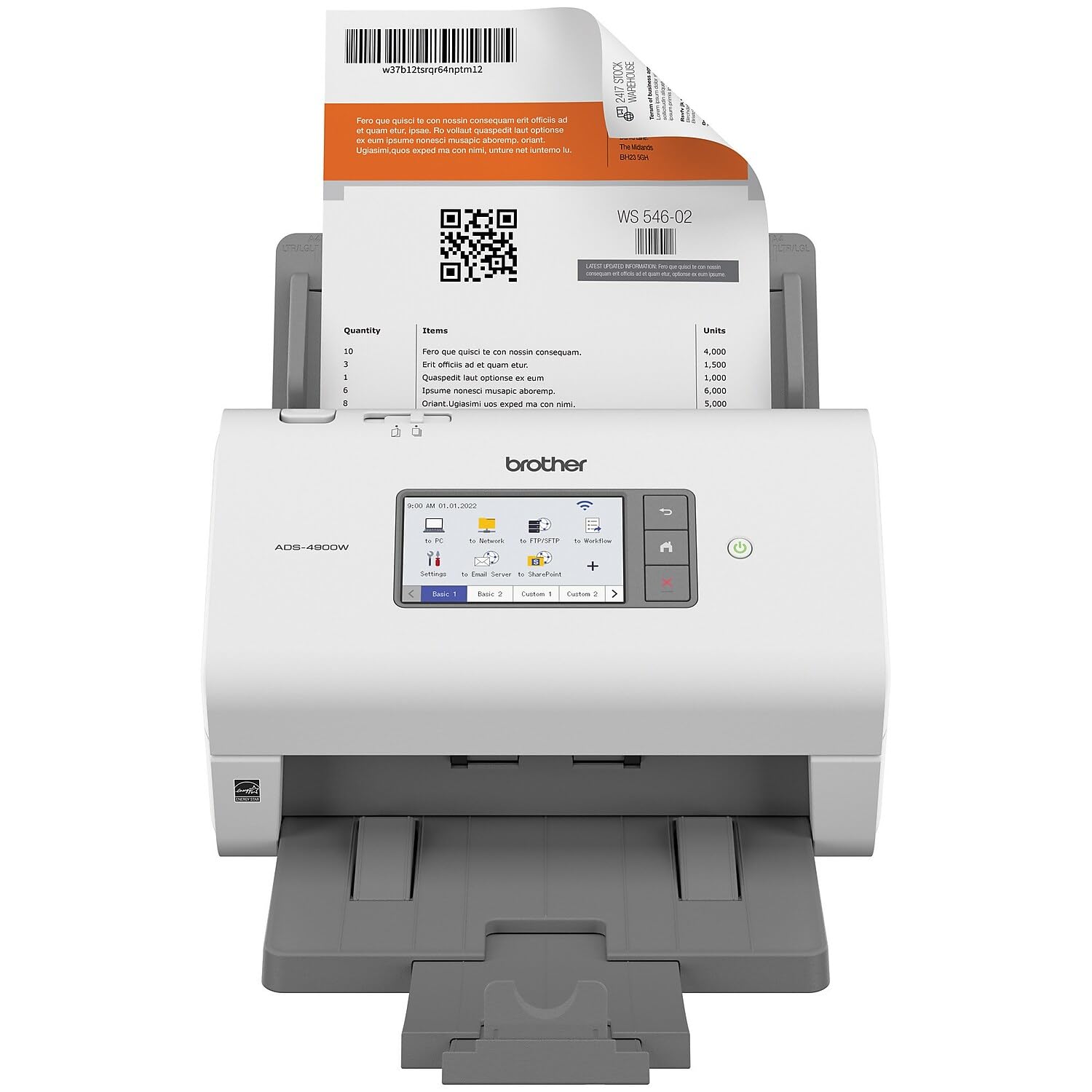
Sixty pages per minute through a 100-page feeder — the office-grade machine that outpaces every card pick here.
The ADS-4900W is the throughput champion. It scans single and double-sided materials in one pass at up to 60ppm, and the 100-page ADF with continuous scanning mode can be topped off mid-batch. One owner reports 115 pages scanned in under a minute — fast enough to clear a 2,000-card sorting job in a weekend rather than a month.
Image cleanup is the underrated part. It runs auto color dropout, rotation, and blank-page removal, and the 4.3-inch touchscreen supports up to 56 customizable shortcuts so you can fire a scan to a cloud destination or SMB share without a PC. Wide driver support (TWAIN, WIA, ISIS, and SANE) is the biggest compatibility draw — more of those standards than any other unit in this list carries. It weighs 7.8 pounds and measures 11.6″D x 11.6″W x 9.2″H, so plan on a dedicated spot.
Two real limits for card work. First, the listed resolution on this model is 300 dpi (dots per inch, the detail level of the scan) — below the 600 dpi most card graders want — so if zooming into card texture is the goal, the FF-680W is the better scanner. Second, one buyer found it finicky with slick cover stock and noted the output stack struggles past about 20 pages; cards are less glossy than slick paper, but the feed path is clearly tuned for business stock, not cardboard.
Where it beats every pick above: speed and driver range — 60ppm and TWAIN, WIA, ISIS, and SANE support make this the most flexible machine in the list.
Where it falls short for cards: the 300 dpi resolution is the lowest here, so detailed card inspection is the wrong job for it.
The pick for: an office or serious seller who needs 60ppm throughput and multi-driver software compatibility above all.
Better as a second machine: if card grading is the priority, pair this with a higher-resolution photo scanner rather than making it your only unit.
Know the Specs
Optical resolution vs interpolated resolution
Optical resolution (600 dpi, 1200 dpi) is the true number of sample points the scanner captures per inch. Interpolated resolution is a guessed value the software fills in between real samples, and it will not reveal detail that was never scanned. For card text, 300 dpi is legible and 600 dpi is the practical inspection ceiling. The FF-680W offers a 1200 dpi mode, but buyers report that the extra sampling adds no visible gain.
ADF capacity and how it is listed
The ADF (automatic document feeder) is the tray that pulls pages or cards through the scan path without you feeding each one. Capacity is listed in sheets — 100 on the iX2400 and the ADS-4900W, 60 on the R50, 36 photos on the FF-680W, 10 on the iX1300. Cards are thicker than paper, so real card capacity runs lower than the sheet number. The practical test is simple: load five, watch the feed, then scale up.
Duplex vs simplex scanning
Duplex (also called two-sided) scans both faces of a sheet in one pass. That matters for a signed or dated card, because the back often carries information worth archiving. The ADS-4900W, iX2400, R50, R40, and FF-680W all run duplex in a single pass. The Plustek ePhoto Z300 is a simplex photo scanner — it reads the face you feed it, one card at a time.
Carrier sheets and stock thickness
A carrier sheet is a clear plastic sleeve that holds a delicate item as it passes through the feeder, protecting the surface from rollers. The FF-680W includes one so you can run Polaroids and old prints safely. Slabs and thick cards should go through a manual feed or a carrier rather than a 100-sheet batch. As a rule, feed stock of similar thickness together — mixing a rigid slab with a flimsy base card invites a jam.
Common Questions
Can a sports card go through a document scanner feeder without a carrier sheet?
Is 300 dpi or 600 dpi better for reading a card’s serial number?
Will a slab fit through the automatic document feeder?
What does a CCD sensor do that a CIS sensor cannot?
How long does it take to scan a whole card collection?
Do any of these scanners work without a computer attached?
Why do some scanners focus on receipts rather than photos?
How often do I need to clean the rollers and scan glass?
Should I pick the fastest scanner or the highest-resolution one?
Do these scanners work with a Mac?
The Bottom Line
For most card collectors, the scanners for sports cards winner is the Plustek ePhoto Z300 because its CCD sensor (a light sensor that reads gloss better than a flat contact sensor) and a 2-second 4×6 scan keep a 500-card session on one afternoon. If you are moving thousands of cards and want raw speed, reach for the Epson FastFoto FF-680W and its 1-photo-per-second rate. And for a Windows-based seller who needs receipt-to-QuickBooks automation alongside a card batch, the Canon imageFORMULA R40 Receipt Edition is the one to grab.
One last nudge: the Plustek carries 4.5+ stars across 9,000+ ratings and the FF-680W matches that 4.5+ star score — if you value the CCD advantage for glossy cards, the Plustek is the safest first buy.
How we choose
We do not accept paid placement. Every pick is matched to a real buyer and a real use-case; we do not hands-on test units.
Sources
Specifications: manufacturer listings and product documentation. Review insights: verified customer reviews, as of October 2026. Pricing: not shown on this page (it changes often); check the current price via the retailer link.
As an Amazon Associate, Aappliancez earns from qualifying purchases. This does not affect which products we feature.