Disclosure: Some links in this post are affiliate links. As an Amazon Associate I earn from qualifying purchases, at no extra cost to you. Learn more
Specs are compiled from manufacturer listings and verified buyer reviews and can change over time — please confirm the key details on the product page before buying.
You do not need the fanciest machine on the shelf. You need a scanner that pulls a stack of receipts and two-sided documents through in one pass, turns them into searchable PDFs, and does not fight you on setup. The list below separates the machines that do that from the ones that look good on a spec sheet and then jam on a crumpled receipt.
This guide is built by comparing the manufacturers’ published specifications and the patterns across verified customer reviews, so you get each pick’s real strengths and trade-offs instead of marketing spin.
Paper piles up fastest at tax time and at the front desk, so the picks below lean on feeder capacity, duplex speed and how well each unit handles thin receipt paper. Here is the honest shortlist of the best scanner for receipts and documents.
Top Picks


How To Choose The Best Scanner for Receipts and Documents
The biggest mistake here is buying a flatbed for a shoebox of receipts, or a photo scanner for everyday paperwork. Flatbeds (the glass-plate kind) make you lift a lid and place one page at a time — fine for a passport, painful for 300 invoices. A sheet-fed scanner pulls the page through a feeder slot instead, and that is the shape you want.
Duplex scanning is the feature you will feel every day
Duplex means the scanner captures both sides of a sheet. Single-pass duplex grabs front and back in one trip through the machine, so a double-sided contract does not need a second run. If most of your paperwork is one-sided receipts, simplex is enough — but two-sided statements and signed agreements are where duplex earns its keep.
Feeder capacity decides how you batch your work
Sheet capacity is how many pages the input tray holds at once. A 20-page feeder means you reload often during a big purge; a 50-page or 100-page feeder lets you stack a whole folder and walk away. Small feeders are fine for a few receipts a day, less so for a quarterly filing marathon.
Receipt paper is the real stress test
Thermal receipt paper is thin, curly and flimsy — the exact thing that makes rollers slip or misfeed. Look for a scanner whose reviews describe clean handling of crumpled or folded receipts, or a straight-through paper path. Two scanners with the same dpi and ppm ratings can still differ sharply on a curled thermal receipt.
Side-by-Side Comparison
| Model | Best For | Feeder Capacity | Duplex | Resolution | Amazon |
|---|---|---|---|---|---|
| Doxie Pro★ Best Overall | Small home office | — | Automatic | 600 dpi (color and B&W) | Amazon |
| Fujitsu ScanSnap iX1500 DeluxeBest for Shared Offices | Shared office scanning | 50 sheets | Duplex | 600 | Amazon |
| Plustek PS186Best Budget Paperless | Budget-minded paperless office | 50 sheets | Duplex | 600 | Amazon |
| Brother ADS-1300 | Travel and small desks | 20 sheets | Single-pass double-sided | 600 dpi | Amazon |
| Epson RapidReceipt RR-70W | Receipt tracking on the move | — | — | — | Amazon |
| Epson Workforce ES-C220 | Cramped desks | 20 pages | Single-step | 300 | Amazon |
| HP HPPS200 | Thin-file portability | 25 sheets | Single pass | 1200 dpi | Amazon |
| Canon imageFORMULA DR-C225 II | Mixed document types | 30 sheets | Simultaneous both sides | — | Amazon |
| CZUR Aura Pro | Books and bound papers | 3 sheets | — | 4320*3240 | Amazon |
| ScanSnap iX2500 | High-volume scanning | 100 sheets | Double-sided | 600 dpi | Amazon |
| Canon imageFORMULA R40 Receipt Edition | Receipt-to-bookkeeping workflow | — | Color duplex | 600 dpi | Amazon |
Detailed Reviews
1. Doxie Pro – Duplex Document Scanner and Receipt Scanner
Our pick — 4.5+★ from 650+ verified ratings; the strongest balance of quality and price.
A three-pound desk scanner that turns a shoebox of receipts into searchable files without a subscription.
The Doxie Pro is the crowd favorite of this group, holding 4.5+ stars across 600+ ratings, and the reason is not a flashy spec sheet. It captures both sides of a page in one pass, up to 600 dpi in color or black and white, so a two-sided statement comes out whole in a single run. You get that in a footprint measuring 11.75 by 4 by 3 inches and a body just over 3 pounds — small enough to live on a corner of the desk or slide into a drawer between uses.
What wins people over is the software. The Doxie app stitches a long scan back together, lets you stop and resume mid-batch without losing progress, and needs no subscription — a point buyers keep raising, because plenty of receipt apps want a monthly fee. Crumpled and folded receipts scan up to full sheets, and there is a direct feed slot for thick or delicate paper that will not go through the feeder. You can send finished files straight to Dropbox, Evernote, OneNote or iCloud, and there are no drivers to wrestle with.
The catch is the connection: it is wired USB only, so you plug in for each session rather than scanning over Wi-Fi. The automatic feeder also sits around a 20-page batch, which is fine for household paperwork but not built for a heavy-duty office. Compare that with the Fujitsu ScanSnap iX1500 Deluxe at 7.5 pounds and you see the trade: the Doxie gives up bulk for portability, and that is a swap most home offices happily take. Only the desktop Windows and Mac crowd is served — there is no official Linux software.
What earns its place
- Scans both sides in one pass at up to 600 dpi, so double-sided statements come out complete.
- No-subscription software that stitches, crops and auto-adjusts — real money saved over time.
- Just over 3 pounds, so it stores in a drawer and travels to client sites.
- Direct feed slot handles thick or delicate paper the feeder cannot take.
What to plan around
- Wired USB only — no wireless scanning.
- Around a 20-page feeder, so big purges mean reloading.
- Overfilling the feeder or mixing paper sizes can cause a jam.
Reach for this if: you run a home office or small business and want duplex receipts and documents handled without a monthly software bill.
Think twice if: you need to scan over Wi-Fi from a phone, or routinely push office-sized batches through in one stack.
2. Fujitsu ScanSnap iX1500 Deluxe Color Duplex Document Scanner
The one-touch workhorse for an office where several people share a single scanner.
Where the Doxie asks you to plug in and open an app, the ScanSnap iX1500 Deluxe puts the controls on the machine itself. That 4.3-inch touchscreen is the defining feature: you tap a destination, the 50-sheet automatic feeder swallows the stack, and pages land as a PDF with a naming popup so each file is labelled correctly as it saves. Quality and scanning performance are what owners bring up most, and a neat stack of paper to PDF lands in under a minute.
This is a sharing scanner by design. You can create separate user profiles so each person’s scans route to their own folder — a neat fit for a small team that does not want one shared dumping ground. Connection is USB and Wi-Fi, so cloud destinations like Google Drive and Dropbox are in reach without a cable run, and the bundle includes a 1-year Adobe Acrobat Pro DC subscription for turning scans into editable, searchable PDFs.
Two honest limits. At 7.5 pounds it stays put on a desk, and unlike the Doxie Pro it is not something you will carry between sites. The other is support depth: the scanner itself is fast and quiet, but owners describe the documentation for advanced settings and cloud service setup as thin, with tutorials hard to find. Plan on some trial and error when you first configure cloud scanning.
Who it fits: a small office with two or three people who each want their scans filed separately, and a touchscreen that explains itself without a manual.
The friction point: heavier than a portable, and the cloud-setup guidance is not written for beginners.
The short version: pick it when the scanner is a shared desk appliance and one-touch PDF output beats portability.
3. Plustek PS186 Desktop Document Scanner
Black-and-white paperwork flies through this one, and the presets do the filing for you.
The Plustek PS186 is the value play for a paperless office with a transcript mountain to clear. It holds up to 255 saved single-touch scan profiles — one per document type, each with its own folder, file format and dpi from 100 to 600 — so archiving a category is one button. The 50-page feeder matches the Fujitsu, and the folding design keeps dust off the glass when it is parked. In black and white it is quick and clean; long duplex transcripts have gone through with no misfeeds thanks to the vertical feeder with high side guides.
The vertical setup is the clever bit. It measures 5.02″D x 10.36″W x 5.83″H and folds down small, and the tall guides keep pages straight on the way in. Color is where it stumbles: reviews describe lines appearing in color scans even at 600 dpi, so treat this as a black-and-white document machine and a photo scanner it is not. There is also a known quirk where saved profiles pointed directly at network folders convert slowly — the workaround is scanning to a local folder first, then copying across.
Now the honest part, and it is the reason this sits lower than the top picks. Reliability is genuinely mixed. Some units run their first job inside fifteen minutes and keep going; others stop working after limited use. That is not a reason to avoid it, but it is a reason to buy where the return window is easy and test it hard in week one. The OCR and blank-page removal are included, so the searchable PDF side is covered.
Standout spec: those 255 single-touch presets are the most configurable filing setup in this list at the entry-level end.
The caution: color output underperforms its own resolution number, and long-term reliability varies unit to unit.
Fit check: the right call for black-and-white document archiving on a tight budget — not the call for someone who needs crisp color receipts or photos.
4. Brother ADS-1300 Compact Desktop Scanner

Thirty pages a minute and both sides at once, from a unit that weighs three pounds.
The Brother ADS-1300 is built to move. It scans at up to 30 ppm with single-pass double-sided scanning through a 20-page automatic feeder, and it weighs 3 pounds at 4″D x 11.3″W x 3.3″H — small enough to pack for client visits. It also takes odd jobs most scanners refuse: a card slot for business cards, ID badges and plastic cards, and single pages up to 197 inches long. Three software applications come bundled for organizing, making text searchable and editing the scans.
Owners praise its light, sturdy build, quick setup and speed on multi-page batches. It is light and durable, sets up quickly, and handles many pages at once with speed that gets called out as exceptional for the size. Color scanning is there, and you can pick which individual pages to keep or delete after a batch. For a small office that needs a real feeder but has no desk to spare, the shape is right.
Here is the part to read twice, because it splits opinions. This one ships without an AC adapter and is powered through your computer over the included USB cable. On some setups that is fine; on others the scanner reports a power shortage and will not run without buying the adapter separately — an extra order from Brother that costs more than you expect. That, plus mixed reports on computer compatibility, is why it does not rank higher. Confirm your machine’s USB power situation before you commit.
Where it delivers
- Up to 30 ppm single-pass double-sided scanning in a 3-pound body.
- Card slot for IDs and business cards, plus pages up to 197 inches long.
- Bundled software covers organizing, OCR and editing.
Where it bites
- No AC adapter in the box — USB power only until you buy one separately.
- Compatibility with some computers is a documented sticking point.
- 20-page feeder means frequent reloads on big jobs.
Best for: the traveling professional with a laptop that can spare USB power and a need for duplex speed away from the desk.
Look elsewhere if: you want a plug-and-go desktop box with no power accessories to chase down.
5. Epson RapidReceipt RR-70W Compact Mobile Document Scanner
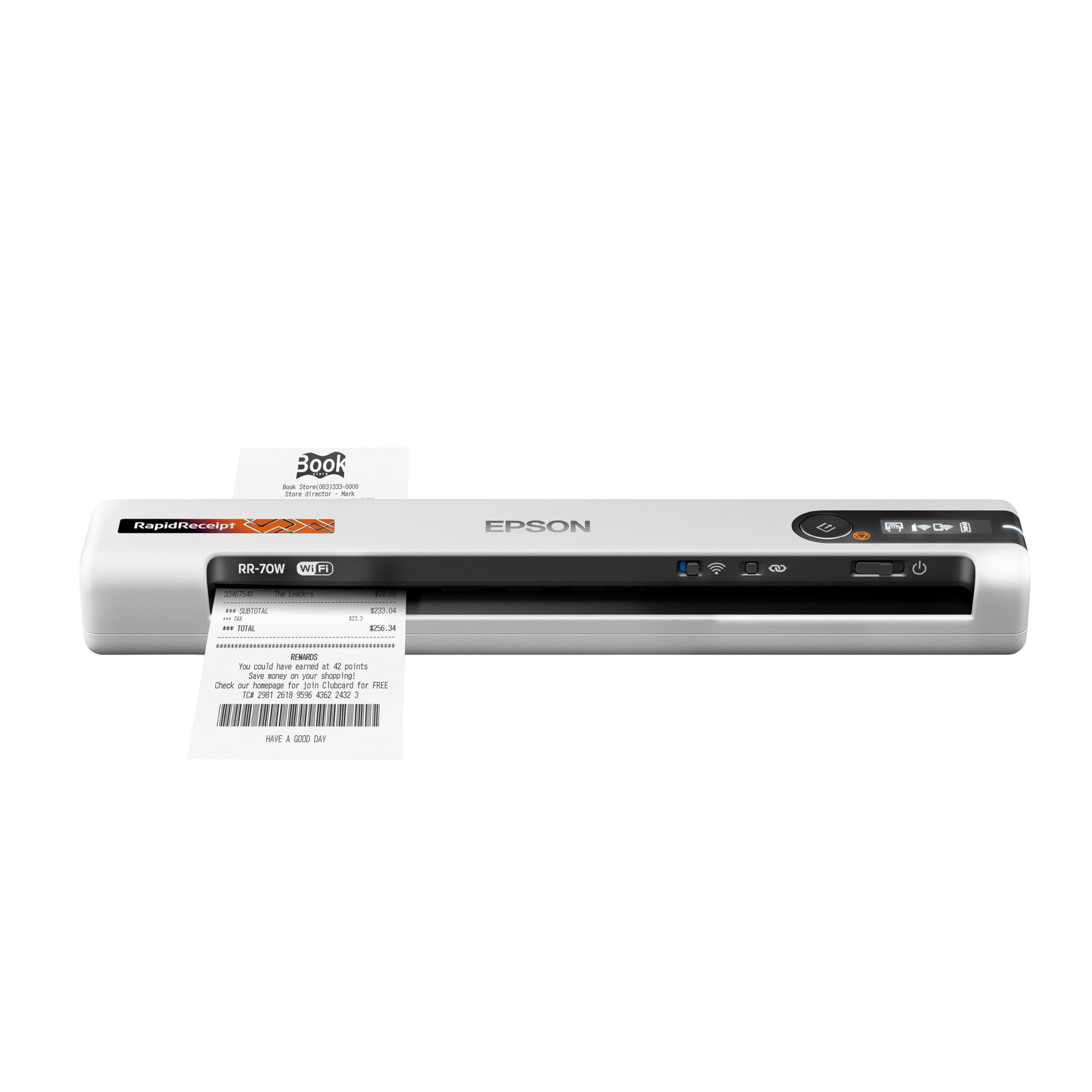
Names your receipts for you, then files them straight into the cloud.
This is the one for the freelancer who lives out of a bag. At under 11 ounces and 10.7 x 1.3 x 1.8 inches, the RapidReceipt RR-70W is the lightest wireless mobile document scanner in its class, and it runs on USB or battery power. Speed is up to 15 pages per minute in Automatic Feeding Mode, and it swallows receipts, invoices, business cards and documents up to 8.5 x 72 inches — that long figure matters, because tax receipts often come as lengthy till rolls.
The software is the reason to choose it over a plain portable. ScanSmart AI PRO technology reads scanned receipts and documents and converts them into smart digital data, with automatic file naming that recognizes whether it is looking at a receipt or an invoice. It also connects wirelessly to OneDrive, Dropbox and Google Drive from PC, Mac, phone or tablet through the Epson Smart Panel app. What owners praise most is the compact, portable build and quick scanning; the subscription side is a relief too, since the app does not force one on you.
Where buyers split is value. Some find it worth the money outright, others feel the cost is high for what it does — the recurring point being that keeping receipts for taxes can push you toward a paid record-keeping service beyond the scanner. There is a Bluetooth-style caveat on older Mac systems, where no software was published for MacOS 11 until a workaround of installing the 10.15 version, and that ran fine. If you want to scan only to local files, know that this machine is happiest routing to the cloud.
The pitch in one line: AI receipt reading that labels and routes your paperwork for you, in a scanner lighter than a paperback.
What to weigh: the value question is real for casual users, and Mac compatibility should be checked against your OS version before buying.
Reach for it if: your receipts need to become searchable records as they happen, not at tax-deadline panic time.
6. Epson Workforce ES-C220 Compact Document Scanner

A folding feeder that clears desk space, then grabs both sides at 30 ppm.
The ES-C220 solves a problem the others mostly ignore: where to put the machine. Its ultra-compact design is built to save 60% of desk space, and the single-step technology captures both sides of a sheet in one pass at up to 30 ppm and 60 ipm. The 20-page automatic feeder takes stacks of mixed paper sizes, and the flexible scan path reaches past standard paper to cards and passports. Image adjustments handle cropping, blank page deletion, background removal, dirt detection, skew correction and staple protection.
Quality is what this scanner is known for, and batch scanning is its comfort zone. One long project — a 437-page document — went through in about half a hour, with a pencil-written manuscript scanned well enough for OCR to turn into typing. Setup is quick and the build feels sturdy and compact. For a big archive job, it replaces the page-by-page flatbed grind with a 20-page feeder.
The trade-offs are specific. Scanning capability draws mixed feedback: some find it handles everything, others note that in certain modes it only scans one page at a time or lacks certain PDF scan options, so check you are set to duplex. The feeder is sensitive to how many sheets you load, so stop at a sensible stack rather than filling it. And on a Mac, the machine sleeps and disappears from the laptop until you power-cycle it — a hiccup, not a failure, but worth knowing.
What it nails: a big, dull archival job, handled at up to 30 ppm with blank pages and skew sorted automatically.
What to mind: duplex and PDF settings need checking before you hit go, and Mac users should be ready for a reconnect now and then.
Pick it when: your desk is precious and your paperwork arrives in folders, not single receipts.
Skip it when: you scan only one receipt at a time and want zero setup choices to think about.
7. HP Compact Desktop Duplex Scanner

The spec sheet leads with 1200 dpi, and for photos and fine print that number is the hook.
The HPPS200 is pitched as the fastest and lightest sheetfed scanner in its class, and on paper it makes a strong case. It reaches 1200 dpi, scans both sides in a single pass at 25 ppm (about 2.4 seconds per page), and takes paper from 2 x 2.9 inches up to 8.5 x 14 inches. That size range covers everything from a business card to a legal sheet. It weighs 3.1 pounds and the rear auto-feed tray folds down when the job is done, so it travels easily in a bag.
For old photos and dense forms, that resolution claim is the reason to consider it. Scans are quick and image quality is described as vibrant, and the edit-and-crop interface is approachable for someone who just wants photos consolidated and digital. The free HP WorkScan software handles auto-scan and size detection, previews, background cleanup and one-click saving on Windows and macOS. It is wired USB with an AC adapter for power, so no wireless to configure.
The honest caveat sits in the software and the resolution reality. Some buyers report the top resolution does not arrive in practice, with scans capping lower than advertised, and auto-crop sometimes trimming photo edges. A few hit duplex errors that freeze two-sided scanning until the machine is restarted. Test duplex scanning and top-resolution output thoroughly inside the return window, and check HP’s regional support for the model before you buy.
Why it makes the list
- 1200 dpi is the highest printed resolution in this lineup — the reason to look here for photos and fine detail.
- Single-pass duplex at 25 ppm in a 3.1-pound body that fits a laptop bag.
- Handles 2 x 2.9 inch cards up to 8.5 x 14 inch sheets.
The fine print
- Owners mention the top dpi does not always materialize on scans.
- Auto-crop occasionally trims photo edges.
- Observed duplex errors need a power cycle to clear.
Suits you if: high-resolution photo and form scanning on the move matters more than a flawless, glitch-free software story.
8. Canon imageFORMULA DR-C225 II Office Document Scanner

Upright, top-feed and top-eject — a scanner for the office that mixes it all.
The DR-C225 II stands vertically, feeds from the top and ejects at the top, with a built-in cable organizer to keep a tidy desk. It captures both sides of a document at the same time in color at up to 25 pages per minute, fed from a 30-sheet automatic feeder, with one-touch operation. Connection is USB, and it supports Windows and Mac with a TWAIN driver included.
Its real edge is the range of paper it takes: receipts, photos, business cards, plastic or embossed cards, reports, contracts, long documents, and thick or thin pages. You can turn paper into searchable PDFs, JPGs and more, or scan straight to Dropbox, Google Drive, OneDrive, Box, QuickBooks Online, Evernote or SharePoint. One owner ran a 300-page mixed batch through the output tray without clogging, and auto text-orientation rotation keeps pages upright. The bundle includes software to organize files and a PDF tool for editing and collaboration, plus a three-year warranty backed by US-based support.
The mixed feedback is worth understanding, because it is the difference between buying and returning. For most paper, this handles it. But thin thermal receipt paper is the weak spot — the feed path has been described as crunching receipts even one at a time. If your job is bulk receipt scanning, this is not the machine. If it is mixed office documents with the occasional receipt, it is a strong one, and the double-feed that sometimes trips stacked pages clears by fanning the paper first.
The strength you pay for: a document range that reaches from embossed cards to long, thick or thin pages, in a space-saving upright chassis.
The trade you accept: thin receipt paper is the one thing it struggles to swallow, so it suits a mixed-document office better than a receipt-heavy one.
Belongs on your desk if: your scanner sees contracts, reports and cards, with receipts only now and then.
Not the one if: thermals make up most of your paper, because this feed path will chew them.
9. CZUR Aura Pro Book & Document Scanner

Scans bound books page by page in two seconds, then flattens the curve for you.
This is a different animal. The Aura Pro is an overhead book scanner, not a sheet feeder, built for the paper you cannot feed — bound books, magazines, fragile documents. It captures a page in about 2 seconds and outputs to JPG, Word, PDF and searchable PDF, with OCR across 180+ languages (Thai, Hebrew and Arabic currently excluded). Resolution is 4320*3240. It sits at 5.12″D x 7.09″W x 17.44″H and folds to save space.
The clever part is the flattening. Three precise laser lines work with AI software to replicate the individual flat pages of a curved book, so a page that bends toward the spine comes out straight, and auto page-split handles a spread. A 200-page book can go through in under ten minutes with the foot pedal, or faster with autoscan. The 32 LED lights and 2 supplemental side lights cut glare, and the lamp doubles as an adjustable desk reading light with four color temperatures. Performance is what earns the most praise here, and the software’s curve straightening and smudge removal are genuinely intuitive once you are past the learning curve.
Two things to expect. First, a book scanner is a skill: you will need a session or two of practice positioning pages, and finger cots help. Second, page-border detection is not perfect — it can catch a hand in the frame despite the cots, and a redo is sometimes needed. Rare characters in some OCR languages come out imperfect. None of that is a dealbreaker for someone digitizing a shelf of books, and it is a genuinely capable desk lamp besides.
Why it stands apart: at about 2 seconds a page with laser flattening, it does what no feeder in this list can — digitize a bound book without cutting it apart.
What you must accept: a practice period, and occasional manual redos when border detection grabs your fingers.
The right tool for: genealogists, students and anyone archiving fragile, bound or oversized paper that cannot go through a feeder.
10. ScanSnap iX2500 Wireless or USB High-Speed Document Scanner
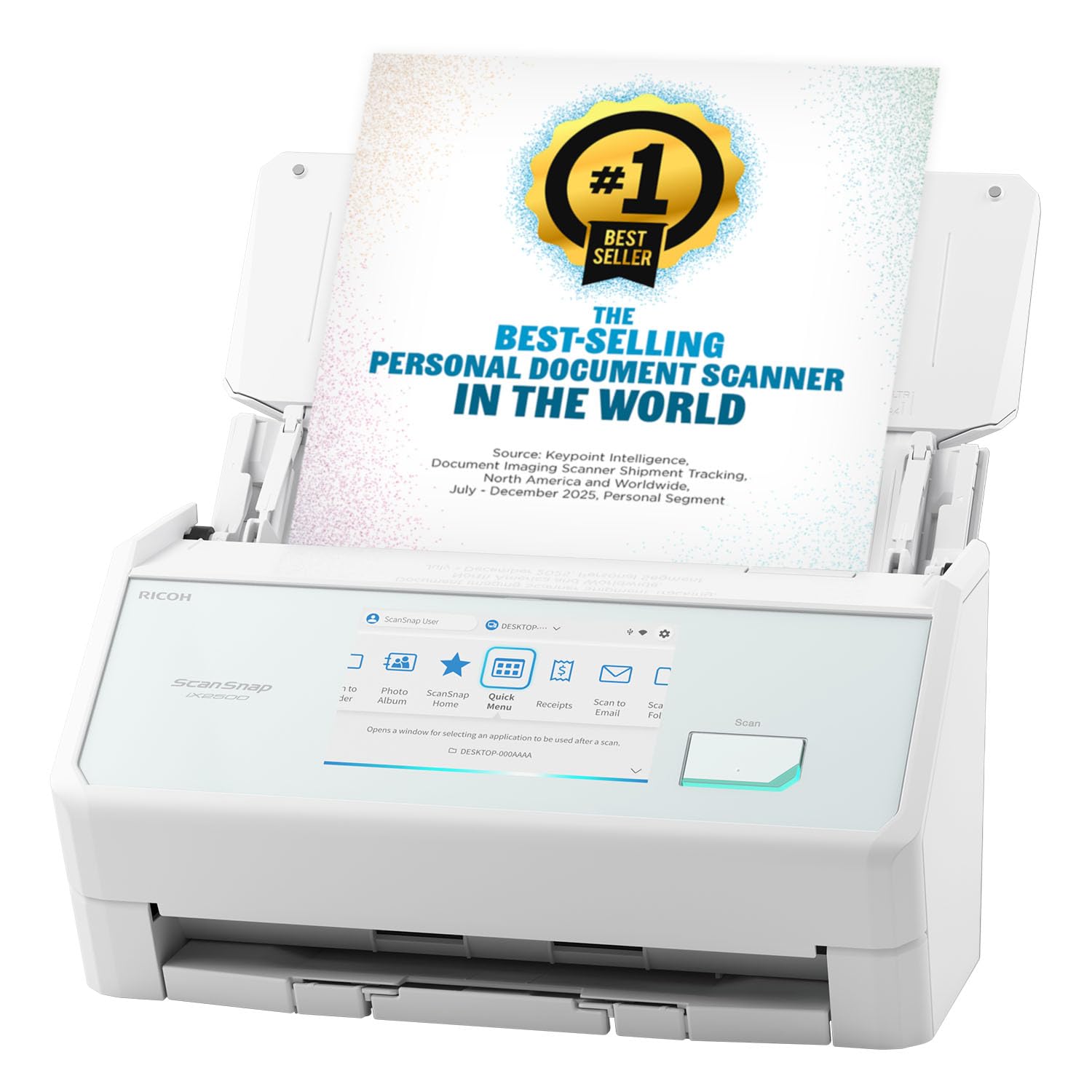
A hundred sheets in, forty-five pages a minute out — the volume king of this list.
If the job is a filing cabinet, this is the machine. The iX2500 scans double-sided at 45 ppm through a 100-sheet document feeder — the largest capacity here, twice the Fujitsu’s 50 sheets. It is built to keep going: a brake roller system feeds smoothly, a multi-feed sensor detects pages stuck together, and skew detection prevents damage and data loss. Quality is the thing it is most known for, with 600 dpi scans of 4×6 photographs taking about 3 seconds apiece at the top setting.
Connectivity is genuinely current: built-in Wi-Fi 6 (the newest mainstream Wi-Fi standard, for faster, more secure transfers), plus USB-C, and it can scan to smart devices or cloud services without a computer in the loop. The touchscreen lets each person pick a profile, and the QUICK MENU scan-drag-drop sends files into your favorite apps. It is the updated replacement for the discontinued iX1600, with 48-bit color depth — deeper than the 24-bit of most of the machines here.
Setup is the honest hurdle. Wireless configuration can take a seasoned user a couple of hours, and the manual is light; a save folder buried deep in the file system frustrates newcomers. Cloud account creation is not available in every country, so check that first if you plan to scan to the cloud. Once it is configured, customers note fast, jam-free scanning and great image quality — this is a scanner for people who will use it heavily, not once a year.
Where the money goes
- 45 ppm duplex and a 100-sheet feeder — the biggest batch capacity on this list.
- Wi-Fi 6 plus USB-C, and scanning to devices or cloud with no computer needed.
- Brake rollers, multi-feed and skew detection to protect fragile pages.
Set-up reality
- Wireless setup is fiddly and the manual is thin.
- Cloud account creation is not available in all countries.
- Default save folder is buried deep in the file tree.
Choose it when: you scan hundreds of pages a week and want the largest feeder and the newest wireless connection in one box.
Pass if: you scan a few receipts a month — the setup effort will not pay you back.
11. Canon imageFORMULA R40 Scanner

Scans batches of receipts, pulls out the amount and date, and pushes it to QuickBooks.
The R40 Receipt Edition is the specialist here: it does receipt-to-bookkeeping, not just scanning. The CaptureOnTouch Scan to QuickBooks Online plugin reads a batch of receipts and invoices, extracts details like payee, amount and date, and can upload them direct to Intuit QuickBooks Online or another third-party cloud service. It scans in color duplex at up to 40 pages per minute, with one-button operation and searchable, editable output at 600 dpi.
Setup is what earns the most praise, and the software interface is intuitive for a bookkeeping workflow. Receipts are where it shines: thin, flimsy slips feed through without drama, which is exactly the paper most scanners hate. Big non-receipt jobs also get cleared — 800 pages of medical records went through in an hour. It is a strong sign that the workflow was designed for the person at the front desk drowning in paperwork.
Two caveats. Compatibility is the one weak spot in the reports — the scanner has shown trouble with updated Mac software, so PC users have the smoother path. And on very small receipts, the feeder can pull them in at an angle, so you straighten and rescan, and extracted figures still want a quick human check before filing. It is a fast assistant, not an autopilot.
What you actually get: an OCR-plus-QuickBooks workflow at 40 ppm that handles flimsy receipts and 800-page stacks alike.
Check before you buy: Mac compatibility, and expect to eyeball the angles on tiny slips.
For the bookkeeper: someone who wants receipts and invoices to land in QuickBooks with the data already pulled out.
Know the Specs
Duplex and Single-Pass Duplex
Duplex means both sides of a sheet get captured. Single-pass duplex does it in one journey through the machine, so you never flip a page by hand. On a two-sided contract, that is the difference between one pass and a manual re-run.
ppm and ipm
Pages per minute (ppm) counts the sheets that go through; images per minute (ipm) counts each side scanned. A duplex scanner rated 30 ppm can be 60 ipm, because two sides count per sheet. Higher numbers mean shorter archives and less waiting.
ADF Capacity
The automatic document feeder is the tray that pulls pages through on its own. Its capacity is how many sheets it holds at once — 20 for a quick batch, 50 or 100 for a full filing box. Bigger feeders mean fewer reload sessions.
dpi and OCR
Dots per inch (dpi) is scan resolution — higher gives more captured detail. OCR (optical character recognition) turns that captured text into searchable, editable words. Without OCR, a scan is just a picture; with it, you can search a receipt by store name later.
Common Questions
Will a sheet-fed scanner jam on thin thermal receipt paper?
Do I need duplex scanning for receipts?
What does OCR actually do on a scanned receipt?
Will my scanner work on a Mac?
How many pages per minute do I actually need?
Can a scanner send my receipts straight to QuickBooks?
Is a portable scanner good enough for a home office?
What is the difference between a flatbed and a sheet-fed scanner?
Do these scanners require a subscription to use?
How long will a document scanner last?
Can I scan long receipts and oversized documents?
The Bottom Line
For most people shopping for the scanner for receipts and documents, the winner is the Doxie Pro — it scans both sides in one pass, handles crumpled receipts, and runs on software that needs no subscription, all from a 3-pound body that stores in a drawer. If you share a scanner across an office and want a touchscreen plus a 50-sheet feeder, the Fujitsu ScanSnap iX1500 Deluxe is the one. And for the bookkeeper who wants receipts landing in QuickBooks with the data already pulled out, reach for the Canon imageFORMULA R40 Receipt Edition.
The easy rule: count your pages per week, then match the feeder. A couple of dozen receipts and documents a week is a small-feeder home machine; a filing box a week is a 50- or 100-sheet feeder and 30 ppm or better. Match the feeder to the stack you actually scan each week, not the one you imagine.
How we choose
We do not accept paid placement. Every pick is matched to a real buyer and a real use-case; we do not hands-on test units.
Sources
Specifications: manufacturer listings and product documentation. Review insights: verified customer reviews, as of October 2026. Pricing: not shown on this page (it changes often); check the current price via the retailer link.
As an Amazon Associate, Aappliancez earns from qualifying purchases. This does not affect which products we feature.