Disclosure: Some links in this post are affiliate links. As an Amazon Associate I earn from qualifying purchases, at no extra cost to you. Learn more
Specs are compiled from manufacturer listings and verified buyer reviews and can change over time — please confirm the key details on the product page before buying.
If you have a Mac, the hardest part of buying a scanner is not the hardware — it is finding one whose drivers (the small software files that let your Mac talk to the scanner) actually work with macOS instead of leaving you on a support page at midnight. The short answer: the Doxie Pro is the pick most people should start with, because it is built for both Mac and PC, runs on a single USB cable with no complicated drivers, and scans both sides of a page in one pass. Everything below is organized around your actual pile of paper, not a spec sheet.
This guide is built by comparing the manufacturers’ published specifications and the patterns across verified customer reviews, so you get each pick’s real strengths and trade-offs instead of marketing spin.
This breakdown compares duplex speed, feeder capacity, and macOS driver support side by side. Use it to find the right scanner for a mac without guessing.
Top Picks


How To Choose The Best Scanner for a Mac
Mac owners get burned by scanners in one specific way: the hardware is fine, but the software side never connects. Before you compare speeds or feeder sizes, get the compatibility question settled, because a scanner that will not install is not a bargain at any tier.
Driver support is the first filter, not the last
Look for the exact macOS version printed in the listing, not just the word “Mac.” Some models name macOS Monterey 12 or later, while others state macOS 13 for Apple Silicon and macOS 12 for Intel machines. That distinction matters — an older Intel Mac and a newer Apple Silicon machine can need different downloads. If a listing only says “compatible with PC and Mac,” treat the software as unproven until you see a named OS version.
Duplex saves you the most time on real paperwork
Duplex means the scanner reads both sides of a sheet in a single pass, so you never feed a receipt twice or flip a contract over by hand. For anyone scanning loan documents, invoices, or tax records, this is the feature you feel every single day. A manual-feed photo scanner can beat a duplex document scanner on one item at a time, but it loses badly on a 50-page stack.
Pick feeder size to match your weekly volume
Feeder capacity is measured in sheets and tells you how many pages you can load before you have to stop and reload. A 50-sheet feeder clears a normal household backlog in one go. A 100-sheet feeder is what a busy office wants, because it holds a full report without babysitting. If you scan once a year, capacity barely matters; if you scan daily, a 100-sheet feeder lets you load a full report and walk away.
Side-by-Side Comparison
| Model | Best For | Scan Type | Resolution | Sheet Capacity | Amazon |
|---|---|---|---|---|---|
| Doxie Pro DX400★ Best Overall | Everyday home and office paper | Automatic duplex | 600 | — | Amazon |
| Visioneer Xerox XTS-DBest Value | Travel and mobile paperwork | Duplex | 600 | 100 | Amazon |
| Plustek ePhoto Z300Best for Photos | Digitizing old photo collections | Single-sheet feed | 600 dpi x 600 dpi | — | Amazon |
| CZUR Shine Ultra | Books and oversized pages | Overhead camera | 245 | 10 | Amazon |
| Fujitsu ScanSnap IX500 | Mac offices needing sharp output | Duplex | 1200 dpi | 50 | Amazon |
| Canon imageFORMULA DR-C225 II | Cloud-heavy small businesses | Duplex, 25 ppm | — | 30 | Amazon |
| Ambir nScan 690gt | ID and card processing desks | Duplex card feed | 600 dpi | — | Amazon |
| ScanSnap iX2400 | Mixed documents, one-touch work | Duplex, 45 ppm | 600 dpi | 100 | Amazon |
| Epson WorkForce ES-580W | Cord-free scanning to cloud | Duplex, 35 ppm | 300 dpi | 100 | Amazon |
| Brother ADS-2200 | Mac users on a heavy document diet | Duplex, 35 ppm | 1200 | 50 | Amazon |
| Brother ADS-3300W | Small offices wanting wireless and touchscreen | Duplex, 40 ppm | 300 | 60 | Amazon |
Detailed Reviews
1. Doxie Pro Duplex Document Scanner
Our pick — 4.5+★ from 650+ verified ratings; the strongest balance of quality and price.
The one you can plug into a Mac and actually start using tonight.
This is the scanner to buy if you want the whole thing solved by one cable and one app. It scans both sides of a page automatically at up to 600 dpi in color and black and white, so a two-sided contract goes through in a single pass. The unit itself is small and light — it measures about 11.75 by 4 by 3 inches and weighs just over 3 pounds — which means it disappears into a desk drawer between uses.
What wins people over is how little setup there is. There are no complicated drivers to install, and the software sends scans straight to Dropbox, Evernote, OneNote, and iCloud. It also handles paper that normally chokes a feeder, with a collapsible document feeder and a direct feed slot for thick or delicate sheets, plus automatic cropping, rotation, contrast boost, and text recognition. Long receipts get the CTRL option for extra length, and jam removal is straightforward when it happens.
The recurring gripe is feed discipline, not hardware: overfilling the feeder or mixing paper sizes can cause an occasional jam, and the connection is wired USB only — there is no wireless option here. The feeder is also best described as a short-stack tool rather than a bulk machine. If your job is scanning hundreds of pages in a sitting, look further down this list.
Where it earns its keep
- Automatic duplex scanning up to 600 dpi in color and black and white
- No complicated drivers — the Mac software imports, organizes, and sends scans onward
- Direct feed slot handles thick and delicate paper the main feeder cannot
- Text recognition makes receipts and invoices searchable later
- Compact footprint at roughly 11.75 by 4 by 3 inches and just over 3 pounds
What to know before you buy
- Wired USB only — no wireless scanning
- Occasional jams when the feeder is overfilled or paper sizes are mixed
- Short feeder makes it a poor fit for hours of bulk scanning
Reach for this if: you want a compact Mac-and-PC scanner for receipts, invoices, statements, and homework, and you would rather not fight a driver install.
Look elsewhere if: you need to load a 100-page report and walk away, or you want to scan without a cable attached.
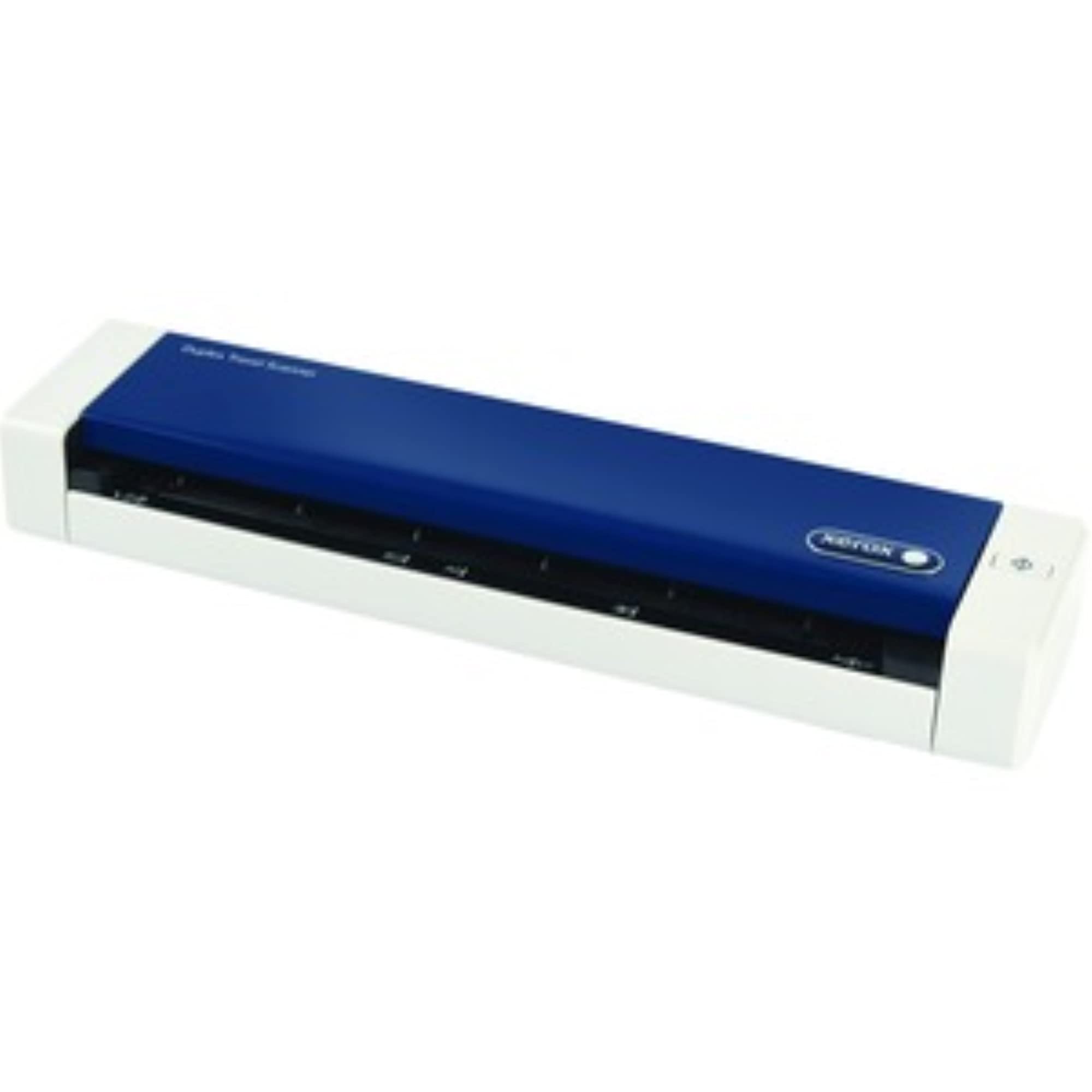
2. Visioneer Xerox XTS-D Duplex Travel Scanner
A travel-sized duplex scanner that asks for one USB port and nothing else.
If your paperwork moves with you, this is the lightest answer on the list. At 1.1 pounds with a footprint of 11.5 by 2.6 by 1.6 inches, it slips into a laptop bag beside your MacBook. It draws its power over USB, so you do not need a wall outlet in a hotel room, and it turns out a color page in about 8 seconds at 300 dpi.
Where it beats its own size class is paper handling. Feed it anything from a 1.5-by-1.5-inch scrap to an 8.5-by-32-inch page, and it will also take documents, photos, receipts, and ID cards. That is a 100-sheet stated sheet capacity against the CZUR Shine Ultra’s 10 — the Xerox holds ten times the stated capacity — and its 600 resolution is more than double the CZUR’s 245. Physically it is also in a different world: 1.6-by-11.5-by-1.6 inches next to the CZUR’s 116.9-by-157.9-by-334.9-inch figure, a 73.1x gap in listed dimensions.
Here is the honest catch, and it is the important one for Mac owners: scan quality draws mixed feedback, and one buyer wrote that it was advertised as working with Mac but would not communicate with a MacBook — exactly the risk this model carries. Auto-scan on paper insertion and image cleanup in the One Touch software are genuinely liked, and black-and-white output gets real praise, but color scanning has drawn complaints about a purplish hue on white documents. This is a scanner for black-and-white-heavy work and careful driver setup, not a blind buy.
Set it up deliberately: confirm the current macOS driver from the manufacturer before your return window closes, and keep your first job light. Owners who got it talking to their machine describe excellent portable scanning with USB power.
What it is best at: black-and-white duplex documents on the road. Color accuracy is the weak spot, so do not make this your photo scanner.
Best fit: frequent travellers who scan mostly black-and-white paperwork and want a 1.1-pound unit that runs off USB.
Think twice if: color fidelity matters, or you want a scanner that installs without any driver troubleshooting.
3. Plustek ePhoto Z300 Photo Scanner
Feed it a shoebox of prints and it will not slow you down.
Two seconds for a 4×6 photo and five seconds for an 8×10 at 300 dpi is the number that defines this scanner. It takes 3×5, 4×6, 5×7, and 8×10 prints as well as letter and A4 paper, at up to 600 dpi optical resolution with a CCD sensor. The pitch is simple: insert photos one at a time and go, which is how you clear roughly a thousand photos in an afternoon.
Quality is what carries it. What owners praise most is the image quality and speed — the software revives faded prints with a click and handles auto-rotate and auto-crop for you, and the thing is built for volume, with users reporting runs through thousands of varied-size postcards, brochures, and photos without jams. Old, frayed, and thick items go through as easily as standard prints. The width limit is 8.5 inches, and 600 dpi (dots per inch, the detail level of the scan) is noticeably slower than 300 dpi, so most people batch at the faster setting.
The one real drawback is documents rather than photos: there is no paper holder, so loose sheets need a hand to stay upright. Software dialogs also follow Windows conventions, which some Mac users find unfamiliar. If your project is scanning documents, a feeder scanner further down this list will serve you better.
The number to remember: 2 seconds per 4×6 print at 300 dpi, versus the far slower flatbed routine of placing and lifting each photo by hand.
One honest limitation: with no paper holder, single sheets must be steadied by hand — fine for photo batches, awkward for document stacks.
Buy it if: you are digitising a family photo collection, postcards, or a pile of prints and want speed plus one-click restoration.
skip it if: your main job is multi-page documents with both sides printed.
4. CZUR Shine Ultra Smart Portable Document Scanner

The one that scans a book instead of asking you to break its spine.
Everything about this scanner points at paper you cannot feed through a slot. It is an overhead camera design with a 13MP CMOS sensor at 4160 by 3120, which works out to roughly 340 DPI on A4 and 245 DPI on A3, and it captures about one page per second. Its patented flattening technology corrects the curve of a book page after pixel transformation, and CZUR positions it for thinner books specifically.
It runs on Windows XP through 11 and macOS 10.13 or later — but note the official minimum system requirements split by chip: macOS 13 or later for Apple Silicon Macs and macOS 12 or later for Intel Macs. The same hardware works as a document camera for Zoom and Google Meet, and its optical character recognition (OCR, software that turns a picture of text into text you can edit) supports 180+ languages, with Thai, Hebrew, and Arabic not currently supported. A two-level height-adjustable neck folds at 90 degrees, and at 4 pounds with a foot pedal it stays portable.
Where it asks patience is image consistency. Functionality is the thing owners praise most — 90 mentions — with ease of use and scanning speed close behind, but image quality and page flattening both draw mixed feedback, with some reporting clear results and others blurry pictures. Curved pages in thicker books are where that shows up. It also will not work with Android or iOS, so the phone-only crowd is out.
What it solves: oversized pages, flat artwork, and curved book pages that no feeder scanner can handle at all.
The honest trade-off: you trade feeder convenience for camera flexibility, and thick-book curves are where output quality can vary.
Pick this one for: scanning thin books, A3 posters, and flat documents that defeat a slot-fed machine.
Not the right tool if: you need fast duplex scanning of standard-size office paper.
5. IX500 Fujitsu ScanSnap Duplex Document & Receipt Scanner

Resolution here is a step above the everyday feeders — 1200 dpi on a duplex desk unit.
The headline figure is 1200 dpi, which is double the 600 that most scanners on this list top out at, and it comes with a 50-sheet automatic feeder for documents and receipts. Speed is the other story: a notary running a 52-page document through it reported being happy with the results, and a 30-picture batch is described as taking about 25 seconds. It connects over USB 3.0 and is sold as working with Mac and PC.
Owners like the software side as much as the hardware. Setup gets called simple, scanning results get called clear, and it fits an office or home office equally well. One Mac user notes it works via cord and needed a USB adapter — worth knowing before your first attempt. The same reviewer hit trouble linking it to a remote computer, which is the kind of thing worth testing inside your return window.
Be realistic about volume and handling. One unit arrived with a broken scan button on first use and was returned, and the build quality of that individual example drew a complaint. This is not a heavy industrial scanner, and 8.2 pounds means it wants a permanent spot rather than a bag.
Made for: offices and home offices that want the sharpest output on the list and will leave it plugged into one desk.
Plan around: the wired connection and the possible need for a USB adapter on newer Macs.
6. Canon imageFORMULA DR-C225 II Office Document Scanner

Built for the desk where paper arrives and searchable PDFs leave.
Scans go straight to the cloud here — Dropbox, Google Drive, OneDrive, Box, QuickBooks Online, Evernote, and SharePoint are all named destinations, and searchable PDF and JPG output come standard. It handles both sides of a page at once in color at up to 25 pages per minute, with a 30-sheet feeder and one-touch operation. Documents of every weight go through, from receipts and business cards to plastic and embossed cards, contracts, and long reports.
The physical design is one of its best arguments. It stands upright with top feed and top eject, plus a built-in cable organization system, so it claims very little desk depth — a real difference from the flat layout of the Doxie Pro. It supports Windows and Mac with a TWAIN driver included, and ships with a business card organizer and PDF editing tools in the box.
The trade-off is paper path reliability. This scanner’s mixed feedback centers on jams, and the 30-sheet feeder is the smallest of the duplex machines here, so it is not the right choice for marathon sessions. Canon backs it with a three-year warranty and US-based technical support, which is the longest coverage on this list and worth weighing against the jam risk.
Strongest selling point: direct cloud destinations and searchable output, so scanned documents land where your work already lives.
Where it can frustrate: the 30-sheet feeder and paper jam reports mean this is a steady-drip scanner, not a bulk one.
Right for: a small business that wants documents flowing straight into Dropbox or SharePoint with three-year support behind it.
A poor match if: your batches regularly run past thirty sheets.
7. Ambir nScan 690gt-AS High-Speed Vertical Card Scanner
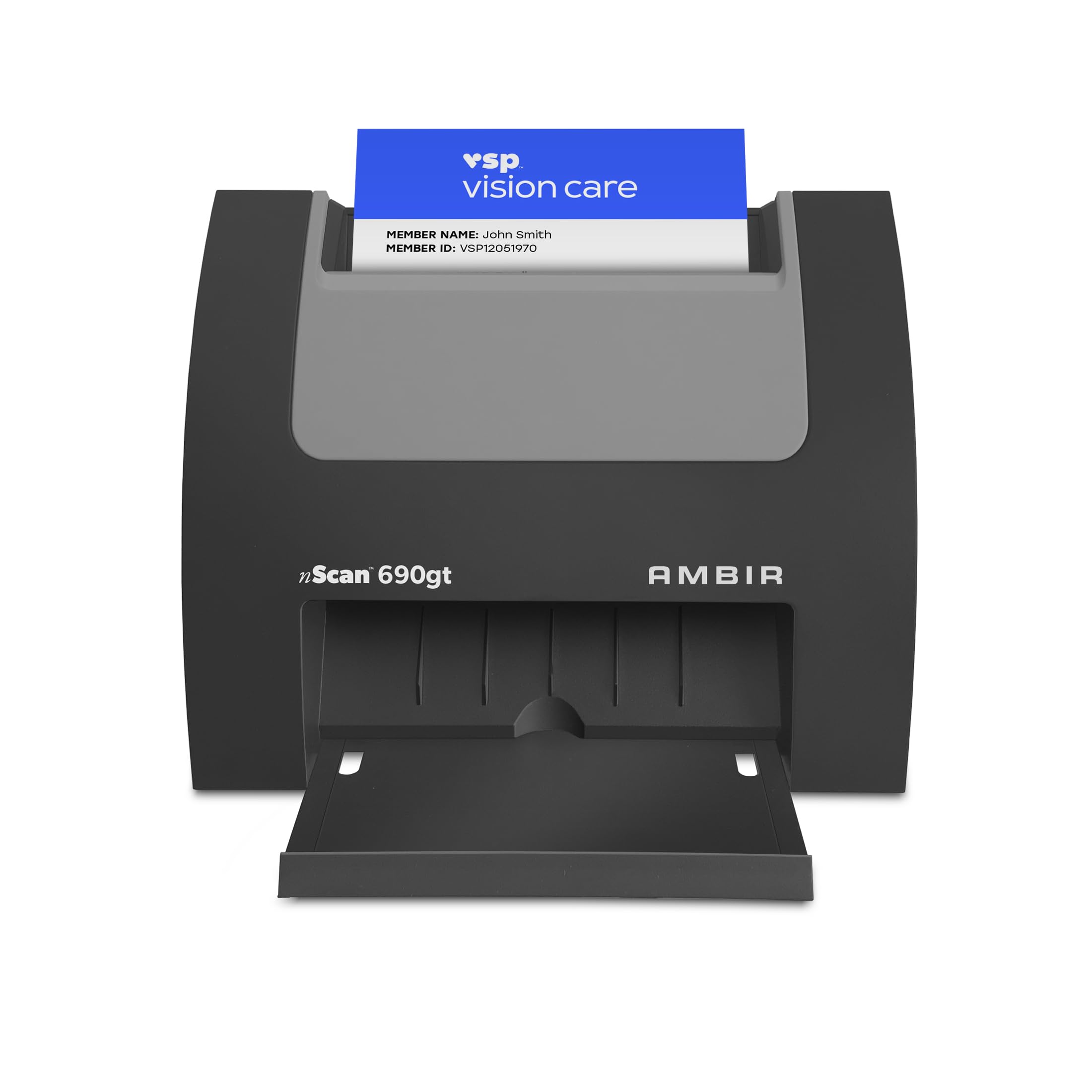
A front-desk machine that swallows a card and spits it back in under two seconds.
This is a specialist, and it is honest about it. The nScan 690gt is a vertical card scanner with a 600 dpi resolution and 48-bit color depth, built for driver’s licenses, insurance cards, and vaccine cards rather than paper stacks. Drop a card into the front slot and the auto feed ejects it in under two seconds. Double-sided cards go through in a single pass, so you are not flipping anything by hand.
Its footprint is the reason offices pick it. At 3.3 by 6.6 by 5 inches and 1.3 pounds it takes up a fraction of what an ADF or flatbed needs, which matters in a tight registration workspace. The included TWAIN driver covers thousands of applications, it supports Windows 10 and 11 plus Mac OS 11 or higher, and AmbirScan saves to PDF, TIF, or JPG locally or to Box, Dropbox, Evernote, OneDrive, and Google Drive.
The recurring complaint is the software, not the scanner. Card reading and scan speed get called fast and accurate, but saving files has been described as slow, and the Outlook import tool has drawn criticism for leaving fields blank and recognizing only USA phone numbers, which means manual cleanup. One owner scanned fine but found the processing wait long enough to return it and go back to a printer plus Adobe. Budget time for a software-first setup.
The case for it
- Scans a card in under two seconds with front-facing eject
- Duplex card scanning in a single pass — no flipping
- 48-bit color and 600 dpi on tiny print
- Tiny 3.3 by 6.6 by 5 inch footprint for crowded desks
- TWAIN driver plus cloud saves to Box, Dropbox, Evernote, OneDrive, and Google Drive
The caveat to weigh
- Software is the weak link — file saving and Outlook import draw complaints
- Card-centric by design, so it is not a document scanner
The right buyer: medical front desks, registration counters, and trade-show booths that scan ID cards all day and want it done in seconds.
The wrong job: any workflow built around multi-page documents or fast bulk file processing.
8. ScanSnap iX2400 High-Speed One-Touch Button Color Document Scanner

One button, 45 pages a minute, and a hundred sheets you can walk away from.
Press one button and this scanner cleans, straightens, and organizes as it goes, at up to 45 pages per minute with a 100-sheet feeder. It detects document size and color depth on its own, removes streaks and blank pages, de-skews, and rotates. Business cards, receipts, photos, and envelopes all go through, and it scans both sides at once. It runs on macOS Monterey 12 or later plus Windows 10 and 11.
Owners are clear about what they get. Scan quality is the thing people praise most, sitting well ahead of ease of use and speed in what gets mentioned, and the speed estimate is dramatic — a 40-photo batch described as finishing in under half a minute. A longtime ScanSnap user whose previous machine lasted eight years reduced nine drawers of documents to less than one with this unit. It uses a stable wired USB connection for consistency.
The friction is setup and software. One buyer describes setup instructions that were wrong, an out-of-box firmware conflict with security updates, and support that pushed error codes rather than fixes — a poor experience rather than a hardware failure, and the kind of thing that shows up more often than it should on a newer model. It is also wired only, and a longer replacement USB cord is reported to slow or stall scanning, so stick with the supplied cable.
Why people keep buying it: the one-touch workflow plus 45 pages per minute and a 100-sheet feeder turn scanning from a chore into a standing habit.
Plan for the rough edge: software and support have frustrated some buyers, and the supplied USB cord is the one to use.
Choose it when: you want the fastest duplex path on this list and a feeder big enough to clear a drawer without reloading.
Consider otherwise if: you want wireless freedom or a setup process with no surprises.
9. Epson Workforce ES-580W Wireless Color Duplex Desktop Document Scanner

It scans without a computer at all, straight to the cloud from its own touchscreen.
The stand-out move here is the 4.3-inch touchscreen combined with Wi-Fi: you can send a scan to your smartphone, tablet, computer, or a cloud account directly from the panel. It scans both sides of a document with Single-Step Technology at up to 35 pages per minute, and the 100-sheet auto document feeder takes a full report in one load. Searchable PDFs come from built-in optical character recognition, and scans convert to editable Word or Excel files.
The image cleanup is thorough. Auto crop, blank page deletion, background removal, dirt detection, and paper skew correction all run automatically, and a detachable top feeder lets you collapse it for storage. It handles legal-size paper up to 8 1/2 by 14 inches, and it will scan thermal receipts without a protector sleeve. Buyers report it working well with Windows 11 Pro and pushing PDFs directly into an EMR system.
Know the limits. Value, wireless connectivity, and compatibility all drew mixed feedback, and one reviewer points out there is no Ethernet or LAN port and a USB port sits on the back — minor annoyances rather than flaws. If your Wi-Fi is questionable or you need a wired network connection, plan around it.
What makes it different: a 4.3-inch touchscreen plus Wi-Fi means you can scan to cloud or phone with no computer in the room.
there is no Ethernet port and the USB port sits on the back, so a wired-network-first setup is not what this model is for.
The pick for: notaries, loan agents, and small businesses that want paper turned into cloud files without a laptop in the loop.
Not the one if: you need Ethernet or want every feature to draw uniform praise.
10. Brother ADS-2200 High-Speed Desktop Document Scanner

The Mac-friendly document eater: ICA driver support and a 50-sheet feeder in one box.
For Mac owners, the driver list is the selling point. This scanner supports Windows, Mac, and Linux, with TWAIN and WIA for PC plus ICA for Mac and SANE for Linux, on top of a 1200 dpi resolution. It scans one- or two-sided documents in a single pass at up to 35 pages per minute, and the 50-sheet automatic document feeder keeps a large job moving with page-continuous scanning.
Speed is what people notice first. A duplex legal page comes through in about 5 seconds, and owners describe the performance-to-cost balance as the reason they chose it over Canon and Fujitsu alternatives. Destinations include email, OCR, file, image, and USB flash drives, and the image-optimization set covers multi-feed detection, background removal, and blank page removal. It folds for a small footprint when not in use.
The honest wrinkle is the software. Setup has been called a pain, and the bundled tools are rated below the hardware, with one Mac user bypassing them to scan through Mac system preferences instead. The job still gets done — tens of thousands of handwritten invoices went through one machine — but expect a rougher first hour than the hardware deserves. This scanner is wired USB only.
Why it stands out
- Native Mac support via the ICA driver, alongside TWAIN, WIA, and SANE
- 35 pages per minute with a 50-sheet feeder and page-continuous scanning
- 1200 dpi resolution for detailed output
- Multi-feed detection, background removal, and blank page removal built in
- Folds down to a small footprint between jobs
What you give up
- Setup and bundled software trail behind the hardware quality
- Wired USB only — no wireless option
Best suited to: Mac-based notaries and offices that want dependable duplex scanning and Mac-native driver support.
Look past it if: you need wireless scanning or a setup that runs itself.
11. Brother ADS-3300W Wireless High-Speed Desktop Scanner

Wireless, Ethernet, USB 3.0, a touchscreen, and room for 60 pages.
If you want one scanner that covers every connection you might need, this is the one. It scans single- and two-sided documents at up to 40 pages per minute with a 60-page capacity, offers wireless, Ethernet, and Hi-Speed USB 3.0 connectivity, and runs from a 2.8-inch touchscreen. Business cards, ID cards, paper, photos, and receipts are all on the supported media list, and it ships with seven bundled software applications to customize workflows.
Security is baked in too, with triple-layer protection for sensitive documents and for connecting safely to devices and networks. It is built for small offices, home offices, and work-from-home setups, and it scans directly to your computer or to a USB drive.
The caution is reliability. Some owners mention it performing great, while others describe it as unreliable — so this is the pick to test thoroughly inside your return window before making it the center of a paper-heavy workflow. It is the most expensive walk-up option here, and it earns that position on connectivity rather than on a spotless track record.
Where it wins: wireless, Ethernet, and USB 3.0 in one machine, plus a 2.8-inch touchscreen and 60-page scanning capacity.
What to watch: reliability reports are split between strong performers and problem units, so buy where returns are easy.
Made for: a small office or work-from-home setup that wants wireless and wired networking, a touchscreen, and 40 pages per minute in one device.
Think it over if: you want the most predictable long-term experience — a simpler wired machine may suit you better.
Know the Specs
Duplex, page count, and scan speed
Duplex means the scanner reads both sides of a page in one pass, so you never feed a two-sided contract twice. Pages per minute tells you how fast that happens once you hit go — a machine rated at 45 pages per minute keeps a hundred-sheet feeder moving, while a 25 pages per minute unit is better suited to steady drips. If your daily job is receipts and a few statements, duplex scanning matters more than pages per minute.
Resolution versus DPI at document size
Resolution is written in dpi, or dots per inch, and it controls how much detail a scan captures. A 600 dpi scan is plenty for receipts, contracts, and everyday paper, while 1200 dpi preserves finer detail in photos and small print. Watch for the catch with camera-based scanners: their effective dpi depends on page size, so one model lists roughly 340 DPI on A4 and 245 DPI on A3 from the same sensor. Always read resolution against the size you actually scan.
Common Questions
Will these scanners actually work with my Mac, including Apple Silicon models?
Why do some customers note a scanner will not communicate with their MacBook?
What is the difference between duplex scanning and single-sided scanning?
How many sheets do I need my feeder to hold?
Do I need to install separate software to scan to iCloud or Dropbox directly?
Is a photo scanner or a document scanner better for me?
Can these scanners read text so my scans are searchable?
What resolution do I actually need for documents versus photos?
Do these scanners need a computer to scan?
Will a scanner handle receipts, business cards, and ID cards or only regular paper?
Do wireless scanners work as reliably as wired ones on a Mac?
The Bottom Line
For most Mac owners, the scanner for a mac winner is the Doxie Pro DX400, because it scans both sides of a page automatically at up to 600 dpi, installs without complicated drivers, and sends scans straight to iCloud and Dropbox from a unit that weighs just over 3 pounds. If you scan a box of old prints instead of paper, grab the Plustek ePhoto Z300, which turns out a 4×6 photo in 2 seconds. And for a busy desk that wants paper turned into cloud files with a 100-sheet feeder and no computer nearby, the Epson WorkForce ES-580W is the one to reach for. Start with the Doxie Pro and it clears a paper backlog without adding to it.
How we choose
We do not accept paid placement. Every pick is matched to a real buyer and a real use-case; we do not hands-on test units.
Sources
Specifications: manufacturer listings and product documentation. Review insights: verified customer reviews, as of October 2026. Pricing: not shown on this page (it changes often); check the current price via the retailer link.
As an Amazon Associate, Aappliancez earns from qualifying purchases. This does not affect which products we feature.