Disclosure: Some links in this post are affiliate links. As an Amazon Associate I earn from qualifying purchases, at no extra cost to you. Learn more
Specs are compiled from manufacturer listings and verified buyer reviews and can change over time — please confirm the key details on the product page before buying.
A gaming laptop built around an RTX 4070 should give you smooth, high-frame-rate play without turning your desk into a jet engine. The problem is that two machines with the exact same graphics chip can feel completely different once you plug them in, because the panel, the cooling design, and the memory setup decide what you actually see on screen. This guide breaks down real spec numbers and the patterns across verified owner feedback so you can pick the machine that fits how you truly play.
This guide is built by comparing the manufacturers’ published specifications and the patterns across verified customer reviews, so you get each pick’s real strengths and trade-offs instead of marketing spin.
Some units run quiet and cool for hours, while others throttle hard the moment a game gets demanding. Match the GPU’s wattage ceiling to the panel’s resolution, then check whether the chassis can cool that wattage. That wattage-to-cooling balance is what separates a steady 144Hz machine from one that throttles after ten minutes.
Top Picks


How To Choose The Best RTX 4070 Laptops
Every laptop here carries the same RTX 4070 name, yet frame rates swing by 30% or more between them. The reason is that the 4070 is only one part of a chain. The screen it feeds, the processor beside it, and the cooling system wrapping it all together decide whether your games feel smooth or stuttery.
Graphics power is a range, not a fixed number
Two laptops can both say “RTX 4070” and still deliver very different frame rates, because the maker sets a wattage ceiling — the maximum power the graphics chip is allowed to draw. A higher ceiling means more frames in a heavy game, but only if the cooling can carry the extra heat away. A slim creator laptop may hold the chip back to keep the body thin, while a bigger gaming chassis lets it stretch. So when you compare two RTX 4070 laptops, the one with the higher GPU power ceiling usually wins on frame rate.
Match the screen to the card
A high-resolution panel looks gorgeous, but it also asks the graphics chip to work harder for every frame. A sharp 2560 x 1600 display paired with a fast refresh rate gives you crisp detail and fluid motion together. A standard 1920 x 1080 screen pushes fewer pixels, so it is easier for the card to hit very high frame rates. Neither is automatically better — pick the balance that suits whether you prize detail or raw speed.
Memory and storage decide how long it stays usable
Sixteen gigabytes of memory is enough to start, but modern games and creative apps fill it fast, so buy a machine with an easy path to more RAM if you multitask hard. Storage matters the same way; a larger solid-state drive and a free second slot give you room to grow without buying a new laptop. Check that both memory slots are accessible before you commit.
Side-by-Side Comparison
| Model | Best For | GPU | Display | Memory / Storage | Amazon |
|---|---|---|---|---|---|
| Lenovo LOQ AI-Powered Gaming Laptop★ Best Overall | Budget-minded all-rounders | GeForce RTX 5050 | 15.6″ FHD 1920 x 1080, 144Hz | 16GB / 1TB | Amazon |
| Lenovo Legion 5i (RTX 4070)Best Display | Sharp-screen gamers | GeForce RTX 4070 8G | 16″ WQXGA 2560 x 1600 | 32GB / 512GB | Amazon |
| msi Katana 15 (144Hz)Budget Champion | First gaming build | GeForce RTX 4070 | 15.6″ FHD 1920 x 1080, 144Hz | 16GB / 1TB | Amazon |
| msi Katana 15 (165Hz QHD) | Detail on a mid budget | GeForce RTX 4070 | 15.6″ QHD 165Hz | 16GB / 1TB | Amazon |
| ASUS V16 Gaming Laptop | Everyday multitaskers | GeForce RTX 5060 8GB GDDR7 | 16″ WUXGA 1920 x 1200, 144Hz | 16GB / 512GB | Amazon |
| Alienware M18 | Big-screen session players | GeForce RTX 4070 8GB GDDR6 | 18″ QHD+ 2560 x 1600, 165Hz, 3ms | 16GB / 1TB | Amazon |
| Acer Predator Triton 14 | Creators on the move | GeForce RTX 4070 | 14″ Mini LED 2560 x 1600, 250Hz | 16GB / 1TB | Amazon |
| HP OMEN 16 Slim | Mixed work and play | GeForce RTX 5070 8GB GDDR7 | 16″ WUXGA 1920 x 1200, 60-144Hz | 32GB / 1TB | Amazon |
| ASUS ROG Strix G16 | Demanding AAA titles | GeForce RTX 4070 | 16″ QHD 2560 x 1600, 240Hz, 3ms | 32GB / 1TB | Amazon |
| GIGABYTE AERO X16 | Portable creators | GeForce RTX 5070 | 16″ 1600p | Up to 96GB / 1TB | Amazon |
| MSI GE68HX Raider | Raw CPU horsepower | GeForce RTX 4070 8GB | 16″ IPS FHD+ 1920 x 1200, 144Hz | 32GB / 1TB | Amazon |
| Lenovo Legion 5i (OLED) | Colour-critical gamers | GeForce RTX 5070 | 15″ OLED 2560 x 1600, 165Hz | 16GB / 1TB | Amazon |
| Razer Blade 16 | Premium metal build | GeForce RTX 4070 | 16″ QHD+ 240Hz | 16GB / 1TB | Amazon |
Detailed Reviews
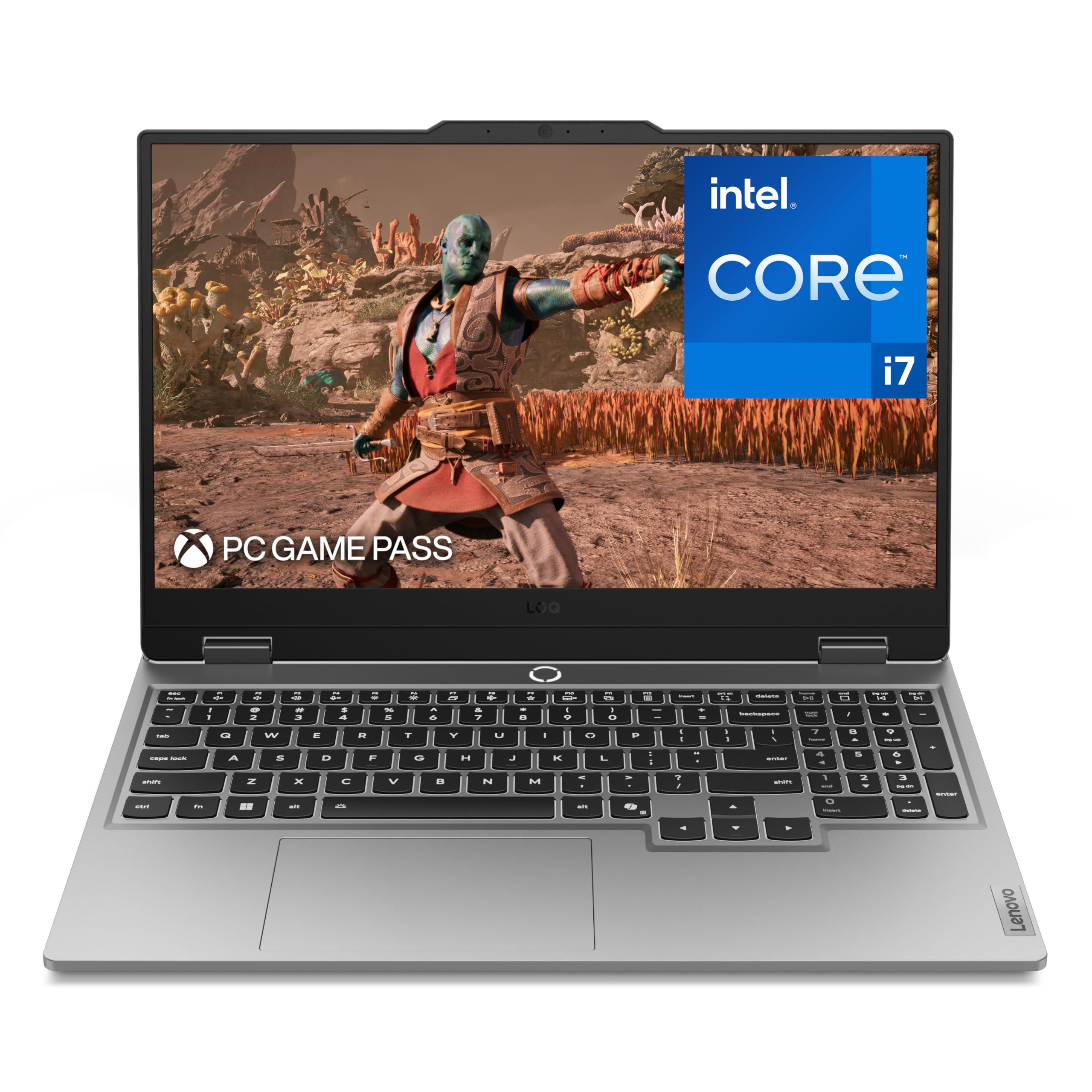
1. Lenovo LOQ Gaming Laptop
Our pick — 4.0+★ from 100+ verified ratings; the strongest balance of quality and price.
The starter gaming rig that quietly runs circles around its price class.
If you want one machine that handles coursework, streaming, and serious gaming without demanding a desk full of gear, the Lenovo LOQ is the pick to start with. The Intel Core i7-13650HX processor tops out at 5.1 GHz, a touch higher than the 4.9 GHz ceiling on the msi Katana 15 — about a 4% edge — so menus, loading screens, and browser tabs feel snappy. The 15.6-inch FHD IPS panel runs at 144Hz, meaning it draws a fresh image 144 times per second, which keeps fast movement smooth when you spin the camera in a shooter.
What wins people over here is the raw performance for the money. The thing owners rave about is how well it holds its speed run after run, and its 4.0+ star standing across well over a hundred ratings backs that up. A buyer who moved up after a decade-old machine called it a winner, and another reported that with the RAM upgraded it kept most titles near 120 frames on an external 1080p screen. Battery life is the honest catch, and it is the biggest trade-off in this whole lineup. With the dedicated graphics active you are looking at a couple of hours at most, and heavy gaming drains it far faster. Treat the charger as part of the package and the LOQ makes sense; expect all-day untethered play and you will be disappointed.
Two more things worth knowing: the cooling system wants clear airflow underneath, so a laptop stand helps during long sessions, and the memory is upgradeable up to 64GB of DDR5 if you want to future-proof. As the crowd favorite in this group — 4.0+ stars across 100+ owners — it earns the top spot on the strength of that performance-and-value mix rather than any single headline spec.
What earns the top slot
- i7-13650HX at 5.1 GHz keeps everyday tasks and games responsive
- 144Hz FHD panel keeps fast on-screen motion fluid
- Strong performance-per-dollar reputation among owners
- Memory upgradeable up to 64GB DDR5
The honest trade-offs
- Battery runs a couple of hours at most under load
- Cooling wants clear airflow or a stand in long sessions
- Sound quality draws mixed feedback from owners
Grab this if: you want the best all-round balance of speed, screen, and price for a first serious gaming laptop.
Look past it if: you need genuinely long unplugged runtime, because the battery will send you reaching for the charger.
2. Lenovo Legion 5i Gaming Laptop
A high-resolution screen and 32GB of memory make this the sharpest daily driver here.
The first thing you notice on the Legion 5i is the panel. Its 16-inch screen packs a WQXGA 2560 x 1600 resolution, which is roughly a third more pixels than the 1920 x 1080 FHD panel on the LOQ — a 33% step up in detail. In plain terms, text stays crisp and in-game distant objects hold their shape instead of blurring, and the taller 16:10 shape gives you more vertical room for editing timelines or long spreadsheets. Driving all those pixels is the RTX 4070, paired with a 14th Gen i7-14650HX that peaks at 5 GHz.
Owners describe it as a fantastic mid-range gaming PC that runs games without a hitch, and the praise centers on sheer performance. The value read is strong too, and with 32GB of RAM already installed you skip the early upgrade most rivals force on you. There is a second SSD slot as well, so adding storage is a quick job rather than a rebuild. A long-term owner summed up the core pitch plainly: it runs the games they play flawlessly and does everything else they need. The recurring note is the battery — it stinks, but that is true of nearly every machine in this class, and most people keep it plugged in anyway.
Where it shines: the combination of a high-resolution 16:10 display, factory 32GB of memory, and an easy second-storage-slot upgrade makes this the most future-proof of the mid-tier picks.
Worth a thought: the chassis is plastic, and one buyer received a unit with a damaged screen and a slow return — a reminder to buy from a seller with a smooth exchange policy.
Reach for this if: you want the best-looking picture and enough memory from the start that you never think about upgrades.
Elsewhere if: you plan to game mostly unplugged, since runtime is the weak link here.
3. msi Katana 15 Gaming Laptop
A no-nonsense RTX 4070 machine for buyers who just want the frames.
For a lot of people the deciding factor is simple: how much 4070 performance can I get for the least fuss. This Katana answers that with a 13th Gen Intel Core i7-13620H running up to 4.9 GHz — slightly below the 5.1 GHz on the LOQ — plus Thunderbolt 4 for fast data transfers and DDR5-4000 memory. The 15.6-inch FHD panel refreshes at 144Hz, so motion stays smooth, and the 1TB NVMe SSD means games and projects load without a long wait.
The consistent theme in owner feedback is value. Buyers keep calling it a great gaming computer for what it costs, yet the picture is not all one-sided. Performance, display quality, sound, battery, and heat all land in mixed territory — some owners rave about the graphics while others find the display average and the fans loud. That is the honest shape of this machine: it delivers the core horsepower and hits a friendly price tier, but it does not pretend to match a premium chassis on refinement.
The core case: genuine RTX 4070 graphics, Thunderbolt 4, and a 1TB drive at an entry-tier price make this the value play for raw frames.
The caveat to size: expect louder fans and a merely average panel, so if quiet operation matters you will want the step-up Katana or the Legion.
Best for: the buyer who wants maximum graphics performance for the lowest spend and does not mind a plain-feeling chassis.
Think twice if: fan noise or a top-tier display is high on your wish list.
4. msi Katana 15 QHD Gaming Laptop

Sharper screen and a faster panel for a modest step up from the entry Katana.
Pay a little more than the base Katana and the screen is what you get back. This version swaps the FHD panel (1920×1080 pixels) for a 15.6-inch QHD display (2560×1440 pixels) running at 165Hz, so textures and distant scenery show more detail and motion looks smoother. Inside is the same class of 13th Gen Intel Core i7-13620H running at up to 4.9 GHz, with 16GB of DDR5 memory and a 1TB NVMe SSD (fast solid-state storage). The battery is rated up to 10 hours for light use, so a full workday of browsing is realistic.
Owners single out the crisp 165Hz QHD screen and the strong gaming performance, and there is real headroom in the frame rates — plenty of buyers report it handles the large majority of games at higher graphic settings. The build and reliability draw divided opinions, though, with some units running cleanly while a few report crashes. It is worth a fair read: this is a machine that trades a bit of polish for a noticeably better screen without climbing into premium territory.
The standout: a 165Hz QHD panel at this price point gives you both sharpness and speed, which is rare in the mid tier.
Keep in mind: build quality and reliability come in mixed, so buy from a seller with a clear return window.
Choose it when: the display is your priority and you want sharper visuals than the entry Katana without paying premium money.
Skip if: you would rather have rock-solid consistency than the best panel your budget can buy.
5. Alienware M18 Gaming Laptop

An 18-inch monster for anyone who wants a desktop experience you can still carry.
Most gaming laptops ask you to squint at a 15- or 16-inch screen. This Alienware goes the other way with a full 18-inch QHD+ 165Hz panel rated at a 3ms response time — a fast pixel-change speed that helps fast-moving objects stay sharp instead of smearing. It runs on an Intel Core i7-14700HX peaking at 5.5 GHz, paired with an RTX 4070 at 8GB of GDDR6 graphics memory, and it carries the same 16GB of DDR5 and 1TB SSD formula as its rivals. The 165Hz refresh keeps the motion fluid on that big canvas.
The machine leans hard on the AAA-gaming experience. Owners mention running demanding titles on high settings with visuals they describe as gorgeous, plus the everyday speed for email, research, and web work. The trade-off you should know is size: an 18-inch laptop is a desktop replacement, not a coffee-shop companion, so plan to leave it on the desk. There are also mixed notes on stability, with a few owners mentioning crashes — a reminder to update drivers on arrival.
Why pick it: the 18-inch QHD+ panel at 165Hz gives you a near-desktop display for rich single-player games, so big open worlds fill your view.
The trade: it is a large, desk-bound machine — treat it as a portable desktop rather than something you haul around daily.
For you if: a big, rich 18-inch screen and near-desktop performance matter more than true portability — this one is for a desk, not a backpack.
Not for you if: you need something light enough to carry between classes.
6. Acer Predator Triton 14 Gaming Laptop

A compact 14-inch powerhouse with the fastest panel in this group.
If you want big-league performance in a bag-friendly 14-inch shell, this Triton is built for exactly that. Its 14-inch Mini LED panel runs at 250Hz — the quickest refresh in this roundup — and it is DisplayHDR 600 certified, a brightness-and-color standard that means highlights genuinely pop. The RTX 4070 handles the graphics, driven by a 13th Gen Intel Core i7-13700H up to 5 GHz, with 16GB of LPDDR5 memory and a 1TB PCIe Gen 4 SSD. Weighing in at 3.75 lbs, it is the lightest serious performer here.
Buyers praise the performance and the value, and the look draws compliments too — the mini-LED screen earns glowing descriptions. But this is the pick where you should read the fine print. Reliability is the weak spot in the feedback, with keyboard backlight failures turning up more than once, and the memory is fully soldered at 16GB with no upgrade path — something owners call out directly. Loud fans in turbo mode show up as a common gripe as well. None of this makes it a bad machine, but it is the one to buy only if the compact size and the stunning panel are worth a looser reliability record.
The draw: a 250Hz Mini LED display at 14 inches and 3.75 lbs gives you the sharpest, most portable package in this list.
Read before buying: memory is capped at 16GB with no upgrade path, and reliability feedback is mixed on the keyboard backlight.
Worth it for: creators and gamers who put portability and a top-tier display first and can live with fixed 16GB memory.
Look elsewhere if: you want to add RAM later or need a spotless reliability track record.
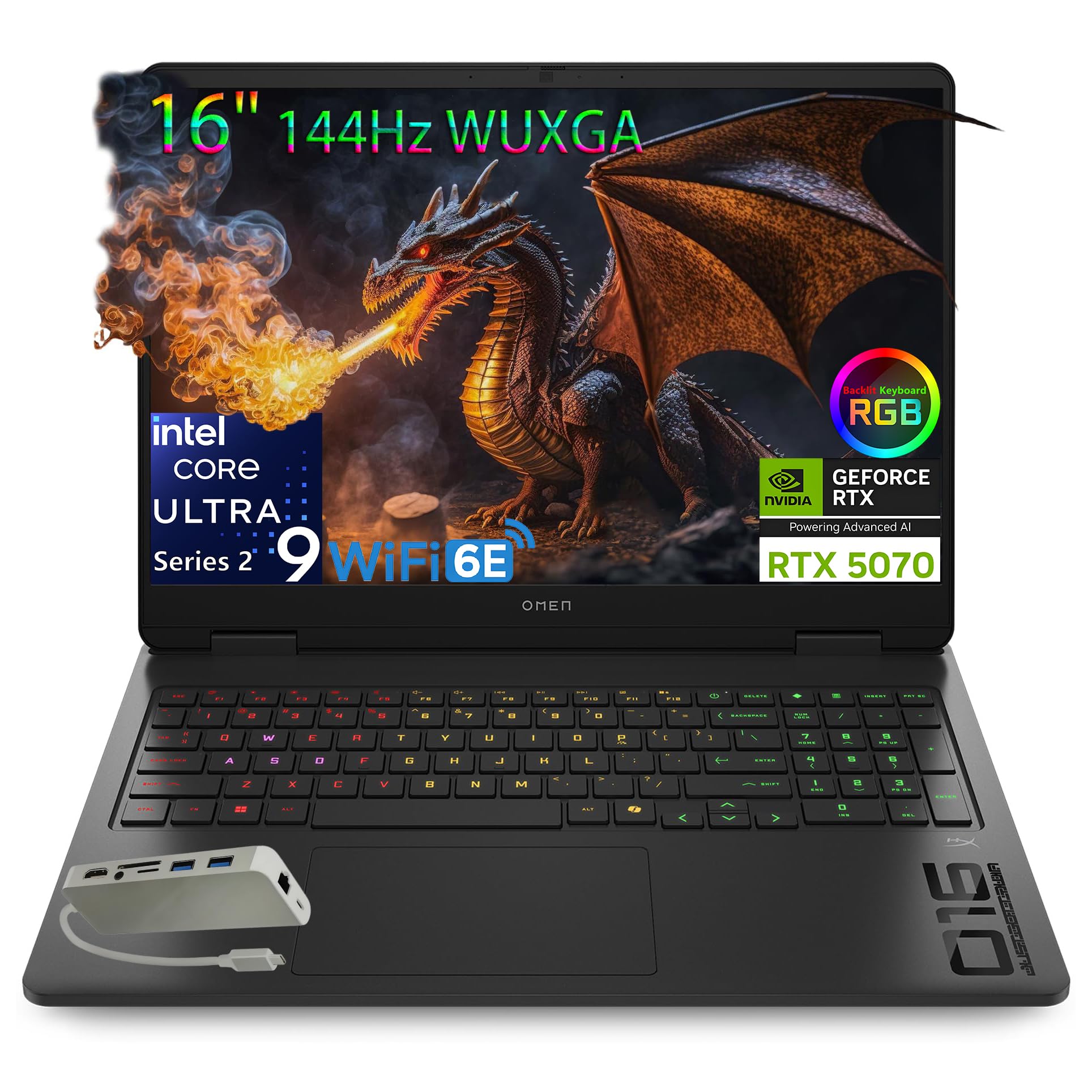
7. HP OMEN 16″ Gaming Laptop
A slim body hiding a 16-core processor and next-gen graphics.
The OMEN 16 Slim squeezes the newest silicon into a trimmed-down body. The Intel Core Ultra 9 285H processor carries 16 cores and 16 threads with a max turbo up to 5.4 GHz, plus an Intel AI Boost neural chip rated at 13 TOPS — that is 13 trillion AI operations per second, which speeds up AI tasks like background blur in video calls. Graphics come from the RTX 5070 with 8GB of GDDR7 (the newest, fastest video memory), and 32GB of DDR5-5600 memory gives you generous headroom for multitasking. The 16-inch WUXGA display (1920×1200 pixels) runs 60-144Hz with variable refresh, so it adjusts the refresh rate on the fly to cut stutter and screen tearing.
This is the machine for someone who splits time between demanding projects and gaming. The high core count chews through heavy workloads, and the dedicated AI hardware keeps next-gen features responsive. Customers note a genuinely quick, snappy feel and easy setup, and the port selection is generous — you get USB-C, multiple USB-A ports, Ethernet, HDMI 2.1, and a bundled 8-in-1 hub in the box. The catch is portability: it is heavier than a slim name suggests, and owners mention loud fans under load, so it likes a desk with airflow.
Top reason to buy: a 16-core Ultra 9 chip plus RTX 5070 and 32GB of memory makes this a genuine work-and-play workhorse.
Watch for: it runs loud under sustained load and is heavier than the “slim” label implies, so it is best desk-anchored.
Great fit for: buyers who want one machine for heavy productivity and modern games with plenty of memory already onboard.
Less ideal if: you need the lightest possible carry weight for daily commuting.
8. ASUS ROG Strix G16 Gaming Laptop

A flagship-class 240Hz machine built to feed demanding AAA titles.
The ROG Strix G16 earns its spot with a 16-inch Nebula panel that runs QHD at 240Hz with a 3ms response — fast enough that fast camera turns stay sharp instead of smearing. That panel also covers 100% DCI-P3 (the wide color range creators work in) and carries Pantone validation for color accuracy, so photo and video edits look true. Powering it is a 13th Gen Intel Core i9-13980HX peaking at 5.6 GHz with 32GB of DDR5-4800 memory and a 1TB PCIe 4×4 SSD. For cooling, ASUS applies Thermal Grizzly’s Conductonaut Extreme liquid metal to the CPU — a premium thermal interface that helps it hold performance over long sessions — plus a MUX switch that can boost gaming frame rates by routing frames straight from the graphics chip to the display.
Reviewers point out it handling AAA games, MMOs, coding, and work with room to spare, and the colors on that screen earn real praise. But performance feedback is genuinely mixed — some buyers find it blisteringly fast while others run into trouble — so it is a machine to buy with your eyes open. The recurring annoyances are coil whine in silent mode and a sleep quirk where the laptop stays awake. It delivers 240Hz QHD frames and a 5.6 GHz i9, but expect coil whine in silent mode and a sleep bug that keeps it awake.
The headline: a 240Hz QHD panel, a 5.6 GHz i9, and liquid-metal cooling put this near the top of the performance ladder.
The honesty note: performance and reliability feedback is mixed, and owner reports single out coil whine and sleep issues — buy from a seller with a clean return path.
Made for: gamers chasing maximum frame rates and color-rich QHD visuals who want flagship-grade components.
Pause if: you want a quiet, predictable machine with zero quirks — this one asks for a bit of patience.
9. GIGABYTE AERO X16 Laptop

A thin creator-and-gamer hybrid that runs all day and stays cool.
For anyone who carries their machine everywhere, the AERO X16 balances power and portability better than most. The chassis measures a slim 16.75 millimeters and weighs 1.9 kilograms — about 4.18 lbs — so it slips into a backpack without complaint. Inside sits an AMD Ryzen AI 9 HX 370 processor paired with an RTX 5070 Laptop GPU built on NVIDIA Blackwell, and the battery is rated up to 14 hours, one of the longest figures here. In plain terms, that is a full day of classes or light work away from a wall outlet.
Owners describe it as performing beautifully and exceeding expectations, with the praise centering on performance and value. The battery life earns genuine admiration too — shoppers say a solid workday of runtime and note the cooling keeps the CPU and GPU around the mid-60s in Celsius under load with a cooling pad. The honest wrinkle is noise: fan sound is mixed, with some finding it very quiet and others reporting it picks up under heavy gaming. It is smooth and silent for daily work, louder when you push it hard.
One more detail the upgrade-minded will like: buyers have run memory up to 96GB, and the single USB-C port is the main limitation to plan around. For a machine that prizes a slim profile and long battery life, that is a fair trade.
Why it stands out: an RTX 5070 in a 4.18-lb, 16.75-millimeter body with up to 14 hours of rated battery is a rare power-to-portability mix.
Plan around: only one USB-C port and mixed fan-noise reports, so bring a hub and a headset for heavy sessions.
Ideal when: you need long battery life, a light chassis, and next-gen graphics for creative work and gaming on the move.
Consider twice if: you need many USB-C ports or dislike audible fans under load.
10. MSI GE68HX Raider Gaming Laptop

A 24-core workstation dressed as a gaming laptop.
The number that defines this Raider is 24 — the count of cores in its 14th Gen Intel Core i9-14900HX, a desktop-grade processor built for heavy multitasking. Pair that with an RTX 4070 at 8GB, 32GB of DDR5 memory, a 1TB SSD, and Wi-Fi 7, and you have a machine that laughs at CAD projects, code compilation, and streaming at once. The 16-inch IPS FHD+ panel at 1920 x 1200 runs 144Hz, keeping motion smooth for games between work sessions.
Buyers who push it for real workloads are impressed — one upgraded the memory to 64GB and uses it for CAD and programming, and reports no issues even after hours of maximum-settings gaming with tuned fan speeds. Another drives two external monitors off the USB-C Thunderbolt ports without slowdown. The honest caution is thermal management over the long haul, where a few reports flag overheating concerns, so treat warranty coverage and good airflow as essentials rather than optional extras.
The case: a 24-core i9 with 32GB of memory makes this the strongest pure multitasker in the list for pro workloads.
Sized honestly: a handful of reports raise long-term heat concerns, so buy with warranty coverage in mind.
Your pick if: you need workstation-grade CPU muscle for CAD, coding, or content work alongside gaming.
Look elsewhere if: you want the safest possible long-term thermal track record.
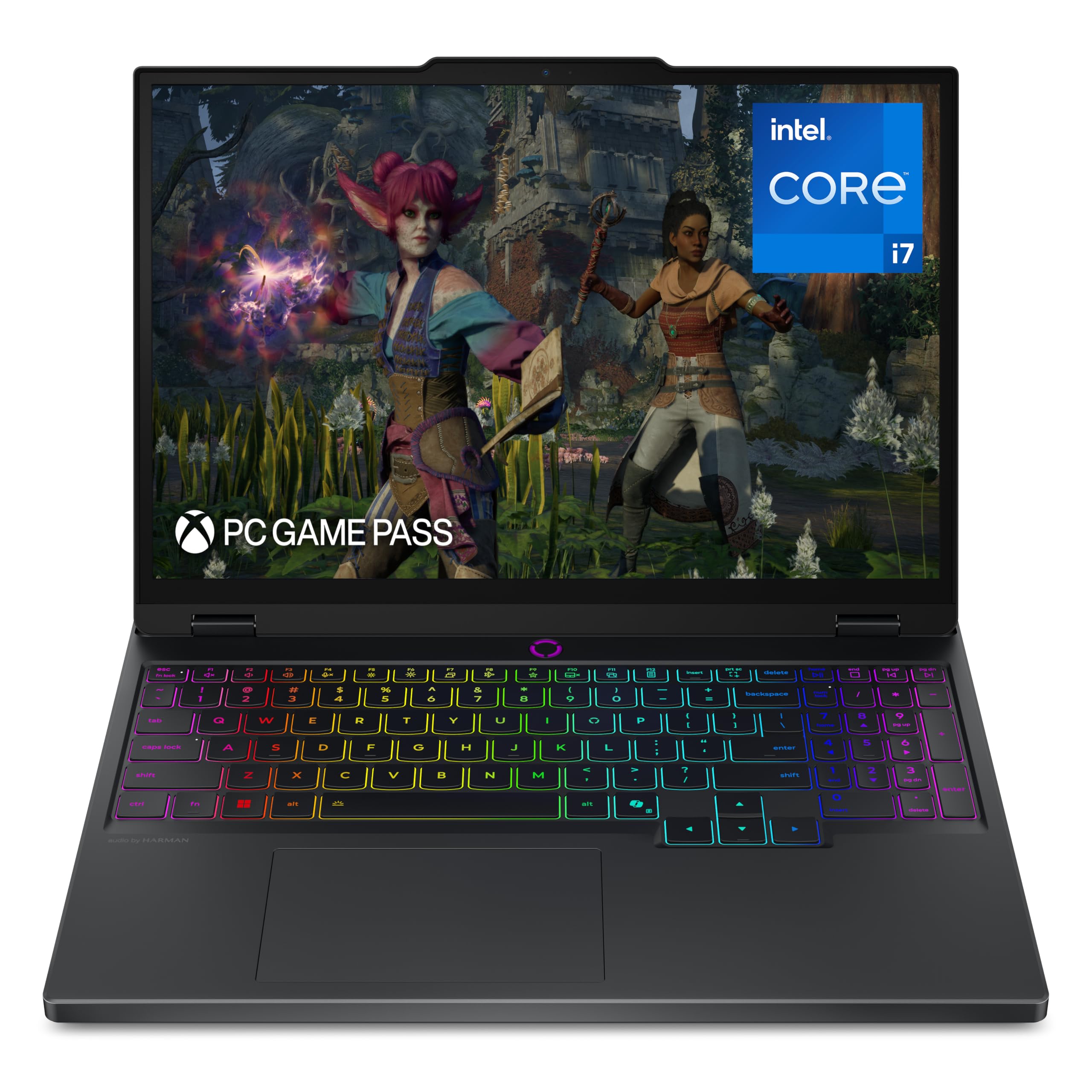
11. Lenovo Legion 5i OLED Gaming Laptop
An OLED screen and next-gen graphics for gamers who care about color and speed.
If a rich, punchy image matters as much as frame rate, the Legion 5i with a PureSight OLED panel is the one to study. OLED gives you true blacks and vivid contrast, so dark scenes look deep rather than washed out. That 15-inch display runs 2560 x 1600 at a 165Hz refresh, paired with an RTX 5070 and a 14th Gen Intel Core i7-14700HX peaking at 5.4 GHz. The battery is rated up to 9 hours, and fast charging takes it from 0 to 70% in under 30 minutes over USB Type-C — handy when you are running between classes.
Owners love the display and the gaming performance, with buyers describing the visuals as brilliant and the machine as exceeding expectations. Speed for everyday tasks and heavy gaming both earn praise, and the cooling is noted as effective. The main things to weigh are the fan noise, which can kick in during routine use, and the noise under heavier loads, both landing in mixed feedback. There is one strongly negative account of long-term build wear after several months, so treat it as a fair warning about durability rather than a blanket verdict.
Why it appeals: an OLED 2560 x 1600 display at 165Hz delivering true blacks and rich color for gaming and streaming.
Be aware: fans can spin up during everyday tasks, and a minority raise long-term build-wear concerns.
Pick it when: you want the best-looking OLED picture and modern RTX 5070 graphics in a carry-friendly design.
Reconsider if: you want near-silent fan behavior or are cautious about long-term chassis wear.
12. Razer Blade 16 Gaming Laptop

A milled-aluminum flagship that flexes the moment you pick it up.
The Blade 16 makes its first impression through the chassis. It is CNC-milled from a single block of aluminum, anodized with a matte black finish that resists scratches, so the surface feels solid with zero flex in the hand. The RTX 4070 runs at up to 140W of total graphics power, and it is joined by a 13th Gen Intel Core i9-13950HX with 24 cores. The 16-inch QHD+ panel refreshes at 240Hz with G-SYNC, and the bundled GaN charger delivers up to 280W while being dramatically more compact than a standard brick.
Buyers report it is powerful for both gaming and content creation, with a vibrant display and premium build. The RTX 4070 pushes demanding titles into smooth territory and esports games into the hundreds of frames. But this is a premium machine with premium expectations, so weigh the trade-offs honestly: battery life is short — a few hours for non-gaming work and around an hour in games — the fans get audible under load, and the body runs warm. Buy it for the CNC aluminum chassis and 240Hz QHD+ panel, not for the roughly one hour of gaming battery life.
The premium case: a CNC-milled aluminum unibody, a 240Hz QHD+ display, and a 140W RTX 4070 make this the most solid machine here to hold.
The premium cost: short battery life, audible fans under load, and a warm body are the price of that slim metal shell.
Suits you if: you value a rock-solid metal build and a fast, bright display over unplugged endurance.
Not for you if: you expect long battery life or silent operation at this level of performance.
13. ASUS V16 Gaming Laptop

An entry-level 16-inch that punches above its class for everyday gaming.
For a first gaming laptop or a general-purpose machine that can still play, the ASUS V16 is an easy recommendation. Its 16-inch WUXGA panel runs 1920 x 1200 in a taller 16:10 shape at 144Hz, so text is crisp and motion smooth, and the 300-nit sustained brightness rating keeps the screen readable in a bright room. Inside is an Intel Core 7 240H processor with 10 cores and 16 threads, plus an RTX 5060 with 8GB of GDDR7 graphics memory. You also get WiFi 6 and Bluetooth 5.3 for snappy wireless connections.
Owners call it fast and fun, and the side numeric keypad is a surprisingly common point of praise for anyone who does spreadsheets or data entry alongside gaming. The graphics are described as clear and sharp, and buyers find it honest value — it does what it says. The main thing to adjust expectations on is thickness: it is chunkier than the photos suggest, which matters if you planned to use it as a slim travel workstation. There is also a single report of a boot failure about a month in, so buy from a seller with a straightforward return window.
Why it fits the budget slot: a 16-inch 144Hz 16:10 display plus an RTX 5060 and 16GB of memory is a lot of everyday gaming for an entry-tier machine.
Know before you buy: it is thicker than it looks online, and one account of an early failure makes a clean return policy worthwhile.
Right for: budget buyers who want a big screen, current-gen graphics, and a numeric keypad for mixed work and play.
Pass if: you need a genuinely thin, light travel machine.
Know the Specs
GPU Power Ceiling and Cooling
The same RTX 4070 label can hide very different real-world frame rates, because makers set the maximum wattage the graphics chip may draw. A higher ceiling means more frames in heavy games, but only if the cooling system can carry the extra heat away. Liquid metal on the processor, extra intake fans, and a vapor chamber all help a machine sustain its speed instead of slowing down after a few minutes. When you compare two laptops with the same graphics chip, look at both the power ceiling and the cooling design, because a big chip in a thin shell can end up slower than a modest chip in a roomy one.
Refresh Rate and Panel Type
Refresh rate is how many times per second the screen redraws, measured in hertz, so 144Hz is smoother than a standard 60Hz panel and 240Hz smoother still. Response time, given in milliseconds, tells you how quickly a pixel changes color, which reduces blur on fast-moving objects. Panel type changes the look: a Mini LED screen delivers bright, punchy highlights, while an OLED panel is prized for true blacks and rich color with no backlight bleed. The resolution you choose also matters, since a sharper 2560 x 1600 screen asks more of the graphics chip than a 1920 x 1080 one, so pair a high-resolution panel with a strong card.
Common Questions
Is an RTX 4070 laptop good enough for modern AAA games?
Why do two laptops with the same RTX 4070 perform differently?
How much RAM should I get in a gaming laptop?
Does a 144Hz screen really matter for gaming?
How long does the battery last on an RTX 4070 laptop?
Can I upgrade the RAM and storage myself?
Are gaming laptops loud and hot under load?
Is a QHD or OLED screen worth it on a gaming laptop?
What should I check first when buying an RTX 4070 laptop?
The Bottom Line
For most buyers, the rtx 4070 laptops winner is the Lenovo LOQ Gaming Laptop because it pairs strong 5.1 GHz processing with a 144Hz screen and upgradeable memory at the friendliest point in this lineup. If a sharp, high-resolution display and 32GB of memory from the start are what you want, the Lenovo Legion 5i with the WQXGA screen is the step up. And for a light, long-lasting machine that still games hard, the GIGABYTE AERO X16 at 4.18 lbs with up to 14 hours of rated battery is the one to reach for.
How we choose
We do not accept paid placement. Every pick is matched to a real buyer and a real use-case; we do not hands-on test units.
Sources
Specifications: manufacturer listings and product documentation. Review insights: verified customer reviews, as of October 2026. Pricing: not shown on this page (it changes often); check the current price via the retailer link.
As an Amazon Associate, Aappliancez earns from qualifying purchases. This does not affect which products we feature.