Disclosure: Some links in this post are affiliate links. As an Amazon Associate I earn from qualifying purchases, at no extra cost to you. Learn more
Specs are compiled from manufacturer listings and verified buyer reviews and can change over time — please confirm the key details on the product page before buying.
A 2-gigabit fiber line is only as fast as the port you plug it into, and most routers still ship with a 1-gigabit WAN port that quietly halves it. That single port is the whole game here. Buy a router with a 2.5-gigabit or 10-gigabit WAN port and your plan actually arrives; buy one without it and you are paying your ISP for speed the hardware throws away. Everything below is sorted by which port is on the box and how well it holds up under real household load.
This guide is built by comparing the manufacturers’ published specifications and the patterns across verified customer reviews, so you get each pick’s real strengths and trade-offs instead of marketing spin.
You will see which picks carry a 10-gigabit WAN, which settle for 2.5-gigabit, and what each one costs you in ports, range, or setup patience. The right pick for most multi-gig homes is a router with a WAN port rated well above the line itself, and this guide to the best router for 2Gb fiber internet names the ones worth your money.
Top Picks

How To Choose The Best Router for 2Gb Fiber Internet
Start with the port, not the badge on the box. A 2-gigabit fiber line feeds a stream that has to pass through your router’s WAN port before anything else sees it. If that port is rated at 1 gigabit, the extra speed stops at the door, and no amount of Wi-Fi 7 branding on the front will change that.
The WAN port is the hard ceiling
You want a WAN port rated at least 2.5 gigabits per second, because that gives your line real headroom instead of pushing it to the exact edge. A 10-gigabit WAN port is better still, since it leaves room for the multi-gig services providers keep rolling out. This is the first spec to check and the one most buyers skip.
Do not confuse wireless speed with wired speed
Every pick here advertises a wireless figure in the thousands of megabits, but those numbers assume ideal conditions and compatible client devices. The wired ports are what reliably carry a 2-gigabit plan. Count how many 2.5-gigabit LAN ports you get, because your desktop, NAS, or gaming console will want one.
Your own devices set the real limit
A router can hand out 2 gigabits and still deliver far less to a laptop with an older Wi-Fi card. Wi-Fi 7 features like MLO (Multi-Link Operation, which bonds two bands into one stream) help, but only with a device that also supports Wi-Fi 7. Otherwise you fall back to whatever your phone or laptop can negotiate.
Side-by-Side Comparison
| Model | Best For | WAN Port | Max Rated Speed | Coverage Claim | Amazon |
|---|---|---|---|---|---|
| FRITZ!Box 4690 Wi-Fi 7 Mesh Router★ Best Overall | Fiber-first homes with phones and smart gear | 10 Gbps | 10 Gbps | Home coverage | Amazon |
| NETGEAR Nighthawk RS200Best Value | Mid-size homes stepping into Wi-Fi 7 | 2.5 Gig | 6.5 Gbps | 2,500 sq. ft. | Amazon |
| ASUS RT-BE82UMesh Builder | Whole-home mesh builds on a budget | 2.5GbE | 6,500 Mbps | Extended coverage | Amazon |
| GL.iNet Flint 3e (GL-BE6500) | VPN users who want control | 2.5 Gbps | 12.5 Gbps | 2,500 sq. ft. | Amazon |
| TP-Link Archer BE600 | Large homes with many devices | 10 Gbps | 9.7 Gbps | 2,600 sq. ft. | Amazon |
| GL.iNet Flint 3 (GL-BE9300) | OpenWrt tinkerers on tri-band | 2.5 Gbps | 12.5 Gbps | 2,000 sq. ft. | Amazon |
| Alta Labs Route10 | Wired-only networks with access points | 2x 10 Gbps SFP+ | 10 Gbps | — | Amazon |
| NETGEAR Nighthawk RS300 | Whole-home tri-band on a mid-premium budget | 2.5 Gig | 9.3 Gbps | 2,500 sq. ft. | Amazon |
| ASUS RT-BE88U | Wired-heavy setups with 10G backbones | 10G WAN/LAN | 7,200 Mbps | 3,000 sq. ft. | Amazon |
Detailed Reviews
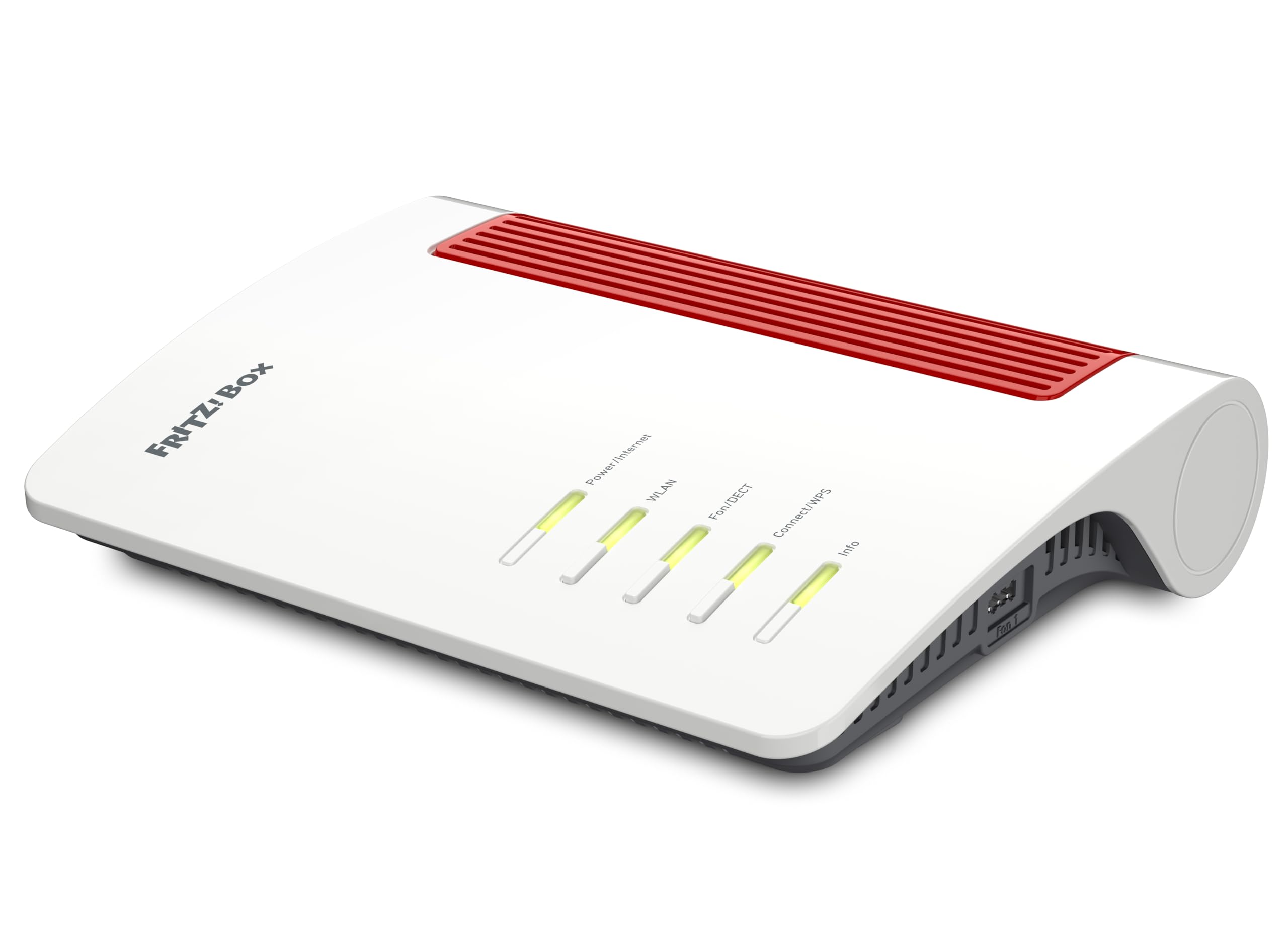
1. FRITZ!Box 4690 Wi-Fi 7 Mesh Router
Our pick — 4.5+★ from 150+ verified ratings; the strongest balance of quality and price.
A 10-gigabit WAN port means your 2-gig line never gets squeezed at the door.
Here is the rare router built for exactly this job. You get a 10-gigabit WAN port to feed it, a second 10-gigabit port your desktop or NAS can use, and three 2.5-gigabit LAN ports for everything else. On a 2-gig fiber line, that headroom means the router is never the thing holding your speed back.
The wireless side gives you 4×4 Wi-Fi 7 running up to 5,760 Mbit/s on the 5 GHz band and Wi-Fi 6 at 1,200 Mbit/s on the 2.4 GHz band. In plain terms: fast lanes for phones and laptops, a patient lane for smart-home gear. Mesh support keeps coverage whole if you add a second unit later, and WPA3 encryption, VPN access, and a firewall come built in.
What lands this at the top is the extras most routers skip: a DECT base, USB 3.0 storage, and smart-home controls. There is a DECT base inside for up to six cordless phones, plus an answering machine and support for analog phones and fax machines. Smart-home controls for light, power, and heat are handled right in the interface, and a USB 3.0 port turns the box into network storage or a printer share. That kind of wiring makes it a home’s central hub, not just a Wi-Fi source.
Where the 4690 earns its spot
- A 10-gigabit WAN port plus a second 10-gigabit LAN port, so 2-gig fiber arrives with room to spare.
- Three 2.5-gigabit LAN ports on top of the 10-gig pair — unusual at any tier.
- DECT phone base, USB 3.0 storage, and smart-home controls in one unit.
- Mesh capability and WPA3 encryption keep both coverage and security handled.
Where it asks for patience
- The interface leans toward network-savvy tastes; a beginner will want the app and the quick start guide open.
- Coverage is listed simply as home coverage without a square-foot figure, so multi-story buyers should plan for a mesh node.
- The product notes print in German, and the built-in media list flags that English-language instructions are not guaranteed.
Made for fiber-first homes: if your line is 2-gig or faster and you already run a landline phone or smart-home gear, this is the cleanest central hub of the bunch.
The trade-off: a first-time buyer should download the app before touching the settings — the deeper menus assume a little networking comfort.
2. NETGEAR Nighthawk WiFi 7 Router RS200
The budget-friendly entry into Wi-Fi 7 that still has the right WAN port for your line.
A 2.5-gigabit WAN port is enough for a 2-gig fiber plan, and that is the heart of this pick. You get a second 2.5-gigabit LAN port and three 1-gigabit Ethernet ports for your wired gear. Rated up to 6.5 Gbps across its dual bands, and the maker claims it is 1.2x faster than Wi-Fi 6 — a claim worth treating as marketing until your own devices prove it.
Owners praise its plain reliability: it replaces provider routers that need weekly reboots and simply keeps working. It replaces provider-supplied routers that need weekly reboots and simply keeps working, and one reviewer noted speeds moving from roughly 900 to 1100 riding on it. Range is rated for 2,500 sq. ft. and up to 80 devices, and a buyer in a two-story home put it well: “Excellent coverage in 2900sf two-story house, great signal everywhere, buffering eliminated.”
Setup runs through the free Nighthawk app, which handles guided setup, speed tests, device pausing, and guest networks. The honest catch is behind the walls, not the numbers. The 2.5 Gig WAN port is your ceiling — fine for a 2-gig line, but it leaves nothing extra if your provider pushes beyond it. Range drops in multi-story homes, and NETGEAR’s own advice is to add an Orbi mesh unit for larger spaces. Reconnecting older smart devices like thermostats and cameras can take some fiddling too.
The real selling point: the full speed of a multi-gig plan at the value end of the market, with a wired output that directly matches a 2-gig line.
The honest catch: it sits close to the cost of bigger units, so if your line is likely to climb past 2 gigabits, look upward in this list.
Reach for this if: you want a dependable daily driver for a 2-gig line and a mid-size home without spending premium money.
Look elsewhere if: you expect your provider to sell you a faster tier soon — the 2.5-gig WAN port leaves little headroom.
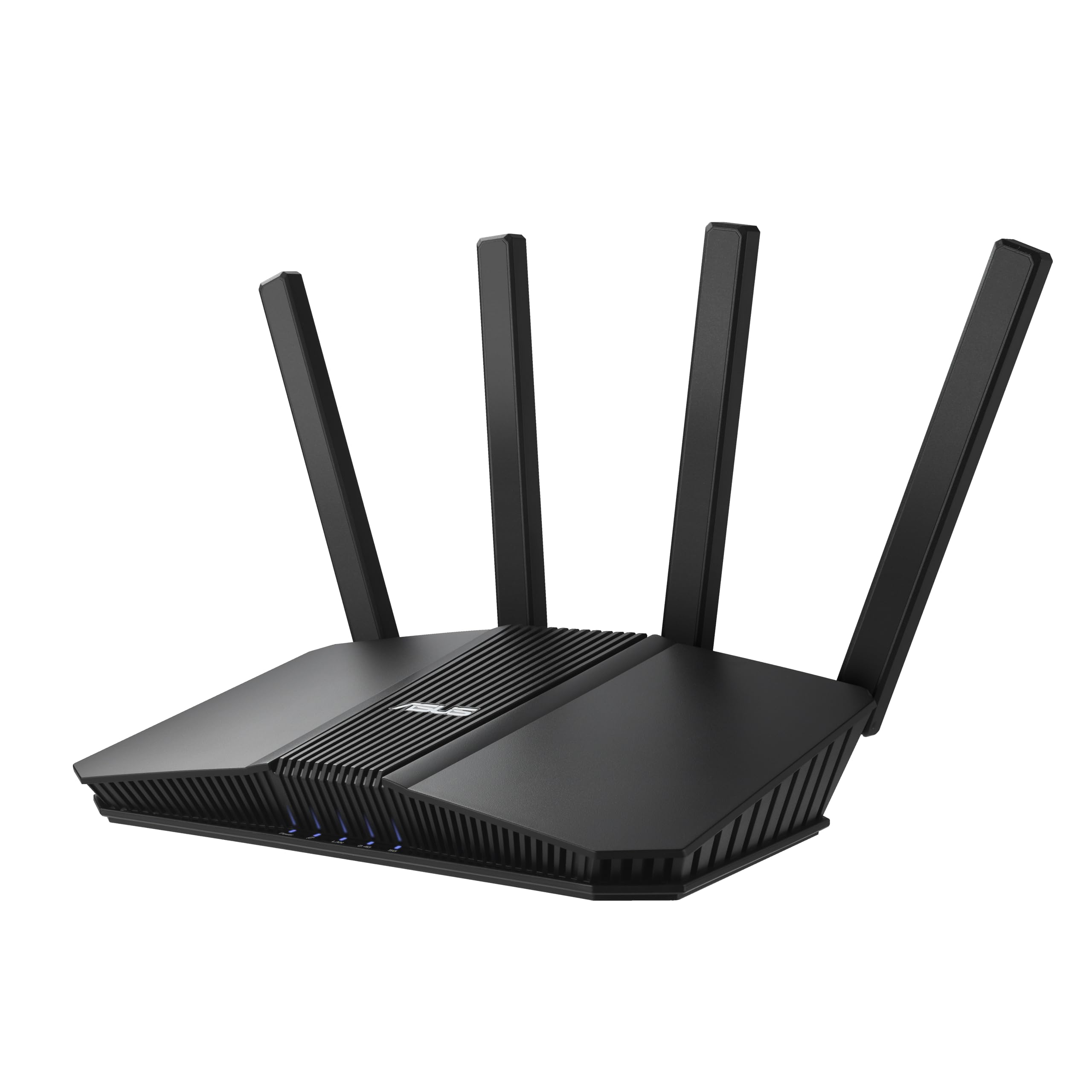
3. ASUS RT-BE82U WiFi 7 Router
Five 2.5-gigabit ports make this the wired desk router of the group.
Count the ports and you see where the money went. Five 2.5GbE ports is a lot at this tier, and they prioritize traffic so your wired connections get maximum throughput. The wireless spec is 6,500 Mbps of Wi-Fi 7 over dual-band, with 4096-QAM tightening the data packing on each band. Multilink Operation (MLO) links to multiple bands at once for steadier transfers when devices move around.
If you want to cover a whole home, pick this one for AiMesh (ASUS’s system for linking several routers into one network). It lets you add more ASUS routers as nodes with smooth roaming, so your phone switches between them without dropping the call. Buyers report a two-unit mesh build went together in about fifteen minutes and covered a large home for well under the cost of a rented system. The commercial-grade security layer, AiProtection Pro, runs alongside Safe Browsing and a one-tap scan.
Owners keep coming back to its dependability — one long-term report noted no reboots in 2+ months. Here is the honest limit: this is a dual-band router, so there is no 6 GHz band anywhere in the spec. It works well for most homes, but if you specifically want the 6 GHz lane for gaming rigs, the tri-band picks further down serve you better. It also has no mounting holes underneath, so wall-mounting takes a shelf or bracket instead.
Why the BE82U holds up
- Five 2.5GbE ports beat most of the field on wired capacity.
- AiMesh support turns one router into a roaming whole-home network.
- Tight in use — one long-term report noted no reboots in 2+ months with four CPU cores running under 25% usage and 1GB of RAM about half full.
The fine print
- No 6 GHz band, which matters if you want the widest possible channel for Wi-Fi 7 devices.
- Wall-mounting needs a bracket — there are no mounting holes on the base.
Best fit: anyone building an AiMesh network with more than one ASUS unit, or wiring up several desktops and consoles on 2.5GbE.
The one caveat: dual-band only — if a 6 GHz lane is on your must-list, this is not the pick.
4. GL.iNet GL-BE6500 Flint 3e Wi-Fi 7 Router

Built-in VPN that moves up to 1,100 Mbps without dragging your whole network down.
WireGuard and OpenVPN both run at up to 1100 Mbps on this box, which is the headroom that lets a VPN live on the router rather than on each device. Wi-Fi 7 speeds reach up to 6.5 Gbps, with MLO, 4K-QAM, and preamble puncturing working together to hold low latency in crowded airspace.
The reason this one stands apart for tinkerers is what sits underneath. An OpenWrt-based panel gives you separate 2.4 and 5 GHz control, IPv6, DNS, multi-SSID, content filtering, and AdGuard Home for blocking ads and tracking at the network level. There is parental control support through Bark as well. One buyer praised the DNS and content-blocking combination that “checked all the boxes, and more” while still handling an ancient 802.11g-only water heater.
Here is the part that will decide it for you. It asks you to configure it. There is no band steering (the feature that quietly pushes a device onto the faster band), so you can find a phone camped on 2.4 GHz until you toggle Wi-Fi. Auto-mesh is missing too — nodes have to be matched by SSID and password by hand. The package also includes a short Ethernet cable, and this model has no 6 GHz, so anyone chasing that band should look at its bigger sibling. Fair warning: VPN hardware on a 2-gig fiber line is a full-time gain, not a toy.
Best for the tinkerer: no proprietary app lock-in, and a VPN that runs on the router so every connected device benefits.
The catch worth accepting: settings-rich but not plug-and-play — plan on an evening of tuning before it feels natural.
Pick it if: you want hands-on control, ad blocking at the router level, and a VPN that does not crater your whole connection.
skip it if: you want a set-and-forget box — manual band handling is a real daily annoyance for some.
5. TP-Link Tri-Band BE9700 WiFi 7 Router (Archer BE600)

A 10-gigabit WAN with tri-band speed for a house full of screens.
The wired side is generous here: one 10 Gbps WAN/LAN port, one 2.5 Gbps WAN/LAN port, and three 2.5 Gbps LAN ports. That means a 2-gig fiber line has a dedicated fast lane with room to grow, and your NAS or gaming rig gets its own 2.5-gigabit pipe. Wireless runs tri-band, rated at 5,765 Mbps on the 6 GHz band, 2,882 Mbps on 5 GHz, and 1,032 Mbps on 2.4 GHz. Coverage claims 2,600 sq. ft. for up to 120 devices at once.
Setup and everyday use are the strong suit: the Tether app and web interface get most buyers running in about 15 minutes. The Tether app and web interface make the Archer BE600 manageable in minutes, and owners mention easy migration where they kept the same SSID and password and only had to re-fix one camera. Range turns up where you need it — one household reported a stable link to a garage opener around 70 feet through walls, exactly where the older model failed. VPN client and server support and TP-Link HomeShield security are onboard too.
The honest wrinkle is the 2.4 GHz band. When everything runs on 5g or 6g, this router does fine. Weaker 2.4 GHz behavior is where the complaints cluster — a subset of customers note cameras and other smart devices at long distance going unresponsive, and one owner found the 2,600 sq. ft. claim optimistic for that band specifically. Treat it as an excellent fast-lane router that wants a second unit or a well-placed node for a house full of aging smart devices.
What the BE600 gets right
- One 10 Gbps port plus three 2.5 Gbps LAN ports gives a 2-gig line a serious wired backbone.
- Tri-band wireless with a 6 GHz lane, rated for up to 120 devices.
- The app is genuinely quick — most buyers are up in about 15 minutes.
- VPN client and server support are built in without extra software per device.
Where the fine print sits
- 2.4 GHz range is the weak side of this router — poor for distant cameras and older smart gear.
- The 2,600 sq. ft. figure is optimistic for a multi-story home using both bands.
- Firmware updates can reset some settings, so document your configuration first.
Made for: large homes with fast, modern clients — laptops, phones, and consoles that live on the 5 and 6 GHz bands.
Think twice if: your house is dense with 2.4 GHz-only smart devices spread far apart.
6. GL.iNet GL-BE9300 Flint 3 Tri-Band Wi-Fi 7 Router

The tri-band Flint with OpenWrt under the hood and five 2.5-gigabit ports.
Where the Flint 3e stays on two bands, this one runs tri-band up to 9 Gbps, and the 6 GHz lane is the one to notice. It carries five 2.5-gigabit ports and DDR4 1GB of RAM with 8GB of eMMC storage — room to install plugins and run a DIY setup. VPN throughput reaches up to 680 Mbps here, which is worth weighing against the Flint 3e’s 1,100 Mbps, since the bigger number on this model does not translate to faster VPN.
Owners single out its wired performance on a 2-gig line. It pairs with a symmetric 2-gig fiber line and holds up: “Wi-Fi 7 wired speeds up to 2 Gbps symmetrical” under one account, with low latency and plenty of devices running without slowdown. The default firmware is OpenWrt, which means a dedicated IoT network, IP reservation, connection listing, and AdGuard Home support are all within reach. Coverage is rated up to 2,000 square feet, and a note on the listing asks you to update the firmware on first setup for the best behavior.
The most honest thing to say here is that the wired speed and the wireless range do not overlap perfectly. One owner, running the router through a NAS, found the USB 3 file transfers dropped to about 30 MB/s while direct NAS transfers ran around 260 MB/s. Range, too, can fall short of the figure listed, especially on multi-story layouts where a second unit helps. Connectivity reports are mixed — some setups hum, some see recurring drops — so buy this expecting to tune it.
Why the enthusiasts pick it: five 2.5-gigabit wired ports plus full OpenWrt software is a rare combination in a consumer shell.
What to expect: mixed connectivity reports and shorter range than the rating suggests — a good mesh node makes the difference.
Choose this if: you want to run custom firmware, a dedicated IoT network, and a NAS on a fast wired backbone.
Pick the twin instead if: VPN speed matters more than the 6 GHz band — the Flint 3e carries the faster VPN rating.
7. Alta Labs Route10 | 10 Gig Multi-WAN Router

No Wi-Fi at all — this is a wired router built to feed access points, not devices.
This one is not a router you set near the TV and forget. It is a wired-only router, meaning it does not broadcast Wi-Fi, so you pair it with an access point (a separate device that sends out the wireless signal) for wireless coverage. For a 2-gig fiber line, that trade is real: two 10 Gbps SFP+ slots (ports for fiber or direct-attach cables) and four 2.5 Gbps ports give you a near-clean wired network, so large file transfers stay fast. It also has 40W of PoE+ (Power over Ethernet, which sends power through the network cable) to power access points or cameras without a separate power adapter. A quad-core Qualcomm processor with hardware-accelerated networking handles routing, firewall rules, VLAN segmentation (splitting your network into separate virtual groups), and VPN traffic.
For owners running business-level setups, the value is clear. One deployment runs the Route10 behind a SonicWall IPSec VPN and reports consistent 5Gb symmetric bandwidth on a 5Gb Frontier line. Another with 10 units for home and small business praised the ability to segment traffic with VLANs and prefer it over the UniFi gear that failed first. Real-time monitoring, multi-WAN failover and load balancing, and setup through Alta Control round out the toolkit.
Do the setup math before you buy. It weighs 1.5 pounds and lives in a rack or on a wall, and the setup and management console is cloud-based without a local interface for offline troubleshooting. That is a real hurdle for anyone who wants to fix a problem when the internet is down. The listing’s own port count and the “single-band” label describe a device with no wireless radios, not a weakness — but if you expected a box that also broadcasts Wi-Fi, this will surprise you.
Where the Route10 shines
- Two 10 Gbps SFP+ slots plus four 2.5 Gbps ports, with 40W PoE+ for access points.
- Quad-core Qualcomm hardware acceleration, VLANs, VPN, and real-time stats.
- Multi-WAN failover and load balancing keep a 2-gig line working when one path drops.
What to plan for
- No Wi-Fi — you must supply access points for coverage.
- Management is cloud-based with no local panel for offline troubleshooting.
- A small minority have reported WAN port issues on individual units, so confirm support expectations up front.
Built for: a wired-first home or small office where access points, cameras, and 10 Gbps links do the heavy lifting.
The hard requirement: budget for access points and set expectations for cloud-only management before this goes in a rack.
8. NETGEAR Nighthawk WiFi 7 Router RS300
The step up to tri-band adds a third 6 GHz lane for demanding devices.
Rated up to 9.3 Gbps across 2.4, 5, and 6 GHz, the RS300 is a significant jump over the RS200. The maker claims 2.4x faster than Wi-Fi 6, so treat it as a headline rather than a promise for your devices. Wired connections run through a 2.5 Gig WAN port plus two 2.5 Gig LAN ports and two 1 Gig ports. Coverage is rated for 2,500 sq. ft. and up to 100 devices, and MU-MIMO and OFDMA keep those devices talking without stepping on each other.
Buyers lean on the simplicity: the Nighthawk app gets most people running in a few minutes. Setup through the Nighthawk app gets most people running in a few minutes, and a household with a 1Gb fiber plan and 35 mostly wireless devices reports it just works. The design gets noticed too — no protruding antennas, so it sits cleanly on shelving. NAS users will appreciate 802.3ad link aggregation support on the wired side.
The honest limit: for a 2-gig fiber line, the 2.5 Gig WAN port is enough but leaves almost no headroom, unlike the 10 Gbps ports on the routers above. Range can also fall short of the 2,500 sq. ft. claim in a sprawling single-story, and a few owners find the strength of the security add-on pushes them to manage notifications. None of that spoils a workhorse — it just means the extra money here buys the tri-band lane and a cleaner look, not necessarily raw wired speed.
Where it wins: tri-band coverage and up to 100 devices make this the natural middle child between the RS200 and the wired-heavy routers above.
What you give up: only a 2.5 Gig WAN port, so a 2-gig line runs close to the edge of what this can push.
Suits you if: you want tri-band Wi-Fi 7 and up to 100 devices with the same easy Nighthawk app you may already know.
Look higher if: a 10-gig WAN port is on your future-proofing list — the picks above carry it and this one does not.
9. ASUS RT-BE88U WiFi 7 Router

Two 10-gigabit ports and a quad-core CPU for the most wired gear in the house.
This is the router for people whose network runs on cables. One 10G SFP+ port and one 10G WAN/LAN port combine for a stated wired capacity up to 34G. That is headroom for a 2-gig fiber line and a future NAS at the same time. Wi-Fi 7 boosts throughput up to 7200Mbps with MLO and 4096-QAM, and a quad-core 2.6GHz 64-bit CPU sits underneath to handle routing, VPN, and guest networks without sweating. Coverage is listed at 3,000 square feet, the largest claim in this group.
Owner experience lines up with the spec sheet. Users report 900+ Mbps up and down with 30+ devices running, and 10G and 2.5G ports that leave more wired connections than most of the field. AI WAN detection, multiple WAN configurations, and USB tethering for 4G LTE or 5G keep a backup path alive. Guest Network Pro supports up to five SSIDs, AiProtection Pro handles security, and AiMesh lets the BE88U join a wider network.
What you should weigh before buying is whether tri-band matters to you. This one has no 6 GHz band, and buyers who know that say it is the least problematic omission, since few of their devices use it. The wired bandwidth plus the 10G and 2.5G mix does the heavy lifting, and one assessment found the 6 GHz sacrifice entirely acceptable for that reason. The set of controls is large, so expect a config session on day one rather than a plug-and-go hour.
Pick this if: wired ports, VLAN segmentation, and a strong CPU with room for a NAS matter more to you than a 6 GHz lane.
Think twice if: a tri-band setup is essential, in which case the tri-band picks above fit better.
Know the Specs
WAN port and WAN cable
A WAN port is the single socket where your fiber line enters the router. It has a speed rating in gigabits per second, and that rating decides how much of your 2-gig plan actually reaches the rest of your house. A 2.5-gigabit WAN port carries a 2-gig plan with a small margin; a 10-gigabit WAN port adds years of headroom for faster tiers. If your fiber modem terminates in an SFP+ slot rather than an RJ45 socket, look for a router with a matching SFP+ port.
Wi-Fi 7 and MLO
Wi-Fi 7 is the newest wireless standard, and its headline feature is MLO (Multi-Link Operation), which lets a compatible device use two bands at once instead of picking one. That matters when a household is streaming, gaming, and working over the same airwaves. The catches: your phone or laptop has to support Wi-Fi 7 to see the benefit, and most of a multi-gig line’s reliable speed still comes over the wired ports.
Common Questions
Will a 1-gigabit router slow down my 2Gb fiber plan?
Do I need a 10-gigabit WAN port for a 2Gb fiber line?
What is the difference between a 10-gigabit RJ45 port and an SFP+ port?
Will my laptop or phone actually get 2 gigabits of Wi-Fi speed?
Do I need a mesh system for a 2-gigabit fiber line?
Why does a Wi-Fi 7 router advertise thousands of megabits but perform slower?
Does the ASUS RT-BE88U need a 6 GHz band to run Wi-Fi 7 well?
Should I buy a wired-only router like the Alta Labs Route10 for my home?
Is it worth upgrading from a Wi-Fi 6 router to Wi-Fi 7 for a 2Gb line?
How many 2.5-gigabit LAN ports do I need?
The Bottom Line
For most people with a 2-gig fiber line, the best router for 2gb fiber internet is the FRITZ!Box 4690, because a 10-gigabit WAN port (the input from your fiber line) plus a 10-gigabit LAN port and three 2.5-gigabit ports leave your line with headroom instead of a ceiling, so your 2-gig connection is not the bottleneck. It holds 4.5+ stars across 170+ ratings. Its mesh support (linking several units into one network), DECT phone base (for cordless phones), and USB 3.0 storage make it a hub rather than just a radio.
If you want the value end of the market instead, the NETGEAR Nighthawk RS200 gives you a matching 2.5-gigabit WAN port and 2,500 sq. ft. of coverage for far less. And if your network lives on cables — a NAS, access points, and a 10-gig backbone — the ASUS RT-BE88U is the one to reach for, with two 10-gigabit ports and a quad-core 2.6GHz CPU behind them.
How we choose
We do not accept paid placement. Every pick is matched to a real buyer and a real use-case; we do not hands-on test units.
Sources
Specifications: manufacturer listings and product documentation. Review insights: verified customer reviews, as of October 2026. Pricing: not shown on this page (it changes often); check the current price via the retailer link.
As an Amazon Associate, Aappliancez earns from qualifying purchases. This does not affect which products we feature.