Disclosure: Some links in this post are affiliate links. As an Amazon Associate I earn from qualifying purchases, at no extra cost to you. Learn more
Specs are compiled from manufacturer listings and verified buyer reviews and can change over time — please confirm the key details on the product page before buying.
If your arm aches from reaching for a desk mouse, or you want to flip Kindle pages and TikTok videos while your hands stay under a blanket, a ring computer mouse puts the cursor on your finger instead.
This guide is built by comparing the manufacturers’ published specifications and the patterns across verified customer reviews, so you get each pick’s real strengths and trade-offs instead of marketing spin.
Some of these wearables are true precision pointers, and some are scrolling remotes for video and e-reader apps. Deciding between a cursor pointer and a scroll remote is the whole buying decision, so here is the honest breakdown.
Top Picks

How To Choose The Best Ring Computer Mouse
A ring computer mouse is not one product type — it is two ideas sharing a shape. One idea is a genuine cursor pointer you wear on a finger so your arm rests anywhere you like. The other is a wireless scroller that flips pages in the Kindle app, scrolls short videos, and snaps photos on a phone. Deciding which idea you need first saves you from buying the wrong one.
Decide if you need cursor control or just scrolling
If you plan to edit documents, drag files, and click small buttons, you need cursor control with real sensitivity settings. If you mostly want to scroll social video or turn e-reader pages hands-free, a simpler scroller with a scroll wheel does the job. Look at the listed resolution (measured in DPI, or dots per inch — how far the cursor travels per hand movement) and the button count before you commit.
Check the wearable fit and the connection
The ring has to sit on your finger comfortably for an hour, not just for a quick test. Look for a soft silicone band or an adjustable shell, and note the weight in grams, because a heavier unit drags on the finger. For connection, a Bluetooth ring frees you from a dongle (the small USB plug a wireless mouse uses), while a dual-mode unit lets you pair two devices at once.
Match the app list to your daily routine
Confirm the apps you actually use are supported before you buy. Some models explicitly handle TikTok scrolling, Kindle app page turns, and phone camera control, while others behave like a standard mouse and nothing more. Remember that many of these work with the Kindle app but not with Kindle hardware such as a Paperwhite.
Side-by-Side Comparison
| Model | Best For | Connection | Top Resolution | Buttons | Amazon |
|---|---|---|---|---|---|
| elec Space Wireless Mini Finger Mouse★ Best Overall | Everyday cursor work with travel case | Bluetooth 5.1 + 2.4GHz | 1600 DPI | 3 | Amazon |
| YUMQUA Finger Handheld MouseMost Substantial | Long sessions with a trackball | Wireless USB | 1200 DPI | 4 | Amazon |
| SANWA 3 in 1 Finger Ring Mouse | Presentations and page turning | Bluetooth 5.0 | 800 DPI | 5 | Amazon |
| Air Finger Ring Mouse with Touchpad | Hands-free video and camera control | Bluetooth + RF | — | — | Amazon |
| Tiktok Scrolling Ring | Blanket scrolling and Kindle app | Bluetooth 4 | — | — | Amazon |
| Remote Control for TikTok (ZOZVO) | Treadmill scrolling with charging case | Bluetooth | — | 3 | Amazon |
| AirKlc Finger Ring Mouse | Entry into wearable pointing | Bluetooth | — | 4 | Amazon |
Detailed Reviews
1. elec Space Wireless Mini Finger Mouse
Our pick — 4.0+★ from 100+ verified ratings; the strongest balance of quality and price.
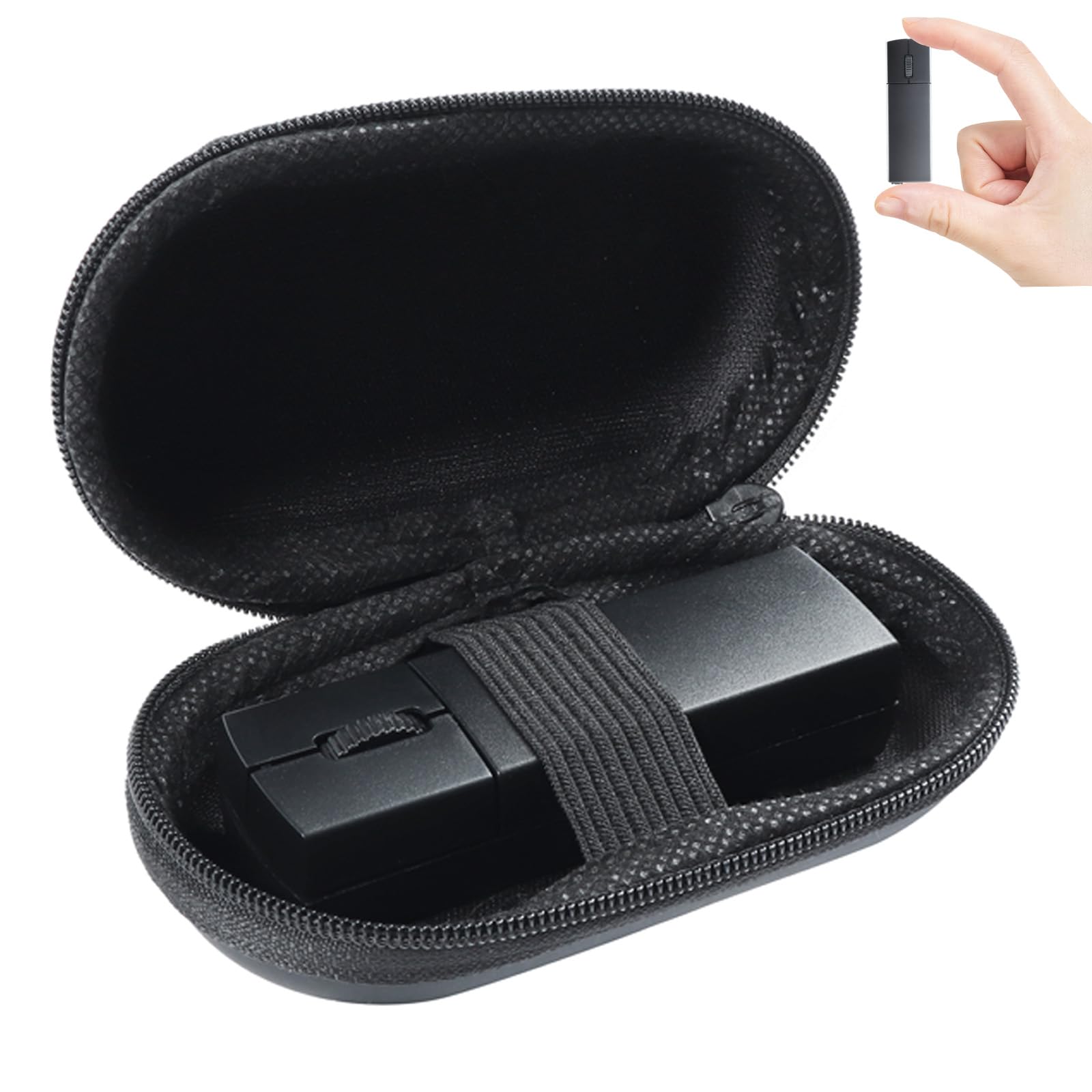
The tiny pocket mouse that pairs to two devices and rides along in its own case.
You get two connections in one small mouse: it pairs over Bluetooth 5.1 (a short-range wireless standard) to one device and over a 2.4GHz USB receiver (a tiny plug-in dongle) to another. So you can jump between a laptop and a tablet without repairing anything. It measures 3.2 inches long and 1.02 inches wide, so it slides into a bag or a jacket pocket without a bulge. At 40 grams, it is light enough to forget you packed it.
Power comes from a built-in lithium-ion battery that charges over the included USB cable, and the indicator turns from red to green when it is full. The mouse falls asleep after 5 minutes of inactivity, then wakes on any button press, which stretches a charge across a work week of light use. Clicks are quiet too — the maker describes the click noise as reduced by 90 percent, so a shared desk stays peaceful. Three DPI settings of 800, 1200, and 1600 let you slow the cursor for precision work or speed it up across a big screen.
The catch is a learning curve. This is a fingertip-sized device, and a share of buyers find it fiddly at first before it clicks. Plan a day or two of practice before it feels natural, and keep a full-size mouse nearby for heavy design work. Set against the AirKlc below, it is also physically bigger — 3.2 inches long versus the AirKlc’s ring footprint — but that extra body gives you proper buttons and a scroll wheel substitute.
What earns its keep
- Two connections in one device — Bluetooth 5.1 for a tablet, 2.4GHz receiver for a laptop
- 1600 DPI top resolution keeps the cursor quick on large screens
- Sleeps after 5 minutes idle, wakes on a button press to save charge
- Included case and a USB receiver that stores magnetically in the base
Where it asks patience
- The mini body takes a day or two to feel natural under your hand
- Three buttons only, so no dedicated back key for browser navigation
Reach for this if: you want one small mouse that hops between a laptop and a tablet and still clicks like a normal mouse.
Leave it if: you need dedicated back and forward buttons for browser-heavy work.
2. YUMQUA Finger Handheld Mouse
A grippable handheld with a roller ball, built for wrists that have had enough of flat desks.
This is the biggest and most hands-on pick of the bunch. It measures 4.33 inches long and 2.36 inches wide, and that extra body is the point: you hold it in your palm and roll the trackball (a ball you spin with a thumb or finger to move the cursor) while your arm rests in a relaxed position. The roller ball does the cursor work instead of a flat base sliding across a table, so you can use it on a sofa, in bed, or on a train tray table.
Resolution is adjustable across four settings — 400, 600, 800, and 1200 DPI — with a tracking range of 10 meters, so you can lean back and still move the pointer. It works with PS/2 or USB, and it covers Windows, Mac, Linux, and Android. The package includes a USB receiver, an AAA battery, a protective storage bag, and a two-button plus scroll layout that lets you click, right-click, and scroll. Left-handed and right-handed users both get the same shape.
Owners say the palm grip keeps the wrist off the desk and eases arm fatigue over a long session. The honest trade-off is battery housekeeping: buyers report the AAA cell runs roughly 25 days, there is no dedicated back button, and the battery cover takes a little fussing. A small number of units stop working after a few weeks, which is the kind of risk every budget wireless accessory carries.
Trackball over touchpad: a physical roller ball gives you tactile feedback that a flat touchpad cannot, and that is exactly what makes this the pick for extended desktop work from an armchair.
Battery rhythm to plan for: keep a spare AAA in your bag, because the cell is not rechargeable and the low-battery warning shows up as a freezing cursor.
Go this way if: you want a full-size handheld feel and a trackball you can roll without moving your shoulder.
Think twice if: you would rather plug in a cable than swap a disposable battery every few weeks.
3. SANWA 3 in 1 Bluetooth Finger Ring Mouse
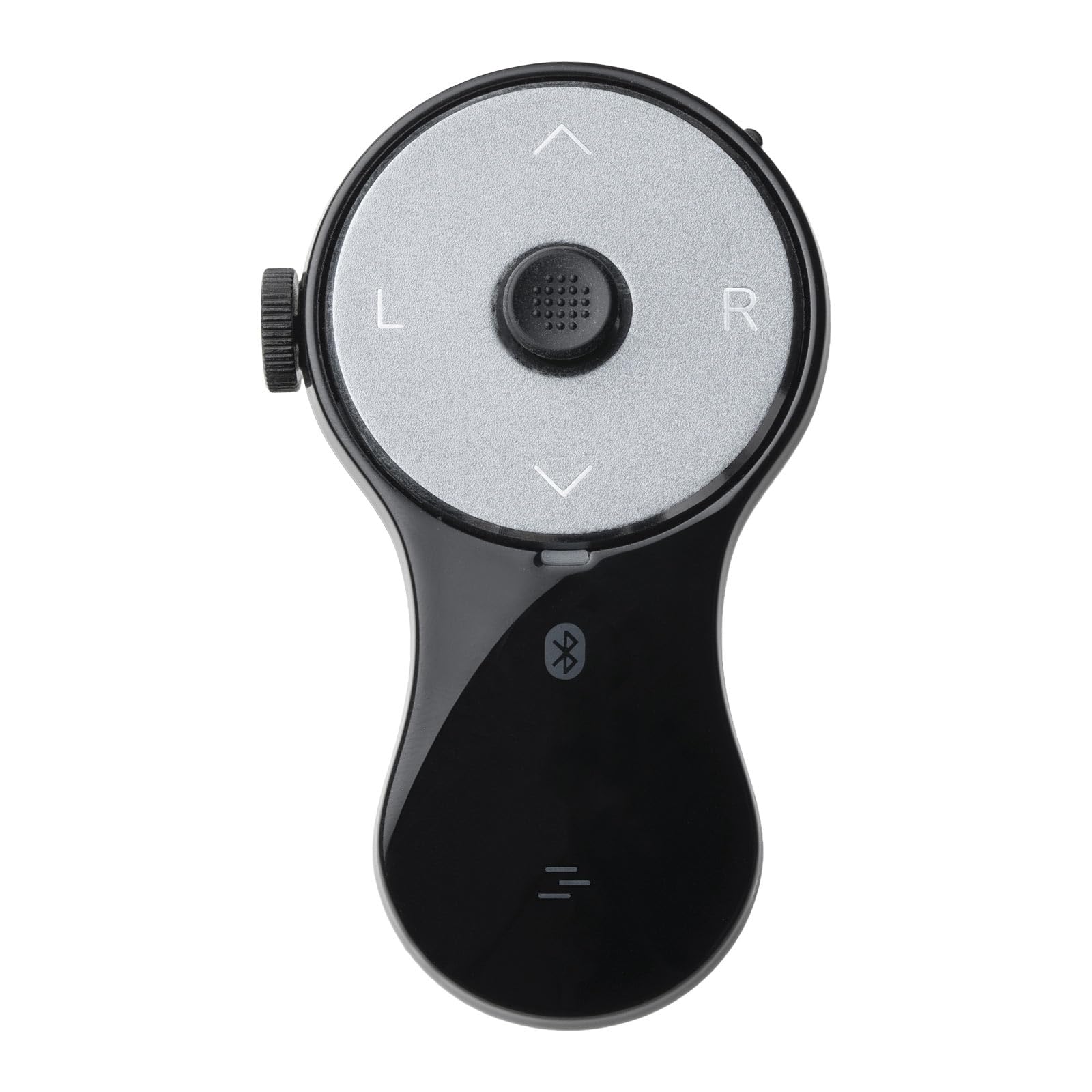
One ring that clicks slides, flips Kindle pages, and scrolls TikTok — and lasts all day doing it.
The standout number here is battery life: 34 hours of constant use on a charge and 38 days on standby, recharged over the included Type-C cable. It weighs 0.02 kg, so the ring barely registers on your finger, and the soft silicone band is built for longer wear. Five buttons cover left and right click, page up and down, video play and pause, plus full screen and black screen for presentations.
Connection is Bluetooth 5.0 with a stated range up to 32 feet, which covers a conference room or a living room without dropping out. Default resolution sits at 800 DPI, modest but workable for pointer moves and clicking through slides. Beyond presentations, it doubles as a short-video scroller and a page turner for the Kindle app, so you can watch short clips or read hands-free. Note that it works with the Kindle app, not Kindle hardware like the Paperwhite or Oasis.
The soft silicone band is the comfort feature that matters here: it sits light enough to keep wearing while you type. One thing it lacks compared with the YUMQUA is the trackball — you point with a button sensor on the surface or in the air rather than rolling a ball. For teaching, presenting, and reading in bed, that trade is a good one.
Why it earns the presenter spot
- 34 hours of active use and 38 days of standby on one charge
- Five buttons cover click, page, video, and full-screen presentation controls
- Bluetooth 5.0 reaches up to 32 feet from the screen
- Soft silicone band lets you wear it while typing
What it does not solve
- 800 DPI is modest for detailed design work
- Kindle device support is app-only, so Paperwhite owners are out
Built for: teachers, presenters, and bedside readers who want one ring to click slides and flip pages for a full day.
Not needed if: you only use a mouse at a desk where a full-size model already works.
4. Air Finger Ring Mouse with a Touchpad

A ring with a real touchpad, built to run a whole presentation from your finger.
Bluetooth 4 gives this ring a stated range of 10 meters, roughly 33 feet, so you can wander a room and still nudge the cursor. The touchpad and scroll wheel are the headline additions: instead of a plain scroll button, you get a mini control surface that tracks your finger for pointing. Multi-function buttons round out the set, and the whole thing works for PC remote control as well as phone use.
Where it shines is during a workout or a lecture. You can keep running on a treadmill and still scroll TikTok without leaning forward to tap the screen, and you can freeze a slide or fire the camera shutter without reaching for the phone. Compatibility covers iOS 14.8 and up plus Android, so most modern phones will pair. The touchpad is the difference-maker here: it gives you cursor control that a plain scrolling ring cannot.
The honest limit is that the touchpad is finger-sized, so it suits casual control rather than precision spreadsheet editing. It best serves casual control, not precision editing of a spreadsheet. If you need the cursor for real work, the elec Space pair above is the safer everyday tool.
What the touchpad adds: a finger-sized surface changes this from a page flipper into a usable pointing device, which matters if you present from wherever you stand.
Pick it when: you want a hands-free presentation clicker with cursor control and camera shutter access.
Pass if: your main goal is page turning only — a simpler scroll ring saves you learning a touchpad.
5. Tiktok Scrolling Ring, Air Finger Ring Mouse with a Touchpad
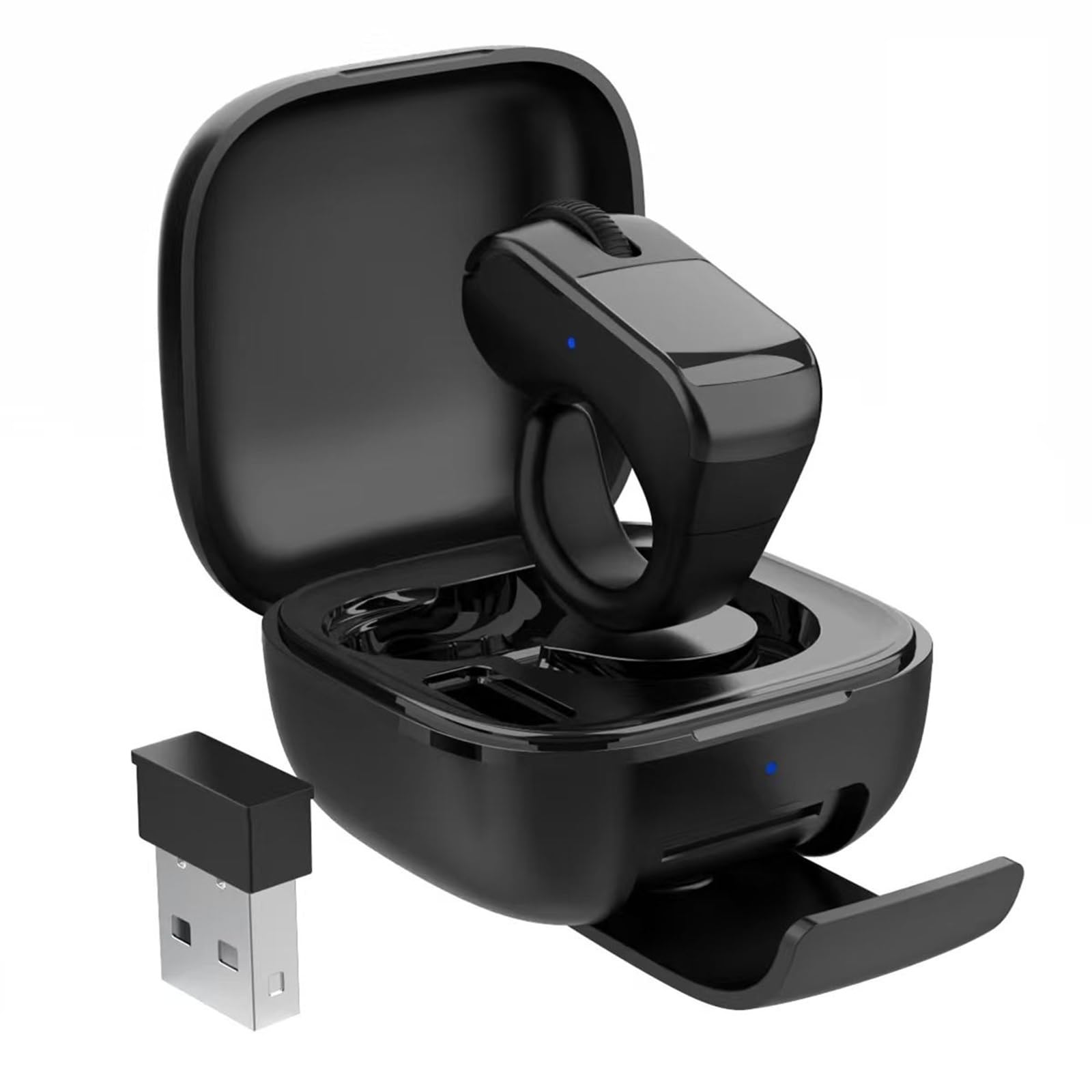
Made for lazy scrolling under a duvet — TikTok, Kindle app pages, and phone photos.
The core use case is a specific one: it lets you keep your hands warm under the covers while you scroll short videos or turn Kindle app pages. Bluetooth 4 gets you a quoted 10-meter range, about 33 feet, and the touchpad plus scroll wheel and multi-function buttons cover cursor moves and clicks. The scroll wheel is where most of the joy comes from, since a flick of the wheel beats stretching to swipe the screen.
Setup is quick in the easy cases and can fight you in the hard ones. It connects almost instantly to Android phones, and owners describe smooth, laggy-free scrolling through TikTok and Kindle. On a Mac, the system tends to treat it as a keyboard before the mouse setting is corrected, which takes manual configuring. On iPhone, one reviewer noted the cursor only wakes after restoring the phone each time.
Reviews agree it scrolls TikTok and Kindle smoothly but stumbles on dragging and text selection. Dragging through a long email, highlighting text in a document, or using page up and down inside some apps can fight the gesture system. Measure this against the AirKlc below, which also targets TikTok and Kindle, and this one has the better scrolling feel — though both need the right app to shine.
What it nails
- Scroll wheel makes TikTok and Kindle app reading genuinely hands-free
- 10-meter Bluetooth range for sofa, bed, and treadmill use
- Fast pairing and immediate connection on most Android phones
Where it can frustrate
- Dragging and highlighting inside apps does not work like a real mouse
- Mac setup requires switching it out of keyboard mode manually
Get it if: your goal is hands-free scrolling through video and e-reader apps with a quick setup.
skip it if: you expect it to drag files and select text like a desktop mouse.
6. Remote Control for TikTok
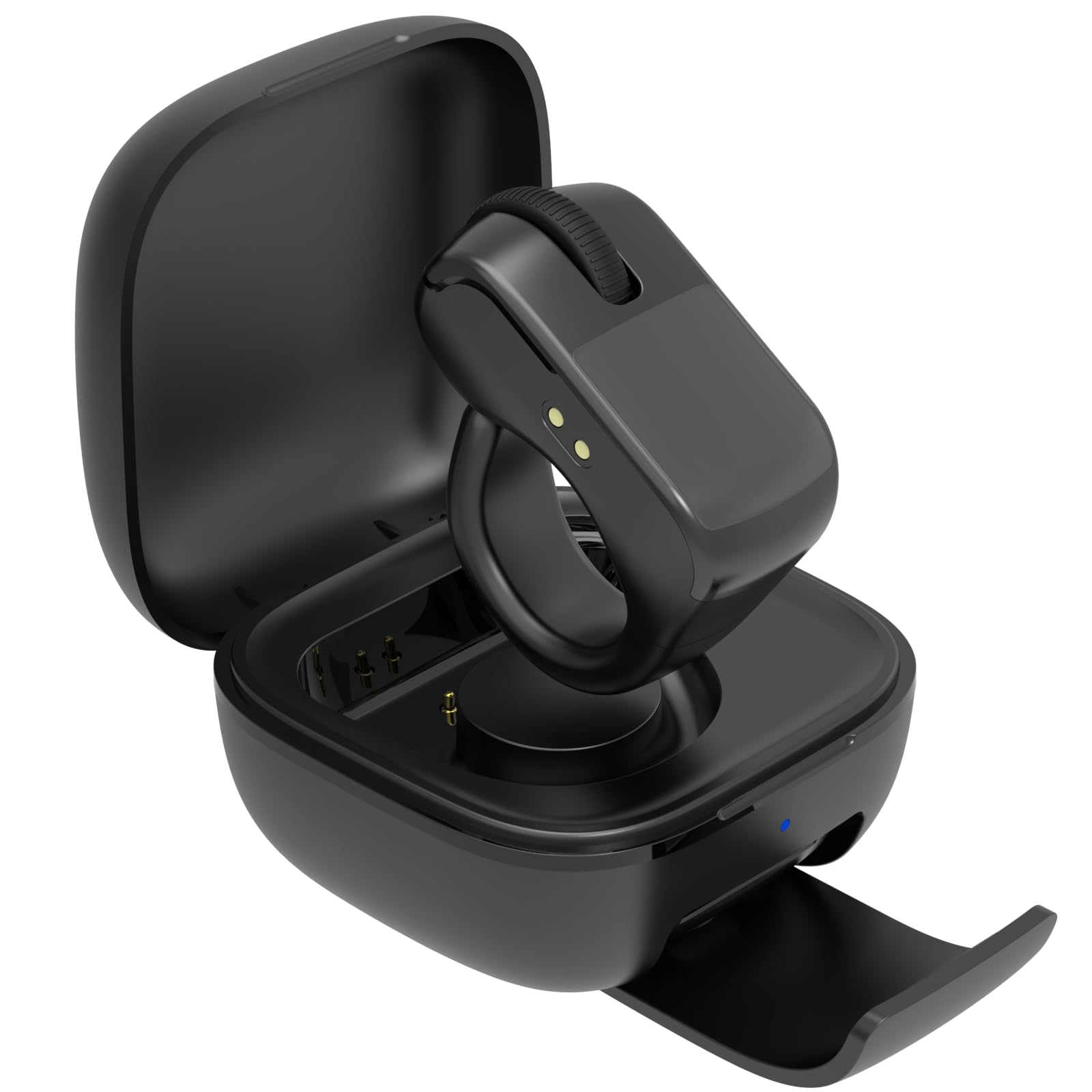
A 12-hour charge plus a pocket case that refills it five more times — for treadmill scrolling.
Battery is the reason to look here. A full charge delivers at least 12 hours of run time, and the included charging case can top the ring back up five times over. That combination is right for a treadmill, a stationary bike, or a hotel room where you want a steady scroll without hunting for an outlet. The ring has three buttons and a 30-foot range, and it works as a touchpad cursor plus a phone camera remote.
The treadmill scenario is where this earns its place: scroll TikTok while jogging without leaning forward and losing your balance. The camera remote function adds real value for anyone who shoots selfie videos alone, since you can frame a shot and click without setting a timer. Three buttons and a 30-foot range cover scroll and camera control, and the ring slips into a pocket between uses.
Know the trade-offs before you buy. Scrolling is praised by some and reported as unusable by others, and touch sensitivity receives mixed notes — it is a scrolling remote first, not a mouse replacement. The touchpad also expects a deliberate finger press, so careful aim matters more than on a full mouse.
Battery math that matters: 12 hours of use plus five case refills means you could go most of a week on a single case charge and only plug in the ring once. That is exactly the gap a lot of these rings leave.
Best matched to: treadmill runners and solo video makers who want scroll and shutter control with a week of battery headroom.
Look elsewhere if: you need precise touchpad pointing for document work, where a larger surface is kinder.
7. AirKlc Finger Ring Mouse
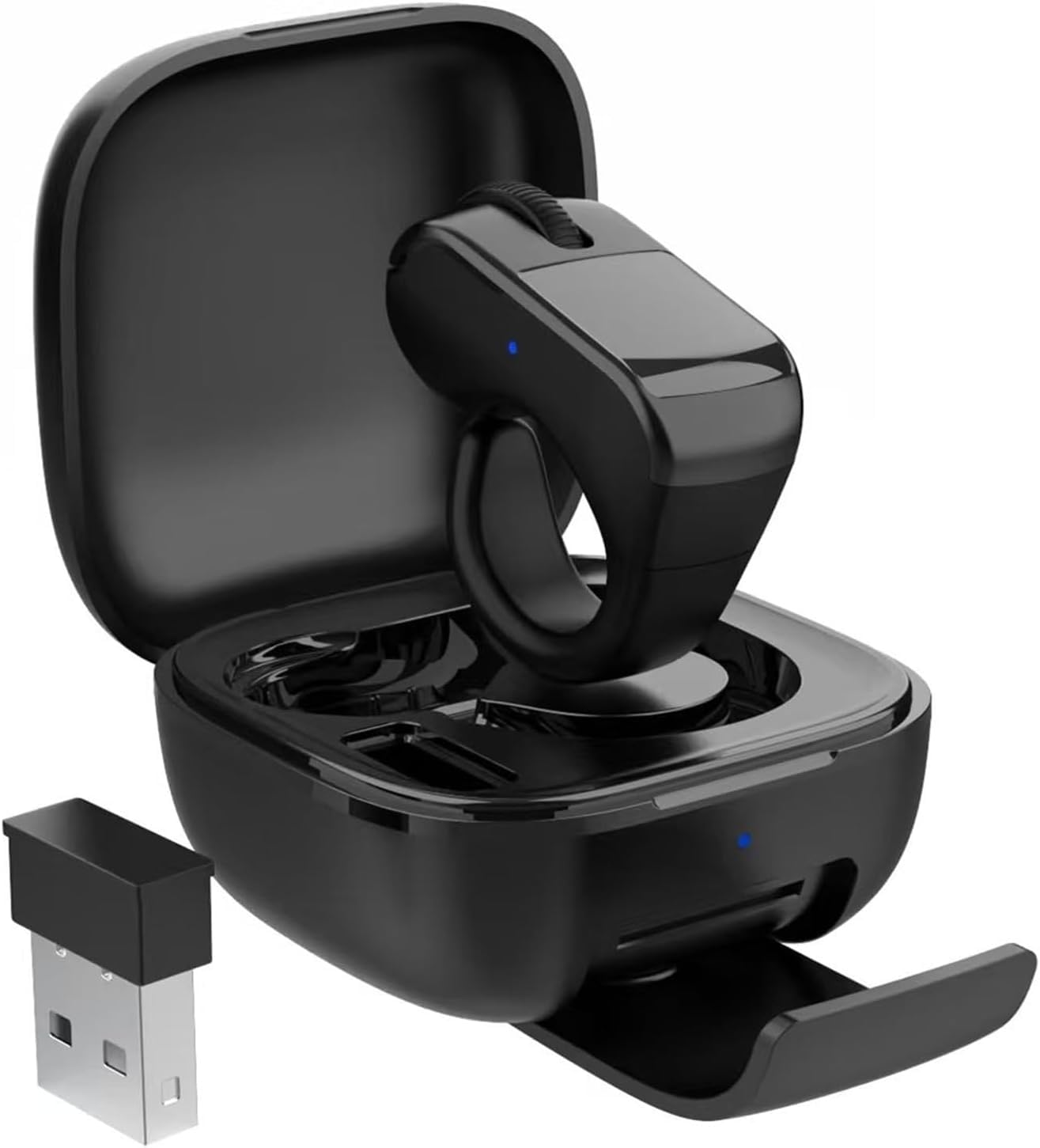
A four-button ring that pairs fast and puts a touchpad on your finger.
The design is a simple idea: a ring you wear that pairs over Bluetooth and includes a USB dongle for devices without wireless. A 10-hour battery covers a day of light use, and the touchpad handles cursor control plus video and page scrolling. Four buttons give you more clicking options than the three-button elec Space. Compatible devices include laptop, mobile phone, and tablet, and the package includes the ring, the dongle, a battery case with stand, and a USB-C charger.
It measures 1.02 inches wide and 3.2 inches long — genuinely smaller than the YUMQUA’s 4.33-inch body and its 2.36-inch width. If you want to tuck a ring into a pocket and forget it, this is the smallest option here.
The catch is that value and scrolling are both unsettled. Several buyers judge the scrolling occasionally unresponsive, and price feel is a recurring doubt. Treat this as an entry-level way to try wearable pointing, not a premium tool. Its 10-hour battery also falls well short of the SANWA’s 34 hours on a single charge, so plan a daily top-up.
Good reasons to start here
- Smallest of the picks at 1.02 inches wide and 3.2 inches long
- Four buttons versus three on the basic mini mouse
- USB dongle included for devices without Bluetooth
- Touchpad gives cursor control, not just scrolling
What to weigh first
- 10-hour battery means daily charging for regular use
- Scrolling feedback is mixed, so expect some learning and adjustments
An easy first step if: you want to test wearable pointing cheaply and value a tiny body and extra button.
Hold off if: you need a long battery and dependable scrolling from day one.
Know the Specs
DPI, the cursor speed setting
DPI (dots per inch) measures how far the cursor travels for a fixed amount of hand movement. Higher numbers mean faster travel across a large screen. A ring at 1600 DPI feels quick; a ring at 800 DPI needs more finger movement but gives finer aim. On a ring mouse, lower settings usually feel more controllable, so a switchable range matters more than a single big number.
Bluetooth range and version
Range is the distance the ring keeps a steady connection from your screen. Closer Bluetooth 5.0 pairs more reliably than older 4.x. Quoted ranges around 30 feet or 10 meters suit a room, a treadmill, or a lecture hall. If you plan to wander during a presentation, check that number before you pick.
Touchpad versus trackball
A touchpad reads a sliding finger, so it can point, click, and scroll with one surface. A trackball rolls a physical ball, giving tactile feedback and often better precision on a rough or soft surface. A touchpad is better for phone apps and video; a trackball is better for holding the hand still during long desktop sessions.
Battery style and charge life
You will see rechargeable lithium-ion rings and disposable AAA models. Rechargeable cells avoid buying batteries but need a cable. A quoted run time of 34 hours means a full day and part of the next, while 10 hours covers light use with a daily top-up. A charging case multiplies the total to several days.
Buttons and cursor shortcuts
Three buttons cover click and scroll but no back button. Four or five buttons add back, page up and down, full screen, and video controls. For presentations and reading, extra buttons save you from digging a phone out of a pocket. For plain cursor work, three buttons is often enough.
App compatibility, not just devices
A ring can connect fine to a phone or tablet and still fail in the app you want to use. Scroll rings usually support TikTok and the Kindle app, but some apps reject remote scroll entirely. Check the app list, and remember that hardware e-readers like a Paperwhite are a separate case from the Kindle app on a phone.
Common Questions
Will a ring mouse work with a Kindle Paperwhite or Oasis?
Can I use a ring mouse to edit documents and spreadsheets?
How long does the battery last between charges?
Is a ring mouse good for TikTok scrolling on a treadmill?
Do I need a USB receiver, or is Bluetooth enough?
Will a finger ring mouse fit my hand, and can left-handed people use one?
What is the range difference between a Bluetooth 5.0 and a Bluetooth 4 ring mouse?
Can a ring mouse control a phone camera for selfies and video?
Are these ring mice compatible with a Mac?
Which is better for presentations: a ring mouse or a traditional clicker?
The Bottom Line
For most people, the winner is the elec Space Wireless Mini Finger Mouse. It pairs to two devices at once over Bluetooth 5.1 (a short-range wireless standard) and a 2.4GHz receiver (a tiny plug-in dongle), and it still clicks like a proper mouse with three DPI settings (cursor-speed levels) and a rechargeable battery. If you want a trackball you can roll from an armchair, grab the YUMQUA Finger Handheld Mouse with its four DPI levels and 4.33-inch body. And for scrolling under the covers with a real touchpad and page-turn buttons, reach for the SANWA 3 in 1 Finger Ring Mouse, with 34 hours of use on a charge. Whichever you pick, confirm the TikTok or Kindle app you use daily is on its supported list.
How we choose
We do not accept paid placement. Every pick is matched to a real buyer and a real use-case; we do not hands-on test units.
Sources
Specifications: manufacturer listings and product documentation. Review insights: verified customer reviews, as of October 2026. Pricing: not shown on this page (it changes often); check the current price via the retailer link.
As an Amazon Associate, Aappliancez earns from qualifying purchases. This does not affect which products we feature.