Disclosure: Some links in this post are affiliate links. As an Amazon Associate I earn from qualifying purchases, at no extra cost to you. Learn more
Specs are compiled from manufacturer listings and verified buyer reviews and can change over time — please confirm the key details on the product page before buying.
Lying back to watch a movie on your ceiling sounds great until you try to aim the projector. A projector that has to sit dead-center on a table fights you every time you want to lie back and watch something overhead, and cheap keystone correction (a digital fix that straightens a tilted image) turns a movie into a trapezoid. The picks below solve that problem differently: some throw a big image from inches away, some rotate on a built-in stand, and a couple use a short-throw lens (a lens that makes a huge picture from close to the wall) so you can shoot a big image from a shelf near the wall. If you want the short answer: the Epson Pro EX11000 is the strongest all-round ceiling-and-wall performer here, and the WiMiUS G1 is the easiest one to mount overhead without a second person helping.
This guide is built by comparing the manufacturers’ published specifications and the patterns across verified customer reviews, so you get each pick’s real strengths and trade-offs instead of marketing spin.
Ceiling viewing changes what matters in a projector, because throw distance, auto-keystone range and how the unit physically mounts decide whether you ever actually use it overhead. The picks below are the best projectors for ceiling viewing once you weigh those three things together.
Top Picks

How To Choose The Best Projectors for Ceiling Viewing
Lying on your back and staring at the ceiling is the most comfortable way to watch anything — and the least forgiving way to set up a projector. Three numbers decide whether it works in your room: how far the projector must sit from the surface, how much correction the auto-keystone can absorb, and whether the body can actually be flipped or angled overhead.
Throw ratio is the first filter, not the last
A throw ratio tells you how far back the projector has to sit to make a given image size. A 1.0:1 short-throw model makes a 100-inch picture from about 2.2 meters away, while a standard long-throw unit needs roughly 3 meters for the same size. In a bedroom where the projector lives on a shelf beside the bed, that difference decides whether the image fits the ceiling at all.
Auto keystone has a limit you need to know
Auto keystone correction squares up the image when the projector is off-axis, so you can shoot from a corner and still get a rectangle. What it cannot do is manufacture detail it never captured. Pushing correction too far softens edges, which is why a center-mounted ceiling position still beats a wildly angled one.
Mounting hardware decides whether it ever gets used overhead
Look for four threaded mounting holes, a rotating stand, or a built-in handle. A projector with a 200-degree rotating stand can point straight up at the ceiling without any bracket at all — that is the single most practical feature for this kind of viewing.
Side-by-Side Comparison
| Model | Best For | Brightness | Resolution | Throw / Mounting | Amazon |
|---|---|---|---|---|---|
| Epson Pro EX11000★ Best Overall | Bright rooms and long sessions | 4600 lm | 1920 x 1080 | Portable, ceiling-capable | Amazon |
| Optoma GT2100HDRCompact Throw | Compact short-throw setups | 4200 lm | 1080p Full HD | Short throw, 6.6 lb | Amazon |
| WiMiUS G1 (Google TV)Best For Families | Overhead mounting on a budget | 580 ANSI lm | 1920 x 1080 | Four M5 ceiling screw holes | Amazon |
| HAPPRUN 1500 ANSI | Backyard and angled-wall projection | 1000 ANSI lm | 1920 x 1080 | Desktop, tripod, wall or ceiling | Amazon |
| GooDee 4K Smart | Ceiling-mounted gaming and movies | 3000 lm | 4096 x 2160 | Desktop or ceiling-mount | Amazon |
| TOPTRO A2 VIDAA | Tight rooms and apartment ceilings | 650 ANSI lm | 1920 x 1080 | 1.0:1 short throw, 200° stand | Amazon |
| ONOAYO ONO5Pro 2.0 | Big sound with an overhead setup | Not stated | 3840 x 2160 | Portable, ceiling orientation detect | Amazon |
| HAPPRUN 2500 ANSI | Ceiling viewing with an adjustable stand | 2500 ANSI lm | 3840 x 2160 | Built-in adjustable stand | Amazon |
| Optoma GT2000HDR | Short-throw sim and home use | 3500 lm | 1080p Full HD | Ultra-compact short throw | Amazon |
| NEBULA Cosmos 4K SE | Dark-room 4K ceiling cinema | 1800 ANSI lm | 3840 x 2160 | Portable, auto obstacle avoidance | Amazon |
Detailed Reviews
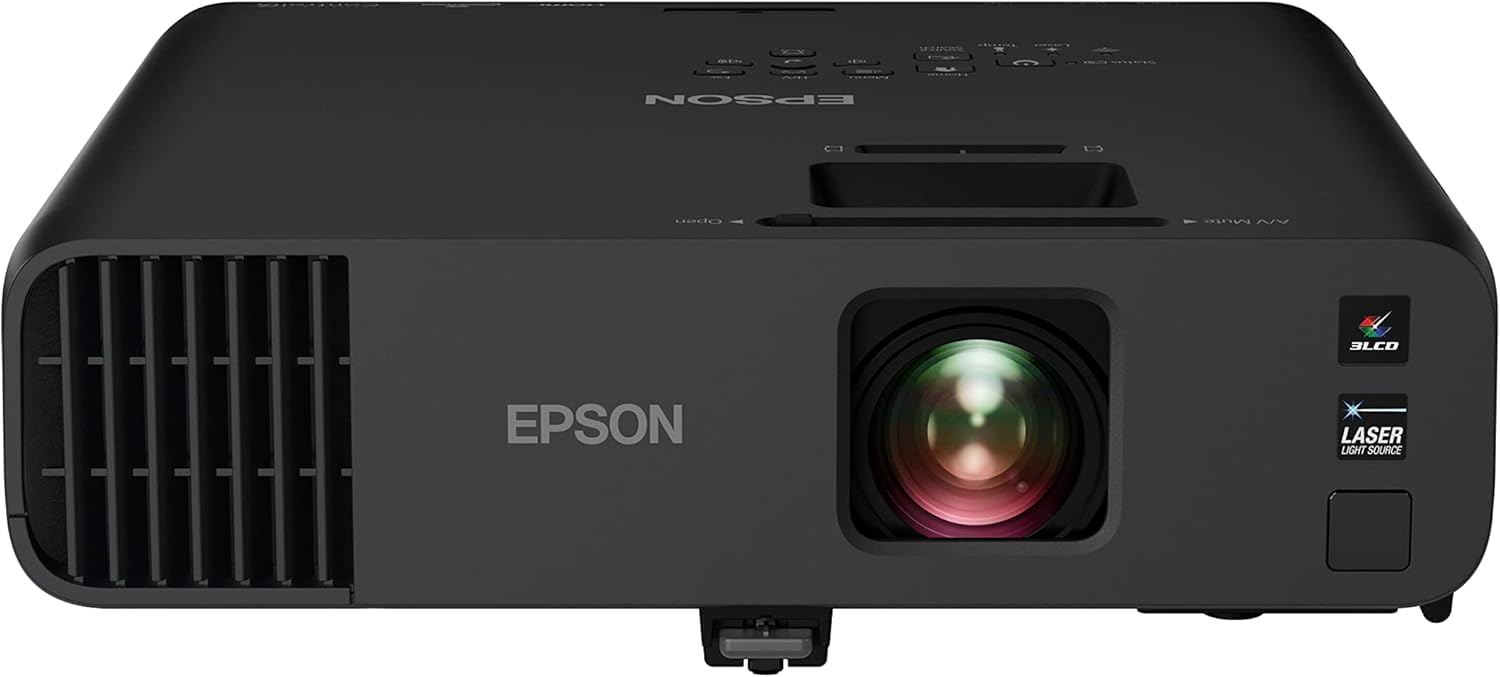
1. Epson Pro EX11000 3-Chip 3LCD Projector
Our pick — 4.5+★ from 150+ verified ratings; the strongest balance of quality and price.
At 4,600 lumens, it is the brightest pick here — enough to hold a ceiling image with the room lights on.
This is the projector you buy when the ceiling picture has to survive daylight, a lamp, or a window left open. Epson rates it at 4,600 lumens, which is the brightest figure in this entire round-up and comfortably ahead of the Optoma GT2100HDR at 4,200 lumens. That is the reason it takes the top spot: ceiling viewing almost always means some ambient light creeping in, and extra brightness is what keeps the image readable instead of washed out.
Ceiling viewing usually means long evening sessions rather than short bursts, and a lamp-based projector would be a consumable item on that schedule. The 3-chip 3LCD engine (three separate LCD panels, one each for red, green and blue, so no color-wheel flicker) also means there is no rainbowing — the color flashes some single-chip projectors produce, which is far more noticeable when you are staring straight up for two hours.
Owners tend to flag the same strengths. The Epson turns up in church sanctuaries and auditoriums, where it has to survive weekly use in full light — one buyer reports running it as the main projector in a church auditorium for more than two years with excellent sharpness, and another calls it “bright and crisp in the sanctuary in full light.” The practical ceiling note is less flattering: this projector has no offset adjustment and limited keystone, so it has to sit roughly centered on the surface it is throwing onto. Mounted dead-center on a ceiling bracket, that is fine. Wedged into a corner, it is not.
Where it falls short for ceiling use is outright contrast. Owners describe the blacks as flat and the image as almost too bright in a fully dark room, which is the opposite problem from most projectors here. It is a 1080p panel at 1920 x 1080, so it will not out-detail a true 4K unit like the NEBULA Cosmos 4K SE on fine text or foliage. And there is no 4K anywhere in the chain.
Bright 3LCD laser engine
- 4,600 lumens, the highest brightness here, so a ceiling image survives ambient light
- 20,000-hour laser source with no bulbs to replace on a long-session schedule
- 3-chip 3LCD color with no rainbowing artifacts during long lie-down viewing
- Setup is genuinely quick — it auto-adjusts to the screen once the throw is right
Large ceiling-mount body
- Limited keystone and no offset adjustment mean it must sit nearly centered on your target wall or ceiling
- Blacks read flat on dark scenes, and full-dark rooms make it slightly too bright
- Native 1080p only — no 4K detail for close viewing
Boardroom pick: your ceiling or wall gets light during viewing and you want the brightest image here, mounted centrally on a bracket.
Low-light only: you want corner placement with heavy keystone correction, or you are chasing true 4K sharpness.
2. Optoma GT2100HDR Short Throw Laser Projector
A 4,200-lumen short-throw laser that fills a wall from close range and angles up to the ceiling.
If your room is small enough that a normal projector would have to sit in the middle of the floor, this is the one to look at. A short-throw lens means the unit sits close to the surface and still throws a large image — the exact geometry you want when the projector is parked on a shelf near the foot of the bed and aimed at the ceiling.
The body weighs 6.6 lbs and the laser source is rated for 30,000 hours, so hanging it overhead is a one-time job rather than regular maintenance. It runs on an external power supply at 173W and carries a 300,000:1 contrast figure. Its 4,200 lumens comes in just under the Epson Pro EX11000 at 4,600 — a real gap if your ceiling gets any daylight, but not a dealbreaker for dark or dim rooms.
What owners actually test it with is a golf simulator — a beam pointed across a room at an impact screen, which is functionally the same problem as ceiling viewing. One buyer reports mounting it 9 feet high and 9 feet back, filling the entire screen with a clear, bright image. The brightness holds up in a lit room too, with one owner describing a spreadsheet still readable at 150% zoom from the back of a 50-foot room, and another projecting on the house for Halloween with clear images despite surrounding lights.
Be realistic about the throw distance. A golf-sim owner trying to fill a screen from 12 feet found the projector needed roughly 9 feet of setback rather than the 6 feet implied, which killed the setup. If your ceiling-to-projector distance is tight, measure before you mount anything. The remote and manual also draw complaints for being hard to navigate, and the built-in speaker is thin enough that most people will wire up a soundbar.
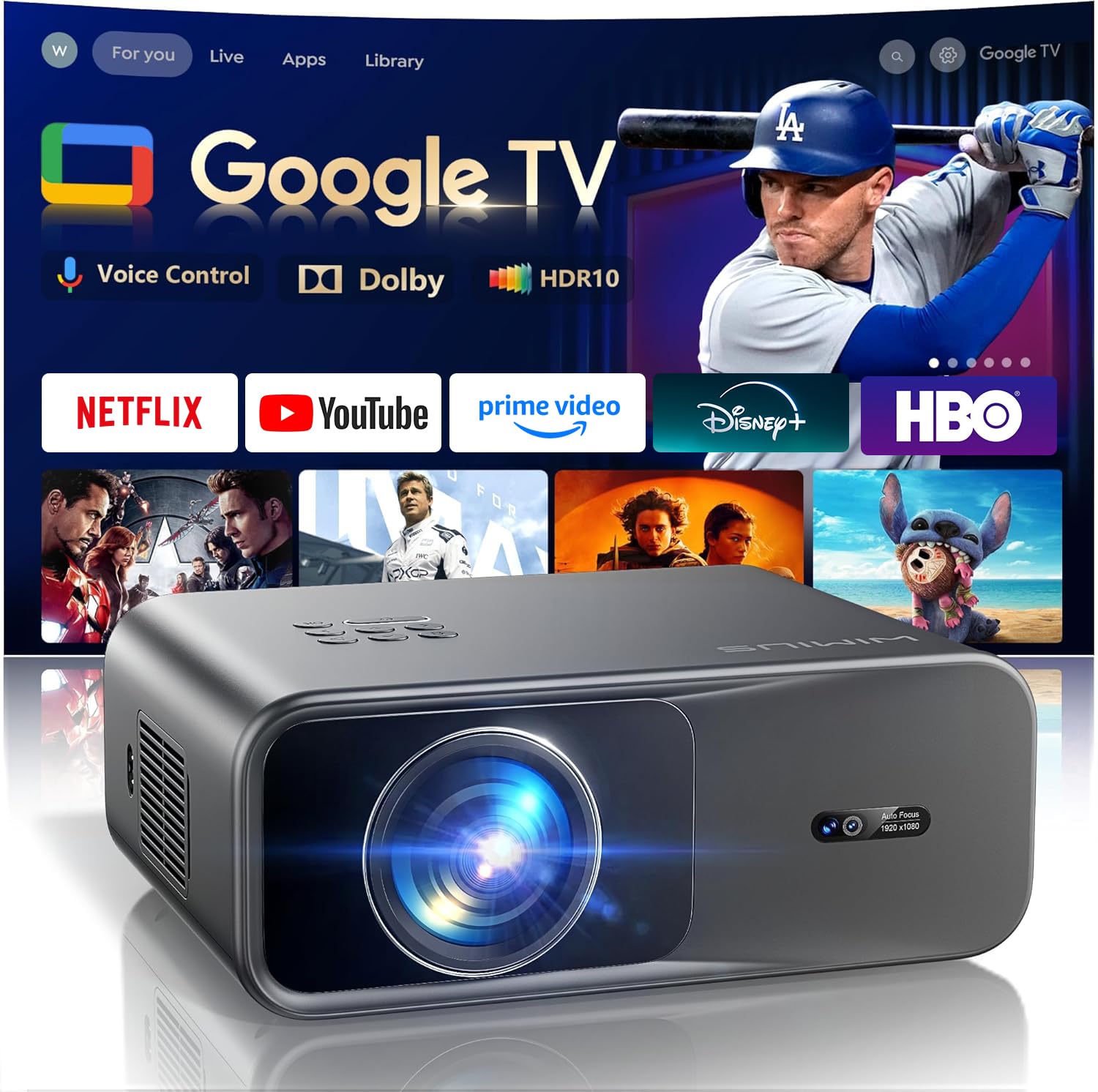
3. WiMiUS G1 Smart Projector 4K Supported with Google TV
Four M5 screw holes on the bottom make it the easiest pick here to bolt to a ceiling bracket.
Ceiling viewing lives or dies on the mount, and this is the one that was clearly designed for it. The WiMiUS G1 has four M5 screw holes underneath, so it takes a standard ceiling bracket without adapters. It is also square and smaller than a typical LED projector, which means it tucks against a ceiling or sits on a shelf without a big footprint.
The brightness figure is 580 ANSI lumens, which is modest — the honest way to read that is as a dim-room or dark-room projector. For an overhead movie night with the lights off, that is exactly the environment it is built for. Everything around the image is where the value sits: auto focus, auto keystone, obstacle avoidance and screen alignment all run automatically, so moving the projector and re-aiming it does not mean re-doing setup. There is also 50%–100% zoom and Dolby Audio through dual 10W speakers, plus two-way Bluetooth 5.2 so you can pair a soundbar or use the projector itself as a Bluetooth speaker.
The Google TV integration is the second reason it suits a shared ceiling setup. Multiple user profiles keep separate watchlists, and Kids Mode lets parents pick approved apps with screen-time limits and bedtime cutoffs. The picture quality here is what buyers go on about most, with auto focus landing almost the instant the unit is powered on, and the apps running without lag.
The recurring complaint is sound rather than the picture, and it is worth understanding properly. Buyer reports suggest the projector’s Bluetooth output works fine with headphones, and that hardwiring through the aux connection delivers noticeably better audio than the built-in speakers alone. A burned spot appeared on the display on one unit after roughly ten months, though the seller replaced it — a rare failure rather than a pattern. Treat the built-in speakers as adequate for two people, not a room.
4. HAPPRUN 1500 ANSI Google TV Outdoor 4K Full HD Projector
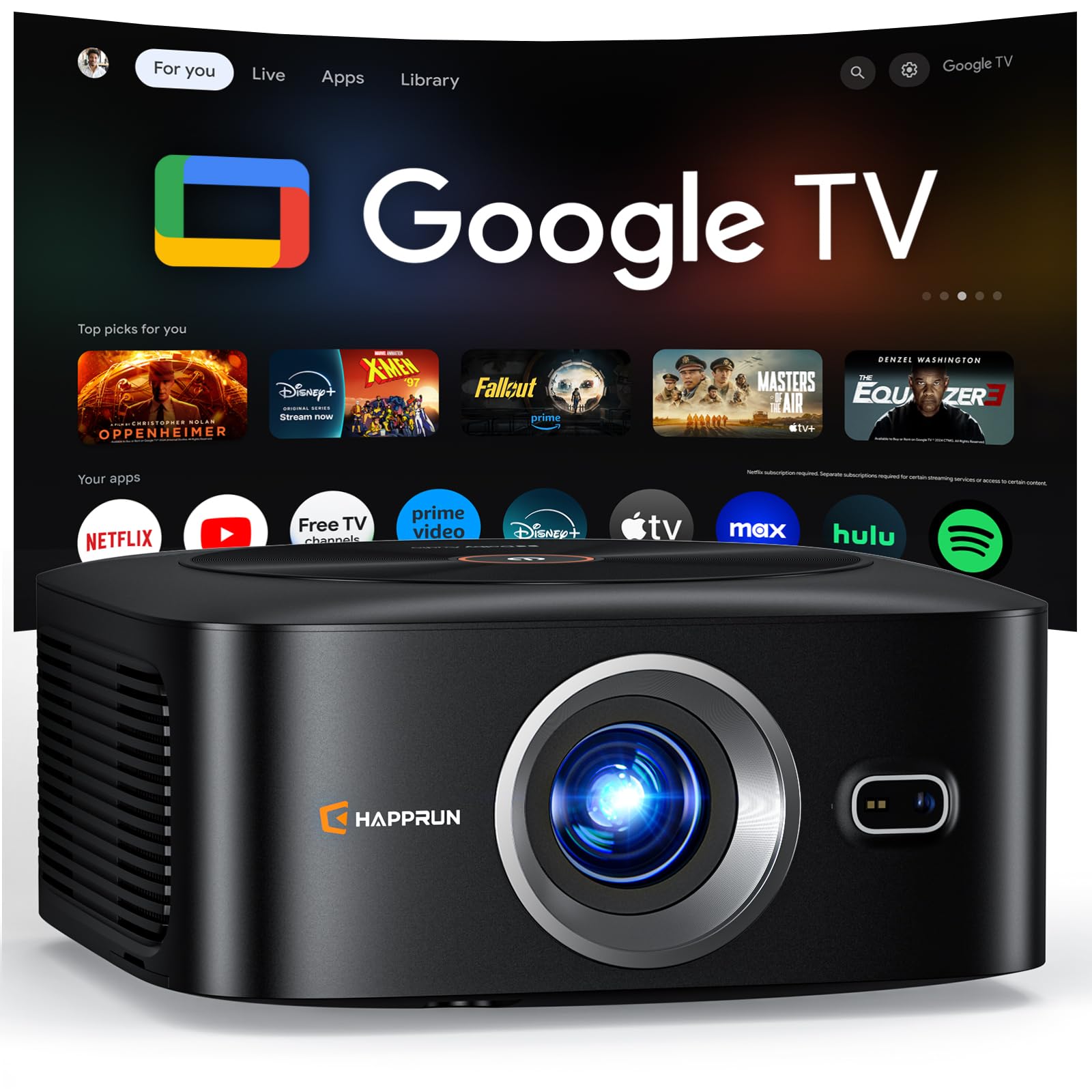
At 1,000 ANSI lumens with a 1.3:1 throw ratio, it is the angled-wall specialist of the group.
The best use case for this one is not a dead-center bracket — it is a ceiling or wall you are hitting from an awkward angle. The projector combines auto focus with auto keystone correction that finishes in about three seconds, which is what makes an off-axis setup workable rather than a fiddly nightmare. The 1.3:1 throw ratio also means it sits a reasonable distance back rather than demanding a short-throw shelf.
Its stated brightness in the listing headline is 1500 ANSI, while the technical specification records 1000 ANSI lumens — a discrepancy worth knowing before you compare it to the Epson Pro EX11000 at 4,600. Practically, that puts it in the dim-to-moderately-lit range. It carries a 25000:1 contrast ratio and a 95% NTSC color gamut with HDR10+ support, and the listing is refreshingly blunt about the panel: 4K-labelled content plays at native 1080p, which the brand calls 4K decoding.
It runs fully built-in Google TV, so Netflix, Prime Video and YouTube launch without a streaming stick, and the voice remote handles volume and app-launching by voice. Multiple owner reports mention the 1500 ANSI brightness actually holding up in rooms that are not fully dark, and the auto-focus and keystone being quick enough to be genuinely hands-off.
1500 ANSI outdoor ready: picture quality well above its tier, an auto-setup sequence that takes seconds, and Dolby Audio through hi-fi dual speakers loud enough that plenty of buyers skip a soundbar.
Bulky carry weight: the software has gaps. A couple of streaming apps do not appear in the store, and some services default to low-resolution playback because of licensing — buyers work around it by mirroring from a phone or plugging in a stick, but it means this is a backyard projector rather than a full replacement for a daily TV.
Backyard movie: you want smart-TV convenience and a forgiving auto-setup at the entry end, and mostly watch in the evening.
Indoor shelf: you need every streaming app to work natively with full resolution on the first try.
5. GooDee 4K Smart Projector with 5G WiFi 6 and Bluetooth
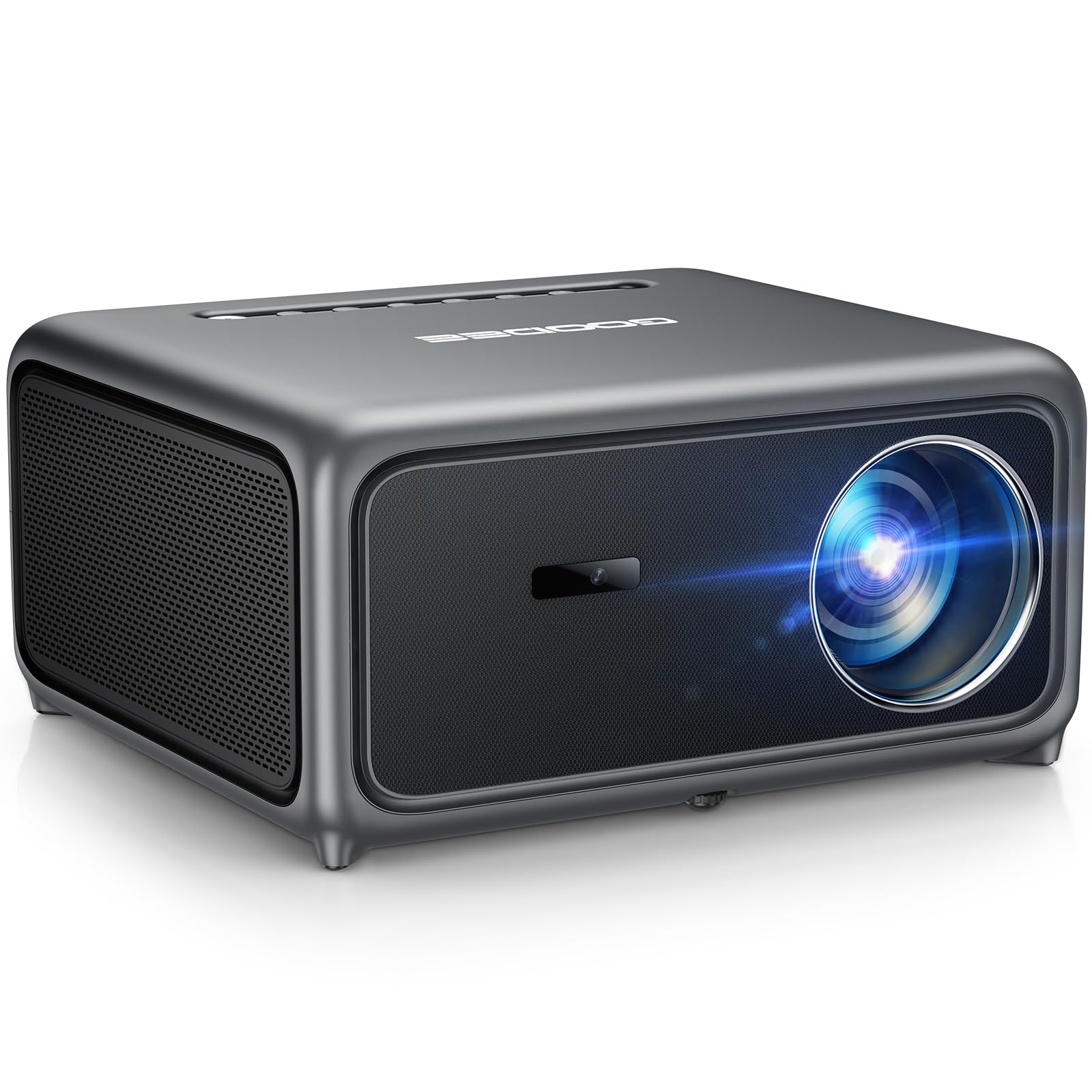
It is the only pick here that supports 1080p at 120Hz with variable refresh rate for overhead gaming.
For a ceiling setup that doubles as a gaming display, this is the most interesting option in the round-up. Variable refresh rate support means the projector can match its refresh to the console’s frame rate, and owners specifically report crisp 1080p gaming at 120Hz. That is a different feature class from everything else here, which is why it earns its own slot rather than competing purely on brightness.
It lists a 3000 lm brightness figure and a 20000:1 contrast ratio, with a 4096 x 2160 maximum resolution and constant MEMC motion smoothing that cuts blur in fast-action scenes. The auto-setup system is the other headline: a ToF sensor (a time-of-flight sensor that measures how far away the surface is to set focus instantly) handles autofocus, while auto keystone, obstacle avoidance and screen alignment clean up the geometry. It is explicitly listed as a ceiling-mount form factor, which is the practical confirmation you want.
The sound setup deserves a mention for ceiling use specifically, because a projector mounted overhead is not where you want your only speaker. This one runs Dolby Audio through 30W dual speakers, and owner reports describe the volume as loud and clear enough that it works without external audio — though it distorts at the top of its range.
Two caveats. The remote is fussy — buyers repeatedly note it only responds when pointed at a specific spot on the unit, and one owner had it fixed through customer service by switching the remote into Bluetooth mode. And at least one buyer found the body bulky compared to the compact units here. Neither is a picture problem, but both affect how pleasant it is to live with on a ceiling.
Gaming nights: a ceiling-mounted living room that flips between movies and console gaming at 1080p 120Hz.
Sunlit rooms: the remote wants a direct line of sight to one spot on the projectors body — check the Bluetooth pairing mode early if it feels unresponsive.
6. TOPTRO A2 Smart Projector 4K
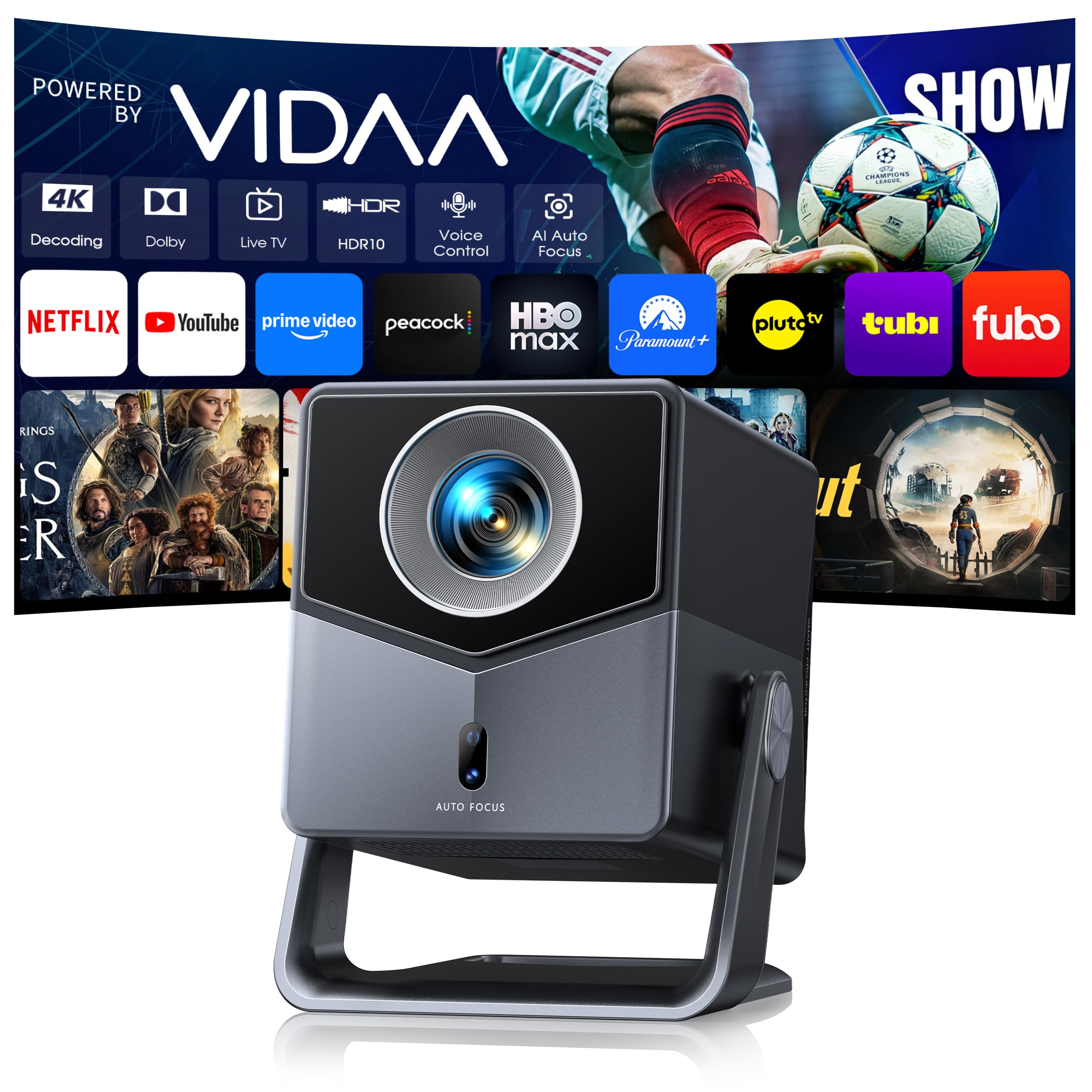
A 1.0:1 short throw plus a 200° rotating stand lets it point straight up with no bracket at all.
The rotating stand is the feature that makes this one a genuine ceiling-viewing answer rather than a compromise. Instead of hanging the projector, you set it on a nightstand or the floor and rotate the head up to 200 degrees. For anyone who does not want to drill a bracket, that single design choice removes the hardest part of the whole project.
The throw ratio reinforces it: at 1.0:1, a 100-inch picture comes from about 2.2 meters, where a conventional long-throw projector would need roughly 3 meters. Bedrooms, dorms and small apartments — the places where a big image is hardest to fit — are exactly where that gap pays off. Brightness is rated at 650 ISO ANSI, which the brand is candid about being genuine output rather than a boosted claim, so plan for dim or dark rooms.
The software is the other differentiator. It runs VIDAA rather than Android or Google TV, and the trade-off is a system with less app clutter but broader built-in live TV — over 1,000 channels plus Netflix, Prime Video and Disney+. Native 1080p resolution with HDR10 support means streaming apps look the way they should. AirPlay 2, WiFi 6 and a 36W Dolby Audio speaker system round it out, along with HDMI ARC and CEC for a single-cable soundbar connection.
Worth knowing: at roughly 7 inches wide and standing about soccer-ball sized, this is not a mini projector, so it needs some shelf space. Several buyers also note the remote prefers a direct front-facing line of sight. And while it is marketed as short throw, the consensus from owners is that it still wants a healthy distance for the biggest images, so verify your layout before committing.
7. ONOAYO ONO5Pro 2.0 4K Outdoor Projector
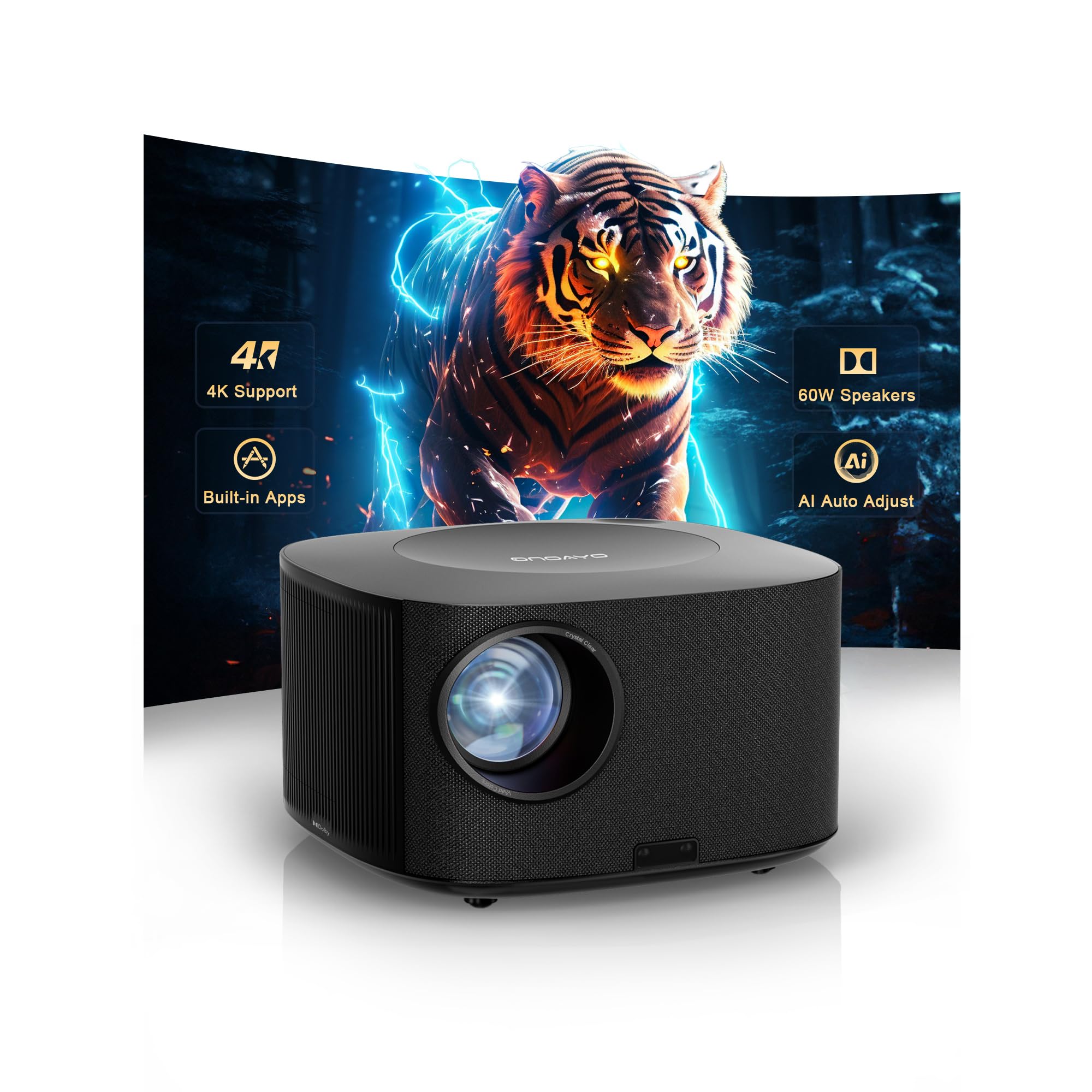
Dual 60W Dolby speakers rated to fill 540 square feet solve the audio half of ceiling viewing in the same box.
When the projector is mounted overhead, the audio problem gets worse, not better. This one answers that directly with dual 60W Dolby-tuned speakers the brand rates for spaces up to 540 square feet. In practice, that is the reason to choose it over a projector you would need to pair with a soundbar — fewer cables, one remote, one power run to the ceiling.
The auto-calibration is fast and specifically built for awkward angles, which is what overhead mounting creates. The VisionIQ system handles auto focus, keystone correction, obstacle avoidance, screen fit and orientation detection, aiming for a corrected image in about three seconds even on tilted surfaces. It explicitly supports ceiling-mounted orientation, and the 50%–100% zoom lets you resize without moving the unit.
For gaming overhead, this is one of the two picks worth shortlisting. It runs a dedicated game mode with 18ms input latency and HDMI 2.1. The WiFi 6 connection and built-in Chromecast handle casting, and the Bluetooth remote has a claimed 10-meter range that works through walls — useful when the projector is on the ceiling and you are not.
Picture quality is genuinely strong: owners describe vivid images and note that low noise and quick setup stood out. The honest limitations are narrower than the marketing suggests. Multiple reports flag that 4K content downgrades rather than displaying at true 4K, the app selection is thin, and Hulu gave at least one owner trouble until they routed around it via HDMI. Consider it a 1080p-class projector with strong audio rather than a true 4K machine.
8. HAPPRUN 2500 ANSI Outdoor Projector
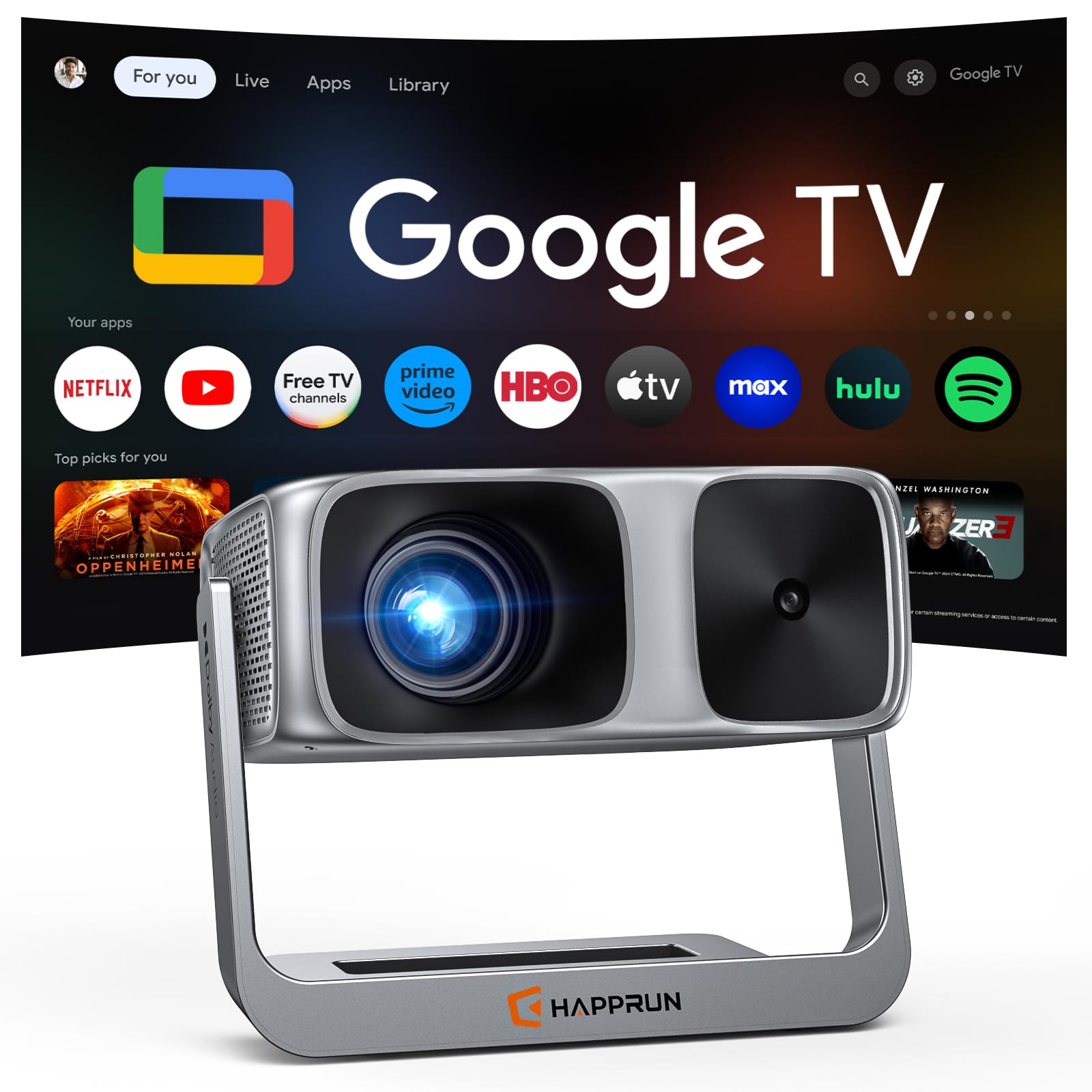
It lists ceiling mounting as one of four supported positions and ships with its adjustable stand attached.
If the plan is to lie back on a bed and watch the ceiling, this is the most purpose-built option in the round-up. HAPPRUN rates it at 2500 ANSI lumens, well above the other HAPPRUN in this guide at 1000 ANSI, and pairs that with a 20,000:1 contrast ratio and a 95% color gamut. On a ceiling specifically, that combination is what transforms a pale, washed-out image into something with actual depth in the dark scenes.
The setup system is built around not fiddling with it after it is up. Auto focus and 6D auto-keystone produce a squared image within roughly three seconds of startup, and the brand states clearly that it handles table, bedside, wall and ceiling placement. The auto-keystone is the operative feature for ceiling use — getting a rectangle right when the projector is aimed straight up is exactly the problem this solves.
What owners respond to most here is how quickly the whole thing comes together. Auto focus is the standout in buyer feedback, and the setup complexity is repeatedly described as minimal — the integrated adjustable stand removes the need for a tripod or shimming the unit on books, which is a real annoyance when the projector is pointing upward. Sound quality and brightness also draw consistent praise, with owners noting the volume fills a room and the picture holds up with ambient light.
There is one important ceiling-specific caveat printed in the product details: ceiling projection requires manual focus and keystone adjustment. The auto system handles the common table-and-wall cases, but if you are mounting overhead, budget three minutes on a ladder to dial it in by hand. Once it is set, the adjustable stand and Google TV’s built-in app library mean no other hardware in the chain.
Daytime sports: a bed-and-ceiling setup where the projector sits on furniture rather than a bracket, and the auto-aiming does the hard part.
Silent bedrooms: the ceiling position needs a manual focus pass after mounting, so have someone on the ladder and someone looking up.
9. Optoma GT2000HDR Short Throw Full HD Laser Projector
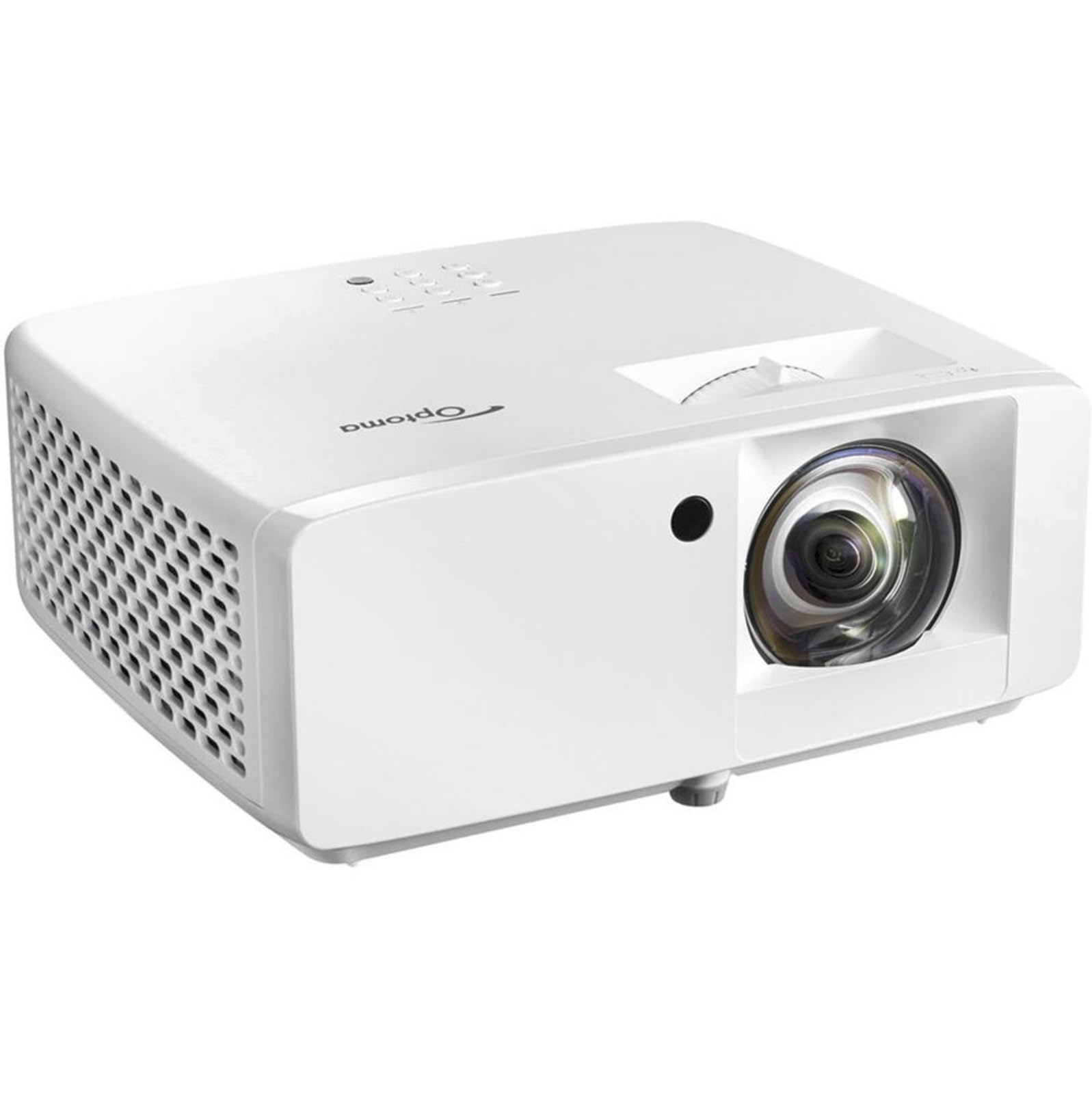
A 3500-lumen laser short throw with a 300,000:1 contrast figure at the highest black level here.
This is the smaller sibling to the GT2100HDR above, and the difference matters. It runs 3500 lumens against that model’s 4,200, so if you need to fight daylight, the GT2100HDR is the better tool. What this one brings instead is a compact, ultra-light body that is easier to angle at a ceiling or pack away when it is not in use.
The laser light source runs cool and carries the same 300,000:1 contrast figure as the model above, which is the top number in this entire round-up. For ceiling viewing in a dark room, high contrast is what keeps dark scenes from looking grey, and owners repeatedly describe the picture as crisp with brightness that holds up even with the garage lights on. The 1080p Full HD panel at 1920 x 1080 is the ceiling on detail.
The use case owners actually test it with is a golf simulator, which is the same physics as ceiling viewing — a beam thrown across a room at a screen. The verdict there is consistent: short throw suits small spaces, the image stays bright in ambient light, input lag is low, the unit is compact, and the laser runs cooler than lamp-based rivals over long sessions.
The honest weak spot is audio and adjustability. The built-in speaker is hollow enough that most owners add a soundbar, and the display-off feature cuts the audio too, which is awkward if you want to hide the beam while keeping sound. It is also a 4.0+ rated pick rather than a 4.5+ — a few buyers report rough handling in transit or mounting difficulty. Buying from a seller with clean packaging is worth the two extra minutes.
10. NEBULA Cosmos 4K SE Portable Projector

A true 3840 x 2160 panel with Dolby Vision — the only pick here that does not downgrade 4K content.
Every other projector in this guide takes 4K-labeled content and plays it back at 1080p. This one does not. Both of the projectors above — the ONOAYO ONO5Pro 2.0 and the HAPPRUN 2500 ANSI — list 4K decoding and native 1080p playback, meaning the extra resolution in the source is discarded. The Cosmos 4K SE carries a genuine 3840 x 2160 resolution and Dolby Vision support, which is the whole reason it is worth considering at the top of the range.
The light engine is the other piece worth explaining. HybridBeam combines an LED source with a laser source rather than using either alone, and the brand rates the result at 1,800 ANSI lumens. For a ceiling setup in a dark or dim room, that is a sensible balance — enough output for a large image without the color washout that plagues high-brightness units in dark rooms. It also claims 1.07 billion colors, which is standard 10-bit color depth rather than a marketing number.
The auto-setup is the most complete version here. IEA 4.0 handles real-time autofocus and keystone, plus automatic obstacle avoidance and screen fit. It also adapts to wall color and ambient light, which matters if your ceiling is not white. Google TV is built in with 4K Netflix support, so there is no dongle dangling from a ceiling-mounted unit.
Owners describe a projector that works the first time. The picture is praised as sharp edge-to-edge with rich color, the built-in sound is loud enough for a small to medium party, and the noise level is low. The recurring frustration, and the one that shows up clearly in long-term owner feedback, is the software: constant recalibration, refocusing and recentering between uses, with occasional audio dropouts and a slow processor. Buy this for the picture and plan for the interface being the weakest part.
Know the Specs
Throw ratio and why it decides your setup
Throw ratio is the distance the projector must sit back divided by the image width it produces, and it is the number that separates two different ceiling projects. The TOPTRO A2 at 1.0:1 makes a 100-inch picture from roughly 2.2 meters, while a standard long-throw unit wants about 3 meters for the same size. Short-throw models win in bedrooms, dorm rooms and apartments, where the projector has no room to sit far back. The Optoma GT2100HDR and GT2000HDR both use a short-throw lens for exactly this reason, though owners mention the real setback needed is sometimes more than the listing implies.
ANSI lumens and what they do overhead
ANSI lumens measure light output in a standardized way, and with a projector pointed at a ceiling there is no screen to catch stray light — everything bounces back into the room. That is why brightness carries more weight here than in a normal TV setup. Higher numbers keep the image readable with ambient light present, but they also make dark scenes look flat in a fully blacked-out room. Practically, a 580 ANSI unit like the WiMiUS G1 belongs in a dark room, while the 4,600-lumen Epson Pro EX11000 holds its image even in lit spaces. Brightness and contrast pull in opposite directions, so match the number to your room rather than chasing the biggest figure.
Common Questions
Can I ceiling-mount a portable projector without buying a bracket?
How far does a projector need to sit from the ceiling to fill it?
Does auto keystone correction work when the projector points straight up?
Is a short-throw projector better than a standard one for ceiling viewing?
How long will a laser projector last compared with a lamp one?
Do I need a soundbar if the projector hangs from the ceiling?
Can a 4K-labeled projector actually display 4K?
Will a ceiling-mounted projector overheat during a long movie?
Is 1080p sharp enough for a 100-inch ceiling image?
Can I project onto a ceiling that is not pure white?
What is the difference between ANSI lumens and the brightness numbers some listings use?
The Bottom Line
For most people setting up a projectors for ceiling viewing, the pick that covers the widest range of rooms is the Epson Pro EX11000. Its 20,000-hour laser lives permanently overhead, its 4,600 lumens keeps a ceiling image readable with the lights on, and its 3-chip 3LCD engine avoids the color-wheel flicker that gets distracting during long lie-down sessions. The trade-off is placement: it wants to sit nearly centered, so measure your mount point before you commit.
If you would rather not drill a bracket at all, the TOPTRO A2 and its 200-degree rotating stand point straight up from a nightstand, and the HAPPRUN 2500 ANSI ships with an adjustable stand plus listed ceiling support. For true 4K detail in a blacked-out room, the NEBULA Cosmos 4K SE is the only pick here that does not downgrade 4K content, with Dolby Vision and HybridBeam backing it up.
One last practical note before you buy: of every pick on this list, the WiMiUS G1 is the one built with the four M5 screw holes that make a ceiling bracket a five-minute job, so if hanging hardware is what has stalled your setup, start there.
How we choose
We do not accept paid placement. Every pick is matched to a real buyer and a real use-case; we do not hands-on test units.
Sources
Specifications: manufacturer listings and product documentation. Review insights: verified customer reviews, as of October 2026. Pricing: not shown on this page (it changes often); check the current price via the retailer link.
As an Amazon Associate, Aappliancez earns from qualifying purchases. This does not affect which products we feature.