Disclosure: Some links in this post are affiliate links. As an Amazon Associate I earn from qualifying purchases, at no extra cost to you. Learn more
Specs are compiled from manufacturer listings and verified buyer reviews and can change over time — please confirm the key details on the product page before buying.
You want a printer that just prints — no monthly ink plan, no cartridge chip that refuses third-party refills, no subscription quietly renewing in the background. That is the whole point of this list. Below are nine machines that print on ordinary paper with ordinary supplies, chosen because their consumables are yours to buy wherever you like.
This guide is built by comparing the manufacturers’ published specifications and the patterns across verified customer reviews, so you get each pick’s real strengths and trade-offs instead of marketing spin.
The big split is inkjet versus laser, and tank versus cartridge. Laser toner never dries out between jobs, while refillable tanks spread the cost of color across thousands of pages. Everything here is a genuine printer without subscription.
Top Picks

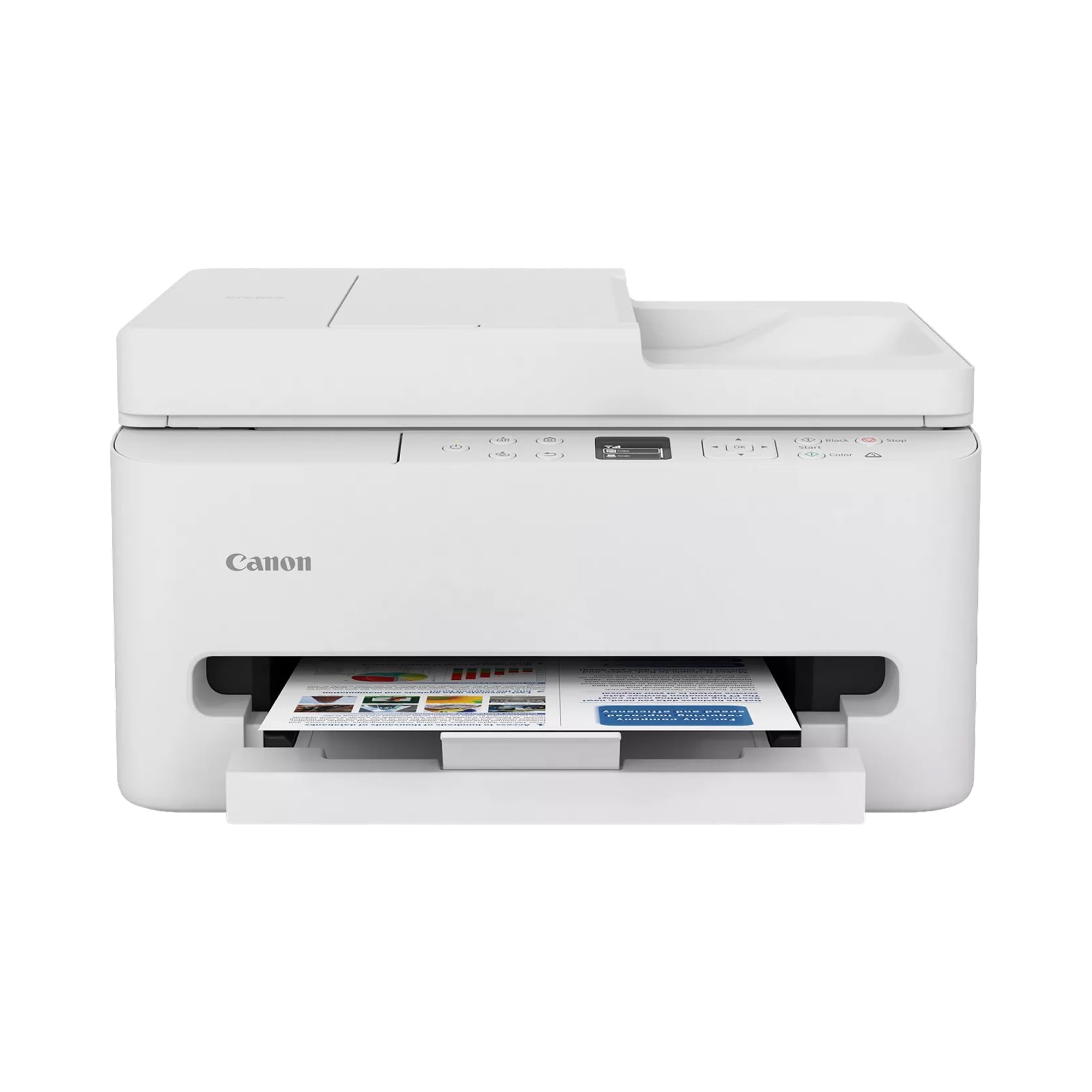

How To Choose A Printer That Never Asks For A Subscription
Most printer frustration is not about the hardware. It is about what happens after the starter ink runs out — a cartridge chip that rejects refills, or a service plan that meters your pages. Choosing well means looking at the consumables first and the print engine second.
Buy the consumable, not the box
A laser printer is defined by its toner cartridge. The Canon imageCLASS LBP6030w takes Canon Genuine Toner 125, listed at a 1,600 page yield, and buyers report it “prints 1,500-1,800 pages” per cartridge. A tank printer is defined by its bottle set — the Epson EcoTank ET-2800 ships with enough ink for up to 4,500 black and 7,500 color pages, according to Epson. Compare those two numbers honestly before you compare the machines.
Pages per minute is not the same as time-to-first-page
A 36 pages per minute rating describes the middle of a long job, not the first page you are standing there waiting for. The Brother DCP-L2640DW lists an initial page print time of 8.5 seconds, while the Brother Work Smart 1410 quotes roughly 6.2 seconds in black. If you print two-page invoices all day, that warm-up gap matters more than the headline speed.
Match the connection to your actual desk
Wi-Fi is convenient right up until it drops mid-job. Several models here offer a wired Ethernet port as a fallback — the Epson Workforce Pro WF-4834 and the Brother DCP-L2640DW both do — and the HP LaserJet M209d is USB-only by design, which suits anyone who wants zero wireless troubleshooting. Decide whether you value flexibility or simplicity before you buy.
Decide how much color you really need
A monochrome laser handles text documents cheaply and never clogs from disuse. A color inkjet covers school projects, photos, and labels but demands regular use so the print head does not dry out. If your week is mostly black text with a rare color page, a mono laser will treat you better.
Side-by-Side Comparison
| Model | Best For | Print Speed (B&W) | Duplex | Paper Capacity | Amazon |
|---|---|---|---|---|---|
| Epson Workforce Pro WF-4834★ Best Overall | Busy document desks | 25 ppm | Automatic | 500 sheets | Amazon |
| Canon PIXMA TR7120Best Color Value | Home and hybrid work | 14 ppm | Automatic | — | Amazon |
| Canon PIXMA TS7720Best Touchscreen | Photo-friendly home printing | 15 ppm | Automatic | — | Amazon |
| Brother Work Smart 1410 | Small office multi-tasker | 16 ppm | Automatic | 150 sheets | Amazon |
| HP LaserJet M209d | Fast mono documents | 30 ppm | Automatic | 150 sheets | Amazon |
| HP Smart Tank 5101 | High-volume color on a budget | 12 ppm | Manual | — | Amazon |
| Brother DCP-L2640DW | Small business throughput | 36 ppm | Automatic | — | Amazon |
| Epson EcoTank ET-2800 | Cheap color for years | 10 ppm | Simplex | — | Amazon |
| Canon imageCLASS LBP6030w | Tight desks, low outlay | 19 ppm | No | 150 sheets | Amazon |
Detailed Reviews
1. Epson Workforce Pro WF-4834 Printer
Our pick — 4.0+★ from 150+ verified ratings; the strongest balance of quality and price.
The workhorse that holds two full reams and never asks you to babysit the tray.
The number that earns this machine the top slot is 500 sheets of paper capacity, split across two 250-sheet trays. That is the difference between refilling a tray every few days and refilling it once a fortnight — the Canon imageCLASS LBP6030w holds 150 sheets by comparison. For a home office with a family printing alongside a business, that headroom is worth more than any speed figure.
Speed is genuinely brisk at 25 black and 12 color pages per minute, both ISO ratings. Those numbers mean a 40-page contract lands in well under two minutes once it starts. Against the Canon PIXMA TR7120’s 14 black and 9 color pages per minute, this Epson is the faster machine on both counts. Print quality is the thing owners talk about most, and the DURABrite Ultra pigment ink prints dry to the touch, so a highlighted page will not smudge on the way to the folder.
The catch is wireless. Wired Ethernet is rock solid — owners mention “10-min setup via direct router hub connection” — but the Wi-Fi is the weakest link, and a few owners hit reconnection trouble. If your router is far from the desk, run a cable. Epson’s Smart Panel app is the other thing to learn; the scanner side needs a little digging before it behaves.
What holds up under real work
- Two 250-sheet trays mean far fewer refill interruptions
- 25 black / 12 color ppm outruns every inkjet here except the Brother mono laser
- Automatic duplex plus a 50-sheet ADF handles two-sided copying without hand-feeding
- Heat-free PrecisionCore print head is built for long, uninterrupted runs
Where it asks patience
- Wi-Fi drops are the recurring gripe — wired Ethernet is the safer bet
- Epson 822 ink is not the cheapest, and one or two owners call that out
- Scanner software is not as intuitive as Brother’s ControlCenter
Reach for this if: you print multi-page documents, contracts, or school packs daily and want one machine that prints, copies, scans, and faxes.
Think again if: your router lives in another room and you cannot run a cable — the wireless is the one part that needs babysitting.
2. Canon PIXMA TR7120 Wireless Color Inkjet Printer
A full print-scan-copy station that fits on a shelf and connects on either Wi-Fi band.
Dual-band Wi-Fi is the quiet hero here. Most budget printers live on the crowded 2.4GHz band only, while this Canon can join either 2.4GHz or 5GHz, which means fewer dropouts when the microwave and the baby monitor are both running. Print quality is what wins people over across its review base, and the 2-cartridge hybrid ink system — one black, one tri-color — produces crisp text and credible photo prints on glossy paper.
At 14 black and 9 color pages per minute this trails the Epson Workforce Pro WF-4834 outright. That is a real workflow difference if you churn out long reports. But there is an Auto Document Feeder for multi-page scans and copying, plus automatic two-sided printing, which is a surprising amount of office machinery for an entry-level color machine. The 1.42-inch monochrome OLED panel shows ink levels at a glance without opening an app.
Here is the honest follow-up question: what will the ink cost after the starter cartridge? Canon’s own XL cartridges can run close to what the printer itself costs, so this suits light-to-moderate printing rather than a print shop. Buyers put it plainly — great output, then “the price and availability of the ink” becomes the sore point. Check the cartridge cost before you commit if you print daily.
What surprised me: an ADF and auto duplex on a compact color inkjet is unusual, and the dual-band Wi-Fi option is rarer still.
The running-cost reality: genuine XL cartridges are the expensive part, so this fits a household that prints a few pages a day rather than a busy office.
Who it beats: any single-band budget inkjet, because that 5GHz option keeps it connected in a crowded house.
The trade-off to accept: modest 14/9 page-per-minute speed and genuine Canon ink that costs more than you would like.
3. Canon PIXMA TS7720 Wireless All-in-One Color Inkjet Printer
The straightforward home printer that installs in minutes and just runs.
Setup is the story on this one. Owners describe plugging it in and following the on-screen directions, and the 2.7-inch LCD touchscreen walks you through the whole thing without a manual. Two ink cartridges — one PG-285 black and one CL-286 color — snap in with no mess, which is the most beginner-friendly ink system on this list. Print, copy, and scan all work from the same panel.
At 15 black and 10 color images per minute it prints a little faster than the Canon PIXMA TR7120 next door, and automatic duplex handles two-sided documents without you thinking about it. Text comes out sharp; the occasional graphic with heavy highlight color prints oversaturated and slightly hard to read, which is a minor quirk rather than a flaw.
The one thing to plan around is abandonment. If the machine sits idle for weeks, the print head needs a cleaning cycle before it produces good output again — standard behavior for any inkjet. Plan to run a page every week or two and this never becomes an issue. It is a dependable small-office workhorse, not a photo lab.
The beginner’s pick: touchscreen-guided setup plus two easy cartridges makes this the least intimidating machine here for someone who has never configured a printer.
One honest hedge: leave it idle for months and expect a print-head cleaning before the first clean page appears.
Best match for: students, dorm rooms, and anyone who wants a printer that explains itself on first use.
Look elsewhere if: you print thousands of pages a month — the cartridge economics favor a tank or a laser instead.
4. Brother Work Smart 1410 Printer

Cloud printing, a feeder, and duplex in one compact body for a small home office.
This is the only printer on this list that prints straight from Google Drive, Dropbox, Box, and OneDrive through its 2.7-inch color touchscreen. For a home office that lives in the cloud, that is a workflow shortcut worth real time — no downloading to a laptop just to print a file. Print, copy, scan, and fax all sit in the same compact footprint, and the front-access paper tray takes a 150-sheet stack.
Speed runs to 16 pages per minute in black and 9 in color, with a quoted first-page time of roughly 6.2 seconds in black and 9.6 in color. That 6.2-second first page is quicker than the Epson Workforce Pro WF-4834, so you are not standing there waiting for the first sheet. Buyers single out quality and setup as the strengths, and the 20-sheet single-sided ADF handles multi-page copies without hand-feeding.
Brother’s LC501 ink is the consumable here, and the ink cost is a fair mid-point — cheaper than Epson’s Workforce cartridges in real-world comparisons, though tank machines still undercut it per page. The one thing worth watching is driver maturity; Brother’s generic Windows driver has caused trouble for a small number of owners using photo editing software. For standard document work it is steady.
Why it earns its spot
- Cloud printing from Google Drive, Dropbox, Box, and OneDrive on the touchscreen
- Fast first page out — roughly 6.2 seconds in black
- 20-sheet ADF plus automatic duplex for full copy and scan jobs
- Four functions in one: print, copy, scan, fax
What to weigh
- Brother Genuine LC501 ink is the only recommended brand — no third-party freedom here
- Generic Windows drivers have tripped up a few owners using photo software
- 16 ppm trails the dedicated mono lasers for pure document volume
Made for: the small office with cloud files and a mix of color documents, scans, and the odd fax.
Not the fit if: black-and-white volume is your whole job — the Brother DCP-L2640DW does that faster and cheaper per page.
5. HP LaserJet M209d Monochrome Laser Printer

Thirty pages a minute, automatic duplex, and a USB cable in the box — no app required.
A 30 pages per minute rating would be impressive anywhere; on a monochrome laser it becomes a document weapon. Long contracts and multi-page reports churn out quickly, and automatic two-sided printing means it uses half the paper for a double-sided manual. That speed is the fastest black-and-white figure on this list outside the Brother DCP-L2640DW’s 36 ppm. Setup is what buyers praise most, and the three-button panel makes it genuinely plug-and-play.
Here is the defining choice: this printer has no wireless. That is not a limitation so much as a design philosophy, and a lot of owners buy it exactly because of that. No Wi-Fi means no dropouts, no reconnecting, no fighting the app. Toner replaces ink, so a cartridge sitting unused for months will not dry out — a huge relief for anyone whose old inkjet kept clogging between jobs. The 150-sheet input tray is modest but workable for personal and small-office use.
The trade-off is Mac support. HP’s driver support does not extend past older macOS releases, and one owner on the newest Mac version hit a wall. If you are on Windows or Linux this machine shines; Linux owners set it up through hplip and system tools in well under a minute. Check your operating system before you buy.
The design philosophy: a wired laser chosen by people who are tired of Wi-Fi printers dropping offline. No wireless is the feature, not the flaw.
One check to make first: confirm your Mac is running a supported version — newer macOS releases may not have a driver.
Pick this if: you print black-and-white documents at volume, want zero wireless drama, and run Windows or Linux.
skip it if: you need color, or you print from a Mac on the latest operating system.
6. HP Smart Tank 5101 Ink Tank Printer

Bottles instead of cartridges, and enough ink in the box to last a long time.
The refillable tank is the whole argument. You plug HP 31 bottles for cyan, magenta, and yellow, plus a larger HP 32XL black bottle, into the tank chamber and let gravity do the rest — no squeezing, no spilling. HP rates the included ink at up to 6,000 color or black pages, or up to two years of typical printing. That is the longest ink runway on this list by a wide margin, and the bottle refills cost far less than cartridge swaps.
Page speeds are the honest weak spot: 12 black and 5 color pages per minute. That is noticeably slower than the Epson Workforce Pro WF-4834’s 25 and 12, and you feel it on a 40-page job. Duplex is manual, so two-sided printing means flipping the stack yourself. Print, copy, and scan all work reliably enough, and the 3.7-inch-display-era panel shows the basics without a screen full of menus.
A fair caveat on connectivity: the wireless connection drops for some users, especially far from the router, and a power cycle is the usual fix. Setup ranges from very easy to frustrating depending on your network. Fill the tanks, keep the printer near your router, and the ink savings make up for the slow pace.
The value read: a two-year ink runway and bottle refills that cost far less than cartridge swaps. You are trading speed for running cost.
Where it strains: slow page rates, manual duplex, and Wi-Fi that can drop at range. Position it within easy reach of your router.
Right for: households and small offices that print lots of color and hate buying cartridges.
Wrong for: anyone who needs fast output or automatic two-sided printing without touching the paper.
7. Brother DCP-L2640DW Printer

A small-business laser that swallows a page every second and a half — 36 ppm in black.
Thirty-six pages per minute is the highest black-and-white rating on this list, and it changes how you work. Long print runs finish while you refill your coffee. It pairs with a 50-page auto document feeder and scan speeds up to 23.6 ipm in color (7.9 in black), so scanning a stack of contracts is a single pass instead of a page-by-page chore. An initial page print time of 8.5 seconds means the first sheet arrives quickly too.
Menus are straightforward and the two-sided printing is a genuine default rather than a buried setting. Toner sits inside the machine as TN830 or TN830XL, and unlike ink it does not dry out between jobs — a relief if your printing is bursty. Connection options are the broadest here: dual-band Wi-Fi, Ethernet, plus USB. Quality and setup earn the most praise, and the thing owners rave about is how sharp the black text looks.
The honest catch is software. Brother’s firmware password process is fiddly, and a few owners ran into scan-to-PDF freezes on the PC side. It is loud, too, for a desktop machine. None of that breaks the hardware — it just means budget a bit of setup time. Once past setup, it handles black-and-white contracts and scan jobs at 36 ppm.
Where the business case holds
- 36 ppm is the fastest mono speed here and the highest throughput overall
- 50-sheet ADF plus 23.6 ipm black / 7.9 ipm color scanning
- Dual-band Wi-Fi, Ethernet, and USB — the most connection choices on this list
- Toner never dries out, so bursty printing is fine
Where it costs you time
- Firmware password setup is fiddly and takes retries
- PC scan-to-PDF has frozen for a few owners
- Loud enough that a shared desk will notice
- Monochrome only — no color documents or photos
Reach for this if: your office runs on black-and-white contracts and scan work, and speed is the priority.
Pass if: you need color output or want setup to be completely frictionless.
8. Epson EcoTank ET-2800 Printer

Enough bottled ink for thousands of pages — and nary a cartridge in sight.
A single bottle set here is rated for up to 4,500 black and 7,500 color pages, per Epson. That page count makes the bottle refill, not the purchase price, the number that matters. Setup is the aspect owners rate most highly, and the whole thing weighs little enough to move by yourself. Print, scan, and copy land in one compact body, and the ink bottles slot in with a satisfying click that keeps your hands clean.
Speeds step down to 10 black and 5 color pages per minute, and duplex is simplex — two-sided printing means manually flipping and reinserting paper. That is old-school, and one owner says straight-up that if you print two-sided you should skip it. For one-sided color photos and schoolwork, though, it prints vivid, smudge-free pages. Photo output comes out vivid and smudge-free, and the tanks hold up across hundreds of photo prints before needing a refill.
The small screen and app-based setup are where patience is needed. A few owners ran into paper-setting mismatch errors and app connection hiccups. And because the ink economy only pays off if you actually print, letting it sit idle for months wastes the tank advantage. Print regularly and each color page costs a fraction of a cartridge page.
The headliner: runs into the thousands of pages on a single bottle set. That is why it survives a 10 page-per-minute speed and a manual duplex.
Real limit to note: two-sided printing means flipping paper yourself, and letting it sit idle defeats the tank’s whole point.
Best for: families and home workers whose printing is one-sided, color, and constant — the tank pays back over time.
Look elsewhere if: you print two-sided routinely or need speed above 10 pages per minute.
9. Canon imageCLASS LBP6030w Printer

The tiny mono laser that prints on toner and never dries out — a low-cost workhorse.
Nineteen pages per minute in black is respectable for a printer that sits in a corner of a desk without hogging it. The compact design fits where most all-in-ones will not, and the paper capacity tops out at 150 sheets — a step below the Epson Workforce Pro WF-4834’s 500, but fine for personal document printing. It uses Canon Genuine Toner 125, rated at a 1,600 page yield, and customers note one cartridge printing “1,500-1,800 pages.”
Print-only is the trade-off you sign up for: no scan, no copy, no fax. If you scan or copy, look at a multifunction like the Brother Work Smart 1410 instead. But for pure text documents, the laser engine delivers clean, sharp output fast, and the Energy Saver mode sips less than 2 watts. There is a 1 year limited warranty in the box.
The known headache is setup, and it is a real one on recent Windows. Several owners describe a driver conflict where Windows 10 and 11 auto-install a generic wrapper instead of Canon’s software, and the fix is to run the port-type module first to establish communication. Get past that driver conflict and the machine prints clean text with little upkeep. This is the budget pick to beat on value, but it is print-only.
Straight read: a print-only mono laser that sips less than 2 watts in Energy Saver mode and prints on toner that will not dry out.
The one hurdle: recent Windows versions can hijack the driver install — budget a little time to run Canon’s setup module first.
Right for: a spare desk, a rental, or a dorm where you only print text documents and want the lowest outlay.
Not for you if: you need to scan or copy — this machine prints only.
Know the Specs
Page Yield and Running Cost
Page yield is the number of pages a single cartridge, bottle set, or toner tub is expected to print before replacement. The Canon imageCLASS LBP6030w uses Canon Genuine Toner 125 at a 1,600 page yield, and the Epson EcoTank ET-2800 is rated for up to 4,500 black and 7,500 color pages per bottle set. That difference is the whole cost argument: tanks spread your spend over thousands of pages, cartridges over hundreds. Laser toner does not dry out between jobs, so a lightly used mono laser will keep its supply ready far longer than a stalled inkjet.
Pages Per Minute and First-Page-Out
Pages per minute describes sustained throughput once a job is rolling. It is not the same as time-to-first-page. The Brother Work Smart 1410 quotes roughly 6.2 seconds for the first black page and 9.6 for color, while the Brother DCP-L2640DW sits at 8.5 seconds. A 25 pages per minute Epson Workforce Pro WF-4834 finishes a long run fast, and a 36 pages per minute Brother laser even faster — but a warm-up delay is felt on every short job, so the two numbers together tell the real story.
Duplex and Paper Capacity
Automatic duplex prints on both sides of the sheet without you flipping the stack; manual duplex means you reinsert the paper yourself. The Epson Workforce Pro WF-4834 auto-duplexes with two 250-sheet trays for 500 sheets total, while the HP Smart Tank 5101 offers manual duplex. Higher paper capacity means fewer refill interruptions on a busy day. Pick a big tray if you print constantly, and a small one is fine for occasional jobs.
Connectivity Options
Wi-Fi lets you print from phones and laptops anywhere on the network, while USB ties you to one machine. Dual-band Wi-Fi means the printer can use either the 2.4GHz or the more crowded-resistant 5GHz band — the Canon PIXMA TR7120 and Brother DCP-L2640DW both offer it. Ethernet is the most stable option and is available on the Epson Workforce Pro WF-4834 and the Brother DCP-L2640DW. If dropouts have burned you before, a wired connection is worth prioritizing.
Common Questions
Is a tank printer cheaper per page than a cartridge printer?
Do any of these printers require a subscription?
How long does toner last compared to ink?
Will an all-in-one printer fit on a small desk?
Do I need Wi-Fi, or is USB enough?
Can a monochrome laser print photos or color documents?
Why does my printer lose its Wi-Fi connection?
Is automatic duplex printing worth it?
The Bottom Line
For most buyers, the printer without subscription winner is the Epson Workforce Pro WF-4834 because its 500-sheet capacity, 25 ppm speed, and automatic duplex cover a busy document desk without a metered plan. If you want a refillable tank that stretches ink across thousands of pages, grab the Epson EcoTank ET-2800. And for fast, wired, black-and-white volume that never touches the cloud, the HP LaserJet M209d is the one to reach for.
How we choose
We do not accept paid placement. Every pick is matched to a real buyer and a real use-case; we do not hands-on test units.
Sources
Specifications: manufacturer listings and product documentation. Review insights: verified customer reviews, as of October 2026. Pricing: not shown on this page (it changes often); check the current price via the retailer link.
As an Amazon Associate, Aappliancez earns from qualifying purchases. This does not affect which products we feature.