Disclosure: Some links in this post are affiliate links. As an Amazon Associate I earn from qualifying purchases, at no extra cost to you. Learn more
Specs are compiled from manufacturer listings and verified buyer reviews and can change over time — please confirm the key details on the product page before buying.
You already pay for a phone plan, so why does a hotel network still leave you staring at a spinning wheel at check-in? A portable Wi-Fi hotspot takes one public connection — hotel, airport, campsite, or a phone-tethered cellular signal — and turns it into a private network that all your devices can join at once. The short answer on which one to buy: the GL.iNet GL-AXT1800 Slate AX is the safest pick for most travelers, because it handles captive portals without drama and runs a VPN right on the device.
This guide is built by comparing the manufacturers’ published specifications and the patterns across verified customer reviews, so you get each pick’s real strengths and trade-offs instead of marketing spin.
Two very different animals share this shelf: routers that borrow an existing Wi-Fi or ethernet signal, and cellular hotspots that carry their own data plan. Knowing which one you actually need before you scroll is the whole game, and this breakdown of the best portable wifi hotspots separates the two clearly.
Top Picks


How To Choose The Best Portable WiFi Hotspots
Your first decision is not about specs. Do you want a device that borrows an internet connection that already exists, or one that creates its own connection over a cellular network? Get that wrong and no amount of Wi-Fi 7 will save the trip.
Travel router or cellular hotspot — pick your side first
A travel router turns an existing connection into your own private network. It takes a hotel ethernet jack, a public Wi-Fi signal, or a USB-tethered phone and rebroadcasts it. That means you still need some existing internet to feed it. A cellular hotspot like the GlocalMe or Topmifi units in this list carries its own data plan and reaches a cell tower directly. So it works where there is no hotel Wi-Fi at all — a campsite, an RV, a rental car.
Captive portals are where cheap devices fall down
A captive portal is that hotel login page that asks for your room number before it lets you online. It breaks simple repeaters, because the page has to be passed through to your laptop before the connection opens. Devices that name captive portal support in their own specs are the ones to trust for hotel work.
Count your devices before you buy
Device limits in this category run from 8 devices up to 120. If it is you and a phone, almost anything works. If you are traveling with a family, a work laptop, a tablet, and a couple of streaming sticks, the ceiling matters a lot more than the speed number on the box.
Data plans are a separate bill — read the fine print
A cellular hotspot is only as useful as the data you feed it. Some units ship with preloaded gigabytes that expire on a clock, some are SIM-free and pull from a proprietary app store of plans, and some accept any physical SIM you slide in. Read what happens to unused data before you commit, because that is the single most common disappointment in this category.
Side-by-Side Comparison
| Model | Best For | Type | Max Devices | Top Speed | Amazon |
|---|---|---|---|---|---|
| GL.iNet GL-AXT1800 Slate AX★ Best Overall | Hotel and public Wi-Fi privacy | Travel router | 120 | 1800 Mbps | Amazon |
| Roam 7 BE3600Wi-Fi 7 Speed | Wi-Fi 7 speed in a small bag | Travel router | 90 | 3600 Mbps | Amazon |
| ASUS RT-BE58 GoCrew Ready | Cruise ships and mesh at home | Travel router | — | 2882 Mbps | Amazon |
| GL.iNet GL-MT3600BE Beryl 7 | VPN-heavy remote work | Travel router | 120 | 3600 Mbps | Amazon |
| Verizon Inseego MiFi 8800L | US road trips on Verizon | Cellular hotspot | 5–10 users | 1200 Mbps | Amazon |
| GlocalMe MeowGo G40Pro | Long battery, global travel | Cellular hotspot | 10 | 390 Mbps | Amazon |
| Topmifi Global Hotspot | SIM-free first-timers | Cellular hotspot | 10 | 150 Mbps | Amazon |
| GlocalMe UPP | Bundled data from the start | Cellular hotspot | 8 | 150 Mbps | Amazon |
| Linklan eSIM Hotspot | eSIM-only travelers | Cellular hotspot | 16 | 433 Mbps | Amazon |
Detailed Reviews
1. GL.iNet GL-AXT1800 Slate AX Travel Router
Our pick — 4.5+★ from 3,500+ verified ratings; the strongest balance of quality and price.
The hotel-Wi-Fi workhorse that turns a login page into a private network.
Here is the number that decides your workday: 1800 Mbps of combined dual-band Wi-Fi 6 throughput, split as 600 Mbps on the 2.4GHz band and 1200 Mbps on the 5GHz band. In plain terms, that is enough pipe to run a video call while someone else on your network streams, and you will not feel the squeeze. It also holds a connection for up to 120 devices at once — the highest ceiling in this group by a wide margin.
The feature that earns it the top slot is the VPN handling. OpenVPN and WireGuard both come pre-installed, and GL.iNet rates OpenVPN at up to 500 Mbps and WireGuard at up to 550 Mbps. Since it works with 30+ VPN service providers and supports Cloudflare encryption, you can keep the same encrypted tunnel whether you are on an airport network or a café hotspot. Owners routinely describe using it exactly that way — setup once at home, then tunnel back in from wherever they land.
What wins people over is performance in the real world, especially at hotels. It converts a public wired or wireless network into your own private one and works with captive portals, which is the single thing budget repeaters fumble. One buyer’s routine use sums it up: they plug into the TV’s ethernet port at hotels “for fast speeds bypassing hotel WiFi caps; works great at airports.” That is the use case this device was engineered around.
The honest catch is heat and power. The fan only spins up between 70-90°C, so it runs warm under load, and it draws 20W through a 5V/4A adapter with a noticeably chunky brick and thick cable. If you want to run it off a slim travel charger, plan for the bigger brick. A USB hard drive can also be plugged in to turn it into a small private file share over SAMBA and WebDAV, which is a nice extra for anyone who works from the road.
What earns its keep
- 1800 Mbps dual-band Wi-Fi 6 handles 120 devices, so family and gear all fit
- OpenVPN up to 500 Mbps and WireGuard up to 550 Mbps, pre-installed and ready
- Captive portal support means hotel logins just work
- OpenWrt 21.02 lets you install plugins and shape the router to your needs
- Physical toggle switch turns the VPN or AdGuard Home on and off in one flick
Where it asks more of you
- Needs low-to-moderate networking knowledge to get the most from OpenWrt
- Runs warm and pulls 20W from a bulky 5V/4A brick
- The toggle switch ships with no function assigned until you set it in the admin panel
- Larger and heavier than the pocket routers it competes with
Buy this one when: you want one device that secures hotel Wi-Fi, runs a real VPN, and holds a whole family’s gear at once.
Think twice if: you want a set-and-forget box with no admin panel or fan management involved.
2. Roam 7 BE3600 Portable Travel Router
Wi-Fi 7 throughput that outruns the Slate AX by a clean two-to-one margin.
Compare the raw pipe: the Roam 7 pushes 3600 megabits per second against the GL.iNet Slate AX’s 1800 megabits per second — a 2.0x gap in theoretical throughput. That comes from Wi-Fi 7, with 2882 Mbps on the 5GHz band and 688 Mbps on the 2.4GHz band. Translation for a normal person: big file uploads and cloud backups clear faster, and multiple people on the network stop stepping on each other.
One thing it will not do is keep up with the GL.iNet on headcount. The Roam 7 tops out at 90 devices, while the Slate AX holds 120 — the Slate AX wins by roughly 33% more room on the network. For a solo traveler, a couple, or a small work crew, 90 is plenty. For a family with every phone, tablet, and streaming stick along, that ceiling becomes real.
Wired flexibility is the other selling point. There is one 2.5 Gbps WAN port and one 1 Gbps LAN port, plus a USB 3.0 port you can use for phone tethering, so you have three separate ways to feed it internet. It also runs in Router, Hotspot, AP/RE/Client modes, and offers one-step captive portal authentication through the Tether app — you log in once and all your devices ride the private network after that.
Two genuine trade-offs. It has no internal battery, so a reboot takes a minute when it is unplugged, and it does not support OpenWrt — if you were hoping to flash custom firmware, look at the GL.iNet units instead. It also capped its band support, so there is no 6GHz Wi-Fi 7 band here, only the two standard bands.
Speed you can feel: 3600 Mbps of Wi-Fi 7 throughput beats the Slate AX’s 1800 Mbps for fast hotel-ethernet work, and the 2.5 Gbps WAN port means a wired feed is never the bottleneck.
Power it your way: a USB-C port runs it from the included adapter or any 5V PD power bank, so you can ride a battery pack in a rental car or campsite.
The call: grab this if raw speed and a wired 2.5G feed matter more to you than device headcount, and you are fine carrying a power bank for it.
Look elsewhere if: you need OpenWrt customization or an onboard battery for instant reboot recovery.
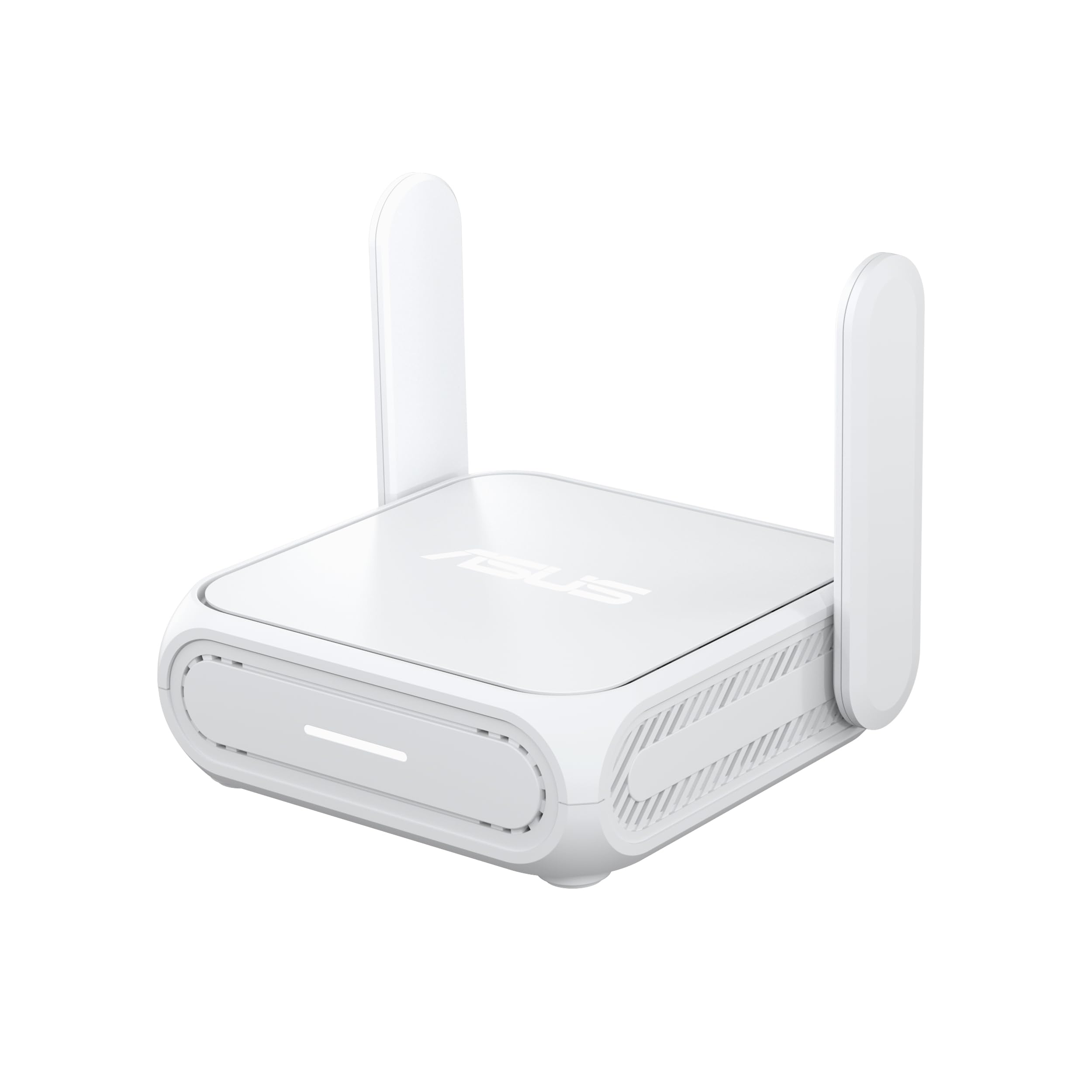
3. ASUS RT-BE58 Go Travel Router
The travel router that also works as a mesh node once you get home.
What stands out here is how small it stays while offering Wi-Fi 7. The dimensions are 4.4″ by 3.9″ by 1.4″, which is small enough to drop in a laptop bag’s front pocket. Portability is what buyers talk about most in reviews, and it is easy to see why. It runs on USB-C Power Delivery at 18W, so you can charge it with the same brick as your phone or laptop.
The radios top out at 2882 Mbps on the 5GHz band, with Multi-Link Operation (MLO) pooling frequency bands for steadier, lower-latency connections. That matters less for browsing and more for a video call that will not drop mid-sentence. There is also one 2.5G port and a guest network feature that creates a separate subnet for smart home devices.
The real differentiator is AiMesh support. If you already own an ASUS router at home, this thing can act as a mesh node or a mid-grade router, which stretches its usefulness beyond travel. Security is handled through a WISP mode (a switch that secures a public network for you) and a physical toggle for the VPN, so you can secure a cruise ship or hotel connection with one click.
The catch worth naming is the documentation. The printed manual is thin, and there are no clear steps for the dual-use home/travel switch. People with networking experience still describe hours of trial and error before it clicked, and setup advice from owners is to configure it as a standard router first, then flip the travel switch. Also note the 3-year warranty if long-term support matters to you.
Small but useful: at roughly 4″ by 4″ and 8.2 oz it fits almost anywhere, yet the 2882 Mbps 5GHz radio keeps pace with home gear.
The honest hurdle: the printed setup guide is incomplete for the home/travel switch, so budget an evening if you want the mesh trick to work.
Fits best: people with an ASUS router at home who want a travel unit that keeps earning its keep on the shelf.
Skip if: you want a five-minute setup with a clear quick-start card in the box.
4. GL.iNet GL-MT3600BE Beryl 7 Dual-Band Wi-Fi 7 Travel Router
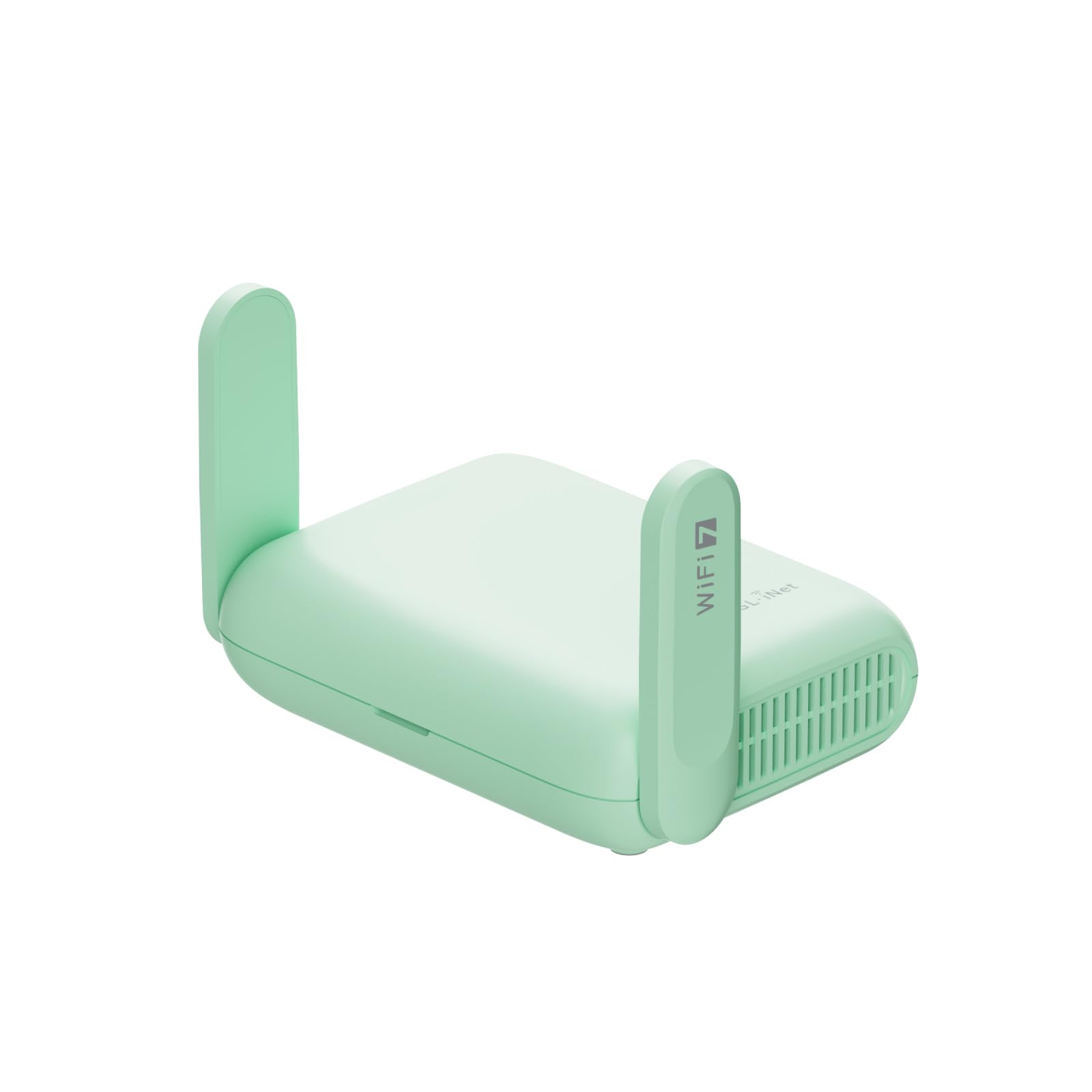
Faster VPN throughput than most home routers, in a case you can carry.
You get VPN speed up to 1100 Mbps over WireGuard and 1000 Mbps over OpenVPN-DCO. Those are numbers you normally see on a desktop router, not a pocket unit. They change what you can do — a full home network can sit behind the tunnel without the speed tax that usually comes with it. DCO (Data Channel Offload, which lets the encryption run faster with less processor effort) is the reason the tunnel stays quick.
Wi-Fi 7 (the newest Wi-Fi standard) is here too, with 688 Mbps on the 2.4GHz band and 2882 Mbps on the 5GHz band. That is enough to stream and work on several devices at once. You also get two 2.5G ethernet ports (one WAN for your internet source, one LAN for a wired device) and a USB 3.0 port for a hard drive or tethered phone. It handles up to 120 devices. Security goes further than most: WPA3 (which blocks password guessing by repeated trial), DNS over HTTPS and DNS over TLS for private lookups, and IPv6 built in.
The standout trick is VPN cascading. This router can act as both a VPN server and a VPN client simultaneously, which means you can reach a printer back home while still surfing through your paid VPN service. That is a specific need, but if you are a remote worker who needs access to office hardware, it is the feature that sells this box. Setup is also quick—the app walks a non-technical user through the basics in about fifteen minutes.
Where it stops short: connectivity earns mixed marks, and there are reports of USB-C tethering failing entirely and repeater mode losing a configured network on repeated resets. Those are edge cases, not the norm. The more common observation is that the web admin panel gives you more control than the phone app, so plan to tweak it from a laptop for best results.
The reasons it wins
- WireGuard up to 1100 Mbps keeps a VPN tunnel nearly invisible at home
- Cascading VPN server and client in one device
- WPA3, DNS over HTTPS, and DNS over TLS built in for privacy
- Dual 2.5G ports plus USB 3.0 for a hard drive or phone tether
- Retractable antenna and four-plug adapter set for world travel
Where it keeps you working
- Full customization sits behind the web UI, not the app
- Occasional USB-C tethering failures in reviews
- Repeater mode needed extra resets for some users before it held a network
- More router than a casual traveler needs
The winner for: remote workers and small offices that need a real VPN tunnel and dual wired ports on the road.
Reach for something simpler if: you just want a hotel connection secured with one switch and no admin panel time.
5. Verizon Wireless Jetpack Inseego MiFi 8800L Mobile Hotspot
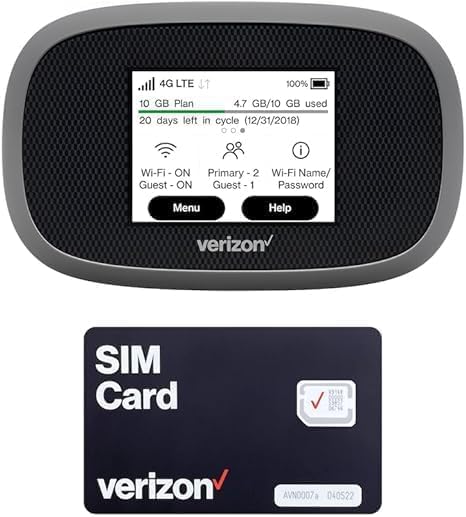
A battle-tested Verizon hotspot with an internal battery and a touchscreen.
The first practical spec is the 4400 mAh battery — good for up to 10 hours of active use and 24 hours of standby. That is the spec that matters if you are driving across a state with no hotel Wi-Fi, because it runs the whole day without a cord. Quick Charge takes it to 100% in 2.5 hours, and it doubles as a power bank to top up your phone in a pinch.
Coverage is broad. It works with 17 LTE bands and 5 3G bands across 180+ countries and is compatible with Verizon, AT&T, and most US carriers. The rated speed goes up to 1200 Mbps (near 5G), though your real speed depends on the operator’s network. It pairs with an external MIMO antenna (sold separately) if you are somewhere with a weak signal.
Setup is what buyers praise most, and the device earns it. There is a built-in touchscreen for data usage and settings, a user-friendly interface that senior citizens reportedly picked up quickly, and the ability to see connected devices and even block guest access. One note you must know before buying: it does not work with T-Mobile.
The frank trade-off is the battery. Some units arrive with a charge issue, and reports of a battery that will not hold a charge even overnight exist. It also ships with a simple antenna port setup that some find fiddly. When it sings, it sings — one owner’s original ran for 5+ years through college, cracked screen and taped back tab and all, before being replaced with the same model as a backup.
The reason to choose it: a real 4400 mAh battery and a 180+ country band list give you a self-contained internet source, no hotel network required.
Check before you buy: it will not work with T-Mobile, and the battery is the recurring weak spot, so treat a charge issue as a return, not a fix.
Best for: Verizon or AT&T households that need a real cellular hotspot on road trips and RV runs.
Not for: T-Mobile subscribers, or anyone who needs a guaranteed rock-solid battery from the start.
6. GlocalMe MeowGo G40Pro Mobile Hotspot
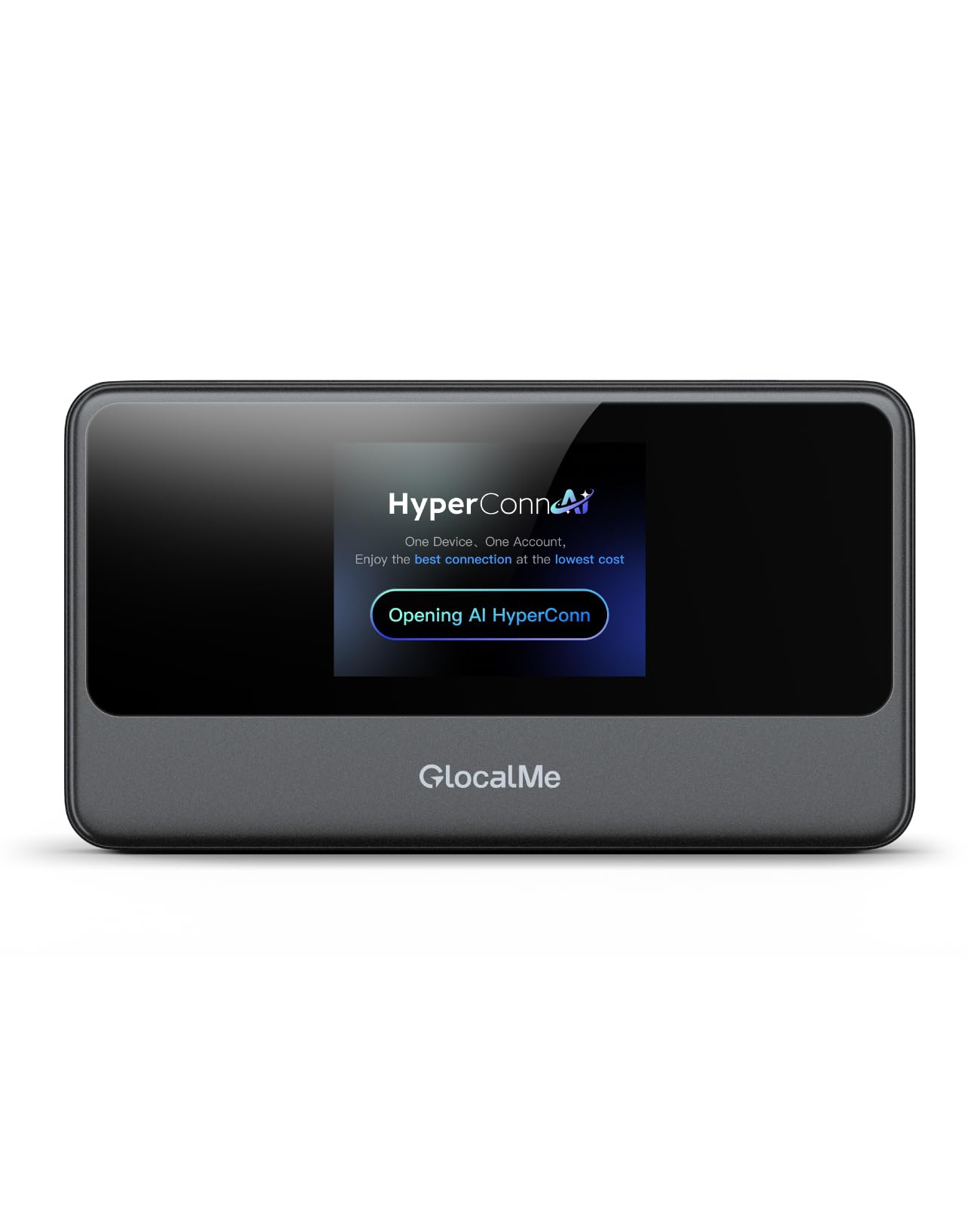
A cellular hotspot that keeps running for over fifteen hours on one charge.
You get fifteen hours of runtime from a 3200 mAh battery, and that is the spec that makes this one worth carrying. That is roughly a full travel day of video calls and navigation without hunting for an outlet. It is rated for up to 390 Mbps download and up to 150 Mbps upload over 4G+ Cat13 (a cellular speed tier). The maker describes that as 3 times faster than standard 4G. It reaches 200+ countries and regions through 390+ carriers.
HyperConn and CloudSIM are the unusual bits. In plain language, CloudSIM means the device picks a strong local network without you inserting a card, and HyperConn monitors congestion and reselects automatically — including when it spots airplane Wi-Fi. There is a 2-inch touchscreen for controls and a USB-C port for charging. A physical SIM slot is included if you prefer to drop in your own carrier SIM.
The recurring gripe is the data pricing. The included 1.1GB of global data runs out fast, and GlocalMe’s top-up plans cost more than a local SIM. Owners rate the hardware well but return it over plan costs, with one citing 30GB priced above a competitor’s. If you travel with a physical SIM from a local carrier, the equation flips in your favor.
Reliability is what wins people over here. This is the aspect that draws the most praise, and it tracks with real use: as an emergency backup when home internet failed, for camping with no other connection, and as a WFH lifeline. It is fast enough for streaming and video calls, and strong enough on signal that people report using it as a primary line. Fewer than 10 seconds to boot, too.
One functional limit: it is designed for a few devices at once, not as a whole-home hub, so do not expect it to replace your home router. And check that the firmware upgrade did not leave you stranded — an occasional dead battery after a firmware update showed up in reviews, resolved in that case by a QC 3.x charger.
Why it earns the trip
- 3200 mAh gives over 15 hours of use — enough for a full travel day
- 200+ countries with automatic carrier selection and congestion monitoring
- Physical SIM slot gives you an alternative to GlocalMe plans
- 2-inch touchscreen for quick checks without the app
- Fast boot in 7-10 seconds
What to size carefully
- The GlocalMe data plans cost more than some competitors’ local SIMs
- Included 1.1GB of global data is only a starter
- Not designed as a whole-home hub — fine for a few devices
- Occasional battery trouble after a firmware update
The one to carry: international travelers and campers who want one device to last all day and work across borders.
Pair it with a SIM if: you want to sidestep the GlocalMe plan pricing — bring your own carrier and this becomes a bargain.
7. Topmifi Global Portable WiFi Hotspot
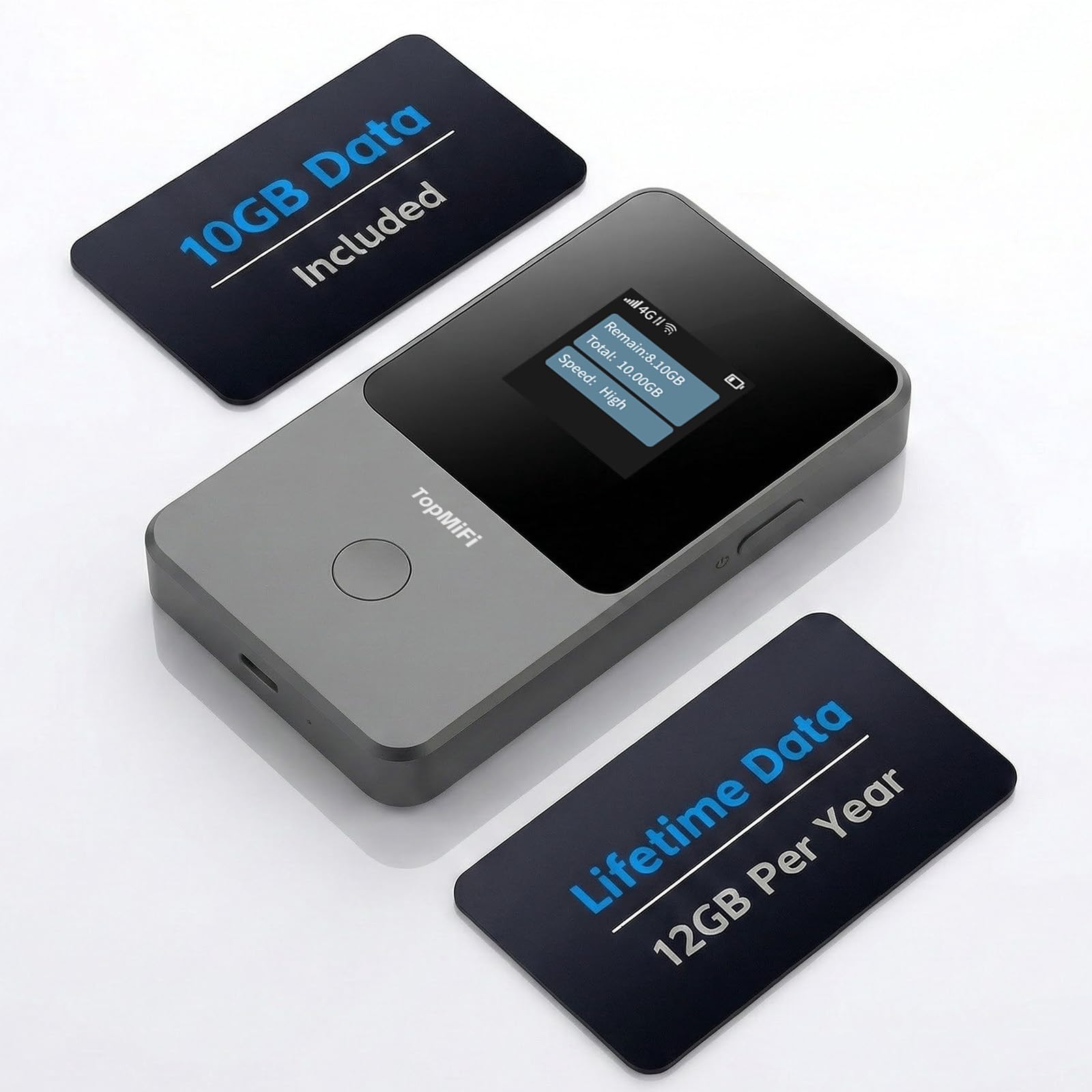
The SIM-free starter box that removes the first-timer’s biggest hurdle.
For anyone who has never used a hotspot, the fastest path to working internet is this: turn it on, no SIM, no contract, no separate store visit. Cloud SIM technology handles the carrier selection under the hood, so it connects to AT&T, T-Mobile, Vodafone, or the strongest local network automatically in 140+ countries. Data gets purchased through the app on a pay-as-you-go basis.
Battery is decent for the class. It runs on a 3000 mAh+ pack rated for up to 12 hours of continuous use, and it weighs 6.56 ounces. It holds up to 10 devices, which covers a phone, a laptop, a tablet, and a couple of extras without strain. 4G LTE on a dual-band radio caps at 150 Mbps, which is plenty for browsing and video calls.
The open question is what happens to your data. The included 10GB of USA data must be used within 30 days, and it does not roll over. One owner was surprised by that, and another returned over unused data vanishing. A reviewer traveling internationally also found the data plans too expensive for their home country. This is the honest test: if you will use the data on a short, single trip, it is a fine fit. If you are buying for a future trip and want the gigabytes to wait for you, budget for pushback.
The 24/7 app support is a real plus, and setup takes minutes. Functionality and ease of setup are what buyers praise most about it — one person had three devices online in a few minutes, and another stuck it in the travel bag for hotel Wi-Fi backups.
Short trips win: the 3000 mAh+ battery and 10-device limit fit a weekend or a week-long trip with room to spare, and the 140+ country coverage means the same device travels with you.
Watch the clock: included data expires in 30 days and does not roll over, so it is not a device to buy early and store.
For you if: this is your first hotspot, you want zero SIM fuss, and your trip is coming up soon.
Look past it if: you want data to sit unused until next year, or you travel long-term with a specific carrier in mind.
8. GlocalMe UPP 4G Mobile Hotspot
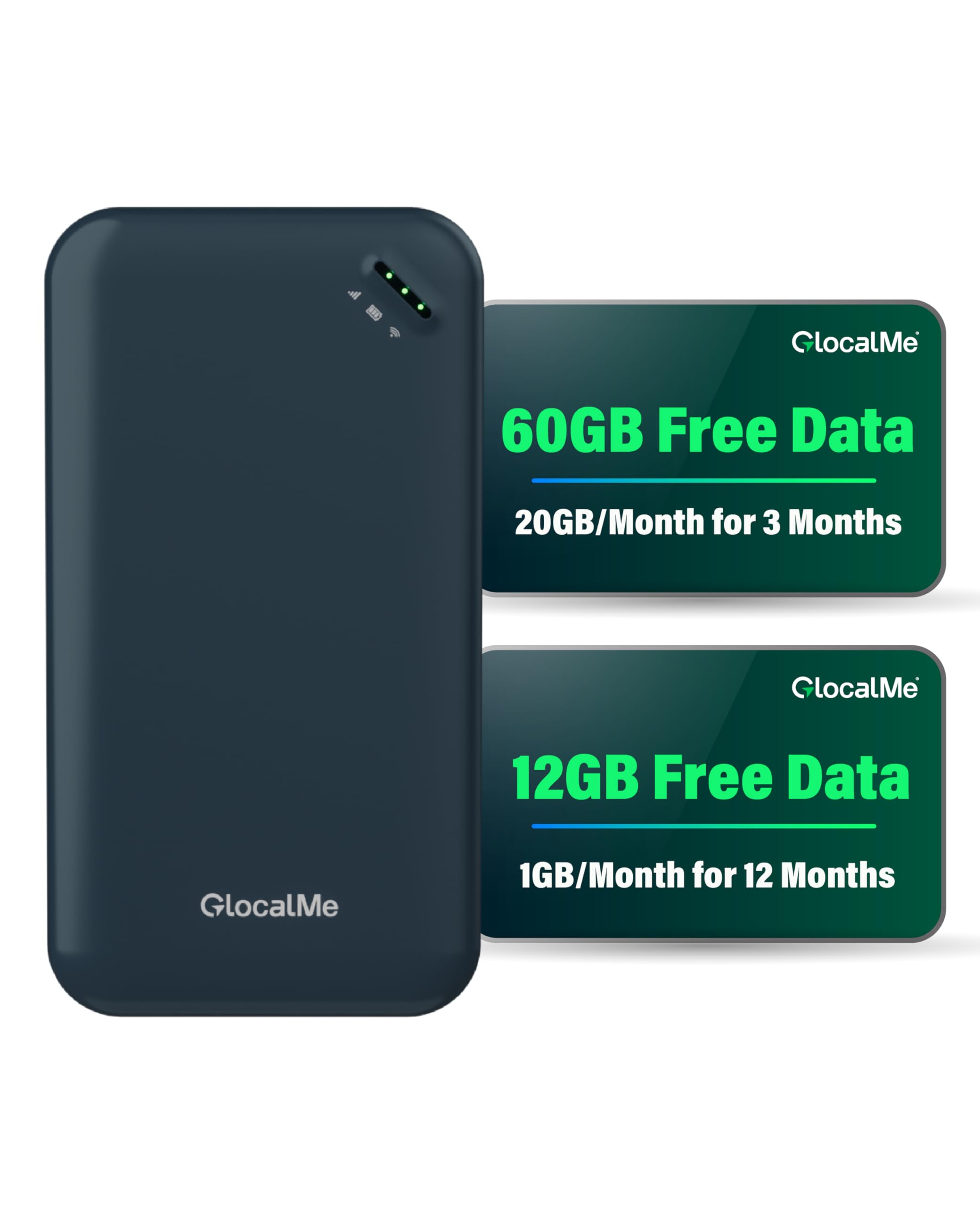
Seventy-two gigabytes of preloaded data — no activation step, no SIM tray.
The math on this one is simple. You get 20GB of US data per month for the first 3 months, plus 1GB of global data monthly for 12 months, totaling 72GB. There is no SIM to install and no additional purchase required — download the GlocalMe app, register, and it is live. For someone who wants a working connection from the start, that package does most of the deciding for you.
The hardware is aimed at pocket carry. It supports up to 8 devices, carries a 3000 mAh battery rated for over 13 hours of continuous use, and is slim enough to sit in a shirt pocket. Coverage reaches 200+ countries and works with 390+ carriers, picking the strongest local signal automatically. There is a SIM slot if you want to bring your own plan later, which keeps it useful beyond the bundled data.
Ease of use is the standout. People who describe themselves as tech-challenged routinely get it online in minutes. One buyer put it plainly: “So easy to set up! It took just a matter of minutes and seems to be very fast!” The 13-hour battery also gets used to capacity — reported to last a full day of normal browsing, maps, video calls, and light streaming.
The complication is that bundled data is local-only in some cases. Owners note that the included gigabytes apply to the US and that an international trip requires buying a separate global plan. There are also reports of data draining faster than expected with two phones on the network and of support taking a few days to respond. If your trip is mostly domestic, none of that applies.
The obvious draw: 72GB of included data plus 390+ carriers across 200+ countries is a genuinely low-stress start, and the 13-hour battery keeps the box working all day.
The reality check: the bundled data is local to the US, so plan an extra global purchase if your trip crosses borders.
Go for it if: you mostly stay in the US and want data already loaded when the box arrives.
Skip if: your trip is international from day one and you would rather manage a single global plan yourself.
9. Portable eSIM Global WiFi Hotspot
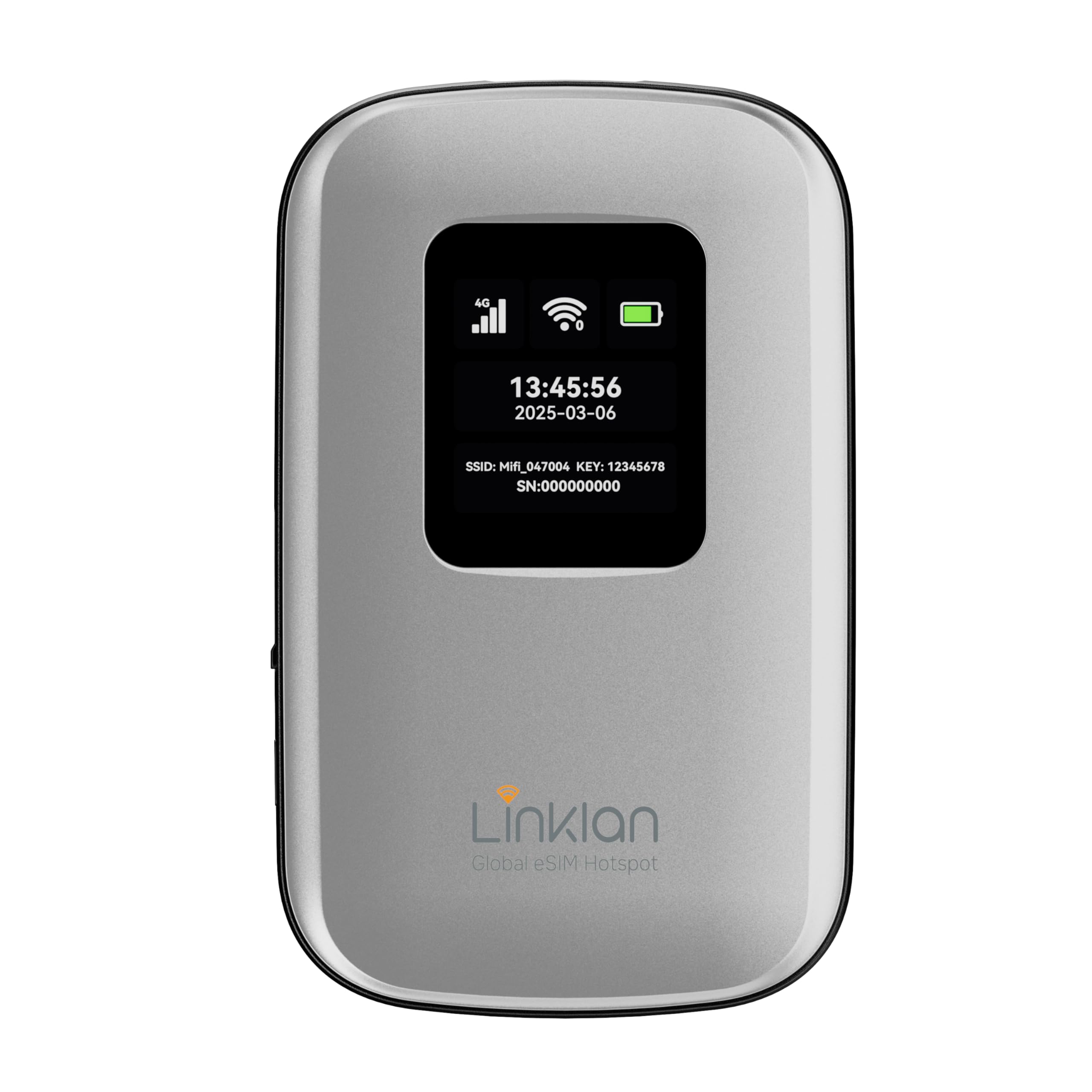
The eSIM hotspot built for travelers who want no physical card at all.
The battery makes the case for this one. 5000 mAh gives over 12 hours of use, and a full charge takes about 5 hours overnight — a sensible rhythm for hotel charging. It supports up to 16 devices, which is the highest count on any cellular hotspot in this list. 4G LTE Cat 6 with 30+ global frequency bands covers 180+ countries and regions, and it runs both 4G-to-WiFi and 4G-to-WAN/LAN modes for flexibility.
The eSIM handling is the differentiator. GSMA-compliant eSIM means you activate a local data plan through the app in about 5 minutes, with no physical card. There is also a physical SIM slot for maximum flexibility, but note this: eSIM and physical SIM cannot be used at the same time, and inserting a physical SIM disables Bluetooth in the app. Pick one path or the other.
Two facts you should weigh before buying. The screen is soft plastic, and one owner’s LCD cracked while the device was in a pocket — a case will help, and the screen will not survive sitting under keys. Coverage is rated for 180+ countries, and connectivity reviews split: strong connections where the local network is strong, and flat failures where the country’s network does not play nicely with the bands. Those failures are the exception, not the pattern, but this is a device to test at home before you fly.
Where it shines: 16 devices, 5000 mAh, and eSIM activation in about 5 minutes — the most generous device ceiling on any cellular pick here.
Handle with care: the soft plastic screen is a real weak point for pocket carry, so a slim case is worth the extra step.
Best suited to: eSIM users who want a large battery and a big device ceiling for a family or small team on an international trip.
Not the pick if: you expect a rugged screen, or you need to use both an eSIM and a physical SIM at once.
Know the Specs
Router speed vs. actual speed
The top number in the specs is the radio speed, not what you will see on a speed test. A “1200 Mbps” or “3600 Mbps” rating means the Wi-Fi link between your devices and the hotspot can carry that much data. What you actually get is capped by the hotel’s internet, the carrier’s tower, or the ethernet port feeding the box. Speed numbers tell you about headroom when many devices are talking; they do not promise fast internet in a specific hotel.
Max devices and why it matters
A “max devices” number is the ceiling on how many phones, laptops, and streaming sticks can join the hotspot at once. Travel routers in this list run from 90 to 120 devices; cellular hotspots run from 8 to 16. Families, work crews, and RV travelers should size to the ceiling, not the average. A household of four will never strain a 90-device router, but a small team of eight on a 10-device hotspot leaves only two slots for anyone else.
Captive portal support — the hotel test
A captive portal is the sign-in page that hotels, airports, and cruise ships put up before you can browse. Routers that support captive portal can pass that page through to your phone or laptop, so you log in once and every device behind the router gets access. Devices without it will connect but never get past the login. If hotel Wi-Fi is your main use, this feature is non-negotiable.
Battery mAh and runtime
A battery rating in mAh (milliamp-hours) tells you how much energy the pack holds. In this list, a 3200 mAh hotspot is rated for over 15 hours, a 4400 mAh one for up to 10 hours of active use, and a 5000 mAh one for over 12 hours. Different devices draw power at different rates, so the mAh number is a useful comparison point only within similar devices. Runtime in hours is the number that matters for a travel day.
Common Questions
Will a portable hotspot work on a cruise ship?
Do I need a SIM card for a portable WiFi hotspot?
Does the GlocalMe MeowGo G40Pro work with a physical SIM?
Is Wi-Fi 7 worth it over Wi-Fi 6 in a travel router?
How many devices can a portable hotspot handle at once?
What is a captive portal and why does it break my hotspot?
What is a captive portal and why does it break my hotspot?
Can I use a portable hotspot for remote work and video calls?
How long does the battery last on these hotspots?
Will a portable hotspot work in another country?
Is a travel router better than a cellular hotspot?
Can a portable hotspot replace home internet?
The Bottom Line
For most travelers, the strongest pick among these portable wifi hotspots is the GL.iNet GL-AXT1800 Slate AX. It does the hotel job better than anything else here — captive portal support (the login page hotels make you click through), pre-installed OpenVPN and WireGuard, and room for 120 devices. If raw Wi-Fi 7 speed is what you want and you carry a power bank anyway, the Roam 7 BE3600 nearly doubles the throughput. For remote workers who need a real VPN tunnel with dual wired ports, the GL.iNet Beryl 7 is the box to reach for. And if you would rather buy one device and skip the SIM dance entirely, the GlocalMe MeowGo G40Pro gives you over fifteen hours of cellular internet from one charge.
What the 4.5+ star crowd on the Slate AX proves is that a device with the right feature set earns loyal repeat buyers — the aspect it wins on most is performance, and its portability comes in second. That combination is why it holds the top slot despite rivals that show off higher radio speeds. Pick by what your trip actually needs — a hotel network to secure, a cellular signal to create, or both — and every pick on this list earns its place.
How we choose
We do not accept paid placement. Every pick is matched to a real buyer and a real use-case; we do not hands-on test units.
Sources
Specifications: manufacturer listings and product documentation. Review insights: verified customer reviews, as of October 2026. Pricing: not shown on this page (it changes often); check the current price via the retailer link.
As an Amazon Associate, Aappliancez earns from qualifying purchases. This does not affect which products we feature.