Disclosure: Some links in this post are affiliate links. As an Amazon Associate I earn from qualifying purchases, at no extra cost to you. Learn more
Specs are compiled from manufacturer listings and verified buyer reviews and can change over time — please confirm the key details on the product page before buying.
Your tween wants a phone, and you want to hand one over without opening a door you can’t close again. That is the whole decision in one line. Some phones here are plain Android handsets you lock down with a parental app; others arrive with the controls baked into the operating system, so a kid can’t uninstall them. Neither style is wrong — they suit different kids and different parents. What follows is seven real options, sorted by what each one actually does, so you can pick the one that matches your child rather than the loudest marketing.
This guide is built by comparing the manufacturers’ published specifications and the patterns across verified customer reviews, so you get each pick’s real strengths and trade-offs instead of marketing spin.
You will see exactly where each phone puts its limits — screen size, battery, which carriers it accepts, and how hard the controls are to remove. By the end you will know which handset fits your child’s age and your own nerve level. The short answer: the best phones for tweens are the ones your child cannot quietly outgrow in a week.
Top Picks

How To Choose The Best Phones for Tweens
The first thing to settle is not the phone at all — it is who holds the off switch. Decide that before you compare screens, because it eliminates half the list immediately.
Locked system versus parental app
A phone with the controls built into the operating system, like the Bark and Troomi handsets here, treats your child’s device as a managed device. Apps need your approval to install, and the settings resist tampering. A regular Android phone with an app like Google Family Link or Qustodio gives you real oversight, but the phone underneath is a normal phone. That difference matters most with a kid who is curious about workarounds.
Which carrier will actually accept the phone
An “open up” label only means no carrier contract is attached. It does not mean every network will take the SIM. Several phones in this list run on 4G bands aimed at T-Mobile and its partner brands, and a few explicitly will not work on Verizon or AT&T. Check your family’s current carrier first — a phone that cannot make a call is not a bargain at any tier.
The plan is part of the purchase
Some of these handsets require a monthly service plan from the maker to function at all. Others work with a cheap prepaid SIM you already understand. Factor the recurring line into your thinking, because a bundled plan is the running cost you will still be paying long after the handset is forgotten.
Side-by-Side Comparison
| Model | Best For | Display | Battery | Control Style | Amazon |
|---|---|---|---|---|---|
| Samsung Galaxy A06 4G LTE★ Best Overall | Simple everyday first phone | 6.7″ 720×1600 LCD | 5000 mAh, 25W wired | Add your own parental app | Amazon |
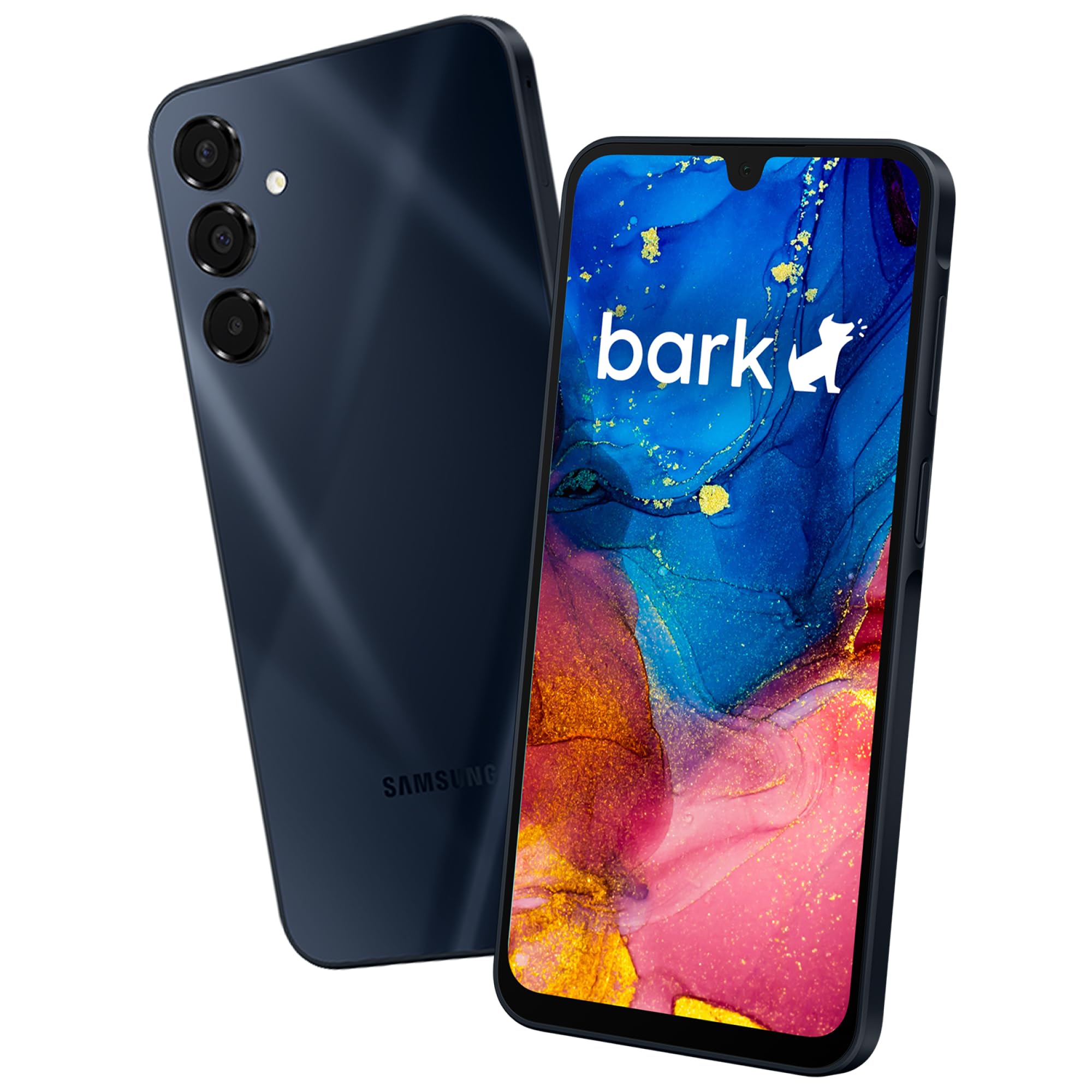
| Bark Phone for Kids & TeensMost Monitored | Full monitoring with alerts | 1080×2400 AMOLED, 400 ppi | 5000 mAh, 42 hr talk time | Bark OS, tamper-proof | Amazon |
| Troomi Safe Phone (Galaxy A16) | Families already on AT&T | 1080×2400 AMOLED | 5000 mAh | Troomi OS + Parent Portal | Amazon |
| NUU N30 | Teens who need real storage | 6.7″ 1600×720, 90Hz | 5000 mAh, 18W charger included | Any parental app you like | Amazon |
| Secure Phone 4G GPS Tracker | The kid who needs a phone, not a screen | Touch screen, no apps | — | Programmed contacts only | Amazon |
| Teracube Thrive | Per-app limits and routines | — | 4000 mAh, 15 hr talk time | Thrive app, tamper-proof | Amazon |
| Motorola Moto G Play LTE | A familiar brand on a tight budget | 6.5″ 90Hz HD+ | 5000 mAh | Add your own parental app | Amazon |
Detailed Reviews
1. Samsung Galaxy A06 4G LTE (64GB + 4GB)
Our pick — 4.0+★ from 400+ verified ratings; the strongest balance of quality and price.
A full-size Samsung screen and a two-day battery for the price of a nice pair of school shoes.
Most parents hand over a first phone expecting to add the guardrails themselves, and this is the handset built for exactly that. It runs standard Android, so Google Family Link or any parental app you already trust installs on top. Nothing is locked, nothing is blocked by the manufacturer, and your child gets a phone that looks and behaves like everyone else’s.
The screen is a 6.7-inch PLS LCD running at 720 x 1600 pixels. In plain terms it is big enough for homework reading and video, and the resolution is honest for the tier — text stays legible, though it will not look as crisp as a premium panel. Battery is a 5000 mAh cell with 25W wired charging, so a morning top-up before school covers the day. The 50MP main camera takes usable photos in decent light, which is what actually gets shared to friends.
Here is the part that trips people up, so read it twice. This is a 4G model with specific band support, and Samsung states it works in the US only on T-Mobile and its partner brands like Metro and StandUp. It will not work on Verizon, AT&T, Spectrum, Cricket, or their partner networks. The documented call quality and setup experience are solid, but that carrier limit is the single reason this phone comes back to the seller — confirm your network before you buy.
Where this handset earns its keep
- A 6.7-inch 720×1600 display that is genuinely comfortable for messaging, browsing, and video.
- 5000 mAh battery with 25W wired charging keeps it alive through a school day.
- Ships with a clear case and USB cable, so it is protected and usable from the box.
- Standard Android means any parental app you already know will install on top.
The catch worth knowing before you order
- US support is limited to T-Mobile and its partner brands — not Verizon or AT&T.
- No 5G, and no eSIM, so a physical SIM card is required.
- The 50MP camera is fine in good light and ordinary indoors after dark.
Reach for this if: you are on T-Mobile or a partner brand and want a big-screen Android you supervise with your own app.
Look elsewhere if: your family is on Verizon, AT&T, or Cricket — the band list simply rules it out.
2. Bark Phone for Kids & Teens
The phone that flags the texts your child deletes and alerts you to the ones that matter.
Bark’s pitch is not really the hardware — it is the supervision layer sitting on top. Content monitoring scans texts, emails, and activity across 30+ social platforms, flagging bullying, predatory contact, and self-harm language. App installs and contact lists both require your approval, and texts cannot be deleted without your permission. That is a materially different level of control from adding an app to a stock phone.
The display here is the sharpest of the whole group by a wide margin: 1080 x 2400 pixels on an AMOLED panel at 400 pixels per inch. Put next to the Troomi handset’s 161 pixels per inch, that is a visibly denser, punchier screen — useful for a kid reading long texts and watching video on the bus. Battery is a 5000 mAh cell rated at 42 hours of talk time, so a single overnight charge covers the day.
The trade-off is commitment, in two senses. Activation and a monthly data plan are mandatory — the starter tier covers calls and texts with no internet or apps, and higher tiers buy data. And the alerts lean sensitive: the monitoring flags bullying, depression, and inappropriate texts, which means it sometimes over-flags. That is a fair trade for most parents, but plan on reviewing notifications rather than treating each one as a crisis. Anecdotally the phone also runs large for smaller hands.
What wins people over: the monitoring actually does its job — parents describe the operating system as bulletproof, with new contacts and messages needing approval that can be revoked in real time. Location tracking is real-time and holds up even in rural areas.
Where it asks patience: setup on Wi-Fi takes a few minutes and the plan is non-negotiable. The screen is the best in this lineup at 1080×2400 and 400 pixels per inch — a clear step above the 161 pixels per inch on the Troomi Galaxy A16, and it shows.
Best for: the household that wants to know what is being said, not just where the child is.
Think twice if: you object to a monthly bundled plan or want a handset that doubles as an unmonitored phone later.
3. Troomi Safe Phone (Samsung Galaxy A16)

A real Galaxy in disguise, with an app library your child has to ask you to open.
Troomi’s whole idea is pacing. The phone runs on a Samsung Galaxy A16 with Troomi’s child-safe operating system layered on top, and the App Library is parent-only — your child cannot wander into an app store. Screen time limits, phone-free schedules, contact approval, and a location history all live in the Parent Portal, and you can widen the rules as your kid matures instead of handing over everything at once.
The hardware underneath is genuinely pleasant. It is a 1080 x 2400 AMOLED panel, and the software is described as slick and responsive — this looks like an adult phone with controls on top, which matters to a tween who does not want to be seen carrying a “baby phone.” It runs on the AT&T network through Troomi’s own service, and the phone purchase itself is separate from the plan.
Two honest notes, because this review would be useless without them. First, the phone is locked to Troomi’s service and there is no Wi-Fi-only mode, so the plan is a permanent running cost rather than an option. Second, the family feedback splits hard: plenty of parents love the always-on location and the approval flow, while a vocal minority describe the device as an enterprise-locked handset rather than a phone you own and control. That is a legitimate distinction to weigh before committing.
The long-game angle: four-year Troomi families describe running multiple kid phones and a watch across that stretch, with always-on location and approved contacts blocking spam. The step-up model — start strict, loosen over time — is the part that keeps it useful past the first year.
The honest counterweight: the display reads at 161 pixels per inch in the specification, well below the Bark handset’s 400 pixels per inch. The 1080×2400 resolution is there, but the panel is not the sharpest of this group.
Pick this one when: you are already on AT&T and want a phone that grows with a nine- or ten-year-old over several years.
Walk on by if: you want a device that works without a subscription, or you need full ownership of the software.
4. NUU N30 Cell Phone open up
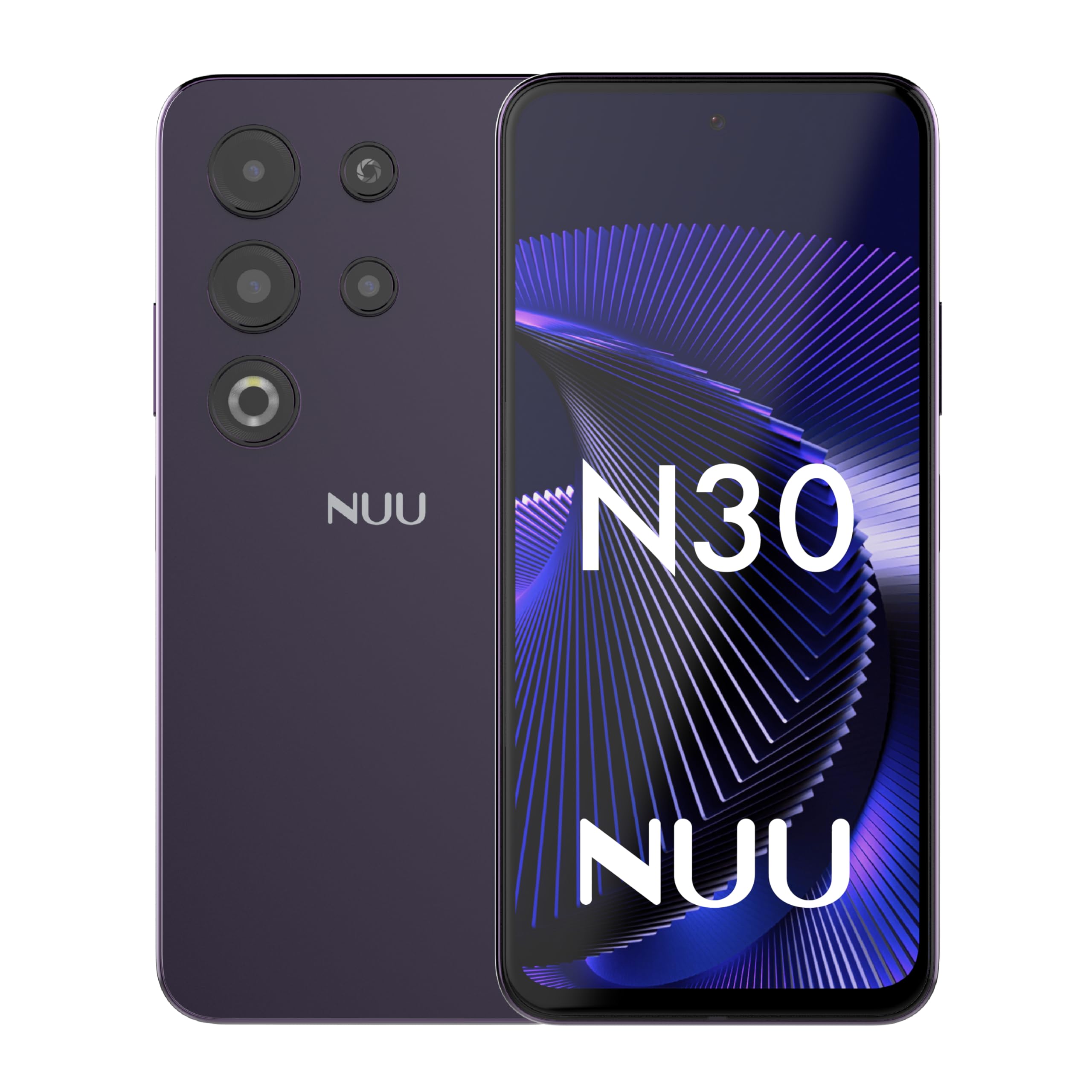
128GB of room for photos and music, with whichever parental app you already trust riding on top.
For a teenager who actually uses a phone — filming, editing, keeping a music library — storage is the spec that decides whether the device is enjoyable or a constant struggle. This one carries 128GB built in, and it accepts a microSD card for up to 256GB more. Your child stops begging for cloud space and starts keeping their own files.
The screen is a 6.7-inch 1600 x 720 panel with a 90Hz refresh rate, which means scrolling and swiping feel noticeably smoother than a standard 60Hz screen. Inside is a MediaTek Helio G81 octa-core processor at 2.0GHz paired with 6GB of physical RAM, plus 6GB of virtual RAM for heavier multitasking. The 5000 mAh battery ships with an 18W fast charger in the box and an included clear case — NUU states it takes the battery from 30% to 79% in 39 minutes.
The parental angle is the flexible one. NUU explicitly supports Google Family Link, Bark, Qustodio, and Norton Family, so you are not locked into anyone’s ecosystem. The carrier list is the flip side: T-Mobile, Mint, Metro, Google Fi, Tello, and similar partners work, while Verizon, AT&T, Cricket, and Boost do not. Feedback on the processor is genuinely mixed — many describe it as responsive with several apps open, and a few find it a touch slow when pushed.
The value case: 128GB of storage, 6GB of RAM, a 90Hz display, an 18W charger, and a case in the box makes this read like a mid-tier phone rather than a starter one. The 50MP main camera earns more praise than the tier usually gets.
The fine print: battery feedback splits — some are impressed, others find it drains quickly with heavy use. And the T-Mobile-family band list is strict, so check your SIM before you commit.
Right call for: a tween or young teen on T-Mobile or Mint who needs room for their own media and a smooth-scrolling screen.
Wrong call for: Verizon or AT&T households, or anyone expecting flagship-level camera output.
5. Secure Phone 4G GPS Tracker

No apps, no browser, no games — just calls to the numbers you typed in yourself.
Not every tween is ready for a smartphone, and this handset is the honest answer to that. There is no internet, no app store, no games, and no spam calls. Calls and texts only reach the numbers you program, with up to 15 contacts available. There are three one-touch speed-dial buttons and an SOS function that texts, calls, and sends a live GPS link at the same time — a combination that also makes it popular for elderly relatives.
The tracking performance is the headline. Buyers report the GPS pinning location closely, well within the claimed accuracy, indoors and during hidden-phone games around the house. The screen is a touch screen and the menu is simple enough that a young child can learn it. A SIM card is included, but you must buy a cellular plan directly from Secure Phone — your own carrier plan will not work.
Now the limits. Battery runs roughly a day, so it wants a nightly charge on the kitchen counter. Texting is restricted to canned phrases, which is fine for “on my way” and useless for conversation. The build is plastic, and the company states the screen is not designed for rough handling — a field-trip drop is the realistic risk, so a case is worth sourcing. Setup is fiddly enough that the owner-run support line gets called regularly, though owners consistently describe that support as patient and helpful.
What it does better than a smartphone
- Real-time GPS tracking that owners describe as accurate, including indoors.
- No internet, no apps, no games — the distraction problem is solved at the hardware level.
- Three speed-dial buttons plus an SOS that sends a call, text, and location link together.
- Calls and texts are limited to the contacts a parent programs, up to 15 of them.
What you give up for that simplicity
- You must buy the cellular plan from Secure Phone; your own SIM will not work.
- Texting is limited to canned phrases, so real conversation is off the table.
- The plastic build is not rugged, and a cracked screen cannot be repaired.
Choose it for: a nine- or ten-year-old who needs to be reachable and located, not entertained.
Skip the idea if: your child is already doing group chats with friends — this phone cannot carry that.
6. Teracube Thrive Kids Smart Phone

Routines you set once — school nights, weekends, bedtime — and the phone enforces without an argument.
What separates Thrive from the other locked-down phones here is granularity. You build routines for school nights, weekends, and holidays, and set time limits per individual app rather than one blunt screen cap. Your child cannot bypass the rules — the controls are tamper-proof — and installing anything requires your sign-off through the Thrive Parent app on your own iPhone or Android. Safe search and safe browsing are built in, and unknown or spam callers are blocked automatically.
The physical package is thoughtful for the money. It ships with a protective case and a glass screen protector already in the box, plus Teracube Care+ covering express replacement for defects and accidents. Battery is a 4000 mAh cell rated at 15 hours of talk time. Location tracking is real-time. A monthly Teracube Wireless plan is required and the phone will not activate on another provider.
The honest caveats are about the service wrapper. A Teracube Wireless plan is mandatory, some families report a lifetime licence fee appearing early in the setup to open up full functionality, and support runs on email and callbacks rather than an immediate phone line. On the hardware side, a small number of owners have had to swap units more than once, though the replacement process itself is described as free and fast. Most buyers land somewhere between satisfied and delighted.
Where it shines: parents of younger kids describe controlling every aspect through the app — contacts, apps, camera, photos — with the internet off entirely by choice. The included case and protector mean it survives the first month intact.
The realistic gripe: a 4000 mAh battery rated at 15 hours of talk time is the most modest cell in this group, so a heavy day will find the charger. The recurring plan and any licence fee are the costs to price in.
This one suits: the family that lives on a schedule and wants app-by-app rules rather than one blanket limit.
Not for you if: you refuse a bundled wireless plan, or you want a phone that runs on your existing carrier.
7. Motorola Moto G Play LTE

A Snapdragon 680 and a 90Hz screen — the budget handset that has been around long enough to be boring.
Motorola has been doing budget Android longer than almost anyone, and this is that experience in a sapphire blue shell. A Qualcomm Snapdragon 680 processor with 4GB of RAM handles calls, texts, browsing, and homework apps without drama. The 6.5-inch HD+ display runs at 90Hz, so lists and feeds scroll smoothly, and stereo speakers with Dolby Atmos make video far less tinny than the tier suggests.
The camera is a 50MP Quad Pixel sensor, which combines four pixels into one for an effective 12.5MP photo — a trick aimed at brighter shots in low light. There is a 5000 mAh battery, a microSD slot that takes up to 1TB, and a fingerprint reader on the side. It is open up and works on the major US networks, which is the practical advantage over several phones on this list.
The screen is the weak spot, and it is worth being blunt about. Owners describe a dim LCD panel, and the same specification sheet lists 4GB of RAM with one OS update and two years of security patches. For a tween whose needs are calls, texts, and school apps, that is entirely workable. For a teen expecting to run demanding games and take photos worth sharing, the ceiling arrives quickly. Still, with 2,000+ reviews, this handset is the most tested option here.
The dependable choice: a proven brand, a 5000 mAh battery, a 90Hz 6.5-inch display, stereo speakers, and a 1TB-capable microSD slot. Setup is quick, and it works across major US carriers without the band drama.
The honest ceiling: the panel is dim, the 50MP camera underperforms newer rivals, and 4GB of RAM gets tight with heavy multitasking. Treat it as a solid basic handset, not a value flagship.
Worth picking when: you want a widely supported, well-known Android for calls, texts, and school apps, with your own parental app on top.
Better to look upmarket if: your tween is a gamer or a shutterbug — the screen brightness and RAM will frustrate them.
Know the Specs
Pixels per inch and why it matters
Pixel density measures how tightly the dots on a screen are packed. A higher number means crisper text and less squinting. The Bark handset reads at 400 pixels per inch, the Troomi Galaxy A16 at 161 pixels per inch — on a video call or a long group chat, the denser panel is simply easier on young eyes.
Pixel dimensions versus pixel density
Resolution (for example 1080 x 2400) is the raw number of dots across and down. Density is those dots squeezed into a given panel size. A larger screen can carry the same resolution and still look softer, which is why the two figures should be read together and never treated as the same specification.
Battery capacity and talk time
Milliamp-hours (mAh) describe how much charge a cell holds. The phones here carry 4000 mAh, 5000 mAh, or similar, and a bigger cell generally buys more slack. But talk-time ratings — like 42 hours on the Bark and 15 hours on the Teracube Thrive — describe continuous calls, not a day of mixed screen use. Plan around nightly charging either way.
Carrier bands, the silent dealbreaker
An open up phone means no contract — not universal network support. A phone built for specific 4G bands may accept a T-Mobile SIM and refuse a Verizon one outright. Read the manufacturer’s carrier list before purchase, because no specification elsewhere compensates for a phone that will not connect.
Common Questions
Do I need a separate monthly plan for a kids’ safety phone?
Will an open up phone work with my carrier’s SIM card?
Can my tween remove the parental controls on a Bark or Troomi phone?
Is a GPS-only phone like the Secure Phone enough for a tween?
How accurate is the GPS tracking on these phones?
How much storage does a tween actually need?
What is the difference between a locked kids’ phone and a normal phone with a parental app?
Can a tween’s phone outgrow their parental controls over time?
What happens if a kids’ safety phone breaks at school?
Do these phones support 5G?
The Bottom Line
The phones for tweens pick that suits the most families is the Samsung Galaxy A06 4G LTE, because it pairs a 6.7-inch 720×1600 display and a 5000 mAh battery with the freedom to run whatever parental app you already trust — no subscription, no locked system. Just confirm you are on T-Mobile or a partner brand before you order. If you want the monitoring handled for you, the Bark Phone reads messages across 30+ platforms and backs it with a 1080×2400 AMOLED screen at 400 pixels per inch. And if your child is not ready for a screen at all, the Secure Phone 4G GPS Tracker does calls, texts to approved numbers, and accurate location with nothing else to get lost in. Whichever you choose, the Moto G Play’s 2,000+ owner reviews make it the safest known quantity if you would rather stick with a familiar name.
How we choose
We do not accept paid placement. Every pick is matched to a real buyer and a real use-case; we do not hands-on test units.
Sources
Specifications: manufacturer listings and product documentation. Review insights: verified customer reviews, as of October 2026. Pricing: not shown on this page (it changes often); check the current price via the retailer link.
As an Amazon Associate, Aappliancez earns from qualifying purchases. This does not affect which products we feature.