Disclosure: Some links in this post are affiliate links. As an Amazon Associate I earn from qualifying purchases, at no extra cost to you. Learn more
Specs are compiled from manufacturer listings and verified buyer reviews and can change over time — please confirm the key details on the product page before buying.
Most phone controllers feel fine for about ten minutes, then your thumbs start sliding and your aim wanders. The fix is not a bigger budget — it is a pad with drift-resistant sticks and a clamp that grips your phone with the case on. Below you get seven controllers sorted by what each one genuinely does well: full-size console feel, silent late-night buttons, or a pocket-sized travel pad.
This guide is built by comparing the manufacturers’ published specifications and the patterns across verified customer reviews, so you get each pick’s real strengths and trade-offs instead of marketing spin.
You will see how each pad clamps, how its sticks hold up, and which phones it genuinely swallows. By the end you will know which one to order, if you need a pad for a big-screen iPhone or a foldable Android.
Top Picks
How To Choose The Best Phone Controller
Start with your phone, not the controller. A pad that clamps a 170mm phone will not hold an 8.8-inch tablet, and a pad built for a slim slab will fight a thick rugged case. Check the clamp range and the case clearance first, then decide what you want the sticks to do.
Stick type is the durability question
Hall-effect sticks use a magnetic sensor instead of physical contact, so they do not grind down into drift the way older carbon-film sticks can. That matters on a phone pad because you cannot swap a worn stick out easily. Several picks here advertise Hall sticks — worth prioritising if you play shooters daily.
Bluetooth, USB-C, or both
A USB-C pad plugs straight into the port, which means no pairing and usually the lowest lag. A Bluetooth pad works with any phone regardless of port, but signal dropouts and lag show up in reviews on nearly every wireless model. The best of both worlds is a pad that offers both modes, so you can drop to wired for competitive play.
Battery: internal or drawn from your phone
Some controllers carry their own rechargeable battery; others, like the abxylute S9, draw power from your phone through the USB-C connection and carry no battery at all. A pass-through charging feature lets you top up the phone while you play. If you game for hours away from a socket, weigh how you feel about burning your phone’s battery versus a controller battery that could die mid-match.
Side-by-Side Comparison
| Model | Best For | Connection | Phone Range | Sticks | Amazon |
|---|---|---|---|---|---|
| 8Bitdo Ultimate Mobile★ Best Overall | Console feel on Android | Bluetooth | 100–170mm | Hall Effect | Amazon |
| BACKBONE One (Lightning)Plug-and-Play Pick | Plug-and-play on older iPhones | Lightning | Lightning iPhones | High-precision analog | Amazon |
| EasySMX X05Pro | Quiet late-night sessions | USB-C / 2.4G / Bluetooth | — | Hall Effect | Amazon |
| GameSir X5 Lite | Wide phone fit in a slim pad | USB-C | 105–213mm | Hall Effect | Amazon |
| Mocagen MC1 | Case-on everyday gaming | Bluetooth | Case up to 0.47in | Hall Effect | Amazon |
| KICKDOT Wireless | Multi-device flexibility | Bluetooth | 4.13–7.87in | Hall sensor | Amazon |
| abxylute S9 | Full-size console layout | Bluetooth / USB-C | Up to 216mm | Hall Effect | Amazon |
Detailed Reviews
1. 8Bitdo Ultimate Mobile Gaming Controller for Android
Our pick — 4.0+★ from 850+ verified ratings; the strongest balance of quality and price.
The Android pad that fools your hands into thinking it is an Xbox controller.
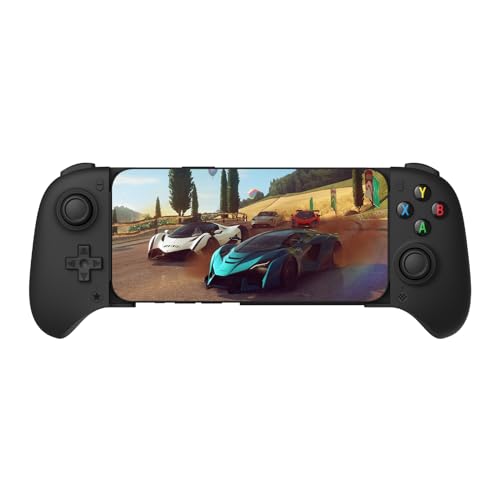
What sets this apart is the hardware under your thumbs: Hall-effect joysticks and triggers on metal shafts, which use magnetic sensing rather than rubbing contacts so the stick does not grind itself loose over months of play. You get those same magnetic sticks at a mid-range sticker, and the profile stays slim enough to pocket. It clamps phones from 100mm to 170mm in length, which swallows both a compact handset and a large slab.
Connectivity is Bluetooth, and the biggest share of owner feedback centres on how solid it feels — the thick plastic, the clicky D-pad, the rubber-dome face buttons. It also carries 2 Pro back paddle buttons you can remap, plus a turbo function and wear-resistant metal joystick rings. Against the BACKBONE One, this pad has 2 buttons versus 8, but it makes those buttons count with the paddles and a sturdier shell. It pairs over Bluetooth, so unlike the GameSir X5 Lite there is no USB-C tether and no pass-through charging — you will top up the pad separately.
The honest catch is Bluetooth as the sole link. Some buyers report occasional auto-connect hiccups on Android, and one long-running note is that it is not Switch-compatible despite physically fitting one. It also lacks pass-through charging, so a long session means charging the phone and pad on separate schedules. For a pad this comfortable, those are fair trade-offs.
The real draws
- Hall-effect sticks and triggers on metal shafts resist drift
- Console-style grip and rubber-dome buttons feel familiar instantly
- 2 programmable back paddles plus turbo for competitive play
- Clamps 100mm to 170mm phones, including large handsets in slim cases
Where it gives ground
- No pass-through charging — phone and pad charge separately
- Bluetooth-only link; a few owners mention auto-connect quirks
- Not Switch-compatible even though it clamps one
Pick it for: Android gamers who want console-grade stick feel and back paddles without paying premium money.
Think twice if: you need to charge your phone while playing — this pad cannot pass power through.
2. BACKBONE One Mobile Gaming Controller iPhone 14
The zero-setup option for anyone still on a Lightning iPhone.
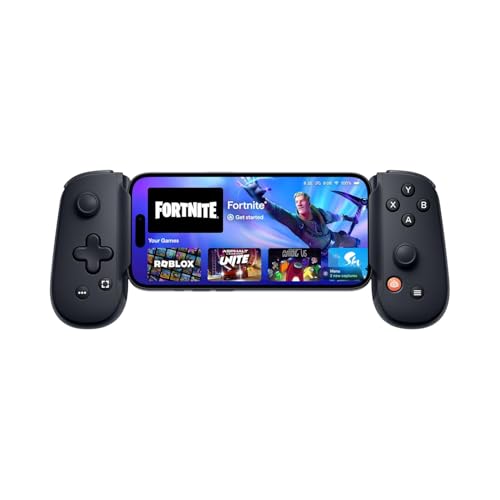
This is the pad you can buy for an older iPhone and just snap in. It uses the Lightning port directly, so there is no pairing screen and no Bluetooth menu — you dock the phone and play. There are 8 buttons plus ultra-wide analog triggers and high-precision thumbsticks, and it ships with magnetic adapters so a case can stay on. Call of Duty, Fortnite, Xbox Game Pass and GeForce NOW all work through the controller once a game is launched.
The controller is 0.3 kg and folds down to a compact travel shape. Owner feedback mostly praises how natural it feels in the hand and how quick it is to clip in and out. What wins the most praise, though, is straightforward compatibility — the pad simply works with the games people actually play.
One honest caveat on durability: customers note that the linkage between the two halves is a weak point for some, and a stretched one can fail after a year or more of use. That is a fair caution, not a reason to write the pad off. For casual play, plenty of owners get long service, and the Lightning build (Apple’s older charging plug) remains the most low-maintenance way to game on a Lightning phone. If your next phone will be newer, consider the USB-C version instead.
The instant-on appeal: Lightning plug-in means no pairing, plus 8 buttons, ultra-wide triggers and case adapters in the box.
The one to weigh: the connector linkage between left and right halves is the part to treat gently — it is the most-discussed reliability concern in the owner feedback.
Reach for this if: your iPhone still has a Lightning port and you want a controller that works the second you plug it in.
Look elsewhere if: you are already planning a USB-C iPhone — grab that version instead so the pad outlives your phone.
3. EasySMX X05Pro Wireless Gaming Controller

A controller built for the person gaming in bed with someone asleep beside them.
Every button on the X05Pro is silicone-damped — the ABXY, the D-pad, the triggers and the function keys — so the whole pad runs near silent. That is the feature that earns the most approval from buyers, and it is genuinely rare on a phone-tethered gaming pad. Underneath, you get drift-free 11-bit Hall-effect joysticks with a 1000Hz polling rate in wired and 2.4G modes for fast competitive response, and 125Hz over Bluetooth for mobile play.
The connection menu is the most open of the group: USB-C, 2.4G wireless dongle, or Bluetooth, so you can use it on a PC, a Switch, an Android or an iOS device. A 1000mAh rechargeable battery backs the wireless modes. It carries two top-mounted programmable buttons, positioned to avoid the accidental back-paddle presses that irritate competitive players. Compared with the BACKBONE One’s 8 buttons, this pad lists 2 buttons in its spec sheet, so if raw face-button count matters to you, check the layout before ordering.
The trade-off is battery consistency. A handful of reviewers point out the charge draining fast under some conditions, and connectivity over Bluetooth can be shakier than over the 2.4G dongle or a wired cable. Use it wired or on the dongle for the smoothest run; Bluetooth is fine for casual mobile play.
What makes it quiet: silicone-damped buttons across the whole pad — ABXY, D-pad, triggers and function keys all mute their click.
Battery reality: the 1000mAh cell gives extended play, but a few owners note the charge drains faster than expected; wired or 2.4G mode sidesteps the concern entirely.
Best suited to: late-night players and shared-household gamers who need silence as much as precision.
Skip the Bluetooth if: you want rock-solid competitive response — stay on USB-C or the 2.4G dongle instead.
4. GameSir X5 Lite Mobile Gaming Controller (USB-C)

The slim Type-C clamp that opens wide enough for almost any slab.
Check the numbers and this pad is the widest-fitting USB-C model here: it stretches from 105mm to 213mm in phone length, with no stated cap on width. That range covers small handsets and long flagship slabs alike, and the Type-C connector means plug-and-play with no pairing step. It packs Hall-effect sticks with 360° control, cushioned membrane triggers and buttons, a turbo function across A/B/X/Y/LB/RB/LT/RT, and an on-the-fly button-combination menu.
At 130 g it stays comfortable through long sessions, and the laser-engraved textured grips are the thing owners value most — this is the most-complimented area of the pad, based on how many buyers single it out. Functionality feedback backs that up: the pad is widely praised for just working, including with Xbox Game Pass and emulators. It also offers pass-through charging so you can top the phone up mid-session.
Two caveats are worth knowing. Some apps do not recognise the pad’s button mapping properly, and pass-through charging is a mixed bag — some owners find it slow or unhelpful. Neither sinks a pad this capable for the money; it just means competitive shooters may need a manual remap.
What lands well
- Fits 105–213mm phones — the widest USB-C clamp on this list
- Hall-effect sticks with 360° control and cushioned membrane triggers
- Turbo across all main buttons with on-the-fly combinations
- Lightweight at 130g with textured anti-slip grips
The catches
- Some apps ignore the pad and misconfigure controls
- Pass-through charging is slow for some owners
- Apps-only customisation on Android; no iOS app for deep tweaks
Strongest for: anyone with an oversized phone or a tablet that other clamps cannot hold.
Not the one if: you rely on a specific app that refuses to recognise generic controllers.
5. Mocagen MC1 Phone Controller for iPhone & Android
Built for the person who never wants to take their phone case off.
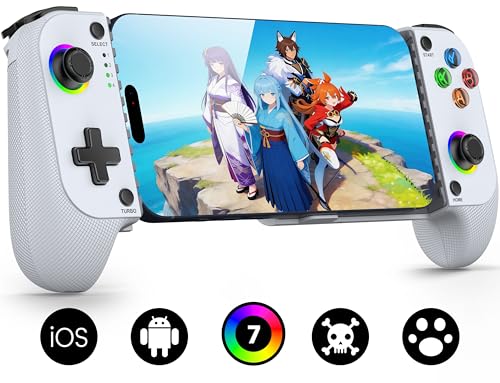
The headline here is a clamp that accepts phone cases up to 0.47 inches (12mm) thick and a 0.2-inch camera recess on the left side that stops your lens housing from scratching. You dock the phone with the case on and go. Inside, the Hall-effect joystick is rated to a 5-million-cycle lifespan — 2.5 times the maker’s figure for standard carbon-film sticks. It pairs over Bluetooth by pretending to be an “Xbox Wireless Controller”, so iOS and Android both see it as a familiar gamepad.
The grips are laser-engraved for anti-slip, and the pad carries dual vibration motors plus a 3-level turbo you can set to 5, 12 or 20 shots per second. A 7-colour RGB light ring circles the joystick, and the 600mAh battery is rated at up to 6 hours in brightness mode. Functionality is the most-praised trait by a wide margin in the feedback, and buyers consistently rate the value highly.
What is less settled is connectivity — Bluetooth pairing is the one point owners split on, with quick-reconnect working smoothly for most but not everyone. The RGB is also bright enough to bug a few players at night, and you can dim or kill most of it through the KeyLinker app.
Fits without fuss: case tolerance up to 0.47in and a camera recess mean you keep your protection in place.
The split: reconnect reliability is the one mixed note — most find pairing instant, a few have to retry.
Grab this if: your phone lives in a rugged case you refuse to remove, and you want Hall sticks without paying premium money.
Go elsewhere if: you want wired low-lag play — this pad is Bluetooth-only.
6. KICKDOT Wireless Phone Controller
One pad that jumps between a phone, a tablet and a Switch 2.
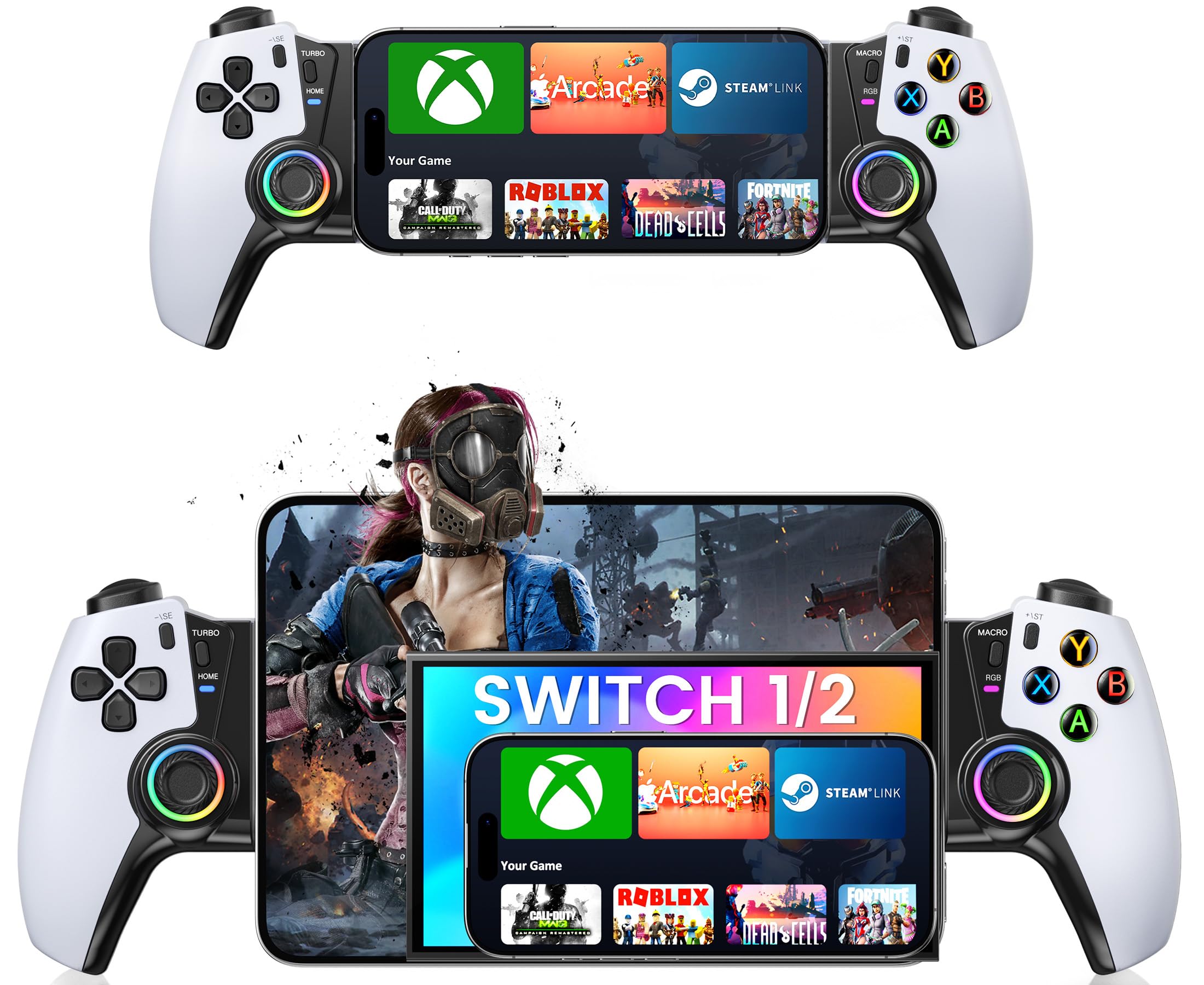
The KICKDOT earns its spot as the one pad that covers the most devices here. It works with iPhone, Android, iPad mini, Steam Link, GeForce NOW and Xbox Cloud Gaming over Bluetooth (a short-range wireless link), plus the Switch family. Its magnetic Hall sensor joysticks (magnetic sticks that resist drift, where the stick stops centering correctly) fight that wear. A telescopic clamp stretches to fit phones from 4.13 to 7.87 inches, so a small phone and a large one both lock in. That makes it a pick-one-pad-for-every-situation controller rather than a phone-only companion.
Battery is a real strength: up to 15 hours per charge, the longest runtime on this list. There are programmable M1/M2 back buttons for macros, a turbo function, 6-axis gyro for motion control, vibration feedback and RGB lighting. Textured non-slip grips and a wider handle keep your hands steady during long sessions. The thing owners praise most is the ergonomics — it has the familiar weight and shape of a console pad, and people settle into it quickly.
Two honest notes. Connectivity is a mixed report — some buyers find the Bluetooth link fine, others hit dropouts. And the RGB lighting is power-hungry: a few owners find the battery runs down fast with the lights blazing, so use them sparingly for the longest runtime.
The wide-net buy: more devices than any other pad here, plus a 15-hour rated battery and M1/M2 macro buttons.
Handle the lights: RGB drains power quickly — switch them off and the battery figure holds far better.
Made for: households that game across multiple devices and want one controller to cover them all.
Not ideal if: you plan to rely on macros and turbo for serious competitive play — the implementation is fiddly.
7. abxylute S9 Full-Size Gaming Phone Controller

The only pad here that abandons the telescopic grip entirely for true console proportions.
Where most phone controllers squash a real controller into a thin fold-out grip, the S9 is a genuine full-size gamepad with proper handles. It clamps in USB-C mode up to 216mm, which fits tablets up to 8.8 inches, and switches to Bluetooth to broaden support further. Inside you get Hall joysticks and Hall triggers, dual rotor vibration motors, a 6-axis gyroscope and programmable back buttons. It weighs only 200 g, so it stays balanced in the hand even with a phone case on.
The extras are what make it feel purposeful: three different D-pads, two interchangeable joystick heights, and silicone spacers so the phone’s volume buttons are not accidentally pressed. It also draws power from your connected device rather than carrying its own battery — which means you never have a dead pad, just a slightly faster-draining phone. Pass-through charging keeps the phone topped up while you play.
The trade-off is heft and fit. At 200 g it is the chunkier option, and the pad requires the case-plus-port thickness to stay under 2mm to seat cleanly. Some owners also find the triggers need stronger return springs. If you want a pocket pad, look elsewhere; if you want console ergonomics on a phone, it delivers.
Full-size wins
- True console controller shape, not a flat telescopic grip
- Hall-effect joysticks and Hall triggers with dual vibration
- Three D-pads and two joystick heights included
- No separate battery to charge; pass-through charging built in
Things to weigh
- Only 200g but noticeably chunky versus slim clamps
- Case-plus-port thickness must be under 2mm for a clean seat
- Triggers may need stronger springs for some tastes
Right for you if: you want a controller that feels like a DualSense or Xbox pad in your hands, not a fold-out clamp.
Pass on it if: you need pocket-size portability — this pad is the chunkiest of the lot.
Know the Specs
Hall-Effect Sticks
A normal joystick uses a wiper that physically rubs a resistor pad, and that contact wears over time — you feel it as drift, where your aim pulls without you moving the stick. A Hall-effect stick uses a magnetic sensor with no physical contact, so it does not grind down the same way. Several pads here advertise Hall sticks; check the spec sheet for that phrase before you buy, since it is the single biggest contributor to how long a controller stays accurate.
Polling Rate
Polling rate measures how often the controller reports its position to your device. On the EasySMX X05Pro it runs at 1000Hz over USB-C and 2.4G, and 125Hz over Bluetooth. Higher is better for fast reaction games. If you are playing shooters or fighting games and want the very tightest response, prefer a wired or 2.4G connection over Bluetooth wherever the pad supports it.
Pass-Through Charging
On a pad with pass-through charging, the phone can draw power through the controller’s USB-C port while you play — so the game does not stop for a top-up. That matters most three hours into a session with your phone at 3%. Pads without it, like the 8Bitdo, ask you to plan separate charge times. Check whether the pad has its own battery or draws off the phone first, because the two work differently.
Phone Clamp Range
The clamp range is the length of phone the controller can grip, given in millimetres. The GameSir X5 Lite stretches 105mm to 213mm; the 8Bitdo spans 100mm to 170mm. Going outside that range means the pad will not hold the phone securely. If your phone lives in a thick case, the case adds length and thickness — and on some pads, like the abxylute S9, thickness clearance is the first spec to check.
Common Questions
Will a phone controller fit my phone with a case on?
What is the difference between a Hall-effect stick and a normal analog stick?
Do I need a USB-C or Bluetooth phone controller?
How long does the battery last on a wireless phone controller?
Will a phone controller work with Xbox Game Pass and GeForce Now?
Can a phone controller pass through charging while I play?
Will a phone controller work with games that do not officially support controllers?
Do I need a subscription to use a phone controller?
How do I connect a Bluetooth phone controller on Android or iOS?
Can a phone controller work with a foldable phone?
The Bottom Line
For most people shopping for the best phone controller, the winner is the 8Bitdo Ultimate Mobile. It gives you Hall-effect sticks and triggers (magnetic parts that resist drift), 2 programmable back paddles, and a console-shaped grip that owners describe as the most comfortable Android option available. If you need silence more than anything, the EasySMX X05Pro is the one. Its damped buttons (softened so presses stay quiet) are the standout for late-night play, and its three-mode connection covers PC, Switch and mobile. And for console feel on a phone or tablet, the abxylute S9 is the full-size pick worth grabbing.
How we choose
We do not accept paid placement. Every pick is matched to a real buyer and a real use-case; we do not hands-on test units.
Sources
Specifications: manufacturer listings and product documentation. Review insights: verified customer reviews, as of October 2026. Pricing: not shown on this page (it changes often); check the current price via the retailer link.
As an Amazon Associate, Aappliancez earns from qualifying purchases. This does not affect which products we feature.