Disclosure: Some links in this post are affiliate links. As an Amazon Associate I earn from qualifying purchases, at no extra cost to you. Learn more
Specs are compiled from manufacturer listings and verified buyer reviews and can change over time — please confirm the key details on the product page before buying.
Buying a desktop on a fixed budget is mostly a game of spotting what a seller quietly left out. On a prebuilt PC, the two specs that decide whether games actually run are the graphics card’s own memory (VRAM) and whether the memory inside is the current DDR4 type or the older, slower DDR3. Get those two right and the machine will feel good for years. Get them wrong and you will be hunting for an upgrade path before the first month is out. The picks below sort that out for you, from small business boxes with a genuinely modern processor to prebuilts that ship with a real gaming card already bolted in.
This guide is built by comparing the manufacturers’ published specifications and the patterns across verified customer reviews, so you get each pick’s real strengths and trade-offs instead of marketing spin.
Some of these towers carry a proper dedicated graphics card, while others lean on integrated graphics that share the main memory instead of having their own. That difference decides whether modern shooters launch at all. Here is how to tell them apart before you buy the best PC under $700.
Top Picks


How To Choose The Best PC Under $700
On a fixed budget, a prebuilt tower forces a trade-off between processor power and graphics power. Most shoppers assume the bigger processor number means a faster machine. In practice, the graphics card decides whether a game opens at all, and the processor decides how smoothly everything else runs. Start by deciding what the tower is actually for: spreadsheets and browsing, or shooters and open-world games.
Dedicated graphics versus integrated graphics
A dedicated card is a separate chip with its own memory — the RTX 3050 in the ZER-LON build carries 8 GB of its own, for example. Integrated graphics, like the Radeon graphics baked into the ALCPOK’s AMD Ryzen 7 5700G, borrow from the system RAM and are rated at 2 GB in that listing. Integrated graphics handle lighter titles such as League of Legends and Dota 2 at 1080P. A dedicated card is what lets you push modern games harder.
Check the memory type, not just the amount
16 GB of RAM is the current comfortable baseline across most of these towers. The type matters just as much. DDR4 is the current generation; DDR3 is older and slower. One prebuilt in this list had DDR3 inside when the buyer expected DDR4, which is exactly the kind of surprise you want to catch before checkout.
M.2 SSD storage and how much you get
An M.2 SSD plugs straight into the motherboard and skips the cable clutter of older drives. These towers range from 512GB up to 1TB of it. A 512GB drive fills fast once you install a few large games. A 1TB drive gives you breathing room, and several picks let you add more storage later.
Side-by-Side Comparison
| Model | Best For | Graphics | CPU Speed | RAM / Storage | Amazon |
|---|---|---|---|---|---|
| ALCPOK Gaming PC Desktop★ Best Overall | Office and photo work with room to add a card later | Integrated Radeon (2 GB) | Up to 4.6 GHz | 16GB DDR4 / 1TB NVMe | Amazon |
| OKAMUS i7 + GTX 1660 SuperBest for 1080p | 1080p gaming on a mid-range budget | GTX 1660 Super (6 GB) | Up to 4.0 GHz | 16GB / 512GB M.2 | Amazon |
| STGAubron Core i7 + RTX 3050Bundle Ready | Plug-and-play gaming with keyboard and mouse included | RTX 3050 (6 GB) | Up to 3.9 GHz | 16GB / 512GB SSD | Amazon |
| Suevery Prebuilt R5 Tower | Beginners who want a white case and room to grow | Radeon 4GB | Up to 4.1 GHz | 16GB DDR4 / 512GB NVMe | Amazon |
| NOVATECH Phantom 2.0 | Budget VR and 1080p gaming with 8 GB of VRAM | RX 580 (8 GB) | Up to 3.9 GHz | 16GB RAM / 512GB M.2 | Amazon |
| YAWYORE R5 5600GT | 1TB storage and 550W upgrade headroom | Integrated Vega (1) | Up to 4.6 GHz | 16GB DDR4 / 1TB NVMe | Amazon |
| Dell Slim Desktop ECS1250 | A quiet, small footprint desk machine for work | Intel UHD 730 (integrated) | Up to 4.7 GHz | 8GB DDR5 / 512GB SSD | Amazon |
| ZER-LON Core i7 RTX 3050 | A full bundle — keyboard, mouse, five fans | RTX 3050 (8 GB GDDR6) | Up to 3.9 GHz | 16GB / 512GB SSD | Amazon |
| STGAubron i7 + RTX 2060 Super | Big 1TB drive and a stronger gaming card | RTX 2060 Super (8 GB) | Up to 4.1 GHz | 16GB DDR4 / 1TB SSD | Amazon |
| NINGMEI Ryzen 5 5600GT | Open case design and adding your own card | Integrated (4 GB) | Up to 4.6 GHz | 16GB / 1TB NVMe | Amazon |
| HP ProDesk 600 | Multi-monitor business work with 1TB storage | GeForce (2 GB) | Up to 4.30 GHz | 16GB DDR4 / 1TB SSD | Amazon |
Detailed Reviews
1. ALCPOK Gaming PC Desktop, AMD Ryzen 7 5700G
The 8-core sleeper that does the work now and leaves the door open for a graphics card later.
Eight cores and 16 threads running up to 4.6 GHz is more processing muscle than any other tower here — and double the cache of the STGAubron RTX 2060 build at 16 MB versus 9 MB. That headroom shows up in the jobs that punish weak chips: video editing, 3D rendering, and a dozen browser tabs with a spreadsheet open behind them. The 16GB of DDR4 3200MHz memory keeps all of it moving without stutter.
The matching bit of kit is the 1TB NVMe M.2 storage — twice the space in most others here, which is enough to keep a deep game library and a folder of photo project files side by side. The 550W 80 Plus Bronze power supply is the real reason this takes the top spot. It ships with PCIe connectors, so adding a high-performance graphics card later is a plug-in job rather than a whole new build, and the board has spare RAM and M.2 slots waiting.
What wins people over is the sheer steadiness of the thing — the build quality is the standout strength in its feedback, paired with fast, consistent performance. What it is not is a gaming rig on day one. The Radeon graphics are marked at 2 GB and share the system memory, so League of Legends, Dota 2 and Counter-Strike 2 at 1080P are the realistic ceiling until you drop in a card.
Why this one leads
- 8-core, 16-thread Ryzen 7 5700G up to 4.6 GHz with 16 MB cache
- 1TB NVMe M.2 SSD — double the storage of most rivals
- 550W 80 Plus Bronze PSU with PCIe connectors already fitted
- Spare RAM and M.2 slots for a cheap upgrade path
What to know before you order
- Integrated 2 GB Radeon graphics share system RAM
- Demanding modern games wait until you add a card
Sweet fit: Photo editors, students and office workers who want real processor headroom now and a graphics card added next year.
Hold off: If you want to unbox and play demanding shooters the same afternoon, a dedicated-card build suits you better.
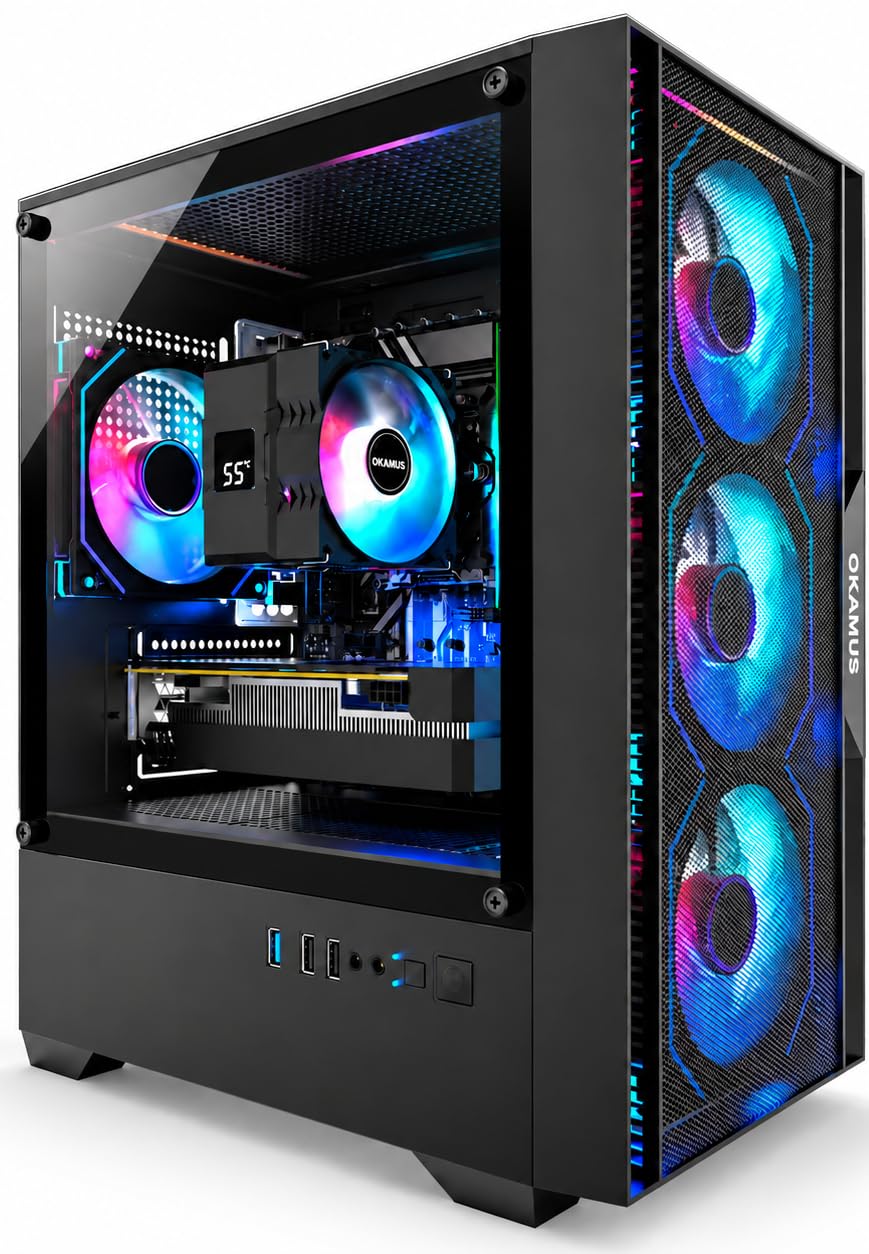
2. OKAMUS Gaming PC Desktop, i7-6700 + GTX 1660 Super
A real gaming card already inside — but you bolt it down yourself, so know that going in.
Here is the pure-gaming angle: a GTX 1660 Super with 6 GB of GDDR6, paired with an i7-6700 that climbs to 4.0 GHz. That card memory is three times what the ALCPOK’s integrated Radeon offers — 6 GB against 2 GB — and the difference is the gap between “can I play this?” and “yes, comfortably.” DDR6 graphics memory keeps textures sharp at 1080P, and the 4 ARGB fans push air through the case during long sessions.
One thing buyers need to hear clearly: the graphics card is packaged separately for safer shipping and must be installed after delivery. The included manual walks you through it, and the mixed feedback on setup in the review pages traces back to exactly this — the tower does not arrive ready to game. Once it is slotted in, the 16GB of RAM and 512GB M.2 SSD make the machine feel quick.
The value equation holds up well — performance and price are the two strongest themes in its owner feedback, and the rig runs a 1080p monitor at 200Hz happily. An occasional unit arrives needing a Windows activation key sorted, which support has handled with a replacement key. It is also note the RAM inside is not the DDR4 you might assume on a board this generation, so confirm the memory type before buying more.
The gaming core: 6 GB of GDDR6 on the GTX 1660 Super and four ARGB fans give this tower genuine 1080p chops, and 16GB of RAM plus a 512GB M.2 SSD keeps loading snappy.
Plan the install day: You fit the graphics card yourself from the manual, so budget a little patience and space before your first game.
Pick this for: A first real gaming PC where the card is already chosen and paid for, and you do not mind a 15-minute install.
Think twice if: You need a tower that walks you through setup with zero tinkering — the separate card and older DDR3 memory are friction points.
3. STGAubron Gaming PC Desktop, Core i7 + RTX 3050 6G
Keyboard and mouse in the box, six RGB fans, and a 4th-gen i7 doing the heavy lifting.
Six RGB cooling fans give this tower the most airflow of any pick here, and the RTX 3050’s 6 GB of GDDR6 handles Fortnite, Valorant and CS2 comfortably. The twist worth flagging is the processor generation: this is an i7 up to 3.9 GHz from the 4th generation, paired with only 8 MB of cache — half the ALCPOK’s 16 MB. For gaming and streaming that is still capable, but it is not the processor headline the number suggests.
What makes it easy to live with is the completeness of it. The RGB gaming keyboard and mouse ship inside the box, Windows 11 Home 64-bit comes pre-installed, and Wi-Fi 6 plus Bluetooth 5.0 mean you are not hunting for an adapter on day one. The 16GB of memory and 512GB solid state drive cover gaming and everyday work at the same time.
This is the most-reviewed gaming tower in the group, and the pattern is steady: buyers report their kids playing happily and titles like Death Stranding and The Division 2 running on medium to high settings. A 1-year parts and labor warranty with free lifetime tech support rounds it out. Keyboard, mouse and Windows 11 are all in the box, so it games the moment it boots.
The complete-package argument
- Six RGB fans and RTX 3050 6GB GDDR6 graphics
- Keyboard and mouse included, Windows 11 Home pre-installed
- Wi-Fi 6 and Bluetooth 5.0 on board
- 1-year parts and labor plus lifetime support
Where it gives ground
- 4th-gen i7 capped at 3.9 GHz with just 8 MB cache
- Processor is older than the chassis suggests
Made for: Someone who wants the full kit — tower, keyboard, mouse, Windows — with no extra shopping.
Not the pick: If you care about a current-generation processor for editing work, look at the Ryzen-based builds instead.
4. Suevery Prebuilt Gaming PC Bundle R5 Tower Desktop
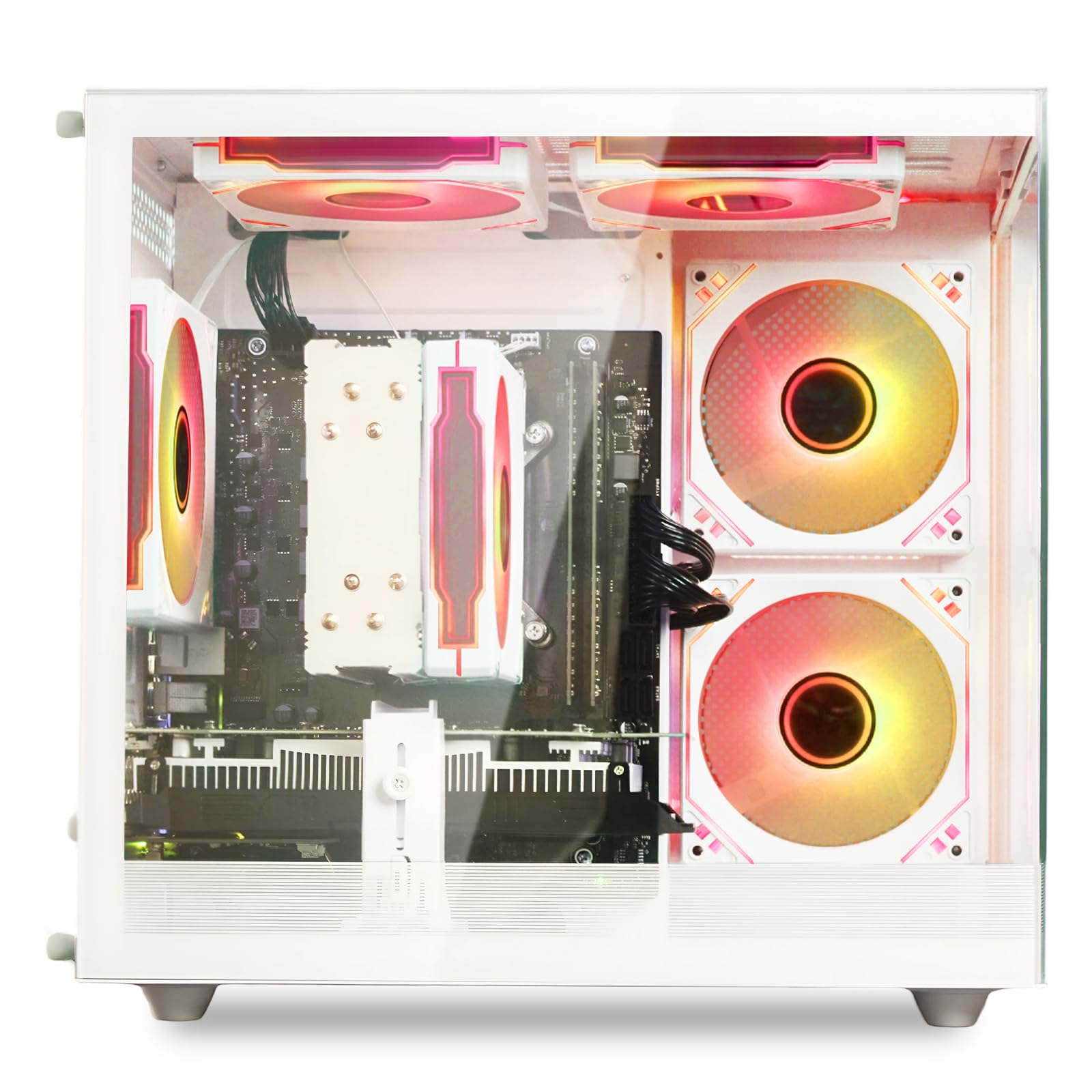
The white-case starter that has room for a bigger card when you are ready.
An AMD Ryzen 5 with 6 cores, 6 threads and 32MB of L3 cache runs at a 3.6GHz base and boosts to 4.1GHz. That is a genuine modern processor for everyday games and software. It sits alongside 16GB of DDR4 3200MHz memory and a 512GB M.2 PCIe NVMe drive, so the machine is quick to boot and quick to load.
The dedicated AMD Radeon graphics card carries 4GB of its own memory, putting it ahead of the integrated-graphics towers here. You also get Wi-Fi 6 built in, a set of USB ports including 2 USB 3.0 and 4 USB 2.0, and an RGB lighting system you can switch off entirely by holding the control button for five seconds. A small touch, but a welcome one if the lights are not your thing.
How it actually goes: beginners report quick setup and smooth play on the games they start with, and the white chassis looks sharp on a desk. There is a split verdict on performance across the heavier titles, and the RGB lighting is advertised as customizable but arrives with no method or manual for changing it. Expect to use it as-is on the lighting front.
The starter read: A Ryzen 5 with 32MB L3 cache, 16GB DDR4 and a 512GB NVMe drive is a sensible first-PC spec list, and the dedicated 4GB Radeon card gives it more graphics room than the integrated builds.
One honest snag: The RGB customization is mentioned in the listing but comes without instructions, so treat the lighting as fixed from the start.
A solid pick for: A first gaming PC where the white case and upgrade room matter more than out-of-the-box settings menus.
Keep looking if: You want to play the heaviest shooters at high settings or control the lighting — neither is a sure thing here.
5. NOVATECH Phantom 2.0 Prebuilt Gaming PC

Eight gigabytes of graphics memory plus a pro-edition Windows for the everyday gamer.
On paper, the AMD RX 580 with 8 GB of its own GDDR memory is the boldest graphics spec here for the spend — more VRAM than the STGAubron’s 6 GB RTX 3050, though raw speed and VRAM are different things. It is built for 1080p play and can stream at 4K resolution. The processor is an Intel Xeon E3 server-grade chip rated up to 3.9 GHz, paired with 16GB of DDR4 memory and a 512GB M.2 SSD.
Windows 11 Pro comes pre-installed, which saves you an upgrade step, and the tower carries RGB fans for a bit of desk presence. A 1-year limited warranty covers the machine. The build quality is the thing owners praise most here, and the value for money trails just behind it. Build quality and value are what keep a prebuilt worth owning past the first year.
This is not a top-end machine, and it does not pretend to be — the performance picture across the heavier games is uneven, and a few durability notes appear in the mix. Treat it as an everyday-gamer tower for CS2, VR and 1080p titles rather than a high-refresh esports rig.
The graphics draw: 8 GB of dedicated RX 580 memory, Windows 11 Pro already installed, and a 512GB M.2 SSD make a strong everyday-gaming package.
The honest ceiling: It is an everyday-gaming tower, and heavy modern titles will want settings turned down.
The right buyer: An everyday 1080p gamer who wants the most dedicated graphics memory at the entry tier and pro Windows from the start.
Look elsewhere if: You need a machine built for heavy esports performance — the card is a step below the RTX builds.
6. YAWYORE Gaming PC Desktop, AMD R5 5600GT

A 1TB drive and a 550W upgrade path, all wrapped in five quiet fans.
The processor matches the ALCPOK’s top speed at 4.6 GHz, and it is a six-core, twelve-thread Ryzen 5 5600GT. Five 12cm ARGB fans keep the case cool, and the 550W 80PLUS Bronze power supply gives it real headroom for a later graphics card. Compare that to the OKAMUS’s 400W supply and the difference is the room to add a card without swapping the power unit.
An MSI A520M-A PRO motherboard sits at the centre of it, paired with 16GB of DDR4 3200MHz RAM and a 1TB M.2 NVMe PCIe SSD. That drive is one of the largest here, good for a long game list and a lot of offline files. Built-in Wi-Fi and Bluetooth mean no cables for networking or accessories.
The graphics baked into the Ryzen chip are Radeon Vega, rated at 1 in the listing, and they share system memory. That is fine for 1080P mainstream games at reasonable frame rates, but not for the modern AAA crowd. Reviews show people bolting in a GTX 1070 Ti with no compatibility complaints, and the tower stays quiet and stable once it is set up. A rare power supply issue did show up over a longer ownership stretch, so keep the receipt.
What earns it a spot
- 1TB M.2 NVMe SSD — one of the roomiest here
- 550W 80PLUS Bronze PSU quiet enough for a later GPU upgrade
- Six-core, twelve-thread Ryzen 5 5600GT up to 4.6 GHz
- Five 12cm ARGB fans and an MSI A520M-A PRO board
Where you set expectations
- Integrated Vega graphics share system memory
- A power supply fault has been noted over longer ownership
A natural fit for: Buyers who want 1TB of fast storage and a PSU ready for a big graphics card later.
Hold off if: You want to play today’s AAA titles without adding a card — the integrated graphics will not carry that load.
7. Dell Slim Desktop ECS1250, Core i3 14100

DDR5 memory, a 4.7 GHz processor and a chassis that barely touches your desk.
The processor here is the fastest on the list at up to 4.7 GHz, and the memory is DDR5 — the newest generation, a step beyond the DDR4 in the gaming towers. 8GB is the lightest RAM load here, so heavy multitasking is not this machine’s job. What it does well is daily work: programs open quickly, setup is simple, and the compact body takes very little desk space.
Connectivity leans business-first. You can run up to four FHD monitors over DisplayPort 1.4a with daisy chaining, or two 4K displays over HDMI 2.1 and DisplayPort 1.4a. A hardware TPM security chip and a built-in lock slot look after your data, and the tool-less entry with a removable side panel makes upgrades a screwdriver-free job. A 1-Year Onsite Service contract means Dell comes to you if a covered issue cannot be fixed remotely.
The catch is the graphics. Intel UHD Graphics 730 is integrated, and the 8GB of RAM is the least here — fine for spreadsheets, streaming and office apps, not a gaming tower. It runs quietly and handles basic work without complaint, but do not expect it to carry heavy gaming or intense workloads.
Desk-tamer: A 4.7 GHz Core i3 14100 with DDR5 memory, four-monitor support and tool-less entry make a tidy, capable work machine.
The gaming wall: 8GB of RAM and integrated UHD 730 graphics put heavy games out of reach — this is an office and home-work machine.
Best matched to: Home-office and small-business desks where space, quiet running and multi-monitor work matter most.
Skip for: Gaming or video editing builds — the 8GB of RAM and UHD graphics are the wrong tools for those jobs.
8. ZER-LON Prebuilt Gaming PC, Core i7 + RTX 3050 8G
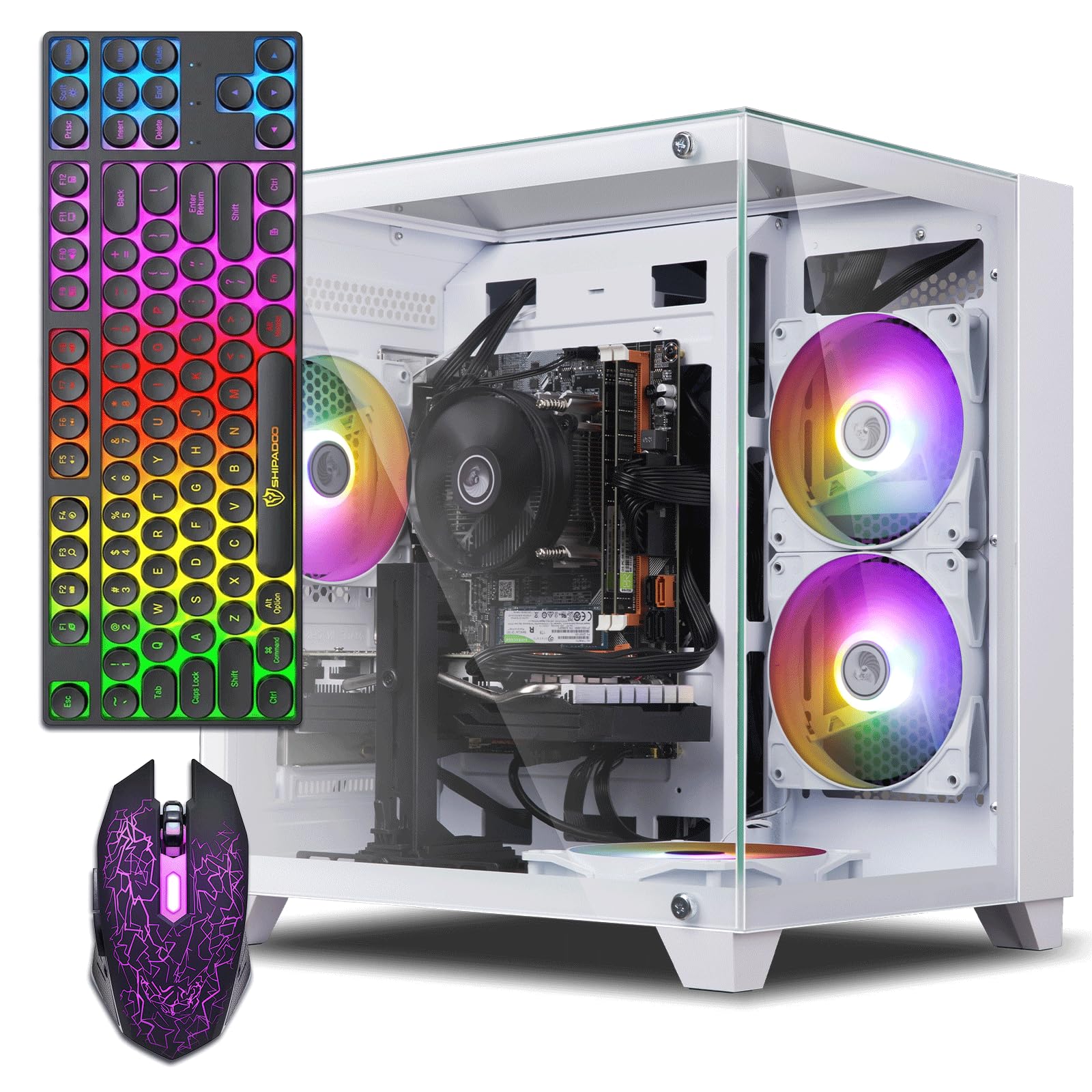
Everything in one box — card, five fans, keyboard, mouse and a mouse pad.
Here is the graphics figure to note: an RTX 3050 with 8 GB of GDDR6, which is more dedicated memory than the STGAubron’s 6 GB version of the same card. That matters for texture-heavy games and multi-monitor setups. The processor is a Core i7-4770 running to 3.9 GHz, so it is an older chip doing the supporting work. 16GB of memory and a 512GB SSD round out the loadout.
The bundle is the real hook. Five RGB fans light the case, and a gaming keyboard, gaming mouse, mouse pad and graphics card holder come in the box. The system runs Fortnite, Valorant, Minecraft and CS2 smoothly, stays at normal temperatures during long sessions, and boots fast. Buyers who handed it to a teenager report a quick out-of-box setup with strong Wi-Fi and no lag spikes.
The one wrinkle is the processor being an older generation that pushes Windows 11 through a workaround on some boards, so it is worth checking with the seller if you plan to run the very newest software. For non-demanding games and a home setup, the compromises stay small.
The bundle value: An RTX 3050 with 8 GB of GDDR6, five RGB fans, plus keyboard, mouse and mouse pad — a complete kit rather than a bare tower.
The age factor: The i7-4770 is an older processor generation, so heavy workloads and the newest software may want more headroom.
Right for: Families and home gamers who want the full kit and a card with a generous 8 GB of memory.
Less right for: Anyone buying for heavy editing work or the newest processor-heavy apps.
9. STGAubron Gaming PC, Core i7 8th Gen + RTX 2060 Super 8G
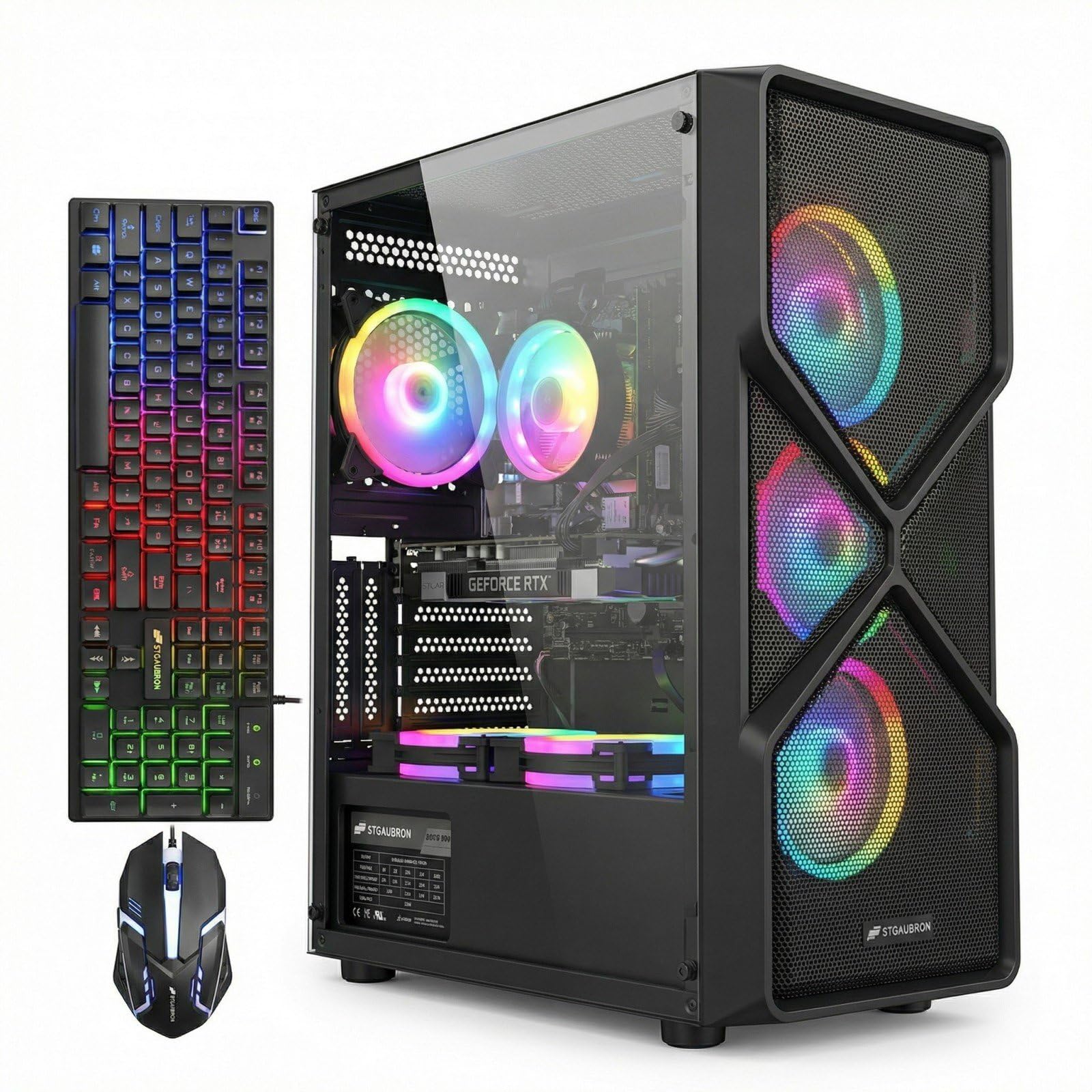
The strongest gaming card here, married to a full gigabyte-plus of fast storage.
Of every tower on this page, this carries the most capable dedicated card — an RTX 2060 Super with 8 GB, paired with an 8th-gen Core i7 up to 4.1 GHz. The 1TB solid state drive matches the ALCPOK’s storage while keeping the speed. Six RGB fans, Wi-Fi 6 and Bluetooth 5.2 keep it current on the connectivity front.
The value for money is the theme its owners return to most, with great graphics trailing close behind. An RGB gaming keyboard and mouse ship in the box, Windows 11 Home 64-bit is installed, and the tower is covered by 1-year parts and labor plus free lifetime tech support. The RTX 2060 Super targets 60+ FPS in Fortnite, GTA V and Elden Ring at 1080p.
Here is the honest part: performance across the total game list is uneven, with some titles doing better than others and a few buyers finding their favourite game does not run the way they hoped. Read it as a capable 1080p machine for mainstream games, not a guaranteed fit for every title on the list.
Why it earns the top graphic
- RTX 2060 Super with 8 GB — the strongest dedicated card in the group
- 1TB SSD storage to match
- 6 RGB fans, Wi-Fi 6 and Bluetooth 5.2
- Keyboard, mouse and post-sale support included
The caveats to weigh
- Game-by-game performance is uneven, not uniform across titles
- The processor is an 8th-gen chip, not a current-generation one
A strong match for: A gamer chasing the biggest dedicated card and a full 1TB drive for a mainstream 1080p library.
Check first if: You have one specific demanding title in mind — performance varies by game, so confirm your favourite runs well.
10. NINGMEI Prebuilt Gaming PC, Ryzen 5 5600GT
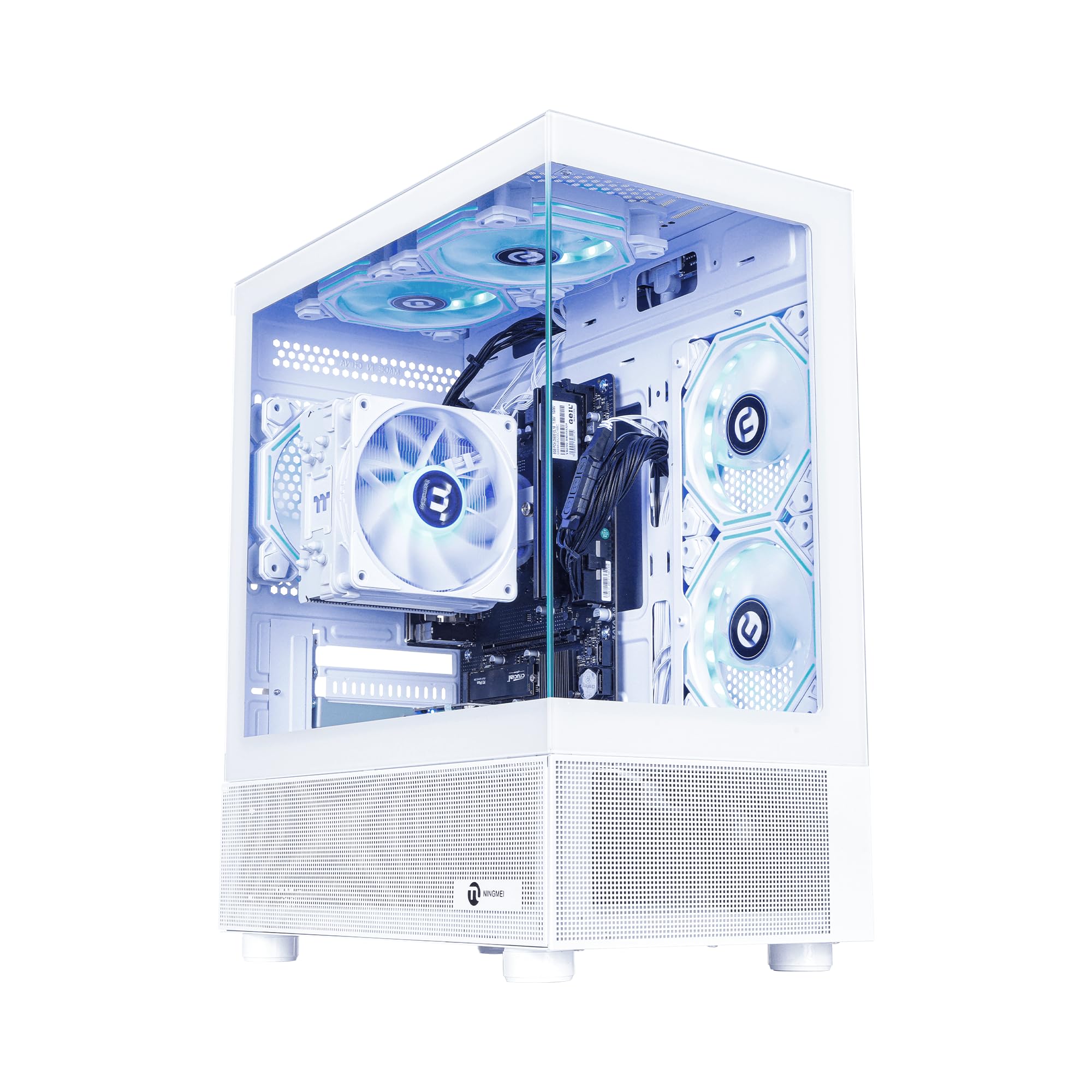
Six fans, a removable dust screen and room for the biggest graphics cards you can afford.
This is the tower you buy when you plan to grow it. The AMD Ryzen 5 5600GT boosts to 4.6 GHz, and six RGB fans push maximum airflow through a case with a removable magnetic dust screen on top. The ATX 3.0 power supply handles up to double the machine’s peak draw, leaving headroom for a graphics card.
A 1TB NVMe SSD — rated up to 30x faster than a hard drive — holds a long game list, and the case opens from either side via tabs. The mini ATX board has two RAM slots, both filled for 16GB, plus a PCIe slot wide enough for a full-length card. The PSU has two PCIe 6/8-pin connectors, and there is a mount for two extra HDDs.
Owners who added their own card report a machine that plays a long list of games without crashes and keeps the fans quiet. Performance with no card installed is light, since the graphics are integrated and share system memory. Component labelling is thin inside, and the maker has not always supplied detailed specs on request m — so photograph the internals before you order upgrades.
The upgrade story: ATX 3.0 headroom, a PCIe slot for a full-length card, two PCIe 6/8-pin connectors and two spare HDD mounts make this the easiest tower to grow here.
The unknowns: Component labelling inside is sparse and detailed specs can be hard to get from the maker.
Pick for: A buyer who wants a strong base now and plans to add their own graphics card and storage within a year.
Pass on it if: You want a complete gaming machine on day one or full documentation on every part.
11. HP ProDesk 600 Desktop, Intel Core i5
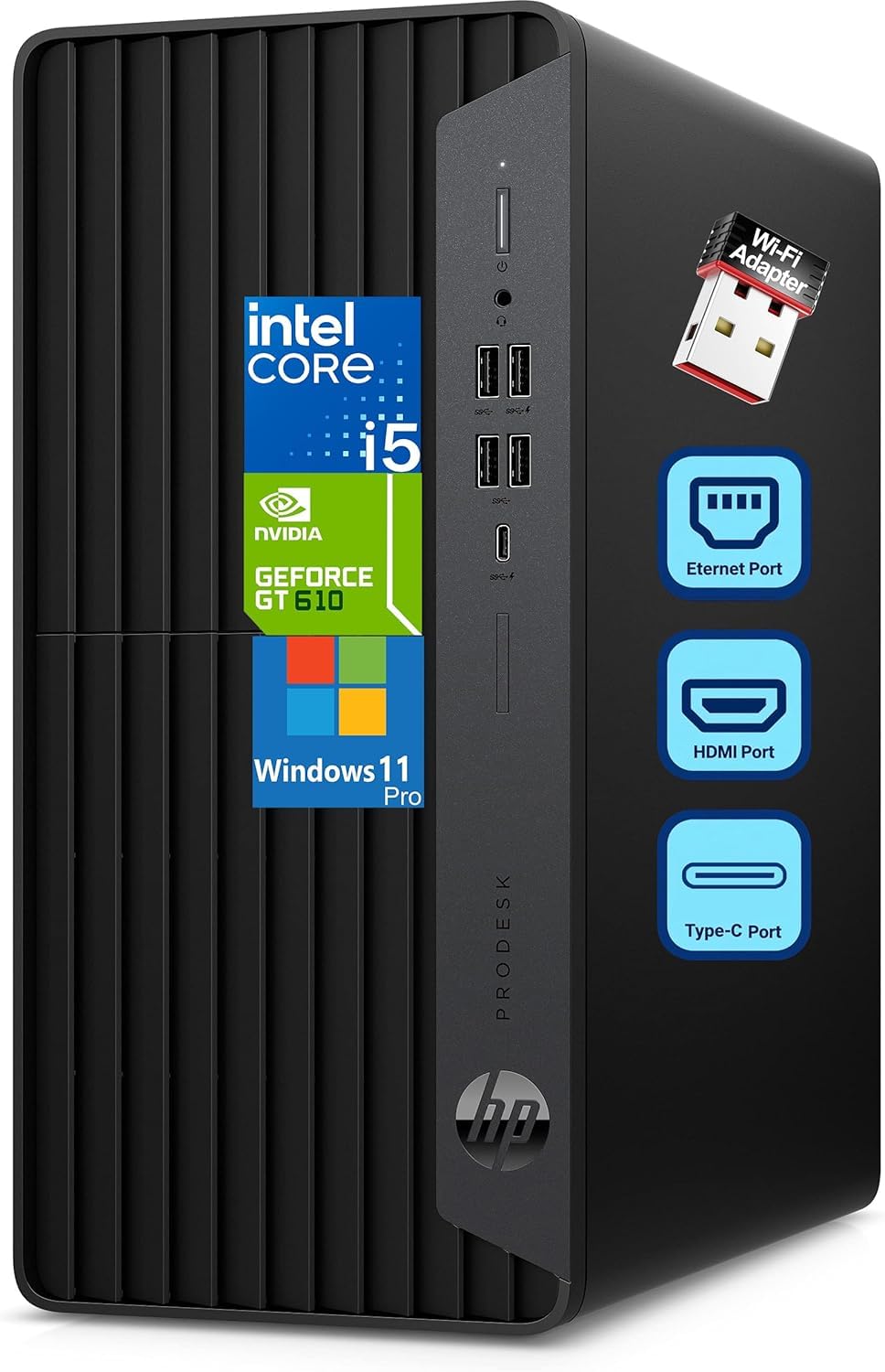
A six-core workhorse with three video outputs for spreading out across monitors.
Six cores of Intel i5 running from a 2.90GHz base up to 4.30GHz turbo, backed by 16GB of DDR4 memory, is the classic business-desktop formula. The draw for a spread-out desk is a GeForce 2GB graphics card with HDMI, DVI-I and VGA outputs, so you can plug in multiple monitors without an adapter. A 1TB PCIe NVMe SSD covers document and database storage with fast boot times.
Connectivity is generous for a work machine: a USB Type-C port at 10Gbps, two USB Type-A ports at 10Gbps and two more at 5Gbps on the front, plus Ethernet and more USB ports at the back. Windows 11 Pro comes pre-installed, and a wired HP keyboard and mouse are in the box. A 180W power supply and the microtower form factor keep it easy to place on or under a desk.
Performance is the thing buyers return to, and the machine runs smoothly for everyday business and multitasking work. Noise is the point to weigh honestly — some find it quiet, others find it too loud. If a silent office is a must, that is worth knowing before you order.
The workhorse case: Six cores, 16GB of DDR4, a 1TB NVMe drive and a GeForce card with HDMI, DVI-I and VGA make multi-monitor work easy.
The noise note: Loudness is a mixed report — some find it quiet, others don’t — so check your workspace tolerance.
Choose it for: Office desks that juggle spreadsheets, presentations and several screens at once.
Look past it if: Gaming is the priority — the GeForce card is a 2GB business display driver, not a gaming card.
Know the Specs
Graphics memory (VRAM) explained
VRAM is the memory that belongs to the graphics card itself — separate from the system RAM. More of it tends to mean higher-resolution textures and smoother play on larger displays. A card with 6 GB or 8 GB like the RTX 3050 and RX 580 here has its own pool to draw from. Integrated graphics share the main memory instead, which is why the integrated builds are better for work than for heavy games.
The power supply and upgrade headroom
The power supply feeds every component, and its wattage tells you what a later graphics card can draw. A 550W supply like the ALCPOK or YAWYORE gives more room to add a card than a 400W unit. Connectors matter too: PCIe connectors are what a dedicated card plugs into. Buy a tower with spare PCIe connectors and you avoid a whole PC rebuild when you upgrade.
DDR4 versus DDR5 memory
DDR4 and DDR5 are memory generations. DDR5 is newer and appears on the Dell Slim Desktop. DDR4 is what most of the gaming towers use at 3200MHz. What matters for a buyer is knowing which is inside the tower you pick, because you must match the type when you add more. Mixing an older DDR3 stick into a DDR4 board is not something you want to discover after delivery.
Why an M.2 NVMe SSD feels fast
An M.2 NVMe drive plugs directly into the board rather than through a cable. That is why these towers boot in seconds and open games and files quickly. Capacity is thepractical spec to compare — 512GB is plenty for a starter, 1TB suits a big game library, and several towers here leave a spare slot for more later.
Common Questions
Will a prebuilt PC in this range run modern games like Fortnite or Warzone?
How do I tell whether the RAM inside is DDR4 or DDR3?
Do I need to install the graphics card myself on a prebuilt?
Is 512GB of storage enough for a gaming PC?
What does the power supply wattage mean for adding a graphics card later?
Can I open up and upgrade a prebuilt tower myself?
Is DDR5 memory worth it over DDR4 on a desktop?
Is a dedicated graphics card worth it over integrated graphics for a starter PC?
What does an onsite service contract cover on a desktop?
Will a compact desktop fit under a monitor or on a small desk?
The Bottom Line
The strongest pick in this lineup is the ALCPOK Gaming PC Desktop, because its 8-core Ryzen 7 5700G up to 4.6 GHz with 16 MB of cache, 1TB NVMe drive and 550W 80 Plus Bronze supply give you the most processing headroom and the cleanest upgrade path of any tower here. It does not arrive with a dedicated card, but that is the one upgrade you can make when your budget allows. If you would rather unbox and game the same day, the OKAMUS with the GTX 1660 Super puts a real 6 GB card in the case — just know you fit it yourself from the manual.
For a work desk with several monitors, the HP ProDesk 600 brings six cores, 16GB of DDR4 and a 1TB NVMe drive with the multi-display outputs you need. For a quiet, space-saving office machine, the Dell Slim Desktop is the one to reach for. And if you want room to grow with your own card, the NINGMEI makes that the easiest job of all. The STGAubron Core i7 has the widest review base here at 500+ ratings and a 4.0+ star average.
How we choose
We do not accept paid placement. Every pick is matched to a real buyer and a real use-case; we do not hands-on test units.
Sources
Specifications: manufacturer listings and product documentation. Review insights: verified customer reviews, as of October 2026. Pricing: not shown on this page (it changes often); check the current price via the retailer link.
As an Amazon Associate, Aappliancez earns from qualifying purchases. This does not affect which products we feature.