Disclosure: Some links in this post are affiliate links. As an Amazon Associate I earn from qualifying purchases, at no extra cost to you. Learn more
Specs are compiled from manufacturer listings and verified buyer reviews and can change over time — please confirm the key details on the product page before buying.
Buying a PC tablet that actually works like a laptop is confusing because the market sells two very different things under the same name. Some are full Windows machines that run desktop software, and some are tablet-first devices where the keyboard is an extra purchase. Before you buy, decide if you need full Windows desktop software or a tablet-first slate with an optional keyboard. If you write, code, or run desktop apps, you want a real Windows 11 machine with a detachable keyboard. If you mostly watch, sketch, and read, a lighter slate with a kickstand will suit you better. This guide covers ten PC tablets, from 10.1-inch budget slates to a dual-14-inch OLED workstation, with each one’s specs and trade-offs.
This guide is built by comparing the manufacturers’ published specifications and the patterns across verified customer reviews, so you get each pick’s real strengths and trade-offs instead of marketing spin.
Every pick lists its screen resolution, RAM, storage, and battery rating so you can match a machine to your workload. The picks below run from a 3.64 lb dual-screen OLED workstation to a shockproof 10.1-inch shop-floor tablet, all running Windows 11.
Top Picks


How To Choose The Best PC Tablets
The single choice that shapes everything else is the processor family. Intel and AMD chips run the full library of Windows software, so nothing you install from a decade ago will refuse to open. ARM-based chips like Snapdragon run cooler and sip less battery, but a handful of programs and printer drivers have no version for them yet. Check whether your key programs and printer drivers have an ARM build before choosing Snapdragon.
Processor: Intel, AMD, or Snapdragon
An Intel Core or AMD Ryzen chip is the safe pick if you rely on niche desktop tools, older peripherals, or a specific printer. A Snapdragon X chip in a device like the Surface Pro runs the same Windows 11 and handles most everyday apps, but check the maker’s compatibility list first if you depend on specialized software. For Word, spreadsheets, and browser tabs, both Intel and Snapdragon chips run smoothly.
Screen resolution and size
Resolution describes how many pixels fill the screen. A 1920×1200 panel is sharp enough for documents and web pages, while a 2880×1800 OLED panel makes photos and video pop with deeper blacks. A 16-inch panel fits two windows side by side, while a 10.1-inch slate at 1280×800 suits one document at a time. A 16-inch 2-in-1 like the HP OmniBook weighs noticeably more than a 10.1-inch slate.
RAM and storage
RAM (short for random-access memory) is the workspace your apps live in while open. 8GB is fine for a browser and a word processor, but 16GB keeps many tabs and apps running without slowdown. SSD storage is the drive where files live permanently, and 256GB fills quickly once you add photos and programs. Look for a machine that lets you add a microSD card if you plan to store a lot.
Keyboard, hinge, and stylus
A 360-degree hinge folds the whole machine flat like a tent, while a detachable keyboard lets you pull the screen free and use it as a pure tablet. Some devices ship the keyboard in the box and some sell it separately, which changes the real cost. If you sketch or take handwritten notes, check whether a stylus is included and whether it supports pressure sensitivity for line thickness.
Side-by-Side Comparison
| Model | Best For | Screen | RAM / Storage | Processor | Amazon |
|---|---|---|---|---|---|
| HP OmniBook X Flip★ Best Overall | All-round 2-in-1 | 16″ 1920×1200 touch | 16GB / 512GB | AMD Ryzen AI 5 340 | Amazon |
| LG gram 14 2-in-1Travel Lightest | Travel and note-taking | 14″ IPS touch | 16GB / 1TB | Intel Core Ultra 7 155H | Amazon |
| BNCF 11″ 2-in-1Best Everyday Carry | Light everyday carry | 11″ 1920×1200 IPS | 12GB / 512GB | Twin Lake N150 | Amazon |
| CHUWI Hi10 X2 | Budget desktop tasks | 10.1″ 1280×800 IPS | 8GB / 256GB | Intel Core i3 | Amazon |
| FUNYET 14″ 2-in-1 | Students on a budget | 14″ 1920×1200 touch | 16GB / 512GB | Intel N100 | Amazon |
| Fusion5 FWIN232 PRO N5 | Rugged field work | 10.1″ 1920×1200 IPS | 12GB / 256GB | Intel N100 | Amazon |
| Dell Latitude 5320 | Renewed pro laptop | 13.3″ 1920×1080 touch | 16GB / 512GB | Intel Core i7-1185G7 | Amazon |
| Microsoft Surface Pro (10 Core) | Portable Windows slate | 13″ touch | 16GB / 512GB | Snapdragon X Plus | Amazon |
| ASUS Zenbook Duo | Dual-screen multitasking | Dual 14″ 2880×1800 OLED | 32GB / 1TB | Intel Core Ultra 9 185H | Amazon |
| Microsoft Surface Pro 13″ OLED Bundle | Creator tablet bundle | 13″ 2880×1920 OLED | 16GB / 2TB | Snapdragon X Elite | Amazon |
Detailed Reviews
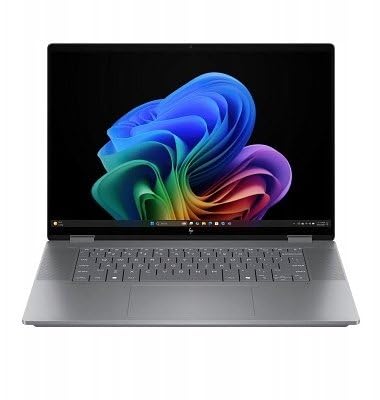
1. HP OmniBook X FILP Copilot+ PC 16 inch 2K Touch 2-in-1
Our pick — 4.5+★ from 200+ verified ratings; the strongest balance of quality and price.
The big-screen 2-in-1 that folds flat for sketching but still feels like a proper laptop.
The reason this one takes the top slot is a combination you rarely see in a convertible. You get a 16-inch WUXGA panel at 1920×1200 pixels, and the touch layer is smooth enough that designers describe drawing on it as close to a dedicated tablet. That wide 16-inch canvas is where the split-screen comfort comes from — you can keep a spreadsheet open beside a browser and still read both without squinting. The 120Hz refresh rate means scrolling and dragging windows looks fluid rather than smeary.
Under the hood sits an AMD Ryzen AI 5 340 chip running up to 4.8 GHz with a 50 TOPS NPU (a dedicated brain for on-device AI tasks). Paired with 16GB of LPDDR5x-7500 memory and a 512GB PCIe Gen4 SSD, it handles a pile of browser tabs, streaming, and light gaming without stutter. One student who brought it to college for drawing and Fortnite reported zero lag even with many tabs open. The 360-degree hinge lets you fold it into tent, stand, or pure tablet mode, and the 5MP IR camera with AI noise reduction makes video calls look clean.
Battery is the headline figure at up to 21 hours, and the AI chip is built to sip power rather than gulp it. Charging and longevity both check out in practice — a college buyer noted the battery sat at 58% after five hours of use. The honest catch is weight. Several buyers call it somewhat heavy, manageable for a daily walking commute but noticeable if you carry it by hand all day. There is also no dedicated graphics card, so AAA gaming is out, though the integrated graphics handle lighter titles fine.
The thing that wins people over is raw performance, and buyers single out the value they get for what they spend. You can read the crowd verdict as confident: this is a machine that meets expectations and then some. One owner’s only real wish was the ability to disable Copilot completely, a fair note if you are not keen on AI features.
Where it earns the top spot
- Big 16-inch 1920×1200 touchscreen at 120Hz with smooth, responsive touch
- AMD Ryzen AI 5 340 up to 4.8 GHz with 16GB LPDDR5x RAM and 512GB Gen4 SSD
- Up to 21 hours of battery, ending the daily wall-hunt
- 360-degree hinge flips between laptop, tent, stand, and tablet
The trade-offs to weigh
- Heavier than a thin slate; noticeable on a long walk
- No dedicated GPU, so serious gaming is off the table
Best for: students, artists, and anyone who wants a big touchscreen and real Windows power in one folding body.
Think twice if: you need a machine you can hold in one hand for hours — the weight is real.
2. LG gram 14-inch 2in1 Lightweight Laptop, Intel Evo Edition
The featherweight 14-inch convertible that shrugs off a full workday away from the wall.
Ask anyone who travels with a laptop and they will tell you the two things that ruin a trip: a heavy bag and a dying battery. The LG gram 14 attacks both. Its 72Wh battery is far larger than the 34.2Wh pack inside the BNCF 11-inch 2-in-1, which is roughly a 2.1x capacity gap — the kind that means you leave the charger behind on a day trip.
The screen is a 14-inch IPS touch panel with a 16:10 aspect ratio and up to 99% DCI-P3 color coverage, which in plain terms means photos and video keep their color accuracy rather than washing out. A Wacom AES 2.0 stylus ships in the box and reads 4,096 pressure levels, so artwork captures fine line changes instead of a uniform stroke. The Intel Core Ultra 7 155H chip runs up to 4.5 GHz and the whole machine passed seven MIL-STD-810H durability tests, including vibration and temperature extremes.
Battery longevity is where the reviews glow, with buyers reporting a genuine 8-10 hours on Chrome even in the best performance mode. Ports are generous for a thin machine: two Thunderbolt 4, one USB 3.2, a headphone jack, and a microSD slot. The recurring gripe is audio — the stereo speakers are described as weak, and you will want headphones in a busy room. A few also wish the screen were a touch brighter outdoors.
What lands best: buyers talk most about performance and weight, and both hold up — this machine is built for people who carry it everywhere and want it to disappear into a tote bag.
Worth knowing: the compact 14-inch body means no separate numeric keypad, a fair trade if you want this small.
Reach for this if: you want long battery, a bundled stylus, and a screen that stays accurate in color.
Look elsewhere if: loud speakers matter for movie nights — the audio here is thin.
3. BNCF 11 inch 2-in-1 Laptop
An 11-inch slate plus a magnetic keyboard that turns into a laptop in a backpack.
This one is for the person who wants a real Windows tablet but refuses to pay laptop money for it. The aluminum chassis is 9.6mm thick and the tablet alone weighs 635g; with the included magnetic keyboard and protective case, the whole kit comes to 1106g. That is light enough to carry all day without noticing. The 11-inch IPS touchscreen runs 1920×1200, which keeps text crisp for spreadsheets and PDFs.
The internals are modest but sensible: an Intel Twin Lake N150 quad-core chip up to 3.6 GHz, 12GB of DDR5 RAM, and a 512GB NVMe SSD. You get two USB-C ports (one for charging and data), a USB 3.0 port, micro HDMI, and a 3.5mm jack, plus Wi-Fi 6 and Bluetooth 5.0. The 34.2Wh battery charges over USB-C, and a fan with a dual-copper heat pipe keeps the chip from throttling under load. This is not the machine for video editing or heavy gaming — it is for browsing, documents, video calls, and light entertainment.
What divides buyers here is polish, not speed. The portable profile wins fans — one buyer upgraded from a heavy laptop and called it exactly what they needed for long trips. The keyboard is a separate device over a pogo-pin connection, though, and the touchpad has annoyed a few people with jumping cursors while typing. A couple of units arrived with documentation quirks or a stray sticker. None of these are dealbreakers for the price, but they set expectations: this is a budget machine with budget-machine rough edges.
The practical read: the small footprint and included keyboard make it a genuine grab-and-go companion, and the 12GB of DDR5 RAM gives it more headroom than most tablets at this end of the range.
The honest caveat: the touchpad behavior during typing is the one recurring wrinkle worth knowing before you commit.
Carry this if: you need a lightweight Windows tablet that doubles as a small laptop for documents and video calls.
skip it if: you expect a polished trackpad or plan to run demanding software.
4. CHUWI Hi10 X2 2 in 1 Laptop Tablet
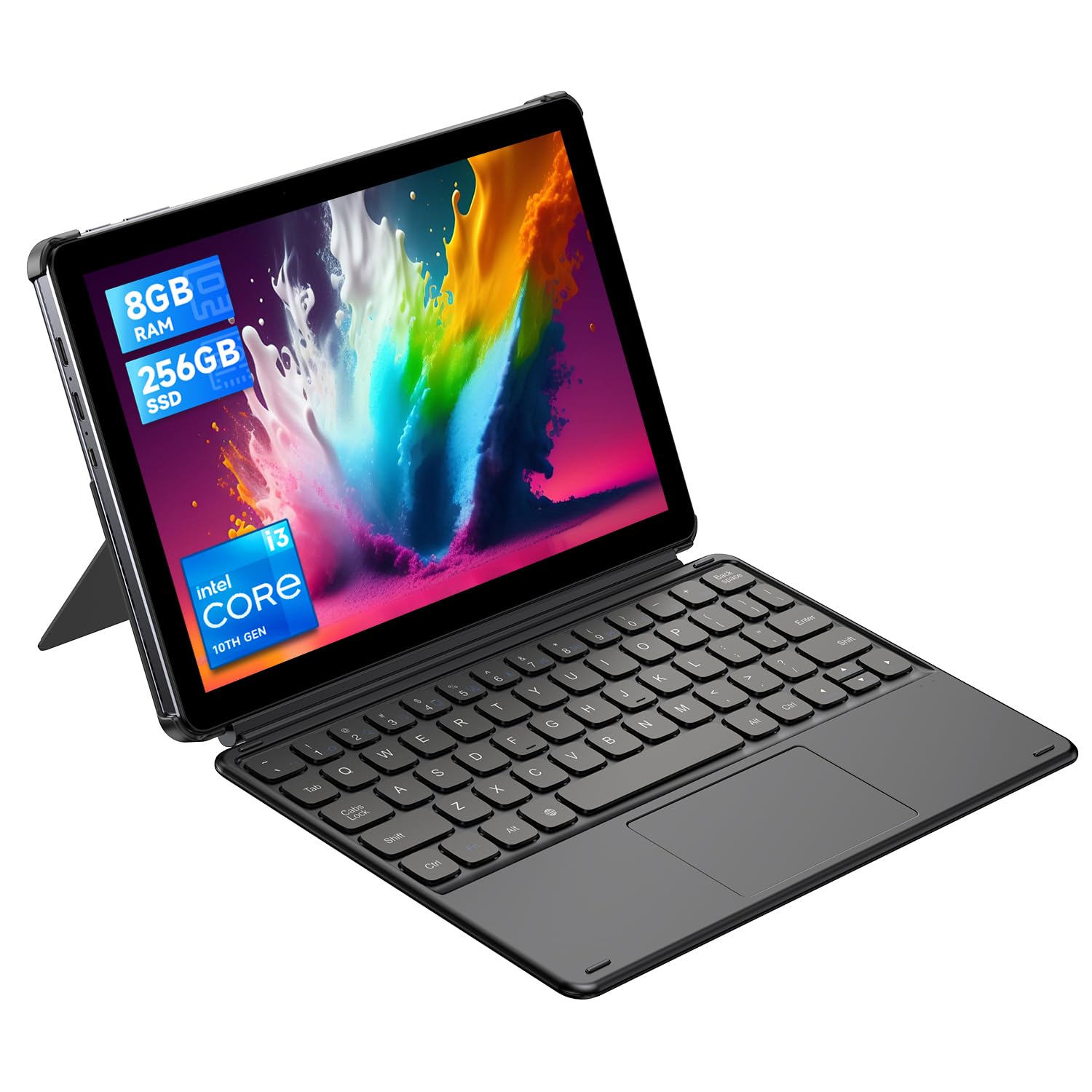
A tiny Core i3 slate with a 145-degree kickstand for hands-free desk work.
If you want a Windows tablet that lives on a desk or kitchen counter for documents and video calls, the CHUWI Hi10 X2 hits the essentials. The Intel Core i3 processor boosts to 3.9 GHz, and the chip is fast enough for office software, online classes, and web browsing. You get 8GB of RAM and a 256GB SSD, with room to add a drive up to 2TB if you store a lot of files. The 10.1-inch display runs 1280×800 pixels — not the sharpest, but adequate for reading and simple spreadsheets.
The package is well thought out for the price. A detachable magnetic keyboard flips it between tablet and laptop, and the adjustable case props the screen at a 145-degree angle so you can watch or chat hands-free. Built-in Wi-Fi 6 and Bluetooth 5.3 handle wireless peripherals, and the port selection includes a full-featured USB-C and a Micro-HDMI for pushing a 4K image to a monitor. At 0.4 inches thick and 1.34 lbs, it slips into a backpack without a second thought.
Quality is the strength buyers gravitate toward, and the value holds up for what this costs. Expectations are the thing to calibrate. It will not run demanding games, and a few people hit battery or charging quirks, so if you need all-day runtime away from a plug this is not the device. On the other hand, the keyboard and pen feel better than the small size and low resolution would suggest, and it does the basic computing job. One tech-savvy buyer even ran AutoCAD and Python on it, though they admitted the RAM was the limiting factor.
What it gets right
- Intel Core i3 up to 3.9 GHz in a 1.34 lb body
- 8GB RAM and 256GB SSD, expandable up to 2TB
- 145-degree kickstand and detachable keyboard included
- Wi-Fi 6 and Bluetooth 5.3 for current peripherals
Where it runs thin
- 1280×800 display is modest for long document sessions
- Battery and charging reliability are a recurring theme
Best for: a cheap second screen at a desk or kitchen counter for browsing, chats, and simple documents.
Not for: anyone who needs dependable all-day battery or a big, high-res display.
5. FUNYET 14 Inch 2 in 1 Touchscreen Laptop
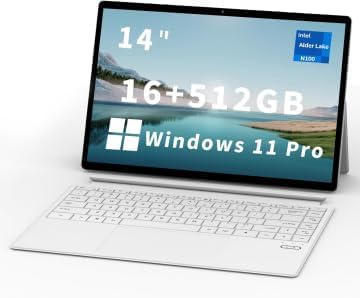
Fourteen inches and two pounds, with a screen that detaches at any angle.
For a budget machine, the FUNYET packs figures that look anything but entry-level. You get 16GB of DDR5 memory clocked at 6400MHz and a 512GB SSD, which is plenty of room and speed for a student juggling browser tabs, Word, and Zoom. The 14-inch touchscreen runs 1920×1200 with 100% sRGB, so images and slides show accurate color rather than a washed-out tint. At 2 pounds and 0.4 inches thick, it barely registers in a bag.
Four built-in HiFi speakers and a microphone cover video calls and online classes. The tablet holds itself at any angle, and the backlit keyboard detaches so you can prop the screen and type from across a desk. Wi-Fi 6 and Bluetooth 5.2 keep wireless connections current. It ships with Windows 11 Pro preinstalled, and the maker throws in a year of repairs plus round-the-clock support. Performance is what buyers praise, with one calling it faster than the laptop it replaced and another running The Sims 4 smoothly.
The one place the marketing and reality part ways is battery. The listing promises over 10 hours, and a long-term owner reporting back after seven months measured 6-7 hours instead — still a workable day, just not the full figure. A buyer also found the keyboard sometimes jumps while typing, and the charging cable is short and proprietary, so budget for a USB-C hub. A rare early unit rebooted until it was exchanged. Those aside, this is the student machine that does the job without drama.
The value angle: 16GB DDR5 plus a 1TB-class experience at a budget price is the draw, and the detachable screen makes it genuinely flexible for classes and dorm life.
The catch: real runtime lands closer to a 6-7 hour day than the advertised 10, so keep the charger close on long campus days.
Pick this for: a lightweight, affordable 2-in-1 to get through college coursework and streaming.
Pass if: you need honest 10-hour battery or a keyboard that never misses a keystroke.
6. Fusion5 FWIN232 PRO N5 Rugged Windows Tablet
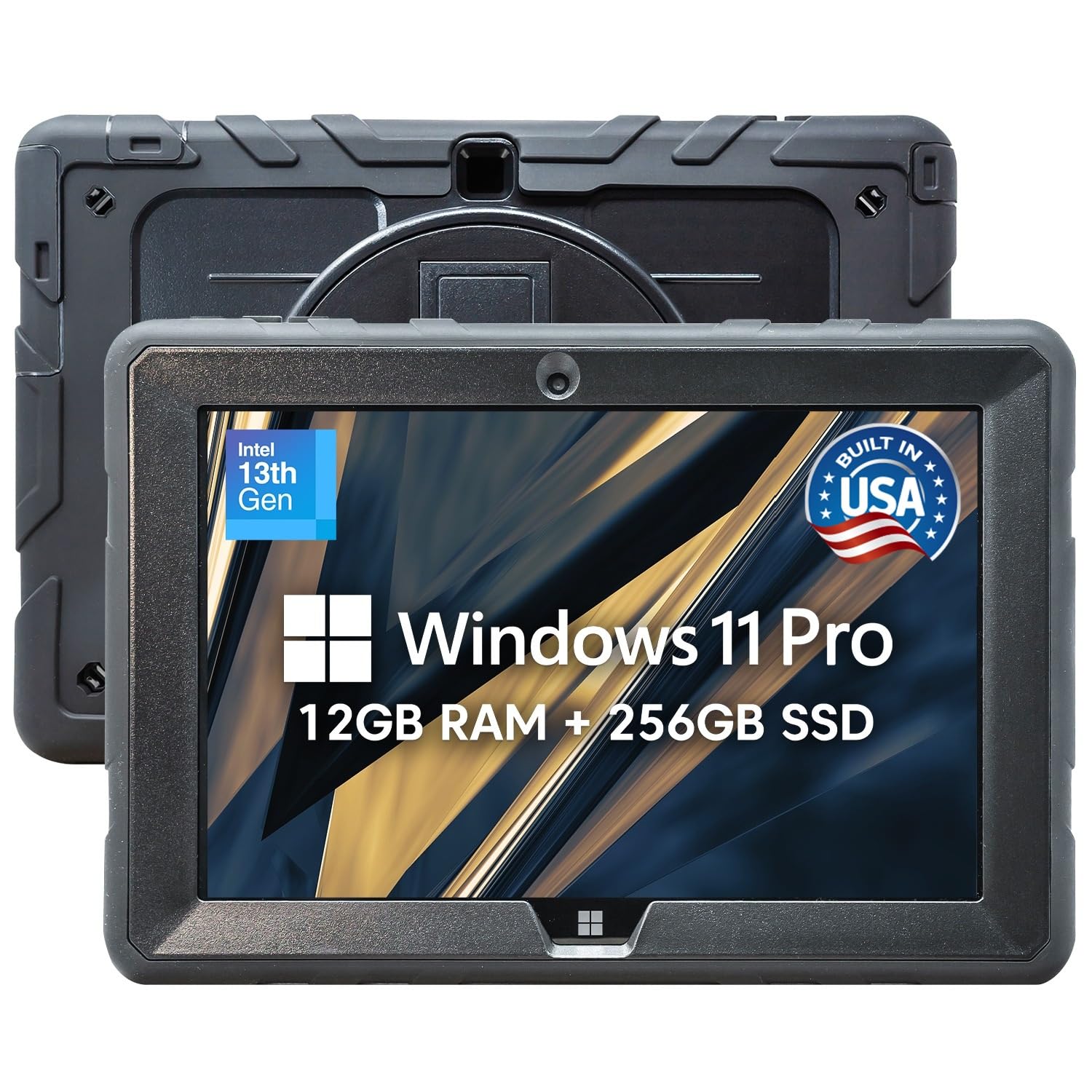
A Windows tablet built to survive drops, dust, and a shop-floor shift.
This is the pick for anyone who has watched a normal slate die on a jobsite. The Fusion5 is shockproof and dustproof, designed for industrial sites, outdoors, and classrooms where ordinary tablets give up. It is assembled in Pasco County, Florida, and backed by a 24-month warranty that covers up to two accidental damage incidents — a rare safety net for a device you will actually rough up. Inside sits an Intel 13th Gen N100 chip and 12GB of RAM with a 256GB SSD, expandable with a microSD card.
The 10.1-inch Full HD IPS touchscreen runs 1920×1200 with 2.5D G+G glass and up to 500 nits of brightness, so it stays readable under outdoor light. Ports are covered to keep out dust and impact, and the package includes a hands-free strap and a back mount stand for field work. A 6000mAh battery with FusionCharge fast charging and a 30W Type-C charger is meant to keep it running through a shift. Performance is what buyers rave about most, and the value prop is what keeps them coming back — this is a machine the brand says is trusted by over two million customers.
No rugged tablet is perfect, and the honest notes here are consistency. Battery life draws mixed reaction and the listing itself admits 5 hours, so plan around charging for a full shift. Touch sensitivity is described as unreliable by a few, and the mono speaker is muffled. There is only one USB port, which fills fast. On the flip side, screen quality and ease of use earn steady praise, and owners who lean on it for work and travel call it a solid daily tool. Scan the QR code after arrival to activate the warranty coverage.
Built-for-the-field reality: the shockproof body, covered ports, and two-year accident coverage are what separate this from a fragile consumer slate, and the bright 500-nit screen reads in daylight.
Plan around this: a single USB port and a 5-hour battery mean you will want a hub and a charger in the bag.
Choose this if: your tablet rides in a toolbox or on a jobsite and needs to survive it.
Choose differently if: you mostly sit at a desk and want long battery and rich audio.
7. Dell Latitude 5320 2-in-1 (Renewed)

A business-grade convertible at a renewed price, if you can live with the battery.
The Latitude 5320 gives you a 13.3-inch FHD 1920×1080 touch panel and a proper Intel Core i7-1185G7 processor with four cores that boost to 4.4 GHz from a 1.8 GHz low-power state. Paired with 16GB of DDR4 memory clocked at 3200MHz and a 512GB SSD, it multitasks smoothly and boots quickly. This is a 2021 business machine, so the build quality is closer to corporate fleet hardware than a budget consumer slate. The 360-degree convertible hinge flips between laptop and tablet for touch-first work.
What this pick really delivers is a workhorse at a renewed price. Performance is the thing buyers praise most, and the crisp, vivid display meets the needs of everyday travel work — one buyer fit the 13-inch unit perfectly into a CPAP case for travel. The touchscreen is smooth enough that people describe the feature as amazing. For a machine meant to do spreadsheets and documents, that is exactly the job.
The caveat with any renewed unit is the battery and the accessories. Battery life runs short, and reports of around an hour and a half mean this is a desk-and-outlet machine unless you replace the battery. Chargers sometimes arrive faulty, so check yours on day one. There are also reports of occasional freezing. None of this makes the Latitude a bad value — the price-to-performance is strong — but buy it knowing you may budget for a fresh battery and charger.
The renewed-buyer upside
- Intel Core i7-1185G7 quad-core up to 4.4 GHz with 16GB 3200MHz DDR4
- Sharp 13.3-inch 1920×1080 touchscreen in a convertible body
- Business-grade build and fast boot times
The renewed-buyer risk
- Battery life runs short; plan to replace or stay near an outlet
- Some units arrive with a bad charger or occasional freezing
The fit: a savvy buyer who wants corporate performance and a real touchscreen without paying new prices.
The warning: treat the battery and charger as replaceable consumables before you commit.
8. Microsoft Surface Pro Snapdragon X Plus

A 13-inch Windows slate with a built-in kickstand and a battery that outlasts your workday.
This is the tablet for the traveler who wants Windows in as little space as possible. The 13-inch touchscreen pairs with a built-in kickstand that holds at any angle, flipping from pure tablet to sketchbook to laptop for when you clip on the detachable Surface Pro Flex Keyboard (sold separately). A Snapdragon X Plus 10-core chip with a dedicated NPU runs the Microsoft Copilot+ features, backed by 16GB of RAM and 512GB of storage. The narrow design fits well in a lap or on a cramped tray table.
Battery is the standout: 14 hours of life, recharged fast through a 65W power supply over Surface Connect or USB-C, so a full day away from an outlet is genuinely possible. The Sapphire finish gives it a premium look, and face recognition signs you in without a password. Bluetooth 5.4 is current, and the front and rear cameras cover video calls and quick shots. Buyers praise the speed and battery most, and for most of the apps people actually use, the format shines.
The catch with ARM-based Snapdragon chips is compatibility, and it is worth saying plainly. A few desktop programs and drivers do not support it yet, and some buyers found the built-in keyboard occasionally stops being recognized until reattached. The keyboard and pen are extra purchases, so the real outlay is higher than the slate alone suggests. If your daily software runs fine on ARM, this is a fast, quiet, cool-running machine. If you lean on a specific Windows program with no ARM build, check before buying.
Why it earns a spot: you get a 14-hour battery and a 13-inch kickstand screen (a built-in stand that props the tablet up), making it among the most portable Windows machines you can carry.
What to check first: your software list — ARM compatibility, not speed, is the deciding factor here.
Right for you if: you want a light Windows tablet and your apps will run on a Snapdragon chip.
Think again if: you depend on legacy desktop software or want the keyboard included.
9. ASUS Zenbook Duo Dual 14″ OLED Laptop

Two 14-inch OLED screens that stack into one tall workspace for serious multitasking.
If a single screen always feels too small, the Zenbook Duo answers with two. It carries dual 14-inch ASUS Lumina OLED displays at 2880×1800 resolution with a 120Hz refresh rate, 500 nits of peak brightness, and Pantone-validated 100% DCI-P3 color accuracy. In Desktop or Dual Screen mode you get a tall stacked workspace for code, timelines, and reference docs at once. The detachable Bluetooth keyboard and built-in kickstand let it stand as a laptop or a dual-screen workstation. At 3.64 lbs and 0.78 inches thin, it travels like a normal laptop.
The engine inside is an Intel Core Ultra 9 185H processor boosting to 5.1 GHz with 32GB of LPDDR5x RAM and a 1TB SSD, backed by Intel Arc graphics. That is enough to push the dual screens without visible lag. A 75Wh battery delivers up to 13.5 hours of video in laptop mode and 10.5 hours in dual-screen mode, with fast charging over Thunderbolt 4. Ports include USB-A 3.2, two Thunderbolt 4, HDMI 2.1, and a headphone jack, and the package adds a backpack, an ASUS Pen 2.0 with 4,096 pressure levels, and a 65W charger. The chassis meets US MIL-STD 810H durability standards.
Buyers who thrive on the dual screen call it a productivity revelation. A desk worker reported the second display is a dream for coding and serious multitasking, and it doubles well for streaming on the lower panel. The honest trade-offs are heat and keyboard reliability. The machine runs hotter than a single-screen laptop, and some units develop a keyboard chatter defect that types double characters — a real annoyance worth checking on arrival. The detachable keyboard also feels thin when used away from the body, and heavy backlight use drains it quickly.
The dual-screen payoff: 2880×1800 OLED on both panels at 120Hz is a serious workspace, and the 32GB of RAM plus Core Ultra 9 keeps demanding apps moving.
The cost of the extra screen: more heat, a heavier body, and a keyboard to inspect carefully on delivery.
Worth it for: coders and multitaskers who want two screens without carrying an external monitor.
Overkill if: you mostly write and browse — a single screen is simpler, cooler, and lighter.
10. Microsoft Surface Pro 13″ OLED Bundle
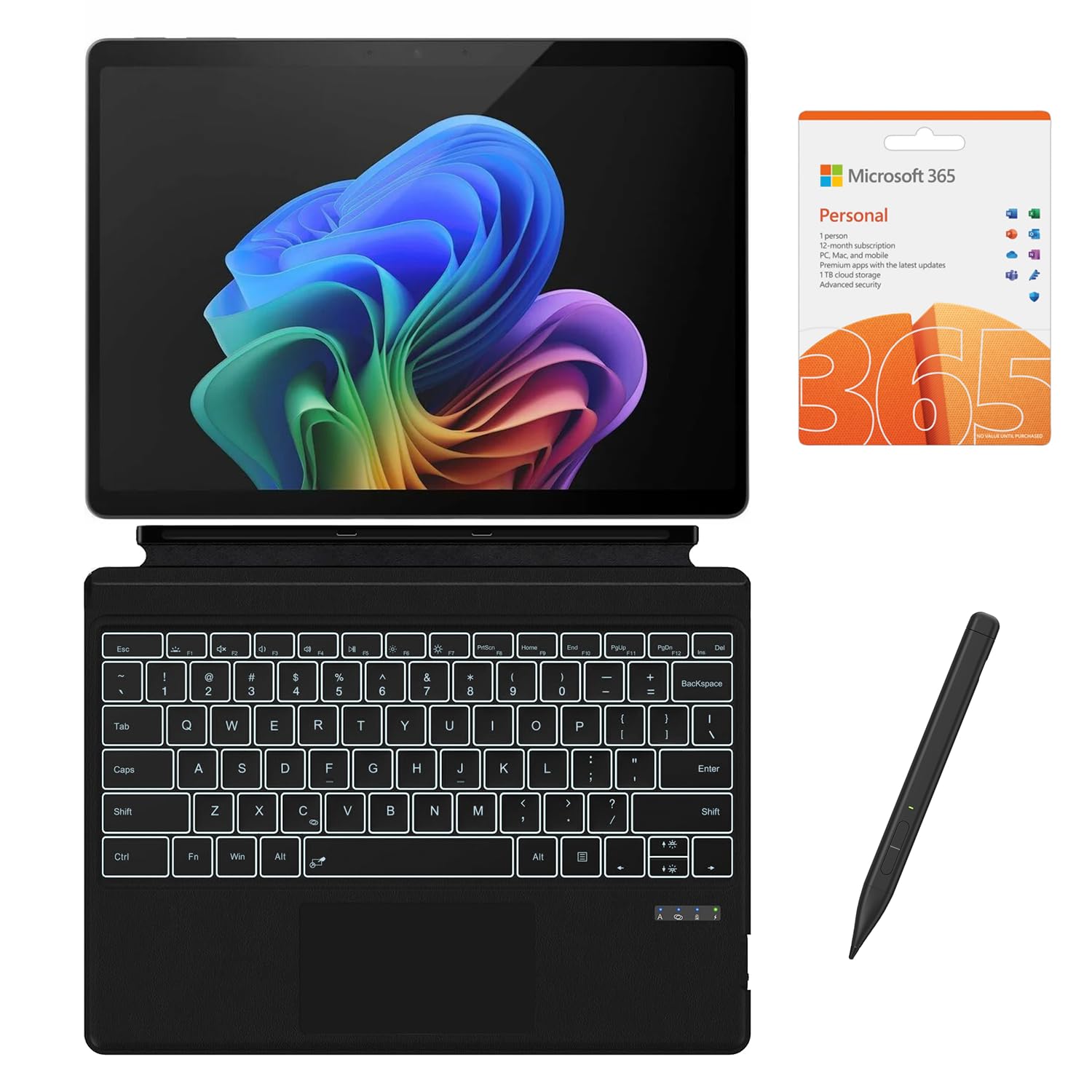
The top-spec Surface slate with a 2TB drive, OLED screen, keyboard, and stylus in one box.
This is the everything-included version of the Surface Pro, aimed at creators who want the best screen and the most storage without hunting for accessories. The 13-inch PixelSense Flow OLED display runs 2880×1920 with a 1M:1 contrast ratio and a dynamic 120Hz refresh rate, so blacks stay deep and motion stays smooth. A 12-core Snapdragon X Elite chip with a 45 TOPS NPU drives the Copilot+ features, paired with 16GB of RAM and a huge 2TB SSD. An AI-enhanced Surface Studio Camera with automatic framing keeps you centered on calls.
The bundle is the appeal: a CyberGeek backlit keyboard and stylus are included, along with a 12-month Microsoft 365 Personal subscription and Windows 11 Pro. The OLED panel is the clear highlight, making photos, video, and artwork look rich and detailed. Battery is rated up to 14 hours, matching the lighter Surface Pro’s figure. For a designer or editor who lives in Creative-style apps, the combination of screen and storage is hard to find in one thin slate.
The risk is the accessories and the track record. The included keyboard and stylus are third-party items, and the stylus has drawn complaints about not registering pressure, which guts its usefulness for sketching. A keyboard arrived with something loose rattling inside, and one unit’s keyboard simply would not work. Most of the buyer feedback centers on the tablet itself being excellent, but the bundle pieces are where this deal wobbles. Check every accessory within the return window.
The standout spec: a 2880×1920 OLED at 120Hz paired with 2TB of storage is exactly the setup a creator wants, and the 12-core Snapdragon X Elite keeps it responsive.
The thing to verify: test the stylus and keyboard immediately — the third-party accessories are the weak link.
Best for: creators who want the OLED screen, huge storage, and accessories all bundled.
Hesitate if: you need a guaranteed-quality branded stylus for serious sketching.
Know the Specs
NPU and TOPS
An NPU is a small chip inside the processor built to run AI tasks locally rather than over the internet. Its speed is measured in TOPS, or trillions of operations per second. A higher TOPS number means faster on-device AI features, like live captions or image tools, without sending your data to a server. You will see figures like 50 TOPS on some machines and 45 TOPS on others, both focused on accelerating Copilot-style tools.
Refresh rate in Hz
Refresh rate is how many times per second the screen redraws, measured in hertz. A 60Hz panel refreshes 60 times, while a 120Hz panel refreshes twice as often, so scrolling and dragging windows look smoother and less blurry. Budget slates often run 60Hz, and premium machines push to 120Hz. If you sketch or scroll a lot, the higher rate feels noticeably better.
RAM versus SSD
RAM is the quick workspace open apps use, and SSD is the permanent drive where files sit. 16GB of RAM keeps multiple programs and browser tabs open without slowdown, while 8GB suits simpler tasks. The SSD size decides how many programs and files you can store, and 512GB holds a solid working set while 2TB leaves room for large media projects. Clear the two roles and choosing gets easy.
Detachable versus 360-degree hinge
A detachable design lets you pull the screen clean off and use it as a standalone tablet, then clip the keyboard back on for typing. A 360-degree hinge keeps screen and keyboard joined and folds the whole thing flat, tent-style, or into tablet mode. Detachables tend to be lighter in tablet form, while 360 hinges feel sturdier. Which one fits you depends on whether you sketch or type most.
Common Questions
Do PC tablets run full desktop Windows programs like Excel or Photoshop?
Is a 16GB RAM PC tablet enough for heavy multitasking?
Do these tablets come with a keyboard and stylus in the box?
How much battery life should I expect from a PC tablet in real use?
What is the difference between an Intel chip and a Snapdragon chip in a Windows tablet?
Can I add more storage to a PC tablet later?
Is a high-resolution screen worth it on a tablet this size?
Are renewed tablets like the Dell Latitude a safe buy?
Which PC tablet is best for drawing and note-taking?
Can a 10-inch Windows tablet replace a full laptop?
The Bottom Line
For most people, the pc tablets winner is the HP OmniBook X Flip because its 16-inch touchscreen, 16GB of memory, and up to 21 hours of battery cover work, art, and entertainment in one folding body. If portability tops your list, the LG gram 14 2-in-1 gives you a 72Wh battery (watt-hours, a measure of battery capacity) and a bundled Wacom stylus (a pen for drawing on the screen) in a machine you barely feel in a bag. And for dual-screen multitasking, the ASUS Zenbook Duo is the one to reach for. If you want a rugged tablet that survives a jobsite, the Fusion5 has the shockproof build and accident coverage to match. The HP holds the highest score of the group at 4.5+ stars, and it earns that standing on the strength of its performance — a genuinely capable machine at a fair price, and one worth moving on while the 200+ ratings still reflect that strong record.
How we choose
We do not accept paid placement. Every pick is matched to a real buyer and a real use-case; we do not hands-on test units.
Sources
Specifications: manufacturer listings and product documentation. Review insights: verified customer reviews, as of October 2026. Pricing: not shown on this page (it changes often); check the current price via the retailer link.
As an Amazon Associate, Aappliancez earns from qualifying purchases. This does not affect which products we feature.