Disclosure: Some links in this post are affiliate links. As an Amazon Associate I earn from qualifying purchases, at no extra cost to you. Learn more
Specs are compiled from manufacturer listings and verified buyer reviews and can change over time — please confirm the key details on the product page before buying.
VR fails in one specific way: the moment a headset drops a frame, your stomach lurches and the room spins. That is why the graphics card’s video memory matters more here than raw clock speed. A card with plenty of VRAM (the short-term workspace that holds every texture the headset shows) keeps both eye screens fed without stutter, and 16GB is the number that lets you push a modern headset without compromises.
This guide is built by comparing the manufacturers’ published specifications and the patterns across verified customer reviews, so you get each pick’s real strengths and trade-offs instead of marketing spin.
You will see which desktops carry a 16GB graphics card, which ones run cooler and quieter under load, and where the honest limits sit. Here is the practical read on the best PC for VR Gaming.
Top Picks



How To Choose The Best PC for VR Gaming
A headset asks your desktop to render two slightly different images, one per eye, at a locked framerate. That is roughly double the work of a flat monitor at the same resolution, and it never lets up. Get the priorities right and you avoid the one mistake that ruins VR: buying a machine that looks fast but runs out of graphics memory mid-session.
Graphics memory is the first number to check
Video memory holds the textures and geometry your headset needs on every frame. A 16GB card has room to spare for a demanding VR title and a second monitor. An 8GB card fills up, and when it does, frames arrive late — which in a headset feels like the world lagging behind your head.
Single-core CPU speed keeps tracking stable
VR runs a tight loop between your headset’s motion sensors and the game engine. A processor that boosts high on a single core keeps that loop snappy. Look at the maximum turbo speed rather than the core count, because most VR titles lean on a few fast cores, not many slow ones.
Cooling and fan noise matter more than you think
You wear the headset, so the tower sits close by. A machine with a liquid cooler and quiet fans fades into the background. An air-cooled box that ramps up under load becomes a constant hum in your ear during a long session.
Leave room to upgrade later
Headsets and game engines get heavier. A case with tool-less access and a power supply with headroom lets you drop in a stronger card later instead of replacing the whole desktop. A 650W or 850W Gold-rated supply gives you that breathing room.
Side-by-Side Comparison
| Model | Best For | Graphics Card | Video Memory | System RAM | Amazon |
|---|---|---|---|---|---|
| Skytech Gaming PC Desktop (Ryzen 7 9850X3D) | Best overall for VR | Radeon RX 9070 XT | 16 GB | 32 GB DDR5 | Amazon |
| ASUS ROG G700 | Quiet premium all-rounder | GeForce RTX 5070 | — | 32 GB DDR5 | Amazon |
| Lenovo Legion Tower 5i | Long sessions, low noise | GeForce RTX 5070 Ti | 16 GB | 32 GB DDR5 | Amazon |
| The Horizon Autherium Dragon RGB | Storage and RAM headroom | GeForce RTX 5070 OC | 12 GB | 64 GB | Amazon |
| iBUYPOWER Element | Mainstream gaming and VR | GeForce RTX 5070 | 12 GB | 32 GB DDR5 | Amazon |
| KOTIN Prebuilt Gaming PC | The built-in status screen | GeForce RTX 5070 | 12 GB | 32 GB DDR5 | Amazon |
| STORMCRAFT Sirius | Creator work plus VR | RTX 5060 Ti | 16 GB | 32 GB DDR5 | Amazon |
| MSI Codex Z2 | High-refresh flat gaming too | GeForce RTX 5070 | 12 GB | 32 GB DDR5 | Amazon |
| CyberPowerPC (i7-14700F) | First-time buyers | RTX 5060 Ti | 8 GB | 16 GB DDR5 | Amazon |
| Alienware Aurora | The commanding chassis | GeForce RTX 5070 | — | — | Amazon |
| Thermaltake LCGS View | Airtight build quality | GeForce RTX 5060 | 8 GB | 16 GB DDR5 | Amazon |
| WIWB Ryzen 7 5700X | Tightest budget build | GeForce RTX 5060 | 8 GB | 16 GB | Amazon |
| NOVATECH Titan Pro | Entry-level VR starting point | Nvidia RTX 5060 | 8 GB | 16 GB DDR4 | Amazon |
Detailed Reviews
1. Skytech Gaming PC Desktop
Two eye screens worth of memory and a cooler that never quits.
The 16GB of GDDR6 on the Radeon RX 9070 XT is the reason this machine sits at the top for VR. That is a dedicated pool of fast memory built into the graphics card, and it holds the texture data both headset lenses need on every frame. Compare it to the 8GB card in the NOVATECH Titan Pro and the gap is obvious: double the graphics memory means room for a demanding VR title without the frame drops that make you dizzy. The CPU runs a Ryzen 7 9850X3D with a 5.6GHz turbo boost — the short burst of speed a single core hits when it needs to catch up — against the 4.2GHz peak on the NOVATECH, a sizable jump that keeps the tracking loop tight.
Storage and memory are both generous. A 2TB Gen4 NVMe solid-state drive holds a full VR library with room to spare, which is twice the 1TB inside the ASUS ROG G700. The 32GB of DDR5 RAM at 5600 runs with a heat spreader, so the stick stays cool when you are running a game plus a browser plus recording software at once. Cooling is handled by a 360mm AIO, a sealed liquid loop with a large radiator that moves heat away from the processor without the drone of a big air tower.
The honest catch: a liquid loop and a big glass case mean this is a substantial tower, and the tempered glass wants a stable desk surface rather than a carpeted floor. The brand of the graphics card can vary between units, which the listing states plainly. Skytech backs the build with a one-year warranty on parts and labor and free technical support, and the machine arrives with keyboard, mouse, power cord, and start guide in the box. Owners regularly praise the gaming performance, the framerates in the hundreds on lighter titles, and the quick setup. It is the crowd favorite, with 4.0+ stars across 1,100+ owners.
Where it wins
- 16GB of graphics memory — double the 8GB in the NOVATECH Titan Pro
- 5.6GHz turbo CPU boost against 4.2GHz on the NOVATECH
- 2TB Gen4 NVMe drive, twice the capacity of the ASUS ROG G700’s 1TB
- 360mm liquid cooler keeps the processor away from thermal throttling
Where you compromise
- Graphics card brand varies by unit, as the listing notes
- Full tempered-glass mid-tower takes real desk space
- Liquid cooling is one more part to keep an eye on long term
The right buyer: anyone who wants a VR machine that will not choke on the next headset generation, backed by 16GB of graphics memory.
The trade-off to accept: it is a big glass tower that needs stable placement, and the GPU make can differ from unit to unit.
2. ASUS ROG G700 Gaming Desktop PC
The tower that fades to a whisper while the world spins around your head.
Wear a headset for an hour and you notice every fan. The G700 answers with a quad-fan system plus a 240mm liquid cooler, and owners consistently put the fan noise at the front of the conversation — several describe it as among the quietest they have owned. The chassis helps: a dual-glass design with a 58L capacity that leaves room for a triple-slot graphics card, so you are not fighting for space if you swap hardware later.
Under the glass sits an Intel Core Ultra 7 265KF paired with an NVIDIA GeForce RTX 5070 and 32GB of DDR5. The 32GB matches what the Skytech offers, though the storage is 1TB against the Skytech’s 2TB, so you will fill it faster if you keep a large library installed. Connectivity includes 2.5Gbps Ethernet and WiFi 6, plus Dolby Atmos audio and AI noise cancellation for voice chat. Tool-less access means a graphics card swap is a screwdriver-free job.
Buyers describe it running every game they own at 1440p on max settings with no complaints, and one owner summed up the whole machine neatly: “The look of the pc is excellent and it plays all my games 1440p max settings easy.I have zero complaints.” Fewer ratings sit behind it than the big-volume picks, so you are leaning on a smaller sample — but a strong one. It is the pick for someone who wants a premium tower that stays silent during a session. Be aware the graphics card memory figure is not published in the listing, so if a specific VRAM number is your deciding factor, the Skytech or the Lenovo is the surer bet.
Noise is the headline: a quad-fan setup and a 240mm liquid loop keep this tower below the hum threshold that makes a long headset session tiring.
Upgrade path: tool-less entry and a 58L chassis sized for triple-slot cards mean the next graphics upgrade is a ten-minute job rather than a rebuild.
Reach for this if a near-silent tower matters as much to you as raw frame rates.
Look elsewhere if you need published graphics memory figures before committing, or you want more than 1TB of storage out of the gate.
3. Lenovo Legion Tower 5i
A 16GB graphics card that shrugs off seventeen-hour marathons without breaking a sweat.
Here is the direct head-to-head that settles the premium argument. The Legion carries an NVIDIA GeForce RTX 5070 Ti with 16GB of graphics memory, matching the Skytech’s 16GB and sitting well ahead of the 12GB in the MSI Codex Z2 and the Horizon Autherium Dragon. For VR, that 16GB is the figure that decides whether a heavy title runs or stutters. The processor is an Intel Core Ultra 7 265F, and memory is 32GB of 5600MHz DDR5, expandable to 128GB if you ever need it.
Cooling is the second reason this one earns a premium label. Lenovo pairs an tune air-cooling solution rated to manage up to 180W with a chassis that stays cool and quiet even during very long play. Owners say it runs every game they throw at it flawlessly and holds up through 17 to 18 hour sessions. Fan noise barely registers under normal load, and it only becomes audible at full tilt. Connectivity runs 2.5G Ethernet and WiFi 6E — the newer wireless band that cuts congestion — plus a tool-less transparent side panel for easy upgrades.
You also get three months of PC Game Pass and EA Play in the box, which is a decent way to fill a new library. Two things to weigh: storage is 1TB, the same as the ASUS ROG G700 and half the Skytech’s 2TB, and the RAM is locked so you cannot overclock the memory kit past its rated speed with XMP. For VR, load times are already short on this SSD, so the storage point mostly matters if you hoard big titles. A strong balance of cooling, a 16GB card, and quiet operation for anyone planning marathon sessions.
The VR argument: 16GB of video memory on the RTX 5070 Ti — the same figure as the Skytech and above the 12GB MSI Codex Z2 — keeps twin eye displays fed.
What you give up: 1TB of storage and locked memory timings, so plan on adding a drive rather than relying on overclocking.
The match: buyers who want a 16GB graphics card and genuinely quiet cooling in one premium tower.
The mismatch: anyone who wants every last gigabyte of storage from the start or plans to overclock their memory.
4. The Horizon Autherium Dragon RGB I9 RTX Gaming PC

Sixty-four gigabytes of RAM and five terabytes of space for people who never close a tab.
If you run VR alongside a development environment, a video editor, and thirty browser tabs, the 64GB of RAM here is the reason to look. That is twice the 32GB most of the other towers ship with, and the listing is upfront about it — the page calls it double the high-end average. Storage totals 5TB: a 1TB NVMe drive that the listing rates up to 7000MB/s plus a 4TB 7200RPM hard drive, with a free M.2 slot and a spare hard-drive bay for growth. The graphics card is an RTX 5070 OC with 12GB, factory overclocked for steadier frame rates, and the processor is an open up Core i9.
Cooling is thorough: a 360mm liquid loop with the listing counting 11 fans across the build, plus ARGB lighting you can control through software. Support is where this pick punches above its tier. The listing backs it with a 3-year parts warranty and a 5-year labor warranty, and owners repeatedly describe the tech support answering almost immediately and walking through fixes patiently. One reviewer noted the team was quick to respond when a power supply issue came up and handled the diagnosis directly.
Two honest notes: a couple of owners found no power cable in the box, so check what ships before setup day. Its 4.5+ star rating is the highest in this group, though it rests on fewer owners than the volume sellers. Backed by a 3-year parts and 5-year labor warranty, with a chassis well stocked for expansion.
Room to grow
- 64GB of RAM, twice the 32GB in most towers here
- 5TB of total storage across a fast NVMe drive and a 4TB hard drive
- A spare M.2 slot and hard-drive bay for future expansion
- 3-year parts and 5-year labor warranty
What to plan around
- 12GB of graphics memory trails the 16GB options here
- No power cable in the box, per the listing and some buyers
- A large, heavy tower with eleven fans worth of cabling to manage
Made for: the multi-tasker who treats storage and RAM as the real ceilings on their work.
Think twice if: the VR headset is the only thing that matters and you want the largest video memory pool available.
5. iBUYPOWER Element Gaming PC Desktop

A Ryzen 9 that hits a 5.6GHz boost, paired with a 12GB card that handles most headsets.
The processor here is the story: an AMD Ryzen 9 7900X that boosts to 5.6GHz, matching the Skytech’s 5.6GHz peak and leading the 5.0GHz in the MSI Codex Z2. That matters for VR tracking loops, where snappy single-core response keeps latency low. The graphics card is an NVIDIA GeForce RTX 5070 with 12GB of GDDR7 — faster memory than the older GDDR6, and enough for most current headsets if you stay sensible with resolution settings. Memory is 32GB of DDR5 at 4800MHz with RGB, and storage is a 1TB NVMe drive.
What owners praise loudest is gaming performance, and it shows up in their frame-rate numbers across dozens of titles. Setup is described as genuinely plug-and-play, and the tower ships with a gaming keyboard and RGB mouse as part of the package. Cooling uses a liquid system, which keeps the Ryzen 9’s heat in check during long sessions. Six USB 3.1 ports and a gigabit Ethernet port round out connectivity, plus 802.11AC WiFi.
Weigh the trade-offs honestly. Storage at 1TB is the tightest in this bracket — a fraction of the 5TB in the Horizon Autherium Dragon — so VR libraries fill fast and a drive upgrade is likely. The tower is on the large side, and a few buyers call it slightly loud under heavy load. On memory speed, the 4800MHz kit is slower than the 5600MHz in the Skytech and ASUS. Still, as a mainstream all-rounder that handles gaming, VR, and school or work software, it is a solid pick for the money.
The CPU case: a Ryzen 9 7900X at 5.6GHz turbo makes this one of the snappiest towers here for the tight tracking loop VR needs.
The catch: 1TB of storage runs short once a VR library takes hold, so budget for a second drive.
Best fit for: gamers who split time between a headset and a high-refresh monitor and want one desktop for both.
Move on if: you already own a large game library and need more than a single terabyte from day one.
6. KOTIN Prebuilt Gaming PC
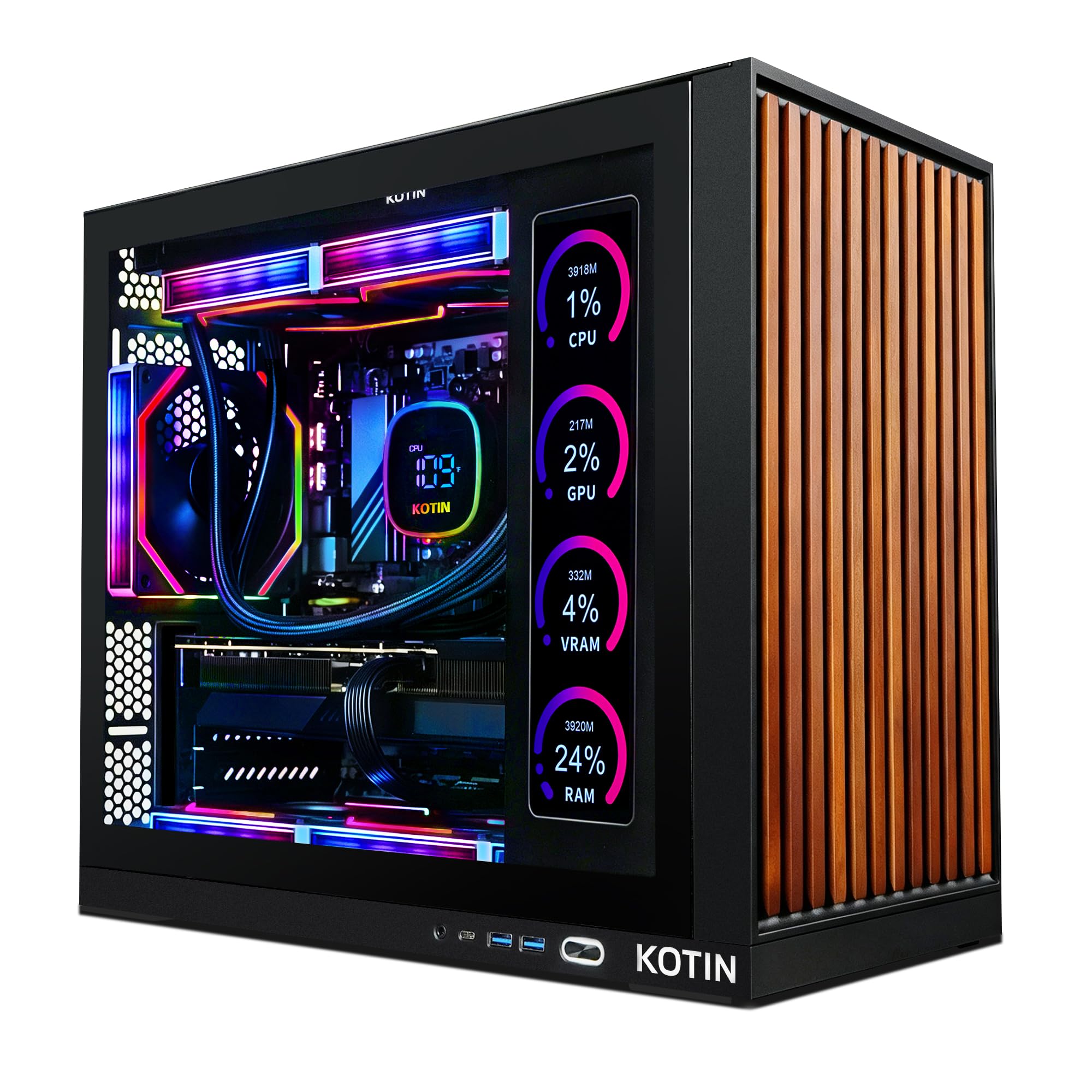
A built-in screen shows your temperatures while the headset is on your face.
The 11.3-inch smart display on the side of the case is a genuinely different idea. It shows real-time CPU and GPU temperatures, usage, and weather while you play — which is useful when you are inside VR and cannot glance at an overlay. The core hardware is no slouch either: an NVIDIA GeForce RTX 5070 with 12GB of GDDR7, an 8-core AMD Ryzen 7 9700X boosting to 5.5GHz, 32GB of DDR5 at 6000MHz, and a 1TB PCIe 4.0 NVMe drive. Power comes from an 850W 80 Plus Gold supply, and cooling from a 360mm liquid loop.
Connectivity includes WiFi 7, the newest wireless standard, which helps if you stream a headset wirelessly. Owners describe it staying cool and quiet under load, and setup being a quick job. Frame rates on lighter titles run high — Apex Legends at around 240 fps appears in owner reports. The side display gets praise for being both useful and space-saving, and the wood-texture front panel is the kind of detail people notice.
Some clear caveats. A few buyers report crashes, and the display quality gets mixed reactions — a small number of the status-screen features can feel limited in personalization. One fan running noisy enough to warrant replacement appears in more than one account. Memory lighting: the RAM does not light up even though it looks like it might. If you buy, plug your monitor into the graphics card ports on the lower back row, not the motherboard ports above, or you get no picture at all. It is a distinctive pick for people who want to see their system’s vitals without leaving VR.
Standout feature: the 11.3-inch smart display surfaces CPU and GPU temperature and usage in real time — a real convenience when you are mid-VR.
Honest limits: a fan running loud enough to need replacing shows up in more than one owner report, and the status screen’s personalization options are limited.
The one to choose if: the built-in status screen genuinely appeals and you want a 32GB DDR5 machine with a 360mm cooler.
Better to pass if: you want a spotless reliability record and will not tolerate a noisy fan that may need swapping.
7. STORMCRAFT Sirius Gaming PC
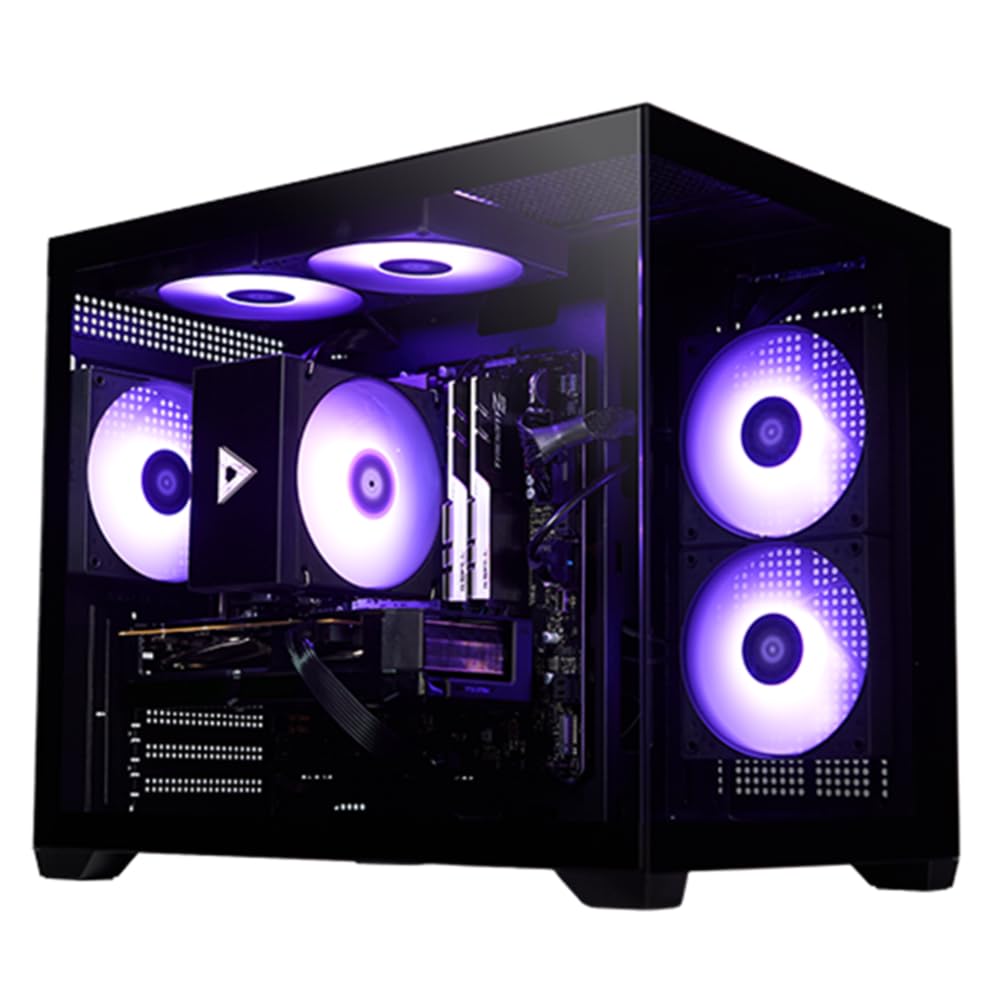
Sixteen gigabytes of the newest GDDR7 memory on a card built for VR and rendering alike.
VRAM and VR are the two things the listing leads with, and the numbers back it. The RTX 5060 Ti carries 16GB of GDDR7 — the next generation of graphics memory — which matches the Skytech and Lenovo at 16GB and doubles the 8GB in the CyberPowerPC. That headroom is what keeps a headset fed when a scene gets busy. The processor is an Intel i7-14700F with 20 cores and 28 threads boosting to 5.4GHz, backed by 32GB of DDR5 at 6000MHz and a 2TB NVMe 4 SSD. Power comes from a 650W Gold-certified supply.
Cooling includes five ARGB adjustable fans, and owners describe the tower running quietly. The included wireless card is worth keeping an eye on — one owner had it fail within a year — but most report stable performance over weeks of use. The keyboard and mouse that ship with it have a solid, lit feel, and setup walks you through onscreen instructions. This is a good fit for anyone who renders, edits, or does 3D work between VR sessions.
The CPU single-core gap is worth noting: at 5.4GHz max turbo, this trails the 5.6GHz in the Skytech and the 5.6GHz iBUYPOWER. For pure VR it is fine, but a faster single core gives a little more margin on tracking. Buyer feedback puts performance and value at the top of the pile, and its 4.5+ star rating on a smaller pool of owners still reads as a very solid choice. The 16GB GDDR7 card and 2TB drive are the numbers that matter here.
The VRAM edge: 16GB of GDDR7 matches the best graphics-memory figure here and leads the 12GB and 8GB cards.
The headroom: a 2TB NVMe 4 drive matches the Skytech’s 2TB and doubles the 1TB on most towers in this group.
Suits: the buyer who wants a 16GB card, a 2TB drive, and enough CPU muscle for editing as well as VR.
Skip the switch if: you want the absolute highest single-core boost speed, where the Skytech and iBUYPOWER lead slightly.
8. MSI Codex Z2 Gaming Desktop

Eight cores at 5.0GHz and a 12GB Blackwell card for smooth frame pacing.
The MSI Codex Z2 runs an 8-core, 16-thread AMD Ryzen 7 8700F that boosts to 5.0GHz, paired with an NVIDIA GeForce RTX 5070 on the Blackwell architecture. That is the current generation of graphics silicon, and it brings real gains in ray-traced lighting — the reflections and shadows that VR scenes lean on to feel real. Graphics memory is 12GB, which handles most headsets with care but trails the 16GB in the STORMCRAFT and Skytech. Memory is 32GB of DDR5, storage is 2TB, and cooling uses an ARGB air cooler backed by four system fans: three intake in front, one exhaust at the rear.
Owners mention pushing Fortnite, Battlefield, PUBG, and Marvel Rivals above 200 fps while streaming., with easy alt-tabbing between a game and a browser. Setup is short, the case has room for easy RAM upgrades, and airflow keeps temperatures in check. The RGB lighting cycles through options with a button on the case, or through MSI Center if you want finer control. A keyboard and mouse come in the box.
Two things to know. Sleep and wake behavior is a real gripe for some owners — a few report the machine waking or refusing to shut down cleanly, so a firmware update may be on your to-do list. Others describe a WiFi driver that needed reinstalling. Neither makes this a bad machine, but it means allowing an evening to sort the software housekeeping. Otherwise, the combination of 8 cores, 12GB of GDDR7-class graphics memory, and 2TB of storage is a strong balance for someone who plays both flat and VR.
What plays out well
- 8 cores and 16 threads at 5.0GHz for multitasking and streaming
- Blackwell-generation RTX 5070 for ray-traced lighting
- 2TB of storage matches the Skytech and doubles most 1TB builds
- Four case fans with front intake and rear exhaust
What needs a moment
- 12GB of graphics memory trails the 16GB builds here
- Some units need sleep and wake settings sorted out
- WiFi sometimes needs a driver reinstall to settle
Choose it for: the balance of 8 CPU cores, next-gen graphics, and 2TB of storage at a mainstream tier.
Consider the alternative if: you want to avoid any software housekeeping and prefer a machine that boots straight into a clean run.
9. Alienware Aurora Gaming Desktop

A matte basalt-black chassis that earns its place on the desk, not under it.
The look is the point, and the Aurora leans into it with a matte basalt black finish and customizable AlienFX lighting zones, including stadium-style lighting on the case. Inside runs an NVIDIA GeForce RTX 5070 on the Blackwell architecture and an Intel Core Ultra 7 265F that boosts to 5.3GHz, backed by a large 66MB cache. Memory and storage figures are not published in the listing, so if those are your deciding numbers, the Skytech or STORMCRAFT are clearer reads. Dell includes a year of onsite service, meaning a technician comes to you if warranty work is needed.
Owners describe it as quiet and cool under load, and the fan noise stays low enough to fade out during a headset session. The Alienware Command Center software lets you switch performance modes and set per-game profiles across your library. Buyers who run it on high settings report strong results, and the small form factor keeps it from swallowing the desk.
The honest catch: a few buyers flag that the spec sheet listed a DVD optical drive and other features that were not accurate for the shipped unit, and the power supply has raised questions — some owners swap in a higher-wattage unit to run a demanding card. That is a real setup consideration if you plan to push graphically heavy VR. If you love the design language and want a strong warranty, this is a striking option. Treat the spec sheet with a dose of caution and confirm details before you order.
Style and service: the AlienFX lighting zones and stadium-style case lighting make this the most design-forward tower here, and Dell’s onsite service is genuinely convenient.
The one to verify: the power supply rating and the accuracy of the published feature list deserve a close check before you commit.
Worth it when: the design language and included onsite service matter as much as the hardware inside.
Not the safest pick if: you want every spec verified on the page and will not tolerate a mismatch between the listing and the shipped unit.
10. CyberPowerPC Gaming PC

Twenty CPU cores and an easy start for a first-time setup.
For a first VR machine, this is a sensible starting point. The Intel Core i7-14700F brings 20 cores at 2.1GHz with an Intel B760 chipset, and the graphics card is an RTX 5060 Ti with 8GB of GDDR7 memory. That 8GB is the number that matters: it matches the NOVATECH Titan Pro and the Thermaltake at 8GB, and it is enough for a current headset on moderate settings. If you want to push resolution or future-proof further, the 16GB STORMCRAFT and Skytech are worth the extra. Memory is 16GB of DDR5, storage is 1TB PCIe 4.0, and connectivity includes a USB-C 3.2 port, three USB-A 3.2 ports, four USB-A 2.0, WiFi 6, and Bluetooth 5.3.
Owners call out performance above all, with setup described as easy and ready to go from the start. The tempos are steady in lighter titles, and it runs quietly even under heavier loads. A white tempered-glass case with custom RGB lighting and a keyboard and mouse in the box round it out. The one-year parts and labor warranty pairs with free lifetime tech support.
Two things to weigh before you buy. Some owners find 16GB of RAM short for heavier modern games on high settings, so a RAM upgrade is a likely step. And a small number report that their unit needed troubleshooting early — a loose heatsink fan in shipping, or a boot problem that required RAM reseating. Those are the exceptions, not the rule, but they underline that even good prebuilts occasionally need a first-week adjustment. If you want a low-effort entry point into VR without overspending, this is a reasonable place to start.
Easy entry: 20 CPU cores and a 1TB PCIe 4.0 drive make this a straightforward first setup with minimal fuss.
Plan the upgrade: 16GB of RAM is the figure owners most often say runs out on heavier titles, so budget for a second kit.
A fit for: a first-time VR buyer who wants a clean, easy boot and will upgrade RAM later.
Better to look on if: you want 32GB of memory and a 16GB graphics card from the start without a first-week parts swap.
11. Thermaltake LCGS View Gaming Desktop

An air-cooled tower with a case people keep mentioning before anything else.
Build quality is the thing this Thermaltake gets praised for, and the hardware inside explains why buyers keep saying so. An Intel Core i5-14400F sits on an Intel B760 motherboard, paired with 16GB of DDR5 at 6000MT/s and a 1TB NVMe M.2 drive. The graphics card is an NVIDIA GeForce RTX 5060 with 8GB of memory — the same figure as the NOVATECH Titan Pro and the WIWB, and enough for a headset at sensible settings. An ARGB tower air cooler handles the processor, and the case supports vertical radiator mounting with a filtered side vent.
The case is a cluster of practical touches: two USB 3.0 ports up front, a headphone jack, a mic jack, and a power-supply cover with a filtered vent. Owners describe the inside as easy to get into, which is more than some bigger-name builds manage. The fans stay near silent, and there is space to add a 3.5-inch hard drive and a 2.5-inch SSD later. It ships with WiFi and Windows 11 installed.
Two caveats worth sizing honestly. The power supply is rated at 600W, which some customers note is on the lean side if you ever want a more powerful graphics card, so an upgrade would mean swapping the PSU too. And no keyboard or mouse comes in the box — a couple of buyers were caught out by that, so plan to supply your own. Reliability draws mixed reactions: most machines run without a fuss, but a small number of units arrive with problems. As a compact, quiet, well-built VR starter with room to grow, it holds its own.
The build earns the praise: a filtered PSU cover, near-silent fans, and tool-friendly access inside a compact case.
The two snags: a 600W supply limits how far you can upgrade the graphics card, and no keyboard or mouse is included.
The match: buyers who value a tidy, quiet, well-assembled case they can open and add drives to without fuss.
The mismatch: anyone planning a big graphics-card upgrade later, since the 600W supply would need replacing first.
12. WIWB Gaming PC Desktop
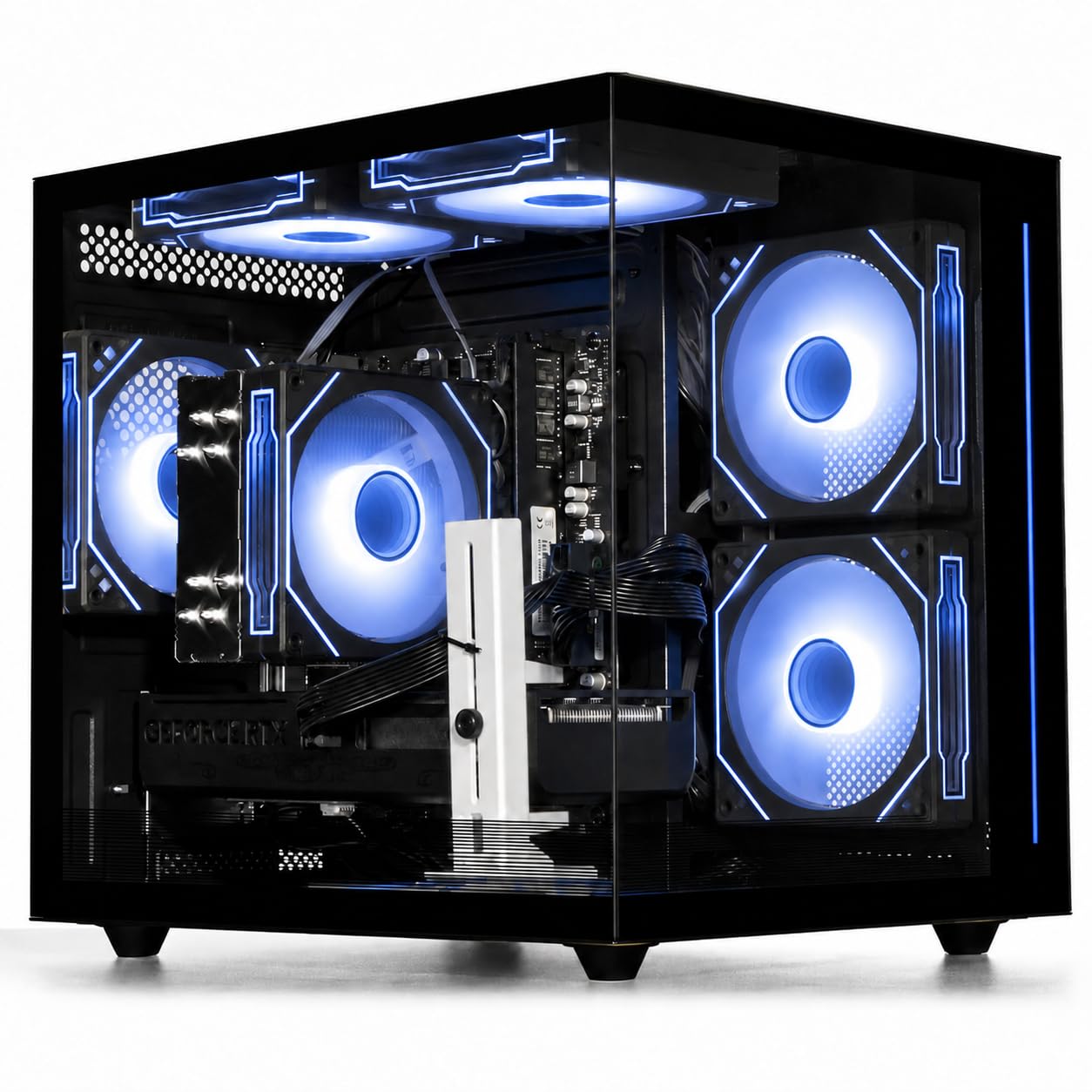
Four RGB fans behind tempered glass, aimed at 1080p play on a tight budget.
The Ryzen 7 5700X here boosts to 4.6GHz, and the RTX 5060 carries 8GB of graphics memory. That 8GB matches the CyberPowerPC and Thermaltake builds, and it suits a headset played at lower settings. Memory is 16GB, storage is a 1TB NVMe drive, and the case shows off four customizable RGB fans behind three tempered-glass panels. Connectivity includes three DisplayPort plus one HDMI for multi-monitor setups, three USB 3.0 ports, and eight USB 2.0 ports.
The cooling is air-based with that bank of RGB fans, and owners describe the tower as quiet in day-to-day use. The design ships fully assembled and tested, and the upgrade path stays open. Parent reviewers point out it works well as a first gaming computer for a kid, which fits the profile of an entry-level machine.
The honest limits to note. 8GB of graphics memory is the number worth watching: a demanding VR title at high settings will push it, and a future graphics-card upgrade is the sensible path. There is no sleep setting — the machine is either on or off, which a couple of owners flag. And a few units arrive dead on arrival, though those get caught and returned. For the budget end of VR, this one does the job without demanding a premium outlay.
Where the value sits: a 1TB NVMe drive, a Ryzen 7 5700X, and four tempered-glass-fronted RGB fans at the entry tier.
Plan around: 8GB of graphics memory and no sleep state, so treat the card as a mid-term upgrade rather than a long-term one.
A fit for: a first VR setup or a kid’s first gaming tower where 1080p play is the realistic target.
Look on if: you want to run a headset at high settings today or need the machine to sleep on a schedule.
13. NOVATECH Titan Pro Prebuilt Gaming PC

The tower that names VR on the box and backs it with a one-year warranty.
The listing calls out VR directly, which is where the Titan Pro starts. An NVIDIA RTX 5060 with 8GB of graphics memory handles 1440p play and streaming, and the AMD Ryzen 5 5500 runs at a 4.2GHz maximum — the lowest clock in this group, next to the Skytech’s 5.6GHz and the iBUYPOWER’s 5.6GHz. Memory is 16GB of DDR4, storage is a 1TB M.2 SSD, and the case has RGB fans with a tower design. The operating system is Windows 11 Pro, and the build carries WiFi and Bluetooth.
Owners praise the performance here — the smooth 1440p play and the way the machine handles multitasking come up again and again, alongside build quality and value. Setup is quick, and the SSD loads far faster than the hard drive it replaces. The bundling of WiFi and Bluetooth in one tidy tower keeps the desk uncluttered. A one-year warranty backs the build, with a support team that owners describe as respectful and helpful.
The gap is the CPU: a 4.2GHz maximum turbo is the figure that limits headroom for the tight VR tracking loop over time, and the RTX 5060’s 8GB of graphics memory is the tightest in this group. Both make this an entry point rather than a future-proof pick. There is also a pattern of dead-on-arrival units, though the returns process works — the listing’s own support steps get a unit replaced with a same-spec machine. For a first VR setup with a clear ceiling, the Titan Pro is the budget-friendly option.
Why it works for a start
- Listing names VR readiness outright
- 1TB M.2 SSD loads far faster than a mechanical drive
- Owners praise the smooth 1440p play and multitasking
- One-year warranty and a support team buyers call helpful
Where the ceiling sits
- A 4.2GHz CPU max is the lowest clock speed here
- 8GB of graphics memory is the tightest in this group
- Some units arrive dead on arrival, though replacements are handled
The fit: a first-time VR buyer who wants a warrantied entry point and will accept the ceiling of an 8GB card.
The misfit: anyone planning to push a demanding headset at high settings or wants headroom for years of software growth.
Know the Specs
Video memory (VRAM)
A graphics card’s own pool of fast memory, separate from system RAM. In VR, it holds the textures and shape data both headset lenses need on every frame. When it fills, frames arrive late and your view lags behind your head — the source of motion sickness for many people. That is why 16GB cards have more room to maneuver than 8GB or 12GB ones on a demanding title. Choose a 16GB card if you plan to keep a headset for years; an 8GB card is fine for moderate play at lower settings.
CPU turbo speed
The maximum speed a processor’s core hits when it needs to catch up, measured in gigahertz. VR runs a tight loop between your headset’s motion sensors and the game, and that loop leans on a few fast cores rather than many slow ones. A 5.6GHz peak gives more margin than a 4.2GHz one. Core count still matters for streaming and editing in the background, so a machine with both high core count and a strong peak covers more ground.
Cooling and fan noise
A liquid cooler uses a sealed loop that carries heat to a radiator; an air cooler uses a metal tower and a fan. Both work. The difference you notice is noise, because the tower sits close while the headset is on your face. A 240mm or 360mm radiator with quiet fans keeps the room calm during a long session, while a smaller air cooler may ramp up under load. Check whether the listing names a radiator size if low noise is a priority.
Storage speed and capacity
An NVMe solid-state drive connects straight to the motherboard and loads games in seconds instead of minutes. Capacity is the other half of the equation: VR libraries grow fast, with each title often larger than a flat game. 1TB is a sensible floor, and 2TB or more gives breathing room. A Gen4 drive is the current standard, and a second M.2 slot on the motherboard makes later expansion a simple job rather than a rebuild.
Common Questions
How much graphics memory do I need for VR gaming?
Can a prebuilt gaming PC handle VR from the start?
Is 16GB of system RAM enough for VR?
Does CPU speed matter as much as the graphics card for VR?
How much storage does a VR library need?
Will a liquid cooler make my VR PC quieter?
Are headset ports different between AMD and NVIDIA graphics cards?
Can I upgrade a prebuilt PC later for a newer headset?
Do I need a monitor if I only use the PC for VR?
Is 8GB of graphics memory enough for modern VR titles?
The Bottom Line
For most people shopping for the best pc for vr gaming, the pick is the Skytech Gaming PC Desktop, because its 16GB Radeon RX 9070 XT graphics card feeds both eye displays without running out of memory, and the 360mm liquid loop keeps it cool through long sessions. If you want a premium tower that stays near-silent, grab the Lenovo Legion Tower 5i and its 16GB RTX 5070 Ti. And for someone who runs VR alongside heavy editing and keeps every tab open, the The Horizon Autherium Dragon RGB and its 64GB of RAM is the one to reach for — and its 4.5+ star rating is the strongest score in this group.
How we choose
We do not accept paid placement. Every pick is matched to a real buyer and a real use-case; we do not hands-on test units.
Sources
Specifications: manufacturer listings and product documentation. Review insights: verified customer reviews, as of October 2026. Pricing: not shown on this page (it changes often); check the current price via the retailer link.
As an Amazon Associate, Aappliancez earns from qualifying purchases. This does not affect which products we feature.