Disclosure: Some links in this post are affiliate links. As an Amazon Associate I earn from qualifying purchases, at no extra cost to you. Learn more
Specs are compiled from manufacturer listings and verified buyer reviews and can change over time — please confirm the key details on the product page before buying.
A pay-as-you-go hotspot is the simplest way to get internet without signing a two-year phone contract. You buy the little router once, add data when you need it, and stop paying when you do not. The catch most buyers hit is that not every hotspot accepts every SIM card, and some demand a data-only plan rather than the phone plan already in your pocket. Below you will find seven devices that work on this model, ranked by how well they actually behave in the real world — starting with the one I would hand a friend first.
This guide is built by comparing the manufacturers’ published specifications and the patterns across verified customer reviews, so you get each pick’s real strengths and trade-offs instead of marketing spin.
Some run on a battery you can replace, some need a USB port, and one is a travel router rather than a true cellular hotspot — a difference that matters a lot before you buy. Here is the honest breakdown of every pay as you go mobile hotspot worth considering for your bag.
Top Picks

How To Choose The Best Pay as You Go Mobile Hotspot
The device is only half the purchase. The other half is the SIM card and the plan that feeds it, and getting that pairing wrong is the single most common reason a new hotspot sits in a drawer. Before you compare speeds or battery figures, work out what plan you can actually buy for the places you go.
Check the SIM situation before anything else
A hotspot is a radio that turns a cellular signal into Wi-Fi. Without a SIM card it does nothing. Some units ship with a SIM already inside and a small trial allowance of data, which means you can switch on and test coverage the day it arrives. Others arrive empty and expect you to supply a nano SIM. The important detail is the plan type: many hotspots need a data-only plan, not the voice-and-data plan in your phone. A phone SIM dropped into a hotspot can fail to broadcast at all.
Carrier lock is the second trap. A unit built for one network will not accept a rival’s SIM, no matter how good the signal is where you live. Read the listing for which carriers it names, and match that to the coverage map where you actually travel.
Decide if you want a battery or a USB plug
A battery hotspot gives you a pocketable Wi-Fi bubble for hours away from an outlet, and the capacity in mAh is the number to compare. A USB-powered hotspot has no battery to die — you plug it into a laptop, a car charger or a power bank and it draws its power from there. Neither is better; they suit different trips. A road-tripper who charges from the car every day can live happily with a USB puck, while someone hiking into a cabin wants a battery inside the unit.
Match the connected-device count to your group
Every hotspot caps how many gadgets can join at once. The spread here runs from 10 devices up to 16. A solo remote worker will never notice the ceiling; a family of four with phones, tablets and a laptop will hit a 10-device limit fast. Pick a number above your realistic headcount rather than exactly at it.
Side-by-Side Comparison
| Model | Best For | Claimed Download Speed | Connected Devices | Battery | Amazon |
|---|---|---|---|---|---|
| NETGEAR Mobile WiFi Hotspot AC797-100NAS★ Best Overall | Everyday backup and travel | 400 Mbps | Up to 15 | 2930 mAh, up to 11 hrs | Amazon |
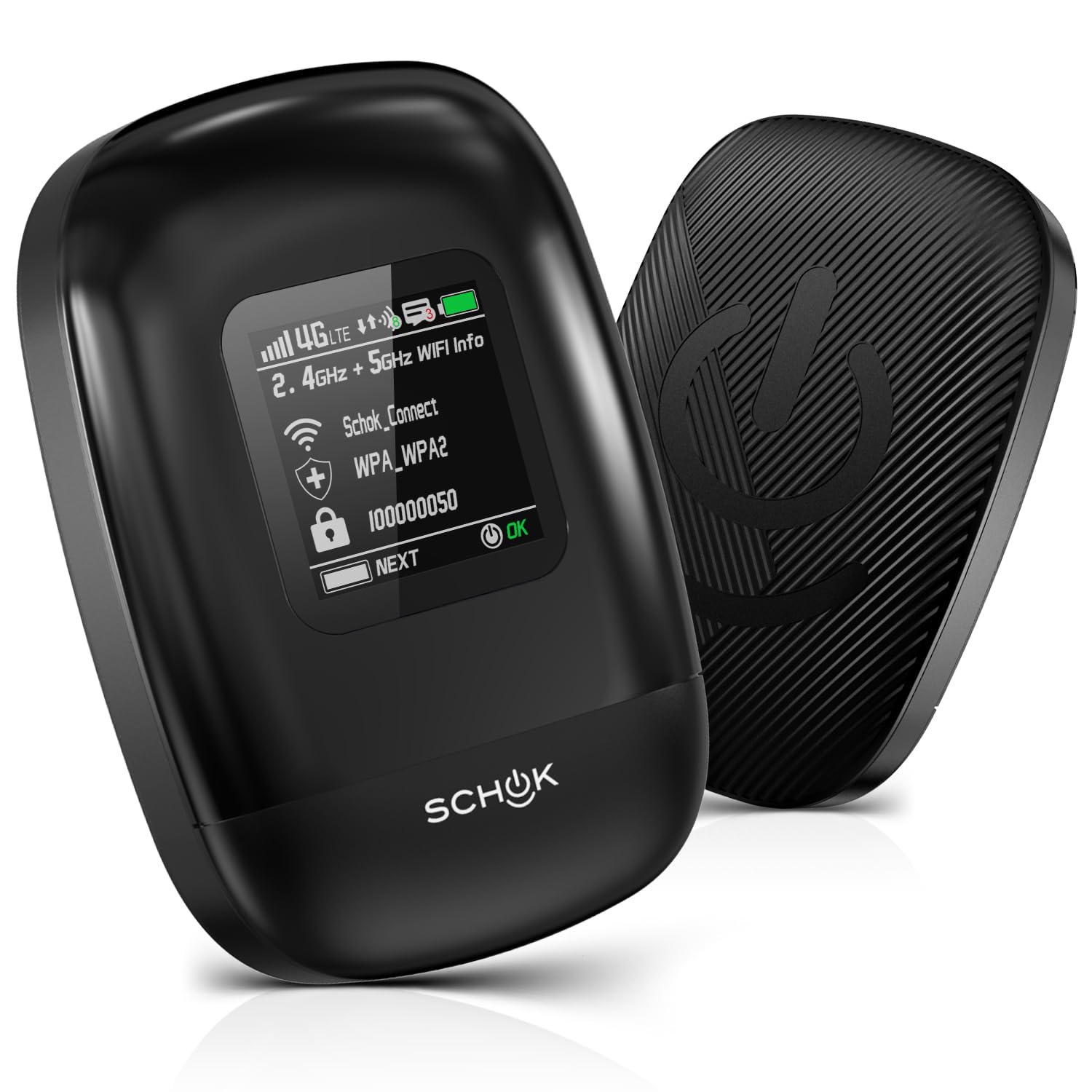
| SCHOK 4G LTE Portable WiFi Cat 12Fastest Pick | Big groups and heavy streaming | 600 Mbps | Up to 16 | 4000 mAh, removable | Amazon |
| TP-Link Roam 6 AX1500 | Hotel Wi-Fi privacy | 1500 Mbps Wi-Fi 6 | Not stated | None — USB-C powered | Amazon |
| Orbic Verizon Speed Hotspot | Remote work on Verizon | Not stated | Up to 10 | Rechargeable, up to 12 hrs use | Amazon |
| EIOTCLUB 4G LTE Portable WiFi | Long days away from power | Not stated | Up to 10 | 3000 mAh, up to 12 hrs | Amazon |
| Spectrum Smart 4G LTE USB Hotspot | Plug-in pocket internet | 150 Mbps | Up to 10 | None — USB powered | Amazon |
| UFO Mobile Hotspot (White, 5GB) | Landing with data already loaded | Not stated | Up to 10 | Not stated | Amazon |
Detailed Reviews
1. NETGEAR Mobile WiFi Hotspot AC797-100NAS
Our pick — 4.0+★ from 90+ verified ratings; the strongest balance of quality and price.
A 400 Mbps, 15-device hotspot with a removable 2930 mAh battery rated for up to 11 hours.
If you want one hotspot that behaves like a dependable tool rather than a science project, this is the one. It delivers up to 400 Mbps of download speed over 4G LTE, which is enough to carry a video call on one laptop while a tablet streams in the background. You can join up to 15 devices at once, and it makes its own secure Wi-Fi network anywhere you have signal.
The battery is a removable 2930 mAh cell rated for up to 11 hours of use. That is roughly a full working day of moderate browsing before you go hunting for a cable. Compared with the SCHOK below, the NETGEAR trades raw size for a lighter, easier-to-pack shape: 2930 mAh against the SCHOK’s 4000 mAh, and 15 devices against the SCHOK’s 16. What wins people over is plain reliability — the unit holding its signal rather than dropping out mid-task is the thing that keeps showing up in owner feedback.
Where it can trip you up is the SIM. This model comes from AT&T and is built for GSM carriers, so a card from a network that does not fit that profile will not get you online. Setup itself is genuinely simple — plug in a compatible SIM, charge it, type the ID and password printed on the unit, and you are connected. As buyers put it: “Installed sim, charged battery, used ID and password on unit, connected without issue.”
What earns it first place
- 400 Mbps download speed is plenty for office work, streaming and video calls.
- 15-device ceiling handles a small team or a family without argument.
- Removable 2930 mAh battery rated for up to 11 hours of use.
- Setup is genuinely plug-and-go once the right SIM is in.
The parts to weigh honestly
- Carrier lock means you must match it to a GSM network first.
- Renewed stock can arrive looking used — one buyer found a scratched charger in the box.
- Battery life gets a mixed reception; heavy users will notice.
The right call if: you want a hotspot that gets out of the way and stays connected on a GSM carrier.
Think twice if: you are on a network outside that profile, or you would rather not gamble on renewed cosmetics.
2. SCHOK 4G LTE Portable WiFi Cat 12 Mobile Hotspot
The fastest claimed speed here at 600 Mbps, with 16-device support and a removable 4000 mAh battery.
The number that stands out is 600 Mbps. That is the theoretical download ceiling this Cat 12 hotspot claims, helped along by Quad Carrier Aggregation — a technique that pulls data from several cell bands at the same moment. Set it against the NETGEAR’s 400 Mbps and it leads on paper by a clear margin. It also carries 2.4GHz and 5GHz Wi-Fi bands, so you can pick the 5GHz lane for a laptop near the unit and leave 2.4GHz for devices further away.
Where it edges ahead of the pack is the headroom for people. It supports 16 connected devices against the UFO’s 10, and the removable 4000 mAh battery tops the NETGEAR’s 2930 mAh. A removable cell is note because a battery is the first part to wear out — being able to source a fresh one keeps the unit alive instead of the whole thing heading for a drawer.
The honest caveats are real here. Owner feedback carries a recurring thread about battery support — one long report describes the cell swelling within a year and the maker declining to replace it, which turns a working hotspot into a dead one. There is also a pattern of SIM fussiness: several different cards failing to work, and an external slot that only appears once you pull the back cover and lift the battery out. If you are comfortable hunting for the right data-only SIM and swapping it rarely, the speed and device count are genuinely good. If you want plug-and-forget, the NETGEAR above is the calmer choice.
Buffet of bandwidth: 600 Mbps, 2.4GHz and 5GHz bands, and 16 devices is a generous package for the price tier.
The friction to plan for: SIM compatibility is not spelled out clearly enough, and the battery replacement question is a genuine long-term worry.
Reach for this if: you want the fastest claimed speed and the widest device count, and you do not mind sourcing the right SIM.
Look elsewhere if: you want a hotspot whose battery you can simply replace without a fight.
3. TP-Link Roam 6 AX1500 Portable Wi-Fi 6 Travel Router

Not a cellular hotspot — it turns hotel or Airbnb Wi-Fi into your own password-protected network.
You need to understand what this is before you buy it. The Roam 6 is not a cellular hotspot and cannot summon internet from a cell tower on its own. Its job is to take a Wi-Fi signal — hotel, Airbnb, airport — and turn it into your own private, password-protected network. If you want a pay-as-you-go data plan, this is not that device, and the listing says so plainly. What it is instead is the cleanest way to keep a hotel’s shared network from seeing your laptop.
On Wi-Fi speed it is the strongest thing in this lineup by a wide margin, running Wi-Fi 6 at up to 1500 Mbps across dual bands — 1201 Mbps on 5GHz and 300 Mbps on 2.4GHz. It can also work in Router Mode with an Ethernet or USB phone tether, which is how people use it as a backup when home fibre dies. Owners speak well of the setup app and its compact size for travel, and the pocket-friendly shape lives up to the “travel essential” label many give it.
The catch is reliability for a small slice of units. Some buyers report boot issues and the odd bricked unit after a few uses, and it needs a proper USB-C PD power source — a plain USB port on a battery backup may not be enough. If you want a true cellular hotspot for a road trip, pick the NETGEAR or the EIOTCLUB instead. If you want to stop hotel Wi-Fi from sniffing your passwords, this is the pick.
Why frequent travellers swear by it: the 1500 Mbps Wi-Fi 6 throughput, compact build and USB-C power mean it slips into a bag and handles a whole hotel room’s worth of devices.
The fine print: it is not a Mi-Fi device and carries no data plan — pair it with a Wi-Fi source, not a SIM.
Reach for this if: your trips land you on shared Wi-Fi and you want your own private, fast network on top of it.
Look elsewhere if: you need a hotspot that generates internet from a cellular plan — this one reshapes what is already there.
4. Orbic Verizon Speed Mobile Hotspot

A Verizon dual-band hotspot rated for up to 12 hours of use and 10 devices.
Verizon coverage is the headline here. This hotspot is designed for the Verizon network and gives you a dual-band 802.11ac Wi-Fi signal rated for up to 10 connected devices — laptops, tablets and phones sharing one secure connection. It is a work-from-anywhere tool, and the units owners get on well with are the ones kept to a modest device load.
Battery life is rated for up to 12 hours of usage and up to 5 days of standby. That standby figure is the useful one for a remote worker: leave it on in a bag overnight and it is still ready the next morning. Setup is quick and the connection holds for video calls, which is exactly what you want when your income depends on the link not dropping.
The honest wrinkle is heat and load. One owner found it runs warm with many devices attached, performing better with one or two than with the full ten. Reliability is the other thing to watch — some units have failed to charge after a period in storage, and warranty help was hard to come by. None of that makes it a bad buy; it means buy from a seller you can go back to and keep the device count sensible.
The case for it
- Up to 12 hours of usage and up to 5 days of standby on one charge.
- Dual-band 802.11ac Wi-Fi for decent range around a room.
- Runs on Verizon, which is the network many remote workers already trust.
What to keep in mind
- Works best with 1-2 devices; ten at once can make it run hot.
- Some buyers hit charging failures after storage.
- Warranty support depends on the seller, so check who you are buying from.
The right call if: you are on Verizon and need a reliable single-laptop hotspot for calls and email.
Think twice if: you plan to connect a whole family’s worth of devices at once.
5. EIOTCLUB 4G LTE Portable WiFi Hotspot
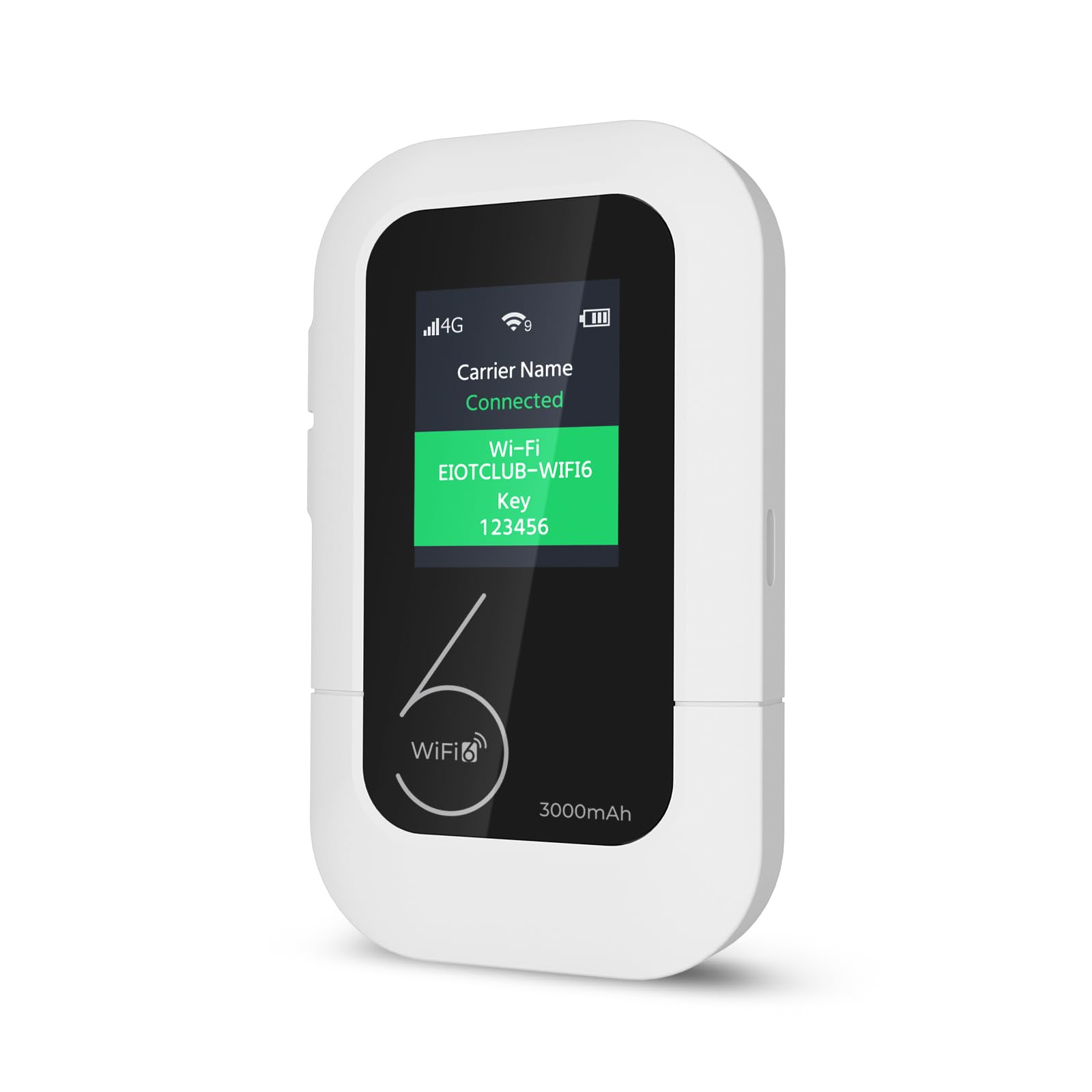
A 1.7-inch LCD on the unit shows connection status, device count, carrier name and a QR top-up code.
Most hotspots make you open an app to find out what is going on. The EIOTCLUB puts a 1.7-inch LCD on the unit itself, showing connection status, how many devices are attached, the carrier name and a QR code you scan to top up data. That little screen is a genuinely practical touch when you are in a car or a cabin and do not want to fiddle with a phone.
The 3000 mAh battery is rated for up to 12 hours of continuous use, and a smart power-saving mode drops the unit into sleep when idle and wakes it on a button press. It weighs 4.4 oz, so it disappears into a jacket pocket. It supports up to 10 devices, and the SIM comes pre-installed with 1 GB of trial data so you can switch on and test the signal before you commit to a plan. Functionality is what people praise most — it doing the job in a work conference room or a remote spot without drama is the recurring theme.
The workaround to know is the plan structure. Data has both a time limit and a data limit, and hitting the data cap with auto-renew on can trigger an early renewal — so watch your usage. It is also a 4G device, locked to US coverage, and will not serve a device that demands 5G. For a 4G tablet, laptop or camera setup, it is a tidy pick.
What the LCD really buys you: a glanceable readout of status and a QR top-up code, so you never have to guess why the connection dropped.
What to know about data: plans carry both time and data limits, so monitor the cap to avoid an early renewal surprise.
Reach for this if: you want a hotspot you can read at a glance and a plan you top up by scanning a code.
Look elsewhere if: you need 5G or you travel outside the US.
6. Spectrum Smart 4G LTE USB WiFi Hotspot
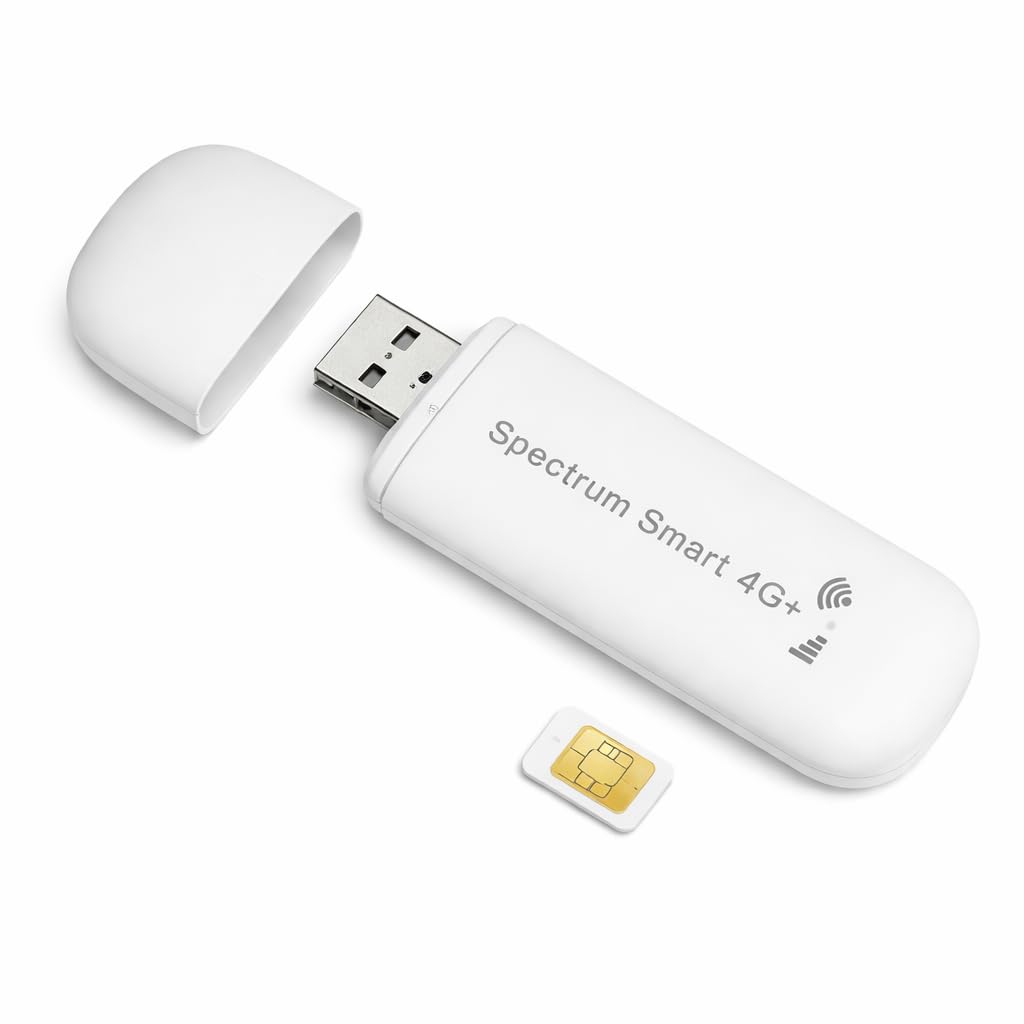
A SIM ships in the box, and it runs on AT&T or T-Mobile over USB power at up to 150 Mbps.
Two things make this the friendliest starter hotspot in the group. First, the SIM comes in the box, so there is nothing else to buy before you test it. Second, it is double-carrier — it works on both AT&T and T-Mobile and picks the stronger signal automatically, so you are not locked to one network. Speeds are up to 150 Mbps over 4G LTE, which is fine for browsing, video calls and streaming.
Setup is the thing owners like most. You plug it into any USB port — a wall adapter, laptop, car charger or power bank — and it makes a hotspot in seconds with no software or drivers. It fits in a pocket, smaller than a pack of gum. The 500MB trial data lets you prove the signal works before you pick a plan, and it covers the US, Canada and Mexico, so a border trip does not leave you stranded.
The trade-off is data cost over time. Plans start low but the big ones are expensive, so a heavy streamer can burn through a plan fast. A few owners also hit a wall trying to change the Wi-Fi name and password, since the router page would not accept the usual admin login. If you are happy with the out-of-box name and just want signal in the car or on a campsite, it does that well.
Why it feels easy: the included SIM and plug-and-play USB power mean you are online in the time it takes to find an outlet.
Where it can sting: big data plans are costly, and locking down your own Wi-Fi name is not always possible.
Reach for this if: you want a SIM-included hotspot for the car, RV or campsite and you do not need to rename the network.
Look elsewhere if: you will stream heavily or you insist on custom Wi-Fi credentials.
7. UFO Mobile Hotspot 5GB
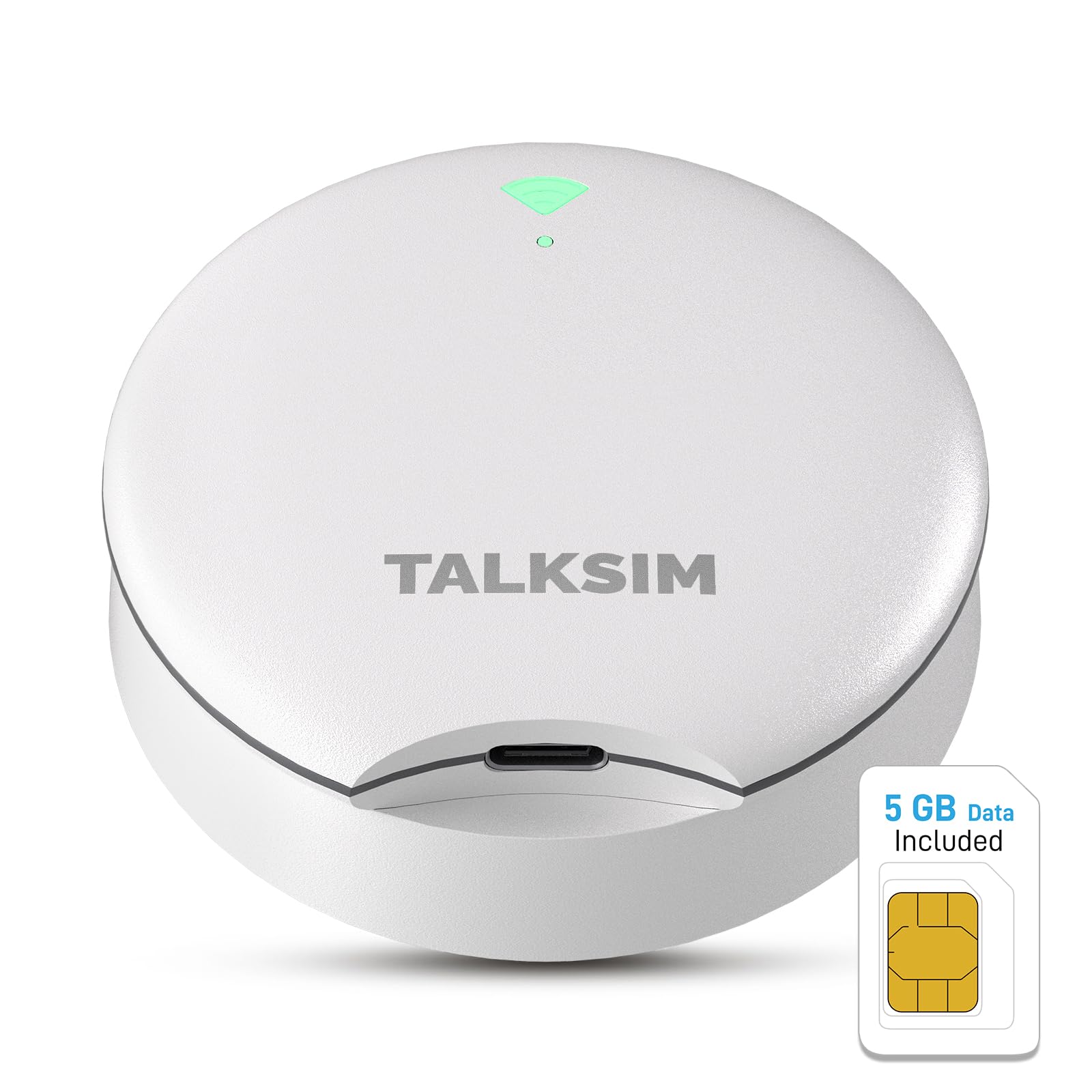
It arrives with 5GB of data for one month already loaded, plus Wi-Fi 6 for up to 10 devices.
The pitch here is speed of start. Switch it on in the US and you have internet — no SIM card to buy, no store to visit. It arrives with 5GB of data for one month, enough for mapping, translation, social media and email. That makes it a sensible pick for a short visit or a first taste of hotspot life. It runs Wi-Fi 6 and supports up to 10 devices at once, so a small group can share it.
Carrier switching is the other strength. It is built to pick the strongest of AT&T, T-Mobile and Verizon automatically, which is meant to keep you connected whether you are in a city or out in a park. The unit is compact enough to pocket, and you can charge it from a power bank, wall adapter or power base.
Be clear-eyed about the mixed record. Reliability is the most-discussed topic, and it cuts both ways — some owners say it worked fine and others say it quit early. One reviewer noted it working for a day and then failing to connect again, while another found it does not stream every app. The on/off switch is also small and delicate. Buy it for short trips and light data, and keep expectations set to match.
The strongest reason to try it: 5GB of pre-loaded data and Wi-Fi 6 for up to 10 devices means a trip can start online with no shopping trip first.
The honest caveat: reliability is uneven, and streaming app coverage is not universal, so do not depend on it for a critical week.
Reach for this if: you want instant data for a short US trip with zero SIM fuss.
Look elsewhere if: you need guaranteed uptime for work or you plan to stream everything.
Know the Specs
Download speed in Mbps
This is the theoretical ceiling the hotspot can pull from a cell tower, in megabits per second. A higher number means more room for devices to share, but it depends on your carrier’s signal where you stand. The numbers here run from 150 Mbps on the Spectrum Smart up to 600 Mbps on the SCHOK, with the NETGEAR at 400 Mbps. Real usable speed will always be lower than the claim.
Battery capacity in mAh
A milliamp-hour figure says how much energy the cell holds. Bigger capacity generally means longer use between charges. The NETGEAR holds 2930 mAh for up to 11 hours, the EIOTCLUB holds 3000 mAh for up to 12 hours, and the SCHOK holds a removable 4000 mAh. Removable is a plus because batteries wear out first.
Device count
Every hotspot caps how many gadgets can join its Wi-Fi at once. Ten devices suits a solo worker or a small family; 15 or 16 gives a group room to spare. Pick a number above your realistic headcount, and remember that more devices also means more heat and less speed per device.
Data-only plans and SIM locks
Most hotspots need a data-only plan, not a phone plan with voice attached. A phone SIM can fail to broadcast at all. Carrier locks are the other gate: a unit built for one network will not accept a rival’s card, so match the listing to your coverage before you buy.
Common Questions
Can I use my phone’s SIM card in a pay-as-you-go hotspot?
Is a travel router the same as a mobile hotspot?
How long does a hotspot battery actually last?
What does a carrier-locked hotspot mean for me?
Can a hotspot replace home internet?
How many devices can one hotspot support?
Do these hotspots come with data, or do I add it separately?
What is the difference between a battery hotspot and a USB hotspot?
Will a 4G hotspot work for video calls and streaming?
Can I rename my hotspot’s Wi-Fi network and password?
The Bottom Line
For most people, the pay as you go mobile hotspot worth buying is the NETGEAR AC797-100NAS. It gives you 400 Mbps (megabits per second, a measure of download speed) and connects up to 15 devices, with a steady, no-fuss setup — so it fades into the background instead of needing babysitting. Need more speed and a bigger group? The SCHOK leads with 600 Mbps and 16 devices — enough to keep a full table streaming at once — as long as you sort out the SIM (the small card that ties the hotspot to your carrier) and keep an eye on the battery. For privacy in a hotel room, reach for the TP-Link Roam 6 — just remember it needs Wi-Fi to work with, not a cellular plan. Match the SIM to your carrier, keep your realistic headcount in mind, and any of these seven will keep you online.
How we choose
We do not accept paid placement. Every pick is matched to a real buyer and a real use-case; we do not hands-on test units.
Sources
Specifications: manufacturer listings and product documentation. Review insights: verified customer reviews, as of October 2026. Pricing: not shown on this page (it changes often); check the current price via the retailer link.
As an Amazon Associate, Aappliancez earns from qualifying purchases. This does not affect which products we feature.