Disclosure: Some links in this post are affiliate links. As an Amazon Associate I earn from qualifying purchases, at no extra cost to you. Learn more
Specs are compiled from manufacturer listings and verified buyer reviews and can change over time — please confirm the key details on the product page before buying.
You want Wi-Fi at the far end of the yard, not just on the patio. That is the whole job, and it is harder than an indoor mesh kit makes it look, because walls are not the enemy out there — distance, rain, and line of sight are. The short answer: buy a unit rated for outdoor weather and mount it where it can actually see the area you want covered. Everything below is sorted around that single rule.
This guide is built by comparing the manufacturers’ published specifications and the patterns across verified customer reviews, so you get each pick’s real strengths and trade-offs instead of marketing spin.
Two numbers decide almost every purchase here: the weather rating (how well the shell keeps out dust and water) and the coverage figure in square feet or meters. Get those two right and the rest is placement, and the picks below are ranked on how well they hold up to that test in real yards and outbuildings. Here is the honest shortlist for best outdoor mesh wifi.
Top Picks

How To Choose The Best Outdoor Mesh WiFi
Start with the shell, not the speed number. An outdoor unit lives through rain, snow, dust, and temperature swings, and a fast radio inside a leaky box becomes a dead radio by the second winter. Once you have a weather rating you trust, the other decisions fall into place quickly.
Read the IP rating first
An IP rating is two digits: the first is dust protection, the second is water protection. An IP67 unit is sealed against dust and can take a soaking, while an IP65 or IP66 unit handles rain and spray but is not built for full immersion. For a unit screwed to a fence post or a garage wall, any of these three will live through normal weather, but IP67 gives you the most headroom if your mounting spot catches driving rain.
Decide if you need a mesh node or a standalone extender
An outdoor mesh node joins your existing network as a true roaming point, so your phone hands off from the indoor router to the yard unit without you noticing. A standalone extender typically rebroadcasts the signal under its own name or a suffixed one. Mesh is smoother if you already own that brand’s system. A standalone extender is more flexible if your indoor router came from someone else entirely.
Check the power plan before you buy
You can mount many outdoor units high on a pole with no outlet nearby because they run on PoE (Power over Ethernet, where one Ethernet cable carries both power and data). The catch is the PoE injector — the little brick that feeds power into the cable — is almost never waterproof on these kits. So you still need a dry spot indoors or in a shed for that piece. Plan that spot before you drill anything.
Be realistic about coverage claims
A coverage figure in square feet assumes open space with a clean view. Trees, fences, and metal siding eat into it, so treat the published number as a best case. If you need signal at a barn or a dock, mount the unit so it can see that target. Line of sight is worth more than any spec on the box.
Side-by-Side Comparison
| Model | Best For | Weather Rating | Stated Coverage | Power | Amazon |
|---|---|---|---|---|---|
| eero Outdoor 7 (2-pack)★ Best Overall | Large yards and outbuildings | IP66 | Up to 30,000 sq. ft. | AC adapter or PoE+ | Amazon |
| INEAUTO AX1800 ExtenderBest Value | Starlink and camera reach on a budget | IP65 housing, IP67 listed | Up to 300 meters | PoE | Amazon |
| WAVLINK AX1800 (WL-WN573HX1)Farm & Acreage Pick | Farms, vineyards, RV pads | IP67 | 200–300 m radius | PoE active or passive | Amazon |
| TP-Link Deco X55 Pro (3-pack) | Whole home plus patio spillover | Indoor only | Up to 6,500 sq. ft. | AC adapter | Amazon |
| Tenda BE5100 ME6 Pro (3-pack) | Big indoor coverage on a value budget | Indoor only | Up to 6,600 sq. ft. | AC adapter | Amazon |
| WAVLINK WiFi 7 BE5100 (WL-WN573HBE2) | Wi-Fi 7 range on a pole | IP67 | Up to 300 m radius | PoE active or passive | Amazon |
| QALYNX U7 Outdoor AP | Dense outdoor client loads | IPX6 | Up to 5,000 sq. ft. | PoE+ required | Amazon |
| TP-Link Deco 7 Outdoor BE65 | Extending an existing Deco mesh outside | IP65 | Up to 3,000 sq. ft. | PoE+ or adapter | Amazon |
| NETGEAR Orbi 370 (3-pack) | Whole-property indoor coverage with yard spillover | Indoor only | Up to 6,000 sq. ft. | AC adapter | Amazon |
Detailed Reviews
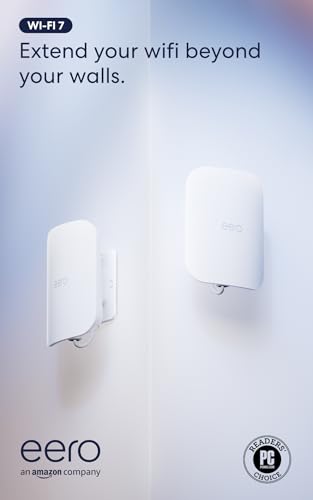
1. Amazon eero Outdoor 7 Dual-Band Mesh WiFi System (2-Pack)
Our pick — 4.5+★ from 750+ verified ratings; the strongest balance of quality and price.
Two weather-sealed nodes that are meant to blanket a whole property, not just a porch.
This is the pick for someone who needs the signal to reach a garage, a shed, or a treehouse and does not want to babysit it. The headline number is coverage: two units listed for up to 30,000 sq. ft. outdoors, which is the largest footprint in this group by a wide margin. Each node handles 100+ connected devices, so cameras, doorbells, and phones all share the load.
The weather shell is rated IP66, meaning it is sealed against dust and takes heavy rain and snow spray without trouble. It is tested to run between -40°F and 131°F, which covers a frozen January and a baking August alike. Inside is Wi-Fi 7 with wireless speeds up to 2.1 Gbps, so streaming and video calls outside behave like they do in the living room. Power is flexible: an AC adapter or PoE+, so you can run one cable to a post if that suits the yard better.
What wins people over is raw reach into outbuildings. Owners mount one high in the woods and still pull a usable signal through trees, with coverage down a long driveway and strong bars in a cabin and garage well away from the house. The recurring gripe is that this is dual-band only, so there is no 6 GHz band (a newer, faster frequency). Also, the eero app is the only way to manage it — there is no web interface. Advanced tinkerers who want to hand-tune channels will find that limiting.
Where it earns its keep
- Up to 30,000 sq. ft. of outdoor coverage from two nodes
- IP66 shell rated for -40°F to 131°F year-round
- Wi-Fi 7 speeds up to 2.1 Gbps with 100+ device capacity
- Runs on AC adapter or PoE+, so mounting is flexible
- TrueMesh software keeps devices on the best node as you move
What to weigh first
- Dual-band only — no 6 GHz band
- Managed through the eero app alone, with no web interface
- Optional eero Plus security needs a separate subscription
Reach for this if: your yard, barn, or detached garage sits well beyond what an indoor router can touch and you want one system to cover all of it.
Look elsewhere if: you manage your network from a browser and want manual channel control — the app-only setup will frustrate you.
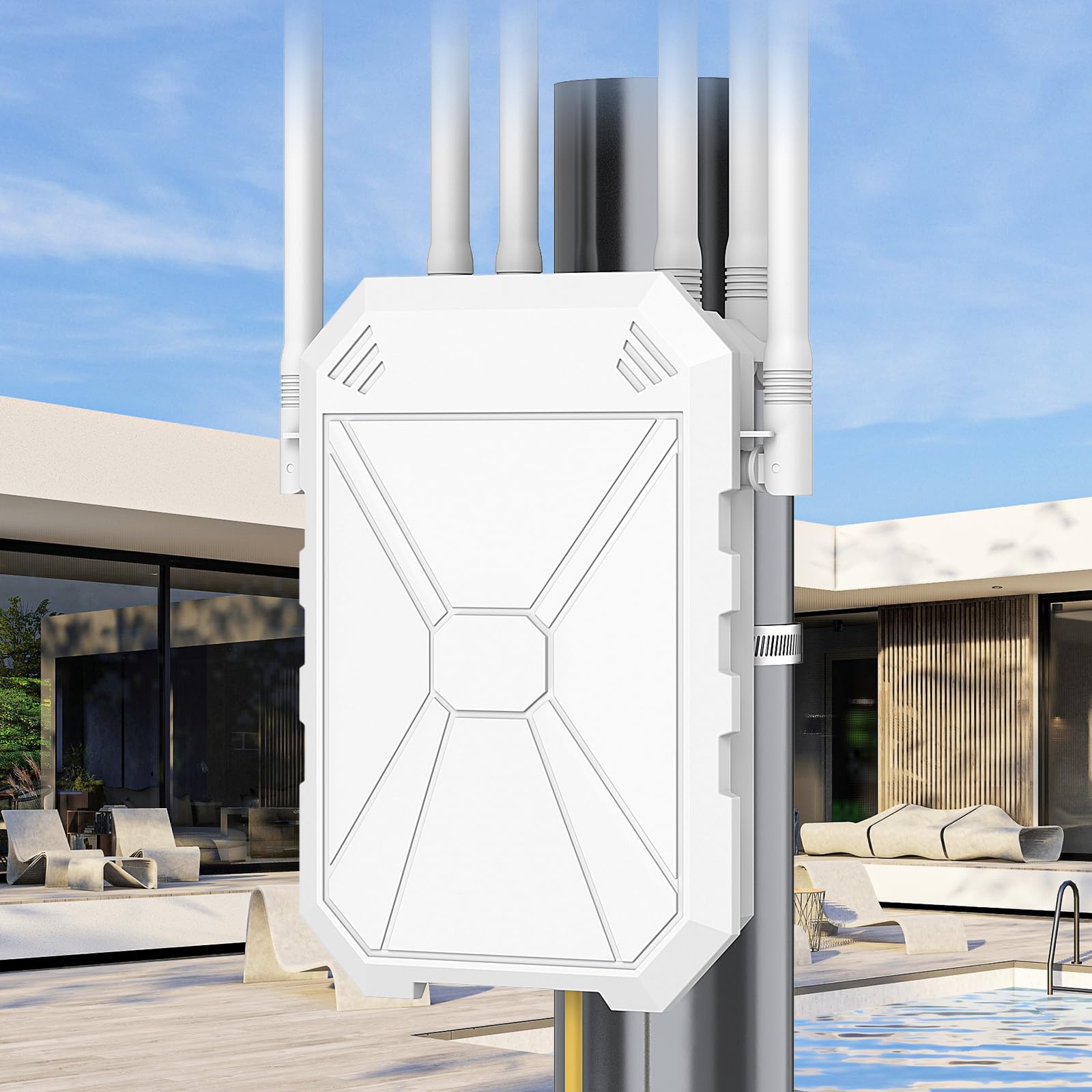
2. INEAUTO AX1800 Outdoor WiFi 6 Extender
A cheap way to push signal out to a workshop, a mower, or a camera at the back fence.
For an entry-level outdoor unit, this one carries more hardware than you would expect. It runs six high-gain 8dBi antennas (8dBi measures how much it focuses the signal) plus dual amplifiers, with a stated range of 300 meters, and it handles up to 128 devices. That is against 256 on the WAVLINK AX1800 further down — the honest gap if you run a heavy camera farm. Combined dual-band speeds reach 1800Mbps, and two Gigabit Ethernet ports let you wire a camera or a second unit straight into it.
Where the value really shows is compatibility. It works with Starlink, outdoor cameras, video doorbells, and over 99% of routers, and it offers AP, Router, and Repeater modes so it can either join your network or build a fresh one. PoE means one cable does power and data, which is what makes a fence-post install practical. Setup is described as quick, with no deep networking knowledge required.
The honest note here is reliability, which draws the most discussion of any trait on this unit and splits both ways. Plenty of owners cover a full acre and a half, clear their dead spots, and reach the back lot. Others hit a unit that needs a reboot now and then, or a range that falls short of the claim. A 60-yard run to a workshop is a fair summary of what to expect, not the full 300 meters. The housing is also a big, visible box, so pick your spot on purpose.
The practical read: treat the stated range as a line-of-sight figure and mount it high with a clear view of the target. Do that and the price-to-coverage math gets very hard to argue with.
Smart buy for: a first outdoor install on a Starlink dish or a camera cluster where you want coverage without a premium spend.
Think twice if: you need a guaranteed long throw through trees, or you cannot tolerate an occasional reboot on a busy network.
3. WAVLINK AX1800 Outdoor WiFi 6 Extender (WL-WN573HX1)
Four detachable fiberglass antennas and 256 device slots for the property that keeps growing.
If your coverage problem spans a vineyard, a marina, or a row of rental cabins, the numbers here are built for it. Four high-gain 8dBi omni-directional detachable fiberglass antennas push a stated 200–300m radius in line-of-sight conditions, and the unit holds up to 256 devices. That device ceiling is double the 128 on the INEAUTO above — the real reason to step up if cameras and sensors keep multiplying.
The shell is IP67, fully sealed and heat-resistant, running from -20°C to 50°C and shrugging off lightning at 6KV and static shock at 15KV. Speeds reach 1800 Mbps across the two bands, and it hooks to Starlink Gen 2/3 through a Starlink Ethernet Adapter if that is your internet source. Power comes from either 802.3 AF/AT active PoE or passive PoE off the included 54V/0.3A adapter, and modes cover Mesh, AP, Router, Repeater, and AP+Repeater.
Owners consistently report a quarter mile out with a bar left, FaceTime still working at that distance, 300-400 meters in open setups, and a strong signal to cabins 125 feet from the source. The caveats are worth knowing. Signal fades without a clear line of sight, bandwidth drops with distance, and the web management page works better than the app. Setup paperwork is thin on some units, so budget time to figure out the mounting hardware.
Best-fit owner: someone with acreage and a pole, willing to run cable and aim the antennas properly.
The trade-off: this is a raw reach tool, not a polished plug-in — line of sight and a patient install decide your result.
Pick it for: farms, estates, and RV pads where the far point is hundreds of meters out and device count is climbing.
Pass on it if: you want an app-guided ten-minute setup, or your install spot is boxed in by trees and walls.
4. TP-Link Deco X55 Pro AX3000 Whole Home Wi-Fi 6 Mesh (3-Pack)

An indoor kit that earns its place here by closing the gap between house and patio.
Be clear on what this is: an indoor mesh system, not a weather-sealed outdoor node. It covers up to 6,500 square feet indoors across three units and connects more than 150 devices. Buy it when your dead zone is a far bedroom, a garage attached to the house, or a patio just past a sliding door — not when you need signal at a dock in the rain.
The reason it holds a slot is the 2.5G multi-gigabit ports. Each unit carries 2 x 2.5G Gbps ports, which matters if your internet plan runs above a Gigabit or you want superior wired Ethernet backhaul between nodes. Wi-Fi 6 speeds reach 2,402 Mbps on the 5 GHz band and 574 Mbps on the 2.4 GHz band. Setup runs through the free Deco app on Android or iOS, and the system supports Alexa and Google Assistant control.
Owners speak highly of build quality and setup, and the speed at close range backs it up: 1.3Gbps within 10 feet, 800Mbps in the next room, 500Mbps around 20 feet through a wall. Roaming between nodes is smooth enough that streaming never drops. The recurring friction is the app, which some find simple and others find restrictive — you cannot pick Wi-Fi channels manually, only auto-scan. A wired-backhaul user gets the most out of it, and speeds climb to 500–900Mbps when nodes are cabled.
The 2.5G payoff: rare at this price and the single feature that makes wired backhaul worth the cable run.
Matches up with: a large house where you want one network name and want to cable the nodes together for top speed.
Not the pick if: the target device sits outdoors in weather — this unit has no outdoor rating at all.
5. Tenda BE5100 WiFi 7 Mesh System ME6 Pro (3-Pack)

Wi-Fi 7 hardware at an indoor price, with the caveats spelled out up front.
Two things you need to know before anything else: this is an indoor system, and it does not support the 6GHz band. Tenda states that plainly. What you do get is Wi-Fi 7 dual-band reaching 688Mbps on 2.4GHz and 4323Mbps on 5GHz, five internal antennas and five independent high-power FEMs, and whole-home coverage up to 6,600 sq. ft. across the three units.
MLO — Multi-Link Operation, which lets a device use more than one band at once — smooths out connections for 160+ devices. There is a 2.5G auto-sensing WAN/LAN port for broadband up to 2000Mbps, plus wired Ethernet backhaul if you can run cable. Setup moves fast through the Tenda WiFi App, with Alexa support for hands-free control. Note the compatibility line: this generation does not work with the older MW3 or MW6 series.
Setup and value are what people talk about most, and the good experiences are genuinely good — five-minute setups, fast stable connections across the house, signal reaching roughly 100 feet from the hallway. Reliability is the honest watch item, and it is the most-discussed trait of all. Some units cut out weekly and need a reboot, and a few fail outright after a month. Treat that as a real risk rather than a guarantee it will happen, and keep your receipt handy.
What you are buying
- Wi-Fi 7 speeds up to 4323Mbps on 5GHz
- 2.5G auto-sensing port for gig-plus broadband
- Covers up to 6,600 sq. ft. across three units
- MLO support for 160+ devices
What to keep in mind
- No 6GHz band support on BE5100 models
- Incompatible with the older MW3 and MW6 series
- Reliability draws mixed reports, from flawless to needing reboots
Worth it when: you want Wi-Fi 7 headline speeds indoors and your budget will not stretch to the premium systems.
Skip the gamble if: your household runs on constant uptime — smart locks, security, and remote work make a reboot-prone unit a poor fit.
6. WAVLINK WiFi 7 BE5100 Outdoor Extender (WL-WN573HBE2)
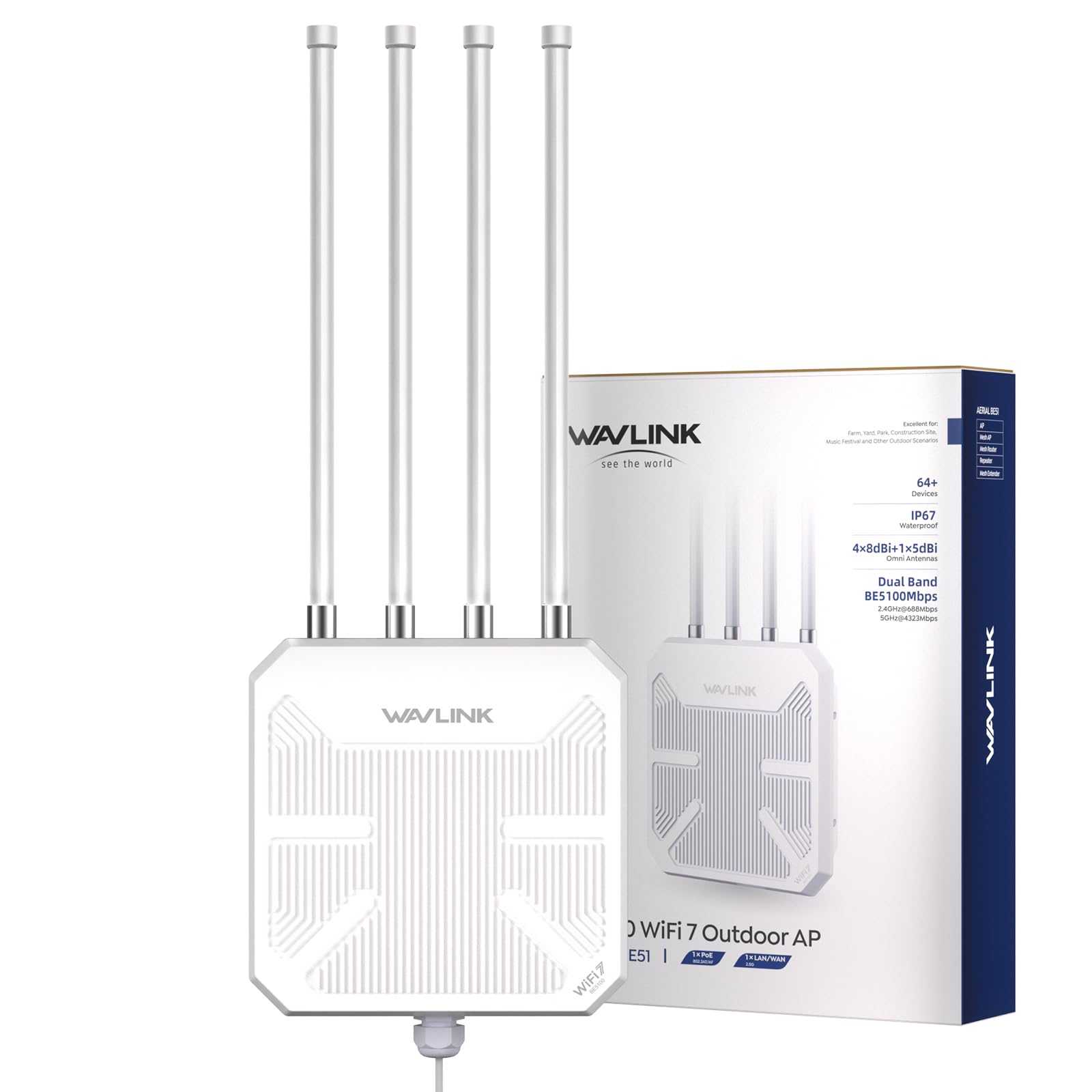
The Wi-Fi 7 step up from the AX1800 above, with the same 300-meter reach claim.
This is the same outdoor formula as the WAVLINK AX1800, upgraded to the newer Wi-Fi 7 standard. Speeds run to 4323 Mbps on 5 GHz and 688 Mbps on 2.4 GHz across four streams, with support named for current hardware like the iPhone 16 Pro and Samsung Galaxy S24 Ultra. Four 8dBi omni-directional detachable fiberglass antennas plus two built-in amplifiers claim up to 300m of radius and up to 256 connected devices — matching the AX1800’s device ceiling.
The housing is IP67 with 15KV ESD protection and 6KV lightning protection, so rain, snow, wind, and storms are covered. It runs on active or passive PoE and supports mesh, AP, router, repeater, and AP+repeater modes. Mesh mode needs a unified name and password but only works with other WAVLINK products. At 850 g it is a lighter unit to hoist onto a pole than the AX1800 model.
Owners praise signal quality most, with concrete range reports: 300 yards on the 5.8GHz band (a common Wi-Fi frequency), 500ft of stable signal through a few trees to field cameras, and 800+ feet in a professional installer’s own testing. Setup as a repeater is straightforward, though a quick tutorial helps a first-timer. The honest catch is the PoE converter: it is not waterproof, so it stays indoors while the unit goes outside.
Why upgrade to it: the newer standard gives you headroom for Wi-Fi 7 laptops and phones, on the same rugged mount.
The one frustration: one unit arrived extending barely past the wall — placement, not power, usually explains that result.
The right call for: a pole-mounted build where you want current-generation Wi-Fi 7 and camera-grade range at once.
Reconsider if: your indoor gear is still older Wi-Fi and you would rather not pay for standard headroom you cannot use yet.
7. QALYNX U7 Outdoor Dual-Band Weatherproof Wi-Fi 7 AP

A dense-deployment access point that treats 250 simultaneous clients as a starting point.
This is the professional end of the lineup, and it shows in the numbers. The single most useful figure for a crowded yard or a commercial site is the client capacity: 250+ devices on one access point. The 12.5 dBi directional antenna covers up to 5,000 square feet, and a 2.5 GbE PoE+ port carries power and data down one cable. Wi-Fi 7 dual-band keeps the speeds current, with a stated 4.3 Gbps data transfer rate.
It does not baby you. This is a PoE-only device that must be powered by a PoE+ switch or a 48V PoE injector, both sold separately, so budget for that piece and a dry place to keep it. The IPX6 weather rating covers harsh outdoor conditions. Mounting hardware and omnidirectional antennas come in the box with a quick start guide. Directional coverage means aim matters — point it where the people are, and it rewards you.
Deployment reports read like install notes: a gate intercom, a lift-master gate opener, and a couple of Wi-Fi cameras about 300 feet away all connected without drama. The recurring wish is for a tri-band version, since line of sight is what most of these users already have and the third band would add headroom.
Sealed and aimed: the IPX6 shell and directional antenna suit exposed mounts where you know your target zone.
Built for: gates, marinas, or rental properties with lots of simultaneous devices and a PoE switch already on site.
Wrong tool if: you want a plug-in-the-wall box — without a PoE injector or switch, this unit will not power on at all.
8. TP-Link Deco 7 Outdoor BE65 BE11000 Tri-Band Extender
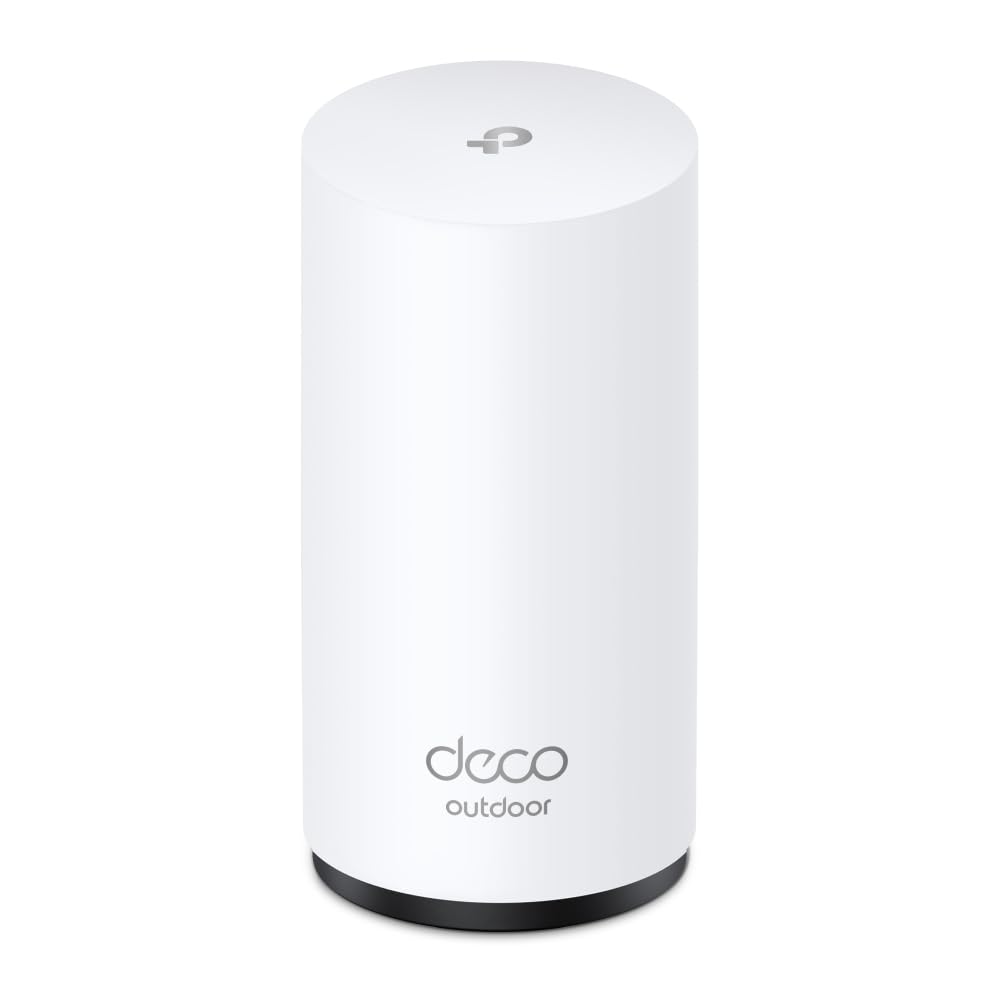
One outdoor node that slots into a Deco mesh you already own and pushes it past the back door.
Buy this if you already run a Deco system indoors. It joins your network as a single unified name and covers up to an additional 3,000 sq. ft. for up to 200 devices. The tri-band Wi-Fi 7 radio is the real distinction: 5765 Mbps on the 6 GHz band, 4324 Mbps on the 5 GHz band, and 688 Mbps on the 2.4 GHz band, with MLO (Multi-Link Operation, which uses several bands at once), Multi-RUs, and 4K-QAM (a denser signal encoding) all in play. That third band is the headroom the QALYNX above leaves you wishing for.
The IP65 shell handles rain, dust, moisture, shocks, and vibrations. Two 2.5 Gbps PoE+ ports mean you can feed it over Ethernet and still pass data through, which is exactly what a shed or barn install wants. Mounting is flexible — tabletop or a pole/wall kit included. AI-Roaming hands devices to the best Deco node as you move, and TP-Link HomeShield adds parental controls and IoT security.
Owners praise performance most, and the practical range surprises them: one unit on a home deck covers a barn 100 feet behind the house without a second node, and another links wirelessly to a shed about 100 feet out, skipping the underground cable entirely. Setup is usually easy, though a few installs hit “not found” errors before the node connected on its own minutes later, likely mid-firmware-update.
What it adds to a Deco network
- Tri-band Wi-Fi 7 with a 6 GHz band rated to 5765 Mbps
- Two 2.5 Gbps PoE+ ports for power plus data passthrough
- IP65 shell with pole and wall mounting included
- Extends coverage up to 3,000 sq. ft. for 200 devices
Before you commit
- Only makes sense if you already own a Deco mesh
- Setup can stall on a firmware update before it connects
Ideal pairing: an existing Deco household that wants barn, shed, or patio coverage without a second brand in the mix.
Look past it if: your indoor mesh is from another brand — this node will not join it.
9. NETGEAR Orbi 370 Series WiFi 7 Mesh System (3-Pack)

An indoor three-piece system for the house that feeds the yard, rather than surviving the yard itself.
Straight talk on the label: this is not weatherproof, and it has no business being bolted to a fence post. It belongs inside, blanketing up to 6,000 sq. ft. and up to 70 devices, with one satellite often ending up in an attached garage — the setup many owners use to reach through to the driveway and patio. Wi-Fi 7 speeds climb to 5 Gbps, with a 2.5 Gig port and dual-band Enhanced Backhaul handling the traffic.
The router-plus-two-satellites package auto-connects devices using the same network name and password, so you do not re-pair every camera and thermostat one by one. The Orbi app guides setup step by step, and NETGEAR Armor security comes with a 30-day free trial before any subscription kicks in. Setup is the trait with the strongest reputation here, and it earns it — installs are described as simple and confusion-free.
Owners see real speed jumps: 594 Mbps in a detached garage after placing a satellite there, and full coverage with a speed upgrade over an older Orbi. Dual-band only is the recurring note — no dedicated 6 GHz band, which shows up in performance at extreme range. Satellites carry only one Ethernet port, and one package arrived with a high-pitched operating whine. None of that changes what it is best at.
The honest limit: buy it for the whole property’s indoor backbone, then add a dedicated outdoor AP for the far gate.
Made for: a multi-floor home with a garage or patio at the edge that wants one fast, easy network inside.
Not for you if: you expect a mesh satellite to live outdoors in the rain — plan a separate weatherproof unit for that.
Know the Specs
IP Ratings Explained
An IP rating is the two-digit number on the box, and it tells you how well the shell keeps out the weather. The first digit covers dust; the second covers water. IP65 and IP66 both survive rain and spray, with IP66 handling stronger jets, while IP67 adds protection against temporary immersion. For a unit mounted under an eave, IP65 is generally enough. For one exposed on a pole in a storm, IP67 gives the most margin.
PoE and Where You Can Mount
PoE stands for Power over Ethernet — one cable carries both electricity and data to the unit. That single trick is what lets you place an access point high on a pole or out by a barn where no outlet exists. Active PoE (802.3 AF/AT) negotiates power with a switch; passive PoE uses a fixed adapter. In both cases, the injector or adapter itself is usually not waterproof on these kits, so it needs to stay indoors or in a dry enclosure.
Dual-Band vs Tri-Band
Dual-band means the unit broadcasts on 2.4 GHz and 5 GHz only. Tri-band adds a third lane, often the 6 GHz band on Wi-Fi 7 gear. More bands generally mean more simultaneous capacity and less congestion when lots of devices are active. Dual-band still works well for cameras and phones, but a crowded yard with many clients can benefit from the extra lane a tri-band node provides.
Coverage Figures and Line of Sight
Coverage stated in square feet or meters assumes a clear view to the area being served. Trees, slopes, and metal structures all cut into that number. Two units placed with clean sight lines often beat one unit with more raw power mounted behind an obstacle. When an owner reports a short throw, the mount position is usually the reason, so plan placement before you judge the hardware.
Common Questions
Will an outdoor mesh node work with my existing router from a different brand?
Do I need a PoE switch to power an outdoor access point?
What does IP67 actually protect against that IP65 does not?
How far will outdoor mesh WiFi actually reach through trees?
Can I mount an outdoor access point in a garage or shed instead of outside?
Is Wi-Fi 7 worth it for an outdoor unit?
Will an outdoor extender cover a barn or outbuilding 100 feet away?
What happens if I mount the PoE adapter outdoors?
Do I need line of sight between the outdoor unit and my indoor router?
The Bottom Line
The outdoor mesh wifi winner is the eero Outdoor 7 because it pairs the widest stated footprint — up to 30,000 sq. ft. from two nodes — with an IP66 shell and Wi-Fi 7 speeds up to 2.1 Gbps. If you want pole-mounted reach on a tighter budget, the WAVLINK WiFi 7 BE5100 brings the same 300-meter claim and 256-device capacity in a lighter, IP67 body. And for a Deco household extending to a barn or patio, the Deco 7 Outdoor BE65 adds the one thing most of this group lacks: a 6 GHz band. Whichever you pick, mount it high, keep the PoE brick dry, and give it a clean view of the spot that matters.
How we choose
We do not accept paid placement. Every pick is matched to a real buyer and a real use-case; we do not hands-on test units.
Sources
Specifications: manufacturer listings and product documentation. Review insights: verified customer reviews, as of October 2026. Pricing: not shown on this page (it changes often); check the current price via the retailer link.
As an Amazon Associate, Aappliancez earns from qualifying purchases. This does not affect which products we feature.