Disclosure: Some links in this post are affiliate links. As an Amazon Associate I earn from qualifying purchases, at no extra cost to you. Learn more
Specs are compiled from manufacturer listings and verified buyer reviews and can change over time — please confirm the key details on the product page before buying.
You want your own fiber or cable handoff instead of renting a box from the provider. That means picking the right kind of terminal first — a stick-style ONU that slides into an SFP+ port, a fiber gateway, or a DOCSIS cable modem — and that choice decides whether your setup works at all. This guide sorts the real options by what they actually connect to.
This guide is built by comparing the manufacturers’ published specifications and the patterns across verified customer reviews, so you get each pick’s real strengths and trade-offs instead of marketing spin.
Some units are plug-in modules for an SFP+ slot, while others are full gateways with Wi-Fi built in. The picks below separate stick ONUs, fiber gateways, and cable modems so you do not buy the wrong box. Here is the honest shortlist of the best optical network terminal choices for fiber bypass, gateway replacement, and cable plans alike.
Top Picks
How To Choose The Best Optical Network Terminal
The first decision is not brand or speed — it is shape. An optical network terminal (ONT) is the device that turns the light signal on your fiber line into ordinary Ethernet your router can use. Some are small plug-in sticks that fit an SFP+ slot; others are full gateways with Wi-Fi, phone ports, and a fiber cage. Buying the wrong shape means it never connects, no matter how good the specs look.
Match the form factor to your router first
A stick-style ONU slides into an SFP or SFP+ port and needs no separate power brick. It only works if your router or firewall actually has that slot and can register the module. A gateway-style ONT is a standalone box with its own power supply and LAN ports, so it works with any router you already own.
Know your fiber standard before you buy
GPON and XGSPON are two generations of fiber signaling, and a module built for one will not register on the other. Check with your provider which one your line runs, because a stick rated for XGSPON will sit dead on a GPON line. The same rule applies to cable: DOCSIS 3.1 modems only work on cable providers, never on fiber.
Plan for the setup step nobody mentions
Replacing a provider box usually means copying its identity — the MAC address, serial number, or LOID — onto the new module through a web page. That copy step is what lets the provider’s equipment trust your new device. Buy from a seller who answers questions about cloning, because a module with no support path is a paperweight.
Expect heat from the small units
Stick ONUs pack a laser and a full network processor into a case the size of a thumb drive, so they warm up in use. Many ship with a small heatsink for that reason. If the module lives in a closed cabinet, plan for airflow around it.
Side-by-Side Comparison
| Model | Best For | Type | Rated Speed | Port / Interface | Amazon |
|---|---|---|---|---|---|
| FRITZ! Box 5690 Fibre★ Best Overall | All-in-one fiber gateway with Wi-Fi 7 | Fiber gateway (GPON / AON) | 5760 Mbps WLAN | 2.5 Gb LAN | Amazon |
| 8311 XGSPON ONU Stick SFP+Top Performer | XGSPON fiber bypass into a 10G slot | SFP+ stick ONU | 9.95 Gbps | SFP+ | Amazon |
| iszo XPON SFP Stick ONU | Budget GPON / EPON stick | SFP stick ONU | 2.5 Gbps | SFP | Amazon |
| NBS AT&T BGW-320 500 Gateway | AT&T fiber replacement gateway | Fiber gateway with built-in ONT | — | SFP / SFP+ cage | Amazon |
| ARRIS Surfboard G20 | Cable plan with built-in Wi-Fi 6 | DOCSIS 3.1 modem + router | 3 Gbps | Two 1 GbE | Amazon |
| NETGEAR Nighthawk CM2500 | Multi-gig cable modem only | DOCSIS 3.1 modem | 2 Gbps down / 1 Gbps up | 2× Gigabit | Amazon |
| NETGEAR Nighthawk CM3000 | Highest-speed cable modem only | DOCSIS 3.1 modem | 2.5 Gbps down / 1 Gbps up | 2.5G + 2× 1 Gig | Amazon |
Detailed Reviews
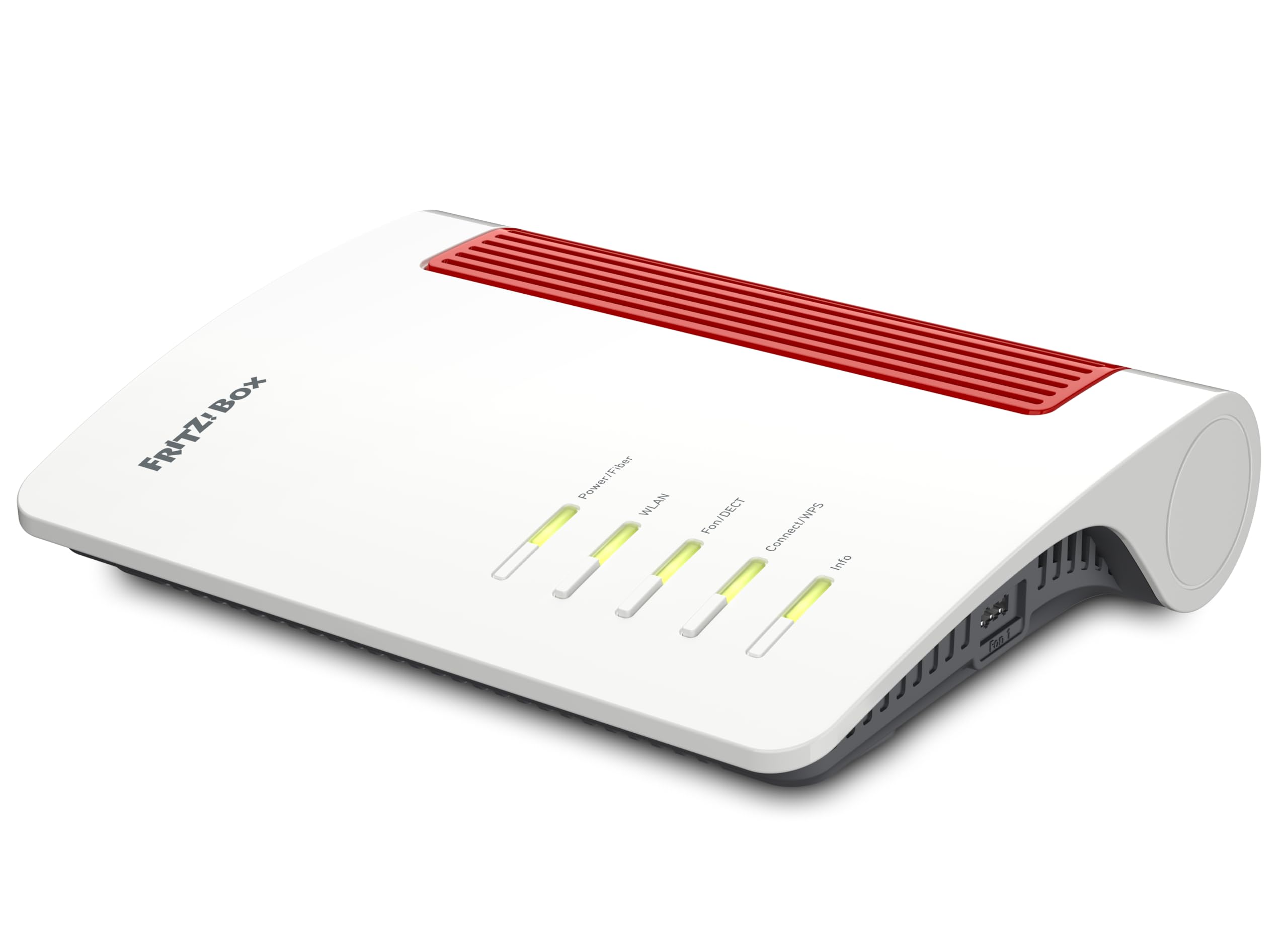
1. FRITZ! Box 5690 Fibre High Speed with Wi-Fi 7
Our pick — 4.5+★ from 150+ verified ratings; the strongest balance of quality and price.
Fiber straight into a Wi-Fi 7 box, so the gateway and the router are one device
If you want one box to handle the fiber line, the wireless, and the phones, this is the pick. It pulls up to 6448 Mbps over Wi-Fi 7, the newest wireless standard, so a busy house can stream, game, and run VR at once without fighting for bandwidth. The wired side tops out at 2500 Mbps on the LAN port, which is plenty of headroom for multi-gig plans.
It connects directly to the fiber and works with both GPON and AON lines, and it can also feed off a separate fiber modem (ONT) if your line already has one. Setup runs through a browser or the app, and the mesh feature merges multiple access points into one network name so you can add coverage in a back room without a second web login. Phone and smart home are built in too — a DECT base for up to 6 cordless handsets, plus a controller for lights, plugs, and heating. Security comes from WPA3/WPA2 encryption and regular FRITZ!OS updates.
The honest trade-off is size and weight. At 1030 g and 7.52″ x 10″ x 2.48″, it takes real shelf space — noticeably more footprint than the tiny 8311 stick, which measures 4.72″ x 2.36″ x 0.98″. Longtime FRITZ! households tend to stay loyal; as one puts it, “Bei uns sind seit ca. 30 Jahren Fritz Boxen im Einsatz und wir wurden nie enttäuscht.” Migration is gentle too: settings carry over from an older FRITZ! Box and the assistant walks you through step by step.
What earns its place
- Wi-Fi 7 at up to 6448 Mbps handles a full house of screens without contention
- Works with GPON and AON fiber and can sit behind an existing ONT
- Settings transfer from an older FRITZ! Box, so the swap stays short
- DECT base for up to 6 handsets plus a smart home controller built in
Where it asks for room
- 1030 g and a 7.52″ x 10″ x 2.48″ footprint demand real shelf space
- You pay for Wi-Fi and phone features even if you only wanted a fiber handoff
- Setup instructions ship in a short manual with English not guaranteed
Reach for this if: you want fiber, Wi-Fi 7, and a cordless phone base in a single box from a brand your household already knows.
Look elsewhere if: you only need a module to plug into a router you already love — a stick ONU does that job with far less shelf.
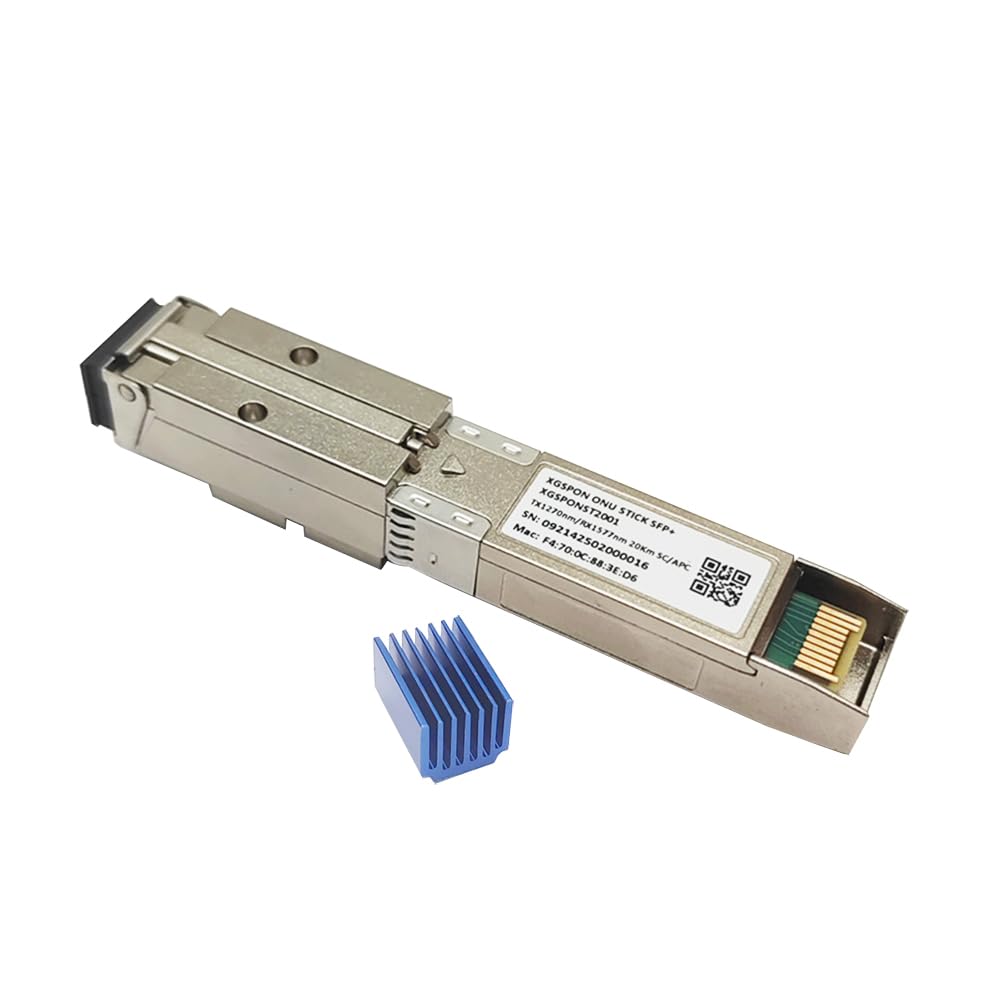
2. 8311 XGSPON ONU Stick SFP+ 10G Transceiver
A thumb-sized ONU that turns any SFP+ slot into a full XGSPON terminal
The number worth knowing here is 9.95 Gbps — the symmetrical throughput this module pushes at 1270nm transmit and 1577nm receive over single-mode fiber. Symmetrical means upload matches download, so a big backup or a cloud render moves at the same pace as a stream. Compare that to the iszo stick’s 2.5 Gbps and you see where the money goes. It runs on the MaxLinear PRX126 chipset and ships with 8311 Community Firmware V2.8.3 already loaded, so there is no flashing step on day one.
Setup is where this stick earns its reputation. Access the web interface at 192.168.11.1 with the username root and no password, enter your provider’s details, and it registers. Buyers on AT&T fiber report being “up and running in about 10 min.” Others note it works cleanly with Quantum Fiber and UniFi gateways, with one reaching a steady 1200/1200 Mbps on a 1 Gbps AT&T plan. It complies with ITU-T G.987.2, G.9807.1, G.9807.2, and G.988 OMCI bridging up to 64 L2 bridges, and it carries built-in DDM for real-time temperature and power monitoring.
The catch is heat, and it is not subtle. As owners put it, this thing gets hot — “dangerous enough not to touch” hot in one account. The included heatsink is not optional, and many add a small fan. The other snag is that you are expected to know what you are doing: this is not plug-and-play for a novice, and one buyer received a used unit with a password already set. Plan on a 10G SFP+ port and some patience with the PON wiki.
Where it wins: 9.95 Gbps symmetrical over 20km of single-mode fiber, with DDM monitoring and one-click web setup already done for you.
The one caveat: it runs hot enough that you should budget for the heatsink and airflow before you install it.
Built for: XGSPON lines where you want the provider’s gateway out of the path and your own router in control.
Not for: GPON-only lines or anyone who wants zero configuration — this is a networking enthusiast’s tool.
3. iszo 1.25G/2.5G XPON/GPON/EPON ONU, SFP Stick ONU

The cheap GPON stick that works — when your line and slot cooperate
This is the entry-level way to try a fiber bypass: a stick ONU that switches behavior based on what it connects to. Plug it into an EPON OLT and it behaves as a 1.25G EPON ONU; pair it with a media converter and a GPON OLT and it acts as a 2.5G GPON ONU. It supports both GPON and EPON SFP, and it offers MAC, SN, and LOID modification so you can copy the identity of your old ONU through the web management page.
The useful specs are simple. Maximum distance between the ONU and the OLT is 20 km over fiber, and the network-cable run to your router tops out at 100 meters. It is compatible with mainstream GPON/EPON OLT brands, and registration is usually automatic depending on the OLT’s own features. Where it works, it works well: it ran cleanly on Movistar Colombia and with a Verizon line on a MikroTik RB5011 router without any serial change needed.
The risk here is slot compatibility and what ships in the box. One firewall owner found it “wouldn’t work/power on in the SFP port” on both an SFP+ module and a plain SFP switch, and another reported the media converter and fiber adapter shown in the description were missing. If you have a picky firewall, check that its SFP port powers the module before you count on it.
The budget math: GPON and EPON in one stick with MAC/SN/LOID editing at the lowest price on this list — a fair first attempt at a bypass.
Read the label carefully: some bundles arrive without the media converter, so confirm the accessory list with the seller first.
Suits: GPON or EPON lines where you already own a media converter and want to keep the spend low.
Think twice if: your firewall’s SFP port has a history of rejecting third-party modules — the return path is easier with a known-good combo.
4. NBS AT&T BGW-320 500 Wireless Gateway with Built-in ONT

The familiar AT&T gateway — the one you replace only if the fiber line is already AT&T
This is not a universal box, and that is the point. The BGW-320 500 is a residential fiber gateway with the ONT built in, made to replace the older BGW-210 on AT&T fiber lines. It carries concurrent 4×4 802.11ax on the 2.4GHz band and 4×4 802.11ax on both the high and low 5GHz bands, runs VoIP telephone service on the primary line, and has an SFP/SFP+ cage for an optic module if you have one.
What wins people over is the speed jump and the ease of the swap. Owners moving from a BGW-210 report averaging 750+ Mbps down and 700 Mbps up, versus roughly 300 Mbps on the old box, plus range that reaches further into the yard. Installation is genuinely simple: move the Ethernet to the ONT port, power on, let it auto-update, and you are up in minutes without a technician. A QR-code scan gets you temporary Wi-Fi, and the Smart Home Manager app carries the old SSID and password over automatically.
The honest catch is that it is provider-specific and the market for used units can be uneven. One buyer received the gateway without some of the components needed to attach it to the fiber coming from the street, and you may find the SFP connector missing on a used unit, as described by the seller. It also duplicates a box AT&T may hand you for free, so the value case rests on skipping the wait for a replacement.
Why AT&T customers grab it
- Built-in ONT, VoIP, and IPTV support in one gateway made for AT&T fiber
- Self-install via QR code and the Smart Home Manager app, with settings transferred
- Buyers report download and upload speeds far ahead of the older BGW-210
What to check before you order
- Used units can arrive missing the SFP connector or street-side wiring components
- It is built for AT&T fiber only, not other providers
- AT&T sometimes supplies the same gateway at no cost, so weigh the convenience
Best for: AT&T fiber households on an older BGW-210 who want the newer gateway without waiting on support.
Skip if: you are on a different provider, since this box is tied to AT&T’s fiber service.
5. ARRIS Surfboard G20 DOCSIS 3.1 Cable Modem & Wi-Fi 6 Router

For cable plans, not fiber — a modem and Wi-Fi 6 router fused into one
Do not confuse this with the fiber picks above. The Surfboard G20 is a DOCSIS 3.1 cable modem with a Wi-Fi 6 router built in, so it works with Xfinity, Spectrum, and Cox on plans up to 1 Gbps. It carries a 3 Gbps rated data rate, AX3000 Wi-Fi 6 coverage billed for up to 2,500 sq ft, and two 1 GbE ports for wired devices. It weighs 2.2 pounds and is the compact choice if you want one box instead of a modem and router pair.
What makes it appealing is that it is built to own rather than rent, and the app side is friendly — family profiles and parental controls with time limits live in the Surfboard app. Setup through the Xfinity app is a rare bright spot in this unit’s story, and some households replace a failed Motorola MG8702 with it and come out ahead.
The trade-off is real here, and it is reliability, not speed. The modem side has a mixed record: some units run for months and then drop the connection repeatedly, and a few owners mention the connection dropping on the cable provider even after maintenance. The signal and reach also draw complaints in larger homes, with streaming apps and small-apartment dead spots called out. If your provider pushes a firmware update that agrees with it, it works — a stable 500/35 connection is achievable. If not, Arris support is worth calling before you swap it back to the store.
The upside: DOCSIS 3.1, AX3000 Wi-Fi 6, and two GbE ports in a single 2.2 lb box, with app controls that make sense to non-technical users.
What to weigh: connection stability is the weak spot — some households see constant drops, so keep the return window open until the line proves itself.
Pick it for: a cable plan with Xfinity, Spectrum, or Cox where one compact box and app-based controls matter more than raw top speed.
Go elsewhere if: you are on fiber, or you need rock-solid stability for remote work — a separate modem and router give you more room to swap components.
6. NETGEAR Nighthawk CM2500 DOCSIS 3.1 Cable Modem, 2 Gbps

A dedicated cable modem you pair with the router of your choice, up to 2 Gbps
This is the straightforward cable path: no Wi-Fi, no fiber, just a DOCSIS 3.1 modem rated for plans up to 2 Gbps download and 1 Gbps upload. It works with Xfinity, Spectrum, Cox, and most US cable providers, and it is explicitly not for Verizon, AT&T, CenturyLink, DirecTV, DISH, or bundled voice plans. Two Gigabit Ethernet ports feed your router, and Link Aggregation combines both for speeds up to 2 Gbps on a compatible router.
Buyers like that it holds up to 940 Mbps under load and that Active Queue Management keeps peak-hour congestion from dragging the whole family down. It also upgrades cleanly: one buyer swapping out a five-year-old modem of another brand saw faster page loads on the same plan. Setup runs through the free Nighthawk app for guided activation, and ISP activation is required after you plug it in.
The catch is that this is a modem, not a router, so the Wi-Fi is on you — and when your provider’s support is not covering a modem you own, the troubleshooting lands on your side. One buyer also found only the main Ethernet port carried internet while the second stayed stuck at 10/100 Mbps, so test both ports early. A few customers note dropouts after a year in service, so factor in the manufacturer’s reliability record when you decide.
Standout read: DOCSIS 3.1 at 2 Gbps down and 1 Gbps up with two Gigabit ports and Link Aggregation to combine them.
Worth knowing: the second Ethernet port did not pass traffic for one owner, so verify both on arrival while the return window is open.
Choose it when: you already have a Wi-Fi mesh you love and want a capable cable modem underneath it.
Pass if: you want one box that also broadcasts Wi-Fi — this one expects you to supply the router.
7. NETGEAR Nighthawk CM3000 DOCSIS 3.1 Cable Modem, 2.5 Gbps

The multi-gig cable modem with a 2.5 Gig port that actually feeds a fast router
The spec that separates this from the CM2500 is the port layout: a 2.5 Gig Ethernet port for your fastest downstream, plus two 1 Gig ports you can combine on a compatible router for speeds up to 2 Gbps. The modem itself is rated for 2.5 Gbps download and 1 Gbps upload on DOCSIS 3.1, and it works with Xfinity, Spectrum, Cox, and most US cable providers. At 1.1 pounds and 6.8″ x 3.7″ x 8.2″, it sits vertically without eating shelf space, and it runs cooler than the older Surfboard modem it often replaces.
Owners describe a stable, quiet performer that handles multiple streams at once — gaming, work calls, and streaming running side by side without a hiccup. Setup is automatic via a QR code with no phone call required, and Cox activation in particular goes quickly. Buyer reports show over 2 Gbps down and 300+ Mbps up on Ethernet, right in the expected range for a 2.5 Gbps modem.
The honesty note: connectivity is the mixed side. Some households keep a clean connection for months; others see daily drops, and a handful report a modem that developed a scratching electrical noise inside a year with a thin support window behind it. It is also cable-only and not compatible with fiber providers or bundled voice plans, so check your provider list before you buy.
The strong case: a 2.5 Gig port plus two 1 Gig ports gives this the highest cable ceiling on this list, at 2.5 Gbps down and 1 Gbps up.
The other side: dropouts and support windows come up often enough that you should keep your receipts and test the line in the first weeks.
It is right for: cable plans at 2 Gbps and up where the router on the other end has a matching multi-gig port.
Look at the CM2500 instead if: your plan tops out at 2 Gbps and you want the same DOCSIS 3.1 backbone for less.
Know the Specs
GPON, XGSPON, and DOCSIS 3.1
These are the three signaling families you will meet. GPON and XGSPON are fiber standards; DOCSIS 3.1 is the cable standard. An XGSPON module pushes 9.95 Gbps symmetrical, while a GPON stick is often rated around 2.5 Gbps. A stick built for one fiber standard will usually not register on the other, so check your line’s standard first.
SFP vs SFP+ ports
SFP and SFP+ are the small slot formats that accept a stick ONU. SFP+ is the faster version, needed for 10G modules like the 8311 stick. A 2.5 Gbps GPON stick can often live in an SFP slot, but a 10G module needs SFP+ and enough power from the port, which is where some firewalls fall short.
Cloning MAC, SN, and LOID
Providers identify your terminal by its MAC address, serial number, and LOID (the fiber registration ID). A replacement ONU has to present the same identifiers, so most modules let you copy them across through a web page. That copy step is what makes a bypass work.
Wi-Fi 7 and AX3000
Wi-Fi 7 is the newest wireless standard, rated up to 6448 Mbps on the FRITZ! Box 5690. AX3000 is a Wi-Fi 6 rating, used on the ARRIS G20 for coverage up to 2,500 sq ft. Neither matters on a modem-only unit, which leaves wireless to whatever router you pair it with.
Common Questions
Will an SFP stick ONU work in my router?
Can I replace my provider’s fiber gateway with my own ONT?
What is the difference between GPON and XGSPON?
Why does my ONU stick run so hot?
Is a cable modem the same as an optical network terminal?
Do I need a media converter with an SFP stick ONU?
How fast can the CM3000 go compared to the CM2500?
Can I use the FRITZ! Box 5690 with a fiber modem I already own?
Will the NBS BGW-320 500 work on a non-AT&T fiber line?
What happens if a used gateway arrives missing parts?
The Bottom Line
The strongest all-round pick for most households is the FRITZ! Box 5690 Fibre, because it folds fiber, Wi-Fi 7, and a phone base into one box that carries settings over from an older unit. If your goal is to get the provider’s gateway out of the path and you have a 10G SFP+ port, the 8311 XGSPON ONU Stick is the sharper tool, with 9.95 Gbps symmetrical and firmware already loaded. On a cable plan, the NETGEAR CM3000 carries the highest ceiling at 2.5 Gbps down, while the CM2500 covers a 2 Gbps plan for less. One honest nudge: if a stick ONU fits your router, it is the cleanest way to cut the box out entirely — just give it the cooling it demands.
How we choose
We do not accept paid placement. Every pick is matched to a real buyer and a real use-case; we do not hands-on test units.
Sources
Specifications: manufacturer listings and product documentation. Review insights: verified customer reviews, as of October 2026. Pricing: not shown on this page (it changes often); check the current price via the retailer link.
As an Amazon Associate, Aappliancez earns from qualifying purchases. This does not affect which products we feature.