Disclosure: Some links in this post are affiliate links. As an Amazon Associate I earn from qualifying purchases, at no extra cost to you. Learn more
Specs are compiled from manufacturer listings and verified buyer reviews and can change over time — please confirm the key details on the product page before buying.
The short answer: buy an OLED panel if black levels and colour matter to your work, and buy for the port you actually own, not the spec sheet. Almost every disappointment in this category traces back to one thing — a laptop that cannot push video and power down a single USB-C cable. Get that right and a 0.12-inch folding panel gives you a real second desk anywhere.
This guide is built by comparing the manufacturers’ published specifications and the patterns across verified customer reviews, so you get each pick’s real strengths and trade-offs instead of marketing spin.
An OLED pixel switches itself off for true black, so contrast is effectively infinite and colours read richer on a small panel. That per-pixel black is what the OLED premium buys you. This breakdown of the oled portable monitor field is ordered by what each screen does best, not by what it costs.
Top Picks


How To Choose The Best OLED Portable Monitor
Start with your laptop’s port, because the panel is worthless if the signal never arrives. A single-cable setup needs Thunderbolt 3 or 4, or USB-C with DisplayPort Alt Mode — a spec that says the port can carry a video signal as well as data and power. If your machine lacks it, plan on HDMI plus a separate power adapter.
Contrast and brightness are two different jobs
OLED’s advantage is per-pixel light, so black stays black instead of glowing grey — a jump from a typical laptop LCD. Brightness is separate: a 300-nit panel is fine in a dim room and struggles by a window, while a 500-nit screen holds up better under daylight. Check the nits rating alongside the contrast figure before you buy.
Colour gamut, and why the percentage matters
DCI-P3 is the colour range filmmakers grade against, and a screen covering 100% of it shows more saturated, truer reds and greens than a basic laptop display. Designers and photo editors should also look for a stated colour error figure — Delta E under 2 means the screen’s colours are close to the reference values.
Resolution has a size attached to it
The same 4K panel looks sharper on a 13-inch screen and softer on a 17-inch one. Pixel density (ppi) tells you the truth, which is why a 2880 x 1800 panel on 14 inches reads crisp, while a 2560 x 1440 panel at the same size can make small text strain your eyes at default scaling. For spreadsheet work, 1920 x 1200 on 14 inches is often the more comfortable choice.
Weight, hinge and the thing you will actually do with it
A portable screen lives or dies on its kickstand or hinge. An integrated kickstand or a 360° hinge is what lets you work on a plane tray or a café table without propping it against a coffee cup. Weight matters too: around 1.2 to 1.3 lbs disappears into a bag, and anything past 2 lbs makes you think twice about bringing it.
Side-by-Side Comparison
| Model | Best For | Resolution | Thickness | Weight | Amazon |
|---|---|---|---|---|---|
| UPERFECT 14″ 3K 120Hz★ Best Overall | Gaming and fast motion | 2880 x 1800 | 0.12 in | 1.29 lbs | Amazon |
| Magedok X12 13.3″ TouchTouch Specialist | Touch control on Windows | 2560 x 1440 | 0.26 in | 1.76 lbs | Amazon |
| InnoView 14″ 4K OLEDColour-Grade Pick | Colour-critical creative work | 3840 x 2400 | 0.15 in | 1.24 lb | Amazon |
| ASUS ZenScreen MQ16AHE | Light travel and client previews | 1920 x 1080 | 0.4 in | — | Amazon |
| ViewSonic VX1655-4K-OLED | 4K work on a single cable | 3840 x 2160 | 0.6 in | 1.5 lbs | Amazon |
| Magedok PI-X9M 16″ 4K | Wide 16:10 desktop space | 3840 x 2400 | 0.22 in | 2 lbs | Amazon |
| SOTSU FlipAction Elite | Mac users wanting a matching panel | 3840 x 2400 | 0.5 in folded | 1.36 kg | Amazon |
| UPERFECT Delta Pro Touch | Stylus drawing and dual screens | 2560 x 1600 | — | 1 kg | Amazon |
| ASUS ZenScreen Duo MQ149CD | Fold-out twin-screen travel | 1920 x 1200 | — | 1.07 kg | Amazon |
| Magedok 17.3″ 4K Touch | Big-screen touch and mounting | 3840 x 2160 | — | — | Amazon |
| InnoView Dual 15.6″ 4K | Twin screens for heavy multitasking | 3840 x 2160 | — | — | Amazon |
Detailed Reviews
1. UPERFECT OLED Portable Monitor, 14″ 3K 120Hz 0.1ms
Our pick — 4.0+★ from 2,000+ verified ratings; the strongest balance of quality and price.
The gaming screen that runs at the speed of the fight, then folds flat into a backpack.
For anyone who splits time between competitive play and real work, this is the panel that makes the least compromise. You get 2880 x 1800 pixels on 14 inches and a 120Hz refresh rate — the number of times per second the picture redraws, so motion stays smooth instead of smearing. Pair that with a 0.1ms response time, the delay before a pixel changes colour, and fast camera pans in a shooter hold their shape instead of ghosting.
The frame is the headline though. At 0.12 inches at its slimmest and 1.29 lbs, it is hair-thin next to the Magedok X12’s 0.26 inches — the UPERFECT measures half that thickness — and roughly a third lighter than the same panel’s 1.76 lbs. Full metal, a 0.05-inch bezel, a built-in 90° stand and dual VESA holes mean it looks like part of the desk rather than an accessory. Colours are graded at 120% DCI-P3 across 1.07 billion shades, and 500 nits of brightness is enough to keep text legible in a bright café.
The honest catch is the cabling. Full 120Hz needs DisplayPort over USB-C; over HDMI the 2880 x 1800 signal tops out around 100Hz, and buyers report needing an 80W smart charger with a 100W cord to hold 3K at 90-95% brightness, with the occasional flicker at 100% during heated FPS moments. A dedicated GPU setup often needs a DP-to-USB-C adapter that the listing photos do not make obvious. The built-in speakers are the other weak link — quiet, with no bass — so plan on headphones.
What earns the top spot
- 120Hz plus 0.1ms response keeps fast games blur-free
- 0.12-inch full-metal body at 1.29 lbs travels without bulk
- 120% DCI-P3 with 1.07 billion colours for editing work
- 500 nits holds up in daylight rooms
Where it asks you to adapt
- Full 120Hz depends on DisplayPort over USB-C, not HDMI
- High brightness settings ask for a strong external charger
- Speakers are too quiet for anything but a private room
Built for: gamers and hybrid workers who want one panel that handles both a firefight and a spreadsheet.
Think twice if: your laptop has no DisplayPort-capable USB-C port, since the fastest mode will stay out of reach.
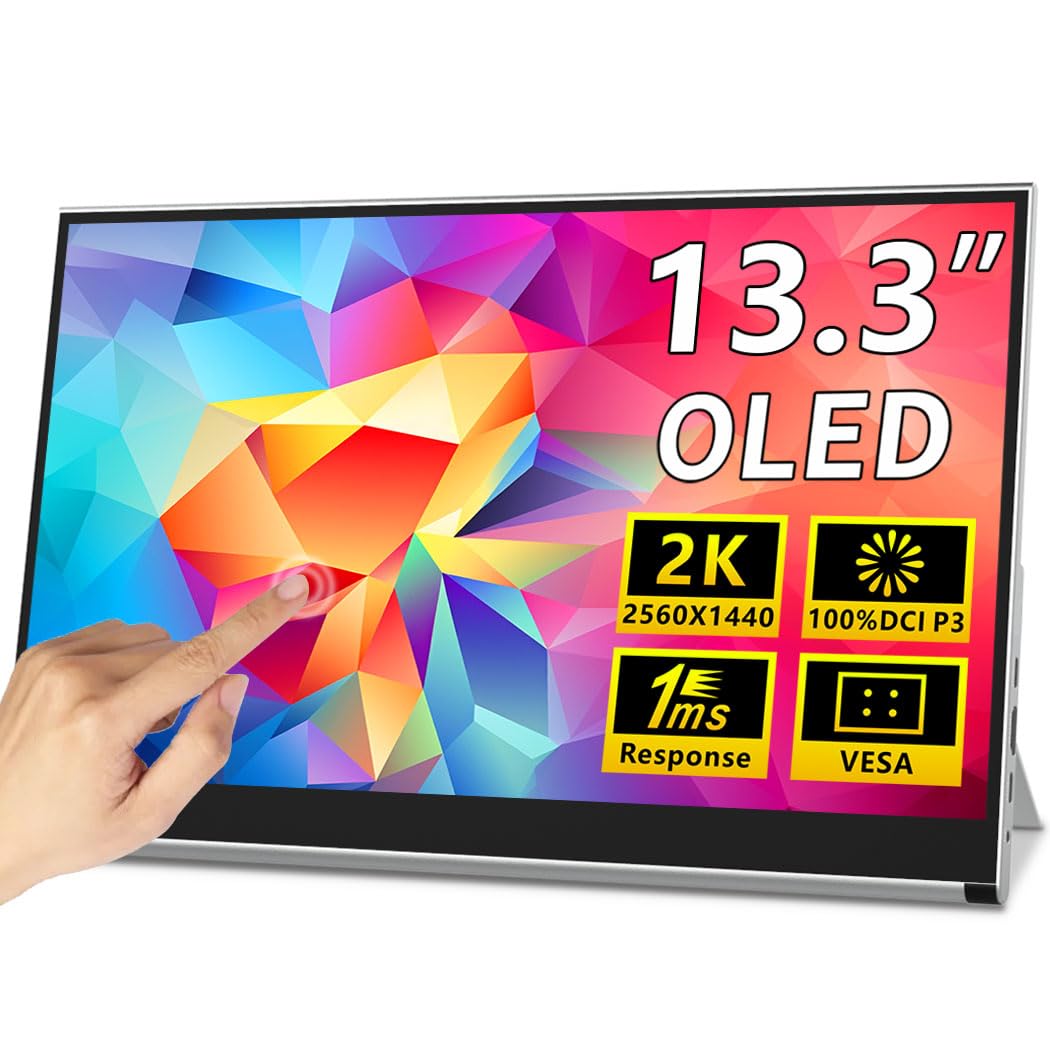
2. Magedok X12 OLED Portable Touch Monitor 13.3″ 2K
A second screen you can tap, pinch and drag — provided your laptop speaks the right USB-C dialect.
Ten-point capacitive touch is the reason to look here. It means the panel registers up to ten fingers at once, so you can pinch-zoom a photo, swipe through a form, or draw a signature directly on the glass. That is a genuinely different way to use a portable monitor, and it pairs with a 13.3-inch 2K OLED panel covering 100% DCI-P3 with 10-bit colour for smooth gradients.
Physically it is a 0.26-inch metal frame at 1.76 lbs with a built-in kickstand and VESA mounting, so it shifts from landscape to portrait and hangs on an arm when you are at a desk. Connectivity runs through two full-feature USB-C ports or one mini-HDMI. The instruction that matters: for single-cable video and power, your device needs Thunderbolt 3 or 4, or USB-C with DisplayPort Alt Mode. Without that, you are adding an adapter or a power brick.
Set expectations on two fronts. The resolution is 2560 x 1440 — real 2K, but small text at that density needs scaling turned up to stay readable for long work sessions. And touch is a Windows and Android feature here, not a Mac one, so the Mac in the marketing photos will not respond to your finger. The kickstand also feels light for the panel’s weight, so set it down rather than yank it around.
The touch trade-off: every tap and swipe lands accurately and without lag, which is exactly what a second screen for forms, sketches and quick navigation needs. It is the strongest reason to choose this over the sharper but finger-blind InnoView 14-inch 4K.
Read the fine print: a 300-nit panel and a standard refresh rate keep this firmly mid-tier for brightness and motion, so treat it as a work-and-media screen rather than a gaming one.
Reach for this if: your daily driver is a Windows laptop or tablet and you want a touch layer on your second display.
Look elsewhere if: you are on a Mac and expect the touchscreen to work — it will not.
3. InnoView 14 Inch OLED Portable Monitor 4K UHD 3840×2400
The panel for people whose work is judged on colour, not frame rate.
Pixel for pixel, nothing on this list pushes more detail into a 14-inch frame. The InnoView runs 3840 x 2400 — roughly 50% more pixels than the 2560 x 1440 Magedok X12 — and backs it with a 100000:1 contrast ratio, which is 85% higher than that same 54000:1 panel. Contrast ratio compares the brightest white to the deepest black; a higher figure means shadow detail stays visible instead of crushing to a flat block.
Colour accuracy is the real brief here. It covers 100% DCI-P3 and each unit is tuned to a Delta E below 2 out of the factory, meaning the colours on screen sit close to the reference values a designer or photographer expects. The OLED pixels light themselves with no backlight layer, so blacks are genuinely dark rather than lit-up grey. At 1.24 lb and 0.15 inches at its thinnest, it drops into a backpack beside a laptop, and the 180° stand lets you set a viewing angle or hang the panel to reclaim desk space.
Two things worth knowing before you buy. The brightness is rated 350 nits, which is comfortable indoors but not built for direct sun. And a 4K signal needs a graphics card that supports 4K at 60Hz — if yours does not, you will spend your first evening troubleshooting instead of editing. The 1ms response time does keep moving footage clean, so video review is not a problem.
Best use of the pixel budget: for a retoucher or designer, the combination of 3840 x 2400 resolution and factory Delta E under 2 makes this the most trustworthy colour reference in the roundup at its tier.
The honest limit: at 350 nits it is an indoor screen, and the rated response and brightness suit careful work more than twitch gaming.
Pick it for: photo editing, design review and any job where a wrong shade costs you a redo.
Check first: confirm your graphics card handles 4K at 60Hz, or this panel’s chief advantage goes unused.
4. ASUS ZenScreen 16″ OLED USB-C Portable Monitor (MQ16AHE)

Sixteen inches of OLED that slides into the front pocket of a carry-on and barely registers on the shoulder.
Travel is where this ZenScreen earns its place. The 1920 x 1080 OLED panel is not chasing resolution records — it is chasing a bag slot. It measures 0.4 inches deep and pairs a 360° kickstand with a rear tripod socket, so it stands on a tray table or screws onto a small tripod for a genuinely stable eye-level view. Full HD on 16 inches keeps text large and readable without scaling gymnastics.
The screen itself covers 100% DCI-P3 with the extreme blacks and high perceptual brightness OLED is known for, plus a 1ms response time and HDR-10 support. A proximity sensor and auto-rotation via the DisplayWidget Center software let it flip between landscape and portrait without digging through menus. A 3-year warranty is a long runway for a portable screen that lives in a bag.
The friction sits in setup and a couple of design choices. The on-screen menu is not intuitive, and one buyer’s first attempt to pair it with a MacBook Pro took an hour and then failed again the next morning. The included sleeve uses a scratchy hook-and-loop closure where a flip cover would be safer for the panel. And the accelerometer that handles rotation only works through ASUS’s own software, so an upside-down orientation on a game console is not available.
Why it travels well: 1080p resolution plus a thin shell and a proper 360° stand is the combination that makes a second screen actually usable in an airport seat.
Where it frustrates: the menu system and the proprietary rotation software turn a simple idea into a longer first setup than you would expect.
Suits you if: portability outranks pixel count and you want a familiar brand backing the panel.
Not your pick if: you need crisp small text at high density or you refuse to fight a menu.
5. ViewSonic VX1655-4K-OLED 16 Inch 4K UHD Portable Monitor

A 4K OLED workhorse from a name you can call, with one cable that both sends pictures and feeds your laptop.
Plug one USB-C cable in and the laptop sees a second 3840 x 2160 OLED display while pulling up to 60W of two-way power to keep its own battery alive. That single-cable convenience is the whole argument for this screen, and it is backed by a 15.6-inch panel with individually lit pixels, a 0.6-inch body and 1.5 lbs of carry weight. Mini-HDMI and a second USB-C port cover the devices that will not do it in one cable.
Display quality is what wins owners over here. The OLED panel delivers the contrast and colour that make a 4K MacBook display feel pedestrian by comparison, and the 60W passthrough with a built-in USB hub makes a travel desk feel like a real one. A 3-year limited warranty with US-based support is rare in this category and worth real weight if you are buying for business.
The trade-offs are real but specific. There is no built-in battery, so the panel draws from your laptop and drains it faster. A 20W external power source is required for full operation, and not every USB-C cable will carry the signal — the included cable works where some aftermarket ones did not. Speakers are weak and lack external volume control, and on a MacBook the connection can cycle in a reconnect loop. Aspect ratio also differs from a 16-inch MacBook Pro, so windows resize when you drag them across.
Where it shines
- 3840 x 2160 OLED detail on a single USB-C cable
- 60W two-way power keeps the host laptop charged
- 3-year limited warranty with US-based support
- 1.5 lbs and 0.6 inches thick for real backpack carry
What to plan around
- No battery — it pulls power from your laptop
- Cable-sensitive: use the included USB-C cable
- Some MacBooks hit reconnect loops
- Built-in speakers are thin with no volume control
Made for: Windows users and creatives who want 4K OLED detail and a warranty that actually answers the phone.
Skip if: your machine is a MacBook known for cable instability or you need a battery-powered panel.
6. Magedok OLED Portable Monitor 4K 16″ (PI-X9M)

Sixteen inches in the taller 16:10 shape gives you more vertical room than almost anything else here.
More screen real estate without a wider bag is the promise, and the numbers back it: 16:10 is the aspect ratio, and it offers about 10% more viewing area than a 16:9 panel of the same diagonal. That extra strip means one more row of a spreadsheet, one more paragraph of a document, or a taller timeline in an editor — the small gains that add up over an eight-hour day.
The panel is a Samsung AM-OLED with E4 light-emitting material, 283 ppi pixel density and 100% DCI-P3 coverage tuned to a Delta E below 1. Contrast sits at 100000:1, and TÜV low-blue-light certification is on the spec sheet for people who stare at screens late. A 0.22-inch metal body at 2 lbs with a 93% screen-to-body ratio keeps the footprint tidy, and the integrated kickstand adjusts through a 0-90° range with 75 x 75mm VESA support for arm mounting.
Be clear about the cable situation. You get mini DisplayPort, USB-C all-in-one and standard HDMI, so most laptops, phones and consoles are covered. But higher brightness requires a charger, so the single-cable dream ends when you want maximum output. The built-in speakers are mediocre, the stand leaves owners wanting more, and there is no HDR. Devices short on power — a smartphone or a Switch — have to be connected to a wall supply while the screen runs.
The real-world gain: 283 ppi on a 16-inch OLED makes text and fine detail look like print, which is why photographers and coders gravitate to this panel despite the extra setup.
Set up for maximum: bring the external charger on day one, otherwise you will think the panel is dim.
Choose this when: vertical screen space and pixel density matter more than single-cable simplicity.
Weigh it against: the ViewSonic, which trades some of that density for one-cable operation and a longer warranty.
7. SOTSU FlipAction Elite 16″ Portable Monitor
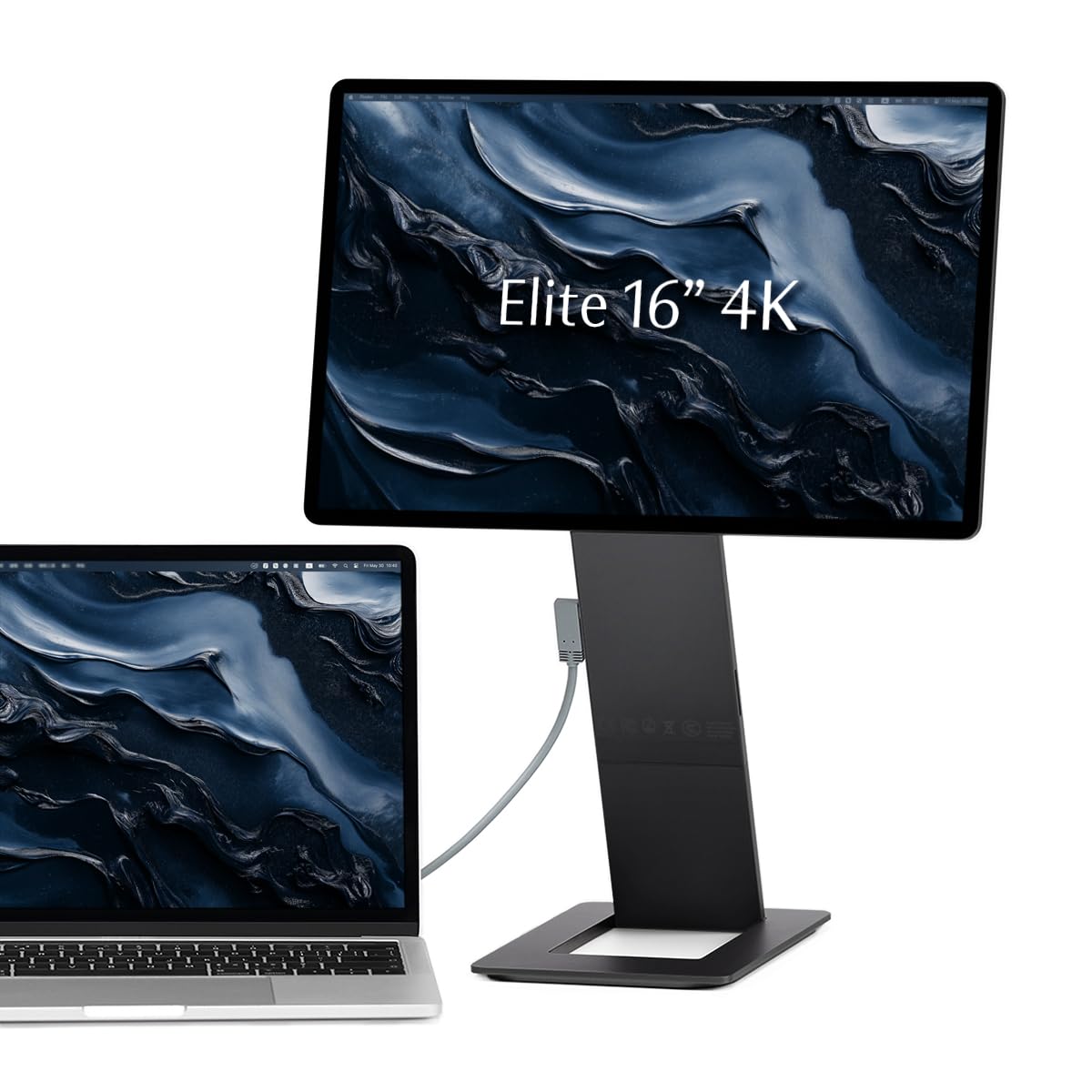
A slab of anodised aluminium that matches a Space Black MacBook and folds into half an inch.
The defining figure here is 0.5 inches — the thickness of the whole folded unit, because the base stand magnetises flat onto the back of the screen. That is a genuinely clever piece of mechanical design, and it is wrapped in CNC-machined aerospace alloy with an anodised finish. The display inside runs 3840 x 2400 on 16:10 with 100% DCI-P3 coverage and 450 nits, which is a genuinely bright panel for a portable screen.
Build quality is what carries this pick. The hinges let you raise the screen to eye level or align it with your laptop’s top edge, and rotation runs from 0 to -90, 90 and 180 degrees for portrait work. Ports live in the stand rather than the screen edge, so no cables drape down the side. There is a full SD card slot built into the kickstand — a small detail that saves photographers from carrying a separate reader — and passthrough charging lets one wall plug feed both the monitor and your laptop.
Two limits are worth naming. The screen is an LCD panel, not OLED, so blacks read as dark grey rather than truly black, and the anti-reflective coating is lighter than a glossy finish would suggest. Some owners also report a high-pitched buzz when the unit is off but still plugged in, cleared temporarily by replugging.
The craftsmanship argument: precision metal, strong magnets and a stand that folds flush turn a second screen into something you enjoy handling — and it matches a Space Black MacBook closely enough to pass as first-party.
Honest ceiling: you are paying for build and ergonomics, not for perfect blacks, so a glossy OLED at a similar tier will look punchier in a dark room.
Worth it for: consultants and creators who travel constantly and want hardware that feels as good as their laptop.
Spend elsewhere if: OLED contrast is your non-negotiable or you mostly work in dim rooms.
8. UPERFECT Delta Pro Touch Portable Monitor

Two stacked screens and a pressure-sensitive pen — a portable sketchbook that also runs your code.
Studio work is the pitch, and the pen sells it. The included Microsoft MPP-certified stylus tracks 4096 levels of pressure sensitivity, meaning the line gets thicker and darker the harder you press, just like a pencil. That makes note-taking, sketching and annotation feel natural rather than like dragging a mouse. Each screen carries a 2560 x 1600 2.5K panel, and having two stacked in a vertical folding layout means you can compare documents or reference material without losing your place.
The physical build is metal with rounded edges, a foldable stand and 360° folding, and the whole unit weighs 1 kg. The stylus has a genuine quirk worth knowing: it needs an AAAA battery before it will work at all, which is not obvious on first unboxing and has sent a few buyers hunting for a fix. Once the pen is powered, input is smooth and near-lag-free.
Power management is the caveat here. The screen will not wake after a computer goes into standby; with no power switch on the unit, that means unplugging both USB-C cables before it comes back to life. The connectivity can be fussy too — cables have been known to detach under light movement. On the plus side, UPERFECT’s support earned credit in reviews for shipping a free replacement under a 2-year warranty when a screen failed.
Pen-first, screen second: 4096 pressure levels plus dual 2560 x 1600 panels is a rare combination — the closest thing here to carrying a drawing tablet that doubles as a workstation.
Bring patience for power: the standby behaviour and cable grip turn a great device into one that asks for a routine.
Your fit if: you sketch, annotate or code across two windows and want the pen to feel like a pen.
Consider the alternative if: you want wake-from-standby to be invisible — the ViewSonic or ASUS handle that better.
9. ASUS ZenScreen Duo OLED Portable Monitor MQ149CD

Two OLED panels joined by a hinge that opens into a 21-inch workspace you can carry in one hand.
Folding two 14-inch OLED screens against each other is the engineering story here. Each panel runs 1920 x 1200 on a 16:10 shape, and together they form a combined 21 inches of workspace. Both carry 100% DCI-P3 coverage, Delta-E under 2 tuning and DisplayHDR 400 True Black certification, and the whole assembly weighs 1.07 kg. A 360° hinge, a tripod mount and a fold-out kickstand let you lay it flat for a shared view or stand it upright for solo work.
What wins people over is the portability-to-pixels ratio. Owners describe the aluminium build as sturdy and the flip-stand hinge as solid, and the screens switch automatically between landscape and portrait through DisplayWidget Center. For anyone who usually travels with a tablet and a laptop to get two displays, this collapses that into a single item that fits a carry bag.
Budgets go further elsewhere. This is the most expensive single item in the roundup, and the 14-inch panel size feels cramped once you are used to a 16-inch. Pass-through charging is absent, so a laptop needs spare ports to drive both screens. More importantly, the one-cable dream does not hold — getting both panels running typically takes two or three cords, and Windows machines may need a second USB-C connection just for power. Compatibility with Apple hardware is the recurring sore point, with MacBooks needing both USB-C cables rather than a single one.
Two screens, one bag: the fold-out design is the most space-efficient way to get a genuine dual-display workstation onto a plane.
The cord reality: plan for two or three cables, not one, and budget your laptop’s ports before you commit.
Ideal for: travelers who want a real two-screen setup without checking a second bag.
Hold off if: your laptop runs short on USB-C ports or you refuse to manage more than one cable.
10. Magedok 17.3″ 4K Touchscreen Portable Monitor 120Hz
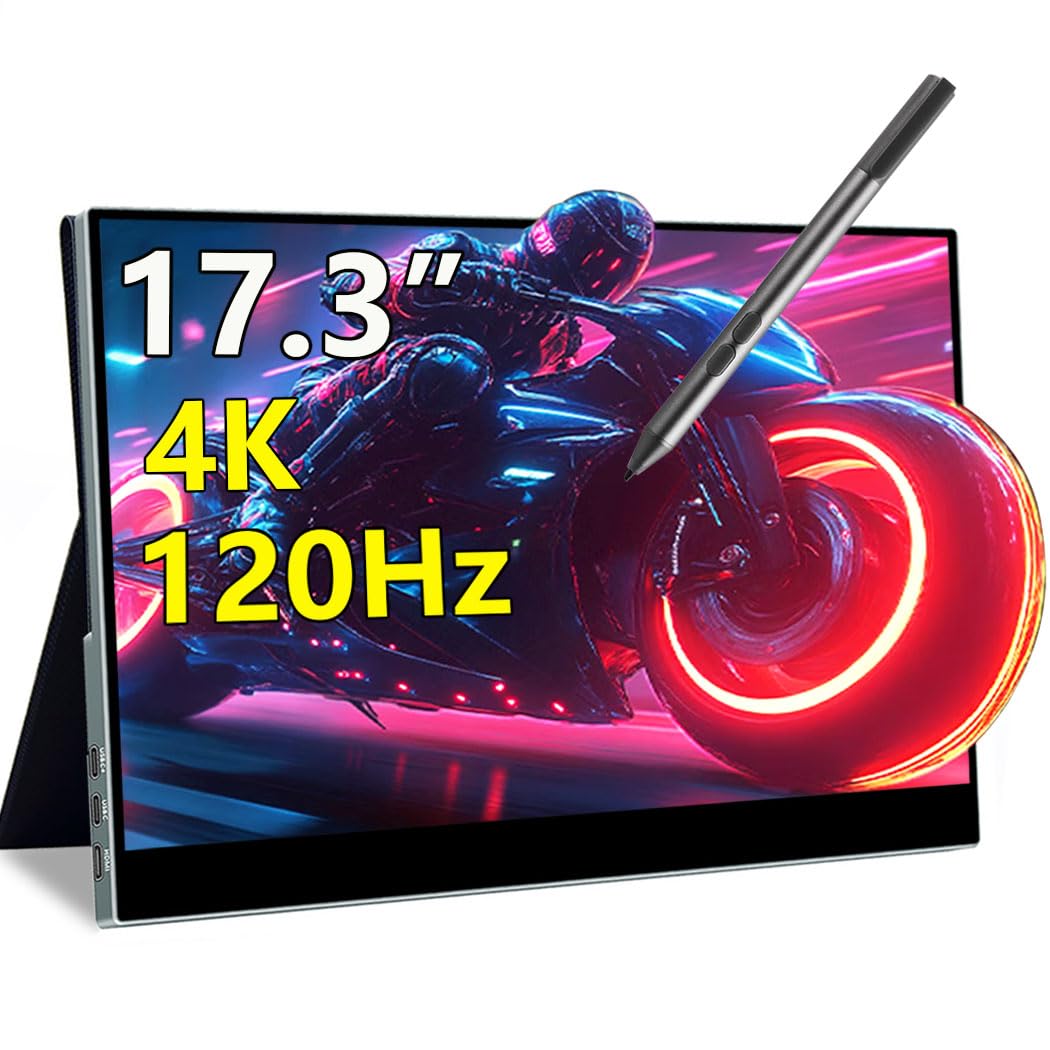
The biggest panel on the list, and the only one that turns a 17-inch 4K canvas into a touch surface.
Screen size is the point: at 17.3 inches and 3840 x 2160, this is a monitor that replaces a desktop display rather than supplementing one on a tray table. The 120Hz refresh rate and 1ms response time handle motion cleanly, and 10-point capacitive touch with MPP stylus support means you can tap, swipe and annotate directly on that big panel. 100% DCI-P3 and 400 nits of brightness round out the display side.
Ports cover the bases — dual USB-C plus HDMI 2.1 — and the all-metal body pairs with a magnetic smart cover that doubles as a stand and 75 x 75mm VESA support for arm mounting. Built-in speakers mean audio without reaching for a speaker, and the magnetic cover doubles as a privacy screen when you need to block a neighbour’s view. Touch works through a single USB-C cable when the host supports DisplayPort Alt Mode.
Understand what you are buying physically: this is not a panel you slip into a backpack sleeve without noticing. People who own it describe setup as easy and the picture as clear, but the brightness lands at roughly half of a modern tablet’s maximum, so the image turns dark and dull if you feed it video over HDMI without a separate USB-C power connection. Material quality is fair rather than premium, and the on-screen controls take learning. The touch layer only functions through USB-C on a device that supports it — many desktops do not.
Where the size pays off: a 17.3-inch 4K touch panel is the closest thing here to a drafting table you can pack, and the 10-point touch turns it into a markup tool for teachers and designers.
The power rule: cable it to a wall supply whenever you want real brightness — otherwise the picture disappoints.
Fits: teachers, a desk that moves between rooms, and anyone who wants touch on a full-size 4K canvas.
Not your fit: frequent flyers, or any setup with no spare USB-C port for power.
11. InnoView Portable Dual Monitor 15.6″ 4K Foldable
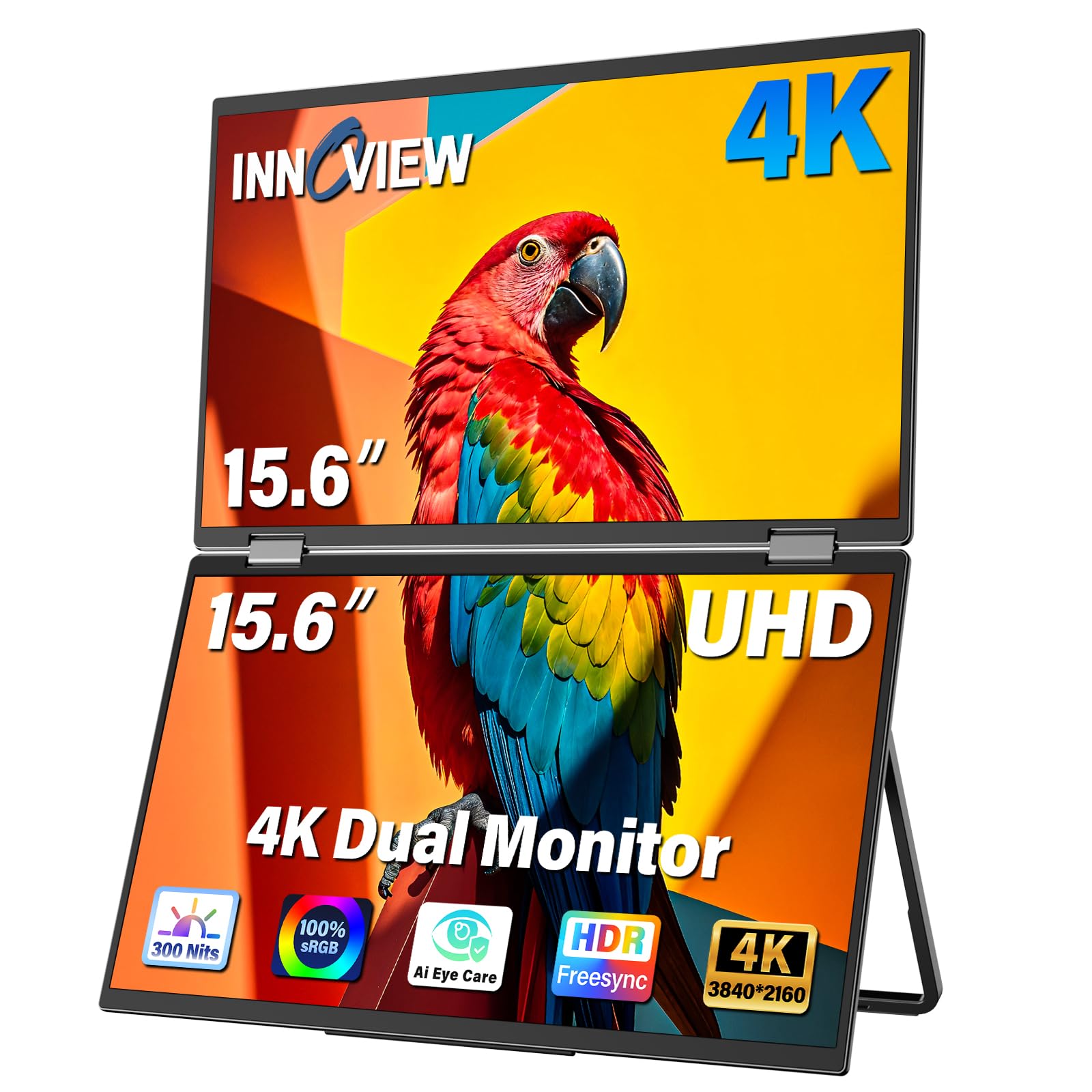
A stacked twin-screen rig for people who need three displays open before the first coffee.
This is a full dual-screen workstation that folds down for travel. Two 15.6-inch panels run 3840 x 2160 with 100% sRGB coverage and 1.07 billion colours, and a 315° screen adjustment plus a 180° stand mean you can angle the pair to suit a cramped desk. An Owl Eye Vision feature boosts detail and contrast in real time, and an AI blue light filter is there for long days at the keys.
The kit is complete from the start — Type-C, HDMI, DP cables, a 30W PD charging adapter and a power cord — and compatibility stretches to laptops, Macs, Windows machines and smartphones over USB-C, HDMI or DisplayPort. Built-in speakers handle audio, and the foldable design keeps the whole assembly within a backpack footprint. An 18-month warranty sits behind it.
The reliability record is the thing to weigh honestly. While several people describe the panels as excellent initially and a genuine productivity gain, a number report shorter lifespans than expected: flickering on reconnect, a screen fading, and panels that stop turning on without unplugging power. Support has been hard to reach for some, and the panels work independently over USB-C with the controller needing power cycles. If you buy one, register the warranty on day one and keep the paperwork.
The productivity math: dual 4K panels plus a folding hinge is a lot of screen for one bag, and the 100% sRGB coverage suits document, spreadsheet and design work equally well.
Buy it knowing: the supplied accessories and warranty are decent, but keep receipts and test both panels thoroughly in the first month.
Best for: multitaskers who genuinely need three screens and are willing to test the unit early.
Look at the ASUS Duo instead if: long-term reliability outweighs how much screen area you can fit in a bag.
Know the Specs
Contrast ratio, and why OLED is different
Contrast ratio compares how bright the whitest white is against how dark the deepest black. Traditional LCD screens need a backlight that shines through the whole panel, so black never really goes pure black. OLED pixels switch themselves off to create the black, which is why an OLED screen’s contrast looks deeper in a dim room. A higher ratio figure — 100000:1 versus 54000:1, for example — means shadow detail holds up better instead of turning to a flat black block.
Refresh rate and response time in plain words
Refresh rate is how many times per second the picture redraws, measured in hertz — 120Hz means 120 redraws a second, so motion looks smoother than at 60Hz. Response time is how quickly a pixel can change colour, measured in milliseconds — 0.1ms is fast enough to avoid the trailing smear behind a speeding car in a game. Those two figures matter for gaming; for documents and spreadsheets, they barely register.
DCI-P3, sRGB and Delta E
DCI-P3 and sRGB are both measured colour ranges: the map of shades a screen can show. A monitor covering 100% DCI-P3 can display moresaturated reds and greens than one limited to sRGB. Delta E is the distance between the colour the screen shows and the colour it should show, so a lower figure means a more faithful panel — under 2 is close to professional reference, and under 1 is tighter still.
Nits, brightness and where it matters
A nit is a unit of screen brightness. A 300-nit panel reads comfortably in a dim office but washes out near a window, while 450 to 500 nits holds its own in a bright café or under a desk lamp. Higher brightness on an OLED often asks for a dedicated power adapter, because a single USB-C cable may not deliver enough juice to drive the panel at full output.
USB-C DisplayPort Alt Mode and Thunderbolt
Alt Mode is a feature that lets a USB-C port carry a video signal as well as data and power — it is what makes a one-cable setup possible. Thunderbolt 3 and 4 always support this; plain USB-C sometimes does not. If your laptop lacks it, you fall back to HDMI or mini-HDMI for picture plus a separate USB-C port or wall adapter for power. Checking this single spec before you buy prevents most setup headaches in this category.
Pixel density and text comfort
Resolution alone does not tell you how sharp a screen looks — the size of the panel matters just as much. Packing 3840 x 2400 pixels into 14 inches gives a very high pixel density, so text and fine detail look crisp. The same resolution spread over 17 inches is less dense. A 2560 x 1440 panel at 13 inches can actually make small text hard to read at default settings, which is why scaling exists.
Common Questions
Will an OLED portable monitor work with my MacBook over a single USB-C cable?
Does a portable OLED monitor need its own power supply?
Is OLED burn-in a real risk on a portable monitor?
How much brightness do I need for outdoor or café use?
Can I use a portable monitor with a Nintendo Switch or a PlayStation?
Is a 2560 x 1440 screen sharp enough for text work?
Will touch work on my Mac or only on Windows?
Do these monitors have speakers I can rely on?
What is the difference between a dual-screen extender and a single portable panel?
Can I mount a portable monitor on a desk arm?
The Bottom Line
For most people, the oled portable monitor worth taking home is the UPERFECT 14″ 3K 120Hz, because it packs 120Hz motion, 0.12-inch full-metal thinness and 120% DCI-P3 colour into a panel that weighs 1.29 lbs — a combination nothing else here matches at its tier. If colour accuracy is your job rather than your hobby, the InnoView 14″ 4K gives you 3840 x 2400 and a factory Delta E under 2 for precise editing. And for a genuine dual-display workstation that folds into a bag, the ASUS ZenScreen Duo MQ149CD is the one to reach for.
One last honest note before you click buy: the panel that matches your laptop’s ports will always beat the panel with the better spec sheet. Check DisplayPort Alt Mode on your laptop, budget for the power adapter the maker ships, and the screen you choose will keep earning its place in your bag.
How we choose
We do not accept paid placement. Every pick is matched to a real buyer and a real use-case; we do not hands-on test units.
Sources
Specifications: manufacturer listings and product documentation. Review insights: verified customer reviews, as of October 2026. Pricing: not shown on this page (it changes often); check the current price via the retailer link.
As an Amazon Associate, Aappliancez earns from qualifying purchases. This does not affect which products we feature.