Disclosure: Some links in this post are affiliate links. As an Amazon Associate I earn from qualifying purchases, at no extra cost to you. Learn more
Specs are compiled from manufacturer listings and verified buyer reviews and can change over time — please confirm the key details on the product page before buying.
If you run Home Assistant, the NVR question is really two questions at once: will it keep recording when your internet drops, and can your automation hub actually talk to it? The short answer is that most of the systems here record locally and stay online without a subscription — but only some of them expose the video and events in a way Home Assistant can read. That gap is where most buyers get stuck, so every pick below is judged on how well it survives that handshake.
This guide is built by comparing the manufacturers’ published specifications and the patterns across verified customer reviews, so you get each pick’s real strengths and trade-offs instead of marketing spin.
The nvr for home assistant you choose should mirror your hub’s strengths, not fight them, and the nine recorders below each solve that problem a different way.
Top Picks

How To Choose The Best NVR for Home Assistant
Start with the one thing you cannot change later: how many cameras the recorder can physically accept and power. A 16-channel NVR with 16 PoE ports will run a full perimeter of cameras off its own power supply, while an 8-port box needs an extra network switch the moment you add your ninth camera. Buy for the number of cameras you will have in two years, not the number you own today.
Compatibility is the real filter, not megapixels
A 4K label means nothing if your hub cannot pull the stream. Look for ONVIF (a shared camera language that lets different brands talk to each other) and RTSP (the protocol Home Assistant uses to grab a live video feed). Several recorders in this list run their own branded camera software and lock plug-and-play to their own cameras, which is fine if you stay in one brand — just know that mixing brands can mean a manual setup instead of a single cable click.
Stored days depend on your drive, not the camera count
What actually limits your video history is the size of the hard drive and the compression format. H.265 (a newer video codec that shrinks file sizes without dropping resolution) buys you noticeably more days than older H.264 at the same resolution. A preinstalled 2TB drive typically covers several days of continuous 4K recording across a handful of cameras, and every pick here lets you swap or add a larger drive later.
Why PoE wiring still wins for automation homes
PoE (Power over Ethernet) sends both electricity and video down one network cable, so each camera needs a single run and no separate power outlet. That keeps your install tidy and your camera signal lossless compared to Wi-Fi cameras that can drop when your router gets busy. For a Home Assistant setup, a stable wired feed is what makes motion automations fire reliably instead of guessing.
Side-by-Side Comparison
| Model | Best For | Channels | Included Drive | Max Resolution | Amazon |
|---|---|---|---|---|---|
| REOLINK RLK8-800B6★ Best Overall | All-round Home Assistant starter | 8 | 2TB | 4K (8MP) | Amazon |
| Lorex Fusion N842A82Fusion Pick | Mixing wired cams with Lorex Wi-Fi gear | 8 | 2TB | 4K | Amazon |
| TK QBE Mini PCHub Build | Running the hub itself, not just recording | — | 512GB SSD | 4K@60Hz output | Amazon |
| 4COVR LY54AX5M0804 | Vandal-prone shared walls and lots | 8 | 2TB | 5MP | Amazon |
| Anpviz NVR16Q216P | Big Hikvision-compatible builds | 16 | 4TB | 12MP | Amazon |
| Hiseeu PK-8YHD98-BT | Pan-and-tilt coverage of open rooms | 8 (to 16) | 2TB | 4K (8MP) | Amazon |
| ANNKE 16CH 5MP PoE | Voice-deterrence on a budget | 16 | 2TB | 3K (5MP) | Amazon |
| eufy S4 Max | Cross-camera tracking, no subscription | 8 (to 16) | 4TB | 4K | Amazon |
| REOLINK RLK16-1200D8-A | Maximum detail across a large property | 16 (to 24) | 4TB | 12MP | Amazon |
Detailed Reviews
1. REOLINK 8CH 4K/8MP Security Camera System RLK8-800B6
Our pick — 4.0+★ from 900+ verified ratings; the strongest balance of quality and price.
The self-contained 4K workhorse that keeps recording with no internet at all
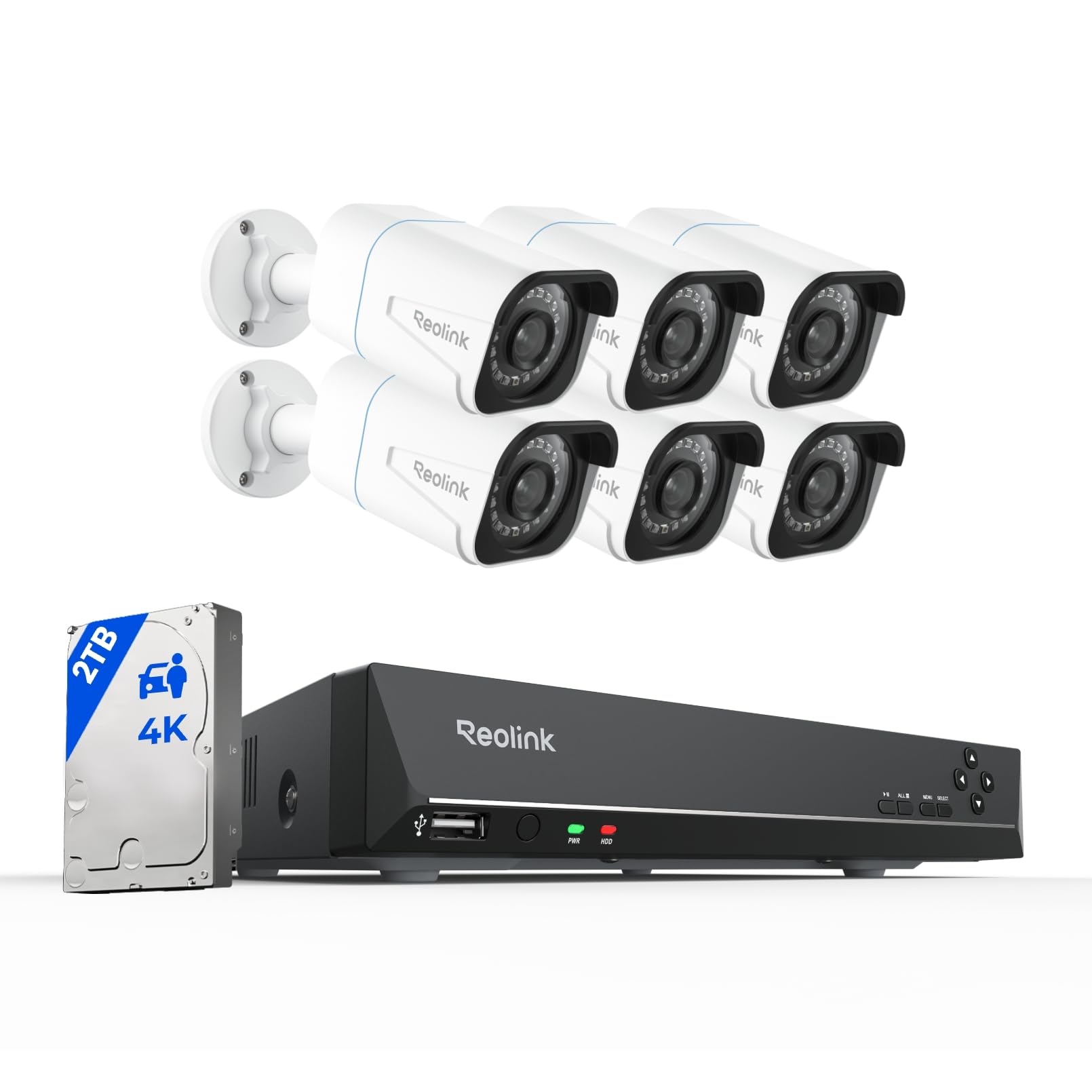
For a first Home Assistant build, this is the box that covers the most ground with the least fiddling. It arrives as a complete kit — an 8-channel recorder plus six 4K (8MP, 3840 x 2160) bullet PoE cameras, a 2TB hard drive already inside, and a mouse and cables in the box. The six cameras draw power straight from the recorder over Ethernet runs of up to 300 feet, so your only real job is routing cable. Keep it offline and it still records, which is exactly what you want when your hub is doing the thinking.
The recording math is where it earns its place. Buyers report the included 2TB drive gives roughly six and a half days with five cameras running 4K plus audio, and the recorder accepts an external drive up to 8TB or expands to 16TB with two 8TB drives. That expandability is why this sits above the Hiseeu kit, which is locked to the 2TB it ships with. The 18 infrared LEDs push night vision out to about 100 feet, and 3D-DNR (noise reduction that cleans up grainy low-light footage) keeps the picture usable after dark. Frame rate is 20fps, which is smooth enough for watching property but not a sports broadcast.
The trade-offs are honest ones. Night vision is the split decision here — some love it, others find the centered light and limited peripheral reach frustrating. Setup earns the most praise of anything on this system, while quality ranks first overall, and owners mention the wired install itself takes real attic-and-crawlspace work. Reliably, a few units have failed early, which is why the 2-year warranty and lifetime support matter. If you want a set-and-recording kit you can hand your hub later, this is the one; if you need license plate reads in the dark, it will disappoint. skip it if you want a fully wireless install — every camera here is wired.
What buyers keep coming back to
- Records with no internet connection — your hub keeps logging events
- PoE signal stays lossless and stable versus Wi-Fi cameras
- 2TB drive covers roughly six and a half days at five 4K cameras
- Expandable to 16TB so you can add days of history later
- Smart person/vehicle/animal detection trims false alerts
Where it asks more of you
- Night vision divides buyers — peripheral reach is short
- Wired install means real attic and crawlspace labor
- A small number of units have failed early
- 20fps feels modest on fast-moving subjects
Made for you if: you want a complete offline-recording kit whose 2TB drive already covers most of a week and whose PoE wiring keeps your Home Assistant automations fed without cloud delays.
Think twice if: your night reads depend on distant plate detail or you were hoping for a wireless install — both run against what this system does best.
2. Lorex 4K Ultra HD 8-Channel Fusion Series PoE Network Video Recorder
The recorder you buy when your property is already full of Lorex wireless gear
Most recorders force you to pick a lane — wired or wireless. This one blends them. It is an 8-channel 4K recorder with a 2TB hard drive inside, but the interesting part is Lorex Fusion: you can pair it with Lorex Wi-Fi cameras, doorbells, and floodlights so those wireless devices record to the same drive as your wired PoE cameras. If you already own Lorex battery gear, that saves you from running a second app and a second storage pool.
For a Home Assistant owner, the useful hook is smart home compatibility — the cameras speak to Amazon Alexa and Google Assistant for voice control, and the Lorex Home app handles remote viewing and playback from a phone. Area Search is the sleeper feature: you select a zone, like a driveway or doorway, and the recorder jumps straight to footage showing changes in that area instead of making you scrub through hours of timeline. Quality is the top praise on this unit, and setup is a coin flip — some find it runs as soon as the cameras connect, others hit a login wall that takes a long support call to clear.
Here is the honest middle ground. Functionality and connectivity both read as mixed, and the durability question weighs on long-term owners: customers note this is a fourth replacement unit and openly wonder whether it will outlast two years. Support can be slow to reach. Nothing here is bad — it is a well-built recorder that works, with a small installation-software quirk and a flatter long-run track record than the REOLINK kit above. If the fusion of wired and Lorex wireless is what your house needs, that blend is the reason to buy it.
The fusion advantage: This is the only pick here that pairs a wired 8-channel PoE recorder with the brand’s own Wi-Fi cameras and doorbells on one drive — a real draw if you are already inside the Lorex ecosystem and do not want two separate storage apps.
What to plan around: Expect to budget real time for the first login and setup, and treat long-term hardware life as something to keep an eye on rather than take for granted.
Reach for this if your property already runs Lorex Wi-Fi cameras or doorbells and you want everything — wired and wireless — landing on one 2TB drive.
Look elsewhere if you want a recorder with a longer proven track record or a smoother first-time setup; those are the two places this one asks for patience.
3. TK QBE Mini PC
Not a recorder at all — the tiny machine that actually runs your Home Assistant brain
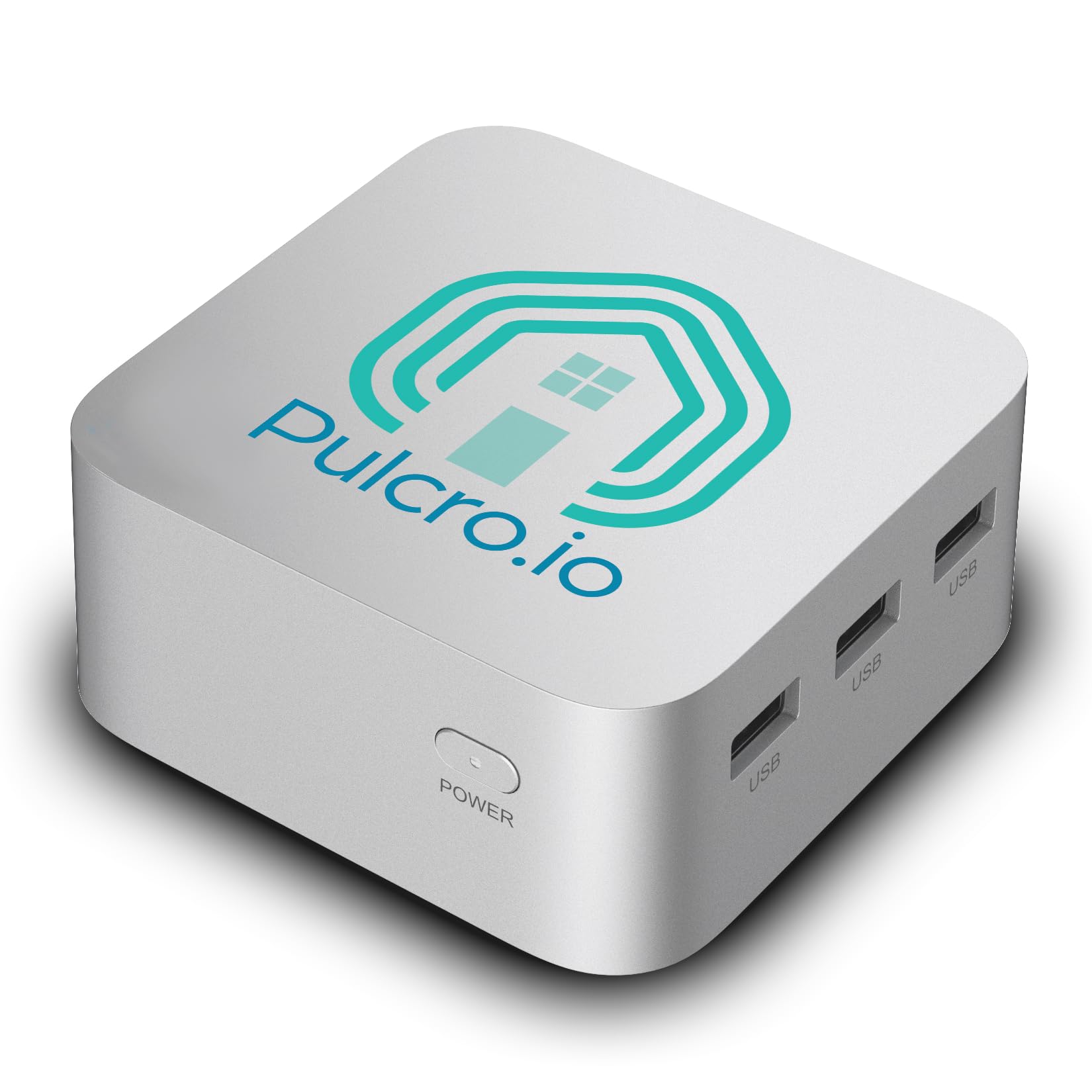
Every other pick on this list stores video. This one runs the software that decides what to do with it. The TK QBE is a mini PC that ships with Home Assistant OS already installed, so you plug in power, connect a network cable, open a browser, and you are inside your hub — no monitor and no keyboard needed for the first boot. The N150 CPU runs four cores up to 3.6 GHz alongside 16GB of LPDDR5 RAM and a 512GB SSD, which is a lot of headroom for the automation engine itself.
Where the power really shows is scale. Reviewers point out running hundreds of automations across thousands of lines of code with a Coral TPU (a small accelerator stick that speeds up local object detection) plus Zigbee, Z-Wave, and Matter devices, and it just keeps chugging reliably. Another owner added Frigate — the video-analysis add-on that watches your camera streams — to the same box and still has not pushed the CPU close to its limit. That is the pairing that matters for an NVR setup: this machine runs the brains, and a recorder like the REOLINK above handles the raw storage, so neither one chokes.
Connectivity is generous for something this small. Dual Gigabit Ethernet (two wired network ports), Wi-Fi 6, Bluetooth 5.2, and three HDMI 2.1 ports each capable of 4K at 60Hz mean you can drive three screens or run a dedicated display wall. It sips power — less than 1 kWh a day — and stays whisper quiet. Performance, reliability, setup, and value all land as clear positives here. The one catch a new buyer should expect is the learning curve: the OS is easy, but understanding automations takes time, and the backup-image handling is more locked-down than some tinkerers like.
Why automators gravitate to it
- Home Assistant OS preinstalled — browser setup, no monitor needed
- 16GB LPDDR5 RAM and 512GB SSD give real headroom
- Runs Frigate video analysis without maxing the CPU
- Dual Gigabit Ethernet plus Wi-Fi 6 and Bluetooth 5.2
- Whisper-quiet, under 1 kWh a day
The parts that take getting used to
- Automations themselves still require real learning time
- Backup-image handling feels more locked-down than some want
- It records nothing on its own — you still need a recorder or drive
The right buy when your Home Assistant setup has outgrown a Raspberry Pi and you want a quiet x86 box that handles Frigate and hundreds of automations at once.
Not the fix if you need somewhere for eight camera feeds to land — this machine is the brain, not the warehouse.
4. 4COVR PoE Security Camera System with 2TB HDD, LY54AX5M0804
Dome cameras built to shrug off a deliberate whack
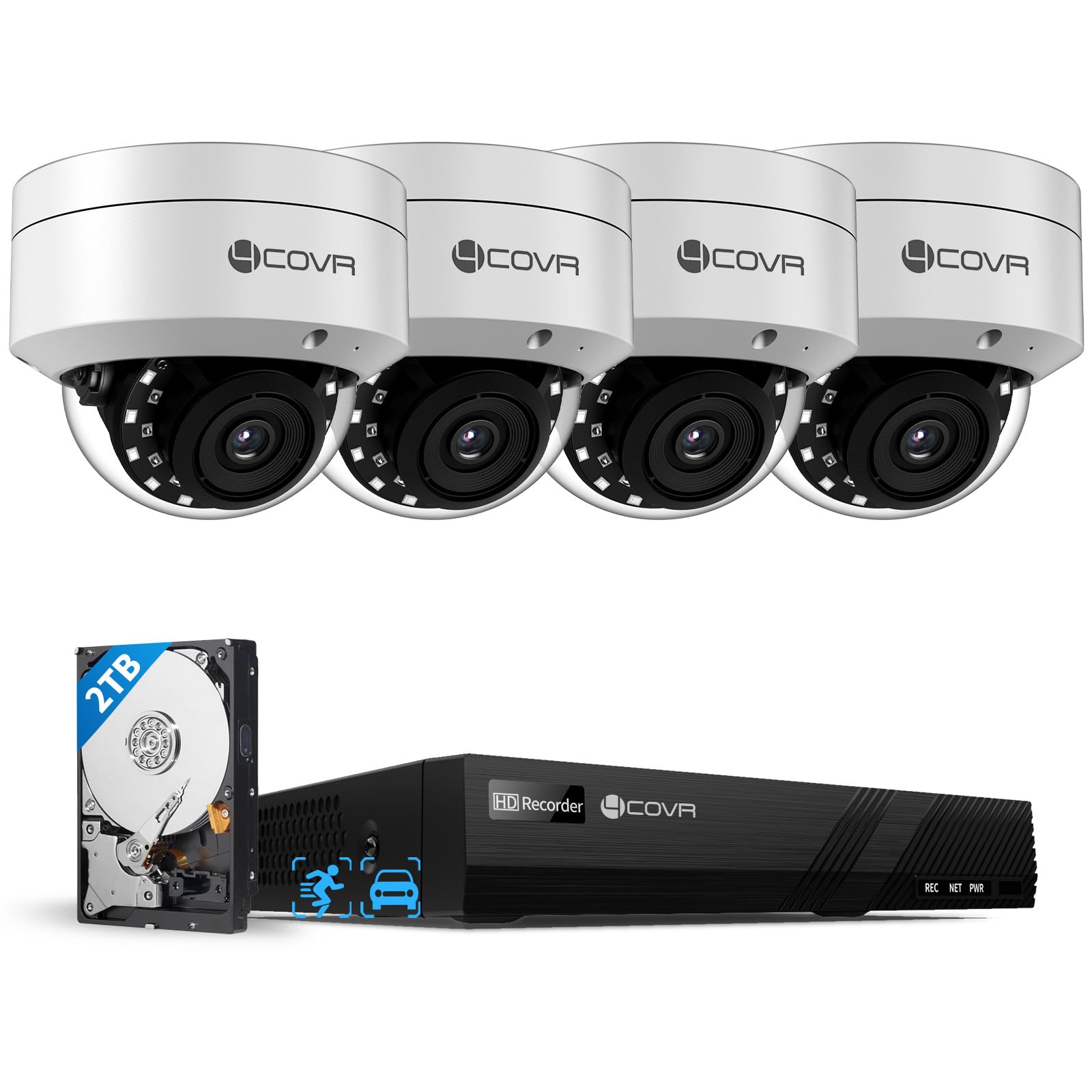
Some installs get targeted — apartment lots, alley walls, shared entries where a camera hangs within arm’s reach. This system answers that directly with IK10-rated dome cameras (IK10 is a physical-impact rating meaning the housing can take serious knocks) that are far harder to grab or smash than the bullet cameras on the REOLINK kit. Four 5MP 2.8mm fixed-lens cameras with built-in microphones feed an 8-channel 4K recorder with a 2TB drive already installed, and one SATA port lets you expand that drive to 8TB.
The picture captures a detailed 2592 x 1944 image, delivers up to 100 feet of night vision, and runs at 30fps — a notch smoother than the 20fps on several pick here, which helps with fast movement across a wide angle. Image quality is the runaway winner in buyer feedback, with picture quality close behind, and the durability story continues outdoors: the cameras carry IP67 weatherproofing (sealed against dust and able to survive rain) and are rated for operating temperatures from -20°C to 50°C. The whole system also draws on AI person/vehicle detection to filter out stray alarms.
The awkward part is setup, and feedback splits hard on it. Some buyers call the PoE install truly plug-and-play, while others hit motion-notification snags that took hands-on support to solve — shoppers say a helpful support contact who answered nearly instantly over WhatsApp and walked them through it. That responsiveness is a genuine asset, because a system this capable still leans on a bit of human help to get the app alarms dialed in. If vandal resistance and weatherproofing top your list, this delivers; just plan for a setup evening rather than a setup minute.
Built for the rough spots: IK10 impact-rated metal dome housings plus IP67 weather sealing are the reason to choose this over a cheaper bullet-camera kit — the cameras are the part an intruder can reach, and these are the hardest to damage.
What to set aside time for: Motion-notification setup is where buyers most often need help, so budget one troubleshooting session before you trust the alerts.
Pick this one if your cameras will hang low or in shared spaces, and you want IK10 impact-rated domes with 100-foot night vision feeding your hub.
Consider a different kit if you value instant alarm setup over vandal resistance — this system asks for a bit more configuration patience.
5. Anpviz AI 12MP 16 Channel Network Video Recorder NVR
A 16-port workhorse that speaks the Hikvision language your hub may already know
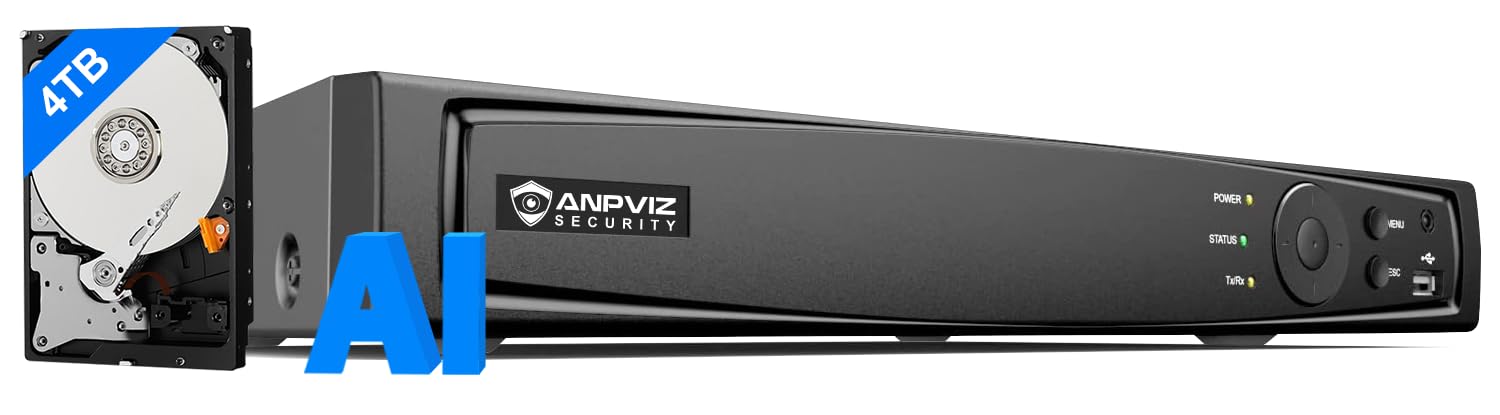
If your plan is a full perimeter, this is where channel count stops being a limit. The Anpviz is a 16-channel recorder with 16 PoE ports that all carry power (buyers report competitors often power only eight), so you can hang sixteen cameras without adding a switch. It ships with a 4TB hard drive and climbs to 16TB of storage, and it handles incoming footage up to 12MP. The included 4TB drive runs roughly two weeks across a mixed load of 8MP and 5MP cameras, which is days of buffer over the REOLINK 8-channel kit’s smaller stock drive.
The open standard here is the point for a Home Assistant owner. Owners mention the recorder runs Hikvision-style software and supports ONVIF and RTSP, which is the combination that lets other systems pull its camera streams. One owner plugged in existing Hikvision cameras plus a Dahua unit over ONVIF and both connected without drama, and another upgraded from a prior Anpviz recorder that had lasted about five years, simply moving the old hard drive over. H.265+ compression trims storage needs without dropping resolution, and the roomy chassis holds a second SATA drive. Quality and compatibility are the two things buyers praise most, and a faster processor makes video load more quickly in the app and desktop software.
The honest catch is the documentation. There are no printed manuals — just a QR code sticker — and the web interface leans on Internet Explorer, which is a real nuisance on a modern machine. Motion detection can throw false positives on non-Anpviz cameras brought in over ONVIF, and the fan is loud enough to notice. Teaching yourself this recorder takes time, and the guidance is thin. But for a large, mostly Hikvision-compatible install, the port count, drive size, and ONVIF support do the heavy lifting.
What makes it worth wiring up
- 16 powered PoE ports — no extra switch for a full perimeter
- 4TB drive ships installed, expandable to 16TB
- ONVIF and RTSP support pull streams into third-party software
- H.265+ compression stretches storage without losing resolution
- Second SATA bay for a future drive upgrade
The friction you will hit
- No printed manual — everything is behind a QR code
- Web interface needs Internet Explorer to configure cameras
- False motion alerts possible on non-Anpviz ONVIF cameras
- Fan noise is noticeable in a quiet room
Worth it for anyone building a 12-to-16-camera property who wants Hikvision-compatible software, ONVIF streams for their hub, and a 4TB drive ready on arrival.
Pass if you want clear printed guidance and a web interface that runs in today’s browsers — this recorder makes you work a little for its feature set.
6. Hiseeu 4K PoE Security Camera System
Eight cameras that swivel, follow movement, and let you talk back
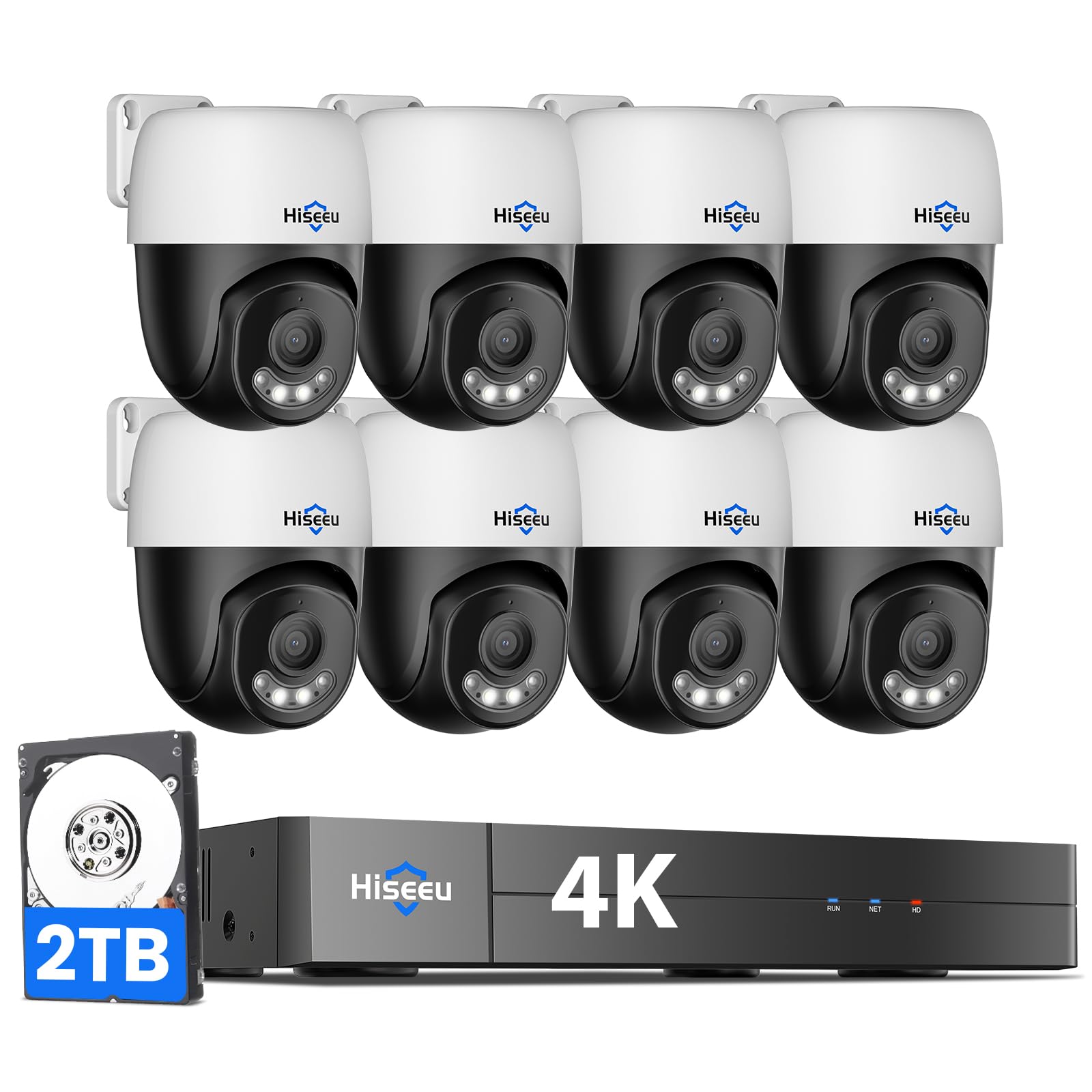
Fixed cameras show you one slice of the yard. These pan-and-tilt cameras cover the whole thing. The Hiseeu kit bundles eight PoE PTZ cameras (PTZ means the lens can pan, tilt, and zoom by remote control) with 350° of pan and 90° of tilt, so a single unit can sweep most of a wide space instead of leaving a fixed blind corner. AI-driven human tracking nudges a camera to follow movement through its view, and the whole set feeds a 4K 8-channel recorder with a 2TB drive preinstalled for around-the-clock recording.
The extras here lean toward live interaction. Two-way audio built into each camera lets you speak to family, guests, or a delivery driver through the app with no subscription, and full-color night vision runs in three selectable modes — full color, spotlight mode, or the classic black-and-white infrared. Motion detection lets you draw zones so only people and vehicles trigger alerts. The 8-port recorder expands to 16 cameras with an added PoE switch, so the tracking system can grow with the property. Image quality and camera quality are the two strongest parts of the buyer verdict, and for open interior spaces or a farm with animals to watch, PTZ is what makes the difference.
Be realistic about what PTZ can and cannot do. A tracking camera follows movement across its view, but it cannot read a license plate at distance, and customers note that limit plainly — one owner called the plate-reading gap a deal against the advertised resolution. Feedback on reliability splits, with camera dropouts showing up alongside the many units that run flawlessly. On the upside, the two-way talk and swiveling coverage make this the most interactive system on the list short of the eufy below. If watching a wandering pet or an open living space matters more than long-range detail, the PTZ design is the reason to buy.
Why the swivel matters: Eight PTZ cameras with 350° pan and 90° tilt can cover open space a fixed eight-camera kit would leave blind — that is the whole value proposition here.
The honest limit: Resolution is not the same as long-range detail, so do not expect this system to read plates or identify faces at distance; it is built for tracking movement up close.
Built for open interiors, big yards, or farm setups where you want eight cameras that track movement, talk back through two-way audio, and cover 360° without blind corners.
pass on it if long-range identification like reading a plate is your priority — movement tracking and plate reading are different jobs, and this system does the first one.
7. ANNKE 16 Channel Security Camera System 5MP PoE
A recorder that lets a stranger hear your actual voice
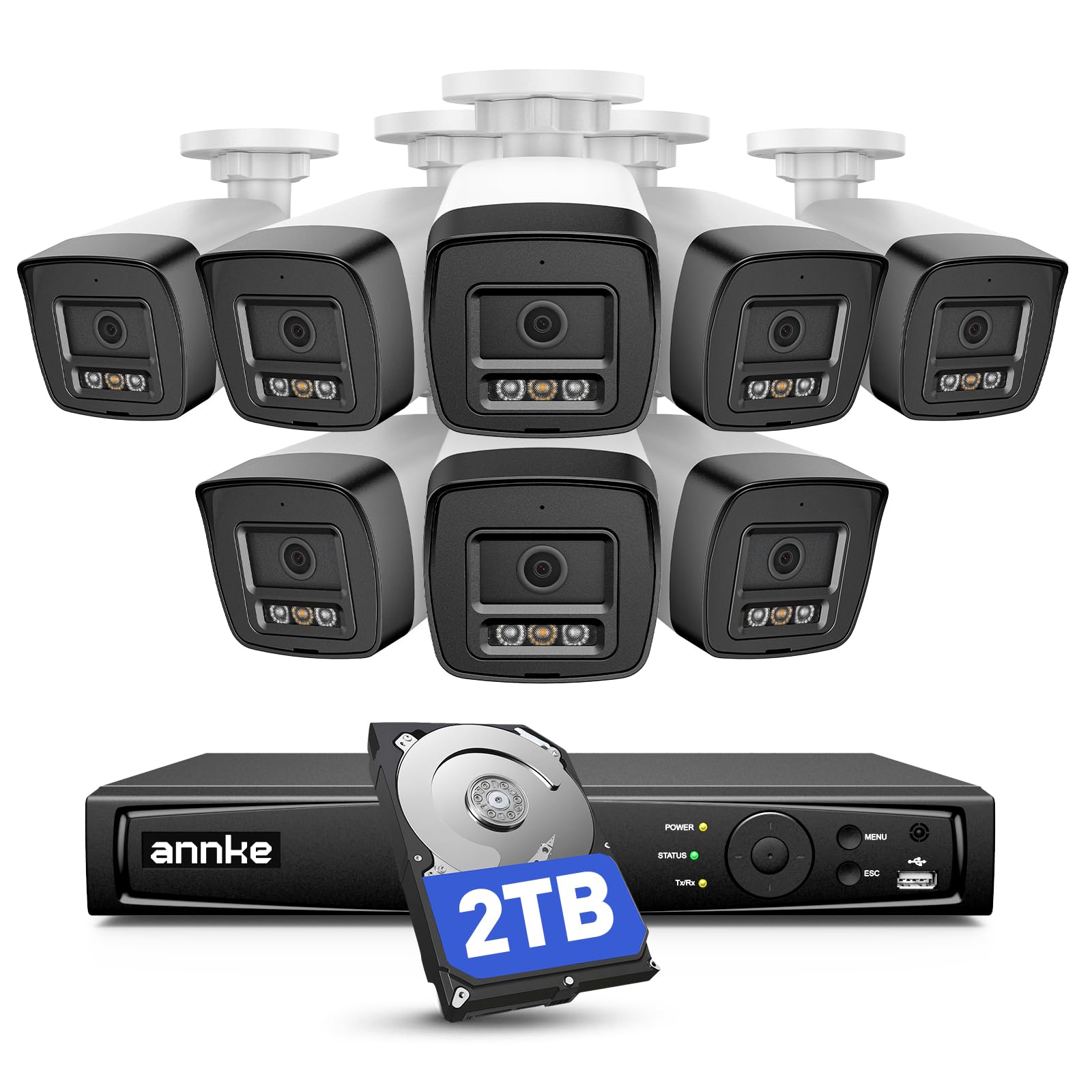
Most systems react after the fact. This one is designed to end the visit early. The ANNKE kit pairs a 16-channel 12MP recorder with a 2TB drive and eight 5MP PoE cameras, and its signature trick is a deterrent you record yourself: you capture a custom warning message in your own voice, and when the ultra-bright red and blue LEDs and high-decibel siren trip, an intruder hears a real person speaking — not a generic beep. For a home or small business where a loud voice is more useful than a silent recording, that is a genuine difference from every other pick here.
The picture side is solid without reaching the top of this list. Cameras deliver a 3K 3072×1728 image at 20fps, use a 2.8mm lens with a 123° diagonal field of view, and carry 120dB WDR (wide dynamic range, which keeps detail visible when part of the frame is bright and part is deep shadow). Night vision runs up to 100 feet using the brand’s EXIR 2.0 lighting. Two-way audio through the free ANNKE Vision app lets you talk to family, pets, or visitors over a single tap, and motion detection 2.0 flags people and vehicles. Value and clear picture quality are the strongest parts of the buyer verdict, and eight cameras give you wall-to-wall coverage of a mid-size property.
The less glamorous notes are worth knowing before you buy. The phone app splits buyers — Android users tend to get along fine, while some iPhone owners hit compatibility limits. The recorder runs warm and its fans are audible, and the printed guidance is thin, so plan to lean on the app store’s tutorials. Video quality tracks light carefully: it is very good by day and turns grayscale with a shorter range at night. Taken as a whole, the custom-voice deterrent and the 16-channel ceiling are what set this apart; the app compatibility is the thing to test early if your household is all-Apple.
Where the ANNKE shines
- Record your own voice warning — a human voice, not a generic alarm
- 16-channel recorder with a 2TB drive included
- 8 cameras at 3K resolution with a 123° diagonal view
- 120dB WDR keeps detail in harsh light and shadow
- Free app, no subscription for viewing or two-way talk
Where it asks for care
- iPhone app compatibility is shakier than Android
- Recorder runs warm with audible cooling fans
- Night footage is grayscale with a shorter range than daytime
- Thin printed instructions push you to online tutorials
The pick for you if an audible, personal warning is your best first line of defense and you want a 16-channel recorder that still leaves room for eight more cameras.
Buy with caution if your whole household is on iPhone — test the app compatibility before you commit to the setup.
8. eufy Security Camera System S4 Max

Two cameras in one housing, and cameras that hand a suspect to each other
This is the system for someone who wants coverage to think for itself. Each unit is a 2-in-1 camera: an upper 4K wide-angle lens holds a 122° fixed view of the whole scene, while a lower 2K PTZ camera carries 8× auto-zoom and 360° pan, so you get the wide shot and the tight follow in the same frame — no switching screens. When one camera detects motion, the others swing over to track the subject too, a feature called cross-cam tracking, giving continuous coverage as someone walks the property. The recorder supports eight cameras and expands to sixteen with a PoE switch.
The brains here run local. An on-device AI agent sorts real threats from noise, you can draw no-go zones and custom alerts, and Smart Video Search lets you type a keyword to jump to the footage instead of scrubbing a timeline. Everything stays on the box — no subscription fee — which pairs nicely with a Home Assistant hub that values local control. The kit ships with a 4TB hard drive (expandable to 16TB), enough for days of 24/7 recording across four cameras, and PoE wiring means each camera runs power and video over one cable. IP65 weatherproofing covers the outdoor units, and two-way talk with AI noise reduction keeps conversation clear.
It also slots into the eufy ecosystem: battery Wi-Fi cameras, video doorbells, and sensors can link to this recorder and use its 24/7 recording and AI features in one app. Setup is praised as straightforward, 4K video quality gets called out even in low light, and the dual-camera design and cross-camera tracking are the features buyers single out most. The catch is cost and ecosystem pull — this is a premium buy, and its best features lean on eufy-brand hardware rather than open standards. If you want a polished, local-first system that tracks across cameras without a monthly fee, this is the top of the list.
The standout: A 4K wide lens and a 2K PTZ lens in one housing, with cross-camera tracking that lets the whole system swing onto a moving subject — a level of coordinated coverage the fixed kits above cannot match.
What you are trading for it: This is the premium option, and its richest features work best when the rest of your cameras are also eufy, so it rewards committing to the ecosystem.
Best suited to homeowners who want local-first AI, no monthly fee, and cameras that hand off a moving subject from one lens to the next across a whole property.
Think it over if you plan to mix in cameras from many brands or want the leanest possible spend — this one rewards staying inside its ecosystem.
9. REOLINK 16CH 12MP PoE Security Camera System RLK16-1200D8-A
Twelve megapixels per camera for anyone who needs to read the small stuff
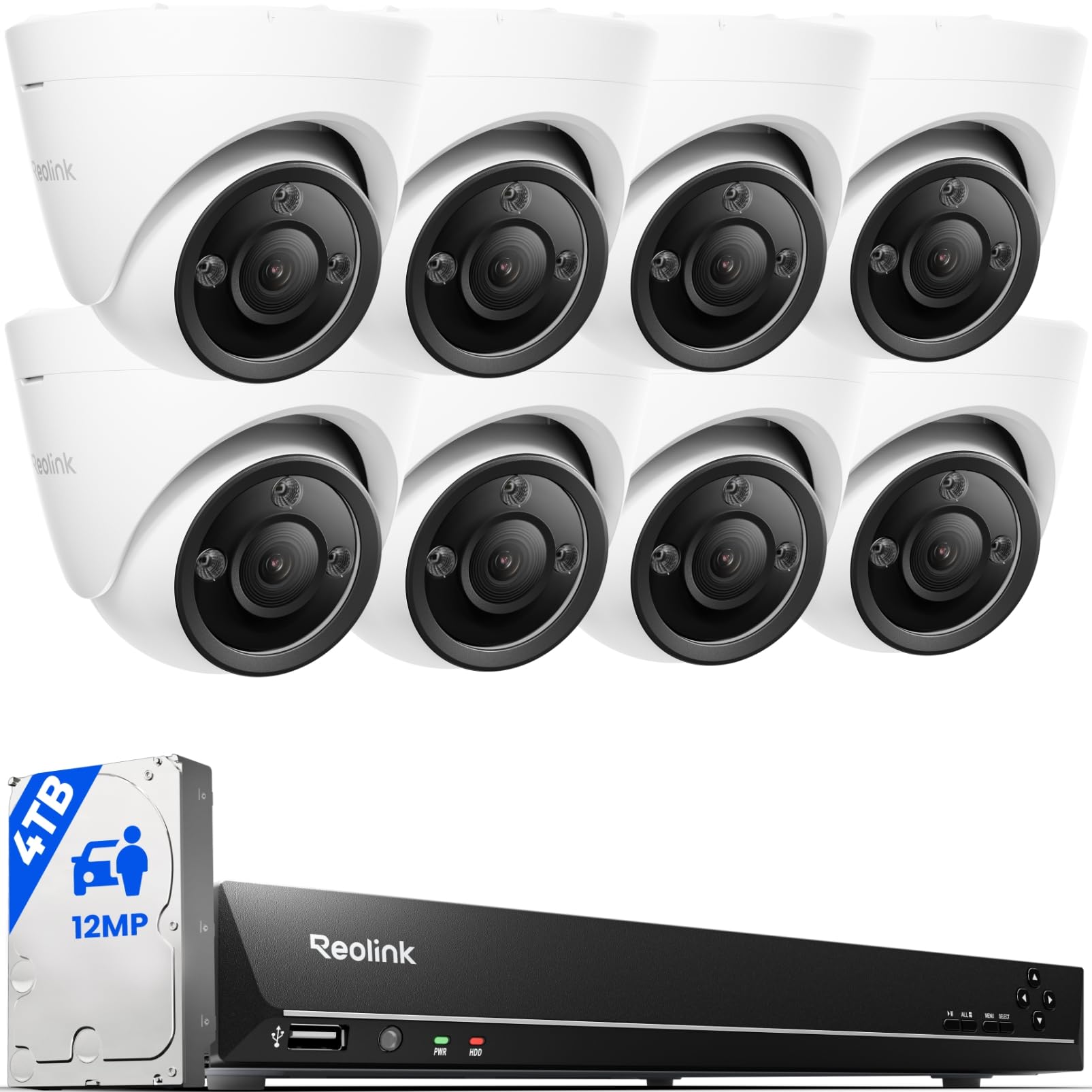
Resolution is the entire reason this system exists. Each of the eight included cameras captures 12MP — a meaningful jump over the 4K/8MP cameras on the RLK8 kit above — and the 16-channel recorder runs up to 16 PoE ports with 16 powered cameras, expandable to 24 channels when you mix in Reolink’s plug-in Wi-Fi and specific battery-powered cameras. It ships with a 4TB drive, which reviewers point out runs about five days of 24/7 recording across the full 12MP set before you add more storage. For a large property where distant detail matters, that pixel count is the reason to step up.
The feature set is deep. Cameras identify people, vehicles, and pets by shape rather than raw motion, two-way talk lets you speak through each camera, and spotlights deliver full-color night vision that you can schedule or trigger on motion to work alongside a siren. Quality, video quality, and easy setup are the three highest-praised parts of the buyer verdict, and motion detection earns specific credit for telling people, cars, and animals apart. If your Home Assistant setup wants high-detail streams to analyze, 12MP cameras give your hub far more to work with than a 5MP array.
The trade-offs are the flip side of that detail. Storage drains fast at 12MP — one owner added a 6TB drive specifically to extend recording from five days toward twelve — and the cameras screw onto their mounts without locking set screws, which is a theft concern in exposed locations. Motion detection still false-triggers on small things like wasps and cats, and a few owners have had the included drive fail within a year. It is the higher-strung system: more detail, more storage pressure. If maximum resolution across a wide property is the goal, that pressure is worth it.
What the extra pixels buy you
- 12MP cameras catch detail a 4K/8MP system would blur
- 16 powered PoE ports, expandable to 24 channels
- 4TB drive included, around five days at full 12MP
- Spotlight night vision, schedule or motion-triggered
- Person, vehicle, and pet detection cuts false alerts
What the extra pixels cost you
- 12MP fills storage fast — owners add drives to keep days of history
- Cameras mount without locking set screws
- Some false motion triggers on small animals and insects
- A few included drives have failed inside a year
Choose this if detailed 12MP footage across a big property is the priority and you are ready to add storage to keep more than a handful of days of history.
Stay with the RLK8 if you want the same Reolink reliability with far less storage pressure — 4K is plenty for many homes.
Know the Specs
ONVIF and RTSP support
These are the two things that decide whether a recorder plays nicely with Home Assistant. ONVIF is a shared camera language that lets different brands of equipment talk to each other, and RTSP is the protocol your hub uses to pull a live video stream. Recorders with both, like the Anpviz 16-channel and the Reolink units with their plug-in support, are far easier to fold into an automation setup — your hub can pull a feed or a motion event on its own. Brand-locked recorders that only accept their own cameras are not broken; they just tend to need the manufacturer’s app for the smoothest experience. Check this before you buy, because it cannot be added later.
Channel count and storage
Channel count is the ceiling on how many cameras the recorder can manage, so an 8-channel unit tops out at eight cameras. Storage is what sets how far back your footage goes: a 2TB drive holds days of continuous 4K recording across a handful of cameras, while a 4TB drive roughly doubles that history. Compression matters just as much — H.265 and H.265+ shrink each file without dropping resolution, so the same drive lasts noticeably longer than it would with an older H.264 format. Buy for the camera count you expect in a year or two, and pick a recorder that lets you swap in a larger drive later.
Common Questions
Will these NVRs work with Home Assistant?
How many days of footage will a 2TB hard drive hold?
Do I need PoE ports or can I use a regular Ethernet switch?
Is a mini PC the same thing as an NVR?
What does ONVIF support actually let me do?
Will night vision give me clear color footage?
How long will the software and firmware be supported?
Do any of these systems charge a monthly fee?
Can I mix cameras from different brands on one recorder?
What is the difference between 4K and 12MP on these recorders?
How much resolution do I need for reading license plates?
The Bottom Line
For most people building an nvr for home assistant, the REOLINK RLK8-800B6 is the safest bet: it records without any internet connection, ships with a 2TB drive that covers most of a week at 4K, and runs six cameras off its own PoE ports. If your automations have outgrown a Raspberry Pi, pair it with the TK QBE Mini PC, which runs Home Assistant OS from the start and handles Frigate without breaking a sweat.
Two more to keep on your shortlist. If you want open standards so your hub can pull streams directly, the Anpviz 16CH NVR with 4TB brings 16 powered PoE ports and ONVIF support. And if cross-camera tracking with no subscription is worth the premium, the eufy S4 Max is the most capable system here.
The truth is that no single unit does both jobs — storage and brainpower. Buy the recorder for the days of footage and channel count you need, buy the mini PC if you want a powerful hub, and let the two talk over ONVIF. Get those two decisions right and your cameras become part of your smart home instead of a separate app you forget to open.
How we choose
We do not accept paid placement. Every pick is matched to a real buyer and a real use-case; we do not hands-on test units.
Sources
Specifications: manufacturer listings and product documentation. Review insights: verified customer reviews, as of October 2026. Pricing: not shown on this page (it changes often); check the current price via the retailer link.
As an Amazon Associate, Aappliancez earns from qualifying purchases. This does not affect which products we feature.